Blog ComparisonsCustomer Service Software Reviews: 12 Top Tools (2026)
Customer Service Software Reviews: 12 Top Tools (2026)
Compare 12 customer service software platforms, including features, pricing, AI costs, and practical trade-offs to find the right fit for your support team.



✨ Automate your support with the fastest AI-enhanced Inbox today →
Reading customer service software reviews can leave you with 12 tabs open, 3 different pricing models, and no clear answer about which platform will make your team's day easier.
I'll compare 12 tools by their strongest use cases, practical limitations, and costs, then show you what to test before you commit to a new helpdesk. 👇
Key takeaways
| Tool | Best for | Starting cost | AI pricing | Main trade-off |
|---|---|---|---|---|
| ✨Featurebase | Software teams connecting support and feedback | Free. Growth from $29/seat/month | $0.49/Fibi resolution on paid plans | Limited fit for phone-led support or store operations |
| Zendesk | Complex service operations across channels | Support Team from $19/agent/month | Included allowance, then $1.50 committed or $2 pay-as-you-go per automated resolution | Suite starts at $55/agent/month, with add-ons extra |
| Freshdesk | Structured email ticketing and automation | Growth from $19/agent/month | First 500 sessions included, then $49/100 sessions | Broader channel requirements need careful product selection |
| Intercom | Messenger-based support with Fin AI | Essential from $29/seat/month | $0.99/Fin outcome | Workflow features and extras raise the total |
| Help Scout | Collaborative support with a familiar inbox | Free. Standard from $25/user/month | $0.75/AI Answers resolution | Limits on advanced reporting and customization |
| Zoho Desk | Teams using Zoho or starting with basic ticketing | Free. Express from $7/user/month | Depends on capabilities and configuration | Setup complexity grows with customization |
| HubSpot Service Hub | Support connected to HubSpot customer records | Free tools. Professional from $90/seat/month | Customer Agent uses HubSpot Credits | Full helpdesk capabilities require a significant upgrade |
| Front | Support requiring frequent cross-team collaboration | Starter from $25/seat/month | Autopilot from $0.05/conversation | Entry plan is limited to a single channel type |
| Gorgias | Ecommerce support centered on customer orders | $10/month for 50 tickets, billed monthly | $1/automated interaction on Starter | Ticket volume and automation both affect spend |
| Hiver in Gmail | Teams handling support inside Gmail | Growth from $25/user/month | Confirm AI usage allowances and charges | Gmail workflow and integration constraints |
| HappyFox | Structured ticket queues and service processes | Basic from $24/agent/month | Confirm pricing for the required AI product | Basic is capped at 5 agents |
| Salesforce Service Cloud | Service deeply connected to Salesforce | Starter Suite from $25/user/month | Edition and add-on dependent | Administration and implementation requirements |
What is customer service software?
Customer service software helps a business receive, assign, answer, and track customer requests. It gives agents a shared place to work and managers a way to see which issues remain unresolved.
Helpdesk software can provide a simple shared inbox for customer emails or a broader customer service platform covering live chat, phone, self-service, and automated support. The useful distinction is what happens after a message arrives.
A customer asking about a failed payment should reach someone who can see the account, understand the previous conversation, and take the next step. A system that merely collects the message solves only part of that problem.
Most customer support software brings together several capabilities:
- Support ticket management: Give each request an owner, a status, and a clear next action.
- Customer conversations: Keep messages and relevant history accessible to the people handling the case.
- Self-service support: Help customers find answers through a knowledge base or help center.
- Workflow automation: Route requests, apply rules, and reduce repetitive administrative work.
- Reporting: Track response times, workload, customer satisfaction, and unresolved issues.
AI can assist with these tasks or handle suitable requests independently. But buying an AI feature doesn't remove the need for reliable information, clear ownership, and a human escalation path.
The best customer service software makes those pieces work together for the kinds of requests your team actually receives.
How we evaluated these customer service tools
This is a research-based comparison of current product documentation, pricing information, and public customer review themes. We haven't run a controlled hands-on benchmark of every platform.
We publish this guide on the Featurebase blog, and Featurebase appears first. The recommendations below explain which situations suit each option and where another tool may make more sense.
Features, workflow fit, and implementation
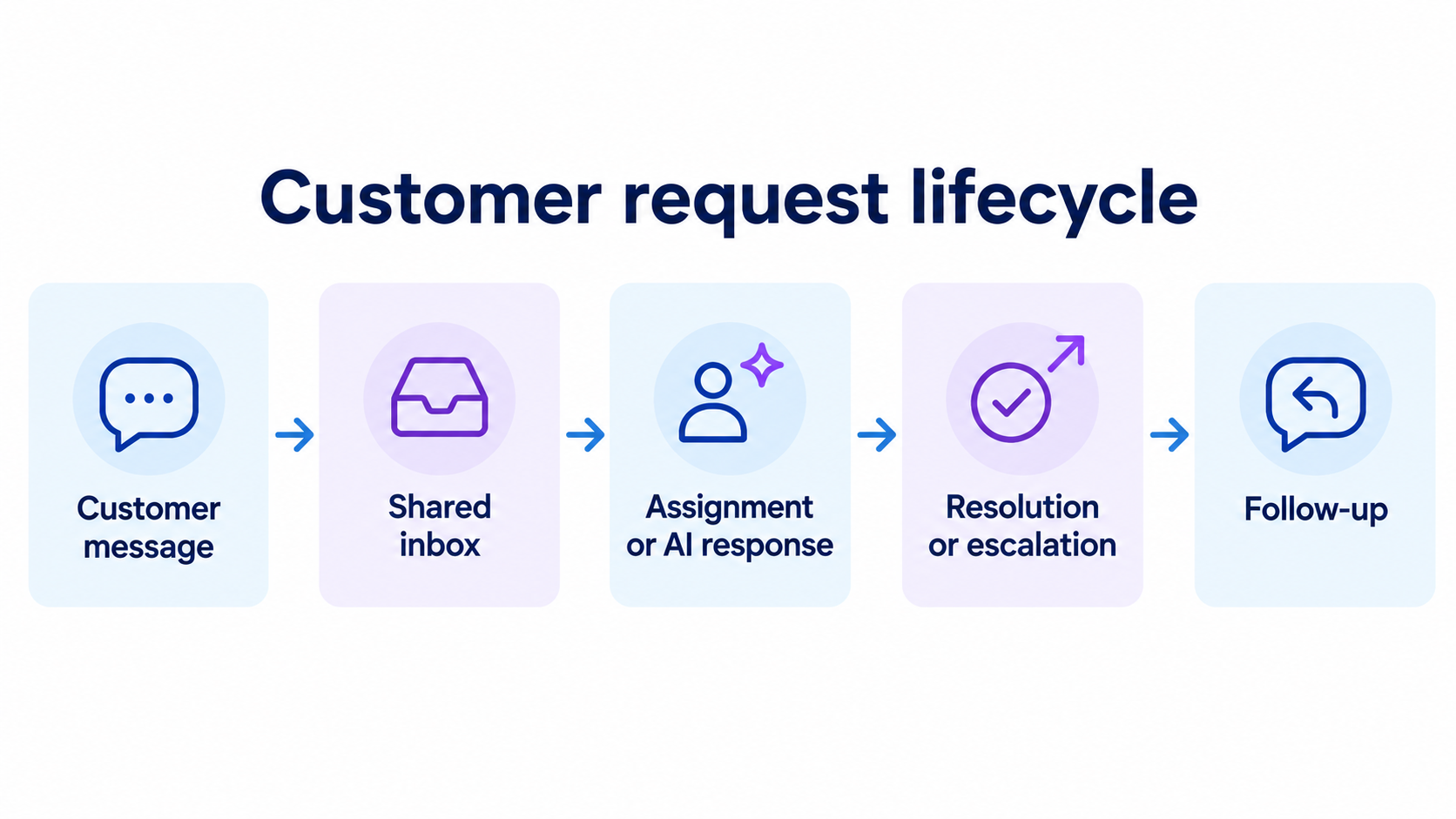
We looked at how each platform supports the work around a customer request, from the first message to the final follow-up. A long feature list has limited value if your agents still need to chase colleagues or copy information between tools.
The main considerations were:
- Workflow fit: Whether the product suits software support, ecommerce, shared email, or more complex service operations.
- Agent experience: How conversations, assignments, internal collaboration, and customer context fit together.
- Automation and self-service: The work customers and agents can complete without a manual handoff.
- Operational requirements: Reporting, integrations, administration, and the effort needed to maintain the setup.
The use-case labels are editorial recommendations based on that evidence. They aren't claims that every team in a category should choose the same product.
Pricing, AI charges, and customer review evidence
We checked official pricing pages and separated entry plans from the plans needed for broader support workflows. Where a vendor offers several related products, the review identifies the product being discussed.
Public G2 review themes provide additional context about day-to-day strengths and frustrations. They are paraphrased, and a reported limitation is not treated as proof that every customer will encounter it.
We also avoid ranking tools by headline AI resolution rates. Those figures can reflect different customers, knowledge sources, request types, and definitions of success. Your own trial is the better place to compare results.
12 customer service software reviews
Start with the products that match your main support workflow. Then use the pricing and limitations in each review to narrow the list before arranging demos.
1. Featurebase

Featurebase is a modern AI customer support platform for product-led SaaS. It combines AI-powered support, a help center, and feedback management into a single platform, helping software teams keep customer-facing work in one place.
It's particularly useful when your customer base is growing faster than your support capacity. You can automate repeat questions while keeping customer conversations connected to the product requests and updates behind them.
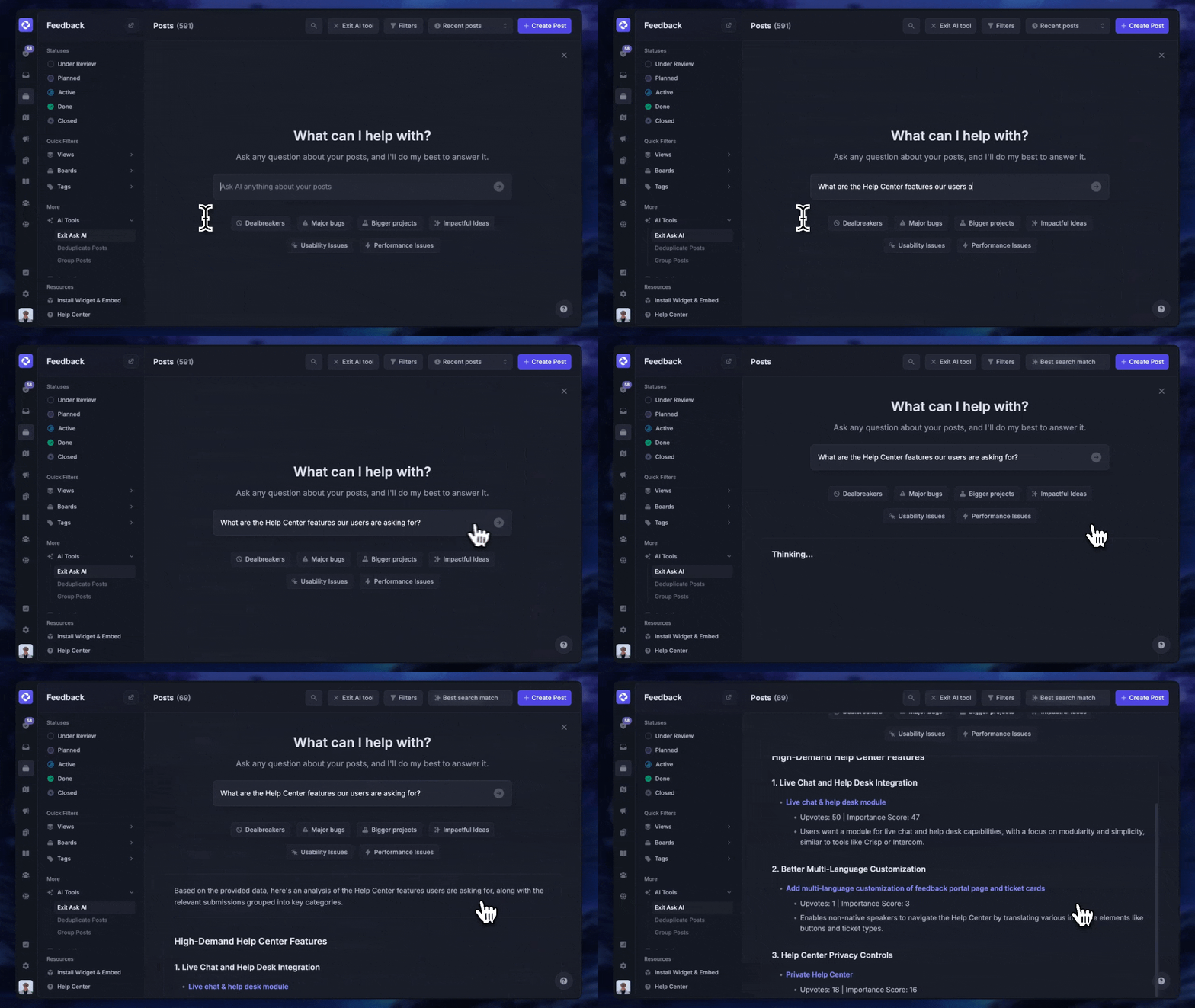
For example, a customer might contact support because an integration doesn't support the workflow they need. Your agent can answer the immediate question, connect that conversation to a feature request, and close the feedback loop as the request progresses.
That connection matters when support is also a source of product insight. You don't have to treat every conversation as an isolated ticket that disappears once someone marks it closed.
Top features:
- Omnichannel inbox – Manage live chat, email, and Slack conversations from one AI-powered view
- Fibi AI Agent - Resolve customer issues on autopilot & run custom actions like trial extensions and refunds
- Help center with AI search – Provide instant, multilingual self-serve answers
- Workflows & automations – Auto-assign tickets, route conversations, collect customer data, and more
- AI Copilot – Help your agents answer customers faster with AI Copilot that uses your internal knowledge
- Multi-brand support – Manage multiple Help Centers and Live chats from a single workspace
- Automatic AI translations – Automatically translate all messages and help articles to your customers native language
- Service Level Agreements – Track SLAs to make sure your team responds to customers on time, every time
- Mobile app – Respond to customers, receive notifications, and unblock users on the go
- Feedback & roadmap tools – Collect feature requests and close the loop with updates
- Product updates – Publish release notes with a changelog page, in-app widget, and emails
- Integrations – Connects with Slack, Linear, Jira, HubSpot, and more
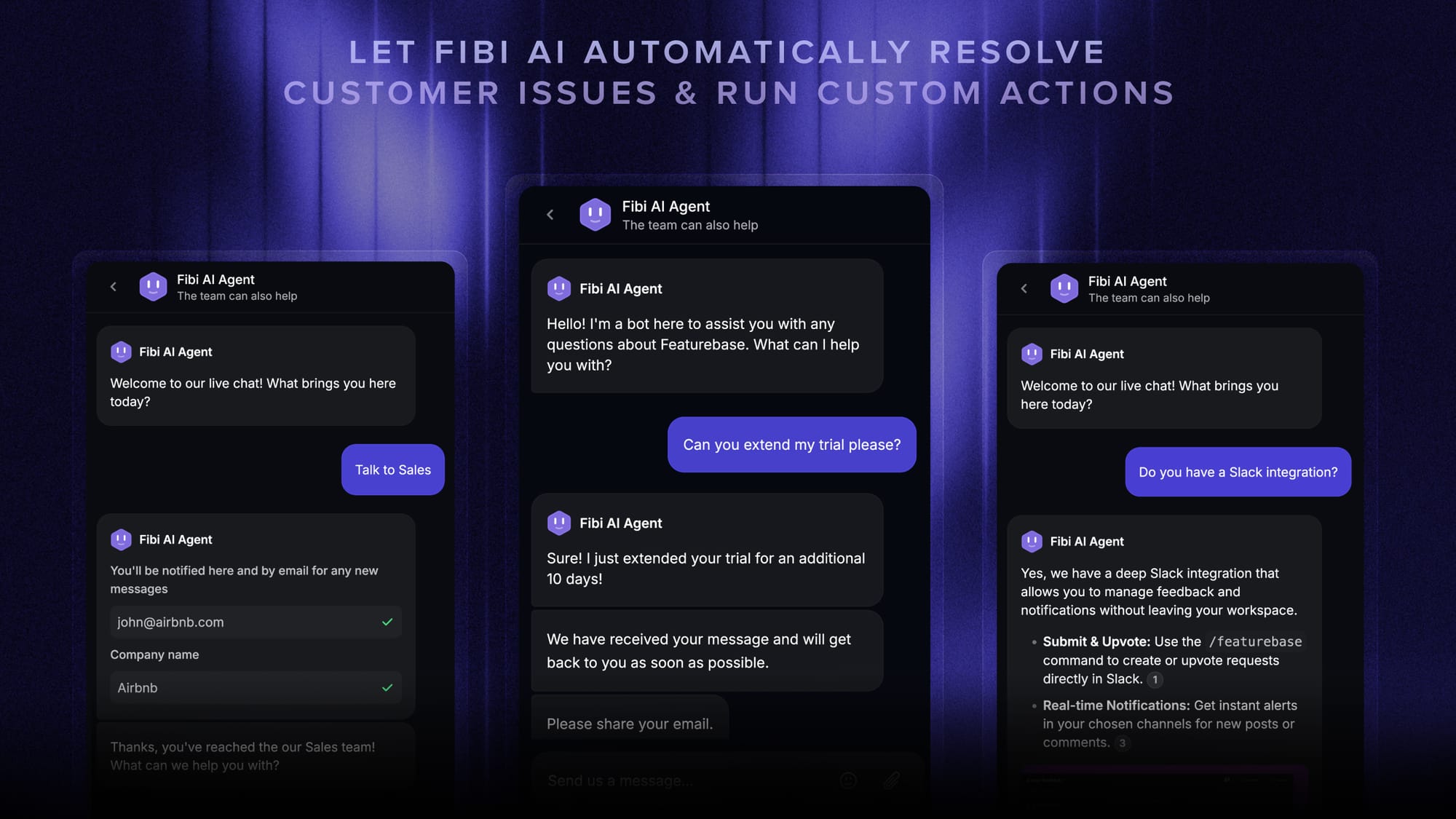
Fibi can use help articles, previous conversations, feedback, changelogs, and roadmap information to answer customers. That gives it context about both how the product works and what your team has already communicated.
Featurebase is a weaker fit when your operation revolves around phone queues or Shopify order management. Those requirements point toward different products in this list.
Pricing: Free. Growth from $29/seat/month, billed annually, or $37 with monthly billing. The Free plan includes 1 seat and unlimited conversations.
Fibi costs $0.49 per resolution on paid plans. Unlimited AI Copilot usage is a separate $19/agent/month add-on, and advanced capabilities depend on the plan.
Worth testing: Take a recurring product question through an AI answer, a teammate handoff, and a linked feature request. Check whether keeping those steps together removes work from your current process.

Resolve 70% of customer requests with AI
Automatically resolve customer issues & cut down support loads for your team
2. Zendesk
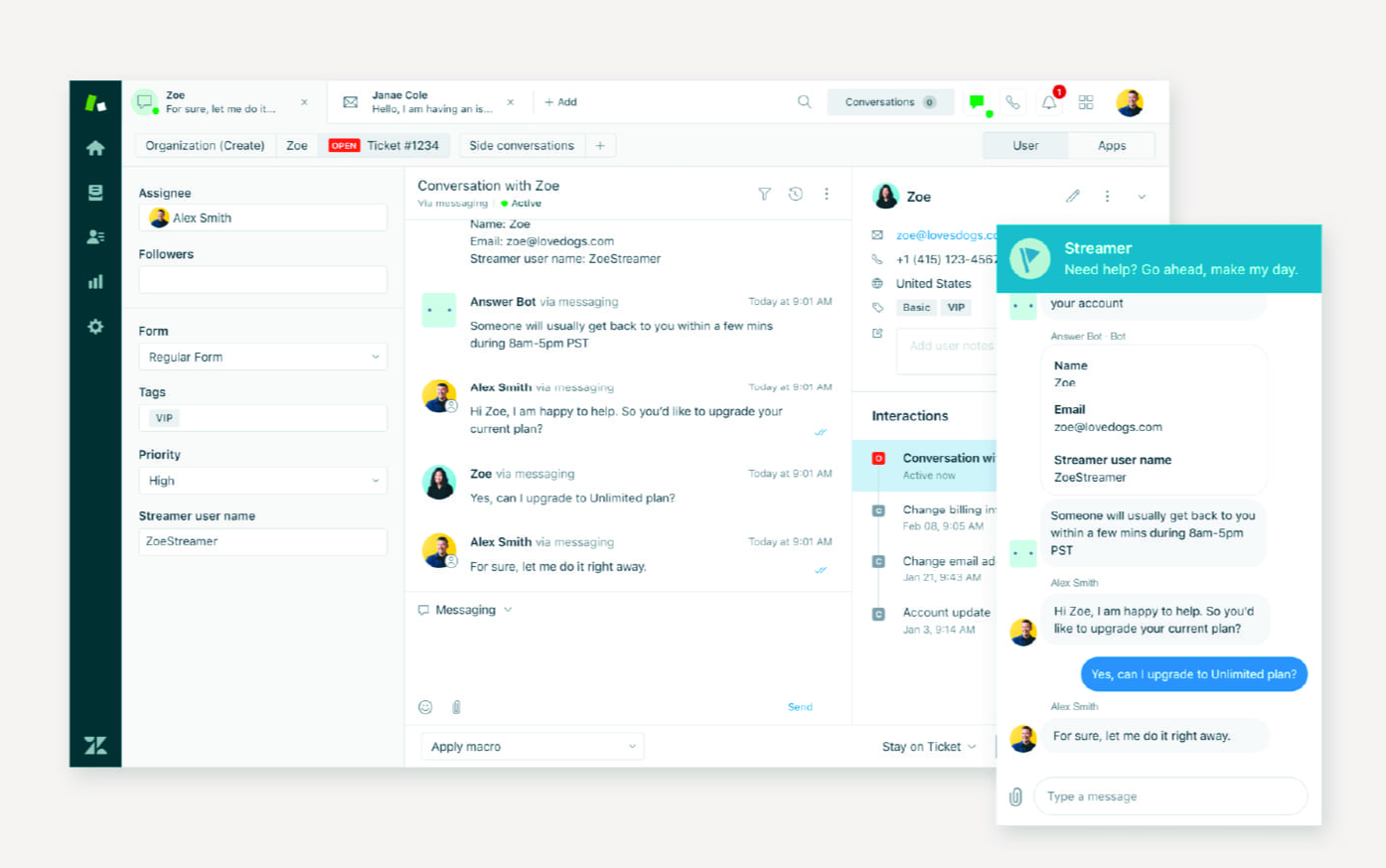
Zendesk suits service operations that need to coordinate several channels, teams, and escalation paths. Its appeal is the depth of the support system you can build around ticketing.
If your team handles account questions, urgent incidents, and partner escalations differently, that flexibility can be valuable. You can evaluate the platform around routing rules and service requirements instead of forcing every request through a single queue.
The distinction between Zendesk Support and Zendesk Suite matters. The entry Support plan focuses on email and ticketing, while Suite packages bring together a broader set of channels and self-service capabilities.
Top features
- Ticketing with triggers and automations
- Messaging, live chat, voice, and a help center in Suite
- AI agents and optional Copilot assistance
- Reporting and service management capabilities across higher tiers
- Marketplace integrations and APIs
G2 feedback commonly highlights organized ticket handling and centralized communication. The same flexibility can introduce configuration work, particularly when teams need custom workflows or advanced reporting.
I would shortlist Zendesk when your service process already has defined rules and someone can maintain them. If ownership is unclear today, adding more routing options will not fix it by itself.
Strengths and limitations
- Strong fit for coordinating support across multiple channels and operational teams.
- Flexible enough to accommodate more detailed service processes.
- Setup and customization can take ongoing administrative effort.
- Add-ons and higher-tier requirements can materially change the budget.
Zendesk pricing: Support Team from $19/agent/month, billed annually. Suite Team starts at $55/agent/month and Suite Professional at $115 with annual billing.
AI agents include a plan-based allowance, with additional automated resolutions listed at $1.50 on a committed basis or $2 pay-as-you-go. Copilot is listed separately at $50/agent/month with annual billing.
Worth testing: Ask an agent and an administrator to work through the same escalated case. Check both the customer response process and how much effort it takes to adjust the underlying rules.
3. Freshdesk
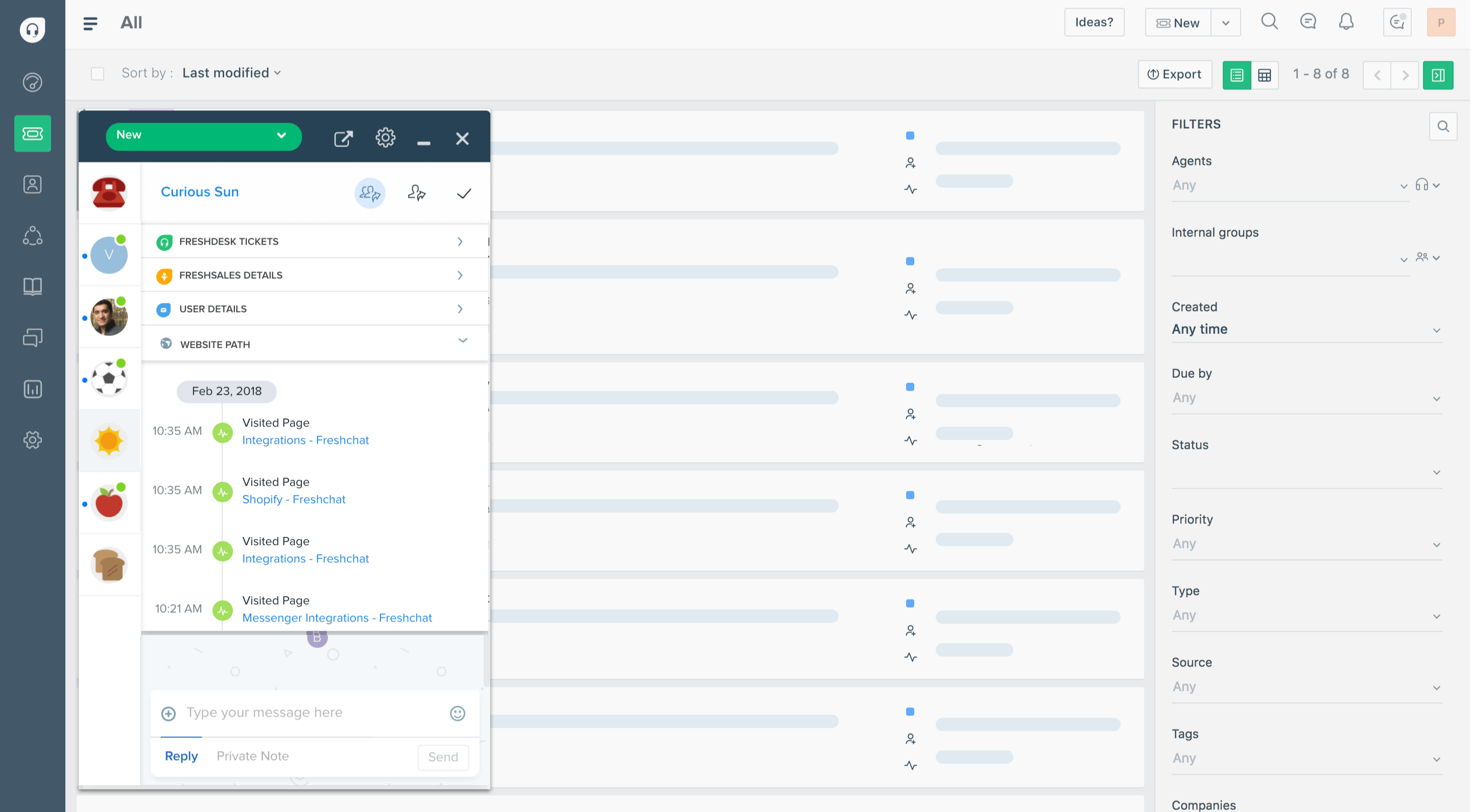
Freshdesk is a practical candidate when you need to bring structure to email support. Ticket ownership, a shared inbox, and repeatable workflows are the main reasons to put it on your shortlist.
Think of a team that has outgrown forwarding emails between colleagues. The first improvement they need may be simple: every request has a responsible agent, related discussions stay together, and nothing waits unnoticed in someone's inbox.
Freshdesk provides that foundation, with more advanced routing, reporting, and service controls available as requirements grow. Its current pricing also includes access to Freddy AI Agent sessions.
Top features
- Email ticketing and a shared support inbox
- A customer portal and knowledge base
- Threads and tasks for coordinating work around tickets
- Freddy AI Agent for automated support
- Higher-tier routing, dashboards, and multiple SLA policies
Review themes on G2 frequently praise straightforward ticket handling and automation. Complaints about customization and channel coverage are worth investigating against the exact Freshworks product and plan you intend to buy.
That last point is easy to miss. Freshdesk and the broader Freshdesk Omni offering are not interchangeable purchases. A low entry price for email support does not establish the cost of your full messaging and voice setup.
Strengths and limitations
- A useful starting point for replacing an unstructured support mailbox.
- A clear path from basic ticketing to more advanced service workflows.
- Some reporting and routing capabilities require higher tiers.
- Broader channel needs require careful product and subscription selection.
Freshdesk pricing: Growth from $19/agent/month, billed annually. Pro is $55 and Enterprise is $89 on the same billing basis.
The pricing page lists the first 500 Freddy AI Agent sessions as included, then $49 per 100 sessions. Do not assume that introductory allowance renews every month. Freddy AI Copilot is listed as a $29/agent/month add-on on eligible plans.
Worth testing: Recreate the ticket types your team handles most often, including one that needs another department. Then check whether the required collaboration and reports are available on the plan you priced.
4. Intercom
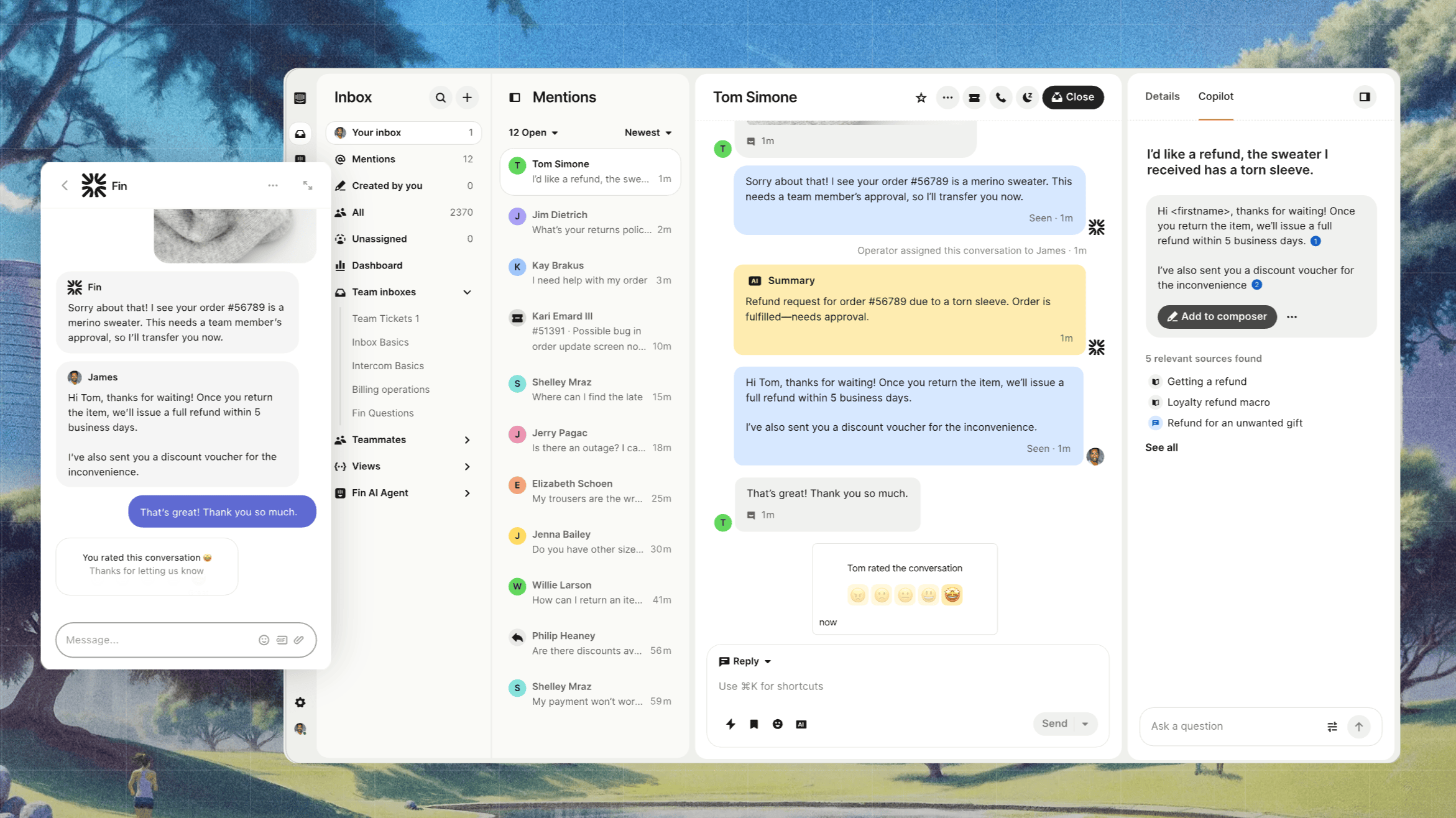
Intercom is a strong candidate for teams that want customer conversations, a Messenger, and Fin AI working together. It fits support experiences where customers ask for help while using a product or website.
Its appeal goes beyond putting a chatbot in front of an inbox. The platform combines conversations, tickets, help content, and automation, with higher plans adding more control over how teams share the work.
That makes Intercom relevant when you want to automate common requests but still give agents useful context when the conversation reaches them.
Top features
- Messenger, a shared inbox, and ticketing
- Fin AI Agent for answering questions and completing supported workflows
- Public help content, with private and multilingual options on higher tiers
- Workflow automation and multiple team inboxes on Advanced
- Optional Copilot and outbound engagement capabilities
The public review evidence includes praise for reducing repetitive questions and providing useful follow-up answers. It also includes concerns about cost and occasional incorrect responses, so the quality of your knowledge sources should be part of the evaluation.
An attractive Messenger alone is not enough to make the decision. Check the point where a conversation moves from AI to a person, particularly when the customer has already explained the problem.
Strengths and limitations
- A coherent option for Messenger-based support and AI automation.
- Fin can also work with an existing helpdesk in supported setups.
- Important workflow and team-management features sit above Essential.
- Seats, AI outcomes, and optional capabilities can all contribute to the bill.
Intercom pricing: Essential from $29/seat/month, billed annually. Advanced is $85 and Expert is $132 on the same billing basis.
Fin is $0.99 per outcome. Its current definition includes completed Procedures, including handoffs, so an outcome is not always equivalent to a request resolved without human involvement. Unlimited Copilot is another $29/agent/month with annual billing.
Worth testing: Include a request Fin should answer, one requiring an action, and one it should escalate. Check both the customer experience and which interactions are counted as billable outcomes.
5. Help Scout
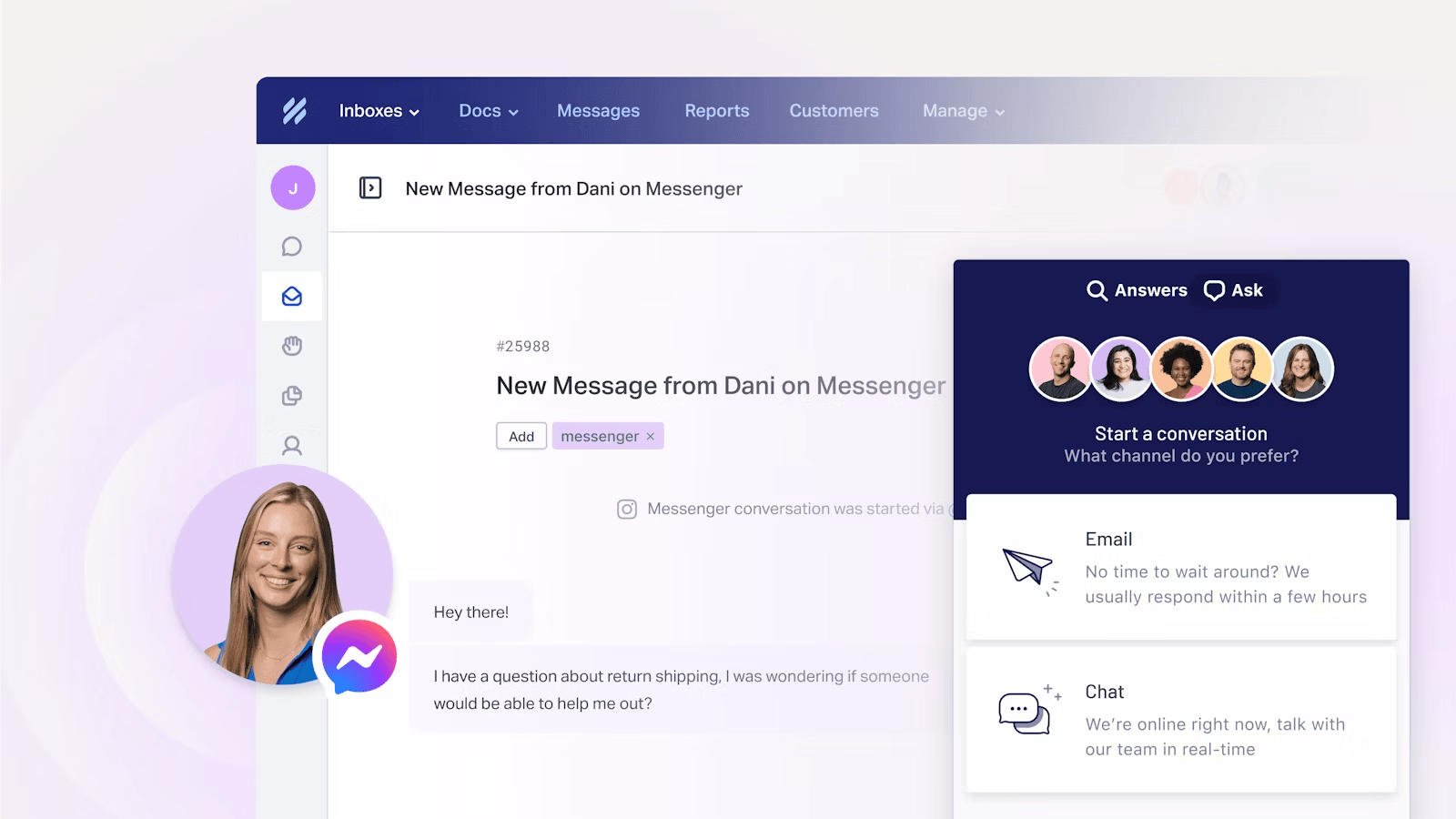
Help Scout is worth considering when your team wants a collaborative support inbox that feels approachable. Its emphasis on conversations, help content, and straightforward teamwork suits businesses moving beyond a basic shared mailbox.
For example, an agent may need a colleague's input before replying to a customer. The goal is to keep that discussion close to the conversation, with clear ownership and enough history for the next person to understand what happened.
Help Scout's shared inbox and knowledge base are the core of that experience. Its paid plans add more automation and channel capabilities as the support operation becomes more involved.
Top features
- Shared inboxes and customer conversation history
- Docs knowledge bases and live chat
- Saved replies, tags, and workflows
- AI assistance for agents and AI Answers for customers
- Advanced routing, integrations, and service controls on higher plans
Public G2 feedback often highlights ease of use, collaboration, and conversation organization. Advanced reporting and customization are recurring areas to examine more closely.
I would focus the trial on the decisions your support manager needs to make each week. A pleasant inbox is useful, but it must also show where work is building up and why customers are contacting you repeatedly.
Strengths and limitations
- An accessible approach to shared customer support.
- Knowledge content and conversations sit within the same product.
- Complex reporting requirements may need additional work or another tool.
- Advanced workflows, routing, and integrations depend on the plan.
Help Scout pricing: Free. Standard from $25/user/month, billed annually. Plus is $45 and Pro is $75 per user/month with annual billing.
The Free plan includes 5 users, 1 inbox, and 1 Docs site, with a 100-contact monthly limit.
AI Answers is listed at $0.75 per resolution.
Worth testing: Have agents coordinate a tricky email without forwarding it elsewhere, then ask the team lead to report on that category of request. Evaluate the agent experience and the reporting together.
6. Zoho Desk
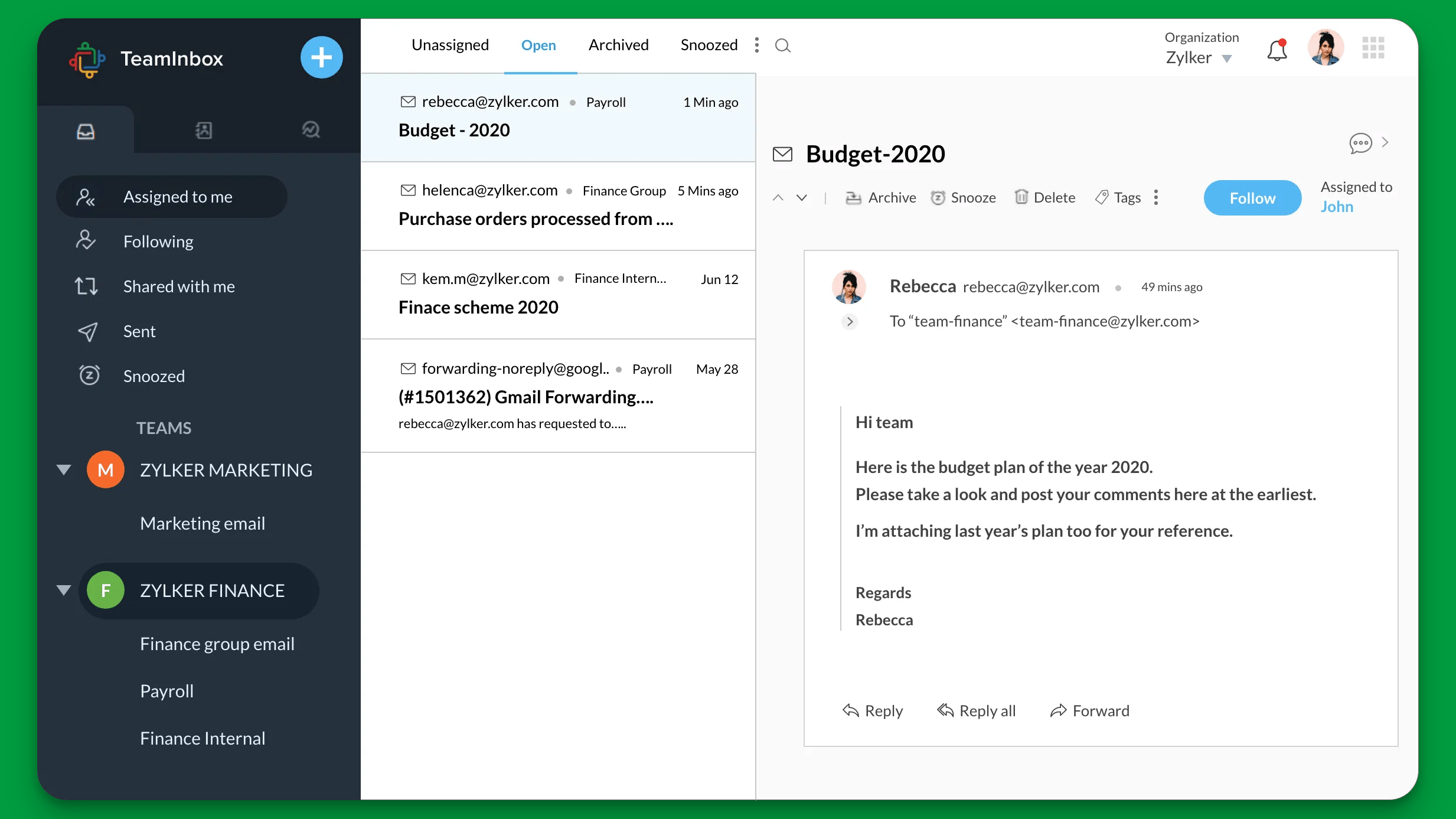
Zoho Desk deserves a look if your business already uses Zoho or wants to start with a low-cost ticketing system. Its range extends from basic email support to more customized service operations.
That range can be useful when your requirements are developing. You may begin with a few agents sharing email requests and later need department-specific processes or more detailed routing.
The trade-off is configuration. The more you customize a system, the more carefully you need to manage its fields, rules, permissions, and reports.
Top features
- Email ticketing and customer records
- Workflow rules and escalation capabilities
- Knowledge base and self-service features on higher plans
- Department workflows and more advanced assignment options
- AI capabilities that vary by edition and setup
G2 feedback reflects both sides of the product. Users praise ticket organization, automation, and integrations, while other reviewers describe a learning curve and difficulty navigating more complex settings.
Those observations can both be true. An agent handling an established queue has a different experience from an administrator building the process behind it.
Strengths and limitations
- Free and low-cost entry options for basic support needs.
- Relevant to teams already building around the Zoho ecosystem.
- Capabilities differ substantially between editions.
- Advanced configuration can increase maintenance and training demands.
Zoho Desk pricing: Free. Express from $7/user/month, billed annually, or $9 with monthly billing. The Free edition includes 3 user licenses, and Express is limited to 5 users.
Higher editions expand the available capabilities. Confirm the edition needed for your knowledge base, reporting, channels, and AI setup before treating the Express price as your budget.
Worth testing: Let an agent work through a queue, then let the person responsible for administration change a routing rule and reporting field. The second exercise often reveals more about long-term fit than the first.
7. HubSpot Service Hub
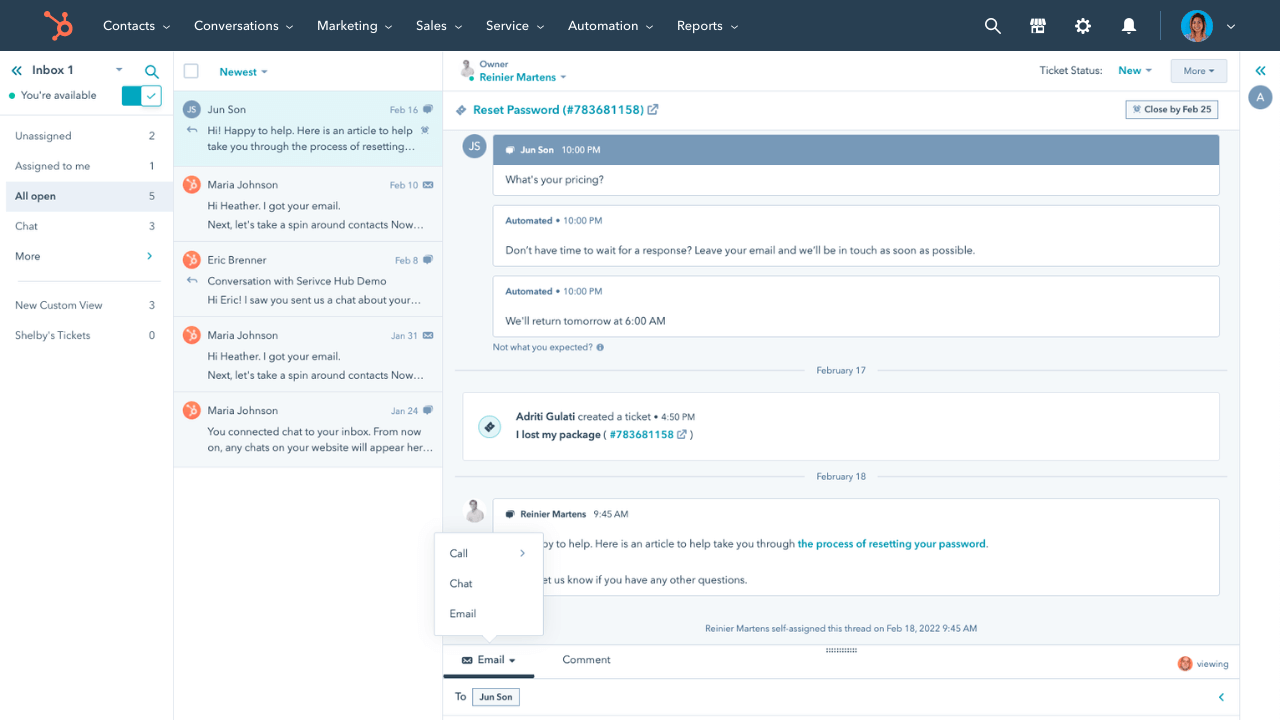
HubSpot Service Hub makes the most sense when support needs to work closely with the customer records your sales and customer success teams already use. The benefit is shared account context.
A customer asking for help may also have an open renewal discussion or a recent onboarding issue. Keeping that information accessible can reduce the time agents spend reconstructing the relationship before they answer.
But the Free and Starter tools should be distinguished from the fuller Service Hub offering. The helpdesk workspace, knowledge base, and customer success capabilities are part of the higher-tier buying decision.
Top features
- Ticketing connected to HubSpot customer records
- A helpdesk workspace on Professional
- Knowledge base and customer portal capabilities
- Customer feedback surveys and a customer success workspace
- Customer Agent and other credit-based AI capabilities
G2 review themes praise integration and ease of use, particularly when teams already work in HubSpot. Reporting and customization restrictions are common reasons to examine the exact subscription requirements.
I would assess Service Hub as part of your wider HubSpot setup. Consolidating customer data can be valuable, but buying several Hubs also makes it important to understand which seats and capabilities your team actually needs.
Strengths and limitations
- Useful continuity between service conversations and broader customer records.
- A logical shortlist option for existing HubSpot users.
- Full helpdesk capabilities require Professional or Enterprise.
- Onboarding fees and AI credits add cost considerations beyond seats.
HubSpot pricing: Free tools. Professional from $90/seat/month, billed annually, plus a required $1,500 onboarding fee.
Free tools support up to 2 users, while Starter offers basic service capabilities. Enterprise starts at $150/seat/month with a $3,500 onboarding fee.
Customer Agent uses HubSpot Credits, so include the available allowance and additional consumption in your estimate.
Worth testing: Follow a service request from its ticket to the customer record and back. Ask whether the shared data changes what your agent can do, rather than simply adding another screen of information.
8. Front
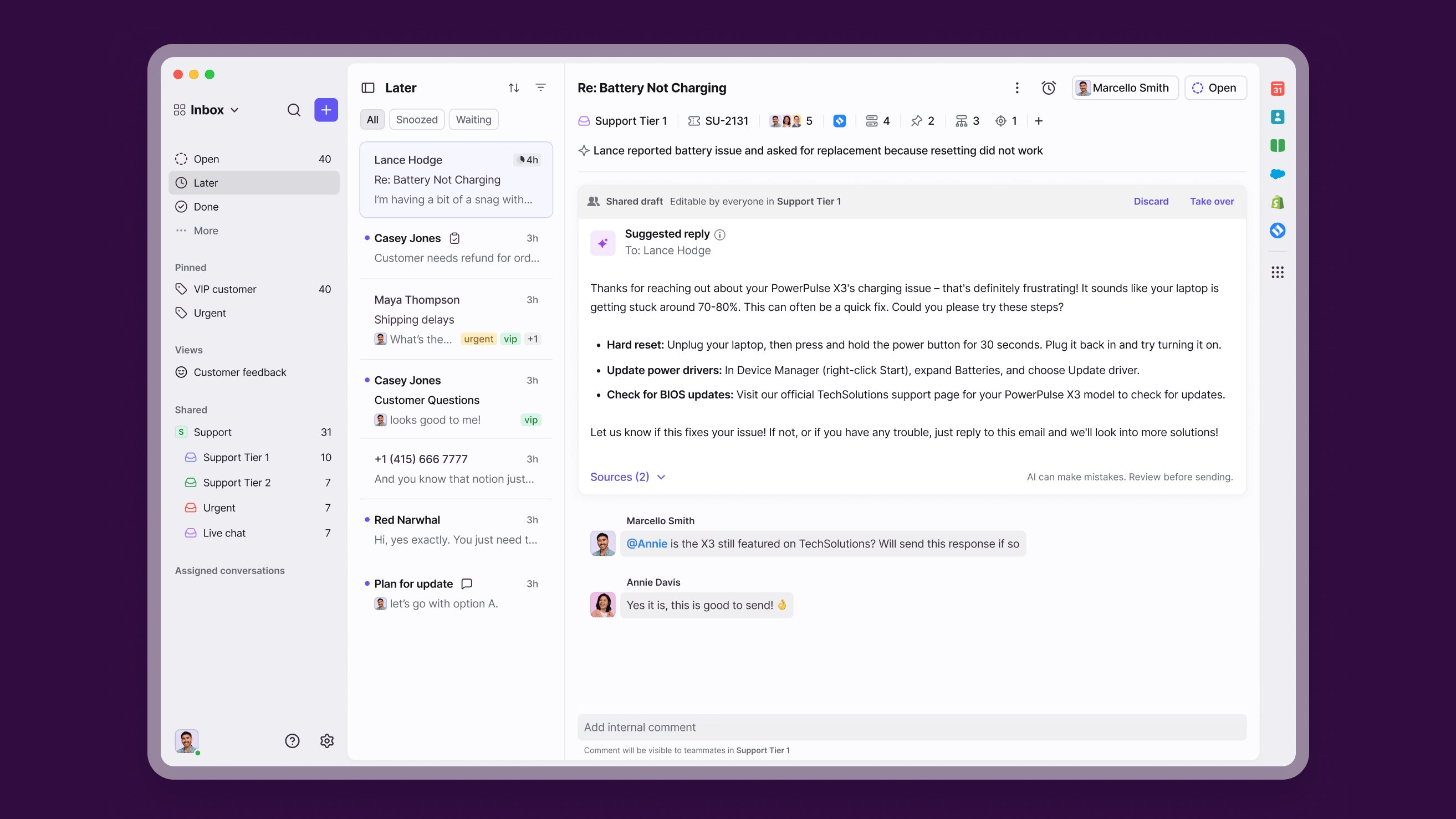
Front is a good candidate when customer service collaboration frequently involves people outside the support team. Its shared inbox approach keeps conversations and internal discussion close together.
Consider a delivery issue that needs input from operations, an account manager, and a support agent. The challenge is keeping the customer updated while several people contribute to the answer.
Front's internal comments and shared drafts support that kind of work. The product can also expand beyond a single email channel, although the plan you choose matters.
Top features
- Shared inboxes, assignments, and ticketing
- Internal comments and shared drafts
- Message templates and workflow automation
- Reporting and broader channel support on higher plans
- Optional Autopilot, Copilot, and AI quality tools
G2 feedback often emphasizes collaboration and email organization. It also includes complaints about duplicate messages and synchronization, making real email threads a useful part of the trial.
I would look closely at how Front handles a conversation that crosses several inboxes. Your goal is to give people enough visibility to help without creating confusion about who owes the customer a reply.
Strengths and limitations
- Strong alignment with support that depends on cross-team input.
- Familiar conversation-based organization.
- Starter is limited to a single channel type and up to 10 seats.
- Automation limits, advanced capabilities, and AI add-ons affect the final plan choice.
Front pricing: Starter from $25/seat/month, billed annually. Professional is $65 and Enterprise is $105 on the same billing basis.
Autopilot starts at $0.05 per conversation. Copilot is $20/seat/month as an add-on or included in Enterprise. The Autopilot entry rate is a starting price, so price the workflow and volume you intend to run.
Worth testing: Give several colleagues a customer request that needs a shared answer. Check ownership, internal discussion, duplicate handling, and what the customer sees when the final reply goes out.
9. Gorgias
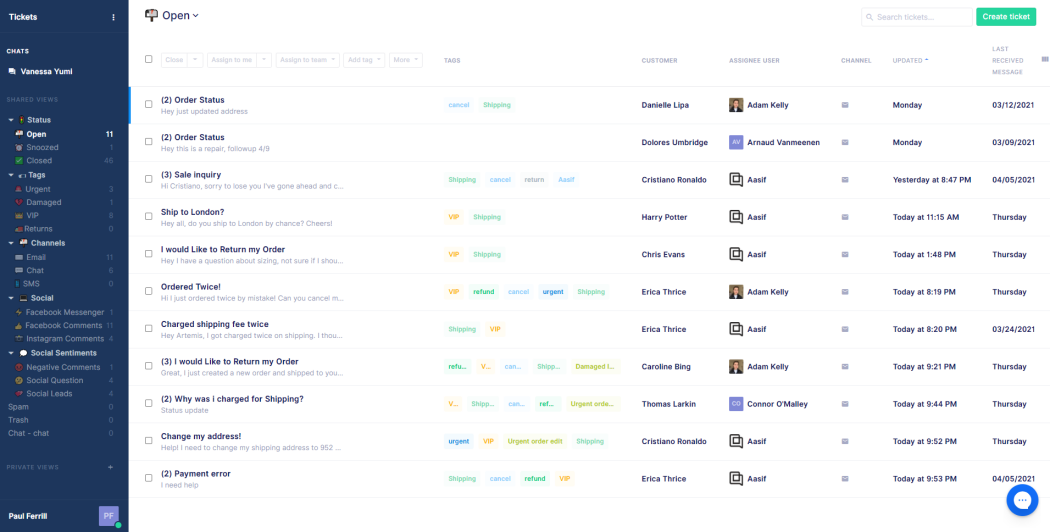
Gorgias is the most directly ecommerce-focused option in this list. It deserves attention when customer service revolves around orders, shipping, returns, and subscriptions.
The advantage is having store context close to the conversation. An agent answering an order question should be able to understand what the customer bought and what has happened since, without repeatedly switching systems.
That focus makes Gorgias a different purchase from a general support inbox. Evaluate it against your store operations and the actions your team performs, not only the number of channels it supports.
Top features
- Support conversations across email, chat, and social channels
- Ecommerce integrations, including Shopify
- Order-related context and supported actions
- AI Agent for appropriate support and shopping interactions
- Support and automation reporting, with capabilities varying by plan
G2 reviewers commonly praise Shopify integration and centralized communication. Ticket-based costs, reporting depth, and more complex automation requirements are recurring areas to check.
Gorgias can be attractive when many people need to participate in support but ticket volume is manageable. The calculation changes during busy periods, so model a peak month as well as your average.
Strengths and limitations
- Closely aligned with ecommerce customer service.
- Useful when order information and customer conversations belong together.
- Ticket allowances and overages affect the subscription cost.
- AI usage adds another billing dimension, and advanced capabilities vary by plan.
Gorgias pricing: Starter is $10/month for 50 tickets, billed monthly, with 3 user seats. Monthly Basic is $60 for 300 tickets, Pro is $360 for 2,000, and Advanced is $900 for 5,000.
AI automated interactions are listed at $1 on Starter, $0.90 on Basic and Pro, and $0.85 on Advanced. Ticket overages apply separately.
Worth testing: Use an order-status question, a return request, and an exception your store cannot automatically approve. Confirm the action limits and how the resulting activity affects ticket and AI billing.
10. Hiver in Gmail
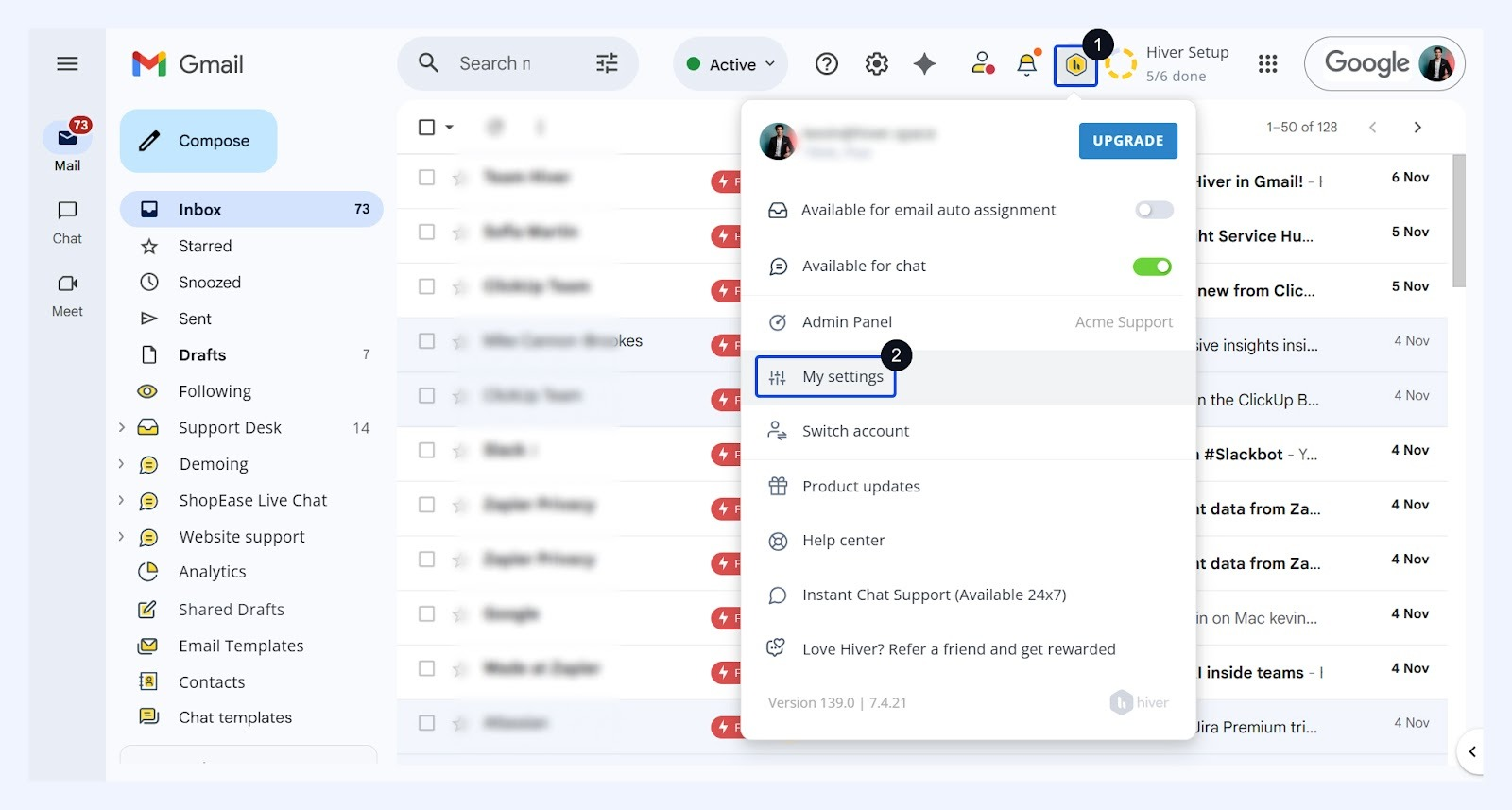
Hiver in Gmail is designed for teams that want to manage support while continuing to work inside Gmail. It is a specific product choice within Hiver's lineup, distinct from Hiver Omni.
That distinction is useful if changing the team's daily workspace is a major concern. You may need clearer assignment and collaboration without asking everyone to adopt an entirely different way of handling email.
The familiar environment can make the product appealing, but familiarity should not replace a workflow check. You still need to know how shared conversations, reporting, and integrations behave as the team grows.
Top features
- Shared inbox and ticket management within Gmail
- Rule-based automations
- Help center and prebuilt analytics
- AI Agents, AI Copilot, and knowledge capabilities
- Higher-tier SLAs, CSAT surveys, integrations, and routing
Public G2 feedback highlights collaboration and email organization. Reviewers also report occasional loading or synchronization issues and limits around particular workflows.
Those reports make it worth testing the busiest part of your support day. A few sample emails may look fine while a queue involving reassignment, internal discussion, and several people reveals different needs.
Strengths and limitations
- A relevant option when Gmail is central to the team's working habits.
- Adds ownership and collaboration to shared email handling.
- The Gmail-based product may not fit every wider service operation.
- Advanced analytics, integrations, and service controls depend on the plan.
Hiver pricing: Growth from $25/user/month, billed annually. Pro is $55 and Elite is $85 on the same billing basis. Hiver advertises a 7-day trial.
AI capabilities appear in the plan descriptions, but confirm usage allowances and any additional charges for your intended deployment before budgeting.
Worth testing: Recreate the shared mailboxes and handoffs your agents use every day. Confirm that they can identify the owner of a conversation and understand its status without relying on side messages.
11. HappyFox
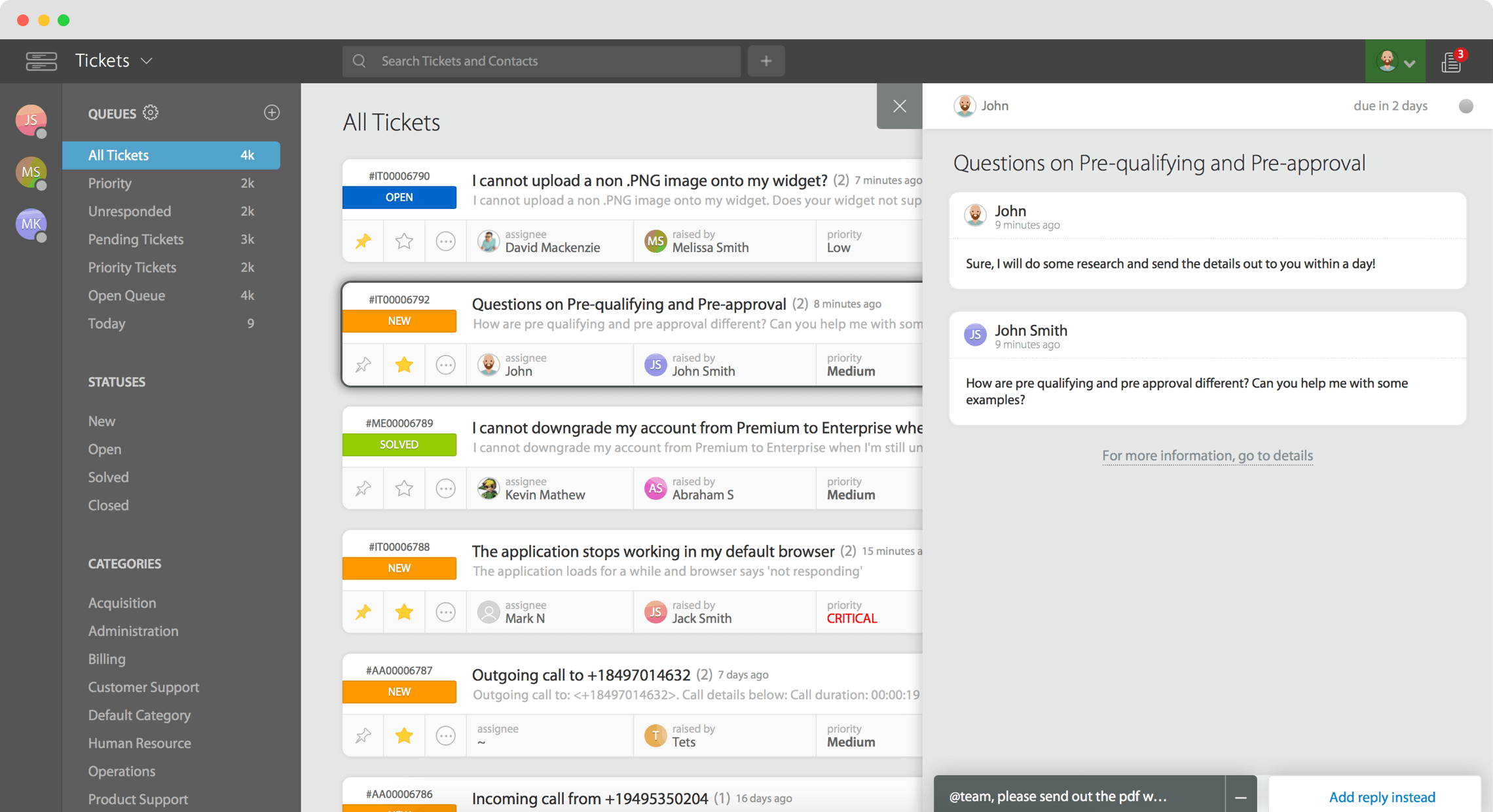
HappyFox suits teams that want a structured helpdesk with ticket queues, service rules, and a knowledge base. It is worth considering when consistent request handling matters more than a Messenger-led experience.
For example, several departments may contribute to resolving a customer issue, but support still needs to own the case. Clear queues and service commitments help keep that work organized.
HappyFox offers both agent-based and unlimited-agent pricing models. That makes the commercial structure part of the evaluation, especially when many colleagues need access.
Top features
- Ticketing with customizable statuses and priorities
- SLA management and escalation support
- A self-service knowledge base
- Smart rules and reusable actions
- Higher-tier task management, assignment, and reporting capabilities
The available G2 feedback praises ticket management, setup, and customer support. Negative themes are less substantial, so I would treat isolated usability complaints as prompts for testing rather than broad conclusions.
Pay particular attention to where the Basic plan ends. A low starting price is only useful if the agent limit and included capabilities cover the team that will actually use the product.
Strengths and limitations
- A clear focus on structured service processes.
- Multiple commercial models to evaluate against staffing and volume.
- Basic is capped at 5 agents.
- More advanced coordination and administrative capabilities sit on higher tiers.
HappyFox pricing: Basic from $24/agent/month, billed annually. Team is $49 and Pro is $99 on the same billing basis. Enterprise Pro is custom-priced.
Unlimited-agent plans use a different commercial model. HappyFox also offers separate AI products, so confirm which product and charges apply to the automation you need.
Worth testing: Build a request that needs escalation, a teammate's input, and a service deadline. Then compare the agent-based and unlimited-agent proposals using the same access requirements and ticket volume.
12. Salesforce Service Cloud
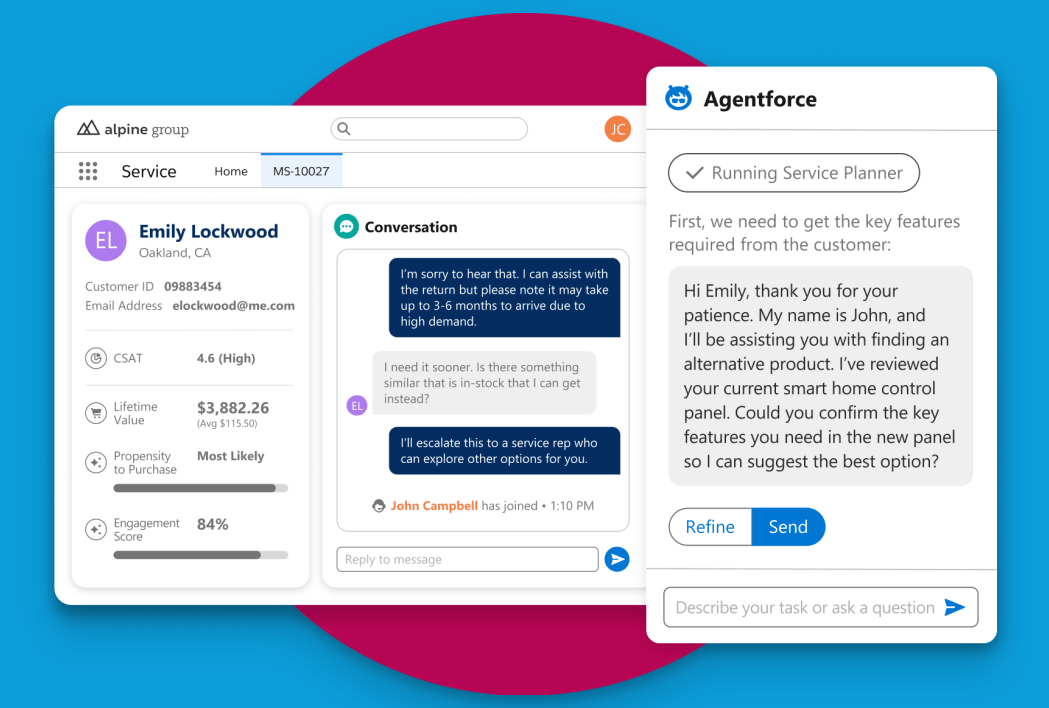
Salesforce Service Cloud is a strong candidate when service needs to work within an established Salesforce environment. It is particularly relevant when customer records and service processes already depend on that platform.
The value comes from the wider operational context you can bring to a case. But that also means the purchase is usually more involved than selecting a standalone shared inbox.
If Salesforce already has an owner in your business, involve them early. A support team can describe its ideal workflow, while the platform team can explain what is practical to build and maintain.
Top features
- Case management within the Salesforce platform
- Customer and account context
- Service automation and routing capabilities
- Self-service and knowledge capabilities
- AI, digital channels, and broader service operations across editions and add-ons
G2 feedback often praises connected customer data and automation. Complex setup and the need for administrative support are recurring considerations.
Salesforce may make sense when that complexity serves an actual requirement. It becomes harder to justify when a team mainly needs to answer straightforward questions from a shared inbox.
Strengths and limitations
- Strong alignment with existing Salesforce records and processes.
- Broad scope for businesses with detailed service requirements.
- Implementation and ongoing administration need explicit ownership.
- Low-cost suite pricing does not represent every Service Cloud capability.
Pricing: Starter Suite from $25/user/month, billed monthly or annually. Pro Suite is $100/user/month with annual billing.
The dedicated Service Cloud editions currently include Core at $195, Advanced at $395, and Max at $550 per user/month, billed annually. AI and channel entitlements vary, so compare the edition and add-ons against a written requirements list.
Worth testing: Use a case that depends on account history, an entitlement, or another business process. Check which steps are available in the quoted edition and which require additional configuration or products.
Features to look for in customer service software
Once you have a shortlist, stop comparing the length of feature lists. Focus on whether the software can handle a request from start to finish without losing context or ownership.
Channels and customer context
Start with the channels customers actually use. A team handling mostly email and in-app chat has different needs from one managing phone queues and social messages throughout the day.
For omnichannel customer support, check whether the channels share useful customer context. Seeing several channels in a product menu does not tell you how well the conversations connect.
An agent should be able to understand a customer's previous issue before asking them to explain it again. When a conversation moves between channels, check what history remains available and whether the customer is matched to the correct account.
For a concrete test, begin with a chat and follow up by email. Ask a different agent to continue the conversation without a briefing from the first agent.
Assignment, collaboration, and escalation
The system should make the next action obvious. Someone needs to own the request even when several people are helping.
Look for more than an assignment dropdown. A useful setup should support the distinctions your team needs:
- Ownership: Who is responsible for moving the case forward?
- Collaboration: Where can colleagues contribute without confusing the customer?
- Escalation: What happens when the current owner cannot solve the problem?
- Waiting states: Can agents distinguish waiting for a customer from waiting for an internal answer?
This is also where customer feedback can get lost. A conversation may be resolved from a support perspective while the underlying product request still matters.
For example, Featurebase's Inbox can connect a conversation to an existing feature request or create a new request from it. That keeps interested customers attached to the issue so they can receive updates later.
Knowledge management and self-service
The knowledge base software you choose should help customers finish a task. Evaluate the quality of the answer they reach, not just whether a search box exists.
Take a question that customers ask in several different ways. Test whether they can find the relevant article using their own wording and whether the instructions are current enough to follow.
Then look at how your team maintains that content. If nobody can identify outdated answers or take responsibility for improving them, the help center will become less useful over time.
Consider the relationship between public articles and agent knowledge too. Some information belongs in customer-facing documentation, while internal troubleshooting notes may need different access controls.
Self-service works best when support conversations reveal what needs to be explained better. A help center should be part of that ongoing process.
AI automation and human handoffs
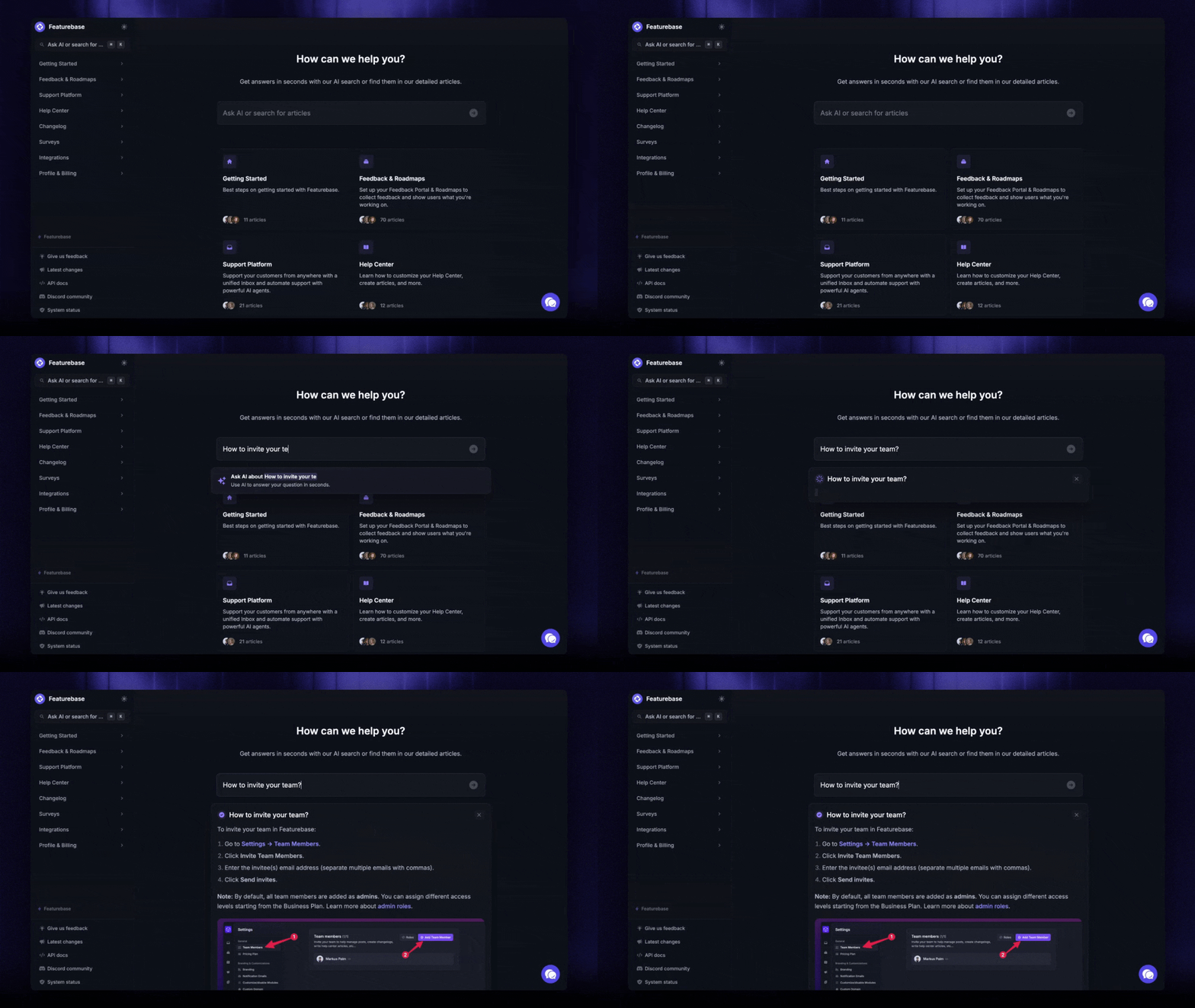
AI customer service software needs a clear boundary between answering a question, taking an action, and handing over to a person.
Test all 3. An accurate explanation of your refund policy does not prove an AI agent can safely execute a refund or recognize an exception.
Human access matters to customers. In a 2026 Gartner survey of 3,566 B2B and B2C customers, 87% said access to a human was essential when companies use generative AI for service. The research was conducted in February and March 2026.
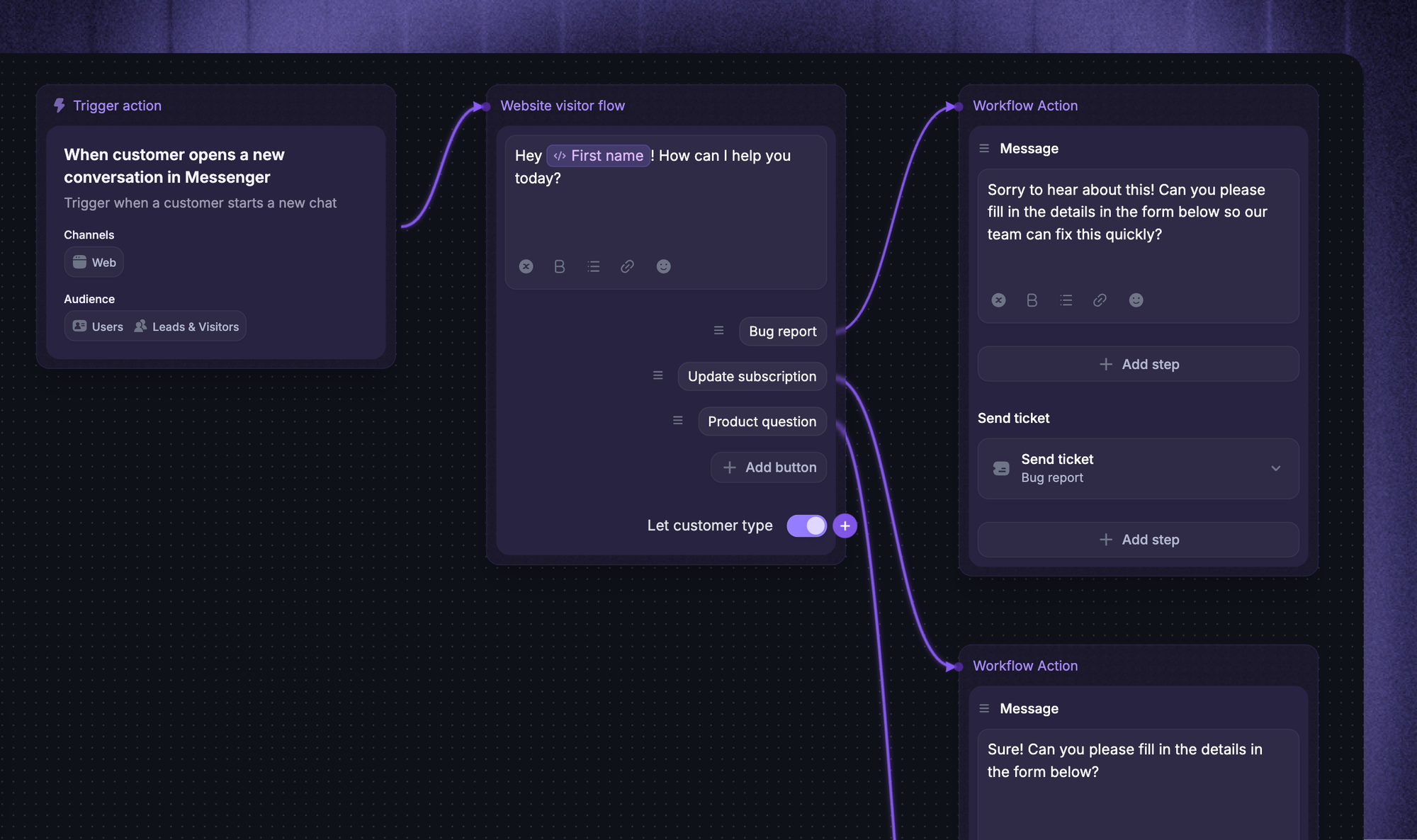
Your evaluation should check whether the customer can request a person, whether the request reaches an appropriate queue, and whether the agent receives the conversation history.
Also test what happens when the AI does not know the answer. A confident response based on missing information is worse than a clear admission that the issue needs help.
Reporting, integrations, and access controls
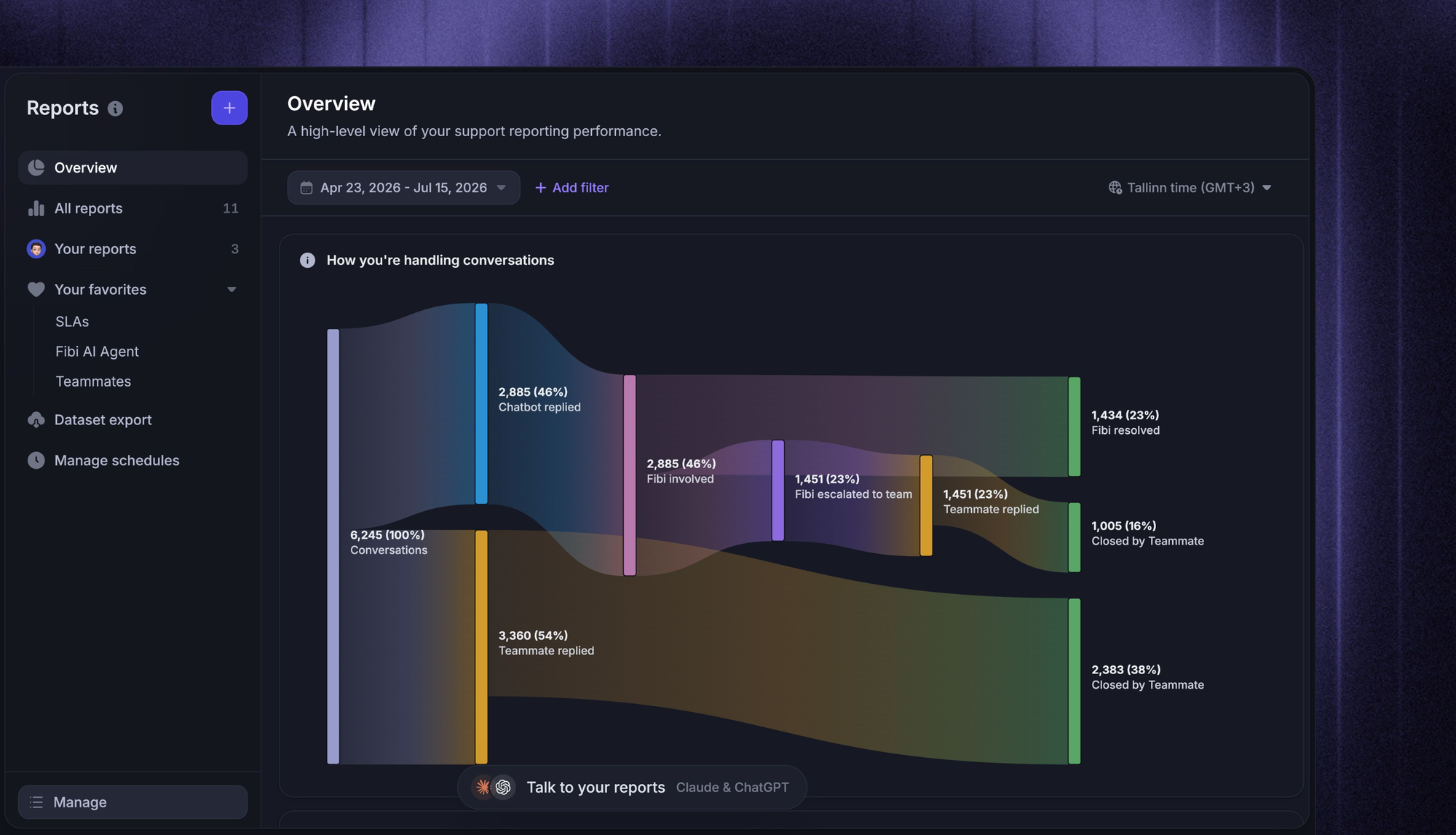
Ask the support manager which customer service metrics help them make weekly decisions. That creates a more useful evaluation than asking whether the product has analytics.
You may need to identify why customers contact you repeatedly, which queue needs attention, or where handoffs delay resolution. Confirm that the required information can be captured and reported without a weekly spreadsheet cleanup.
For integrations, test the work they enable. A connector that displays customer data provides a different benefit from one that updates a record or creates a linked issue.
Access controls deserve the same practical check. People should see the information needed for their role, while sensitive customer details remain restricted to the appropriate team.
How to compare the total cost
Customer service software pricing depends on the plan, people, and usage required to run your support operation. The entry price is only the starting point for that calculation.
Seats, billing commitments, and plan restrictions
Begin with the people who need to work in the system. Full-time agents, managers, and colleagues who only contribute occasionally may have different access requirements.
Ask which activities require a paid seat. Viewing a conversation, adding an internal note, and replying to a customer are different permissions, and vendors package them differently.
Annual prices also need careful handling. A monthly equivalent of $29 with annual billing means a different commitment from a subscription you can cancel after a month.
Build a simple comparison around these inputs:
- Required plan: The lowest tier that includes your essential workflows.
- Paid access: Everyone who needs the capabilities tied to a paid seat.
- Commitment: Billing frequency, minimum seats, and contract length.
- Upgrade triggers: Limits that could force a move to a higher tier.
This keeps a low entry price from dominating the decision when your team would immediately need an upgrade.
AI outcomes, sessions, and usage charges
An AI billing unit is not a universal measure of work. Vendors can charge for a session, conversation, automated interaction, or completed outcome, and each has its own definition.
Before comparing rates, ask what starts a billable event, what ends it, and what happens if a customer returns with the same problem.
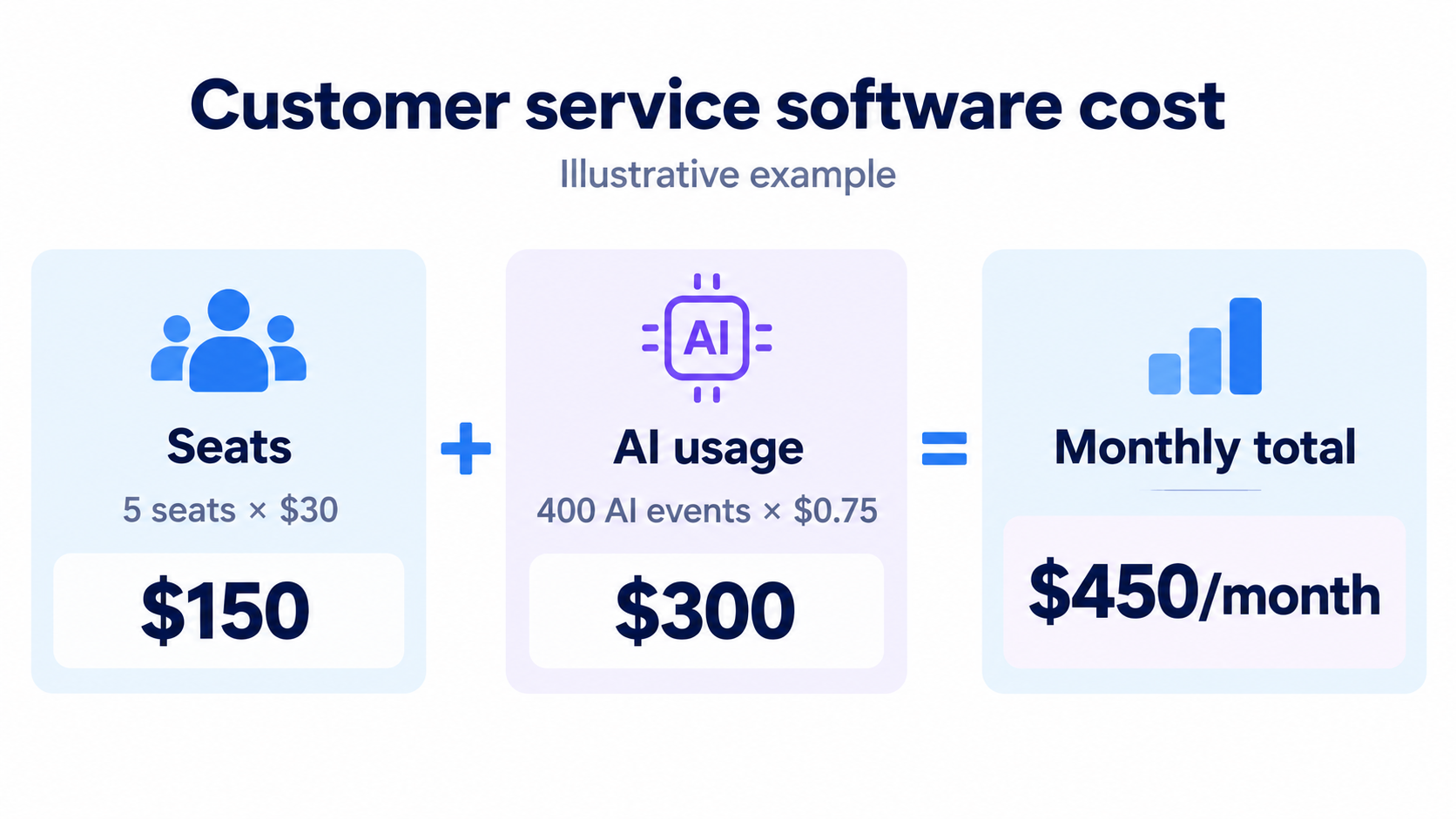
A useful estimate separates the subscription from AI consumption:
Illustrative monthly estimate: 5 paid seats at $30 each, plus 400 billable AI events at $0.75 each, equals $450 before other charges.
These are hypothetical inputs, not a vendor quote. Changing the event definition can change the usage count even if your support volume stays the same.
Request a worked example using your own recent volume. Include repeat contacts and escalations so you can see whether the definition matches how your team measures success.
Also distinguish introductory credits from recurring allowances. An offer covering your first 500 sessions will not necessarily cover 500 sessions every month.
Add-ons, migration, and ongoing administration
The subscription is only one part of the operating cost. A tool can require extra spend for the capabilities that made it attractive in the first place.
Include the main categories in your estimate:
- Agent assistance: Copilot or drafting tools charged separately from autonomous AI.
- Additional channels: Calling, messaging, or telephony usage beyond the base subscription.
- Implementation: Required onboarding, consulting, and work to connect existing systems.
- Administration: Time spent maintaining rules, integrations, reports, and permissions.
- Data transfer: Import services and the work needed to validate the result.
You don't need to assign a precise dollar amount to every internal task. But make the work visible and name the person who will own it.
Compare a normal month with a busy month before committing. This is especially useful for ticket-based pricing, usage charges, and seasonal service operations.
Resolve 70% of customer requests with AI
Automatically resolve customer issues & cut down support loads for your team
How to choose customer service software
A focused trial should answer whether the product makes your team's work easier at a cost you can sustain. Use the same requirements and support cases for every finalist.
Shortlist tools around your support workflow
Choose 3 candidates that fit the work you need to improve. Adding more tools to the trial usually adds coordination before it adds useful evidence.
Start by writing a short description of the current problem. For example: customers ask the same product questions repeatedly, agents lose context during handoffs, and product requests are copied into a separate tracker.
That description gives you a way to judge the software. You can then identify the capabilities that address the problem and separate them from features that simply look appealing.
Use a requirements list with clear priorities:
- Essential: A missing capability would prevent the team from doing its job.
- Useful: A capability would remove work or improve the customer experience.
- Optional: A capability may become relevant later but should not decide the purchase today.
For teams handling SaaS customer support, also check what information an AI agent can use. Featurebase's Fibi AI Agent can draw on help content, prior conversations, feedback, changelogs, and roadmap information, which is relevant when product changes drive support demand.
Test the same support cases in each platform
Create a small set of anonymized cases based on real requests. Include ordinary work and exceptions, so the evaluation reflects more than the easiest questions.
A useful set might include:
- A repeat question: The answer already exists in your documentation.
- A missing answer: The knowledge base does not contain enough information.
- An account-specific request: The agent needs customer context before responding.
- A restricted action: Someone asks for a change that requires approval.
- A cross-team issue: Another department must contribute to the resolution.
- A frustrated customer: The conversation needs careful handling and a clear escalation path.
Write down what a successful result looks like before the demo. For each case, record the steps required, where the answer came from, and any manual work outside the platform.
Have agents perform the tasks themselves where trial access permits. A vendor demonstration can explain a workflow, but your team needs to understand how it behaves during normal use.
Check handoffs, integrations, and reporting
The most revealing moment is often when a request moves between people or systems. Follow that transition closely.
Ask another agent to pick up a conversation after an AI answer. They should be able to see what the customer asked, what was attempted, and why the request remains open.
For integrations, confirm the specific data and actions you need. Assess CRM integration against the account information agents require, and a development integration against the issue-tracking workflow.
Then ask a manager to answer a practical question from the trial data. For example, can they identify which cases required repeated contact or which handoffs created delays?
Keep these observations in a customer service scorecard. Use simple ratings with a short explanation, such as “works as required,” “needs configuration,” and “requires another product.”
Confirm rollout requirements before committing
Bring the people responsible for support, administration, and relevant integrations into the final review. Each will notice a different kind of work.
Confirm what the first release of your setup needs to include. You may not need to move every historical workflow or automate every request on day one.
Before approving the purchase, agree on:
- Scope: Which channels and teams will move first.
- Ownership: Who maintains workflows, knowledge, and integrations.
- Training: What agents need to practice before serving customers.
- Fallback: How the team will handle requests if a workflow fails.
- Review date: When you will assess the initial results and adjust the setup.
Use the completed trial scorecard alongside the written commercial proposal. If a required workflow only works with an additional product, include it in the decision before the contract is signed.
Conclusion
The best customer service software fits your requests, your team, and the way you want to run support. Use these reviews to shortlist candidates, then compare them with the same cases and a complete cost estimate.
Featurebase brings AI-powered support, a help center, feedback, and product updates together for software teams that want to handle growing customer demand with less manual work.
It comes with a Free plan with 1 seat and unlimited conversations, so you can explore the core workflow before choosing a paid plan. 👇
✨ Automate your support with Featurebase's AI-enhanced Inbox →

FAQs
How does customer service software differ from a CRM?
Customer service software manages the work involved in resolving requests, while a CRM stores and organizes the broader customer relationship. A CRM may track sales activity and account history, while a helpdesk tracks case ownership and progress. Some platforms combine both, but the quality of the support workflow still needs to be evaluated separately.
Is free customer service software enough for a support team?
A free plan can be enough when its access limits and included workflows cover your daily needs. Check agent seats, contact or conversation limits, and automation restrictions before relying on it. Featurebase, for example, includes 1 seat and unlimited conversations on its Free plan, while paid plans add capabilities for broader support operations.
Can I migrate old tickets and customer conversations?
Many platforms offer imports, APIs, or migration services, but the data they preserve varies. Check attachments, timestamps, internal notes, custom fields, and the relationship between customers and conversations. Validate a small sample before transferring the full history, and retain an accessible export of the original records.
How long does a helpdesk rollout take?
A basic inbox can be ready much sooner than a rollout involving historical data, custom integrations, and several departments. Ask the vendor for milestones tied to your specific requirements instead of relying on a generic setup estimate. Include time for agents to practice and for the team to verify imported information.
How do I connect a helpdesk to my existing tools?
Start with native integrations that support the data and actions your workflow requires. Use APIs or automation platforms when a native connector cannot complete the job. Confirm the direction of synchronization, update timing, permissions, and error handling before relying on the connection.
How can I measure whether new support software is paying off?
Compare operating cost per resolved request before and after the change, using a consistent definition of resolution. Review that alongside customer satisfaction and repeat-contact rates so faster handling does not hide poorer answers. Compare similar request types and periods, since a change in support volume or case complexity can distort the result.