Blog Customer ServiceQuickchat AI Pricing: Plans, Credits, and Real Costs
Quickchat AI Pricing: Plans, Credits, and Real Costs
Quickchat AI pricing starts at $9/month. Compare all 7 plans, AI credit limits, annual billing, extra costs, and practical examples before you choose.



✨ Looking for AI support, feedback, and product updates in one place? Explore Featurebase →
Quickchat AI pricing starts at $9/month for commercial use. But choosing the right plan takes more than checking the starting price. Your bill depends on how many replies your agent sends, which AI model it uses, and the features your team needs.
In this guide, I'll break down every Quickchat AI plan, explain credits versus resolutions, and show what 3 realistic usage scenarios could cost. 👇
Key takeaways
- Paid plans start at $9/month: Quickchat AI has 5 self-serve paid plans, ranging from Starter at $9 to Business at $999/month, plus Free and Enterprise options.
- The free plan is for personal use: It includes 50 AI credits per month, but commercial deployments require a paid subscription.
- Credits measure AI replies: Each reply uses 1, 2, or 4 credits depending on the model. A conversation can contain several replies.
- Enterprise uses different billing: Pricing starts at $0.50 per resolution, with a minimum of 2,000 resolutions per month and a custom agreement.
- Feature requirements can set your price: Branding removal starts with Professional. API access and full conversation exports require Business.
- Featurebase is another option: If you want support, feedback, and product communication together, Featurebase combines those tools with AI priced at $0.49 per resolution on paid plans.
What is Quickchat AI?
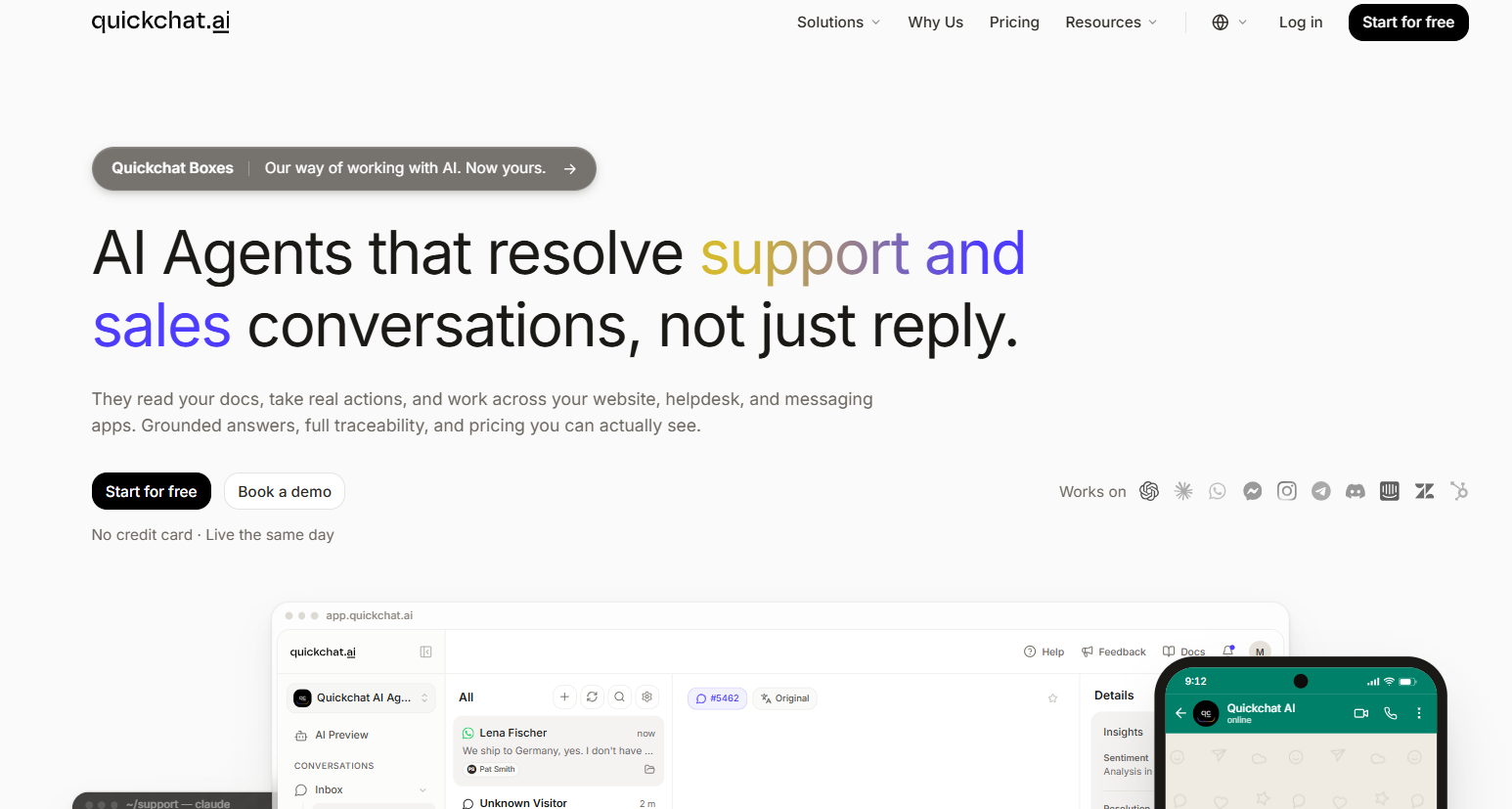
Quickchat AI is a platform for building AI customer service agents and other assistants that answer questions using your company's information. You can give an agent knowledge sources, define its behavior, and let it perform actions such as retrieving account details or handling customer requests.
It supports website chat and messaging channels, with multilingual answers, conversation analytics, a built-in inbox, and human handoff. That makes it relevant to customer support, sales, and other workflows where people need answers from your business.
For pricing, the important distinction is self-serve plans versus Enterprise. Self-serve subscriptions bundle credits, user licenses, and knowledge base capacity. Enterprise shifts the AI usage charge to resolved conversations and adds a tailored implementation and service agreement.
Quickchat AI pricing plans
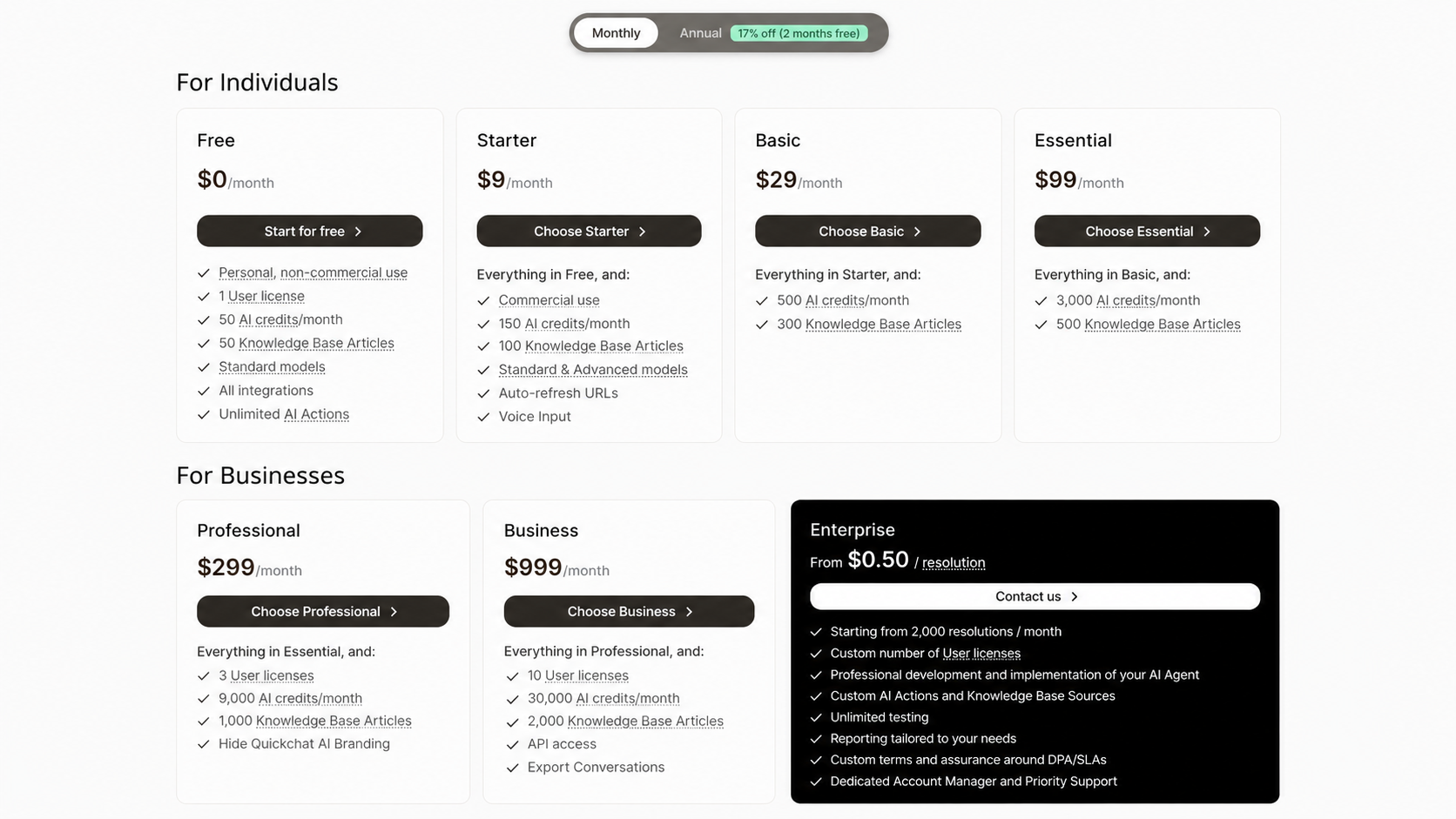
Quickchat AI costs $9 to $999/month on its self-serve paid plans. Free and Enterprise options bring the total to 7 plans, each with different allowances and requirements.
| Plan | Monthly billing | Annual total | AI credits/month | Users | Knowledge base articles |
|---|---|---|---|---|---|
| Free | $0 | $0 | 50 | 1 | 50 |
| Starter | $9/month | $90/year | 150 | 1 | 100 |
| Basic | $29/month | $290/year | 500 | 1 | 300 |
| Essential | $99/month | $990/year | 3,000 | 1 | 500 |
| Professional | $299/month | $2,990/year | 9,000 | 3 | 1,000 |
| Business | $999/month | $9,990/year | 30,000 | 10 | 2,000 |
| Enterprise | From $0.50/resolution | Custom agreement | Resolution-based | Custom | Custom |
Quickchat AI prices checked on October 7, 2026, in USD before applicable VAT. Enterprise starts at a minimum of 2,000 resolutions per month.
Annual billing costs the equivalent of 10 monthly payments, giving you 2 months free. You pay that total upfront, while the credit allowance remains monthly.
Free: $0/month
The Quickchat AI free plan includes 50 monthly AI credits, 1 user license, and 50 knowledge base articles. It provides access to standard models and is intended for personal, non-commercial use.
It's useful for learning how the agent works and trying answers against a small collection of information. With only 50 credits, though, a few multi-message conversations can use a noticeable share of the allowance.
Choose a paid plan before using the agent to support a business, including a company website, sales conversations, or work for a client.
Starter: $9/month
Starter is the lowest-priced commercial plan. It includes 150 AI credits per month, 1 user license, and 100 knowledge base articles.
It also adds access to advanced models, automatic URL refreshing, and voice input. Those features make it possible to try a business deployment without immediately committing to a much larger subscription.
The main constraint is the credit allowance. Starter can suit a low-traffic use case, but 150 credits aren't 150 complete customer conversations. Estimate the replies involved before treating it as a monthly support budget.
Basic: $29/month
Basic increases the allowance to 500 AI credits and 300 knowledge base articles. It retains 1 user license and the capabilities included in Starter.
The reason to move here is additional capacity. If your content or message volume exceeds Starter's limits, Basic gives you more room while keeping the subscription below Essential.
It doesn't solve a collaboration requirement. If several teammates need their own access to the account, check the user limits further up the pricing table.
Essential: $99/month
Essential includes 3,000 monthly AI credits, 500 knowledge base articles, and 1 user license.
The larger credit allowance makes it a more practical candidate for an agent handling regular customer questions. Whether it's enough depends on conversation length and model selection, which we'll calculate below.
Essential still has a single-user limit and retains Quickchat AI branding. You could have plenty of credits left and still need a higher plan because of one of those requirements.
Professional: $299/month
Professional includes 9,000 monthly AI credits, 3 user licenses, and 1,000 knowledge base articles. It also lets you remove Quickchat AI branding.
This is the first self-serve tier that addresses both multiple-user access and an unbranded customer experience. That makes it worth evaluating when the agent has become part of an ongoing support operation.
Check the team allowance carefully. Professional includes 3 users, so a requirement for more people to sign in can push you beyond this plan even when usage fits.
Business: $999/month
Business includes 30,000 monthly AI credits, 10 user licenses, and 2,000 knowledge base articles. It adds REST API access and full conversation exports.
For a deployment that needs to access Quickchat AI programmatically, API availability may be the deciding factor. For other buyers, Business is mainly a step up in usage, content capacity, and team access.
At this price, compare your requirements with an Enterprise quote as well. Enterprise has a different billing unit and a minimum commitment, so compare the complete proposal against your expected usage.
Enterprise: from $0.50 per resolution
Quickchat AI Enterprise pricing starts at $0.50 per resolution, with a 2,000-resolution monthly minimum. The final subscription agreement depends on volume and requirements.
The package includes professional agent development and implementation, custom AI Actions and knowledge sources, tailored reporting, and a custom number of users. It also offers dedicated account management and support, plus negotiated data-processing and service-level terms.
This is a buying conversation about the deployment as a whole. Confirm what implementation work, ongoing support, and monthly commitment your specific quote includes before comparing its total with a self-serve subscription.
How Quickchat AI credits and resolutions work
The biggest budgeting mistake in chatbot pricing is treating a credit, a reply, and a resolved conversation as the same unit.
- AI reply: A message sent by the agent during a conversation.
- AI credit: The usage unit deducted for that reply. The selected model determines whether it costs 1, 2, or 4 credits.
- Resolution: A conversation that meets Quickchat AI's resolution criteria, used for Enterprise billing.
For self-serve plans, use this estimate:
Monthly credits needed = conversations × average AI replies per conversation × credits per reply
For example, Essential's 3,000 credits support up to 3,000 replies on a 1-credit model, 1,500 on a 2-credit model, or 750 on a 4-credit model. Those are reply counts, so divide again by your average replies per conversation to estimate customer volume.
For Enterprise, Quickchat AI counts both confirmed and assumed resolutions. A confirmed resolution follows a positive customer response or rating. An assumed resolution occurs when the customer finishes the conversation without requesting further human assistance.
A greeting-only exchange doesn't qualify. When evaluating cost per resolution, ask how the counted outcomes line up with your own review of whether customers received useful answers.
Quickchat AI costs and limits to check
These are the details that can change which plan you need or how much you spend after launch.
Model choice and longer conversations
A higher-credit model uses your allowance faster. Longer conversations do the same, even if the number of people contacting you stays flat.
Estimate usage from representative customer questions, including follow-ups and complicated requests. A short FAQ exchange won't tell you much about the cost of troubleshooting an account issue through several messages.
Running out of credits
Quickchat AI sends usage warnings at approximately 75%, 90%, and 100% of your allowance. Once available credits run out, the AI stops generating replies until credits become available again through a reset, an upgrade, or an eligible top-up.
Human operators can continue answering in the inbox. Still, if you rely on the agent outside working hours, leave spare capacity rather than budgeting to the last credit.
Unused subscription credits don't roll over. Annual billing also doesn't give you the entire year's credits to spend during a busy month.
Extra credits for Discord agents
Quickchat AI now offers eligible agents connected to a Discord server 500 extra credits for $5 before VAT. These purchased credits don't expire, and optional auto-reload can replenish them.
The documentation says this option isn't yet available on other channels. Check eligibility before using top-ups in your budget, especially if you're deploying a website support agent.
Seats, branding, and API access
Your usage estimate is only one part of plan selection. A required feature can establish a higher starting cost:
- Multiple users: Professional includes 3, and Business includes 10. The lower self-serve plans include 1.
- Branding removal: Available from Professional at $299/month on monthly billing.
- REST API access and full conversation exports: Available on Business at $999/month on monthly billing.
Also budget time for preparing your knowledge base, checking answers, and maintaining content. Those are internal operating costs, not additional Quickchat subscription fees, but they still matter to the deployment's total cost.
Real-world Quickchat AI pricing examples
These examples use monthly billing and exclude VAT and third-party services. They're usage estimates, not promises about how many replies your customers will need.
Example 1: 1,000 short website conversations
Suppose a website agent handles 1,000 conversations per month, averaging 3 AI replies each on a model that uses 1 credit per reply.
Usage: 1,000 conversations × 3 replies × 1 credit = 3,000 credits/month
Plan cost: Essential at $99/month
That fits Essential's allowance exactly, assuming you also fit its 1-user and 500-article limits. There's no spare capacity for additional traffic or longer exchanges, so treat $99 as the subscription that matches the calculation, not a comfortable operating budget.
Example 2: the same traffic on a 4-credit model
Keep the same website traffic and conversation length, but select a model that uses 4 credits per reply.
Usage: 1,000 conversations × 3 replies × 4 credits = 12,000 credits/month
Plan cost: Business at $999/month among the published self-serve plans
Professional's 9,000 credits wouldn't cover this scenario. Business supplies 30,000, making it the lowest listed self-serve tier with enough included credits.
This example assumes a website agent without access to the Discord-only top-up option. Before upgrading, evaluate whether a lower-credit model meets your quality needs or whether a custom agreement suits the workload.
Example 3: 2,000 Enterprise resolutions
Suppose your Enterprise agreement uses the advertised starting rate and you reach the minimum monthly resolution volume.
Illustrative usage charge: 2,000 resolutions × $0.50 = $1,000/month
This is arithmetic at the published starting rate, not a guaranteed final quote. Your agreement determines the actual commercial terms and included services.
You also can't substitute “2,000 conversations” for “2,000 resolutions.” Forecast the number that will meet the billing definition and confirm how the minimum commitment applies when actual usage is lower.
Which Quickchat AI plan should you choose?
Start with your must-have capabilities, then check whether the credit and knowledge base allowances cover normal usage and busy periods.
- Free: Choose it for personal experimentation with a small knowledge base.
- Starter or Basic: Consider these for low-volume commercial deployments managed by 1 person. The right choice depends on credits and content capacity.
- Essential: Evaluate it when you need more AI replies but can stay within the single-user limit.
- Professional: Consider it when branding removal or access for up to 3 teammates is required.
- Business: Evaluate it for API access, full conversation exports, up to 10 users, or higher included usage.
- Enterprise: Request a quote when you need custom implementation, contractual terms, or a resolution-based agreement at the required volume.
If you're still learning how customers use the agent, monthly billing gives you a shorter commitment. Annual billing becomes easier to assess once you've observed conversation length, model performance, and the amount of spare capacity you need.
Also consider the rest of your customer support software. An AI agent may be one part of the budget, while your team also pays for human support, feedback collection, and product communication.
Quickchat AI alternatives to consider
The right alternative depends on what you want to change: the billing model, available capacity, or the set of tools your team manages.
1. Featurebase
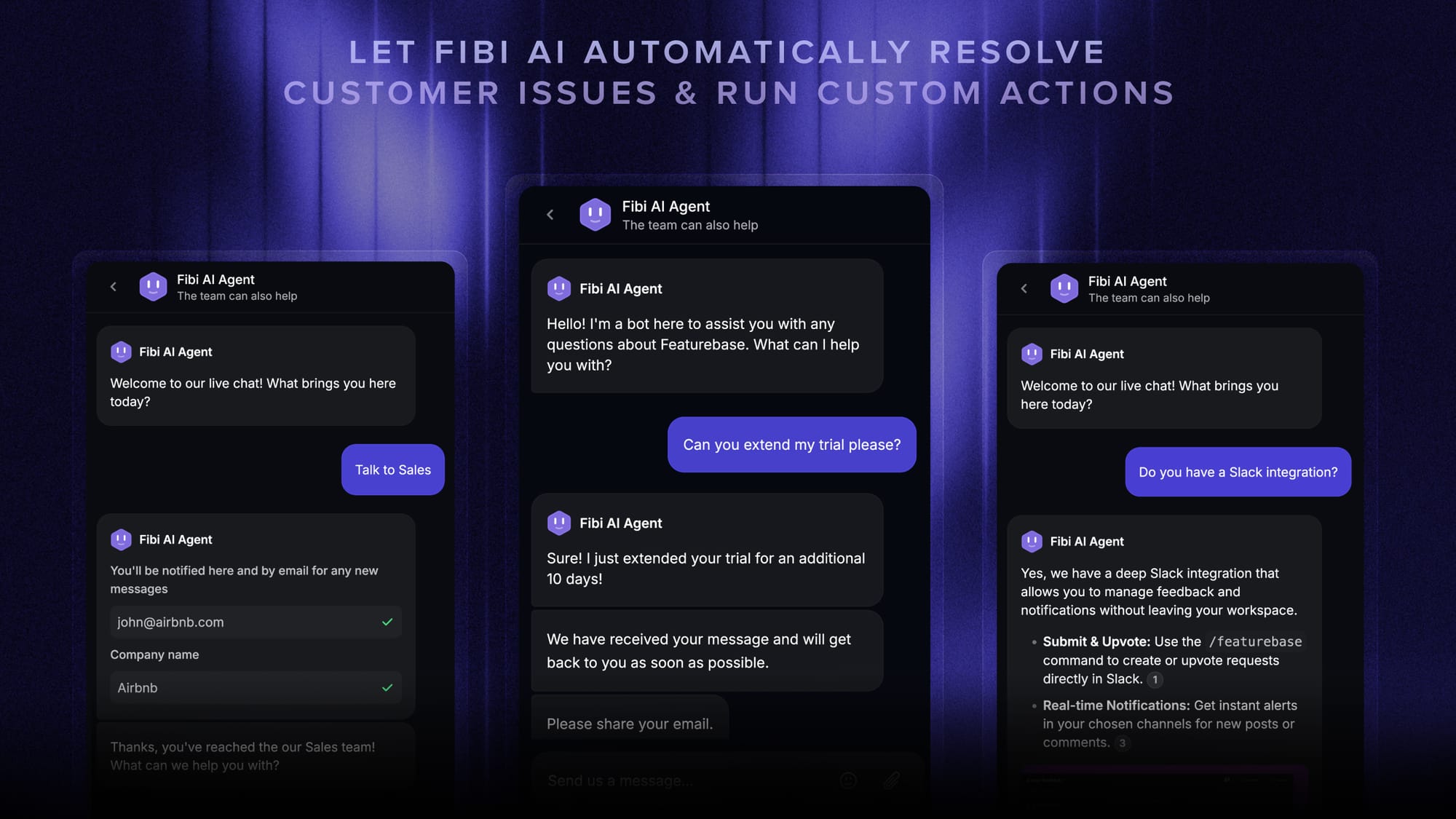
Featurebase brings AI support, a help center, and customer feedback into one platform for SaaS teams. It's a strong fit when your customer base is growing and you want those workflows connected.
Its Fibi AI Agent answers questions using your help center, past conversations, feedback, roadmaps, and changelogs. It can also handle actions such as trial extensions and refunds, while your team manages human conversations in the same inbox.
When a support conversation turns into a feature request, you can track that feedback and follow up through product updates.
Pricing: Paid plans start at $29/seat/month billed annually, or $37/seat/month billed monthly, plus $0.49 per AI resolution when using Fibi. A Free plan includes 1 seat and unlimited support conversations, while Fibi requires a paid plan.
2. Chatbase
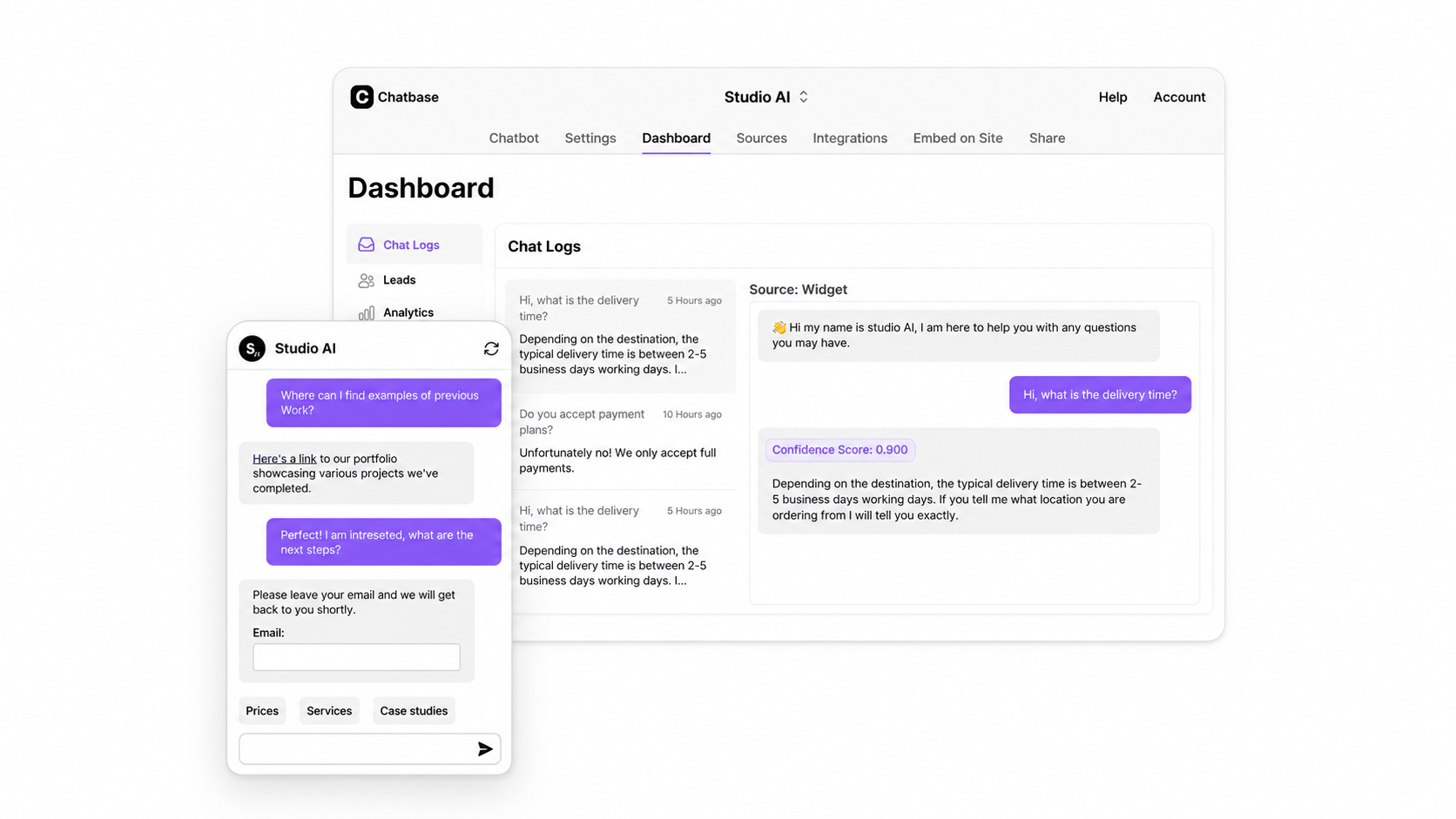
Chatbase pricing also uses message credits, with a published auto-recharge add-on for extra capacity.
Its Hobby plan costs $40/month on monthly billing, with 700 message credits and 2 members. Standard costs $150/month and includes 4,000 message credits, 3 members, and features such as helpdesk and API access.
Auto-recharge costs $40 per 1,000 message credits. Removing Chatbase branding is a separate $99/month add-on, so include that if an unbranded experience is important.
Evaluate credit consumption using the same customer questions and desired answer quality as your Quickchat test. Credit allowances alone don't establish how many complete conversations each product can handle.
3. Fin
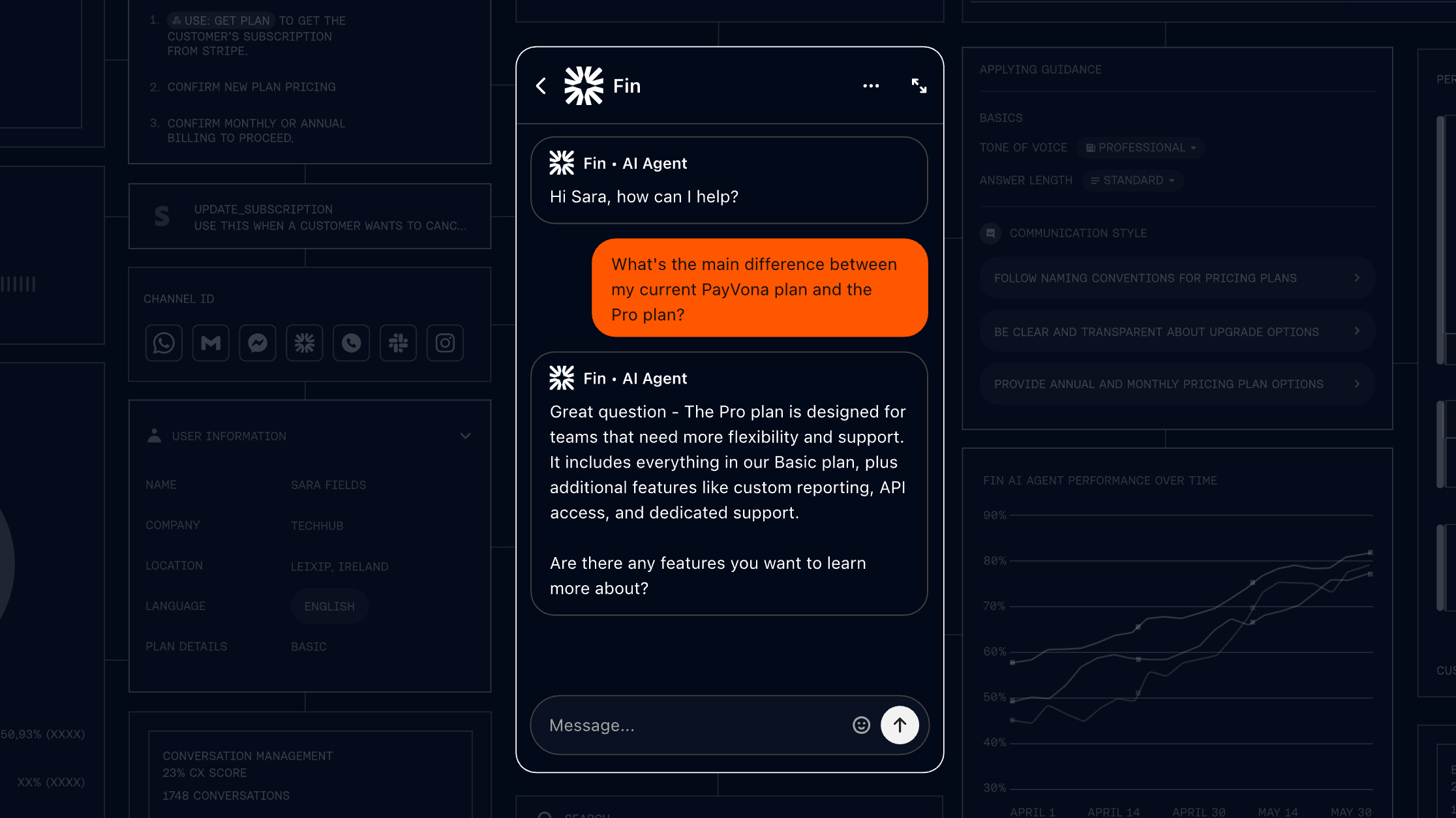
Fin is worth considering if you want to add an AI agent to an existing helpdesk and pay for outcomes.
Fin for an existing helpdesk starts at $0.99 per outcome, with a minimum commitment. It doesn't require Fin seat charges for that deployment, although you still need to budget for your existing helpdesk subscription.
Check the outcome definition carefully when comparing Fin pricing. Fin's billable outcomes can include qualifying procedure handoffs as well as resolutions, so its unit isn't automatically identical to Quickchat AI's Enterprise resolution.
A fair comparison uses your actual expected outcomes, contractual minimums, and remaining software costs.
Conclusion
Quickchat AI offers a low starting price for commercial use, but your practical cost depends on reply volume, model choice, and plan requirements. Calculate credits before choosing a self-serve tier, and assess Enterprise against its resolution definition and minimum commitment.
Featurebase brings AI support, human conversations, feedback, and product updates into one platform for software teams that want those workflows connected.
You can start with the Free plan to explore the platform. Fibi is available on paid plans, with a free trial for new customers. 👇
✨ Bring your support and customer feedback together with Featurebase →

FAQs
Does testing a Quickchat AI agent use credits?
Yes. On self-serve plans, AI replies in the preview and testing runs consume credits, just like replies in live conversations. Enterprise advertises unlimited testing, so confirm how that is covered in your agreement.
Can I change my Quickchat AI plan later?
Yes. Upgrades take effect immediately, while downgrades take effect at the end of the current billing period. Quickchat's documentation says downgrades don't receive proration or partial refunds for the unused period, and recommends contacting the team first if your account exceeds the new limits.
What counts as a Quickchat AI knowledge base article?
Each individual source item counts as an article, such as an imported web page, uploaded file, text entry, YouTube video, or imported Intercom article. A website crawl can therefore add many articles because its individual pages count separately. The number of pages allowed in a single scrape is also limited by your plan.
Can Quickchat AI work with my existing helpdesk?
Yes. Quickchat AI offers integrations with platforms including Intercom, Zendesk, and HubSpot. Connecting one doesn't replace that provider's subscription charges, so include those costs when estimating your total budget.
Does Quickchat AI charge separately for integrations and AI Actions?
Quickchat AI includes native integrations and unlimited AI Actions across its plans, subject to the Free plan's non-commercial restriction. Running an AI Action itself doesn't consume credits, but the AI replies around it do. Access to Quickchat's REST API is a separate capability that requires Business, and connected services may have their own fees.