Blog Customer ServiceFAQ Templates to Learn from and Copy for Your Business
FAQ Templates to Learn from and Copy for Your Business
FAQ templates to help you create your next FAQ page, with design tips, structure ideas, and guidelines on what (not) to do.



A great FAQ page can be a lifesaver for your customer support team who won't have to ask the same set of questions 20 times every day. But beyond that, FAQ pages allow your customers to resolve issues on their own, which increases customer experience and, ultimately, lifetime value.
The principle is very simple: an FAQ page is a page with a set of questions and answers that is easy to skim and search through. However, getting it right requires a little bit more thought and intention.
Today, we give you some great FAQ templates you can use as inspiration for your own. But let's get some things out of the way first. 👇
✨Want to build an FAQ page that actually helps with self-service? Try Featurebase for free →
What is an FAQ page, and why are they so effective?
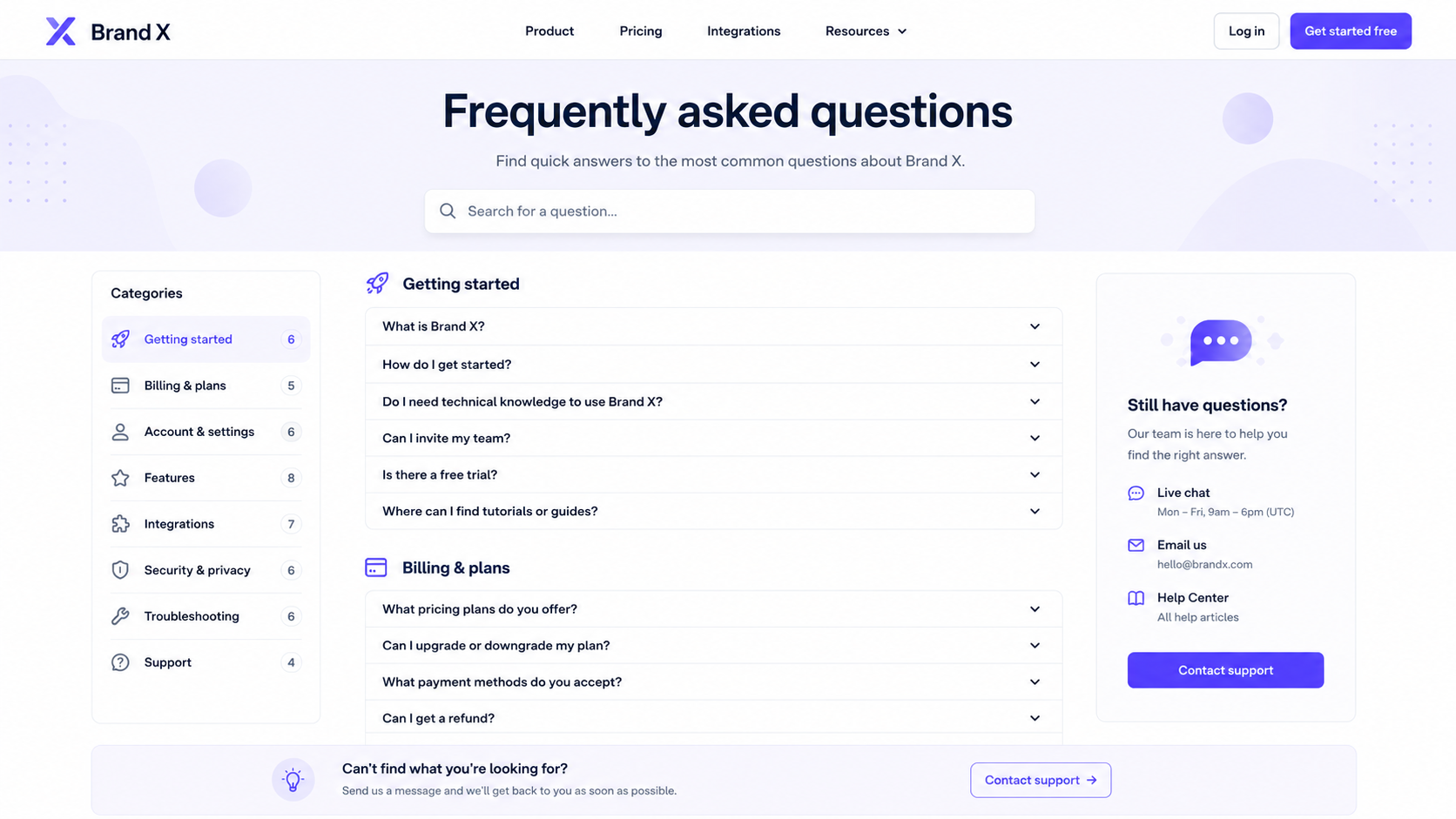
An FAQ page answers the questions customers ask before they buy, sign up, contact support, or keep using your product. It gives people quick answers in one place instead of making them dig through docs, support threads, sales pages, and old emails.
At its best, an FAQ page removes friction.
For SaaS companies, that can mean fewer repetitive support tickets, faster product adoption, and better answers for prospects who are still comparing tools. A good FAQ page can explain pricing, integrations, security, setup, billing, product limits, and common use cases without making someone wait for a reply.
FAQ pages work because they match how people search for help. Most customers do not think in product categories. They think in questions:
- Can I import my data?
- Does this work with Slack?
- What happens after my trial ends?
- Can I cancel anytime?
- Is my data secure?
When your page uses the same language, people find answers faster. Search engines can also understand the page more easily, which makes FAQ content useful for SEO when the answers are clear, specific, and genuinely helpful.
The best FAQ pages are not long lists of vague questions. They are practical support assets. They reduce uncertainty, answer objections, and help customers move forward with less effort.
For product-led SaaS teams, FAQ pages also create a feedback loop. If the same question keeps appearing in support conversations, sales calls, and live chat, it probably belongs in your FAQ. Over time, your FAQ page becomes a living record of what customers need to know before they can trust your product.
Top tips to create a functional FAQ page
A good FAQ page is easy to scan, easy to search, and built around real customer questions. It should feel like a shortcut, not another support maze.
1. Start with real questions from customers
Use questions from support tickets, live chat, sales calls, onboarding calls, review sites, and customer feedback. Do not guess what people want to know.
The best FAQ pages usually answer practical questions about:
- Pricing
- Billing
- Setup
- Integrations
- Security
- Account management
- Product limits
- Cancellations
- Troubleshooting
2. Group questions by topic
A long list of random questions gets hard to use fast. Split your FAQ page into clear sections so people can find the right answer without reading everything.
For example:
- Getting started
- Pricing and billing
- Product features
- Integrations
- Security and privacy
- Troubleshooting
- Account settings
This also helps your team spot missing answers later.
3. Write questions in the customer's words
Use the wording your customers actually use. A question like "Can I cancel my subscription anytime?" is clearer than "What is your contract termination policy?"
Simple language works better for users and search engines.
4. Answer the question in the first sentence
Do not make people read three paragraphs before they get the answer. Start with the direct response, then add context only when needed.
Example:
"Can I export my data?"
"Yes. You can export your data from the account settings page."
Then explain file formats, permissions, or plan limits after that.
5. Keep answers short, but useful
Most FAQ answers should be one to three short paragraphs. If a question needs a longer explanation, give the basic answer first and link to a full help article.
A good rule: the FAQ page should answer common questions, while your knowledge base should handle detailed instructions.
6. Make the page searchable
If your FAQ page has more than a handful of questions, add search. Customers should not have to scroll through dozens of answers to find one billing question.
Search is especially important for SaaS products with multiple plans, user roles, integrations, and setup paths.
7. Add internal links where they help
FAQ answers should not become dead ends. Link to related help docs, product pages, pricing pages, contact forms, and setup guides when the reader may need more detail.
For example, an answer about integrations can link to your full integrations page. An answer about refunds can link to your terms or billing policy.
8. Update the page regularly
An outdated FAQ page creates more confusion than no FAQ page at all. Review it whenever you change pricing, launch features, update policies, remove features, or notice new repeated questions in support.
A simple monthly review is usually enough for smaller teams. Faster moving SaaS companies may need to update FAQ content more often.
9. Use formatting that makes answers easy to scan
Large blocks of text make FAQ pages harder to use. Break answers into short paragraphs, bullets, tables, and step lists where useful.
For example, a billing answer may work better as a small table. A setup answer may work better as a numbered process.
10. Give users a next step
Some answers will not solve the problem fully. In those cases, tell users what to do next.
That could be:
- Contact support
- Read the full guide
- Check account settings
- View pricing
- Book a demo
- Start a trial
The goal is simple: answer the question, then help the user move on.

Get inspired by the best FAQ templates
Explore real FAQ page examples and learn how to structure a page that answers customer questions faster.
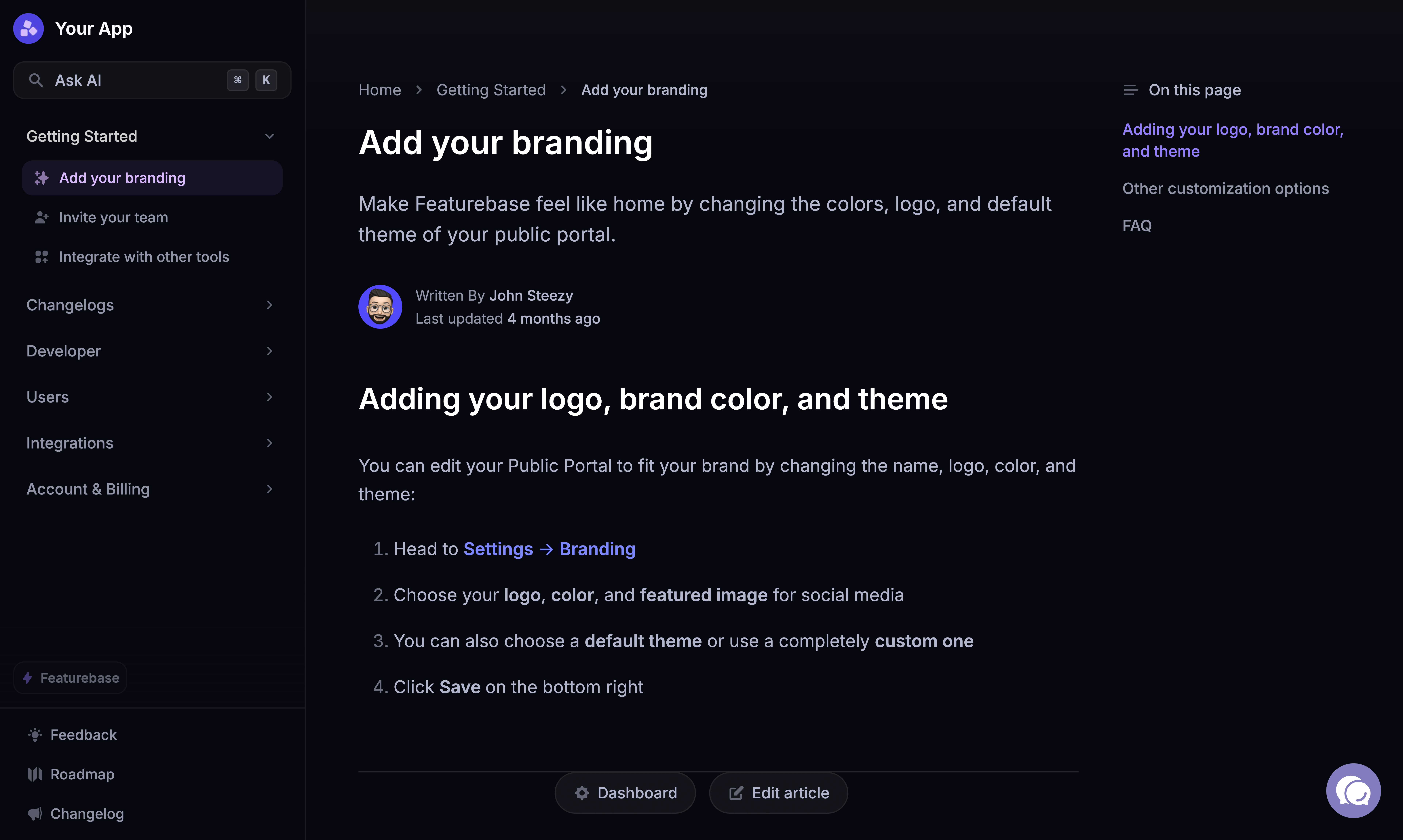
The best FAQ templates to copy and learn from in 2026
Looking for some inspiration on how to structure your own FAQ page? Here are some excellent starting points.
The Featurebase help center
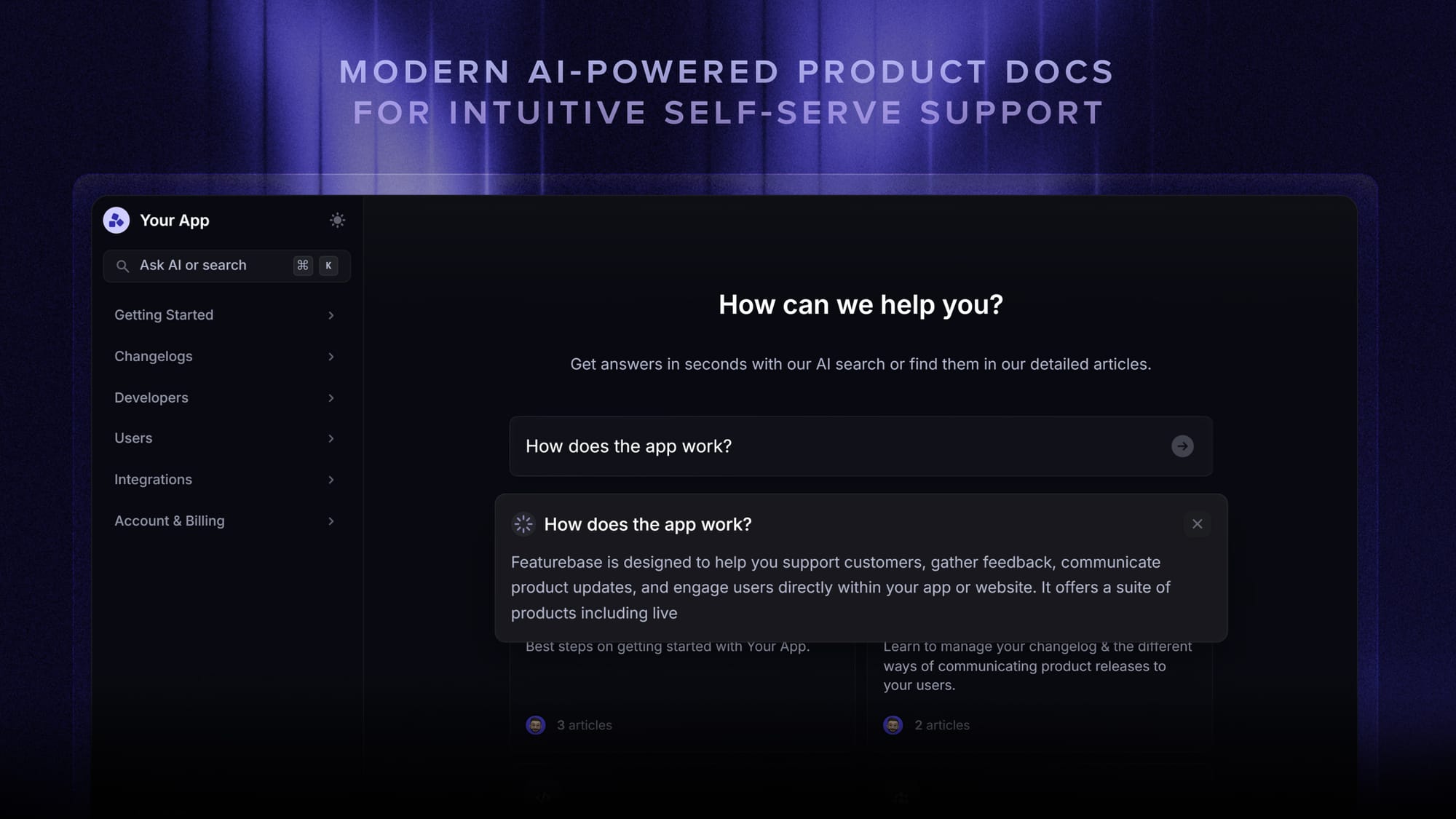
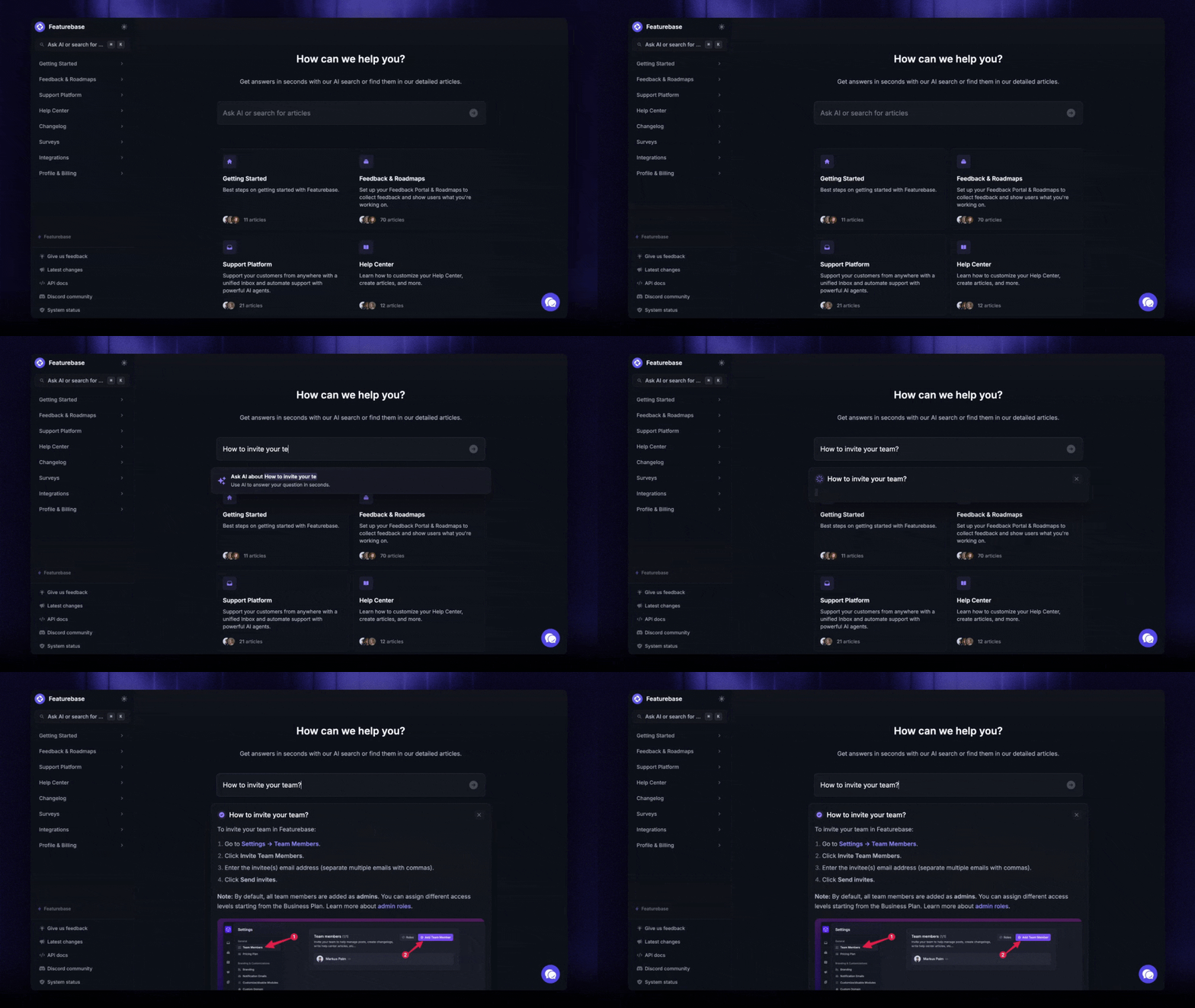
Featurebase's help center works because it combines AI search, clear categories, and product-specific help. The page starts by asking users how it can help, then lets them search articles or ask AI before browsing collections.
The structure is especially useful for product-led SaaS teams. Featurebase separates content into clear areas such as getting started, feedback and roadmaps, support platform, help center, changelog, users, branding, and integrations.
The main takeaway is that an FAQ page can become more useful when it connects support, product education, and customer feedback. Use this format when your product has multiple modules and users need quick answers without losing the option to explore deeper guides.
Slack's FAQ page
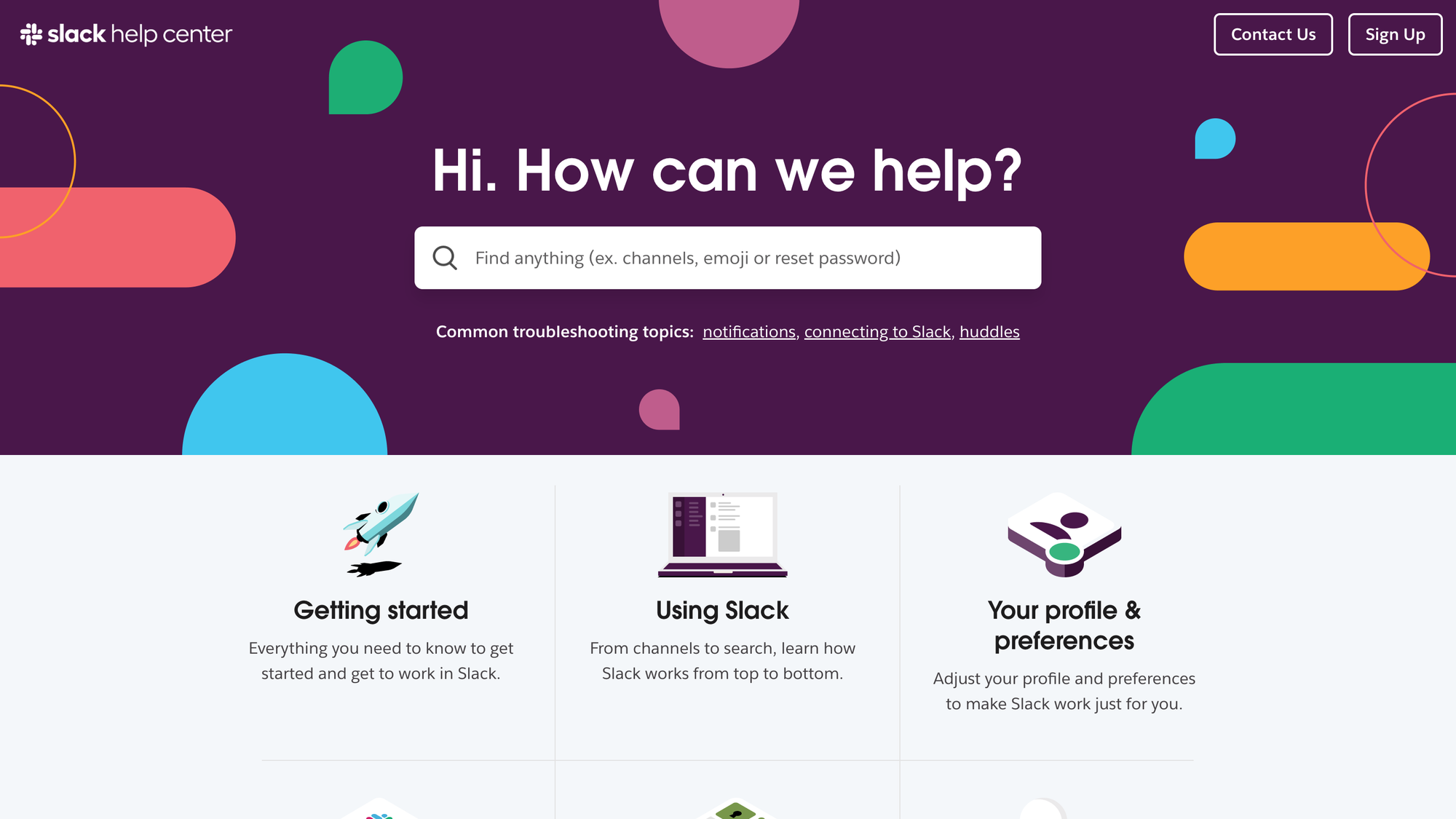
Slack's FAQ page works because it behaves more like a help center homepage than a basic list of questions. It starts with search, then points users toward common tasks such as adding people to channels, resetting passwords, and upgrading plans.
This is a good model for SaaS products with many features, user roles, and account settings. Instead of forcing every visitor through the same list, Slack separates content by intent: getting started, using Slack, profile settings, connected tools, administration, and tutorials.
The biggest takeaway is structure. A Slack-style FAQ page should help users self-select the right path fast. Use this template when your product has too many questions for one simple FAQ list, but you still want the page to feel easy, clear, and useful.
Bouncer's FAQ page
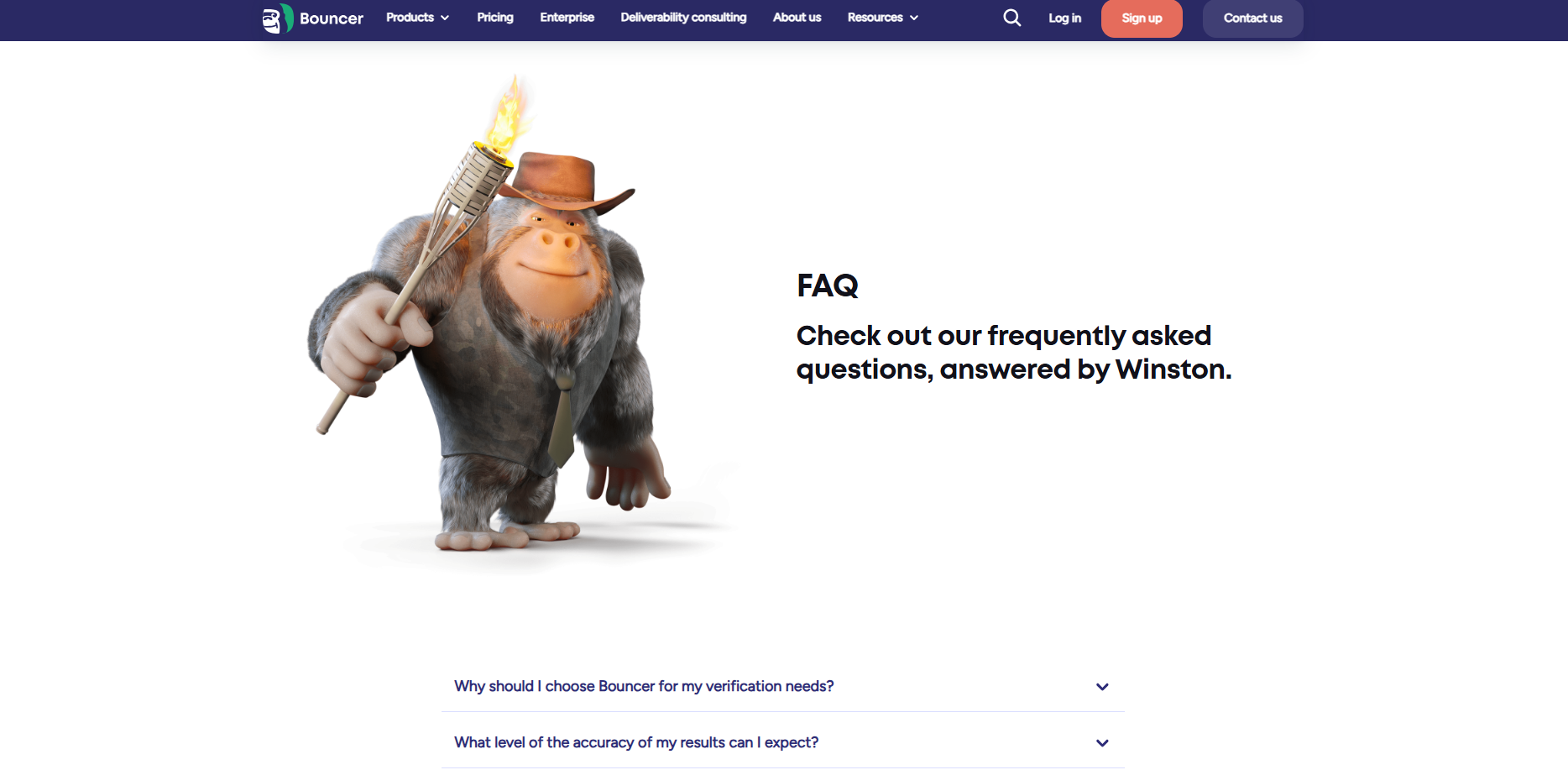
Bouncer's FAQ page works because it is specific to the product, not a generic support page. The questions cover real buying and usage concerns, including accuracy, accepted file formats, credits, payment methods, GDPR compliance, API data storage, and verification results.
The strongest part is how practical the answers are. For example, Bouncer explains what different verification results mean, including deliverable, undeliverable, risky, and unknown. That helps users understand the product's output without opening a separate guide.
This is a good template for technical SaaS products where customers need confidence before they upload data, connect an API, or buy credits. Use this format when your FAQ needs to answer product trust questions, explain terminology, and reduce support tickets around billing, compliance, and results.
Lovable's FAQ page
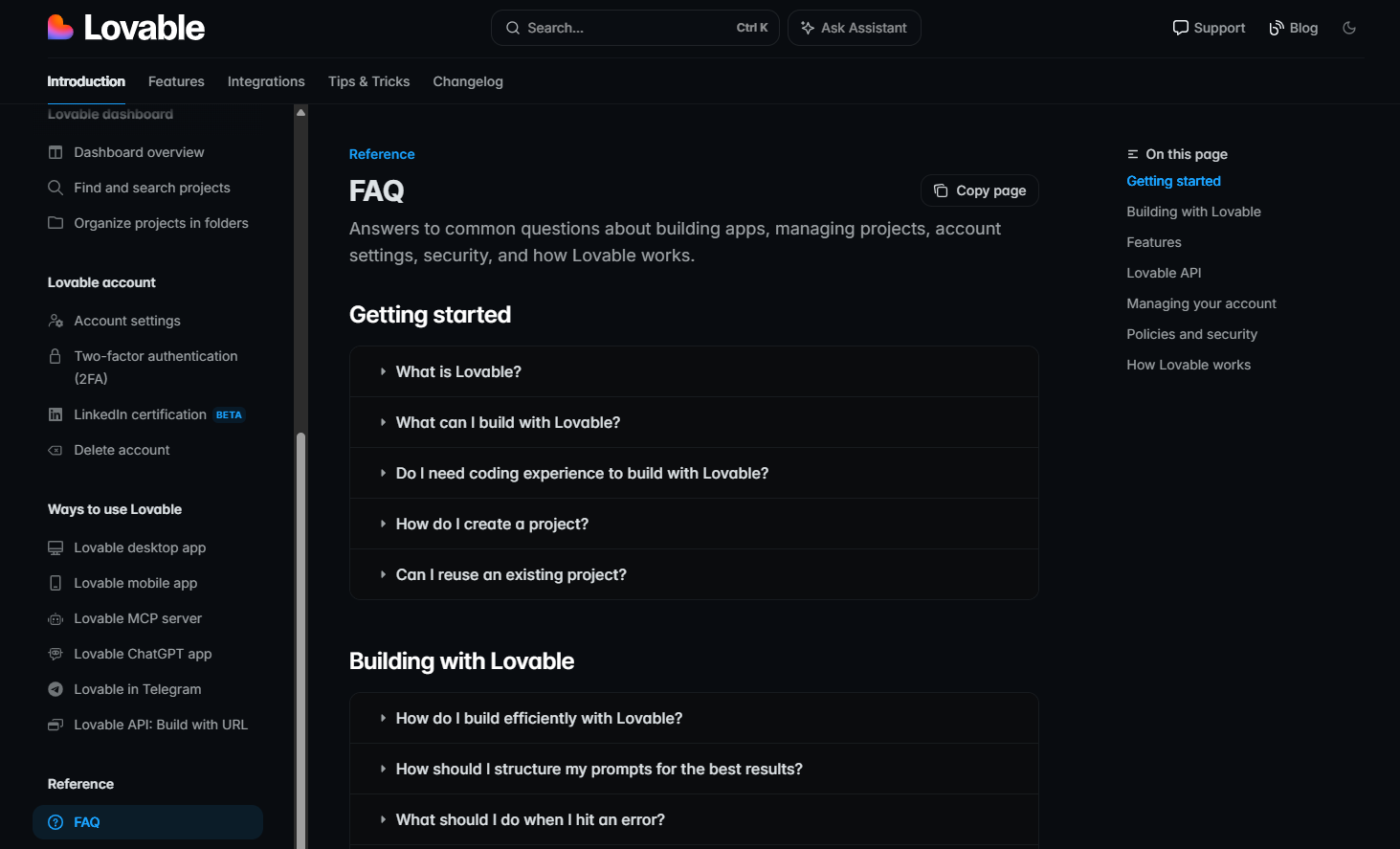
Lovable's FAQ page works because it answers product education and troubleshooting questions in one place. It covers what users can build, how to structure prompts, what to do when errors happen, how credits work, how to publish projects, and how account settings behave.
This is a strong template for technical products where users need guidance while building. Lovable does not only answer "what is this?" questions. It also gives users next steps, such as using the fix option, investigating errors, reverting to an older version, or checking deeper guides.
Use this format when your FAQ needs to explain how the product works, not just company policies. It is especially useful for products where users create, edit, publish, connect tools, manage settings, or troubleshoot issues themselves.
Canva's FAQ page
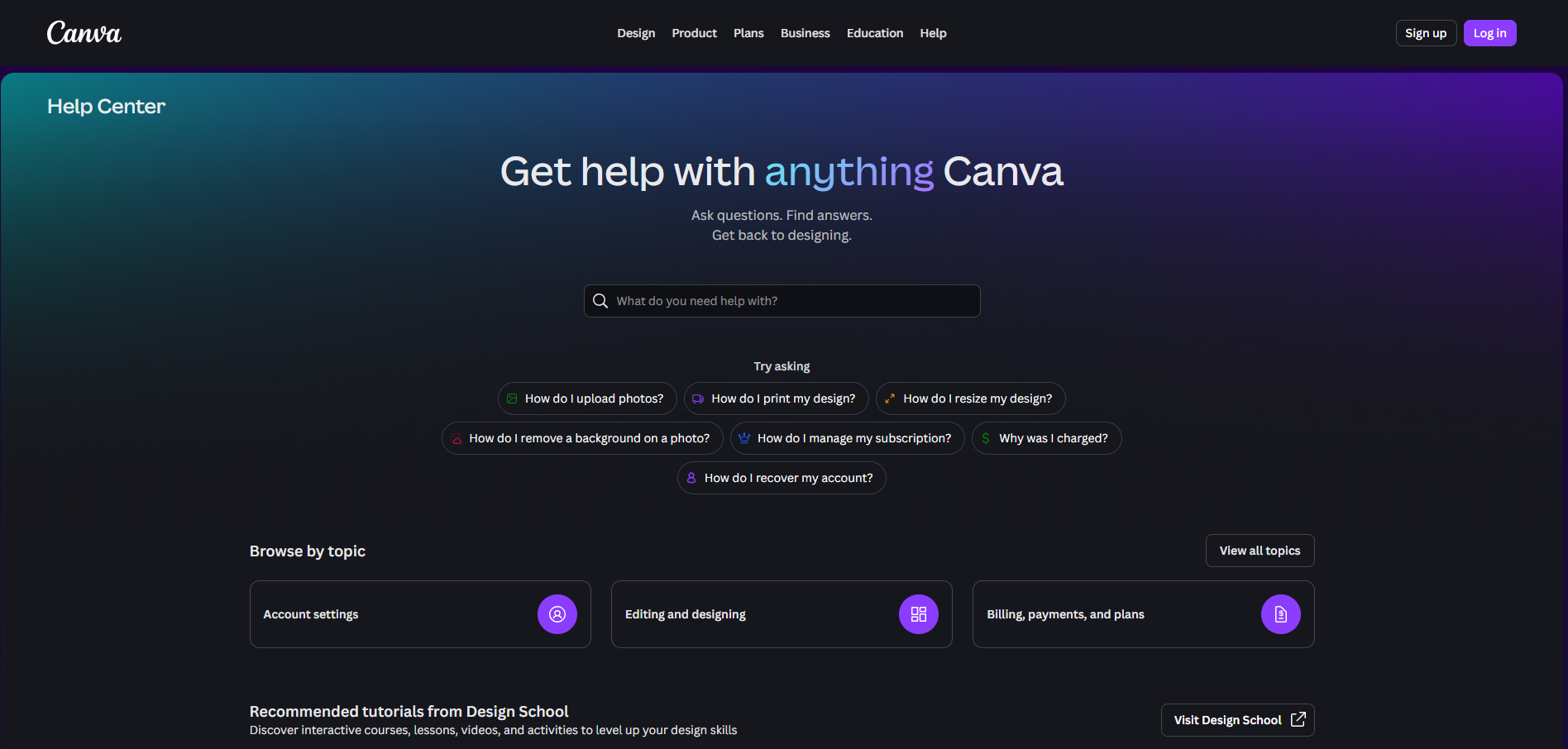
Canva's help page works because it is built around search-first support. The page asks users what they need help with, then points them toward common questions such as uploading photos, printing designs, and using core design features.
This is a strong model for products with a broad user base. Canva has beginners, teams, marketers, educators, creators, and business users, so a simple list of FAQs would get crowded fast. Search keeps the page usable for everyone.
The main takeaway is to make your FAQ page feel like a guided entry point, not a static article. Use this format when customers may have many different goals, from getting started to fixing a specific issue. Start with search, add common questions, then route users into clear help categories.
Notion's FAQ page
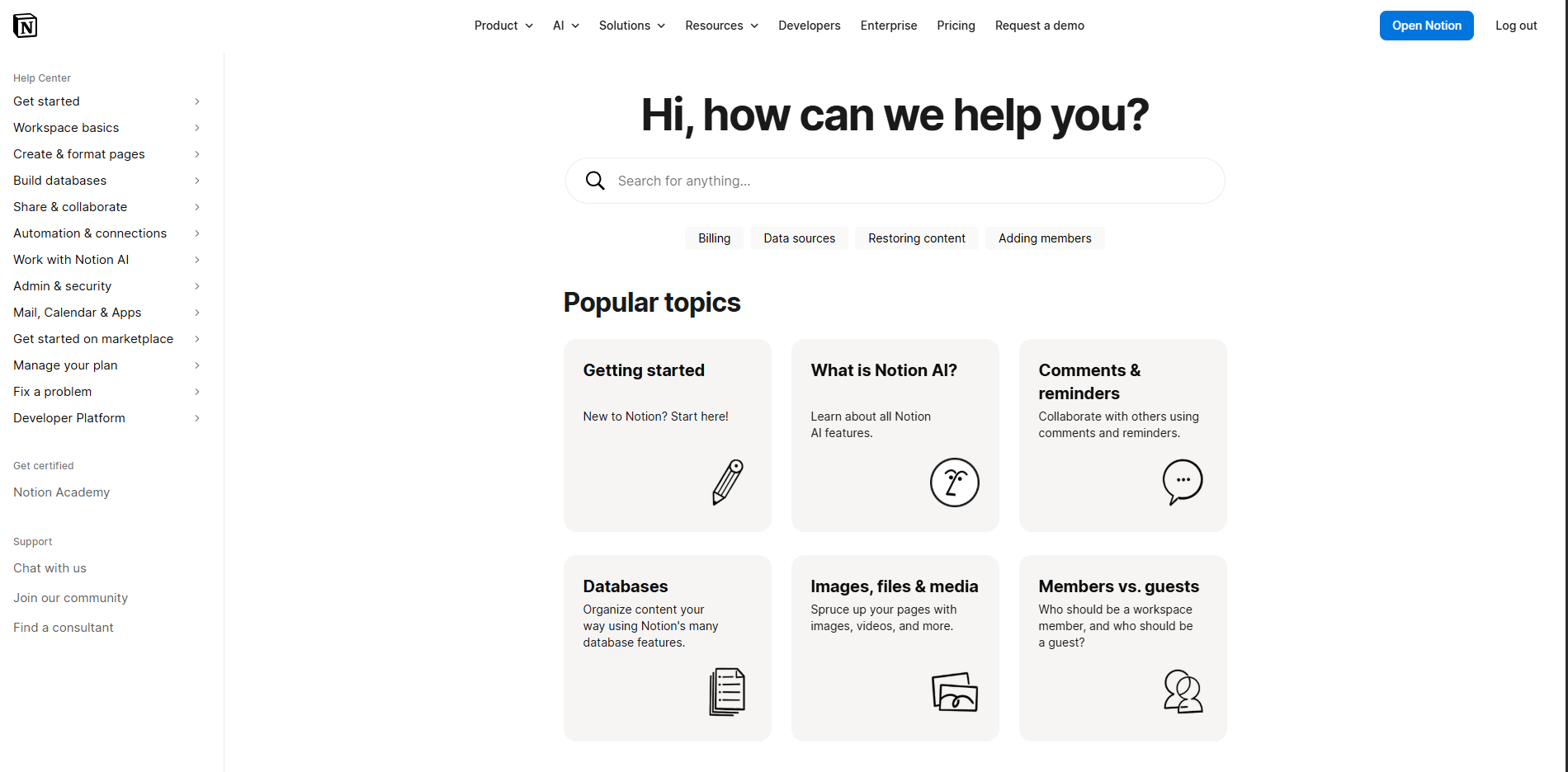
Notion's help page works because it helps users choose the right path before they search too deeply. It starts with a search prompt, then highlights fast links for common issues such as billing, data sources, restoring content, and adding members.
This is a strong model for SaaS products with many use cases. Notion separates help topics into clear buckets, including getting started, databases, sharing and permissions, import and export, connections, automations, workspace administration, and privacy and security.
The main takeaway is depth without chaos. Use this format when your product has beginner users, power users, admins, and teams all looking for different answers. A Notion style FAQ page should start simple, then guide users into more specific help areas.
Peec's FAQ page
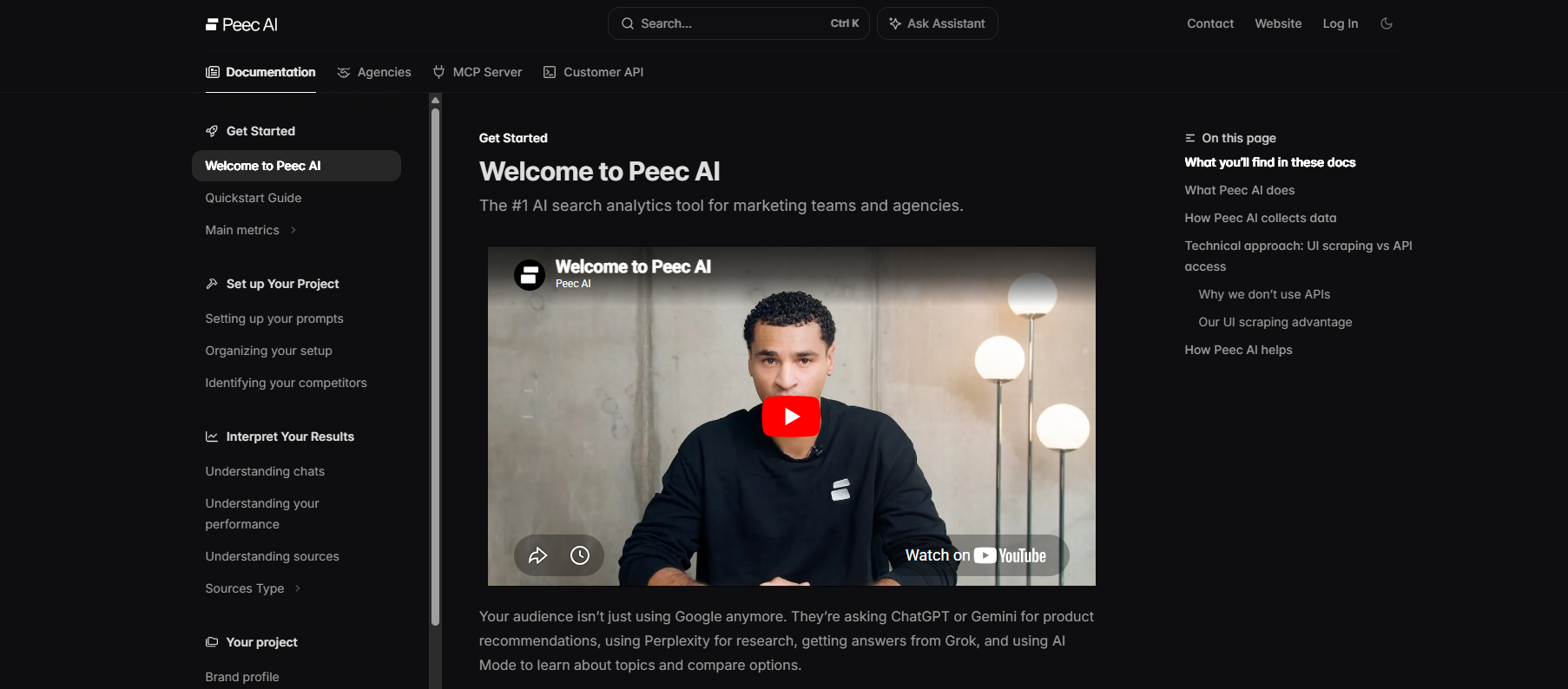
Peec AI's FAQ section works because it answers product adoption questions close to the point of conversion. The page explains how to get started, how often data refreshes, how users can segment visibility by model, region, or audience, and how Peec AI connects to reporting tools.
This is a strong template for newer SaaS categories where buyers may not fully understand the product yet. Peec AI uses its FAQ to explain core concepts, including brand visibility, source visibility, source citations, and daily prompt tracking.
Use this format when your FAQ needs to reduce confusion around a new product category. It works best when the answers explain setup, core metrics, reporting, and what users can expect after signing up.
Clay's FAQ page
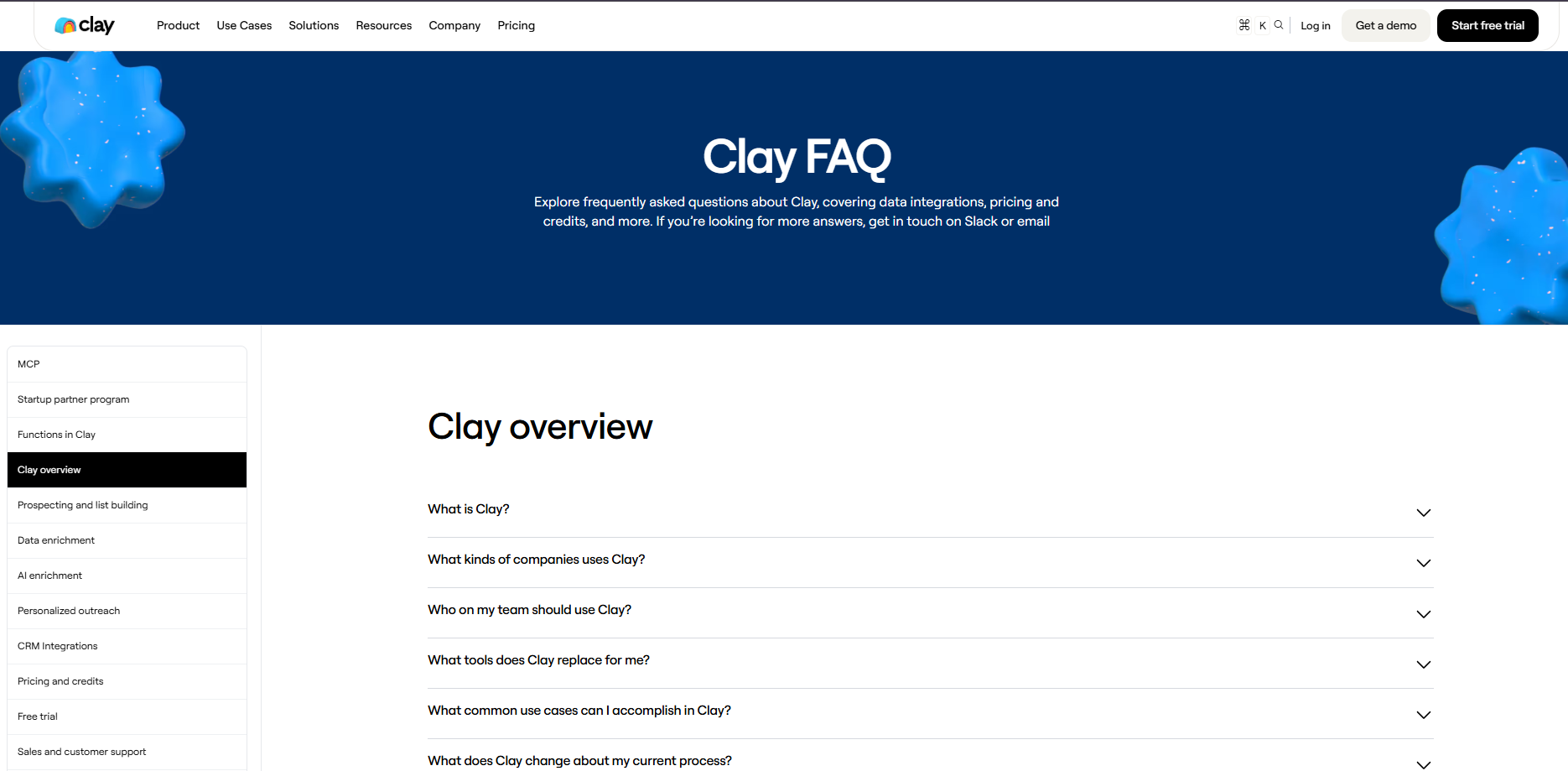
Clay's FAQ page works because it handles buyer objections directly, not just support questions. It answers concerns about pricing, SDR team impact, spam limits, CRM data, enrichment, agencies, security, and how Clay compares to traditional sales tools.
The page is useful because the answers are tied to the questions sales teams already ask before adopting a complex GTM platform. For example, Clay explains plan pricing, free trial details, and credits clearly, instead of sending every visitor to sales.
Use this template when your FAQ needs to support both product education and purchase decisions. It works best for SaaS products with a new category, complex setup, or multiple buyer concerns. The goal is to reduce hesitation before a demo, trial, or signup.
Supabase's FAQ page
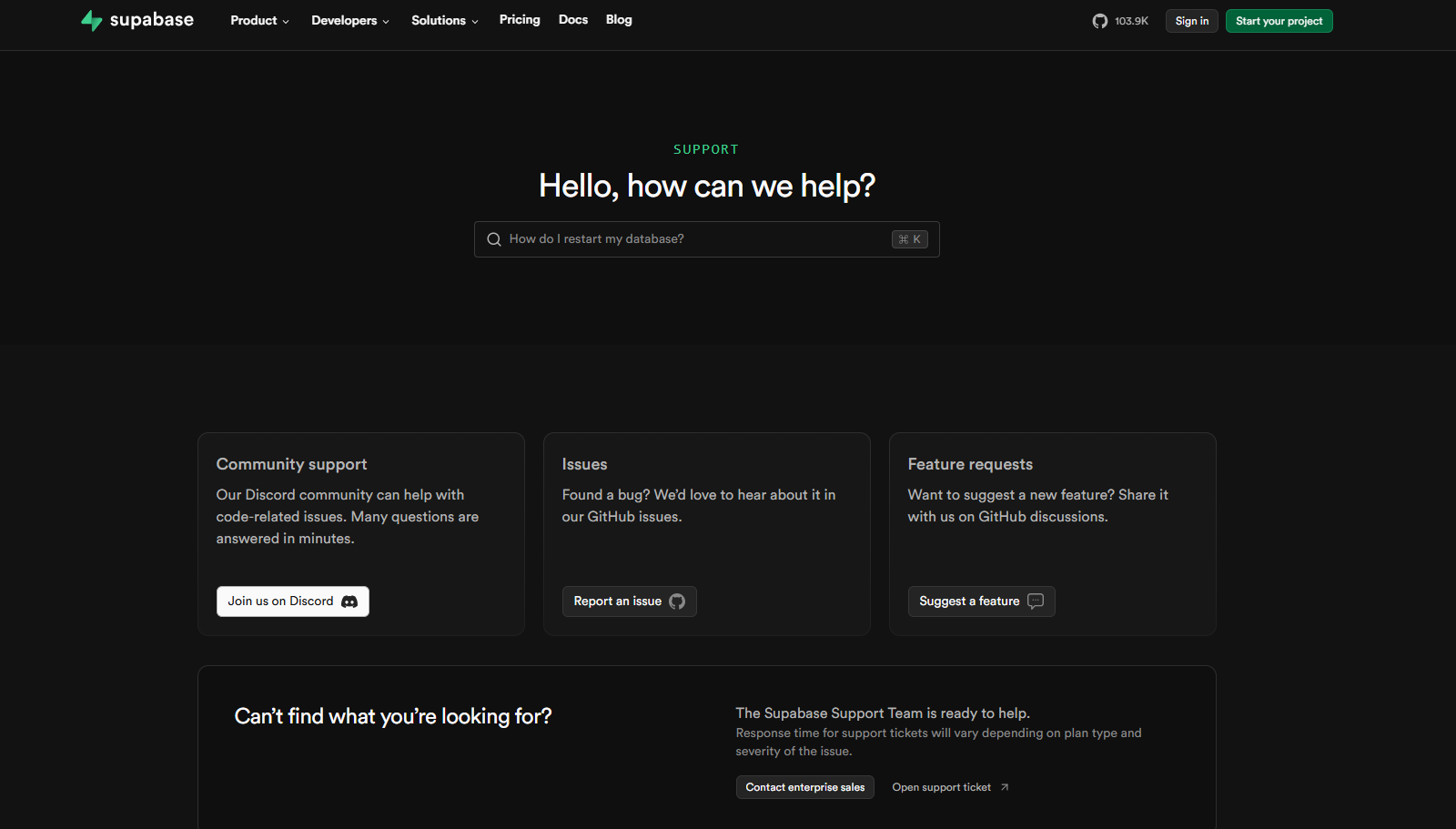
Supabase's docs work because they are built for builders who need answers while shipping. The page starts with search, then routes users into setup guides, product areas, client libraries, migration guides, self-hosting, troubleshooting, support, changelog, and system status.
This is a strong model for developer tools because it separates quick starts from deeper technical references. Supabase also gives users multiple entry points by framework and language, including React, Next.js, Vue, iOS, Android, Flutter, Python, JavaScript, Swift, Kotlin, and more.
Use this template when your FAQ needs to support technical onboarding, product education, and troubleshooting. The main lesson is to route users by what they are building, not just by what your company wants to explain.
Framer's FAQ page
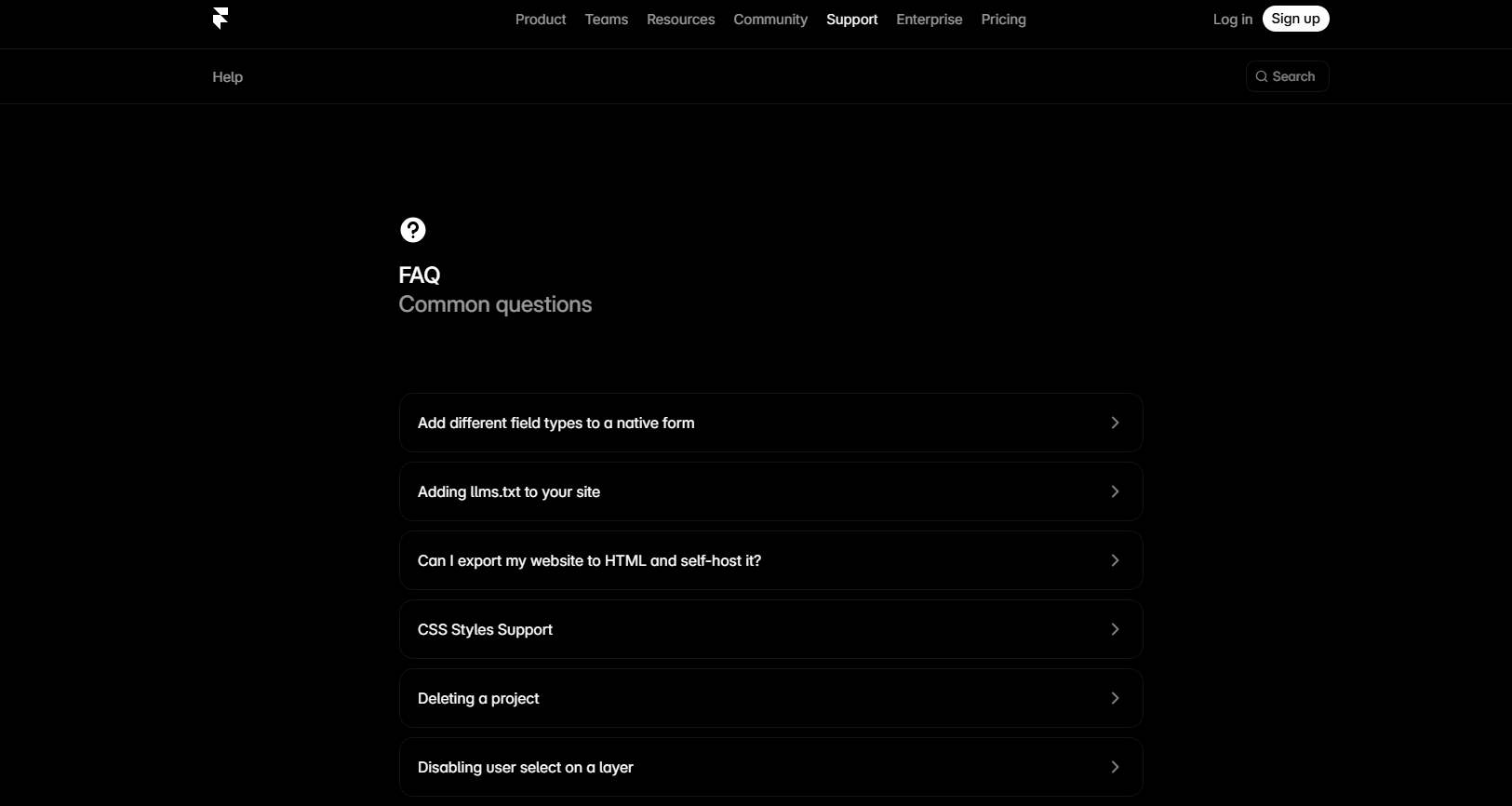
Framer's FAQ page works because it is built around specific product questions, not broad help categories. It lists common questions about exporting websites, GDPR and cookies, spam protection, analytics, forms, components, iframes, font licenses, A/B tests, and support.
This is a useful template for SaaS products where users often need quick answers about technical limits, publishing, compliance, and customization. The page also sits inside a wider help system with search, guides, developer docs, downloads, and status links.
Use this format when your FAQ needs to answer detailed product questions without becoming a full tutorial. The main lesson is to make each question specific enough that users can instantly recognize their problem.
MobiLoud's FAQ page
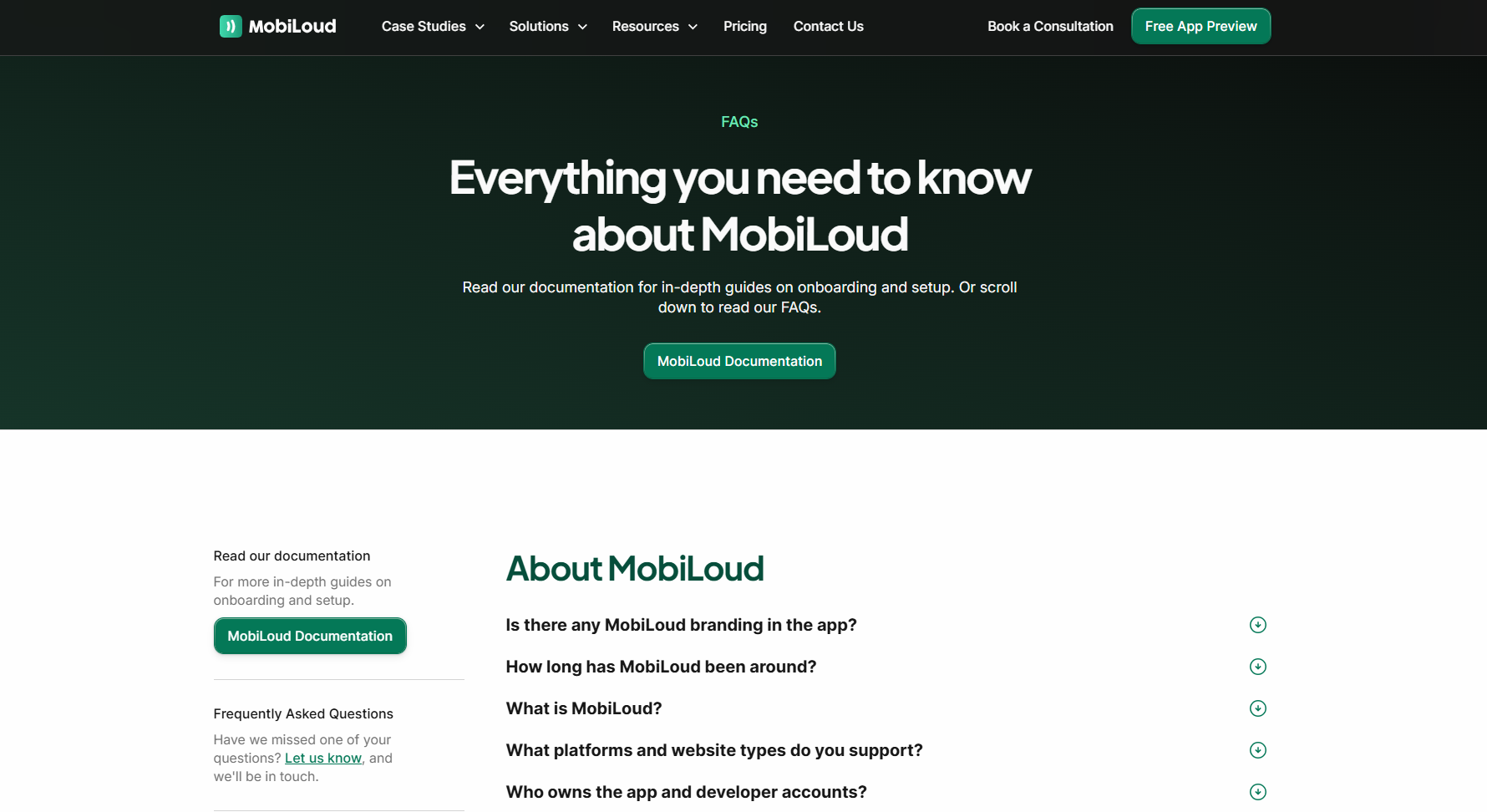
MobiLoud's FAQ page works because it answers pre-purchase objections in plain terms. It covers app ownership, branding, supported platforms, launch support, ongoing maintenance, app store approval, pricing, and whether customers will actually use the app.
This is a good template for service-led SaaS products where buyers need reassurance before booking a call. MobiLoud does not only explain what the product does. It also addresses risk, effort, and ROI, which are often the real reasons buyers hesitate.
Use this format when your FAQ needs to reduce doubt around implementation. The page should make users feel like they understand what happens before launch, after launch, and who is responsible for each part.
What your FAQ page should not be
An FAQ page should make decisions easier. It should not become a dumping ground for every loose answer your team does not know where to place.
A weak FAQ page usually does one of three things: hides important information, repeats your sales copy, or sends customers in circles.
It should not be a replacement for your help center
FAQ pages are best for quick answers. They are not the right place for full setup guides, technical tutorials, release notes, troubleshooting trees, or long product documentation.
If a question needs screenshots, multiple steps, edge cases, or plan-specific instructions, answer the basics in the FAQ and link to a deeper guide.
It should not be a sales page in disguise
People visit FAQ pages because they want clarity. If every answer sounds like a pitch, they lose trust fast.
Bad example:
"Why should I choose your product?"
Better approach:
"What makes Featurebase different from a traditional helpdesk?"
Then answer it clearly, with specifics. Mention the product where it helps, but do not force a promo into every response.
It should not hide pricing, limits, or policies
Vague answers create more support tickets.
Avoid responses like:
"Contact our team for more information."
Sometimes that is necessary, especially for enterprise pricing or custom contracts. But for common questions about billing, refunds, plan limits, cancellation, security, and data ownership, give people as much detail as you can.
It should not answer questions nobody asks
Many FAQ pages are built around what the company wants to say, not what customers actually ask.
Questions like "What is our mission?" or "Why are we the best solution?" usually belong somewhere else. Your FAQ should come from support conversations, sales objections, onboarding feedback, search data, and product usage patterns.
It should not be a wall of text
A useful FAQ page is easy to scan. If every answer is five paragraphs long, people will bounce or contact support anyway.
Use short answers, clear headings, plain wording, bullets where needed, and links to deeper resources. The page should feel like a quick reference guide, not a legal document.
It should not go stale
An outdated FAQ page is worse than an incomplete one. Old pricing, retired features, broken links, and outdated screenshots can create confusion for customers and extra work for your team.
Review your FAQ page whenever you change your product, pricing, support process, trial terms, integrations, or security policies.
Bottom line: your FAQ page should reduce uncertainty. If it adds confusion, hides key details, or makes people contact support for basic answers, it is not doing its job.
How Featurebase can help you build a better FAQ page
A good FAQ page should make it easier for users to find answers, trust your product, and move forward without contacting support. The best ones are built around real customer questions, organized clearly, and updated whenever your product changes.
Featurebase is a modern & powerful Help Center tool that lets you create a beautiful knowledge base with AI search, custom domains, in-app widgets, automatic translations, and multi-brand support. It also comes with live chat, feedback collection, roadmaps, surveys, and changelogs, so you can connect self-service support with the rest of your product experience.
It has affordable pricing and a Free plan that lets you create a public help center. Paid plans start at just $29/seat/mo, and onboarding is quick, so there’s no downside to trying it. 👇
✨ Create a beautiful AI-powered Help Center with Featurebase for free →