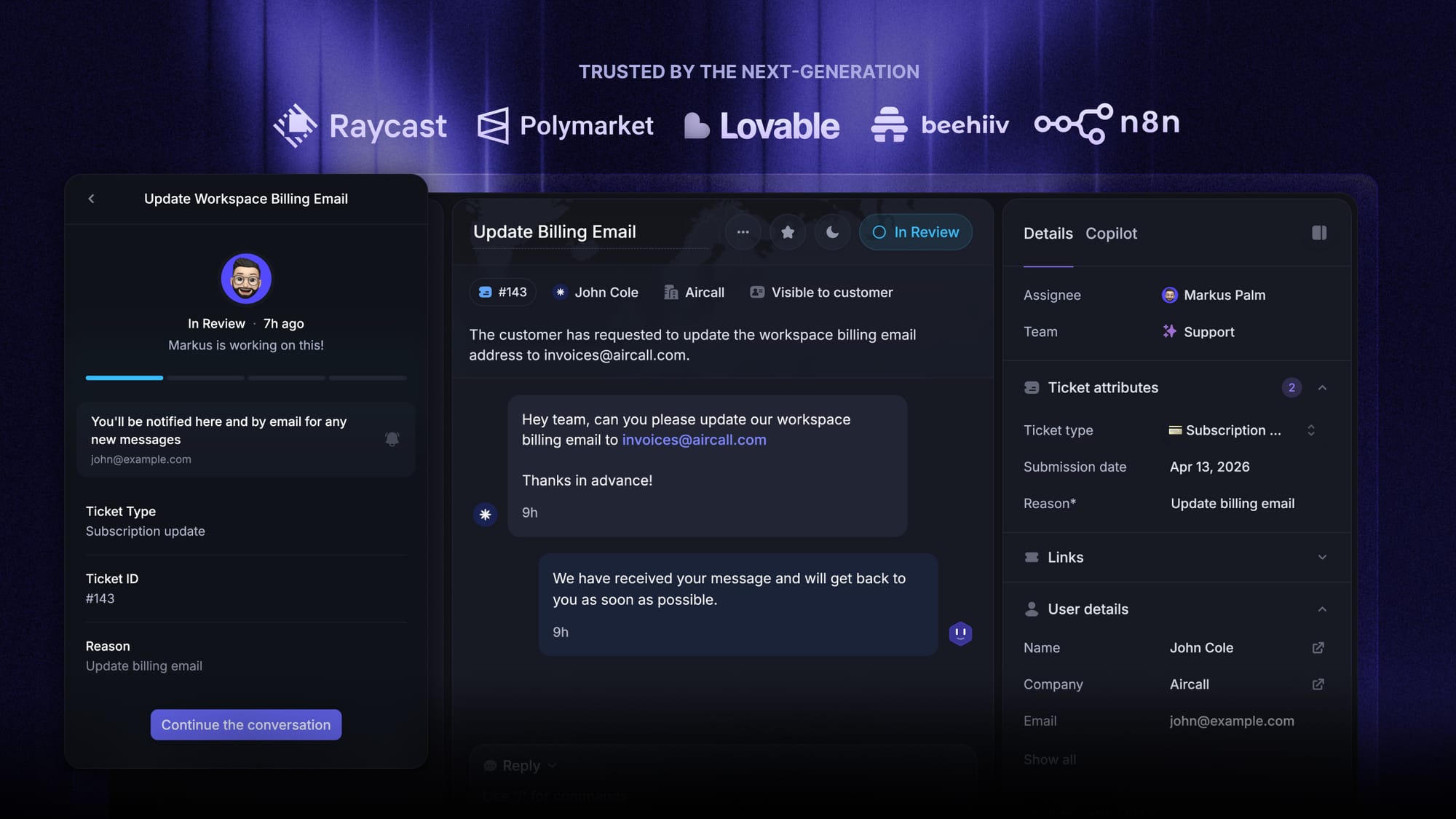
Blog Customer Service11 Best Help Desk Ticketing System for Small Business
11 Best Help Desk Ticketing System for Small Business
Looking for the best help desk ticketing system for your small business? We compare the top tools in 2026, including Featurebase, Zendesk, Freshdesk, and Zoho Desk, to help you find the right fit for your team, workflow, and budget.



✨ Get the modern Ticketing Inbox designed for efficiency →
Managing customer support through email, chat, and other tools may work at first. But as your small business grows, it gets harder for your support team to track every support request, avoid duplicate replies, and stay organized across multiple channels.
That is where a help desk ticketing system for small businesses becomes essential.
The right help desk software helps you organize conversations, automate repetitive tasks, improve ticket tracking, connect a knowledge base, and give your team the tools to deliver better customer satisfaction.
In this guide, we cover what a help desk ticketing system is, the best tools in 2026, and how to choose the right ticketing system for your team.
Short answer:
- If you want the best help desk ticketing system for small businesses with modern support workflows, choose Featurebase✨.
- If you want a more mature service desk with advanced workflow depth, choose Zendesk.
- If you want a flexible ticketing system for growing small teams, choose Freshdesk.
- If you want one of the more affordable desk software options, choose Zoho Desk.
- If you want support tied closely to CRM records and customer data, choose HubSpot Service Hub.
- If you want a stronger fit for internal support, operations teams, or an IT department, choose Jira Service Management.
See the full list below for a closer look at the best desk ticketing systems for small businesses in 2026.👇
TL;DR: comparison table of the best help desk ticketing systems for small businesses
| Platform | Best for | Key strength | Pricing |
|---|---|---|---|
| ✨Featurebase | Product-led SaaS teams | Fast support inbox, knowledge base, live chat, feedback, and AI workflows in one platform | Free plan (1 seat, no AI); paid plans from $29/seat/month billed annually + $0.49 per AI resolution |
| Zendesk | Advanced support teams | Deep automation, intelligent routing, reporting, and mature help desk capabilities | Support Team from $19/agent/month billed annually; Suite Team from $55/agent/month billed annually |
| Freshdesk | Growing support teams | Balanced feature set, automation, and easy-to-use shared inbox workflows | Free Program for up to 2 agents for 6 months; paid plans from $19/agent/month billed annually |
| Zoho Desk | Budget-conscious businesses | Strong core email ticketing software with useful automation and good value | Free plan for 3 users; Express from $7/user/month billed annually; knowledge base from $14/user/month billed annually on Standard |
| Desk365 | Small businesses using Microsoft Teams | Teams-based ticketing, workflow automation, knowledge base, and reporting | Free plan (50 tickets/month); paid plans from $12/agent/month billed annually |
| HubSpot Service Hub | CRM-connected support teams | Deep integration with customer data and service workflows | Free tools for up to 2 users; lower-priced Starter tools available; full helpdesk from $90/seat/month billed annually + $1,500 onboarding |
| Help Scout | Customer-centric support teams | Simple, intuitive interface with strong knowledge base support | Free plan (5 users, 100 contacts/month); Standard from $25/user/month billed annually |
| Front | Teams that want inbox collaboration | Shared inbox collaboration features with stronger structure than a normal email client | From $25/seat/month billed annually (up to 10 seats, 1 channel type) |
| Jira Service Management | IT and internal service teams | Structured workflows, approvals, and service desk capabilities | Free plan for 3 agents; Standard from $20/agent/month billed monthly, depending on agent count |
| Hiver | Gmail-based teams | Email ticketing inside Gmail with lightweight adoption | 7-day trial; Growth from $25/user/month billed annually, with a 2-seat minimum |
| LiveAgent | Businesses that want broad support coverage | Email and chat ticketing, with social channels on higher plans | 30-day free trial; paid plans from $15/agent/month billed annually |
What is a help desk ticketing system?
A help desk ticketing system turns customer messages into organized tickets your team can track, assign, and resolve. Instead of managing requests across inboxes, spreadsheets, and chat, it gives your team one place to handle support from start to finish.
The best help desk ticketing tools also include a knowledge base, ticket assignment, ticket routing, automation rules, custom reports, support for multiple channels, and AI features.
For a small business, that structure matters because even a lean support staff can get overwhelmed as ticket volume grows.
How does a helpdesk ticketing system work?
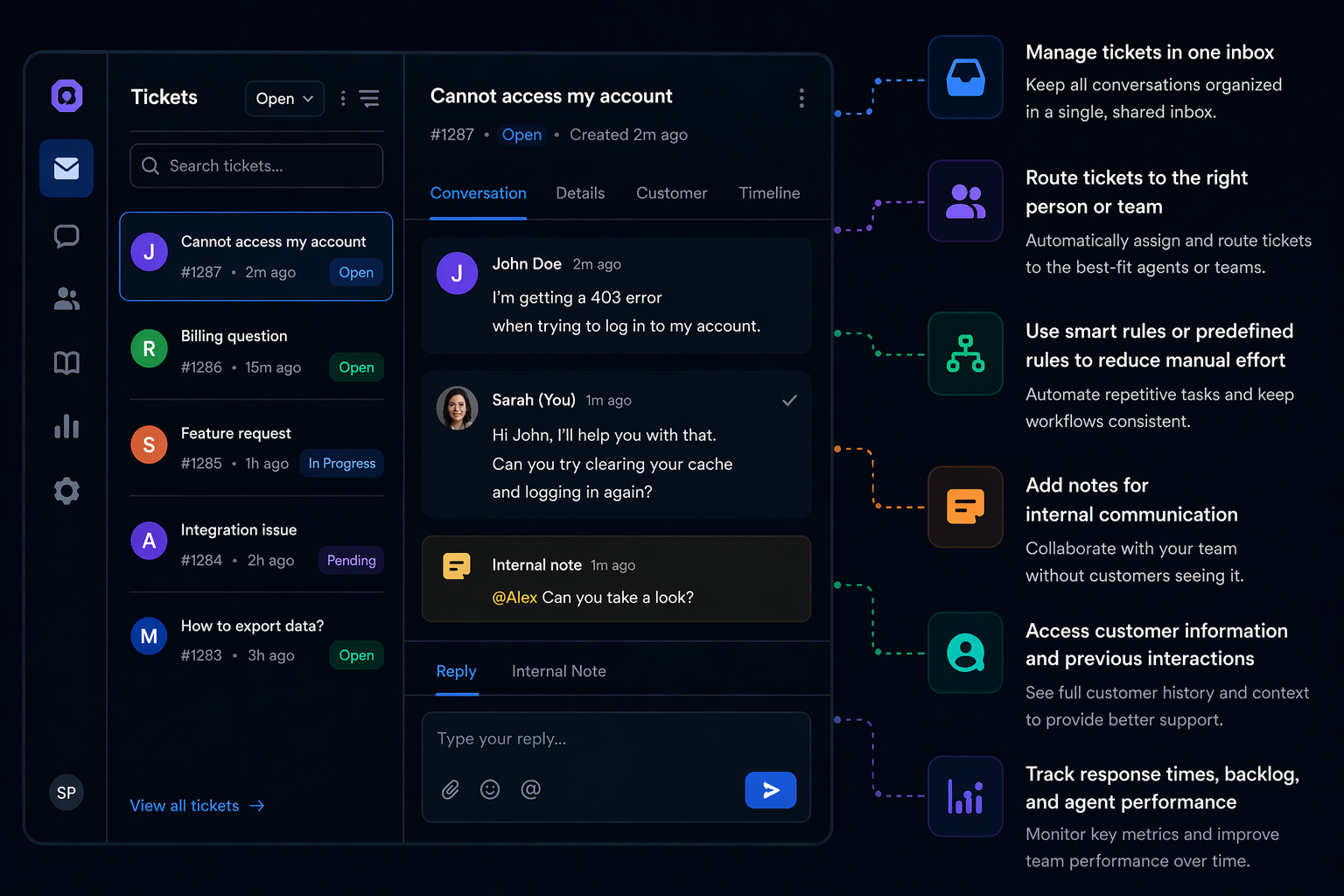
A helpdesk ticketing system captures requests via email, live chat, a chat widget, or web forms, then creates tickets by turning each message into a trackable case with a status, owner, and priority.
From there, teams can manage tickets, route tickets, use smart rules or predefined rules to reduce manual effort, add notes for internal communication, access customer information, and track response times and agent performance.
More advanced platforms also offer advanced automation, AI-powered routing, audit trails, and customizable reports as support needs grow.
Best help desk ticketing systems for small businesses in 2026
Below are the best desk ticketing systems to consider if you want a reliable help desk ticketing system for a small business.
1. Featurebase✨
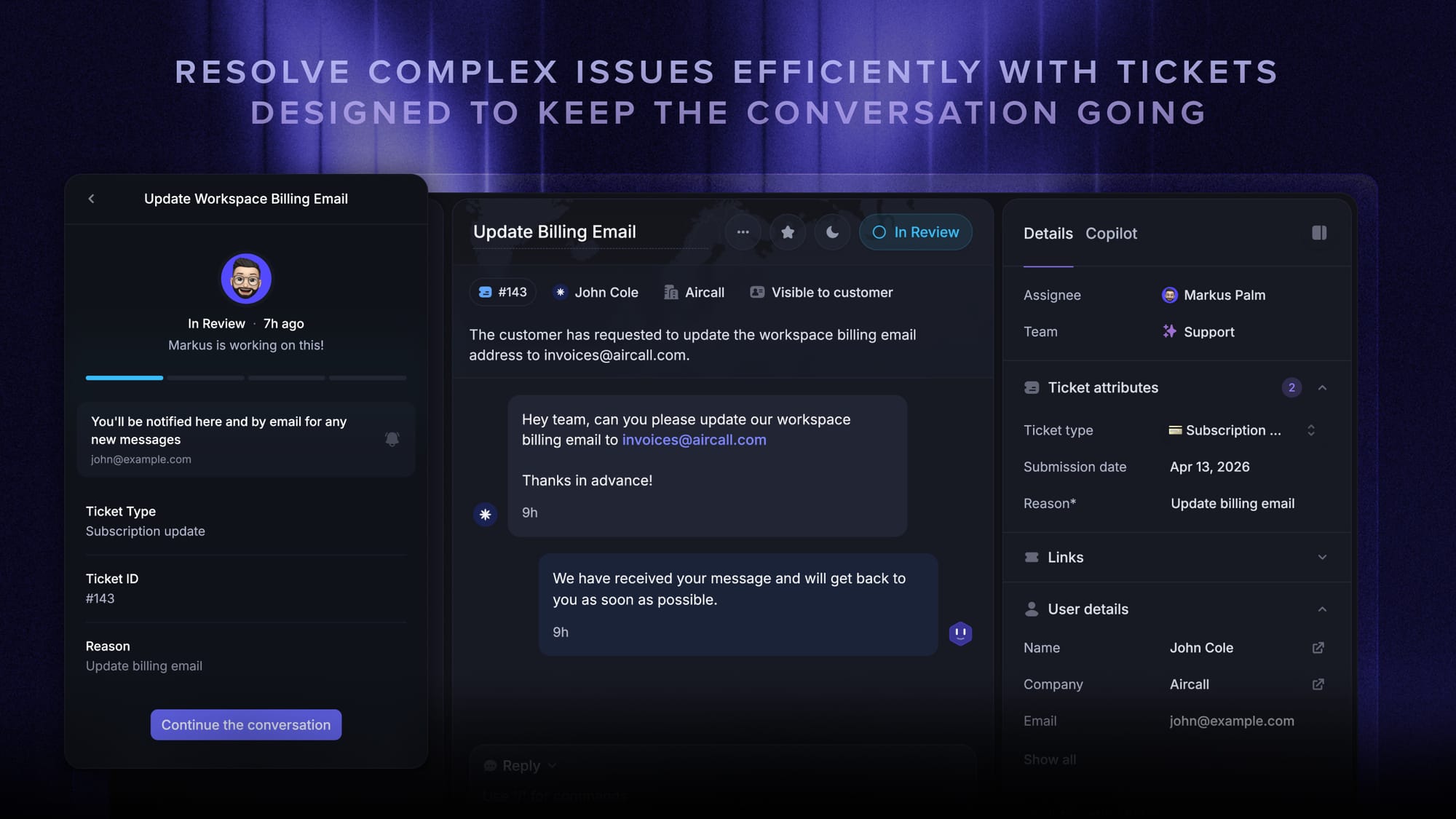
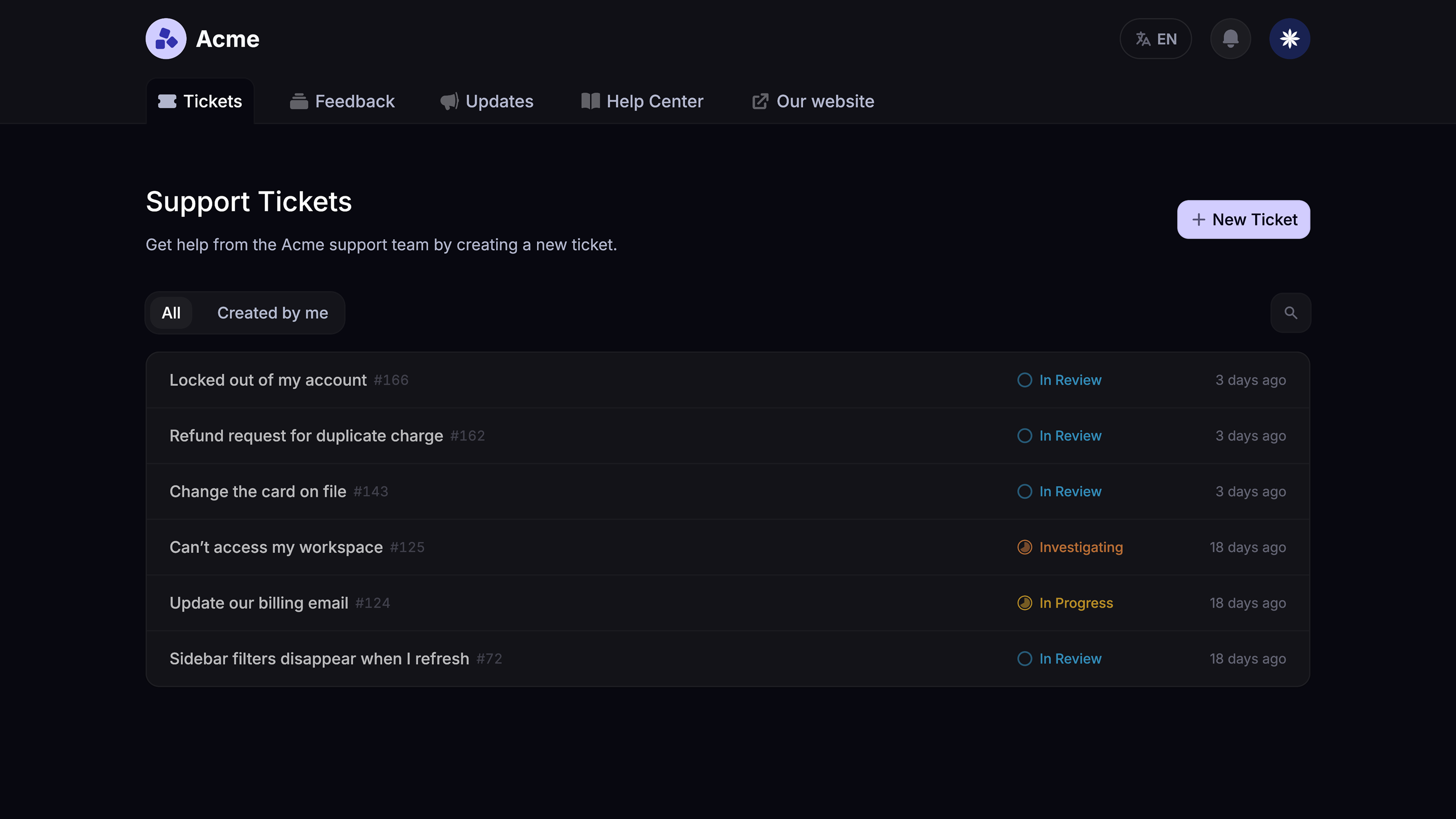
Featurebase (that's us! 👋) is a modern AI customer support platform for product-led SaaS. It combines AI-powered ticketing, help center, and feedback management into a single platform for startups that want all their customer-facing tools in one place.
What makes it different is that it is not just another ticketing system built around a basic inbox. Featurebase gives teams an AI-powered omnichannel inbox for tickets, live chat, email, and Slack, while also connecting support with self-service and product feedback. That makes it especially useful for teams that want support that stays close to the product experience, rather than being split across multiple disconnected desk tools.
Top features
- Omnichannel inbox – Manage tickets, live chat, email, and Slack conversations from one AI-powered view
- Tickets Portal – A dedicated page where customers can submit, view, and track all their tickets in one place
- AI Copilot – Help agents answer customers faster using internal knowledge
- Workflows and automations – Auto-assign tickets, route conversations, collect customer data, and reduce manual effort
- Service Level Agreements – Track SLAs and keep response times on track
- Tickets in Messenger – Let customers track ticket progress directly inside your product
- Fibi AI Agent – Resolve customer issues automatically and run configured custom actions like refunds or trial extensions
- Help center with AI search – Deliver instant self-service answers in multiple languages
- Automatic AI translations – Translate conversations and help articles into a customer’s native language
- Integrations – Connect with Slack, Linear, Jira, HubSpot, and more
Best for: Product-led SaaS companies and growing support teams that want ticketing, self-service, and feedback in one place.
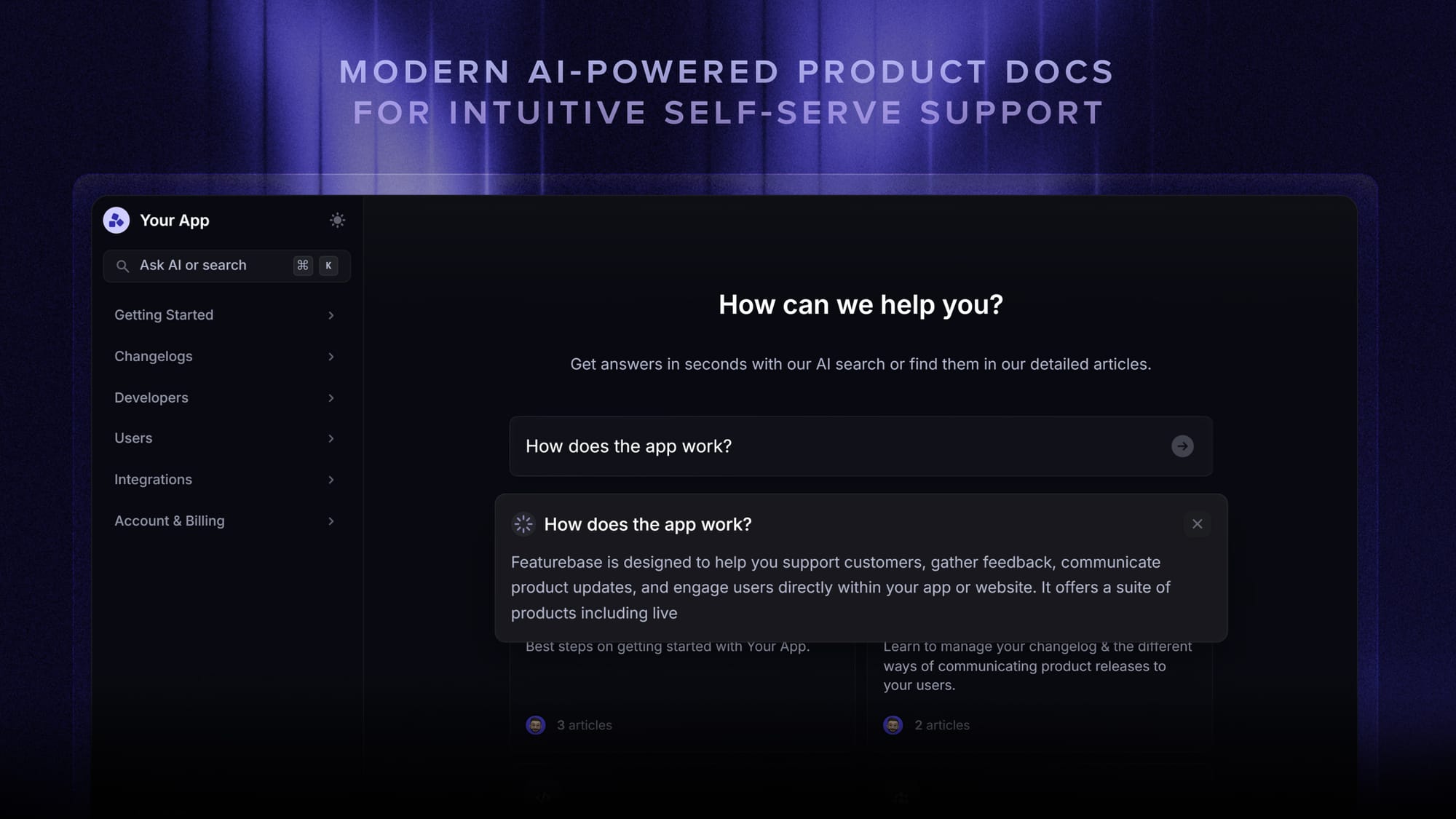
Why it stands out: Featurebase covers the same core support needs as many legacy platforms, but with a more modern approach. It combines AI automations, multiple channels, and a tightly connected support experience without forcing teams to stitch together separate tools.
Limitations: Teams looking for a more traditional IT-focused service desk or broader itsm solutions may prefer a platform built specifically for internal operations. Slack support, workflows and automations, SLAs, and Tickets Portal require Professional or Enterprise.
Pricing: Featurebase offers a Free plan with 1 seat and unlimited conversations, without AI. Paid plans start at $29/seat/month billed yearly on Growth, plus $0.49 per AI resolution.

Modern Ticketing Inbox, Designed for Efficiency
Support your customers from anywhere with an AI-powered omnichannel inbox
2. Zendesk
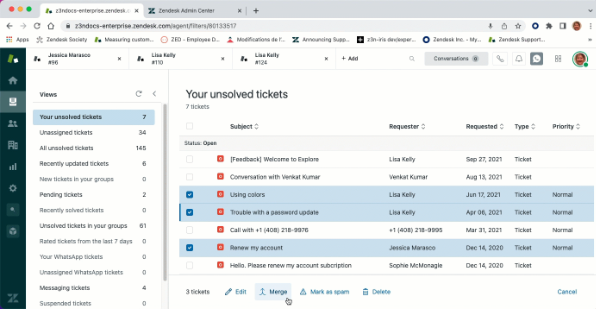
Zendesk remains one of the most established names in help desk software. It is a strong option for businesses that need a more mature help desk ticketing system with deeper workflow control, broader reporting, and stronger operational structure.
Its biggest strength is depth. Zendesk is built for support teams that need more than a lightweight inbox or entry-level desk software. It gives teams stronger routing logic, deeper configuration, and more advanced reporting tools that become valuable as ticket volume grows and support workflows get more complex.
Key features
- Email ticketing, with messaging, live chat, and voice in the Suite plans
- Advanced automation and intelligent routing
- SLA tracking and reporting
- Built-in knowledge base on Suite plans
- Strong analytics and custom reports
- Broad app marketplace and native integrations
Best for: Teams that want a proven help desk platform with room to scale.
Why it stands out: Zendesk remains a popular choice for larger support environments because it handles routing, automation, and reporting better than many lighter desk ticketing platforms.
Limitations: It can feel heavy for a small business, and pricing often becomes less attractive as you move into higher-priced plans for more advanced capabilities.
Pricing: Zendesk's Support Team plan starts at $19 per agent/month, billed annually, for basic ticketing. Suite Team starts at $55 per agent/month billed annually and adds messaging, live chat, voice, and a help center. Advanced routing and reporting depend on the plan.
3. Freshdesk
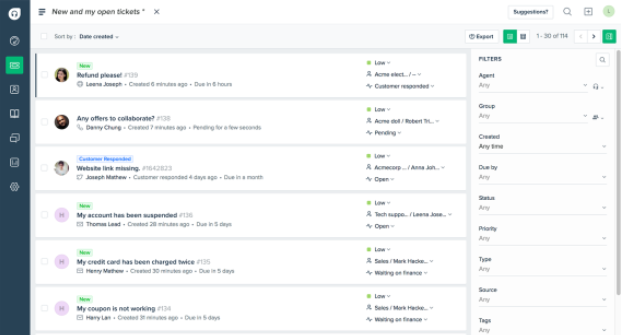
Freshdesk is a flexible ticketing system that works well for growing businesses that need more than basic features but do not want to jump straight into a more complicated platform.
It sits in a useful middle ground. Freshdesk offers automation, reporting, and email ticketing to help teams move beyond a shared inbox, while still being approachable for businesses that do not want a long implementation cycle or a steep learning curve. Freshdesk Omni is a separate offering for broader omnichannel support.
Key features
- Email-based help desk and customer portal
- Automation for repetitive tasks
- Freddy AI Agent, with optional Freddy AI Copilot on Pro and Enterprise
- Built-in knowledge base
- Team collaboration features
- Reporting and agent performance dashboards
- Good integration options
Best for: Growing companies that want practical help desk software with room to expand.
Why it stands out: Freshdesk balances usability and capability well, which makes it a strong fit for small teams handling rising support demand.
Limitations: Advanced reporting and customization require higher plans. Freddy AI Copilot is a paid add-on for Pro and Enterprise, while AI Agent usage beyond the included sessions costs extra.
Pricing: Freshdesk offers a free program for up to 2 agents for 6 months, and its Growth plan starts at $19/agent/month billed annually. The Free Program applies to Freshdesk, not Freshdesk Omni.
4. Zoho Desk
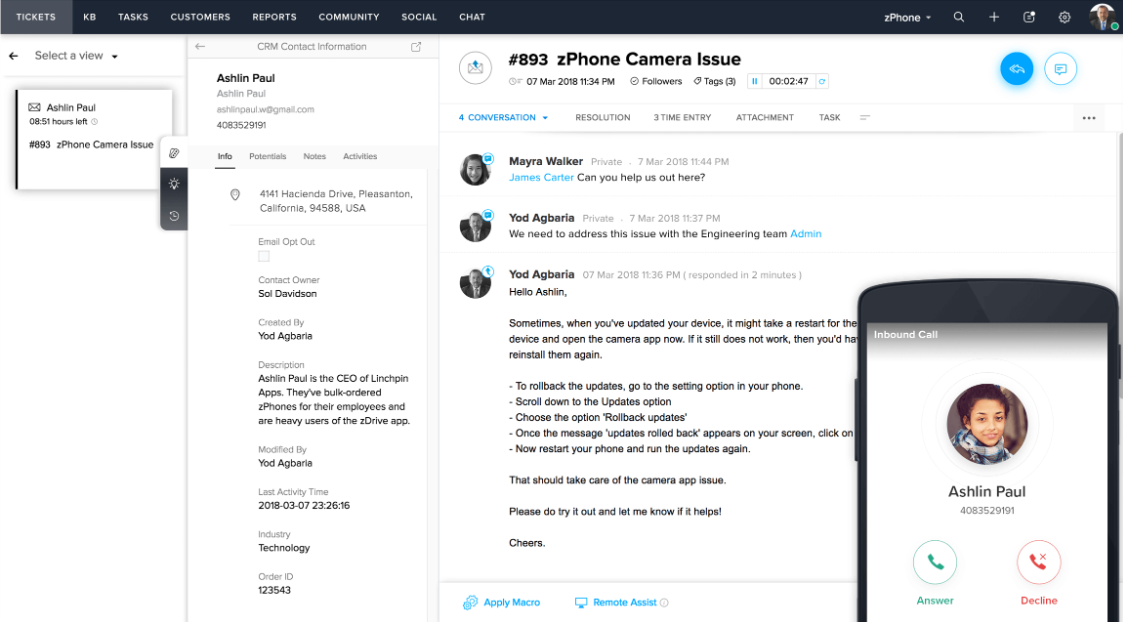
Zoho Desk is one of the best value options for a small business that wants capable desk software without paying premium prices.
It covers the core workflows most teams care about, including ticket assignment, automation, reporting, and self-service. That makes it a practical option for businesses that have outgrown a shared inbox and want a more structured help desk ticketing system without overpaying for features they may not use yet.
Key features
- Email-based ticketing system
- Built-in knowledge base on Standard and higher plans
- Ticket assignment and automation rules
- Reporting and custom reports
- Customer history and customer data
- Helpful integrations with the wider Zoho ecosystem
Best for: Budget-conscious teams that want strong core support capabilities.
Why it stands out: Zoho Desk offers one of the better value-for-money packages in this category, especially for lean teams that still want automation, reporting, and self-service.
Limitations: Express does not include a knowledge base or custom reports. These start on Standard, while multi-department support and round-robin assignment require Professional or higher.
Pricing: Zoho Desk offers a free plan for 3 users, with Express starting at $7/user/month billed annually. Standard starts at $14/user/month billed annually and includes the knowledge base.
5. Desk365
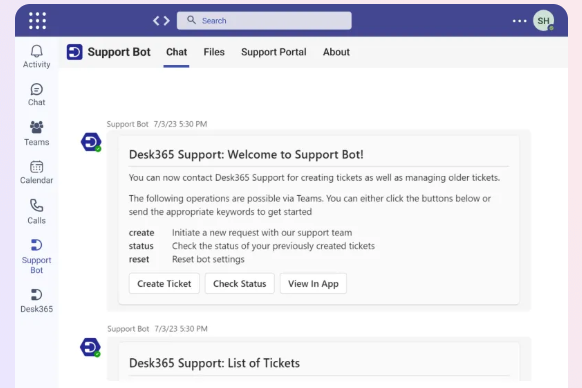
Desk365 is a help desk ticketing system for small businesses that work in Microsoft 365. It brings requests from Microsoft Teams, email, a support portal, and web forms into one place.
Its main appeal is keeping support close to the tools your team already uses. Employees can raise requests and check their status inside Teams, while agents can respond to tickets and receive updates there. That makes it a practical option for small businesses handling internal support alongside customer requests.
Key features
- Microsoft Teams ticket creation, replies, and notifications
- Email ticketing, web forms, and a customer support portal
- Workflow automation, SLA reminders, and escalations
- Public and private knowledge bases
- Custom ticket fields, forms, and reporting
- AI reply drafting and ticket summaries on higher plans
Best for: Small businesses using Microsoft Teams that want affordable ticketing for employees and customers.
Why it stands out: Desk365 combines support inside Teams with the core help desk tools a small team needs, including automation, self-service, and reporting.
Limitations: AI Copilot, time-based automation, and round-robin ticket assignment require Plus or Premium. The free plan is limited to 50 tickets per month.
Pricing: Desk365 offers a free plan for up to 50 tickets per month. Paid plans start at $12/agent/month billed annually for Standard, with a 21-day free trial.
6. HubSpot Service Hub
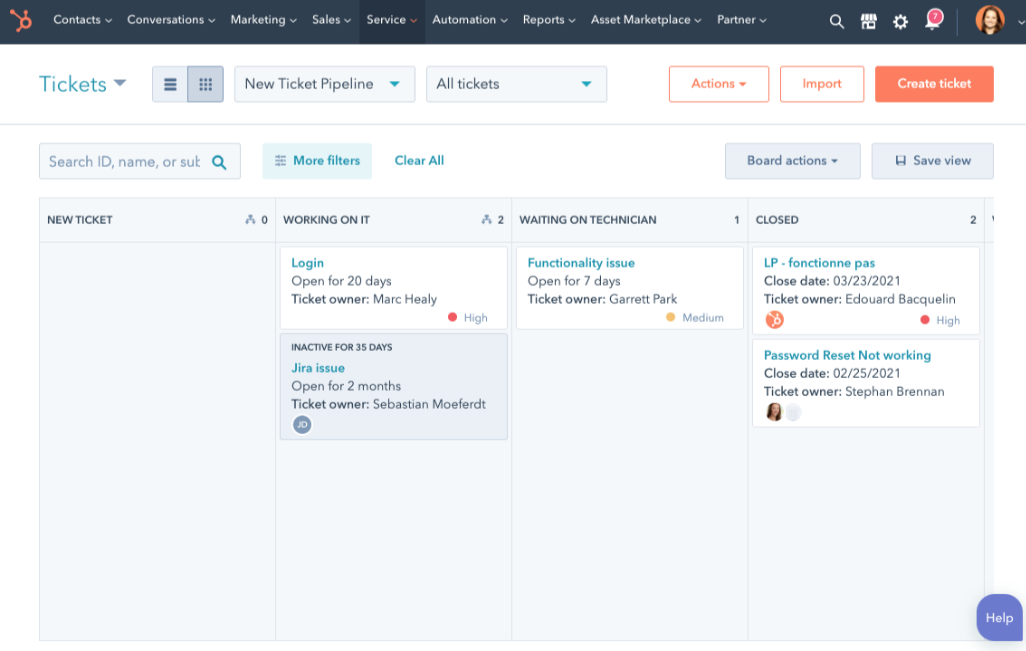
HubSpot Service Hub is a strong choice for businesses that want support tied closely to CRM records, lifecycle stages, and broader customer data.
Its biggest advantage is context. Agents can work with richer customer information, see the full history of the account, and stay aligned with sales and success teams inside the same ecosystem. That can be especially useful when support is closely connected to retention, expansion, or a growing customer base.
Key features
- CRM-connected help desk
- Shared inbox and customer history
- Built-in knowledge base on Professional and Enterprise
- Automation and reporting
- Broad native integrations
- Visibility into customer data
Best for: Teams already using HubSpot that want support connected to the wider customer journey.
Why it stands out: It is especially useful when support is not treated as an isolated queue, but as part of a broader revenue and retention workflow.
Limitations: Outside the HubSpot ecosystem, the value can feel less compelling compared with more focused desk ticketing systems. The full helpdesk workspace, knowledge base, and customer portal require Professional or Enterprise.
Pricing: HubSpot offers free tools for up to 2 users and lower-priced Starter tools. Its full helpdesk workspace starts on Professional at $90 per seat/month billed annually, plus a required $1,500 one-time onboarding fee.
7. Help Scout
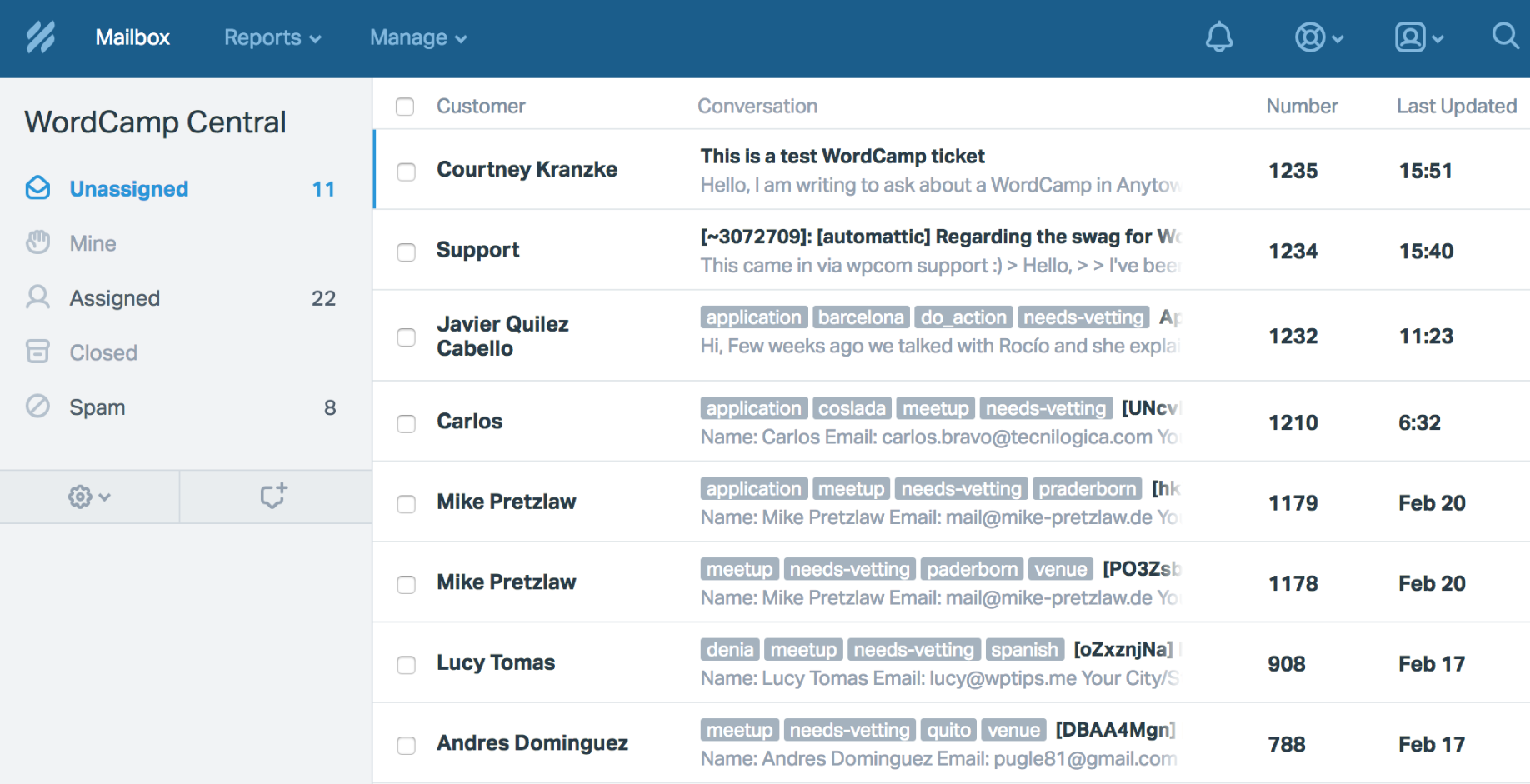
Help Scout is known for its simpler and more approachable help desk experience.
It is a strong fit for teams that want to keep support personal, easy to manage, and less cluttered than many enterprise tools. Rather than overwhelming teams with complexity, Help Scout focuses on the essentials: shared workflows, self-service, and a clean experience that is easy for support staff to adopt.
Key features
- Shared inbox and desk ticketing
- Built-in knowledge base
- Internal notes for internal communication
- Reporting and customer happiness tracking
- Automation for routine work
- Friendly intuitive interface
Best for: Teams that want a customer-friendly platform with a lower learning curve.
Why it stands out: Help Scout gives support teams a polished experience without forcing them into a heavier enterprise-style desk system.
Limitations: Advanced workflows, round-robin routing, and the customer portal require Plus or higher. AI Answers carries a separate usage-based charge.
Pricing: Help Scout offers a Free plan with 5 users, 1 inbox, 100 contacts/month, and 1 Docs site limited to 10 articles. Standard starts at $25 per user/month billed annually, or $30 billed monthly. AI Answers costs $0.75 per resolution.
8. Front
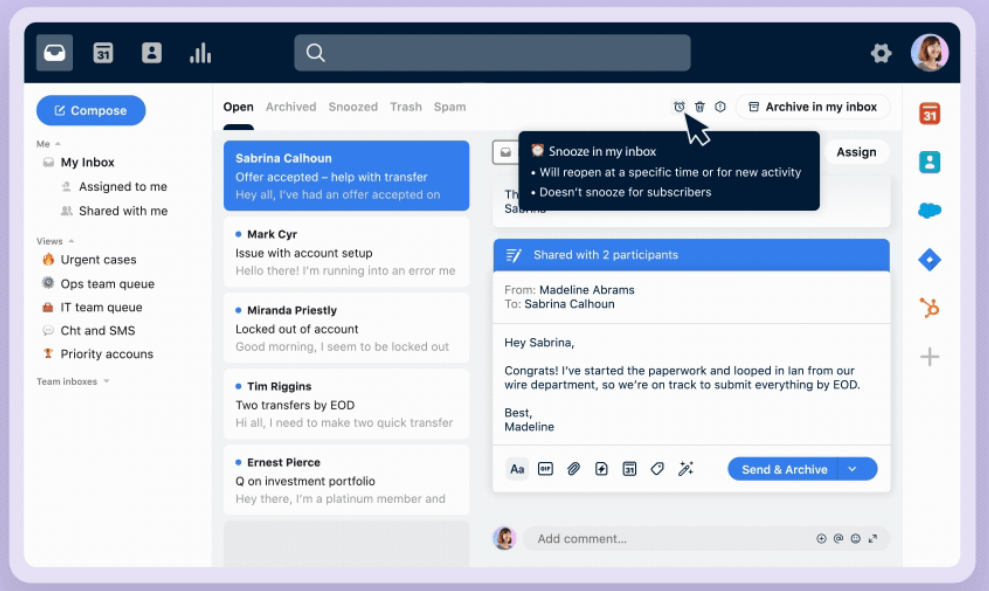
Front is a strong option for businesses that want collaboration-first support with more structure than a shared inbox.
Its appeal is familiarity. Teams can manage requests across email and other multiple channels while keeping an inbox-style workflow that feels more natural than a traditional service desk. That makes it useful for companies that mainly need better ownership, fewer collisions, and faster collaboration.
Key features
- Shared inbox collaboration
- Assignment and ownership tools
- Analytics and reporting
- Support for multiple channels
- Integrations with other tools
Best for: Teams that want collaborative support workflows without committing to a heavier help desk ticketing system right away.
Why it stands out: Front helps teams improve collaboration quickly, especially as they move away from a basic email-based process.
Limitations: Starter supports up to 10 seats and 1 channel type, with up to 10 automation rules and basic analytics. Omnichannel support and advanced analytics require Professional or higher.
Pricing: Front pricing starts at $25 per seat/month billed annually for Starter, which supports up to 10 seats and 1 channel type. Professional starts at $65 per seat/month billed annually.
9. Jira Service Management
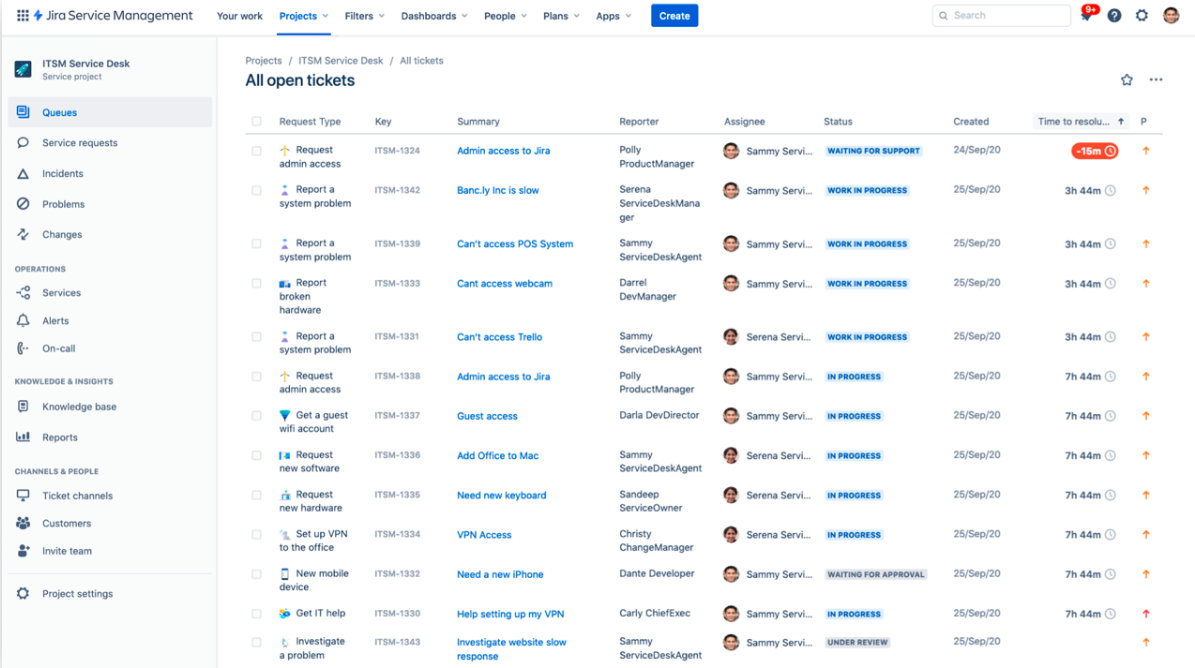
Jira Service Management is built more for internal support, technical workflows, and structured service delivery than lightweight customer-facing support.
That makes it a better fit for an it team, it department, or operations teams than for smaller businesses that only need basic customer support workflows. It is especially useful when requests need approvals, formal handoffs, and stronger visibility across internal departments.
Key features
- Structured service desk workflows
- Request approvals and process controls
- Automation for repetitive tasks
- Integration with Confluence and Jira software
- Good visibility for internal departments
- Useful across multiple departments
Best for: Technical teams, internal service desks, and structured support operations.
Why it stands out: It handles service requests, approvals, and process-heavy workflows better than many tools designed mainly for external support.
Limitations: It can feel heavy for customer-facing teams, especially those without much technical expertise.
Pricing: Jira Service Management is available through Atlassian's Service Collection, with a free plan for up to 3 agents. Standard starts at $20 per agent/month billed monthly in the pricing calculator. The quote varies with agent count, and annual billing uses pricing tiers.
10. Hiver
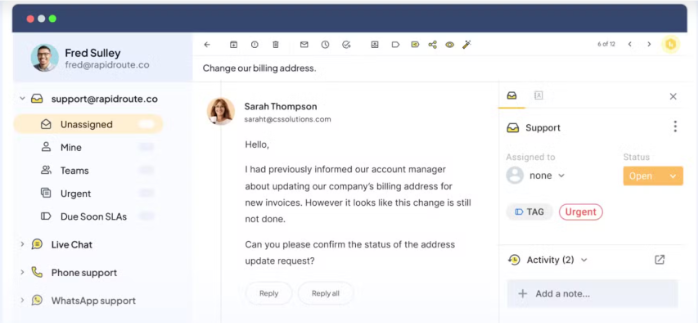
Hiver offers Hiver in Gmail for teams that want support directly inside Gmail, alongside Hiver Omni, a separate support workspace.
Its biggest appeal is simplicity. Instead of asking teams to move onto a completely new platform, Hiver adds desk ticketing and collaboration features inside an email workflow they already know. That can make adoption much easier for smaller businesses that want more structure without changing everything at once.
Key features
- Gmail-based ticketing
- Shared inbox workflows
- Assignments and notes
- Pre-built analytics, with advanced analytics on higher plans
- AI Agents, AI Copilot, and rule-based automations
Best for: Gmail-native teams that want lightweight support workflows.
Why it stands out: Hiver lowers adoption friction and helps teams improve ownership without forcing a major systems change.
Limitations: Advanced analytics, SLAs, and the customer portal require Pro or Elite. There is no ongoing free plan, and paid plans have a 2-seat minimum.
Pricing: Hiver offers a 7-day free trial, and Growth starts at $25/user/month billed annually, or $35 billed monthly, with a 2-seat minimum. Hiver in Gmail and Hiver Omni use the same published plan tiers.
11. LiveAgent
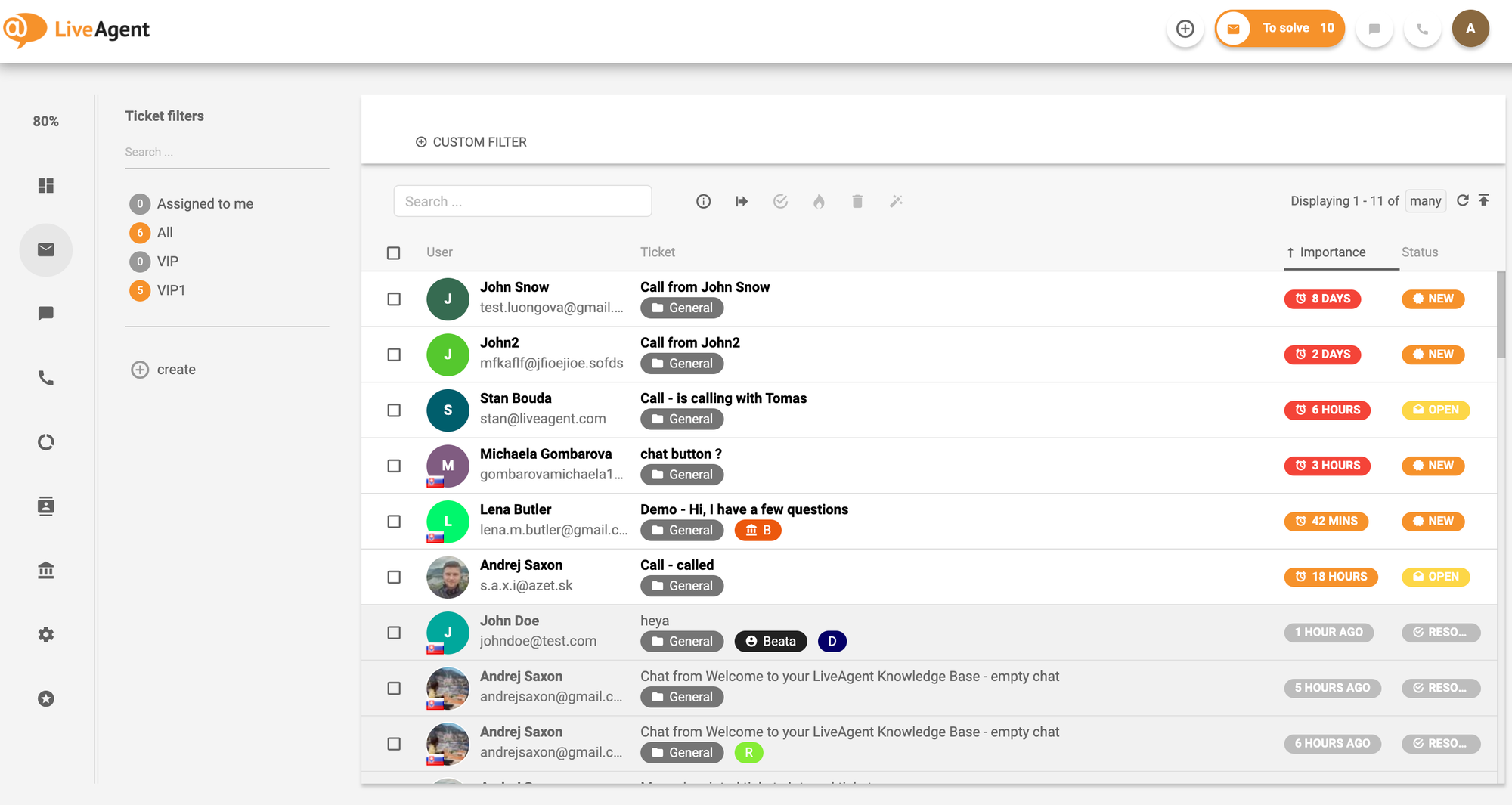
LiveAgent is a broad support platform that combines ticketing, live chat, and multichannel support at a relatively accessible price point.
It is often a practical choice for businesses that want wide channel coverage without jumping immediately to a premium platform. For teams handling customer conversations across email, chat, and social, it can provide a workable all-in-one help desk setup.
Key features
- Email and chat ticketing, with social channels on higher plans
- Built-in live chat and chat widget
- Automation and workflow options
- Reporting and tracking tools
- Useful for rising ticket volume
Best for: Businesses that want broad support coverage without moving straight to a premium enterprise tool.
Why it stands out: It covers a lot of ground for the price and can work well for teams supporting customers across multiple channels.
Limitations: Call-center features and SLAs require Medium or higher. Social channels such as Facebook, Instagram, and WhatsApp require Large or higher.
Pricing: LiveAgent offers a 30-day free trial, and paid plans start at $15 per agent/month billed annually for Small business, or $19 billed monthly. Medium starts at $29 per agent/month billed annually, and Large starts at $49 per agent/month billed annually.
What small businesses should actually look for in a help desk ticketing system?
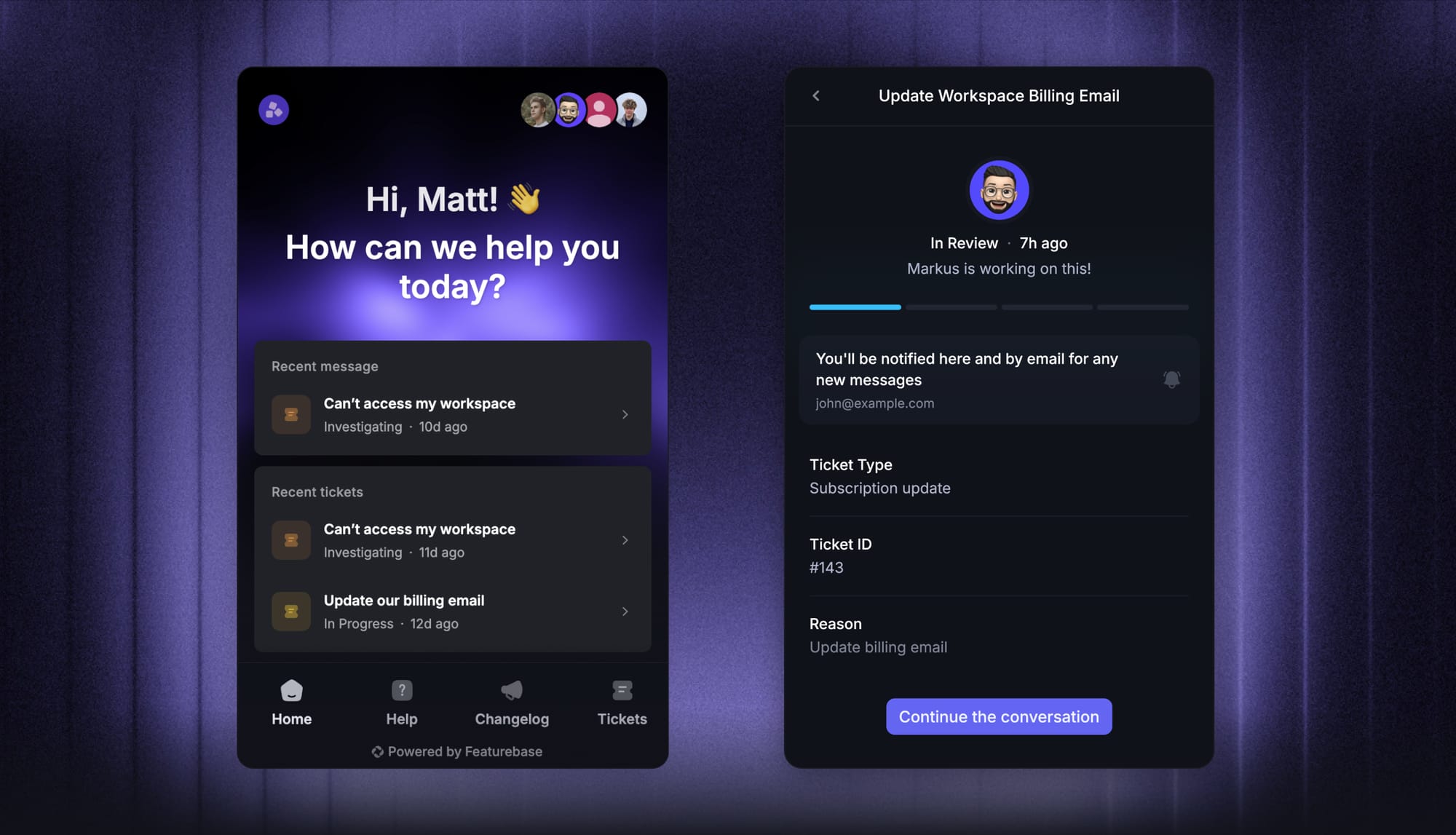
Not every help desk ticketing system is built for the same kind of team. Some are designed for large enterprises with complex internal workflows, while others are better suited to lean support teams that need to move fast without adding too much overhead.
If you are choosing a help desk ticketing system for a small business, these are the features that usually matter most.
1. Fast and flexible ticket creation
The best tools make ticket creation effortless. Every request should turn into a trackable ticket, whether it comes from email, live chat, a chat widget, or web forms. If creating and organizing tickets still depends on manual work, the system will start breaking down as your queue grows.
2. Clear routing and ownership
A good ticketing system should make it easy to route tickets, assign ownership, and avoid the confusion that happens when multiple people respond to the same issue. For small teams, clarity matters more than complexity. You want clean ticket assignment, not a bloated setup that takes weeks to maintain.
3. Automation that actually saves time
Automation is one of the first things that makes a real difference in day-to-day support. Look for automation rules, smart rules, and automated workflows that reduce manual effort, handle repetitive triage, and keep your support team focused on the issues that need a human response.
4. A knowledge base that reduces repeated questions
A connected knowledge base is not just a nice extra. It helps customers find answers on their own, lowers ticket volume, and gives agents a faster way to respond consistently. For a small business, that can make a big difference when the same questions come up again and again.
5. Reporting that helps you improve
You do not need enterprise-level analytics on day one, but you do need enough visibility to know what is happening. Good reporting features should help you track backlog, response times, agent performance, and overall support quality. The goal is not just to collect numbers, but to spot where your process is slowing down.
6. Support across multiple channels
Even if your team mainly handles email today, that may not stay true for long. The best help desk software supports multiple channels like live chat, in-app messaging, and other customer touchpoints, so you do not have to switch to a new platform later just because your support workflow expands.
7. An interface your team will actually use
A platform can have all the right features and still be the wrong choice if it is too hard to use. A steep learning curve slows down onboarding, creates inconsistency, and makes it harder for support staff to work efficiently. For most small businesses, ease of use is not a secondary concern. It is one of the main buying criteria.
8. Integrations that fit the rest of your stack
Your help desk should not live in isolation. The right platform should connect with the other tools your team already uses, whether that is Slack, Jira, HubSpot, or workflows tied to customer data. Strong native integrations and flexible integration options become even more important as your support process gets more connected to the rest of the business.
How to choose the best help desk ticketing system for a small business
The best choice depends on your workflow, team size, customer expectations, and the complexity of your support operations.
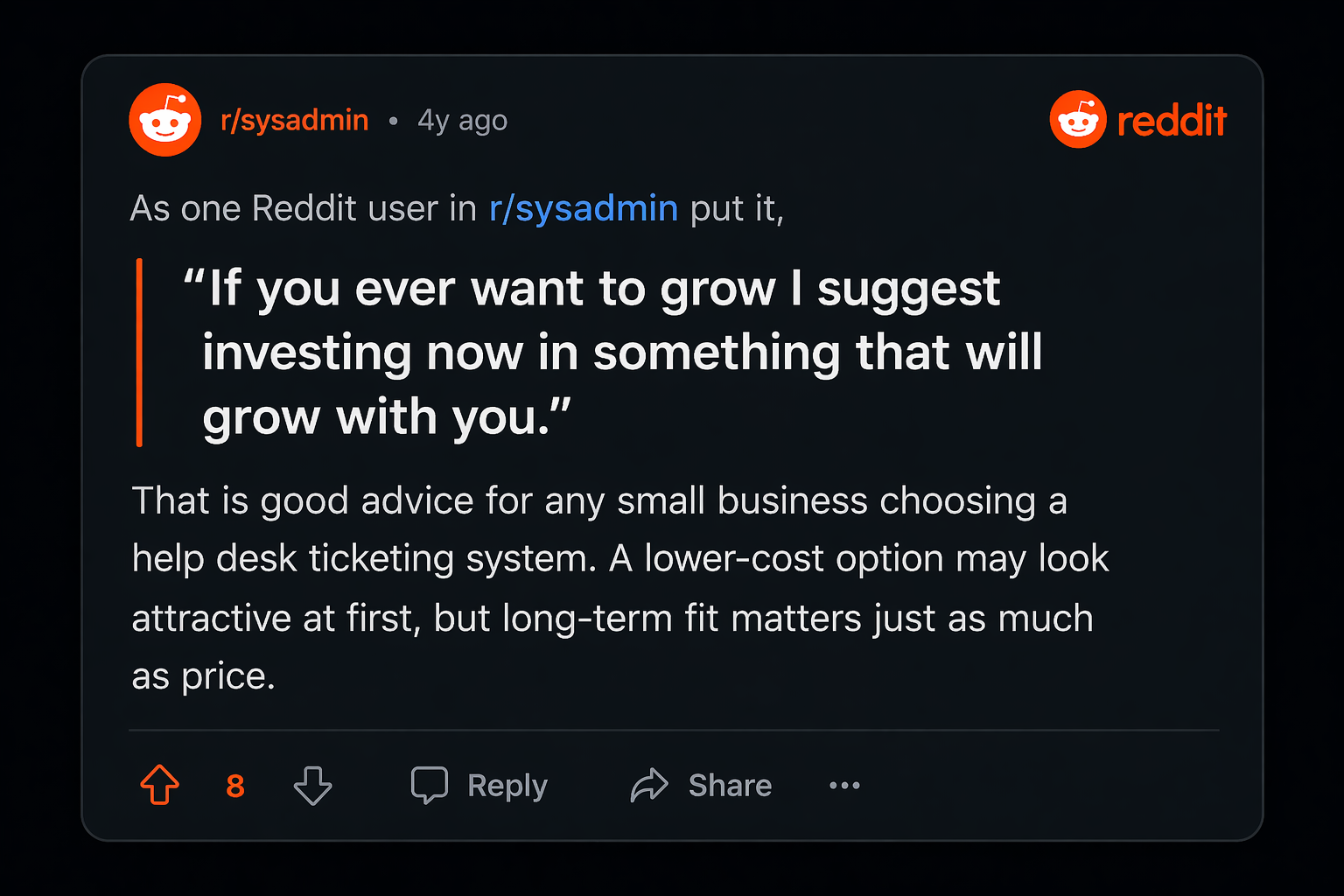
- Choose Featurebase if you want a modern AI customer support platform for product-led SaaS that combines AI-powered ticketing, help center, and feedback management in one place.
- Choose Zendesk if you need deeper workflow control, richer reporting, and more advanced support operations.
- Choose Freshdesk if you want a balanced platform for a growing support function.
- Choose Zoho Desk if affordability matters most, and you still want strong core features.
- Choose HubSpot Service Hub if your support workflow depends heavily on CRM context and customer data.
- Choose Help Scout or Front if your team values simplicity and a more approachable inbox-style workflow.
- Choose Jira Service Management if your IT team, operations teams, or other internal departments need a more structured service model.
For many small teams, the right answer is not the most complicated platform. It is the one that helps them reduce friction, improve visibility, and scale support without adding unnecessary overhead.
Modern Ticketing Inbox, Designed for Efficiency
Support your customers from anywhere with an AI-powered omnichannel inbox
Conclusion
For small businesses, the best help desk is usually the one that adds structure without adding unnecessary complexity. As your support operation grows, the right platform should help your team work faster, stay organized, and scale without disruption.
Featurebase is a modern AI customer support platform for product-led SaaS. It combines AI-powered ticketing, help center, and feedback management in one platform, so teams can manage support, self-service, and customer feedback without juggling separate tools. With an AI-powered omnichannel inbox, help center with AI search, automations, SLAs, and AI agents, it gives growing teams a more modern alternative to legacy help desk software.💫
It comes with affordable pricing and a Free plan for 1 seat and unlimited conversations, without AI, and paid plans start at $29/seat/month billed annually, plus $0.49 per AI resolution. The onboarding is quick and does not require a credit card, so there is very little friction in trying it. 👇
✨ Get the modern Ticketing Inbox designed for efficiency →