Blog ComparisonsAda CX Review (2026): Features, Pricing, User Feedback, and Alternatives
Ada CX Review (2026): Features, Pricing, User Feedback, and Alternatives
Ada CX review: Can it really resolve 80%+ of tickets? Explore features, pricing, and why some teams prefer smarter AI alternatives.


Choosing an AI customer support platform today is surprisingly tricky. Everyone claims they can resolve 80%+ of tickets or create happier customers, but the real differences lie in the details: How AI is trained, how it connects to existing knowledge sources, how it handles different channels, and how much it costs?
Ada CX is one of the most established AI-first platforms for enterprise support, but it is not the right choice for every support team. In this Ada CX review, I’ll break down what the platform offers, its advanced features, pricing, customer feedback, and biggest limitations.
If you are comparing vendors, it helps to read a few independent Ada reviews and see how real users describe onboarding, sales conversations, and day-to-day results across channels.
✨ Looking for a modern AI-powered alternative to Ada? Check out Featurebase →
What is Ada.cx
Ada CX is an enterprise AI platform designed to deploy AI agents across channels and improve customer experience through automation. It’s built for high-volume customer service, with the promise of personalized support powered by Ada's reasoning engine and large language models (LLM).
The workflow is simple in theory:
- Create an AI agent using Ada's features
- Connect it to your knowledge hub and systems
- Deploy across channels, including web chat, mobile apps, email, and phone
- Measure resolution, CSAT, and customer issues
- Coach the AI and iterate
For teams evaluating an Ada AI chatbot, the practical difference is how well the AI agents use natural language processing (NLP) and natural language understanding (NLU) to answer questions, complete tasks, and contact the right systems at the right time.
Even with generative AI and natural language processing, the quality of answers depends heavily on the data and systems you give the AI access to. If AI agents cannot access the correct systems, the bot often falls into an endless loop, repeating the same answer without completing the final step.
In the real world, support agents and human agents usually design the first Playbooks, then review what users ask, then tune the AI agents until the answers feel more intuitive and the ability to resolve customer issues improves.
Why use Ada.cx
Ada CX is not for every business, but it has several clear strengths:
- Omnichannel coverage, allowing AI agents to manage chat, email, voice, and social messaging from one platform
- Enterprise-grade security, ensuring data and customer information are protected
- High-volume efficiency, capable of automating repetitive tasks and resolving customer issues at scale, helping support teams save money and reduce burnout
- Integrations and APIs, allowing connection to Zendesk, Salesforce, Shopify, and other systems
- Coaching and feedback loops, improving AI capabilities over time, and delivering personalized support
For e-commerce customer service, the goal of Ada deployments is usually to support more customers with faster assistance, fewer escalations, and lower costs as monthly ticket volume grows.
One thing to expect with an enterprise vendor like Ada is a more involved sales process. Most companies will talk to a sales team, align on security requirements, and confirm which channels and systems you need before you can roll out AI agents broadly.
In short, Ada CX is ideal for companies that need enterprise-scale automation and have the resources to continually measure and coach the AI.
Core features
1. Omnichannel AI
Manage all customer interactions in one place. Support agents see consistent messaging across chat, email, phone, and social. In practice, this means AI agents can handle web chat on your site, assist inside mobile apps, and route phone and messaging conversations into the same support workflow.
For users, omnichannel matters most when the same customer can contact support in multiple channels, since the AI should maintain context rather than restart the conversation.
2. Ada's reasoning engine & playbooks
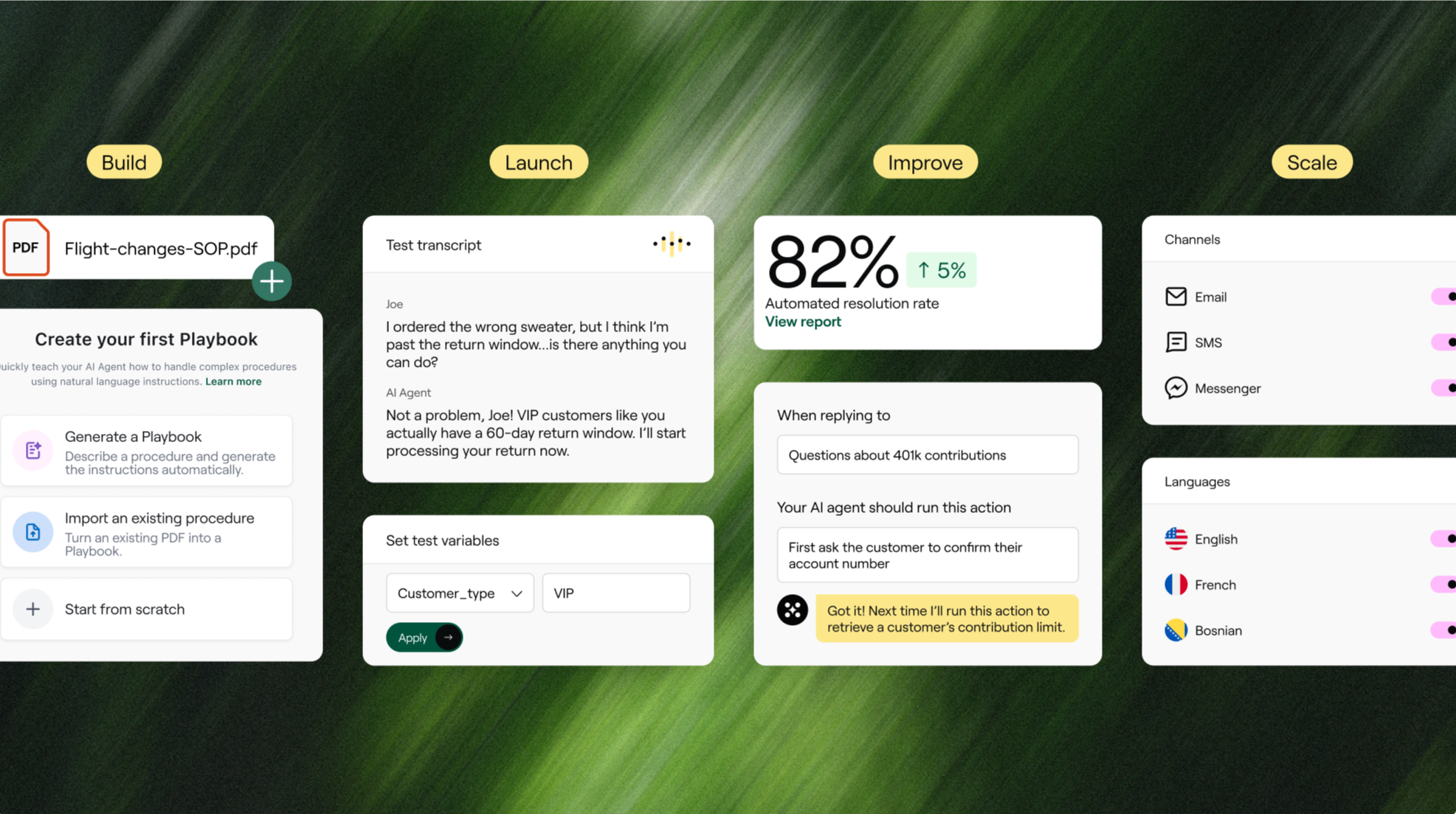
Handles multi-step workflows, including troubleshooting, identity verification, and order updates. Works best when connected to structured knowledge.
These are some of the more advanced features in Ada CX, because Playbooks can guide the reasoning engine through structured steps rather than relying solely on free-form answers. If your data is incomplete, the reasoning engine may still struggle, so teams usually add guardrails and escalation logic for complex customer issues.
Many users evaluate Ada CX for its reasoning engine, which is designed to support consistent, repeatable decision-making across channels.
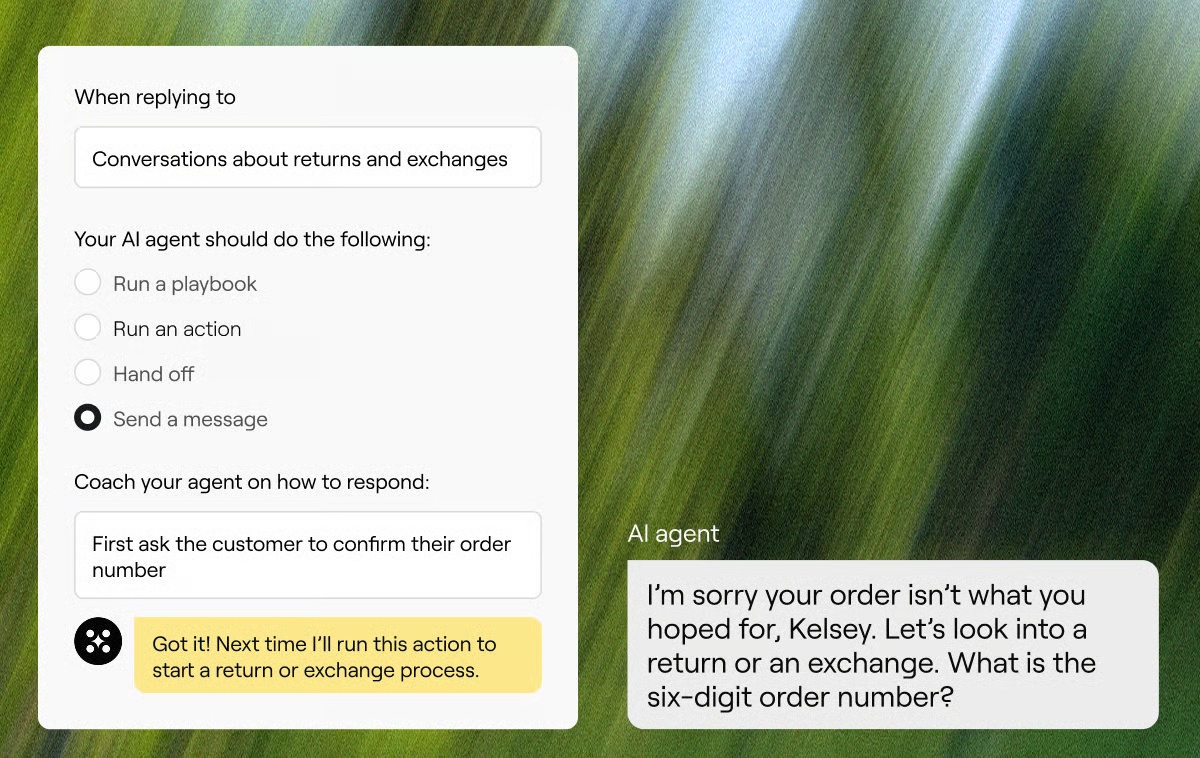
3. Measurement & coaching
Track automated resolution, customer feedback, and CSAT. Support teams can provide input to continuously improve the AI.
This is where an endless loop can arise: the AI may seem helpful in short chats but may fail in longer conversations. Reviewing transcripts and coaching the AI is often the final step to break the endless loop and improve the ability to resolve customer issues across channels.
4. Integrations & extensibility
Supports Zendesk, Salesforce, and Shopify and exposes APIs for integrating with other systems or creating custom tasks.
If your knowledge hub lives outside a standard help center, integrations become critical. Some vendors handle this with built-in connectors, while others require custom work to enable AI agents to safely interact with internal systems and return accurate answers.
For e-commerce support, integrations usually include order status, shipping, refunds, account access, and identity verification so the Ada AI chatbot can complete tasks rather than only reply with generic information.
5. Security & access
Enterprise security and role-based permissions protect customer data and ensure compliance.
Security is also part of vendor evaluation for many companies. In regulated industries, users often want proof points like audit reports, and the sales team will typically provide the documents you need for procurement.
Pricing
Ada does not publish transparent pricing and is locked behind sales calls. The pricing is usually tied to AI-resolved interactions, which have gathered a few negative reviews:
- Salesforce AppExchange lists a $30,000/year default plan
- Cost per ticket resolution ranges from $1–$3.50
- Enterprise contracts can easily reach hundreds of thousands per year
Because pricing is tied to usage, many users recommend asking the sales team exactly what counts as a resolved interaction, what happens during peak volume, and how the vendor measures AI performance.
If your business expects rapid growth in monthly ticket volume, it is worth looking at cost scenarios up front and comparing pricing from other vendors. This makes Ada CX better suited to large companies than to small teams.

Get the best affordable Ada.cx alternative
Automatically resolve 70% of customer requests & cut down manual support loads
Pros & cons
Pros ✅
- Omnichannel AI across web chat, phone, email, and mobile apps
- Ada's reasoning engine and Playbooks handle complex workflows
- Integration with Zendesk, Salesforce, Shopify, and other systems
- Continuous improvement via coaching and measurement
- Enterprise security and data protection
- Can reduce costs and free up support agents
- Once configured, many teams report faster response times and more consistent answers across channels
Cons ❌
- Complex implementation, not a quick plug-and-play
- Pricing is opaque, tied to AI performance
- AI relies heavily on existing knowledge sources, may fail with messy data
- Reporting and analytics could be improved
- Smaller teams may not see ROI quickly, and early results can feel pretty limited without strong workflows and clean knowledge.
- Some teams report frustrating handoffs or repeated questions in longer conversations if workflows and knowledge are not tightly maintained
"Used to work for a company paying ~300k+ for Ada.cx, it’s expensive [...] I would stick with Zendesk messaging and answer bot." - Reddit user
Customer feedback from Ada review sites
Positive feedback
- AI reduces repetitive customer issues
- Supports multiple channels
- Coaching and measurement loops improve customer experience
Tradeoffs
- Integration and workflow setup can be time-consuming
- AI quality depends on knowledge and systems
- Setup is often a full project, not a simple install
“It cannot understand context fro previous questions and is no better than an early 2000s chat bot. Any business using this must actively despise their customer base.” – Trustpilot user
What if Ada CX isn't the perfect fit for me?
Even though Ada CX is a strong enterprise AI support platform, it’s not the right choice for every team. Some businesses want faster setup, more transparent pricing, deeper human-agent support, or something that works well for small- and mid-market support teams.
Many businesses explore alternatives to Ada CX when setup feels complex or when it is hard to forecast cost due to opaque, resolution-based pricing. Ada is primarily focused on customer support automation, so teams evaluating AI for other business functions, such as sales or IT, may prefer a different platform.
Here are some of the best Ada CX alternatives worth considering:
- ✨Featurebase – Best modern Ada CX alternative with AI, chat, email, automations & help center
- Zendesk – Best for large teams that need enterprise ticketing, knowledge base, and analytics
- Intercom – Best for teams that want AI‑powered messaging combined with product communication and support
- Help Scout – Best for teams that prefer a friendly, email‑first help desk with docs and chat
- Freshdesk – Best for businesses that want omnichannel support with built‑in automation and bots
- Crisp – Best for startups & SMBs that want modern live chat with automation and help docs
- Zoho Desk – Best budget choice for full help desk capabilities with multi‑channel support
- Front – Best for teams that collaborate through shared inboxes and integrate across apps
- LiveAgent – Best for small‑to‑medium teams needing robust ticketing + live chat support
- HelpCrunch – Best lightweight support platform with chat, email, and automation
Final thoughts
Ultimately, Ada CX is a platform built for enterprise-scale support, with omnichannel coverage, advanced AI reasoning, and deep integrations. However, its high cost, opaque pricing, and complex setup make it less ideal for smaller teams or businesses looking for a faster, more flexible solution.
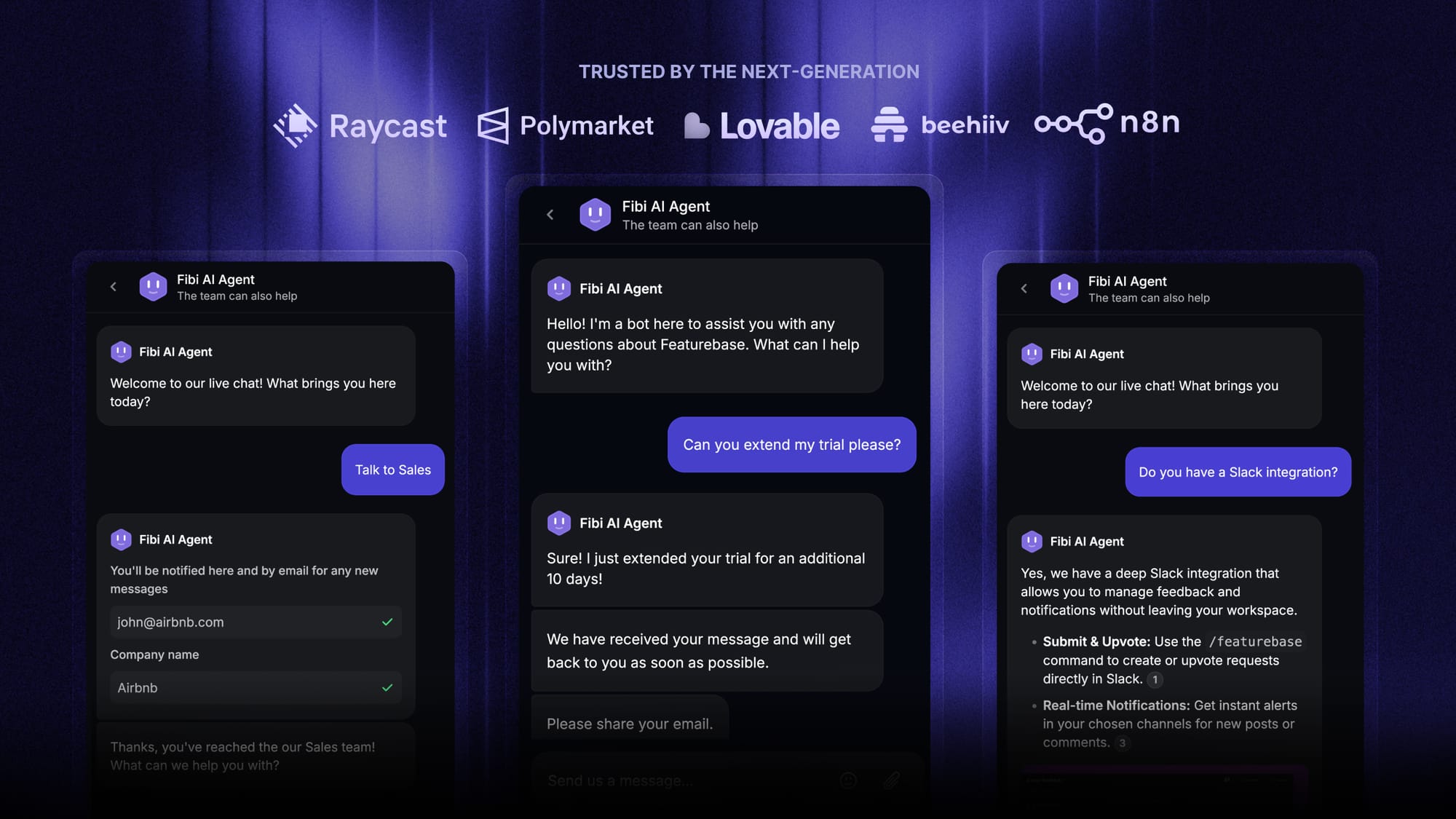
Featurebase is one of the best Ada.cx alternatives for a powerful AI support agent with seamless human handoff and built-in ticketing. It has everything Ada.cx has, plus native product docs, custom workflows, and much more. It's loved by thousands of companies like Lovable, Polymarket, and Raycast.
It has affordable pricing for just $0.29 per AI resolution and a Free plan, so there’s no downside to trying it. 👇
✨ Start improving your customer support with Featurebase for free →
FAQ
What channels does Ada CX support?
It is typically deployed for website chat and in-app experiences, and can also support email, voice, and messaging, depending on what your team enables and integrates.
Is Ada CX an AI chatbot or a full customer service platform?
It is more than a basic chatbot. It’s designed to deploy AI agents that can answer questions and run guided workflows, with escalation to human support when needed.
How does Ada CX handle complex requests?
It uses guided workflows and automation logic to complete multi-step tasks like troubleshooting, identity checks, and order updates. These workflows are strongest when the steps are clearly defined and connected to reliable systems.
What does Ada CX need to work well?
It needs up-to-date, accurate knowledge content and reliable access to systems containing customer-specific data. If those inputs are incomplete, answers can become inconsistent, or the bot can repeat itself instead of completing the request.
How does Ada CX connect to knowledge and internal tools?
Teams usually connect it to a knowledge base and to business tools such as a help desk, CRM, and order systems. The depth of automation depends on how much your team integrates and what data the AI is allowed to access.
Does Ada CX have transparent pricing?
Pricing is usually quote-based. If pricing predictability matters, ask for a detailed breakdown of what counts as usage, what counts as a successful resolution, and how costs scale with volume.
What should you ask in a demo before buying?
Ask to see real workflows using your top customer issues, including escalation and handoff behavior. Also, ask how they measure success, how coaching works, and what effort is required to keep knowledge accurate over time.