Blog Customer Service8 Best Real-Life Chatbot Examples in 2026
8 Best Real-Life Chatbot Examples in 2026
Slow response times killing your customer experience? In this post, we break down 8 real-life chatbot examples that show how teams use AI to respond faster, reduce load, and still keep things human.


Providing an exceptional customer experience many times comes down to the response time. And unless you're Amazon or Zappos, you probably can't afford agents covering the entire world 24/7. Chatbot technology comes to the rescue, allowing any business to train bots to resolve customer queries quickly.
And even if they can't resolve the issue immediately, chatbots can increase customer satisfaction by picking up quickly and escalating to the right person or department.
While AI chatbots can never replace human agents, the technology has developed at an incredible pace, and nowadays, website chatbots answer questions and, for simpler customer inquiries, solve problems on their own.
Here are some excellent chatbot examples that you can copy and learn from. But before we do that, let's cover some groundwork first. 👇
What is an AI chatbot, and why should I get one?
An AI chatbot is a software tool that can hold conversations with people through chat interfaces such as a website widget, mobile app, or messaging platform. It understands questions written in natural language and replies with relevant answers, rather than relying only on fixed scripts or buttons.
Unlike basic chat widgets that follow rigid decision trees, an AI chatbot learns from data. It can recognize intent, handle follow-up questions, and adapt its responses based on context. That means a user can ask the same thing in different ways and still get a useful answer.
At a high level, an AI chatbot processes a message in three steps.
- The AI model interprets what the user is asking by analyzing the language and intent.
- It searches for the best response using trained models, rules, or connected data sources such as FAQs or help articles.
- It delivers a reply that feels conversational and relevant. Good customer service chatbot software handles all three of these steps automatically.
More advanced chatbots like Featurebase can also hand off conversations to human agents, remember earlier messages in the same chat, and trigger actions like creating a support ticket or booking a meeting.
The best chatbot examples of AI agents in use
Here are some creative and functional website chatbot examples that you can learn from and copy in your own app, on your website, in emails, and more.
1. Featurebase's Fibi chatbot
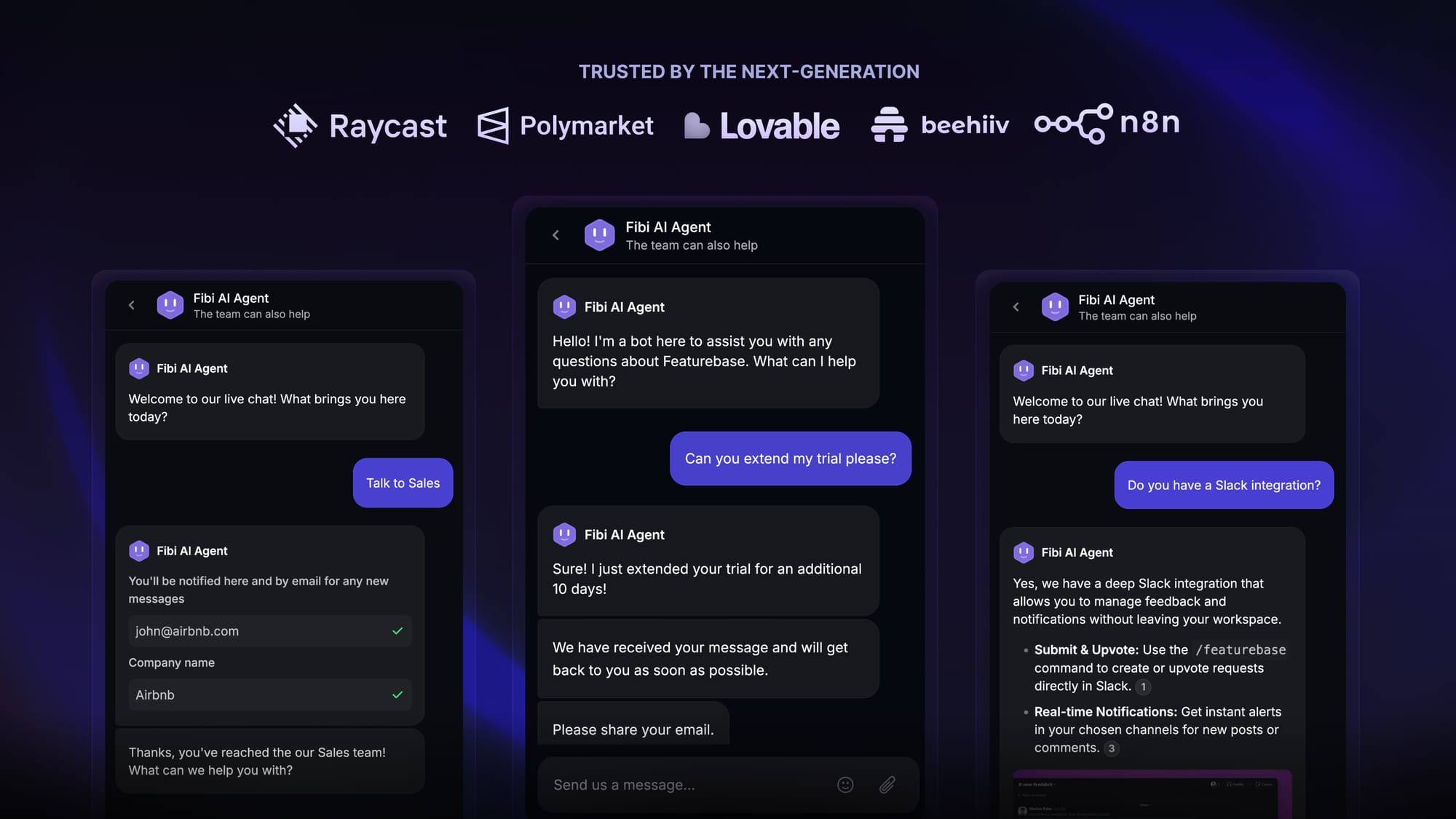
At Featurebase, we sell a customer support tool with a chatbot called Fibi. And since we eat our own dog food, we also use Fibi on our own website, inside the app, within Slack, and in our email communication.
Fibi AI chatbot can:
- Answer questions and provide instant responses by pulling from the Featurebase help center
- Run custom actions on top of answering queries, such as extending trials, offering discounts, directing users to the right help center article
- Respond in your tone of voice, on the web or on mobile (Android or iOS)
- Send all queries to a unified inbox
We trained Fibi to provide quick answers, streamline administrative tasks, and provide a personalized shopping experience for anyone who visits our website. You can create a fully custom setup too, thanks to a visual builder and its user-friendly interface.
Fibi allowed our customer support and sales team to breathe more easily since they only talk to customers who really need urgent help. And one of the best parts (besides the instant support) is that Fibi is very affordable: it only costs $0.29 if it resolves the customer's problem.
Fibi lets you focus on customer care and create more efficient operations for your entire business.

Resolve 70% of customer requests with AI
Automatically resolve customer issues & cut down support loads for your team
2. KLM’s customer service chatbot
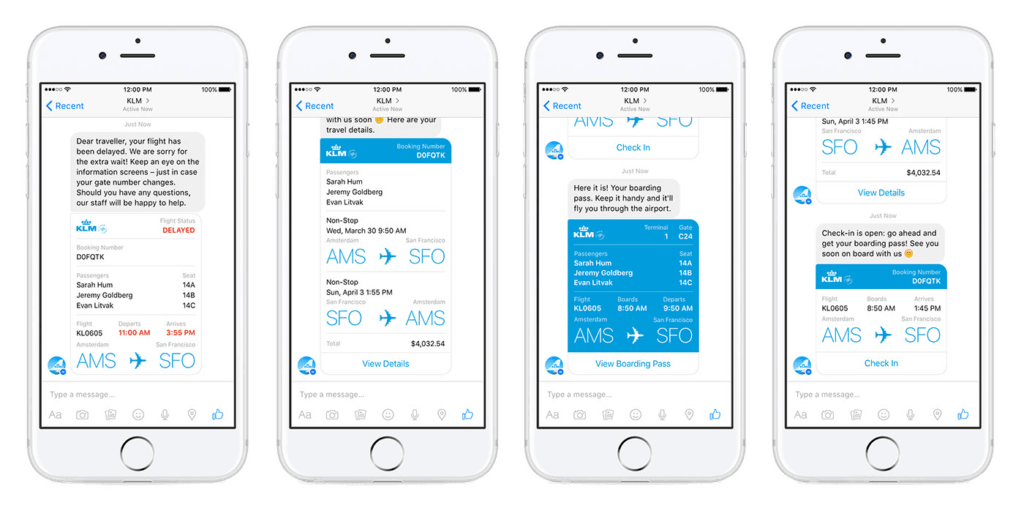
KLM was one of the first airlines to take chat-based customer service seriously. They built chat into how passengers manage flights before, during, and after travel. Today, KLM’s chatbot works on their website, messaging apps like WhatsApp and Facebook Messenger, and their own digital touchpoints.
KLM’s chatbot can:
- Provide flight updates, boarding passes, and booking confirmations directly in chat
- Answer common questions about baggage, seat changes, delays, and check in
- Guide passengers through simple self service actions before escalating to an agent
- Keep the full conversation history in one thread, even when a human steps in
Passengers do not need to search emails or wait on hold to get basic travel information. The chatbot—an example of building AI agents for travel support—handles high-volume, repetitive questions, while customer service agents can focus on complex or time-sensitive cases.
3. Spotify’s music discovery chatbot

Spotify has experimented with chat-based music discovery to make finding something to listen to less overwhelming. Instead of browsing playlists, users can interact with a chatbot that suggests music based on mood, activity, or recent listening habits.
And the best part is that you can use the chatbot directly in ChatGPT, just by using the word "Spotify" and connecting your account.
Spotify’s chatbot can:
- Recommend songs, playlists, or artists based on simple prompts
- Create playlists around moods like focus, workout, or relaxing
- Help users rediscover tracks they have already liked or played before
- Share playable links directly inside the chat
The idea is to reduce the friction between opening the app and pressing play. You answer a question or two, react to suggestions, and start listening without digging through menus or categories.
4. 1-800-Flowers’s gifting chatbot
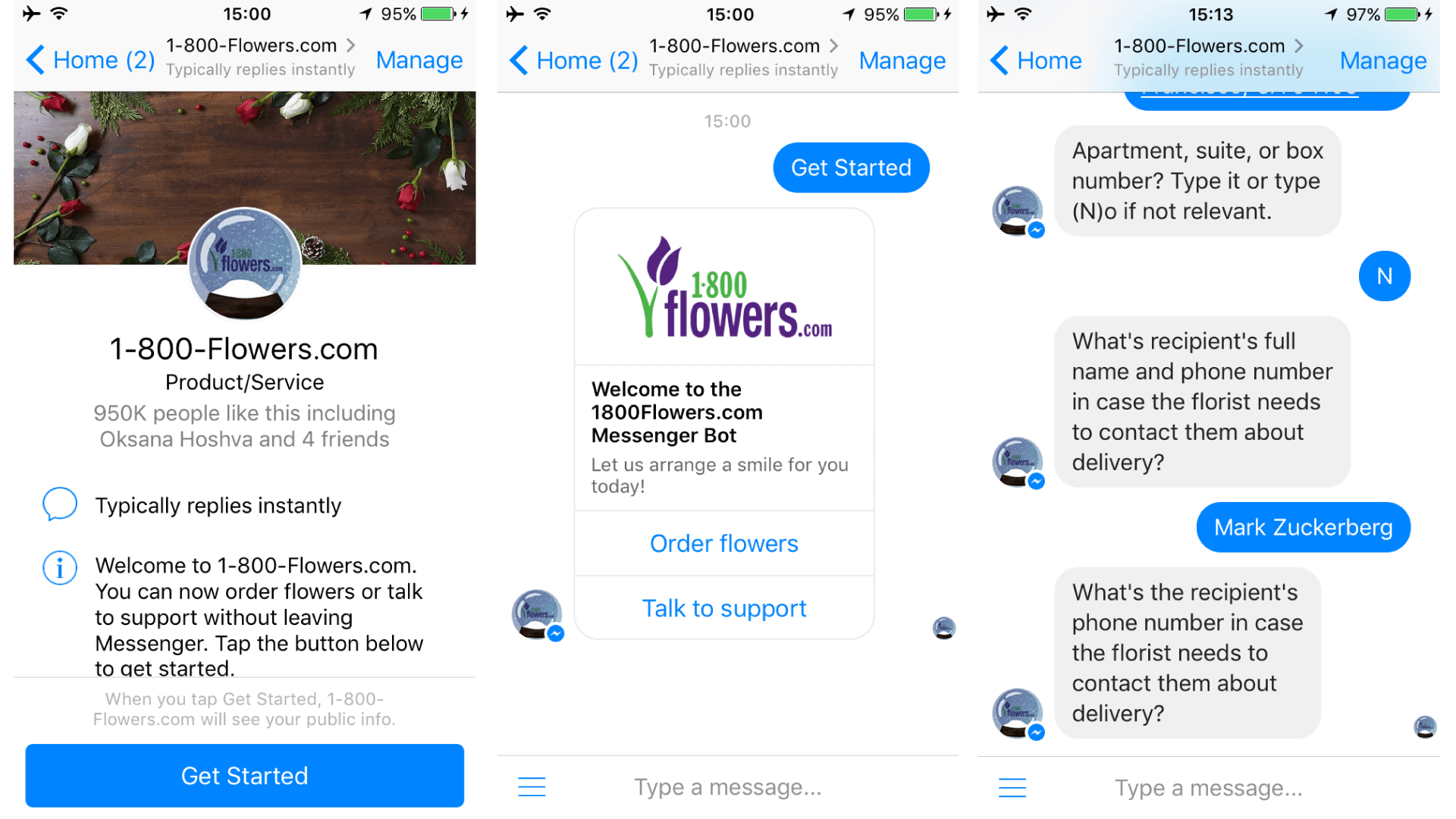
1 800 Flowers uses a chatbot to make buying gifts less stressful, especially for customers who are short on time or not sure what to choose. Instead of browsing through arrangements, the chatbot guides users through a short conversation to find the right option.
The 1 800 Flowers chatbot can:
- Help customers choose flowers or gifts based on occasion, budget, and recipient
- Answer common questions about delivery dates, locations, and availability
- Recommend add ons like chocolates, cards, or plush gifts during checkout
- Track existing orders and share delivery updates in chat
The focus is guidance, not browsing. In similar conversational flows, businesses sometimes use chatbots for workflows like automatically qualifying leads based on user intent and preferences, helping prioritize high-intent customers.
5. Expedia’s virtual travel agent chatbot

Expedia uses a virtual travel agent chatbot to help travelers plan, book, and manage trips without jumping between pages or support channels. The chatbot lives inside Expedia’s digital experience and focuses on quick answers and guided actions to improve the online shopping experience. Travel application development ensures these conversational interfaces work flawlessly within progressive web apps and native mobile experiences.
Expedia’s chatbot can:
- Help users search for flights, hotels, and vacation packages based on dates and destination
- Answer common questions about bookings, cancellations, refunds, and itinerary changes
- Share trip details, confirmations, and reminders in one conversation thread
- Route complex issues to a human agent with full context attached
The goal is to reduce friction during moments that usually cause stress. Travel plans change, prices shift, and policies can be confusing. The chatbot handles the basics instantly, so users do not have to dig through help pages or wait in a support queue.
For Expedia, the chatbot absorbs a huge volume of repetitive travel questions. For customers, it feels like having a travel assistant who stays available before booking and throughout the trip.
6. H&M’s style assistant chatbot

H&M uses a chatbot to help shoppers find clothes that match their personal style without scrolling through endless product grids. Instead of starting with categories, the chatbot begins with a short conversation about taste, mood, and use case.
The H and M chatbot can:
- Ask questions about style preferences, colors, fits, and occasions
- Suggest complete outfits rather than single items
- Adapt recommendations based on user feedback during the conversation
- Link directly to products so customers can save or buy instantly
The experience feels closer to talking to a store assistant than browsing an online shop. Customers explain what they are looking for, casual, formal, seasonal, or trend-driven, and the chatbot narrows down options quickly.
7. Mastercard’s KAI chatbot

Mastercard uses a virtual assistant called KAI on its website to help cardholders get quick answers about everyday account-related questions. The chatbot focuses on education and guidance rather than direct account actions, which makes it useful even when users are not logged in.
KAI can:
- Answer common questions about cards, fees, charges, and security
- Explain how Mastercard protections work, such as fraud monitoring and charge disputes
- Guide users to the right bank or issuer when account-specific help is needed
- Point visitors to relevant help articles and resources
The idea is to remove confusion around payments and card usage. Many people do not know whether an issue should be handled by Mastercard or their bank. KAI clarifies that early and sends users in the right direction.
For Mastercard, the chatbot reduces basic support load and improves self-education. For users, it feels like a neutral guide that explains how things work in plain language, without forcing them to search through long policy pages or support sections.
8. Capital One’s Eno text-based assistant
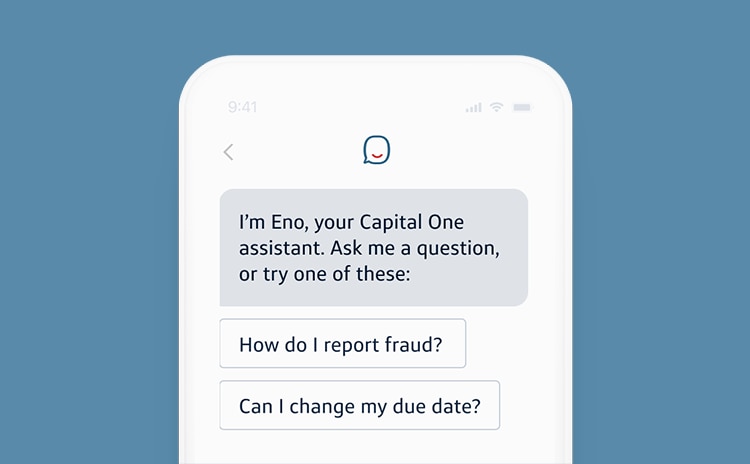
Capital One uses a text-based assistant called Eno to help customers stay on top of everyday banking tasks. Eno lives inside the Capital One app, on the web, and via SMS, which makes it easy to check in without opening a full dashboard.
Eno can:
- Answer questions about balances, recent transactions, and pending charges
- Send alerts for unusual activity, payment reminders, and due dates
- Help customers track spending by category and merchant
- Lock and unlock cards or guide users to the right next step when something looks wrong
The focus is clarity and control. Instead of digging through menus, customers can ask a simple question or react to a notification and resolve small issues quickly.
Improve your customer experience with Featurebase's AI agent Fibi ✨
Featurebase is modern AI-powered support tool that combines AI automations, omnichannel ticketing, help center, and feedback tools in one platform - all at a simple, transparent price. Besides support, the Fibi AI agent can handle complex workflows like automatically qualifying leads, extending trials, offering discounts, and more.
Fibi works via email, in-app chats, or anywhere you need it. And the best part is it only costs $0.29 per successful AI resolution. The setup takes just seconds, so there's no downside to trying it out! 👇
✨ Automate your customer support with the fastest AI omnichannel inbox today →