AI Knowledge Base: How-to Guide, Benefits and Top Tools for 2026
Should you use an AI knowledge base? What kind of features you can expect, and at what price? Let's get into key details.


On this page
Ever since ChatGPT rolled out and language-learning models began breaking through in every aspect of our lives, no tool has been untouched by AI.
And it’s not just hype, according to McKinsey, an employee spends nearly 28% of their workweek searching for internal information. That’s more than a full day every week lost to digging through docs, Slack threads, and outdated wikis.
From AI tools that translate dog barks to human language (yes, really), AI toilet paper design, and more, there have been plenty of ridiculous AI use cases.
But there is one that simply works: AI knowledge base software.
Today, we'll show you why you need an AI-powered knowledge base and some of the best picks on the market in 2025. 👇
TL;DR the best AI knowledge base tools in 2026:
- ✨ Featurebase - Best for modern SaaS teams that want AI search summaries, fast article creation, in-app help widgets, and feedback workflows in one sleek platform
- Zendesk - Best for support orgs that want to deflect tickets with AI-powered self-service and a help center tightly connected to ticketing
- Slack - Best for teams that live in Slack and want “knowledge base search” across files, docs, and conversations without leaving the workspace
- Confluence + Atlassian Rovo - Best for teams already on Atlassian who want AI search + agents across Confluence/Jira knowledge
- Slite - Great for small to mid-sized teams building an AI-enhanced internal knowledge base that stays clean, organized, and easy to trust
- Guru- Best for fast-moving teams that need verified, AI-suggested answers delivered inside daily workflows
- Document360 - Ideal for companies that need a documentation-first platform with strong AI content workflows and scalable structure
- Notion AI - Best for teams already running their internal wiki in Notion and want AI to summarize, draft, and answer questions from workspace content
- HubSpot Breeze Knowledge Base Agent - Great for HubSpot Service Hub teams that want AI help creating and expanding self-serve knowledge
- Azure AI Search - Best for product/engineering teams building a custom AI knowledge base experience on top of their own data and systems
- Stonly - Best for high-volume customer service teams that need their knowledge and AI to execute real processes, guide agents, and resolve complex support scenarios reliably.
- Chatbase - Best for teams that want to turn their knowledge base, help docs, website, and support content into customer-facing AI agents across chat, email, messaging, and voice
What is an AI knowledge base?
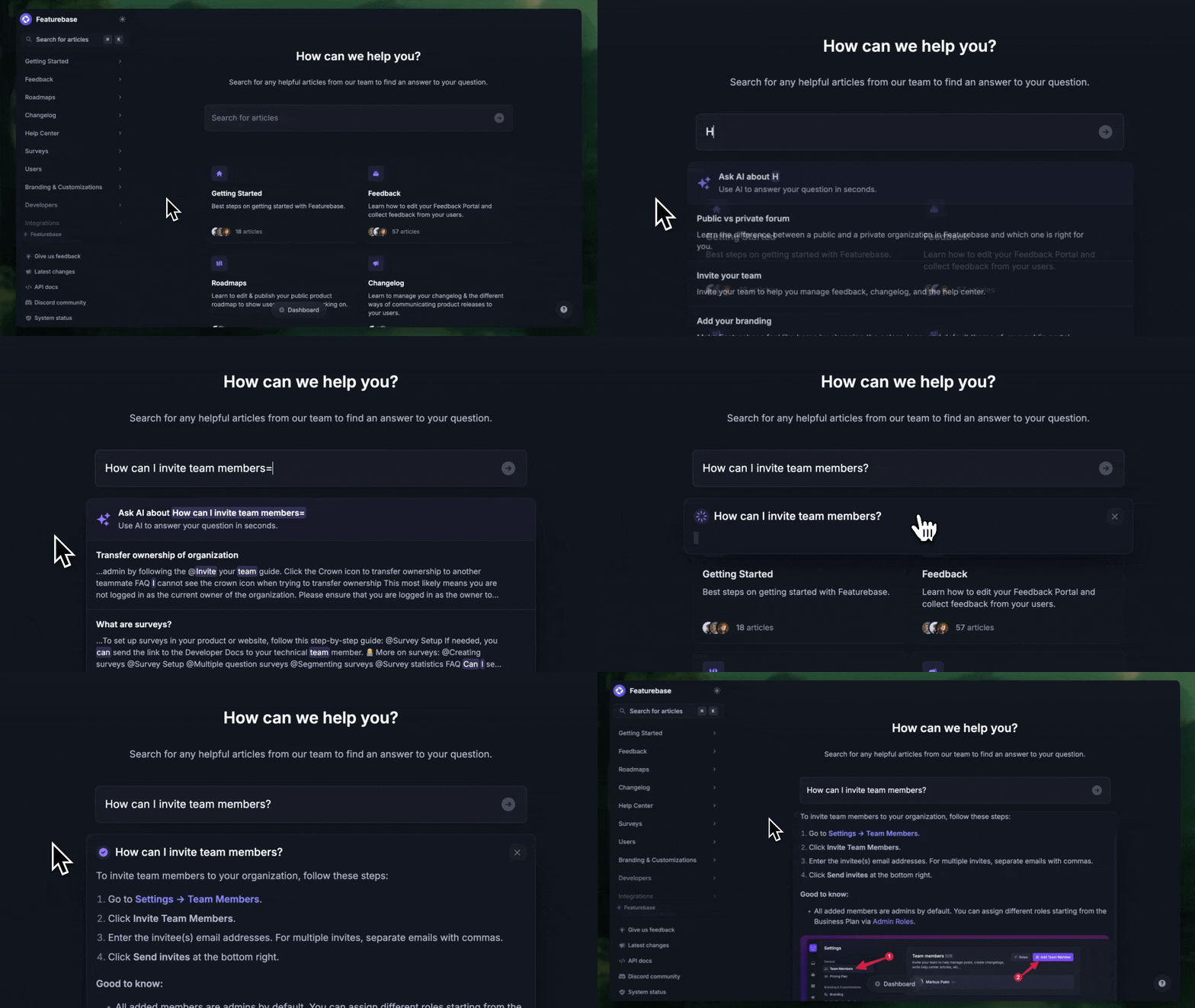
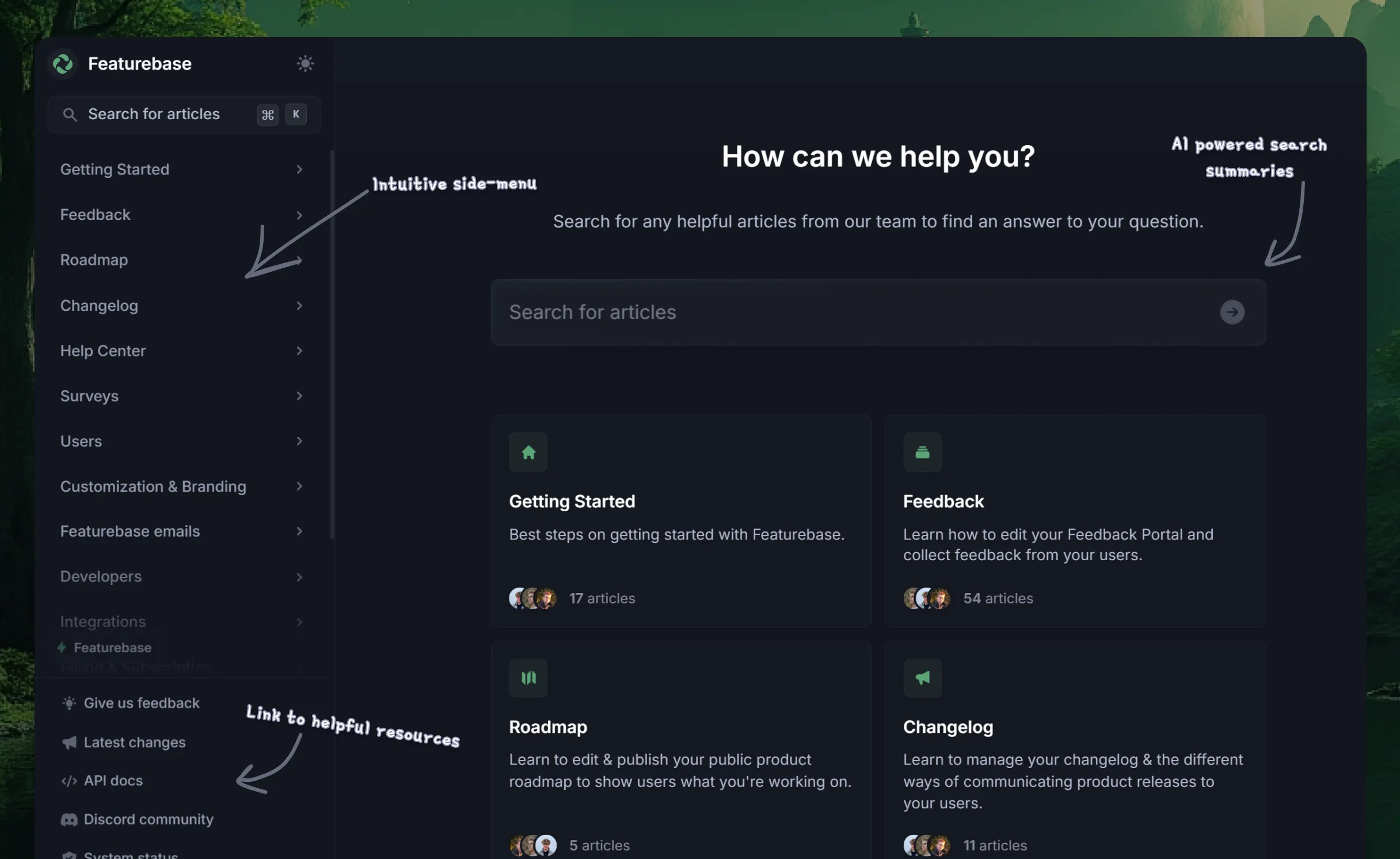
An AI knowledge base is a centralized repository that uses AI and natural language processing, a modern take on the traditional knowledge management system to help users find, retrieve, and interact with content more effectively. It typically stores FAQs, how-to guides, product documentation, internal company knowledge, and other structured or unstructured information.
AI development companies often build or customize these solutions to provide organizations with tailored, high-performing knowledge systems that fit their specific needs.
So, what makes a knowledge base AI? These are some of the most common features:
- Natural language search: Users can ask questions in plain language instead of using exact keywords, which shortens the time it takes to find a useful answer.
- Automated content suggestions: The system can recommend relevant articles based on user behavior or queries. So, if someone's been searching e.g., for "dashboard design", it can give tips on adding tooltips to dashboards.
- Chatbot integration: Self-service chatbots can use the knowledge base to answer customer or employee questions automatically. Instead of using search to go through knowledge base articles, you can ask questions in plain English and get responses.
- Content generation and summarization: Some AI knowledge bases help create or update content using generative AI tools. For example, you can feed it some body of content and it can create new knowledge base articles on its own. Popular AI tools for e-commerce can do this too.
- Learning and improvement: The system can improve over time based on how users interact with it, identifying knowledge gaps or popular topics. Based on user feedback, it can suggest what to add to improve your customer self-service efforts.
The benefits of using an AI knowledge base over traditional knowledge bases
Perhaps you're still using your old knowledge management tool, and you think it provides accurate and relevant information and doesn't need changing. The reality is that an AI-powered knowledge base has a lot to offer, and if you're not using one already, you're behind the competition. 😬
Here is what you can gain by using an AI knowledge base:
- Faster, more accurate search functionality: users can ask full questions instead of guessing the right keywords. AI can also interpret context thanks to machine learning models, which means that users get what they really need every time.
- Personalized content delivery: an AI-powered knowledge base can suggest content to a user based on their previous activity. Keeping content accurate is one of the core knowledge base best practices that make AI answers reliable.
- Automated support: your support team can have more time because the AI algorithm taps into the knowledge base software as a source for all of its answers. It digs deep into company data to provide the user with relevant information, helping (but not replacing) your support team.
- Smart content creation and maintenance: AI tools can help generate new articles, update existing ones based on user feedback, or summarize lengthy or complex information, and improve wording with a rewording tool.
- Continuous improvement and learning: unlike traditional knowledge bases, an AI-powered knowledge base learns from its interactions with users. It can analyze which knowledge base articles get a lot of views, which ones the users don't find detailed enough, and in general, what works and doesn't work well.
- Multilingual knowledge management: AI models can easily translate your AI-driven knowledge base into many languages, helping you become present globally. For example, our knowledge base platform supports over 40 different languages.
The best AI knowledge base software to use in 2026
The knowledge base management field is pretty competitive, and many companies in this niche have started adding AI-powered tools to boost their knowledge base's performance. These are some of your best options in 2026 and beyond. Knowledge bases are one part of the broader self-service software stack.
1. Featurebase ✨
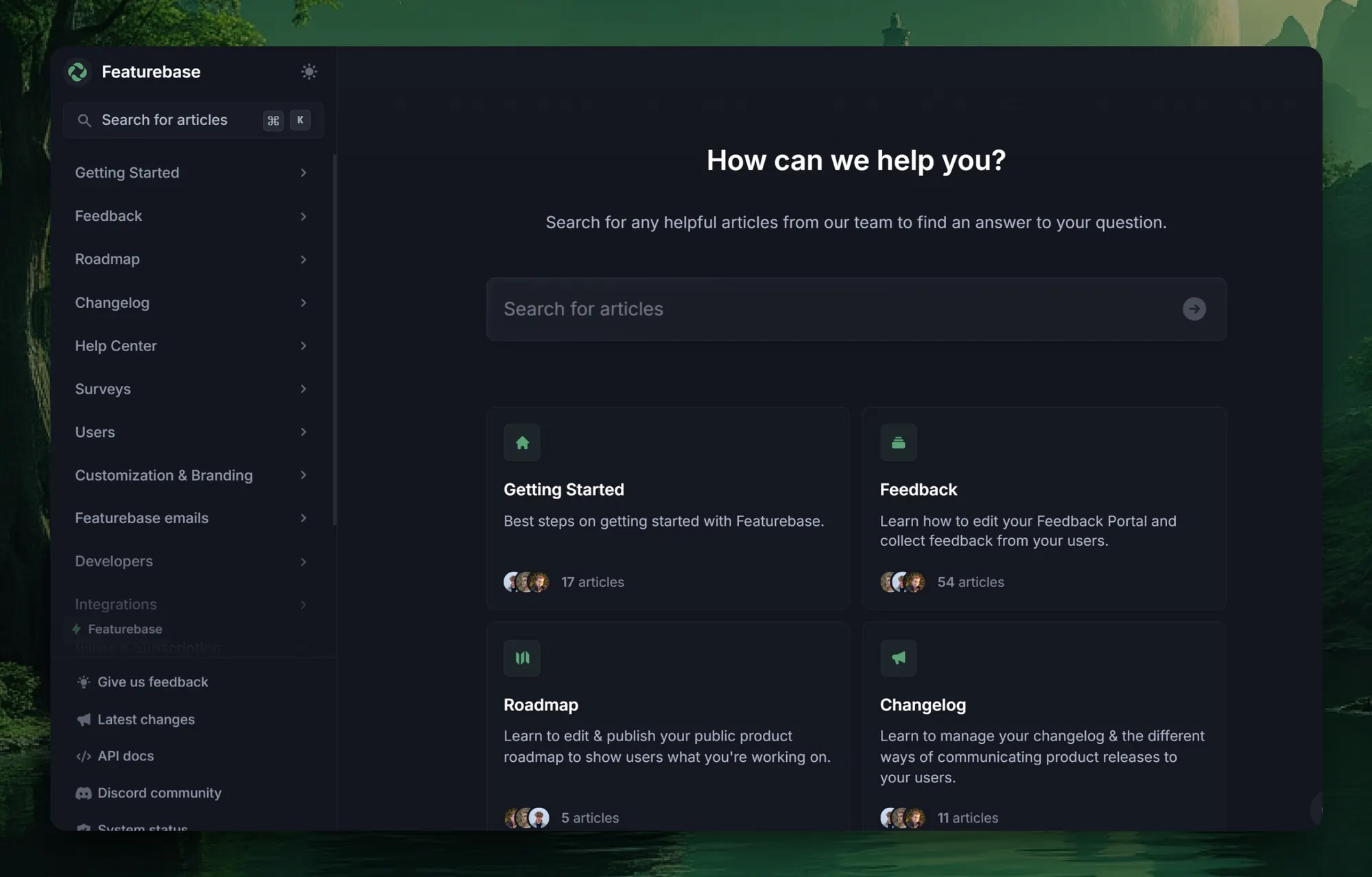
Featurebase is one of the best modern AI knowledge base tools. It helps you create beautiful product docs quickly and brings articles to your users with in-app widgets. It's loved by thousands of product, marketing, and support teams from companies like Lovable, Polymarket, and OpenSea.
Top features:
- Public & internal knowledge base: Restrict access to certain articles only to select user groups or teammates
- AI search summaries: Summarise answers for users right in the search bar in seconds
- Custom branding: Fully customize your help center with your brand colors and a custom domain
- Notion-style text editor: Tons of formatting options and custom components
- 40+ language support: Automatically display content in your users' native language
- In-app widget: Serve help articles directly within your app, reaching users where they need assistance most
- Real-time analytics: See your articles scores and visits to improve the low performing ones and more
- Integrated changelog: Keep users informed with product updates, all connected to relevant help content.
- Plus, feedback voting community, product roadmaps, release notes, and customer surveys - all in one place
Best for: SaaS teams looking for an all-in-one AI-driven knowledge base that combines customer support, product updates, and internal documentation in one sleek experience.
Pricing: Featurebase comes with a generous free plan, and the paid plans with AI features start at $29 per user per month. You can set it up in minutes, and we can help you migrate over from your old knowledge base with zero data loss. 👇
Create a beautiful AI-powered Help Center with Featurebase for free
2. Zendesk
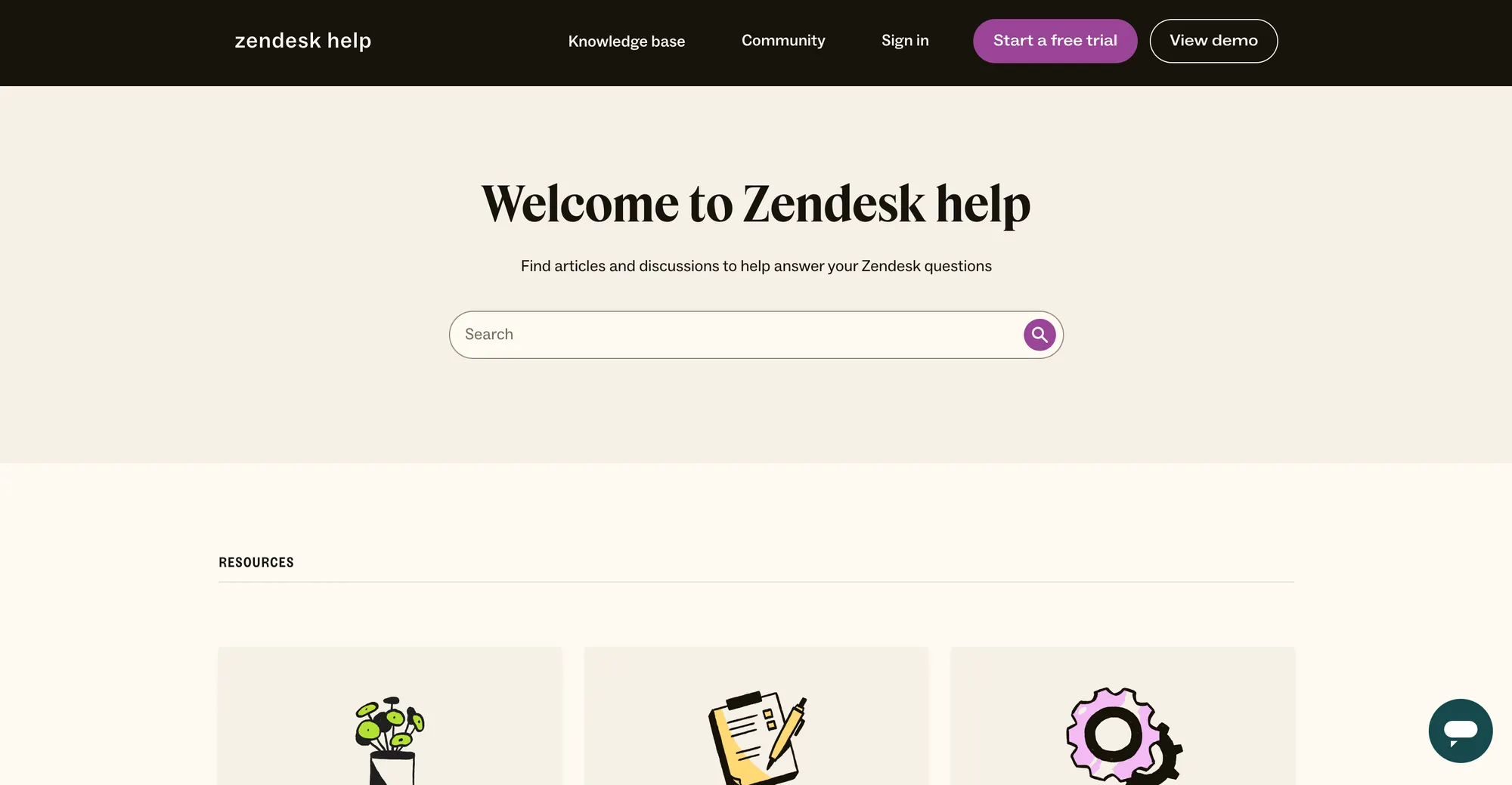
Zendesk is a customer support heavyweight that pairs ticketing with a full help center, and it’s leaned hard into AI-powered self-service. If your goal is deflecting tickets and guiding customers to the right article automatically, Zendesk is one of the most common “default choices” in the market.
Top features:
- Help Center (Guide) for customer-facing self-serve docs
- AI-powered search/answer experiences to surface relevant help content faster
- Answer Bot + automated article suggestions inside support flows
- Multilingual content support for global teams
- Reporting + analytics to track what content reduces tickets
Best for: Support teams who want AI-powered self-service tightly connected to ticketing.
Pricing: Zendesk pricing varies by suite and add-ons; Zendesk’s “Suite” plans start from $19/month (plan availability and AI features depend on tier).
3. Slack (Enterprise Search + AI)
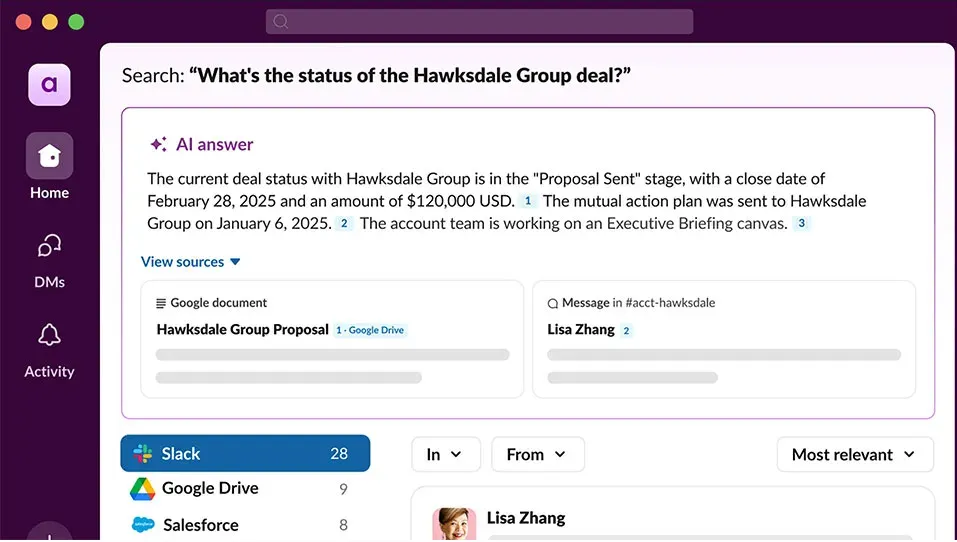
Slack shows up in the SERP because it’s becoming the “front door” to company knowledge. With enterprise search, Slack can connect your tools and drives so your team can search across docs, files, and conversations without jumping between apps - and AI features help summarize what matters.
Top features:
- Enterprise search (search across connected tools + knowledge sources)
- AI summaries for threads and conversations
- Recaps + file summaries + translations (plan-dependent)
- Salesforce connections for customer context in the workspace
- Works in the flow of chat, where questions are already happening
Best for: Teams that live in Slack and want knowledge access without context switching.
Pricing: Business+ is $15/user/month billed annually ($18 monthly). Enterprise+ (which includes enterprise search) is custom pricing.
4. Confluence + Atlassian Rovo
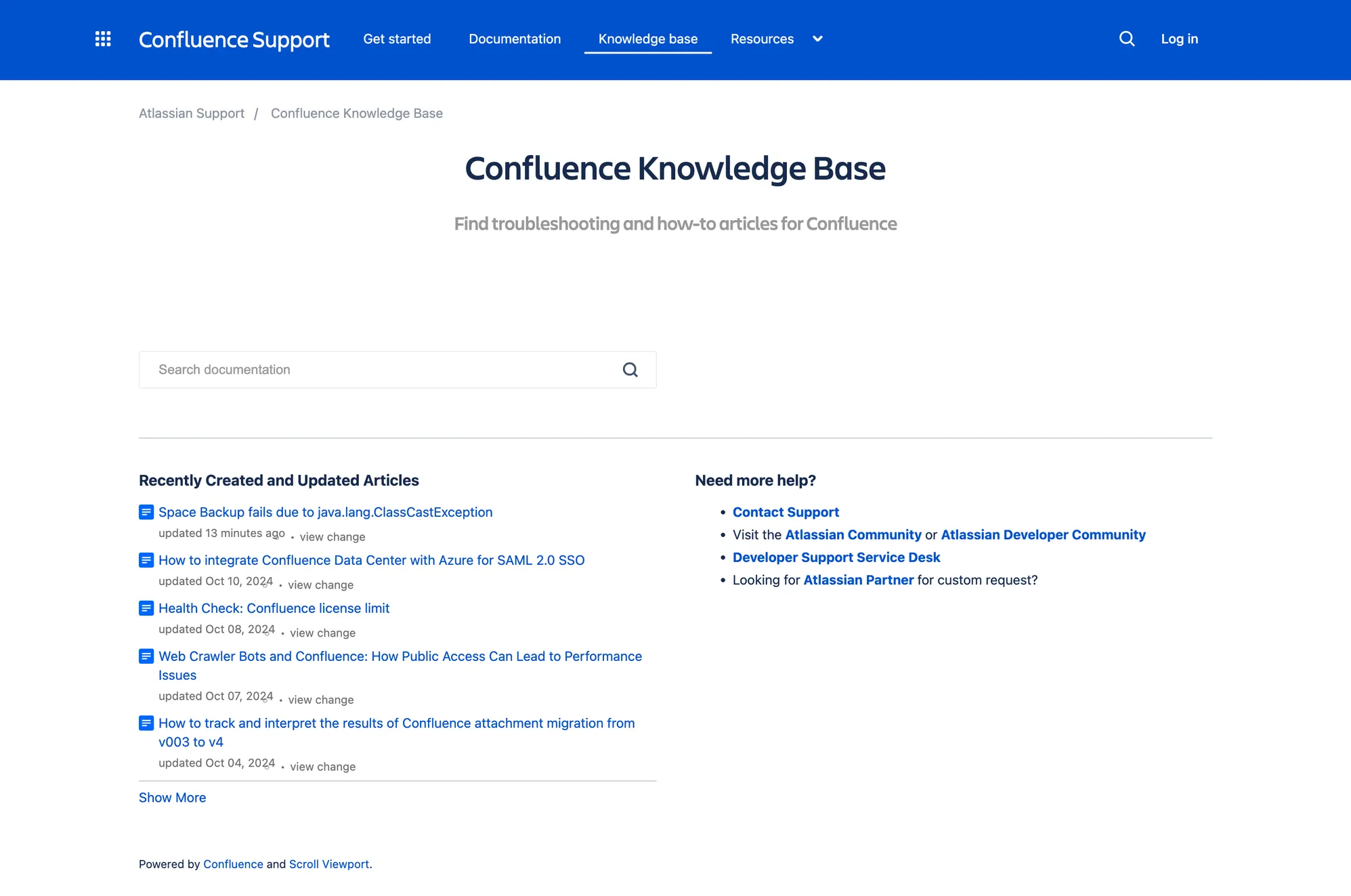
Confluence is one of the most common internal documentation homes — and Rovo adds an AI layer designed to connect knowledge across Atlassian tools (and beyond). It’s positioned around AI-powered search + chat + agents that help teams find context faster and take action from it.
Top features:
- AI-powered search + chat over your org’s knowledge
- Agents + “studio” workflows for guided automation and tasks
- Works across Atlassian Cloud (Jira, Confluence, JSM, Teamwork Collection)
- Quotas + admin controls to manage usage and rollout
Best for: Teams already on Atlassian that want AI search + agents across Confluence/Jira knowledge.
Pricing: Rovo is available to customers on Atlassian Cloud Standard/Premium/Enterprise plans (Jira, Confluence, JSM, or Teamwork Collection). Specific costs depend on your Atlassian plan and packaging.
5. Slite
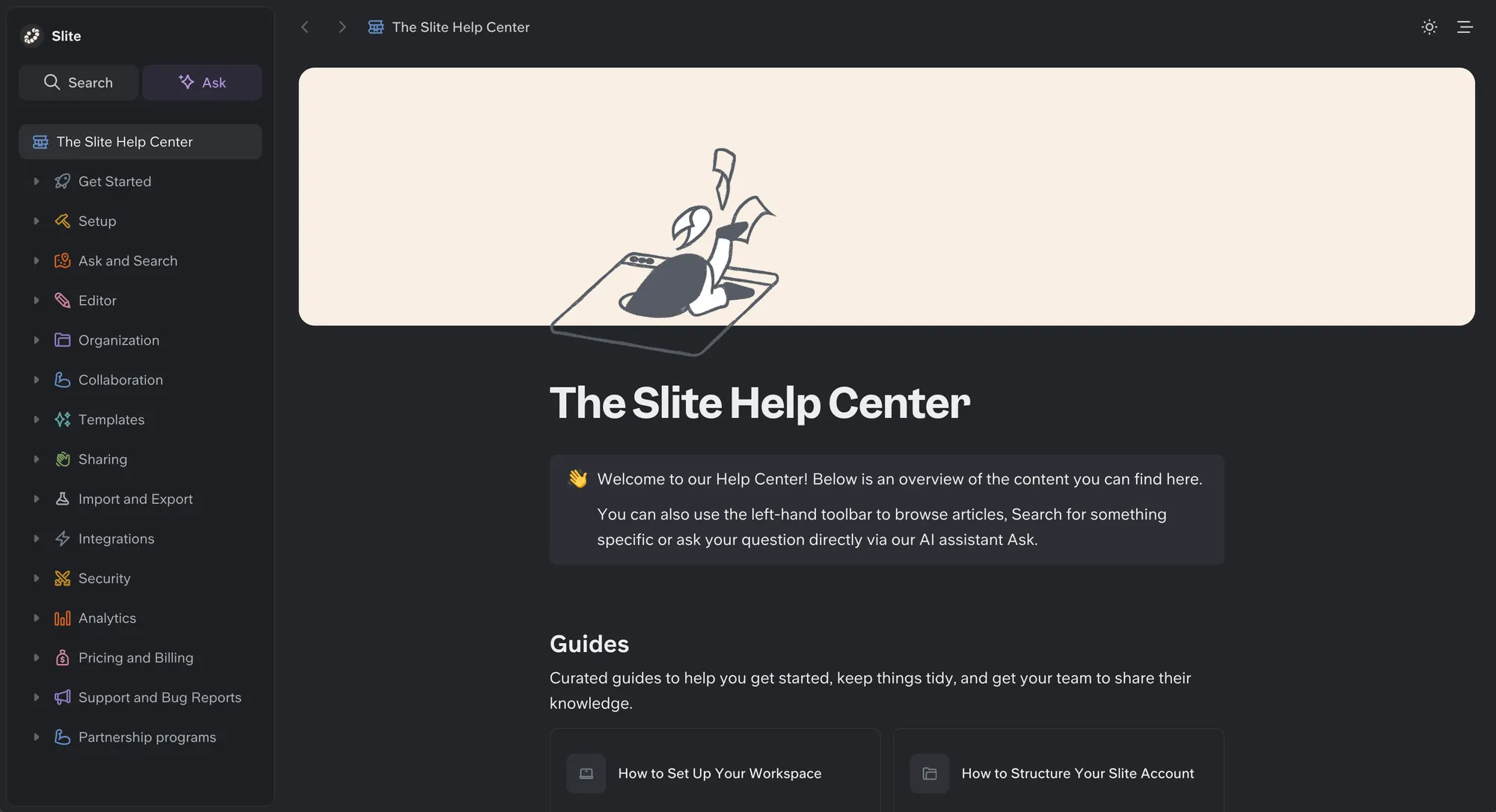
Slite is the self-maintaining knowledge base that keeps itself current from your company's entire tool stack. It pairs a structured, verified wiki with an AI agent that detects when documentation has drifted from reality, proposes the fix, and routes every change through human approval before it becomes truth, so both your team and your AI agents work from a single source of truth they can trust.
Feature list
- Slite Agent – Detects stale docs across your connected tools and proposes fixes for human approval
- AI search and answers (Ask) – Cited answers across your docs with no hallucinations; on Pro, search across 20+ connected tools
- Doc verification – Five verification statuses keep trustworthy content ranked higher in AI answers
- Knowledge Management Panel – Spots outdated, duplicate, and empty docs
- Built for AI agents – Full MCP read/write and a markdown-native format so agents and people edit the same docs
Best for: teams building an internal AI knowledge base that stays accurate and ready for AI agents.
Pricing: Basic is $10/user/month billed annually; Pro is $20/user/month and adds Slite Agent and cross-tool search.
6. Guru
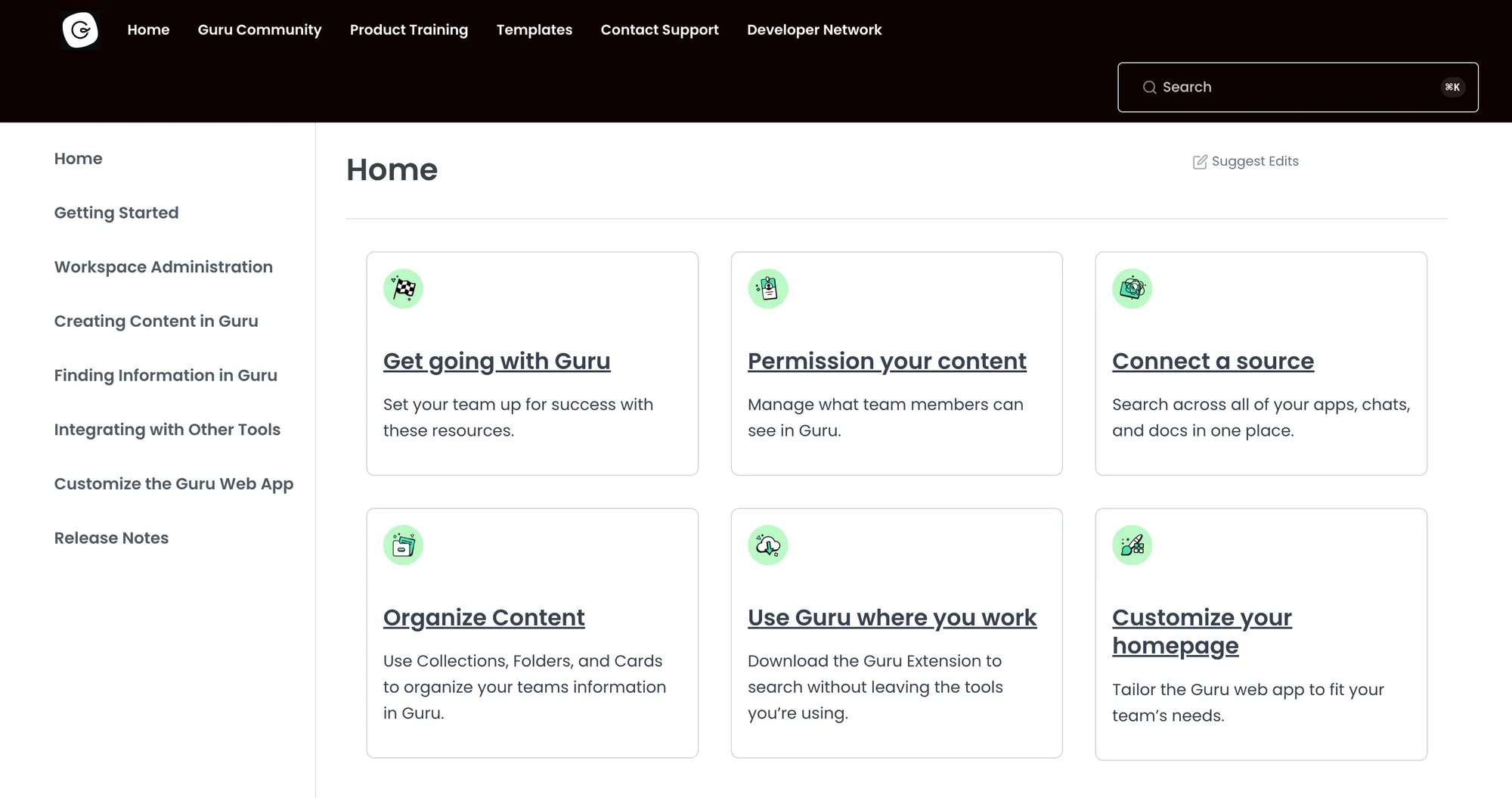
Guru is built for fast-moving teams that need reliable answers in the moment. It’s especially popular with support, sales, and ops teams because it combines AI-assisted retrieval with verification workflows - so knowledge isn’t just found quickly, it’s also trustworthy.
Top features:
- AI-powered search + suggested answers
- Knowledge verification (keep critical info reviewed and current)
- Workflow-friendly delivery via extensions and integrations
- Integrations with tools like Slack/Salesforce/etc. (varies by plan)
Best for: Teams that need verified answers embedded into daily workflows (not buried in a wiki).
Pricing: Guru offers plans including an All-in-One plan at $15/user/month (annual pricing), with enterprise options available.
7. Document360
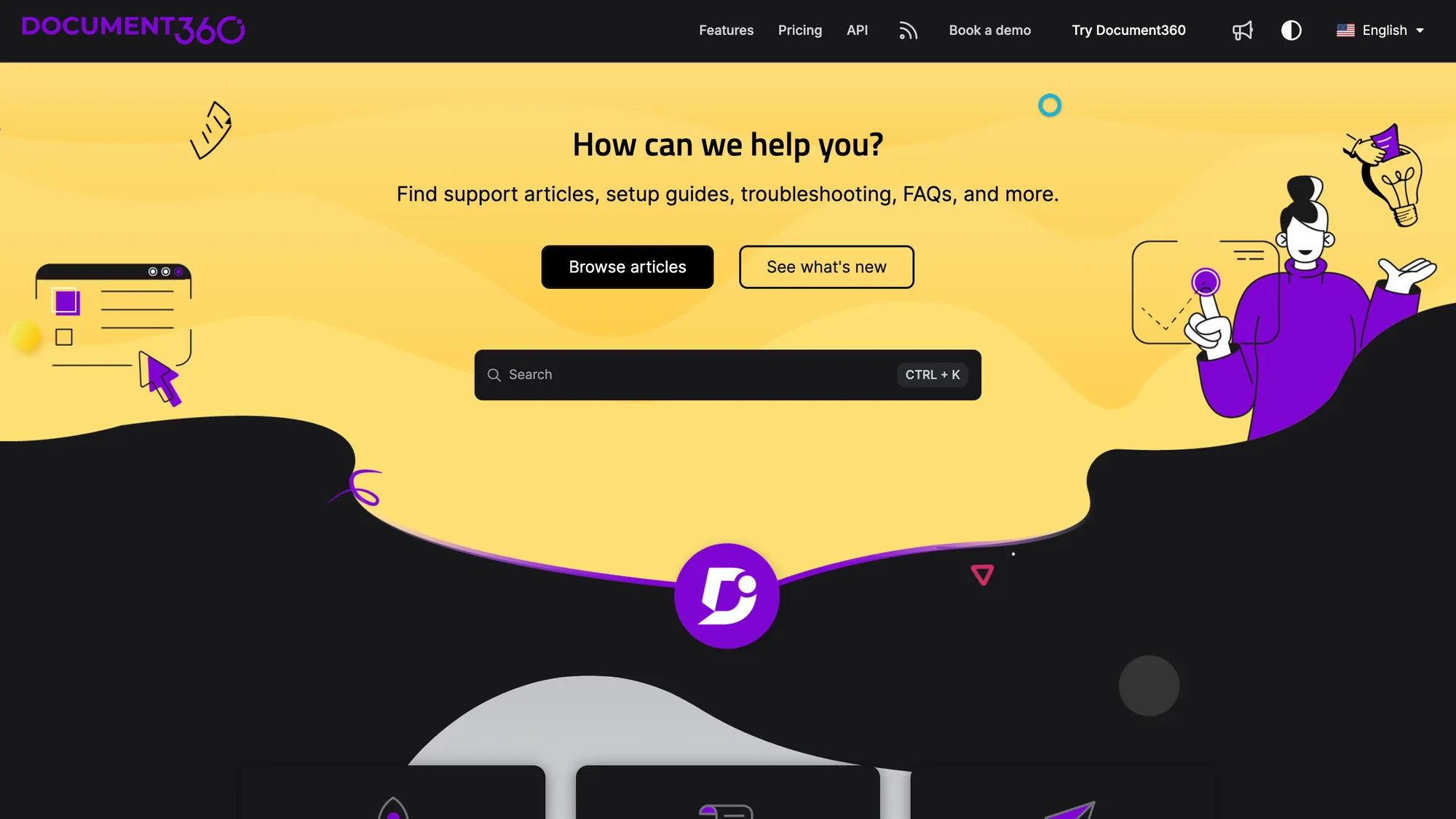
Document360 is a documentation-first platform for teams that publish a lot of structured content. It focuses on creating, maintaining, and organizing help docs at scale, with generative AI support for writing and improving findability.
Top features:
- AI writing tools to draft, rewrite, and structure documentation
- Smart organization (tags, structure, content workflows)
- Knowledge base publishing for public or internal docs
- Search improvements designed for large documentation sets
Best for: Companies building serious documentation libraries and scaling content ops.
Pricing: Document360 uses custom, quote-based pricing with no published fixed tiers. You answer a few questions about your setup (team accounts, workspaces, languages, AI usage) and their team returns a tailored quote. A 14-day free trial is available.
8. Notion AI
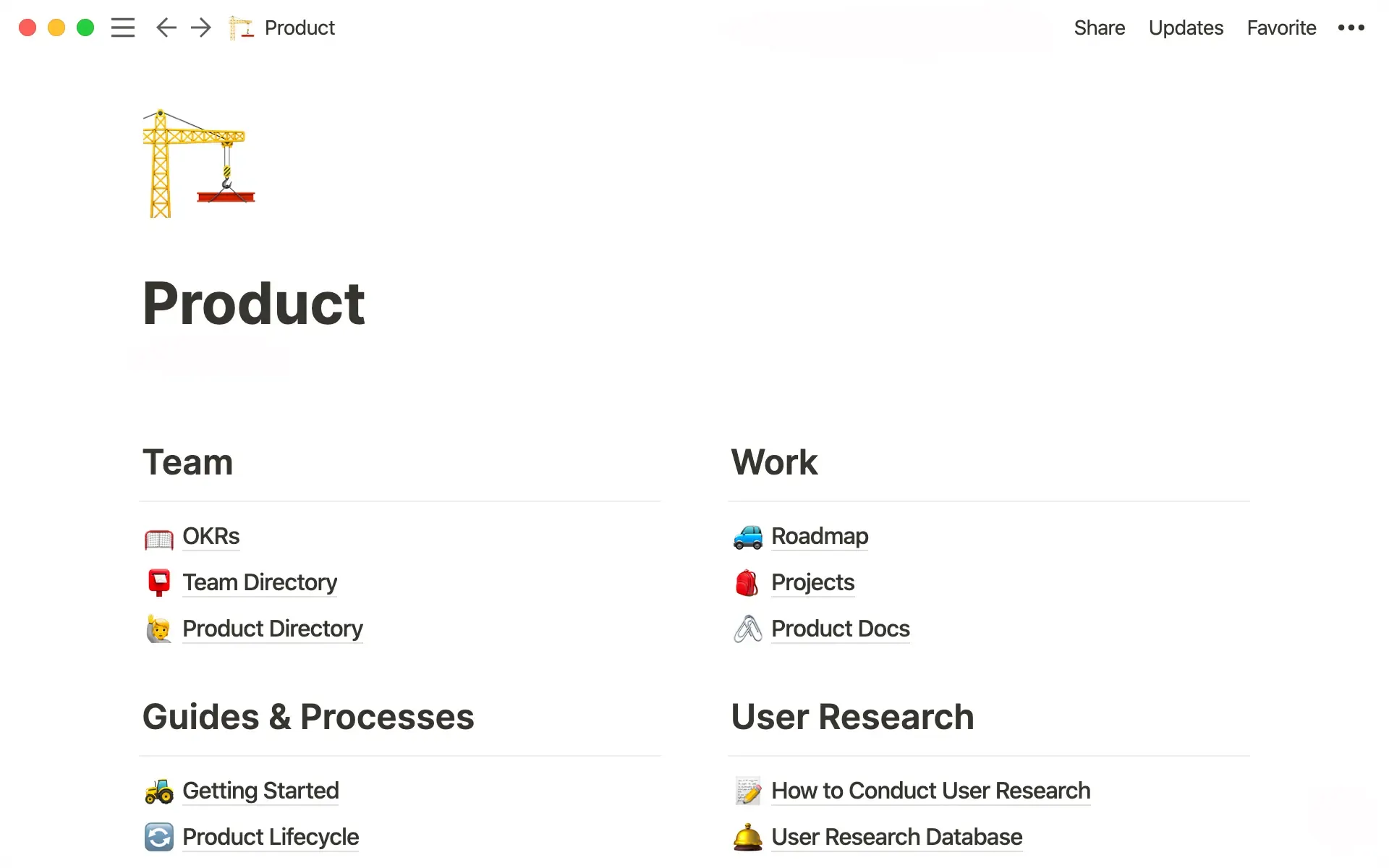
Notion is a flexible workspace that many teams already use as an internal knowledge base, and Notion AI adds fast drafting, summarization, and “answer from your workspace”- style features. It’s less of a traditional help center and more of a living knowledge system (docs + databases + team hubs).
Top features:
- AI-assisted writing (drafting, rewriting, AI search summaries)
- Q&A and summarization across pages and docs
- Database-powered knowledge (structured + unstructured in one place)
- Great for internal knowledge where content evolves daily
Best for: Teams who already run their internal wiki/docs in Notion and want AI to speed up writing + retrieval.
Pricing: The Notion AI workspace is priced at $20 per member/month and includes a Notion AI trial (ongoing AI access varies by plan and packaging).
9. HubSpot Breeze Knowledge Base Agent
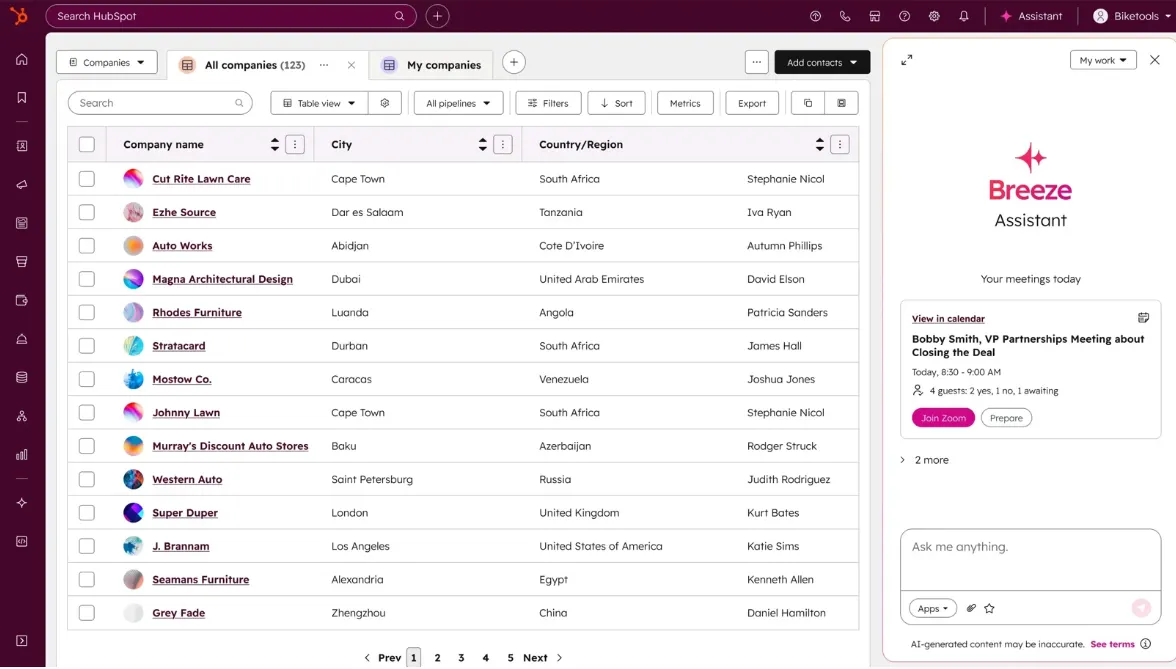
HubSpot’s Breeze Knowledge Base Agent is designed for teams who want AI to help expand and improve their self-service content - especially when support volume grows and documentation can’t keep up. It’s positioned as part of HubSpot’s broader Service Hub ecosystem (so KB + tickets + customer context work together).
Top features:
- Generates and expands KB articles using your existing content
- Multilingual support across HubSpot-supported languages
- Tightly connected to Service Hub workflows and customer context
- Built for scaling self-serve alongside support operations
Best for: Teams already on HubSpot Service Hub that want AI-assisted knowledge creation and self-service growth.
Pricing: Included with Service Hub Professional and Enterprise, which is priced at $90/seat/month, but it requires an active customer agent subscription.
10. Azure AI Search (for teams building their own AI knowledge base)
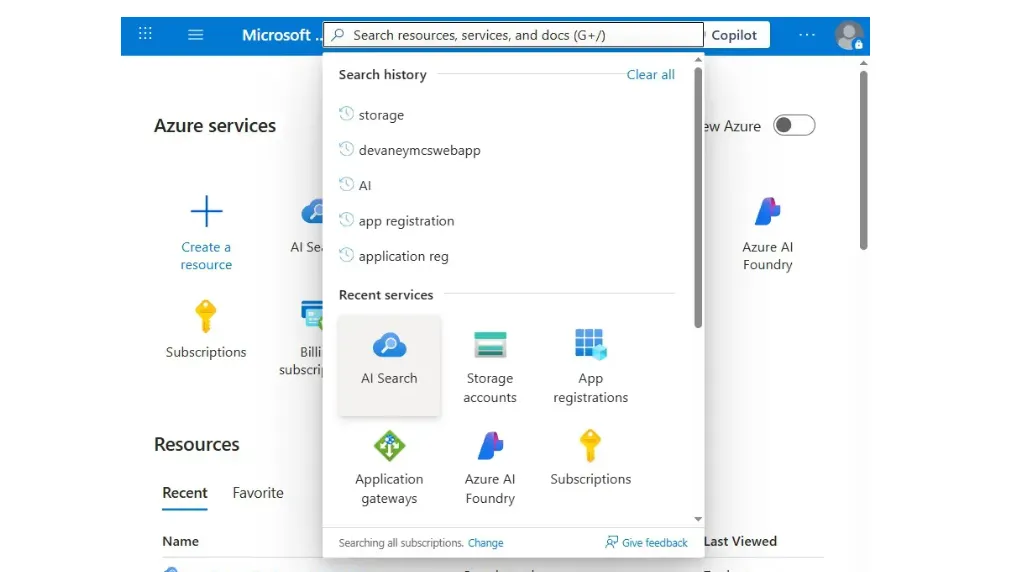
If you’re building a custom AI knowledge base (instead of buying a help center), Azure AI Search is one of the most common foundations. It gives you enterprise-grade indexing, retrieval, and newer “agentic retrieval” capabilities - so your AI assistant can pull grounded answers from approved content and sources.
Top features:
- Search-as-a-service for apps and internal tools
- Agentic retrieval + knowledge base creation workflows (for advanced setups)
- Flexible tiers depending on scale, latency, and index size
- Pay-as-you-go pricing with predictable capacity-based billing
Best for: Product/engineering teams building an internal AI assistant or custom KB search experience.
Pricing: Pay-as-you-go; starts with the Basic tier at $73.73 per Search Unit (SU) per month, with higher tiers priced per SU and optional add-ons like agentic retrieval billed per token and semantic ranker billed per request (free tiers included).
11. Stonly
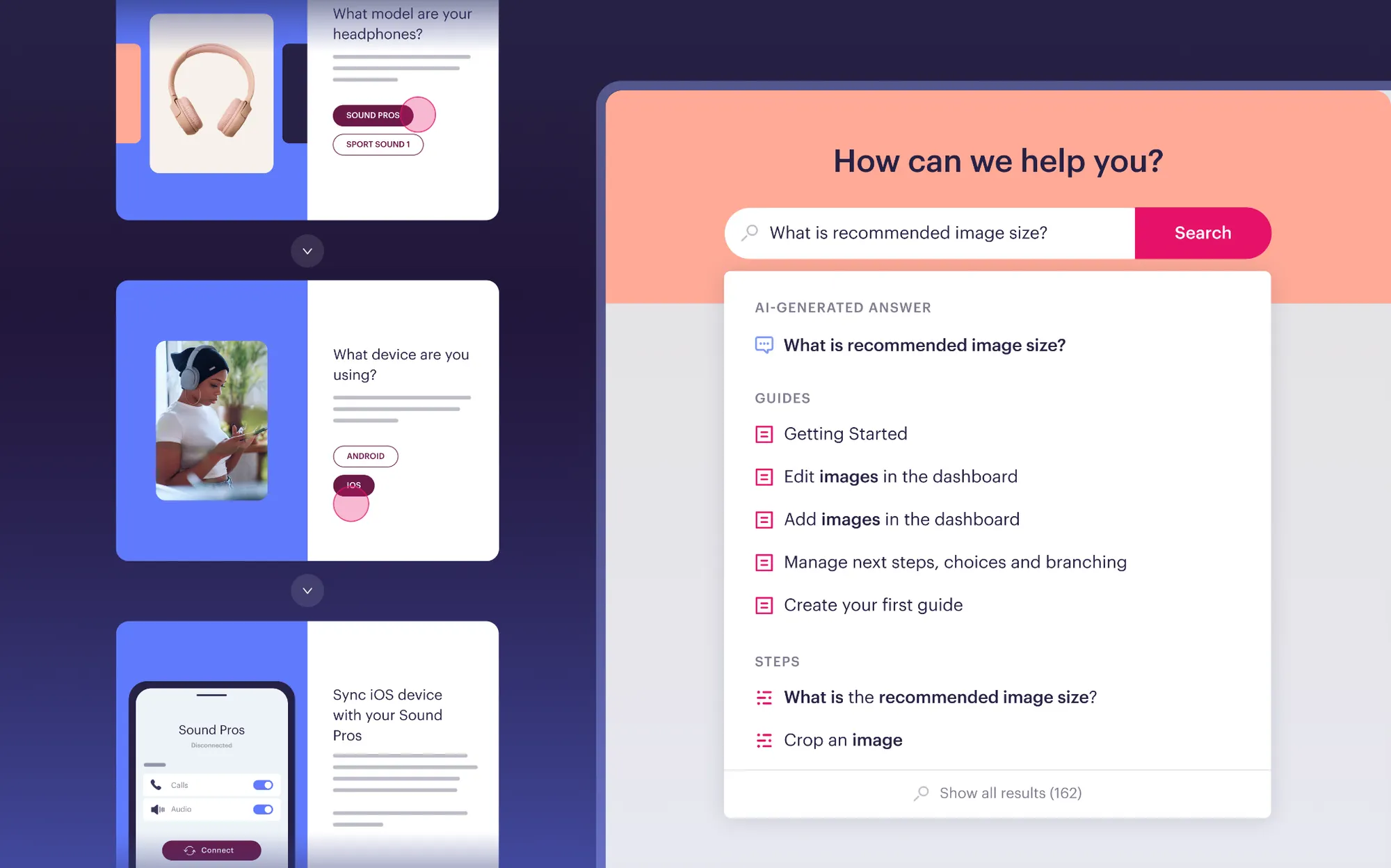
Stonly is a knowledge platform built for high-volume customer service teams that need their knowledge and AI to do more than retrieve answers. Where most tools stop at article creation and search, Stonly lets teams build both standard articles and interactive step-by-step guides that adapt to each user's situation, making it easier for customers and agents to follow processes correctly and resolve issues without confusion.
For agents, direct integrations inside the ticketing system surface the right knowledge for each ticket automatically. For customers, no-code triggers push the right knowledge when and where they need help, backed by an integrated AI experience that delivers instant, accurate answers. Stonly also includes Knowledge Agents, AI that monitors your knowledge sources around the clock, spots gaps, and keeps content current without the manual effort.
Top features:
- Interactive step-by-step guides that adapt based on customer or agent context, inputs, and choices
- Integrated AI answers and step-level search for faster, more accurate self-service
- Ticketing system integrations that surface the right knowledge for each ticket automatically
- No-code triggers for proactive in-app and embedded customer support
- Knowledge Agents that monitor, improve, and update knowledge continuously
- Advanced governance including review workflows, version history, and rights management
Best for: High-volume customer service teams that need their knowledge and AI to execute real processes, guide agents, and resolve complex support scenarios reliably.
Pricing: Stonly offers custom pricing for mid-market and enterprise teams. You can request a demo or get pricing details at their website.
12. Chatbase
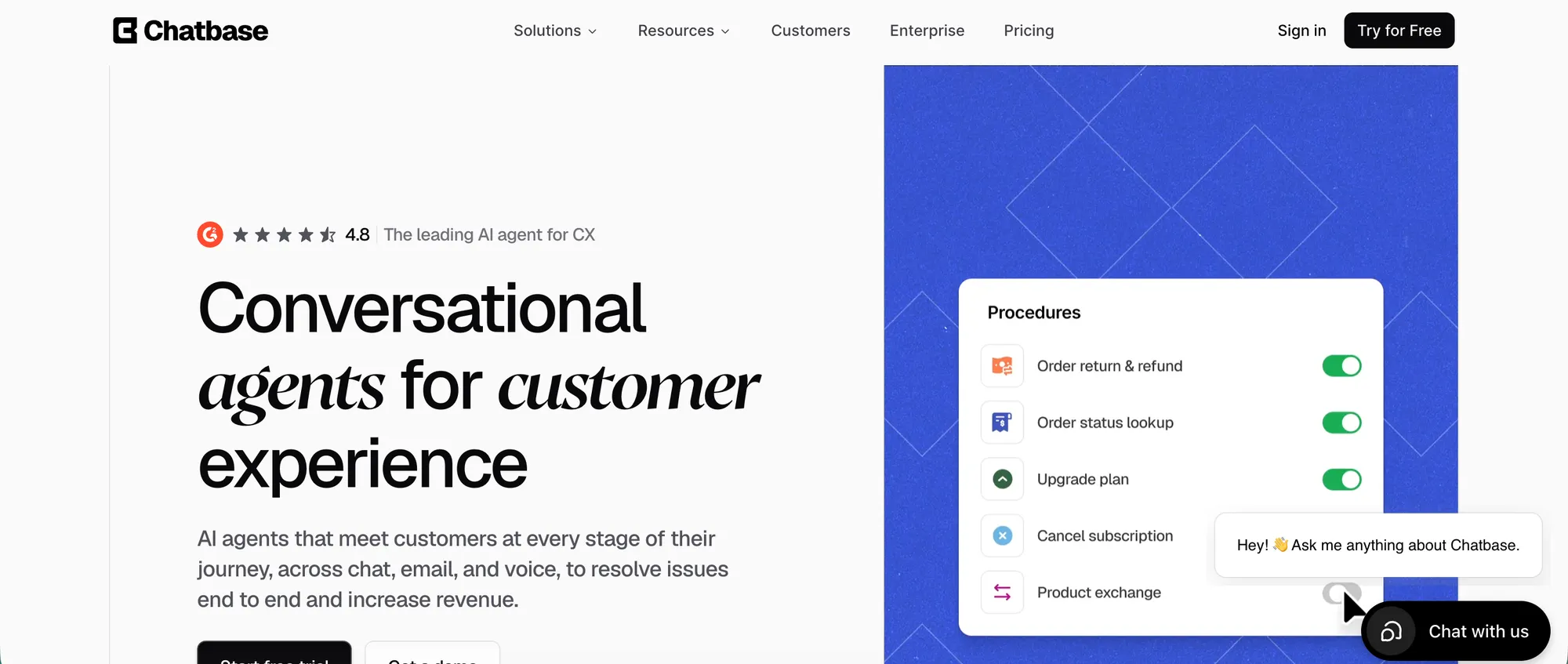
Chatbase turns your existing knowledge base, help center, website, and support content into AI agents that can answer customer questions across channels. It is not a traditional knowledge base builder like Featurebase, Zendesk, or Document360. Instead, it is stronger when you already have useful support content and want AI to use it in real conversations.
Chatbase agents can answer questions on your website, email, WhatsApp, Facebook Messenger, Instagram DM, Slack, and voice. Teams can also connect business systems, route issues, create tickets, and hand conversations to human agents when the answer needs review or personal support.
Top features:
- AI agents trained on your website, help docs, knowledge base content, documents, and connected sources
- Website chat, email, WhatsApp, Facebook Messenger, Instagram DM, Slack, and voice support
- Built-in Help Desk for conversations that need human review, assignment, or takeover
- Actions and Procedures for routing, ticket creation, approved workflows, and support tasks
- Suggestions to surface missing knowledge, conflicts, and unanswered customer questions
- Shopify workflows for product questions, recommendations, carts, order status, billing details, and order views
- Enterprise controls including SSO, RBAC, audit logs, SOC 2 Type II, GDPR, and HIPAA-compliant Enterprise environments after required setup
Best for: Support, SaaS, ecommerce, education, healthcare, nonprofit, and service teams that want to use their existing knowledge base to power customer-facing AI agents across multiple channels.
Pricing: Chatbase offers a free plan. Paid plans start at $32/month when billed annually.
Conclusion
An AI-based knowledge base is no longer an option. As AI models are increasingly present in our day-to-day lives, your users will need AI features when interacting with your company too. Choose an AI knowledge base that fits into your existing tech stack and gives your users an exceptional self-service experience.
Featurebase is one of the best modern knowledge base tools that lets you create beautiful product documentation in minutes—for free. In addition to docs, Featurebase offers powerful feedback collection, surveys, and changelog features to help you build the best product on the market.
It comes with affordable pricing and a free plan. We can help you seamlessly migrate from any existing knowledge base tools. 👇
Create your AI knowledge base with Featurebase for free today