Blog Customer FeedbackHow to Respond to Customer Review (Examples & Templates)
How to Respond to Customer Review (Examples & Templates)
Struggling to keep up with the flood of customer feedback? It’s tough to respond to everyone and get it right every time. But with the right approach, you can turn every interaction into an opportunity for growth and loyalty. In this blog, I’ll show you how!

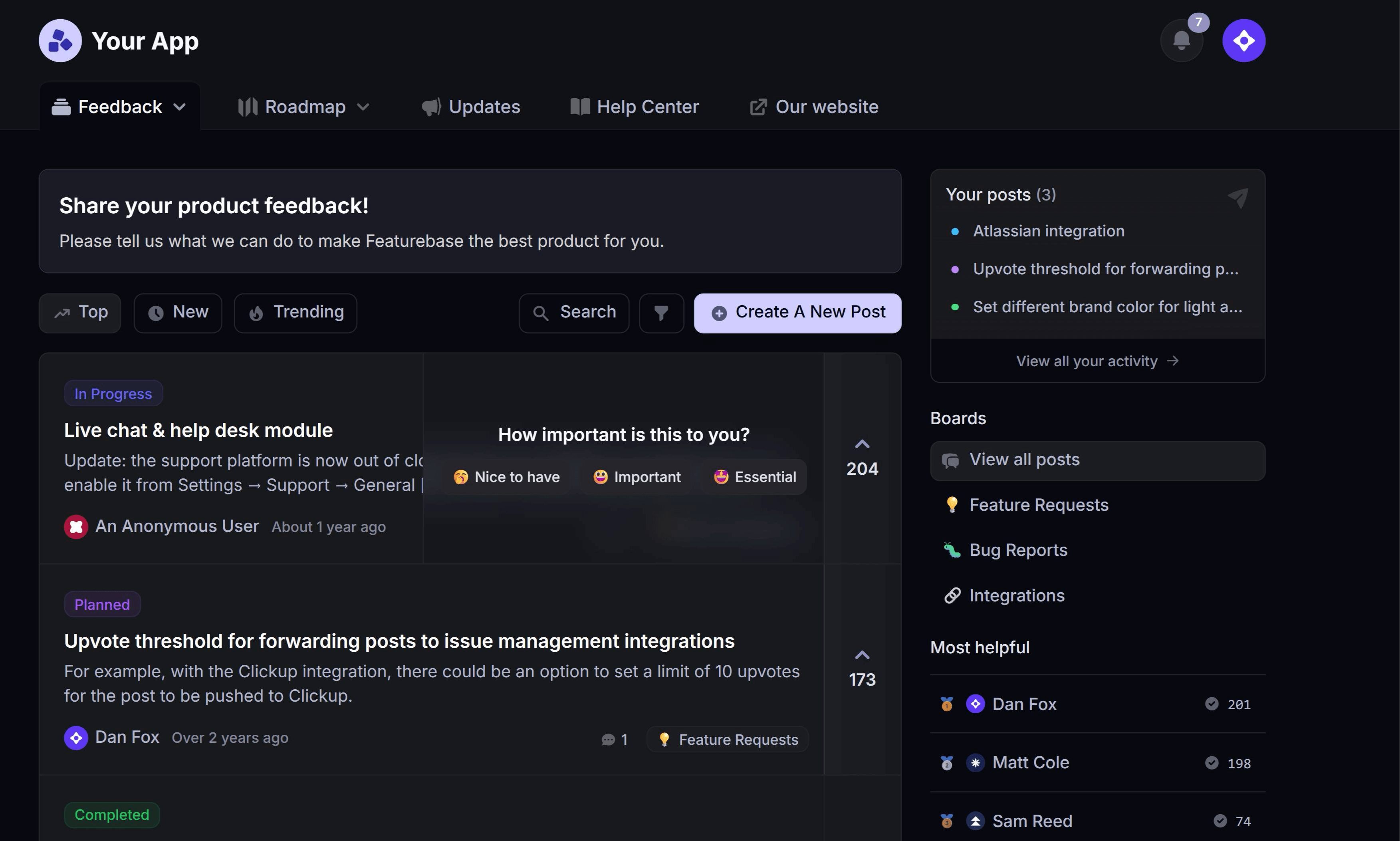
✨ Start collecting & managing feedback with Featurebase for free →
Customer reviews or feedbacks comes from a hundred different channels - emails, social media, surveys, and reviews - and responding to it all can feel impossible.
In fact, 66% of customers expect a response within 5 minutes. 😅
So, how do you prioritize feedback without spreading yourself too thin? We follow a simple rule: Respond when it's helpful for both you and your user.
But what exactly makes a response helpful? And how do you handle customer feedback in a way that builds strong relationships and improves your product? We'll dive into that in this blog - let's get started! 👇
What is customer feedback?
Customer feedback refers to any kind of information you collect from your customers about the quality of your products and services, your brand, customer experience, and just about any aspect of your offer.
It's a direct line to your customers' thoughts, needs, and pain points. By collecting and responding to customer feedback, you can identify areas for improvement, build customer loyalty, enhance customer satisfaction, and ultimately improve your bottom line.
Responding to customer feedback is important because it shows that you value their opinions and are committed to improving their experience. This helps retain existing customers and attract potential ones, while also strengthening your brand reputation across every channel where customers talk about you.
Types of customer feedback
Customer feedback comes in all shapes and forms but generally falls into three categories: positive, negative, and neutral.
- Positive feedback is when customers express satisfaction with your product or service—think glowing reviews and kind words.
- Negative feedback, on the other hand, is when customers share their dissatisfaction or issues they’ve encountered.
- Neutral feedback is somewhere in between, providing insights that are neither overly positive nor negative.
Responding to all types of feedback is crucial. It shows that you value every customer’s opinion and are dedicated to providing a high-quality experience, no matter what.

Collect and prioritize feedback in one place
Centralize feedback, spot recurring themes, and prioritize the features your customers actually want.
Why responding to customer review is important
- Helps you understand your users: This is customer feedback 101. Responding to customer feedback gives you a direct line to your customers’ thoughts, needs, and pain points. Instead of guessing what your users want, you’re hearing it straight from them. This insight helps you shape a product that truly addresses market needs, leading to more satisfied users.
- Builds customer loyalty: When customers know they’re being heard, it builds trust. In today’s digital age, customers expect businesses to respond to their reviews promptly, whether they are positive or negative. Taking the time to respond shows that their opinions matter to you, which fosters stronger, long-term customer relationships. Customers are more likely to stick around when they feel valued—and even become advocates for your product.
- Gives you a competitive advantage: In a crowded market, how you handle customer feedback can set you apart. Engaging with your users shows that you’re invested in improving your product based on their input. This level of responsiveness makes you more attractive to customers, especially compared to competitors who remain silent. This is literally how we bootstrapped our startup from 0 to 100k ARR at first.
How to respond to customer review? (+ examples)
Since 68% of customers are willing to pay more for products with good customer service, responding to feedback is everything. Let’s break down exactly how to handle it so you can turn every interaction—positive or negative—into an opportunity for growth.
1. Be quick
66% of customers expect a response within 5 minutes from the live chat. And 78% of customers expect a response to their feedback on Twitter within an hour.
Whether it’s positive feedback or a negative review, timely replies can improve customer satisfaction and prevent issues from escalating.
Here are a couple of examples that you can use as quick replies:
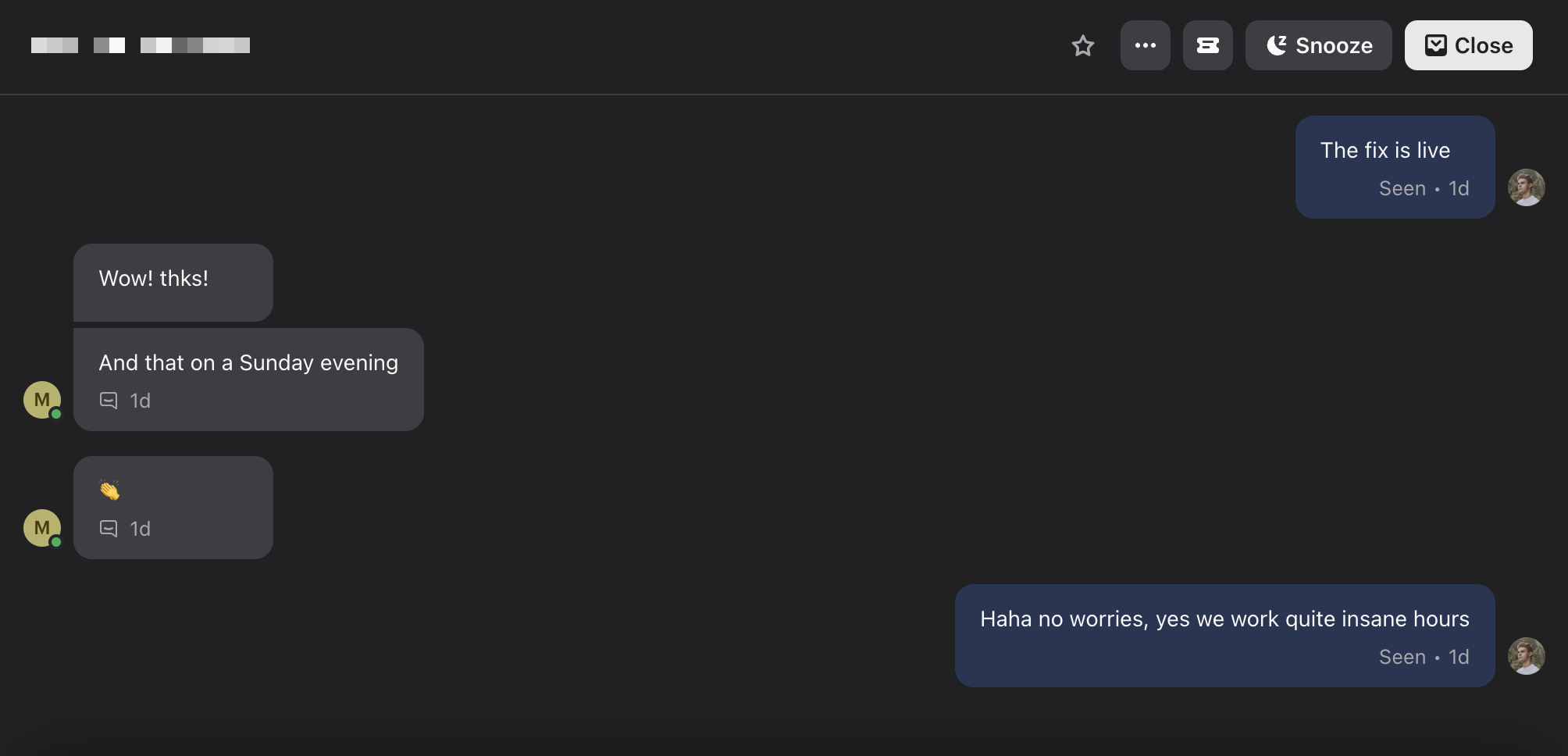
- Positive feedback: "Thanks for your kind words! We're glad you had a great experience with us 🙌."
- Negative feedback: "Thanks for flagging this, [name]. We're looking into it and will update you soon."
Even if you don’t have a full solution, a quick acknowledgment reassures the customer that you're on it. This approach also reflects well in online reviews, where potential customers can see you're engaged and responsive.
Don't be afraid to use emojis and casual language. I think we've all seen those corporate responses in Twitter comments that sound like robots 🤖 - be human.
The key takeaway here is to try to be fast, even if it’s to acknowledge the feedback while you gather more details. Obviously, you don't have to go over the top and answer everyone, as mentioned in the intro. Generally, prioritize responding to negative feedback.

2. Ask for additional information
Customers don't typically provide feedback in the most useful format despite their best intentions. Most of the time, the bug reports are brief, and feature requests lack enough detail to take immediate action.
That’s why asking for additional information is crucial to ensure you understand exactly what they need:
- "What problem are you trying to solve?" This helps uncover the core issue behind their request.
- "Can you explain how you’d use this feature?" This helps you visualize how the customer would interact with the feature in real-life scenarios.
- "What specific outcome are you hoping for?" This clarifies what success looks like for them.
- "Have you faced this issue before, or is it a one-time thing?" This tells you whether it’s a recurring issue or something more isolated.
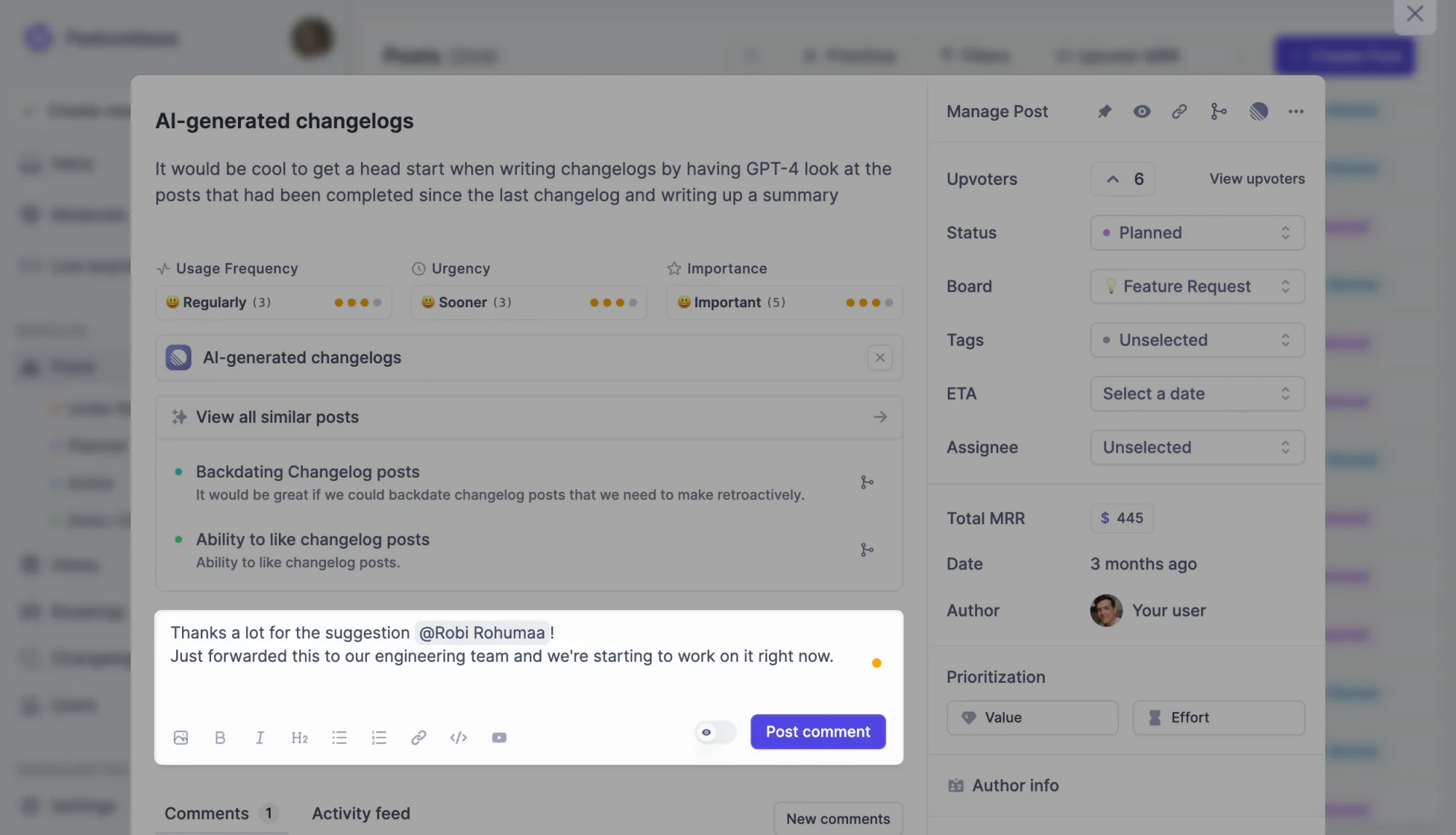
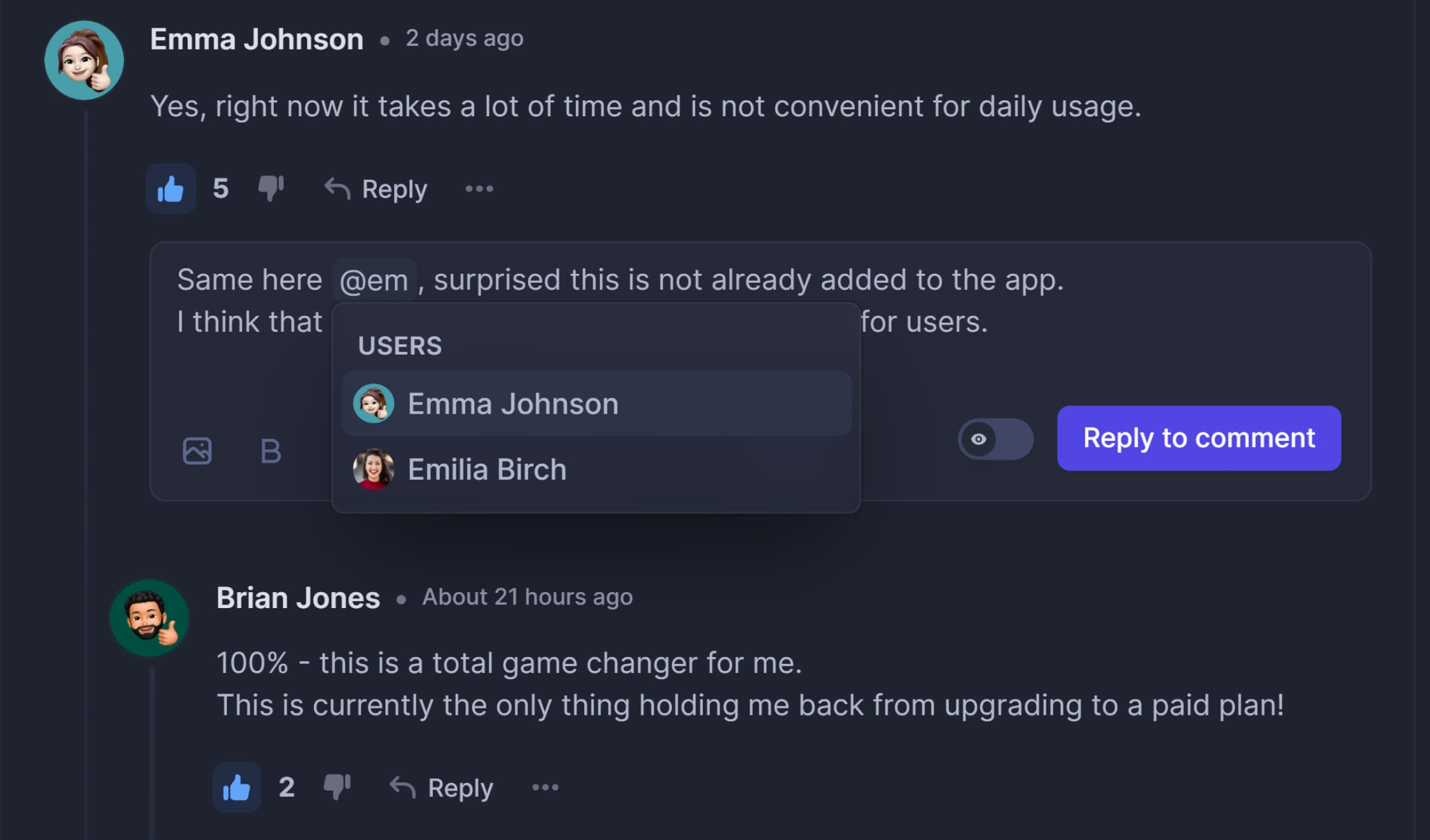
If you're using customer feedback tools like Featurebase, this is super simple, with comments that also notify the user via email:
3. Manage expectations (say ‘no’ if needed)
Saying "no" to feature requests is part of the job, but let’s be honest—nobody really likes saying no. However, the reality is that while you want to please customers, not every request aligns with your product vision.
💡 The key is to let them know your plans, EVEN if you don’t plan to build the feature. This way, your customers know what to expect, and you can maintain trust.
Here’s how to handle it:
- Be transparent: Tell them if a feature request doesn’t align with your strategy. A clear, honest explanation goes a long way.
Example: "Thanks for your suggestion! We’re focusing on other priorities right now, but we’ve logged your feedback for future consideration. We’ll let you know if things change." - Set realistic expectations: Just because a feature request gets many votes doesn’t mean it’s the right thing to build—you know your product best. It’s important to remind customers of this.
Example: "While this feature has a lot of interest, we prioritize based on various factors, including alignment with our long-term product goals. We’ll update you if anything changes!" - Offer alternatives: If you can’t fulfill a request, suggest a workaround or point them toward a similar feature that already exists.
Example: "While we won’t be adding this specific feature right now, you might find [workaround] useful in solving your problem."
However, since you usually don't know your exact thoughts about the feature request, giving a meaningful initial answer is hard.
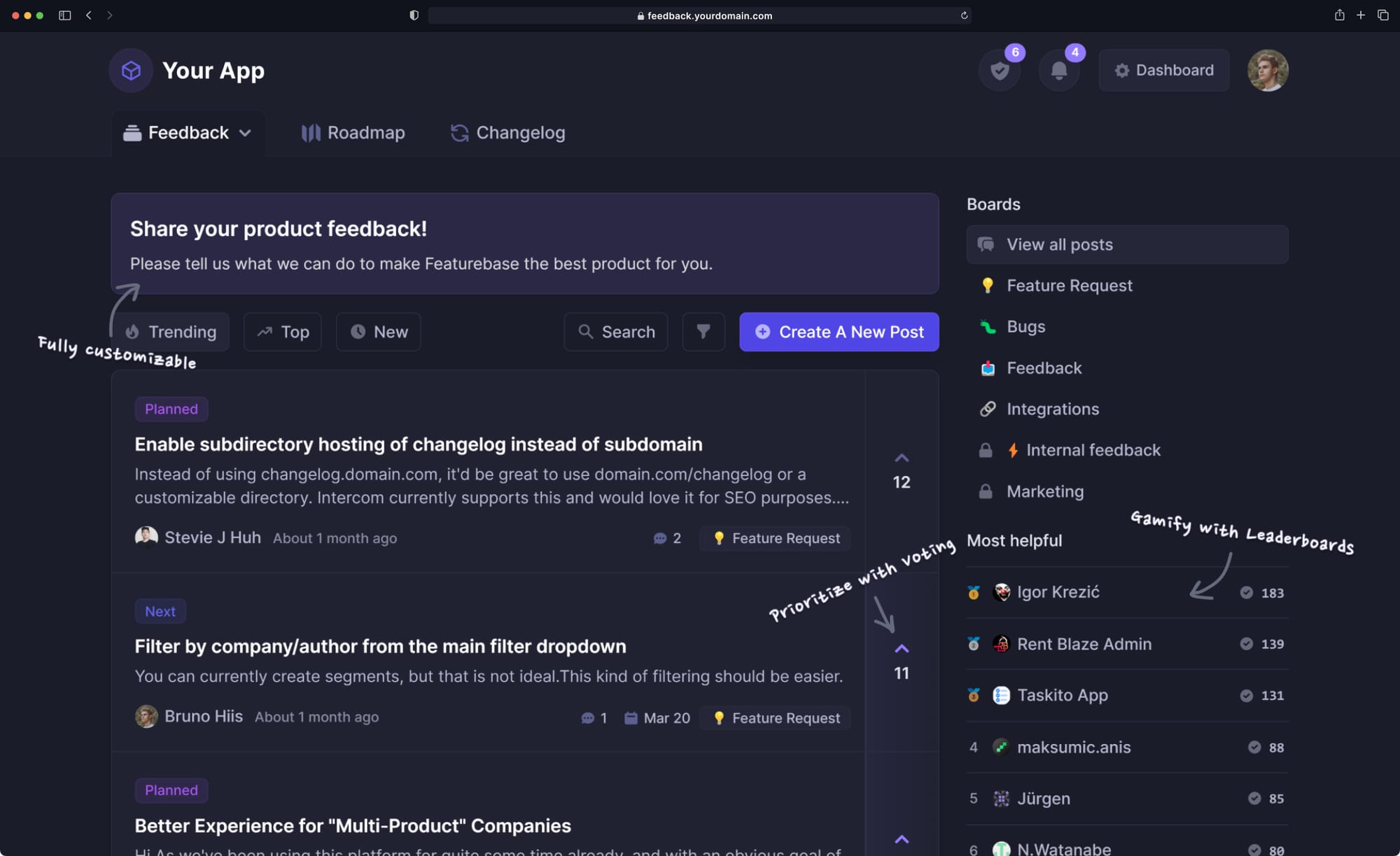
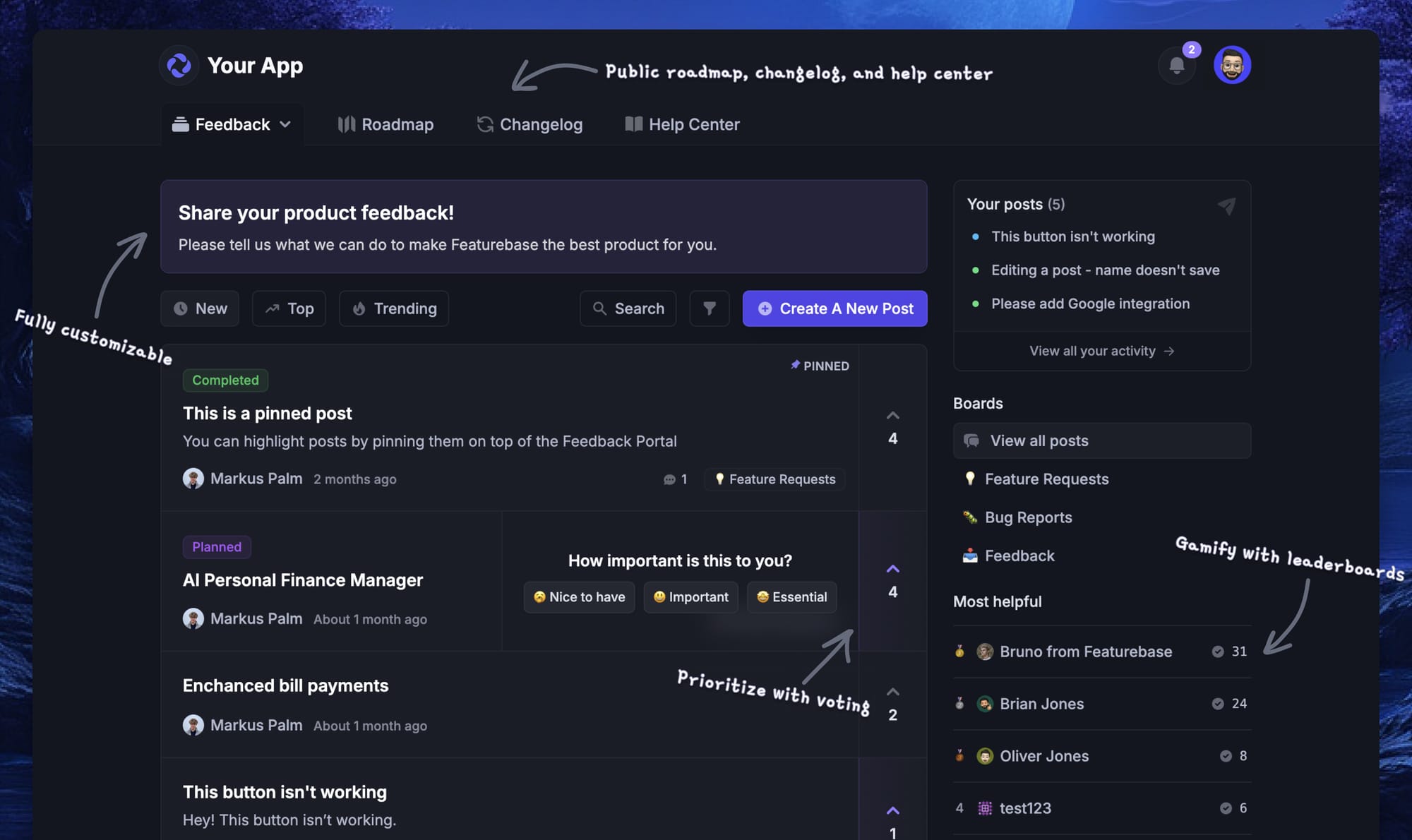
That's why one of the best tips is to use a customer feedback forum. This way, users can post their ideas and let them gain traction with others. By allowing feature ideas to collect upvotes, you can see whether they resonate with your broader customer base before deciding.
This not only gives you more time and input to evaluate the request, but it also makes the customer feel heard. And hey - if their idea doesn't get any votes, it's clear to both sides that it's not an actual problem for most customers. 🤷♂️
✨ Start collecting & managing customer feedback with Featurebase for free →
4. Responding to negative feedback
Now, negative reviews sting. But that's exactly why negative feedback deserves special attention. It’s one of the best ways to learn how to meet customer expectations. Plus, how you respond can turn a frustrated customer into a loyal one.
Here’s how to approach negative feedback:
- Acknowledge it: Quick response, but with a little extra care. Thank the customer for their honesty and let them know you’re on it.
Example: "Thanks for flagging this. We’re looking into it and will update you soon." - Dig deeper: Get more context if needed to fully understand the issue.
Example: "Can you tell us more about what you were trying to do when you encountered this problem?" - Show empathy: Apologize if necessary and let the customer know you understand their frustration.
Example: "We’re sorry for the inconvenience. We understand how frustrating this must be and are working on it." - Take action and close the loop: Once you’ve sorted it out, make sure to follow up and let the customer know their feedback led to an actual solution.
Example: "The issue has been resolved—thanks again for your feedback, it helped us improve!"
In short, responding to negative feedback is mainly about handling it with care. Whether crafting responses manually or using AI assistance, always humanize AI content to ensure your tone feels authentic and empathetic. If you do it right, you'll not only fix the issue but also show the customer you're serious about improving their experience (and sometimes even turn them into promoters).
5. Follow up & close the loop
Closing the feedback loop is when you get back to the people who provided feedback and let them know what you’ve done with it. You should even get back to those that you couldn't help.
💀 Companies that don’t close the loop increase their churn by at least 2.1% every year. Moreover, customers are 21% more likely to answer the next survey if you got back to them about their last issue.
It’s not enough to just fix an issue quietly behind the scenes—you need to follow up and let the customer know their feedback actually made a difference.

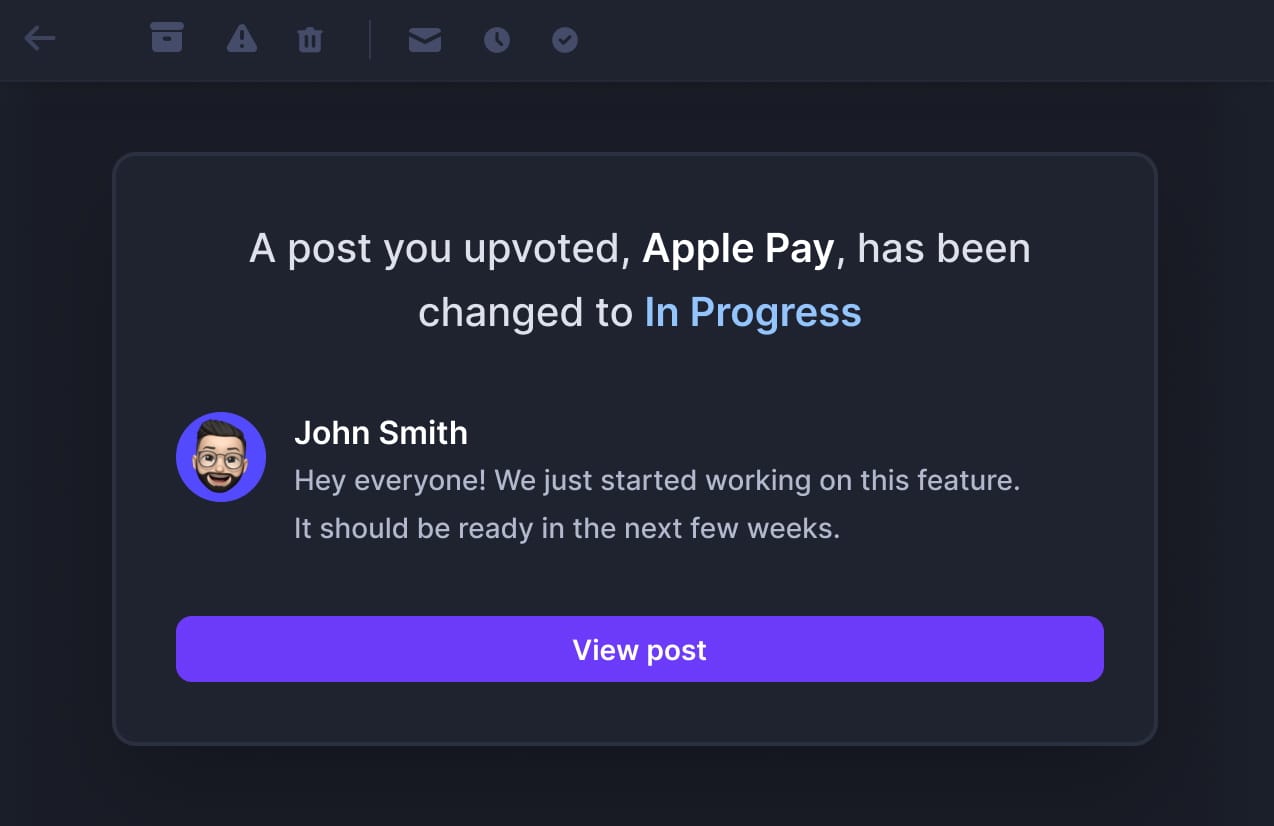
With a tool like Featurebase, you can automatically notify all upvoted users when you've started working on or have completed their feature request.
Whether you’ve fixed a bug, implemented a new feature, or made any changes based on feedback, it helps automatically keep all relevant users in the loop via email.
You can even add a custom message with it, for example:
You can also publish larger product updates in a changelog that sends users emails about it to keep everyone in the loop. And more importantly, you can bring those updates conveniently inside your app, where your users are most engaged:

Closing the loop doesn’t just resolve the issue—it turns feedback into a two-way conversation, leaving customers with a sense of satisfaction and trust in your brand.
Automate closing the feedback loop with Featurebase for free →
Customer feedback response templates
Responding to positive feedback
Template 1: General positive feedback
Hi [Name],
Thank you so much for your kind words! 😊 We're thrilled to hear you had a great experience with [your product/service]. Your feedback means a lot to us, and we'll be sure to share it with the team. If there’s anything else we can do for you, feel free to reach out anytime.
Thanks again for taking the time to share your thoughts!
Template 2: Feature-specific positive feedback
Hi [Name],
We really appreciate your positive feedback about [feature]! 🙌 It’s great to know that it'is making a difference for you. Our team works hard to deliver the best experience possible, and your feedback motivates us to keep improving.
If you ever have suggestions or more feedback, we’re always listening!
Responding to positive reviews
Template 1: Responding to a 5-star rating
Hi [Name],
Wow, thanks for the 5-star rating! 🌟 We're so glad you had a great experience with [product/service]. Your feedback truly brightens our day and motivates us to continue delivering the best possible experience.
If there’s anything else we can do for you, don’t hesitate to let us know!
Template 2: Responding to a positive review with specific praise
Hi [Name],
Thank you for your fantastic review! We’re delighted to hear that [specific aspect they mentioned] made a positive impact on your experience. 🙏 Hearing feedback like yours makes all our hard work worth it, and we’ll be sure to pass your kind words along to the team.
If you ever have more feedback or suggestions, feel free to reach out—we’d love to hear from you!
Responding to negative feedback
The cool thing about using Featurebase for feedback, is that you can keep negative feedback private between you and author and solve their problems with delicacy.

Every new post will automatically be "Pending" at first so you can privately solve customers' problems. You can approve the post anytime to make it public.
Template 1: Acknowledging the issue and requesting more information
Hi [Name],
Thank you for bringing this to our attention. We’re sorry to hear that you’ve had a less-than-ideal experience with [product/service]. We’d love to learn more about what went wrong so we can fix the issue and improve your experience.
Could you share more details with us about the problem you encountered? We’re here to help and make things right.
Template 2: Apologizing and providing a solution
Hi [Name],
We’re really sorry to hear that [specific issue] didn’t meet your expectations. Our team has looked into it, and here’s what we’re doing to fix the problem: [Explain the solution].
We appreciate your patience and hope to provide you with a better experience moving forward. If there’s anything else we can do, please let us know.
Responding to negative reviews
Template 1: Acknowledging the review and offering a resolution
Hi [Name],
We’re sorry to hear about your experience with [product/service]. It’s important to us that our customers are satisfied, and we’d love the chance to make things right.
Could you reach out to us at [email] so we can work on resolving this for you? We appreciate your feedback and are committed to improving.
Template 2: Apologizing and showing a commitment to improvement
Hi [Name],
We’re sorry that your experience with [product/service] didn’t meet expectations. We value your feedback and are taking it seriously. Rest assured, our team is working on [mention any actions you’re taking to resolve the issue or improve].
Thank you for helping us get better, and if there’s anything else we can assist you with, please don’t hesitate to let us know.
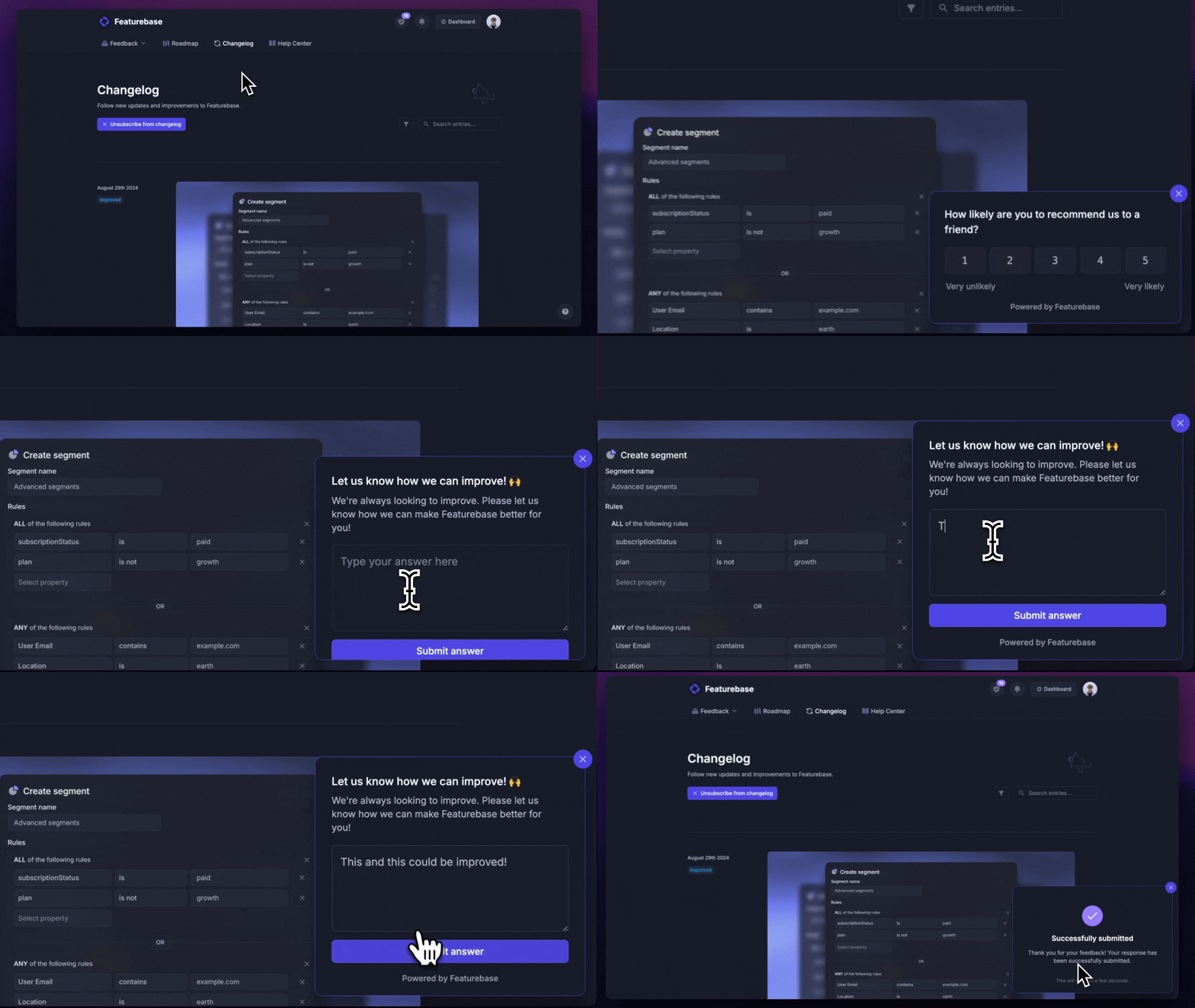
P.S. An effective way to avoid negative reviews altogether, is running NPS and CSAT surveys directly in your app.
This helps you gauge customer sentiment early and proactively address any issues before they escalate into public complaints.
Conclusion
Responding to customer feedback doesn't have to be overwhelming. Remember the simple rule from the start: Respond when it's helpful for both you and your user.
Whether it's positive or negative feedback, the way you engage with your customers can shape their experience and your product's success. By being quick, asking for more information, managing expectations, handling negative feedback with care, and always closing the loop, you can turn feedback into an opportunity for improvement and growth.
Featurebase is a modern feedback & support platform that helps you collect feedback from every channel, prioritize what matters, respond to users in context, and close the loop when their idea ships - all in one place. It's loved by thousands of product teams from companies like Lovable, Raycast, and n8n. 💫
Top features:
- Feedback forum – Public feedback forum where users can submit ideas and vote on features helping you know what customers want
- In-app widgets – Embed feedback, changelog, and help center widgets directly in your product
- Prioritize by revenue – Link feedback with customer revenue, company size, and much more to better understand the impact of ideas
- AI feedback categorization - Automatically group large volumes of feedback into product areas, projects, or themes with AI
- Automated email updates – Automatically notify users when their requested features are implemented
- Roadmaps – Create internal & public product roadmaps to keep users informed and build engagement
- Product updates – Publish release notes with a changelog page, in-app widget, and emails
- Surveys (NPS, CSAT, etc) – Create targeted surveys to ask users anything and measure customer satisfaction
- Automatic AI translations – Automatically translate all feedback and comments to your customers / teammates native languages
- Integrations – Connects with Slack, Linear, Jira, HubSpot, and more
Pricing: Free plan available with unlimited feedback collection. Paid plans start at $29/seat/mo. The onboarding is super fast, so there's no downside to trying it. 👇
✨ Start collecting & managing customer feedback with Featurebase for free →
FAQs
How quickly should I respond to customer feedback?
Aim for 24-48 hours on email and feedback boards, and much faster on live chat and social - 76% of customers who complain on social media expect a response within the hour. Even if you can't fully solve the issue yet, a quick acknowledgment buys you trust and time. The goal is to show the customer you've heard them, then follow up with the real answer once you have it.
How should I respond to negative customer feedback?
Acknowledge it fast, dig for context, show empathy, and close the loop once it's resolved. Skip the defensive language - thank the customer for flagging it, ask the questions you need to fix it, apologize where it makes sense, and then circle back once the issue is actually solved. The customers who give you negative feedback are the ones telling you exactly how to keep their business, so treat the reply as a chance to retain them, not just to make the complaint go away.
How should I respond to positive customer feedback?
Thank the customer personally, name the specific thing they liked, and invite continued engagement. Generic "thanks for the kind words!" replies read as templated. Mentioning the feature, outcome, or moment they called out proves you actually read their feedback. A short, warm reply is enough - long replies get skimmed, short ones get remembered.
Should I respond to every piece of customer feedback?
No, and trying to will burn out your team. Prioritize negative feedback, public reviews, and feedback from high-impact customers (paying accounts, vocal advocates, repeat reporters). Positive feedback gets a short thank-you when you can. Bug reports and feature requests get a substantive reply. The rule is "respond when it's helpful for both you and the user" - not "respond to everyone."
How do I respond to feature requests I can't build?
Be transparent about why, offer an alternative if one exists, and point the customer to a place where the idea can live publicly so other users can weigh in. A Featurebase feedback board lets requests collect upvotes from your broader user base, which both validates whether the request is worth revisiting and lets the customer feel their voice is on the record - even when the answer is "not now."
What's the best way to close the feedback loop?
Tell the customer when their feedback actually shipped. Don't just fix the bug or build the feature quietly - email the original reporter, every upvoter on the public post, and anyone who flagged the same issue in support. Pair the close-the-loop message with the changelog entry or release notes so the update lands in context. This is the step most teams skip, and it's the one that turns a one-time complaint into a long-term advocate.