Blog Customer ServiceOpen.cx Review 2026: Features, Pricing, Pros & Cons
Open.cx Review 2026: Features, Pricing, Pros & Cons
This Open.cx review examines its AI support features, pricing, integrations, security, pros and cons, and which customer service teams it fits best.



Open.cx combines an AI agent, helpdesk, voice platform, workflows, and outbound tools under one outcome-based price. That breadth makes it a serious option for support teams trying to automate more than basic questions.
The buying decision is less simple. Costs vary with successful resolutions, implementation quality affects the results, and independent customer feedback remains thin. This review separates verified capabilities from vendor-reported performance so you can judge the platform on the right evidence. 👇
Key takeaways
- Open.cx is broader than a chatbot: It combines AI support across voice and digital channels with API actions, an included helpdesk, outbound sequences, knowledge management, and analytics.
- The platform is strongest for high-volume omnichannel support: Teams get the most value when they need one AI layer across several channels and want it to complete backend actions.
- Pricing is transparent at the unit level but variable overall: Open.cx charges $0.75–$0.90 per AI-resolved ticket, while human handoffs are free and carrier costs are passed through separately.
- Implementation still matters: Accurate automation depends on clean knowledge, reliable APIs, permissions, testing, and clear escalation rules.
- Independent review evidence is limited: The small number of public user reviews is not enough to establish a reliable customer-consensus score.
- Security claims need contract-level verification: Open publishes detailed EU residency and data-control information, but its public pages contain inconsistent language about SOC 2 Type II status.
- Featurebase✨ is the more accessible option for product-led SaaS teams that want an AI-powered inbox, help center, workflows, feedback tools, and a Free plan.
What is Open.cx?
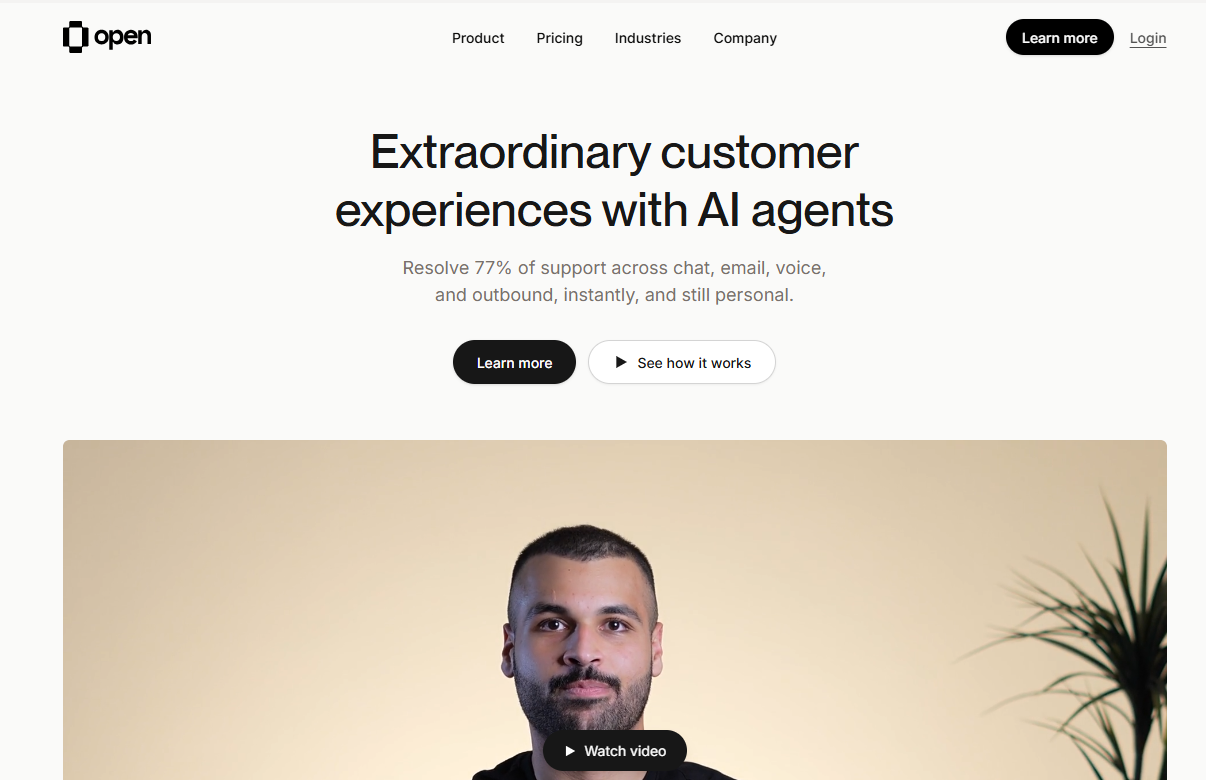
Open.cx is an AI customer support platform that automates conversations across voice, chat, email, WhatsApp, SMS, Slack, Teams, and social channels. The product is also written as OpenCX in parts of its documentation.
The platform sits between customer channels and the systems a support team already operates. Its AI reads approved knowledge, answers on the original channel, calls connected APIs when an action is required, and transfers unresolved work to a human.
Teams can use Open.cx in 2 ways. It includes an AI-native helpdesk with ticketing, routing, macros, service-level tracking, and reporting, but it can also connect to an existing helpdesk. That makes migration optional rather than mandatory.
Open.cx also includes outbound sequences, cloud telephony, customer insights, and a visual workflow builder. It is closer to an AI-first support suite than a standalone bot.
Open.cx features reviewed
Open.cx covers most of the customer service automation stack. Its value depends on whether that breadth replaces separate tools or increases the issues the AI can finish.
Omnichannel AI agent
Open.cx uses one AI engine across phone, chat, email, WhatsApp, SMS, Slack, Teams, and social channels. The same knowledge and automation logic can follow customers across those surfaces instead of forcing teams to rebuild a separate bot for each channel.
Voice is a meaningful differentiator. The platform includes telephony software, recording, transcription, SIP trunking, and local numbers in more than 100 countries. Carrier minutes still cost extra.
The platform reports a 77% average automation rate and 95%+ AI accuracy. Treat those as vendor-reported figures, not universal expectations. Resolution rates vary by ticket mix, connected systems, knowledge quality, and the standard used to decide whether an outcome was successful.
Agentic workflows and API actions
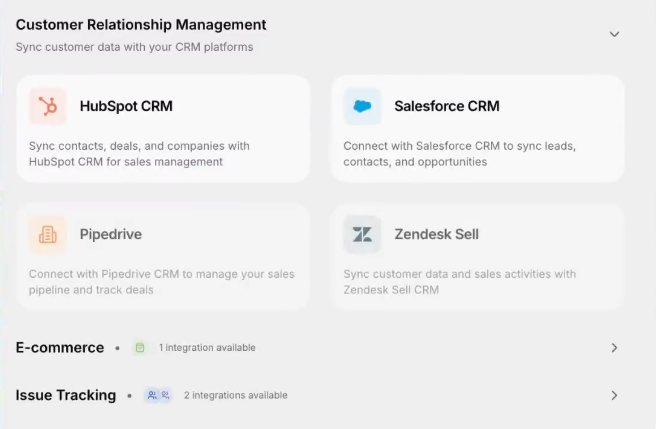
Open.cx can do more than retrieve an article and write an answer. Its visual workflow builder and API actions let the agent check customer data, update records, process an approved refund, or trigger another operational step.
This is also where implementation risk grows. Each write action needs scoped authentication, limits, failure handling, auditability, and a human fallback. Test permissions, edge cases, and reversals against your own systems.
Open.cx documents inspect and debug modes that show the knowledge, actions, and prompts used in a session. That visibility should make failed actions easier to investigate than a black-box answer score alone.
Helpdesk and integrations
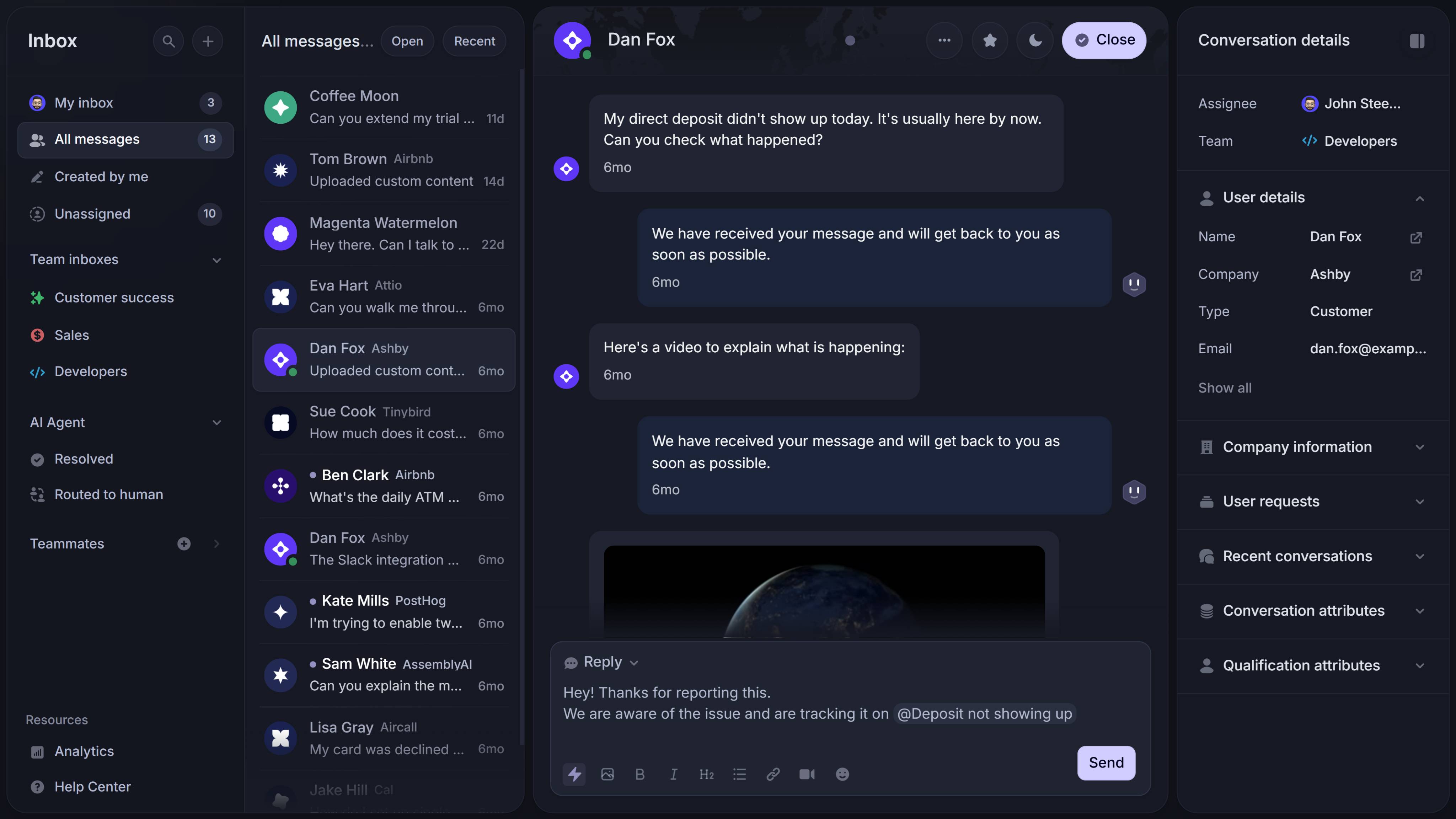
Open.cx includes its own AI-native helpdesk and unlimited human-agent seats. Teams that want to consolidate can use its inbox, macros, routing, SLAs, and reporting without paying a separate Open.cx seat charge.
Teams that want to keep their current workflow can connect platforms such as Zendesk, Intercom, Salesforce, Freshdesk, HubSpot, and Twilio Flex. A human handoff can send the transcript and session context into the connected helpdesk, reducing the need for the customer to repeat the issue.
The bring-your-own-helpdesk option lowers migration risk, but it may not lower total software spend. If the old helpdesk remains active, its licenses and add-ons still belong in the business case.
Knowledge management and observability
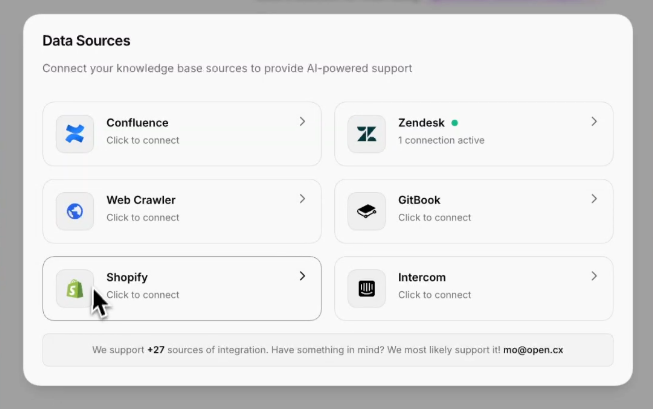
Open.cx can ingest content from websites, knowledge bases, file-storage tools, databases, and business systems. Published connectors include Notion, Confluence, Google Docs, GitHub, SharePoint, Shopify, Snowflake, and BigQuery.
The platform also identifies knowledge gaps and learns from resolved tickets. That can shorten the loop between support conversations and better documentation, but generated or suggested content still needs an owner who checks policy accuracy, removes duplicates, and approves customer-facing changes.
Do not judge this layer only by automation rate. Track customer service metrics such as first-contact resolution, reopenings, escalation quality, customer satisfaction, incorrect actions, and cost per accepted resolution.
Outbound support and analytics
Outbound sequences are included across email, SMS, WhatsApp, phone, and proactive chat. Teams can import audiences, personalize outreach, branch based on responses, and return outcome data to connected systems.
Open.cx says it bills inbound tickets the AI resolves rather than outbound sequences. Delivery and carrier costs can still apply, and outbound calling introduces consent, opt-out, do-not-call, and time-of-day requirements that vary by market.
Analytics cover conversations, handoffs, outcomes, customer insights, and knowledge gaps. The platform also exposes APIs and webhooks for teams that want events and performance data in their own reporting stack.
Open.cx pricing
Open.cx costs $0.75–$0.90 per AI-resolved ticket, with lower contracted rates at higher monthly volume. Open does not publish the thresholds, and accounts above 100,000 monthly resolutions receive custom pricing.
| Pricing component | Published cost |
|---|---|
| AI-resolved ticket | $0.75–$0.90 |
| Ticket handed to a human | Free |
| Setup fee | $0 |
| Monthly platform fee | $0 |
| Human-agent seats | Unlimited |
| Per-message or per-channel fee | $0 |
| Carrier and delivery costs | Passed through at cost |
| More than 100,000 monthly resolutions | Custom rate |
The rate includes channels, the helpdesk, telephony software, outbound, workflows, knowledge management, onboarding, and support. Carrier costs are separate and Open says they are typically below $0.10 per resolution.
The most important contract term is the resolution definition. Open says a billable ticket is handled end-to-end without a human, with the customer confirming the outcome or not reopening it. The agreement should cover the reopening window, repeat contacts, partial completion, disputes, and credits for incorrect actions.
Outcome billing aligns fees with automation, but spend rises with ticket volume and AI performance. Model normal, peak, and growth months before signing.
Example: If Open.cx resolves 6,000 tickets in a month, the published platform range is $4,500–$5,400, before carrier costs and taxes.
Open also advertises a 120-day refund guarantee covering Open-related spend up to $2 million. Buyers should confirm eligible charges, exclusions, claim requirements, and payment timing in the contract.
Open.cx pros and cons
Open.cx's strengths and limitations become clearer when translated into operational consequences.
Open.cx pros
- Broad channel coverage: Voice, chat, email, WhatsApp, SMS, Slack, Teams, social, and outbound operate from one AI layer.
- Action-led automation: API actions let the agent complete work instead of stopping after an answer.
- Flexible helpdesk strategy: Teams can use the included helpdesk or keep an existing platform during deployment.
- No seat or channel licenses: Human-agent headcount and additional support channels do not add Open.cx platform fees.
- Free human handoffs: Open does not charge its resolution fee when the AI transfers a ticket to a person.
- Useful observability controls: Inspect mode, action traces, PII redaction, and scoped API access support safer operations.
- Included onboarding: A named solutions engineer, AI trainer, white-glove onboarding, and 24/7 support are listed as part of the rate.
Open.cx cons
- Variable monthly spend: Higher ticket volume and better automation both increase the invoice.
- Unpublished discount tiers: Buyers see the $0.75–$0.90 range but not the resolution thresholds that determine each price.
- Knowledge and integration dependency: Poor documentation or limited backend access can reduce the share of tickets the AI finishes correctly.
- Carrier costs remain separate: Voice, WhatsApp, and delivery infrastructure are not completely free.
- Limited independent customer evidence: A thin review footprint makes it difficult to validate usability and long-term reliability across many deployments.
- Implementation is still a project: Action permissions, testing, governance, security review, and ongoing tuning require internal time.
- Public security language is inconsistent: Buyers should verify current certification status using audit documents rather than marketing badges alone.
Security and procurement considerations
Open.cx materials describe EU data storage in Frankfurt, AI processing in Sweden, TLS 1.3 in transit, AES-256 encryption at rest, PII redaction, SSO, role-based access, and audit logs.
Its subprocessor page names AWS in Frankfurt and Azure OpenAI in Stockholm. Architecture documentation also covers data flow and helpdesk handoffs.
The certification status deserves a direct question. Current Open.cx pages display SOC 2 Type II and ISO 27001 badges, while a January 2026 feature sheet labels SOC 2 Type II as "in progress." Another integration page crawled during research says the company is "working toward" Type II.
That mismatch does not prove the current badge is wrong. It means procurement should request the actual evidence and confirm dates, scope, and product coverage before relying on it.
Ask for this packet before the pilot:
- SOC 2 Type II report and bridge letter: Confirm the audit period, system scope, exceptions, and whether the AI product is included.
- ISO 27001 certificate and scope statement: Check which company entities, locations, and services are covered.
- Data processing agreement: Review residency, transfer mechanisms, deletion, breach notification, and liability terms.
- Current subprocessor list: Confirm every model, infrastructure, analytics, and support provider that can process customer data.
- Data-flow diagram: Trace storage, inference, integrations, human access, backups, and derived data.
- Deletion and export procedure: Confirm what happens to transcripts, recordings, embeddings, summaries, logs, and backups when data is removed.
Who should use Open.cx?
Open.cx fits teams whose support operation is complex enough to use its channel breadth and action layer.
Open.cx is a good fit for
- High-volume support operations: Benefit from per-resolution automation at scale
- Teams supporting voice and digital channels: Run them from one operating model
- Companies with useful backend APIs: Let the AI complete refunds, updates, lookups, and other actions
- Businesses keeping an existing helpdesk: Add a cross-channel automation layer without migrating first
- Global teams with EU residency requirements: Can validate the vendor's contractual and audit documentation
- Organizations prepared to run a measured pilot: Set quality, security, and financial acceptance criteria
Open.cx is a weaker fit for
- Low-volume teams: Mainly need a shared inbox and basic automation
- Companies requiring fixed monthly spend: Do not want costs tied to volume or AI performance
- Teams with outdated knowledge and limited API access: Cannot support action-led automation yet
- Buyers seeking a large independent review history: May find the public evidence too thin
- Support operations that only need chat and email: Would not use voice, social, outbound, or advanced workflows
- Companies without implementation ownership: Lack coordination across support, operations, security, and engineering
If you are still deciding what belongs in the underlying stack, compare the available help desk software options before treating Open.cx as either an add-on or a replacement.

Get the fastest AI-powered Support Inbox
Support your customers from anywhere with an AI-powered omnichannel inbox
Open.cx review verdict
Open.cx is a strong contender for medium-to-large support operations that want one AI agent across voice and digital channels. Its biggest strengths are product breadth, action-led automation, flexible helpdesk deployment, and pricing tied to completed work rather than seats or messages.
The simple unit price does not make deployment simple. Results depend on knowledge quality, available APIs, the billable-resolution definition, and how carefully the team tests actions and handoffs.
Independent review evidence also needs context. Zekai gives Open.cx a 9.3/10 editorial score, but that is its own assessment rather than an average of verified customer ratings. At the time of research, G2 showed a 4.8/5 score based on 2 reviews, published roughly 2 years apart. One accessible review described Open.cx as easy to navigate and implement, but 2 reviews are too small a sample for reliable customer sentiment.
Verdict: Shortlist Open.cx if you need high-volume, omnichannel automation and can support a real implementation project. Compare more predictable options if your volume is low, your support is mainly chat and email, or a fixed monthly budget matters more than platform breadth.
A lower-cost Open.cx alternative

Featurebase is a modern AI customer support platform for product-led SaaS. It combines AI-powered support, help center, and feedback management into a single platform for startups that want all their customer-facing tools in one place. Featurebase is loved by thousands of support teams from companies like Lovable, Raycast, and n8n. 💫
Top features:
- Omnichannel inbox – Manage live chat, email, and Slack conversations from one AI-powered view
- Fibi AI Agent - Resolve customer issues on autopilot & run custom actions like trial extensions and refunds
- Help center with AI search – Provide instant, multilingual self-serve answers
- Workflows & automations – Auto-assign tickets, route conversations, collect customer data, and more
- AI Copilot – Help your agents answer customers faster with AI Copilot that uses your internal knowledge
- Multi-brand support – Manage multiple Help Centers and Live chats from a single workspace
- Automatic AI translations – Automatically translate all messages and help articles to your customers native language
- Service Level Agreements – Track SLAs to make sure your team responds to customers on time, every time
- Mobile app – Respond to customers, receive notifications, and unblock users on the go
- Feedback & roadmap tools – Collect feature requests and close the loop with updates
- Product updates – Publish release notes with a changelog page, in-app widget, and emails
- Integrations – Connects with Slack, Linear, Jira, HubSpot, and more
Pricing: Free plan available with unlimited conversations. Paid plans start at $29/seat/month with $0.49 per AI resolution.
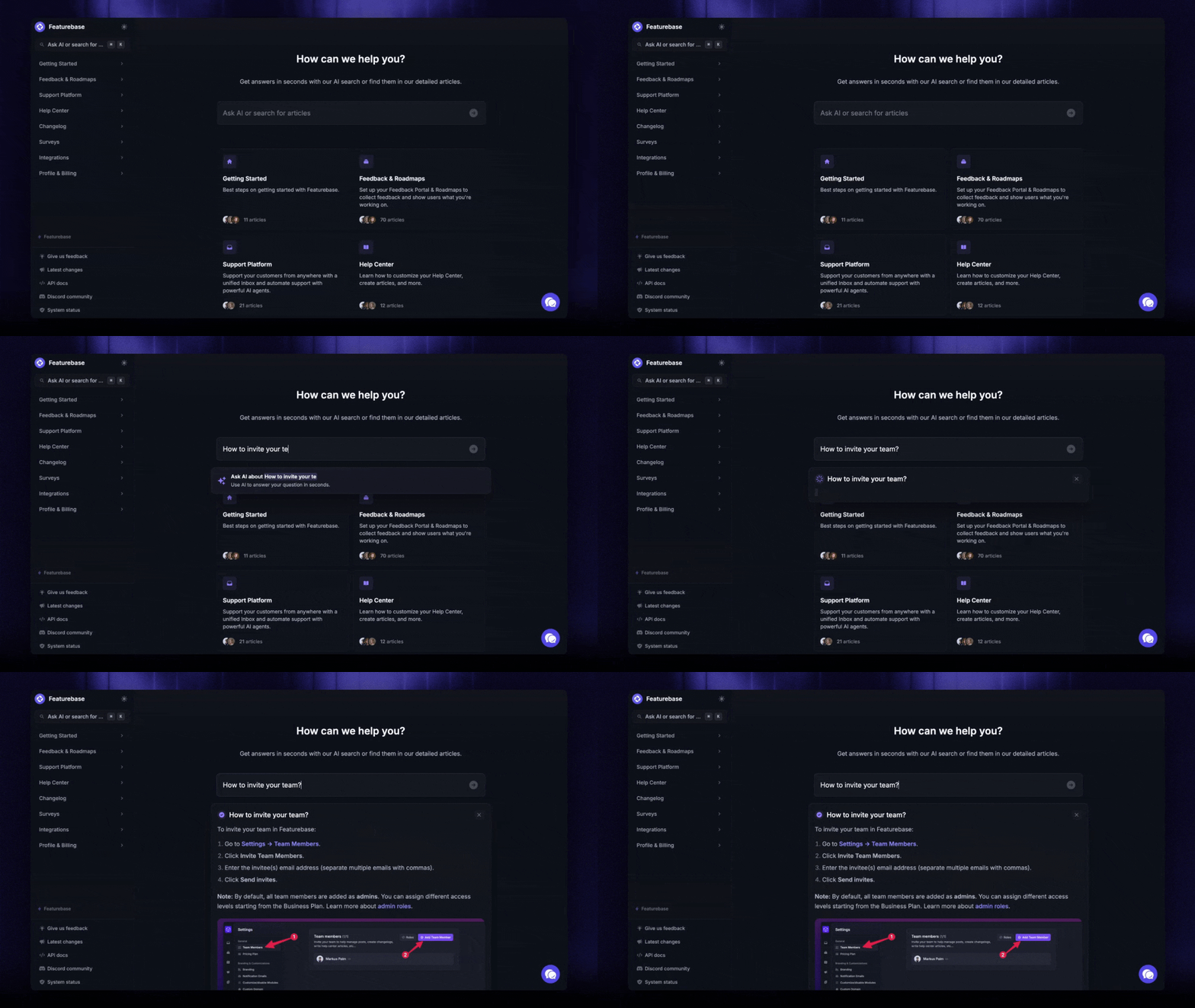
Featurebase covers all the basic support features that legacy platforms do, but with a much more modern approach. It comes with AI automations, a mobile app, and multiple channels such as email, live chat, and Slack.
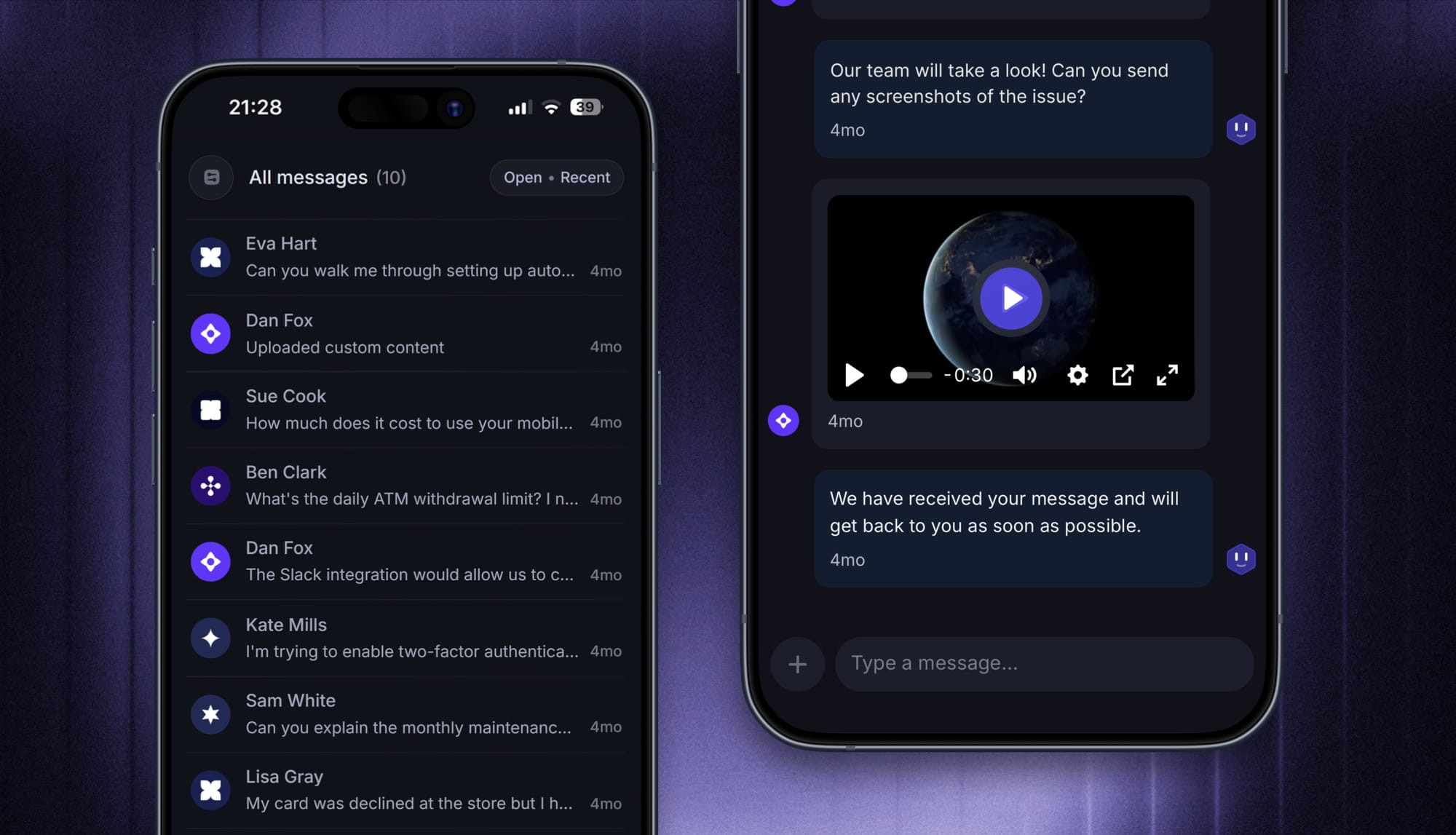
Open.cx is stronger when native voice, social channels, large-scale outbound, or an enterprise-helpdesk automation layer is essential. Featurebase is easier to justify for product-led SaaS teams that want support, self-service, and feedback in one customer experience platform, with a Free plan and lower AI-resolution price.
✨ Explore Featurebase’s AI-powered support platform →
Is Open.cx worth it?
Open.cx is worth shortlisting for high-volume teams that need AI across voice and digital support, want backend actions, and can manage a serious implementation. Final value depends on resolution quality, remaining human work, carrier expenses, and the systems Open.cx can safely access.
Run a pilot with real historical tickets and written acceptance criteria. Measure accepted resolutions, reopenings, incorrect actions, human handoff quality, customer satisfaction, peak-month cost, and the internal effort required to maintain the system.
Featurebase is the more accessible option for SaaS teams that want an AI-powered inbox, Fibi AI Agent, help center, workflows, mobile support, and feedback tools without beginning with an enterprise-scale voice deployment. It has a Free plan with unlimited conversations, so you can test the support workflow before adding AI usage. 👇
✨ Automate your support with the fastest AI-enhanced Inbox today →

FAQs
Is OpenCX the same product as Open.cx?
Yes. Open.cx is the company's public brand and domain, while its product documentation often writes the name as OpenCX. Some pages shorten the brand to Open, but they refer to the same AI customer support platform.
How fast can Open.cx be deployed?
Open.cx describes deployments measured in days, but there is no universal setup time. A chat pilot can move faster than a voice and workflow rollout involving security review, multiple integrations, API actions, and knowledge cleanup.
How does Open.cx handle L2 and L3 support tickets?
Open.cx combines approved knowledge with connected customer data and API actions to work through multi-step issues. Whether it can safely resolve a specific L2 or L3 ticket depends on the required system access, workflow rules, and fallback design.
What happens if a connected helpdesk is unavailable?
Open.cx describes third-party helpdesk handoffs as best-effort. If the external API is unavailable, the platform retries the handoff and surfaces a failure event that the team can monitor and handle.
How many languages does Open.cx support?
Open.cx says its AI supports more than 100 languages. Buyers should test their highest-volume languages with real terminology, accents, policy language, and handoff scenarios because a language count does not prove equal quality across every locale.
Can Open.cx limit AI to certain channels or topics?
Yes. Open.cx documents per-channel Autopilot controls and topic gating, so a team can disable AI on one channel or allow it to answer selected topics while handing others to humans. These controls should be part of pilot testing for sensitive or regulated requests.
Does Open.cx offer a free trial?
Open.cx does not publicly list a Free plan or standard self-serve trial on its pricing page. It promotes paid outcome-based access and a 120-day refund guarantee, but buyers should not treat that contractual guarantee as equivalent to a free trial.