Manychat Review 2026: Pricing, AI Features, Pros & Cons
Is Manychat worth it in 2026? Explore its current pricing, AI features, free-plan limits, pros and cons, and where it fits your business


On this page
Psst... Looking for a modern & affordable alternative to ManyChat? Check out Featurebase
Manychat promises to turn your Instagram comments into DMs, leads, and sales on autopilot. It is one of the most popular chat automation tools in the world, and for good reason.
But its March 2026 pricing overhaul introduced monthly active-contact billing and a much smaller free plan for accounts on the new model. Its AI features have changed, too.
So is Manychat still worth it? This review breaks down its features, the real 2026 pricing, and an honest verdict on who it is actually for. 👇
Key takeaways:
- Best for: Social DM automation, especially turning Instagram and Facebook comments into conversations and leads.
- Paid plans start at $17/month: Essential costs $14/month with annual billing. The new Free plan includes 25 monthly active contacts and 4 live automations.
- AI is included from Pro: Current plans offer AI-powered conversations and content-based replies. Availability depends on the feature and channel.
- Costs follow active usage: Inactive stored contacts do not count toward the new monthly allowance. Campaign activity, extra Inbox seats, and messaging charges can increase your bill.
- Featurebase ✨: A dedicated option for teams that need in-product customer support, a help center, and feedback management.
What is Manychat?
Manychat is a chat automation platform for building chatbots on Instagram, Facebook Messenger, WhatsApp, TikTok, SMS, and Telegram. It also supports email and is an official Meta Business Partner. Channel access depends on your plan and regional availability.
The pitch is simple. Someone comments on your Instagram post or sends you a DM, and Manychat automatically replies, qualifies them, and pushes them toward a signup or a sale, often by delivering engaging lead assets created with a presentation maker to keep prospects interested.
Most people reach for it to do 3 things:
- Capture leads automatically from social comments and DMs
- Send broadcasts and sequences to re-engage their audience
- Automate FAQs so they are not answering the same questions by hand
It sits firmly in the marketing and sales corner. Manychat can also answer basic customer questions and hand conversations to a person, but its main strength is getting people into conversations and moving them down a funnel.Manychat's main features
Manychat packs a lot into one platform. Here are the parts that actually matter when you are evaluating it.
Manychat's main features
Manychat packs a lot into one platform. Here are the parts that actually matter when you are evaluating it.
Flow Builder
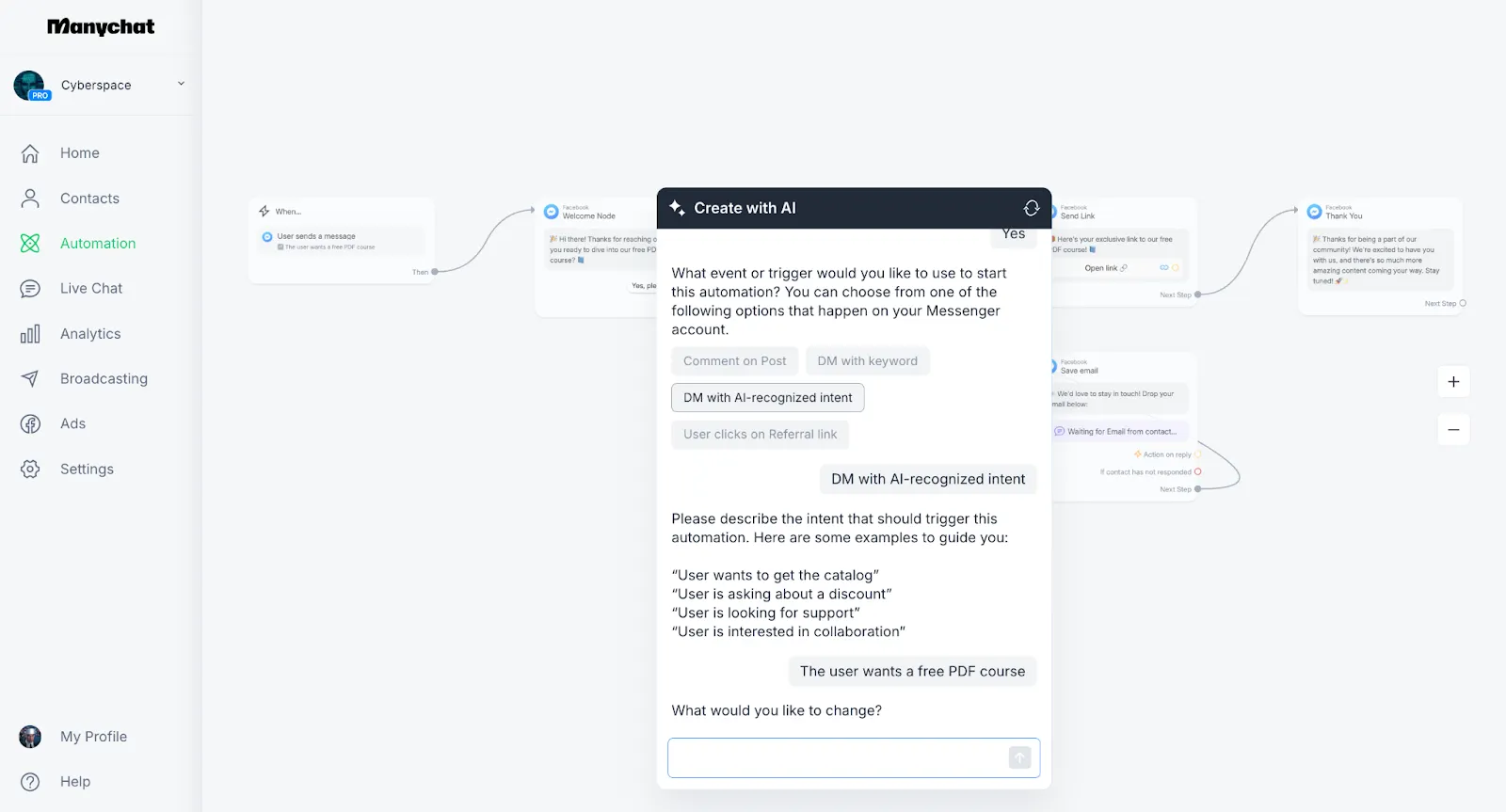
Manychat's flow builder is easy to start with, but larger automations can quickly turn into a maze of branches.
The Flow Builder is the heart of Manychat. It is a drag-and-drop canvas where you map out what your bot says, what buttons it shows, and where each reply leads next.
The visual layout makes it approachable for non-technical marketers. You can put together a working automation without code, and it is powerful enough to handle multi-step funnels once you grow into it.
The catch is that very large flows with lots of branches get hard to read and maintain. What feels clean at 5 steps can turn into spaghetti at 50.
Start with a short chatbot script and a clear outcome. A flow that delivers a guide and asks 1 useful question is easier to maintain than a bot trying to handle every possible request.
Growth Tools
Growth Tools are how you push traffic into your automations, and they are Manychat's real standout.
The headline feature is comment automation: when someone comments a keyword on your Instagram or Facebook post, Manychat automatically slides into their DMs and starts a conversation. It is one of the simplest ways to turn social comments into leads at scale.
Other entry points include Story replies, scannable QR codes, and referral links that open a messaging conversation. These send people into a supported channel rather than creating a full website support widget.
A simple lead-magnet workflow could look like this:
- Start the conversation: Invite people to comment "GUIDE" on a relevant post and trigger an opening DM.
- Deliver the resource: Share the promised guide and invite the person to reply with what they need help with.
- Use the response: Tag their interest and send the relevant next step, or hand the conversation to a person.
This is where chatbot lead qualification becomes useful. The goal is to learn something that changes your next response, instead of collecting contacts with no follow-up plan.
AI features
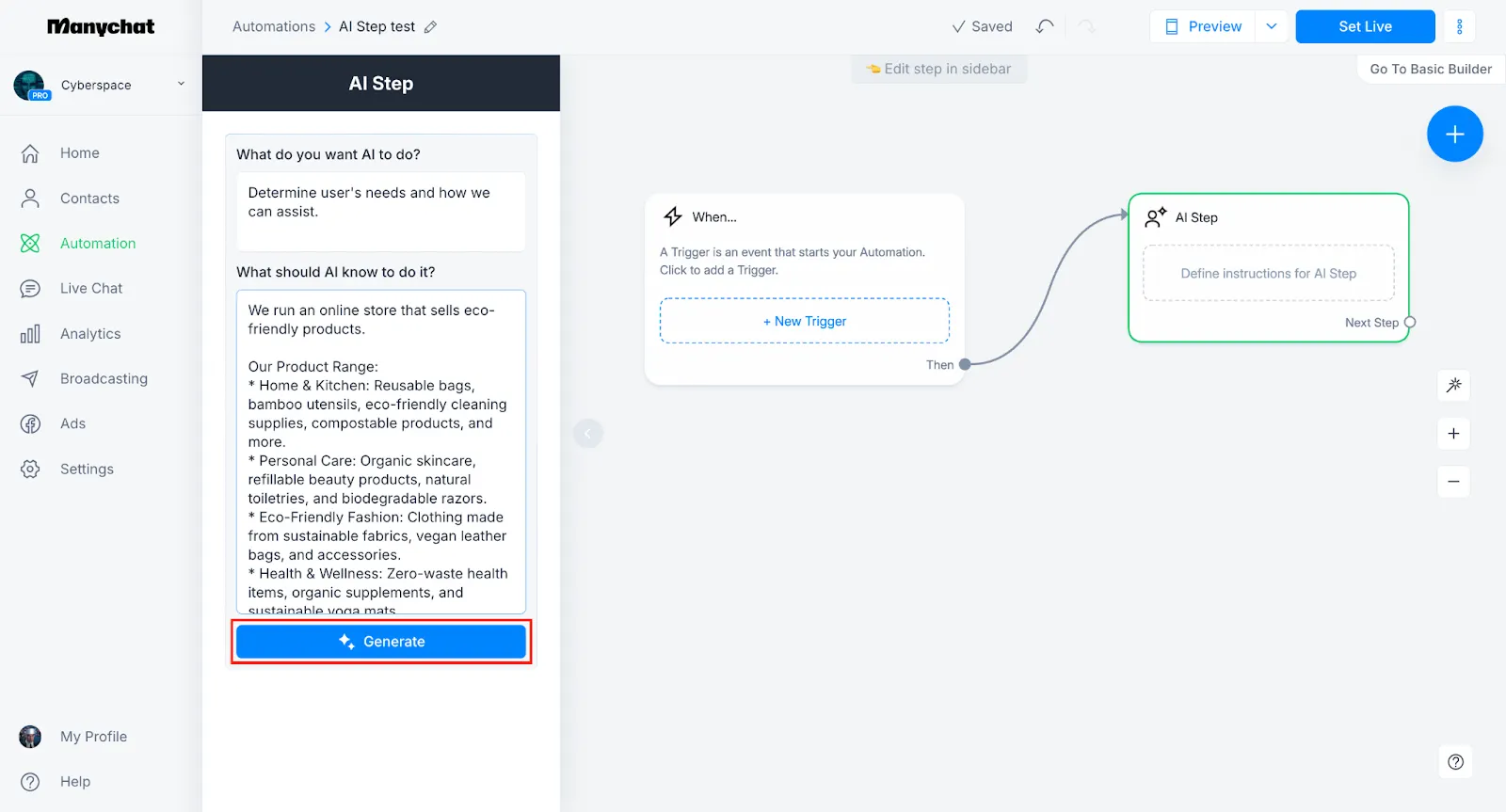
Manychat now offers more than keyword-triggered flows. On the new pricing model, AI is included from Pro, so you should not automatically add a separate $29 AI subscription to your budget.
Its AI tools serve different purposes:
- AI Step uses your goals and instructions to handle more flexible exchanges within an automation.
- AI Replies uses business knowledge to answer questions, while intention recognition can identify what someone means without an exact keyword match.
- The AI Flow Builder Assistant and text tools help create automations and improve message copy.
There are still limits. As of September 2026, AI Knowledge is an Instagram feature in beta that accepts text and individual public webpage links. It does not automatically crawl your whole website or read uploaded PDFs.
That makes it useful for answering questions about an offer, opening hours, or a product range, provided you supply the right information. Before relying on it, test the questions customers actually ask and check which AI features work on your chosen channel.
Live chat and Inbox
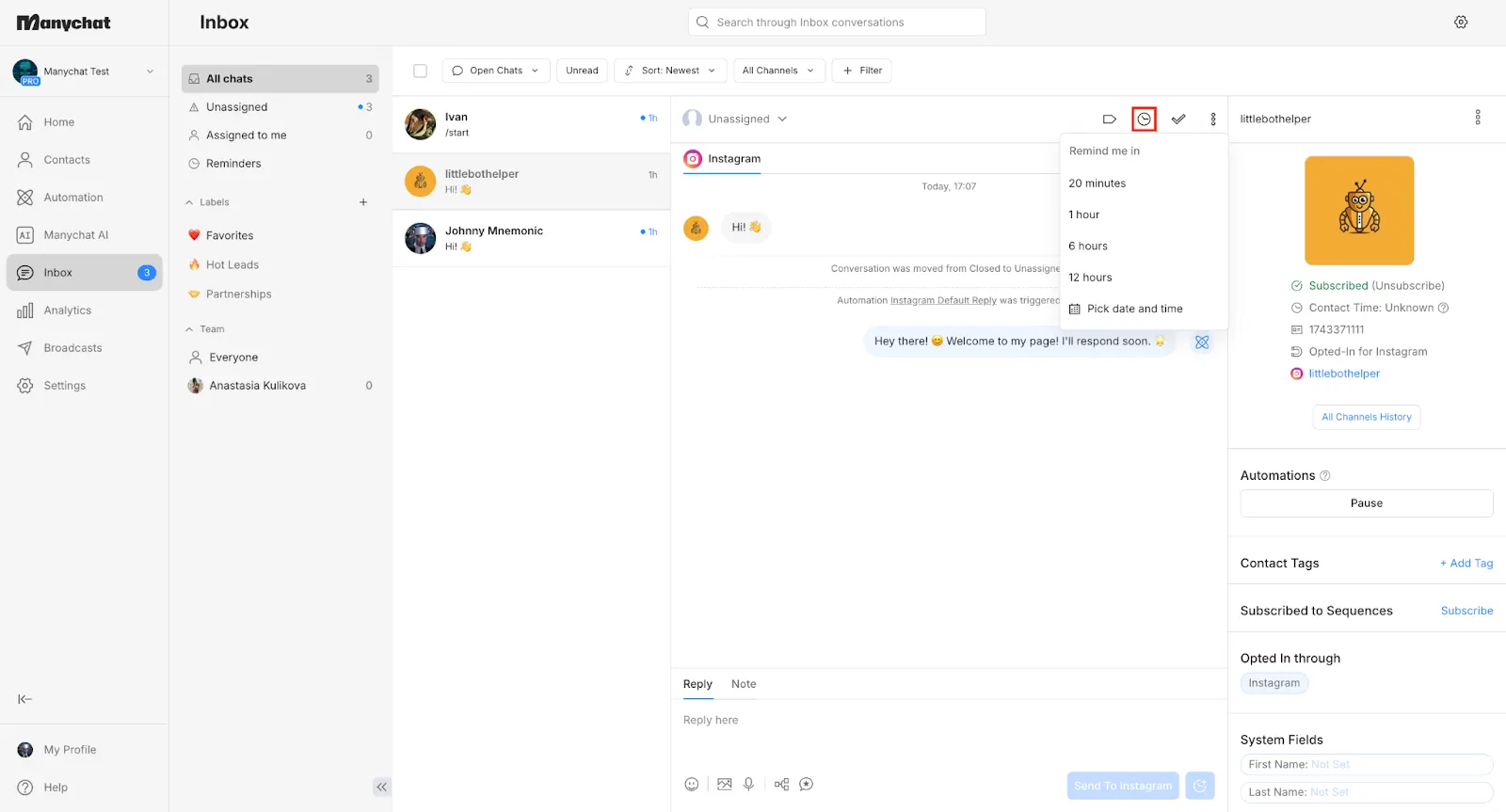
When a bot cannot handle something, Manychat hands the conversation to a human through its Inbox.
Under the new plans, Free and Essential include 1 Inbox seat, Pro includes 2, Business includes 3, and Advanced includes 5. Additional Inbox seats cost $25/month on eligible paid plans, subject to the plan's seat limit.
Business adds team assignments, making it more useful when several people handle conversations.
If you need live chat software for a wider support operation, compare the whole workflow. A social inbox and a support workspace with ticketing, a help center, and SLAs serve different needs.
Channels and integrations
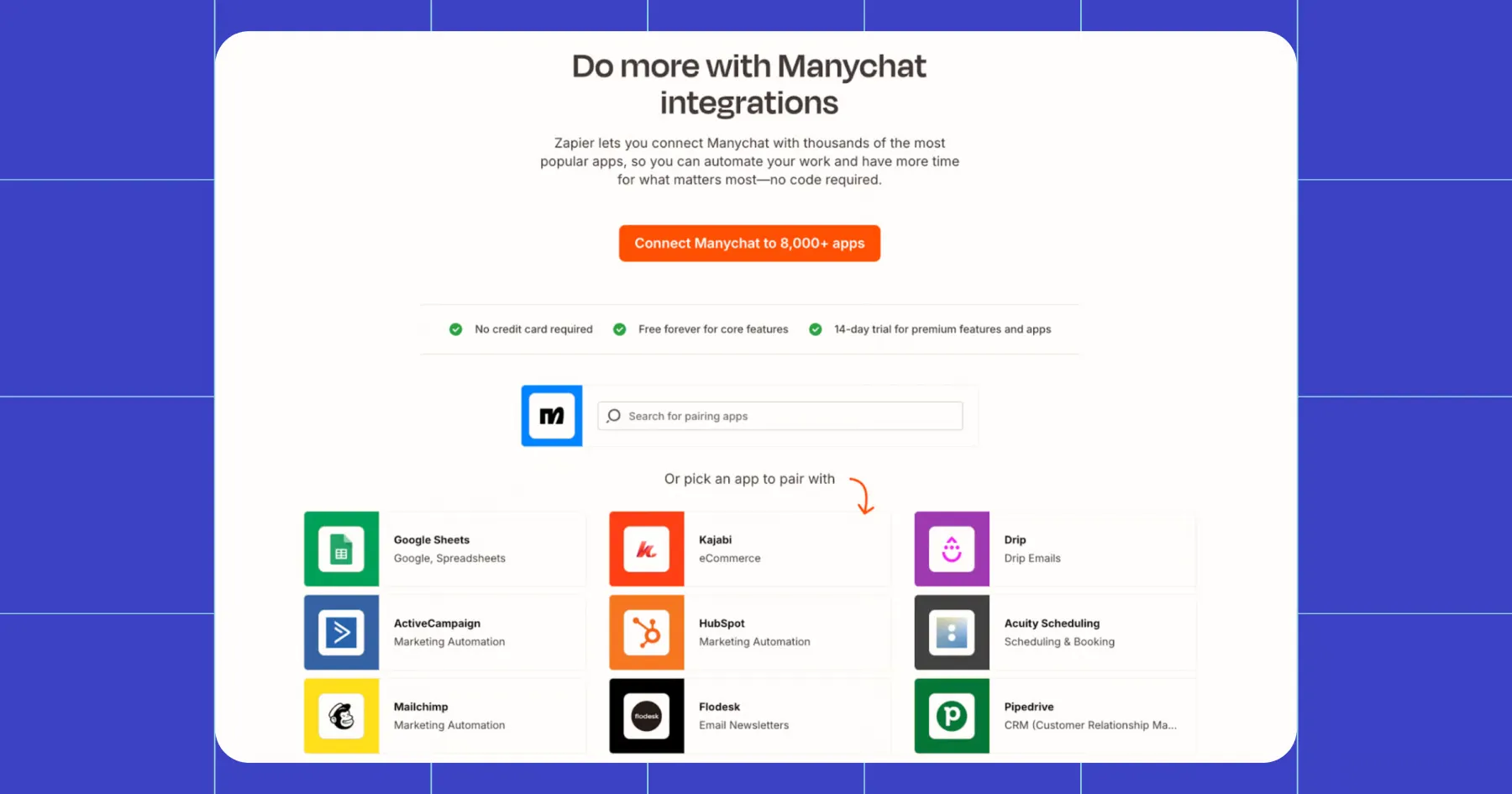
Manychat works across Instagram, Facebook Messenger, WhatsApp, TikTok, SMS, Telegram, and email. One annoyance is that you often have to build messages separately per channel, so a true omnichannel bot is more work than it looks.
The new Free and Essential plans allow 2 eligible channels, while Pro allows 3 and unlocks WhatsApp, SMS, and email. Business and Advanced remove the connected-channel limit, subject to availability.
These limits describe web subscriptions. Plans bought through the mobile app exclude WhatsApp, SMS, and email, even on Pro.
Google Sheets integration is included from Essential, while Pro adds broader integrations and API access. Check the exact connection your workflow needs instead of assuming every app integration is native or included on every plan.
Channel rules also matter. Instagram and Messenger automations generally need to stay within 24 hours of a user's interaction, and WhatsApp messages outside its customer-service window require approved templates. Your automation needs to account for those limits.
Analytics and reporting
Manychat includes automation insights to help you review engagement. Team reporting also matters once several people share the Inbox, with access depending on your plan.
Use those numbers alongside the outcome you care about. For a lead-magnet campaign, track how many conversations produce qualified leads or sales, then compare that result with your active-contact and messaging costs.
Manychat pricing in 2026
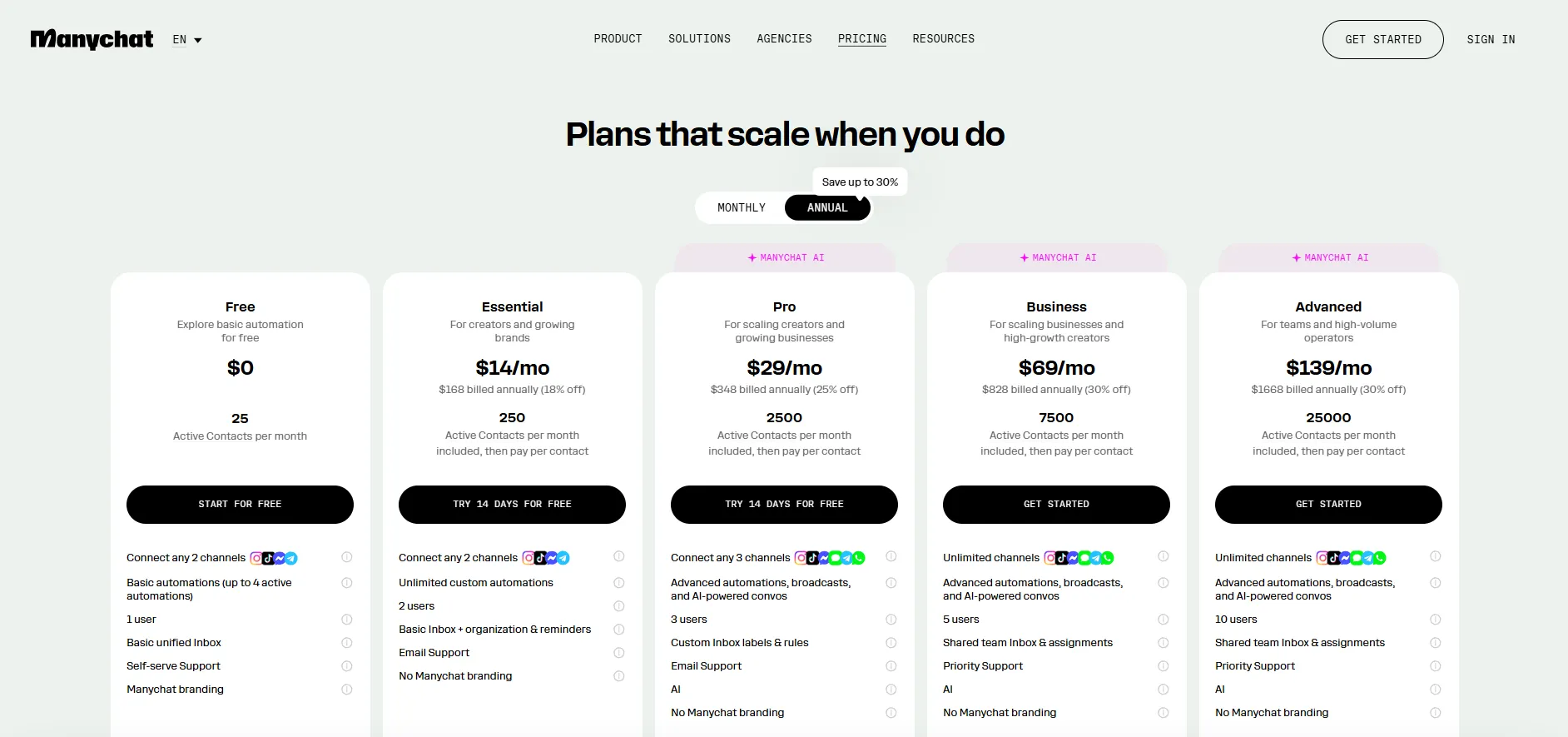
Manychat's new plans include a monthly active-contact allowance, with extra charges when usage goes above it.
Manychat introduced its new plans on March 2, 2026. They apply to eligible new accounts, while existing accounts move over gradually depending on region. If you already use Manychat, your account may still show legacy pricing.
As of September 2026, the advertised USD prices for the new web subscription plans are:
| Plan | Monthly billing | Per month, billed annually | Monthly active contacts included |
|---|---|---|---|
| Free | $0 | $0 | 25 |
| Essential | $17 | $14 | 250 |
| Pro | $39 | $29 | 2,500 |
| Business | $99 | $69 | 7,500 |
| Advanced | $199 | $139 | 25,000 |
Annual prices require an annual subscription. Plan availability and pricing can vary by billing country, and usage charges are separate.
Which plan makes sense?
- Free: Try the builder with 4 live automations, 2 eligible channels, and Manychat branding. The 25-active-contact allowance leaves little room for a campaign.
- Essential: Run unlimited automations with 250 monthly active contacts. A practical starting point for simple flows that do not need AI or WhatsApp.
- Pro: Get AI, broader integrations, more channel options, and 2,500 monthly active contacts. This is the starting point for teams evaluating Manychat's current AI tools.
- Business: Get 7,500 monthly active contacts, more seats, team assignments, and priority support.
- Advanced: Get 25,000 monthly active contacts and higher team capacity. Compare its base price against lower-plan overages if your usage is consistently high.
Essential and Pro offer a 14-day trial. For more detail, see our Manychat pricing breakdown.
How active-contact billing works
An active contact is someone who sends or receives a message through Manychat during the billing month. That includes automations, AI, broadcasts, and Inbox conversations. Each contact counts once within that month, although separate identities across channels can count separately.
Stored contacts with no messaging activity do not count. Your active-contact allowance resets each month, including on an annual subscription.
On monthly billing, extra active contacts cost $0.10 on Essential, $0.05 on Pro, and $0.025 on Business. Advanced's rate starts at $0.004 and can fall with higher usage. Annual subscriptions use different overage rates.
Example: A Pro account on monthly billing with 3,000 active contacts costs $39 + (500 × $0.05) = $64 for that month, before extra seats, messaging fees, or taxes. Having additional inactive contacts stored in the account does not change that calculation.
A viral campaign can still increase your bill because it activates more contacts. You can set an overage threshold to control spending, but reaching it limits your ability to message additional new active contacts.
Other costs to budget for
Extra Inbox seats and channel usage can raise the total. WhatsApp template messages are charged per delivered message, with rates depending on the message category and destination.
From October 1, 2026, Manychat also charges for WhatsApp service messages after the first 1,000 per business phone number each calendar month. Messages sent by customers to your business remain free, and some free-entry-point exceptions apply.
Budget for the combination of subscription, active contacts, team seats, and messaging usage. Comparing only the headline plan price misses part of the cost.
Manychat pros and cons
After all the features and pricing, here is the honest balance sheet.
What Manychat does well ✅
- Comment-to-DM automation: A useful way to turn Instagram and Facebook engagement into lead-magnet delivery and sales conversations.
- A visual flow builder: Build structured automations without code, then add branches as your campaigns become more complex.
- AI alongside scripted flows: Use flexible conversation steps and knowledge-based replies where the relevant AI features are available.
- Broad channel coverage: Manage social messaging across several platforms, with email and SMS available on eligible plans.
- A free testing option: Explore the builder before paying, provided the small active-contact allowance suits your test.
- Official Meta integration: Connect supported accounts through an established platform that uses Meta's official APIs.
Where Manychat falls short ❌
- Campaign activity can raise costs: Overages follow active contacts, with messaging fees and extra Inbox seats adding to the total.
- AI availability is uneven: Features differ by channel. AI Knowledge currently focuses on Instagram and does not ingest PDFs or crawl entire websites.
- Large flows need maintenance: Branches, offers, and channel-specific messages can become harder to manage as your automations grow.
- The Free plan is restrictive: Its 25 monthly active contacts and 4 live automations make it most useful for a small test.
- Support access varies by plan: Free relies on self-service resources, while higher tiers offer priority support. Check the support level included in the plan you are considering.
- Platform rules still apply: Messaging windows and channel permissions limit what an automation can do, even when the integration is official.
Is Manychat worth it?
For what it is built to do, yes. If your goal is to turn Instagram and Facebook engagement into DMs, leads, and sales, Manychat is an approachable option. The flow builder and comment automation make it a good fit for repeatable social campaigns.
The main buying decision is whether those conversations produce enough value to cover the cost. Estimate your monthly active contacts, confirm the channels and AI features you need, and include any extra seats or WhatsApp charges before choosing a plan.
For basic lead-magnet delivery, Essential may be enough. Pro becomes more relevant when you need AI or WhatsApp, while larger teams should compare Business and Advanced against the cost of overages.
If your real goal is to support and listen to customers inside your product, look at ticketing, help-center, and feedback tools as well. Plenty of teams happily run Manychat for top-of-funnel social DMs and a dedicated support platform for everything after the sale.
Our chatbot vs live chat comparison can help you decide which conversations to automate and where human support adds more value.
Conclusion
Manychat is worth it if your main goal is turning Instagram and Facebook engagement into DMs, leads, and sales. But it is not the best fit for supporting users after they sign up, building a help center, or collecting product feedback.
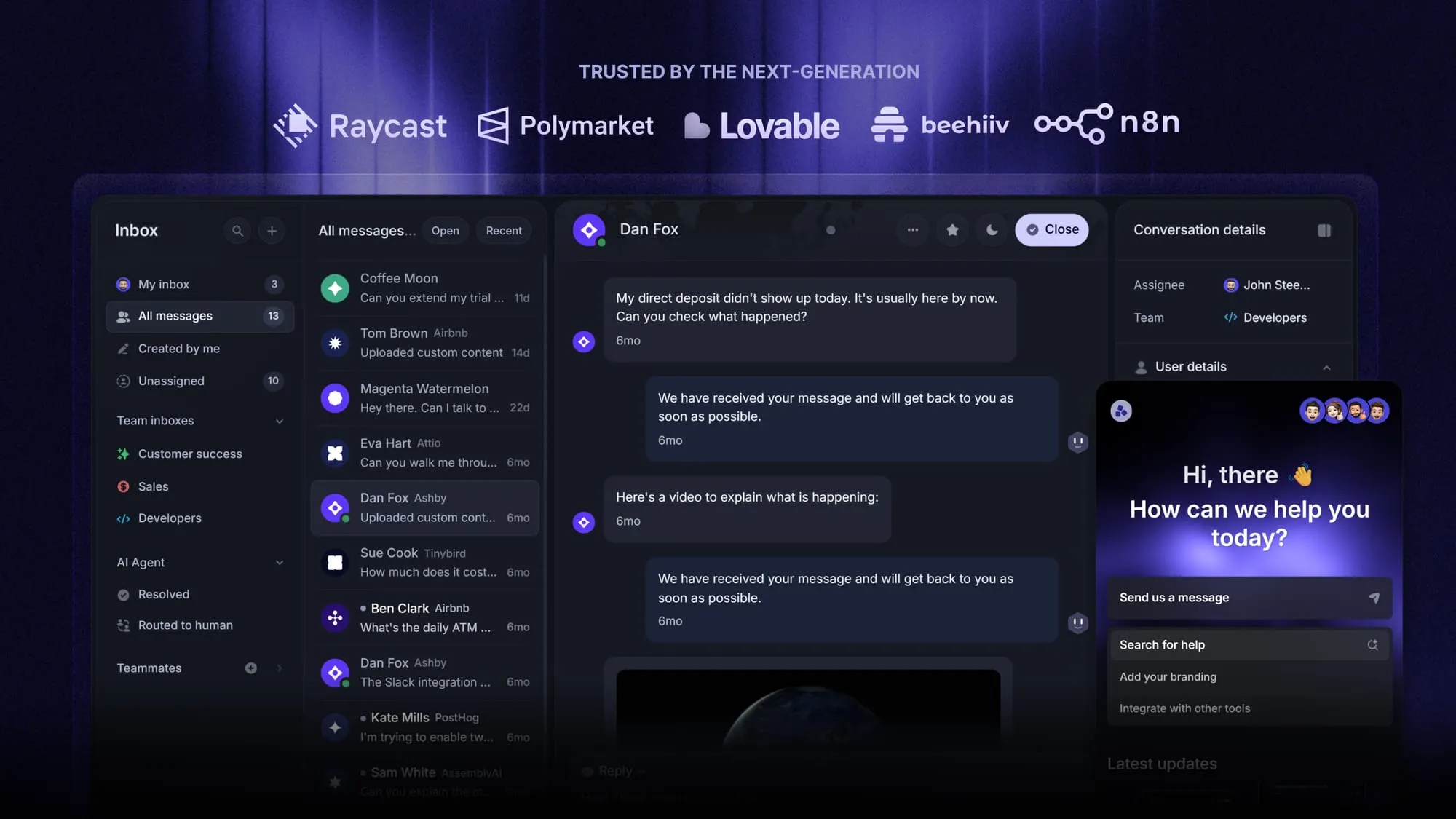
Featurebase is a modern AI customer support platform for SaaS teams. It helps you manage live chat, email, and Slack conversations from one inbox, answer common questions with an AI agent, create a help center, collect product feedback, and keep users updated with changelogs.
It has a free plan with unlimited conversations, and onboarding only takes a few minutes, so there is no downside to trying it. 👇
Looking for a modern & affordable alternative to ManyChat? Check out Featurebase
FAQs
Yes, but the free plan is far smaller than it used to be. After the March 2026 pricing change, the free tier covers only 25 contacts, down from 1,000. It now works as a sandbox to test the builder rather than a plan you can run a real audience on, so to grow past that you move to Essential (around $15/month) or higher.
For turning Instagram and Facebook comments into DMs and leads, yes. It is one of the easiest tools to start with and the flow builder needs no code. The main caveat is cost, because billing scales with your contact count, so a growing list can push your bill up quickly. It is worth it if social DM automation is core to your marketing and you keep an eye on contact growth.
Yes. Manychat is an official Meta Business Partner and complies with major security and privacy standards, including SOC 2 Type II, ISO/IEC 27001, and GDPR. It is used by over a million businesses, so it is an established, legitimate platform rather than a fly-by-night tool.
Not really. It is built for marketing and sales conversations, not support ticketing. It has a live chat inbox for handing off to a human, but it lacks the help center, ticketing, and SLA tools a support team needs. For in-product customer support and feedback, a dedicated platform like Featurebase is a better fit, while Manychat stays focused on social DMs.
Yes. Manychat is an official Meta Business Partner, which means its Instagram, Facebook, and WhatsApp automations are fully approved and run through Meta's official APIs. Some users do report occasional Instagram API hiccups like permission loops or broken triggers, which usually resolve by reconnecting the account.
It depends on what you need. For similar social and chat automation, Chatfuel and Tidio are the closest swaps, and our Manychat alternatives guide covers the main options. If you actually need customer support or product feedback rather than marketing DMs, you are looking at a different category of tool entirely.