Software Documentation: Definition, How-to + Top Tools in 2026
Learn what software documentation is, the main types, how to write it, and the best tools to create beautiful product docs in 2026.


On this page
- What is software documentation?
- Why is software documentation so important?
- What documentation software is not
- Types of software documentation
- 10 key principles of good software documentation
- How to write software documentation in 7 steps
- How AI fits into software documentation
- The best software documentation tools in 2026
- Conclusion
Create a beautiful AI-powered Help Center with Featurebase for free
You just bought a new air fryer, opened the box, and plugged it in, but you have no idea how it works or where even to get started. With a bag of frozen French fries in your hands, you sit confused for a second until you grab your phone and google the manual. When you build your own software and someone doesn't know what to do next, you're the person responsible for the manual.
Software documentation is writing about your product: how it works, what it can (and cannot) do, how to get unstuck, and just about every detail a potential user might want to know. In 2026 and in the age of AI, software documentation is more important than ever.
Today, we explain why software documentation exists, how you can get the most out of it, and which tools can help automate a good part of the process. 👇
Key takeaways:
- Software documentation is all the written content that explains what your product does, how it works, and how to use it - from help center articles to API references
- It pays off in fewer support tickets, faster onboarding, and product knowledge that survives team changes
- Most teams need several types at once: user-facing docs, developer docs, and internal process docs
- Write docs by starting with the answer, building around real user questions, and giving every page an owner
- AI makes documentation easier to search, draft, and maintain, but it needs clean source content to work well
- Featurebase✨ lets you create a beautiful AI-powered help center for free and serve help articles right inside your app
What is software documentation?
Software documentation is the written information that explains what a software product does, how it works, and how people should use it.
It helps users find answers, developers understand the system, and internal teams support the product without relying on scattered knowledge or repeated questions.
Software documentation can include:
- User guides
- Help center articles
- API documentation
- Setup instructions
- Troubleshooting guides
- Release notes
- Internal process docs
- Technical architecture notes
The goal is to make the software easier to understand, use, support, and improve.
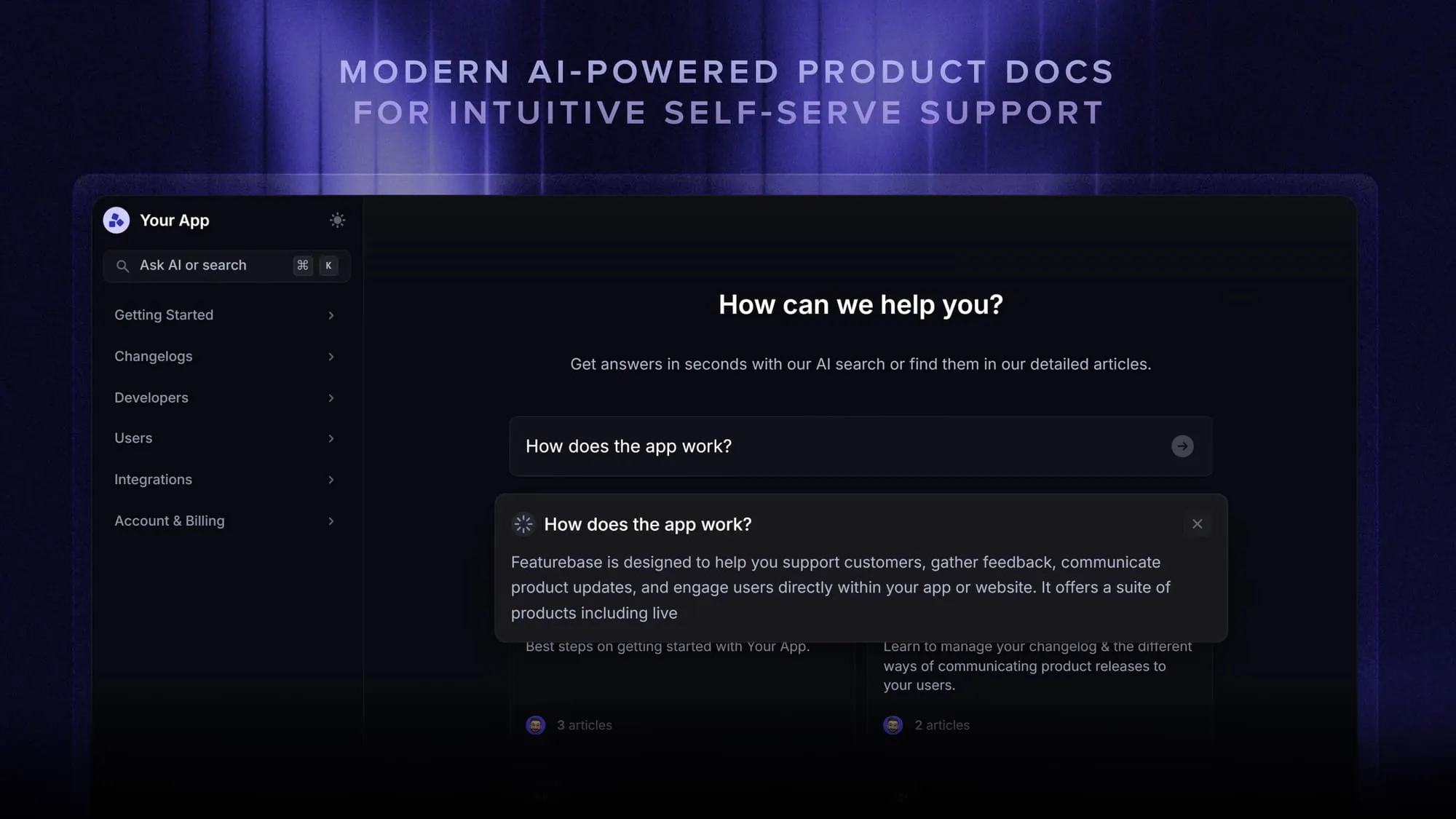
Why is software documentation so important?
Software documentation is important because it helps people get the right answer without guessing, waiting, or asking the same questions over and over.
For users, documentation makes the product easier to use. They can set up features, fix common issues, and understand what to do next without contacting support every time.
Self-service is also what most customers want. According to Harvard Business Review, 81% of customers attempt to take care of matters themselves before reaching out to a live representative.
For internal teams, it keeps product knowledge from getting trapped in Slack threads, support tickets, private notes, or one person's head. That matters as the product grows, the team changes, and the same questions keep coming back.
Good software documentation helps teams:
- Reduce repetitive support tickets
- Onboard users faster
- Help developers understand existing systems
- Keep product, support, and engineering teams aligned
- Explain new features clearly
- Preserve technical knowledge when employees leave
- Make updates easier to manage
- Create a better customer experience
Having good software documentation is not optional. If you want to provide an exceptional customer experience and help your customers resolve issues on their own, it's a must.
What documentation software is not
Documentation software is not a magic fix for messy knowledge.
A good tool can give your team a better place to write, organize, search, review, and publish documentation. It can make knowledge easier to manage. It can help users and employees find answers faster.
But it cannot turn unclear thinking into clear instructions. It cannot keep articles accurate without someone owning them. It cannot make people trust a knowledge base full of old, duplicated, or vague content.
That is where many teams get documentation wrong. They buy the tool, move a bunch of content into it, and expect the problem to go away. Then the same issues come back in a new place. People still ask questions in Slack. Support still repeats the same answers. Developers still explain the same systems over and over. Customers still get stuck.
The software is only the container. The real value comes from the quality of the information inside it.
Good documentation needs clear writing, regular updates, useful structure, and ownership. Without those, even the best documentation software becomes another place where knowledge gets buried.
Types of software documentation
Software documentation can cover anything from a quick help article for users to a detailed API reference for developers. The format depends on who needs the information and what they are trying to do.
Some documentation helps customers use the product. Some helps developers build with it. Some keeps internal teams aligned on how the system works, why decisions were made, and how issues should be handled.
| Type | Best for |
|---|---|
| User documentation | Helping customers understand features, complete tasks, and solve common problems without contacting support |
| Technical documentation | Explaining how the system works, including architecture, infrastructure, data models, and technical decisions |
| Developer documentation | Helping developers use APIs, SDKs, libraries, integrations, and code examples |
| API documentation | Showing developers how to authenticate, send requests, read responses, handle errors, and connect systems |
| Product documentation | Explaining product behavior, feature logic, use cases, limitations, and expected outcomes |
| Process documentation | Recording internal steps for releases, QA, support handoffs, incident handling, and other repeatable tasks |
| Troubleshooting documentation | Helping users or internal teams diagnose problems and apply the right fix |
| Release notes | Explaining what changed in a product update, including new features, fixes, and known issues |
| Internal documentation | Giving employees one place to find company, product, support, sales, and engineering knowledge |
| Onboarding documentation | Helping new users, customers, developers, or employees get started faster |
Most software companies need more than one type. A help center might support customers, API docs might support developers, and internal documentation might help support teams answer questions without chasing engineers every time something breaks.
Your development process shapes the documentation load too. Waterfall teams document heavily up front, with requirements and design documents (like a product requirements document, or PRD) written before development starts. Agile teams write just enough documentation alongside the work and treat it as a living resource that evolves with the product.
10 key principles of good software documentation
Good software documentation gives people the answer quickly, then gives them enough context to act with confidence. It should be clear, searchable, current, and written for the person who actually needs it.
1. Start with the answer
People usually open documentation because they are trying to do something. They want the fix, the setup step, the definition, the code example, or the next action.
Start with the main answer first. Add background only after the reader knows what to do.
For example, instead of opening with a long explanation of how a feature was built, start with what the feature does, when to use it, and how to set it up.
2. Write for the reader, not the team
Documentation often fails when it reflects how the company thinks internally instead of how the reader thinks.
A user does not care what your internal team calls a feature. A developer does not want marketing copy inside API docs. A support agent does not need a product essay when they are looking for the correct troubleshooting step.
Good documentation uses the reader's language. It matches their level of knowledge, their goal, and the situation they are in.
3. Make every page easy to scan
Most people do not read documentation from top to bottom. They scan for the section that solves their problem.
Use clear headings, short paragraphs, simple labels, and examples where they help. A good page should make sense even when someone only reads the headings and the first sentence of each section.
You can also use:
- Numbered steps for processes
- Tables for comparisons
- Callouts for warnings or limits
- Screenshots for visual tasks
- Code blocks for technical examples
4. Keep instructions specific
Vague documentation creates more questions than it answers.
"Configure your settings" is not useful enough. Tell the reader where to go, what to click, what to enter, and what should happen next.
The same applies to technical docs. If an API request needs a certain parameter, say whether it is required, what format it takes, and what error appears when it is missing.
Specific documentation reduces guesswork.
5. Keep it current
Outdated documentation can send people in the wrong direction and make them question every other article they find.
Every important page should have an owner. Product changes, UI updates, pricing changes, API changes, and common support questions should trigger documentation reviews.
A simple rule helps: when the product changes, the documentation should change with it.
6. Use examples generously
Examples turn abstract instructions into something people can follow.
For user docs, that might mean showing a real setup scenario. For API docs, that might mean adding request and response examples. For internal docs, that might mean showing how a support agent should answer a common question.
Good examples remove the "am I doing this right?" feeling.
7. Make documentation searchable
A good article still fails if nobody can find it.
Use clear titles, natural terms, and the phrases people are likely to search for. Avoid internal labels when customers use a different term. Add related links where readers might need the next step.
Searchability starts with the way the page is written.
8. Give ownership to every knowledge area
Documentation needs someone responsible for keeping it accurate.
That does not mean one person has to write everything. It means every area should have a clear owner who reviews updates, catches outdated pages, and decides what belongs in the knowledge base.
Without ownership, documentation slowly becomes a pile of old answers nobody fully trusts.
9. Keep the structure consistent
Pages should feel familiar, even when the topic changes.
A troubleshooting article, setup guide, API page, and release note can all have different formats. But each type should follow its own pattern so readers know where to look.
Consistency helps people move faster. It also makes documentation easier for teams to write and review.
10. Remove what no longer helps
Good documentation is edited, not just added to.
Old pages, duplicate answers, outdated screenshots, and abandoned drafts make the whole knowledge base harder to trust. Pruning is part of the job.
When an article stops helping readers, update it, merge it, redirect it, or remove it. More pages do not automatically mean better documentation.
How to write software documentation in 7 steps
Knowing the principles is one thing. Here's the process most teams follow to get from a blank page to a documentation set people actually trust:
- Define your audience and scope: Decide who the document is for (end users, developers, or internal teams) and what single job it should do. A help article for customers and a PRD for engineers need completely different language, depth, and format.
- Pull questions from real conversations: Your support tickets, sales calls, and Slack threads already contain the questions users actually ask. Build your outline around those instead of guessing what people might want to know.
- Choose where the documentation will live: Customer-facing docs belong in a searchable knowledge base, developer docs in tools built for code and APIs, and internal processes in your team wiki. Picking the right home first saves a painful migration later.
- Write the first draft fast: Start with the answer, keep paragraphs short, and don't polish yet. AI can turn rough notes or ticket transcripts into a usable draft in minutes, which beats staring at an empty editor.
- Add examples, screenshots, and code samples: Study the gold standards here. Stripe and Twilio's API docs are famous because every endpoint ships with a copy-paste example. A step-by-step react PDF viewer walkthrough similarly shows how setup instructions translate into working code. Do the same at your scale: one real scenario per article beats three paragraphs of theory.
- Review with someone who didn't write it: A fresh reader catches the missing step, the internal jargon, and the "wait, where do I click?" gaps the author can no longer see. For technical docs, have the reviewer actually follow the instructions end-to-end.
- Publish, measure, and maintain: Track which articles get views and which get "this didn't help" reactions, then improve the worst performers. Assign an owner so each doc gets updated when the product changes.
How AI fits into software documentation
AI can make software documentation easier to create, search, summarize, and maintain. The best use case is support. It helps teams turn existing knowledge into faster answers, without replacing the need for accurate, human-reviewed documentation.
1. AI helps users find answers faster
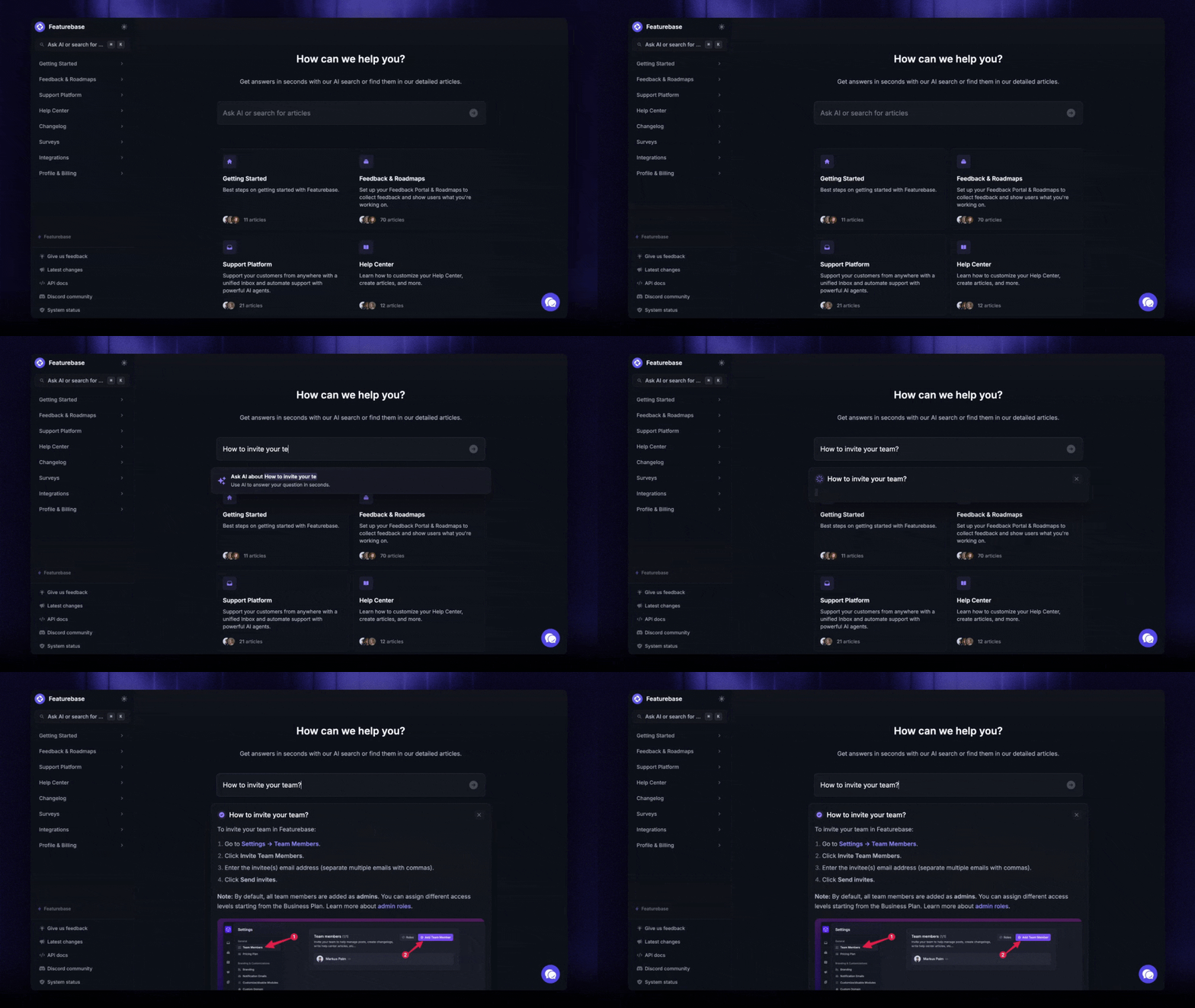
Traditional documentation depends on the user knowing what to search for.
AI changes that. A user can ask a full question in plain English and get a direct answer based on the AI knowledge base.
For example, instead of searching for "billing roles permissions," they can ask:
"How do I let a teammate view invoices without giving them admin access?"
That is much closer to how people actually think when they are stuck.
2. AI can summarize long documentation
Some software docs are too long for quick problem solving. AI can help by pulling out the main answer, listing the next steps, or pointing the user to the right section.
This is useful for:
- Long setup guides
- API documentation
- Troubleshooting articles
- Internal support docs
- Release notes
- Product change logs
The user still needs the source article, especially for complex tasks. AI simply makes the first answer easier to reach.
3. AI can help teams draft documentation
AI can turn rough notes, support tickets, call transcripts, product specs, or developer comments into a first draft.
That draft still needs editing. Someone has to check the facts, remove vague wording, add screenshots or examples, and make sure the article matches the product.
The real value is getting from a blank page to a usable draft faster.
4. AI can spot gaps in your knowledge base
Support conversations often reveal what the documentation is missing.
If customers keep asking the same question, that is usually a sign that an article is missing, unclear, outdated, or hard to find. AI can help group those repeated questions and show where new documentation is needed.
This gives teams a more practical way to decide what to write next.
5. AI can support internal teams
AI is useful for internal documentation too.
Support agents can ask questions about product behavior. Sales teams can find approved answers about features and pricing. New employees can get quick explanations without asking ten people for help.
The quality still depends on the source material. If the internal docs are messy, the answers will be messy too.
6. AI needs clean documentation to work well
AI is only as useful as the content it can read.
If your documentation is outdated, duplicated, or unclear, AI may give weak answers. It can summarize bad information just as easily as good information.
Before adding AI to documentation, teams should clean up the basics first:
- Clear article titles
- Accurate instructions
- Updated screenshots
- One answer per topic
- Clear ownership
- Regular reviews
7. AI should support documentation, not replace it
AI can help people reach answers faster, but the knowledge base still needs structure.
Users still need source articles they can trust. Teams still need clear ownership. Developers still need accurate references. Support teams still need approved answers.
The safest approach is simple: use AI to make documentation easier to search, draft, summarize, and improve, while keeping humans responsible for accuracy.
The best software documentation tools in 2026
You don't need all of these. Pick by who your documentation is for:
- Featurebase✨: Best for customer-facing product docs. You get an AI-powered help center with instant search answers, automatic translations, and an embeddable in-app widget (more on it below)
- GitBook: Best for developer-facing documentation. Git-based workflows, clean publishing, and API reference support
- Confluence: Best for internal wikis. Deep Atlassian integration makes it the default for engineering teams already on Jira
- Notion: Best for lightweight internal docs. Flexible pages and databases that double as a team workspace
- GitHub: Best for code documentation. READMEs, multi-page wikis, and inline annotations live right next to the code
- Swagger UI: Best for API documentation. Interactive REST API references that update automatically with your spec
- Scribe: Best for process documentation. Records your screen and turns workflows into step-by-step guides automatically
For a deeper comparison of the customer-facing options, see our guide to the best knowledge base software. And if you'd rather self-host, there are solid open-source knowledge base tools too.
Conclusion
Good software documentation makes your product easier to understand, use, support, and improve. It helps customers find answers on their own, keeps internal teams aligned, and prevents important product knowledge from getting buried in Slack threads, support tickets, or one person’s head.
Featurebase is a modern & powerful help center tool that helps SaaS teams create beautiful product docs with AI-powered search answers, automatic translations, in-app widgets, and article feedback. It also comes with support inbox, feedback, roadmap, and changelog features, so your documentation stays connected to the rest of the customer experience.
It has affordable pricing and a Free plan, so there’s no downside to trying it. Plus, onboarding is quick and you can create your first help center without a credit card. 👇
Create a beautiful AI-powered Help Center with Featurebase for free
FAQs
Technical documentation is a subset of software documentation aimed at the people building and maintaining the system, like architecture notes, design documents, and API references. Software documentation is the umbrella term that also covers user-facing content like help articles, user guides, and release notes. In practice the terms get used interchangeably, but the audience is the real difference.
There's no single best platform, it depends on who reads your docs. For customer-facing product docs, a knowledge base tool like Featurebase gives you AI search answers, automatic translations, and an in-app widget out of the box. For internal engineering docs, wikis like Confluence or Notion are usually the better fit.
Agile teams write "just enough" documentation instead of heavy upfront specs. The Agile Manifesto values working software over comprehensive documentation, but that means trimming low-value documents, not skipping docs entirely. Most agile teams keep living documents that get updated each sprint as the product changes.
Process documentation records how internal work gets done: release checklists, QA procedures, support handoffs, and incident response steps. Unlike product documentation, it's written for your own team rather than your users. It keeps repeatable tasks consistent even when the people doing them change.
The person closest to the knowledge should write the first draft: engineers for technical docs, support teams for help articles, and product managers for requirements. Larger teams often add a technical writer to keep style and structure consistent. What matters most is that every document has a clear owner who keeps it accurate.