Best Help Desk Software for Schools: 10 Tools for K-12 and Universities
Still managing school support in messy email threads? Compare the best help desk software for schools in 2026 for K-12 districts, universities, and lean IT teams.


On this page
Hey... ✨Start automating your support with the fastest AI-enhanced Inbox today
Schools deal with all kinds of support requests, from device issues and login problems to classroom tech and admin workflows.
The best help desk software for schools helps teams manage tickets, improve self-service, and support students and staff without relying on messy email chains or disconnected systems.
Some schools need deep asset management and district workflows. Others just need a simpler platform that is easy to use and easy to roll out.
This guide covers both.
Short answer:
- If you want the best overall help desk software for schools based on ease of use, self-service, and modern support workflows, Featurebase is our top recommendation.
- If you want the best fit for K-12 school districts, Incident IQ is one of the strongest choices.
- If you want the best help desk system for asset management and inventory-heavy workflows, Frontline is a great option.
- If you want a single platform for IT, maintenance, transportation, and school operations, go with FMX.
- If your school relies heavily on Google Admin Console and Chromebook programs, VIZOR is one of the most well-suited tools on the market.
See the full list below for the best options for different kinds of schools and support teams.👇
TL;DR - comparison table of the best help desk software for schools
| Platform | Best for | Key strength | Pricing |
|---|---|---|---|
| ✨Featurebase | Ease of use and self-service | Modern help desk, knowledge base, and AI in one platform | Free plan available; paid plans start at $29/seat/month, plus $0.29 per AI resolution |
| Incident IQ | K-12 school districts | School-first workflows for support, assets, and operations | Custom pricing |
| Frontline | Asset management | Ticketing plus device and inventory visibility | Custom pricing |
| FMX | School operations | One platform for IT, facilities, and operational requests | Pricing available on request |
| VIZOR | Google Admin Console and Chromebooks | Strong device tracking and school asset workflows | Custom pricing |
| HappyFox | Multi-team education support | Flexible help desk system for schools and universities | Starts at $21/agent/month; Enterprise Pro is custom-priced |
| ManageEngine ServiceDesk Plus | Advanced IT service management | Structured service management and reporting | Free for up to 5 technicians; paid plans are custom-quoted |
| TOPdesk | Self-service for campuses | Good portal and workflow support for education teams | Starts at $64/agent/month |
| Zendesk | Advanced workflows | Mature desk software with strong automation and reporting | Starts at $19/agent/month |
| Freshdesk | Budget-conscious schools | Familiar cloud-based help desk with a free plan | Free for 1–2 agents for 6 months; paid plans start at $19/agent/month |
What is help desk software for schools?
Help desk software for schools gives education teams one place to manage day-to-day support.
Instead of handling requests through scattered email threads, paper forms, or spreadsheets, schools can use a centralized system to organize tickets, assign tasks, track progress, and keep communication clear between staff, students, and support teams.
Most platforms also include self-service tools such as a knowledge base or a request portal, which help users find answers on their own and reduce repetitive questions. For schools managing devices, stronger platforms may also include asset management features for tracking repairs, serial numbers, warranties, and other equipment details.
That combination helps schools respond faster, stay organized, and support more users without adding unnecessary admin work.
Why schools need specialized help desk software
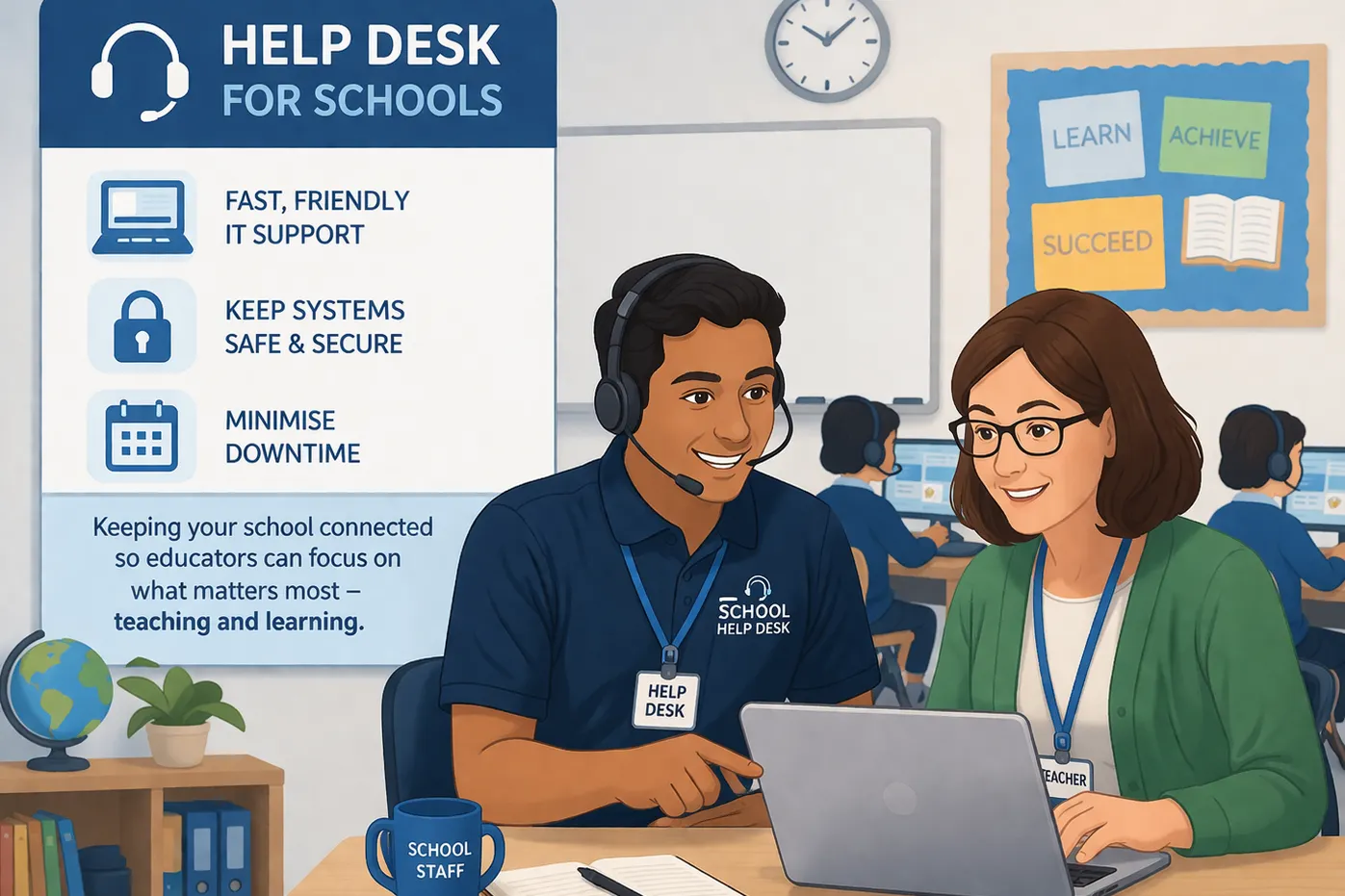
Schools have unique needs that generic desk software does not always handle well.
A school may need to support students, teachers, office staff, and IT teams at the same time. It may need to manage tickets related to devices, classroom technology, accounts, Wi-Fi, printers, and campus operations. In many cases, schools also need to track assets, manage cross-departmental requests, and support both technical and non-technical users.
That is why the best help desk software for schools should do more than just collect desk tickets.
It should help teams:
- manage support requests from multiple groups
- streamline workflows across departments
- improve self-service for common issues
- create resources in a knowledge base
- track assets and repairs
- improve reporting and visibility
- support school operations without unnecessary complexity (e.g. finding reading tutors online)
For some schools, especially larger school districts, that means choosing a more specialized service management platform. For smaller schools, private schools, or lean support teams, it may mean choosing a simpler help desk solution with the right balance of features, usability, and automation tools.
How we evaluated these tools
To build this list, we looked at the factors that matter most when choosing help desk software for schools:
- Usability and setup: We considered how easy each platform is to roll out, how intuitive the interface feels for new users, and whether support teams can get up and running without a heavy implementation process.
- Self-service and support experience: We looked at the quality of each self-service portal, knowledge base, and overall user experience for students, teachers, and staff. Tools that make it easier to find answers and submit requests scored higher here.
- Workflow and team efficiency: We evaluated automation tools, workflows, communication features, and how well each platform supports teams in managing tickets, tasks, and requests across departments.
- School-specific functionality: We gave extra weight to features that matter in education, including asset management, support for K-12 and higher education environments, and overall fit for school districts or multi-team campuses.
- Pricing and flexibility: We also considered affordability, free plan availability, and how well each tool fits smaller schools, lean IT teams, and institutions working with tight budgets.
This means the rankings are based on overall fit, not just on which software has the longest feature list.
Top 10 best help desk software for schools in 2026
1. Featurebase✨
Best overall for ease of use and self-service
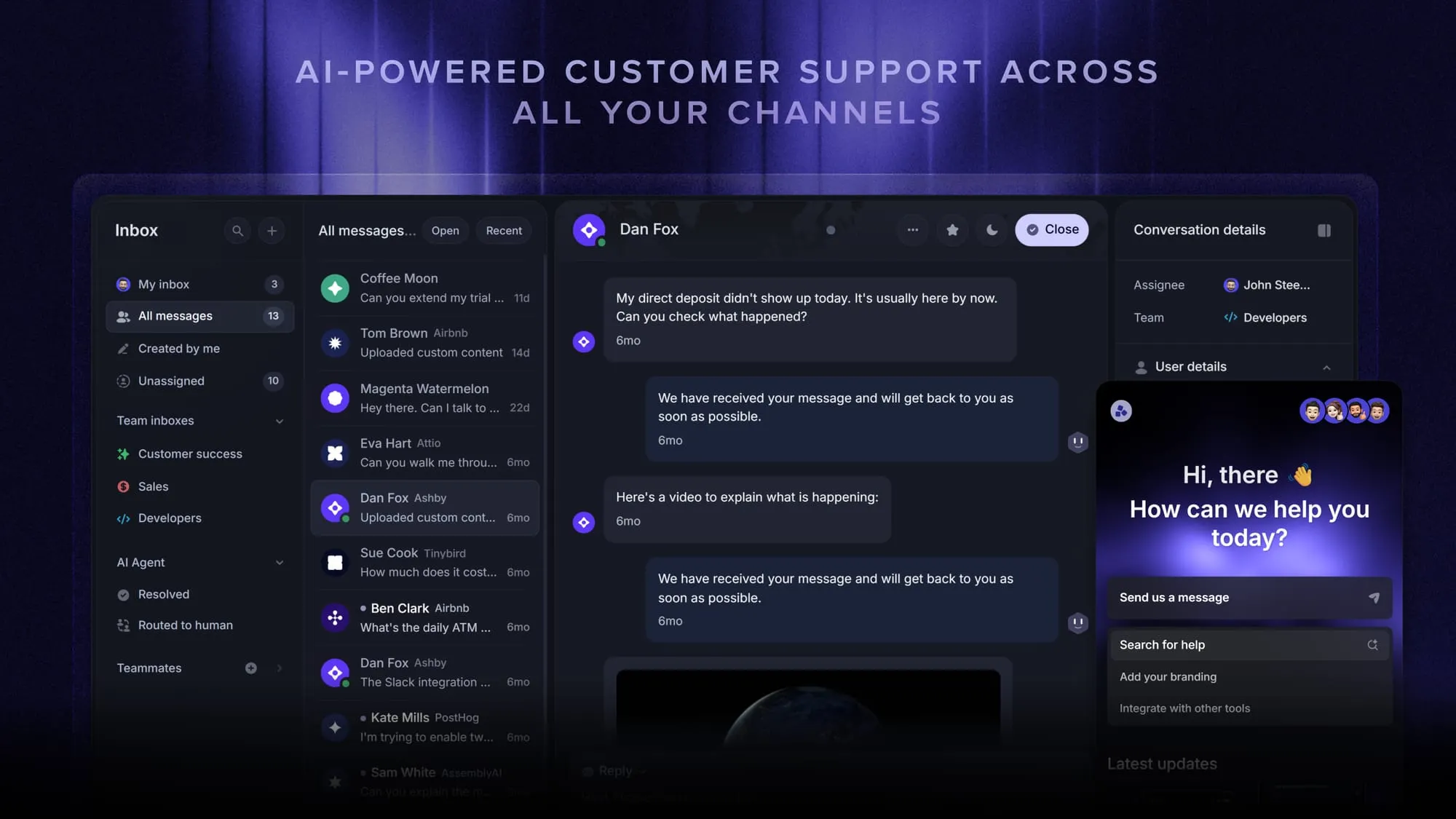
Featurebase is a modern AI customer support platform that combines AI-powered support, help center, and feedback management into a single platform. While it is best known for product-led SaaS teams, it can also be a strong fit for smaller schools, private schools, and education teams that want a more modern alternative to legacy help desk software.
Instead of stitching together separate tools for support, self-service, and communication, teams can manage everything from one workspace. That makes Featurebase especially useful for schools that want to support students and staff faster, improve self-service, and keep support workflows simple.
Key features
- Omnichannel inbox – Manage live chat, email, and Slack conversations from one AI-powered view
- Fibi AI Agent – Resolve issues automatically and run custom actions
- Help center with AI search – Provide instant, multilingual self-service answers
- Workflows and automations – Auto-assign tickets, route conversations, and collect customer data
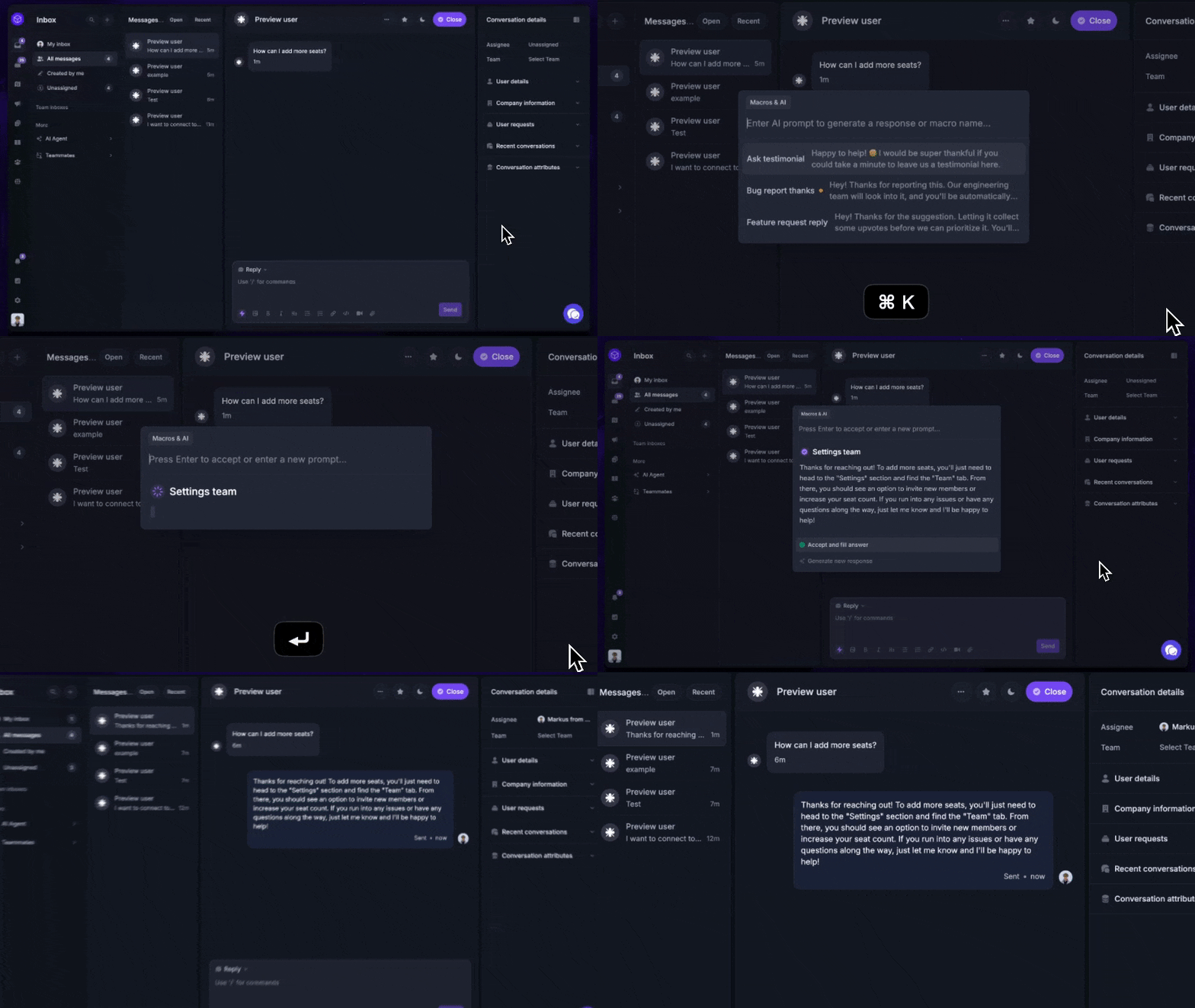
- AI Copilot – Help agents respond faster using internal knowledge
- Multi-brand support – Manage multiple help centers and live chats from one workspace
- Automatic AI translations – Translate messages and help articles into the user’s native language
- Service Level Agreements – Track SLAs and keep response times on target
- Mobile app – Reply to users, get notifications, and stay on top of support on the go
- Feedback and roadmap tools – Collect requests and keep users updated
- Product updates – Publish release notes through a changelog page, widget, and email
- Integrations – Connect with Slack, Linear, Jira, HubSpot, and more
Why it’s on this list
Featurebase is on this list because it covers the core support features schools need, but with a more modern approach than many legacy platforms. It offers self-service, AI automations, multiple support channels, and a mobile app in one platform. For schools that care more about usability, speed, and a clean support experience than heavy district-grade service management, it is one of the strongest options here.
Best for: Smaller schools, private schools, and education teams that want modern support and self-service in one platform
Pricing: Featurebase has a free plan, and its paid plans start at $29/seat/month for Growth, $59/seat/month for Professional, and $99/seat/month for Enterprise, plus $0.29 per AI resolution, billed yearly.
Automate your support with the fastest AI-enhanced Inbox today
2. Incident IQ
Best for K-12 school districts
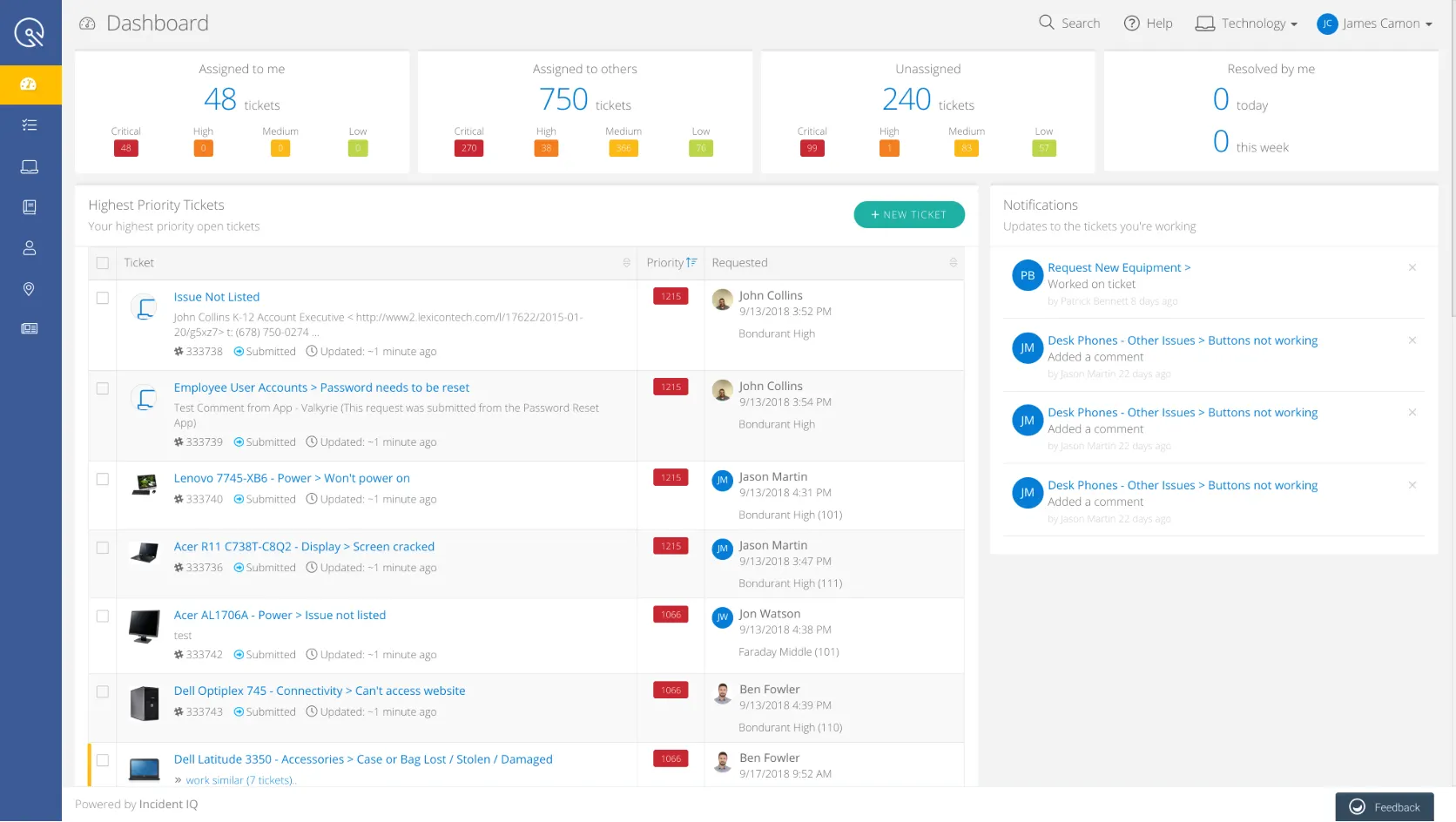
Incident IQ is one of the most relevant school-first platforms in this category.
It is built specifically for K-12 school districts and is designed to manage help desk tickets, asset management, facilities workflows, and broader school operations. That makes it a strong choice for districts that need a dedicated help desk system built around education-specific workflows instead of a general-purpose support tool.
Key features
- Help desk software for schools built for K-12
- Asset management for devices and school resources
- Workflows for requests, approvals, and support
- Reporting tools for district visibility
- Support for multiple teams
- Strong fit for school districts
Why it’s on this list
Incident IQ is on this list because it is one of the strongest purpose-built platforms for schools. If your district needs to manage high ticket volume, school-issued devices, operational requests, and support workflows across multiple teams, it is one of the most natural fits in the market.
Best for: K-12 school districts
Pricing: Incident IQ uses custom pricing, so schools need to contact sales for a quote.
3. Frontline
Best for asset management
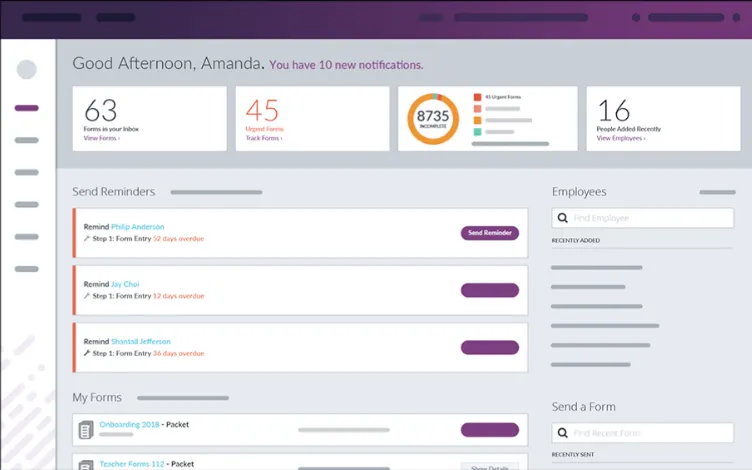
Frontline is a strong choice for schools that need ticketing and asset management in one place.
Its platform is well-suited for school districts that need to track devices, support users, and maintain visibility across inventory, repairs, and support tickets. For schools running large student device programs, that combination can be especially valuable.
Key features
- Help desk system for education
- Asset management and inventory tracking
- Ticket routing and workflow support
- Reporting and visibility
- Good fit for district-wide device programs
- Strong support for users and assets
Why it’s on this list
Frontline earns a spot here because many schools do not just need a help desk. They need a way to connect support requests with device ownership, inventory, and repair workflows. If assets are central to how your support team operates, Frontline is one of the most useful options to consider.
Best for: Schools and districts with large device inventories
Pricing: Frontline uses custom pricing for its school inventory and help desk products, so districts need to contact sales for a quote.
4. FMX
Best for school operations
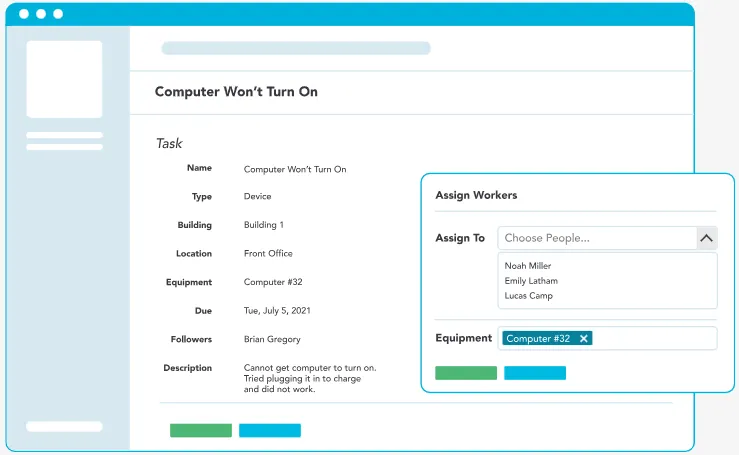
FMX is one of the best desk platforms for schools that need to support more than IT.
It is built to help schools manage requests related to maintenance, transportation, events, custodial work, facilities, and IT from a single platform. That broader operational focus makes it especially useful for districts that want to streamline workflows across departments instead of managing requests in separate systems.
Key features
- Ticketing for IT and operations
- Workflows for maintenance and facilities
- Support for transportation and events
- Communication across teams
- Reporting tools for school operations
- Single platform for multiple departments
Why it’s on this list
FMX stands out because it fits the reality of how many schools operate. Support requests are not always just about devices or passwords. They often span facilities, administration, and logistics too. If your school wants one desk solution for operational workflows across teams, FMX is one of the best fits on this list.
Best for: Schools that need one desk solution for IT and operations
Pricing: FMX pricing is available on request, so schools need to contact the vendor for a quote.
5. VIZOR
Best for Google Admin Console and Chromebooks
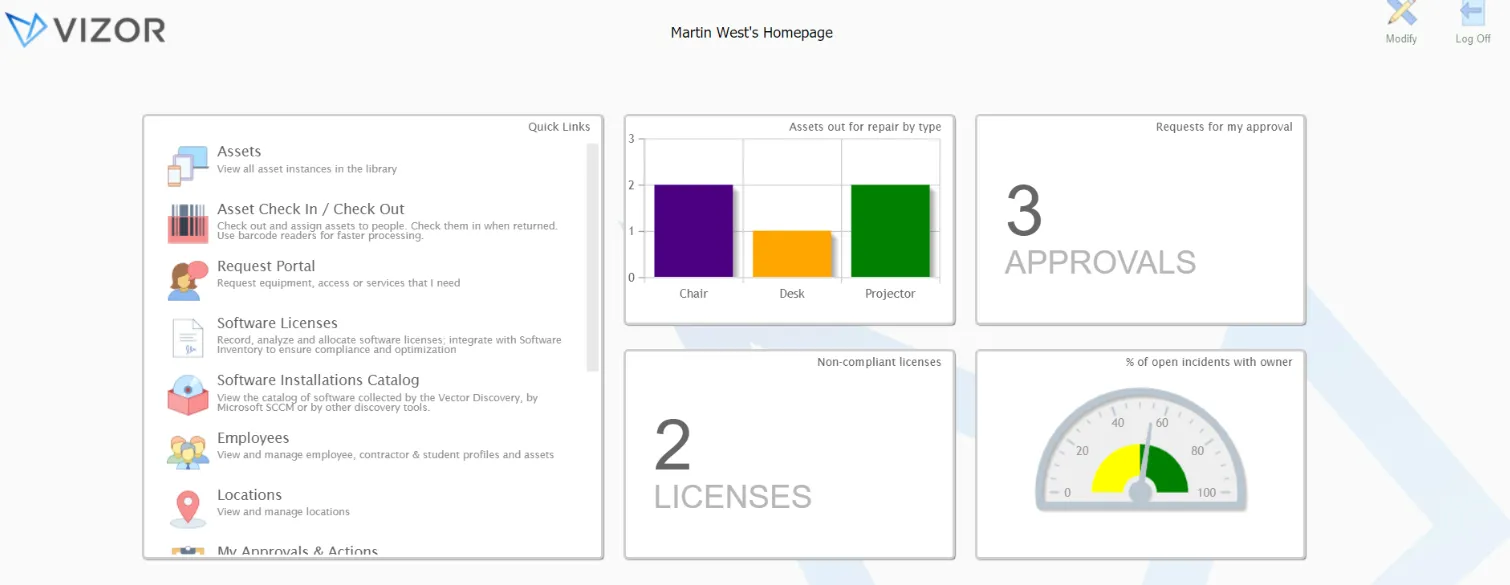
VIZOR is one of the best help desk software choices for schools that rely heavily on Chromebooks and Google systems.
Its biggest strength is the combination of support tickets, asset management, device tracking, and Google Admin Console integration. For schools managing large Chromebook fleets, that gives IT teams a more complete way to track users, devices, repairs, and school-issued assets.
Key features
- Google Admin Console integration
- Chromebook asset management
- Tracking for serial numbers and warranty information
- Repair workflows
- Custom fields for school needs
- Visibility into assets, tickets, and users
Why it’s on this list
VIZOR is on this list because it matches one of the most common school IT realities: managing lots of devices in a Google-based environment. If your support workflows depend on Chromebook tracking, repairs, and device visibility, it is one of the most well suited tools available.
Best for: Chromebook-heavy schools and districts
Pricing: VIZOR uses custom pricing, so schools need to contact sales for a quote.
6. HappyFox
Best for multi-team education support
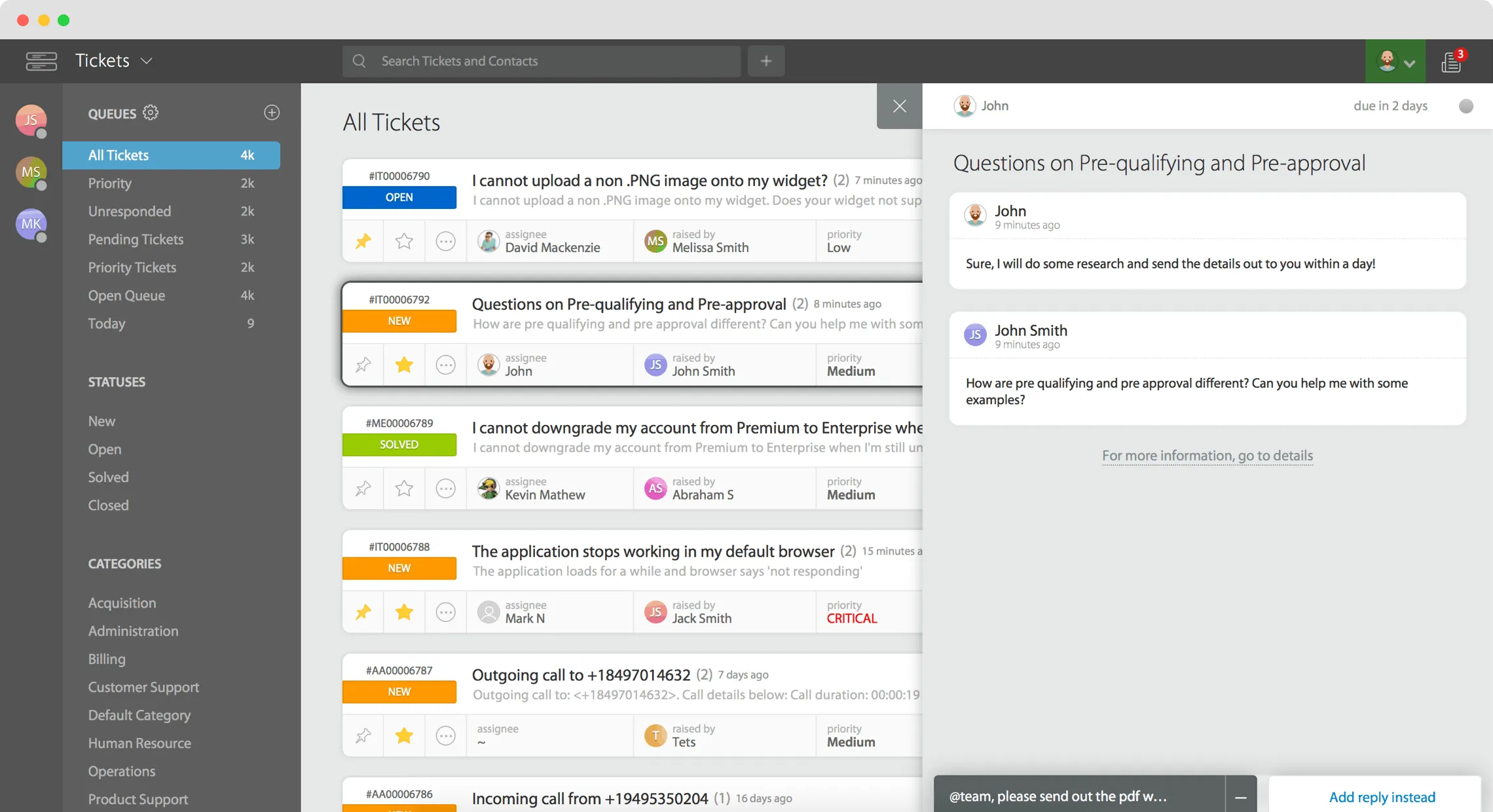
HappyFox is a flexible help desk platform that can work well for both schools and universities.
It supports support tickets, self-service, knowledge base content, and automation tools, making it a strong option for education teams that need to support multiple departments from one system. It is not as school-specific as some tools above, but it offers a practical balance of flexibility and structure.
Key features
- Help desk tickets and support tickets
- Self-service portal
- Knowledge base
- Automation tools
- Reporting tools
- Support for multiple teams and workflows
Why it’s on this list
HappyFox makes this list because it is a solid all-around option for institutions that want a configurable help desk without jumping to a highly specialized school platform. It is especially useful for universities and schools with several support teams that need one shared system for handling requests.
Best for: Schools and universities with multiple support teams
Pricing: HappyFox’s agent-based pricing starts at $21 per agent/month for Basic, $39 per agent/month for Team, and $89 per agent/month for Pro, while Enterprise Pro uses custom pricing; the Basic plan is capped at up to 5 agents, and educational organizations are eligible for a discount.
7. ManageEngine ServiceDesk Plus
Best for advanced IT service management
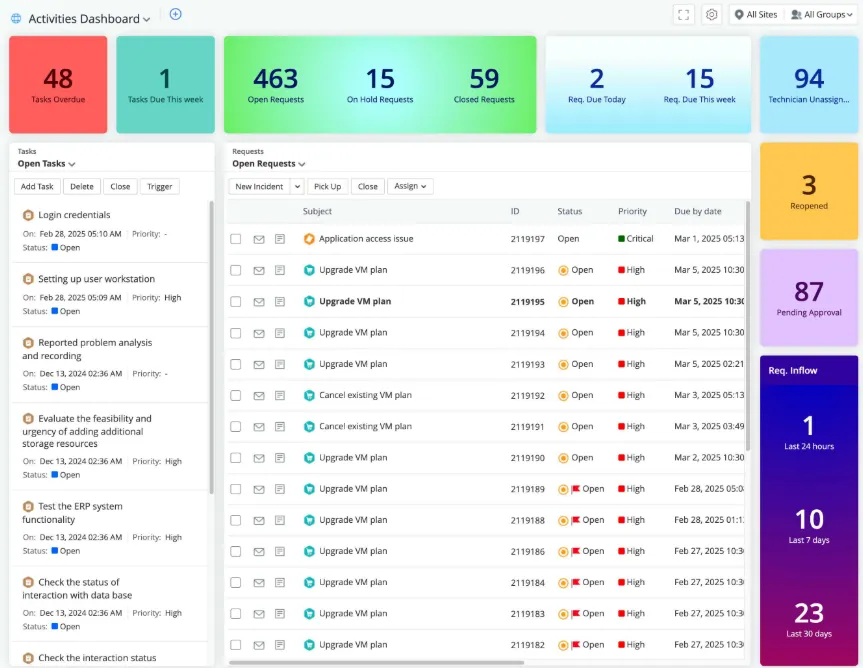
ManageEngine ServiceDesk Plus is best for education teams that need a more formal service management approach.
Compared with lighter tools, it gives teams more structured workflows, stronger reporting, and better control over requests, tasks, and service operations. That makes it especially relevant for universities and larger institutions with more complex technical environments.
Key features
- Service management workflows
- Support ticket and request tracking
- Automation tools
- Reporting and data visibility
- Support for complex systems
- Strong fit for advanced IT teams
Why it’s on this list
ManageEngine is on this list because some schools need more than a simple help desk. They need a system that supports more mature IT processes, tighter controls, and deeper reporting. For higher education and advanced IT teams, it is one of the stronger options available.
Best for: Universities and advanced IT teams
Pricing: ManageEngine ServiceDesk Plus has a free Standard edition for up to 5 technicians, while paid plans are billed based on the number of technicians and IT assets, with monthly or yearly subscriptions available.
8. TOPdesk
Best for self-service on campus
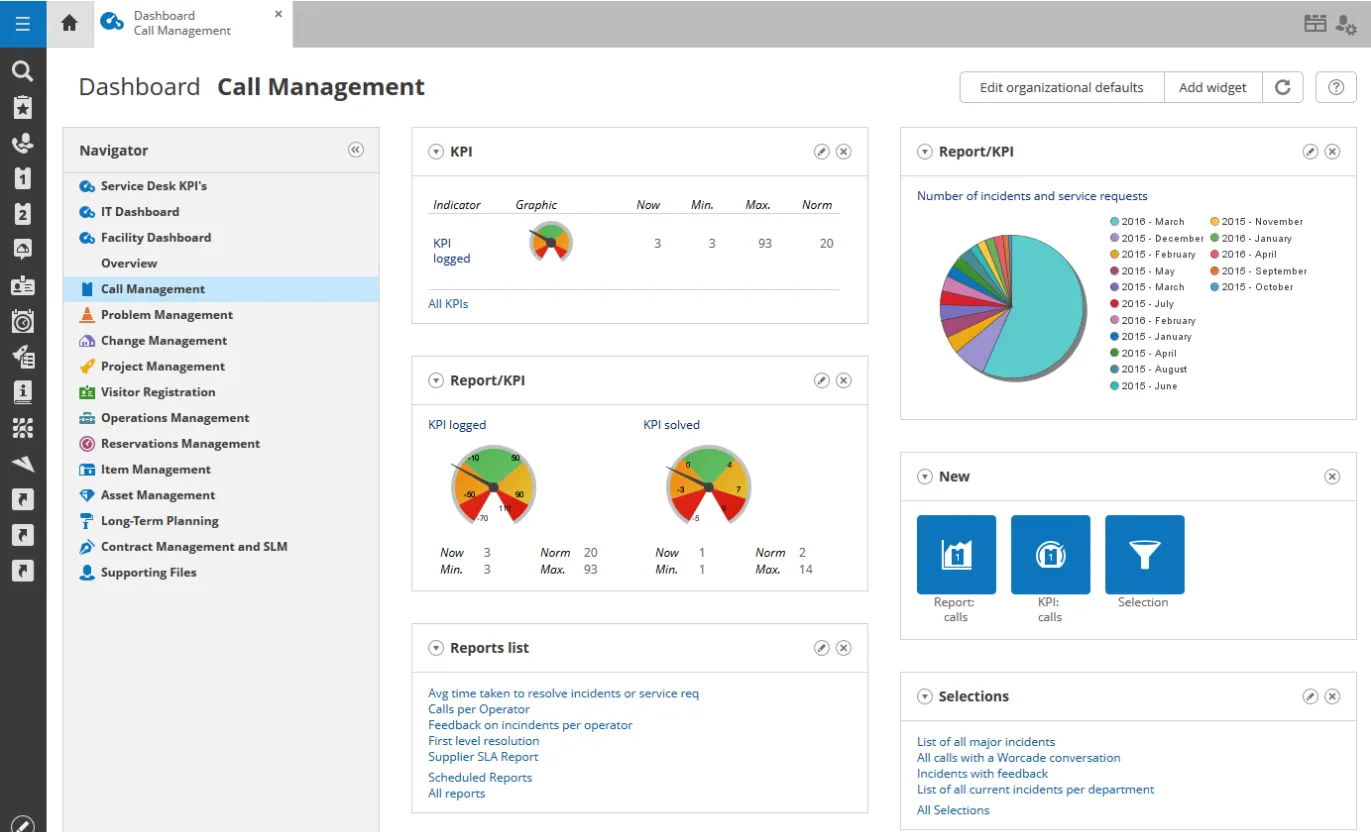
TOPdesk is a good fit for campuses that want to improve self-service and reduce repetitive support requests.
Its help desk system is built around better user access to support, more organized workflows, and more efficient handling of tickets across teams. That makes it especially useful for schools that want to improve the support experience without relying entirely on manual ticket handling.
Key features
- Self-service portal
- Knowledge base support
- Structured workflows
- Support for multiple teams
- Reporting and visibility
- Cloud-based platform
Why it’s on this list
TOPdesk stands out because self-service matters a lot in education. The easier it is for students and staff to find answers or submit the right request, the less pressure there is on support teams. For campuses focused on self-service and cleaner workflows, it is a strong option.
Best for: Campuses focused on self-service
Pricing: TOPdesk pricing starts at $64 per agent/month for Essential, $91 per agent/month for Engaged, and $128 per agent/month for Excellent.
9. Zendesk
Best for advanced workflows
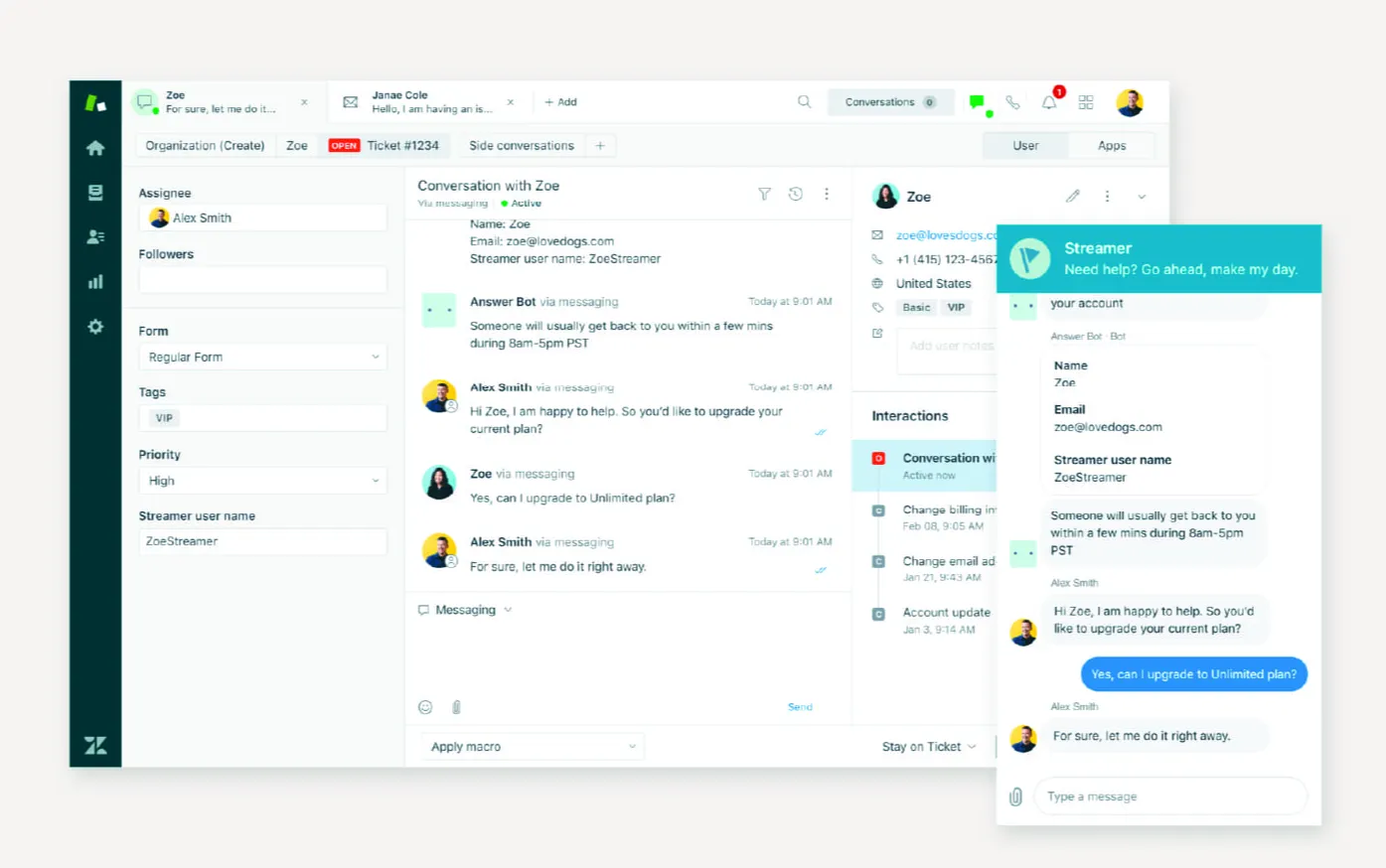
Zendesk remains one of the best-known help desk software platforms on the market.
It is not built specifically for schools, but it offers strong automation tools, reporting tools, communication support, and flexible workflows. For institutions that need a mature desk platform with room to scale, it remains a credible option.
Key features
- Advanced workflows
- Automation tools and routing
- Self-service and knowledge base
- Reporting tools
- Cloud-based support platform
- Good fit for larger support teams
Why it’s on this list
Zendesk is on this list because it is one of the most established platforms for teams that expect support operations to become more complex over time. It may not be the simplest or most school-specific tool here, but it offers strong depth for teams that need flexibility and scale.
Best for: Schools that want advanced support workflows
Pricing: Zendesk pricing starts at $19 per agent/month, billed annually, for Support Team; higher plans are $55 for Suite Team, $115 for Suite Professional, and $169 for Suite Enterprise.
10. Freshdesk
Best for budget-conscious schools
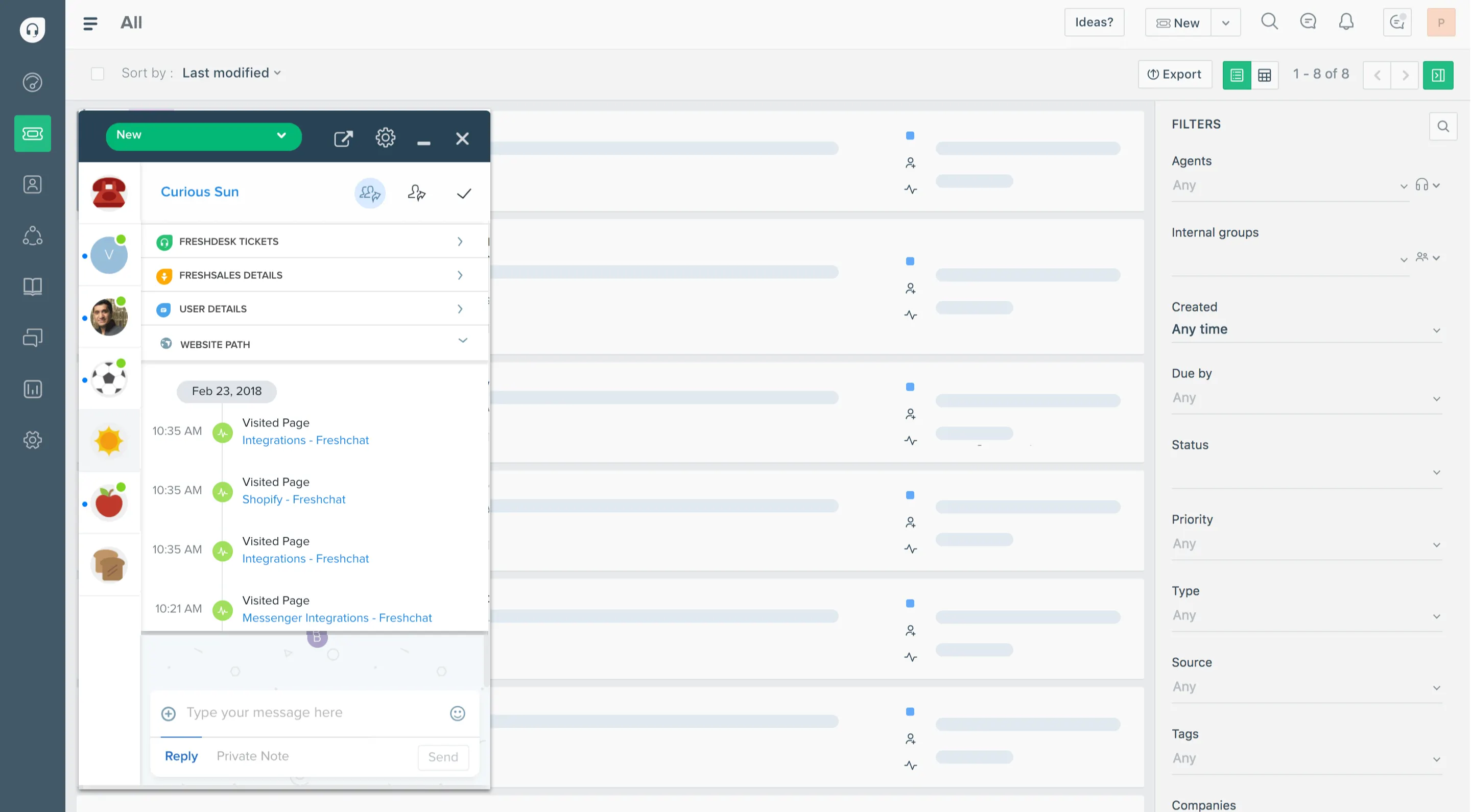
Freshdesk is a familiar and accessible help desk software choice for schools that want a cloud-based platform with a lower barrier to entry.
It includes the core features many schools need, such as tickets, self-service, reporting, automation, and a free plan. That makes it especially attractive for schools with tight budgets or lean teams that still want a capable help desk system.
Key features
- Cloud-based help desk software
- Free plan
- Self-service portal
- Knowledge base
- Automation tools
- Reporting tools
Why it’s on this list
Freshdesk is on this list because it gives schools a practical way to improve support without committing to a more expensive or more specialized platform right away. It is a good option for teams that want useful features, flexibility, and a more accessible starting point.
Best for: Budget-conscious schools and lean teams
Pricing: Freshdesk offers a free program for 1–2 agents for 6 months, and its paid plans start at $19 per agent/month for Growth, $55 per agent/month for Pro, and $89 per agent/month for Enterprise, billed annually.
What to look for in the best help desk software for schools
Choosing the right help desk platform depends on your workflows, users, and support model.
Here are the features that matter most.
| Feature | Why it matters for schools |
|---|---|
| Self-service portal | A good self-service portal helps students and staff create requests, track progress, and find answers on their own. |
| Knowledge base | A strong knowledge base reduces repetitive support tickets and gives users access to help resources whenever they need them. |
| Asset management | If your school manages devices, asset management is critical. You should be able to track assets, serial numbers, repairs, and warranty information. |
| Automation tools | Automation tools help support teams manage repetitive tasks, assign requests, and streamline workflows more efficiently. |
| Reporting tools | Reporting helps schools track performance, understand support trends, and make data-driven decisions about staffing and resources. |
| Easy-to-use interface | An easy-to-use interface matters because schools often have new users and non-technical staff submitting tickets and requests. |
| Single platform support | Many teams want a single platform where they can manage help desk tickets, knowledge base content, communication, and self-service together. |
How to choose the right help desk software for your school
The best choice depends on what kind of school you are and how your support teams operate.
- Choose Featurebase✨ if ease of use, self-service, and a built-in knowledge base matter most.
- Choose Incident IQ if you need a purpose-built K-12 platform.
- Choose Frontline if asset management is your top priority.
- Choose FMX if you need to manage school operations beyond IT.
- Choose VIZOR if Google Admin Console integration and Chromebook tracking are critical.
- Choose HappyFox if you want flexible support for multiple teams.
- Choose ManageEngine if you need deeper service management.
- Choose TOPdesk if self-service is a major priority.
- Choose Zendesk if you want advanced workflows.
- Choose Freshdesk if you want a lower-cost option with a free plan.
Conclusion
The best help desk software for schools depends on what your team actually needs. Some schools need district-grade asset management and operational workflows, while others need a simpler way to manage support requests, improve self-service, and keep communication organized across students and staff.
Featurebase is a modern AI customer support platform that helps teams manage support, build a help center, automate workflows, and improve self-service from one platform. For smaller schools, private schools, and education teams that want a more modern alternative to legacy help desk software, it is a strong option.
It comes with a Free plan, quick onboarding, and no unnecessary complexity, so there’s no real downside to trying it. 👇
Automate support and build a modern Help Center with Featurebase for free