Blog Customer ServiceBest Self-Hosted Help Desk Software in 2026: 10 Tools Compared
Best Self-Hosted Help Desk Software in 2026: 10 Tools Compared
Looking for the best self-hosted help desk software in 2026? This guide compares 10 top tools for customer support and IT teams, covering features, deployment, pricing, and the key tradeoffs between self-hosted, cloud, and open-source help desk software.



✨Looking for the best self-hosted help desk software in 2026?→
Self-hosted help desk software can be a good fit for teams that need more control over data, deployment, and workflows. But not every tool is built for the same job - some focus on customer support, while others are better for IT teams and internal service management.
To help you compare the right options, we narrowed down 10 self-hosted help desk tools worth considering this year.
Self-hosting is one way to cut costs, but there are strong hosted free options too — see our roundup of the best free help desk ticketing
Short answer:
- If you want the best all-around self-hosted help desk software, start with Frappe Helpdesk.
- If you want the most polished open-source desk platform, go with Zammad.
- If you want an email-first help desk that feels simple and modern, try FreeScout.
- If you want a proven classic ticketing system, choose osTicket.
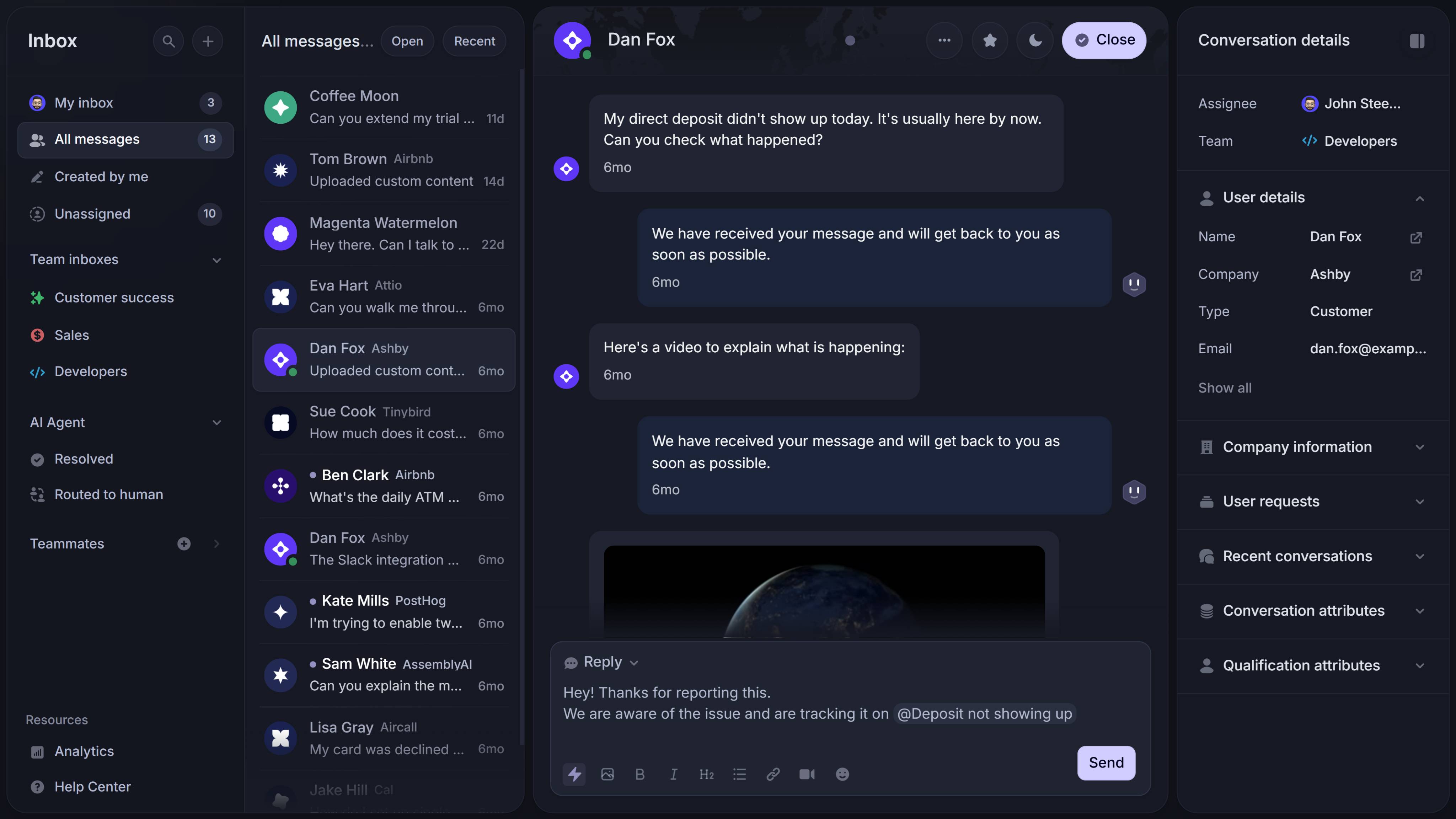
- If you want help desk, knowledge base, and feedback in one modern platform without self-hosting overhead, choose Featurebase✨.
See the full list below for a closer look at the best tools.👇
TL;DR – Comparison table of the best self-hosted help desk software in 2026
| Platform | Best fit for | Key strength | Deployment | Pricing |
|---|---|---|---|---|
| Frappe Helpdesk | Teams wanting a modern, flexible help desk | Open source, workflows, portal, knowledge base | Self-hosted/managed | Free self-hosted; managed hosting starts at $5/month |
| Zammad | Teams wanting a modern open-source support platform | Multi-channel support and strong UX | Self-hosted/cloud | Free self-hosted community edition; paid hosted plans start at €7/agent/month, billed annually |
| FreeScout | Email-first support teams | Shared inbox style and privacy-friendly hosting | Self-hosted | Free self-hosted core; paid modules available |
| osTicket | Teams wanting a proven ticketing system | Mature, trusted, stable core workflow | Self-hosted/hosted | Free open-source version; hosted option available |
| UVdesk | Customer support teams with portal-heavy workflows | Workflow, email piping, knowledge base | Self-hosted/hosted | Free self-hosted; paid plans start at $8/agent/month billed annually |
| Faveo | Teams wanting self-hosted support with more customization | Open-source ticketing plus integration flexibility | Self-hosted/cloud | Paid plans available; supports self-hosted and cloud deployment |
| GLPI | Internal IT and service teams | ITSM plus asset management | Self-hosted/on-premise | Free open-source core; paid cloud plans start at €19 per IT agent/month |
| OTOBO | IT and departmental service management | Modular service platform with data control | Self-hosted/on-premise | 100% open source and license-free |
| Hesk | Small and medium-sized teams | Lightweight setup and built-in knowledge base | Self-hosted/ cloud | Free self-hosted; paid licenses start at $49.99 one-time |
| Deskpro | Enterprises needing commercial support and deployment flexibility | Cloud, self-hosted, on-premise, private cloud options | Self-hosted/on-premise/cloud | Cloud plans start at $39/agent/month; private deployment pricing on request |
What is self-hosted help desk software?
Self-hosted help desk software gives teams greater control over data, deployment, and workflows by running on their own infrastructure rather than on a vendor-managed cloud.
The tradeoff is that your team is also responsible for setup, maintenance, security, updates, backups, and performance. That can make self-hosted help desk software a strong fit for teams with stricter requirements, but a heavier lift for teams that want speed and simplicity.
Self-hosted vs cloud vs open-source help desk software
These categories can overlap, but they are not the same. A self-hosted help desk can be open source or proprietary, while open-source help desk software can be self-hosted or vendor-hosted. The right choice depends on whether your team values simplicity, infrastructure control, or code-level flexibility most.
| Model | What it means | Main advantage | Main tradeoff | Best fit for |
|---|---|---|---|---|
| Cloud help desk software | The vendor hosts and manages the help desk platform for you. | Faster setup, less maintenance, and easier support management. | Less control over infrastructure, access, and data. | Teams that want a modern help desk without running their own system. |
| Self-hosted help desk software | Your business runs the ticketing system on its own infrastructure, whether on-premises, in a private cloud, or on internal servers. | More control over data, workflows, integrations, and internal systems. | More responsibility for setup, security, updates, and ongoing management. | Organizations that need a self-hosted solution for compliance, security, or custom deployment. |
| Open-source help desk software | The software includes publicly accessible source code that teams can inspect, modify, and extend. | More flexibility, transparency, and customization. | Often requires more technical resources for configuration and maintenance. | Teams that want open source ticketing tools with deeper control over functionality and workflows. |
If you specifically want code you can inspect and modify, see our roundup of the best open source helpdesk software.
How we evaluated these self-hosted help desk tools
We focused on one question:
Which self-hosted help desk tools actually help real teams manage support without creating unnecessary complexity?
To answer that, we looked at:
- Core support functionality: ticketing, workflows, automation, and knowledge base capabilities
- Usability and setup: ease of deployment, day-to-day use, and overall complexity
- Flexibility and integrations: customization, source code access, and ability to connect with other tools or internal systems
- Use case fit: whether the platform works best for customer support, internal support, or broader service management
- Deployment and trust signals: self-hosting support, security and compliance fit, and signs of active maintenance
We also checked how clearly each platform's official positioning supports self-hosted, on-premises, or private infrastructure deployments.

Resolve 70% of customer requests with AI
Automatically resolve customer issues & cut down support loads for your team
The 10 best self-hosted help desk software tools in 2026
1. Frappe Helpdesk
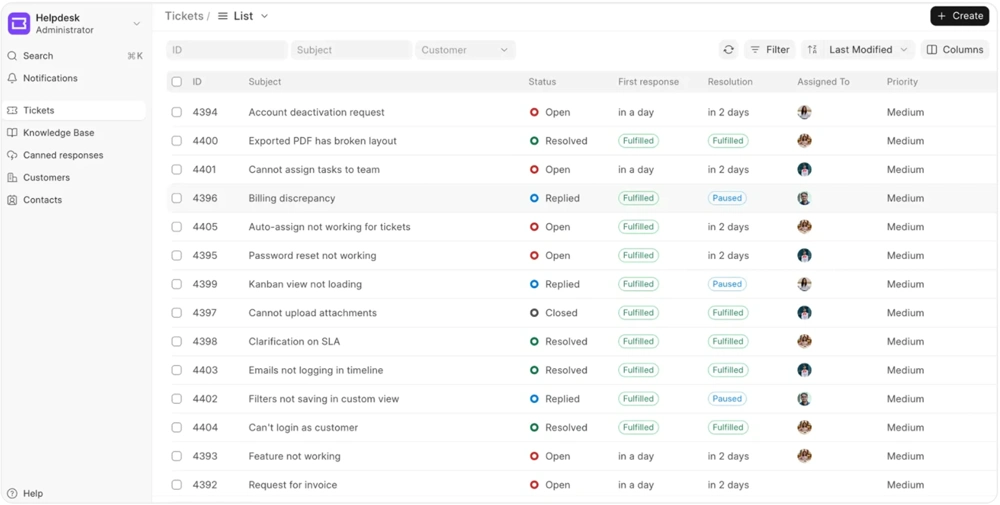
Frappe Helpdesk is our top pick for the best self-hosted help desk software in 2026.
Key features
- Open-source deployment
- Centralized ticketing system
- SLA rules and escalations
- Customer portal
- Built-in knowledge base
- Custom workflows and automation
- No per-agent pricing model on hosted plans
Why it stands out
Frappe Helpdesk stands out because it performs well across the criteria that matter most in this category: core ticketing functionality, workflow flexibility, knowledge base support, and day-to-day usability. Compared with many self-hosted help desk tools, it feels more modern and easier to adopt, while still giving teams enough control to shape workflows around their support process.
It is especially strong for support teams that need structured ticket handling without jumping straight into a heavier IT service management platform. The combination of SLA support, automation, a customer portal, and a built-in knowledge base makes it one of the most well-rounded options on this list.
The main tradeoff is that, like any self-hosted solution, it still requires internal ownership for setup, maintenance, and long-term management.
Best for: Teams that want the best balance of usability, workflow depth, and self-hosted control.
Pricing: Frappe Helpdesk can be self-hosted for free, and managed hosting is available through Frappe Cloud starting at $5/month.
2. Zammad
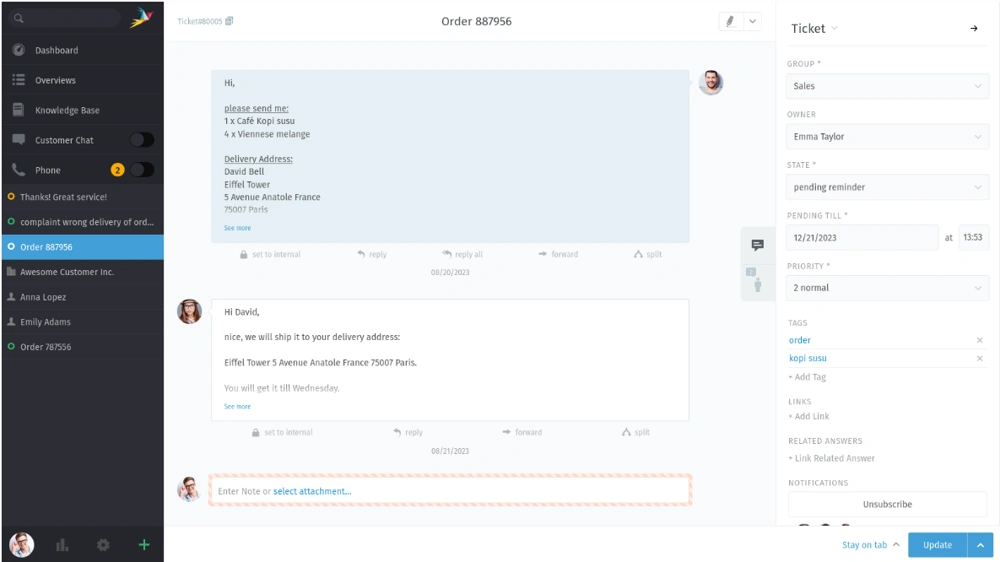
Zammad is one of the best self-hosted help desk tools for teams that want open-source software without a dated user experience.
Key features
- Web-based open source ticketing solution
- Self-hosting on your own servers
- Multi-channel customer communication
- Strong workflows
- Customer support-oriented design
- Community edition plus supported self-hosting options
Why it stands out
Zammad stands out for combining self-hosted deployment with a more polished interface than many open-source help desk tools. It scores especially well on usability, multi-channel support, and overall fit for teams that need structured customer support workflows without moving into a much heavier service management platform.
It is a strong option for organizations that want more than a basic ticketing system but still care about day-to-day team adoption. The product feels closer to a modern support platform than a legacy open-source project, which gives it an edge in this category.
The main tradeoff is that teams looking for deeper internal IT workflows or asset management may find it less specialized than more ITSM-oriented tools.
Best for: Organizations that want a polished self-hosted help desk with modern workflows and broader channel support.
Pricing: Zammad offers a free self-hosted community edition, along with paid hosted plans and self-hosted support options.
3. FreeScout
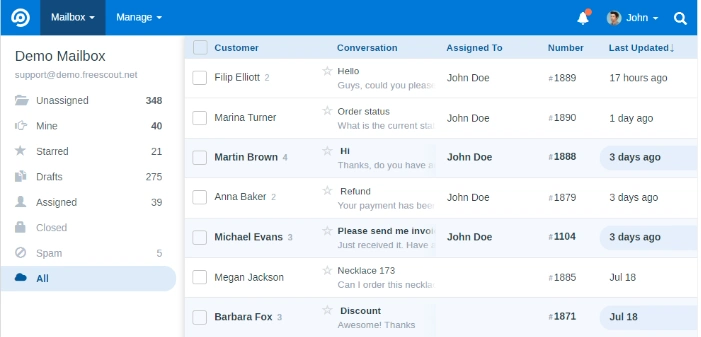
FreeScout is a strong choice for teams that want a lighter, email-first help desk.
Key features
- Free self-hosted deployment
- Shared inbox workflow
- Open source codebase
- Knowledge base support
- Modules for extra functionality
- Privacy-friendly alternative to hosted inbox tools
Why it stands out
FreeScout stands out because it keeps self-hosted support simple. It is not the most feature-rich platform on this list, but it performs well for email-first teams that value straightforward workflows, approachable setup, and lower operational complexity.
That makes it a particularly good fit for support teams that handle most support requests through shared inbox workflows and do not need a broader service management layer. It is easy to understand, practical to run, and better aligned with lightweight customer support than with complex internal processes.
The main tradeoff is depth. Teams that need more advanced automation, more structured workflow control, or broader help desk capabilities may outgrow it faster than they do with some other tools on this list.
Best for: Support teams that manage most support requests through email and want a simple, self-hosted solution.
Pricing: FreeScout’s core self-hosted product is free, while extra functionality is sold through paid modules.
4. osTicket
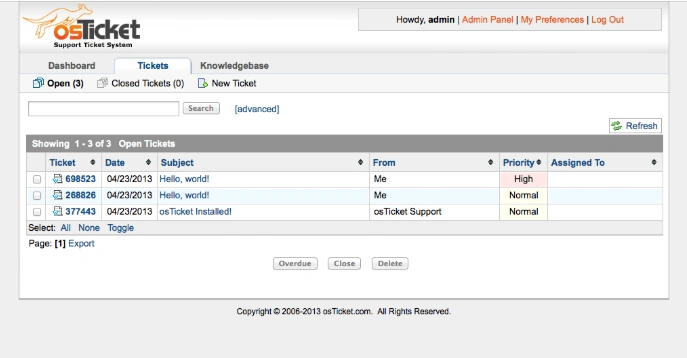
osTicket remains one of the most established names in self-hosted help desk software.
Key features
- Open source support ticketing system
- Mature ticket workflow
- Trusted and widely used platform
- Customer support-oriented setup
- Hosted editions available alongside self-managed use
Why it stands out
osTicket stands out because it handles the fundamentals well. It is one of the most proven options in this category, and that long track record still matters for teams that want a dependable ticketing system with familiar workflows and relatively little ambiguity around what it does.
It is strongest as a practical, support-focused help desk rather than a highly flexible or modern platform. If your priority is reliability, recognizable workflow patterns, and a well-established product, osTicket still makes sense.
The main tradeoff is that it feels more traditional than some newer tools. Teams that care a lot about modern UX, broader automation, or a more flexible desk platform may prefer other options.
Best for: Teams that want a proven help desk and ticketing system with a long track record.
Pricing: osTicket offers a free open-source version, and its site also promotes cloud-hosted editions.
5. UVdesk
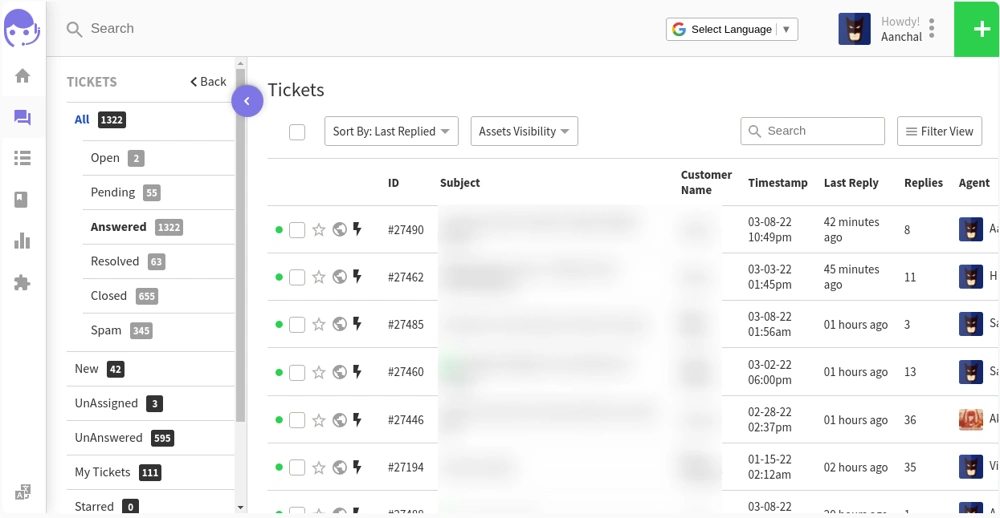
UVdesk is a good fit for teams that want more workflow structure and portal functionality.
Key features
- Open-source helpdesk ticket system
- Email piping
- Knowledge base
- Automated workflow
- Mailbox support
- E-commerce and multichannel integration
- Customer support ticket system built on PHP/Symfony
Why it stands out
UVdesk stands out because it offers more structure than many lighter help desk tools. It performs well on workflow depth, customer portal support, and fit for teams that handle a broader range of support requests across multiple flows.
That makes it particularly relevant for e-commerce businesses and support teams that need something more organized than a simple inbox-style system. It is a better match for layered support operations than for teams just looking for the lightest possible setup.
The main tradeoff is that this added structure can make it feel heavier than simpler tools. Smaller teams with straightforward support needs may not need that extra complexity.
Best for: Teams with more layered support workflows, especially e-commerce businesses or support teams that need a stronger portal experience.
Pricing: UVdesk offers an open-source edition and also sells paid plans through its hosted offering.
6. Faveo Helpdesk
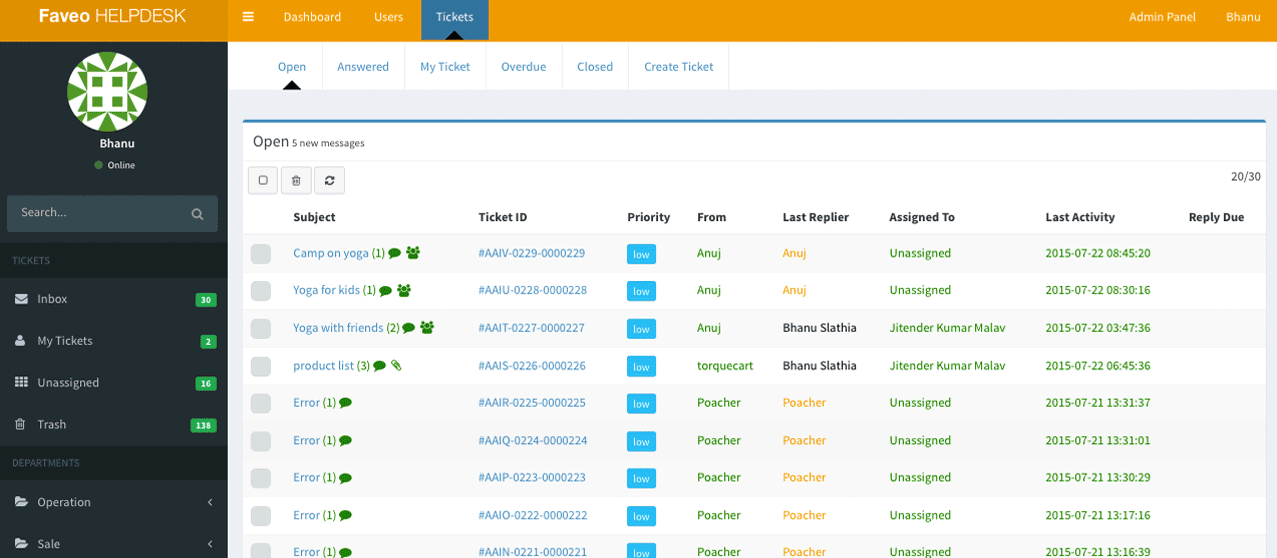
Faveo is a strong self-hosted option for teams that want open-source ticketing plus more customization and deployment flexibility.
Key features
- Open-source ticketing system
- Self-hosted and cloud-based deployment
- Integration flexibility
- Customization
- Omnichannel support direction
- Privacy and data control positioning
Why it stands out
Faveo stands out for flexibility. It is a good fit for teams that want more room to customize workflows, shape the platform around their support process, and choose between self-hosted and cloud deployment models.
Compared with simpler help desk tools, Faveo gives teams more space to tailor the system, which makes it appealing for organizations that want a self-hosted help desk without being boxed into a rigid default setup. It also fits teams that care about deployment choice and data control.
The main tradeoff is that flexibility usually comes with more implementation effort. Teams that want the easiest possible rollout may prefer a more opinionated platform.
Best for: Businesses that want a self-hosted help desk with more room for customization, integration, and process design.
Pricing: Faveo offers paid plans for its help desk, while also positioning the product around flexible self-hosted and cloud deployment.
7. GLPI
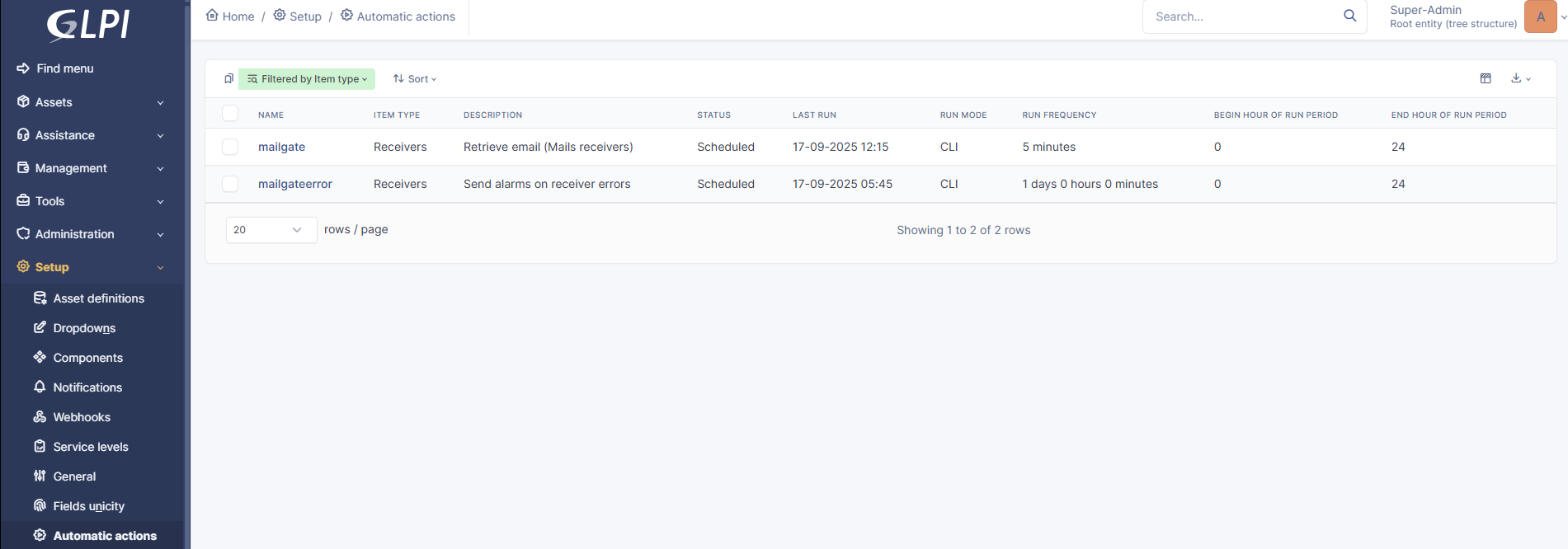
GLPI is one of the best choices if your use case is closer to an IT ticketing system than a pure customer support desk.
Key features
- Open source ITSM solution
- Requests, workflows, and support
- Asset management
- ITIL-style service desk features
- Software and license tracking
- Strong fit for internal systems
Why it stands out
GLPI stands out because it clearly goes beyond customer support into internal IT and service management. It scores especially well for organizations that need ticketing plus asset management, software tracking, and stronger support for internal systems.
That makes it a much better fit for IT teams and operations-heavy environments than for businesses looking for a lightweight external support desk. If your requirements include devices, inventory, software, internal requests, and broader service management, GLPI is one of the strongest entries on the list.
The main tradeoff is that it is less ideal for teams that primarily want a simple customer support platform. For those use cases, it may feel heavier than necessary.
Best for: Internal IT departments, operations teams, and organizations that want help desk software plus asset management.
Pricing: GLPI’s open-source core is free to use, while GLPI Network offers paid cloud and self-hosted subscriptions with support. Public cloud plans start at €19 per IT agent/month.
8. OTOBO
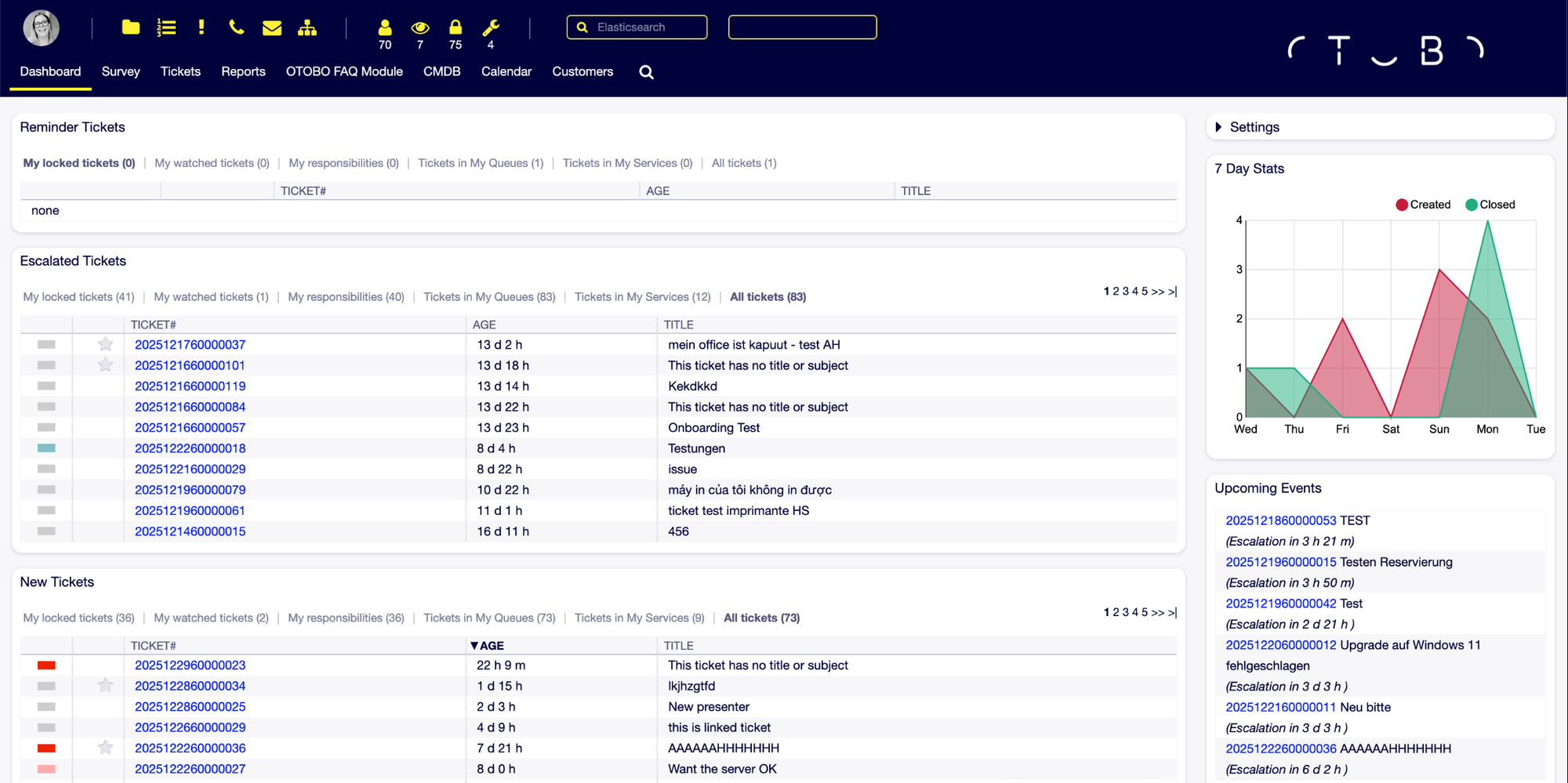
OTOBO is a strong option for organizations that need broader service management capabilities on their own infrastructure.
Key features
- Web-based modular service management platform
- Customer service, HR, and facility management use cases
- Automation
- Data control
- Open source and license-free
- Flexible web-based ticketing system
Why it stands out
OTOBO stands out because it is broader than a standard help desk. It is designed for organizations that want one self-hosted platform to manage workflows across multiple departments, not just a support queue for customer issues.
That gives it strong use case fit for internal service management, especially in organizations where support requests extend beyond IT into HR, facilities, or operational teams. It is one of the better choices here for teams that care more about structured internal workflows than about customer-facing simplicity.
The main tradeoff is that it may feel too broad for teams that only need a straightforward customer support help desk. Its strengths are clearest in more complex internal environments.
Best for: Organizations that need on-premises service management across support, HR, facilities, or internal business workflows.
Pricing: OTOBO is 100% open source and license-free.
9. HESK
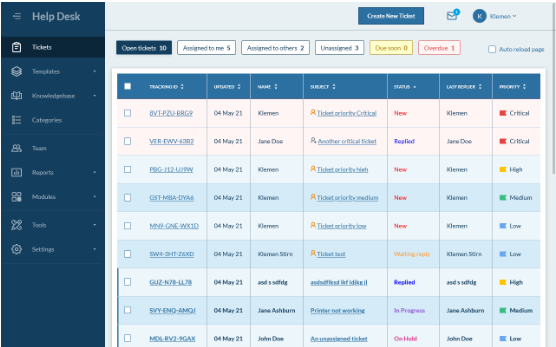
HESK is a lightweight, straightforward choice for SMBs that want an easy on-premises help desk.
Key features
- Free help desk software
- Easy to set up and manage
- Built-in knowledge base
- Ticket submit, track, assign, and collaborate workflows
- Strong fit for small and medium-sized teams
- Self-hosted on your web server
Why it stands out
HESK made this list because it scores well on ease of use and deployment readiness, even if it is not the most advanced platform here. The core ticketing functionality is solid, the built in knowledge base is useful, and the overall setup is more approachable than many tools in this category.
That makes it a stronger option for smaller businesses and lean support teams than for organizations with more complex service management needs. If your priority is simplicity and speed rather than deep customization or broader internal workflows, HESK is a sensible choice.
The main tradeoff is depth. Compared with more flexible or more enterprise-oriented tools, it offers fewer advanced workflows, integrations, and capabilities.
Best for: Small businesses and lean support teams that want a simple self-hosted help desk with fast setup.
Pricing: Hesk offers a free self-hosted version, with paid licenses starting at $49.99 one-time for one installation or $199.99 one-time for five installations. Hesk Cloud is also available for teams that want hosted deployment.
10. Deskpro
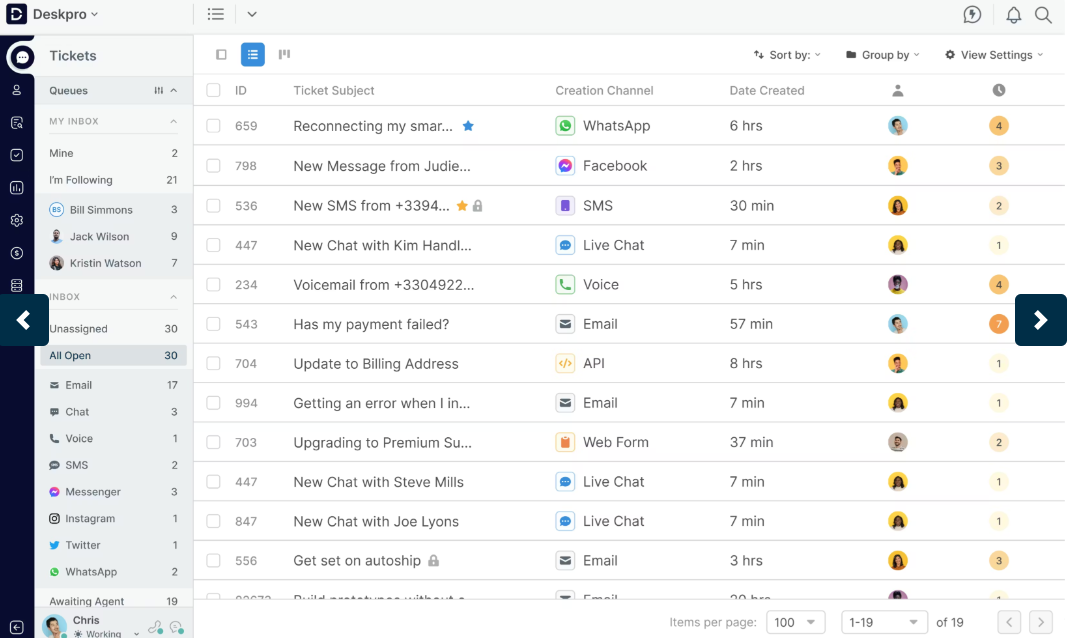
Deskpro is the strongest commercial option on this list for teams that need self-hosted or on-premise deployment without giving up enterprise support.
Key features
- Self-hosted, on-premise, private cloud, and sovereign deployment options
- Omnichannel help desk platform
- Security, compliance, and privacy positioning
- Enterprise support model
- Broader deployment flexibility than most tools on the list
Why it stands out
Deskpro stands out for deployment flexibility and enterprise readiness rather than open-source customization. It is the strongest option on this list for larger organizations that need on-premise or private cloud deployment, stronger compliance positioning, and a commercially backed support model.
That makes it especially relevant for teams that want self-hosting benefits but do not want to rely on a community-led open-source project for long-term support. It is a more enterprise-oriented choice, both in deployment options and in how it positions trust and control.
The main tradeoff is that it is commercial software, so it will not appeal to teams specifically looking for a free or open-source solution.
Best for: Mid-market and enterprise teams that need stronger commercial backing, compliance options, and deployment flexibility.
Pricing: Deskpro Cloud starts at $39/agent/month, while Deskpro Private pricing for self-hosted and on-premise deployments is available on request.
Key features to look for in self-hosted help desk software
Not every self-hosted help desk software tool offers the same value. If you are comparing solutions, these are the features that matter most.
1. Strong ticket management
A good ticketing system should make it easy to create, assign, prioritize, track, and resolve tickets without creating confusion for your team.
2. Flexible workflows and automation
As support grows, automation becomes more important. Look for routing, SLA rules, escalations, workflows, and the ability to configure different ticket types.
3. Customer portal and built-in knowledge base
A built-in knowledge base helps reduce repetitive support requests, while a self-service portal makes it easier for users and customers to submit requests and track progress.
4. Integration with internal systems and other tools
Many organizations choose self-hosted software because they want better control over how the system connects to internal systems, web apps, asset tools, development workflows, and other business software.
5. Access and control
If you are choosing a self-hosted solution, make sure it gives you real control over access, permissions, infrastructure, and data management.
6. Fit for customer support vs IT service management
Some tools are better suited to external customers, while others are better suited to internal support and service management. The right desk software depends on how your team actually works.
7. Documentation and setup quality
A tool can look flexible on paper, but still be painful to configure if the setup process and documentation are weak.
When Featurebase✨ is a better fit than self-hosted help desk software
Self-hosted help desk software makes sense when infrastructure control and customization matter most. But it also means taking on setup, maintenance, security, and long-term management.
For many product-led SaaS teams, Featurebase is the simpler option.
Featurebase is a modern AI customer support platform that combines omnichannel support, help center, feedback management, and AI automation in one place. Instead of stitching together multiple tools, teams can manage support, self-service, and product feedback from a single platform.
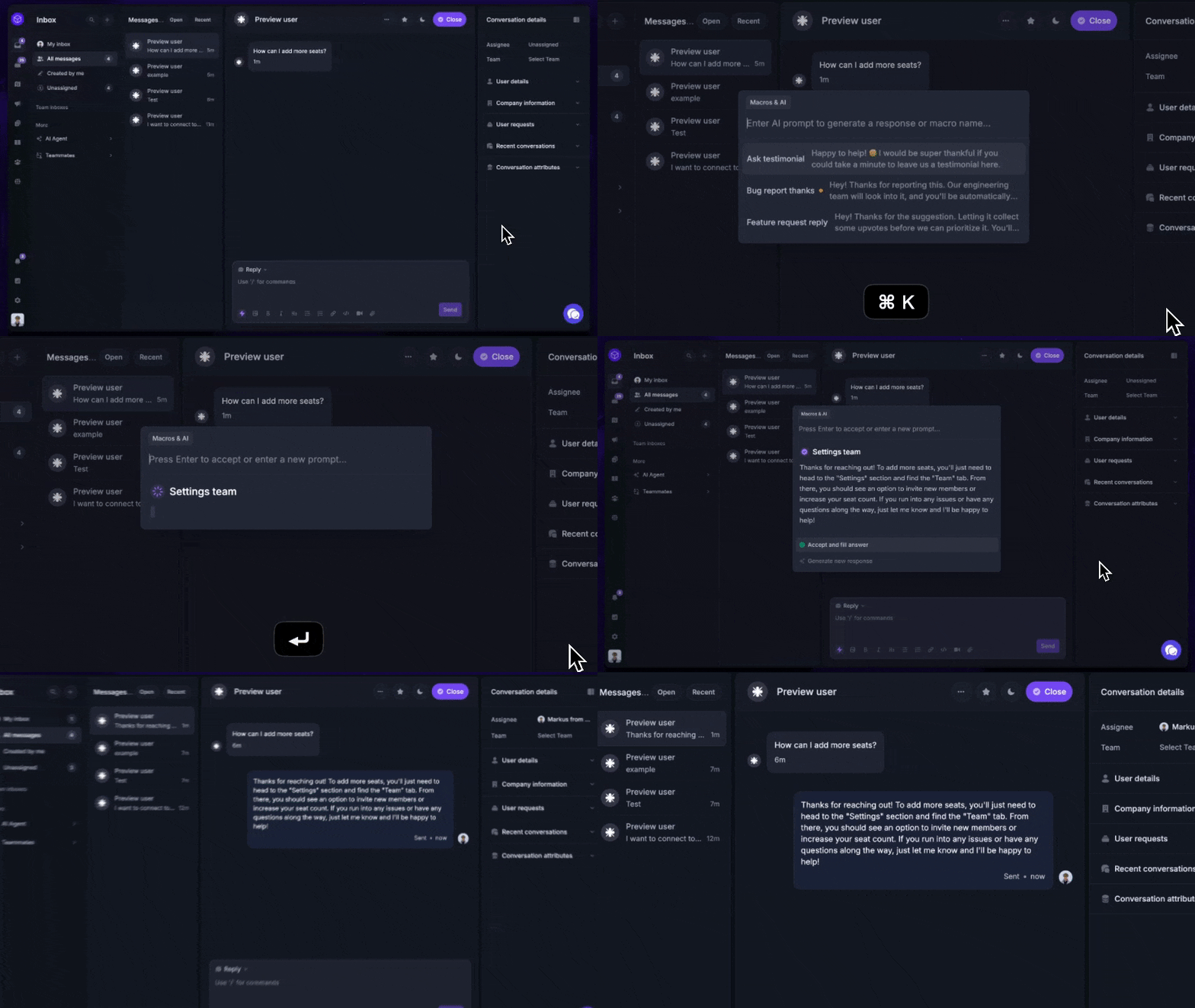
Instead of managing a self-hosted help desk and layering on extra software for self-service, automations, and feedback, Featurebase gives you everything in one place:
- Omnichannel support – Manage email, live chat, and Slack conversations from one AI-powered inbox
- AI agents and automations – Resolve common requests automatically, route conversations, collect customer data, and reduce repetitive work
- AI-powered help center – Give users instant self-serve answers with AI search, multilingual support, and a modern knowledge base
- Feedback and product updates – Collect feature requests, prioritize ideas, and close the loop with changelogs and announcements
- Modern SaaS workflow support – Connect Featurebase with tools like Slack, Jira, Linear, and HubSpot
Featurebase is a strong alternative if you want faster time-to-value, lower operational overhead, and more customer-facing functionality in one place.
Self-hosted software is often the right answer when infrastructure control matters most. Featurebase is the better fit when speed, usability, AI-powered support, and an all-in-one platform matter more.
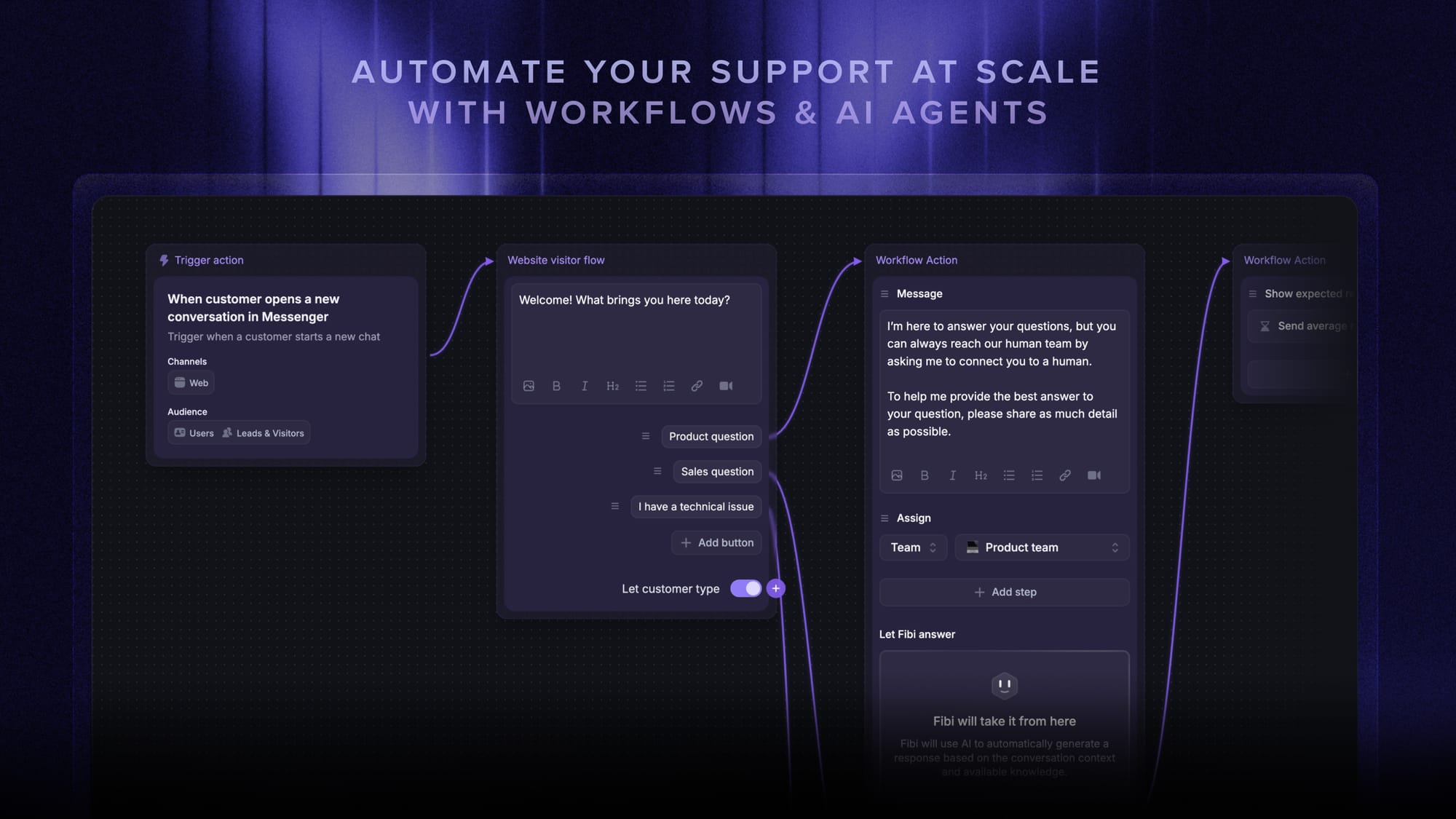
Pricing: Featurebase has a Free plan, with paid plans starting at $29/seat/month. Professional starts at $59/seat/month, Enterprise at $99/seat/month, and Fibi AI resolutions are $0.29 each on paid plans.
✨ Automate your support with the fastest AI-enhanced Inbox today →
How to choose the right self-hosted help desk
The best self-hosted help desk software depends on your team, your internal resources, and how much control you actually need.
- Choose Frappe Helpdesk if you want the best mix of modern UX, workflows, and flexibility.
- Choose Zammad if you want a polished open-source support platform with self-hosting.
- Choose FreeScout if your support workflow is mostly email-first.
- Choose osTicket if you want a proven and trusted ticketing system.
- Choose UVdesk if you need stronger portal workflows and e-commerce-friendly support.
- Choose Faveo if you want more customization and deployment flexibility.
- Choose GLPI if your IT team needs asset management and stronger service management.
- Choose OTOBO if you want a modular service platform for multiple internal departments.
- Choose Hesk if you want a simple, free, lightweight on-premises help desk.
- Choose Deskpro if you want enterprise deployment flexibility with commercial support.
If you like the control and privacy benefits of self-hosted software but do not want the operational burden, Featurebase is a strong modern alternative.
Conclusion
The right self-hosted help desk software depends on how much control your team needs over deployment, data, and workflows. But if your priority is delivering fast, modern support without the overhead of managing infrastructure, a self-hosted tool is not always the best fit.
Featurebase is a modern AI customer support platform for product-led SaaS. It brings together omnichannel support, an AI-powered help center, workflow automations, feedback tools, and product updates in one platform, making it easier to support customers and scale self-service without stitching together other tools.
It has a Free plan, affordable paid plans starting at $29/seat/month and $0.29 per AI resolution, and quick onboarding, so it is easy to try. 👇
✨ Create a modern Help Center and support stack with Featurebase for free →