Blog Customer Service16 Best SaaS Help Desk Software Tools for Growing Teams in 2026
16 Best SaaS Help Desk Software Tools for Growing Teams in 2026
Find the best SaaS help desk for your team. Compare 15 top tools for ticketing, live chat, automation, and knowledge base support.



Pssst...✨ Automate your support with the fastest AI-enhanced Inbox today →
If your support inbox still feels manageable, you probably do not need a new tool yet.
But once your team starts juggling live chat, email, customer requests, bug reports, and internal handoffs all at once, things get messy fast. That is usually the point at which SaaS companies start looking for a proper SaaS help desk.
We’ve reviewed how modern support teams evaluate help desk software, from ticket management and live chat to knowledge base tools, automation, and reporting. In this guide, we compare the best SaaS help desk software for 2026 and highlight which tools are best for different team sizes, workflows, and support models.
So which one should you choose?
Short answer
- If you want the best modern SaaS help desk for fast-growing SaaS companies, use Featurebase.
- If you want enterprise-grade workflows and advanced analytics, use Zendesk.
- If you want a technical saas service desk tied to development teams, use Jira Service Management.
- If you want an affordable option with solid multichannel support, use Zoho Desk or Freshdesk.
See the table below for a quick comparison of all the tools. 👇
TL;DR – Comparison table of the best SaaS help desk software in 2026
| Tool | Best for | Live chat | Knowledge base | Ticket management | AI/automation | Starting price |
|---|---|---|---|---|---|---|
| ✨Featurebase | Fast-growing SaaS teams wanting support + docs + feedback in one platform | Yes | Yes | Yes | Yes | Free plan, paid from $29/seat/mo |
| Zendesk | Enterprise support teams needing advanced workflows | Yes | Yes | Yes | Yes | From $19/agent/mo |
| Freshdesk | Growing support teams needing omnichannel support | Yes | Yes | Yes | Yes | From $19/agent/mo |
| Help Scout | Teams wanting a simple, email-first help desk | Yes | Yes | Yes | Yes | From $25/user/mo |
| Jira Service Management | Technical teams and internal service requests | Limited | Yes | Yes | Yes | From $20/agent/mo |
| Zoho Desk | Budget-conscious teams wanting flexible support tools | Yes | Yes | Yes | Yes | Free plan, paid from $7/user/mo |
| Front | Teams collaborating heavily in a shared inbox | Yes | No | Limited | Yes | From $25/seat/mo |
| Intercom | Chat-first support and in app messaging | Yes | Yes | Yes | Yes | From $19/seat/mo billed annually ($29 monthly) + $0.99 per Fin outcome |
| Crisp | Startups wanting affordable live chat + automation tools | Yes | Yes | Yes | Yes | Free plan, paid from $45/workspace/mo |
| HubSpot Service Hub | Teams already using HubSpot CRM | Yes | Yes | Yes | Yes | Free plan, paid from $20/seat/mo |
| HappyFox | Teams needing structured ticket management and SLAs | Yes | Yes | Yes | Limited | From $21/agent/mo |
| LiveAgent | Teams handling high ticket volume | Yes | Yes | Yes | Limited | From $15/agent/mo |
| Helply | B2B software teams wanting AI-native support + outcome pricing | Yes | Yes | Yes | Yes | Free platform, $0.50/outcome |
| Kayako | Teams wanting timeline-based customer interactions | Yes | Yes | Yes | Limited | From $1/resolved ticket or $79/agent/mo |
| Hiver | Gmail-based customer service teams | Limited | Limited | Yes | Limited | Free plan, paid from $25/user/mo |
| Tidio | Ecommerce and SaaS SMBs wanting live chat and AI automation | Yes | Yes | Yes | Yes | Free plan, paid from $24.17/user/mo |
| Chatbase | SaaS teams wanting AI support agents, Help Desk, and human handoff in one platform | Yes | Yes | Yes | Yes | Free plan, paid from $32/user/mo |
What is SaaS help desk software?
A SaaS help desk is a cloud platform designed to help businesses manage customer support across different support channels, such as email, live chat, and sometimes social or in-app messaging.
At its core, SaaS help desk software gives teams a centralized way to handle customer inquiries, support requests, service requests, and manage tickets. Instead of juggling scattered messages across inboxes and tools, support teams can work from one help desk platform.
Most modern desk software includes:
- ticketing systems for tracking customer requests
- live chat for real-time customer interactions
- an AI-powered knowledge base for self-service options
- automation capabilities for routing and follow-ups
- collaboration tools for internal handoffs
- reporting dashboards for response time and customer satisfaction
Some platforms go even further. They combine a help desk, knowledge base management, customer portal, surveys, workflow automation, and feedback tools into one unified platform.
Why do SaaS companies need a help desk?
A help desk is the engine behind good SaaS customer support - it's how growing teams manage tickets, self-service, and feedback in one place instead of a scattered inbox.
Here are the biggest reasons teams invest in a proper help desk solution:
1. Customer expectations keep rising
Modern customers expect fast replies, clear answers, and support across multiple channels. A good desk platform helps your team deliver a smoother customer support experience.
2. Shared inboxes do not scale well
At first, a customer service team can get by with a normal inbox. But as support requests grow, teams need a real desk system for routing, tagging, ownership, and collaboration.
3. Self-service reduces ticket volume
A strong knowledge base and customer portal help provide self-service options, letting users solve issues without waiting for an agent. This improves customer experience while reducing workload.
Help center articles also pull their weight on the inbound side. Ranking them on Google is its own job, and a set of AI SEO tools is usually what gets that done at scale.
4. Automation saves time
The best help desk software includes automation tools that handle repetitive tasks like triage, routing, reminders, and canned replies. Smart automation features help streamline support and free up support agents for more valuable work.
5. Better support improves retention
For SaaS companies, support is not just a cost center. Great customer service can improve activation, retention, and customer satisfaction, especially when that support history feeds into a CRM built for customer service that can spot warning signs before a customer churns. Therefore, faster response time and a smoother resolution process directly affect the customer service experience.
Top 15 SaaS help desk software tools in 2026
1. Featurebase ✨

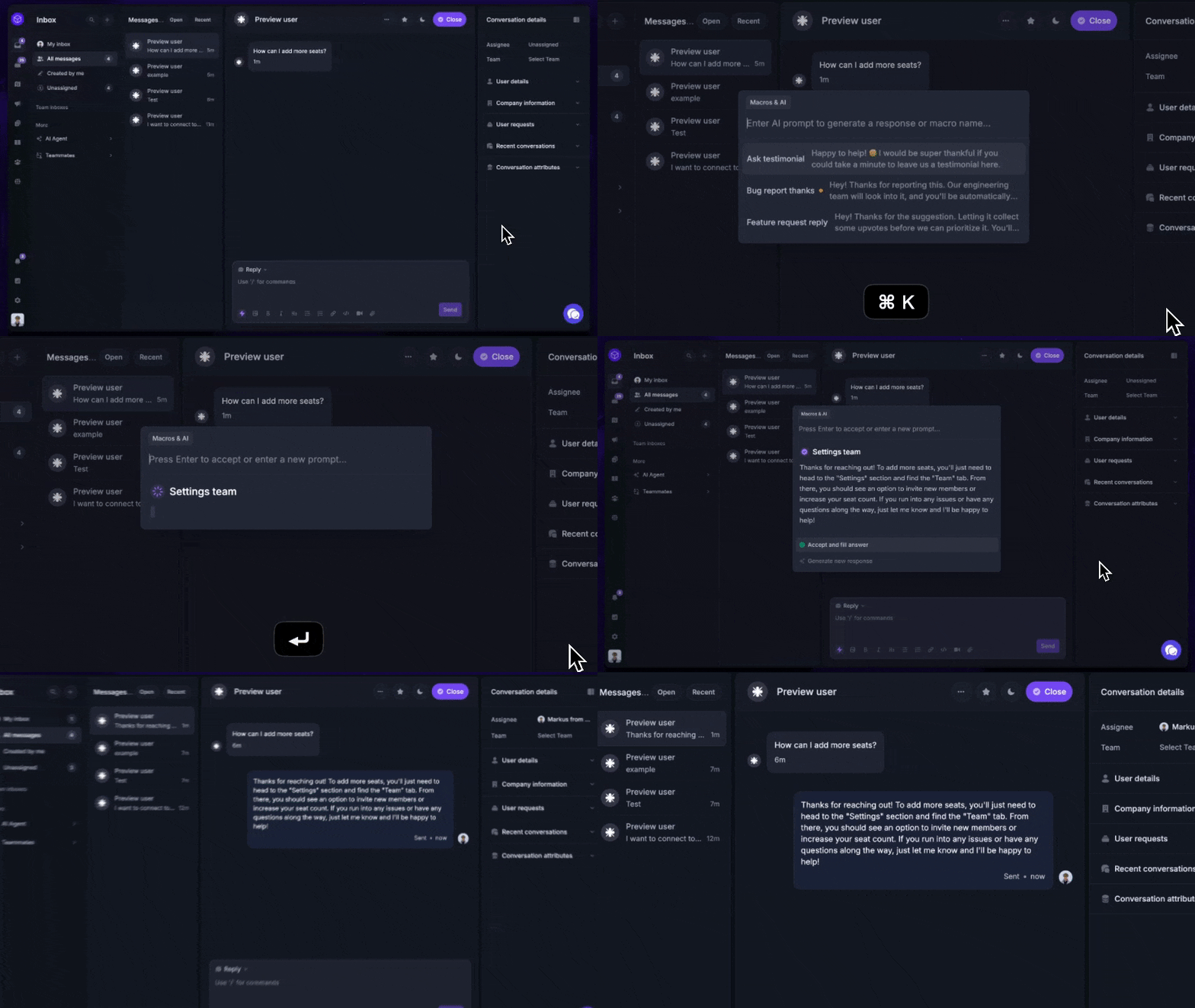
Featurebase (👋 that's us) is a modern SaaS help desk built for SaaS companies that want support, docs, and feedback connected in one place. Instead of forcing teams to use one tool for ticketing, another for a knowledge base, and another for feature requests, it brings those workflows together in a single platform. That makes it especially compelling for fast-moving SaaS teams where support and product are closely linked.
Top features:
- Shared inbox and live chat: Helps support teams manage email and chat in one place, so customer requests do not get split across disconnected tools.
- AI-powered knowledge base: Gives customers self-service options and helps reduce repetitive support requests before they reach an agent.
- Feedback boards and roadmaps: Let teams capture feature requests and tie support conversations directly to product planning.
- Changelogs and surveys: Makes it easier to close the loop with users through release updates, CSAT, NPS, and other feedback flows.
Best for: fast-growing SaaS teams that want one platform for customer support, documentation, and feedback instead of stitching together multiple tools
Why teams choose it: Teams usually pick Featurebase when they want support to work as part of the full customer experience, not as an isolated help desk.
Downside: If you only want a very traditional ticketing system and nothing else, the broader platform may feel like more than you need.
Pricing: Featurebase offers a free plan, with paid plans starting at $29/seat/month. Both the Support Suite and Product Suite are included in the same subscription, and AI resolutions cost $0.29 each.
✨ Automate your support with the fastest AI-enhanced Inbox today →
2. Zendesk

Zendesk is one of the best-known names in help desk software, and it is built for teams that need structure at scale. It is especially strong when support operations get more complex, and you need tighter workflows, permissions, and reporting across larger teams.
Top features:
- Omnichannel support: Brings email, live chat, phone, and social conversations into one place so agents can manage support across multiple channels.
- Knowledge base: Helps teams deflect common questions and offer self-service options without expanding headcount as quickly.
- Advanced reporting: Gives support leaders a clearer view of response time, workload, and customer service performance.
- SLA and routing automation: Keeps ticket management organized by assigning conversations automatically and enforcing response targets.
Best for: larger support orgs with high ticket volume, multiple queues, and a need for tighter process control
Why teams choose it: Teams move to Zendesk when simpler tools stop scaling and they need a more mature, operations-heavy support setup.
Downside: It often feels too heavy, too expensive, and too process-driven for smaller SaaS teams that just want a modern help desk.
Pricing: Zendesk pricing starts at $19/agent/month, but the plan most teams will actually compare is $55/agent/month, with live chat, help center, and AI included.
3. Freshdesk
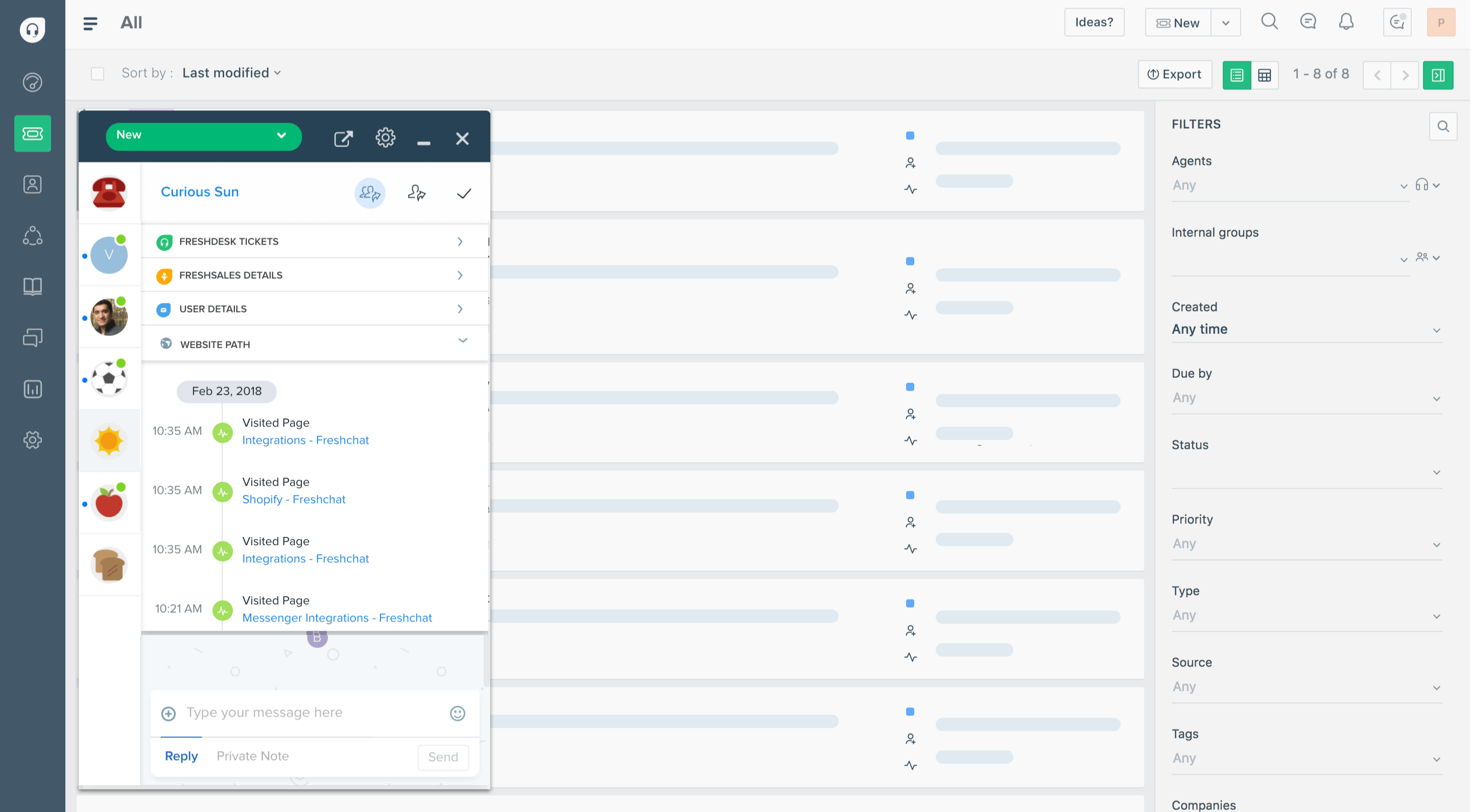
Freshdesk is a flexible help desk platform for teams that want a broad feature set without jumping straight into enterprise pricing. It covers the basics well and gives growing support teams enough structure to handle more volume without becoming overly complicated.
Top features:
- Multichannel ticketing: Pulls email, chat, and social conversations into one system so teams can manage support requests more consistently.
- Customer portal and knowledge base: Helps reduce repetitive tickets by giving customers a place to find answers on their own.
- Automation tools: Speeds up routing, prioritization, and follow-up workflows so agents spend less time on manual triage.
- Reporting dashboards: Helps managers track response time, team performance, and workload as support scales.
Best for: growing support teams that want solid omnichannel support without paying for a full enterprise stack
Why teams choose it: It is often the “safe middle ground” for teams that need more than a lightweight inbox but do not want the cost or complexity of Zendesk.
Downside: It can feel a bit more traditional and less polished than some newer SaaS-native support tools.
Pricing: Freshdesk pricing starts at $19/agent/month, with Pro at $55/agent/month for teams that need more advanced ticketing, routing, and reporting.
4. Help Scout
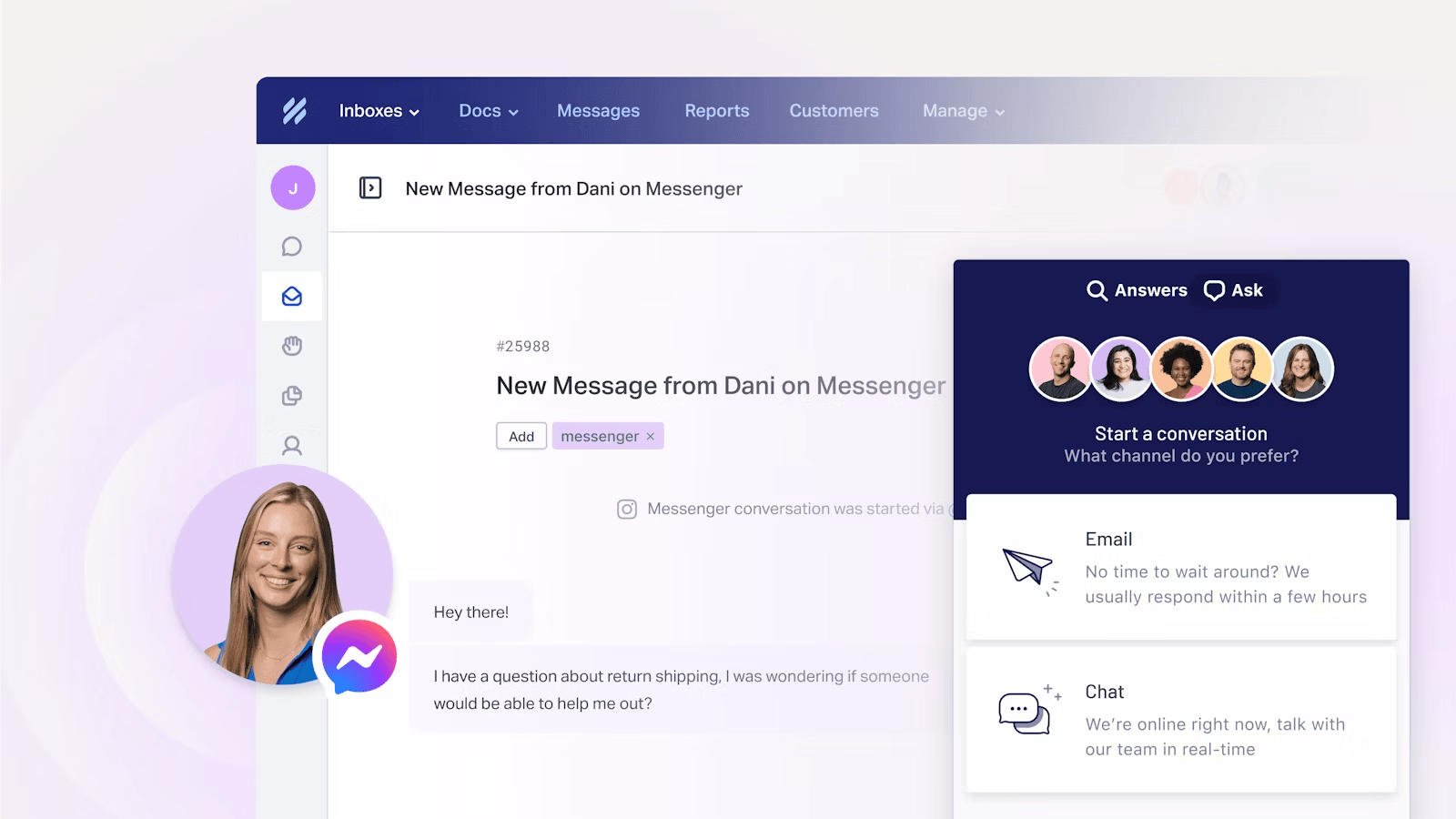
Help Scout is a simple, email-first help desk solution that focuses on clarity and ease of use. It is a strong fit for teams that want to deliver a friendly, personal support experience without building a highly technical support operation.
Top features:
- Shared inbox: Keeps email support collaborative without making agents work inside a rigid ticketing system.
- Live chat widget: Lets teams handle quick conversations while still keeping the overall workflow lightweight.
- Knowledge base: Helps teams provide self-service options and reduce ticket volume with helpful docs.
- Automation workflows: Handles assignments and rules behind the scenes so the inbox stays manageable as support volume grows.
Best for: small to mid-sized B2B SaaS teams that handle most support through email and want a low-maintenance setup
Why teams choose it: Teams pick Help Scout when they care more about simplicity, speed of adoption, and a clean customer support experience than advanced workflow complexity.
Downside: It can start to feel limiting once your support team needs deeper customization, stronger automation, or more advanced analytics.
Pricing: Help Scout pricing starts at $25/user/month, with Plus at $45/user/month for teams that need more advanced workflows, routing, and channel support.
5. Jira Service Management
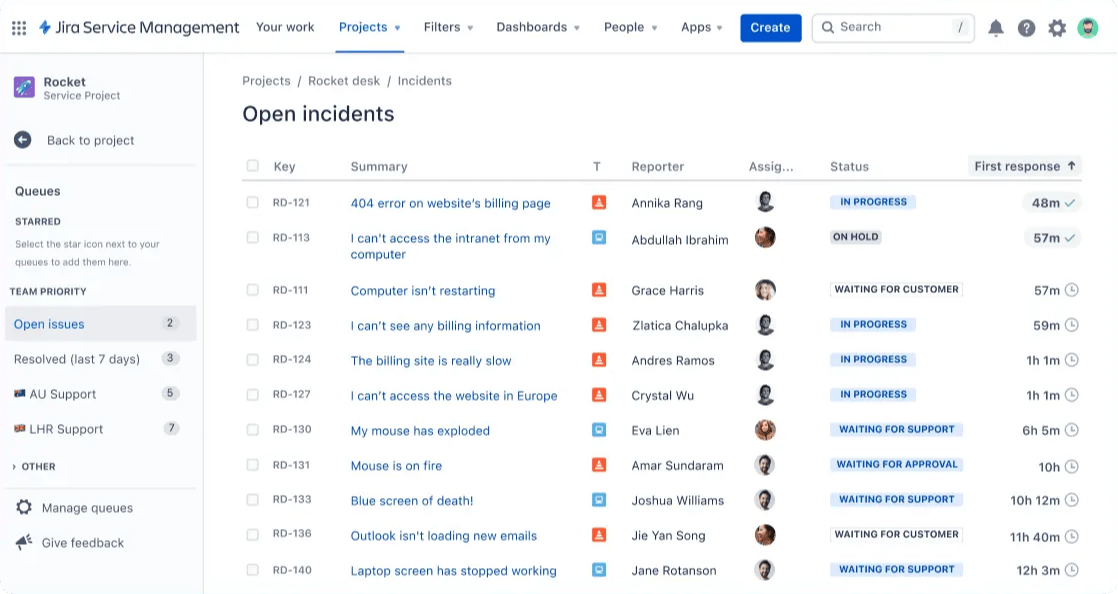
Jira Service Management is a technical SaaS service desk built for teams where support and engineering work closely together. It is especially useful when support requests regularly turn into bugs, incidents, escalations, or internal service requests that need structured handoffs.
Top features:
- Service request workflows: Helps teams manage structured support and internal operations with clearer routing and ownership.
- Incident tracking: Makes it easier to handle outages, escalations, and technical issues in a more operational way.
- Knowledge base integration: Gives customers and internal teams a place to find answers before opening a request.
- Automation and approvals: Reduces manual coordination by moving requests through predefined workflows automatically.
Best for: SaaS teams where support is tightly tied to engineering, IT, or internal operations
Why teams choose it: Teams choose Jira Service Management when support is less about conversational customer service and more about technical resolution and process control.
Downside: It can feel too technical and too workflow-heavy for customer-facing teams that just want a smoother help desk experience.
Pricing: Jira Service Management pricing starts at $20/agent/month, but teams using it as a serious service desk will often end up on Premium at $51.42/agent/month for advanced incident and change management.
6. Zoho Desk
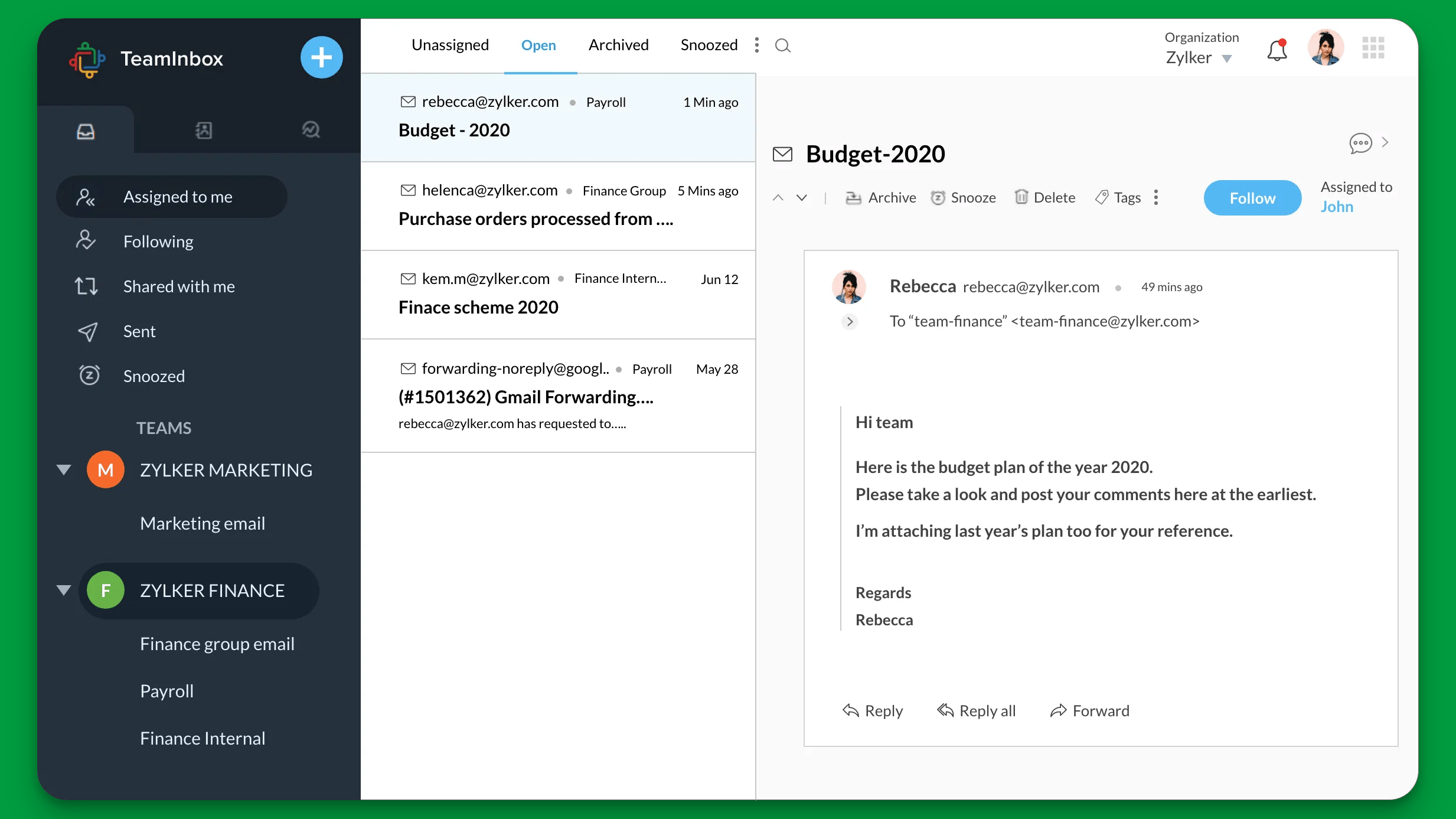
Zoho Desk is one of the most budget-friendly options in the category and still covers the core help desk software needs for many teams. It is a practical pick for businesses that want ticketing, automation, and a knowledge base without spending aggressively.
Top features:
- Omnichannel support: Lets teams manage email, chat, phone, and social conversations in one place at a relatively low cost.
- Knowledge base and self-service: Helps customers resolve common issues without always needing an agent.
- Automation tools: Cuts down manual ticket assignment and repetitive triage work as customer requests grow.
- Reporting dashboards: Gives teams enough visibility into performance without needing a high-end analytics setup.
Best for: budget-conscious teams that want a capable multichannel help desk without enterprise pricing
Why teams choose it: Teams usually pick Zoho Desk when price matters, but they still want a real support platform rather than a basic inbox.
Downside: It can feel less modern and less refined than some newer tools aimed specifically at fast-growing SaaS companies.
Pricing: Zoho Desk pricing starts at $7/user/month, but most teams wanting a fuller help desk setup will look at Professional ($23/user/month) or Enterprise ($40/user/month) for AI, live chat, and more advanced routing.
7. Front
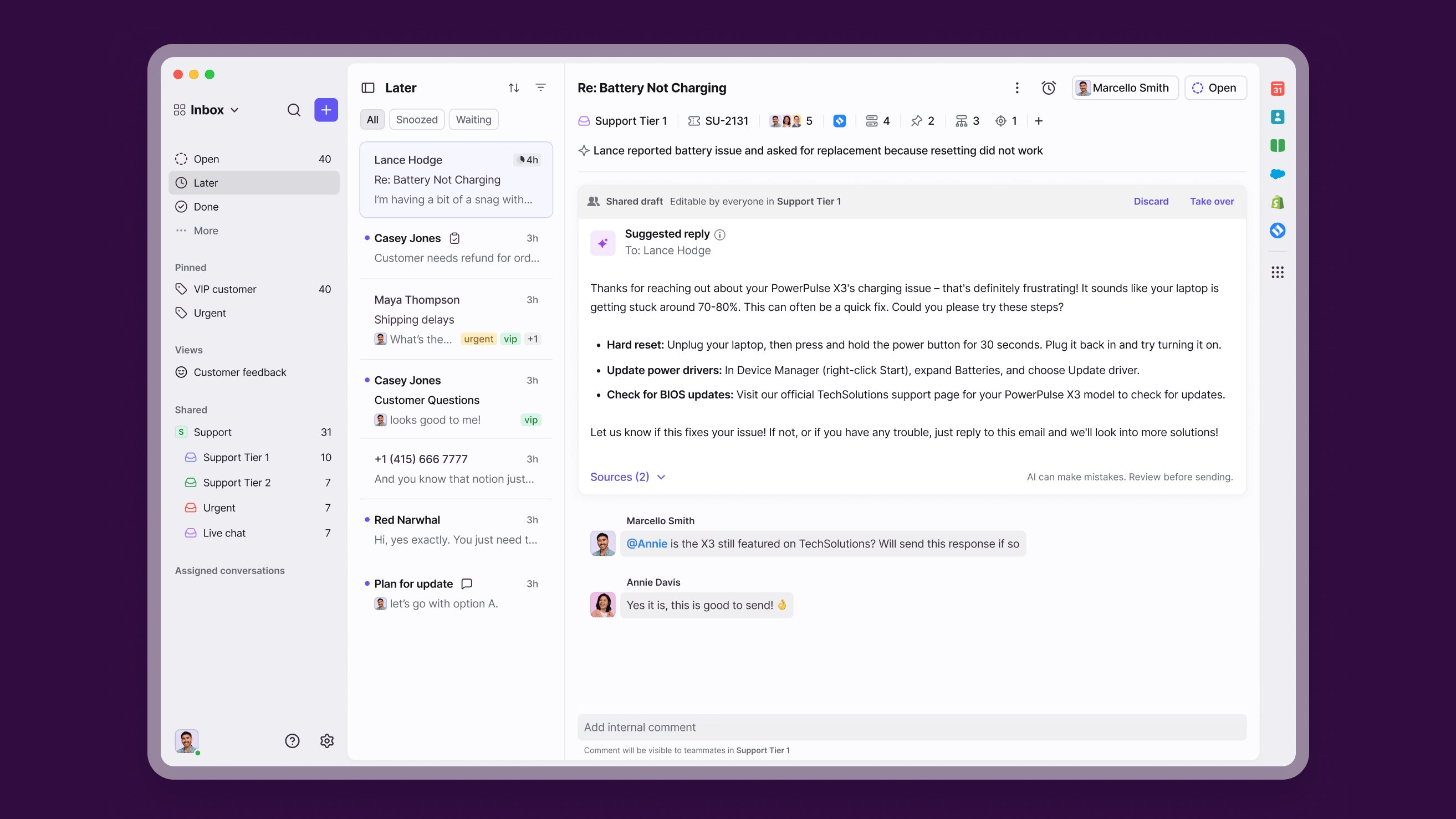
Front takes a shared-inbox-first approach to customer support. Instead of feeling like a traditional help desk, it feels closer to email collaboration software, which makes it appealing for teams that work heavily together on customer conversations.
Top features:
- Shared inbox: Keeps customer conversations visible and collaborative without forcing teams into a more rigid ticket-based workflow.
- Internal comments and collaboration tools: Makes it easier for teammates to discuss replies and coordinate on tricky requests.
- Live chat support: Adds real-time communication without moving away from the inbox-style experience.
- Workflow automation: Helps teams route conversations and reduce manual work while keeping the workflow lightweight.
Best for: teams that care more about collaborative inbox workflows than formal support operations
Why teams choose it: Teams choose Front when they want support to feel natural for everyone internally, especially if email is already central to how they work.
Downside: It is weaker than true help desk platforms if you need deep ticketing systems, self-service, and support process control.
Pricing: Front pricing starts at $25/seat/month, but teams using Front as a serious support platform will usually look at Professional at $65/seat/month for omnichannel support and stronger reporting.
8. Intercom
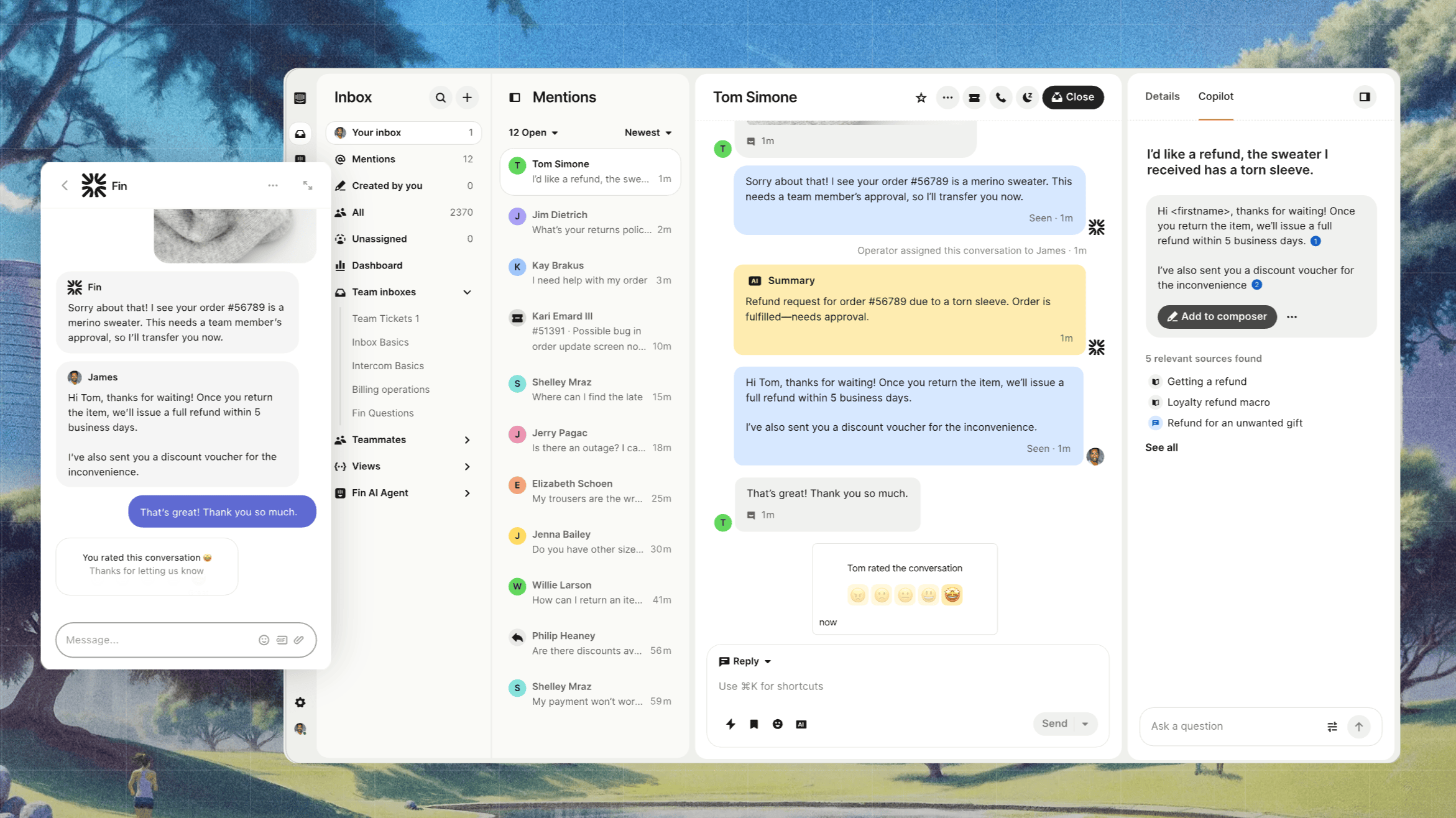
Intercom is a chat-first customer support platform that combines live chat, ticketing, a knowledge base, and AI tools. It is especially popular with SaaS companies that want proactive support, in-app messaging, and a modern customer communication layer. The reference article you shared uses this exact positioning.
Top features:
- Live chat and in-app messaging: Helps teams support users directly inside the product and keep customer interactions more immediate.
- Knowledge base: Gives customers a place to find answers without always needing to contact support.
- Shared inbox: Brings conversations into one place so support agents can manage ongoing requests more efficiently.
- AI tools: Helps automate replies and deflect common questions, especially for teams leaning into AI support.
Best for: SaaS teams that want a messaging-first customer support experience inside the product
Why teams choose it: Teams choose Intercom when they care most about live chat, proactive messaging, and a polished in-app support experience.
Downside: Its pricing can become hard to predict once you add seats, AI usage, and extra functionality, which is one of the biggest reasons teams look for alternatives.
Pricing: Intercom pricing starts at $19/seat/month for Essential billed annually ($29 billed monthly), but teams that want stronger workflows usually end up on Advanced at $85/seat/month billed annually (Expert is $132/seat/month billed annually), with Fin AI charged at $0.99 per outcome on top.
9. Crisp
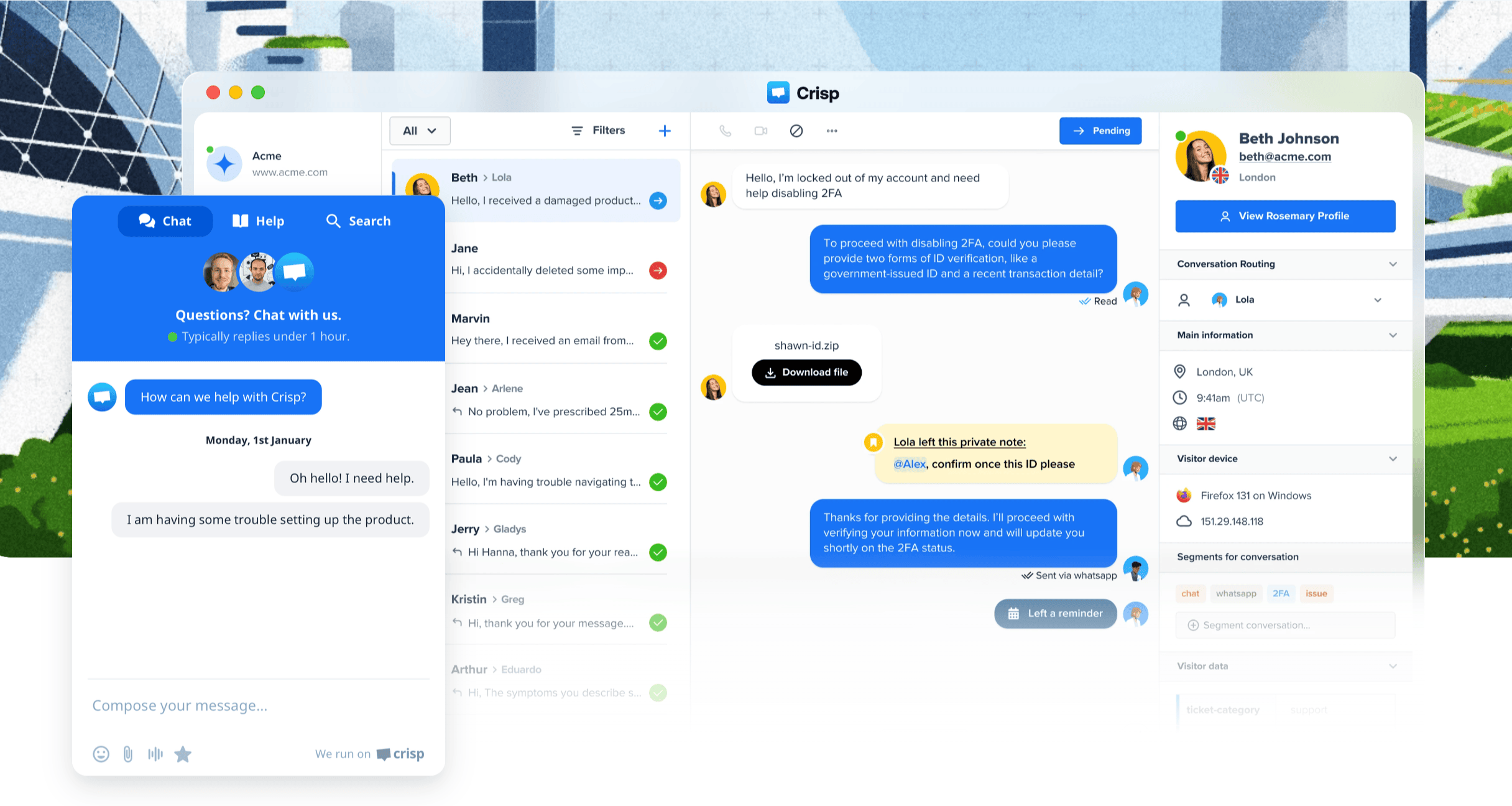
Crisp is a polished option for startups and smaller teams that want affordable live chat plus a few broader support features. It feels lighter than enterprise tools but more complete than a basic chat widget.
Top features:
- Live chat: Helps smaller teams handle real-time support without investing in a heavier platform.
- Shared inbox: Keeps customer communication centralized so support requests do not get lost across tools.
- Knowledge base: Adds self-service options that reduce repeat questions and lighten the support load.
- Automation tools: Helps startups automate routine support tasks without needing a highly technical setup.
Best for: startups and small SaaS teams that want affordable chat-heavy support with enough breadth to scale a bit
Why teams choose it: Teams pick Crisp when they want something more capable than simple live chat but still lightweight enough to set up quickly.
Downside: It is not the strongest option for larger teams that need deeper reporting, stricter workflows, or more advanced service operations.
Pricing: Crisp pricing starts at $45/month per workspace, but most growing teams will look at Essentials at $95/month for workflow automation, routing, analytics, and a built-in knowledge base.
10. HubSpot Service Hub
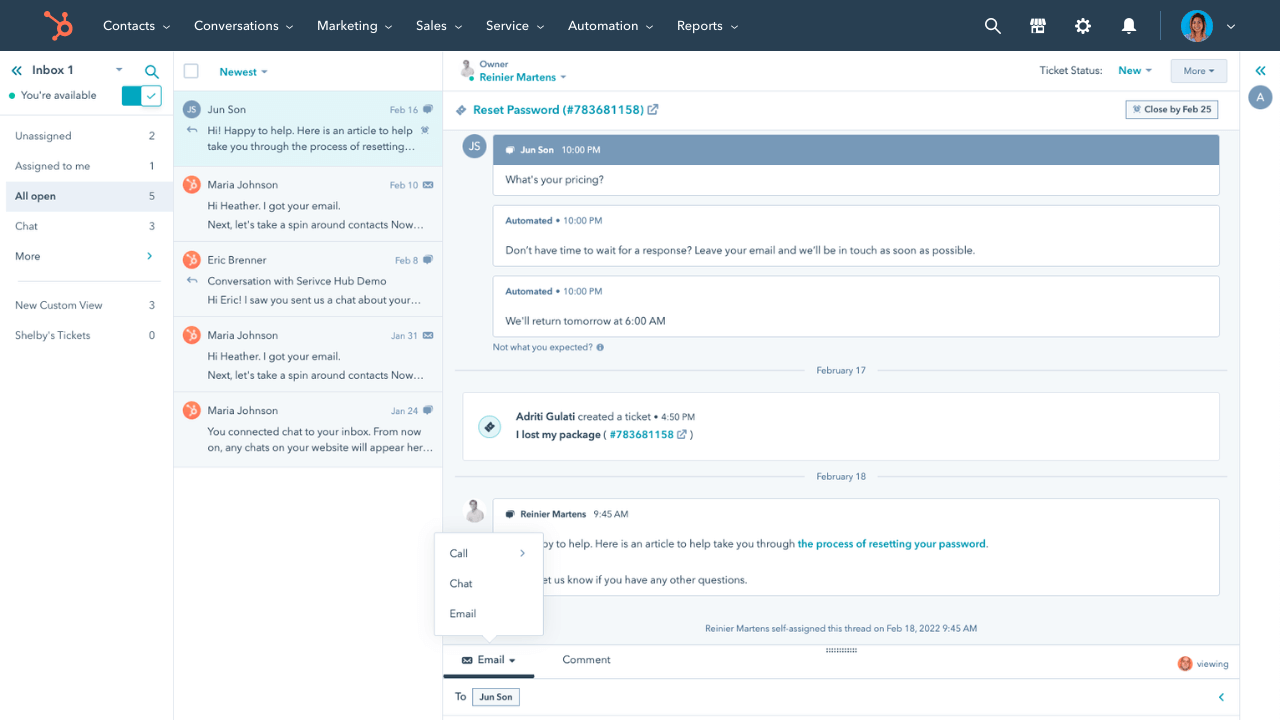
HubSpot Service Hub makes the most sense for teams already using HubSpot CRM. Instead of being “just” a help desk, it works as part of a larger customer platform where support, sales, and marketing data all connect.
Top features:
- Ticket management: Helps teams organize customer support inside the same ecosystem they already use for CRM.
- Live chat: Adds real-time support and conversation capture without needing a separate chat product.
- Knowledge base: Supports self-service and helps reduce repeated customer inquiries.
- Customer portal and workflows: Gives teams a structured way to manage requests while keeping support tied to customer records.
Best for: companies already deep in HubSpot that want support tightly linked to CRM data
Why teams choose it: Teams usually choose it because it keeps customer support connected to sales and marketing instead of creating another disconnected tool.
Downside: If you are not already committed to HubSpot, it can feel like paying for an ecosystem rather than just a help desk.
Pricing: HubSpot Service Hub pricing starts at $20/seat/month, but most support teams will need Professional at $90/seat/month for the knowledge base, customer portal, and a more complete help desk
11. HappyFox
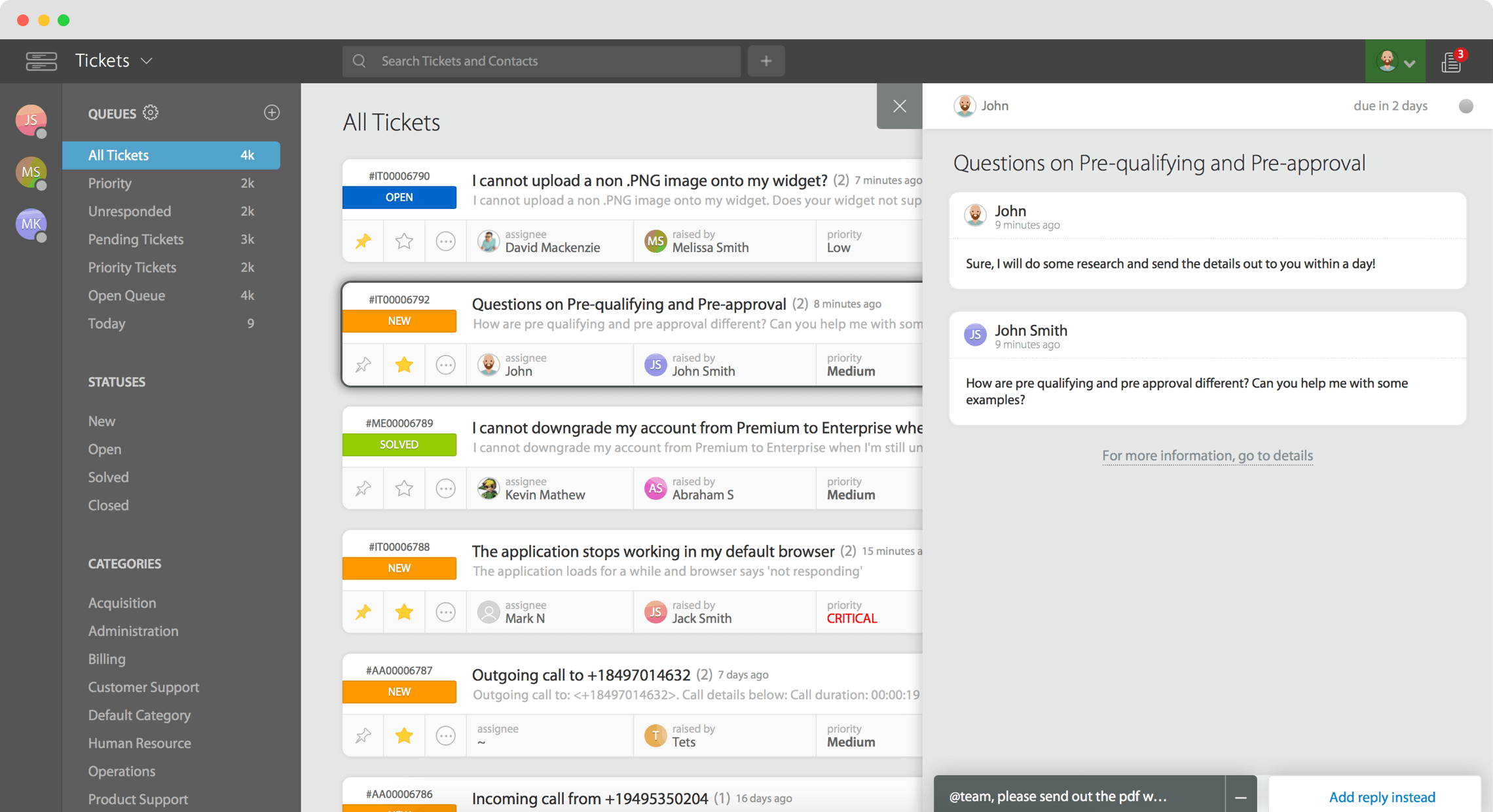
HappyFox is a more structured help desk solution built around ticket discipline, SLAs, and clearer support workflows. It is a better fit for teams that want operational consistency than for teams chasing a more modern, conversational support style.
Top features:
- Ticketing system: Helps teams manage customer requests with more structure and clearer workflow stages.
- Live chat: Adds real-time support without losing control over the broader support queue.
- Knowledge base: Supports self-service and helps deflect common questions before they become tickets.
- SLA management and automation: Keeps support operations more predictable with automated routing and response targets.
Best for: support teams that care about process discipline, SLAs, and operational consistency
Why teams choose it: Teams choose HappyFox when they want a more structured support operation without necessarily moving to a huge enterprise suite.
Downside: It can feel more traditional and less flexible than newer SaaS support platforms.
Pricing: HappyFox pricing starts at $21/agent/month, but support teams that need stronger routing, customization, and multi-brand support will typically pay $39–$89/agent/month.
12. LiveAgent
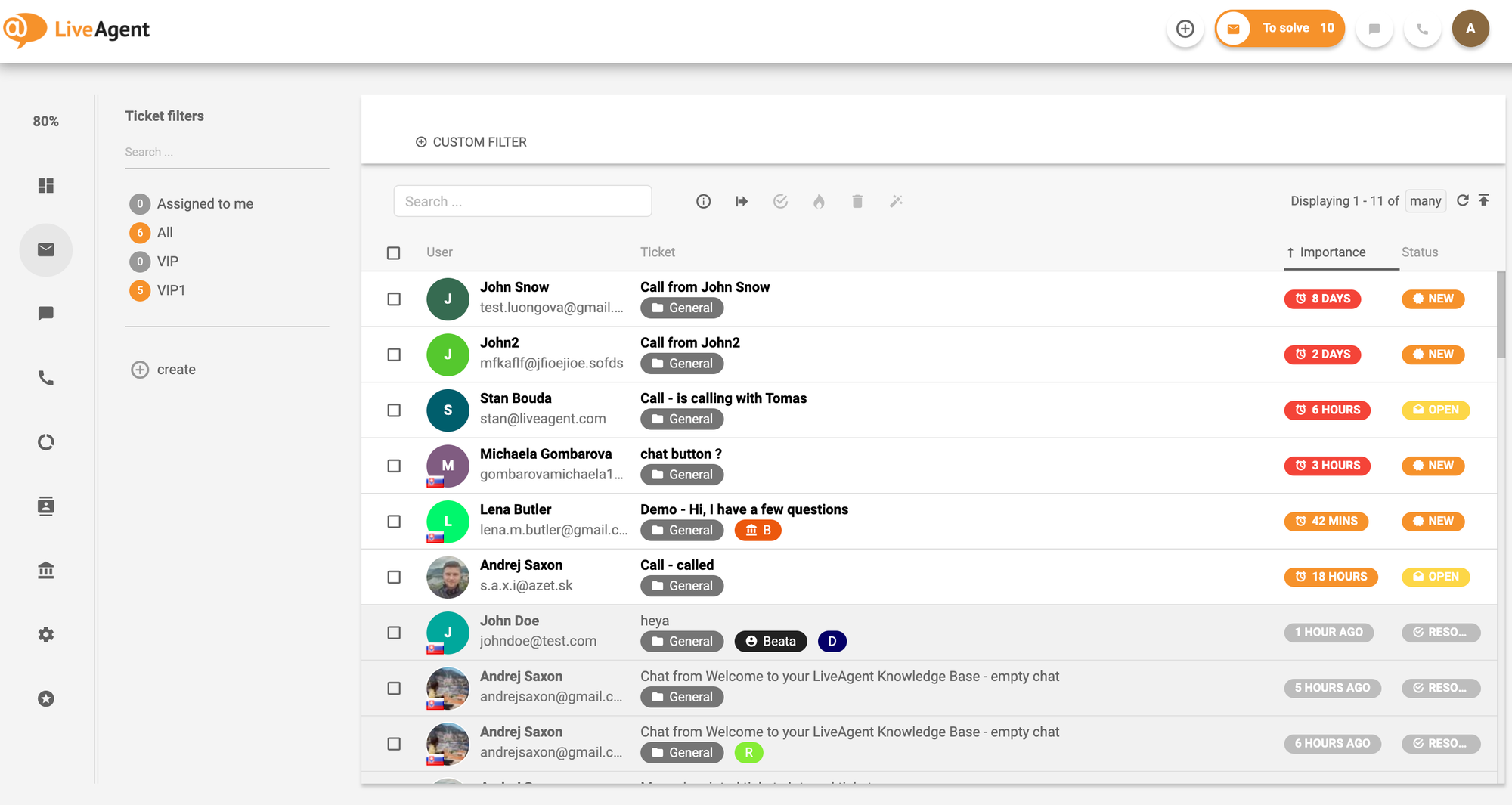
LiveAgent is a practical support tool for teams that handle lots of conversations and care about fast responses. It combines live chat, ticket management, and knowledge base tools in a way that works well for busy customer service environments.
Top features:
- Live chat: Helps teams respond quickly to urgent customer questions and reduce delays in the support flow.
- Ticket management: Keeps large volumes of customer requests organized as support demand increases.
- Knowledge base: Gives customers a way to solve simpler issues themselves, which helps protect agent time.
- Collaboration and automation tools: Helps support teams manage repetitive work and keep response time under control.
Best for: teams with high conversation volume that care more about speed and throughput than a premium UX
Why teams choose it: Teams pick LiveAgent when they need a dependable workhorse for handling lots of support activity without overthinking the stack.
Downside: It can feel less modern and less elegant than newer help desk platforms aimed at SaaS growth teams.
Pricing: LiveAgent pricing starts at $15/agent/month for Small, but most support teams will likely need Medium at $29/agent/month or Large at $49/agent/month for reporting, SLA features, and broader channel support.
13. Helply
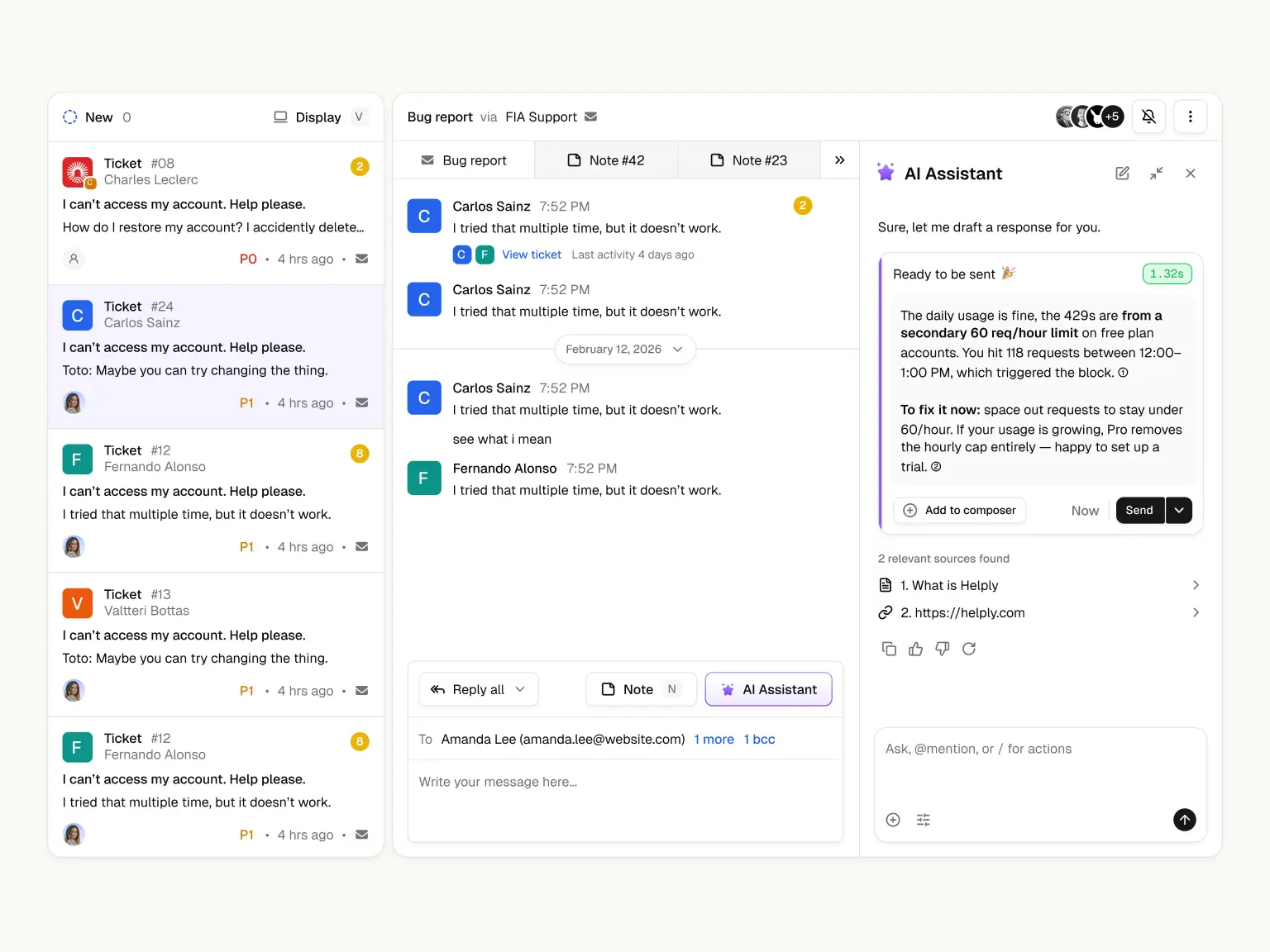
Helply is an AI-native B2B support platform that replaced Groove. While Groove was built as a lightweight help desk for small teams, Helply now focuses on B2B software companies that want to automate support, connect customer context, and turn support into more of a revenue engine.
Top features:
- AI resolutions and draft replies to automate support conversations and speed up agent responses
- Shared inbox and ticketing for managing email, live chat, and customer requests in one place
- Knowledge base and AI article creation tools for self-service support
- Account intelligence that surfaces churn risks, upsell opportunities, and support trends
- Outcome-based pricing with a free support platform, unlimited seats, and charges only for AI outcomes
Best for: B2B software teams that want AI-native support, customer intelligence, and outcome-based pricing
Why teams choose it: Teams choose Helply when they want a support platform built around AI outcomes rather than traditional per-seat help desk pricing.
Downside: Helply is focused specifically on B2B companies with more complex support needs, so it may not be the best fit for consumer apps, ecommerce businesses, or very early-stage teams with low ticket volume.
Pricing: Helply offers a free support platform with unlimited seats. AI outcomes cost $0.50 each, and Enterprise pricing is custom.
14. Kayako
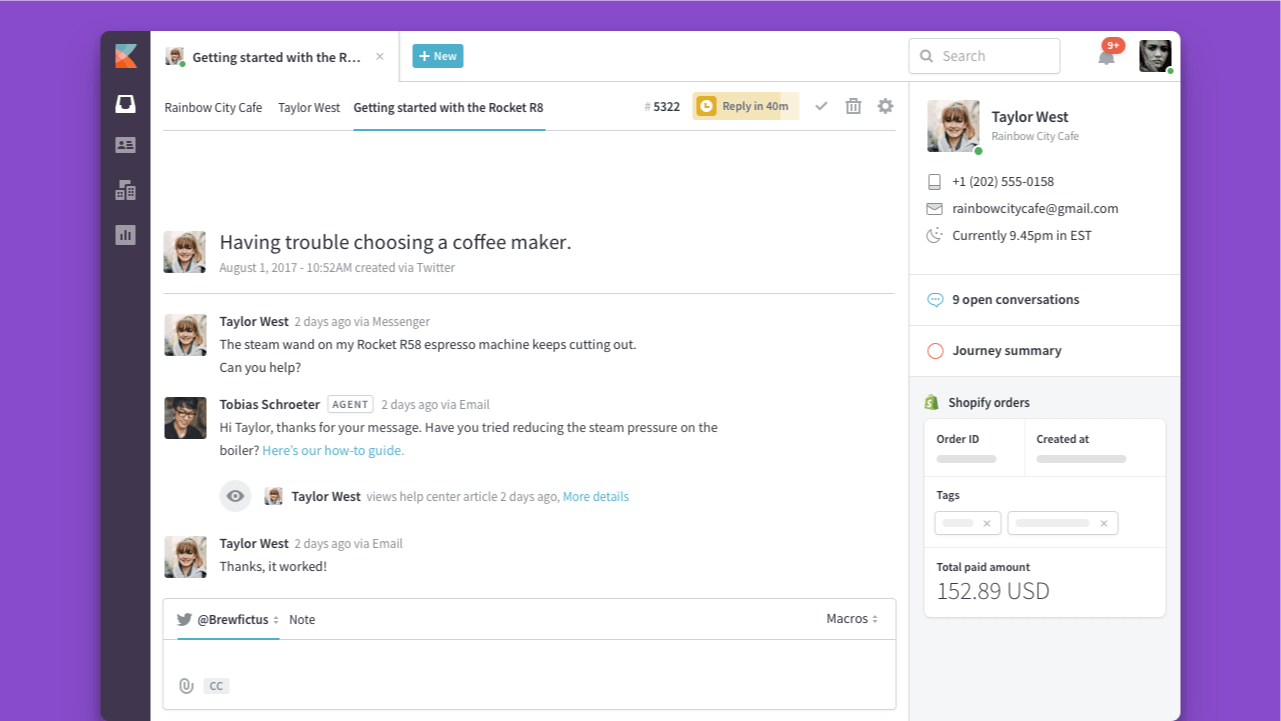
Kayako focuses on conversation continuity and organizes customer interactions in a timeline view. That makes it useful for teams that care a lot about context and want agents to see the full support history in one place.
Top features:
- Unified inbox: Helps agents manage support across channels while keeping conversations tied together.
- Live chat: Supports faster real-time engagement without losing the broader customer context.
- Knowledge base: Adds self service options that can cut down common support requests.
- Customer timeline and workflow automation: Gives teams more context on the customer journey and reduces manual coordination.
Best for: teams that want a more context-rich support experience instead of a purely queue-driven workflow
Why teams choose it: Teams choose Kayako when continuity matters and they want agents to understand the full customer story, not just the latest ticket.
Downside: It can feel expensive compared with lighter tools that cover most of the same basics at a lower cost.
Pricing: Kayako pricing is centered on $1 per resolved ticket for Kay, while Kayako One starts at $79/agent/month for teams that also want the full platform with ticketing, knowledge base, live chat, and reporting.
15. Hiver
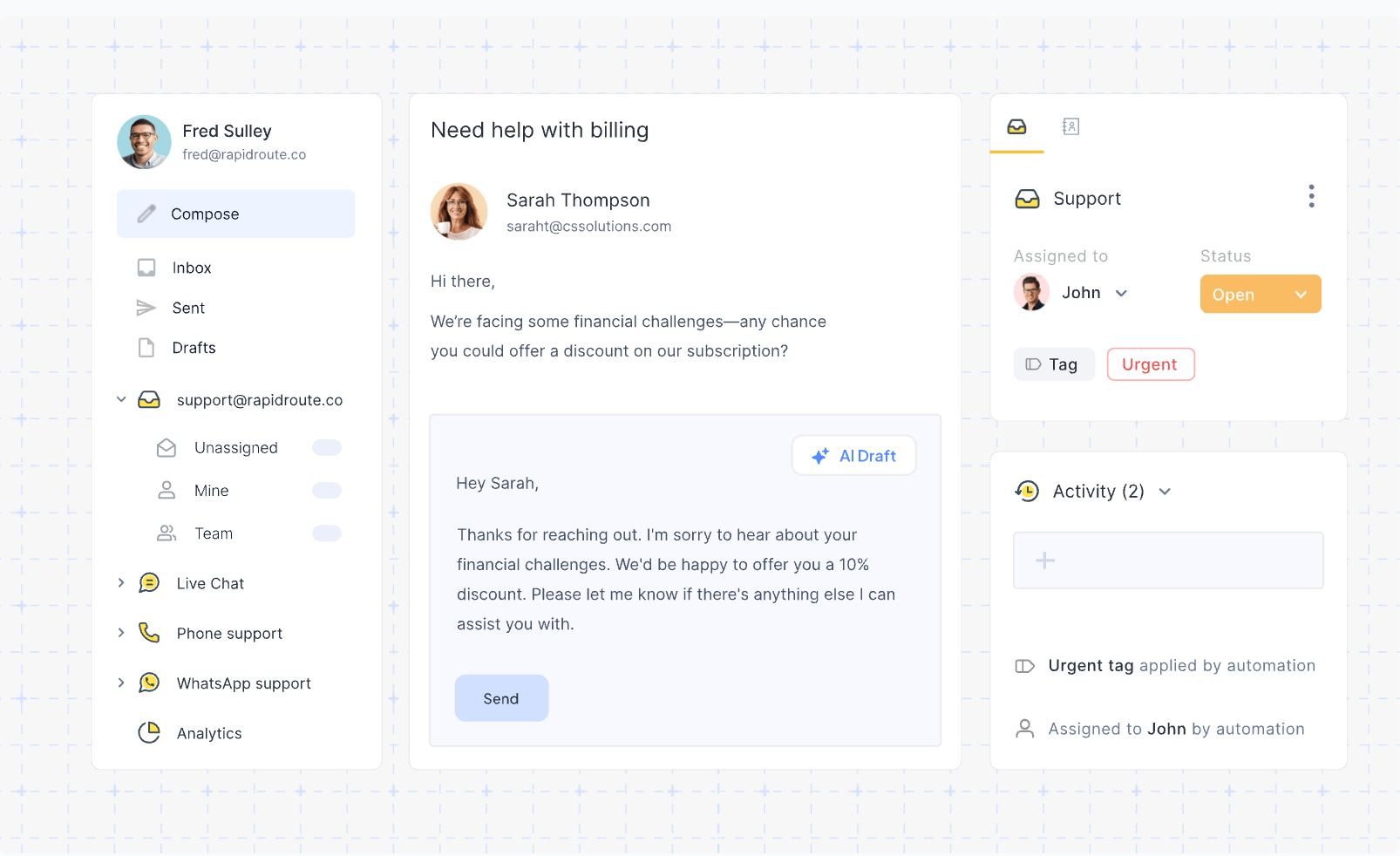
Hiver is a lightweight support tool for teams that already live inside Gmail and want to stay there. Instead of asking teams to adopt a separate help desk, it adds collaboration, assignment, and simple ticketing workflows directly on top of email.
Top features:
- Gmail-based ticket management: Let teams organize customer requests without leaving the inbox they already use every day.
- Collaboration tools: Helps teammates assign ownership and coordinate replies inside Gmail.
- Request assignment: Gives small customer service teams a clearer way to divide work and reduce duplicate responses.
- Simple automation: Adds lightweight workflow support without forcing a full help desk migration.
Best for: small support teams that want more structure than Gmail alone but do not want a brand-new platform
Why teams choose it: Teams usually choose Hiver because it is the easiest way to formalize support without retraining everyone on a separate system.
Downside: It is not the right fit if you need a full SaaS help desk with strong knowledge base tools, omnichannel support, or advanced reporting.
Pricing: Hiver pricing starts at $25/user/month, but teams using it as a more complete help desk will usually end up on Pro at $55/user/month for SLA management, portal access, and stronger reporting.
16. Tidio
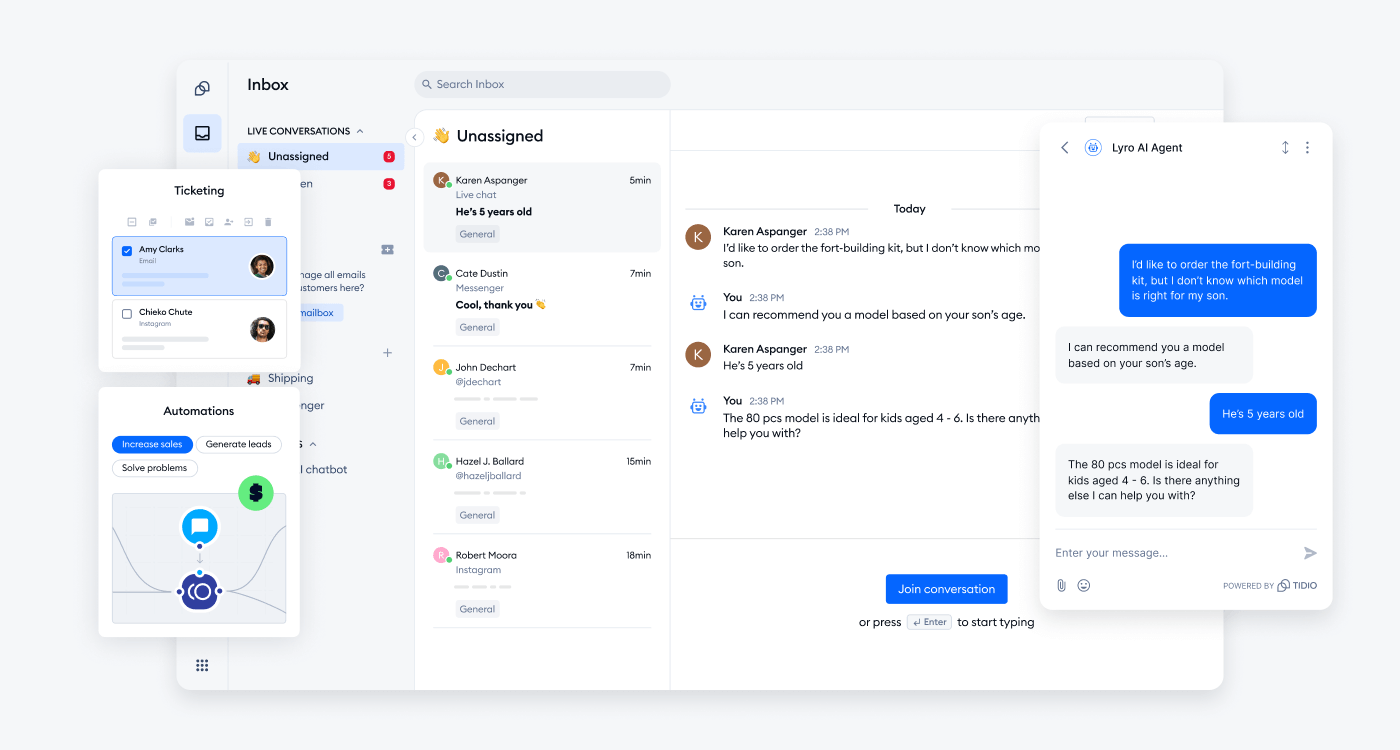
Tidio is an AI-driven customer service platform that combines live chat, a help desk and ticketing system, chatbot automation (Flows), and Lyro, its built-in AI agent. It is aimed at SaaS companies, e-commerce stores, and SMBs that want to automate a large share of support while keeping setup light, and it connects to Shopify, WooCommerce, WordPress, Wix, Messenger, Instagram, and WhatsApp, among others.
Top features:
- Live chat and shared inbox: Brings website chat, email, and social messages into one place so customer requests stay centralized rather than scattered across channels.
- Lyro AI agent: Trained on your own FAQ and website content to answer customer questions automatically and hand conversations off to a human operator when it cannot resolve them.
- Flows automation: A visual, no-code builder for rule-based chatbots that handle routing, FAQs, and sales prompts without an agent.
- Help desk and ticketing: Organizes customer requests with email management, macros, automatic chat assignment, and satisfaction surveys on higher tiers.
Best for: e-commerce and SaaS SMBs that want approachable live chat plus AI-driven automation without a heavy enterprise rollout.
Why teams choose it: Teams pick Tidio when they want self-service and AI deflection working alongside live chat early on, with strong native integrations for online stores.
Downside: Conversation-based billing and Lyro conversation limits mean costs can climb for high-volume teams, and the most advanced workflow and customization features sit on the top Plus and Premium tiers.
Pricing: Tidio offers a free plan, with Starter from $24.17/month and Growth from $49.17/month (billed annually). Plus starts at $749/month, while Premium is custom-priced (contact sales).
17. Chatbase
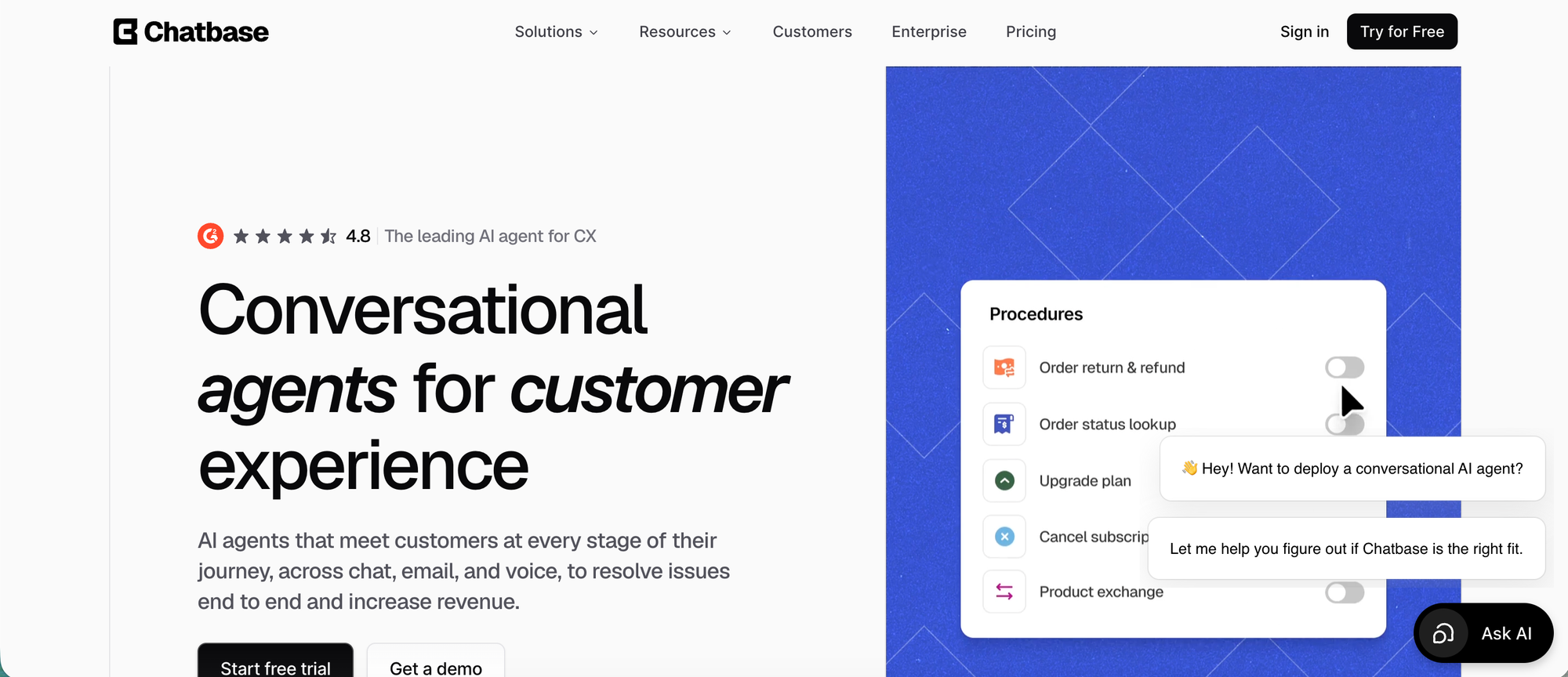
Chatbase is built for SaaS teams that want AI support agents, human handoff, and help desk workflows in one place. It helps teams answer repetitive product, billing, onboarding, and account questions across chat, email, messaging, and voice without forcing every request into a human queue.
Top features:
- AI support agents: Answers customer questions using your website, docs, help center, support content, and connected sources.
- Built-in Help Desk: Gives teams a shared workspace for tickets that need human review, assignment, tracking, or takeover.
- Actions and workflows: Lets agents retrieve information, trigger approved workflows, route issues, create tickets, and support billing or ecommerce requests.
- Multichannel support: Works across website chat, email, WhatsApp, Facebook Messenger, Slack, and voice.
- Shopify support: Helps ecommerce teams handle product questions, recommendations, carts, order status, billing details, and order views.
- Enterprise controls: Supports SSO, RBAC, audit logs, SOC 2 Type II, GDPR, and HIPAA-compliant Enterprise environments after BAA and ZDR setup.
Best for: SaaS, ecommerce, and support teams that want AI-led support with human oversight instead of a traditional help desk alone.
Why teams choose it: Teams choose Chatbase when they want AI agents to resolve common questions, take approved actions, and hand off complex cases with context, while still keeping a Help Desk for human follow-up. This makes it stronger than a simple chat widget and easier to adopt than a large enterprise help desk.
Downside: Advanced workflows, Actions, and handoff rules need setup time. Teams that only want a traditional ticket queue with deep SLA management may still prefer a full help desk like Zendesk or Freshdesk.
Pricing: Chatbase pricing includes a free plan. Paid plans start at $32/month when billed annually.
How to choose the right SaaS help desk
The right help desk software for SaaS businesses depends on your team size, workflow, and support model.
Ask yourself:
- Do you need live chat or mostly email support?
- Do you want strong self-service options and a knowledge base?
- Are you managing customer requests across multiple channels?
- Do you need a customer portal?
- How important are automation capabilities and advanced analytics?
- Do you need a SaaS ticketing system integrated with project management?
- Do you want a standalone help desk or a unified platform?
- Do you need a free plan to start with?
If you want a straightforward enterprise tool, Zendesk is a safe choice. If you want a more technical system tied to development teams, Jira Service Management makes sense. And if you want a modern SaaS help desk that combines support, docs, customer feedback, and product communication into a single platform, Featurebase is one of the strongest options for growing SaaS teams.

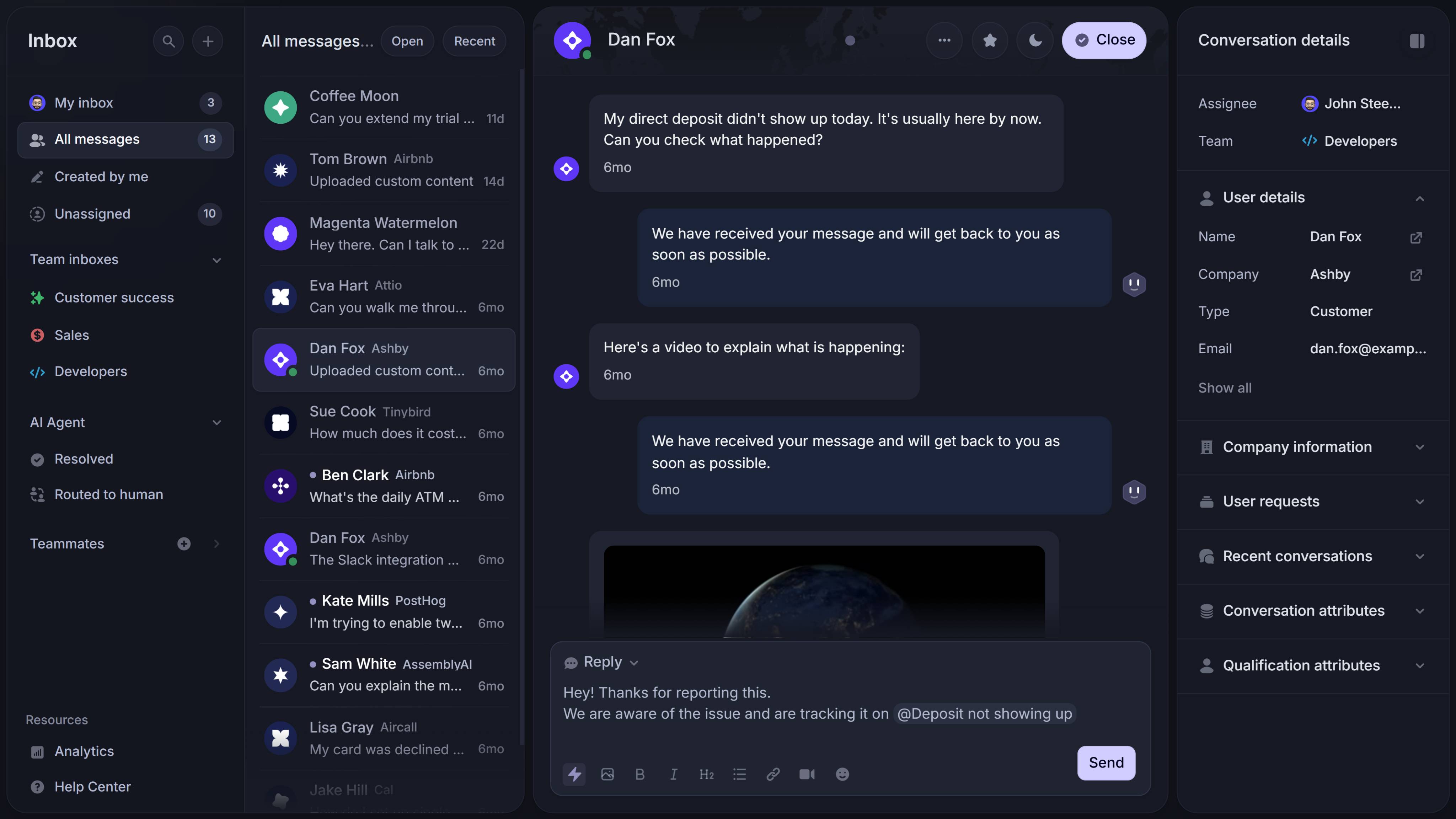
Get the fastest AI-powered Support Inbox
Support your customers from anywhere with an AI-powered omnichannel inbox
Conclusion
The best SaaS help desk for your team depends on how you support customers today and how much complexity you expect tomorrow. Some teams need a more structured enterprise platform, while others just want a simpler way to manage live chat, customer requests, and self-service support in one place.
Featurebase is a modern support platform built for fast-growing SaaS teams. It combines a shared inbox, live chat, AI-powered knowledge base, ticketing, feedback collection, roadmaps, changelogs, and surveys in one place, so you do not have to stitch together multiple tools just to deliver a great customer experience. It's loved by thousands like Raycast, Lovable, and n8n.
It comes with affordable pricing and a Free plan, so there is no downside to trying it. You can get started quickly, and if you are switching from another tool, the onboarding is straightforward. 👇
✨ Start using a modern SaaS help desk with Featurebase for free →