Blog Customer ServiceInternal Customer Service: the Definitive Guide for Businesses
Internal Customer Service: the Definitive Guide for Businesses
Great external customer service starts with internal customer service. Here's what it is, why it's important, and how you can get started.



✨ Looking for an internal customer service platform? Check out Featurebase →
Before offering exceptional customer service to your customers, you need to start with your own business. Does your own team have all the resources to do their jobs well? Is there a positive work environment and departments that help each other rather than working in silos?
With great internal customer service comes excellent external customer service delivery, which is why it makes sense to look at your internal processes and find ways to support your team.
Today, we show you what internal customer service is and how it can translate to managing customer interactions well. 👇
What is internal customer service?
Internal customer service happens when employees within a company help each other. Instead of providing help to external customers, teams, and individuals within your company help each other do a better job. For example, product can help sales figure out the best jobs-to-be-done for their sales pitches, or developers can help marketing find the best angles to promote a product.
The key difference here is between internal and external customers. However, the key principles remain the same: responsiveness, clear communication, reliability, and a focus on solving the other person's problem effectively.
Why is internal customer service important?
When teams help each other do a job well, this benefits everyone in the business, including the customers. But if you want some practical reasons why internal customer service is so beneficial, here are just a few:
- It improves external customer service: when everyone collaborates internally, customers benefit the most. They get timely responses, excellent system maintenance, and superb resource allocation. Everyone wins.
- Productivity is increased: your team can spend their time solving problems and helping customers instead of chasing each other around for information and missing context.
- Expensive mistakes are reduced to a minimum: there will be fewer missed deadlines, pricing problems, customer messaging conflicts, and other errors that can snowball into proper crises.
- You get a boost in employee satisfaction: team members who get help are happier. They can do their jobs better, and they know that someone has their backs.
- There is more operational clarity: you get defined service level expectations and clear escalation paths. With documented processes, systems, and tools, everyone knows what their responsibilities are.
- Growth becomes easy: as you add more employees, features, dependencies, and moving parts, things tend to get stuck. With proper internal customer service, you'll have documented systems and processes to rely on and grow painlessly.
Internal vs. external customer service: key differences
As we already explained, some of the core principles of serving external and internal customers are identical. There are, however, some major differences as well.
| Internal customer service | External customer service |
|---|---|
| Serves employees and teams | Serves paying customers |
| Focused on operational efficiency | Focused on customer satisfaction |
| Impacts productivity and execution | Impacts revenue and retention |
| Often process-driven | Often experience-driven |
| Measured by internal SLAs and efficiency | Measured by CSAT, NPS, churn |
- The first key difference is the audience
Internal customer service helps employees, teams, and departments inside the company. Examples include HR helping staff, IT resolving system issues, or finance approving budgets. External customer service supports paying customers or users outside the company. This includes handling product questions, resolving complaints, and processing refunds. - The second differentiator is the objective
For internal customer service, it's to improve collaboration and productivity across teams. For external customer service, the objective is to improve customer satisfaction, retention, and brand reputation. - Impact is the third difference
Internal customer service impacts employee performance, project timelines, coordination, and operational stability. External customer service has an impact on customer satisfaction scores, reviews, and referrals, customer lifetime value and retention and the overall brand perception. - Measurement is another major difference
Internal customer service is measured by response times between teams within the same organization, SLA adherence, and project completion speed. External customer service is measured with things such as CSAT and NPS scores, and metrics such as first response and resolution time.
Top tips and best practices to achieve outstanding internal customer service
If you want to get internal customer service at an admirable level, you don't need to be a pro at network management or get human resources involved. These are some practical ways to improve communication and collaboration in internal teams.
Set clear service standards across departments
Internal customer service improves immediately when expectations are defined. Every team should know what response time is acceptable, what information must be included in a request, and who owns final resolution.
For example, the IT department might commit to acknowledging technical issues within one hour and resolving standard computer systems access requests within one business day.
Facilities management could define timelines for office repairs or equipment setup. When standards are visible and consistent across teams, everyone operates at the same level of accountability and can plan daily operations more effectively.
Centralize requests instead of relying on informal channels
Slack messages and hallway conversations create confusion and lost tasks. A structured system keeps requests organized and trackable.
IT teams should use a ticketing system for reporting technical issues, hardware upgrades, or permissions changes. Facilities management can use a shared form for maintenance requests. This prevents important requests from getting buried and allows teams to work efficiently instead of chasing context across multiple tools.
For remote employees, structured systems are even more important because they cannot walk over to someone's desk to clarify a request.
Treat internal teams with the same level of professionalism as external customers
Internal service often becomes casual, which leads to delays and frustration. Teams should communicate clearly, confirm deadlines, and provide updates without being prompted.
If the IT department is troubleshooting computer systems that affect payroll processing, they should communicate status updates proactively. If marketing is waiting on product details, product teams should explain changes clearly instead of sending partial information.
Professional internal communication prevents misunderstandings and protects daily operations.
Assign one clear owner per request to improve employee satisfaction
Shared responsibility usually results in slow progress. Each request should have one accountable owner who drives it to completion.
For example, if remote employees are experiencing system access issues, a specific member of the IT department should own the resolution, even if multiple IT teams are involved. Ownership avoids finger-pointing and speeds up the resolution of technical issues that impact productivity.
Clear ownership ensures teams can work efficiently without unnecessary back and forth.
Build documentation that supports self-service and improves customer satisfaction
Outstanding internal customer service reduces repeat questions. Document recurring processes such as onboarding new hires, requesting software access, setting up computer systems, or handling office equipment through facilities management.
When documentation is easy to find and updated regularly, employees solve simple problems on their own. This allows IT teams and support functions to focus on higher priority technical issues instead of repetitive requests.
Good documentation strengthens daily operations and reduces dependency bottlenecks.
Encourage constructive feedback between teams
Internal service improves when teams can openly discuss what is not working. Constructive feedback should focus on processes, not personalities.
For example, sales might explain that delayed pricing approvals are slowing deals. IT teams might share that incomplete tickets are causing resolution delays. Instead of blaming each other, both sides can refine the process.
Regular cross-team reviews create alignment and prevent friction from building up silently.
Design processes that support remote employees
Remote employees depend heavily on responsive internal service. If they cannot access computer systems, receive equipment, or resolve technical issues quickly, they cannot contribute effectively.
The IT department should have clear remote onboarding processes, device shipping timelines, and secure access procedures. Facilities management may need remote asset tracking for distributed teams. During offboarding, laptop retrieval services can arrange courier pickups and track device returns, giving departing employees clear instructions and IT teams visibility into outstanding equipment.
Strong support for remote employees ensures they operate at the same level of efficiency as in-office staff, and a remote employee monitoring tool helps managers maintain that visibility across distributed teams. A lone worker app can also help teams support employees working alone or off-site.
Measure performance and improve continuously
Outstanding internal customer service is measurable. Track metrics such as internal response time, resolution time for technical issues, and satisfaction scores from internal surveys.
If daily operations frequently stall due to system outages or slow approvals, leadership should investigate root causes. Continuous improvement prevents recurring friction and helps teams work efficiently at scale.
When internal service is structured, measurable, and accountable, the entire organization performs better without unnecessary complexity.
Examples of internal customer service
Internal customer service shows up in everyday collaboration between teams. It is not one single function. It is how departments support each other so work flows without unnecessary delays.
Human resources teams supporting employees
HR often acts as a service center for the entire company. This includes answering payroll questions, clarifying benefits, managing onboarding, and guiding employees through policies. When HR communicates clearly and responds quickly, new hires ramp faster and existing employees avoid confusion around procedures.
IT keeping teams operational
IT is one of the most visible internal service providers. From setting up devices and granting software access to resolving outages and managing permissions, their responsiveness directly impacts productivity. Slow IT support can stall entire teams, while fast resolutions keep momentum intact.
Finance enabling revenue and operations
Finance supports other departments by reviewing contracts, approving pricing exceptions, processing reimbursements, and managing invoicing. If this support is delayed, deals may stall and vendor relationships can suffer. When finance works closely with sales and operations, the company moves faster and with fewer errors.
Marketing equipping sales to identify opportunities and close them
Sales relies heavily on marketing for updated messaging, pitch decks, case studies, campaign data, and lead insights. When marketing provides accurate and timely materials, sales conversations become more consistent and effective. Poor alignment between these teams often leads to mixed messages in the market.
Product informing co-workers from customer-facing teams
Customer support and sales need continuous updates from product teams. Feature releases, roadmap shifts, known bugs, and documentation updates must be communicated clearly. Without this internal service, customer-facing teams risk sharing outdated or incorrect information.
Operations coordinating execution
Operations often works behind the scenes to manage timelines, allocate resources, and align cross team efforts. Whether it is coordinating a launch or managing logistics, operations supports everyone else by creating structure and predictability.
Leadership providing clarity and direction
Leaders also play an internal service role. By setting priorities, explaining strategy, and removing bottlenecks, they enable teams to focus on execution. When leadership communication is unclear, internal friction increases across departments.
How Featurebase lets you help internal teams and external customers
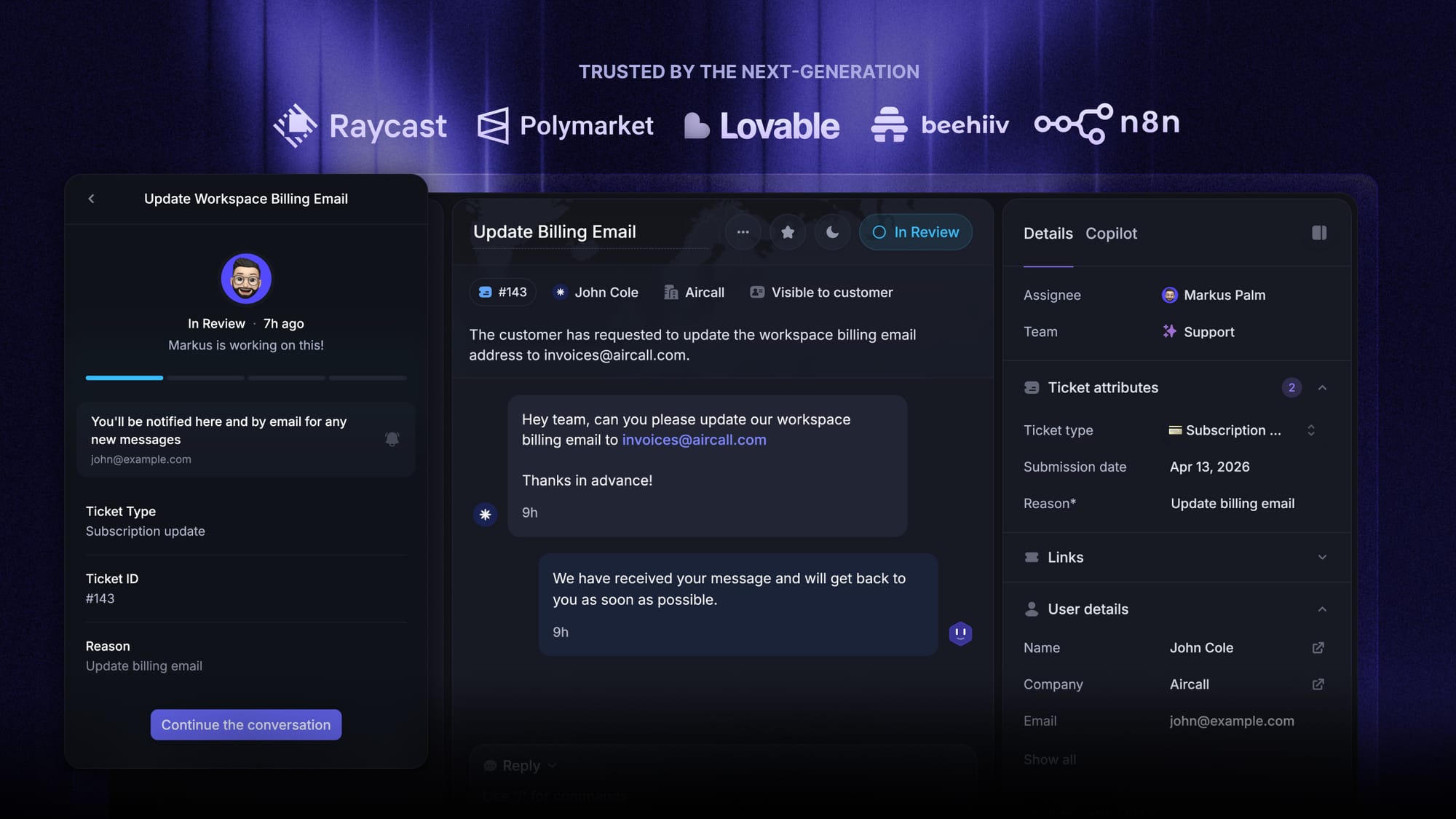
Featurebase is a modern AI-powered support platform built for product-led SaaS. It brings internal ticketing, a shared knowledge base, feedback collection, and roadmaps into one workspace, so every team inside your company (IT, HR, operations, product, and customer support) can work from the same place instead of paying for five different tools.👇
1. Back-office tickets for internal requests across departments
Most internal customer service problems are really ticketing problems in disguise. An employee needs a laptop, an access request, a contract reviewed, or a PTO approved, and without structure, those requests get lost across Slack messages and half-forgotten emails.
Featurebase includes back-office tickets built for exactly this kind of work. IT, HR, finance, and operations each get their own queue with assignees, statuses, priorities, and SLAs. Employees submit a request, the right team picks it up, and everyone involved can see progress in one place. No more "did anyone see my Slack DM from three days ago?"
2. A Ticket Portal where employees can submit and track requests
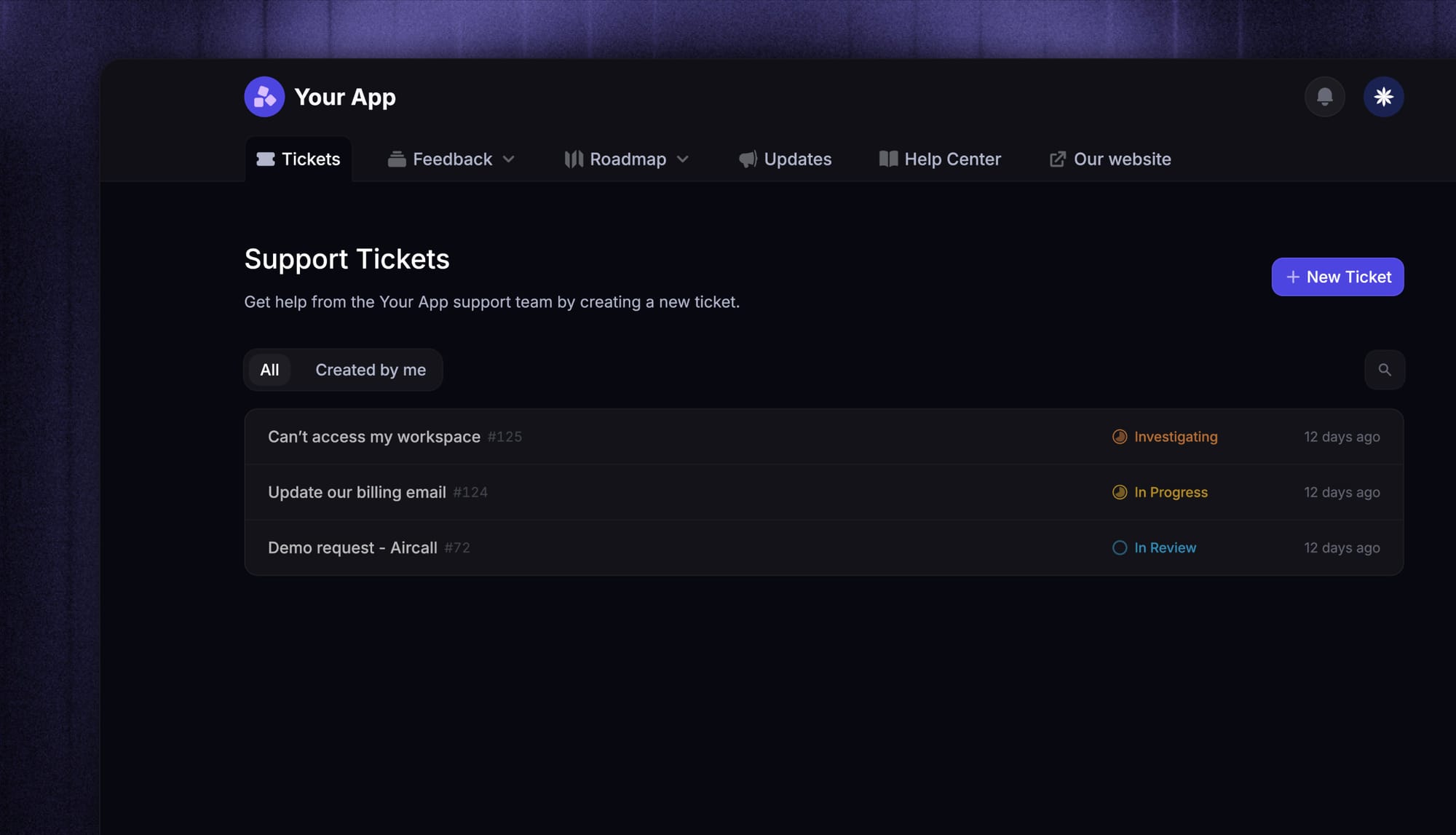
Instead of asking employees to remember a different form for every department, Featurebase gives you a single Ticket Portal where all internal requests live.
An employee logs in, submits a request to IT or HR, and can follow its status end-to-end without pinging anyone for an update. Internal teams get a clean queue, employees get visibility, and leadership gets an actual paper trail.
This replaces the usual mess of shared inboxes, forms spread across Notion pages, and "just message me on Slack" processes that break as soon as the company grows past 20 people.
3. An internal knowledge base so employees can answer their own questions
A big chunk of internal customer service is just employees looking for information that already exists somewhere in the company. What's our expense policy? How do I request access to Figma? Where are the brand guidelines?
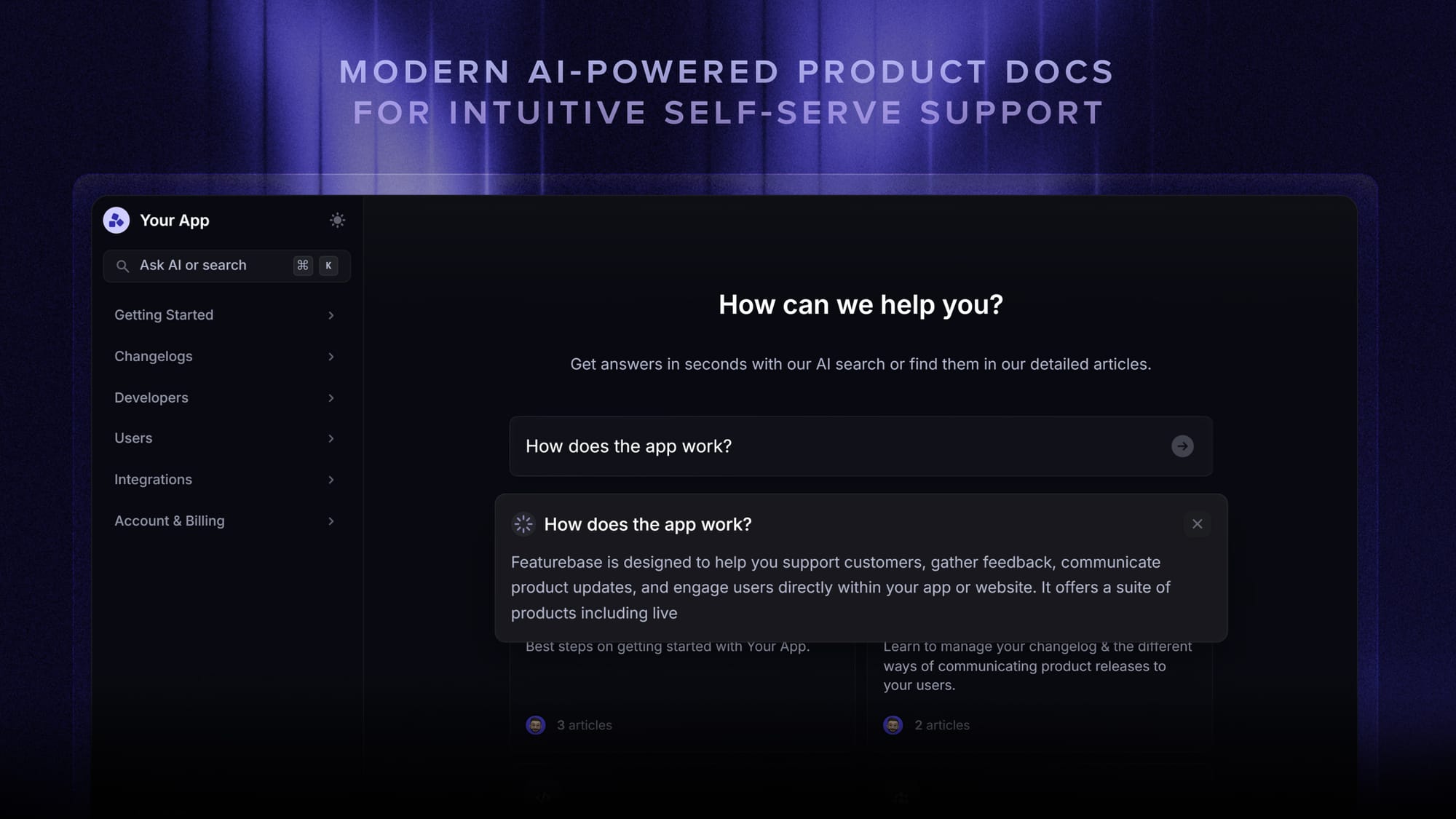
Featurebase includes an internal knowledge base where every team can document processes, policies, and FAQs in one searchable place. AI-powered search means employees get instant answers without digging through three Notion workspaces and four Google Drive folders.
When documentation is easy to find, IT's ticket volume drops, HR stops answering the same five questions every week, and new hires ramp up faster.
4. Internal feedback collection so employees can raise ideas
Internal customer service is not only about reactive requests. The best companies also make it easy for employees to flag problems and suggest improvements to internal processes, tools, and policies.
Featurebase's feedback collection works internally the same way it works externally. Employees can submit ideas, upvote each other's suggestions, and comment on what is or isn't working. Leadership gets a clear signal about what actually matters to the team, instead of guessing based on whoever shouts the loudest in the all-hands.
This is especially useful for operations and People teams, who usually have to run constant surveys to get this kind of visibility.
5. Internal roadmaps connected to internal feedback
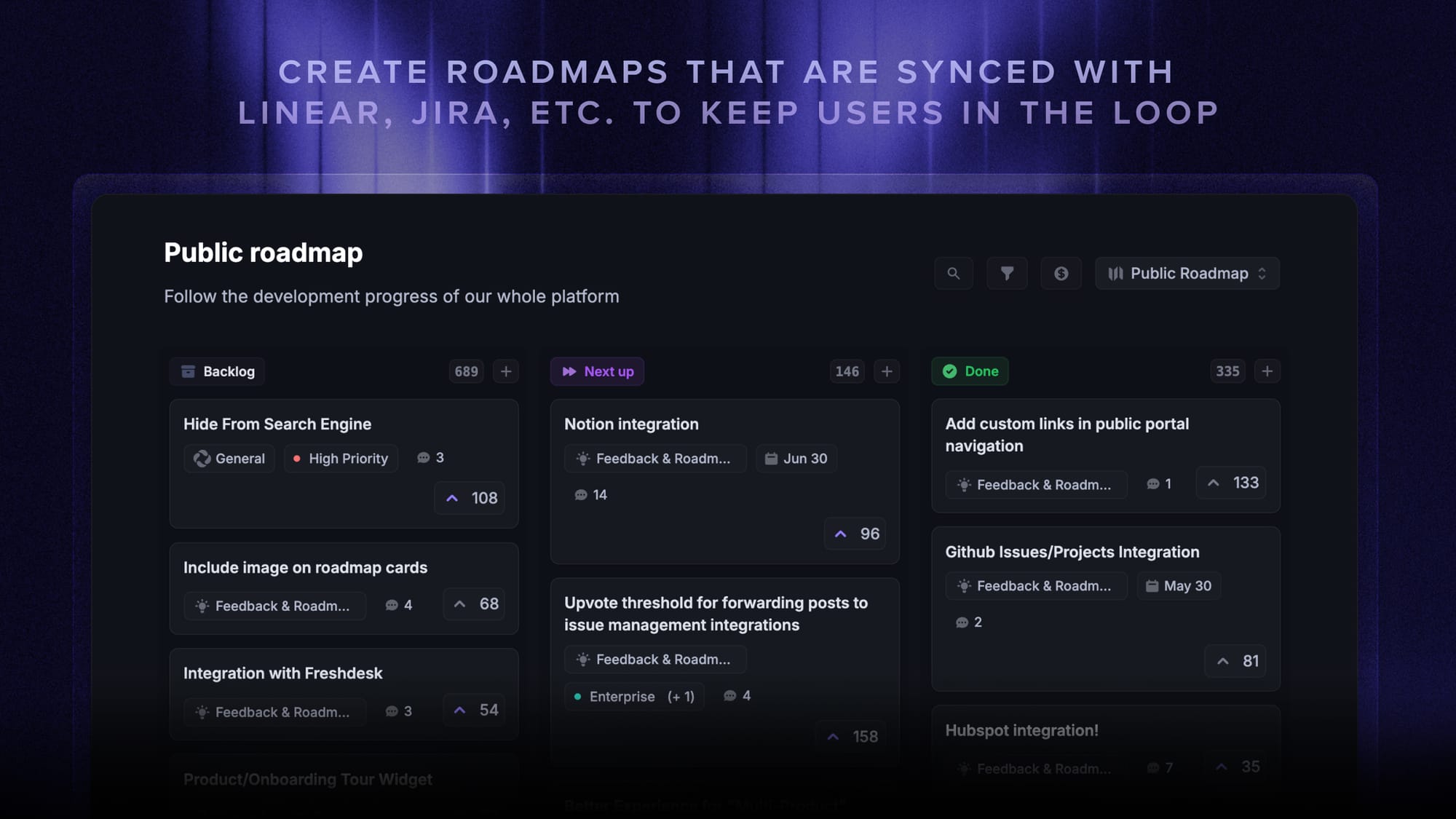
Once internal feedback is flowing in, you need somewhere to plan what you're going to do about it. Featurebase has internal roadmaps that connect directly to feedback items.
If several employees upvote a request to improve the onboarding process, operations can pull that into a roadmap, assign an owner, and track progress. Employees who voted get notified when it ships. That simple loop closes one of the biggest credibility gaps most companies have with their own teams: collecting feedback and then disappearing.
It works the same way for IT projects, HR initiatives, or any internal effort that involves multiple stakeholders.
6. One workspace for internal AND external customer service
Here is where Featurebase gets interesting. Everything above (tickets, knowledge base, feedback, roadmaps) also works externally from the same workspace, at no extra cost.
You can run internal IT and HR ticketing for employees while your customer support team uses the same platform to handle external live chat, email, and help center conversations. Feedback from customers sits next to feedback from employees. The same AI agents and automations power both sides.
Most companies end up paying for Zendesk (or similar) for external support, Jira Service Management for IT, a separate feedback tool for product, and a wiki for internal docs. With Featurebase, one workspace covers all of it.
Pricing: Free plan available with unlimited conversations. Paid plans start at $29/seat/month, and Lite seats are available for teammates who only need occasional access, which is perfect for execs, contractors, or stakeholders who don't need a full license.
Setup takes minutes and doesn't require a credit card, so there's no downside to trying it. 👇
✨ Automate your internal support with the fastest AI-enhanced Inbox today →