Blog Customer Service12 Knowledge Base Article Templates You Can Use Today
12 Knowledge Base Article Templates You Can Use Today
The most common knowledge base article templates you can use to educate and empower users to solve problems on their own.



Knowledge bases are some of the most useful types of software documentation, even in the age of AI. A good knowledge base can help users troubleshoot on their own and reduce the workload of your support agents. With a modest up-front investment in time and money, a knowledge base can pay dividends for months and years.
If you're struggling with setting up your own knowledge base, tools such as Featurebase can be an excellent first step in terms of the design and connecting the actual knowledge base with the rest of your tech stack. But how do you create the articles themselves?
The good news is that knowledge base articles typically follow a predetermined format. This is why we're giving you the most commonly used knowledge base article templates, so you can get started on your knowledge base in minutes, and not weeks. 👇
✨ Create your knowledge base for free with Featurebase →
Types of knowledge base articles
Most knowledge base articles fall into four main buckets: task-based articles, education-based articles, reference articles, and update articles. Each one serves a different purpose, and a strong knowledge base usually needs a mix of all four.
Task-based articles
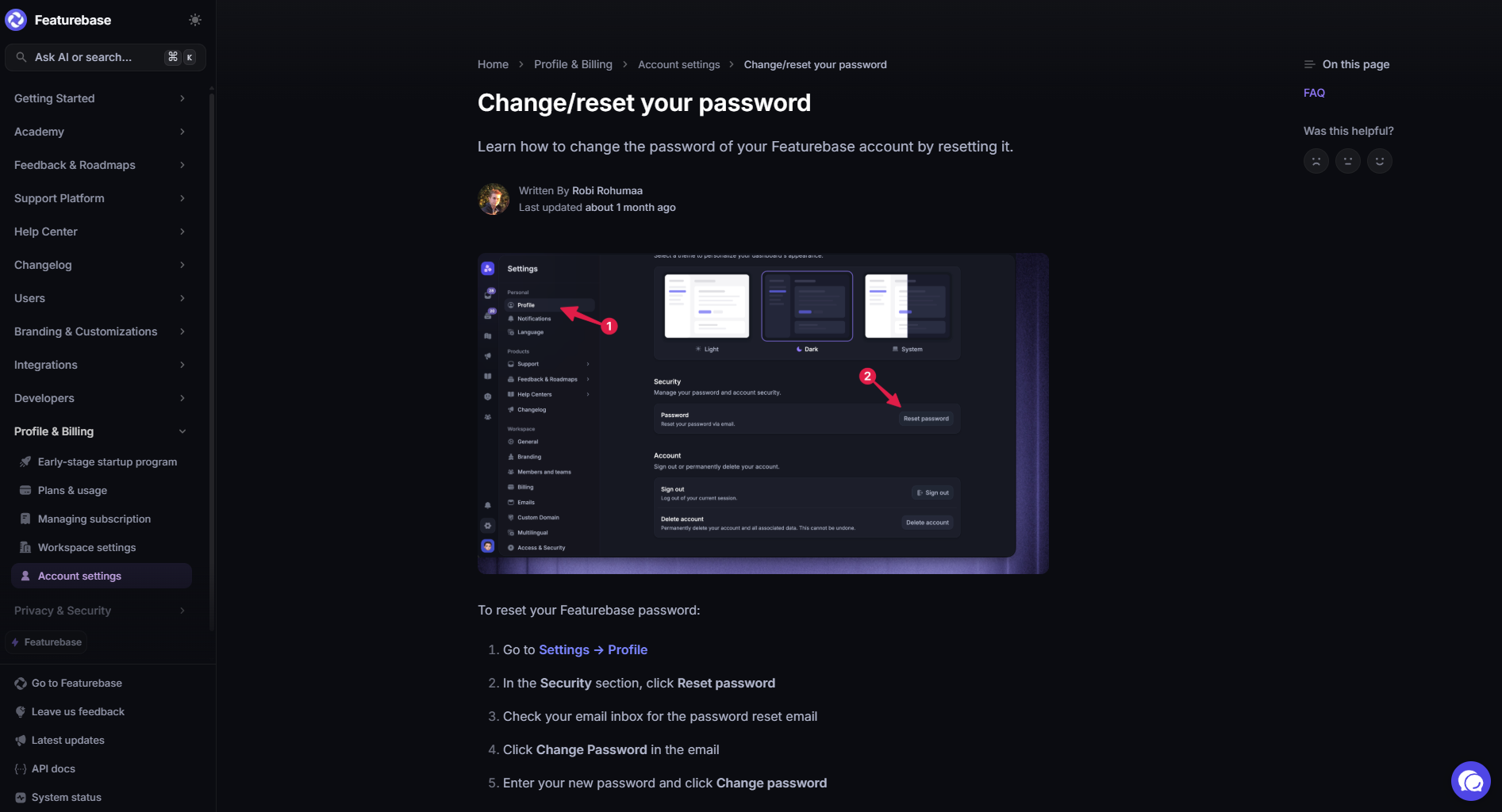
Task-based articles help users complete a specific action. These are usually the most practical articles in your knowledge base because they answer the questions people ask when they are trying to get something done.
Common examples include:
- How to reset your password
- How to invite a new team member
- How to connect an integration
- How to export a report
- How to update billing details
These articles should be clear, direct, and easy to follow. Use numbered steps, screenshots where helpful, and simple language that matches what users see inside the product.
Education-based articles
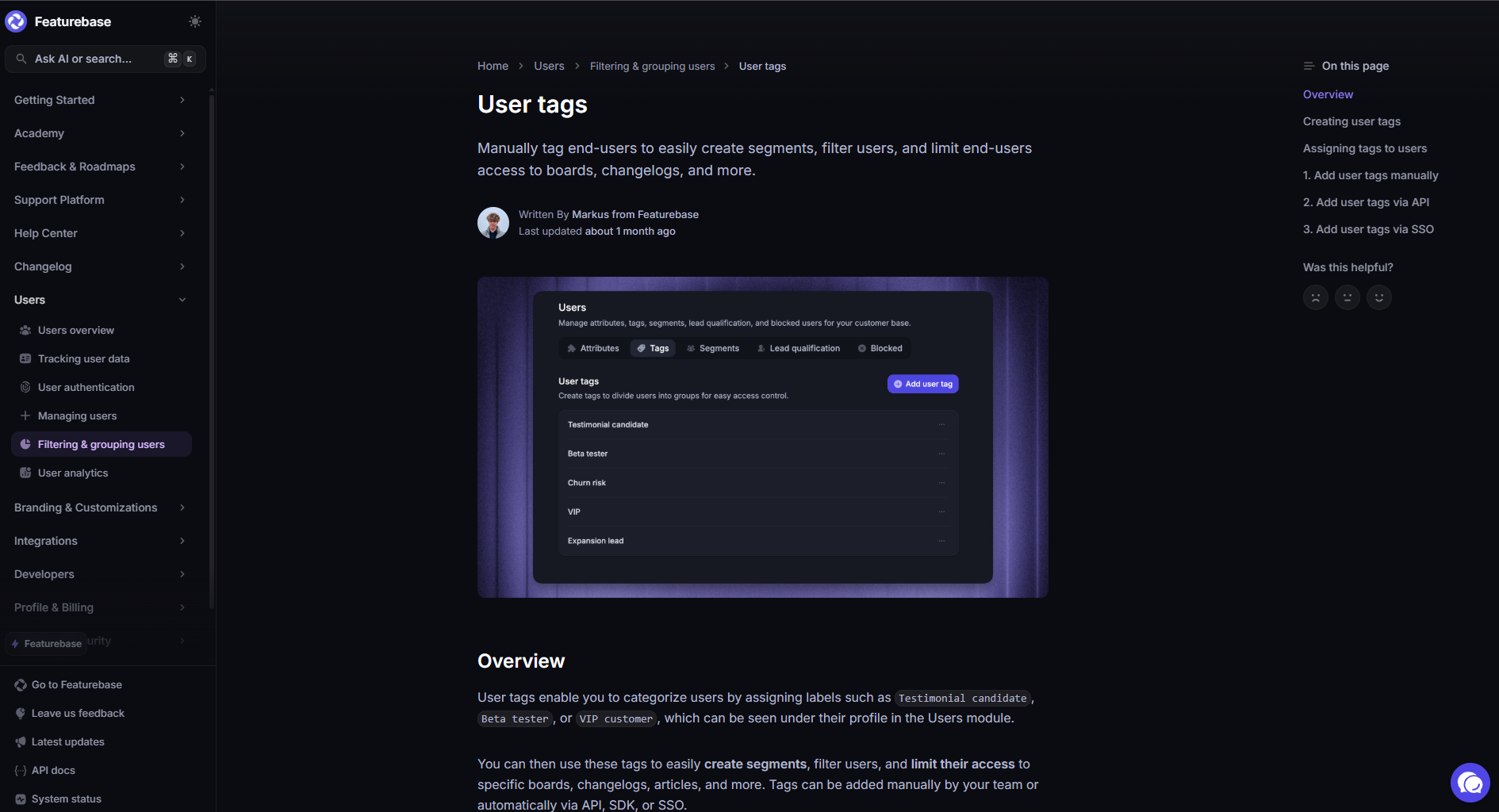
Education-based articles help users understand a concept, feature, or best practice. They are less about completing one immediate action and more about helping users use your product with more confidence.
Examples include:
- What are custom fields?
- How user permissions work
- Best practices for organizing customer feedback
- What is a self-service knowledge base?
- When to use tags, categories, or folders
These articles are useful when a user needs context before taking action. They can also help improve product adoption because they explain why a feature matters, when to use it, and how it fits into a larger process.
Reference articles
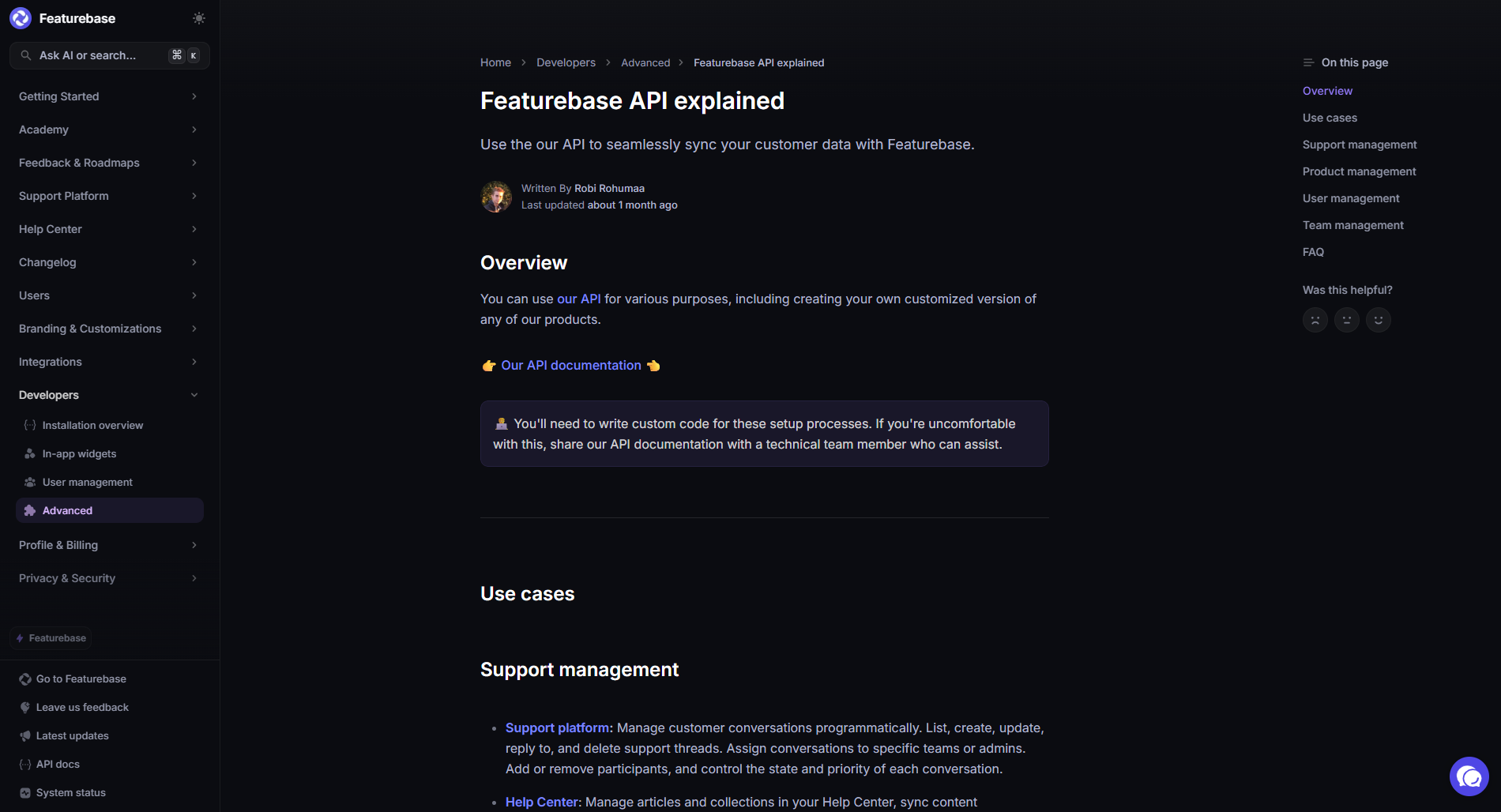
Reference articles give users quick access to factual information. They are often used when someone needs to check a limit, requirement, rule, setting, or technical detail.
Examples include:
- Supported file types
- API rate limits
- User role permissions
- Pricing plan limits
- Security and privacy details
- Billing terms
The best reference articles are easy to scan. Tables, short sections, and clear labels work well here because users usually do not want a long explanation. They want the exact answer.
Update articles
Update articles keep users informed about product changes. These can include release notes, changelog entries, product announcements, and bug fix summaries.
Examples include:
- New feature announcements
- Monthly product updates
- Integration improvements
- Bug fixes
- Changes to plans, limits, or settings
These articles help customers understand what changed, why it changed, and how it affects them. They are also useful for support teams because they create a clear record of product updates that users and employees can reference later.
12 knowledge base article templates you can copy and learn from today
1. How to complete a task
Use this template when the user wants to do one specific thing. The article should answer the question immediately, then walk them through the steps without extra context upfront.
Template:
Title: How to [complete task]
Use this article to: [Explain the task in one sentence.]
Before you start
- [Requirement 1]
- [Requirement 2]
- [Permission, plan, or access needed]
Steps
- Go to [area of product].
- Click [button, tab, or menu].
- Select [setting or option].
- Enter [required information].
- Click [save, confirm, submit, connect, or publish].
What happens next
[Explain what the user should see after finishing the task.]
Common issues
- [Issue 1]: [Simple fix]
- [Issue 2]: [Simple fix]
- [Issue 3]: [Simple fix]
Related articles
- [Related article 1]
- [Related article 2]
2. Setup guide
Use this template for tasks that take more than a few clicks. A good setup article should help users understand the order of steps, what they need before starting, and how to confirm that everything works.
Template:
Title: How to set up [feature, account, integration, or product area]
Use this article to: Set up [feature] so you can [main outcome].
Who can do this
- [Admin]
- [Owner]
- [Manager]
- [Other role]
What you need before starting
- [Account requirement]
- [Access requirement]
- [Data, file, API key, or integration requirement]
Setup steps
- Open [product area].
- Choose [feature or setting].
- Add [required information].
- Configure [important setting].
- Review [summary, preview, or test screen].
- Turn on [feature, integration, or setting].
How to check if it worked
- [Expected result 1]
- [Expected result 2]
- [Expected result 3]
Recommended next step
[Link users to the next article or action.]
3. Troubleshooting article
Use this template when something is broken, confusing, or not behaving as expected. Start with the fastest fix first, then move into deeper causes.
Template:
Title: How to fix [problem]
Use this article to: Fix [problem] when [specific symptom happens].
Fast answer
[Give the most likely cause and fix in one or two sentences.]
Common causes
- [Cause 1]
- [Cause 2]
- [Cause 3]
- [Cause 4]
Fix 1: [Most common fix]
- [Step 1]
- [Step 2]
- [Step 3]
Fix 2: [Second fix]
- [Step 1]
- [Step 2]
- [Step 3]
Fix 3: [Advanced fix]
- [Step 1]
- [Step 2]
- [Step 3]
When to contact support
Contact support if:
- [Condition 1]
- [Condition 2]
- [Condition 3]
What to include in your support request
- Your account email
- Screenshot of the error
- Steps you already tried
- Browser, device, or app version
4. FAQ article
Use this template when users ask the same short questions again and again. Keep answers tight. If an answer needs several steps, turn it into a separate article and link to it.
Template:
Title: [Topic] FAQs
Use this article to: Get quick answers to common questions about [topic].
[Question 1]
[Direct answer in one to three sentences.]
[Question 2]
[Direct answer in one to three sentences.]
[Question 3]
[Direct answer in one to three sentences.]
[Question 4]
[Direct answer in one to three sentences.]
[Question 5]
[Direct answer in one to three sentences.]
Still need help?
[Tell users where to go next, such as support, a related article, or a product area.]
5. Feature explainer
Use this template when users need to understand what a feature does before using it. The goal is to explain the feature clearly, show when to use it, and link to task-based articles for setup.
Template:
Title: What is [feature]?
Fast answer
[Feature] helps you [main job the feature performs].
When to use it
Use [feature] when you want to:
- [Use case 1]
- [Use case 2]
- [Use case 3]
How it works
[Explain the feature in plain language. Keep this focused on what the user needs to know, not every technical detail.]
Example
[Give a realistic example of how a user or team would use it.]
Things to know before using it
- [Limit, rule, or dependency 1]
- [Limit, rule, or dependency 2]
- [Limit, rule, or dependency 3]
Next steps
- [How to set up feature]
- [How to edit feature]
- [Best practices article]
6. Best practice article
Use this template when the user already knows the basics but wants to do something better. The article should give practical advice, not abstract theory.
Template:
Title: Best practices for [topic]
Fast answer
The best way to [achieve outcome] is to [main recommendation].
Who this is for
This article is for [user type] who want to [goal].
Best practices
- [Best practice 1]: [Explain what to do and why it helps.]
- [Best practice 2]: [Explain what to do and why it helps.]
- [Best practice 3]: [Explain what to do and why it helps.]
- [Best practice 4]: [Explain what to do and why it helps.]
Common mistakes to avoid
- [Mistake 1]
- [Mistake 2]
- [Mistake 3]
Example setup
[Show what a good version looks like in practice.]
Related articles
- [Related article 1]
- [Related article 2]
7. Glossary article
Use this template when users need a simple definition. This is especially useful for technical products, internal tools, product management terms, billing language, or industry terms.
Template:
Title: What is [term]?
Fast answer
[Term] means [plain English definition].
What it means in [product, industry, or company context]
[Explain how the term applies in your product or process.]
Example
[Give a realistic example that makes the term easier to understand.]
Related terms
- [Term 1]: [Short definition]
- [Term 2]: [Short definition]
- [Term 3]: [Short definition]
Why it matters
[Explain how understanding this term helps the user make a better decision or complete a task.]
Related articles
- [Related article 1]
- [Related article 2]
8. Limits and requirements article
Use this template when users need exact information, such as file size limits, plan limits, permissions, supported formats, or technical requirements. Make it easy to scan.
Template:
Title: [Topic] limits and requirements
Fast answer
[Give the most important limit or requirement upfront.]
Limits
| Item | Limit |
|---|---|
| [Item 1] | [Limit 1] |
| [Item 2] | [Limit 2] |
| [Item 3] | [Limit 3] |
Requirements
- [Requirement 1]
- [Requirement 2]
- [Requirement 3]
Supported options
- [Supported option 1]
- [Supported option 2]
- [Supported option 3]
Unsupported options
- [Unsupported option 1]
- [Unsupported option 2]
- [Unsupported option 3]
What to do if you hit a limit
[Explain the next step, such as upgrading, reducing file size, changing settings, or contacting support.]
9. Permissions article
Use this template when users need to understand who can see, edit, delete, approve, or manage something. These articles work best with a simple table.
Template:
Title: [Feature or area] permissions
Fast answer
Only [role or roles] can [most important action].
Permission levels
| Action | Owner | Admin | Manager | Member | Viewer |
|---|---|---|---|---|---|
| [Action 1] | Yes | Yes | Yes | No | No |
| [Action 2] | Yes | Yes | No | No | No |
| [Action 3] | Yes | Yes | Yes | Yes | No |
What each role can do
- Owner: [Explain owner access.]
- Admin: [Explain admin access.]
- Manager: [Explain manager access.]
- Member: [Explain member access.]
- Viewer: [Explain viewer access.]
How to change permissions
- Go to [settings area].
- Select [users, roles, permissions, or workspace].
- Choose the user.
- Update their role.
- Save changes.
Related articles
- [User roles overview]
- [How to invite users]
- [How to remove users]
10. API reference article
Use this template for developer documentation where readers need exact information quickly. Keep the structure predictable across every endpoint.
Template:
Title: [Endpoint name]
Fast answer
Use this endpoint to [main action].
Endpoint
[Method] [URL path]
Authentication
[Explain required authentication.]
Request parameters
| Parameter | Type | Required | Description |
|---|---|---|---|
| [Parameter 1] | [Type] | Yes | [Description] |
| [Parameter 2] | [Type] | No | [Description] |
Example request
{
 "[field]": "[value]"
}
Example response
{
 "[field]": "[value]"
}
Error codes
| Code | Meaning | How to fix it |
|---|---|---|
| [Code 1] | [Meaning] | [Fix] |
| [Code 2] | [Meaning] | [Fix] |
Related endpoints
- [Endpoint 1]
- [Endpoint 2]
11. Release note article
Use this template when you need to announce product changes clearly. Start with what changed, then explain who is affected and what users should do next.
Template:
Title: [Feature or product area] update: [short description]
Fast answer
We changed [what changed] so users can [main benefit or outcome].
What changed
- [Change 1]
- [Change 2]
- [Change 3]
Who this affects
This update affects:
- [User group 1]
- [User group 2]
- [Plan, role, or account type]
Why we made this change
[Explain the reason in plain language.]
What you need to do
- [Action 1]
- [Action 2]
- [No action needed, if true]
Available from
[Date, plan, region, or version.]
Related articles
- [How to use the new feature]
- [Feature explainer]
- [Troubleshooting article]
12. Changelog article
Use this template for short product updates that do not need a full announcement. Make it easy for users and internal teams to scan recent changes.
Template:
Title: [Month] [Year] changelog
Fast answer
Here are the latest product updates, fixes, and improvements from [month].
New
- [New feature 1]: [Short explanation]
- [New feature 2]: [Short explanation]
Improved
- [Improvement 1]: [Short explanation]
- [Improvement 2]: [Short explanation]
Fixed
- [Fix 1]: [Short explanation]
- [Fix 2]: [Short explanation]
Changed
- [Change 1]: [Short explanation]
- [Change 2]: [Short explanation]
Need more detail?
[Link to full release notes, help articles, or support contact.]
Create better knowledge base articles with Featurebase
Knowledge base article templates make documentation much easier to create, but the format is only one part of the process. To make your knowledge base genuinely useful, your articles also need to be easy to find, simple to update, and connected to the places where customers actually need help.
Featurebase is a modern & powerful help center tool that lets you create a beautiful knowledge base with a custom domain, in-app widgets, AI-powered search answers, automatic translations, and article feedback. It also comes with support inbox, feedback collection, roadmap, and changelog features to help you turn customer questions into better documentation and product improvements.
It has affordable pricing and a Free plan, so there’s no downside to trying it. Plus, onboarding is quick and you can create your first help center without a credit card. 👇
✨ Create a beautiful AI-powered Help Center with Featurebase for free →