How to Write a Knowledge Base Article (+ Examples)
Learn what a knowledge base article is, the main types, and how to write one your customers can actually find and follow (with a reusable template and examples).


On this page
Most knowledge base articles get written from the company's side of the desk, so the people who actually need them can't find or follow them. That gets expensive fast. Gartner found that only 14% of customer service issues are fully resolved in self-service, and in 43% of failed attempts, customers simply couldn't find content relevant to their problem.
A good knowledge base article fixes that. In this guide, I'll cover what a knowledge base article is, the main types, how to write one step by step, a template you can reuse, and how to keep it working over time. 👇
Create a beautiful AI-powered Help Center with Featurebase for free
Key takeaways
- A knowledge base article is a standalone piece of documentation that answers one specific question or walks a user through one task.
- The 4 core types are informational, how-to, troubleshooting, and FAQ articles, and each has its own structure.
- The best articles lead with the answer, use a title that matches how people search, and are written to be scanned rather than read top to bottom.
- Keep articles findable and current: review them on a schedule and update them after product changes or negative feedback.
- You can create a free, AI-powered help center with Featurebase✨ to write, publish, and manage all your knowledge base articles in one place.
What is a knowledge base article?
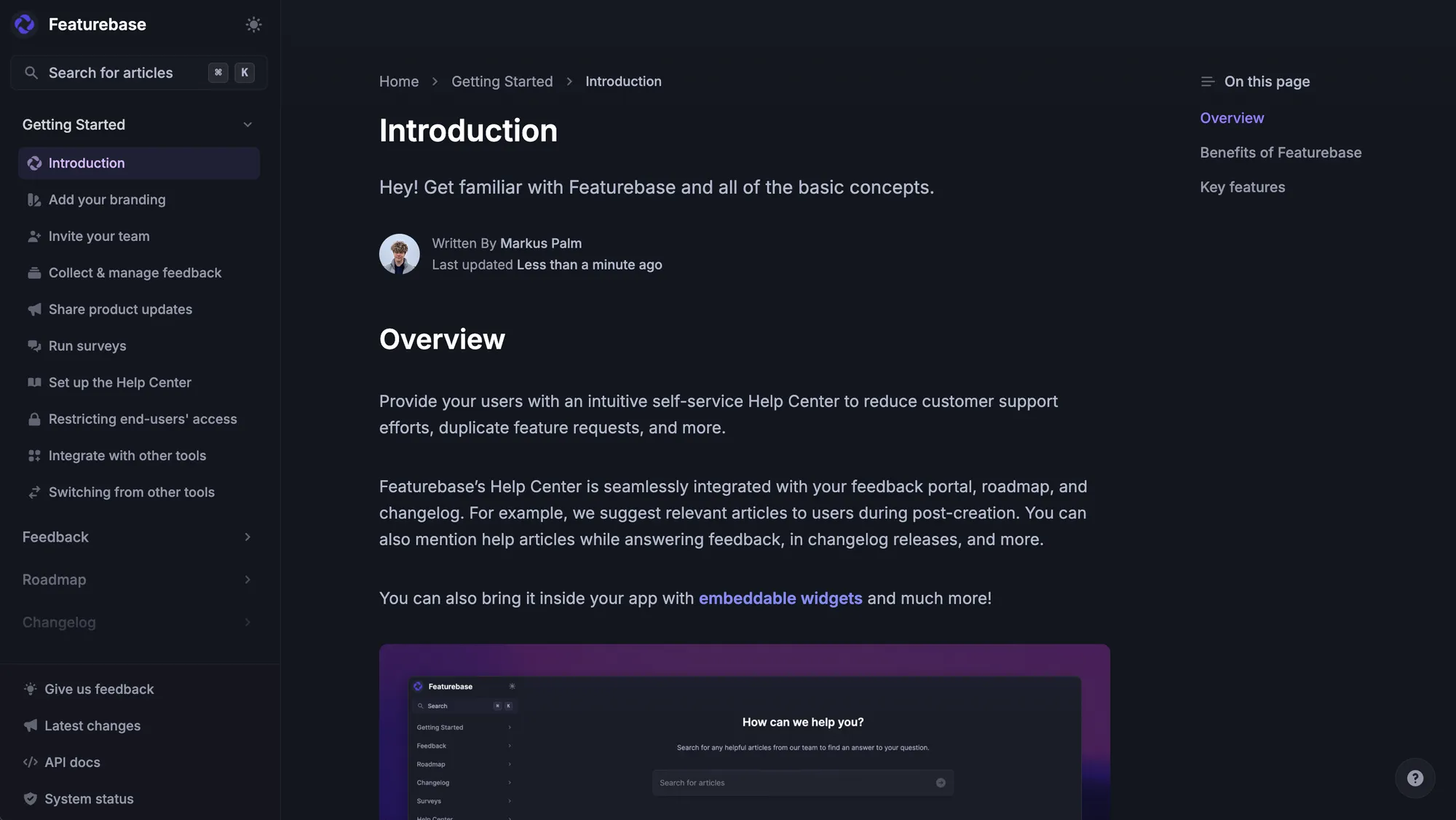
A knowledge base article is a standalone piece of documentation written to answer a specific question, explain a concept, or walk a user through a task. Unlike a blog post, it exists to resolve one well-defined need. Someone arrives with a problem, finds the article, gets what they came for, and moves on.
That makes these articles the backbone of modern self-service. Gartner found that 73% of customers use self-service at some point in their support journey, so a well-written article is often the first (and only) interaction a customer has with your team.
Articles come together in a knowledge base, where content is organized so users can find it quickly. The clearer each article is, the more of your customer self-service actually works instead of ending in a support ticket.
Knowledge base article vs a regular article
On the surface, a knowledge base article and a blog post look similar. The difference is intent, and it shapes everything else:
- Goal: a knowledge base article resolves a specific problem, while a blog post informs, entertains, or attracts an audience.
- Structure: knowledge base articles are scannable and task-oriented, whereas blog posts are written to be read from top to bottom.
- Success: a knowledge base article works when the reader gets what they needed, not when it racks up traffic or shares.
One way to think about it: a blog post is something a reader might enjoy even if they weren't looking for it. A knowledge base article only succeeds when it puts the right answer in front of someone who needed it.
Types of knowledge base articles
Not every topic calls for the same structure. Matching the format to the content type makes articles far easier to follow, so it helps to know the main types before you write:
- Informational articles: explain a system, feature, or concept so users understand how something works, without troubleshooting steps.
- How-to articles: give step-by-step instructions for a single task, like resetting a password or adding a teammate.
- Troubleshooting articles: help users diagnose and fix one specific problem, often with a few solution paths for the same error.
- FAQ articles: group short answers to a cluster of common questions around one topic, written in the customer's own words.
- Getting-started guides: walk brand-new users through setup and the first-week essentials.
- Glossary articles: define product-specific terms and jargon so everyone uses the same language.
You don't need all 6 on day one. Most teams start with troubleshooting articles and how-to guides, since those cover the questions that generate the most tickets.
How to write a knowledge base article
The format changes by type, but the writing process stays the same. Here's the 7-step approach I'd follow for any article.
1. Scope the article to one topic
The most common mistake is trying to cover too much in one article. An article that answers one question well beats an article that answers 5 questions poorly.
A useful test: if you can't summarize the purpose in a single sentence, it needs to be split. "How to reset your password" is a well-scoped article. "Account settings, passwords, and profile management" is 3 articles.
2. Know who is reading it
The same topic reads completely differently depending on the audience. An article on API authentication for a developer looks nothing like one for a non-technical account manager.
Before writing, get clear on their technical level, whether they're new or experienced, and what success looks like for them. If your knowledge base serves very different audiences, a single line like "This article is for account administrators" saves the wrong reader from wasting their time.
3. Write a title that matches how people search
Your title decides whether anyone finds the article at all. Use the words your users actually type, not internal jargon.
"Can't connect to the VPN" will get found far more often than "VPN Authentication Failure Resolution." For task-based articles, start with an action verb: "How to...", "Setting up...", "Configuring...".
4. Lead with the answer
Knowledge base articles are not essays. The reader already knows what they want, so skip the buildup and confirm they're in the right place, then deliver the core answer or first step immediately.
Compare these two openings. A weak one reads: "Account security is an important aspect of using any online platform. In this article, we will discuss two-factor authentication." A strong one reads: "Two-factor authentication adds a second layer of security to your account. To enable it, go to Settings, select Security, and follow the steps below." The second version gets to the point in 2 sentences.
5. Structure it for scanning
Most people don't read knowledge base articles top to bottom. They scan for the part that's relevant to them, so your formatting should make that easy. Thoughtful knowledge base design does a lot of the heavy lifting here.
A few reliable habits:
- Use headers and subheaders: break the article into clearly labeled sections a reader can jump between.
- Keep paragraphs short: 2 to 4 sentences is a good target, since walls of text get skipped.
- Use numbered lists for steps: so readers can track where they are in a process.
- Bold key terms and actions: so they stand out to someone skimming.
6. Use plain language and visuals
Plain language isn't about dumbing content down. It's about removing friction between the reader and the answer. Write "use" instead of "utilize", "to" instead of "in order to", and use active voice ("Click Save", not "The Save button should be clicked").
Visuals do the rest. A screenshot or short GIF of each step reduces misinterpretation and lets you write fewer words while making the instructions clearer.
7. Test and review before publishing
Before you publish, read the article as the person it's written for. Better yet, follow your own steps from start to finish and see whether they actually work.
Any question a first-time reader asks is usually evidence that a step is missing, unclear, or assumes prior knowledge. A knowledge base article that misleads a user is often worse than no article at all.
A knowledge base article template you can reuse
Templates keep your articles consistent and make them faster to write. Here's a flexible how-to template that works for most tasks, and you can adapt the sections for informational, troubleshooting, or FAQ content:
- Title: phrase it as the task, using the words users search for ("How to invite a teammate").
- Summary: 1 or 2 sentences confirming what the article covers and who it's for.
- Prerequisites: anything the reader needs first, like admin access or a specific plan.
- Steps: numbered, one action per step, with the expected result after key actions.
- Outcome: what the reader should see once they're done, so they know it worked.
- Related articles: links to the logical next questions, using descriptive anchor text.
If you want more starting points for different article types, we put together a set of knowledge base article templates you can copy from.
How to maintain and measure your knowledge base articles
Publishing is the starting line, not the finish. Articles go stale as your product changes, and stale content erodes trust in everything else in your knowledge base.
Start by watching a few metrics that tell you whether articles are being used and whether they actually help:
- Views: show which articles get traffic and which are ignored.
- Ticket deflection: tells you whether an article actually stops a ticket from being created.
- Helpful ratings: thumbs up or down signal which articles solve the problem and which mislead.
- Zero-result searches: reveal the content gaps you still need to fill.
Then set a review cadence. A quarterly pass works for most teams, with high-traffic articles reviewed more often and anything tied to a recent product change flagged immediately. Pairing that with solid knowledge management best practices keeps the whole library reliable instead of just the newest articles.
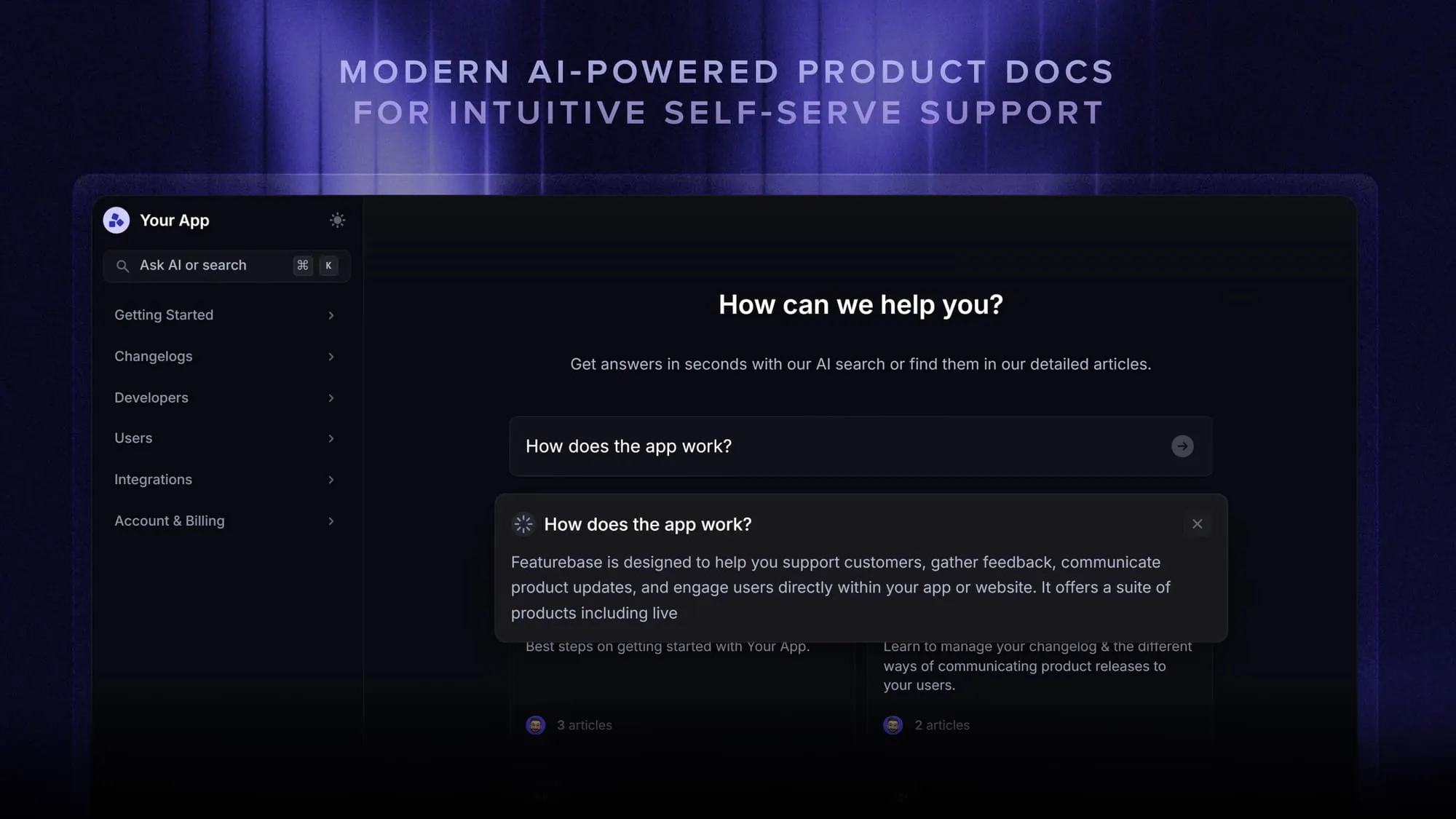
This is where a modern help center earns its keep. Featurebase shows you how each article performs, where it was viewed from, and which ones need improvement, and its AI search bar answers customer questions right in the search box so people land on the right article faster.
Conclusion
Writing a good knowledge base article comes down to one shift: write for the person who's stuck, not for your product. Scope it tight, lead with the answer, structure it to be scanned, and keep it current, and you'll deflect far more tickets than a longer, prettier article ever would.
Featurebase is a modern & powerful Help Center tool that lets you create a beautiful knowledge base with a custom domain, in-app widgets, translations, and so much more. It also comes with feedback collection, survey, roadmap, and changelog features to help you build a product your users love.
It has affordable pricing and a Free plan, so there's no downside to trying it. Plus, we can help you seamlessly migrate from any existing knowledge base tools. 👇
Create a beautiful Help Center with Featurebase for free
FAQs
As long as the topic requires, and no longer. There is no target word count: a password reset might need 4 steps and 2 sentences of context, while an enterprise integration guide might need several sections and a troubleshooting appendix. Length should follow the complexity of the topic, not an editorial standard.
An FAQ is one format within the broader knowledge base article category. It groups short answers to a cluster of related questions, while a knowledge base article can also be a step-by-step guide, a troubleshooting doc, or a conceptual explainer. An FAQ can live inside a knowledge base, but not every article is an FAQ.
A quarterly review works as a baseline for most teams. Beyond that, update any article tied to a product area that just changed, and treat negative feedback ratings as a signal to revise it right away. The goal is to make sure no one follows steps that no longer match your product.
The person closest to the topic usually writes the first draft, and someone with fresh eyes reviews it for clarity. In practice, that often means a support lead or product manager drafts the content and an editor cleans it up. What matters most is that every article has a named owner responsible for keeping it accurate over time.
Yes, to a point. AI can draft an article from a resolved ticket or a support conversation in seconds, which saves a lot of time. But treat the output as a first version, since a human still needs to check accuracy, add missing context, and match your tone before publishing. There are plenty of AI knowledge base tools that can speed up the drafting without removing that review step.
The best tool makes articles easy to write, easy to find, and easy to keep current. Look for AI-powered search, article analytics, multi-language support, and a clean editor. Featurebase offers all of these in a free, AI-powered help center, and it's worth comparing against the other knowledge base software options before you commit.