Blog Customer ServiceSierra AI Pricing 2026: How Much Does It Really Cost?
Sierra AI Pricing 2026: How Much Does It Really Cost?
Think you’re ready for enterprise AI? Sierra AI often starts at $150k/year—and can hit $1.5M+. Here’s what that really buys you.


✨ Psst… Looking for a more powerful & affordable alternative to Sierra? Check out Featurebase →
Thinking about using Sierra AI for customer support automation, but not sure what it’ll actually cost? You’re definitely not alone.
Sierra AI is one of the most talked-about enterprise platforms for AI agents right now. It promises measurable outcomes, deep integrations, and real business value - but Sierra AI pricing isn’t transparent.
And because Sierra’s approach is largely tied to results (not seats), total spend can scale quickly as your automation expands across more customers, channels, and workflows.
In this guide, I’ll break down Sierra AI pricing in 2026 - what Sierra shares publicly, the market signals that show up across sources, the most common budget ranges teams plan for, the hidden costs, and when you should consider alternatives. 👇
Key takeaways
- Sierra AI does not publish pricing publicly. There’s no public pricing page with self-serve plans or pricing tiers.
- Sierra AI positions its approach as outcome-based pricing (you pay when the system delivers a successful result).
- Public pricing signals commonly point to ~$150,000/year starting contracts, with Year-1 budgets often closer to $200k–$350k+ total cost once onboarding and rollout work is included.
- The biggest budget drivers are conversation volume, integration complexity, and how much workflow automation you want the system to handle.
- If you want more transparent AI pricing and faster rollout, there are alternatives (including Featurebase).
What is Sierra AI?
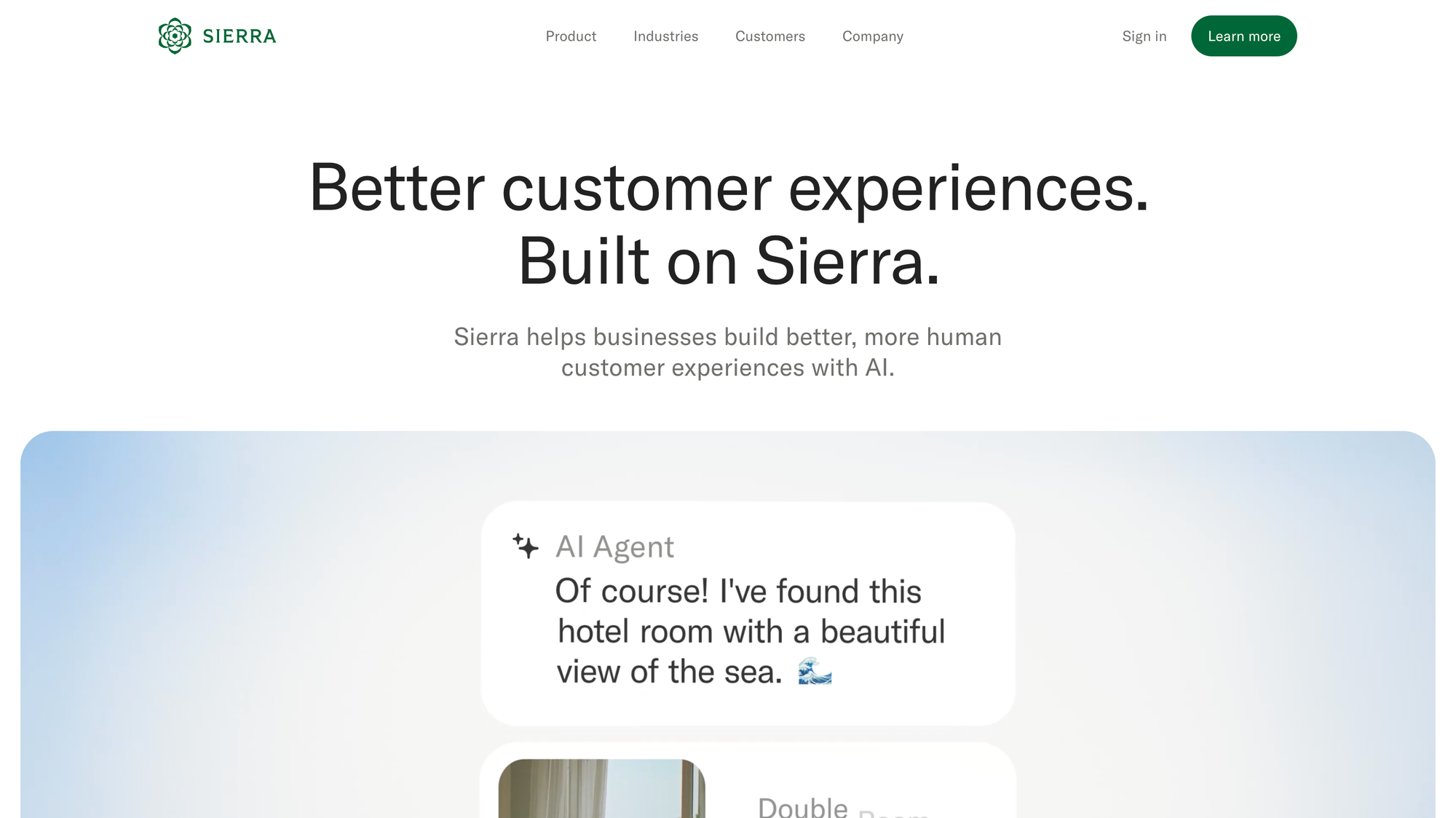
Sierra AI is an enterprise customer experience platform designed to deploy AI agents that can handle real customer workflows - not just answer FAQs.
The typical workflow looks like this:
- Configure an AI agent (goals, tone, guardrails)
- Connect it to knowledge sources, policies, and internal systems
- Deploy across customer-facing channels (many teams start with web chat)
- Measure results like resolution, retention, and business outcomes
- Improve performance over time through evaluation and coaching
Sierra’s positioning is less “chatbot software” and more “enterprise automation program.” That framing matters when you evaluate the cost, because implementation and operational effort often shape the true total cost, not just the contract line item.
Sierra AI pricing 2026
Sierra does not offer a public, tiered pricing menu. Instead, the process is typically:
- Demo + discovery
- Volume + channel scoping (how many interactions, what channels)
- Defining measurable outcomes
- Integration and security requirements
- Receiving custom quotes (usually as annual contracts)
So you’re not simply buying a lightweight subscription. You’re usually buying an enterprise deployment that includes implementation work, support, and ongoing optimization - often alongside internal staffing to maintain quality.
What Sierra publicly says about its pricing model
Sierra’s messaging repeatedly ties pricing to value delivered:
- The core idea is that the platform charges when an agent achieves valuable outcomes.
- Outcomes can include things like a resolved support conversation, a saved cancellation, or revenue events such as upsell / cross-sell.
- Sierra also acknowledges that not every interaction fits cleanly into an outcome metric, which is why some deployments end up blending models (more on that below).
This is the essence of the Sierra AI pricing model: the platform is priced based on successful results rather than traditional per-seat licensing.
How the Sierra AI pricing model works
Sierra AI's pricing describes an outcome-based pricing model: you pay when the agent achieves a predefined “successful” outcome.
That’s different from a typical usage-based pricing approach (or consumption-based pricing) where you pay by seats, messages, or interaction volume. Unlike consumption-based pricing, an outcome approach is designed to align vendor revenue with business value.
However, there’s an important nuance: outcome-based pricing varies based on how outcomes are defined and how complex your workflows are. The “resolution” for a simple FAQ is not the same as a multi-step workflow involving identity checks, account actions, or approvals.
In practice, many teams end up with a blended pricing model that can include:
- Outcome fees (for completed work)
- Some form of usage-based or per-conversation pricing for low-value interactions (like routing)
- Separate deployment costs (services, integration work, onboarding)
That’s why forecasting can feel tricky: the contract might not be a single metric.
The most common pricing ranges teams choose (what shows up most often)
Because Sierra doesn’t publish pricing publicly, “most common” doesn’t mean a standard rate card; it means the ranges that consistently show up across public deal signals and how enterprise buyers typically structure rollouts for AI agents.
One of the clearest public pricing anchors comes from SelectHub, which lists Sierra AI as starting at $150,000 annually (quote-based), and teams typically model Year-1 budgets upward from there once rollout scope, integrations, and services are included.
Starter/first production rollout (most common entry band): $150k–$250k/year
This is usually a focused deployment with a single primary channel (often web chat) and a limited set of workflows. For many companies, this range includes an annual minimum commitment and serves as the first “real” production phase after a pilot.
Typical Year-1 “all-in” budget (common for serious deployments): $200k–$350k+ total cost
This is the most common planning envelope when a team moves beyond experimentation and wants meaningful coverage. It typically includes an annual contract plus implementation/setup fees and initial professional services for onboarding, integrations, and workflow design.
Scaled enterprise program (common once it proves ROI): $350k–$750k/year
After the model proves ROI, spend often increases with higher conversation volume, deeper automation coverage, more integrations, and more governance requirements. At this stage, ongoing professional services and internal resourcing become a bigger part of the operating reality.
Large enterprise/multi-channel + heavy integration: $750k–$1.5M+/year
This band applies when deployments span multiple channels (including voice channels) and require significant integration complexity, higher throughput, stricter controls (often in regulated industries), and greater customization to reliably handle complex workflows.
Default planning number (if you want a realistic budget anchor):
For Sierra-style enterprise deployments, $200k–$350k+ total cost in Year 1 is the most common budget envelope teams model when they’re serious about production rollout.

Get the best powerful Sierra alternative
Automatically resolve 70% of customer requests & cut down manual support loads
How outcome-based agent pricing can scale
A helpful way to think about outcome-based agent pricing is economics:
- Your support costs per human-handled interaction (especially for inbound calls) can be high.
- If an AI agent resolves the issue end-to-end, that can reduce human handling time.
- The vendor then charges a portion of the value created.
You can estimate rough ranges using a simple model:
- Estimate your average cost per handled request (chat vs. email vs. voice).
- Estimate what percentage of automation can fully resolve.
- Estimate what you’ll pay per successful outcome as a share of the avoided cost.
This is not Sierra’s quote - it’s budgeting math. But it’s a useful way to sanity-check whether the solution can be cost-effective.
Why can spending jump unexpectedly?
Outcome-based pricing can feel aligned… until you realize the definitions matter.
If a customer needs multiple touches, do you get billed once or multiple times? If there’s a handoff to human agents, is the outcome billed to them? If there’s a follow-up two days later, is that part of the same outcome?
This is where teams sometimes feel like pricing becomes a “black box” unless the contract has clear definitions and reporting.
Sierra’s “unseen” pricing structure (what you’re really buying)
Since Sierra has no public pricing tiers, it’s helpful to break down what a real contract often includes:
| Pricing component | How it’s commonly structured | What it includes | What to watch for |
|---|---|---|---|
| Platform access | Annual contract | Admin tools, analytics, controls | Minimums, term length |
| Outcome fees | Fee per successful result | Completed workflows/outcomes | Definitions + auditability |
| Low-value interactions | Sometimes usage-based | Routing/greeter conversations | How conversations are counted |
| Integrations | Scoped (or packaged) | System connections and workflows | Integration complexity |
| Onboarding | Often separate | Implementation + rollout | Setup fees, scope creep |
| Services | Ongoing | Optimization + governance | Professional services cost over time |
This is why “how much does it cost?” isn’t a single number - it’s the contract plus the rollout program.
Sierra key features & capabilities (and why they impact price)
Enterprise AI platforms tend to be priced around what they can reliably automate and how much complexity they can handle.
1) AI agents that can complete workflows
Sierra’s focus is on agents that don’t just answer questions - they complete multi-step tasks. That usually raises both implementation effort and operational requirements.
2) Deep integrations and workflow automation
If you want the agent to perform real actions (account updates, billing changes, order workflows), you’ll need integrations. More systems = more integration complexity.
3) Outcome measurement and governance
If the contract depends on outcomes, you’ll also need measurement, reporting, and governance, especially for regulated or high-risk workflows. This is part of the “enterprise-grade” package buyers are paying for.
4) Continuous improvement loop
Even strong large language models (LLMs) need guardrails, evaluation, and iteration in production. That means ongoing effort - often shared between your team and vendor services.
Hidden costs & limitations to watch for
Sierra can be a powerful platform, but pricing surprises usually come from a few predictable areas.
1) Outcome definitions can become a black box
If measurement rules aren’t explicit, costs can drift. Ask for clarity on:
- Repeat issues and follow-ups
- Conversation grouping and billing logic
- Escalations to humans
- What counts as “success”
- Reporting transparency (so finance teams can forecast)
2) Implementation and integration effort is real
Even if the platform fee looks “reasonable,” the rollout can be substantial:
- integration work
- data cleanup
- workflow mapping
- testing and monitoring
This is where implementation fees and professional services (plus internal engineering time) often drive the real Year-1 cost.
3) Internal ownership is often required
Most teams will need at least one dedicated owner across ops, support, and systems. If you’re a mid-market company with limited staff, this can be the hidden “high entry cost.”
4) Regulated industries add extra requirements
If you’re in financial services, healthcare, insurance, or other regulated industries, expect added effort for compliance reviews, data controls, and auditability, which can push costs up through longer rollouts and additional services.
Real-world pricing examples (simple scenarios)
These aren’t quotes — they’re examples to help you visualize how total spend might scale.
Example 1: mid-market SaaS (moderate volume)
- Moderate conversation volume
- Start with web chat + help desk integration
- Automate a handful of high-impact workflows
Reality: Many teams budget in the $200k–$350k+ range for Year-1, once you include rollout and services.
Example 2: high-volume enterprise support
- High conversation volume across multiple channels
- Deeper integrations and stricter controls
- Automation targets tied to large cost savings or revenue retention
Reality: Annual spend can reach several hundred thousand dollars and scale further as the scope expands.
Check out these Sierra AI alternatives
If you want AI automation but don’t want enterprise opacity or slow procurement, here are strong alternatives:
- ✨ Featurebase - AI support inbox, chat widget, help center, automations, plus product feedback and roadmaps in one platform. Transparent pricing (including low-cost AI resolution pricing) and fast setup.
- Zendesk - Great if you need enterprise-grade ticketing and automation in a single ecosystem.
- Intercom - Strong AI messaging + customer engagement, but pricing can scale quickly as usage grows.
- Help Scout - Best for simpler, email-first support teams.
- Freshdesk - Full help desk with automation and omnichannel capabilities.
Get the best modern Sierra AI alternative
Automatically resolve 70% of customer requests & cut down manual support loads
So, is Sierra AI pricing worth it?
Understanding Sierra AI pricing shows that enterprise automation can get expensive and complex fast. For teams without large budgets or dedicated resources, this can make forecasting and rollout tricky.
Featurebase is a modern alternative that combines an AI-powered support inbox, chat widget, help center, and automation into a single platform. You also get product feedback collection and roadmaps, so you can manage support and product growth without juggling multiple tools. It's loved by thousands of companies like Lovable, n8n, and Raycast.
It offers transparent pricing, a Free plan, and fast onboarding without a credit card, so there’s no downside to testing it yourself.
✨ Automate support with AI agents and transparent pricing today →
FAQs
Does Sierra have a free trial?
Usually not in the self-serve sense. Sierra is enterprise-first, so access typically starts with a demo and discovery, then a scoped pilot if it’s a fit. If you want to test quickly, ask whether they can run a time-boxed pilot on one channel (like web chat) with clear success criteria before a longer annual commitment.
Is Sierra a full help desk?
Typically, no. Most teams keep their existing help desk (Zendesk, Salesforce Service Cloud, etc.) and use Sierra as an automation layer on top to handle and deflect requests. That means Sierra is often an additional line item in your support stack, alongside human agents for escalations and edge cases.
How long does setup take?
It depends on the scope. A narrow rollout (one channel + a few workflows) can be faster, while deeper automation usually takes longer due to integrations, workflow design, testing, and governance. The biggest timeline driver is integration complexity: the more internal systems the agent needs to touch, the more “project-like” the setup becomes.
Is Sierra priced with usage-based pricing or outcome pricing?
Sierra is best understood as an outcome-based model, where you pay when defined outcomes are achieved. That said, some deployments can include elements that resemble usage-based pricing (for example, charging by conversation count for routing or low-value interactions), depending on how your contract is structured.
What counts as a billable “outcome” in Sierra?
It depends on what you define during the sales process. Outcomes might be things like a resolved request, a successful workflow completion, or a retention event. The key is to agree on measurable criteria up front - especially when AI agents handle multi-step issues that may involve follow-ups or partial resolutions.
How should teams forecast Sierra’s total cost before signing?
Start by modeling your expected conversation volume, the share you expect AI agents to fully resolve, and which channels you’ll deploy first. Then add realistic buffers for implementation scope (integrations, testing, governance) and ongoing operational effort. Finance teams should also ask how exceptions are billed (handoffs, reopens, repeat contacts) so your forecast reflects how AI agents behave in real production traffic.