Blog Customer Service9 Best Chatbot Development Tools for 2026
9 Best Chatbot Development Tools for 2026
Compare the 9 best chatbot development tools for 2026, from no-code AI agents to developer frameworks, with pricing, pros and cons, and who each one fits.



✨ Automate your support with the fastest AI-enhanced Inbox today →
Picking a chatbot development tool used to mean choosing between clunky decision trees and a from-scratch engineering project. Now the options run from no-code AI agents you launch in an afternoon to open-source frameworks you host and shape yourself.
That range is exactly what makes the choice hard. The right tool depends on your team's technical depth, your budget, and whether you're building a support bot, a lead-gen bot, or something deeply custom.
In this guide, I'll break down 9 of the best chatbot development tools, what each is best for, and how to match one to your use case 👇
Key takeaways:
| Tool | Best for | Type | Free plan | Starting price |
|---|---|---|---|---|
| ✨Featurebase | Fast-growing SaaS that wants an AI support agent without building one | No-code AI support agent | Yes | $29/seat/mo |
| Botpress | Developers building powerful, highly customizable bots | Hybrid (visual + code) | Yes | Usage-based |
| Voiceflow | Cross-functional teams designing chat and voice agents | No-code agent design | Trial | Usage-based |
| Chatbase | Quickly launching an AI support agent trained on your docs | No-code AI agent | Yes | $40/mo |
| Tidio | SMBs wanting live chat plus AI in one tool | No-code support suite | Yes | $29/seat/mo |
| ManyChat | Social media and Instagram/WhatsApp marketing bots | No-code social bots | Yes | $14/mo |
| Google Dialogflow CX | Enterprises on Google Cloud needing multilingual agents | Enterprise platform | $600 credit | Usage-based |
| Rasa | Enterprise teams needing full control and data ownership | Open-source framework | Yes (dev edition) | From ~$35k/yr |
| Microsoft Copilot Studio | Teams embedded in the Microsoft 365 ecosystem | Enterprise platform | Trial | Usage-based |
What are chatbot development tools?
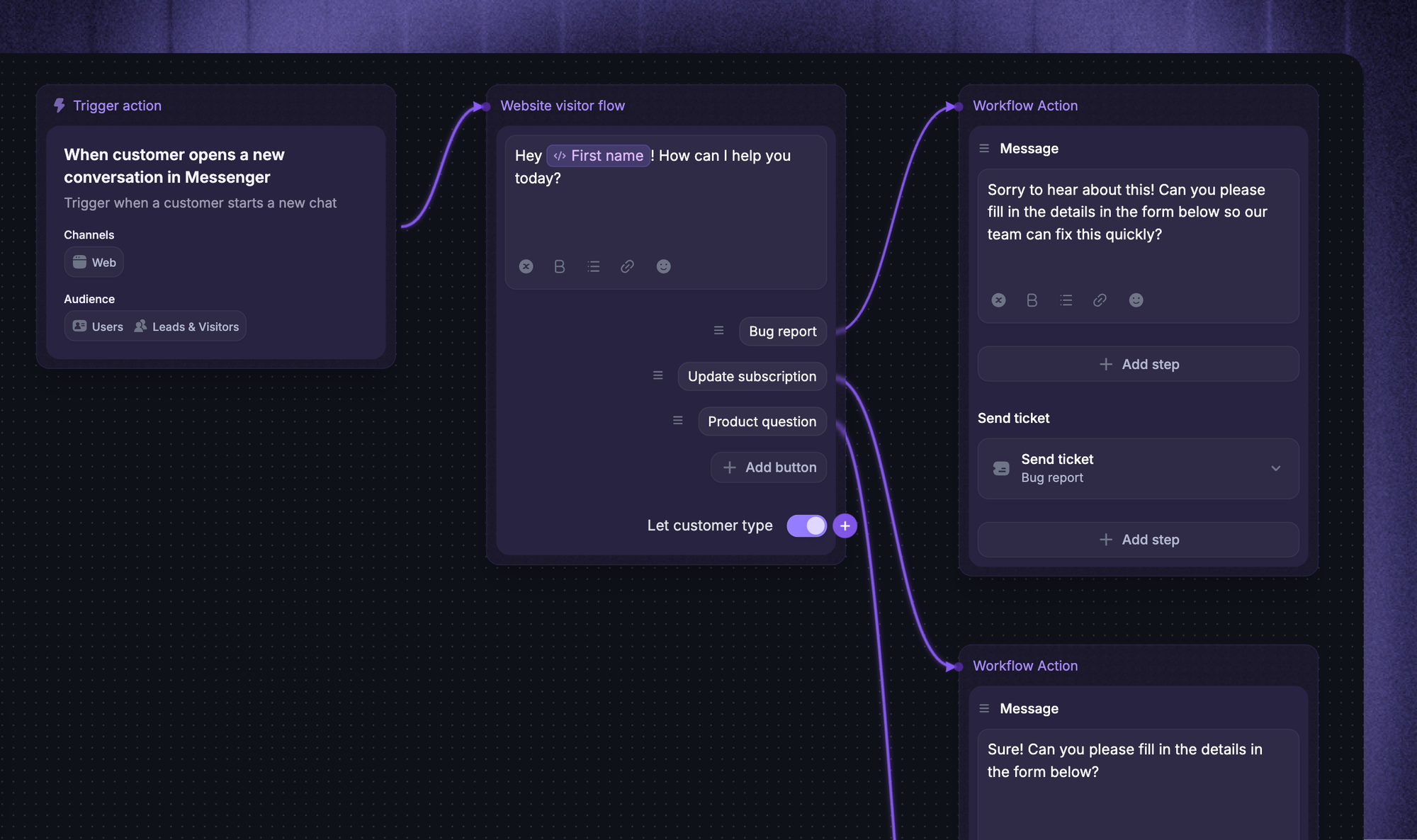
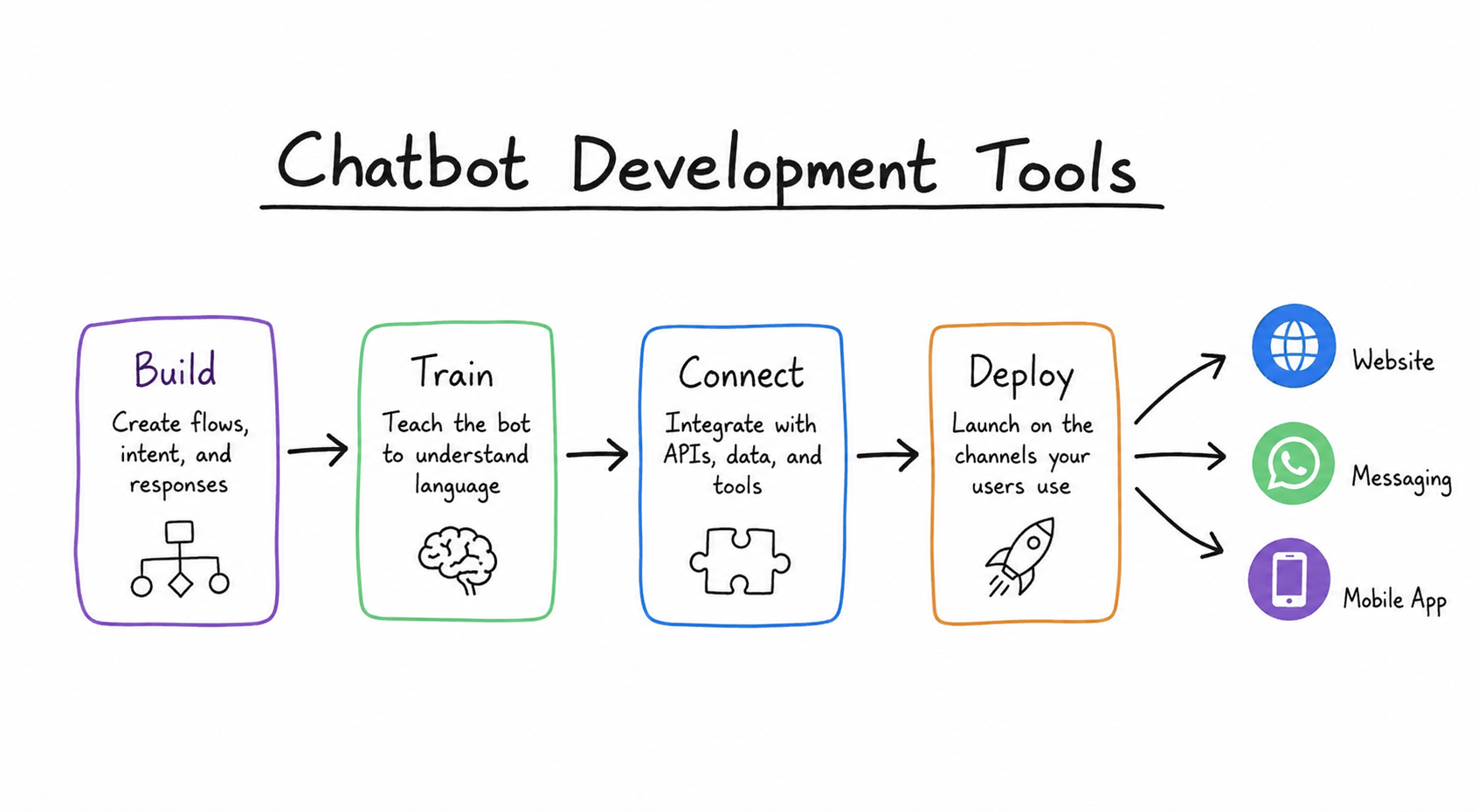
Chatbot development tools are platforms that give you the building blocks to create, train, and deploy a conversational bot without engineering every piece from scratch. They handle the hard parts, natural language understanding, conversation logic, and channel connectors, so you can focus on what the bot actually does.
The category has widened fast. AI has made the underlying language processing almost trivial, so the real differences now come down to how much control you want, what you connect the bot to, and how much you're willing to spend. That shift is happening across software as a whole: Gartner predicts that 40% of enterprise applications will feature task-specific AI agents by the end of 2026, up from less than 5% in 2025.
No-code builders vs developer frameworks: which do you need?
Most tools fall into 1 of 3 bands, and knowing which you need narrows the field quickly:
- No-code builders: Visual, drag-and-drop tools that get a bot live in hours without engineering. Best for support, sales, and marketing teams who want speed over deep control.
- Developer frameworks: Code-first platforms like Rasa that give you full control over models, logic, and hosting. Best for technical teams with privacy or customization requirements that off-the-shelf tools can't meet.
- Enterprise cloud platforms: Managed services from Google, Microsoft, and Amazon that trade portability for deep integration with their ecosystems. Best for large organizations already committed to a cloud stack.
The trade-off is almost always control versus convenience. A no-code tool gets you live faster but boxes you into its way of doing things. A framework gives you everything but needs a developer to run it. Pick the lightest option that still meets your requirements.
The 9 best chatbot development tools
1. Featurebase ✨
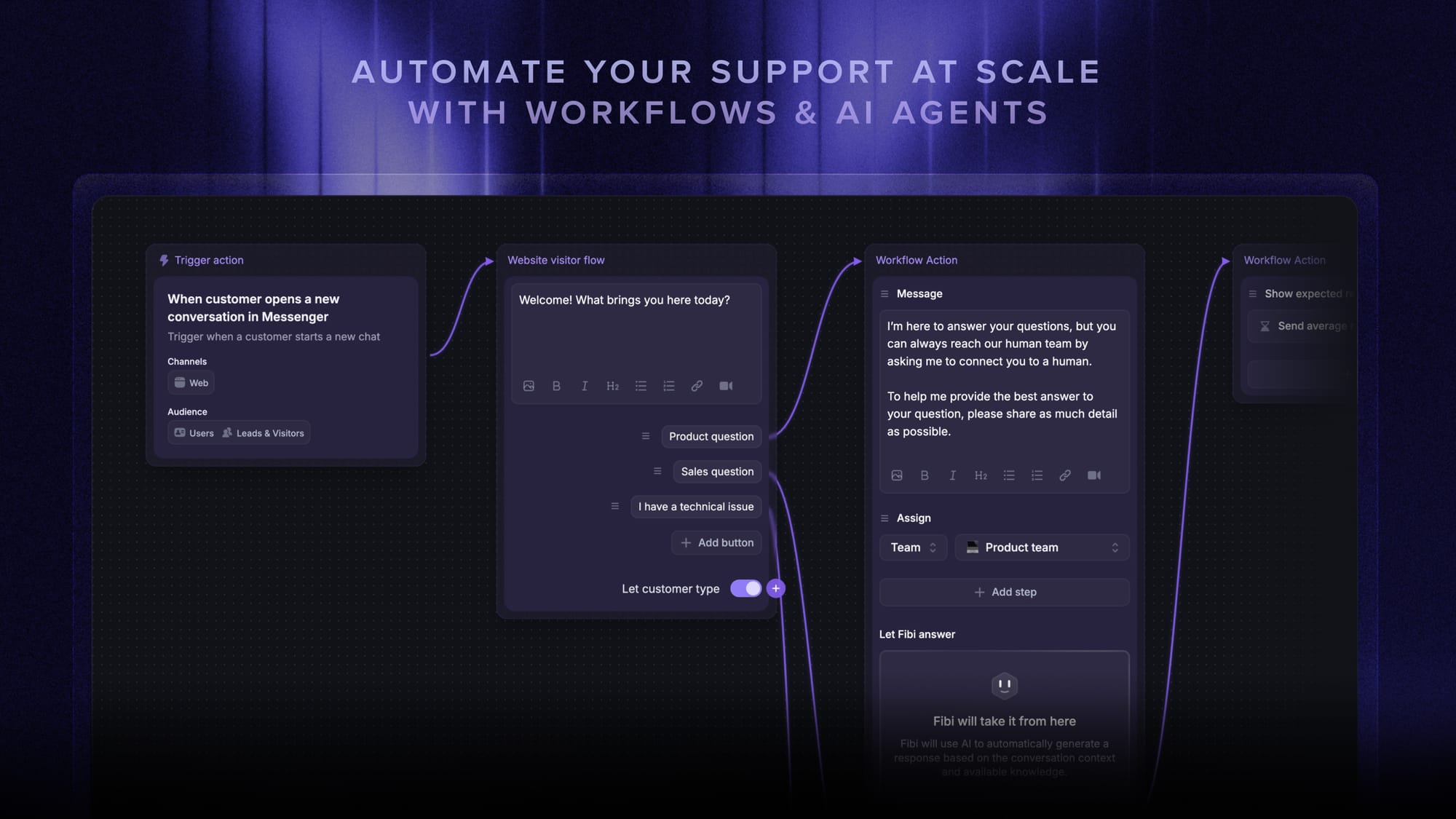
Featurebase is a modern AI customer support platform for product-led SaaS. It combines AI-powered support, help center, and feedback management into a single platform for startups that want all their customer-facing tools in one place. Featurebase is loved by thousands of support teams from companies like Lovable, Raycast, and n8n. 💫
If your goal is a customer-facing support bot, Featurebase lets you deploy one trained on your own help content instead of wiring up intent logic by hand.
Top features:
- Omnichannel inbox – Manage live chat, email, and Slack conversations from one AI-powered view
- Fibi AI Agent - Resolve customer issues on autopilot & run custom actions like trial extensions and refunds
- Help center with AI search – Provide instant, multilingual self-serve answers
- Workflows & automations – Auto-assign tickets, route conversations, collect customer data, and more
- AI Copilot – Help your agents answer customers faster with AI Copilot that uses your internal knowledge
- Multi-brand support – Manage multiple Help Centers and Live chats from a single workspace
- Automatic AI translations – Automatically translate all messages and help articles to your customers native language
- Service Level Agreements – Track SLAs to make sure your team responds to customers on time, every time
- Mobile app – Respond to customers, receive notifications, and unblock users on the go
- Feedback & roadmap tools – Collect feature requests and close the loop with updates
- Product updates – Publish release notes with a changelog page, in-app widget, and emails
- Integrations – Connects with Slack, Linear, Jira, HubSpot, and more
Pricing: Free plan available with unlimited conversations. Paid plans start at $29/seat/month with $0.49 per AI resolution.
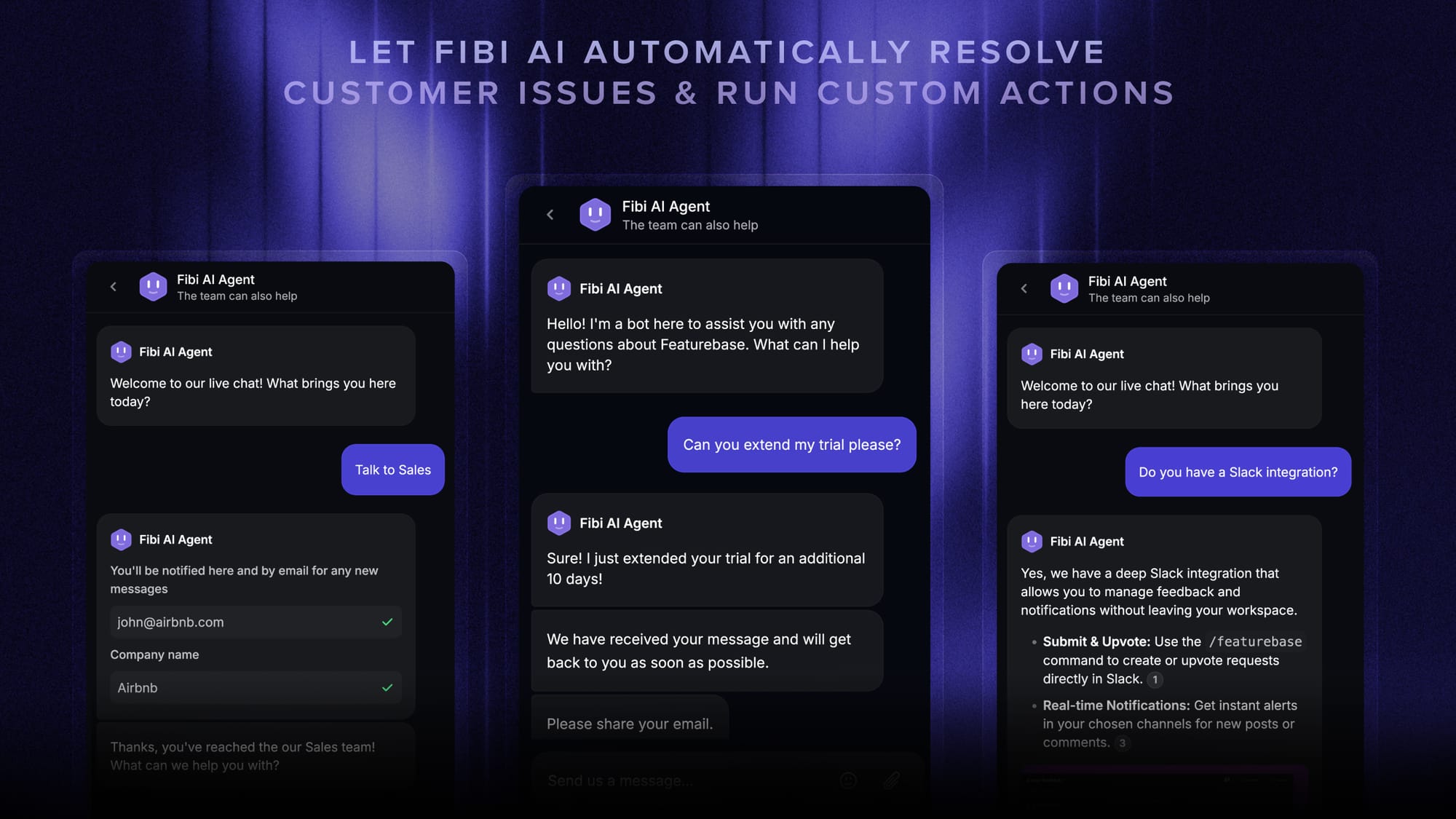
Featurebase covers all the basic support features that legacy platforms do, but with a much more modern approach. It comes with AI automations, a mobile app, and multiple channels (email, live chat, Slack, etc.).
✨ Automate your support with the fastest AI-enhanced Inbox today →
2. Botpress
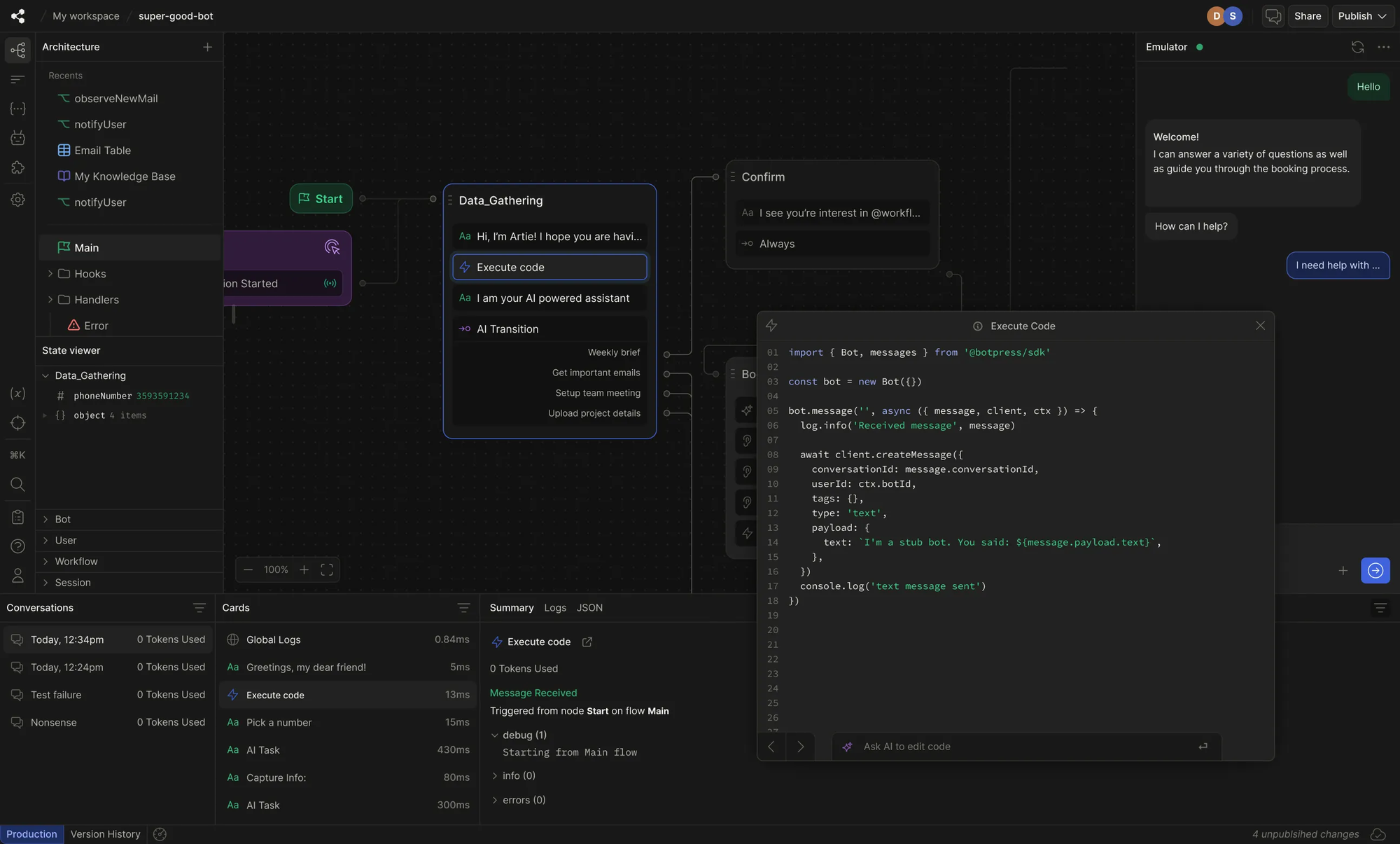
Botpress is the most powerful bot builder for teams that want deep customization. It pairs a visual flow builder with full code extensibility and an autonomous engine that uses LLM reasoning to guide conversations, so you can build agents that pull from knowledge bases, call APIs, and take real actions.
Key features
- Visual flow builder plus code extensibility and an ADK CLI for code-first agents
- Bring-your-own LLM (OpenAI, Anthropic, Groq) with knowledge bases for RAG
- 100+ prebuilt integrations (WhatsApp, Slack, HubSpot, Notion, and more)
- Human handoff with an agent inbox on higher tiers
The trade-off is complexity. Reviewers consistently praise Botpress for its power and flexibility, but note that the learning curve is steep and that a genuinely useful bot usually needs a developer in the loop. Compare Botpress alternatives if your team cannot maintain custom workflows. The pay-as-you-go pricing also stacks up quickly once AI usage climbs.
Pricing: Free pay-as-you-go plan to start, with paid Plus and Team plans layered on top of usage-based AI costs. Enterprise pricing is custom.
3. Voiceflow
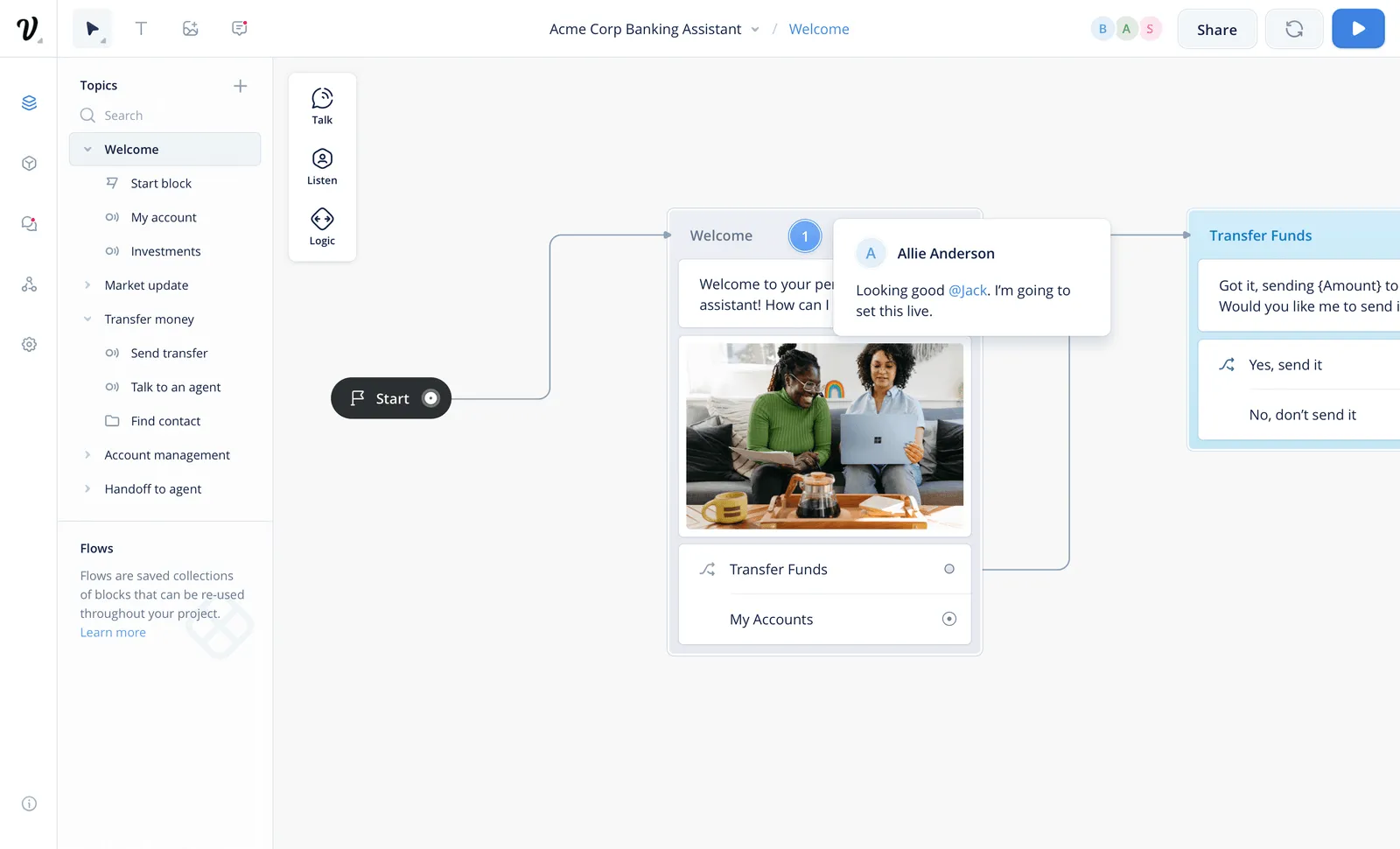
Voiceflow started as a voice prototyping canvas and has grown into a platform for designing AI agents across chat and voice. Its strength is collaboration: designers, product managers, and developers can co-own the same conversational experience, mixing AI-driven playbooks with scripted workflows.
Key features
- Drag-and-drop agent builder for support, lead gen, and CX
- Multi-provider LLM support (GPT, Claude, Gemini, Llama) with bring-your-own-model
- Multi-channel deployment across web, phone, and mobile via API
- Reusable component library and knowledge base integration
Users love how fast it is to design and iterate, but the cons cluster around integrations and scale. G2 reviewers commonly flag cumbersome API setup, limited built-in analytics, and pricing that climbs as usage grows. Voice can also feel secondary to the chat experience.
Pricing: Free trial with no credit card required. Billing is usage-based, and business pricing is available on request.
4. Chatbase
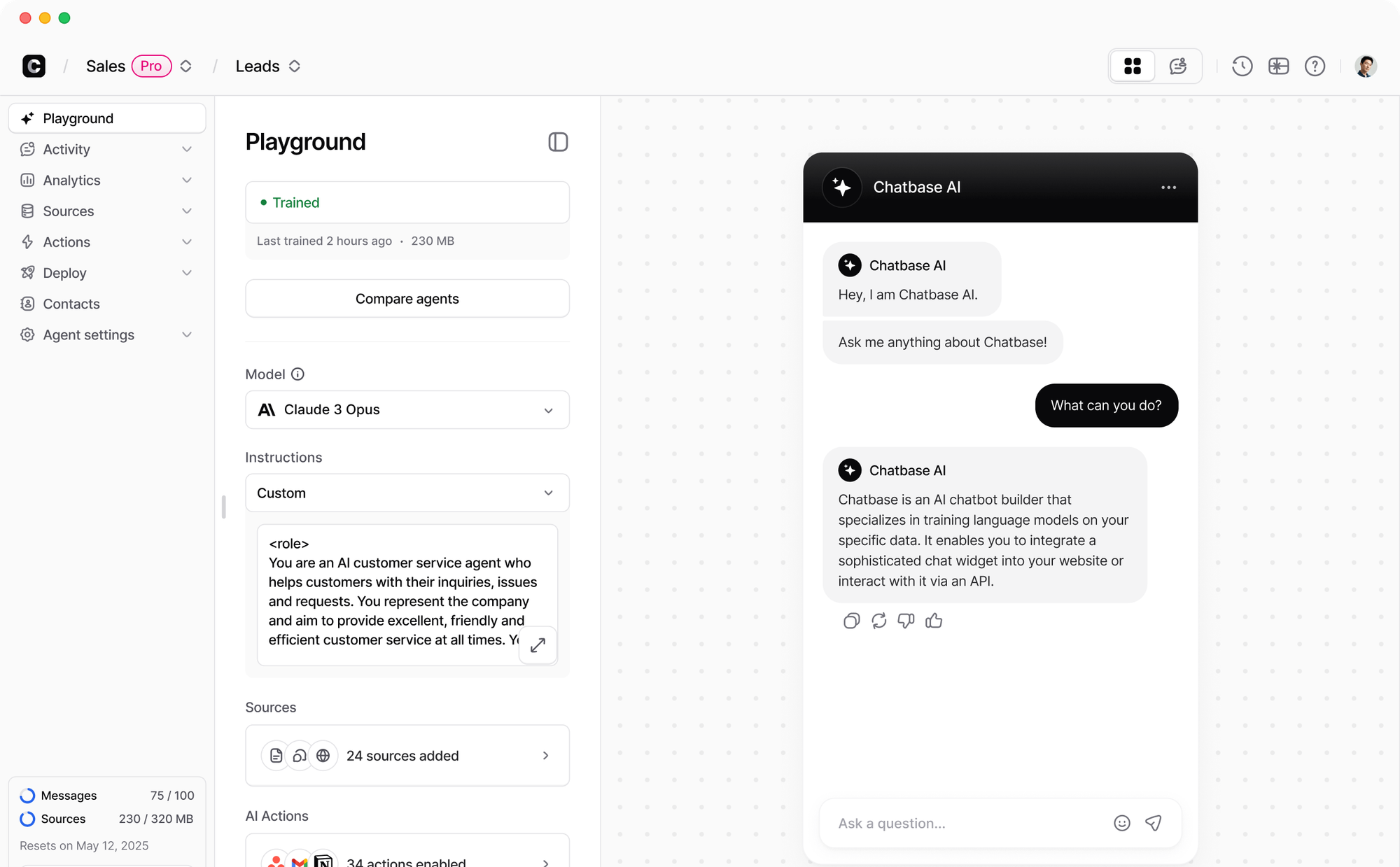
Chatbase is one of the fastest ways to stand up an AI support agent. You point it at your docs, website, or help center, and it builds a bot that can answer questions and take actions in connected tools, all without code.
Key features
- Trains on uploaded files, website links, and help content for instant RAG
- Choice of OpenAI, Anthropic, Gemini, and other models on higher plans
- AI Actions to make bookings, pull real-time data, and create tickets
- Integrations with Zendesk, Slack, WhatsApp, Messenger, and more
Ease of use is the headline, but it comes with limits. A recurring theme in G2 feedback is that customization is thin (you can't build deterministic decision trees), that pricing jumps sharply between tiers, and that message caps arrive faster than expected. Some reviewers also report accuracy and hallucination issues on complex queries.
Pricing: Free plan available (50 message credits). Paid plans start at $40/month for Hobby (or $32/month billed annually), scaling to Standard at $120/month and Pro at $400/month.
5. Tidio
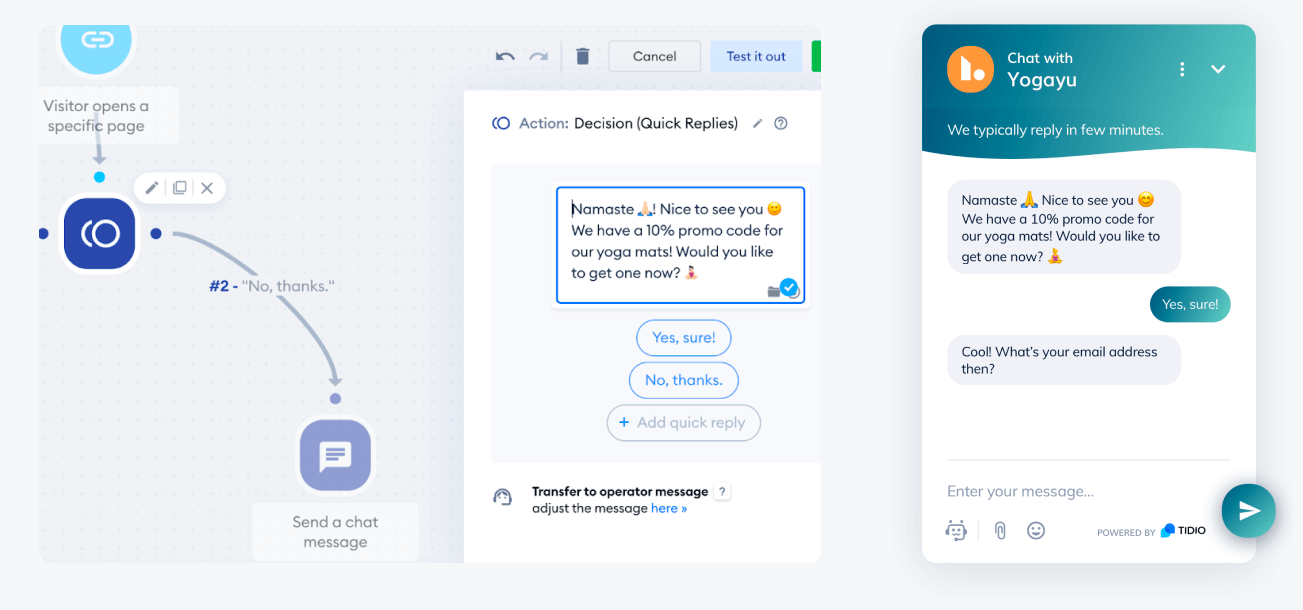
Tidio blends live chat, a shared inbox, and AI automation into one tool aimed at small and mid-sized businesses. Its Lyro AI Agent pulls from your knowledge base to resolve common questions across chat, email, and social, with human handoff when needed.
Key features
- Visual, no-code chatbot flow builder with prebuilt templates
- Lyro AI Agent for knowledge-based automation in 12 languages
- Unified inbox across live chat, email, Instagram, Messenger, and WhatsApp
- Integrations with Shopify, WordPress, and other ecommerce and CMS platforms
Setup is quick and the unified inbox is a real upgrade for small teams. The friction shows up at scale: users on G2 report that you can't run Lyro AI and custom flows at the same time, that conversation limits are reached faster than expected, and that costs get layered once AI and Flows add-ons kick in.
Pricing: Free plan available (50 conversations). Tidio's paid plans start at $29/seat/month for Starter and $59/seat/month for Growth, with Lyro AI and Flows billed separately from $39/month and $29/month.
6. ManyChat
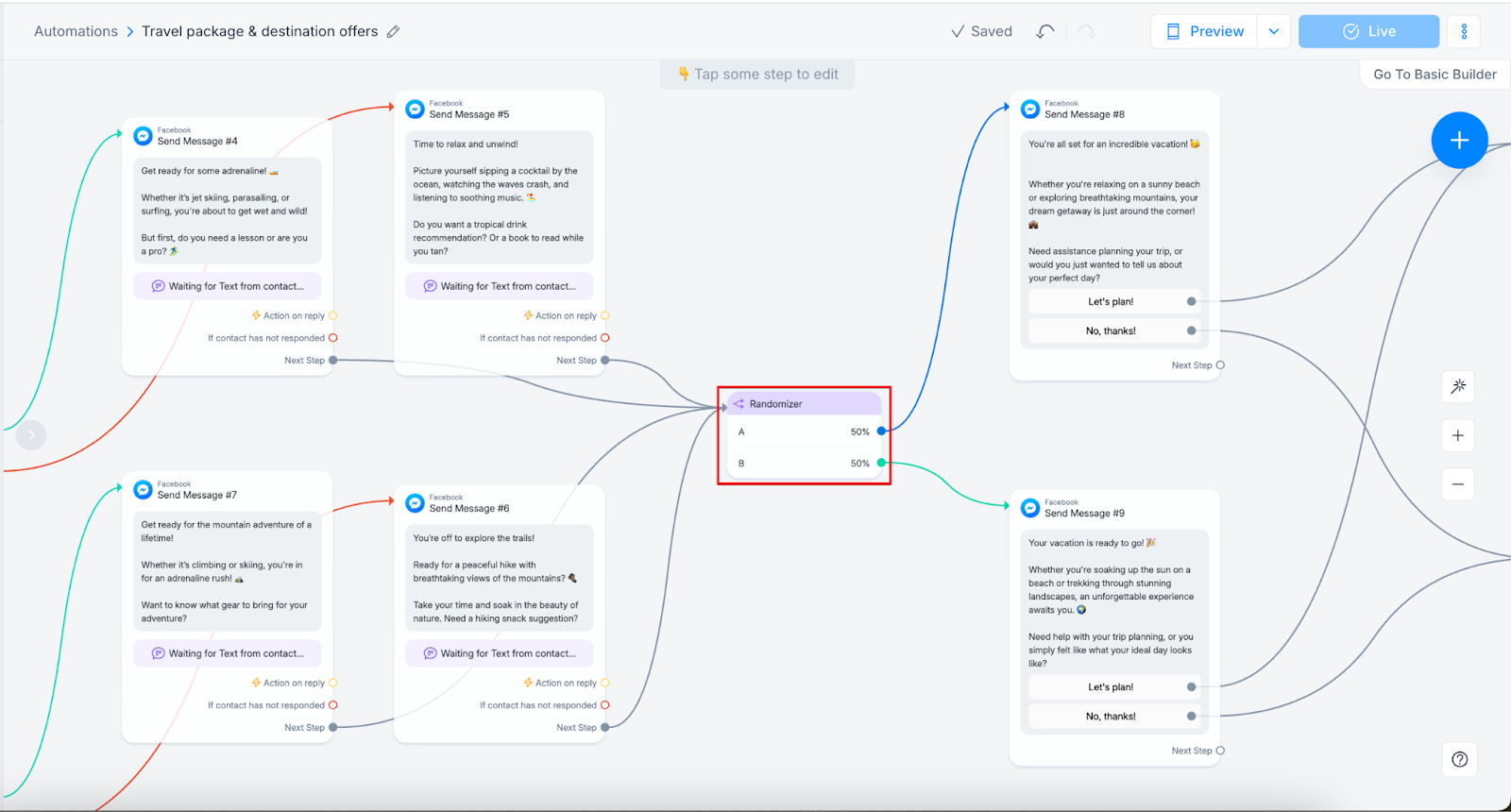
ManyChat is built for social media marketing rather than website support. It's the go-to for automating Instagram, WhatsApp, TikTok, and Messenger conversations, with comment-to-DM automation as its standout trick for capturing leads.
Key features
- Visual flow builder for Instagram, Messenger, WhatsApp, and TikTok
- Comment-to-DM automation for lead capture and engagement
- SMS and email follow-ups beyond social channels
- AI text tools to improve message copy (paid add-on)
ManyChat wins on ease of use for social flows, but it's a poor fit for on-site support. Reviewers note there's no website chat widget, the flows are button-based rather than natural language, and built-in AI is weaker than dedicated platforms. The free plan was also cut sharply in 2026, down to 25 contacts.
Pricing: Free plan available (25 contacts). Paid plans start at $14/month for Essential, $29/month for Pro, and $69/month for Business, with AI features as a roughly $29/month add-on.
7. Google Dialogflow CX
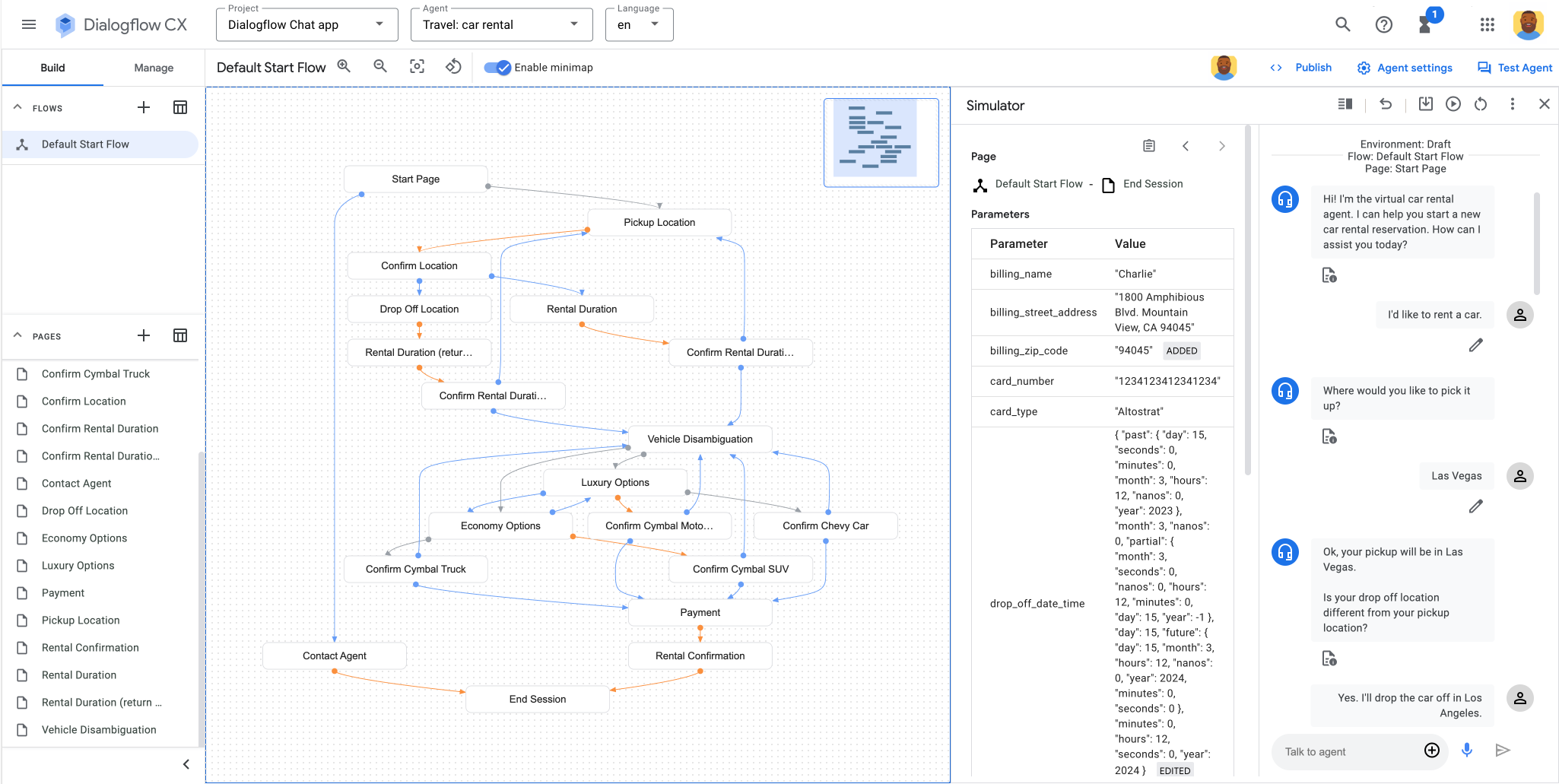
Dialogflow CX (now part of Google's Conversational Agents suite) is an enterprise-grade platform for building multilingual, multimodal agents. Its state-machine flow builder handles complex, multi-step conversations, and it plugs directly into the rest of Google Cloud.
Key features
- State-machine visual builder for complex conversation flows
- Strong NLU and intent detection across 40+ languages
- Built-in speech-to-text and text-to-speech for voice agents
- Tight integration with Vertex AI, BigQuery, and Google Cloud
The NLU quality and multilingual support are genuinely strong. The downsides are the ones you'd expect from an enterprise cloud product: a steep learning curve, a Google-centric design that doesn't suit small or cross-platform teams, and support that reviewers describe as slow and cumbersome.
Pricing: $600 in free credits for the first 12 months, then usage-based pricing (around $0.007 per text request, with voice billed separately). Enterprise volume pricing is negotiated with Google Cloud.
8. Rasa
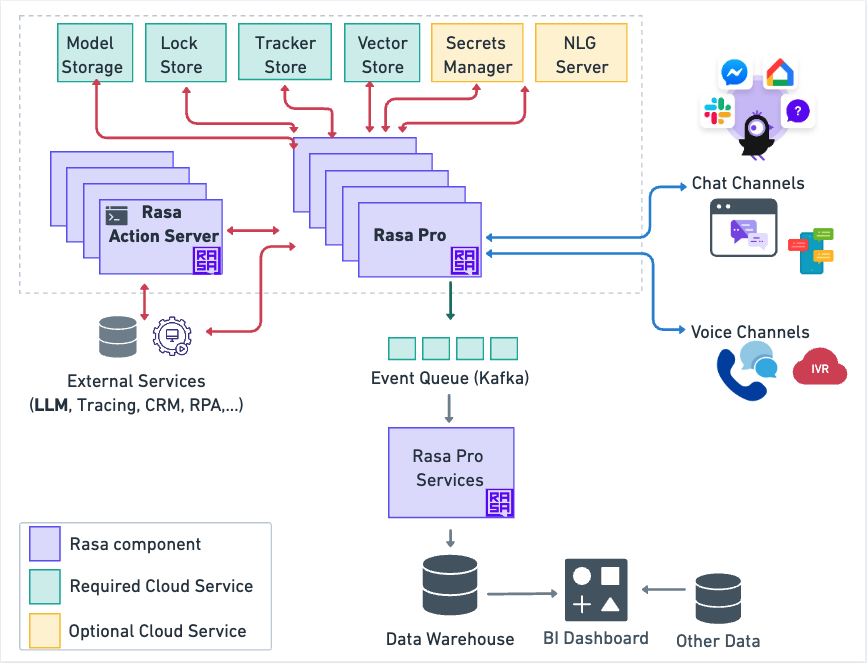
Rasa is the pick for teams that need full control and data ownership. It's an open-source framework where the LLM interprets what the user wants while your business logic runs deterministically, which keeps bots predictable and auditable, and it can be fully self-hosted.
Key features
- CALM framework combining LLM interpretation with deterministic flows
- Full control over NLU models, conversation logic, and integrations
- Self-hosted deployment for strict data-residency requirements
- Rasa Studio adds a no-code layer for non-technical collaborators
Rasa's flexibility is unmatched, but so is its complexity. G2 reviewers note that it really needs machine-learning expertise, that the learning curve is steep, and that "open-source" doesn't mean "free at scale", since production volume and support push you into five-figure annual commercial licensing.
Pricing: Free Developer Edition (up to 1,000 conversations/month). Commercial Growth plans start at roughly $35,000/year, with Enterprise pricing on request.
9. Microsoft Copilot Studio
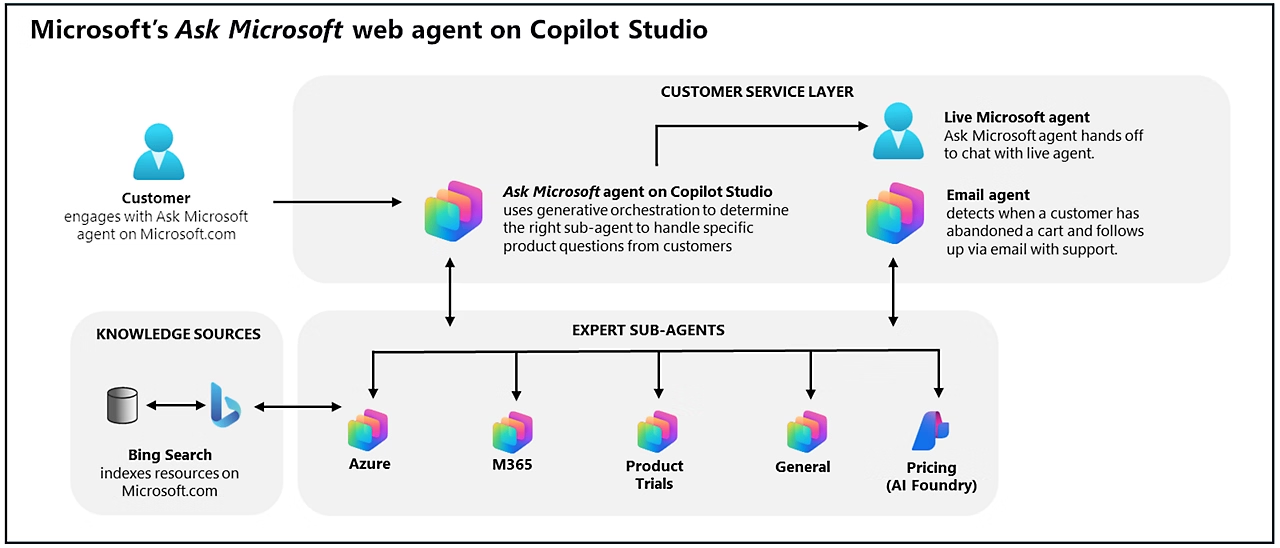
Copilot Studio is Microsoft's agent platform, built for teams already living in the Microsoft 365 ecosystem. It spans no-code topic authoring to pro-code development, and grounds answers in SharePoint, Dynamics 365, and other enterprise data sources.
Key features
- Generative answers grounded in Microsoft 365 and enterprise data
- AI-assisted topic authoring from natural-language descriptions
- 1,400+ connectors plus MCP support for extensibility
- Deployment across Teams, web, mobile, WhatsApp, and voice
For Microsoft shops, the integration is the whole appeal. For everyone else, the cons add up: reviewers describe it as both limited and overly complex, with a confusing initial setup, model choice locked to Azure AI Foundry, and costs that accumulate as usage grows.
Pricing: Usage-based pay-as-you-go at $0.01 per Copilot Credit, or prepaid capacity packs of 25,000 credits at $200/month. Credits replaced the older per-message billing in late 2025.
What to look for in a chatbot development tool
Once you've narrowed the band, a few criteria decide the winner:
- LLM flexibility: Model-agnostic tools let you switch providers without rebuilding your logic. Locking to a single model is a real risk as costs and capabilities shift.
- Integrations: The bot is only as useful as what it can reach. Check for native connectors to your CRM, help desk, and channels, plus API or webhook access for anything custom.
- Hosting and data control: Self-hosted or private-cloud options matter if you handle sensitive data. Verify data residency across every part of the stack, not just the model.
- Ease of maintenance: Match the tool to the people who'll run it day to day. A framework that needs an ML engineer is a liability if your team is non-technical.
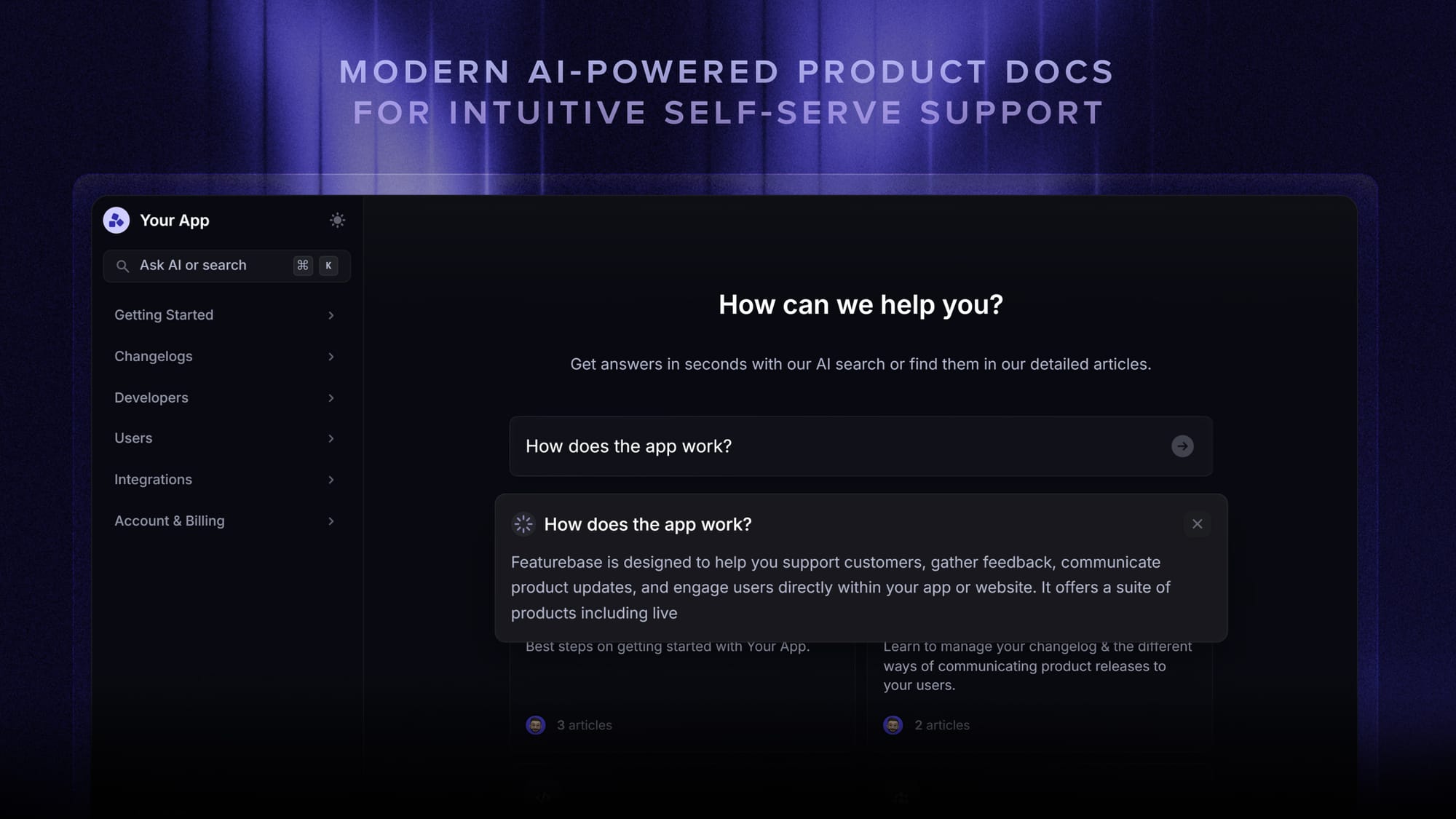
For customer support specifically, the fastest path is often a tool that skips the build entirely. With an AI support agent like Featurebase's Fibi AI Agent, you deploy a bot trained on your help center and existing conversations rather than mapping out intents and flows yourself, and it can resolve issues and run actions like refunds on its own.
Conclusion
The best chatbot development tool is the lightest one that still meets your needs. No-code builders win on speed for support and marketing bots, developer frameworks like Rasa win on control, and enterprise cloud platforms win when you're already committed to their ecosystem.
If your goal is customer support, Featurebase gives you a modern AI support agent, help center, and shared inbox in one platform, so you can automate conversations without stitching together separate tools or building intent logic from scratch. 💫
There's a free plan with unlimited conversations and onboarding is fast, so there's no downside to trying it 👇
✨ Automate your support with the fastest AI-enhanced Inbox today → Get started with Featurebase
FAQs
How much does it cost to build a chatbot?
It ranges widely. No-code tools start free and scale into the tens or low hundreds of dollars a month, which covers most support and marketing bots. Custom development with a framework or an agency runs far higher, often $5,000 to $75,000+ depending on complexity, integrations, and ongoing maintenance.
Do you need coding skills to build a chatbot?
Not for most tools. No-code builders like Tidio, Chatbase, and ManyChat are designed for non-technical users and get a bot live without writing any code. You only need coding skills for developer frameworks like Rasa or when you want deep custom logic and integrations that off-the-shelf tools can't handle.
What's the difference between a no-code chatbot builder and a developer framework?
A no-code builder gives you a visual interface to assemble a bot quickly, trading deep control for speed and simplicity. A developer framework gives you code-level control over the models, conversation logic, and hosting, which is more powerful but requires engineering resources. The choice comes down to convenience versus control.
Are there any free chatbot development tools?
Yes. Chatbase, Tidio, ManyChat, and Botpress all offer free tiers, and Rasa's Developer Edition is free for up to 1,000 conversations a month. Free plans usually cap conversations, contacts, or features, so they work best for testing before you commit to a paid plan.
How do I connect a chatbot to my existing tools?
Most chatbot tools ship with native integrations for common platforms like Shopify, Zendesk, HubSpot, and Slack. For anything unsupported, you can use APIs, webhooks, or a connector like Zapier to sync contacts, log conversations, and trigger actions such as ticket creation.
What's the best chatbot tool for customer support?
For support specifically, the strongest fit is a tool built around an AI agent that trains on your help content and resolves tickets automatically. Featurebase is a good example: its Fibi AI Agent handles common questions across chat, email, and Slack, and hands off to a human with full context when a conversation needs it.