Blog Customer Service11 Best Website Chat Widgets for 2026 (Free & Paid)
11 Best Website Chat Widgets for 2026 (Free & Paid)
Compare the best website chat widgets for 2026, from free live chat tools to AI agents that resolve tickets on their own, with real pricing and honest pros and cons.



✨ Automate your support with the fastest AI-enhanced Inbox today →
A high-intent visitor lands on your pricing page, has one quick question, finds no fast way to ask it, and leaves. That is a sale walking out the door, and it happens on most websites every single day.
A website chat widget closes that gap. It lets visitors talk to you (or your AI) the moment they need help. But the 2026 options range from free chat bubbles to AI agents that resolve tickets on their own, and picking the wrong one costs you months.
In this guide, I'll break down the 10 best website chat widgets, what each one is best for, real pricing, and the honest trade-offs. 👇
Key takeaways:
| Tool | Best for | Free plan | Starting price | AI agent |
|---|---|---|---|---|
| Featurebase✨ | Modern SaaS teams wanting AI support + feedback in one platform | Yes, unlimited conversations | $29/seat/mo | Fibi AI Agent ($0.29/resolution) |
| Elfsight | Website-first AI support + lead capture without a helpdesk | Yes — 50 visitor messages/month | $6/month list; currently $4/month billed yearly | Fin AI Agent |
| Intercom | Funded SaaS scaling AI-first support | No (14-day trial) | $19/seat/mo billed annually ($29 monthly) + $0.99 per Fin outcome | Built-in AI Agent |
| Tidio | Small ecommerce and Shopify stores | Yes, 50 convos/mo | $24.17/mo (annual) | Lyro (add-on) |
| Crisp | Teams wanting flat, predictable pricing | Yes, 2 seats | $45/mo per workspace | Crisp AI (paid tiers) |
| Tawk.to | Teams on a zero budget | Yes, unlimited | Free (paid add-ons) | AI Assist (basic) |
| LiveChat | Established support and sales teams | No (14-day trial) | $19/agent/mo | Via ChatBot (separate) |
| HubSpot Live Chat | Teams already on HubSpot CRM | Yes (free CRM) | $20/seat/mo (Service Hub) | Basic bot only |
| Zendesk Chat | Enterprise support operations | No (14-day trial) | $19/agent/mo (live chat in Suite, $55) | AI agents (per resolution) |
| Freshchat | Teams in the Freshworks ecosystem | Yes, up to 10 agents | $19/agent/mo | Freddy (sessions billed separately) |
| Olark | Simple, no-frills live chat | Yes, 20 chats/mo | $29/mo per seat | Olark Pro (custom) |
What is a website chat widget?
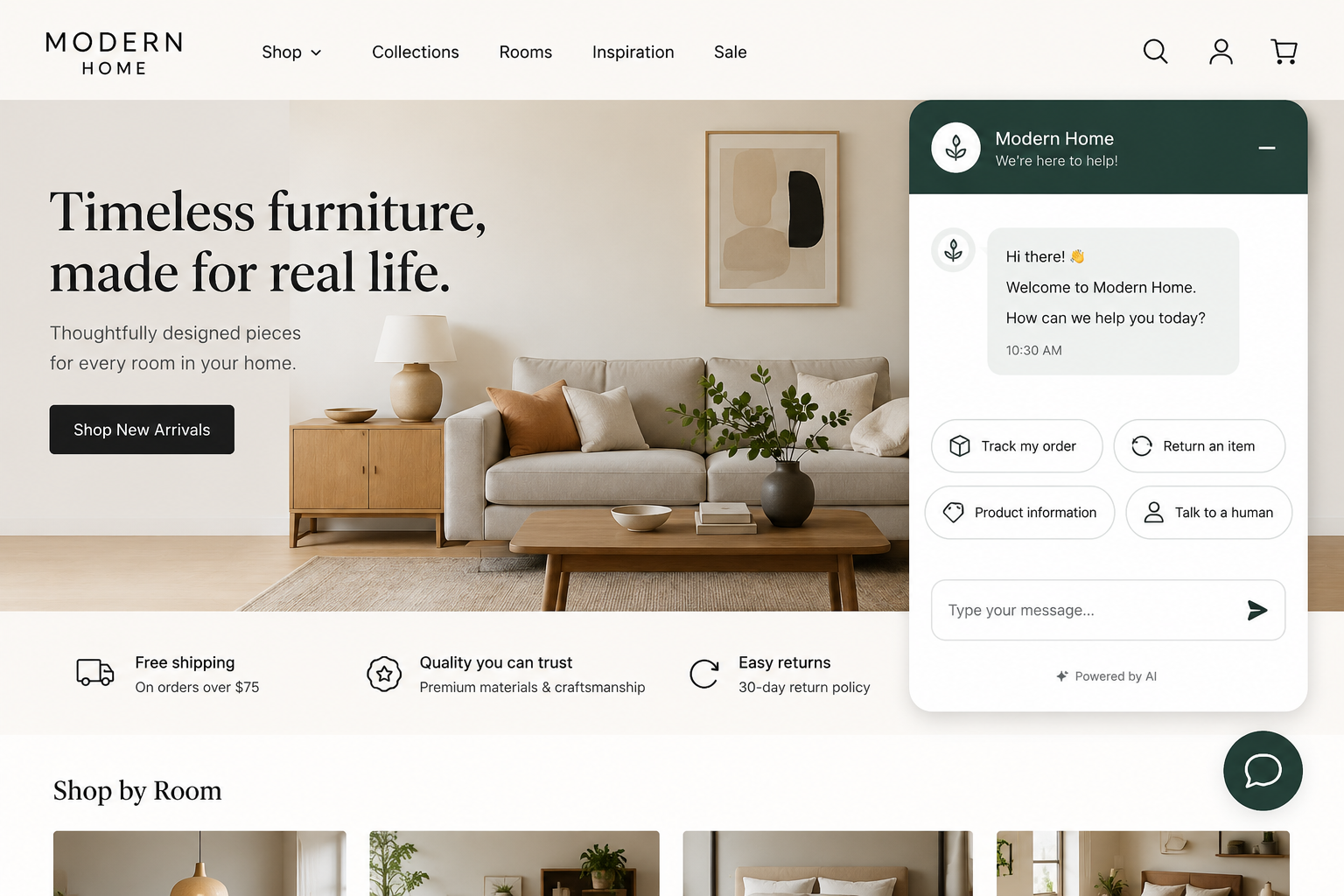
A website chat widget is a small interactive interface embedded on your site, usually a floating bubble in the bottom corner that expands into a chat window. It lets visitors send and receive live chat messages without leaving the page.
Behind that bubble sits a messaging back end that delivers messages, keeps conversations in sync, and decides who answers. That responder can be a live agent, an AI chatbot, or a mix of both, with the AI handling routine questions and handing off to a human when things get complex.
The reason widgets are everywhere is simple: people expect fast answers. 82% of customers expect an immediate response when they contact a company, according to Salesforce. A chat widget is the cheapest way to meet that expectation on your own website.
What to look for in a website chat widget
The best widget is not the one with the longest feature list. It is the one your team actually uses and your visitors actually engage with. Here is what separates a great chat widget from a headache:
- AI and automation: A modern widget should answer common questions on its own, not just route them to a human. Tools like Featurebase pair the chat bubble with an AI agent (Fibi) that answers first and hands off to a teammate with full context when needed. This is the single biggest 2026 differentiator, and 90% of customers now expect a reply within 10 minutes per Zendesk's CX Trends research.
- Omnichannel reach: Your customers do not only message from your website. The strongest widgets unify web chat with WhatsApp, email, Instagram, and Messenger in one inbox so conversations do not get lost across tools.
- Customization: The widget should match your brand, colors, and positioning, and look native rather than bolted on. Dated or rigid widgets quietly hurt trust.
- Mobile experience: More than half of web traffic is mobile. A good widget resizes cleanly and never covers important buttons on a phone.
- Integrations: Look for native connections to your CRM, help desk, and calendar so chats turn into leads, tickets, or booked meetings automatically.
- Pricing transparency: Watch for AI fees, per-seat costs, and add-ons that stack on top of the headline price. The advertised number is rarely the real number.
Keep these in mind as you read through the list below.
The 10 best website chat widgets for 2026
I have ranked these on what actually matters in 2026: AI quality, omnichannel reach, ease of setup, and honest pricing. Here is what each tool does well, where it falls short, and who it is best for.
1. Featurebase✨
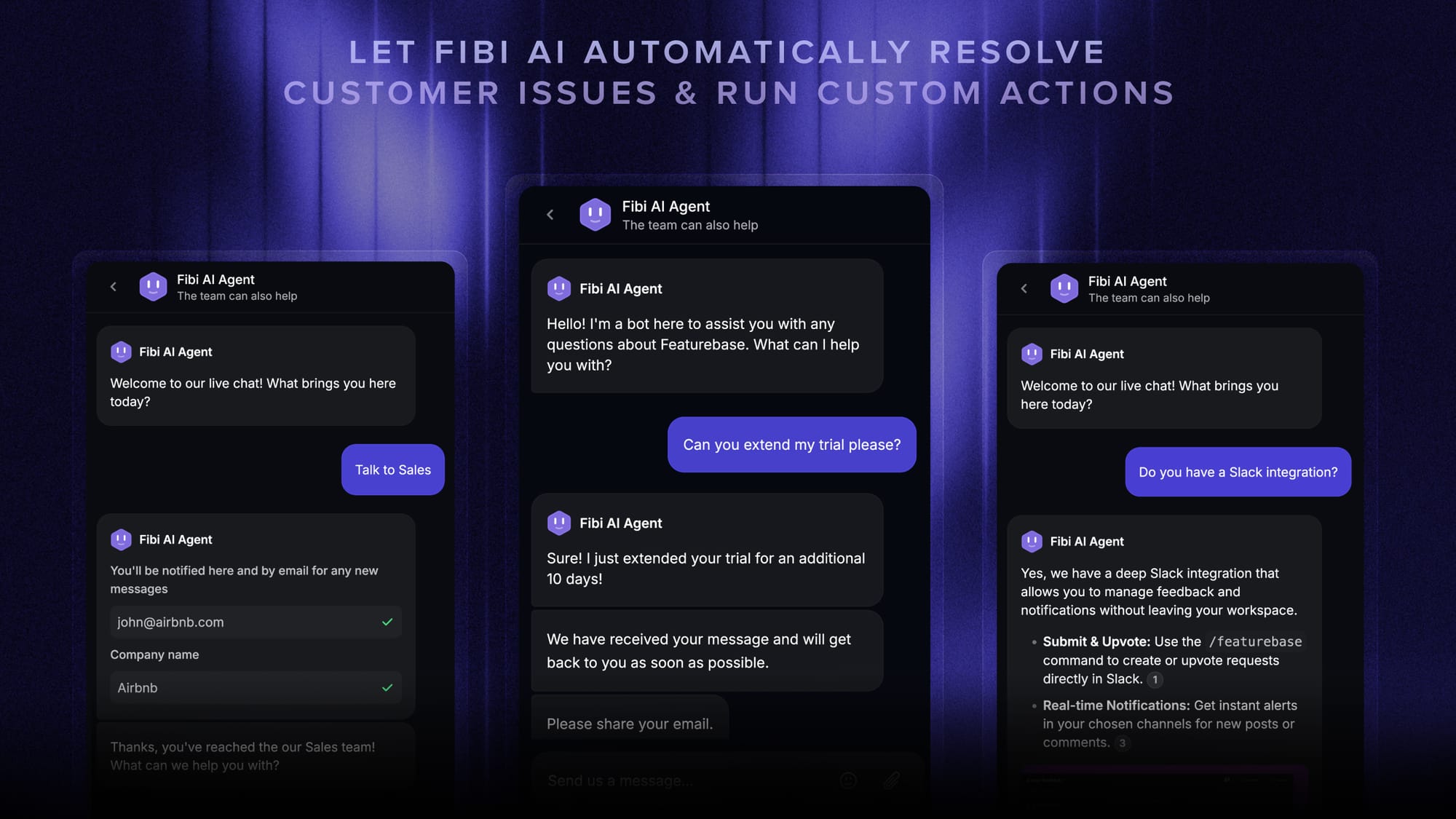
Featurebase is a modern AI customer support platform built for product-led SaaS, and it is the best website chat widget for teams that want support and feedback in one place instead of five separate tools. It combines AI-powered support, a help center, and feedback management into a single platform, and it is loved by thousands of support teams from companies like Lovable, Raycast, and n8n. 💫
The chat widget itself (the Messenger) embeds on your site in minutes and pairs a clean chat bubble with the Fibi AI Agent, which answers first and hands conversations to a human with full context when needed.
Top features:
- Omnichannel inbox – Manage live chat, email, and Slack conversations from one AI-powered view
- Fibi AI Agent – Resolve customer issues on autopilot and run custom actions like trial extensions and refunds
- Help center with AI search – Provide instant, multilingual self-serve answers
- Workflows & automations – Auto-assign tickets, route conversations, qualify leads, and collect customer data
- AI Copilot – Help your agents answer customers faster using your internal knowledge
- Multi-brand support – Manage multiple Help Centers and live chats from a single workspace
- Feedback & roadmap tools – Collect feature requests and close the loop with product updates
- Integrations – Connects with Slack, Linear, Jira, HubSpot, and more
Pricing: Free plan available with unlimited conversations. Paid plans start at $29/seat/month with $0.29 per AI resolution.

Featurebase covers all the basic support features that legacy platforms do, but with a much more modern approach. It comes with AI automations, a mobile app, and multiple channels (email, live chat, Slack), and because feedback and roadmaps live in the same tool, your support conversations turn into product insight instead of disappearing.
Best for: Modern SaaS and support teams that want an AI agent on the front line, plus feedback and a help center, without paying for several tools.
2. Elfsight AI Chatbot
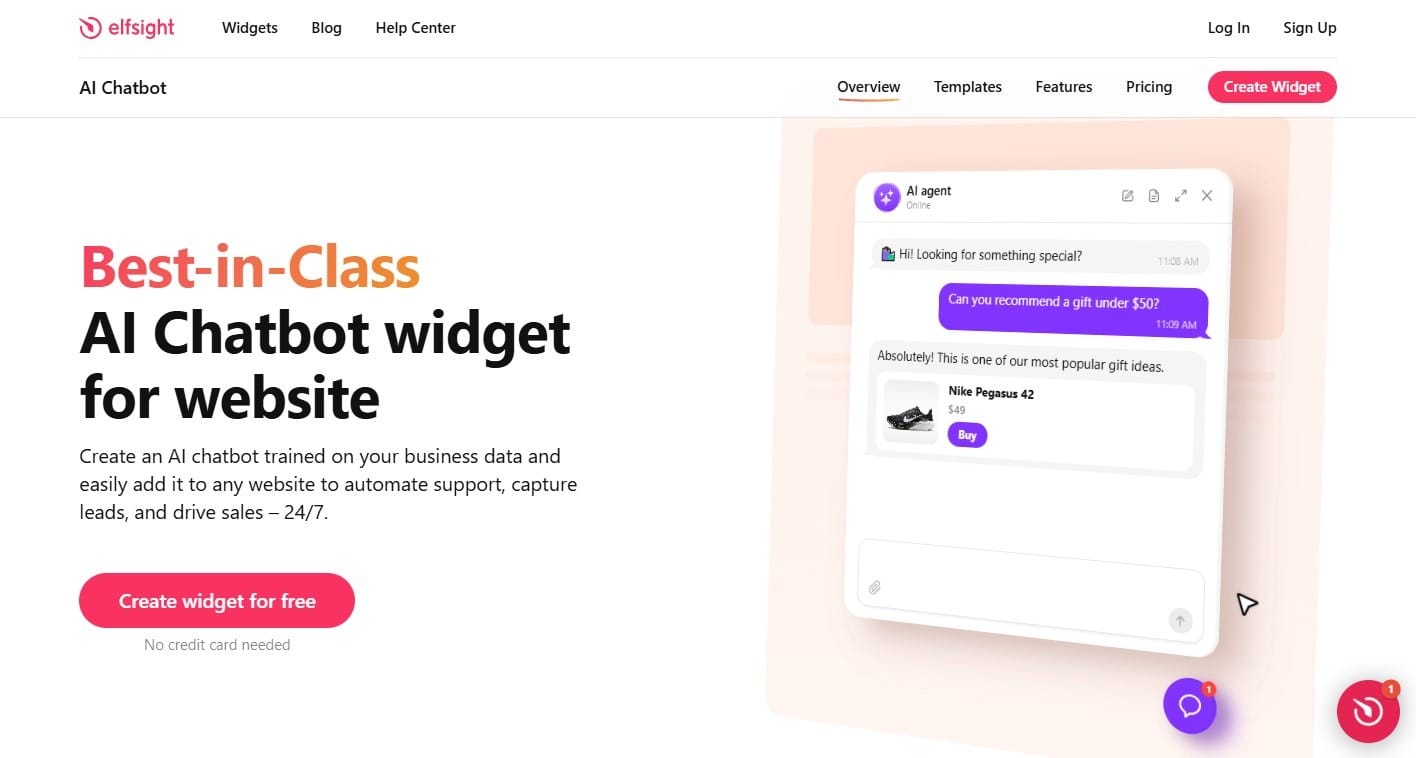
AI Chatbot by Elfsight is an AI-first website widget for businesses that want automated support and lead capture without adopting a shared inbox or help desk. Setup can start with a website URL, and the Knowledge Base can be expanded with web pages, files, images, Q&A, text blocks, and business information. The agent also recognizes the page it is running on, which helps it answer with more context about what the visitor is viewing.
Where Elfsight stands out is the website layer around the AI. Built-in Skills can show contextual Action Buttons, collect contact details, send follow-up messages after inactivity, and offer configured ways to reach a real person. The widget can run floating or embedded, appear only on selected pages or devices, and send conversation data to Google Sheets, Zapier, or external services through webhooks.
The lighter scope is also the honest trade-off. Elfsight does not provide human live chat, a shared support inbox, native ticketing, or omnichannel messaging. Contact a Human redirects visitors through configured contact options rather than handing the conversation to an agent inside the same chat. Teams that need web, email, social channels, and human queues in one workspace should choose a broader support platform. For businesses whose main need is a capable AI assistant on the website, Elfsight keeps the operating model and pricing much lighter.
Key features
- Knowledge Base built from website pages, files, images, Q&A, text blocks, and business information, with Knowledge Gaps for unanswered questions
- Action Buttons, Collect Contacts, Follow-up Messages, and Contact a Human Skills
- Floating or embedded layouts, page/device visibility controls, themes, Custom CSS, and Custom JS
- Google Sheets, Zapier, Google Analytics, and webhooks for conversation data and event tracking
Pricing: Free plan with 1 chatbot, 50 visitor messages, and 200 views per month. Basic has a $6/month list price and is currently $4/month when billed yearly, with 3 chatbots, 300 visitor messages, and 5,000 views.
Best for: Small businesses, SaaS companies, agencies, service businesses, and other teams that want an AI-first website assistant for support, lead capture, and guided conversion without running a live-chat or helpdesk stack.
3. Intercom
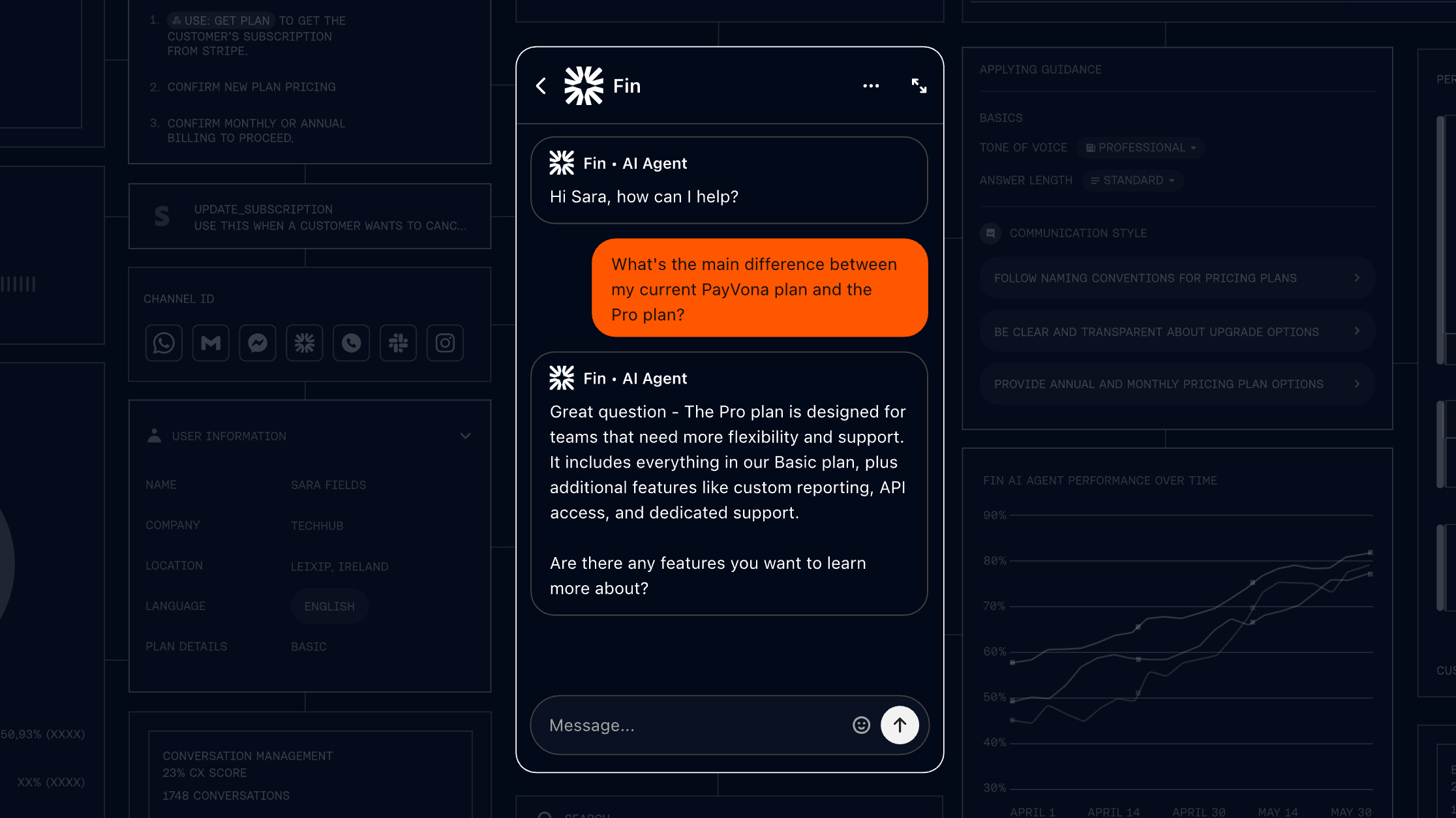
Intercom is an AI-first customer service platform built around its Fin AI Agent and a polished messenger widget. It is frequently cited as the benchmark for modern, AI-led customer communication.
If you have used Intercom before, you know it is less of a chat widget and more of a full customer platform. The messenger looks great, and Fin resolves conversations with strong accuracy by pulling from your help center, past conversations, and custom data.
The catch is cost. Intercom uses a seat-plus-usage model: you pay per agent seat and then $0.99 per Fin support outcome. G2 reviewers consistently praise Fin's resolution quality but flag that the per-outcome model gets hard to budget at scale, the pricing feels opaque after recent changes, and the platform has a learning curve for non-technical teams.
Key features
- Fin AI Agent with per-outcome pricing
- Modern messenger widget with rich media
- Shared inbox, tickets, and workflow automation
- Help center and 300+ integrations
Pricing: No free plan (14-day trial). Essential starts at $19/seat/month billed annually ($29 billed monthly), plus $0.99 per Fin outcome. Advanced costs $85/seat/month and Expert costs $132/seat/month, billed annually.
Best for: Funded SaaS and mid-market teams that can budget for variable AI costs and want a best-in-class messenger. Qualifying startups get a steep first-year discount through Intercom's early-stage program.
4. Tidio
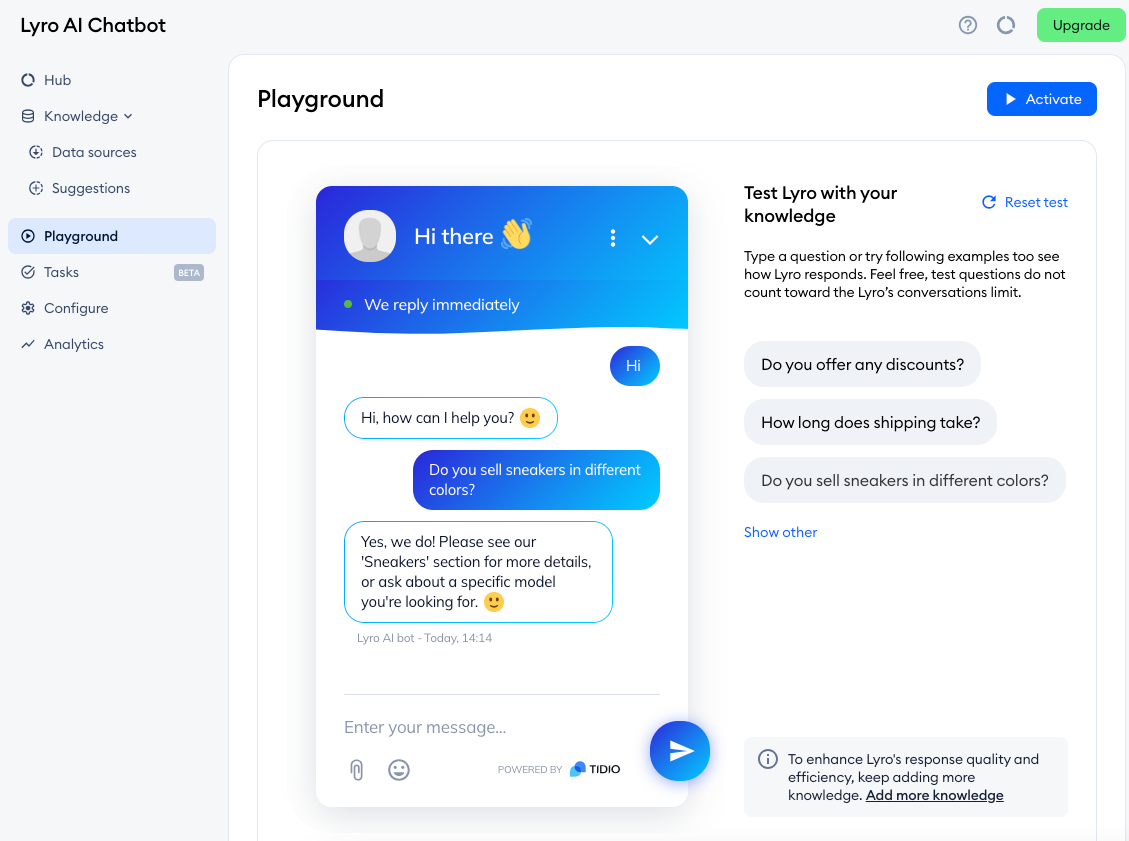
Tidio is a customer communication platform that combines live chat, an AI chatbot (Lyro), and a help desk, built primarily for small ecommerce businesses.
If you run a Shopify store and want a widget live in under 5 minutes, Tidio fits well. The Shopify integration is native, the widget looks clean, and a free plan lets you test it. G2 reviewers love how fast it goes live and how Lyro starts handling repeat questions once trained on your content.
Where it gets tricky is pricing. The base plan looks affordable, but Lyro (AI) and Flows (automation) are billed as separate add-ons, so a store that needs real automation can end up around $80 a month. Reviewers also note that conversation-based billing scales expensive on high-traffic sites, and that multi-project visibility is limited.
Key features
- Live chat with real-time visitor monitoring
- Lyro AI chatbot for automated answers
- Multichannel inbox (web, email, Messenger, Instagram)
- Native Shopify, WordPress, and Squarespace plugins
Pricing: Free plan (50 conversations/month). Starter is $24.17/month billed annually, Growth starts at $49.17/month, and Plus starts at $749/month. Lyro AI and Flows are separate add-ons.
Best for: Small ecommerce stores on Shopify or WordPress that want an easy widget with the option to add AI as they grow.
5. Crisp
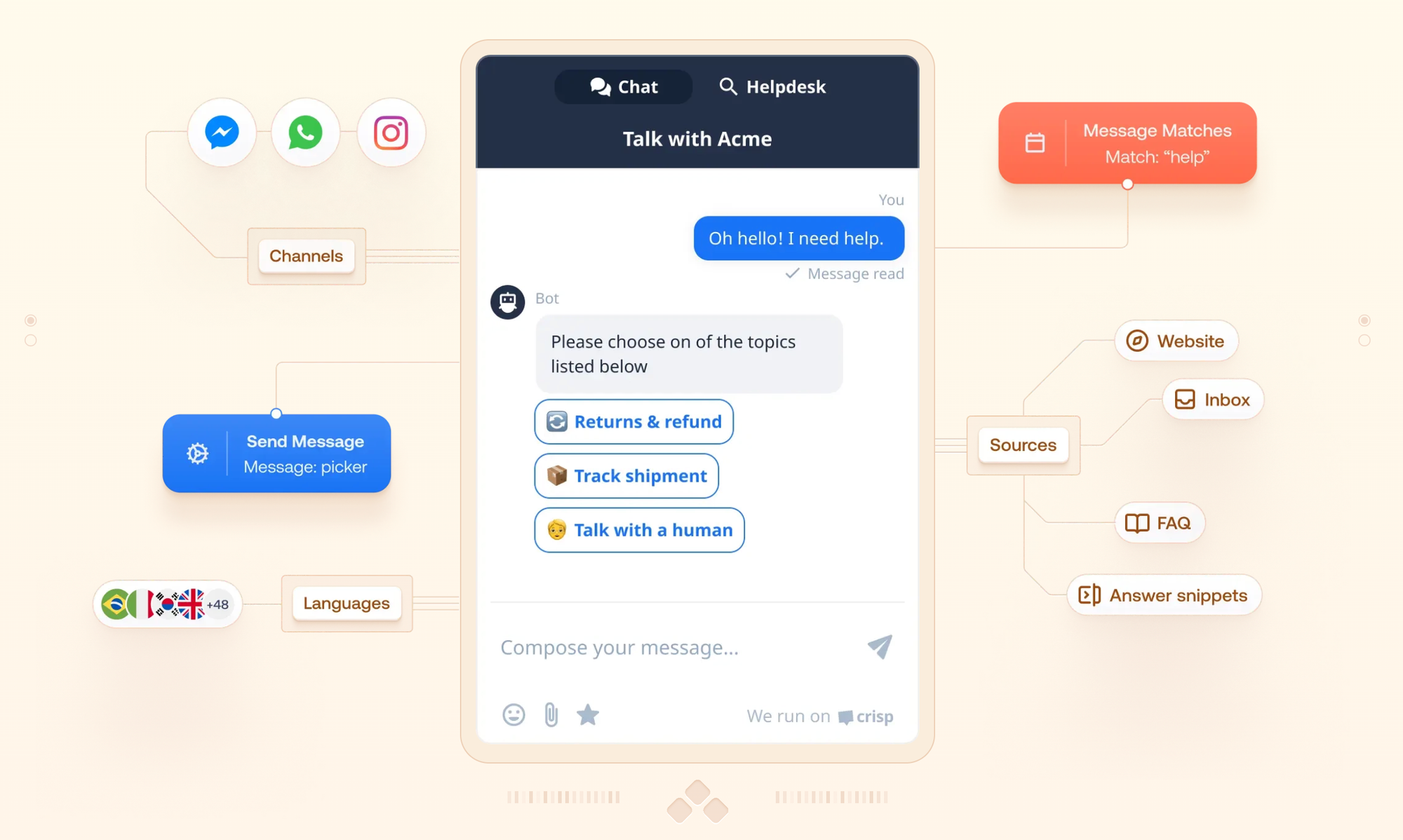
Crisp is an all-in-one customer messaging platform with one standout trait: it charges per workspace, not per agent. Your chat costs stay flat even as you add support staff, which makes it one of the more predictable options on this list.
You get live chat, a shared inbox, a knowledge base, a CRM, and co-browsing, all bundled together. The widget is lightweight and loads fast, and Crisp AI handles automated replies using your knowledge base content. G2 reviewers praise the fast setup and the rare inclusion of co-browsing at this price.
The trade-offs that come up most in reviews: notifications can be unreliable, advanced automation is not beginner-friendly, and unlimited AI sits on the higher tiers. Because Crisp charges per workspace, managing multiple brands means a separate subscription for each.
Key features
- Flat per-workspace pricing
- Shared inbox across chat, email, WhatsApp, Messenger, and Instagram
- No-code chatbot and workflow builder
- Co-browsing and a knowledge base
Pricing: Free plan (2 seats). Mini is $45/month per workspace, Essentials is $95/month, and Plus is $295/month.
Best for: Startups and growing teams that want predictable, flat pricing and a clean interface without per-agent cost scaling.
6. Tawk.to
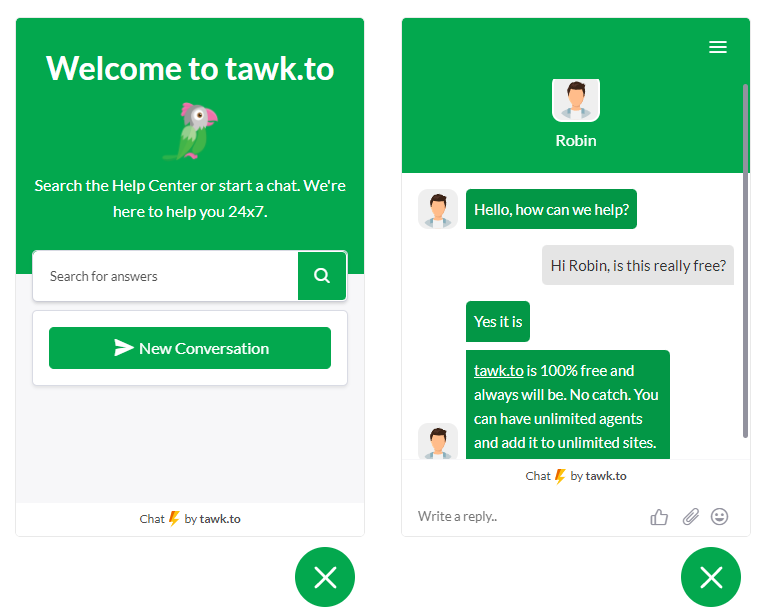
Tawk.to is the most widely deployed chat widget in the world, used on millions of websites, and it is completely free. Unlimited agents, unlimited chats, unlimited widgets, with no expiring trial.
It makes money on optional extras like hired chat agents ($1/hour) and removing the branding badge. The core widget supports 45+ languages, real-time visitor monitoring, and a built-in ticketing system at no cost. For a bootstrapped team that needs a chat presence today, it is hard to beat.
The honest limits, echoed across G2 reviews: the most common complaint is delayed or missed chat alerts, which directly costs leads. The widget design feels dated next to newer tools, AI is minimal, and removing the "powered by tawk.to" badge costs extra.
Key features
- Unlimited agents, chats, and websites on the free plan
- Built-in ticketing and a hosted knowledge base
- Real-time visitor monitoring and canned responses
- Mobile apps for iOS and Android
Pricing: Free forever. Optional add-ons include branding removal, AI Assist, and hired agents at $1/hour.
Best for: Startups, freelancers, and small businesses that need a live chat presence with zero budget and someone available to answer.
7. LiveChat
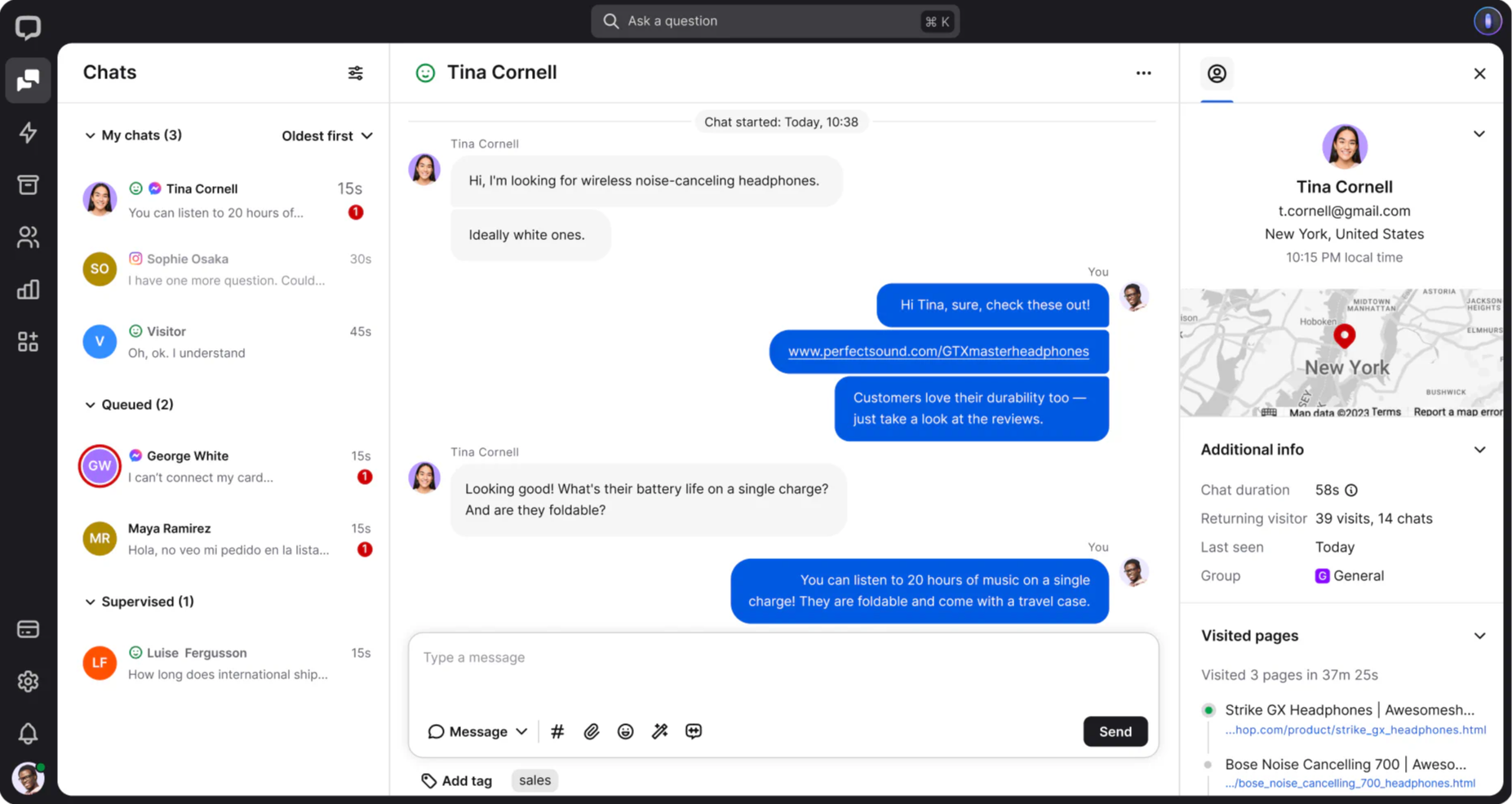
LiveChat is a dedicated live chat and help desk platform aimed at mid-size support and sales teams that care about agent productivity. It is consistently rated a premium tool, and it is priced like one.
The widget loads fast and supports rich messaging, so you can send product cards, carousels, and quick replies instead of plain text. Agents get features like message sneak peek (seeing what a visitor types before they send) and detailed reporting. G2 reviewers describe it as reliable and polished, with deep integrations.
The recurring complaint is price. Per-agent costs add up, AI lives in a separate product called ChatBot that needs its own subscription, and ticketing was split into a separate paid product. So LiveChat is best understood as a human-first tool with AI available as an add-on.
Key features
- Fast widget with rich messaging (cards, carousels, quick replies)
- Message sneak peek and detailed agent reporting
- Proactive chat invitations
- 200+ integrations
Pricing: No free plan (14-day trial). Starter is $19/agent/month, Team is $49/agent/month, and Business is $79/agent/month, billed annually. AI through ChatBot starts at $52/month separately.
Best for: Established support and sales teams of 5+ agents that want deep live chat tooling and do not need AI as their primary layer.
8. HubSpot Live Chat
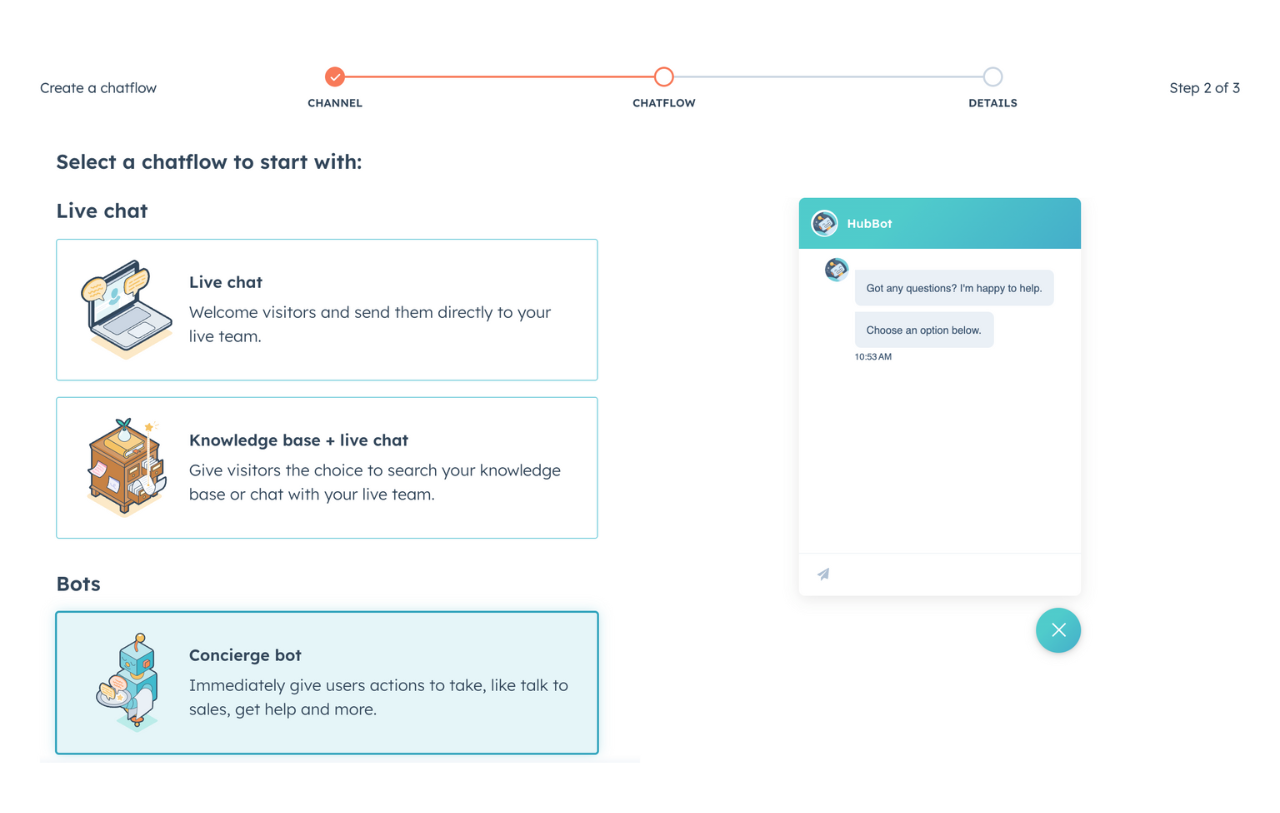
HubSpot offers a free live chat widget as part of its free CRM. If you are already in the HubSpot ecosystem, it is an easy add-on, because every chat automatically becomes part of the contact's record alongside their page views, emails, and form submissions.
The widget customization matches your site, and you can show different greetings on different pages. G2 reviewers like the easy setup and the seamless CRM logging.
The limits show up fast. Reviewers note the bot runs on basic if/then logic with no real AI or natural language understanding, customization is limited on the free tier, and the genuinely useful features sit behind paid Service Hub plans that escalate quickly. For a business that just wants a chat widget, paying for the wider ecosystem is hard to justify.
Key features
- Free live chat tied to HubSpot CRM
- Chats auto-logged to contact records
- Drag-and-drop bot builder (rules-based)
- Built-in email marketing and forms
Pricing: The chat widget is free with HubSpot's free CRM. Paid Service Hub plans start at $20/seat/month (or $15/seat/month billed annually).
Best for: Teams already using HubSpot CRM that want chat tied directly to their contact database.
9. Zendesk Chat
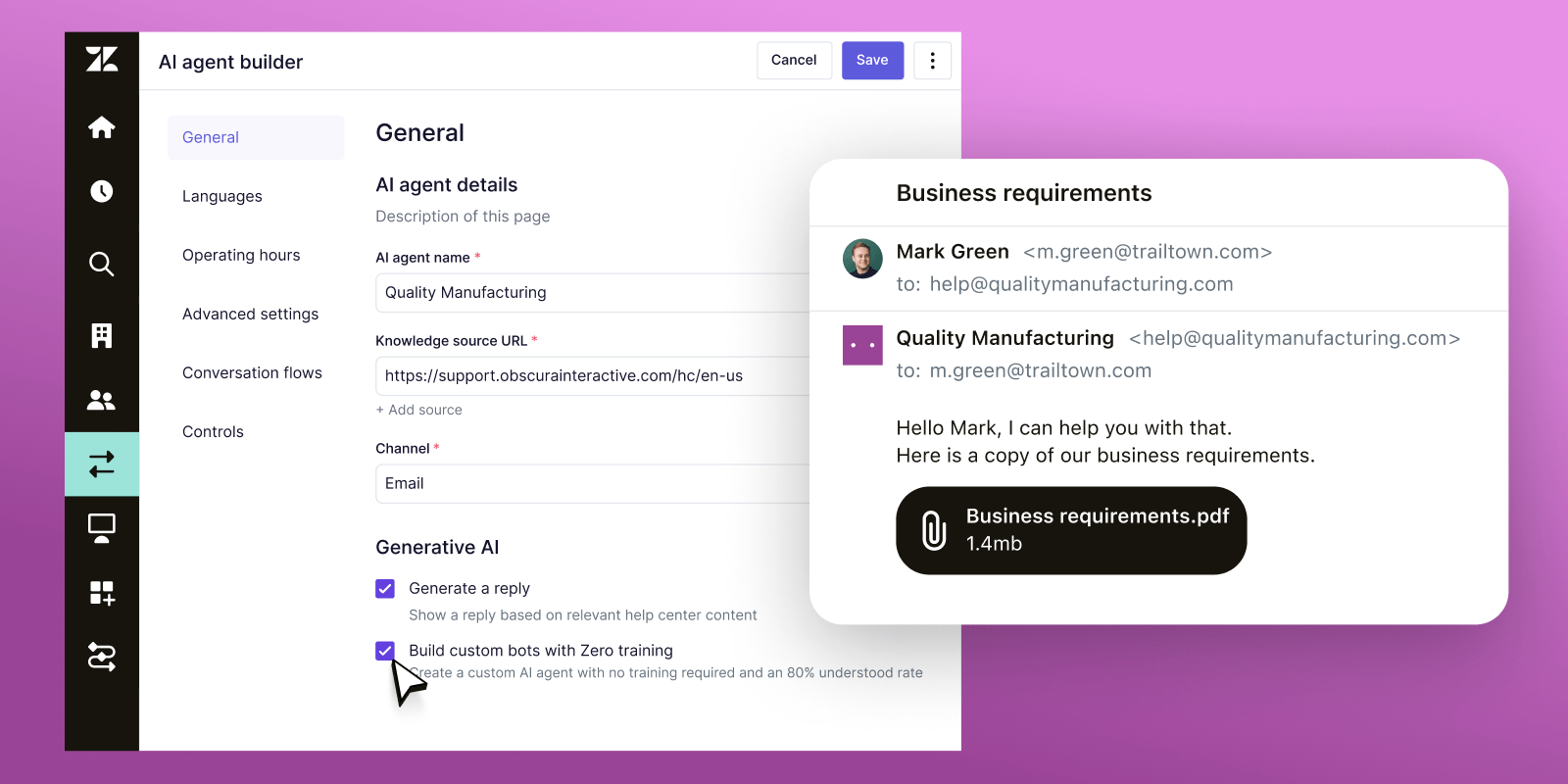
Zendesk Chat (part of the Zendesk Suite) is the chat component of Zendesk's enterprise customer service platform. It makes the most sense when you already run your support on Zendesk, because the widget plugs straight into its ticketing, knowledge base, and analytics.
For large operations with complex routing, SLA enforcement, and multi-brand needs, the depth is real. The AI layer comes through Zendesk AI agents, billed per automated resolution, and the workflow engine handles sophisticated routing.
The trade-offs reviewers raise: Zendesk is expensive and complex, the learning curve for admins is steep, the interface can feel heavy at high ticket volume, and AI resolution fees add up at scale. For small teams or a straightforward chat need, it is overkill.
Key features
- Live chat integrated with Zendesk ticketing
- AI agents billed per automated resolution
- Advanced trigger-based routing and SLA management
- Multi-brand support and enterprise-grade analytics
Pricing: No free plan (14-day trial). The Support Team plan is $19/agent/month, but messaging and live chat require a Suite plan starting at $55/agent/month (Suite Team), with Suite Professional at $115/agent/month. AI resolutions are billed separately.
Best for: Enterprise support teams with 20+ agents, multi-brand requirements, and complex routing and SLA needs.
10. Freshchat
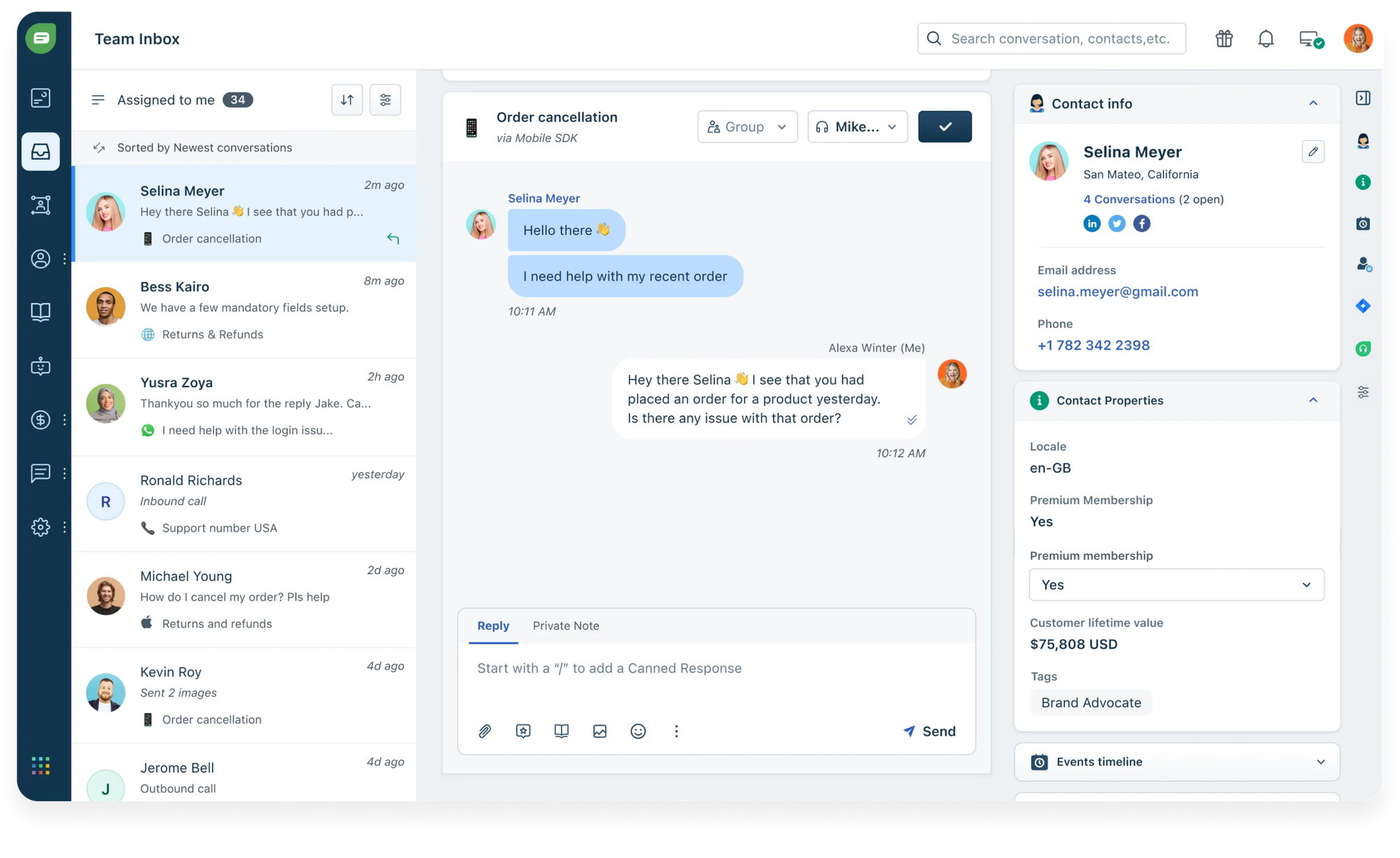
Freshchat is the messaging product in the Freshworks suite, sitting between budget tools like Tawk.to and enterprise platforms like Zendesk. It offers a generous free plan, a basic AI chatbot (Freddy), and native ties to Freshdesk and Freshsales.
The widget supports rich messaging (images, carousels, quick replies, and CSAT surveys), and Freddy handles intent detection and routine resolution before handing off to a human. G2 reviewers highlight the clean interface and the value of staying inside one ecosystem.
The trade-offs that recur in reviews: reporting and analytics feel limited unless you upgrade, notifications can lag at high volume, Freddy AI sessions are billed separately, and the product is at its best only when you are already on other Freshworks tools.
Key features
- Live chat with behavior-based triggers
- Freddy AI chatbot for automated answers
- Multichannel: web, WhatsApp, Messenger, Instagram, Apple Business Chat
- Native Freshdesk and Freshsales integration
Pricing: Free plan for up to 10 agents. Growth is $19/agent/month, Pro is $49/agent/month, and Enterprise is $79/agent/month, billed annually. Freddy AI sessions are billed separately after the first 500.
Best for: Mid-market teams already using Freshdesk or Freshsales that want a unified messaging layer.
11. Olark
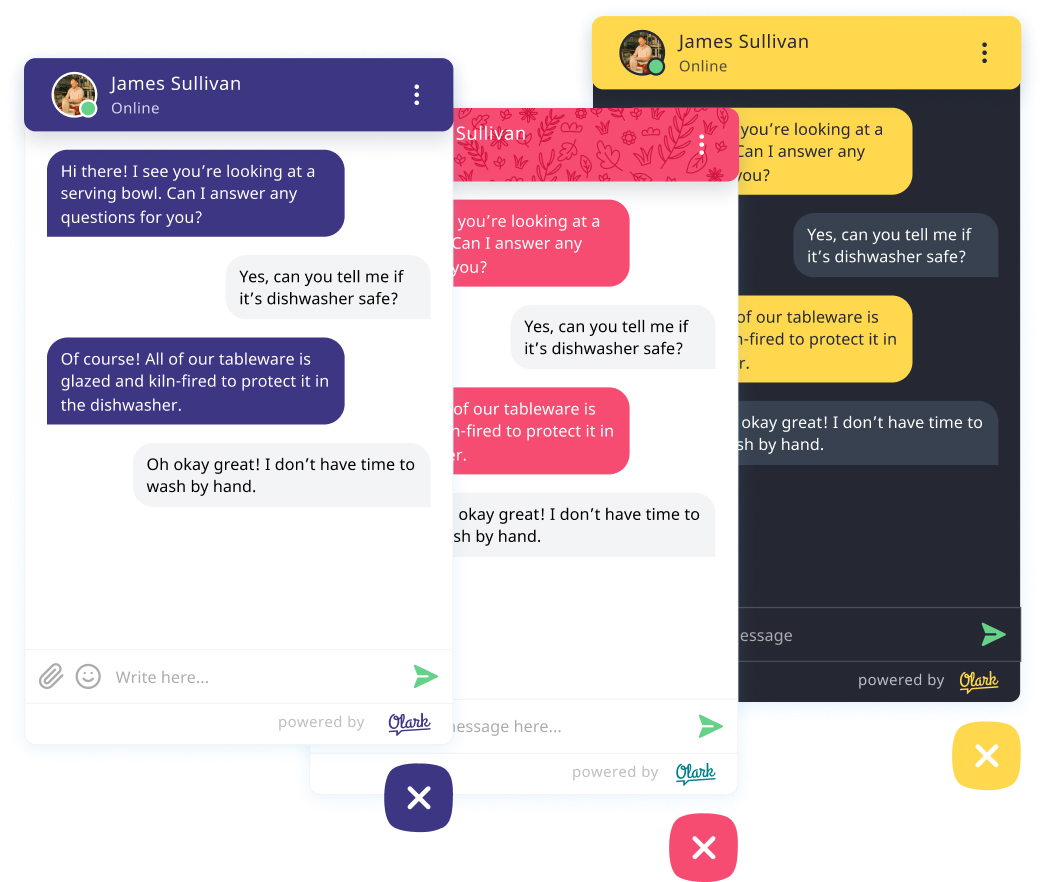
Olark built its reputation on being simple. No overwhelming feature sets, no months-long setup, just solid live chat that works. You add a snippet, customize the look, and you are live in minutes.
Real-time visitor monitoring shows who is on your site so agents can start conversations proactively, and Olark is one of the few tools with built-in WCAG accessibility certification and co-browsing. G2 reviewers consistently call out the ease of use and quick setup.
The downsides reviewers mention: the interface looks dated, there is no real chatbot builder on the standard plan, costs add up because you pay per seat plus extra for "Power Up" add-ons, and agents cannot share files in chat. AI and automation sit on the custom-priced Pro plan.
Key features
- Simple, fast setup with a customizable chatbox
- Real-time visitor monitoring and targeted chat
- Built-in WCAG 2.1 AA accessibility
- Integrations with Salesforce, HubSpot, and Slack
Pricing: Olark Standard is $29/month per seat. A free account (1 agent, 20 chats/month) is available after the trial. Power-Ups cost $29 to $99/month each, and the AI-powered Pro plan is custom-priced.
Best for: Small and mid-size teams that want reliable, no-frills live chat without chatbot complexity.
How to add a chat widget to your website
Adding a chat widget is one of the simplest technical tasks you will run into. Most tools follow the same path:
- Sign up for the platform and configure your widget (design, greeting, routing rules).
- Copy the JavaScript snippet from your dashboard.
- Paste it into your site's HTML, usually just before the closing
</body>tag. - Publish. The widget appears.
If you use WordPress, Shopify, Wix, or Squarespace, most tools on this list offer a native plugin or app that skips the code step entirely, so installation takes under 5 minutes.
Conclusion
The best website chat widget is not the one with the most features. It is the one your team adopts, your visitors actually use, and your business measures results from. Start with one channel, feed your AI your real support content before you go live, and expand from there.
Featurebase is a modern AI customer support platform that brings your live chat, AI agent, help center, and feedback collection together in one place. Instead of bolting an AI chatbot onto a legacy live chat tool, you get an omnichannel inbox, the Fibi AI Agent resolving questions on autopilot, a help center for self-serve answers, and feedback collection that turns support conversations into product insight.
It comes with a Free plan with unlimited conversations, and the onboarding is fast, so there is no downside to trying it. 👇
✨ Automate your support with the fastest AI-enhanced Inbox today →
FAQs
How does a website chat widget work?
A chat widget loads as a small script on your site and shows a clickable bubble, usually in the bottom corner. When a visitor opens it, the widget connects to a messaging back end that delivers messages in real time, keeps the conversation in sync, and routes it to the right place. That destination can be a live agent, an AI chatbot, or both, depending on how you set it up.
What's the difference between a chat widget and a chatbot?
A chat widget is the interface, the bubble and chat window that let people message you on your site. A chatbot is the automated logic that can answer inside that widget. In other words, a chatbot can live inside a chat widget, but a widget can also be used purely for human-to-human conversations like live sales or support.
What's the best free website chat widget?
Tawk.to is the most capable fully free option, with unlimited agents and chats and no expiring trial. Several other tools offer real free tiers worth testing too: Freshchat is free for up to 10 agents, HubSpot's chat is free with its CRM, and Featurebase has a free plan with unlimited conversations if you also want an AI agent and feedback tools in the same place.
How much does a website chat widget cost?
It ranges widely. Free tools like Tawk.to cost nothing, while most paid live chat tools run from about $19 to $55 per agent per month, and enterprise plans go well beyond that. On top of seat costs, many AI-first tools charge per resolution (for example, $0.29 to $0.99 for each conversation the AI resolves), so the real monthly cost depends on your volume as much as your plan.
Can a website chat widget work on WhatsApp and other channels?
Yes. Many modern widgets are omnichannel, meaning the same inbox handles website chat alongside WhatsApp, Facebook Messenger, Instagram, and email. This keeps a customer's messages in one continuous thread even when they switch channels, instead of splitting them across separate tools.
Which website chat widget is best for ecommerce?
For ecommerce, look for native store integrations and cart awareness. Tidio is a popular pick for Shopify stores thanks to its native integration and ability to see cart and order data inside the chat. The right choice ultimately depends on your platform, your budget, and whether you need an AI agent to handle volume during peak periods.