Blog Customer ServiceBest AI Chatbot Platforms for Customer Support in 2026
Best AI Chatbot Platforms for Customer Support in 2026
The 7 best AI chatbot platforms for customer support in 2026, with honest pricing, real pros and cons, and who each one is actually for.



✨ Automate your support with the fastest AI-enhanced Inbox today →
"AI chatbot platform" gets used for two completely different things: the assistant you ask to write an email, and the system you deploy to handle customer conversations at scale.
If you're shopping for the second kind - a platform to build, train, and launch a bot that actually resolves support tickets - most "best AI chatbot" lists send you in circles past ChatGPT and Gemini.
Here are the 7 platforms genuinely worth your shortlist, what each is best for, fresh pricing, and the trade-offs reviewers keep flagging 👇
Key takeaways:
| Tool | Best for | Starting price | Free plan | Main trade-off |
|---|---|---|---|---|
| ✨Featurebase | Product-led SaaS wanting support and feedback in one | $29/seat/mo + $0.29/resolution | Yes | Newer, product-focused (not a legacy enterprise suite) |
| Intercom | High-volume teams wanting a proven AI agent | $19/seat/mo billed annually ($29 monthly) + $0.99 per Fin outcome | No (trial) | Per-outcome cost climbs fast at volume |
| Zendesk | Large teams needing an enterprise CX suite | $19/agent/mo (Suite from $55) | No (trial) | Expensive and complex to implement |
| Tidio | Small ecommerce wanting live chat plus AI | $24.17/mo (Lyro AI extra) | Yes | AI is a paid add-on with conversation caps |
| Chatbase | Fast, no-code Q&A bots | $40/mo | Yes (50 credits) | Limited workflows and customization |
| Botpress | AI agents that resolve support tickets end to end | Free, then $49/mo + AI spend | Yes | Some setup time for advanced flows |
| Manychat | Social DM and comment automation | $14/mo (AI from $29 Pro) | Yes | Built for marketing, not support |
What is an AI chatbot platform?
An AI chatbot platform is the software you use to build, train, deploy, and manage a conversational bot that talks to your customers. It's the toolkit, not the assistant itself.
That distinction matters because the term covers two camps that have almost nothing in common:
- Consumer assistants: ChatGPT, Claude, and Gemini are general-purpose chatbots you talk to directly. They're brilliant for writing and research, but you don't "deploy" them to answer your customers.
- Business chatbot platforms: tools like Intercom, Zendesk, and Featurebase let you build a chatbot trained on your own knowledge, connect it to your support channels, and let it resolve real customer conversations.
This guide is about the second camp. Modern platforms run on the same large language models behind ChatGPT, but the value is in everything wrapped around the model: the knowledge ingestion, the channel integrations, the workflows, the handoff to human agents, and the analytics.
For businesses looking to connect these capabilities with customer-facing products, mobile application development solutions can also help integrate AI chatbot functionality into mobile experiences.
The job is simple to describe and hard to do well. Take the repetitive questions that eat your support team's day, answer them instantly and 24/7, and route the genuinely tricky cases to a human with full context.
What to look for in an AI chatbot platform
Most platforms demo well. The differences show up after you've signed up. These are the criteria that actually separate them.
- Knowledge sources: The bot is only as good as what it learns from. Look for platforms that pull from your help center, past tickets, internal docs, and product data, not just a single static FAQ page.
- Channel coverage: A bot that only works in a website widget leaves gaps. The strongest platforms handle live chat, email, and in-app messaging from one place.
- Actions, not just answers: Answering questions is table stakes. The platforms worth paying for can take action - issuing a refund, extending a trial, or checking an order status - inside the conversation.
- Safe testing: You don't want to discover your bot's blind spots in front of customers. A simulation or preview mode that tests against real past conversations is a strong signal.
- Honest pricing: This is where buyers get burned. Watch for per-resolution fees that balloon at volume and "AI add-ons" that aren't in the base price.
That last point deserves a closer look, because pricing models are where these platforms diverge most. Some charge a flat per-seat fee, some charge per AI resolution, and many do both. Per-resolution pricing sounds fair until a busy month sends your bill into the thousands.
It's worth comparing the actual resolution rate before you commit. Featurebase, for example, prices its Fibi AI Agent at $0.29 per resolution and only bills when the bot actually resolves a conversation, which keeps the math predictable as volume grows. Whatever you choose, model your real ticket volume against the pricing page before signing.
The 7 best AI chatbot platforms for 2026
1. Featurebase✨
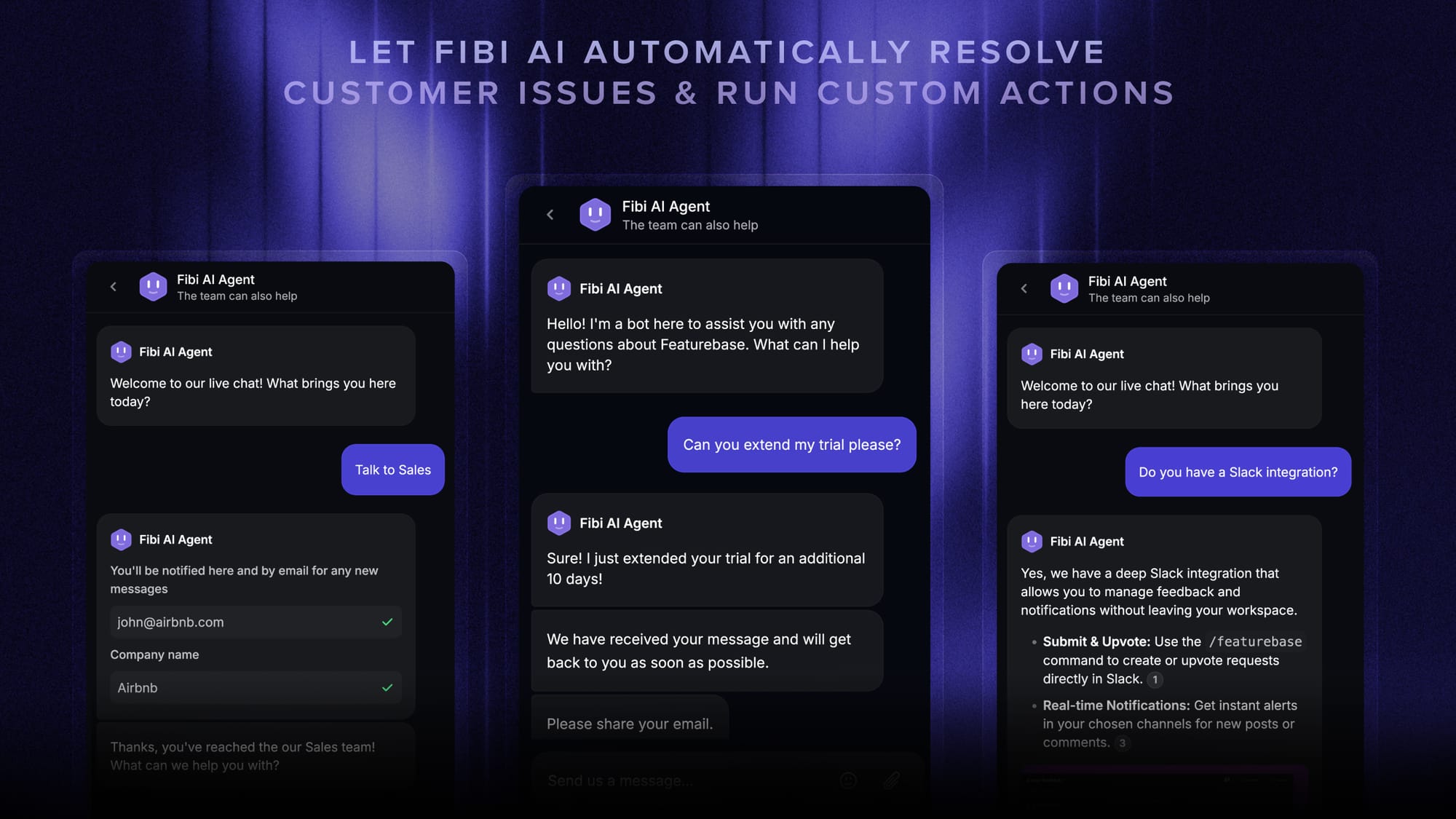
Featurebase is a customer support platform built for product-led SaaS teams that want support, a help center, and product feedback in one place rather than spread across separate subscriptions. Its AI agent, Fibi, draws on your whole workspace - help center, feature requests, roadmap, and changelog - so its answers reflect what's actually live, what's already been reported, and what's shipping next.
That single-workspace setup is the main reason it lands on this list: the AI agent isn't bolted onto a legacy ticketing system, and support conversations feed directly into the feedback and roadmap side of the product.
Key features
- Omnichannel inbox for live chat, email, and Slack
- Fibi AI Agent that resolves questions and runs actions like trial extensions and refunds
- AI-powered help center with multilingual search answers
- AI Copilot that drafts replies for human agents
- Workflows, automations, and built-in feedback and roadmap tools
Pricing: Free plan with unlimited conversations. Paid plans start at $29/seat/month, with AI resolutions billed at $0.29 each.
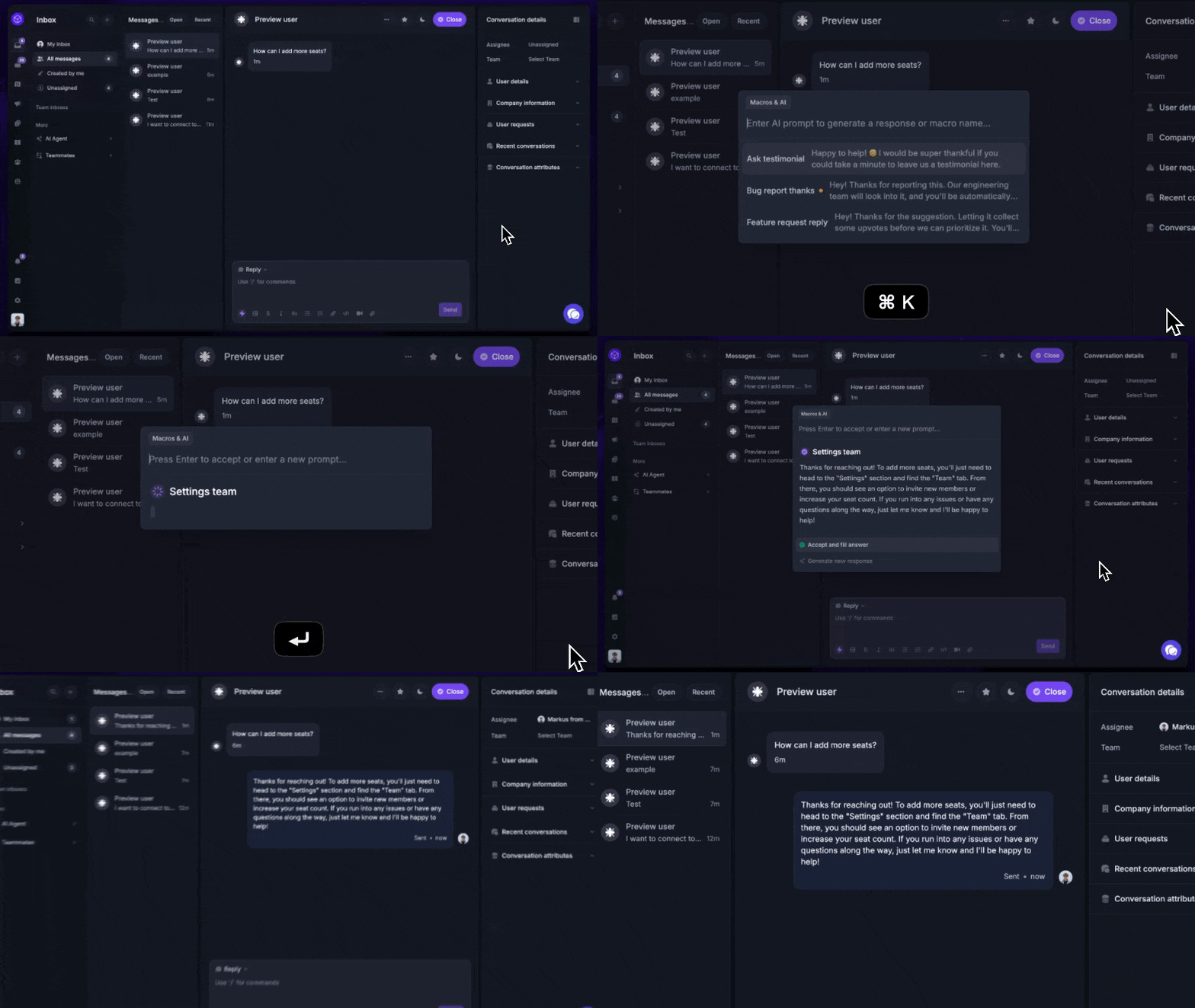
Where it falls short: it's a newer, product-led platform rather than a heavyweight enterprise call-center suite, so teams with complex telephony needs or very large agent rosters may want a more established tool. The combined support-and-feedback approach also pays off most when you actually want both, not just a standalone bot.

Get the best AI chatbot
Automatically resolve 70% of customer requests & cut down manual support loads
2. Intercom
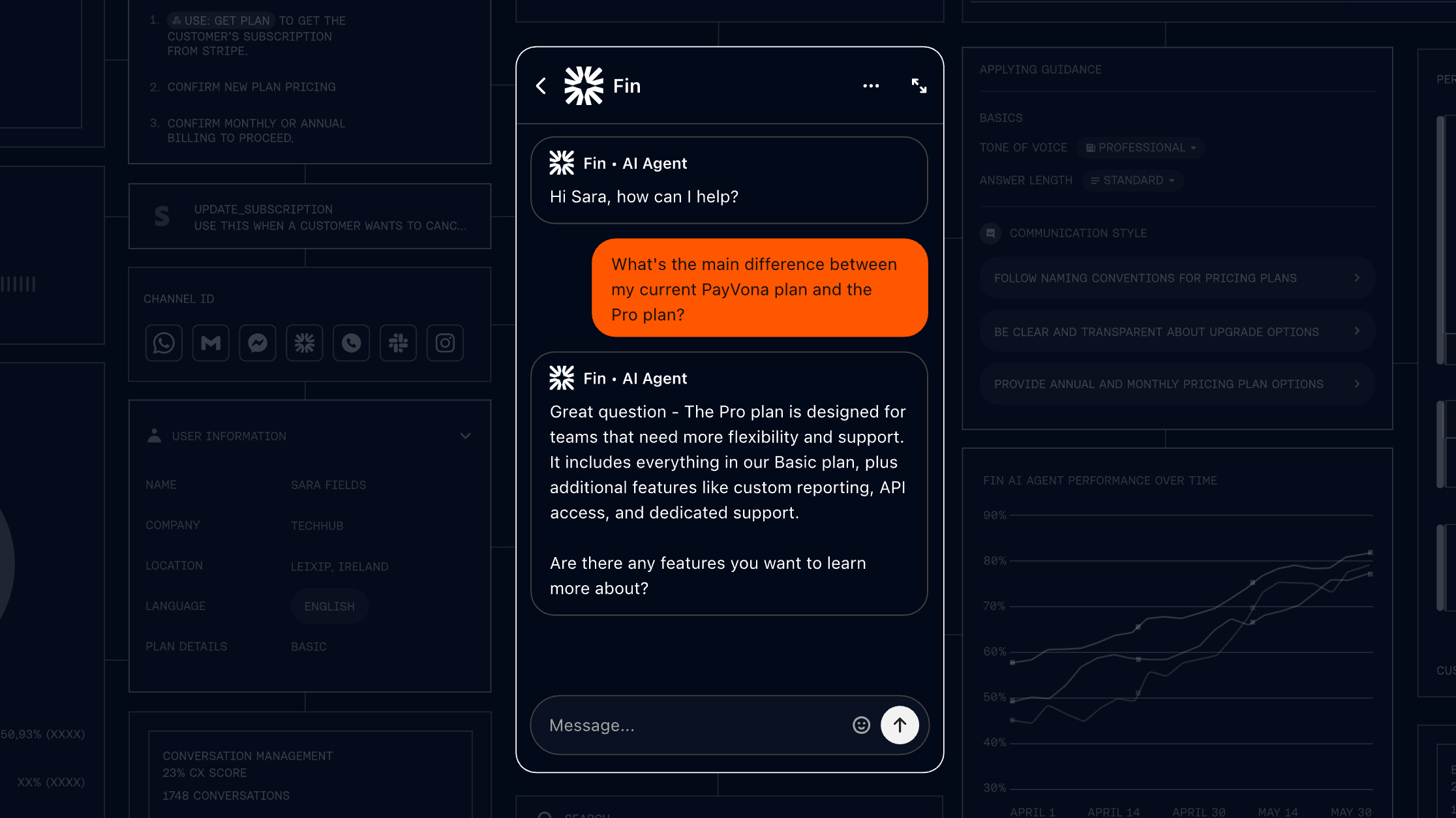
Intercom is the best-known name in AI customer service, and its Fin AI Agent is the platform most teams benchmark against. It's a mature, well-integrated product that combines a shared inbox, messenger, and help center with an AI agent that resolves a large share of incoming conversations.
Fin's strength is resolution quality. It pulls from your help center and past conversations to answer accurately, works 24/7, and hands off cleanly to human agents when it can't help. G2 reviewers consistently rank it at the top for AI performance.
Key features
- Fin AI Agent for service, sales, and ecommerce
- Shared inbox and ticketing system
- Messenger and public help center
- Workflow automation builder (on higher plans)
- Per-outcome AI pricing across channels
Pricing: No free plan, but there's a free trial. Seats cost $19/month on Essential, $85 on Advanced, and $132 on Expert per seat, billed annually. Essential costs $29/seat/month when billed monthly, with Fin billed separately at $0.99 per outcome. Fin can also run on a supported existing helpdesk with no Intercom seats required; a minimum monthly commitment applies.
Where it falls short: the recurring complaint from reviewers is cost. At $0.99 per Fin outcome on top of seat fees, bills can climb into the thousands for high-volume teams, and a few report switching away once the math caught up with them. Fin's accuracy also leans heavily on a well-maintained knowledge base, so expect ongoing upkeep.
3. Zendesk
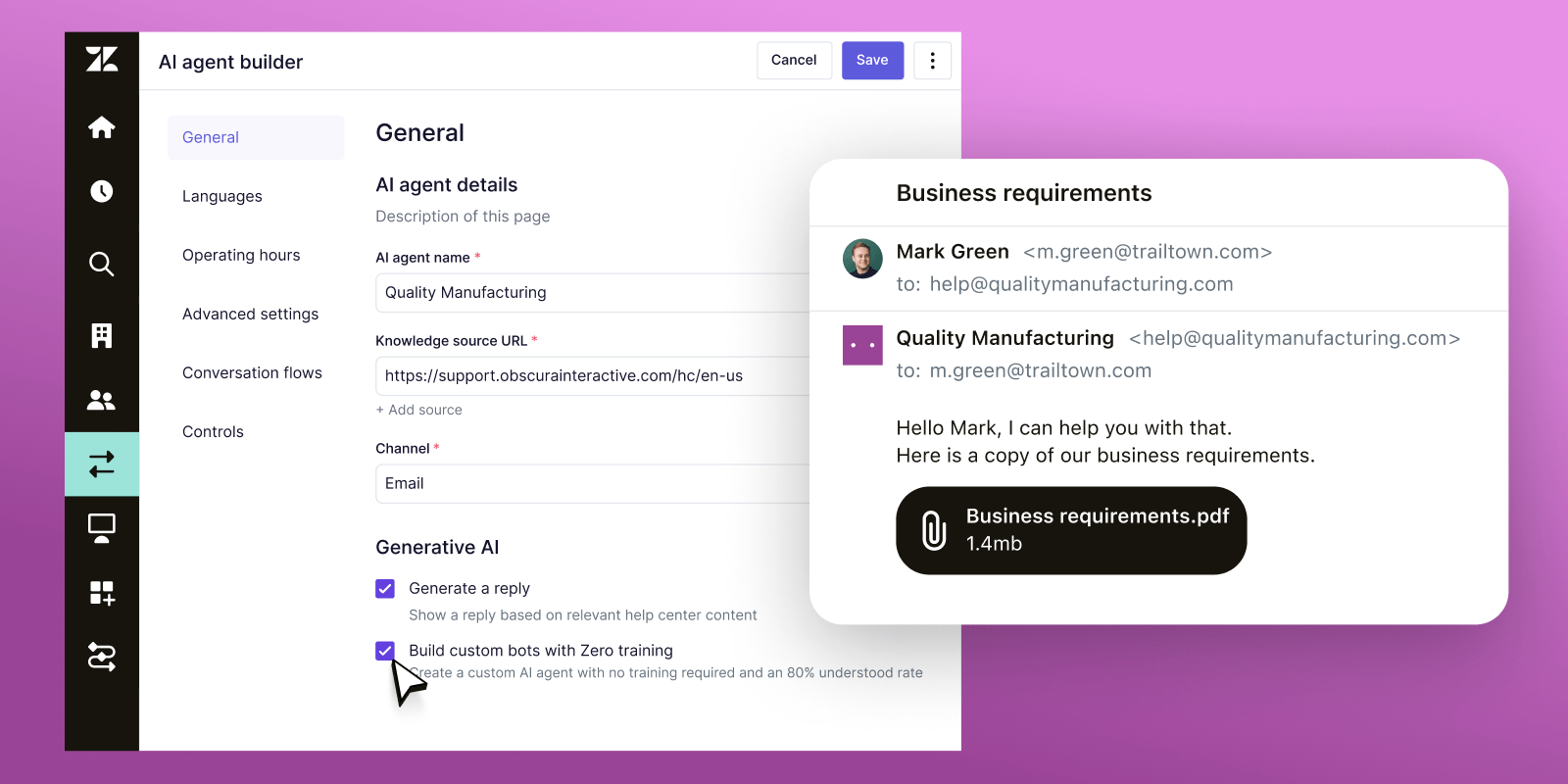
Zendesk is the incumbent enterprise CX suite, and its AI agents (now including the Forethought acquisition) sit on top of one of the most mature ticketing platforms on the market. If your team already lives in Zendesk, the built-in AI is a natural path.
Reviewers praise its omnichannel coverage - the same AI handles email, chat, social, WhatsApp, and voice - along with deep customization of workflows, triggers, and routing. It's a proven, scalable system trusted by very large support organizations.
Key features
- AI agents across email, chat, social, and voice
- Knowledge base and Action Builder
- Omnichannel routing and live chat
- Admin Copilot and writing tools on higher tiers
- Per-resolution AI pricing on top of seats
Pricing: No permanent free plan (14-day trial). Support Team starts at $19/agent/month, but the AI-capable Suite plans start at $55 (Team), $115 (Professional), and custom Enterprise pricing. AI agent resolutions are billed per automated resolution on top of seats, and the Copilot add-on is $50/agent/month.
Where it falls short: cost and complexity are the consistent knocks. Reviewers describe pricing as one of the trickiest models to budget against, with key capabilities behind higher tiers and per-resolution fees layered on top. Despite "zero-training" marketing, real implementations often need dedicated teams and months of setup, and some users note the AI struggles with complex, context-heavy B2B issues.
4. Tidio
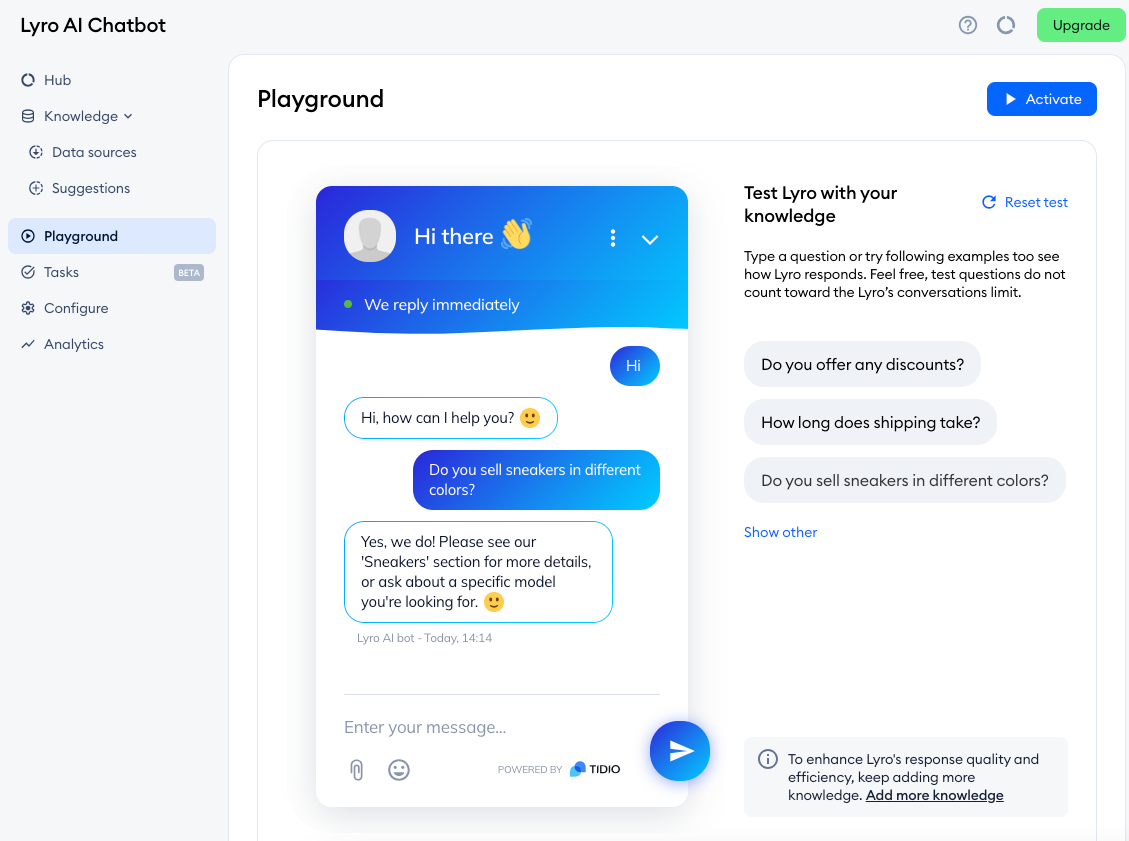
Tidio is built for small businesses and ecommerce stores that want live chat and a simple AI agent in one affordable package. Its AI agent, Lyro, answers common customer questions from your FAQ and content, with a smooth handoff to live chat when needed.
It's genuinely easy to get going - many reviewers report being live within half an hour - and the live chat experience is well-rated. For a small store that mostly needs to deflect repetitive questions, it's a sensible starting point.
Key features
- Lyro AI Agent trained on your content
- Live chat with proactive triggers
- Visual flow builder for automations
- Integrations with Shopify, Zendesk, and more
- Lyro can run standalone on top of another helpdesk
Pricing: Free plan available, plus 50 one-off Lyro conversations to start. Paid plans begin at $24.17/month (Starter) and $49.17/month (Growth), with Plus from $749/month. Lyro AI conversations are a separate paid quota on top of the base plan.
Where it falls short: pricing transparency is the most common complaint. The base plan looks cheap, but Lyro AI conversations and the Flows builder are paid add-ons, and reviewers note real-world costs often run 2 to 3 times the sticker once you add them. Conversation caps on lower tiers can also throttle the AI mid-month as you scale.
5. Chatbase
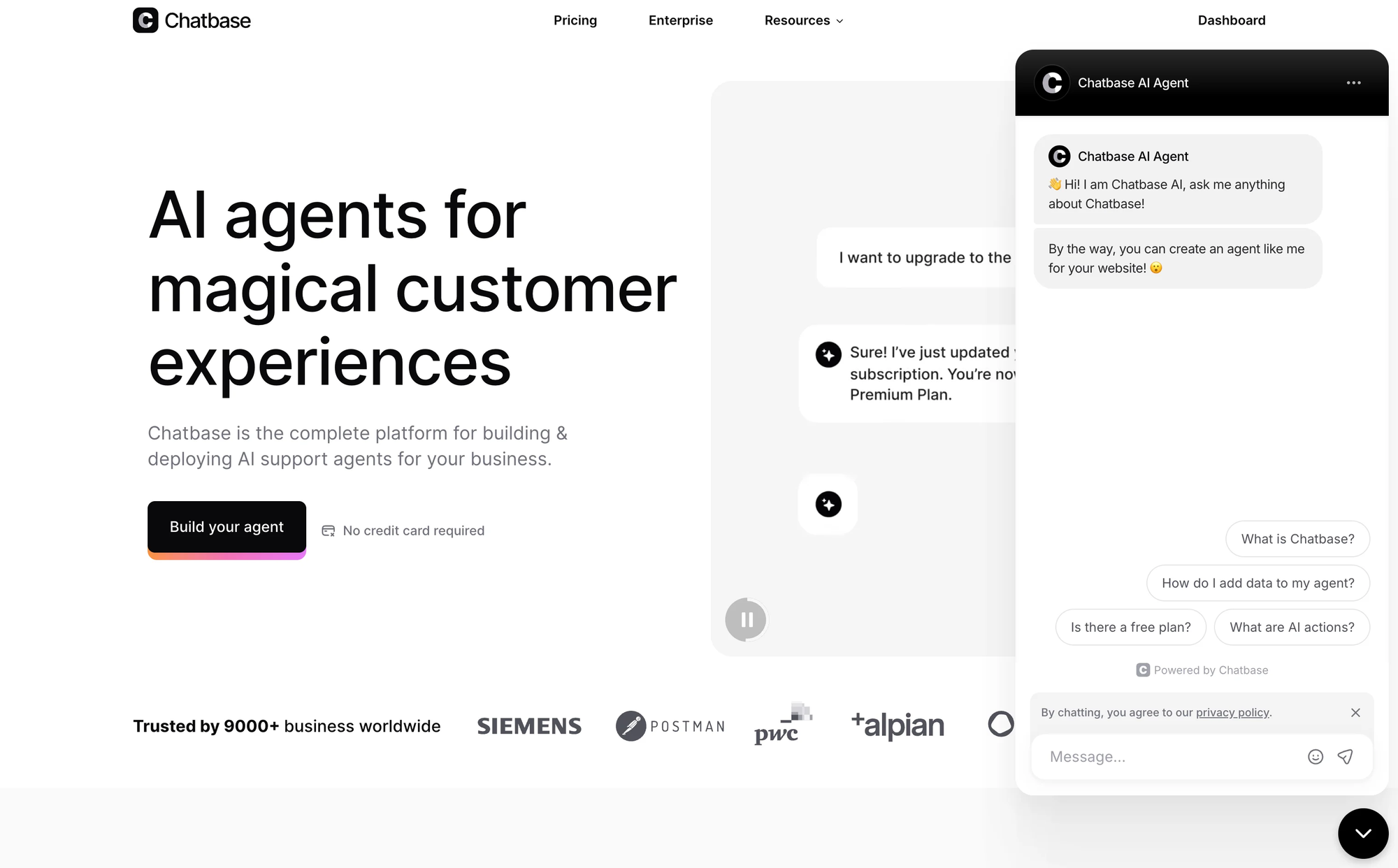
Chatbase is the fastest way on this list to get a working bot live. Point it at your website or upload a document, and you'll have a functional Q&A chatbot in minutes. It's a favorite for individuals and small teams that need a simple knowledge bot without a setup project.
The no-code experience is the draw. Reviewers love how quickly they can spin up a custom agent and connect it to channels like Slack and WhatsApp. For straightforward question-answering, it delivers.
Key features
- Train on URLs, documents, and help content in minutes
- AI Actions to trigger tasks (on paid plans)
- Integrations with Zendesk, Salesforce, Slack, and more
- Helpdesk, voice, and telephony on higher tiers
- API access for custom builds
Pricing: Free plan with 50 message credits. Paid plans run $40/month (Hobby), $150/month (Standard), and $500/month (Pro), with monthly message-credit caps and an Enterprise tier. Credits are cheaper billed annually.
Where it falls short: reviewers flag limited customization and a lack of multi-step workflows or branched routing - it leans entirely on the model rather than deterministic rules, which restricts complex support automation. Recurring complaints about slow support, message-credit caps under heavy traffic, and billing friction round out the cons.
6. Botpress
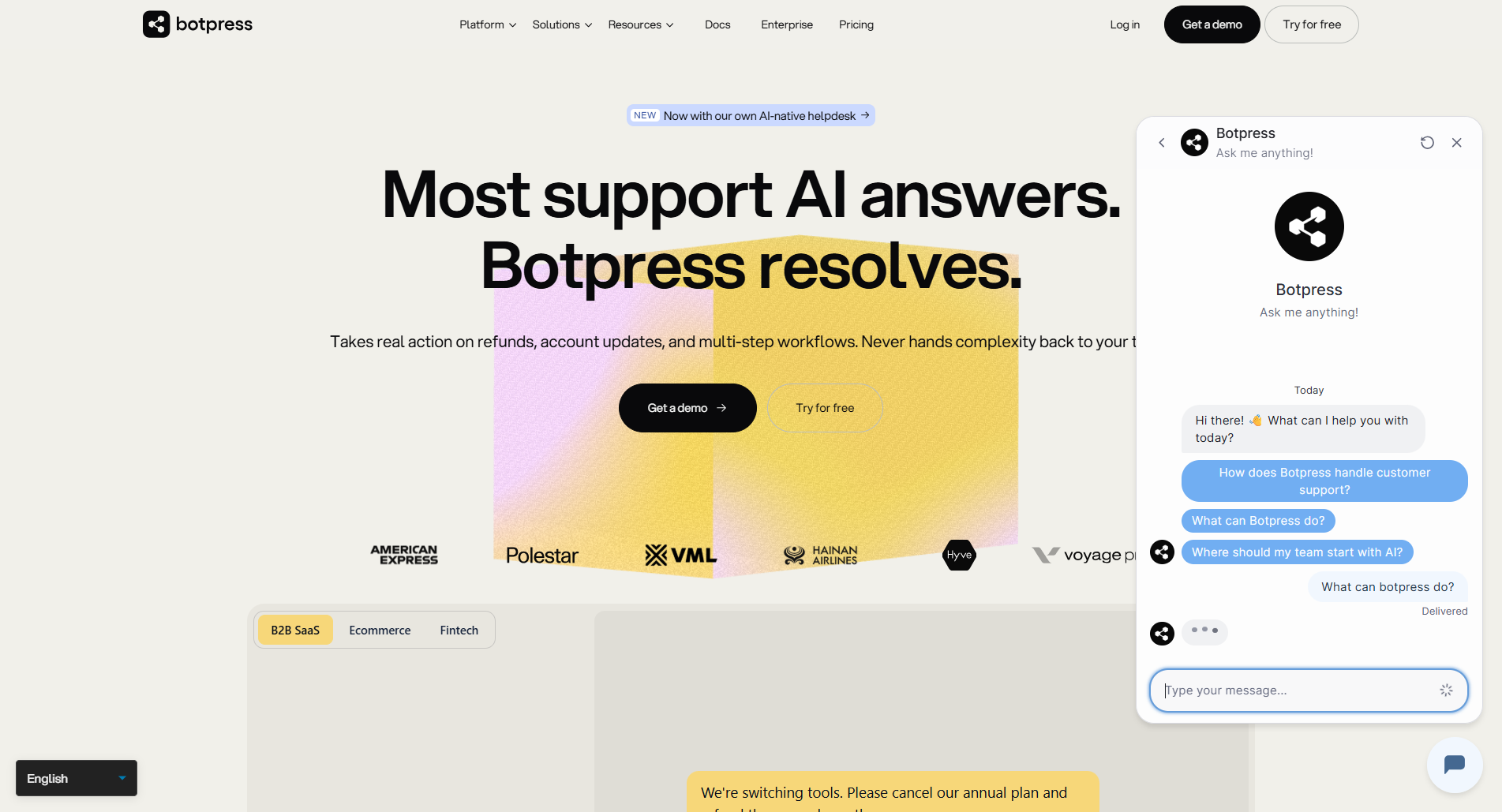
Botpress is the power tool of the group, built for teams that want AI customer support agents that resolve tickets end to end, not just hold a conversation. It's a conversational AI platform with both a visual flow builder and natural-language agent creation, aimed at teams who want real control over every step of a conversation.
The flexibility is the appeal. Reviewers praise the visual builder, support for 100-plus languages with automatic translation, and the depth of customization for complex, multi-step automations like refunds, account updates, and order corrections.
Key features
- Visual flow builder plus natural-language agent building, no code required to launch
- Multi-step actions to resolve tickets directly, not just answer questions
- Built-in AI tools and 100+ language support
- Deploys across many channels
- Human handoff with full conversation context, and conversation analytics
- Open architecture with extensive integrations
Pricing: Pay-as-you-go is free to start (500 incoming messages/month plus a $5 monthly AI credit), then the Pro plan starts at $49/month plus AI spend, with custom Enterprise pricing.
Where it falls short: production builds with advanced multi-step logic can take some initial setup time, and reviewers note documentation could go deeper on advanced scenarios.
7. Manychat
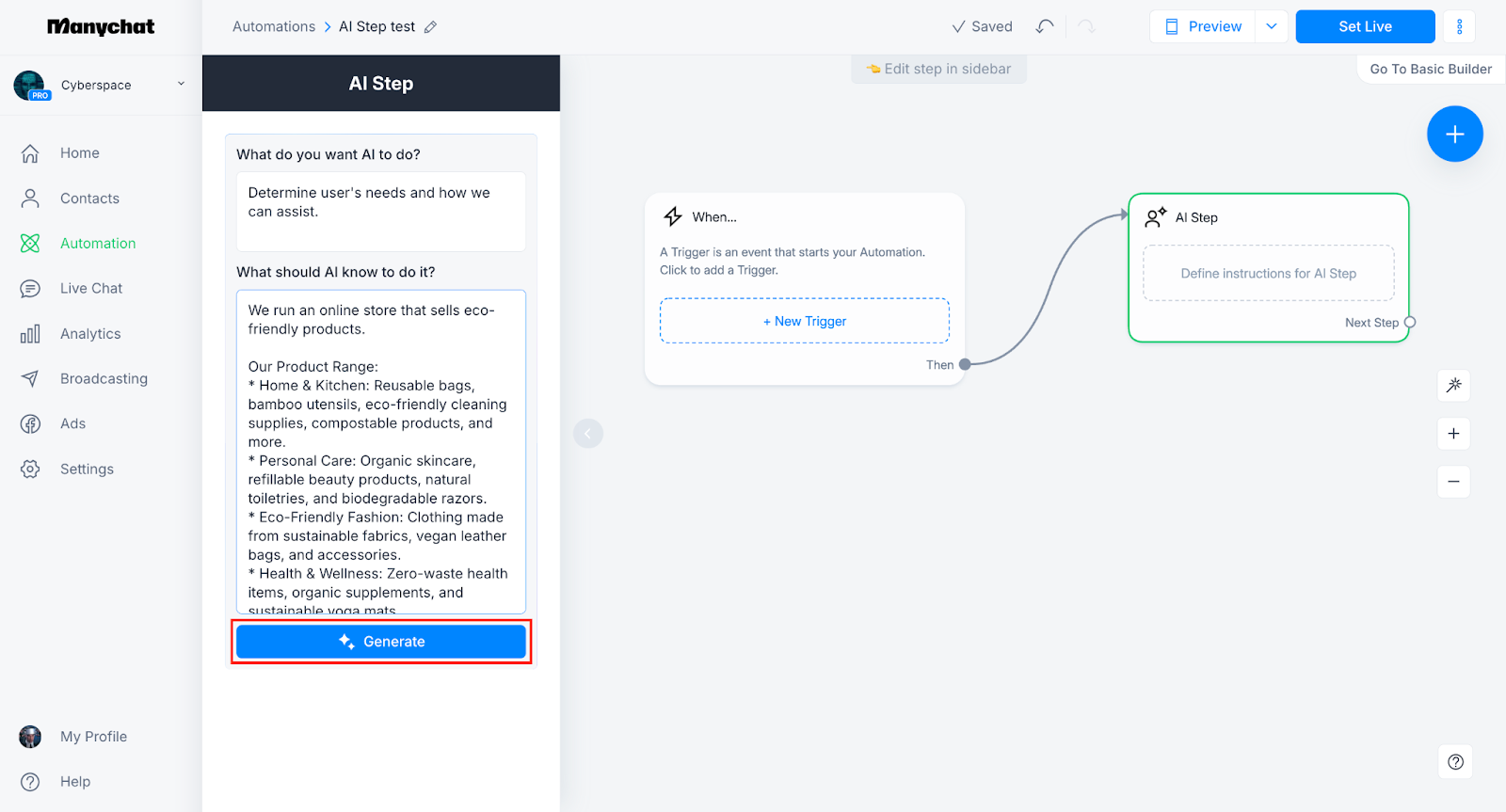
Manychat is the leader in social media chat automation. If your customers reach you on Instagram, Facebook Messenger, WhatsApp, or TikTok, it's purpose-built for automating those conversations - especially marketing flows like comment-to-DM, lead capture, and promotions.
Its comment-to-DM automation is a standout, and reviewers love how fast they can build channel flows without technical skills. For social-first creators and brands, it's a strong fit.
Key features
- Automation for Instagram, Messenger, WhatsApp, TikTok, and SMS
- Comment-to-DM and keyword triggers
- Visual flow builder with 60+ templates
- Manychat AI for DM and comment replies (Pro and up)
- Unified inbox across connected channels
Pricing: Free plan (limited). Paid plans start at $14/month (Essential), $29/month (Pro, which includes Manychat AI), $69/month (Business), and $139/month (Advanced), priced by active contacts.
Where it falls short: it isn't really a customer support tool. It doesn't connect to help desks or learn from support tickets, and the AI sits behind the Pro plan as an add-on. Reviewers also flag weak support and billing issues, including charges after cancellation, as recurring frustrations.
How to choose the right AI chatbot platform
The right platform depends less on feature checklists and more on what kind of team you are. A few honest rules of thumb:
- Don't blow up a setup that works: if your team already lives in a help desk, an AI layer that plugs into it beats a rip-and-replace migration.
- Test against your own data: a polished demo proves nothing. Insist on seeing how the bot handles your real customer questions before you commit.
- Watch the pricing model, not the sticker: a low base price with per-resolution fees or paid AI add-ons can quietly become your most expensive line item. Model your actual volume.
- Match the tool to the channel: social-first brands need different software than a SaaS support team or a developer building a custom flow.

If you want support and product feedback handled in one place rather than stitched across several tools, an all-in-one platform is worth a look. Featurebase's AI Copilot, for instance, drafts context-aware replies for your human agents inside the same inbox where the AI agent works, so the handoff between bot and human stays seamless.
Conclusion
The phrase "AI chatbot platform" hides a lot of variety. ChatGPT and Gemini are excellent assistants, but they aren't what you deploy to resolve customer conversations. For that, you want a platform built around your knowledge, your channels, and your workflows.
Intercom and Zendesk are the proven enterprise options, Tidio and Chatbase are the easy on-ramps, Botpress is the developer's playground, and Manychat owns social. But if you're a modern SaaS team that wants AI-powered support, a help center, and customer feedback in a single tool with transparent pricing, Featurebase is built for exactly that.
It comes with a free plan and onboarding takes minutes, so there's no real downside to trying it before you decide. 👇
✨ Automate your support with the fastest AI-enhanced Inbox today →

FAQs
How much does an AI chatbot platform cost?
Pricing usually combines a per-seat fee with a usage charge for AI. Entry plans range from around $14/month for social marketing tools to $19 to $55 per seat for support-focused platforms, and most charge a per-resolution fee on top (commonly $0.29 to $0.99 per resolved conversation). The real number depends on your volume, so model your monthly conversations against each pricing page rather than trusting the headline price.
What's the difference between an AI chatbot and an AI chatbot platform?
An AI chatbot is the bot itself - the thing your customer talks to. An AI chatbot platform is the software you use to build, train, deploy, and manage that bot. Consumer chatbots like ChatGPT are ready-made assistants, while a platform gives you a bot trained on your own knowledge and connected to your support channels.
Can an AI chatbot platform integrate with my existing help desk and tools?
Yes, and the best ones are built to. Many platforms act as an AI layer on top of an existing help desk like Zendesk or Freshdesk, and connect to tools such as Slack, Shopify, and your knowledge base. If you already have a support setup you like, look for a platform that integrates rather than forcing a full migration.
How long does it take to launch an AI chatbot?
It ranges from minutes to months. Self-serve platforms let you train a bot on your website or docs and go live the same day, while enterprise suites can require dedicated teams and a multi-month rollout. If speed matters, prioritize tools with self-serve onboarding and a testing or simulation mode.
Which AI chatbot platform is best for small businesses or has a free plan?
Several offer free plans, including Tidio, Chatbase, Botpress, and Manychat, though free tiers usually cap AI conversations. Featurebase also has a free plan with unlimited support conversations, which makes it a practical starting point for small SaaS teams that want support and feedback tools together without an upfront cost.
Can AI chatbots fully replace human support agents?
No, and the best platforms don't try to. AI agents resolve the high-volume, repetitive questions instantly and 24/7, which frees human agents to focus on complex, high-stakes issues where judgment matters. The goal is a clean handoff between bot and human, not a full replacement.