Blog Customer ServiceJira Service Management vs ServiceNow: 2026 Comparison
Jira Service Management vs ServiceNow: 2026 Comparison
Jira Service Management vs ServiceNow compared on features, ITIL depth, pricing, implementation time, and integrations - so you can pick the right ITSM platform faster.



✨ Psst... need modern customer support and feedback tools instead of heavyweight ITSM? Check out Featurebase →
Choosing between Jira Service Management and ServiceNow usually means months of research and a lot of back and forth.
Both are leaders in IT service management, but they solve the problem from opposite ends. ServiceNow is the enterprise heavyweight built for deep ITIL coverage at scale. Jira Service Management is the agile, transparent-priced option that deploys in weeks.
Below I break down how they compare on features, ITIL depth, pricing, implementation, and integrations, so you can decide which one fits your team. 👇
Key takeaways:
- ServiceNow goes deeper on ITIL: it's PinkVERIFY-certified for 19 ITIL practices versus Jira Service Management's 7, making it the better fit for complex, enterprise-scale IT operations.
- Jira Service Management is faster and cheaper to adopt: transparent per-agent pricing, a free plan for up to 3 agents, and implementations measured in weeks rather than months.
- ServiceNow carries a higher total cost of ownership: pricing is custom-quoted only, and the all-in cost often runs 3-5× the license fee once setup, training, and admin are added.
- JSM wins on dev-team integration: native links to Jira Software, Confluence, and Bitbucket make it ideal for Agile and DevOps teams.
- Both have a steep-ish learning curve, but ServiceNow's is steeper and usually needs developer skills despite the "no-code" label.
- If your "service management" is really customer support and product feedback (not internal IT), neither heavyweight fits well. A modern platform like Featurebase✨ handles support, help center, and feedback in one place.
What are Jira Service Management and ServiceNow?
Before the head-to-head, here's a quick read on what each platform is and who it's built for.
Jira Service Management
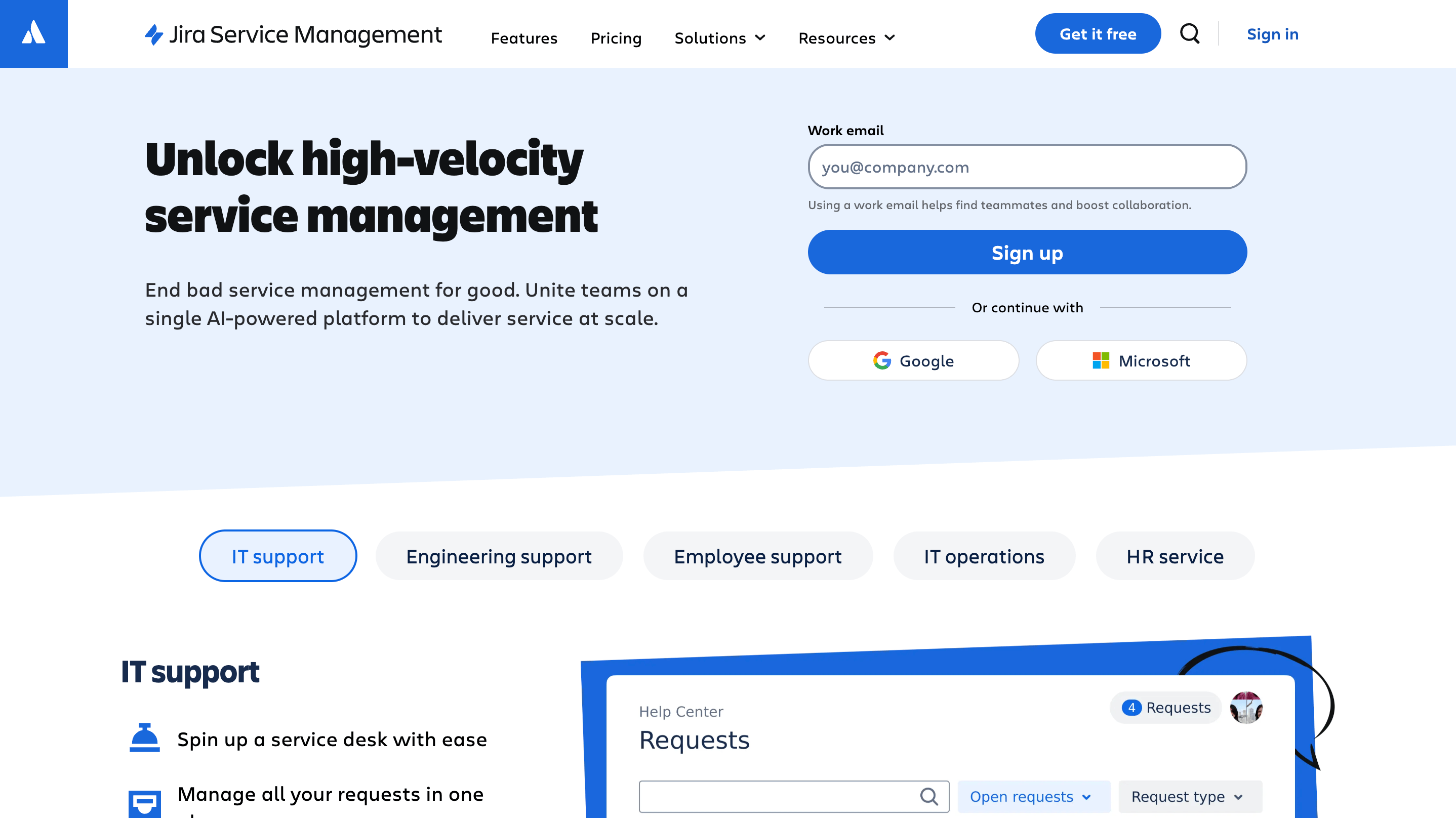
Jira Service Management (JSM) is Atlassian's service desk and ITSM platform, grown out of the original Jira Service Desk. It's built on the same collaborative Jira foundation, so it integrates tightly with Jira Software, Confluence, and the rest of the Atlassian suite.
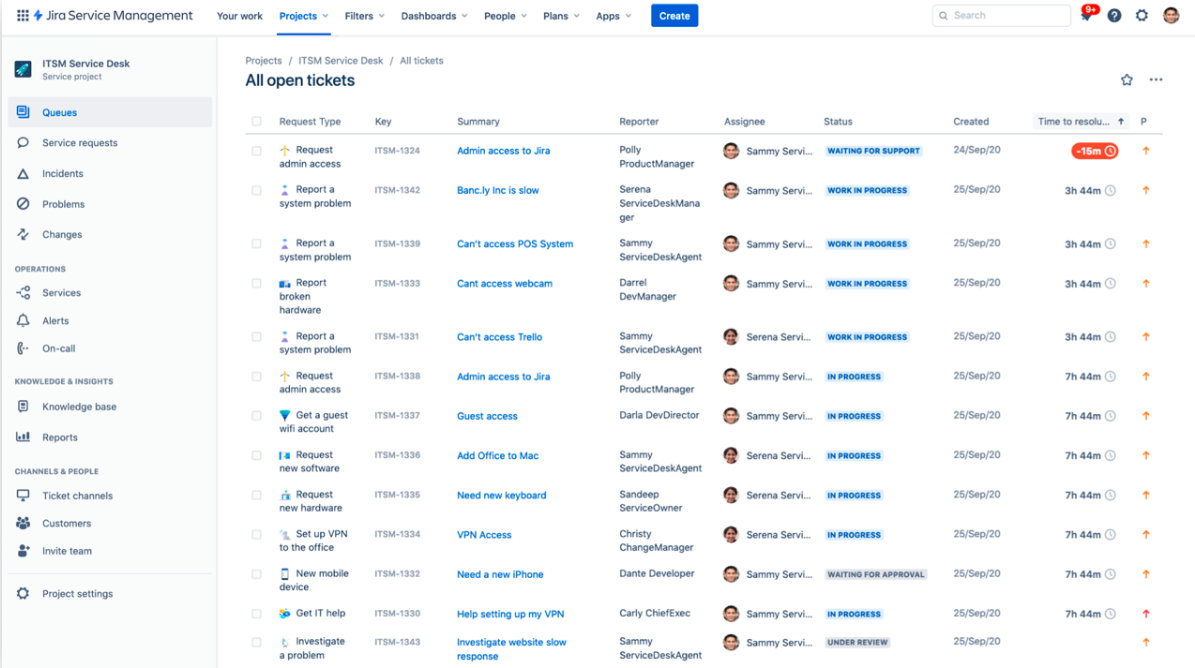
The platform leans into agility and flexibility. You can run core ITIL processes - incident, request, problem, and change management - without forcing every team through a rigid framework. That makes it a natural fit for organizations that have adopted Agile and DevOps and want IT and development teams working in the same tools.
ServiceNow

ServiceNow is the enterprise ITSM heavyweight, founded in 2004 and a fixture in the leaders' corner of Gartner's Magic Quadrant.
A large share of Fortune 500 companies run on it. It's a comprehensive, workflow-driven platform that reaches well beyond ITSM into IT operations management, HR service delivery, and customer service management. Its core strengths are deep ITIL coverage, heavy automation, and a configuration model that can map almost any enterprise process. That power comes with complexity, which is the recurring theme of this comparison.
Feature-by-feature comparison
Both tools cover the ITSM basics: self-service portals, SLAs, automated notifications, and knowledge bases. The differences show up in how deep each one goes.
Incident & request management
ServiceNow uses machine learning to categorize, prioritize, and route incidents automatically, with ITIL-aligned workflows for tracking high-impact issues to resolution. It's a structured, governed approach built for large IT operations that need consistency across teams.
Jira Service Management handles incident and request management with a lighter touch. When monitoring picks up an alert, JSM notifies the on-call team, links related issues, and lets you customize routing and escalation rules. Its standout advantage is the native Jira Software link: when a major incident needs developers, IT and dev teams collaborate in connected tools instead of throwing tickets over a wall.
Bottom line: ServiceNow offers more structure and automation out of the box. JSM wins when IT and engineering need to work the same incident together.
Asset management & CMDB
This is where ServiceNow's depth shows. It offers full lifecycle asset tracking and a comprehensive Configuration Management Database (CMDB) that maps dependencies across your entire IT estate, which is invaluable for troubleshooting complex infrastructure.
Jira Service Management includes Assets for tracking hardware, software, and configuration items, with structured object schemas and a discovery function that auto-catalogs network assets. It's capable and well-integrated, though asset and configuration management sits in the Premium and Enterprise tiers. For most mid-sized teams it's enough. For sprawling enterprise infrastructure, ServiceNow's CMDB goes further.
Knowledge management & reporting
ServiceNow ships with a built-in knowledge base that integrates with incidents for context-aware suggestions, plus a powerful reporting engine with deep, customizable dashboards.
JSM provides solid knowledge management through its Confluence integration and good reporting on satisfaction and team performance. G2 reviewers do flag that out-of-the-box reporting is fairly basic - getting advanced insight often means customizing dashboards or adding Marketplace apps. ServiceNow's reporting is the more powerful of the two, but it's also more work to configure.
ITIL coverage and ITSM depth
If strict ITIL alignment is non-negotiable, this section may decide it for you.
ServiceNow is PinkVERIFY-certified for 19 ITIL practices, while Jira Service Management is certified for 7. ServiceNow also extends into IT operations management, IT business management, and other disciplines that sit outside traditional ITSM entirely.
That breadth is exactly what large, process-heavy organizations want, and it's hard to match. Jira Service Management covers the core ITIL practices most teams actually use day to day, and its flexibility means you can adopt ITIL where it helps and skip it where it doesn't. For a lean IT team, JSM's 7 practices may cover everything you need. For a regulated enterprise standardizing dozens of processes, ServiceNow's coverage is the safer bet.
Pricing and total cost of ownership
Pricing is the clearest dividing line between these two platforms.
Jira Service Management publishes transparent, per-agent rates:
- Free - $0 for up to 3 agents
- Standard - around $20 per agent/month
- Premium - around $51 per agent/month, adding assets, a 99.9% uptime SLA, and the virtual service agent
- Enterprise - custom, billed annually
ServiceNow takes the opposite approach. It publishes no public pricing, and every contract is a custom quote negotiated with sales. Third-party analyst estimates put ITSM somewhere around $100 per fulfiller per month at the entry tier, rising past $200 once you add higher tiers and AI capabilities. In April 2026, ServiceNow consolidated its older plans into three AI-native tiers (Foundation, Advanced, and Prime), so the exact line items depend heavily on what you negotiate. For a current breakdown, see our ServiceNow pricing guide.
The sticker price is only part of it. ServiceNow's total cost of ownership often runs 3-5× the annual license once you factor in implementation, integration, training, and ongoing administration. G2 reviewers regularly describe setup-and-rollout bills landing between $10,000 and $100,000 depending on complexity.
Bottom line: JSM is dramatically more affordable and predictable, especially for small to mid-sized teams. ServiceNow's cost is justified mainly when you need its enterprise breadth.
Implementation time and ease of use
The two platforms feel very different from day one.
Jira Service Management is generally quick to stand up. Pre-built templates and low-code, drag-and-drop configuration mean most implementations measure in weeks, and teams can start with core functionality and expand over time. The interface is familiar to anyone who's used an Atlassian product.
ServiceNow implementations typically run 3 to 6 months, and complex enterprise rollouts can stretch to 8-16 months. They usually involve certified consultants and significant change management. The platform is powerful, but G2 reviewers consistently note a steep learning curve, and several point out that despite the "no-code" positioning, you really need developer skills to configure it well.
Neither tool is effortless. JSM's setup can also feel overwhelming for a small team without a dedicated admin, a recurring complaint in its reviews. But on speed-to-value and day-to-day usability, JSM is the easier ride.
Integrations and ecosystem
Jira Service Management is at its best inside the Atlassian and developer world. It connects natively with Jira Software, Confluence, and Bitbucket, plus Slack and Microsoft Teams, and the Atlassian Marketplace adds thousands of third-party apps. The trade-off, called out repeatedly in G2 feedback, is that integrations with non-Atlassian tools can be weaker and sometimes lean on paid add-ons.
ServiceNow is built for sprawling enterprise environments. Its IntegrationHub, pre-built connectors, and MID Servers are designed to make ServiceNow the central hub that ties together diverse, complex technology stacks. That depth is overkill for a small team and exactly right for a global one.
Worth noting for product teams: a modern feedback and support platform like Featurebase also connects with the tools you likely already use - Linear, Jira, Slack, and HubSpot - if your goal is managing customer-facing requests rather than internal IT tickets.
Which one should you choose?
There's no universal winner here. The right pick depends on what kind of organization you're running.
Jira Service Management is the better fit if you:
- Want fast implementation and quick time-to-value
- Need IT and development teams collaborating in connected tools
- Prefer transparent, predictable pricing (or a free plan to start)
- Run lean on specialized admin resources
- Already live in the Atlassian ecosystem
ServiceNow is the better fit if you:
- Need the broadest possible ITIL coverage and deep CMDB
- Operate at enterprise or global scale with complex processes
- Want to unify IT, HR, and customer workflows on one platform
- Can invest in specialized administrators and a longer rollout
- Have the budget to match the capability
If you're a growing or mid-sized team, JSM usually delivers better value. If you're a large enterprise standardizing many functions, ServiceNow's depth tends to win. For a wider field of options, our ServiceNow alternatives guide covers tools across both ends of the spectrum.

Not sure you need a full ITSM platform?
If your goal is to support customers, answer questions faster, and collect product feedback, pick one simpler workspace.

Looking beyond Jira Service Management and ServiceNow
Before choosing between Jira Service Management and ServiceNow, it is worth asking what kind of service management you actually need.
Both platforms are built primarily for internal ITSM: IT departments, incident management, change management, CMDBs, and ITIL-heavy workflows. If that is what your team needs, either tool can make sense depending on your size, budget, and complexity.
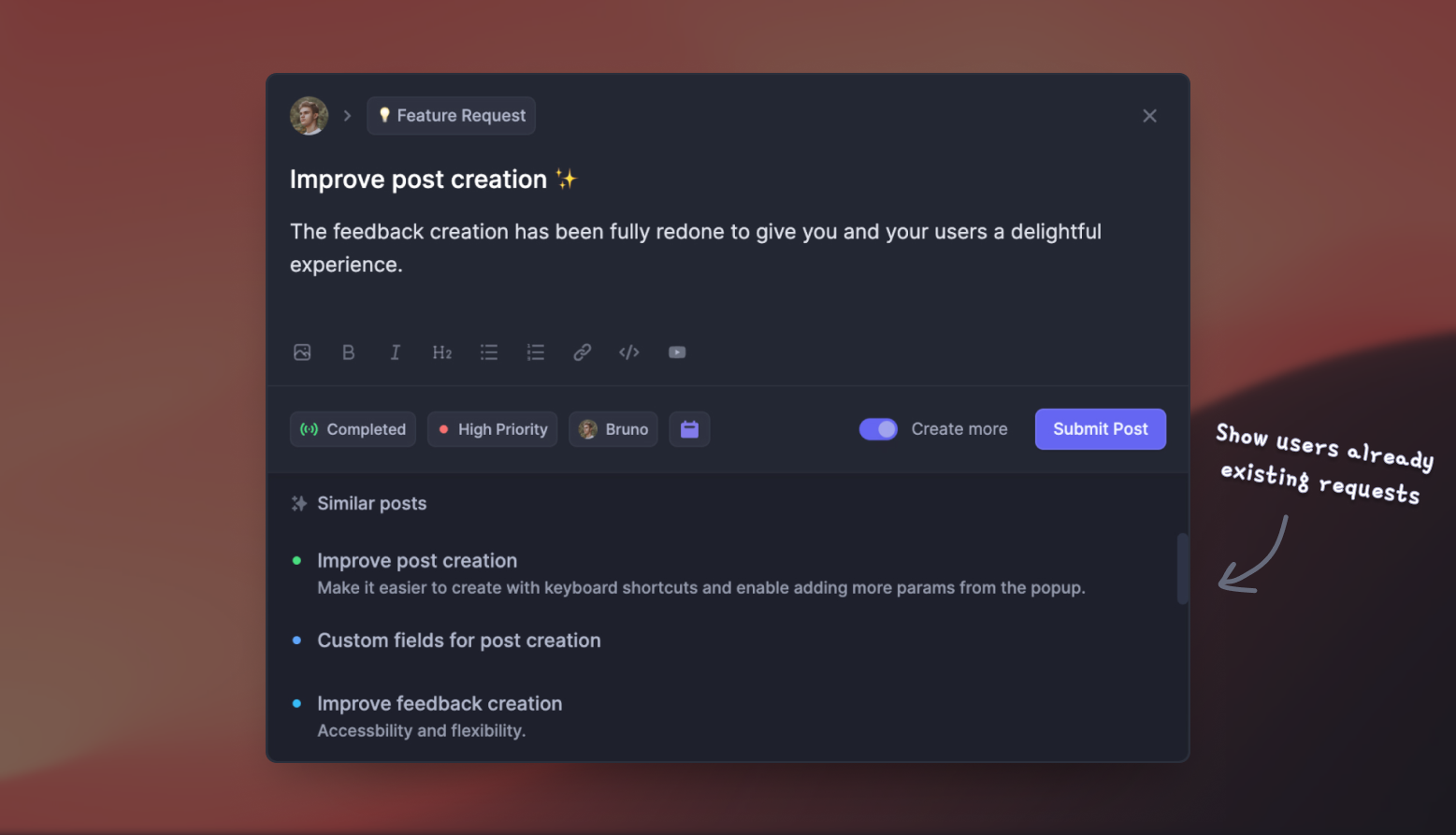
But if your “service management” work is more about supporting external customers, managing product feedback, and keeping users updated, both tools may feel heavier than necessary. That is where a more customer-facing platform like Featurebase can be a better fit. 👇
Featurebase is a modern AI customer support and feedback platform built for product-led SaaS teams. It brings your support inbox, help center, customer feedback, roadmap, and product updates into one place, so you can support users and learn from them without stitching together several tools.
Top features:
- Omnichannel inbox – Manage live chat, email, and Slack conversations from one AI-powered inbox
- Fibi AI Agent – Resolve customer issues automatically and run custom actions like trial extensions and refunds
- Help center with AI search – Help users find instant, multilingual self-serve answers
- Workflows and automations – Route conversations, assign tickets, collect customer data, and automate repetitive support work
- AI Copilot – Help agents reply faster using your internal knowledge
- Multi-brand support – Manage multiple help centers and live chats from one workspace
- Automatic AI translations – Translate messages and help articles into your customers’ native language
- SLAs – Track response times and keep your team accountable
- Mobile app – Reply to customers and receive notifications on the go
- Feedback and roadmap tools – Collect feature requests, prioritize feedback, and close the loop with users
- Product updates – Share release notes through a changelog page, in-app widget, and emails
- Integrations – Connect with Slack, Linear, Jira, HubSpot, and more
Pricing: Free plan available with unlimited conversations. Paid plans start at $29/seat/month, with AI resolutions billed separately.

Featurebase is not a replacement for deep enterprise ITSM. But if your team is looking for a simpler way to manage customer support, self-serve help, feedback, and product updates in one place, it is a much better fit than a heavyweight IT service desk.
If you've been weighing ServiceNow specifically, our Featurebase vs ServiceNow comparison shows where the two diverge.
Conclusion
Jira Service Management and ServiceNow both earn their leader status, just for different teams. ServiceNow gives you the deepest ITIL coverage, the most powerful CMDB, and enterprise-wide breadth, at a higher price and a longer rollout. Jira Service Management gives you speed, transparent pricing, and tight dev-team integration, which makes it the more practical choice for most growing organizations.
But if your real goal is supporting customers and acting on their feedback rather than running internal IT, neither heavyweight is the right tool. Featurebase brings support, help center, feedback, and product updates into one modern, affordable platform built for product-led teams.
There's a free plan and onboarding is fast, so there's no downside to trying it. 👇
✨Automate your support with the fastest AI-enhanced Inbox today →

FAQs
Is Jira Service Management similar to ServiceNow?
Yes, both are IT service management platforms that handle incidents, requests, change, and knowledge management with self-service portals and SLAs. The difference is depth and scale. ServiceNow is built for enterprise-wide ITIL coverage, while Jira Service Management is lighter, more agile, and easier to adopt.
Is ServiceNow better than Jira Service Management?
It depends on your needs. ServiceNow is better for large enterprises that need the broadest ITIL coverage, deep CMDB, and cross-department workflows. Jira Service Management is better for teams that value agility, transparent pricing, fast implementation, and tight integration with development tools.
Is Jira Service Management cheaper than ServiceNow?
Generally yes. JSM has transparent per-agent pricing, a free plan for up to 3 agents, and paid tiers starting around $20 per agent per month. ServiceNow uses custom enterprise quotes that run significantly higher, and its total cost of ownership is often 3-5× the license fee once implementation and admin are included.
Is Jira Service Management ITIL compliant?
Yes. Jira Service Management is PinkVERIFY-certified for 7 ITIL 4 practices and supports core processes like incident, request, problem, and change management. Its flexibility lets you adopt ITIL-aligned workflows where you need them without forcing the framework everywhere.
How long does ServiceNow take to implement compared to JSM?
ServiceNow implementations typically take 3 to 6 months, and complex enterprise rollouts can run 8-16 months with certified consultants. Jira Service Management is usually live in weeks thanks to pre-built templates and low-code configuration.
What's a good alternative for customer support instead of JSM or ServiceNow?
If you need to support external customers rather than run internal IT, a modern platform like Featurebase is a better fit. It combines an AI-powered support inbox, help center, and feedback management in one place, with a free plan and pricing that starts far below enterprise ITSM tools.