Blog Customer Service7 Best Open Source Helpdesk Tools for Customer Support in 2026
7 Best Open Source Helpdesk Tools for Customer Support in 2026
The best open source helpdesk software helps teams manage support tickets, improve response times, and streamline customer support. In this guide, we compare the top tools in 2026 to help you find the right fit.



✨Psst....Looking for the best helpdesk software in 2026?→
Nowadays, there are teams who are choosing open-source tools to manage support tickets, improve customer support, and avoid the limits of rigid software. The best platforms help you organize tickets, build a knowledge base, and streamline support across channels.
But not every tool is worth considering. Some only cover the basics, while others offer more flexible workflows, self-service, and customization. That is why it helps to compare the best options before choosing one.
To make that easier, we’ve narrowed down the top tools worth considering this year.
Short answer:
- If you want the best all-around open source helpdesk, start with Frappe Helpdesk.
- If you want the most established open source ticketing system, use osTicket.
- If you want a more modern email-first helpdesk, try FreeScout.
- If you want a stronger service-desk structure, look at Zammad.
- If you want a smaller free option, consider OpenSupports.
See the full list below for a closer look at the best tools.👇
TL;DR - Comparison table of the best open source helpdesk software in 2026
| Platform | Best fit for | Key strength | Pricing |
|---|---|---|---|
| Frappe Helpdesk | Teams that want a modern and flexible platform | Strong workflows, modern interface, growing ecosystem | Free self-hosted; managed hosting starts at $5/month on Frappe Cloud |
| osTicket | Teams that want a proven open-source ticketing system | Mature, trusted, large community | Free |
| FreeScout | Email-first support teams | Clean inbox-style experience, practical plugins | Free self-hosted |
| Zammad | Teams needing structured service workflows | Better organization, dashboard, multi-channel support | From €7/agent/month billed annually |
| OpenSupports | Smaller businesses wanting a simple, free option | Lightweight, easy to understand | Free |
| Trudesk | Technical teams and developers | Flexible architecture and customization | Open-source self-hosted; cloud version positioned as free to use |
| UVdesk Open Source | E-commerce and portal-heavy support | Flexible forms, workflow logic, customer portals | Free self-hosted; paid plans from $8/agent/month billed annually ($11 monthly, 2-agent minimum) |
What is open source helpdesk software?
Open source helpdesk software is a help desk or ticketing system with publicly available source code, so your business can host, customize, and maintain it itself.
In practice, an open source helpdesk helps teams manage support tickets, route inquiries, build a knowledge base, improve response times, and deliver better customer support.
The main advantage of an open source ticketing system is flexibility. You get more control over the system, your data, and how the workflow is set up. But that flexibility also comes with tradeoffs. Most open source tools require more setup, ongoing maintenance, and internal technical ownership, and they usually do not come with the same level of hands-on support you would get from a hosted platform.
That is why open source is not always the easiest option. A self-hosted helpdesk can be powerful, but for many teams, the extra complexity can outweigh the benefits.
While open source is just one route to a no-cost setup - for the broader picture, see our guide to the best free help desk ticketing systems.
How we evaluated these open-source helpdesk tools
We focused on one question:
Which open source helpdesk tools actually help real teams manage support efficiently without creating unnecessary complexity?
To answer that, we looked at:
- Core ticketing system capabilities
- Ease of setup
- Flexibility of workflows
- Support for different ticket types
- Knowledge base and self-service options
- Plugins, integrations, and the ability to connect with other tools
- Quality of the interface
- Whether the project appears actively maintained
- Strength of the community
- Fit for different use cases like e-commerce, SaaS, and internal support
- Long-term security, hosting, and data ownership
We also looked at whether each platform delivers practical value for actual users and support teams, not just a long list of technical features.
Because the best open-source helpdesk isn't just the one with the biggest checklist. It is the one your team can realistically adopt, maintain, and use to serve customers better.

Resolve 70% of customer requests with AI
Automatically resolve customer issues & cut down support loads for your team
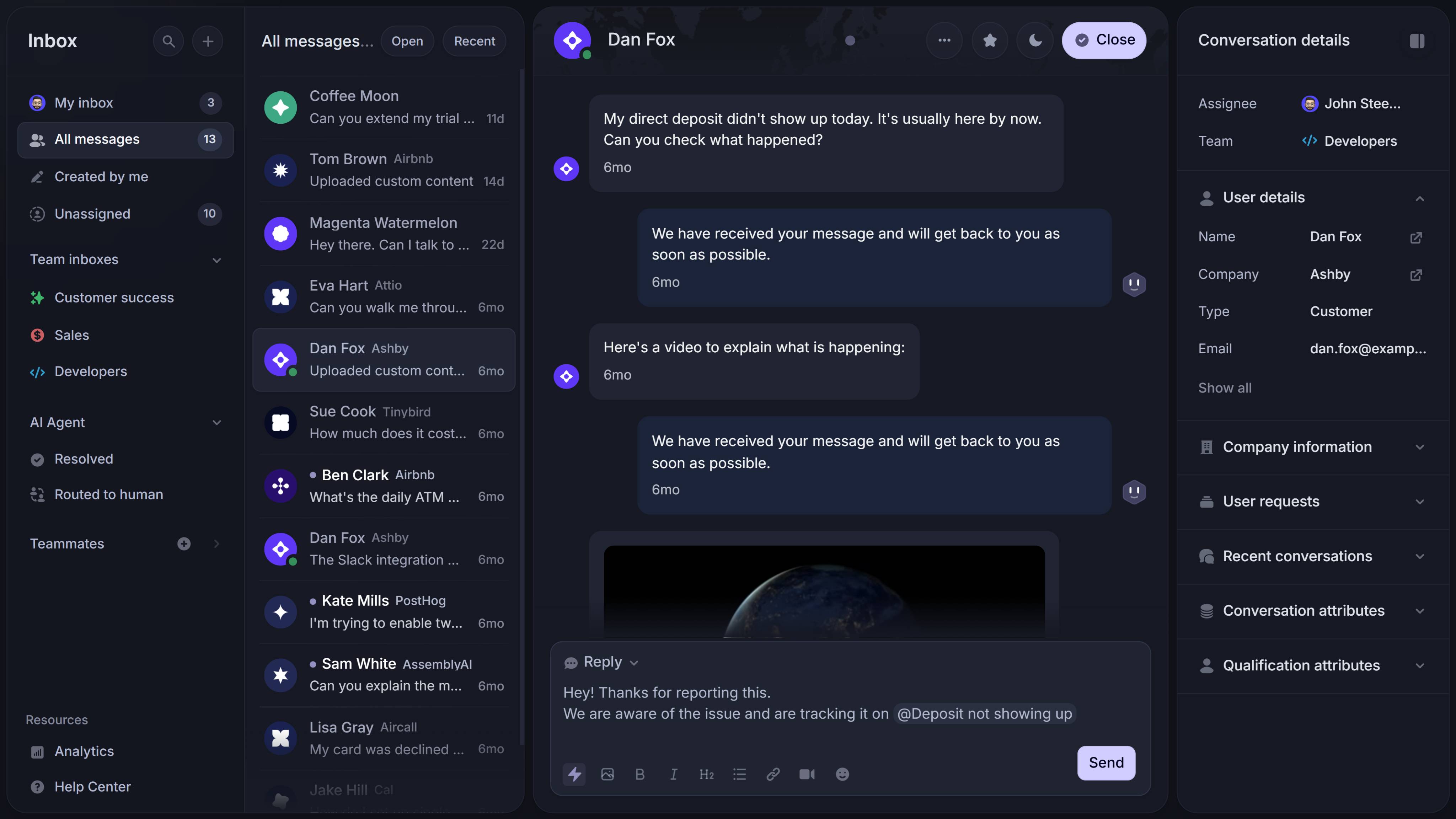
The 7 best open source helpdesk software tools for 2026
1. Frappe Helpdesk
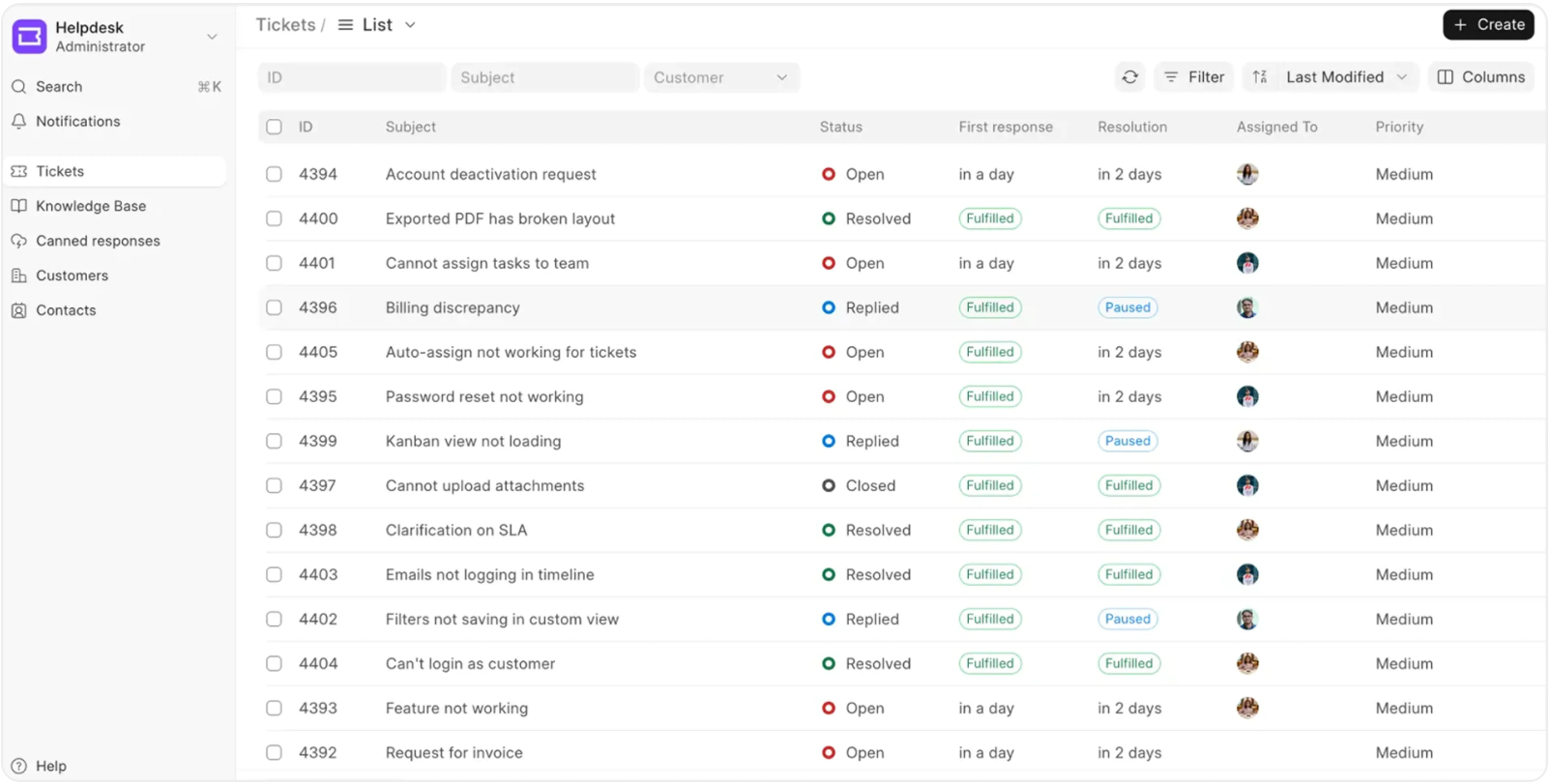
Frappe Helpdesk is our top pick for the best open-source helpdesk software in 2026.
Key features:
- Modern, user-friendly interface
- Flexible ticket types
- Workflow automation and approval workflows
- Self-service support and knowledge base
- Custom forms
- Useful dashboard views
- Strong fit for structured customer support processes
- Good ecosystem potential through the broader Frappe platform
Why it stands out:
Frappe Helpdesk feels more up-to-date than many legacy tools in this category. It strikes a good balance between usability and flexibility, which makes it one of the strongest options for teams that want an open source ticketing system without settling for a dated experience.
It is also one of the more promising tools for teams that want something actively maintained and flexible enough to support future growth.
Best for:
Teams that want a modern source helpdesk with structured workflows, good usability, and room for customization.
Pricing:
Frappe Helpdesk can be self-hosted on your own server under the AGPL-3.0 license, which makes it a strong option for teams with in-house technical resources. If you want managed hosting, Frappe offers deployment through Frappe Cloud, with site plans starting at $5/month and server plans starting at $20/month. One notable advantage is that Frappe says you do not pay per user, and its pricing is based on hosting infrastructure instead.
2. osTicket
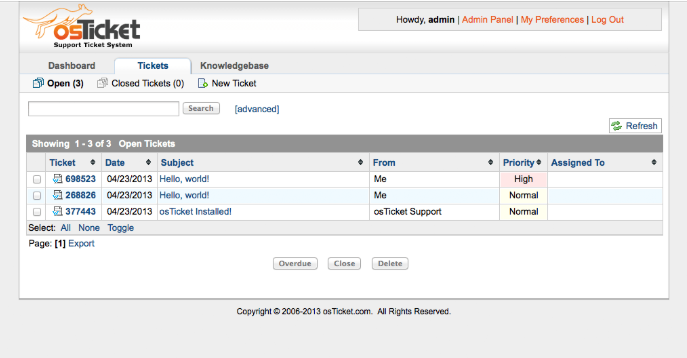
osTicket is one of the most established names in the open source helpdesk world.
It has been around for years and remains one of the most recognizable choices for businesses that want a proven ticketing system to manage tickets, assign work, and keep support organized.
Key features:
- Email-based ticket creation
- Department and agent routing
- SLA support and response times
- Custom forms
- Core reporting and dashboard
- Large community
- Reliable basic features
Why it stands out:
osTicket is popular because it solves the core help desk problem clearly. Teams can receive inquiries, create tickets, organize queues, and manage support with relatively little friction.
It may not be the flashiest tool on the marketplace, but it is still a dependable solution for many businesses.
Best for:
Teams that want a mature, widely trusted open-source ticketing system.
Pricing:
osTicket states that the product is completely free. Its official site also points users who want a hosted option to SupportSystem, its cloud-hosted alternative, rather than showing standalone osTicket SaaS pricing on the main site.
3. FreeScout
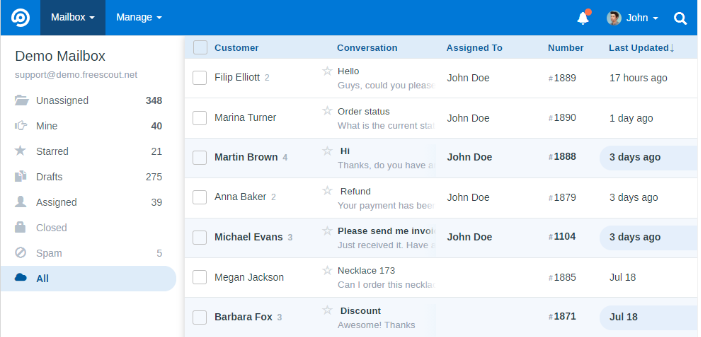
FreeScout is a practical option for teams that want a more email-first help desk with a shared-inbox feel.
It is especially useful for teams that want simplicity, fast onboarding, and a more approachable workflow than traditional service desk software.
Key features:
- Shared inbox style ticketing system
- Email-based support
- Saved replies
- Knowledge base
- Optional plugins
- Lightweight setup
- Clean and helpful interface
Why it stands out:
FreeScout is one of the most convenient options for smaller teams that want to move quickly. It keeps the workflow simple while still giving agents enough structure to manage requests properly.
For many teams, that simplicity is a strength.
Best for:
Small to mid-sized customer support teams that want a modern-feeling open source help desk with less overhead.
Pricing:
FreeScout describes itself as a free, self-hosted, open-source help desk and shared mailbox. Its site strongly emphasizes the free self-hosted product, while monetization appears to come mainly through modules, services, and related offerings rather than a standard per-agent SaaS pricing table on the homepage.
4. Zammad
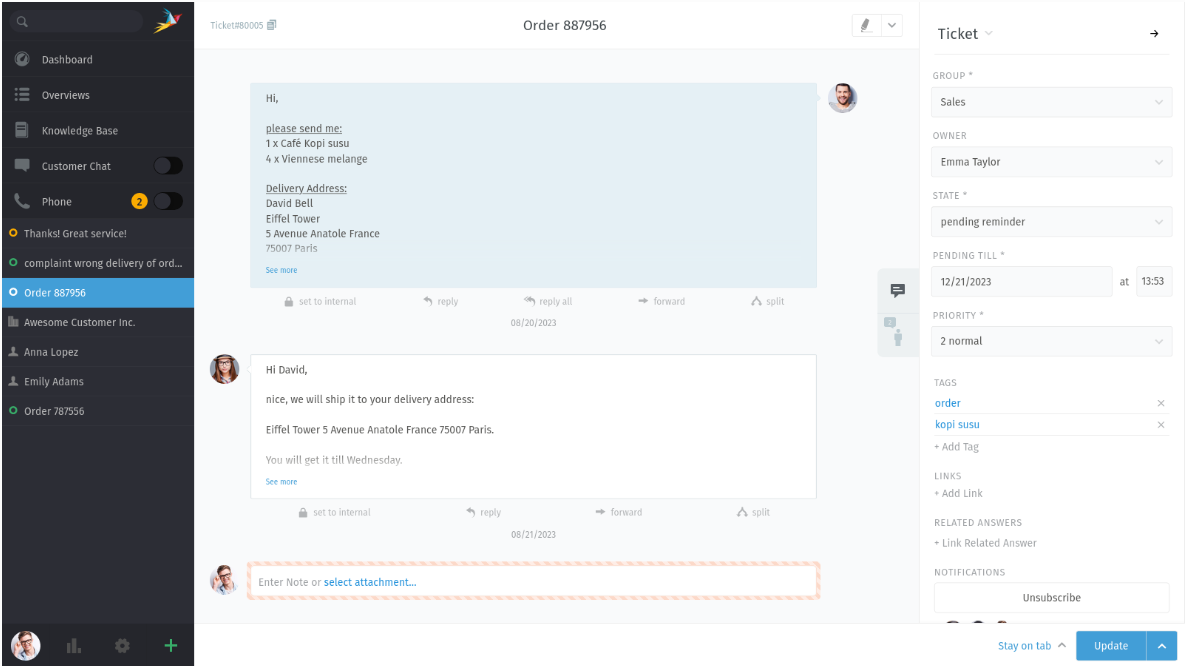
Zammad is a polished open source helpdesk platform for teams that need stronger structure and more visibility across incoming tickets.
It is a strong choice for support teams that handle multiple channels and want a more professional service-desk style experience.
Key features:
- Multi-channel ticketing
- Strong queue visibility
- Better organization for agents
- Searchable history and customer context
- Structured workflows
- Role-based control
Why it stands out:
Zammad feels closer to a complete service platform than a lightweight inbox. If your team handles different categories of support, needs a clearer process, or wants stronger internal organization, it can be a very good fit.
Best for:
Support teams that need a more structured helpdesk with stronger operational visibility.
Pricing:
Zammad’s official hosted pricing page lists three cloud tiers billed annually at €7, €16, and €25 per agent per month, or billed monthly at €9, €18, and €27 per agent per month. The plans shown are Starter, Professional, and Plus.
5. OpenSupports
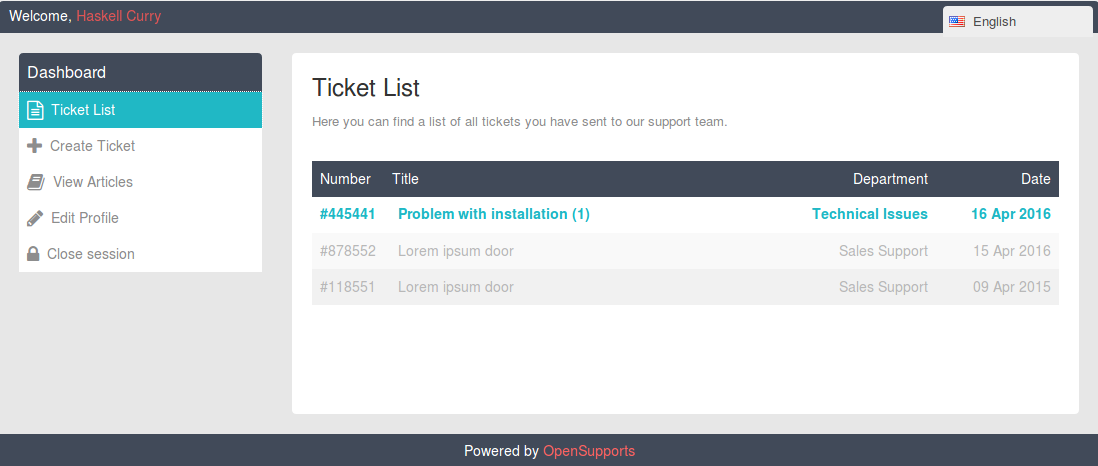
OpenSupports is a simpler open source helpdesk option for smaller teams and businesses that do not need a huge set of advanced features.
It focuses on the essentials and can be a solid starting point for managing customer issues in one place.
Key features:
- Core ticket management
- Customer portal
- Basic dashboard
- Straightforward forms
- Lightweight software
- Free starting point
Why it stands out:
OpenSupports is attractive because of its simplicity. Not every business needs a large platform with complex workflows, a plugin ecosystem, or deep automation.
Sometimes the goal is simply to create a clean support process and keep customer requests organized.
Best for:
Small businesses that want a straightforward helpdesk without too much complexity.
Pricing:
OpenSupports says the product is free and open source on its official download page. Its GitHub README also says that if your own development team handles installation, upgrades, backups, and integrations, they charge nothing for it, while also noting that hosted-by-them and official support options exist.
6. Trudesk
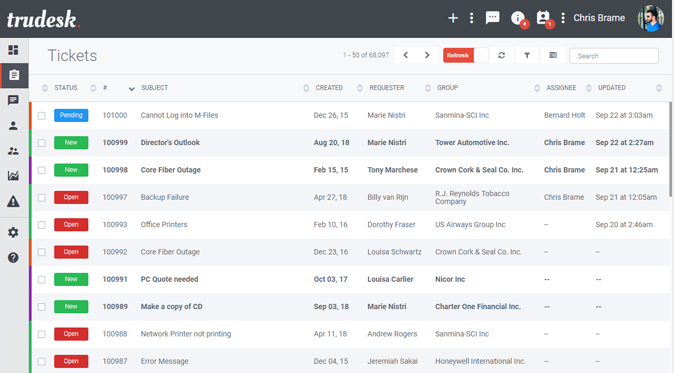
Trudesk is an interesting option for technical teams and developers who want more control over their support stack.
It is not as mainstream as some of the bigger names, but it can be appealing if your team values flexibility and deeper customization.
Key features:
- Node-based self-hosted platform
- Flexible architecture
- Extensible structure
- Customizable interface
- Good fit for technical development
- Useful for teams that want direct ownership of the system
Why it stands out:
Trudesk gives technical teams more room to shape the tool around their own workflows and infrastructure. If your developers want to modify the product, connect it to internal systems, or work closely with the source code, this can be attractive.
Best for:
Technical teams that want a flexible open source ticketing system they can adapt deeply.
Pricing:
Trudesk’s site describes Trudesk Cloud as “free to use,” while its GitHub repository identifies the self-hosted product as the Community Edition and points users to Trudesk Cloud for the more comprehensive hosted version. The official sources do not show a standard public per-agent pricing table, so the safest wording is that the self-hosted community version is open source and the cloud offering is presented as free to use on the marketing site.
7. UVdesk Open Source
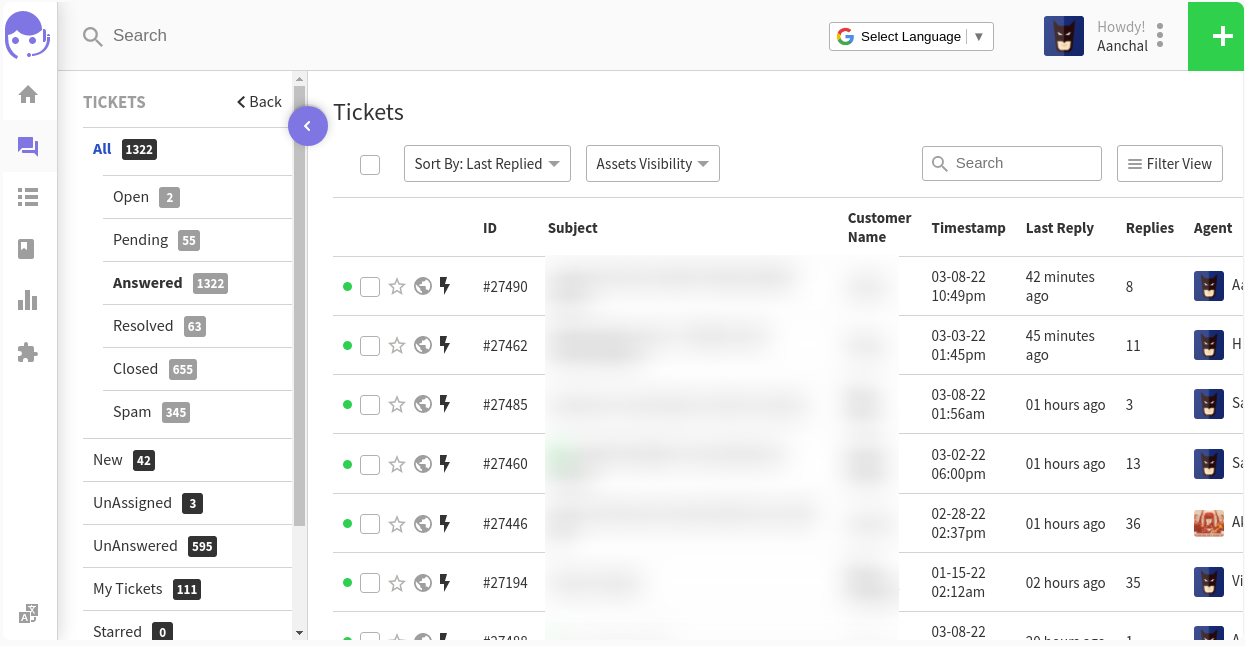
UVdesk Open Source is worth considering for teams that need more workflow structure, customer-facing portals, and support for more layered service environments.
It is especially relevant for teams in e-commerce or portal-heavy support setups.
Key features:
- Workflow-based ticket handling
- Customer portal
- Flexible forms
- Rules and automation logic
- Good fit for e-commerce
- Extensible architecture
- Better structure for teams serving many request types
Why it stands out:
UVdesk can help streamline more complex customer-facing support processes, especially when you need more than a simple inbox. It is useful when your business handles order issues, account requests, service questions, and general support across multiple flows.
Best for:
Teams, especially in e-commerce, need more structure than a lightweight help desk can provide.
Pricing:
UVdesk offers a free, forever open-source version that you can host on your own server, with unlimited agents. For teams that want a hosted plan with added features and support, UVdesk also offers paid plans starting at $8 per agent/month billed annually or $11 per agent/month billed monthly, with a 2-agent minimum. Its higher-tier plan starts at $15 per agent/month billed annually or $18 per agent/month billed monthly, also with a 2-agent minimum.
Key features to look for in open source helpdesk software
Not every open source helpdesk tool offers the same value. If you are comparing platforms, here are the features that matter most.
1. Strong ticket management
A good ticketing system should make it easy to organize, assign, prioritize, and resolve tickets without creating confusion for your team.
2. Flexible workflows
As support grows, clear workflows become essential. Look for automation, routing logic, escalation paths, and support for different ticket types.
3. A connected knowledge base
A strong knowledge base helps customers find answers faster and reduces the number of repetitive questions for agents.
4. User-friendly interface
A user-friendly interface improves adoption, speeds up onboarding, and makes it easier for agents to work efficiently.
5. Plugins and integrations
Many open source tools become significantly more useful when they can connect with the rest of your stack through APIs, plugins, and integrations.
6. Active maintenance
You want a project that appears actively maintained, with signs of regular updates, issue handling, and healthy development activity on GitHub or related community channels.
7. Security and data control
One of the benefits of open source is ownership over your data and infrastructure. But that also means you need a clear plan for security, backups, and updates.
When Featurebase✨ is a better fit than open source helpdesk software
Open source helpdesk tools can be a great fit if your team wants full control, self-hosting, and deep customization.
But they also come with trade-offs like longer setup time, more internal maintenance, security ownership, and greater operational overhead. For many SaaS companies, that is not always the best use of the team’s time.
If your team wants a modern support platform without managing infrastructure.
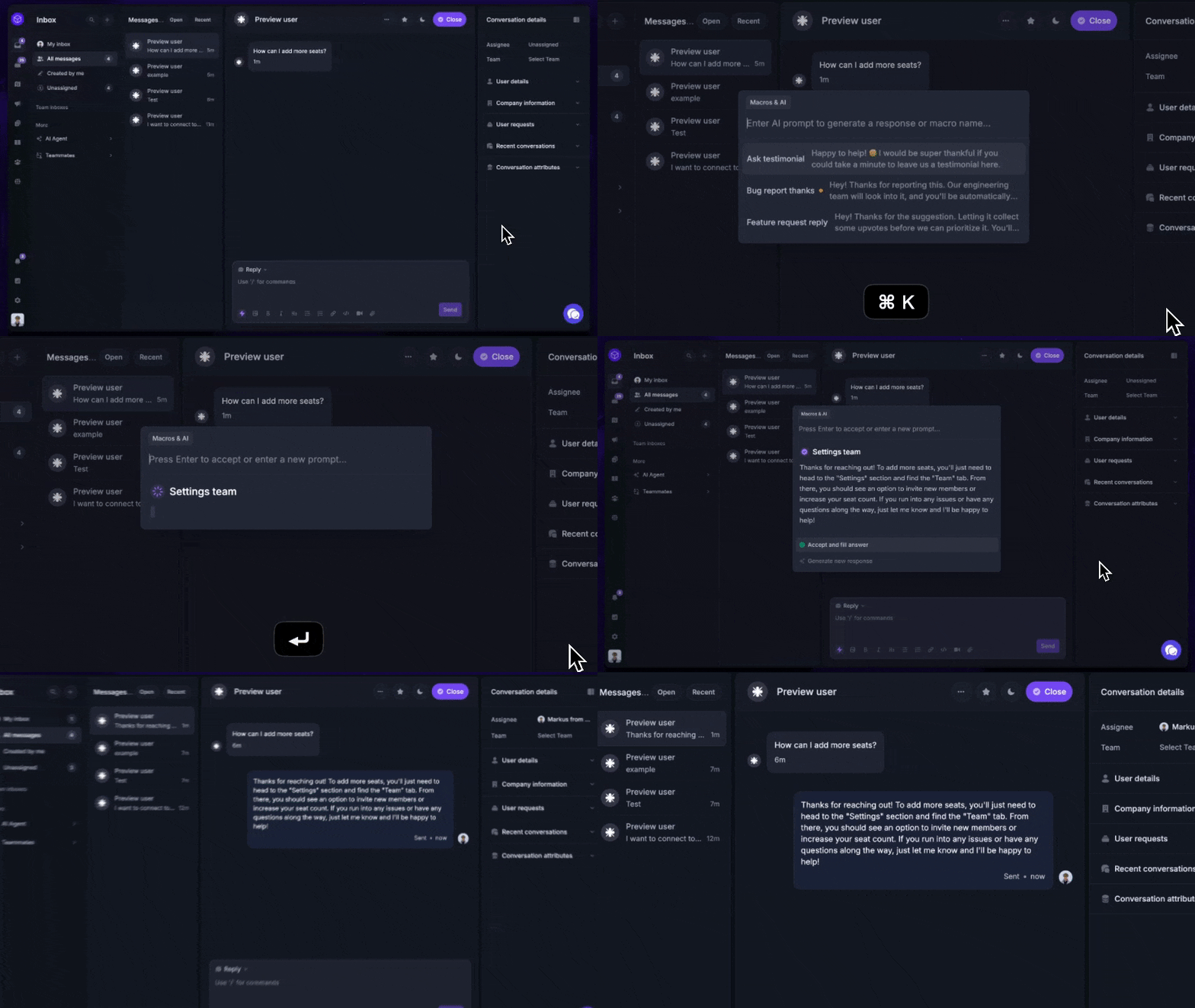
Featurebase (that's us!👋) can be a better fit. It combines an AI-powered inbox, knowledge base, workflow automation, and customer feedback tools in one platform, making it especially useful for modern SaaS teams that want to streamline support without stitching together multiple tools. Your existing brand article positions Featurebase exactly that way: as an all-in-one support, knowledge, and feedback platform rather than a basic desk tool.
That makes Featurebase a strong alternative if you want:
- faster time to value
- less operational overhead
- built-in AI for support
- product feedback and support in one place
- a modern platform that feels more up to date than many self-hosted tools
Open source makes sense when you need ownership and customization above all else. Featurebase makes sense when you want speed, usability, and a platform your team can start using right away. Your current AI help desk structure already frames this advantage around AI-powered inbox workflows, a connected knowledge base, and support plus feedback in one platform.
✨ Automate your support with the fastest AI-enhanced Inbox today →

How to choose the right open source helpdesk
The best tool depends on your support model, your technical resources, and how much flexibility you actually need.
- Choose Frappe Helpdesk if you want the best mix of modern UX, flexibility, and workflow depth.
- Choose osTicket if you want a proven, trusted open-source ticketing system.
- Choose FreeScout if your customer support workflow is mostly email-first.
- Choose Zammad if your support operation needs more structure and process control.
- Choose OpenSupports if you want a simpler and free place to start.
- Choose Trudesk if your developers want deeper technical control.
- Choose UVdesk if you run support-heavy e-commerce operations.
If you want the flexibility mindset behind open-source tools, but not the overhead of self-hosting, Featurebase✨ is a strong modern alternative.
Conclusion
The best open-source helpdesk software depends on what your team needs most. If you want full control, self-hosting, and deep customization, tools like Frappe Helpdesk, osTicket, and FreeScout can be strong options. But if your priority is faster setup, lower maintenance, and a more modern support experience, an open source tool is not always the best fit.
Featurebase is a modern & powerful support platform that helps you deliver fast, high-quality customer support with an AI-powered inbox, a beautiful knowledge base, and built-in feedback tools. Instead of stitching together multiple tools or managing a self-hosted help desk, you can streamline support, self-service, and customer insights in one place.
It comes with a Free plan, and paid plans start at $29/seat/month for Growth, $59 for Professional, and $99 for Enterprise, plus $0.29 per AI resolution on paid plans. The onboarding is quick and doesn’t require a credit card, so there’s no real downside to trying it. 👇
✨ Create a beautiful Help Center with Featurebase for free →

FAQ
What is the best open source helpdesk software?
For most teams, Frappe Helpdesk is one of the strongest all-around choices because it offers a more modern experience, flexible workflows, and a promising ecosystem.
Is open source helpdesk software free?
Many tools are free to download and use, but your total cost can still include hosting, implementation, maintenance, and internal time.
What is the difference between a help desk and a ticketing system?
A ticketing system mainly tracks and organizes requests, while a help desk usually includes broader support workflows, customer communication, self-service, and knowledge base features.
Is open source helpdesk software good for e-commerce?
Yes. Some tools, especially UVdesk, can be a strong fit for e-commerce teams that need forms, portals, and more structured support processes.
What should I look for in an open source ticketing system?
Look for strong ticket handling, flexible workflows, usability, active maintenance, integrations, security, and a fit with your team’s technical abilities.