Blog Customer ServiceSlack Ticketing System: How It Works and Setup Guide
Slack Ticketing System: How It Works and Setup Guide
Learn how a Slack ticketing system turns messages into trackable requests, compare 3 setup models, and build a reliable workflow in 6 practical steps.



Let's cut Slack some slack. It makes asking for help easy, but a channel full of requests is not a ticket queue. This guide explains how a Slack ticketing system turns messages into owned, trackable work, when to keep the queue in Slack or sync it to an external helpdesk, and how to set up intake, routing, SLAs, automation, and reporting without burying your team in process. 👇
Key takeaways
- A Slack ticketing system turns messages into structured requests with owners, priorities, statuses, and resolution records.
- Small teams can start with channels and workflow automation, but this approach becomes fragile when volume and handoffs increase.
- A Slack-native helpdesk gives requesters a familiar interface while adding queue management, automated routing, and reporting.
- An external ticketing system is usually better for complex approvals, strict governance, omnichannel support, or detailed reporting.
- Featurebase Slack Support✨ brings customer Slack conversations into an AI-powered support inbox with ticketing controls and two-way synchronization.
- Define the ticket lifecycle before automating it. Clear ownership and escalation rules matter more than the number of integrations you install.
What is a Slack ticketing system?
A Slack ticketing system is a workflow that converts help requests from Slack messages into trackable tickets. Instead of relying on someone to notice a message and remember to follow up, the system records the request, assigns an owner, tracks its status, and preserves the resolution.
The requester can often stay inside Slack while the support team manages the queue in Slack or a connected helpdesk.
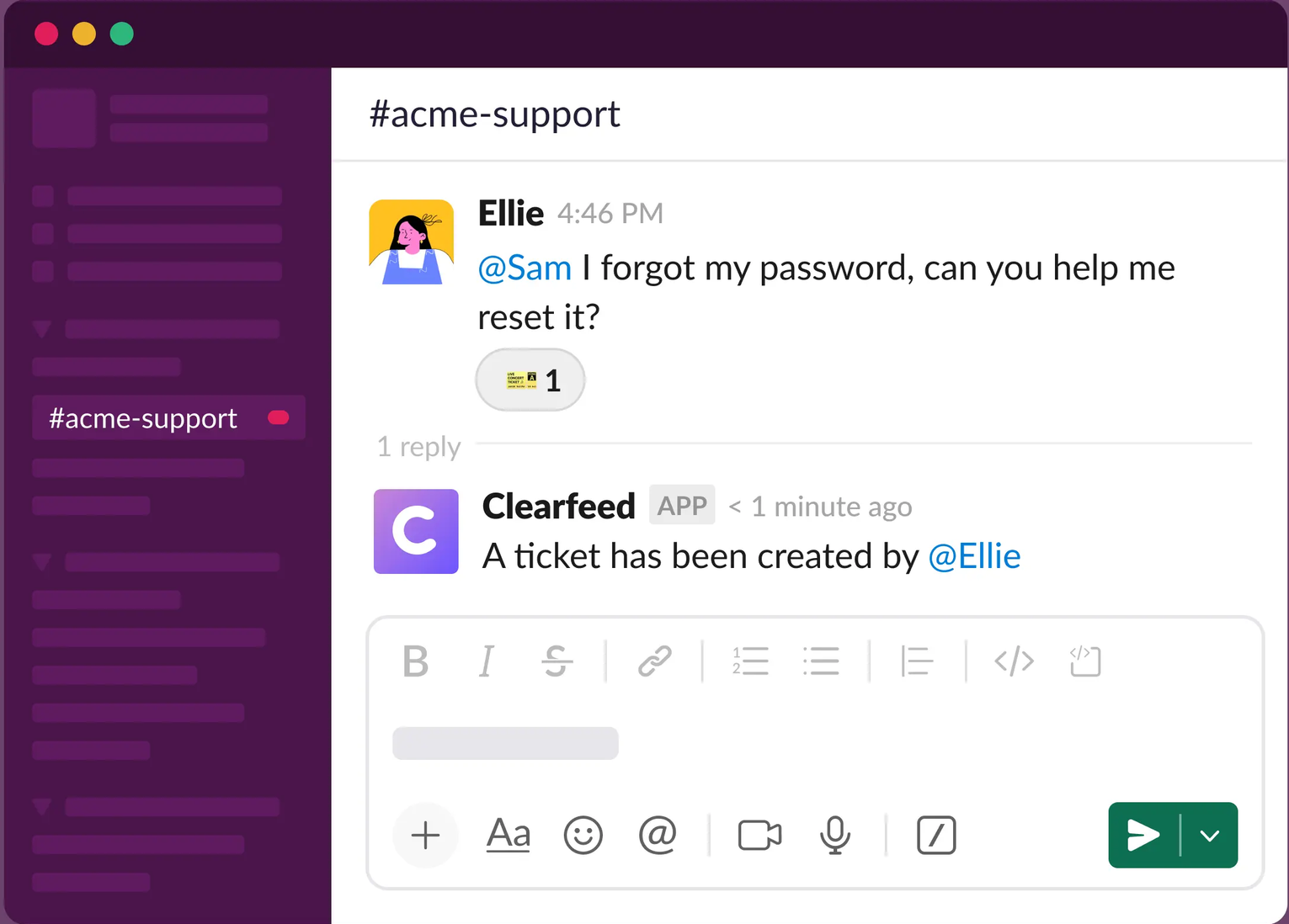
Slack as an interface versus a system of record
Slack is excellent at conversation. It is less effective as a system of record because channel history does not automatically provide a reliable queue, consistent ownership, SLA tracking, or structured reporting.
A ticketing layer fills that gap. It gives every request a lifecycle that can be searched and measured, even when the conversation itself remains in Slack.
You do not have to choose between Slack and a ticketing system. Slack can be the interface people use while another platform maintains the operational record.
How does a Slack ticketing system work?
Most Slack ticketing workflows follow the same basic path from intake to resolution.
Intake and ticket creation
A request starts through a dedicated channel, a form, a shortcut, a bot command, or a reaction. The system captures the original message and any required context, such as request type, urgency, affected account, or department.
Structured intake reduces the time spent searching for missing information. That matters because 62% of workers surveyed by Microsoft said they struggled with spending too much time searching for information during the workday.
Keep the form short enough that people will use it. Ask only for information that changes the owner, priority, or next action.
Ownership, status, and priority
The new ticket moves into a queue and receives an owner. Routing rules can assign requests by topic, department, customer segment, language, or urgency.
A small status set is usually enough:
- New - waiting for triage
- Open - assigned and being handled
- Waiting - blocked on the requester or another team
- Resolved - completed with an outcome recorded
Priority should describe business impact, not how strongly someone phrases a message. A service outage affecting every user deserves a different response from a routine access request.
Replies, handoffs, and resolution sync
Replies should stay connected to the ticket regardless of where an agent works. A response from the helpdesk needs to appear in the original Slack thread, while new requester messages need to update the same ticket.
Handoffs also need an audit trail. When IT sends a billing issue to finance or customer support escalates a defect to engineering, the ticket should retain its owner, history, internal notes, and current next step.
Resolution closes the loop. The requester receives a clear outcome, the ticket receives a final status, and reusable answers can feed a knowledge base or future AI ticketing workflows.
Choose where the ticket queue should live
The right model depends on ticket volume, process complexity, and who submits the requests. There are 3 practical options.
| Model | Best for | Main advantage | Main limitation |
|---|---|---|---|
| DIY workflows inside Slack | Small internal teams with simple requests | Fast and inexpensive to start | Limited queue control and reporting |
| Slack-native ticketing layer | Teams that want requesters to stay in Slack | Strong context with structured ticket management | Capability varies by platform and plan |
| External helpdesk connected to Slack | Larger or regulated support operations | Deeper governance, automation, and analytics | More setup and tool switching for agents |
DIY workflows inside Slack
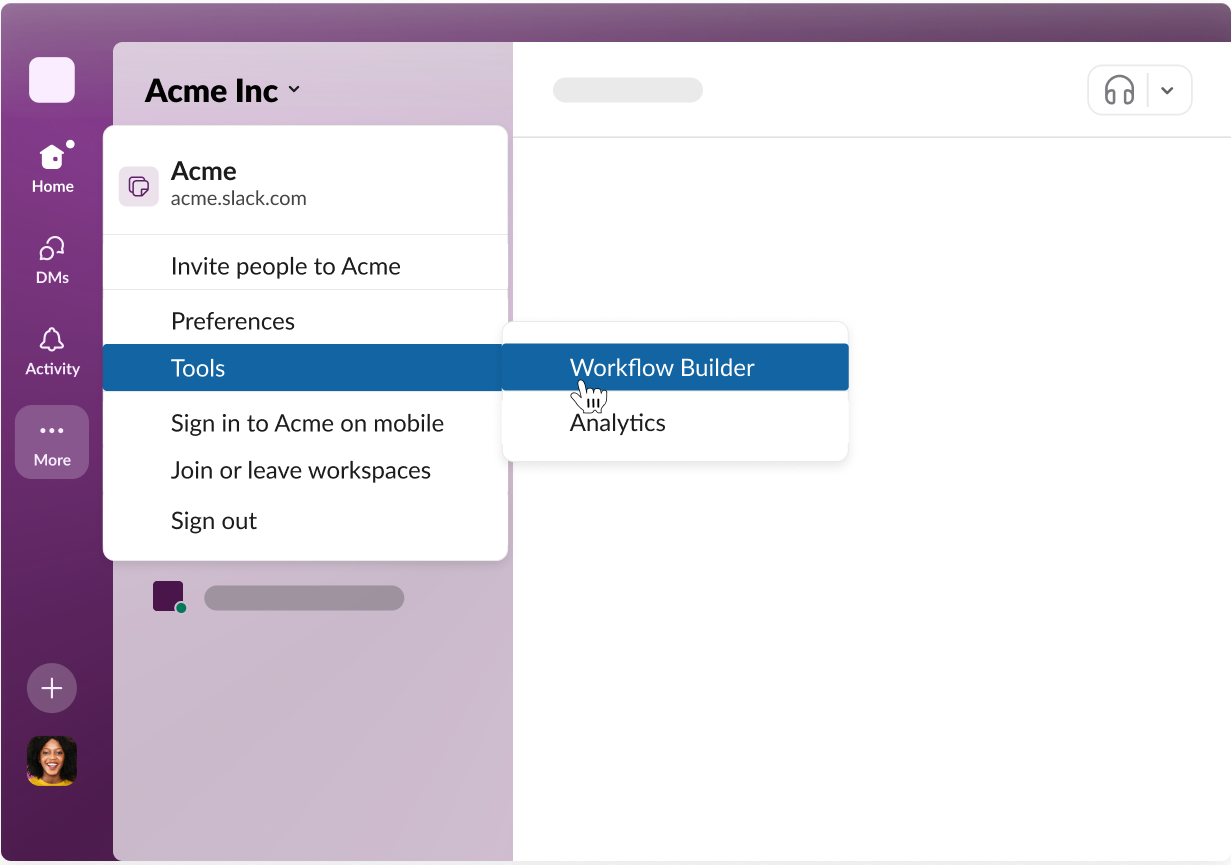
A lightweight setup can combine dedicated channels, forms, workflow automation, reactions, and a shared tracking sheet. It works when ticket volume is low, the support team is small, and request types are predictable.
The problem is that informal signals become hard to govern. A reaction can indicate that someone saw a request, but it does not reliably record ownership, response time, escalation, or why the issue was closed.
Define the volume or complexity threshold that will trigger a move from this model to dedicated software.
A Slack-native ticketing layer
A Slack-native helpdesk captures conversations as tickets while keeping the requester experience inside Slack. Unthread combines this approach with AI, knowledge management, and routing workflows. It can add assignment, priority, automated routing, SLA tracking, private notes, and queue visibility without asking employees or customers to learn another portal.
This model suits internal IT support, HR operations, and customer support teams serving accounts through Slack Connect. Check whether the platform supports the ticket types you need because employee service and customer support are different jobs.
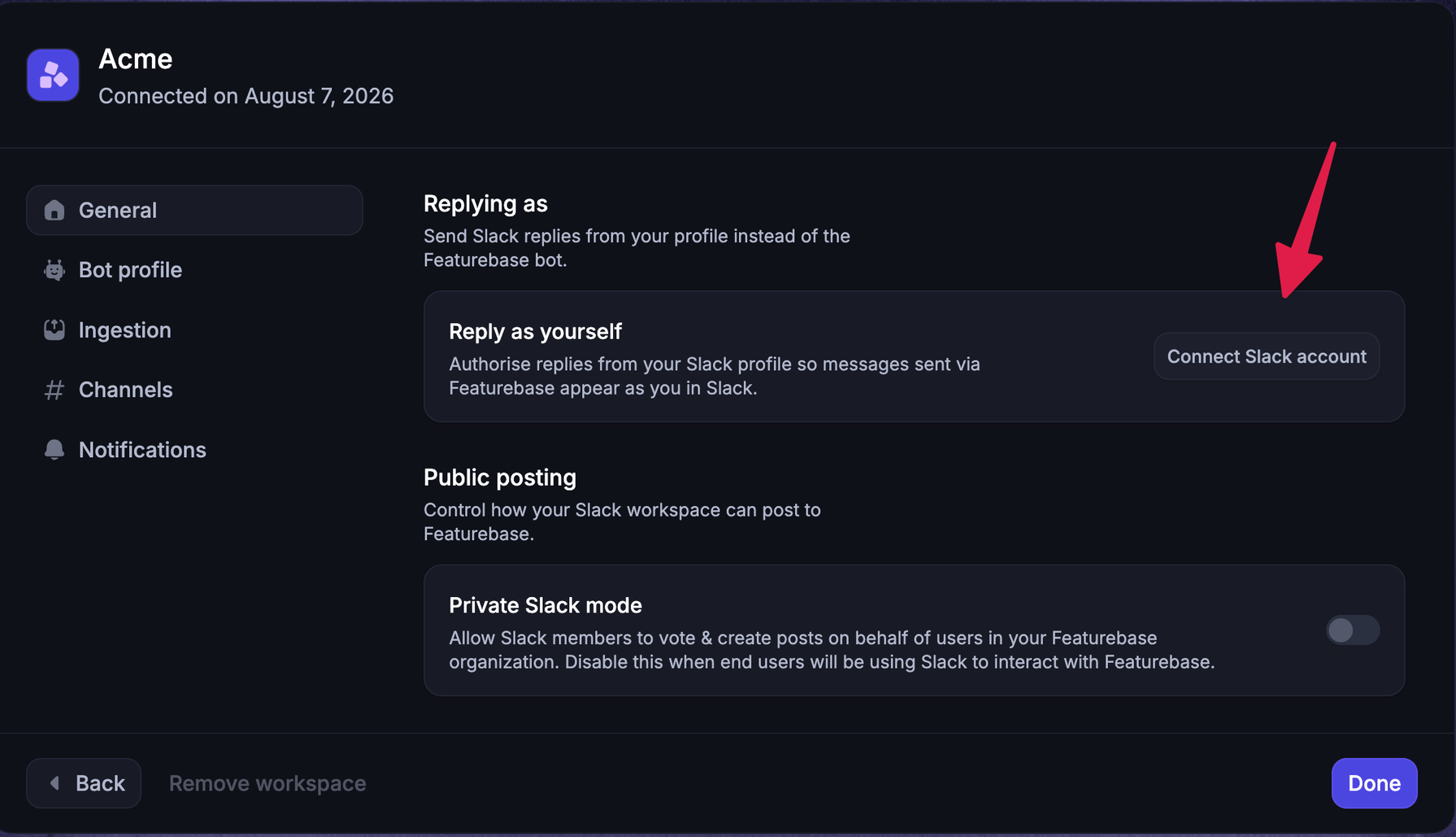
For customer-facing workflows, Featurebase Slack Support turns Slack messages into structured Inbox conversations. Replies, attachments, reactions, message edits, and mentions stay synchronized with the original thread, while agents can manage ownership, priority, tags, SLAs, internal notes, and customer context from one place. Slack Support is available on Featurebase Professional and Enterprise plans.
An external helpdesk connected to Slack
An external system of record is the strongest option when tickets also arrive through email, live chat, forms, or a customer portal. It supports more complex approvals, access controls, asset data, reporting, and integrations with CRM or engineering tools.
Confirm that the integration provides true two-way sync. A notification-only integration can alert agents in Slack without keeping replies and status changes aligned.
How to set up Slack ticketing in 6 steps
Define how work should move before automating the repeatable parts.
1. Define request channels and scope
Decide who can submit requests and what belongs in each channel. Internal IT, HR, finance, and customer-facing support need different privacy rules, owners, and service expectations.
Add examples of valid requests and instructions for emergencies. If every question becomes a ticket, the queue fills with conversations that do not need formal tracking.
2. Standardize the information collected at intake
Choose the minimum fields agents need to route and understand a request. A useful intake form might capture category, impact, urgency, account or department, and a short description.
Use conditional questions when request types need different evidence. An access request may need an application name and manager approval, while a bug report needs reproduction steps and the affected environment.
3. Assign owners, priorities, and statuses
Every ticket needs one accountable owner, even when several people contribute. Shared ownership often means no ownership.
Document how priority is calculated and who can change it. Then define what each status means, including who is expected to act when a ticket is marked as waiting.
4. Add routing, SLAs, and escalation rules
Automated routing should handle predictable decisions such as request category, customer tier, region, or language. Service level agreements can set targets for first response, follow-up response, and time to close.
Escalation rules should notify a person or team before a target is breached, not after.
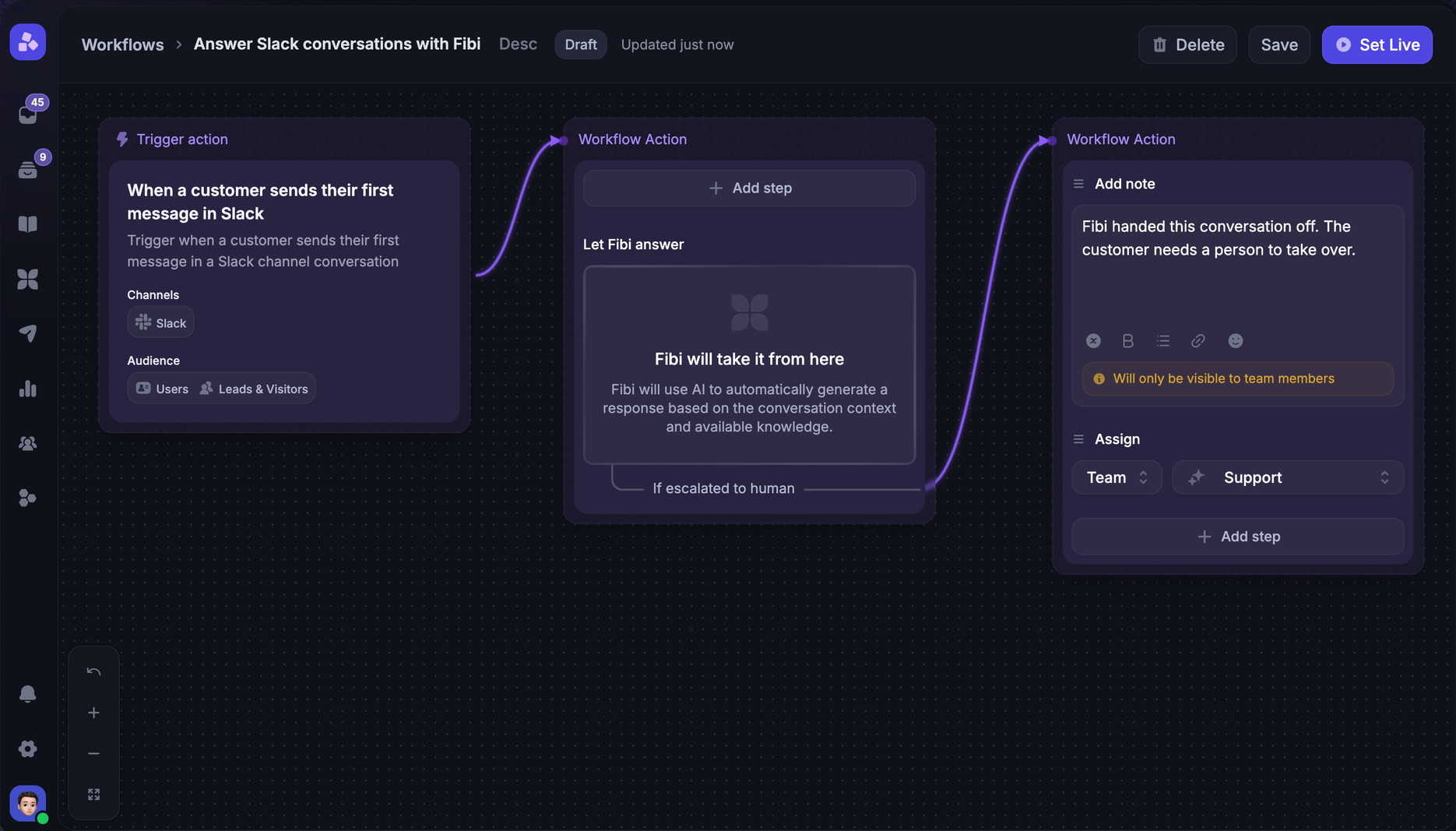
In Featurebase, Workflows can route and assign customer conversations based on their context. Its SLA controls track first response, next response, and time to close, which helps customer support teams prioritize the work most at risk.
5. Protect private collaboration and requester context
Separate requester-visible replies from internal discussion. HR, legal, security, and high-value customer issues may contain information that should never sync back to a public or shared channel.
Review channel membership, ticket permissions, data retention, and integration access before launch. The system should preserve useful context without exposing private notes or unrelated customer data.
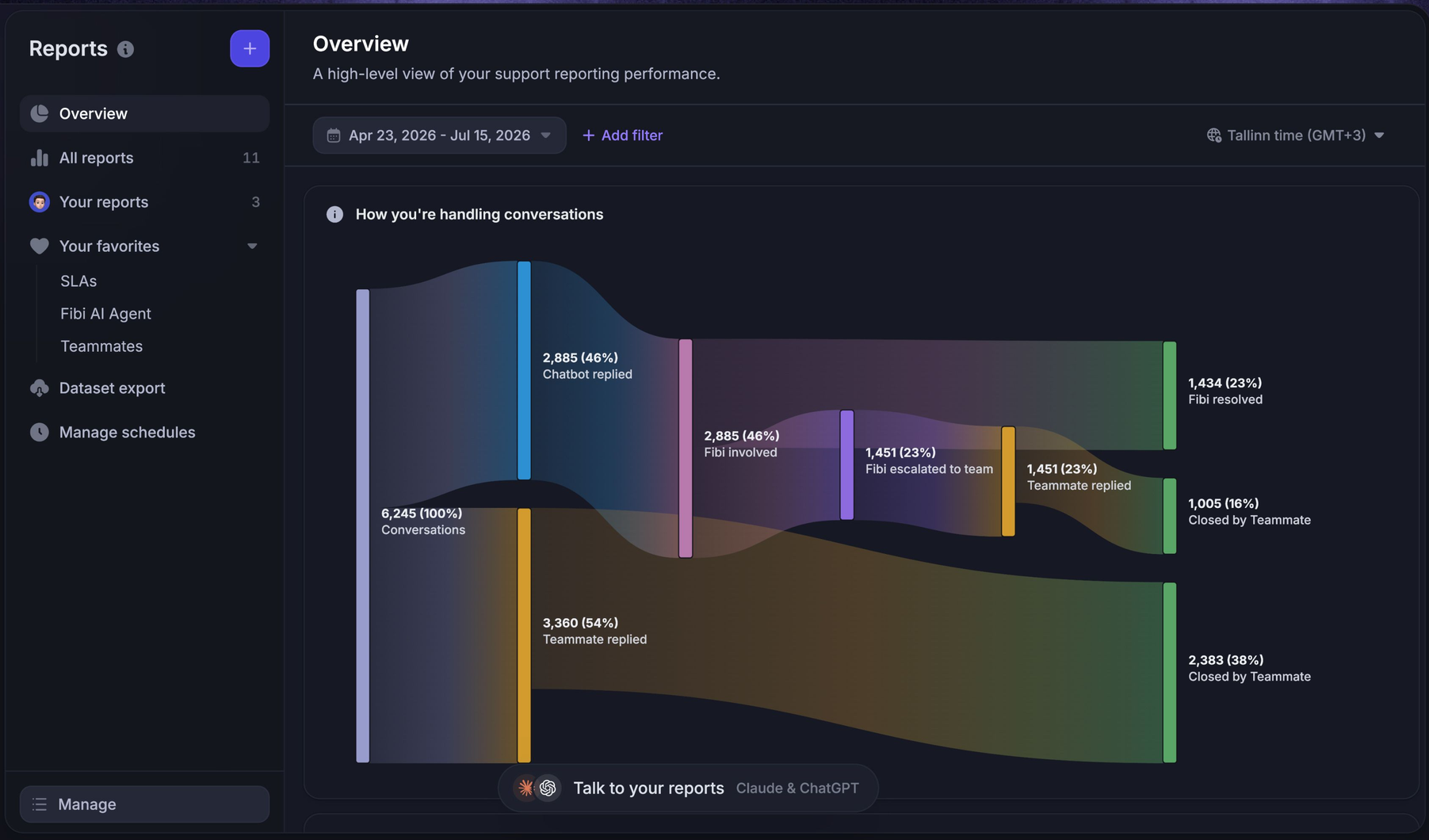
6. Measure volume, response time, and resolution
Start with a small set of operational metrics:
- Ticket volume: Track requests by type, team, and channel to understand demand.
- First response time: Measure how quickly a qualified owner acknowledges the request.
- Resolution time: Track the time from creation to a confirmed outcome.
- SLA attainment: Monitor the share of tickets completed within the agreed target.
- Reopen rate: Identify issues that were closed without fully solving the request.
A rising reopen rate may signal weak resolutions, while repeated access requests may point to a self-service or automation opportunity.
Common Slack ticketing mistakes
Treating every message as a ticket
Not every conversation needs assignment, priority, and reporting. Use clear intake triggers so informal questions can remain informal while actionable requests enter the queue.
Using reactions as the only status system
Emoji reactions are easy to adopt but ambiguous at scale. Team members may interpret the same reaction as seen, assigned, in progress, or resolved.
Keep reactions as convenient controls if your integration supports them, but store the official status and owner on the ticket.
Automating before ownership is clear
Automation makes a defined process faster. It cannot fix uncertainty about which team owns a request or what qualifies as urgent.
This matters because Salesforce found that service representatives spend only 46% of their time with customers, partly because administrative tasks and internal responsibilities take up the rest. Automate repetitive triage and data entry after the team agrees on the decisions those rules should make.
Ignoring access controls and retention requirements
Slack channels can include employees, contractors, partners, and customers. A ticket integration may copy messages and attachments into another platform with different retention and permission settings.
Review data flow, audit requirements, deletion policies, and private-note behavior before handling sensitive requests. In regulated environments, involve security and legal teams early.
When Slack should not be your ticketing system
Slack should not be the primary ticketing interface when requesters cannot access it reliably, when a formal portal is required, or when the process depends on complex approvals and asset records. It is also a poor fit when strict data residency, audit, or retention requirements cannot be satisfied by the selected integration.
High-volume omnichannel support often needs a dedicated queue outside Slack. Agents require a complete view across email, live chat, portals, and messaging channels, while managers need consistent analytics across every source.
You can still use Slack for notifications and internal collaboration. The key is to keep ownership, status, and reporting in the system designed to govern them.

Resolve 70% of customer requests in Slack with AI
Automatically resolve customer issues & cut down support loads for your team
Bring customer Slack support into one ticketing workspace
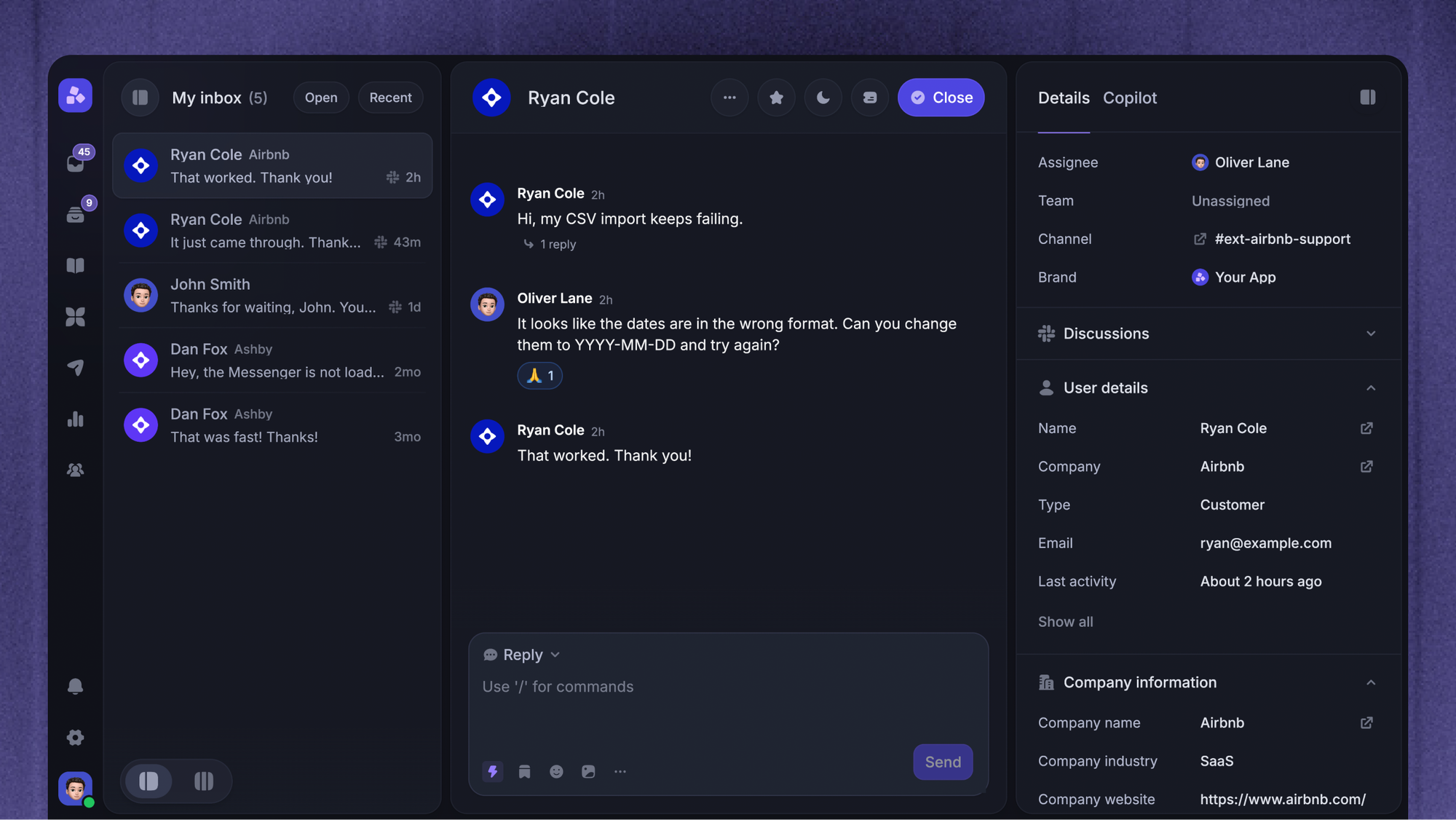
Featurebase is a modern AI customer support platform for product-led SaaS. It combines AI-powered ticketing, help center, and feedback management into a single platform for startups that want all their customer-facing tools in one place. Featurebase is loved by thousands of support teams from companies like Lovable, Raycast, and n8n. 💫
Top features:
- Omnichannel inbox – Manage tickets, live chat, email, and Slack conversations from one AI-powered view
- Tickets Portal – A dedicated page where customers can submit, view, and track all their tickets in one place
- AI Copilot – Help your agents answer customers faster with AI Copilot that uses your internal knowledge
- Workflows & automations – Auto-assign tickets, route conversations, collect customer data, and more
- Service Level Agreements – Track SLAs to make sure your team responds to customers on time, every time
- Tickets in Messenger - Customers can track their tickets progress directly from your product
- Fibi AI Agent - Resolve customer issues on autopilot & run custom actions like trial extensions and refunds
- Help center with AI search – Provide instant, multilingual self-serve answers
- Automatic AI translations – Automatically translate all messages and help articles to your customers native language
- Integrations – Connects with Slack, Linear, Jira, HubSpot, and more
Pricing: Free plan available with unlimited conversations. Paid plans start at $29/seat/month with $0.49 per AI resolution. Slack Support is available on Professional and Enterprise plans.

Featurebase covers all the basic support features that legacy platforms do, but with a much more modern approach. It comes with AI automations, a mobile app, and multiple channels (email, live chat, Slack, etc.).
Conclusion
A useful Slack ticketing system creates a dependable path from intake to ownership, response, escalation, and resolution while letting requesters work from a familiar interface. Start with the lightest model that meets your current needs, but define when the team will outgrow it.
Featurebase gives SaaS support teams an AI-powered inbox for managing customer conversations from Slack, email, and live chat alongside tickets, SLAs, Workflows, and self-service resources. Its Free plan lets teams try the core support platform, while Slack Support is included on Professional and Enterprise plans, so there is no downside to exploring the workflow. 👇
✨ Automate your support with the fastest AI-enhanced Inbox today →

FAQs
How does Slack ticketing work across multiple time zones?
Assign regional ownership and calculate service targets against each team's office hours. Follow-the-sun routing can pass unresolved tickets to the next available region while preserving the same history and requester thread.
What happens to historical tickets when a team moves support into Slack?
Historical tickets should remain in the current system of record unless the new platform supports a controlled migration. Import essential fields, attachments, requester identities, statuses, and audit history, then validate a sample before switching the live workflow.
What training does a team need before using Slack ticketing?
Agents need to understand intake rules, ownership, priority, statuses, private notes, and escalation. Requesters usually need a short explanation of where to ask for help, what information to include, and how ticket updates appear in Slack.
Is there a free Slack ticketing system?
Teams can build a basic workflow with Slack channels, forms, and simple automation, and some integrations offer free tiers. Free options often limit routing, reporting, SLA management, history, or agent seats, so compare the full workflow rather than the entry price alone.
How do you calculate the ROI of Slack-based ticketing?
Compare the time spent on triage, data entry, follow-ups, and status checks before and after implementation. Add the value of fewer missed requests, faster resolution, lower tool costs, and improved SLA attainment, then subtract software, implementation, and training costs.
Can Slack ticketing integrate with existing CRM and business tools?
Most dedicated platforms connect through native integrations, APIs, or automation middleware. Confirm which system owns customer data, ticket status, and reporting, and test whether updates sync in both directions without creating duplicate records.