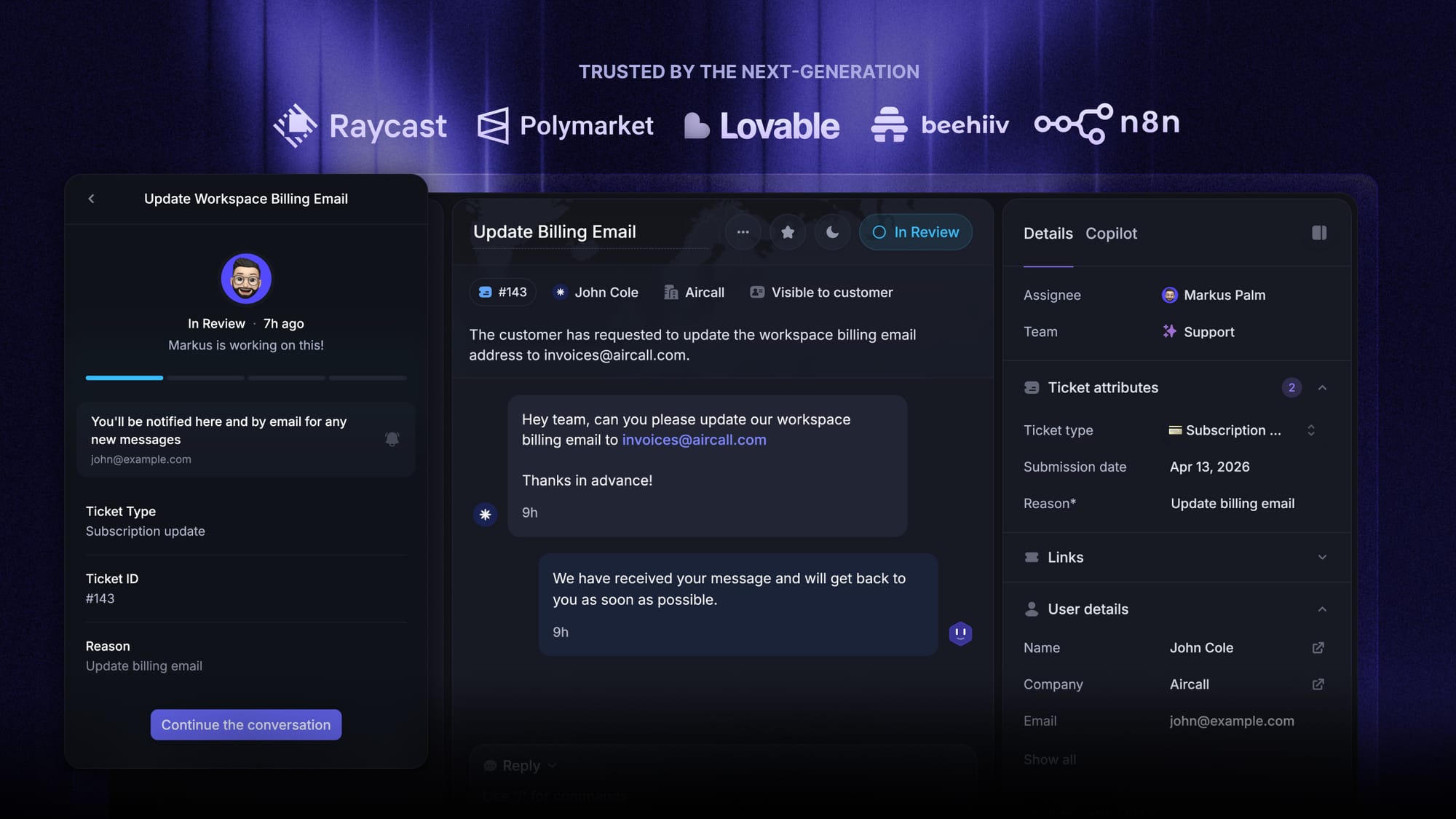
Blog Customer ServiceInternal Ticketing System: What It Is, Why Teams Need One, and the Best Tools to Consider
Internal Ticketing System: What It Is, Why Teams Need One, and the Best Tools to Consider
Looking for the best internal ticketing system? This guide explains how internal ticketing works, why it matters, and which tools are best for managing internal requests across IT, HR, finance, operations, and more.



✨ Get the modern Ticketing Inbox designed for efficiency →
The funny thing about internal support is that it gets messy real quick.
Requests come in through Slack, email, forms, and random side conversations. Some get answered right away. Others get forgotten. Ownership gets blurry, response times slip, and support teams waste time chasing updates.
That’s where an internal ticketing system helps. It gives teams one place to manage internal requests, assign work, and track progress without the usual chaos.👇
Key takeaways:
- An internal ticketing system helps teams manage internal requests in one place instead of losing them across Slack, email, and forms.
- It improves visibility, ownership, and response times for support teams and other internal teams.
- The best tools include automated ticket routing, a knowledge base, reporting, and workflow automation.
- Internal ticketing software is useful for IT, HR, finance, operations, and facilities teams.
- For product-led SaaS teams, a tool like Featurebase✨ can combine ticketing, self-service, and feedback workflows in one modern platform.
What is an internal ticketing system?
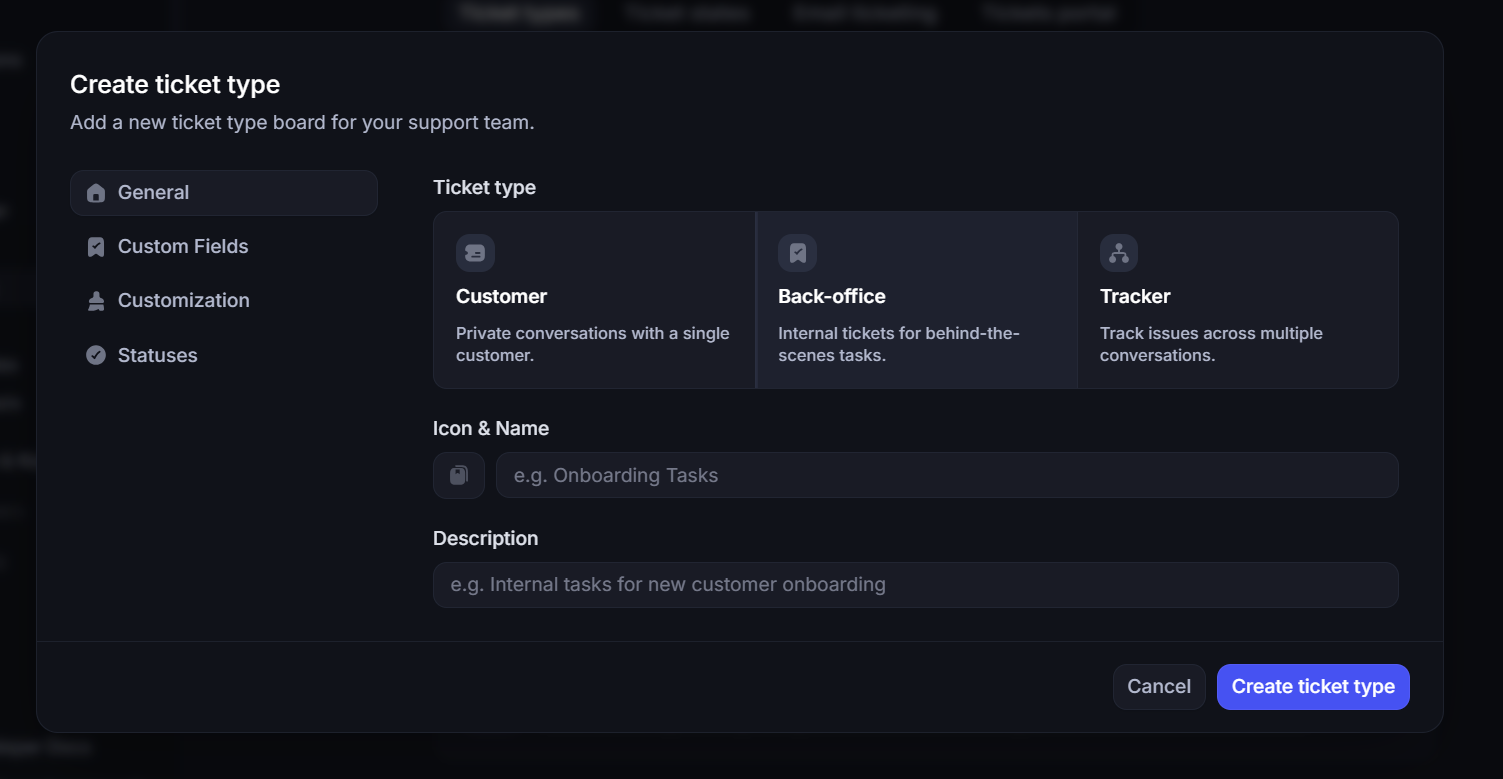
An internal ticketing system is software that helps teams manage internal customer service requests in one place.
It turns scattered requests into trackable tickets with clear ownership, priority, and status. While IT teams are the most common users, HR, finance, ops, legal, and facilities teams can use it too.
How an internal ticketing system works
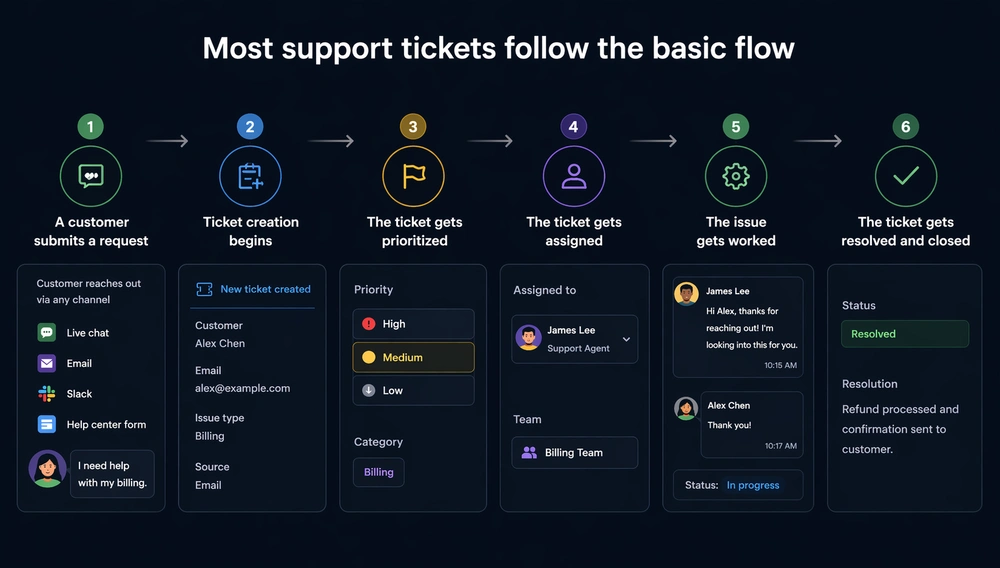
Most internal ticketing systems operate similarly, even if the workflows differ from one company to another.
1. Someone submits a request
An employee sends a request through email, chat, a portal, or ticket forms.
This could be an IT issue, an HR question, a finance request, or something else that needs internal help. The important part is that requests enter a system instead of staying trapped inside conversations.
2. The system creates a ticket
The tool turns that request into a ticket.
It stores the request details, owner, timestamps, attachments, and current ticket status in one place. That is the moment a message becomes a trackable work item.
This is also where a good ticketing system starts to feel different from a shared inbox. Instead of reacting to scattered messages, teams can actually manage internal requests.
3. The ticket gets categorized and routed
Next comes ticket categorization.
The system uses tags, smart rules, or predefined rules to understand the request and send it to the right queue or team. This is where automated routing and automated ticket routing make a huge difference.
Without routing, someone has to read every request, decide who should own it, and keep redirecting work when it lands in the wrong place. That is fine for a few tickets a day. It does not work once incoming tickets start piling up.
A good internal ticketing system gets work to the right person faster and keeps the support process from becoming a bottleneck.
4. Teams work on the request
Once assigned, team members can investigate the issue, ask follow-up questions, add internal notes, and collaborate with others when needed.
Some support tickets are simple. Others involve approvals, handoffs, or more complex ticketing workflows. This is where automated workflows help. They reduce repetitive tasks, keep the ticket flow moving, and stop requests from stalling between teams.
5. The requester gets updates
A good internal support setup keeps employees informed.
That sounds basic, but it matters a lot. A big part of the frustration with internal support is not just slow resolution. It is silent. People do not know if anyone saw their request, who owns it, or whether it is blocked.
Clear ownership and visible ticket status fix a lot of that.
6. Managers review performance
Once requests are resolved, managers can look at the backlog, trends, and response times.
That is where internal ticketing becomes more than an inbox replacement. Reporting helps teams spot weak points in the support process, improve resource allocation, and avoid reacting to whoever is shouting the loudest.
Internal ticketing system vs help desk vs service desk
These terms are often used interchangeably, but they are not exactly the same.
| Term | What it means |
|---|---|
| Internal ticketing system | Software used to manage internal requests and support tickets inside a company. |
| Help desk | Usually focused on answering support requests and resolving issues quickly. It can be internal, external, or both. |
| Service desk | Has a broader scope. It often includes approvals, formal service requests, and more structured internal processes tied to IT or operations. |
And a ticketing system is the workflow engine underneath all of these. It captures requests, organizes work, assigns owners, and tracks progress.
In practice, the lines blur. Some teams need a lightweight internal help setup. Others need something closer to a full-service desk. And some larger teams may prefer more structured or even traditional ITSM tools.
What matters most is not the label. It is whether the tool helps your team manage internal requests clearly.
✨ Get the modern Ticketing Inbox designed for efficiency →
Top features to look for in internal ticketing systems

Internal ticketing is a broad category. Some tools are simple. Others are much closer to full-service desk software. Based on what most support teams actually need, these are the features that matter most.
1. Centralized request intake
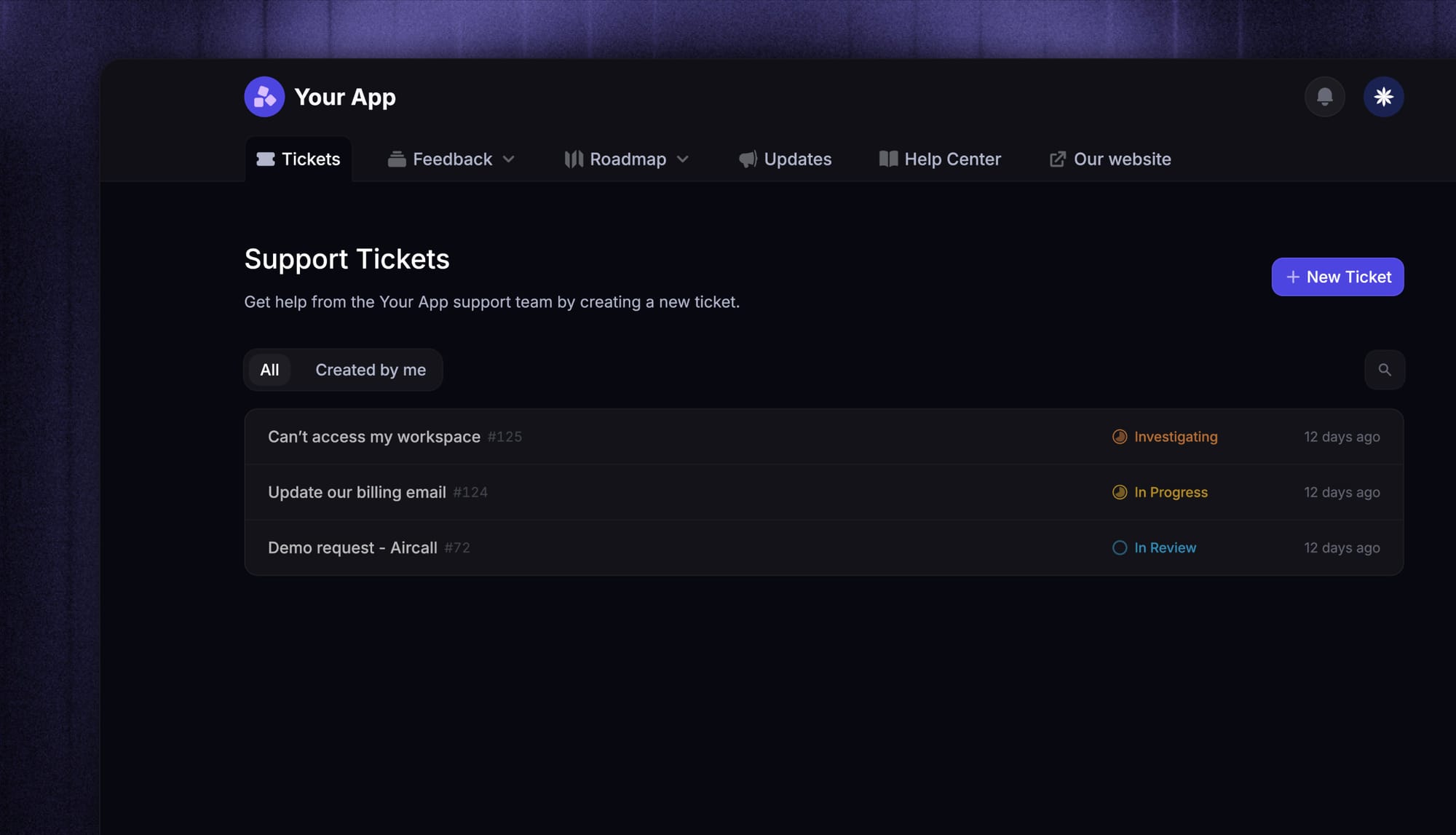
The first job of any internal ticketing system is to give people one place to submit support requests.
That could be email, a portal, chat, forms, or a mix of channels. The exact channel matters less than having a single system behind it. If requests keep living across too many tools, internal support gets messy fast.
2. Automated ticket routing
Automated ticket routing is one of the first things that makes internal support feel manageable again.
Without it, someone has to manually triage every request. A good system uses tags, smart rules, and queue logic to route work automatically. That improves response times and stops the wrong team from becoming the default destination for everything.
3. Ticket categorization and prioritization
Not every request matters equally.
A good ticketing system should support ticket categorization, priority levels, escalation rules, and status tracking. That helps support teams focus on urgent issues first and makes it easier to escalate tickets when something becomes critical.
4. Knowledge base and self-service
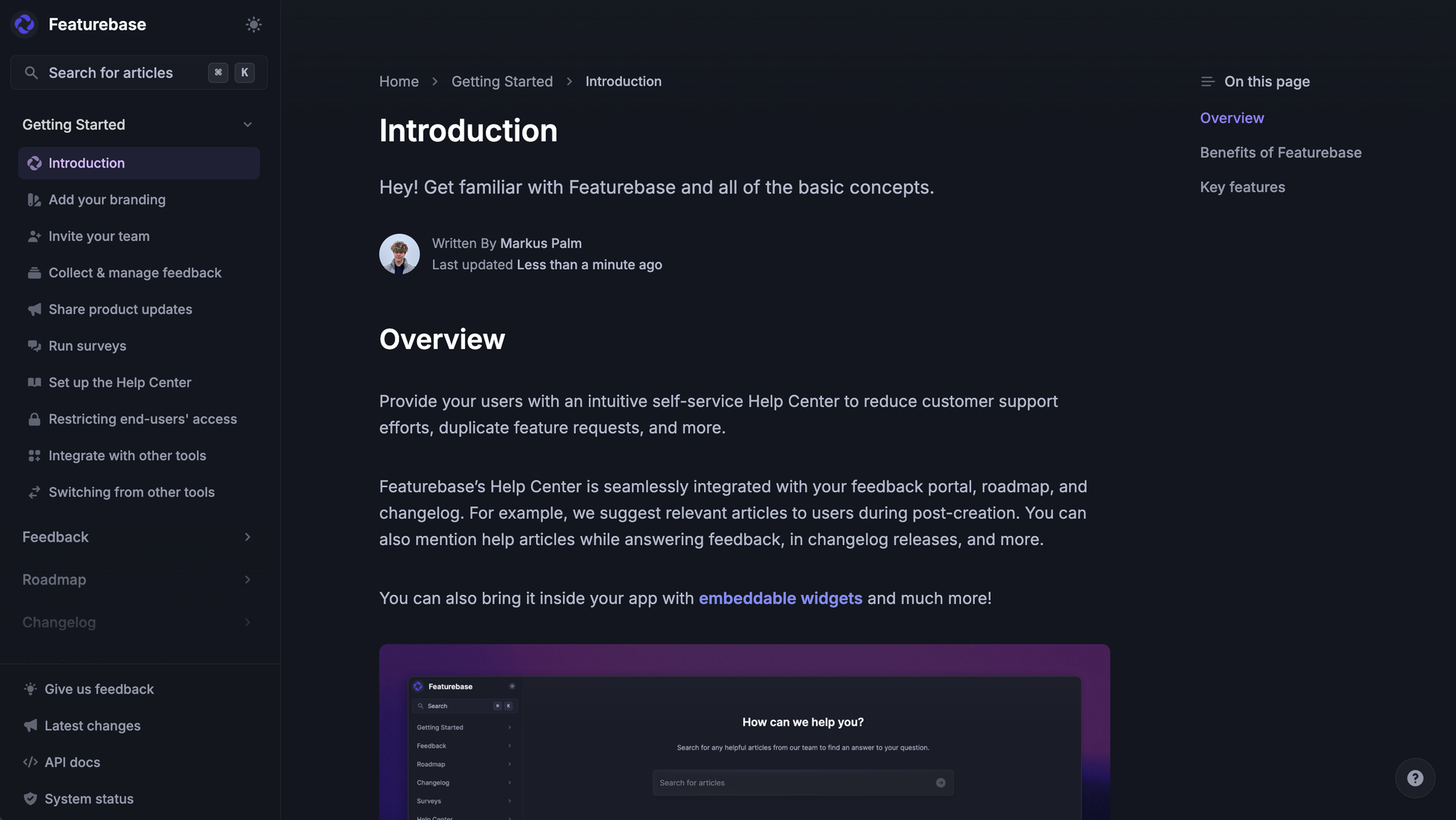
A strong knowledge base can remove a lot of low-value work from your queue.
Simple requests like password resets, onboarding steps, policy questions, and software setup do not always need a human reply. A good knowledge base feature or internal knowledge base helps employees solve common problems on their own and frees support teams to handle more important work.
5. Workflow automation
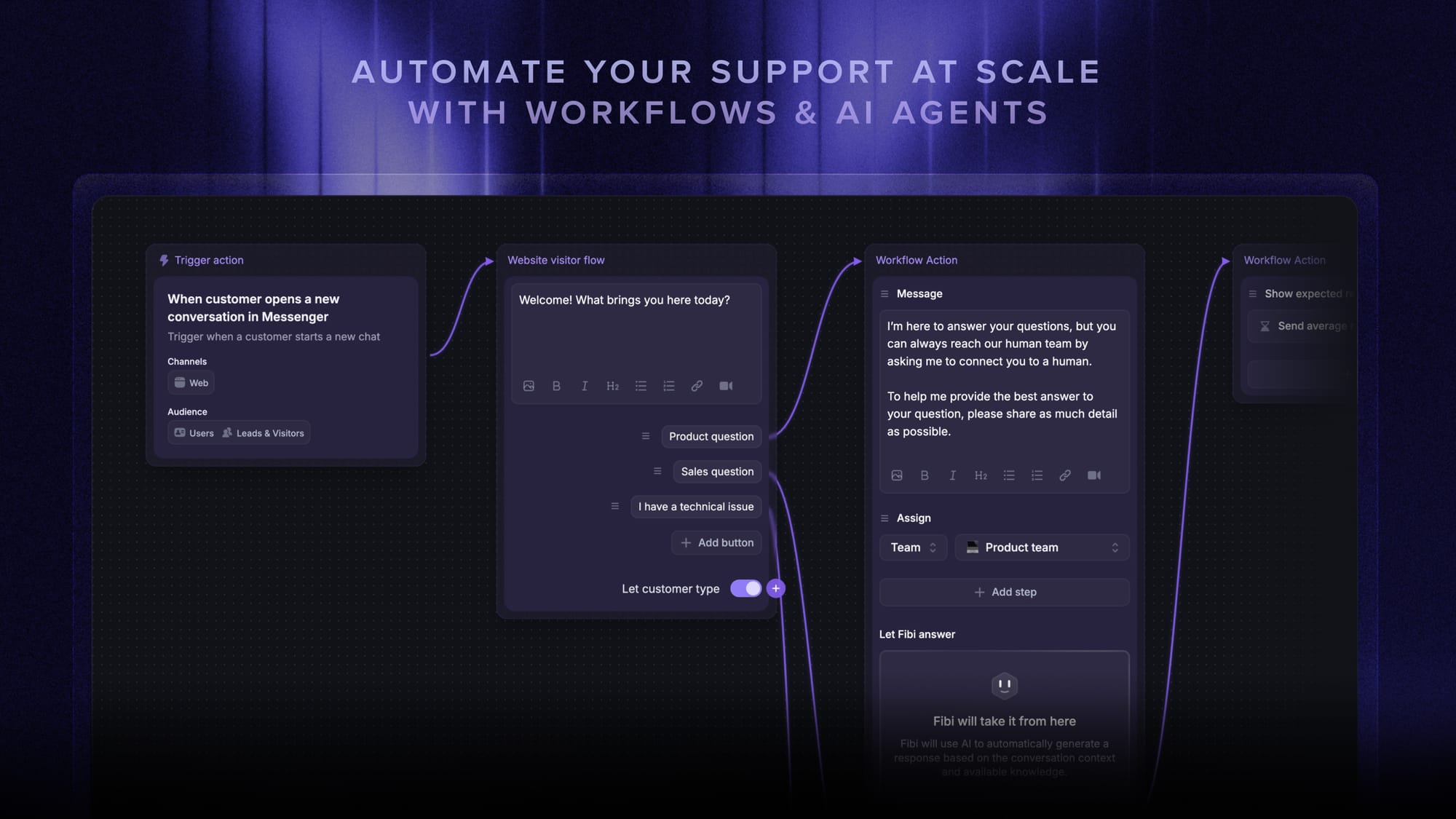
As request volume grows, workflow automation becomes more valuable.
This can include approvals, reminders, follow-ups, handoffs, status changes, and routing logic. The goal is not to automate everything. It is to remove manual work that slows down the support process.
6. Reporting and SLA management
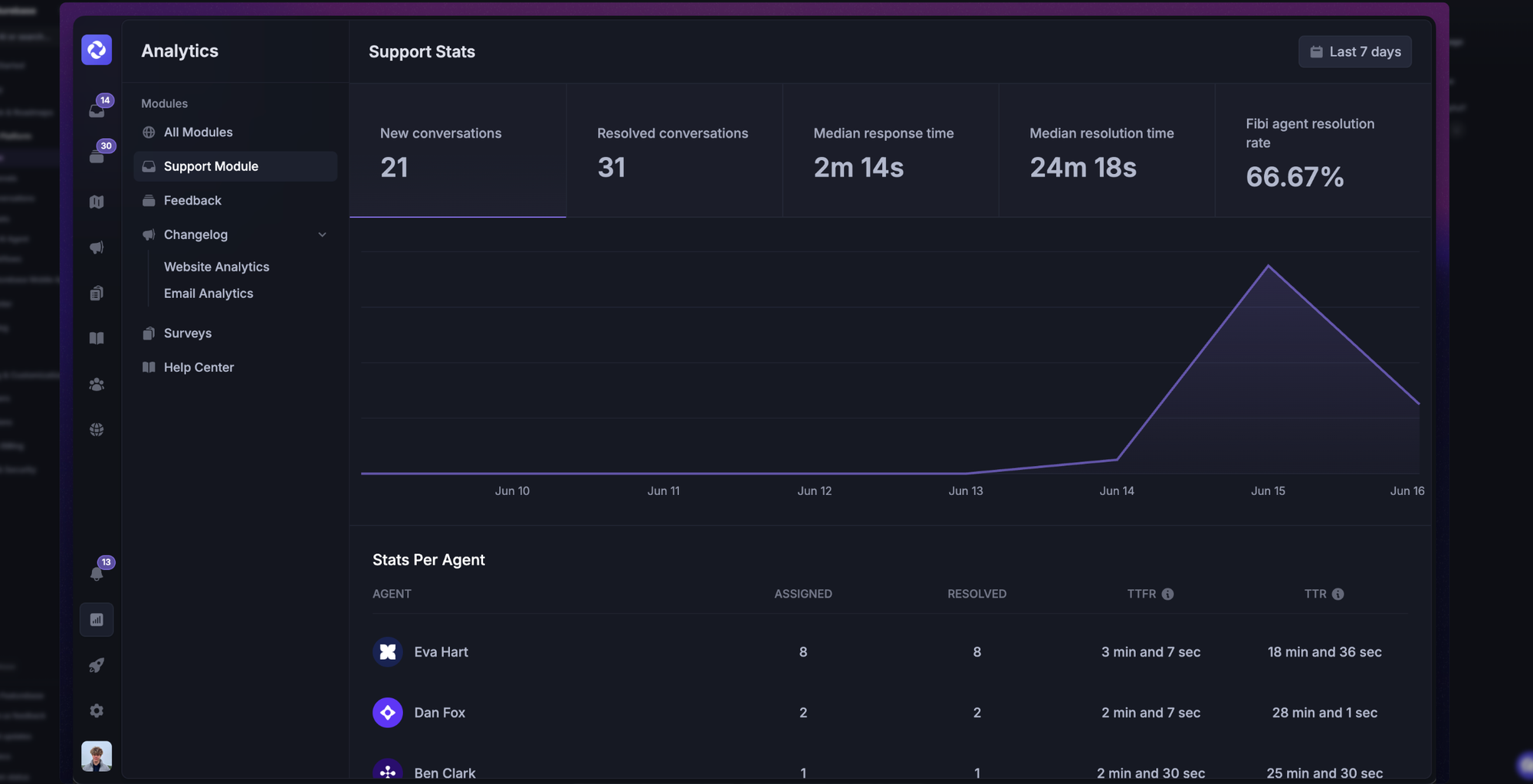
Good reporting helps teams see what is happening and why.
Look for advanced reporting that shows backlog, resolution times, recurring issues, and team performance. SLA management is also useful if you need clearer expectations around response times and resolution.
7. Team collaboration tools
A lot of internal support is cross-functional.
That means teams need team collaboration, internal collaboration, comments, internal notes, and the ability to hand off work cleanly. The right collaboration tools make it easier for multiple teams to work together without losing context.
8. User-friendly interface and mobile access
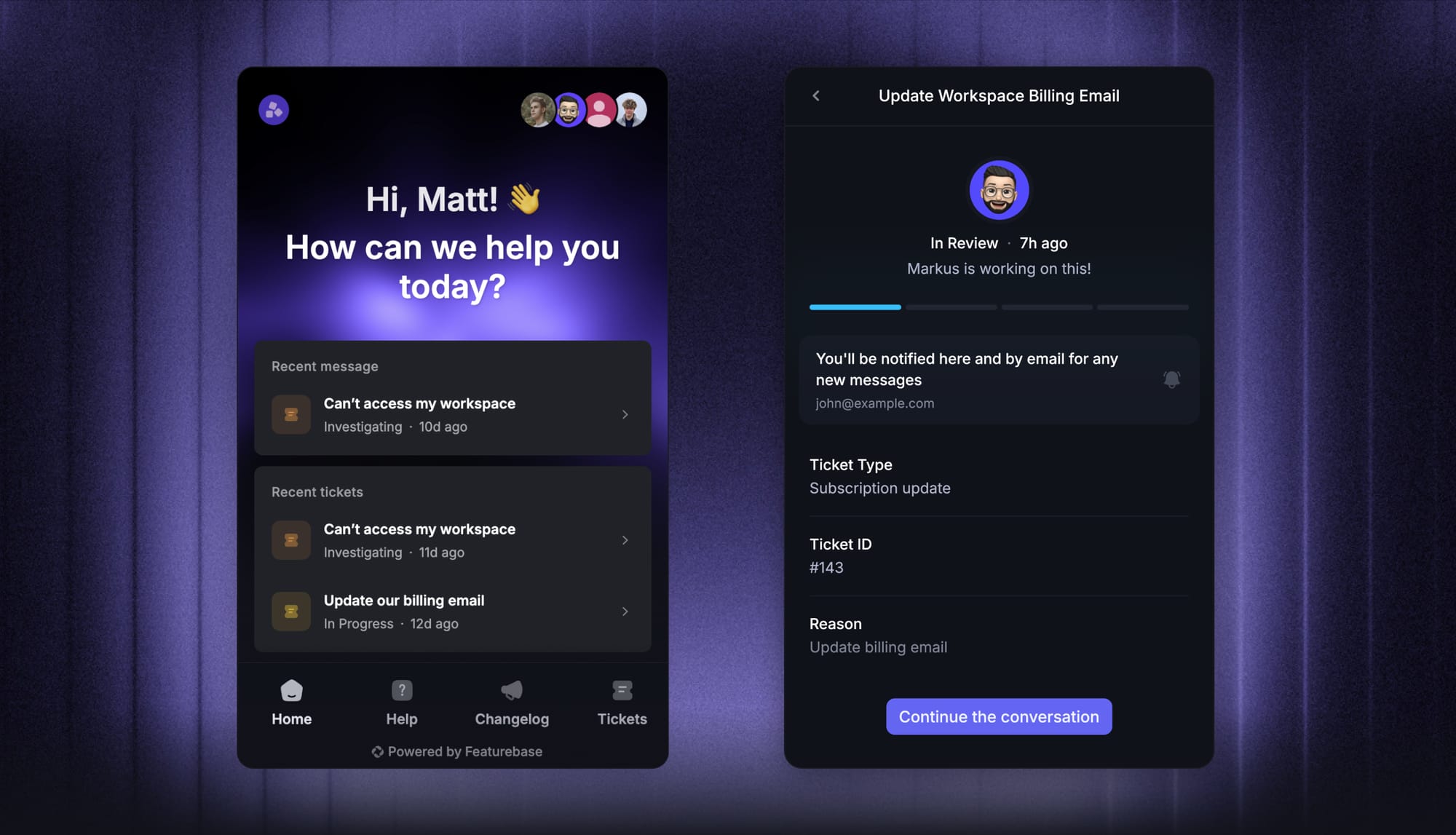
A user-friendly interface sounds like a nice-to-have, but it matters more than people think.
If submitting a ticket feels awkward, employees will go back to Slack messages and side conversations. Mobile access also helps managers and distributed teams stay on top of requests without being tied to a desk.
Common use cases for internal ticketing
Most people hear “internal ticketing” and think of IT first. That makes sense. But it is far from the only use case.
IT support
This is still the most common use case.
IT teams use internal ticketing to manage access requests, device issues, troubleshooting, setup tasks, and permission changes.
Onboarding and offboarding
Onboarding usually touches several internal teams at once. IT needs to provision accounts. Ops may need to coordinate hardware. HR may need forms or policy steps completed.
A structured ticketing workflow helps make sure nothing gets missed.
HR support
HR teams often run a dedicated HR help desk ticketing system for policy questions, benefits, payroll, and onboarding requests.
Finance and procurement
Finance teams often handle service requests for invoices, reimbursements, purchase approvals, and vendor setup. These requests usually need clear ownership and consistent tracking.
Facilities and operations
Facilities teams can use internal ticketing to manage office issues, equipment requests, maintenance tasks, and access problems. Operations teams can use it to standardize internal processes that would otherwise stay informal and hard to track.
Cross-functional internal support
Some requests do not belong to one team.
That is where internal ticketing becomes especially useful. When work moves across support, ops, finance, HR, or product, a good system makes team collaboration easier and reduces messy handoffs.
Customer-facing teams with internal dependencies
This matters a lot for SaaS.
Sometimes, customer success or support teams need product, engineering, or finance to solve a customer issue. In that case, internal ticketing helps bridge customer-facing support and internal work without losing context.

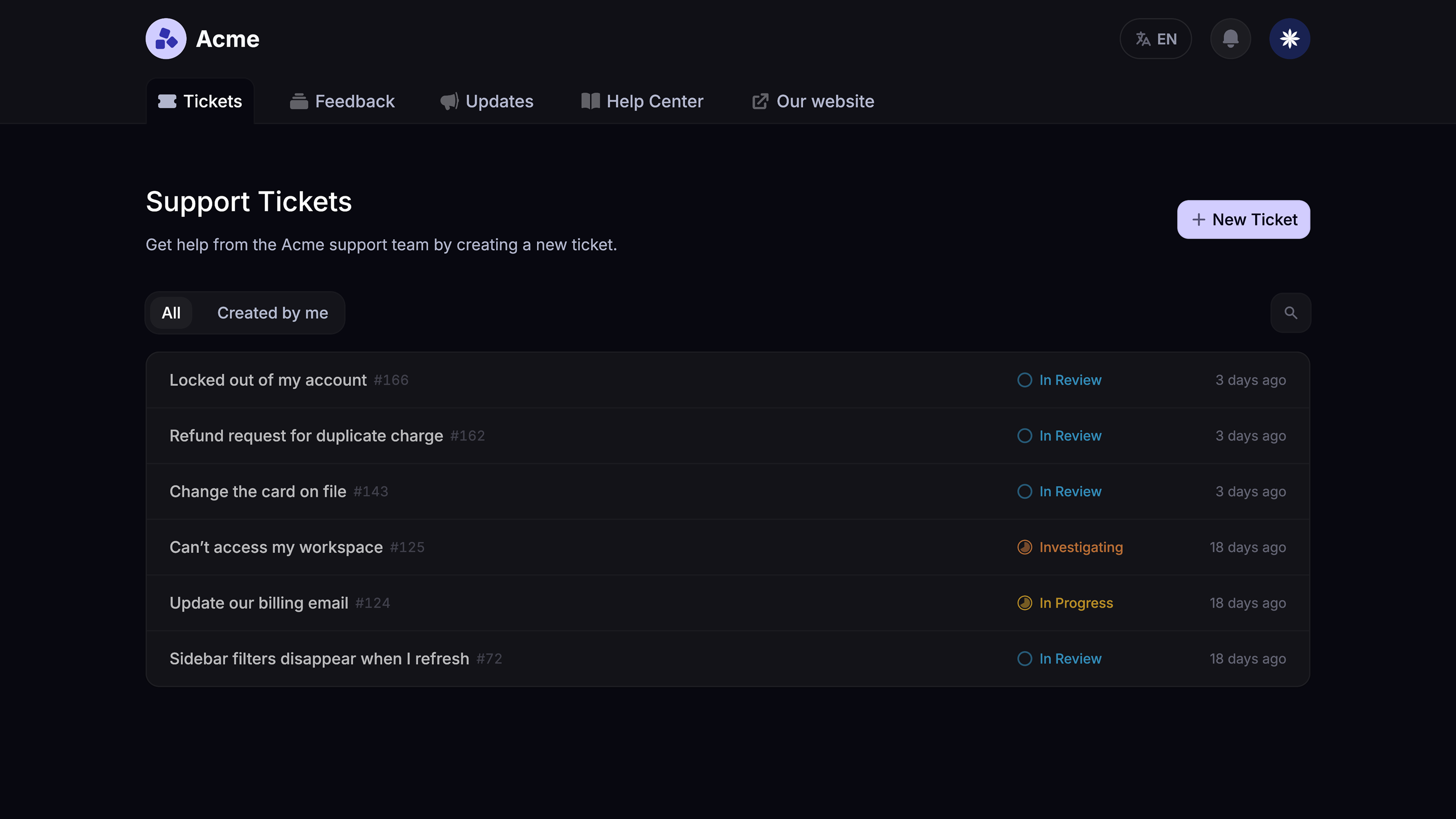
Modern Ticketing Inbox, Designed for Efficiency
Support your customers from anywhere with an AI-powered omnichannel inbox
Signs your team needs an internal ticketing system
You probably need an internal ticketing system if:
- internal requests keep getting lost in chat or email
- support teams have no clear ownership
- people keep switching tools to track work
- pending requests pile up without visibility
- response times are inconsistent
- simple tasks need too much manual follow-up
- critical issues are hard to escalate
- managers cannot see workload or trends clearly
Once those problems show up, internal ticketing stops being a nice-to-have and starts becoming basic infrastructure.
Best internal ticketing systems to consider
There is no single best internal ticketing system for every team.
Some companies need lightweight request management. Others need stronger process control, deeper reporting, or more structured service desk workflows. Based on what different teams usually need, these are some of the best options to consider.
1. Featurebase ✨
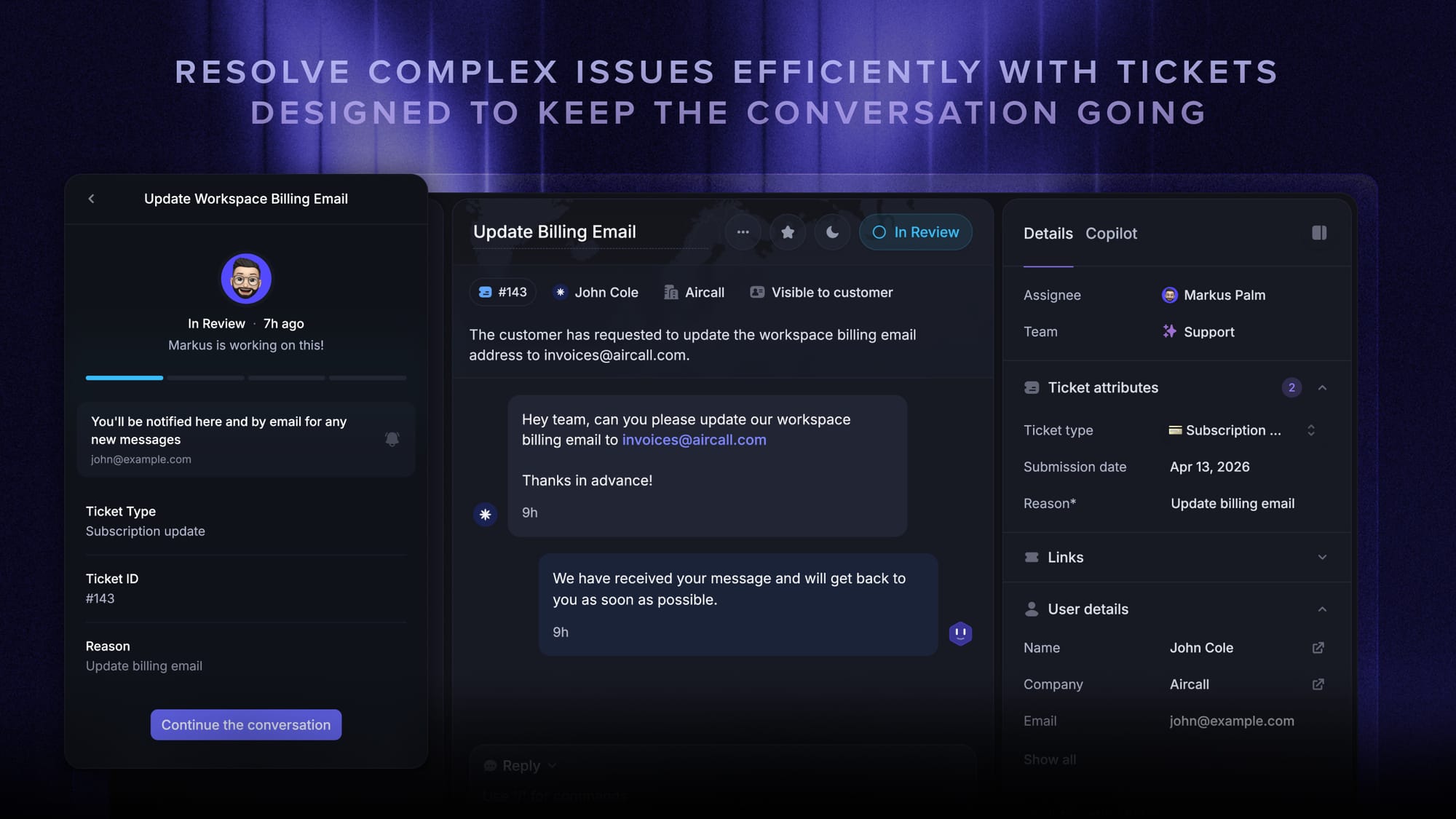
Featurebase is a modern AI customer support platform for product-led SaaS. It combines AI-powered ticketing, help center, and feedback management in one place for teams that want all their customer-facing tools in a single platform.
It made this list because many SaaS companies do not draw a hard line between internal support, external support, and customer success. A customer issue often needs input from product, engineering, finance, or ops. Instead of spreading those workflows across different tools, Featurebase keeps them connected.
Top features:
- Omnichannel inbox – Manage tickets, live chat, email, and Slack conversations from one AI-powered view
- Tickets Portal – A dedicated page where customers can submit, view, and track tickets
- AI Copilot – Help agents answer faster using your internal knowledge base
- Workflows & automations – Auto-assign tickets, route conversations, collect customer data, and more
- Service Level Agreements – Track SLAs and improve response times
- Tickets in Messenger – Let users track ticket progress inside your product
- Fibi AI Agent – Resolve issues on autopilot and run custom actions
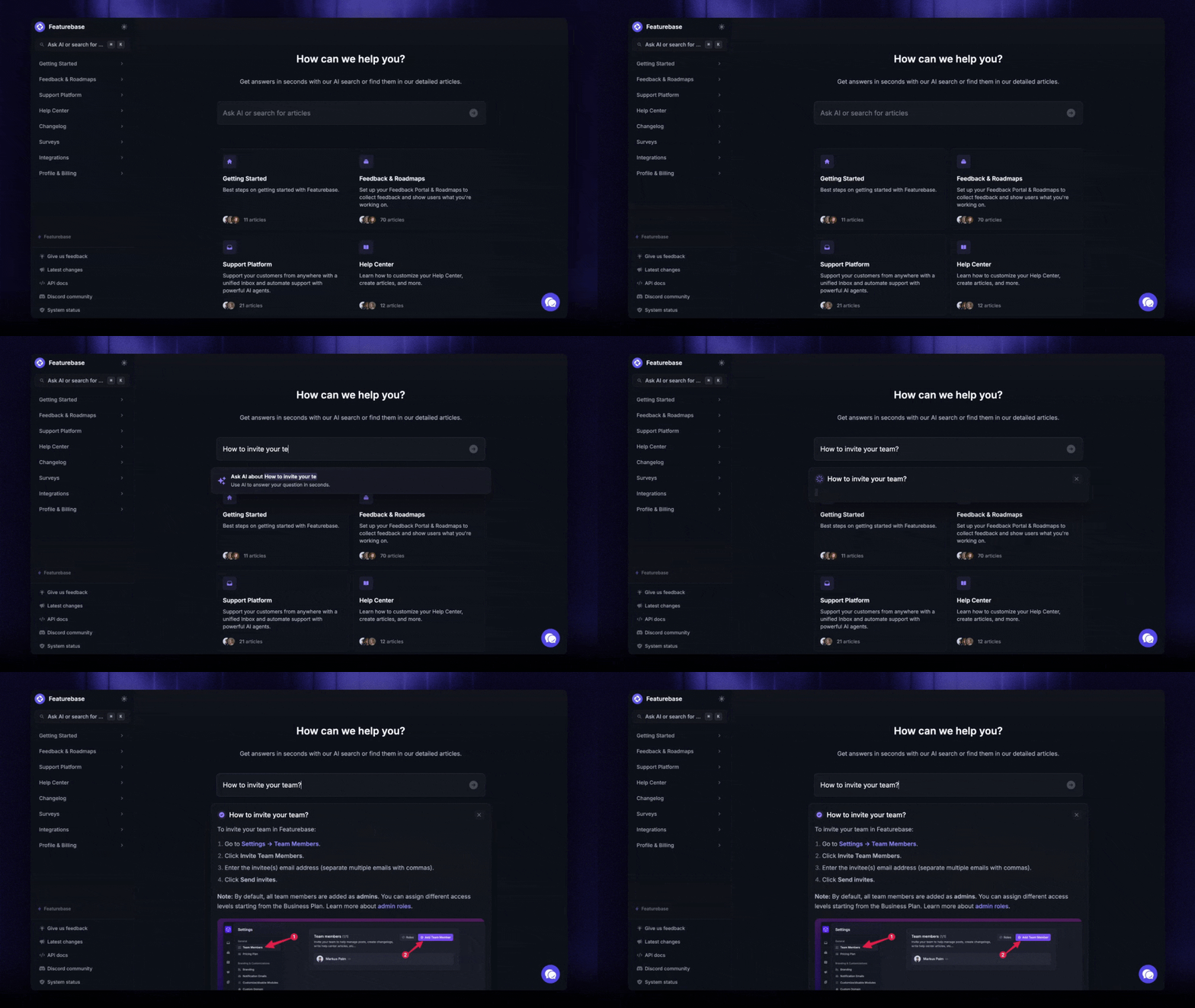
- Help center with AI search – Provide instant self-service answers
- Automatic AI translations – Translate messages and help articles automatically
- Integrations – Connect with Slack, Linear, Jira, HubSpot, and more
Common use cases:
- support teams coordinating with product or engineering on complex tickets
- customer success teams escalating issues internally
- SaaS companies that want one system for ticketing, self-service, and feedback
- startups replacing several separate support tools with one modern platform
Best for: Product-led SaaS teams that want ticketing software, a help center, and feedback tools in one place.
Pricing: Featurebase has a free plan for 1 seat, and paid plans start at $29/seat/month billed yearly, with $0.29 per AI resolution on paid plans.
Featurebase is one of the stronger options here if your support work cuts across several teams and you want something more modern than legacy help desk platforms.
✨ Get the modern Ticketing Inbox designed for efficiency →
2. Jira Service Management
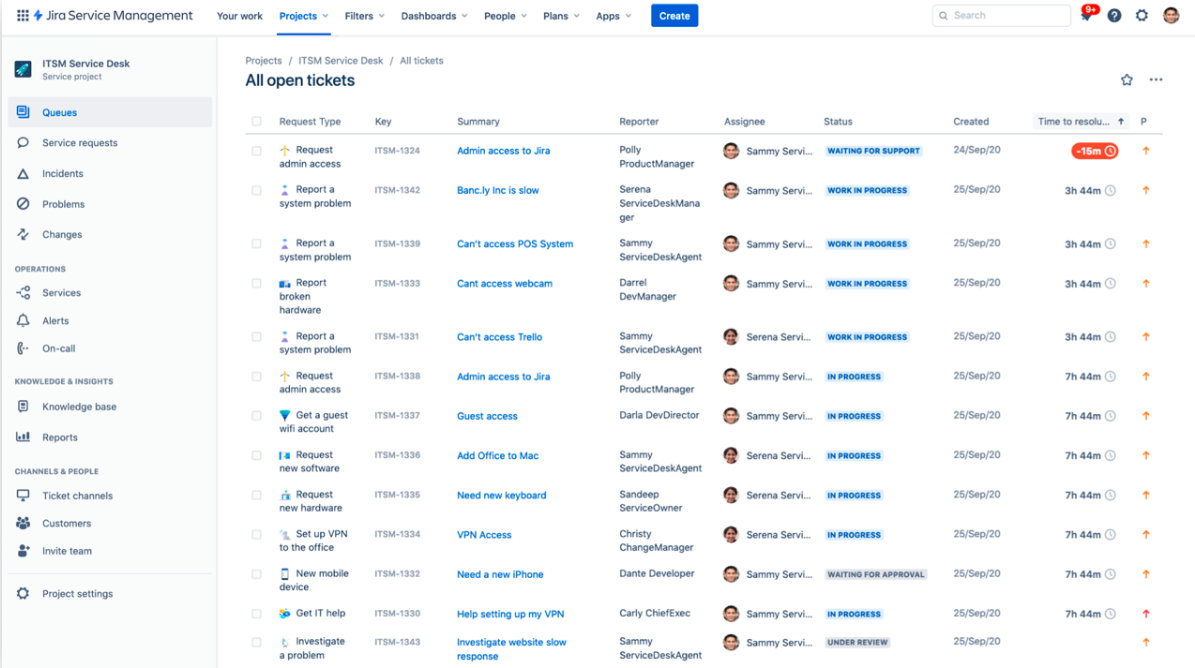
Jira Service Management is one of the strongest choices for teams that need a more structured internal IT ticketing system.
It is built for companies that want more control over approvals, escalations, incidents, and internal service requests. That makes it especially useful when internal support is tightly connected to IT, onboarding, security, or compliance-heavy workflows.
Top features:
- request management
- automated routing
- approvals and workflows
- knowledge base integration
- SLA management
- incident management
- queues and categorization
- automation rules
- reporting dashboards
- Atlassian integrations
Common use cases:
- internal IT support
- access and permission requests
- onboarding and offboarding
- hardware provisioning
- security or compliance approvals
Best for: IT teams and companies that need stronger structure and deeper process control.
Pricing: Jira Service Management has a free plan for up to 3 agents, while paid plans start at $20/agent/month billed annually for Standard and $51.42/agent/month billed annually for Premium.
Jira Service Management belongs on this list because it handles internal support like an operational system, not just a ticket queue. That is a big advantage for complex workflows, though it can feel heavier than necessary for teams that mainly want speed and simplicity.
3. Zendesk
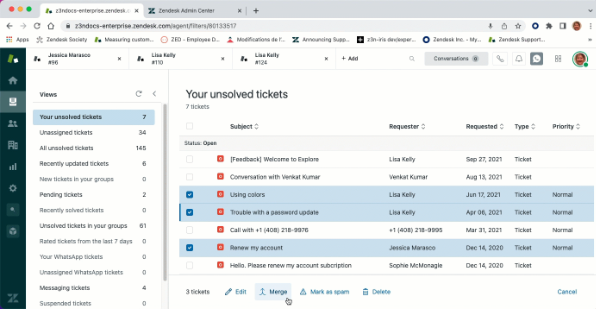
Zendesk is a mature help desk platform with strong workflow controls, automation, and reporting.
It is best known for customer support, but it also works well for internal support teams that need more scale, stronger admin controls, and a more established platform.
Top features:
- omnichannel support
- automated ticket routing
- help center tools
- macros and automations
- SLA management
- reporting and analytics
- internal notes
- custom views and triggers
- permissions and admin controls
- broad integrations
Common use cases:
- larger internal support teams
- shared service teams with higher ticket volume
- companies handling both employee and customer support
- teams that need stronger controls and reporting
Best for: Larger support teams that need depth, control, and advanced reporting.
Pricing: Zendesk starts at $19/agent/month billed annually for Support Team, with Suite plans starting at $55/agent/month billed annually.
Zendesk makes the list because it is a reliable option for teams that want a proven support platform. But if your main goal is simplicity, it may feel like more tool than you need.
4. Freshdesk
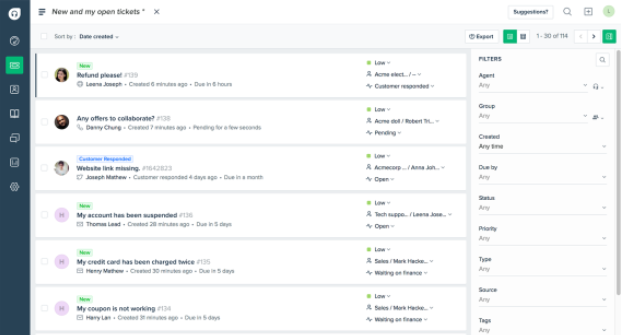
Freshdesk is a flexible help desk platform that sits in the middle of the market nicely.
It is a good fit for teams that have outgrown shared inboxes and want stronger ticket management, automation, and support across multiple channels without moving straight into a heavier service desk.
Top features:
- ticketing system
- automated ticket routing
- knowledge base
- omnichannel support
- SLA management
- collision detection
- workflow automation
- reporting dashboards
- team collaboration
- integrations
Common use cases:
- growing internal support teams
- companies moving off email-based support
- HR, finance, or ops teams that need more structure
- mid-size teams that want flexibility without formal ITSM controls
Best for: Growing teams that want flexibility and a broad feature set.
Pricing: Freshdesk has a free plan for 1–2 agents for 6 months, and paid plans start at $19/agent/month billed annually for Growth.
Freshdesk earns its place because it solves the messy middle well. It gives teams more structure without feeling as rigid as enterprise service desk tools.
5. Zoho Desk
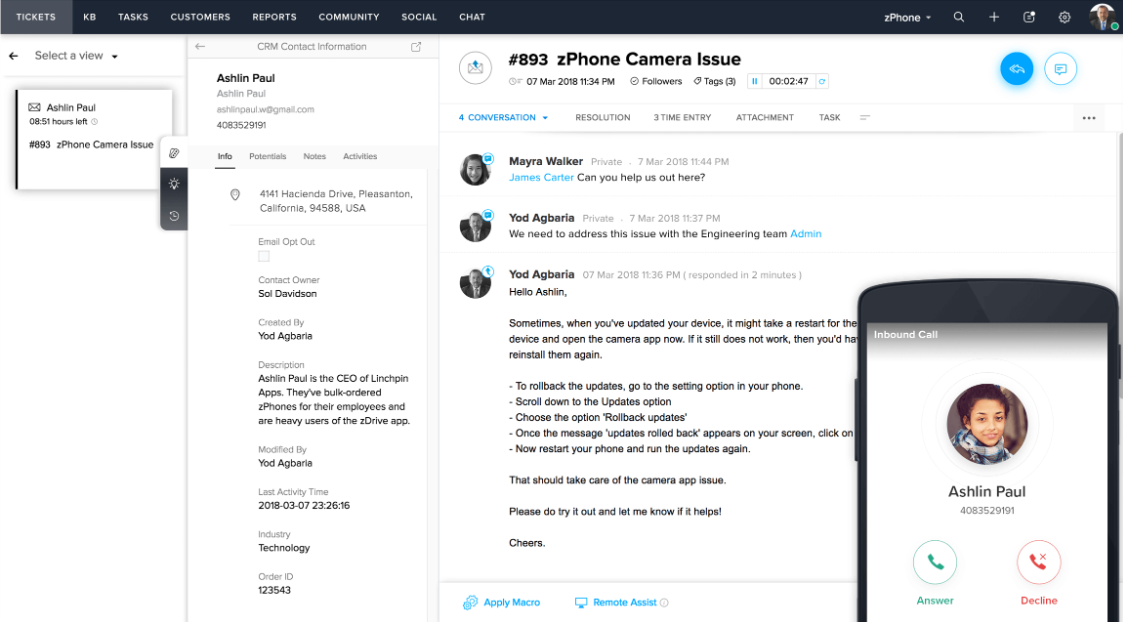
Zoho Desk is a practical option for teams that want solid ticketing basics, automation, and affordable pricing.
It is especially attractive for small businesses and budget-conscious teams that want a real help desk without paying premium prices.
Top features:
- multi-channel ticketing
- ticket status tracking
- automation rules
- knowledge base feature
- custom views and departments
- SLA management
- reporting dashboards
- internal collaboration
- Zoho integrations
- affordable pricing
Common use cases:
- smaller internal help desks
- HR, admin, or ops request handling
- budget-conscious support teams
- companies already using other Zoho tools
Best for: Small businesses and budget-conscious teams.
Pricing: Zoho Desk has a free plan for up to 3 users, and paid plans start at $7/user/month billed annually for Express, with Standard at $14, Professional at $23, and Enterprise at $40/user/month billed annually.
Zoho Desk makes the list because it covers the core internal ticketing needs well for the price. It may not feel as modern as some competitors, but value matters — especially if you are trying to avoid a tool with heavy ongoing maintenance or enterprise pricing.
6. Microsoft Teams-based ticketing tools
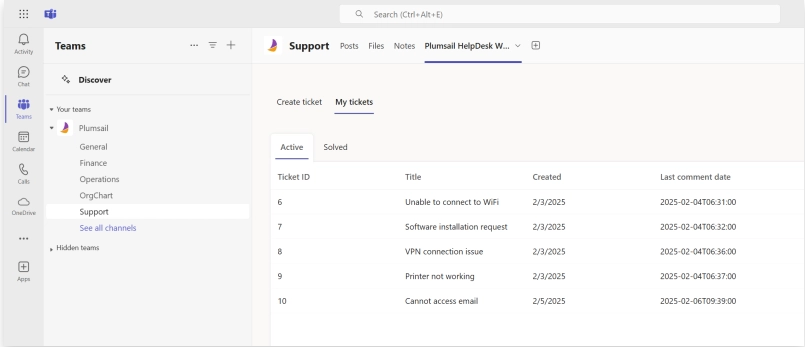
A Microsoft Teams-based ticketing tool can be a strong option if your company already runs a lot of its internal communication inside Teams.
It made this list because adoption is one of the hardest parts of internal support. A tool can have great features, but if nobody wants to leave their usual workflow to use it, requests will keep drifting back into chat. Teams-based ticketing tools solve that by keeping internal support close to where employees already work.
Top features:
- native Microsoft Teams workflows
- shared request handling
- ticket updates in Teams
- automated routing
- internal collaboration
- status visibility
- forms and intake options
- notifications and follow-ups
- lightweight support workflows
- Microsoft ecosystem fit
Common use cases:
- IT help inside Microsoft-centric companies
- HR and admin support requests through Teams
- facilities and office operations workflows
- teams that want lightweight structured ticketing close to daily communication
Best for: Organizations that want internal support close to their existing collaboration tools.
Pricing: Teams-based ticketing pricing varies by the app, but Microsoft Teams itself starts at $4/user/month paid yearly for Teams Essentials, with broader Microsoft 365 plans starting at $6/user/month and $12.50/user/month paid yearly. The ticketing app itself will usually cost extra.
These tools make the list because sometimes the hardest part of internal support is not features. It is adoption. If employees already work in Teams all day, a tool built around that environment can be a very practical choice. Teams-based tools are usually not the deepest option on the market, but they can be a great fit for companies that want internal support to feel easy to use from day one.
If your whole stack is Microsoft, it's worth weighing all the native options first; our guide to Microsoft help desk software breaks down Dynamics 365, SharePoint, Teams, and AppSource apps.
How to choose the right tool
The best internal ticketing system depends on how your team works.
Some teams just need a better way to manage internal requests without losing them in Slack or email. Others need stronger process control, deeper reporting, or more structured service desk workflows.
Here is a simple way to decide.
- Choose Featurebase✨ if you want a modern support platform for product-led SaaS that combines ticketing, self-service, and feedback in one place.
- Choose Jira Service Management if you need more structured workflows for IT, onboarding, access requests, approvals, or other process-heavy internal support work.
- Choose Zendesk if you want a more mature help desk with advanced reporting, stronger admin controls, and room to support a larger team.
- Choose Freshdesk if you want a flexible internal ticketing system with a good balance of usability, automation, and multichannel support.
- Choose Zoho Desk if you want a more affordable option with solid ticketing workflows and enough features for a growing internal support team.
- Choose Microsoft Teams-based ticketing tools if your company already uses Microsoft Teams and you want internal support to stay close to the collaboration tools your team uses every day.
The right platform should help your team move faster, stay organized, and reduce manual work. For customer-facing teams specifically, see the best customer support ticketing software.
Modern Ticketing Inbox, Designed for Efficiency
Support your customers from anywhere with an AI-powered omnichannel inbox
Conclusion
Internal support does not fall apart because teams are careless. It falls apart because requests start living in too many places at once.
A good internal ticketing system fixes that by giving teams one place to manage internal requests, assign ownership, improve response times, and build a support process that scales.
Featurebase is a modern AI support platform for product-led SaaS. It combines AI-powered ticketing, a help center, and feedback management in one place, with an omnichannel inbox, automations, SLAs, AI Copilot, ticket portals, and self-service tools. Featurebase is loved by thousands of support teams from companies like Lovable, Raycast, and n8n. 💫
It comes with a Free plan available with unlimited conversations. Paid plans start at $29/seat/month with $0.29 per AI resolution.👇
✨ Get the modern Ticketing Inbox designed for efficiency →