Blog Customer ServiceWhat Is a Ticketing System? Definition, Workflow, and Use Cases
What Is a Ticketing System? Definition, Workflow, and Use Cases
73% of consumers may switch after a bad brand experience. A ticketing system helps teams manage requests, improve response times, and deliver more consistent support.



✨ Get the modern Ticketing Inbox designed for efficiency →
Support gets messy fast when requests live in shared inboxes, chat threads, spreadsheets, and sticky internal processes. Messages get buried. Ownership gets blurry. Customers wait longer than they should.
A ticketing system fixes that. It gives teams one place to manage requests, track progress, and resolve issues more effectively.
In this guide, we’ll explain what a ticketing system is, how it works, and where teams use it. We’ll also look at the features that matter most if you’re choosing one.👇
Key takeaways:
- A ticketing system is software that helps teams manage service requests through a structured process.
- Support teams use ticketing software to organize customer requests, track ticket status, and improve response times.
- Modern ticketing systems often include automation rules, reporting and analytics, knowledge base integration, and self-service options.
- A good ticketing system helps teams handle ticket volume, improve service quality, and deliver a better customer experience.
- Ticketing software is useful for customer support, IT service management, and internal teams handling recurring requests.
- Tools like Featurebase✨ show how modern ticketing systems can support different ticket workflows, automate ticket creation, and give customers better visibility into progress.
What is a ticketing system?
A ticketing system is software that turns incoming requests into trackable tickets. Those requests might come from email, live chat, a web form, phone calls, or an in-app widget. Instead of living across scattered threads and inboxes, each issue gets logged in one place and moved through a clear workflow.
Each ticket becomes a working record. It usually includes the issue itself, the customer’s contact information, ticket status, the assigned owner, timestamps, and the full history of updates. Teams can also add priorities, internal notes, attachments, and service-level agreements.
That structure matters more than it sounds. Most support teams do not struggle because they are careless. They struggle because requests are spread across too many tools and too many people. A ticketing system fixes that by giving every request a record, an owner, and a path to resolution.
What is a ticket?
A ticket is the individual record inside the system. Each ticket - usually called a support ticket, which is the individual record inside the system, storing the issue, the owner, and the full history.
Then a ticketing system is the workflow; the ticket is the unit of work moving through it.
For example, a refund request, a bug report, a password reset, or an office maintenance issue can all become tickets. Once created, the ticket stores the details of the request, who owns it, what has already happened, and what still needs to happen next.
That is what makes tickets useful. They prevent issues from getting lost in inboxes, duplicated across teammates, or solved without any record of what happened.
Why businesses use ticketing systems
Most teams do not start with a formal support ticketing system. We usually start with email, chat, and whatever process feels good enough.
That works for a while. Then ticket volume grows.
Once that happens, the cracks show:
- customer requests get missed
- support tickets pile up
- multiple team members reply to the same issue
- response times become inconsistent
- nobody has a clear picture of workload or service quality
These issues are not just annoying operational problems. They affect retention too. According to the Washington Retail Association, 73% of consumers are inclined to switch brands following a negative brand experience.
A ticketing system helps prevent that by giving support teams a better way to organize customer requests, assign ownership, and keep work moving.
That helps both sides. Internally, teams get cleaner support operations and better visibility into open work. Externally, customers get faster updates, clearer communication, and a more consistent experience.
How a ticketing system works
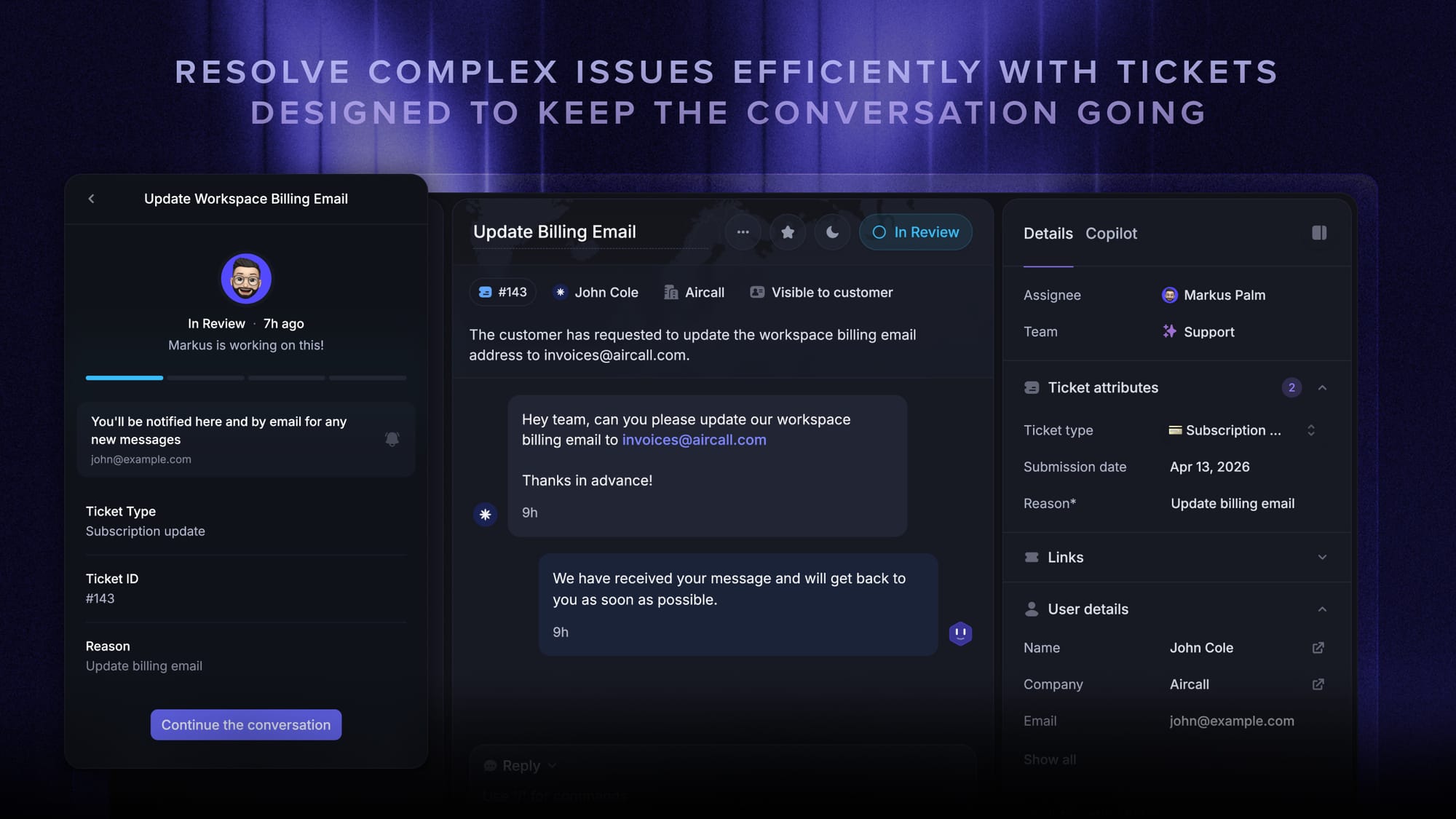
Behind most ticketing systems is a simple idea: every request should have a clear owner, a clear status, and a clear path to resolution.
The exact workflow varies by team, but most systems follow the same basic pattern.
1. A request comes in
A customer or employee submits a request through email, chat, a web form, phone calls, or another support channel. This could be a delayed refund, a login problem, a broken integration, or an access request for a new employee.
Good ticketing software pulls these incoming requests into one place, even when they come from different channels. When most of those requests arrive by email, an email ticketing system turns each incoming message into a trackable ticket automatically.
2. The system creates a ticket
Once the request is captured, the system creates a ticket. This is the point where the request becomes structured work instead of just another message.
The ticket usually includes customer details, issue type, urgency, timestamps, and any other key components the team needs to act on it. Some systems also add tags, categories, or default routing rules automatically.
3. The ticket gets routed
Next, the request gets assigned to the right queue, team, or teammate.
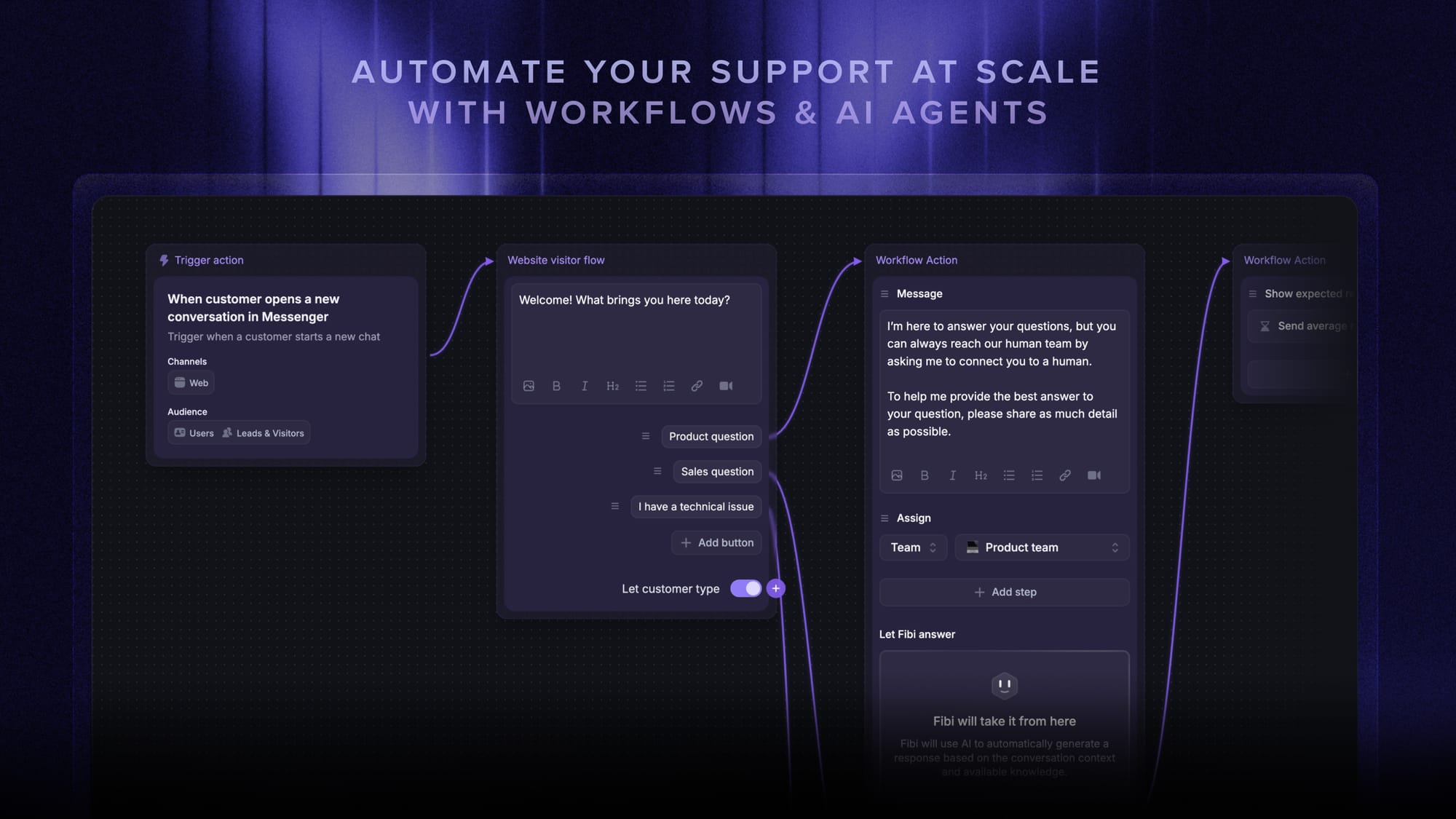
Some teams handle this manually. Others use automation rules and workflows to assign tickets based on category, priority, channel, or account type. A billing issue might go to support. An access request might go to IT. A bug report might need escalation to engineering.
4. The team works on the issue
This is where ticket management starts to matter in practice. Support agents investigate the issue, reply to the customer, collaborate with teammates, and update ticket status as the work moves forward.
Because everything stays in one record, the team can see the same ticket history, internal notes, and next steps. That makes handoffs much cleaner and reduces the risk of duplicated work.
5. The issue gets resolved
Once the request is handled, the ticket gets marked as resolved or closed.
That does not make the ticket useless. Closed tickets still help with reporting and analytics, training, audit trails, and future knowledge base articles. A well-run support team uses old tickets as a source of insight, not just a finished task list.
6. The team improves the process
Over time, ticketing systems reveal patterns. Teams can see where ticket volume spikes, where bottlenecks happen, and which issues keep showing up.
That helps them improve response times, reduce repetitive tasks, refine the resolution process, and build better self-service content. In many teams, the ticketing system becomes one of the clearest sources of truth about what support actually looks like day to day.
Core features to look for
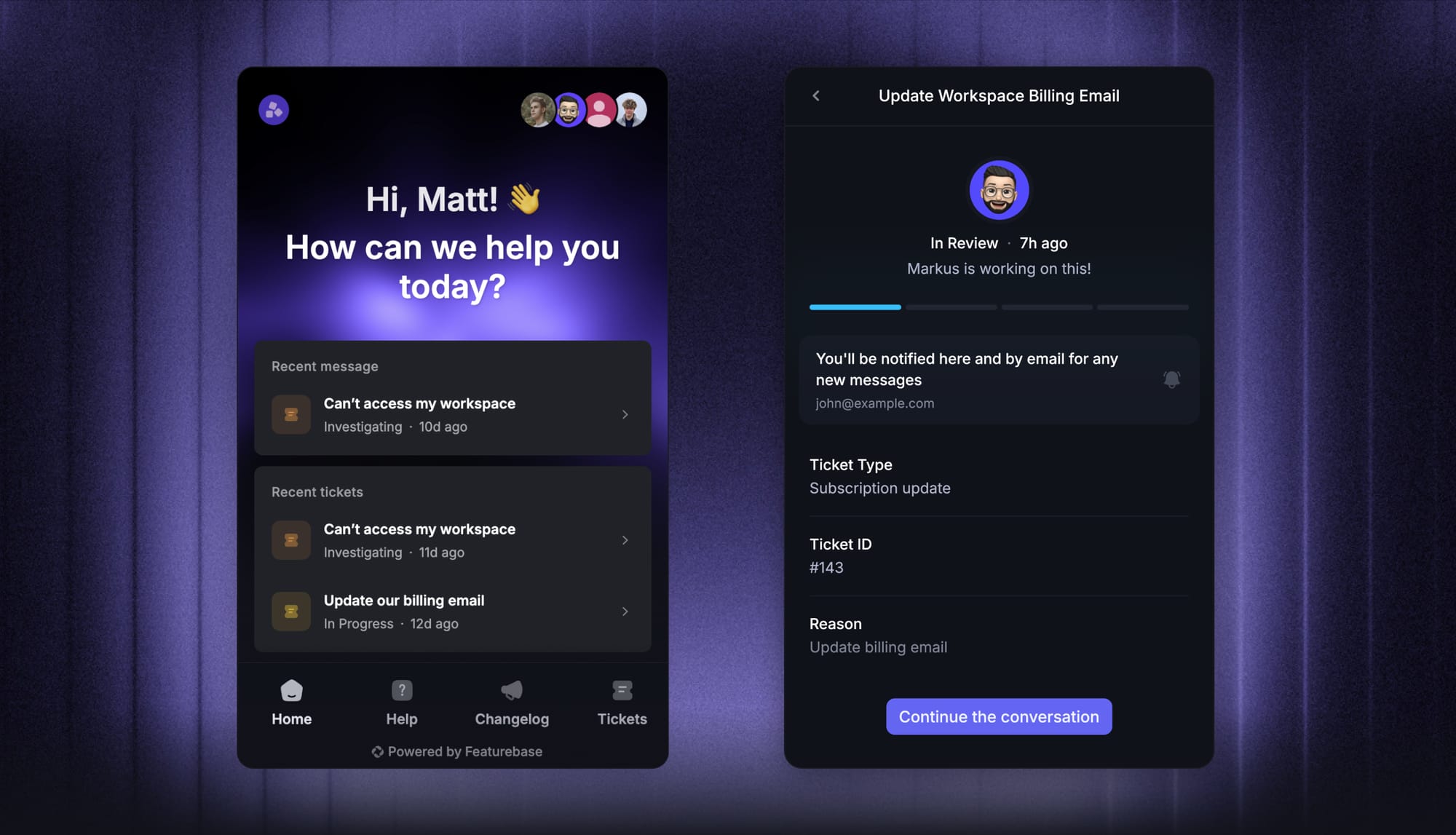
Two ticketing tools can both create tickets and still feel completely different in day-to-day use. The difference usually comes down to routing, visibility, automation, and how much manual work the team still has to do.
Here are the features that matter most.
Ticket management
This is the foundation. A good system should make it easy to create, assign, update, prioritize, and close support tickets without forcing the team into extra admin work.
Routing and ownership
Every request needs to land with the right person. Good routing reduces delays, avoids confusion, and helps teams handle different request types more consistently.
Ticket status and history
A ticket should tell the full story at a glance. Clear status updates and a complete ticket history make it easier to understand what has happened, what is waiting, and who needs to act next.
Service level agreements
Service level agreements help teams set expectations around response times and resolution targets. They matter most when volume rises or when some requests are far more urgent than others.
Automation
Automation rules and workflows reduce repetitive work. They can assign tickets, tag issues, update statuses, trigger reminders, and route requests automatically based on logic you define.
Reporting and analytics
Strong reporting and analytics show teams what is actually happening inside support. That includes ticket volume, response times, resolution rates, backlog, service quality, and customer satisfaction.
Knowledge base and self-service
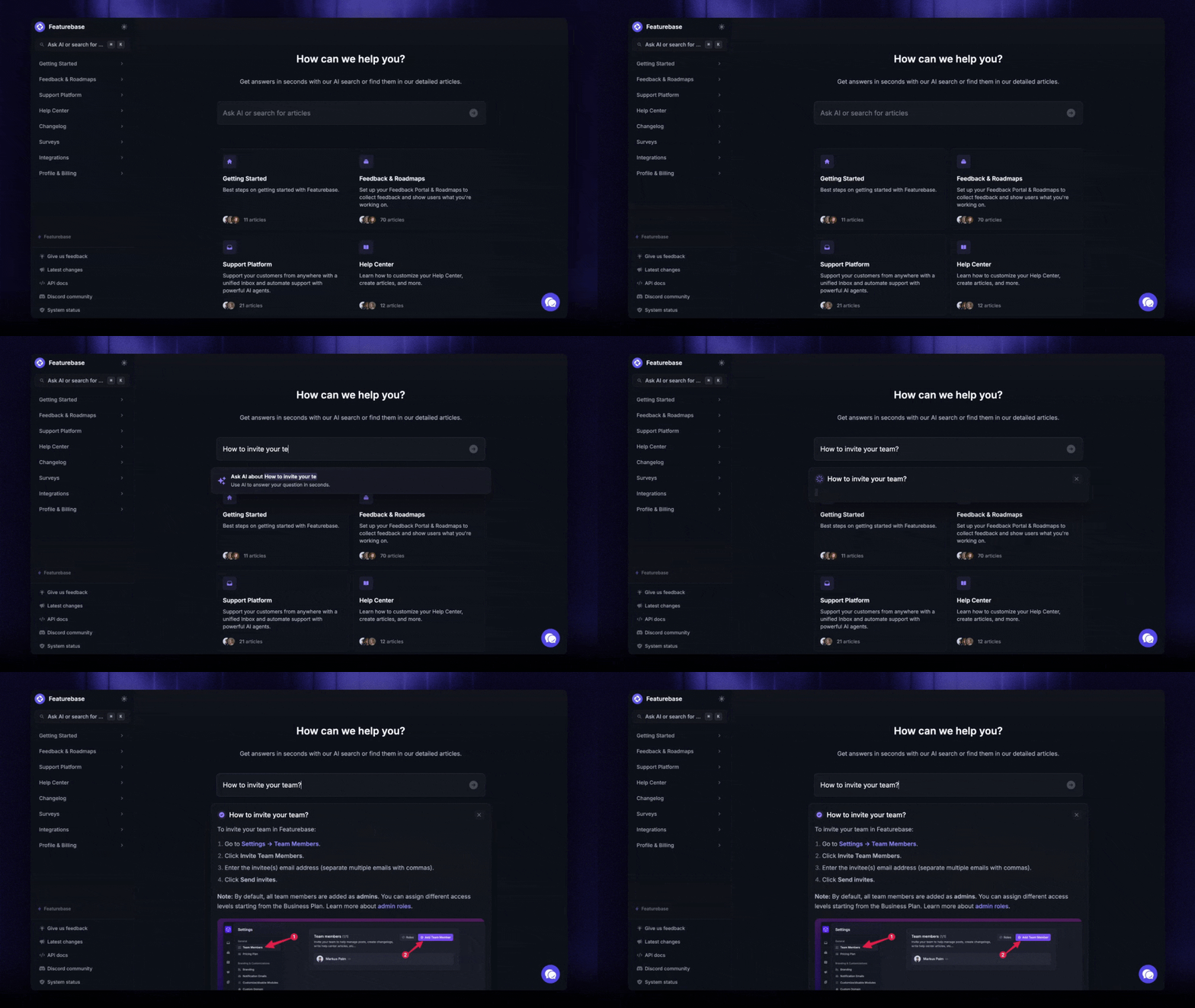
A knowledge base gives customers self-service options for simple questions. That helps reduce unnecessary support requests and gives users faster access to answers.
Knowledge base integration also helps agents work faster by linking to relevant articles while they handle tickets.
Where teams use ticketing systems
Customer support may be the most obvious use case, but ticketing systems show up anywhere a team handles recurring requests.
Customer support
This is the most familiar use case. Support teams use ticketing systems to manage customer inquiries, bug reports, refund requests, onboarding questions, billing issues, and account problems.
A strong support ticketing system also improves customer communication across multiple channels, especially as volume rises.
IT service management
An IT ticketing system helps internal teams manage access requests, incidents, device setup, software issues, and other technical support work.
In IT service management, tickets often connect to broader service management processes like asset management, release management, problem management, and service catalog workflows. That is one reason IT teams often need more structure than a simple shared inbox can provide.
Internal operations
Ticketing systems also work well for internal teams like HR, finance, legal, and facilities. These teams deal with recurring service requests too, even if they do not always think of them as support.
For example, HR might manage onboarding questions or policy requests. Finance might handle reimbursement issues. Facilities teams might use tickets for office maintenance, access issues, or equipment requests.
Ticketing system vs CRM
A ticketing system and a CRM can overlap, but they are built for different jobs.
A ticketing system is designed to manage requests and track ticket resolution. A CRM is designed to manage customer relationships, account history, and sales activity.
Some CRM tools include support features, and some support platforms include customer data. But if your main goal is ticket management, ownership, routing, and service workflows, a dedicated ticketing system is usually the better fit.
A simple way to think about it: a CRM helps you understand the customer, while a ticketing system helps you manage the work created by the customer’s request.
How to choose the right ticketing system
The best ticketing system is not the one with the longest feature list. It is the one that fits your workflow, your team size, and the kinds of requests you actually handle.
A good ticketing system should help you:
- manage requests in one place
- improve response times
- reduce repetitive tasks
- support multiple channels
- maintain service quality
- improve customer satisfaction
It should also feel usable in real life. If ticket creation is clunky, agents will avoid it. If routing is unclear, work will pile up in the wrong queue. If reporting is weak, managers will struggle to see what needs fixing.
You do not need the most complex software solution. You need one that fits how your team actually works. That is often the difference between a good ticketing system and shelfware.
How Featurebase fits into modern ticketing workflows
A good ticketing system should do more than collect requests. It should help teams handle different kinds of work, route them clearly, and keep the right people informed as things move forward.
Featurebase (that's us!👋) does that by turning conversations into structured tickets with statuses, assignees, and custom fields. Teams can create customer tickets for async support requests, back-office tickets for internal work, and tracker tickets for issues that affect multiple customers.
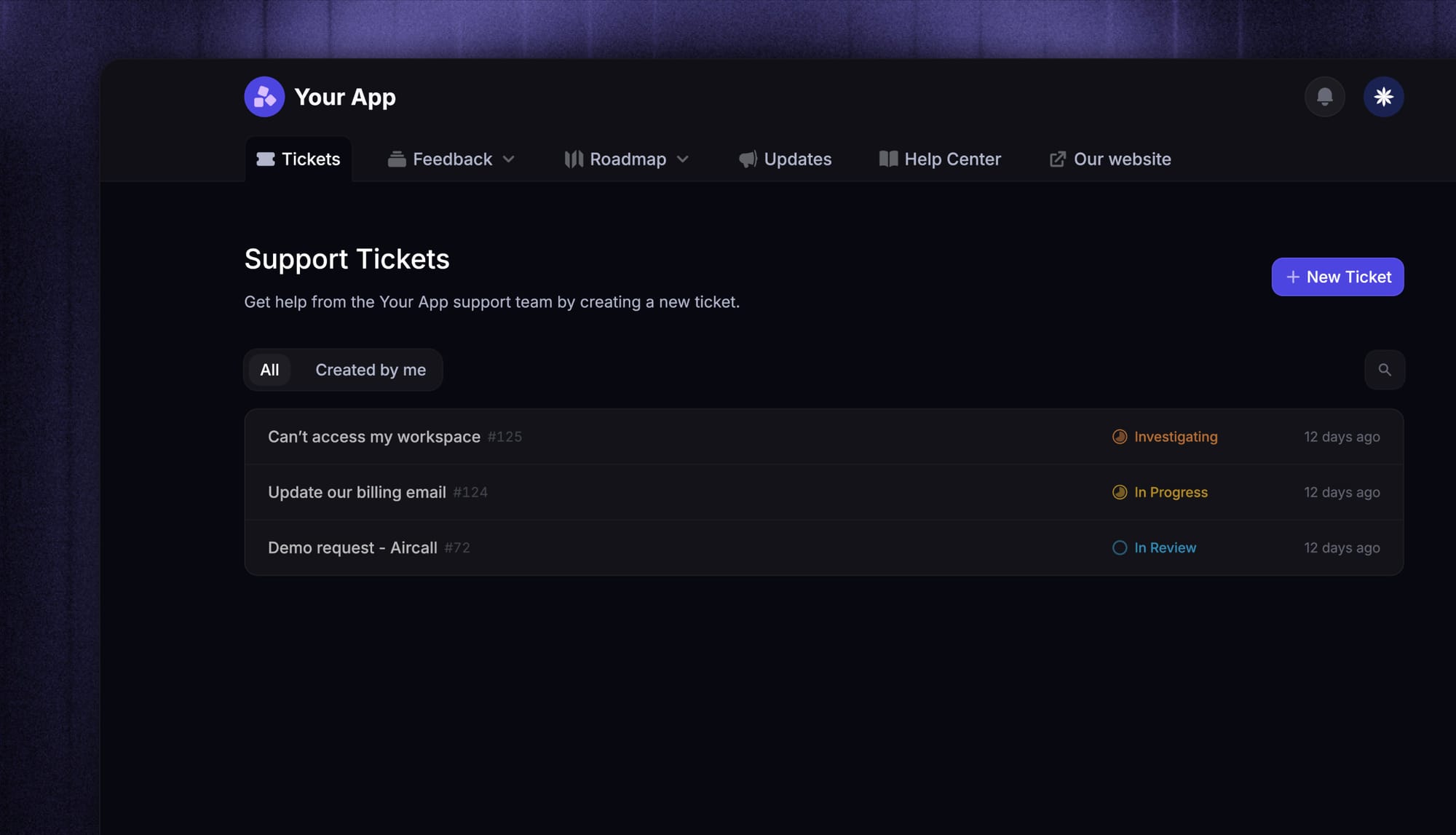
It also supports several methods for creating tickets. Teammates can convert conversations into tickets, create them directly, auto-convert inbound emails, or use workflows to collect request details and triage issues automatically. Customers can also submit tickets through the Messenger widget.
That matters because not every request should be handled the same way. Some need customer visibility. Others need internal collaboration. And some are better tracked as a single shared issue rather than managed across separate threads.
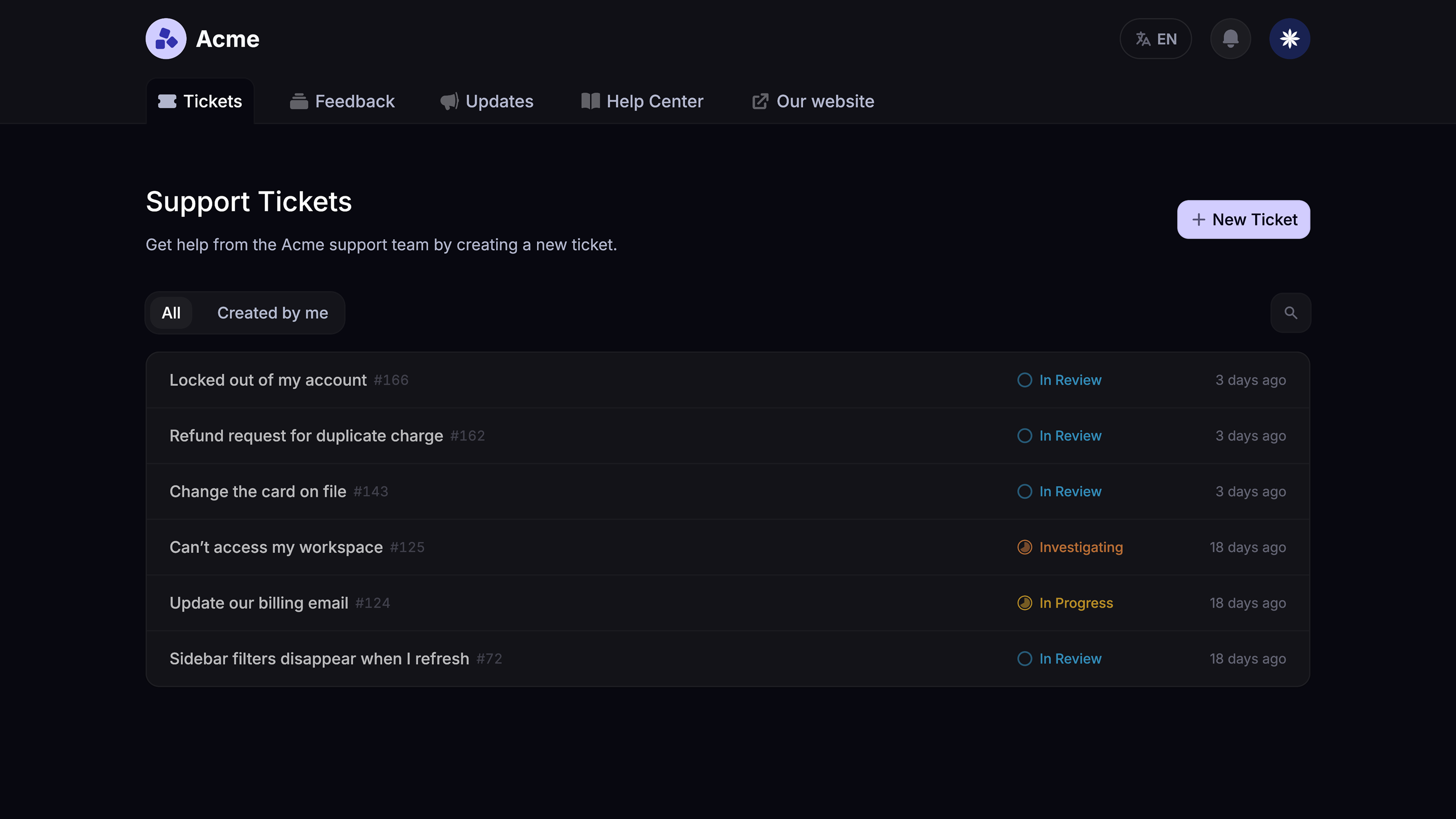
Featurebase also gives customers better visibility into progress. They can receive email notifications, check ticket updates in the Messenger, and track status through a dedicated ticket portal. That makes support feel more transparent without adding extra manual work for the team.
Conclusion
A ticketing system gives teams a better way to manage requests, reduce confusion, and create a more reliable support process as they grow.
Featurebase is a modern and powerful ticketing platform that helps teams create structured tickets, route work through workflows, and keep customers updated through email, Messenger, and a dedicated ticket portal. It also supports different ticket types for different workflows, which makes it easier to manage both customer-facing and internal support work in one place.
Featurebase also keeps the barrier to entry low. It has a Free plan, paid plans starting at $29/seat/month billed yearly, and AI resolutions priced at $0.29 per resolution on paid plans. That makes it easier to test the platform without a big upfront commitment.👇
✨ Get the modern Ticketing Inbox designed for efficiency →

Modern Ticketing Inbox, Designed for Efficiency
Support your customers from anywhere with an AI-powered omnichannel inbox
FAQs
What is a ticketing system?
A ticketing system is software that helps teams capture, track, manage, and resolve customer requests or internal service requests through a structured workflow.
How does a ticketing system work?
A ticketing system works by turning incoming requests into tickets, routing them to the right team or person, tracking ticket status, supporting collaboration, and documenting the full resolution process until the issue is closed.
What is the difference between a ticketing system and a CRM?
A ticketing system is built for managing support tickets and service requests. A CRM is built for managing customer relationships, account history, and sales activity. Some tools overlap, but they serve different primary purposes.
What is an IT ticketing system?
An IT ticketing system is a type of ticketing software used by internal technical teams to manage incidents, access requests, setup tasks, and other service requests as part of its service management.
What features should a good ticketing system include?
A good ticketing system should include ticket management, routing, ticket status tracking, automation rules, service level agreements, reporting and analytics, internal notes, knowledge base integration, and self-service options.