Blog Customer ServiceEmail Ticketing System: What It Is, How It Works, and Best Tools in 2026
Email Ticketing System: What It Is, How It Works, and Best Tools in 2026
If your support inbox is getting messy, this guide breaks down the best email ticketing systems in 2026 and how to choose the right one for your team.



✨ Get the modern Ticketing Inbox designed for efficiency →
Managing support through a regular inbox works at first, but it quickly becomes hard to scale. As ticket volume grows, teams start dealing with duplicated replies, missed messages, slower response times, and less visibility into customer requests.
That is why many teams switch to an email ticketing system. Instead of relying on a shared inbox and manual processes, they use software that turns incoming emails into trackable tickets, adds structure, and gives support agents the context they need to respond faster.
In this guide, we explain what an email ticketing system is, how it works, and which tools are best in 2026 for different types of teams.👇
Short answer:
- If you want the best email ticketing system for modern SaaS support teams, choose Featurebase✨.
- If you want advanced capabilities, enterprise workflows, and a mature help desk, choose Zendesk.
- If you want flexible ticketing software for a growing team, choose Freshdesk.
- If you want one of the more cost-effective options, choose Zoho Desk.
- If you want support closely tied to CRM records and customer data, choose HubSpot Service Hub.
- If you want a more traditional ticketing system for internal or technical service teams, choose Jira Service Management.
See the full list below for a closer look at the best tools in 2026.👇
TL;DR: comparison table of the best email ticketing systems in 2026
| Platform | Best for | Key strength | Pricing |
|---|---|---|---|
| ✨Featurebase | Product-led SaaS teams | Fast support inbox, knowledge base, live chat, feedback, and AI workflows in one platform | Free plan; paid plans from $29/seat/month + $0.29 per AI resolution |
| Zendesk | Advanced support teams | Deep automation, intelligent routing, reporting, and mature help desk capabilities | From $19/agent/month billed annually |
| Freshdesk | Growing support teams | Balanced feature set, automation, and easy-to-use shared inbox workflows | Free plan; paid plans from $19/agent/month billed annually |
| Zoho Desk | Budget-conscious businesses | Strong core email ticketing software with useful automation and good value | Free plan; paid plans from $7/user/month billed annually |
| HubSpot Service Hub | CRM-connected support teams | Deep integration with customer data and service workflows | Free plan; paid plans from $20/seat/month |
| Front | Teams that want inbox collaboration | Shared inbox collaboration features with stronger structure than a normal email client | From $25/seat/month |
| Help Scout | Customer-centric support teams | Simple, intuitive interface with strong knowledge base support | Free plan; paid plans from $25/user/month |
| Jira Service Management | IT and internal service teams | Structured workflows, approvals, and service desk capabilities | Free plan; paid plans from $20/agent/month |
| Hiver | Gmail-based teams | Email ticketing inside Gmail with lightweight adoption | From $25/user/month |
What is an email ticketing system?
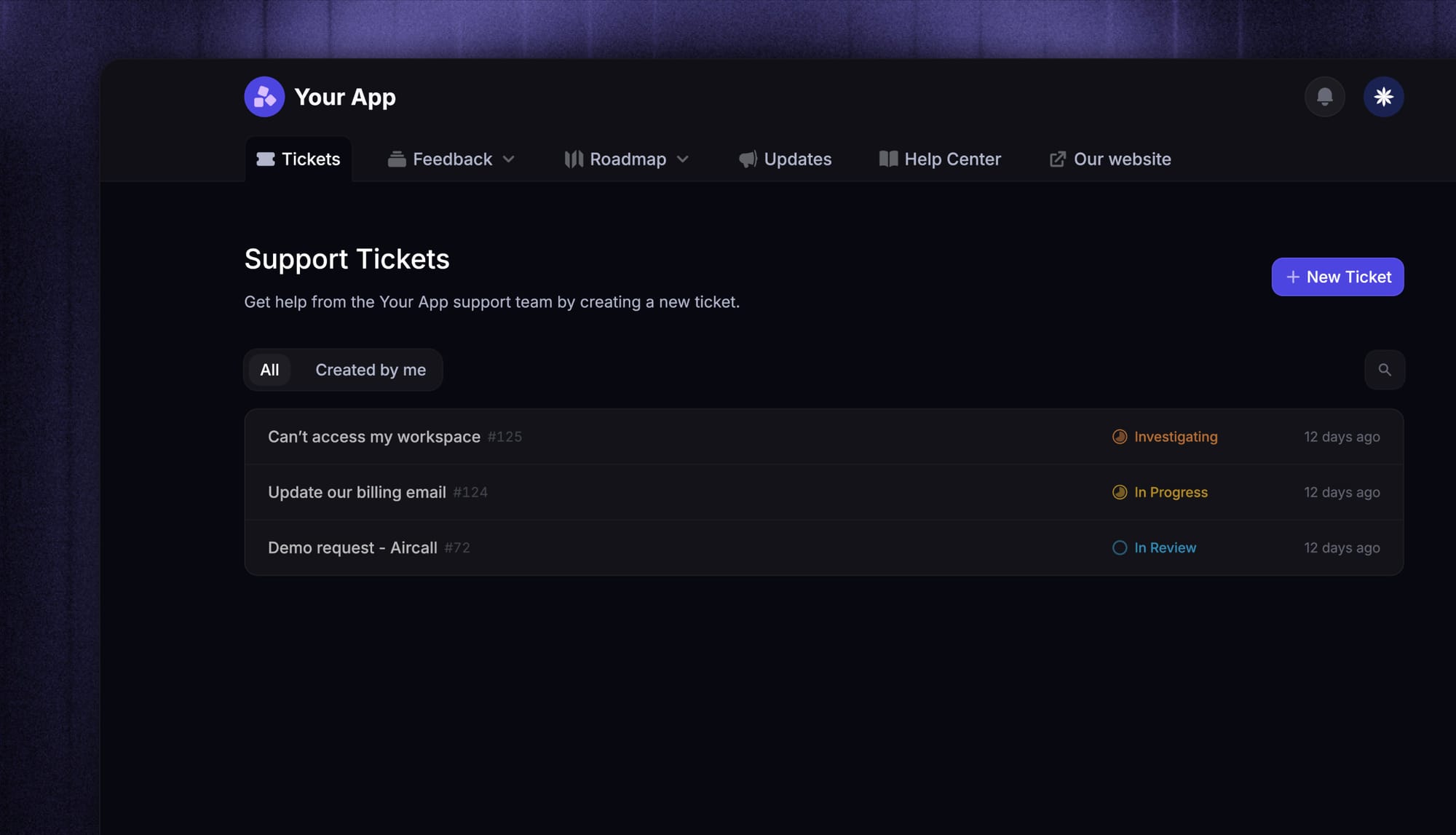
An email ticketing system is software that turns incoming emails and support emails into organized support tickets. Instead of managing customer requests in a messy support mailbox, teams can track each conversation with a status, owner, priority, and ticket number.
In simple terms, email ticketing turns an inbox into a structured help desk.
The best email ticketing software also helps teams assign tickets, manage file attachments, add internal notes, connect a knowledge base, and track response time and customer satisfaction.
Shared inbox vs. email ticketing system
A shared inbox helps teams manage messages together, but an email ticketing system adds more structure. It turns each request into a trackable ticket, stores customer history, supports internal notes, and gives support teams better workflows, reporting, and visibility.
As ticket volume grows, that added structure becomes much more reliable than a shared inbox.
Nevertheless, an email ticketing is one flavor of a broader category, see what a ticketing system is for the full workflow behind every channel.
How does an email ticketing system work?
Most email ticketing software follows the same core workflow.
- Incoming emails are captured automatically: When a customer sends a message to your support mailbox, the system records it and creates a support request.
- Each message becomes a ticket: The platform creates a new ticket with a status, assignee, priority, and ticket number so teams can track it clearly.
- Tickets are routed and managed: Automation rules and intelligent routing help teams assign tickets, organize customer requests, and reduce manual effort.
- Teams respond with full context: Support agents can see customer history, internal notes, file attachments, and past customer interactions in one place while tracking response time, performance metrics, and customer satisfaction.
In short, an email ticketing system helps support teams run a faster, more organized workflow than a standard inbox.
Best email ticketing systems in 2026
Below are the best tools to consider if you want an email ticketing system that can handle incoming messages, organize customer tickets, and improve support operations.
1. Featurebase✨
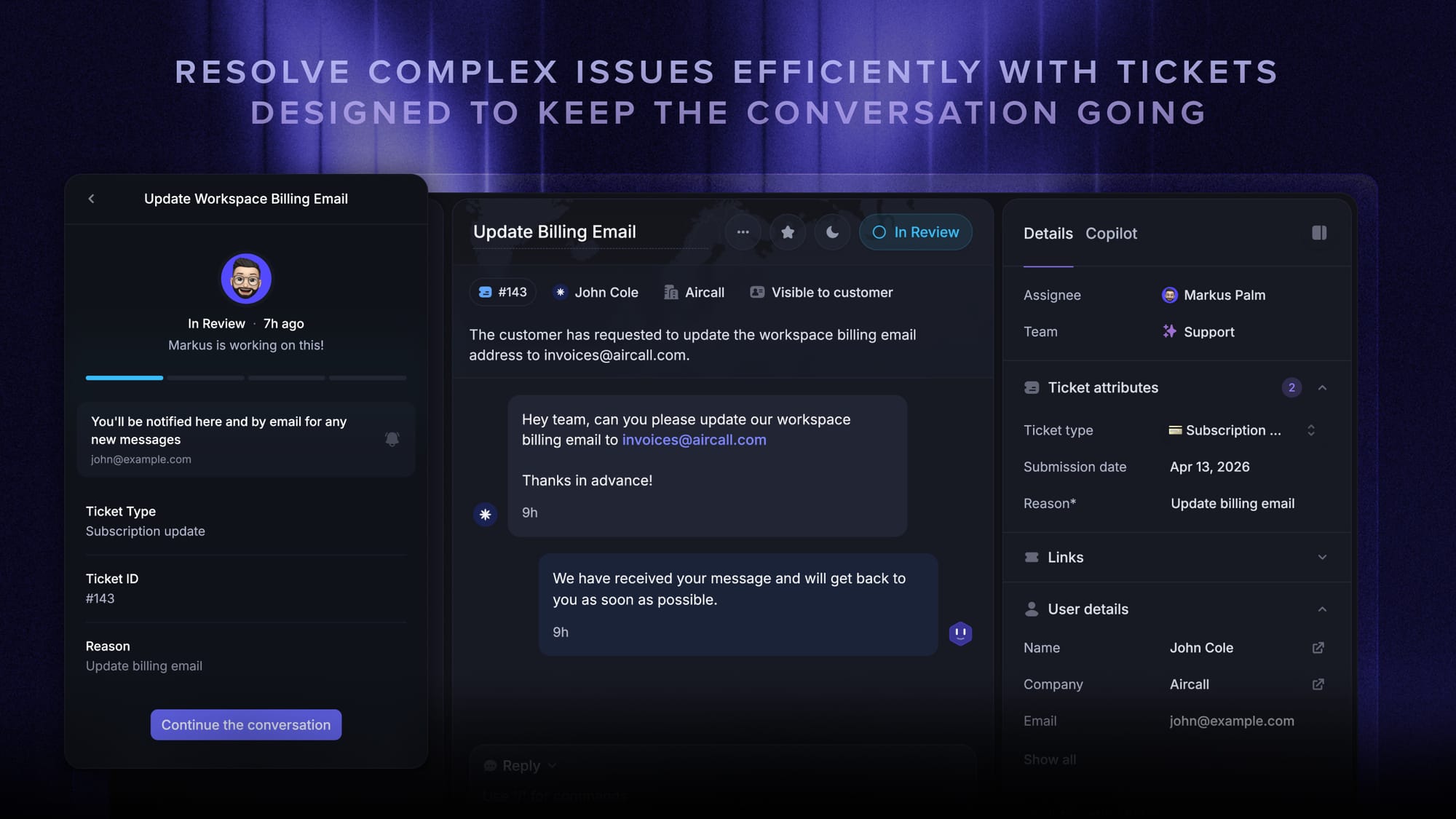
Featurebase is our top pick for the best email ticketing system for modern SaaS teams.
What makes it different is that it is not just another inbox that turns incoming emails into tickets. It combines email ticketing, live chat, a built-in knowledge base, AI automation, and product feedback workflows in one platform. That is especially valuable for SaaS companies that want support teams to work with full product context instead of jumping between separate tools for support, self-service, and customer feedback.
Key features
- Fast support inbox for incoming emails and support requests
- Built-in knowledge base with AI search
- Live chat and messaging support
- Internal notes and collaboration features
- Automation and intelligent routing workflows
- Customer history and full context in one workspace
- Reporting and real time analytics
- AI tools for faster triage and handling repetitive tasks
Best for: Product-led SaaS teams that want a modern support platform, not just a traditional ticketing system.
Why it stands out: Featurebase is especially strong for teams that want support to sit closer to the product experience. Instead of treating support as a separate function, it connects customer requests, knowledge base content, AI workflows, and product feedback in one place. That makes it a better fit than many traditional tools for companies that care about speed, context, and tighter alignment between support and product.
Limitations: Teams looking for a more traditional IT-style service desk with heavy approvals, asset workflows, or rigid internal process management may prefer a more specialized platform.
Pricing: Featurebase offers a free plan, with paid plans starting at $29/seat/month for Growth, $59/seat/month for Professional, and $99/seat/month for Enterprise, plus $0.29 per AI resolution on paid plans.

Modern Ticketing Inbox, Designed for Efficiency
Support your customers from anywhere with an AI-powered omnichannel inbox
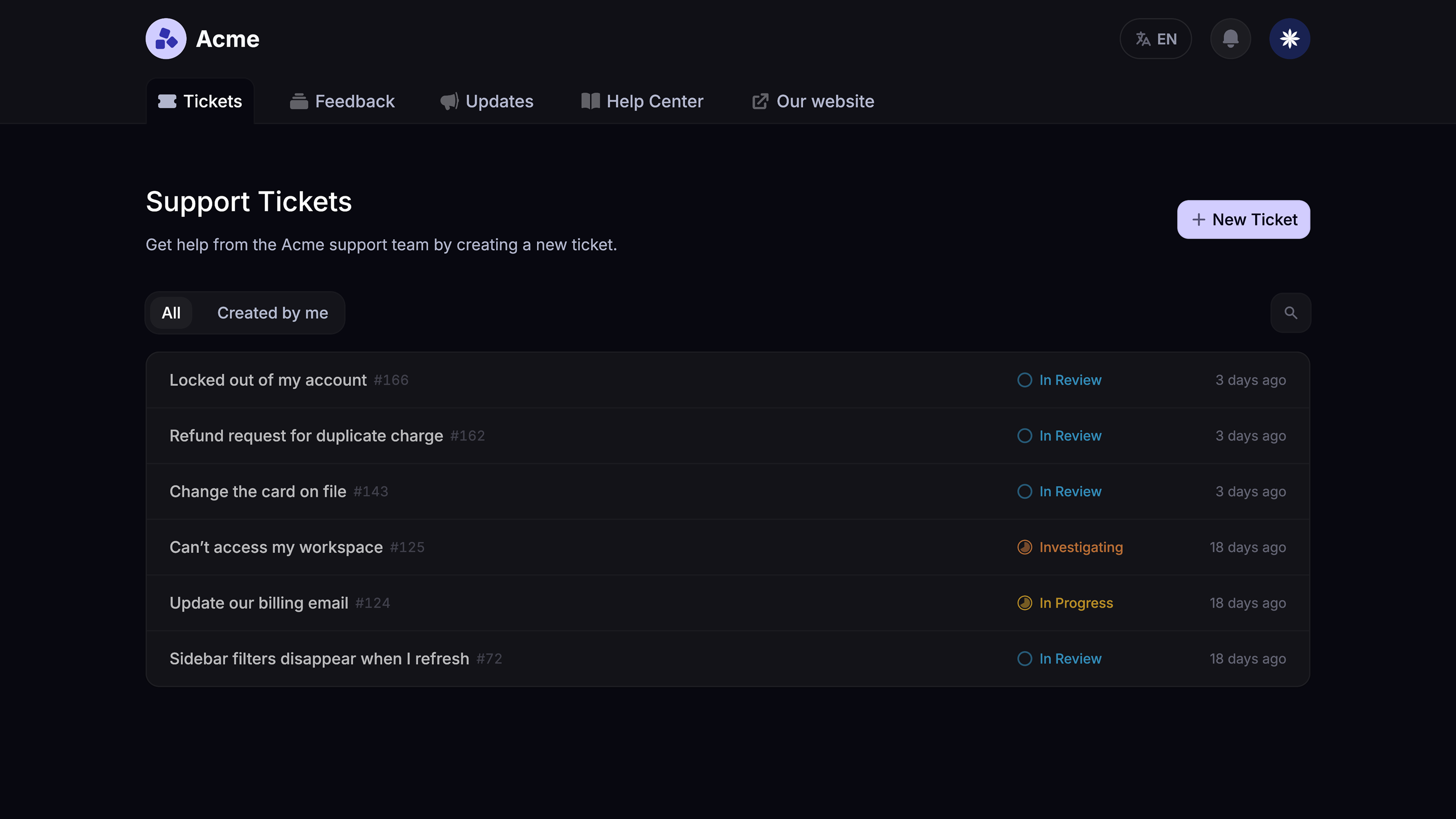
2. Zendesk

Zendesk remains one of the most established names in the help desk category. It is a powerful option for teams with high ticket volume, more complex routing needs, and a need for advanced capabilities.
Its biggest strength is depth. Zendesk is built for support teams that need more than a lightweight shared inbox or basic ticketing software. It offers the kind of workflow control, reporting depth, and admin flexibility that becomes important when support operations grow more complex.
Key features
- Mature email ticketing software and omnichannel support
- Workflow automation and intelligent routing
- SLA management and reporting
- Knowledge base and self-service tools
- Deep customization and advanced features
- Strong reporting for performance metrics and customer satisfaction scores
Best for: Larger support teams that need a comprehensive suite of automation, routing, and reporting tools.
Why it stands out: Zendesk earns its place because it is one of the most proven platforms for scaled support operations. It handles sophisticated routing, complex workflows, and performance reporting better than many lighter tools, which is why it continues to be a common choice for teams that need reliability, process control, and room to grow.
Limitations: It can feel heavy for smaller teams, and the pricing can climb quickly once you start layering in more advanced features and broader usage.
Pricing: Zendesk’s pricing starts at $19 per agent/month billed annually for Support Team, with Suite Team at $55, Suite Professional at $115, and Suite Enterprise at $169 per agent/month billed annually.
3. Freshdesk
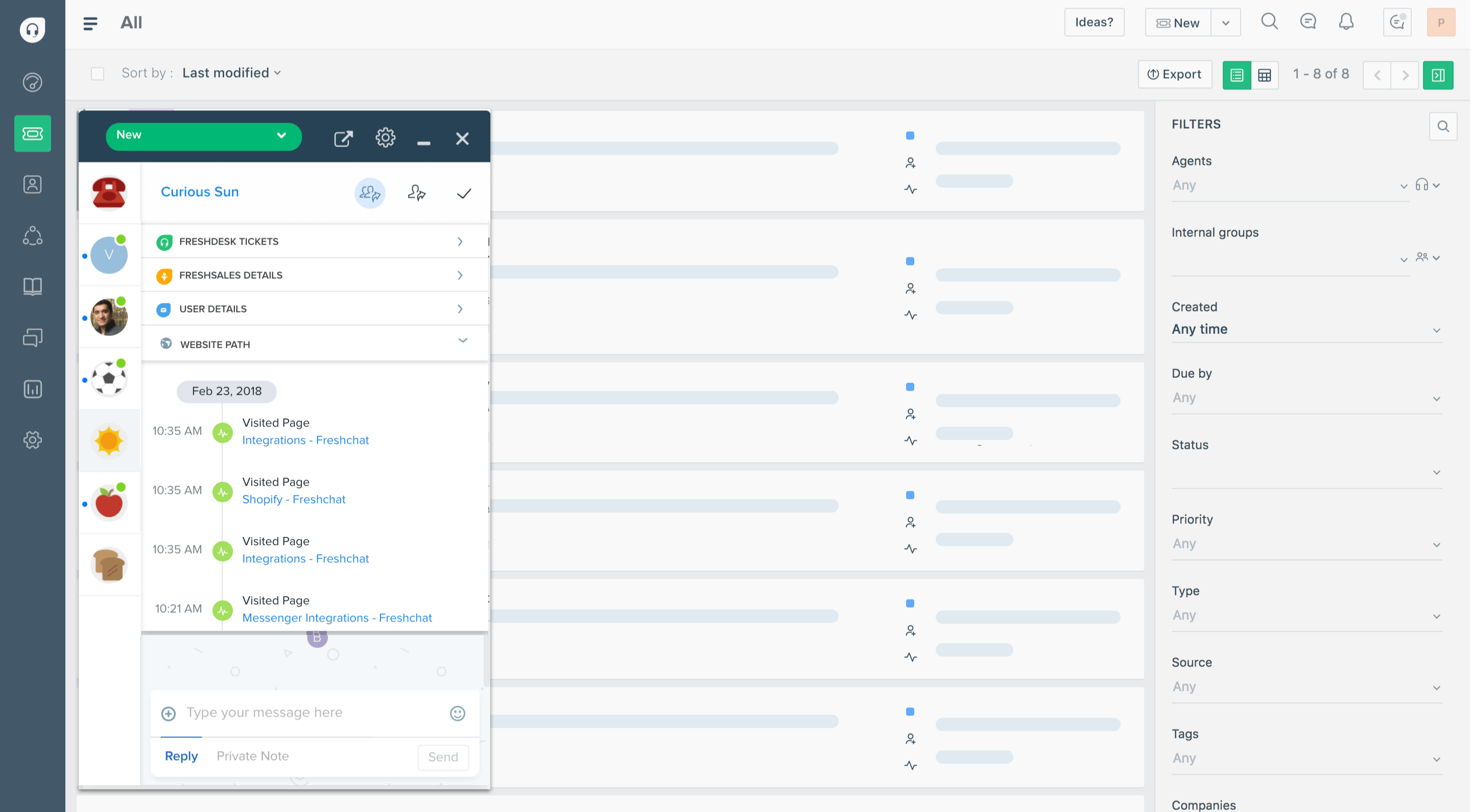
Freshdesk is a balanced option for teams that want a flexible ticketing system without the weight of a more enterprise-heavy tool.
It works well for companies that have outgrown a basic support mailbox but still want something approachable. Freshdesk sits in a useful middle ground: more capable than a lightweight inbox tool, but generally easier to adopt than platforms built for highly complex enterprise workflows.
Key features
- Email ticketing software and multichannel support
- Shared inbox workflows
- Automation for repetitive tasks
- AI tools for summaries and suggestions
- Knowledge base and self-service capabilities
- Reporting and agent performance visibility
Best for: Growing support teams that want a practical blend of usability, automation, and desk capabilities.
Why it stands out: Freshdesk is one of the better options for teams that want to improve response time, reduce manual processes, and manage rising ticket volume without overcomplicating the stack. Its value comes from balance: it covers the essentials well, adds enough automation to be genuinely useful, and stays flexible enough for teams still figuring out how advanced they really need their support operations to be.
Limitations: Some of its more advanced capabilities are gated behind higher plans, so teams may hit pricing friction as their needs become more sophisticated.
Pricing: Freshdesk offers a free plan for 1–2 agents for 6 months, with paid plans starting at $19 per agent/month billed annually for Growth, $55 for Pro, and $89 per agent/month billed annually for Enterprise.
4. Zoho Desk
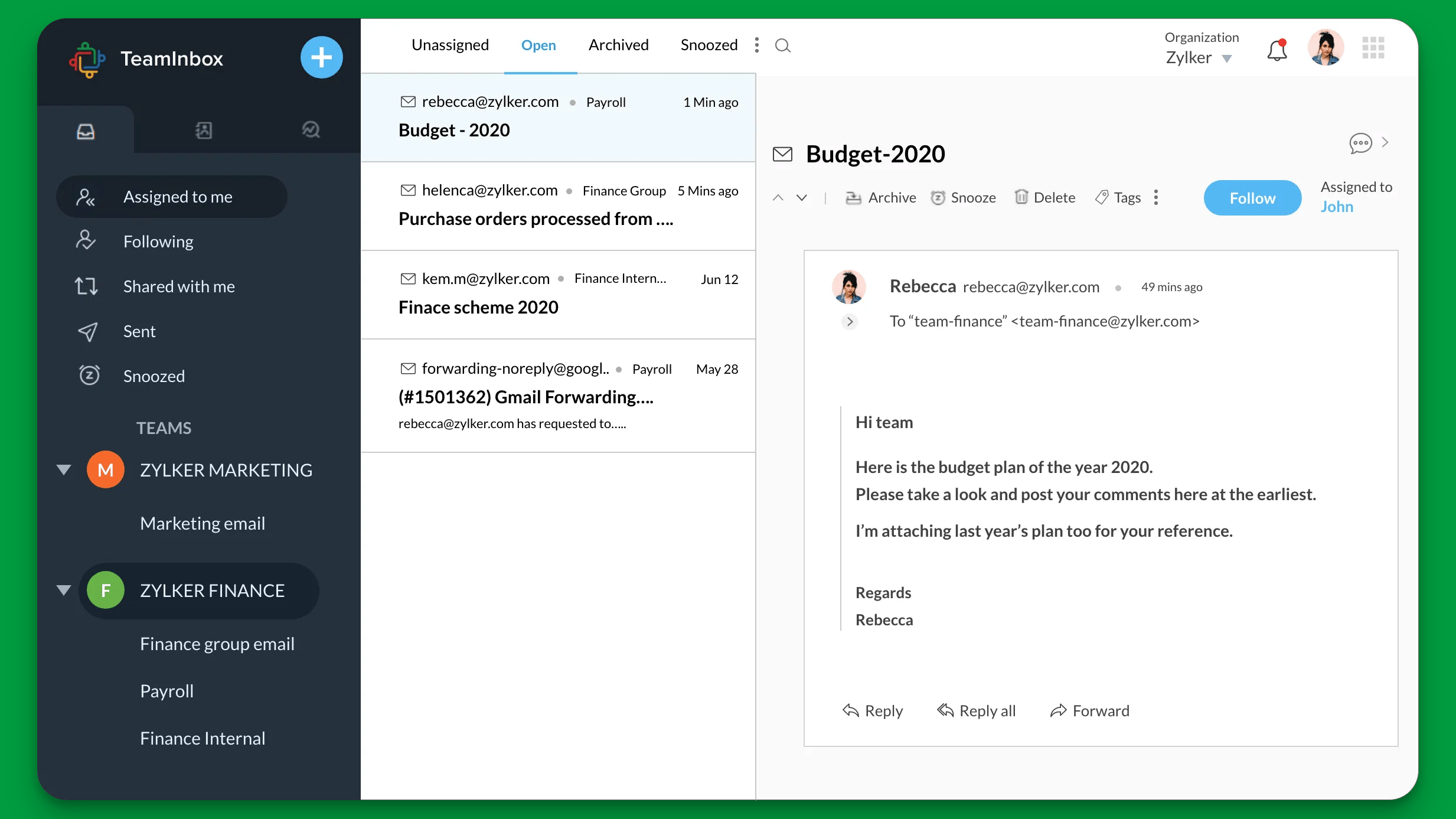
Zoho Desk is one of the more cost-effective options for businesses that want solid email ticketing software without paying for a heavyweight platform.
It is a practical choice for teams that want more than basic ticketing but do not need the complexity or price point of a larger enterprise tool. Zoho Desk covers the core workflows most teams care about and adds enough automation and reporting to support a growing support function.
Key features
- Ticketing software for incoming emails and customer requests
- Knowledge base support
- Automation and assign tickets workflows
- Reporting and customer satisfaction tracking
- App ecosystem and integration features
Best for: Budget-conscious teams that still want more than basic features.
Why it stands out: Zoho Desk is on this list because it offers one of the better value-for-money packages in the category. It gives teams practical workflow support, reporting, automation, and self-service without pushing them into a premium pricing tier too early. For smaller businesses or lean support teams, that mix of affordability and capability is a real advantage.
Limitations: The interface can feel less polished than some newer tools, and some of the more advanced functionality is not as refined as what you get from higher-end platforms.
Pricing: Zoho Desk offers a free plan for 3 users, with paid plans starting at $7/user/month billed annually for Express, $14 for Standard, $23 for Professional, and $40/user/month billed annually for Enterprise.
5. HubSpot Service Hub
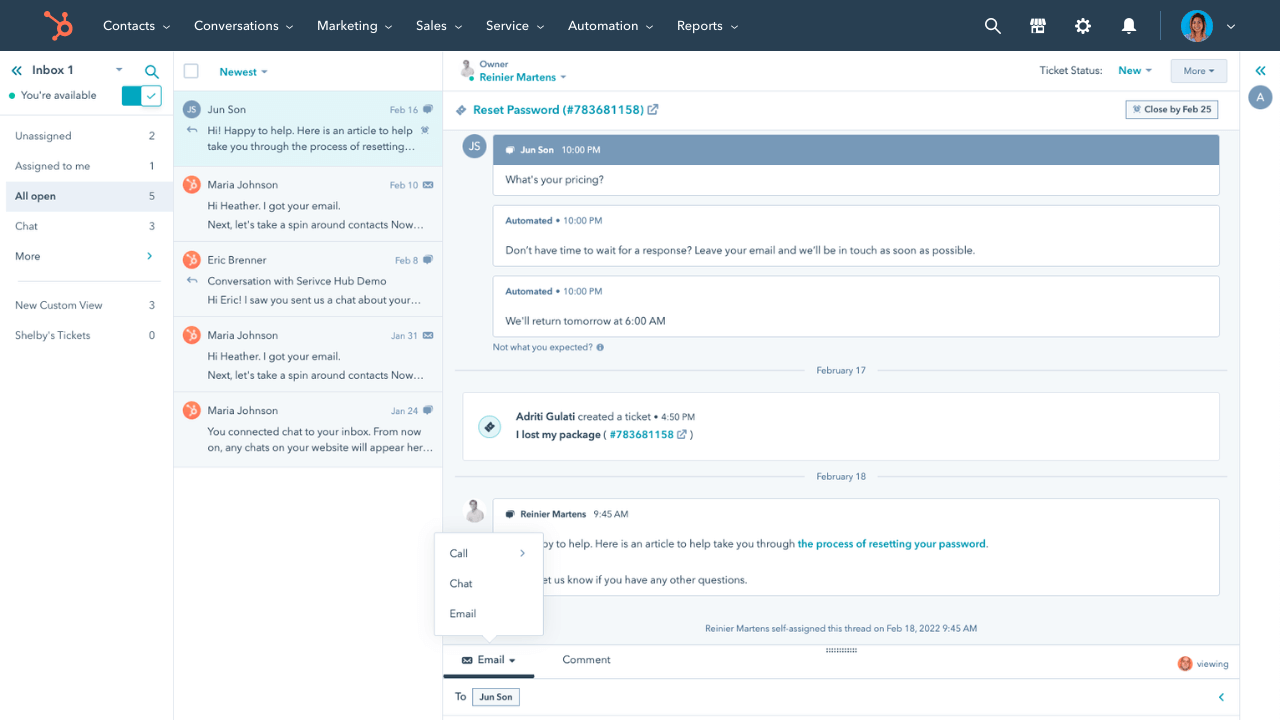
HubSpot Service Hub is a strong option for businesses that want support connected directly to CRM records, lifecycle stages, and customer data.
Its main advantage is not that it is the most specialized email ticketing system on the market. It is that it gives support teams access to broader customer context inside the same ecosystem used for sales, marketing, and onboarding. That can be especially useful for teams where customer support is closely tied to revenue, expansion, or retention.
Key features
- Help desk workflows inside the HubSpot ecosystem
- Shared inbox and support mailbox management
- Customer data and customer information tied to every ticket
- Knowledge base and self-service support
- Automation, reporting, and integration features
Best for: Companies that already rely on HubSpot and want service teams to work with full CRM context.
Why it stands out: HubSpot Service Hub is especially useful when support is not treated as an isolated queue, but as part of the broader customer journey. Its real strength is giving agents access to richer customer information and making it easier for support, sales, and success teams to work from the same source of truth.
Limitations: It is often most compelling for teams already invested in HubSpot. Outside that ecosystem, the full value can be harder to justify compared with more focused support tools.
Pricing: HubSpot Service Hub offers a free plan for up to 2 users, with paid plans starting at $20/seat/month for Starter, $100/seat/month for Professional, and $150/seat/month for Enterprise.
6. Front
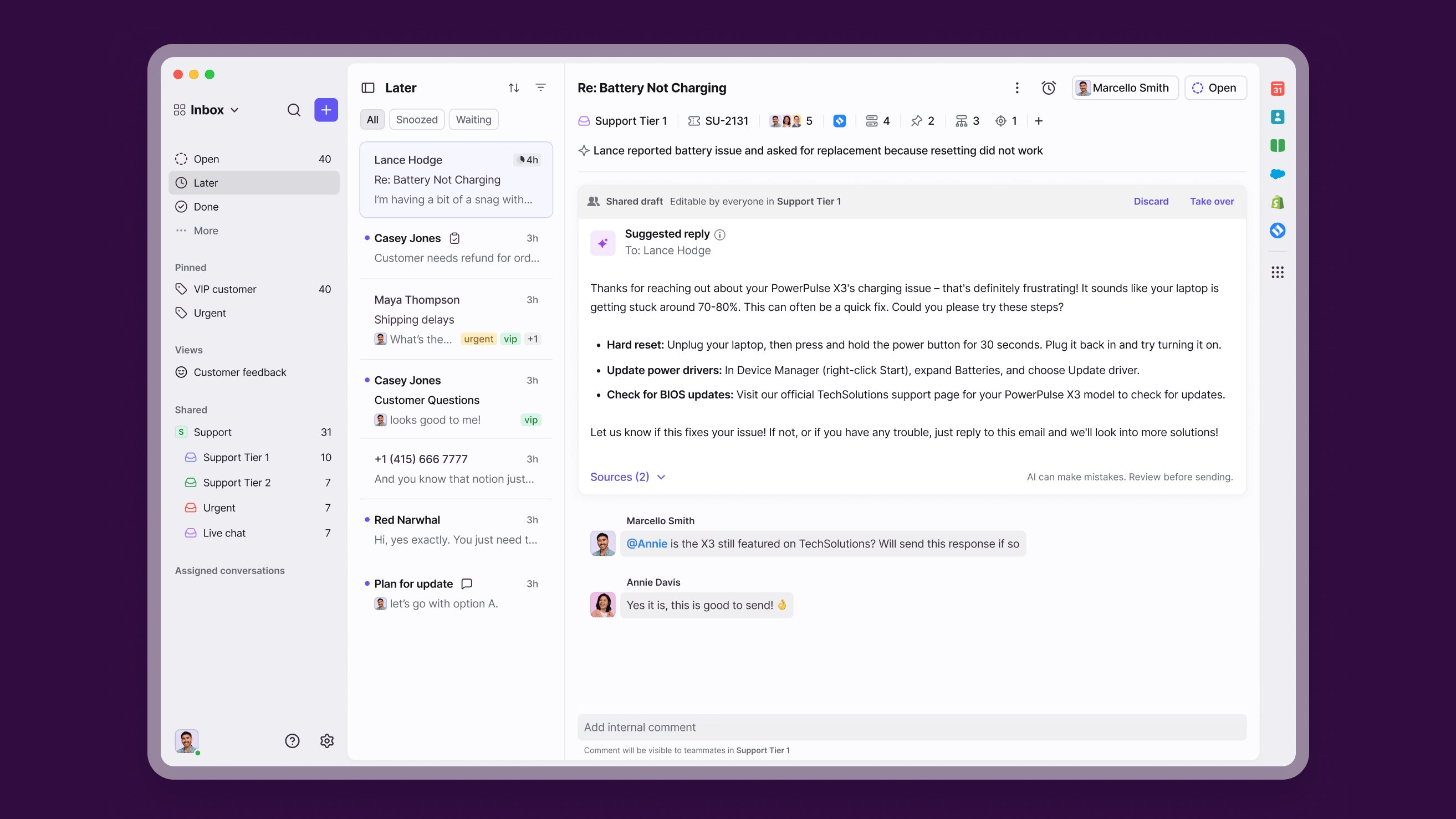
Front sits somewhere between a shared inbox and a formal help desk. It is built for collaborative email workflows and is popular with teams that want a familiar inbox experience plus stronger structure.
That positioning is exactly why it belongs on the list. Not every team wants a full service desk environment right away. Some mainly need clearer ownership, faster handoffs, and fewer collisions inside a collaborative inbox, and Front is especially good at solving that layer of the problem.
Key features
- Shared inbox collaboration features
- Internal notes and assignment workflows
- Analytics and reporting
- Integrations with other software platforms
- Support for multiple communication channels
Best for: Teams that want email ticketing with a more familiar inbox workflow.
Why it stands out: Front is a strong step up from a normal email client when teams need more structure but are not ready for a heavier ticketing platform. It improves collaboration, reduces context switching, and makes ownership clearer without forcing teams into a more rigid support model too early.
Limitations: It may not offer the same depth of traditional ticketing system workflows, automation logic, or reporting sophistication as more dedicated help desk platforms.
Pricing: Front’s paid plans start at $25/seat/month for Starter, $65/seat/month for Professional, and $105/seat/month for Enterprise.
7. Help Scout
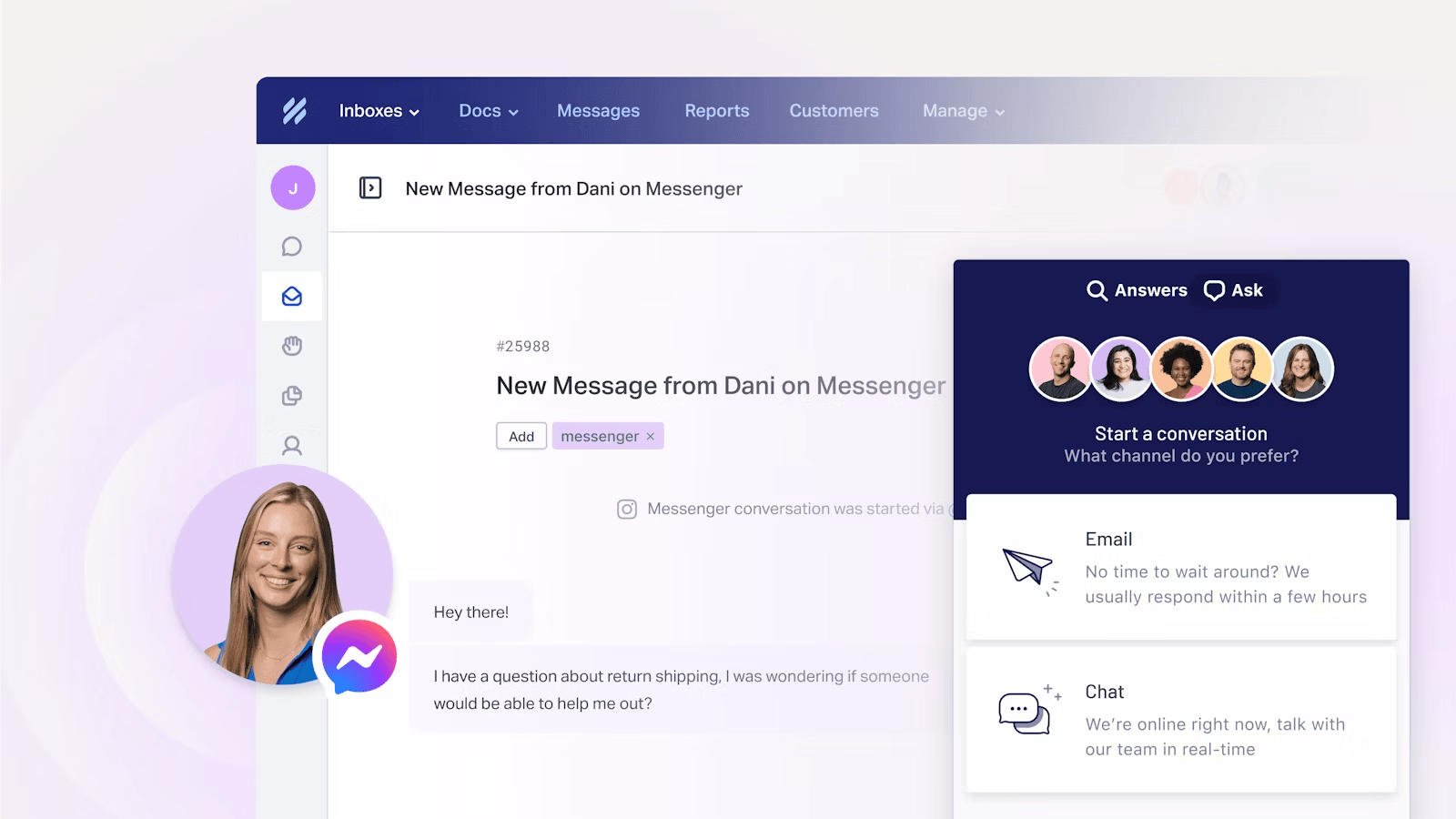
Help Scout is a customer-friendly help desk platform known for its intuitive interface and strong emphasis on the customer experience.
It is a strong fit for teams that want to keep support simple, personal, and easy to manage. Rather than overwhelming teams with layers of complexity, Help Scout focuses on giving support agents the core tools they need to collaborate effectively and respond with consistency.
Key features
- Email ticketing and shared inbox support
- Knowledge base tools
- Internal notes and team collaboration
- Reporting and customer satisfaction tools
- Automation for routine tasks
Best for: Support teams that want a simpler platform with strong self-service and a less cluttered experience.
Why it stands out: Help Scout earns its place because it is especially easy to adopt without feeling stripped down. It gives smaller and mid-sized support teams a cleaner way to manage tickets, build a knowledge base, and maintain consistent service without the overhead that comes with more enterprise-oriented tools.
Limitations: Teams that need deeper customization, heavier workflow automation, or broader enterprise features may eventually outgrow it.
Pricing: Help Scout offers a free plan for up to 5 users, with paid plans starting at $25 per user/month for Standard, $45 for Plus, and $75 per user/month for Pro, while AI Answers costs $0.75 per resolution.
8. Jira Service Management
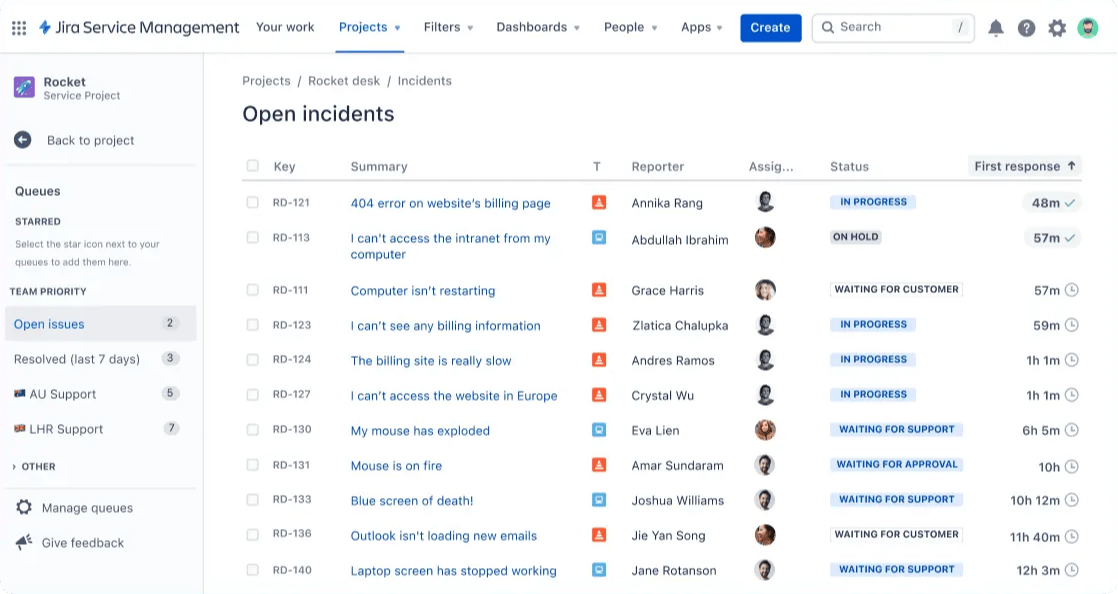
Jira Service Management is not the first platform most people think of for email ticketing, but it is a strong choice for internal support, technical teams, and more traditional ticketing environments.
It is built for teams that care more about process control, approvals, and structured service workflows than about lightweight customer-facing simplicity. That makes it a much better fit for IT, operations, and internal service environments than for brands simply looking for a smoother support mailbox.
Key features
- Structured service desk workflows
- Strong request management and approvals
- Automation for repetitive tasks
- Knowledge base integrations
- Good support for internal service teams
Best for: IT, operations, and technical teams with more structured service workflows.
Why it stands out: Jira Service Management belongs on this list because it handles internal systems, approvals, and more process-heavy support operations better than many customer-facing help desk tools. It is especially useful when service requests need to move through clearly defined internal workflows rather than looser support conversations.
Limitations: It may feel too heavy for smaller customer support teams that primarily need lightweight email ticketing software and fast external support workflows.
Pricing: Jira Service Management offers a free plan for up to 3 agents, with paid plans starting at $20 per agent/month for Standard and $51.42 per agent/month for Premium, while Enterprise pricing is custom.
9. Hiver
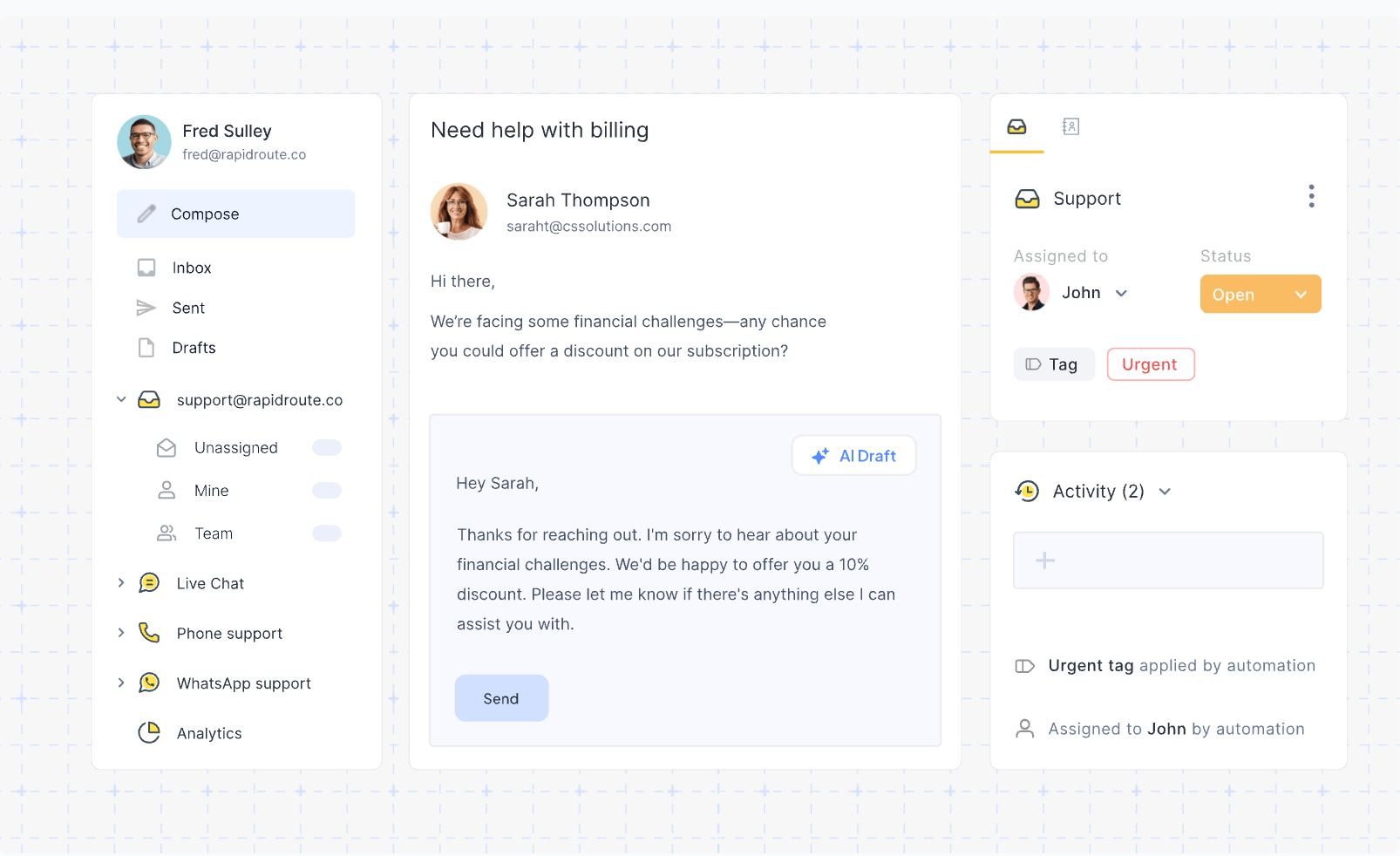
Hiver is a lightweight option designed for teams that want email ticketing without leaving Gmail.
Its appeal is simplicity. Instead of asking teams to move into a completely new platform, Hiver layers ticketing and collaboration directly into an environment they already know. That makes it especially useful for smaller teams or Gmail-native companies that want a smoother path from shared inbox management to a more structured support workflow.
Key features
- Ticketing inside Gmail
- Shared inbox workflows
- Assignment and visibility tools
- Internal notes and simple analytics
- Faster adoption for Gmail-native teams
Best for: Teams that want lightweight ticketing software directly inside their existing email workflow.
Why it stands out: Hiver lowers the barrier to adopting an email ticketing system because the team continues working inside a familiar email client. That makes rollout easier, reduces training overhead, and helps teams improve visibility and ownership without fully rebuilding their support stack.
Limitations: Teams that need more advanced features, deeper reporting, real-time analytics, or broader help desk functionality may outgrow it as support operations become more complex.
Pricing: Hiver’s paid plans start at $25/user/month for Growth, $55/user/month for Pro, and $85/user/month for Elite when billed annually.
Key features to look for in email ticketing software
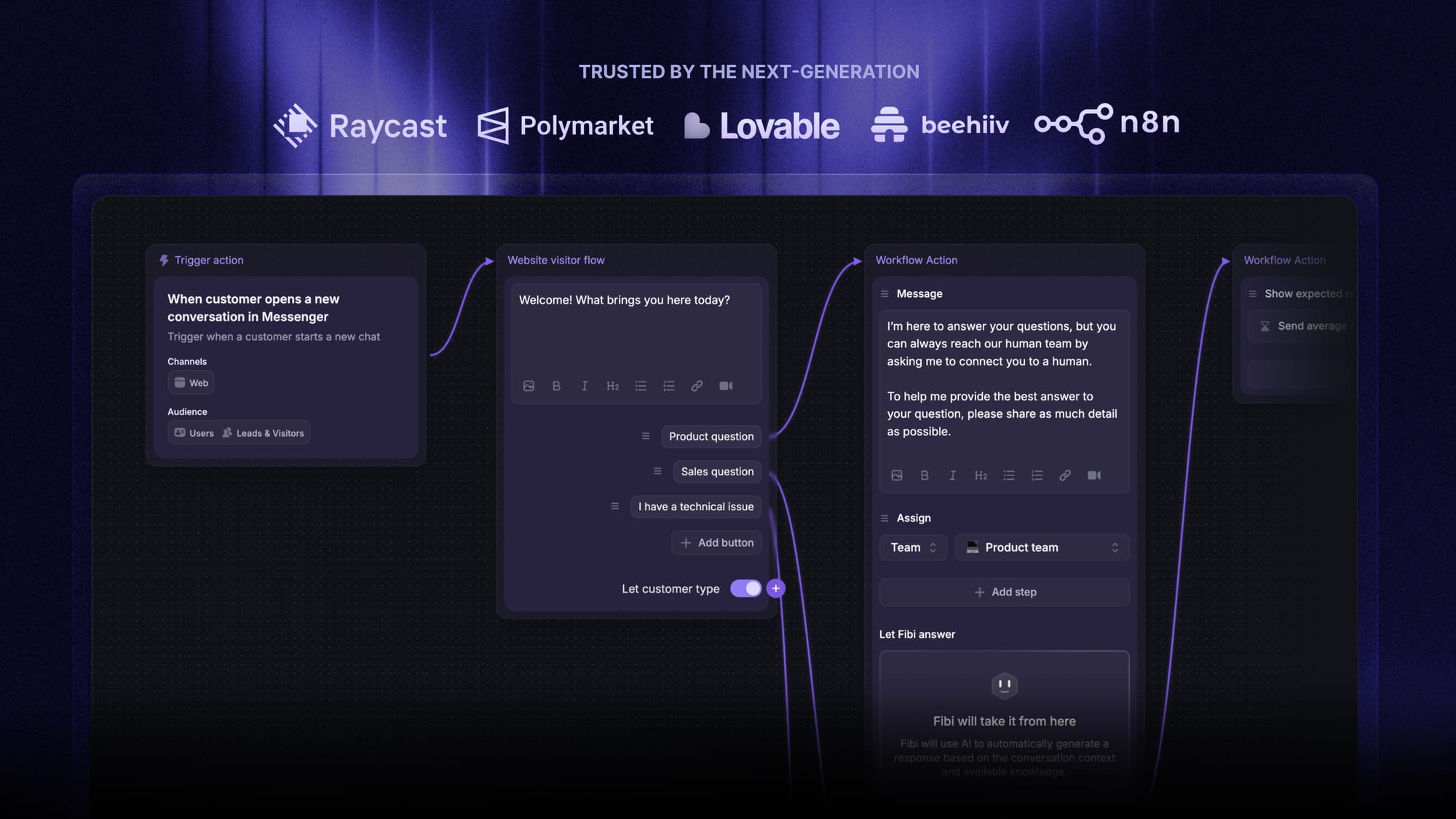
Not every platform offers the same depth. If you are comparing the best email ticketing software, these are the most important features to evaluate.
1. Automatic ticket creation from incoming emails
Every incoming email should become a trackable new ticket with clear ownership and ticket numbers.
2. Routing and assignment
Good tools help teams assign tickets automatically based on topic, priority, account, or team. Intelligent routing is especially important for larger support teams.
3. Customer context
Look for tools that show customer history, customer data, previous customer interactions, and related customer information so agents can work with full context.
4. Internal collaboration
Internal notes, mentions, and collaboration features help support agents work together without creating confusing reply chains.
5. Knowledge base integration
A connected knowledge base helps deflect common support requests and gives agents quick access to approved answers.
6. Automation and AI
The best tools use AI automation, automation rules, and AI tools to reduce repetitive tasks, speed up triage, and improve response time.
7. Reporting and analytics
Look for real-time analytics, dashboards, and the ability to track performance metrics like response time, backlog, customer satisfaction, and agent performance.
8. Omnichannel flexibility
Even if email is your main support mailbox today, you may later want to support chat, Facebook Messenger, messaging apps, or other preferred channels.
9. Ease of use
A clean, intuitive interface matters. If the platform is too complicated, support agents may avoid advanced capabilities and revert to manual processes.
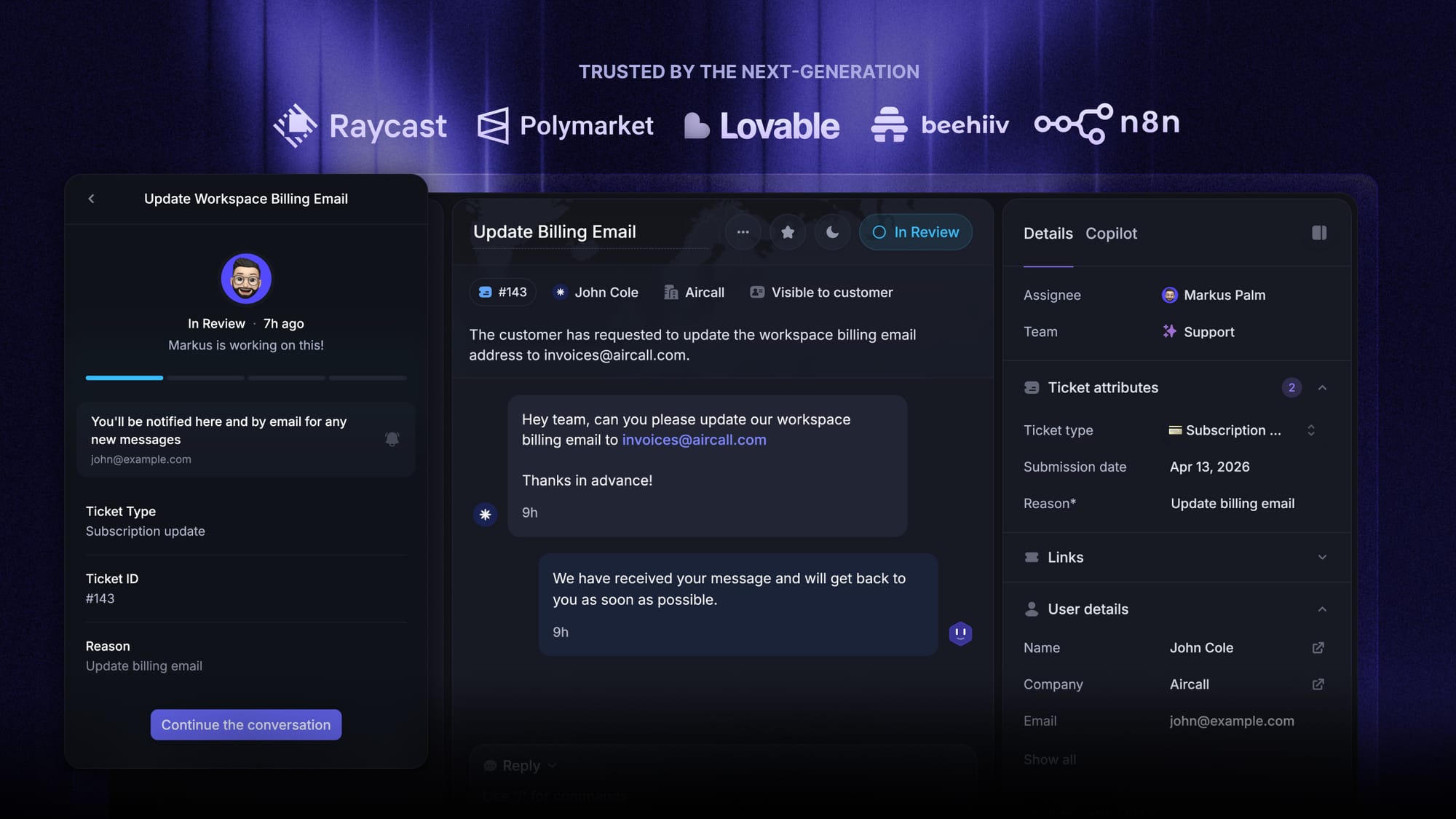
Choose the best email ticketing system
Automatically resolve customer issues & cut down support loads for your team
How to choose the best email ticketing software
The best choice depends on your workflow, team size, customer expectations, and the complexity of your support operations.
Here is a simple way to decide.
- Choose Featurebase if you want a modern support platform that combines email ticketing, live chat, a knowledge base, AI automation, and customer feedback in one place.
- Choose Zendesk if you need advanced features, stronger reporting, higher-volume workflows, and a comprehensive suite for a larger support team.
- Choose Freshdesk if you want flexible ticketing software with a good balance of usability and automation.
- Choose Zoho Desk if you want one of the more cost-effective options with practical features and room to grow.
- Choose HubSpot Service Hub if you want your service teams to work from the same ecosystem as sales and customer success, with deep integration around customer data.
- Choose Front or Help Scout if you want a simpler, more approachable support environment with strong inbox collaboration and less overhead.
- Choose Jira Service Management if you run a more traditional ticketing system for internal support, technical workflows, or structured service processes.
Conclusion
The best email ticketing system depends on your team’s workflow, ticket volume, and the level of structure you need. But in general, the right tool should help you do more than organize support emails. It should help your team respond faster, reduce manual effort, and deliver a better customer experience with full context.
Featurebase is a modern support platform built for SaaS teams. It combines email ticketing, live chat, a built-in knowledge base, AI-powered workflows, and customer feedback tools in one place, so your team can manage support faster without juggling multiple tools. That makes it especially valuable for teams that want support, self-service, and product feedback connected in a single workflow.
It comes with affordable pricing and a Free plan, while paid plans start at $29/seat/month, plus $0.29 per AI resolution. The onboarding is quick and does not require a credit card, so there is very little friction in trying it. 👇
✨ Get the modern Ticketing Inbox designed for efficiency →
FAQs
What is an email ticketing system?
An email ticketing system is software that turns incoming emails and support emails into trackable support tickets so teams can assign, manage, and resolve customer requests more efficiently.
How does an email ticketing system work?
It captures incoming messages, creates a new ticket, adds ticket numbers, routes the request, stores customer history, and helps agents respond with full context.
What is the difference between a shared inbox and an email ticketing system?
A shared inbox is mainly for shared visibility and collaboration. An email ticketing system adds tracking, automation, reporting, knowledge base connections, internal notes, and better support operations management.
What is the best email ticketing software for small teams?
That depends on your workflow. Featurebase, Freshdesk, Zoho Desk, Help Scout, and Hiver are all strong options depending on whether you want modern AI workflows, affordability, simplicity, or Gmail-native support.
Can email ticketing software improve customer satisfaction?
Yes. Faster response time, better visibility into customer interactions, improved ownership, and more personalized support often lead to better customer satisfaction and stronger customer satisfaction scores.
Do I need a knowledge base with a help desk?
In many cases, yes. A knowledge base reduces ticket volume, helps customers find answers on their own, and gives support agents a faster way to respond consistently.
Is email ticketing enough, or should I support more channels?
Email is still one of the most important support channels, but many teams eventually expand into chat, phone calls, Facebook Messenger, and other messaging apps to meet customers on their preferred channels.