Unthread.io Review: Features, Pricing, Pros and Cons
Unthread.io review covering Slack ticketing, AI features, pricing, pros, cons, and whether it fits your SaaS customer support team.


On this page
Customer requests are easy to lose when support happens across busy Slack channels. Unthread turns those conversations into tickets, giving your team a way to track ownership and follow through.
But does its approach fit your support team, and what will you actually pay? In this Unthread.io review, I'll break down its published features, pricing, and user feedback so you can decide whether it belongs on your shortlist. 👇
Key takeaways
- Best fit: Teams that want to organize support around conversations in Slack, especially when requests involve several departments.
- Main strengths: Conversational ticketing, AI-assisted work, and connected knowledge help bring structure to scattered requests.
- Main trade-offs: Minimum seat commitments and plan restrictions matter, particularly for smaller teams.
- Worth comparing: Featurebase✨ combines customer support with feedback, roadmaps, and product updates for SaaS teams.
What is Unthread?
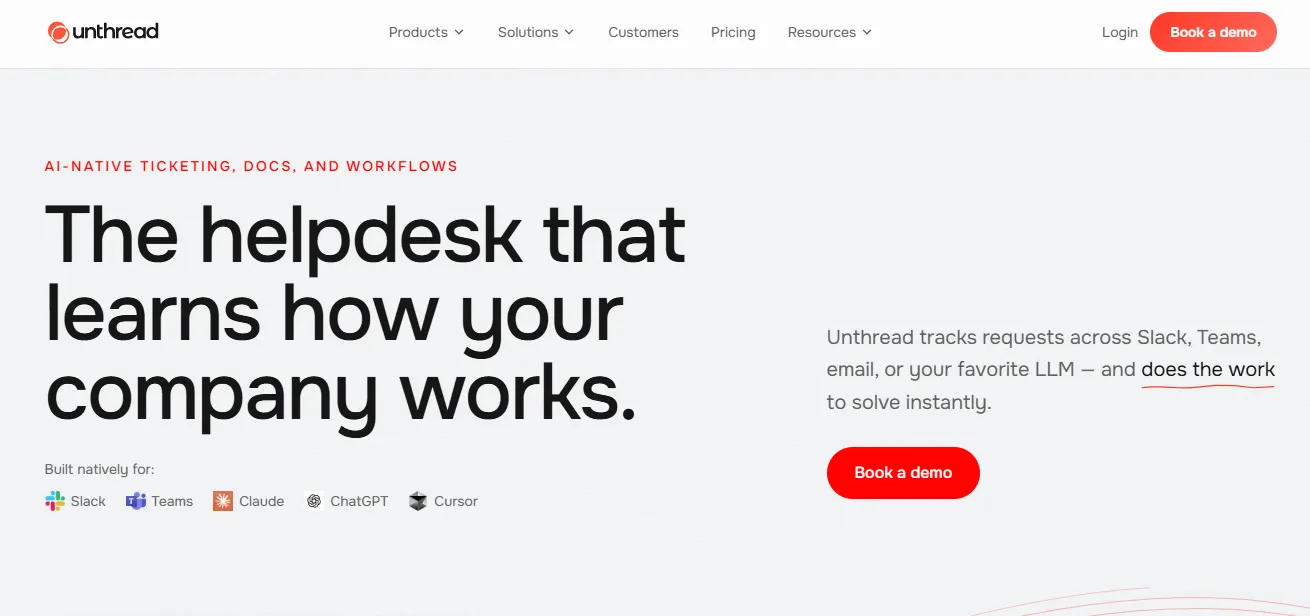
Unthread is an AI helpdesk that turns messages into trackable support requests. Its platform covers ticketing, knowledge management, and customer support automation, alongside workflows for internal teams such as IT, HR, and operations.
Slack is central to its positioning, but Unthread also supports channels including Microsoft Teams and email. That matters if you're evaluating it as more than a tool for tracking Slack threads.
The appeal is straightforward: people can ask for help where they're already working, while your team gets a more organized process behind the conversation. For customer support operations, that means less reliance on someone remembering to follow up.
This review is based on published product information and public review summaries. It isn't a hands-on product test.
Unthread's key features
Unthread's feature set connects the incoming request to the work needed to resolve it. These are the capabilities I'd pay attention to during an evaluation.
Slack ticketing and conversation tracking
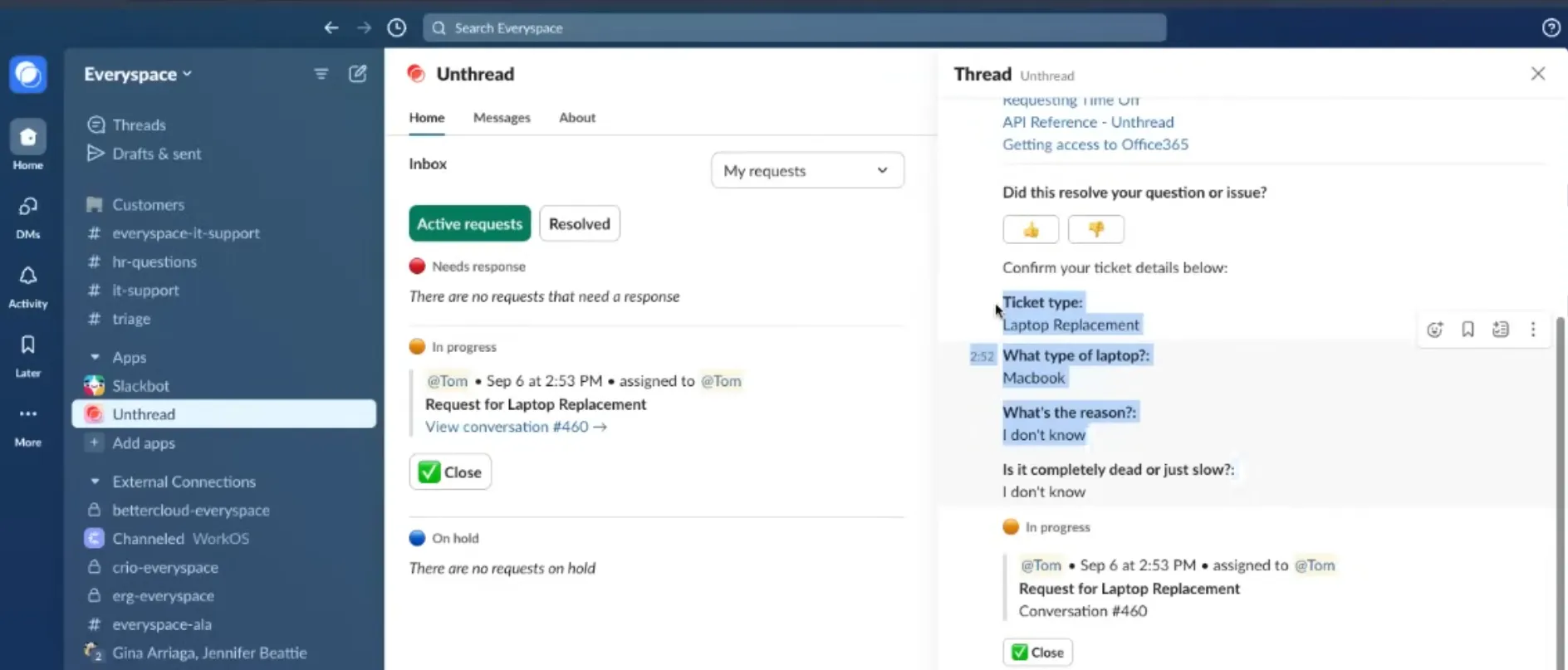
Unthread brings ticket tracking into Slack-based support. A conversation can have an owner and a status instead of disappearing under newer messages.
For example, a customer might report an issue in a shared channel while several teammates join the thread. The useful test is whether your team can still identify who's responsible and what happens next once the discussion gets busy.
AI answers and actions
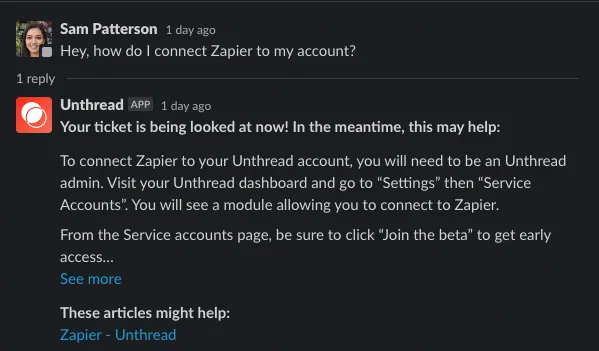
Unthread's AI can use request context and connected knowledge to answer questions. It can also categorize requests and trigger work across connected tools.
That makes it relevant to teams evaluating AI customer support software for more than suggested replies. During a demo, ask to see a workflow similar to your own, including what happens when the information is incomplete.
Knowledge management
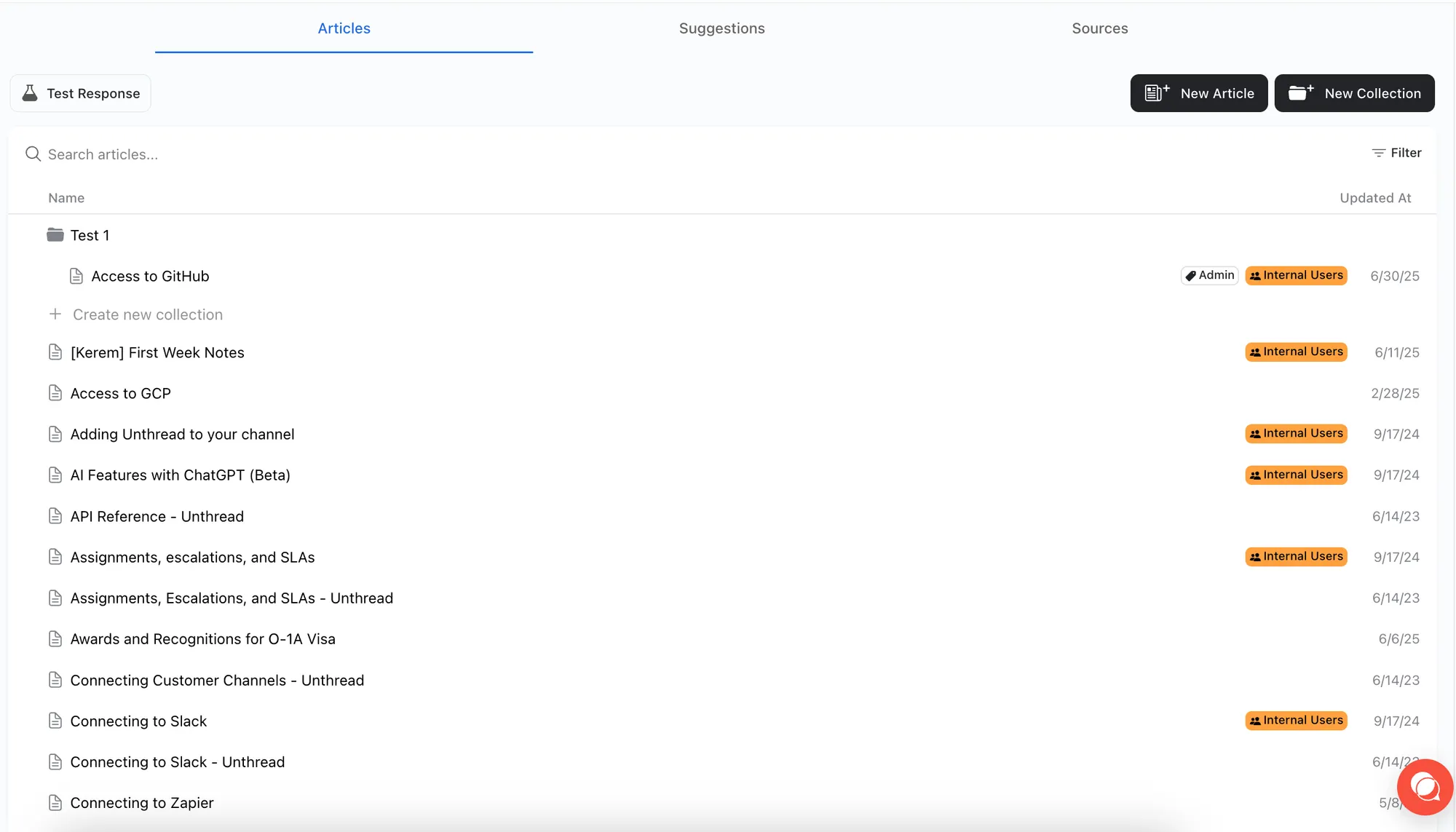
Unthread connects existing documentation and can propose articles or updates based on resolved conversations. Its knowledge tools also let teams review proposed changes.
This could be useful when agents repeatedly explain the same workaround in Slack. Turning that answer into reusable documentation helps the next person find it without searching through old threads.
Still, assign someone to review the material. A workaround that fixed one customer's problem shouldn't automatically become general advice for everyone.
Ticket routing, ownership, and follow-up
Unthread offers assignments and SLA tracking to help teams manage incoming work. Its wider platform also includes escalation and workflow capabilities.
The practical benefit is accountability. When a question needs input from another team, a structured process makes it easier to distinguish a request that's being investigated from one that's been forgotten.
Unthread pricing and minimum costs
Unthread advertises these starting prices:
| Plan | Starting price | Minimum seats | Starting total |
|---|---|---|---|
| Basic | $50/agent/month | 5 | $250/month |
| Pro | $75/agent/month | 5 | $375/month |
| Enterprise | Custom | Confirm with sales | Custom |
The totals multiply the listed rate by the seat minimum. Confirm which billing term applies to your quote.
Basic includes conversation tracking, SLAs, assignments, Slack Inbox, and up to 100 conversations/month. Pro adds a customer portal, knowledge sync, custom dashboards, surveys, and more advanced integrations. Enterprise lists the AI automation builder, self-learning documentation, and additional enterprise controls.
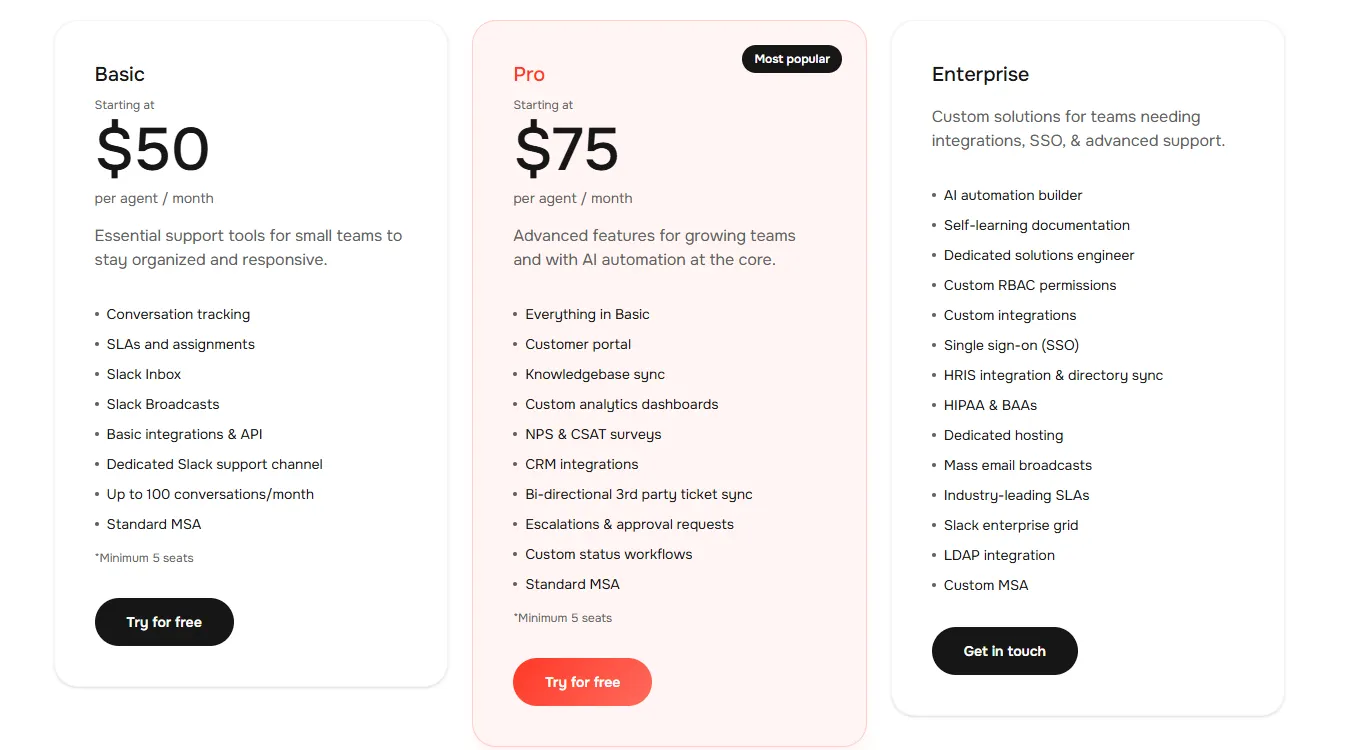
A 14-day trial is advertised. Before buying, confirm conversation allowances, AI usage costs, and the specific automation features included in your plan.
The key budgeting point is the minimum commitment. A team with fewer agents still needs to account for the required seats, so compare the total subscription cost with your actual workload.
What Unthread does well
Unthread's strongest selling point is how closely its approach matches conversational support. Here are the reasons it could earn a place on your shortlist.
It adds structure without moving the conversation
If customers already ask questions in Slack, changing that behavior can be difficult. A ticketing process built around those conversations gives your team a way to organize the work while preserving the familiar experience.
That is especially useful when customer success, support, and engineering all contribute to an answer. The customer shouldn't have to understand your internal handoff process to get help.
It connects answers with operational work
Some requests end with an explanation. Others require someone to update a system, investigate a bug, or obtain approval.
Unthread's combination of knowledge and automation is relevant to that second group. The value depends on how well the available integrations and workflows match the work your team actually does.
Customers report clearer ownership in Slack
In a September 2024 Capterra review, John S., a CTO, described how manually tracking customer requests in Slack had made ticket status and ownership unclear. He reported that Unthread gave the team visibility into those requests and helped them meet support SLAs.
That's the strongest argument for Unthread in my view: making it clear who owes the customer an answer. If your team already provides support through shared Slack channels, that improvement could matter more than adding another channel or another AI feature.
Unthread's limitations and buying considerations
The reasons to hesitate are mostly about fit and packaging. I'd check these before committing.
The minimum commitment matters for small teams
A seat-based subscription can look affordable until the minimum seat count is applied. If your team is small, calculate the cost per person who will actually handle requests.
Then compare that spend with the time you're currently losing. A higher subscription can still make sense if it removes substantial manual work, but that should be a calculation based on your operation.
The full product isn't the entry plan
Unthread's marketing describes a broad platform. Your subscription determines which parts you can use.
Prepare a short list of the capabilities your workflow needs and have the vendor map each one to the proposed plan. Include the actions you want AI to perform, the reports your manager needs, and the integrations involved in resolving requests. Compare Unthread alternatives against the same requirements before committing.
Reporting and integrations deserve a practical check
In a December 2025 G2 review, a verified user in computer software praised tracking Slack and email conversations but found customer-focused reporting cumbersome. They wanted a more convenient dashboard for tracking and creating reports.
That would make reporting a priority in my trial, especially if I needed to review support performance by customer account. It's one reviewer's experience, not proof of a current product-wide limitation, but it's a concrete reason to ask for a demonstration of the report your team actually needs.
I'd apply the same test to integrations: does the connection preserve the fields and status changes your team relies on?
Your support channels should drive the decision
Unthread's conversational approach is most compelling when messaging is already central to your workflow. If most requests arrive somewhere else, test that channel just as carefully as Slack.
When comparing omnichannel support platforms, look at the complete agent workflow. Channel availability alone doesn't tell you how easy it is to manage a customer who contacts you in several places.
Who should choose Unthread?
I'd shortlist Unthread if your team handles a lot of requests in Slack and needs clearer ownership, automation, and reusable knowledge. It's also worth evaluating when support requests regularly cross departmental boundaries.
Before committing, run a pilot with representative work:
- A routine question: Check whether the answer is accurate and based on the right documentation.
- A request needing another team: Follow the assignment and handoff through to resolution.
- An unusual issue: See how agents recover when automation can't finish the job.
- A reporting task: Produce the report you'd actually use in a team review.
If you're primarily building a SaaS customer support operation, also consider how support connects with feature requests and product communication. That broader workflow may influence which platform makes the most sense.
Featurebase: a direct alternative for AI customer support
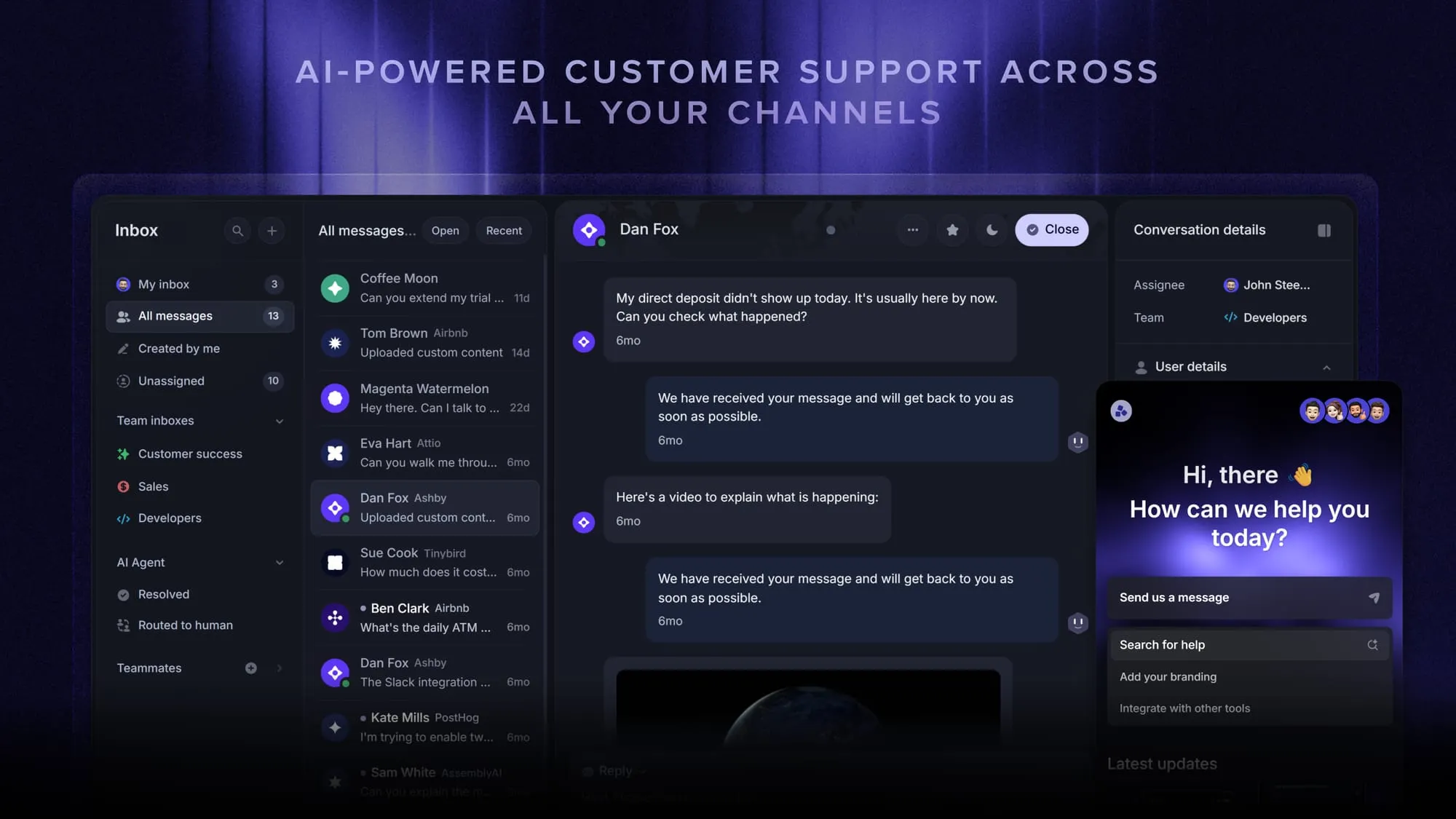
I'd put Featurebase on the same shortlist as Unthread for AI-powered customer support. Both cover the core job: managing conversations, tracking tickets, answering questions with AI, and automating the work around a request.
These are the support capabilities I'd compare directly during a trial:
- Unified inbox: Featurebase brings Slack, email, and live chat into one Inbox. Your team can see customer context, assign ownership, add private notes, and track SLAs.
- Customer ticket portal: Customers can submit and follow tickets through a dedicated portal.
- Slack workflows: Collect issue details through Slack forms, route conversations, apply SLAs, and ask for CSAT in the original thread.
- Fibi AI Agent: Answer eligible requests and hand unresolved conversations to your team.
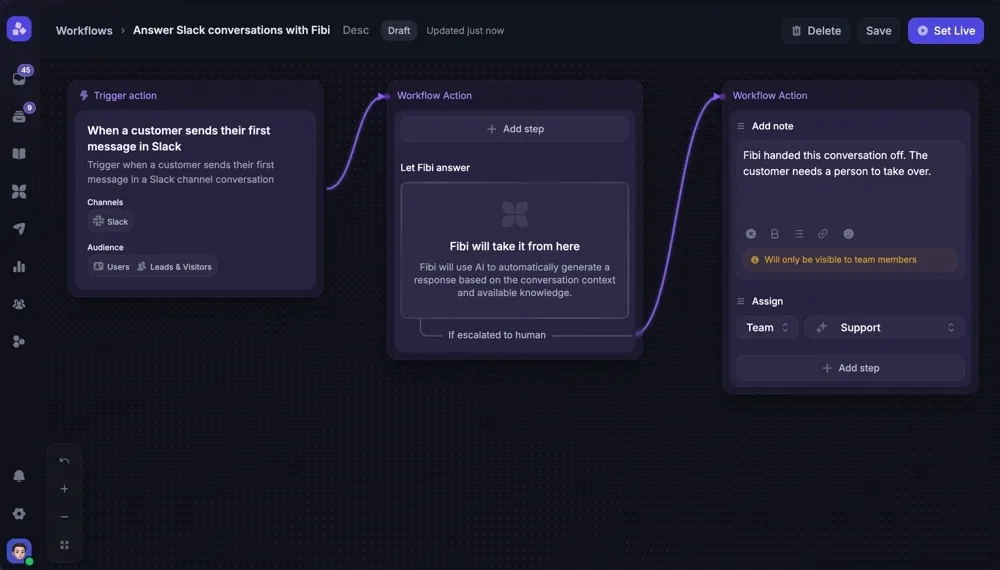
The strongest reason to consider Featurebase here is that it covers the support workflow you're shopping for, with clearly published seat and AI-resolution pricing. I wouldn't choose a winner just because both products list AI and automation. I'd compare how each handles a real customer question, a handoff to another team, and an issue that needs a tracked ticket.
For a small team, I'd pay particular attention to Unthread's 5-seat minimum. Here's how Featurebase's pricing breaks down:
- Free plan: 1 seat and unlimited conversations, without AI.
- Paid plans: Start at $29/seat/month billed yearly, plus $0.49 per AI resolution.
- Slack support: Requires Professional at $59/seat/month billed yearly.
Compare the full cost of the required plan and AI usage before calling either option cheaper.
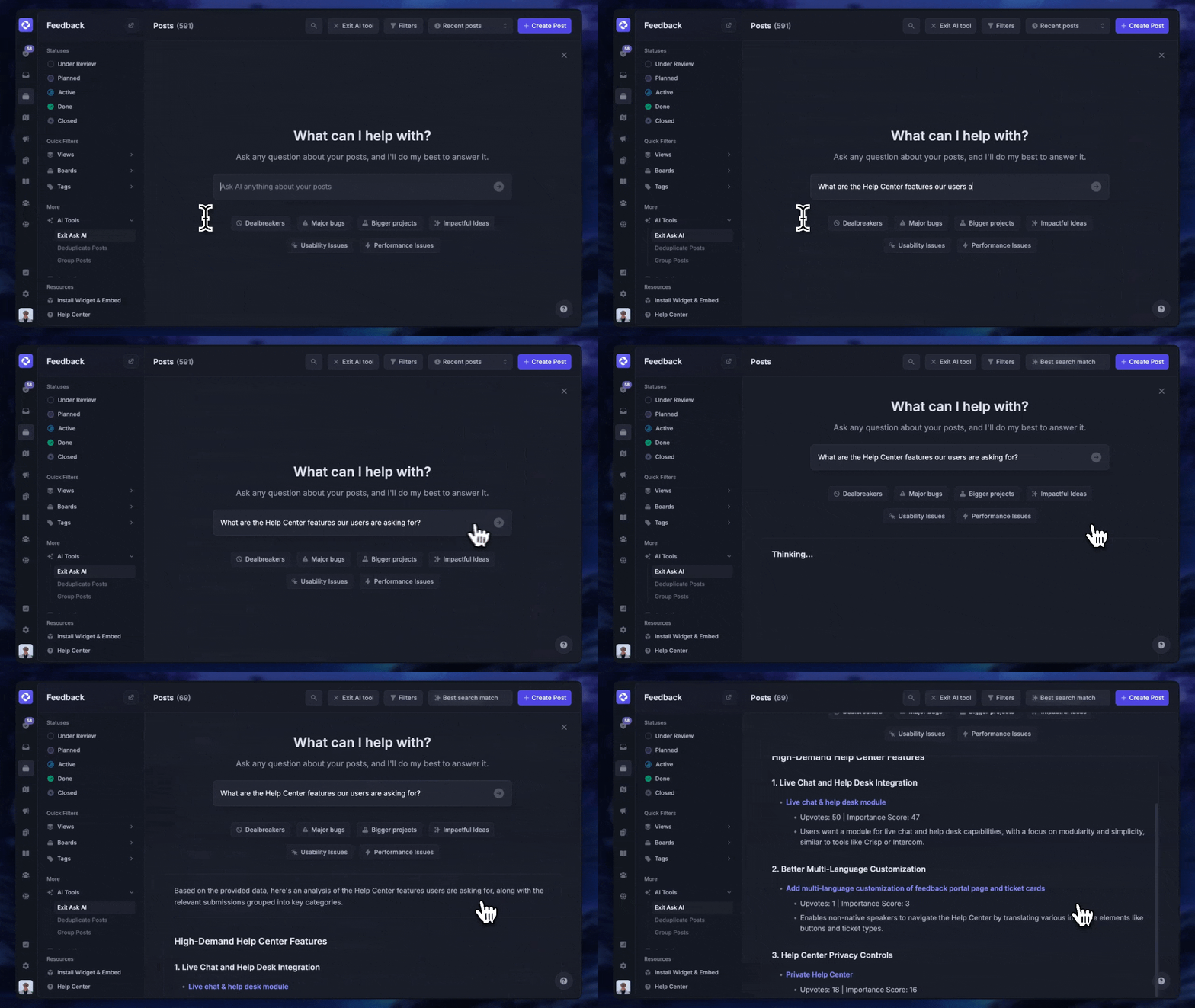
Featurebase also includes customer feedback collection, roadmaps, and changelogs. I'd treat those as additional value once the support platform meets your needs. The decision should start with how well it helps your team resolve customer issues.
Conclusion
Unthread is worth considering when your team wants to organize support around Slack conversations. Its appeal is the connection between ticketing, knowledge, and operational work. The decision comes down to workflow fit and the plan needed to deliver it.
For SaaS teams that want customer support, feedback, and product updates together, Featurebase offers a connected platform with an omnichannel inbox and Fibi AI Agent.
You can explore Featurebase with a Free plan, then choose a paid plan for the channels and automation your team needs. 👇
Explore Featurebase's AI customer support platform
FAQs
Unthread lists integrations with helpdesk and issue-tracking systems, including ServiceNow and Jira. Check the supported synchronization behavior for your specific system before deciding whether to keep it alongside Unthread or replace it.
Unthread lists sources including Notion, Confluence, SharePoint, and Google Drive. During evaluation, check how your chosen source handles updates and access permissions so the AI uses appropriate content.
Unthread describes escalation to human agents for requests that need review, approval, or intervention. Test this with an incomplete or unusual request, and check that the receiving agent has enough context to continue.
Prepare the channels you want to support, the documentation agents rely on, and a clear ownership process. I'd also bring example requests and a list of required integrations so the trial reflects your real work.
Unthread lists monthly, annual, and multi-year contracts. Ask for the total commitment and applicable rates for your preferred term before signing.