Blog Customer ServiceZoho Review: Is the All-in-One Suite Worth It in 2026?
Zoho Review: Is the All-in-One Suite Worth It in 2026?
An honest 2026 review of Zoho: what the all-in-one suite does well, where it frustrates users, what it really costs, and who should actually buy it.



✨ Psst... Looking for a modern & affordable alternative to Zoho? Check out Featurebase →
Zoho promises to run your entire business for the price most companies pay for a single tool: one login for your CRM, accounting, email, support desk, HR, and dozens of other apps, all from one vendor.
That pitch is tempting. But "cheap and does everything" usually hides a catch.
In this review, I'll look at Zoho as a whole suite, not just one product: what it is, how its flagship apps hold up, what it really costs once the add-ons stack up, and whether it's the right call for your team. 👇
Key takeaways:
- Zoho is one of the broadest software suites available: 55+ integrated apps covering CRM, accounting, email, support, HR, and more, all from a single company.
- Its biggest draw is value. You get enterprise-style breadth for a fraction of what a comparable best-of-breed stack would cost, especially through the Zoho One bundle.
- The trade-offs are a steep learning curve, an interface that can feel cluttered and dated, and customer support that users widely describe as inconsistent.
- Many of the best features, including the Zia AI assistant, are gated behind higher tiers and add-ons, so the real cost often climbs well past the headline price.
- If you only need the customer-facing slice (feedback, roadmaps, changelog, and support), a focused tool like Featurebase✨ does it better than stitching several Zoho apps together.
- Bottom line: Zoho is worth it if you want one affordable vendor for everything and can invest the time to set it up. It's a weaker choice if you need a polished, specialized tool in a single area.
What is Zoho?
Zoho is a privately held software company that builds an unusually large suite of business apps - more than 55 of them - that all live under one account and share data with each other. Instead of buying a CRM from one vendor, accounting software from another, and a help desk from a third, the idea is that you get all of it from Zoho.
That model lands at a useful moment. The average company now runs around 101 different SaaS apps, according to Okta's 2025 Businesses at Work report, and the cost and chaos of managing that sprawl is real. Zoho's whole pitch is consolidation: fewer vendors, fewer bills, fewer logins.
You can buy Zoho two ways. You can subscribe to individual apps (just Zoho CRM, say, or just Zoho Books), or you can take the Zoho One bundle, which packages roughly 45+ apps together for one per-employee price. The bundle is where the value story gets loud, and it's the version most "is Zoho worth it" conversations are really about.
Zoho has been around since the mid-2000s and serves a large global base, much of it small and mid-sized businesses drawn by the price. It's not a flashy, venture-backed name, and that shows in both good ways (it's profitable, private, and not chasing an exit) and frustrating ones (the polish often trails newer, more focused rivals).
Zoho's main products, reviewed
The suite is too big to cover app by app, so here are the flagship products most teams actually evaluate.
Zoho CRM
Zoho CRM is the centerpiece of the suite and the product most "Zoho review" searches are really about. It covers the core sales workflow well: lead and deal management, customizable pipelines, sales forecasting with weighted probabilities, and solid mobile apps that sync offline.
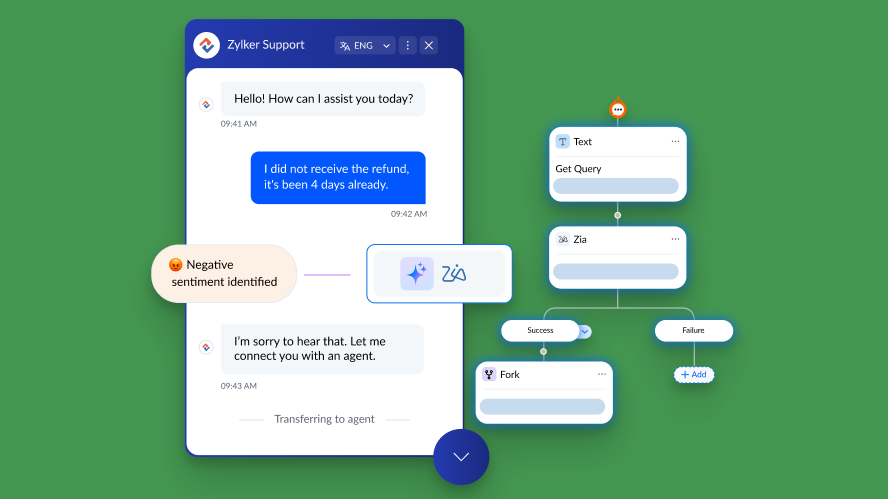
Its standout strength is how tightly it connects to the rest of Zoho. Pair it with Zoho Books, Desk, or Campaigns and the data flows between them without much fuss. The Zia AI assistant adds lead scoring, anomaly detection, and now agentic features that can qualify leads or draft follow-ups on their own.
The catches: reporting can feel clunky to build, advanced customization has a real learning curve, and Zia's best capabilities are locked to the priciest plans. For most small and mid-sized sales teams, though, it's a capable, affordable CRM.
Zoho Books and Invoice
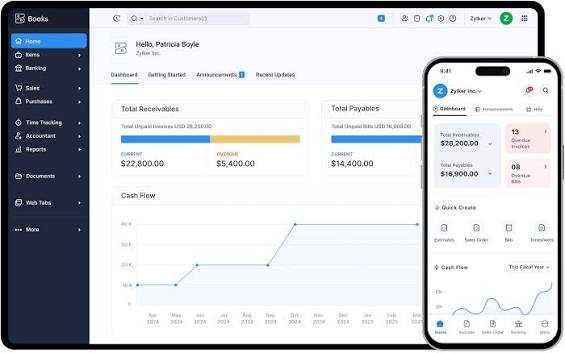
Zoho Books is the accounting product, and it's one of the strongest apps in the suite. It handles invoicing, expense tracking, bank reconciliation, and tax workflows, and it scales reasonably as a business grows. Zoho Invoice is a lighter, free-standing invoicing tool that works well for freelancers and very small teams who don't need full accounting.
Reviewers consistently rate Books highly for value, especially against pricier incumbents. The main friction is the same as everywhere in Zoho: getting the most out of it takes setup time, and deeper features sit on higher tiers.
Zoho Mail and Workplace
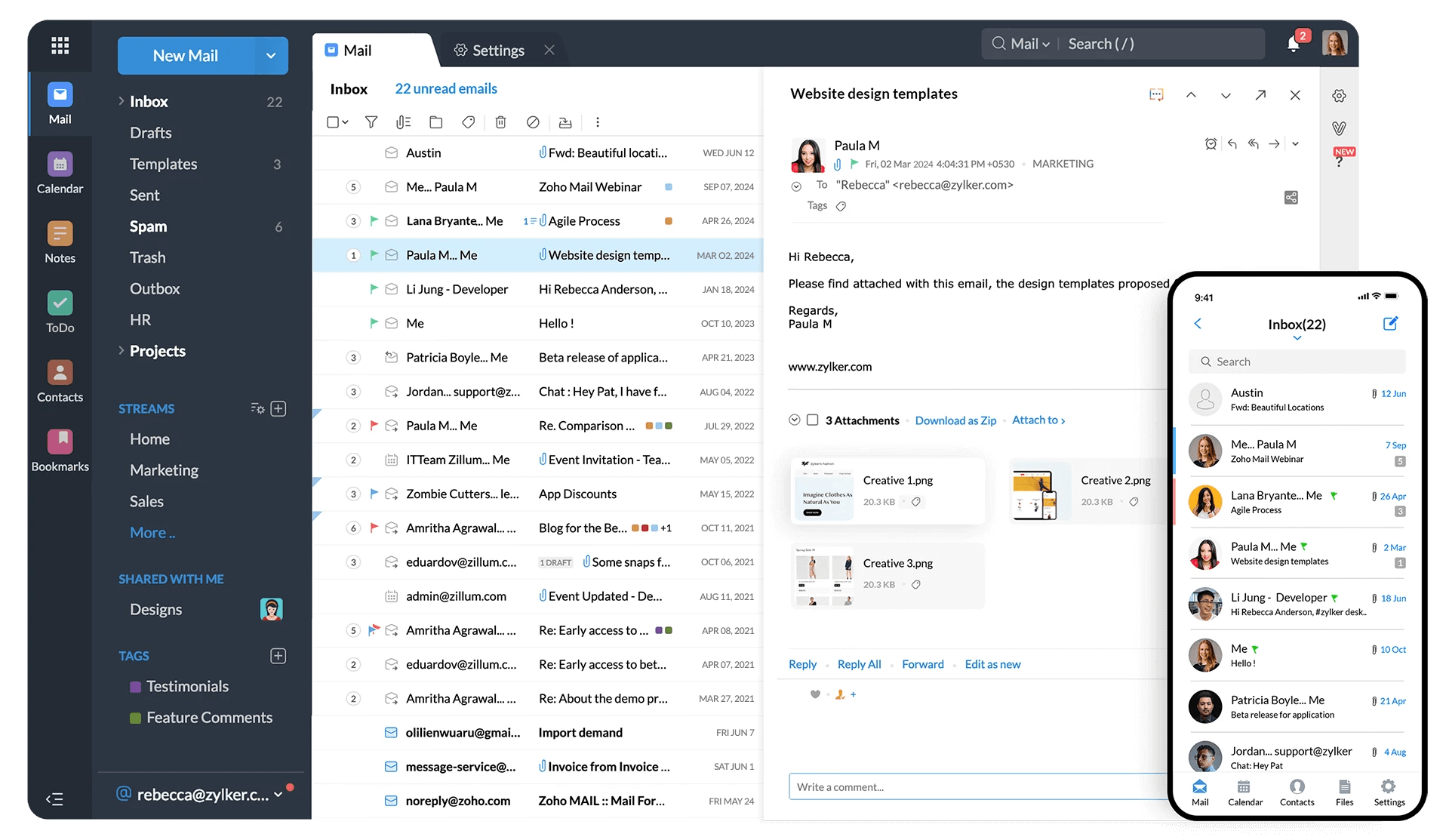
Zoho Mail is a privacy-focused, ad-free business email host, and Zoho Workplace bundles it with the office apps (Writer, Sheet, Show), chat (Cliq), and file storage (WorkDrive). It's a credible, cheaper alternative to Google Workspace or Microsoft 365 for cost-conscious teams.
The honest trade-off is ecosystem. Google and Microsoft still win on real-time collaboration polish and the sheer depth of third-party integrations. Zoho Workplace counters on price and privacy, which is enough for many smaller businesses but rarely enough to pull a large team off tools they already know.
Zoho Desk
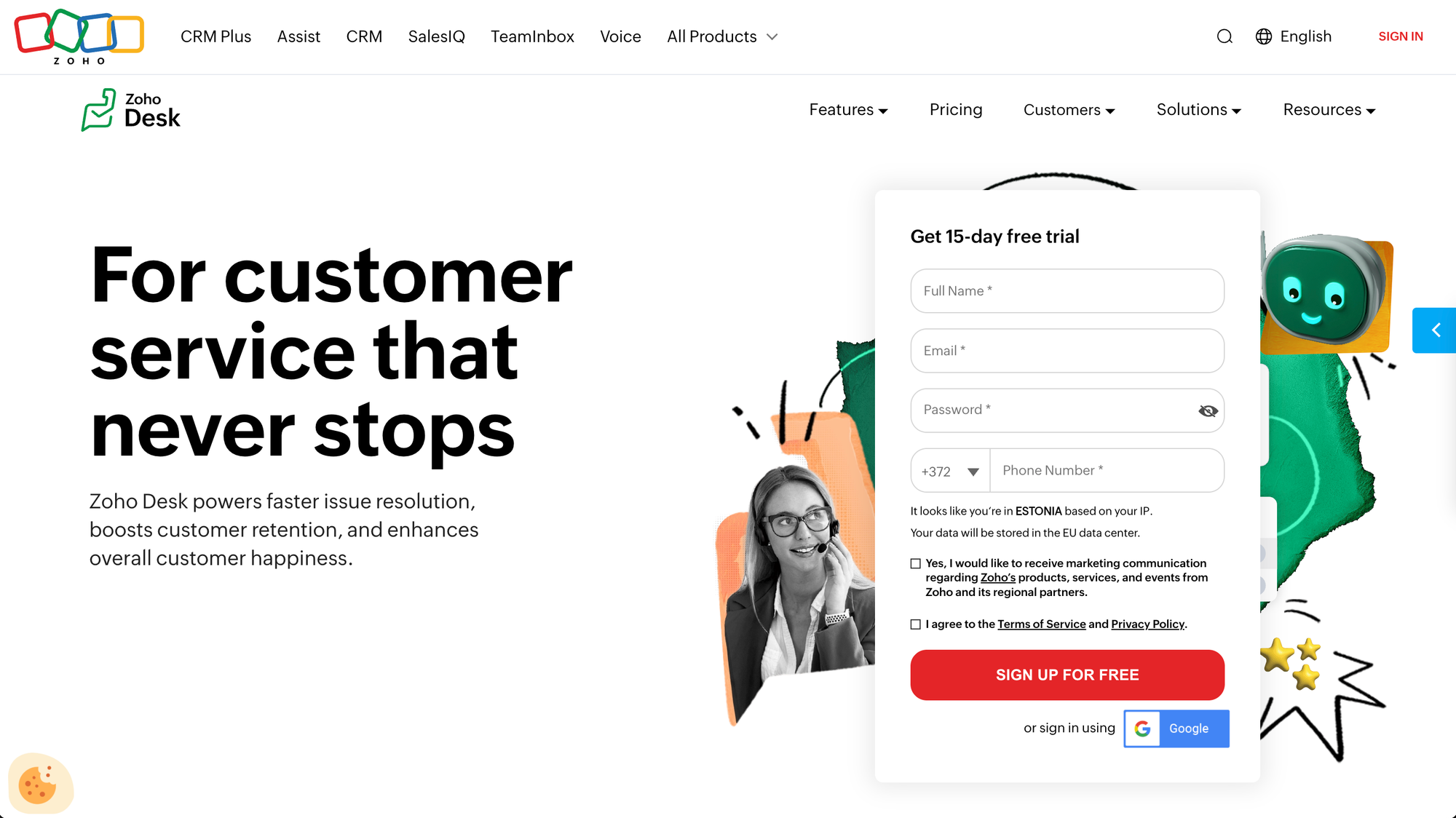
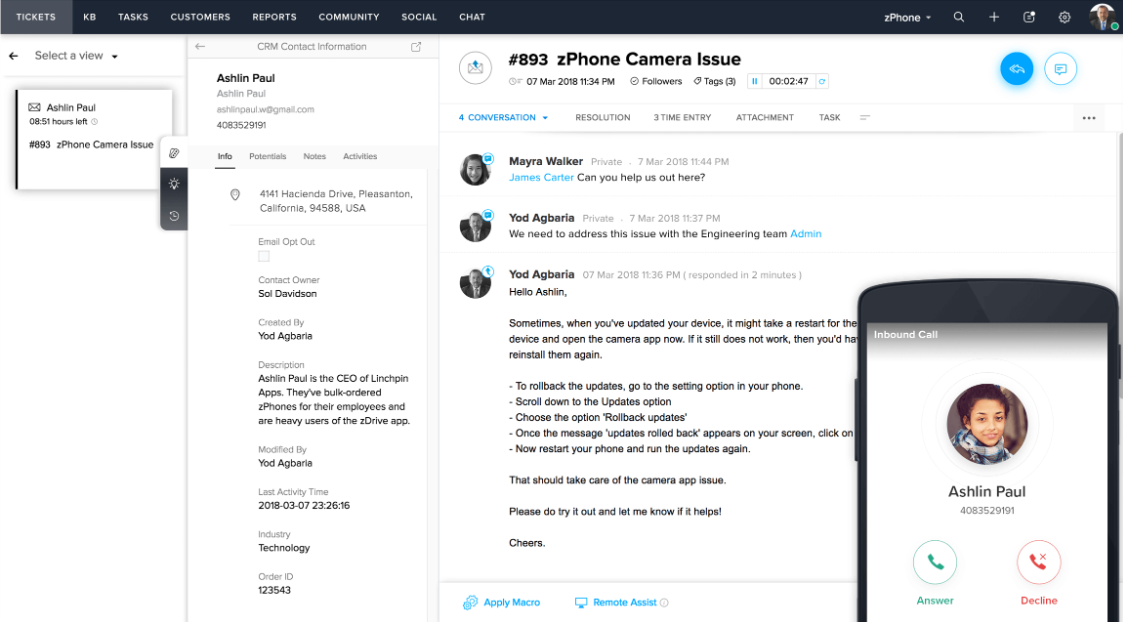
Zoho Desk is the customer support and help-desk product: ticketing, a knowledge base, multichannel support, and AI-assisted replies. It's competent and well-priced, and it integrates naturally with Zoho CRM so sales and support share context.
User feedback is more mixed here. People praise how quickly you can get started, but a recurring complaint is that the interface feels cluttered and the experience fragments as you push into more advanced configuration. If support is your core need rather than a side benefit of the suite, it's worth weighing Desk against more specialized support tools.
Zoho Projects
Zoho Projects handles task management, Gantt charts, time tracking, and team collaboration. It's a reasonable fit for teams that already live in Zoho and want project management in the same account, and the price is friendly.
It's rarely anyone's favorite standalone project tool against the likes of Asana or monday.com, but as a "good enough and already included" option, it does the job.
Zoho One (the bundle)
Zoho One is the reason the suite gets so much attention. For one per-employee price, you get access to roughly 45+ Zoho apps. If you'd otherwise pay for a CRM, accounting, email, support, HR, and a handful of other tools separately, the math can be dramatic.
The asterisk is real, though. Reviewers repeatedly note that Zoho One is sold as an integrated suite but doesn't always behave like one out of the box - connecting the pieces often takes manual configuration. You're buying breadth and price, not a seamless, pre-wired platform. Used well, the value is hard to beat. Treated as plug-and-play, it disappoints.
Zoho pricing: What it really costs
Zoho's pricing is very competitive, which is the entire point of the brand. But the headline numbers and the real-world numbers can drift apart, so it pays to read the tiers closely.
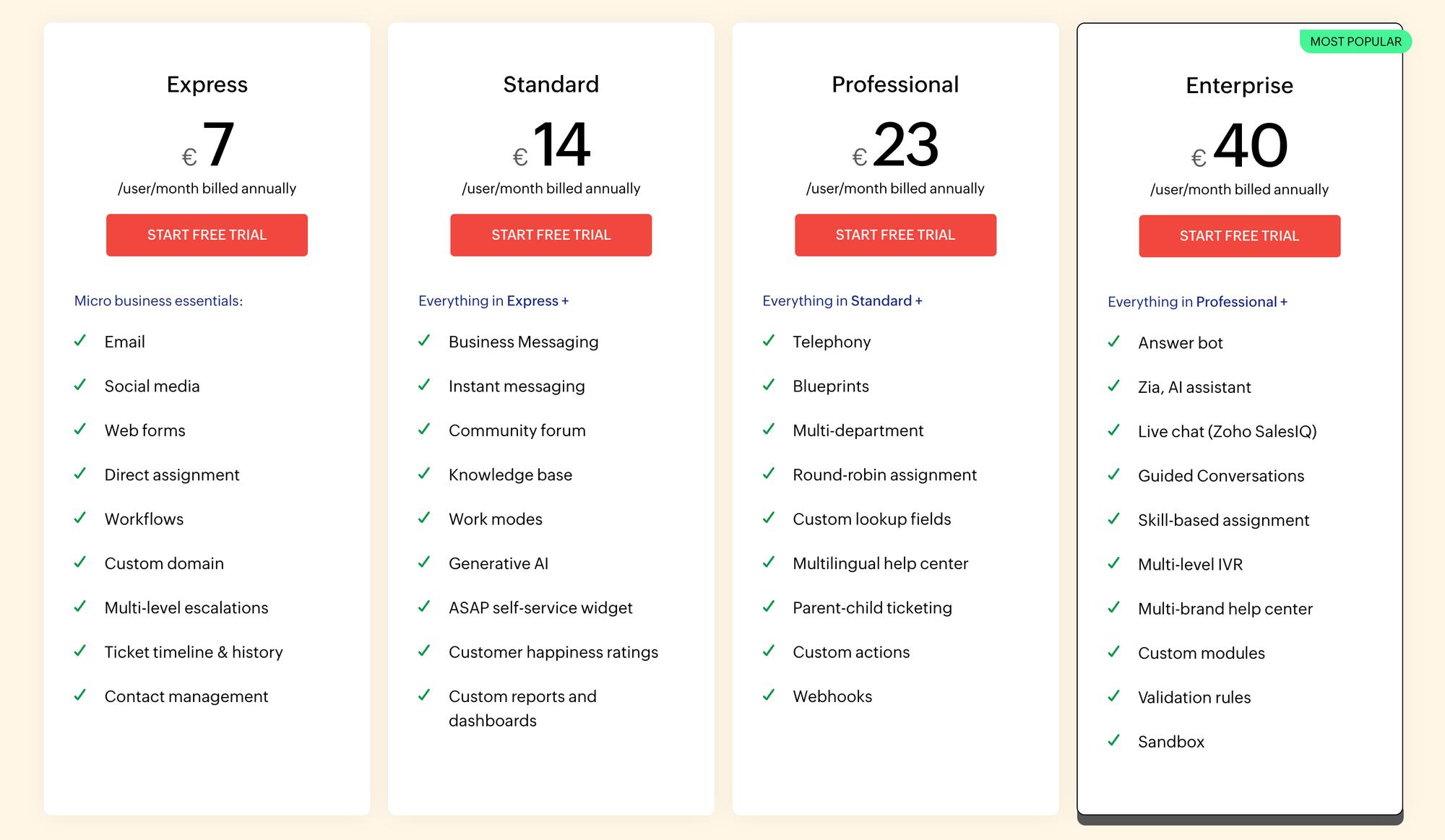
Zoho CRM is a good example of the structure across the suite. Prices are per user, per month, billed annually:
| Plan | Price (per user/month) | Best for |
|---|---|---|
| Free | $0 (up to 3 users) | Testing the basics |
| Standard | $14 | Small teams |
| Professional | $23 | Growing teams that need automation |
| Enterprise | $40 | Larger teams that want the Zia AI assistant |
| Ultimate | $52 | Advanced analytics and customization |
Two patterns repeat everywhere in Zoho. First, the free plans are deliberately thin - useful for a trial, rarely enough to run on. Second, the features people most want, including the Zia AI tools, sit on the upper tiers, so the price you end up paying is usually higher than the one that first caught your eye.
Zoho One sidesteps some of that by bundling 45+ apps for roughly $37 per employee per month on the all-employee plan (billed annually), with a higher flexible-user option if you only license some staff. For a business that actually uses many of the apps, it's one of the best values in software. For a business that needs two or three of them, paying for individual apps is often cheaper.
A few money realities worth keeping in mind:
- Annual billing is the real price: most of Zoho's attractive numbers assume an annual commitment, and paying monthly costs noticeably more.
- Add-ons accumulate: extra features, higher limits, and premium support are frequently add-ons rather than included, and they erode the "cheap" advantage.
- Premium support costs extra: standard support is included, but faster, dedicated help is a paid upgrade, which matters given the support complaints below.
What people love about Zoho
Strip away the marketing and the praise from real users is consistent.
The breadth is the headline. Being able to run sales, finance, email, and support from one account, with one vendor relationship, removes a real operational burden. Users on G2 and Capterra repeatedly describe the appeal as having everything centralized in one place.
The value follows close behind. For startups, nonprofits, and budget-conscious SMBs, Zoho delivers capabilities that would cost several times more if assembled from premium point solutions. It's frequently described as the most software you can buy per dollar.
Getting started is easy, too. Most Zoho apps are quick to set up for basic use, the onboarding resources are thorough, and the automation and AI features can deliver useful wins early - automating routine tasks, surfacing insights, and cutting manual work.
Where Zoho falls short
The complaints are just as consistent, and they cluster into a few themes.
- The interface feels cluttered and dated: a recurring criticism is that Zoho's UI takes more clicks and feels less modern than rivals like HubSpot, and that functionality is scattered across screens in ways that slow you down.
- The learning curve gets steep fast: it's easy to start, but as soon as you build serious workflows or automations, the platform can feel fragmented and demands real-time and expertise to manage well.
- Support is inconsistent: this is the most common knock. Users report slow, variable response times, especially on lower tiers, and Zoho's G2 Quality of Support score sits around 7.6 out of 10 - behind specialists like Freshdesk and HubSpot. TechRadar's hands-on review reached the same verdict, calling Zoho CRM a strong product "held back by inconsistent support."
- The suite still needs stitching: Zoho One is sold as integrated, but connecting the apps often takes manual configuration, so the seamless experience the bundle implies isn't always what you get.
- The best features sit behind higher tiers: AI tools, advanced reporting, and deeper customization are gated to the pricier plans and add-ons, which is how a "cheap" suite quietly becomes a mid-priced one.
This is also where the all-in-one model shows its seams. A suite that does 55 things is rarely the best at any one of them. For the customer-facing parts of your business in particular - collecting feedback, running a public roadmap, shipping a polished changelog, and answering users quickly - teams often find that bolting together a few Zoho apps is more effort than it's worth.
That's the gap a focused tool fills. With Featurebase, you can run a public feedback forum, build internal and public roadmaps, and publish product updates from one purpose-built place, instead of assembling the same workflow from separate suite modules.

Resolve 70% of customer requests with AI
Automatically resolve customer issues & cut down support loads for your team
Who Zoho is (and isn't) for
Zoho is a strong fit when:
- You want one affordable vendor for everything: if consolidating a sprawling stack onto a single, low-cost platform is the goal, few options come close to Zoho One.
- You're a budget-conscious SMB or nonprofit: the value per dollar is excellent, and the discounts make it sharper still.
- You have time to invest in setup: teams willing to learn the platform and configure it properly get the most out of it.
Zoho is a weaker fit when:
- You need best-in-class in one area: if a single workflow is mission-critical, a specialist tool will usually feel more polished than the equivalent Zoho app.
- Fast, reliable support is non-negotiable: the inconsistency is a genuine risk for teams that can't afford to wait on help.
- You only need the customer-facing layer: if feedback, roadmaps, changelog, and support are what you actually care about, you don't need a 55-app suite to do it. A focused product like Featurebase covers that slice with in-app feedback widgets and built-in product updates, without the suite-stitching overhead.
A focused alternative for your customer-facing layer: Featurebase
If your real need isn't "run my whole company" but "manage what my customers ask for and ship updates well," Zoho is more suite than you need. Here's the focused option to weigh against it.

Featurebase is a modern feedback & support platform that helps product teams collect feedback, prioritize features, build roadmaps, and announce product updates - all in one place. It's loved by thousands of product teams from companies like Lovable, Raycast, and n8n. 💫
Top features:
- Feedback forum – Public feedback forum where users can submit ideas and vote on features helping you know what customers want
- In-app widgets – Embed feedback, changelog, and help center widgets directly in your product
- Prioritize by revenue – Link feedback with customer revenue, company size, and much more to better understand the impact of ideas
- AI feedback categorization - Automatically group large volumes of feedback into product areas, projects, or themes with AI.
- Automated email updates – Automatically notify users when their requested features are implemented
- Roadmaps – Create internal & public product roadmaps to keep users informed and build engagement
- Product updates – Publish release notes with a changelog page, in-app widget, and emails
- Surveys (NPS, CSAT, etc) – Create targeted surveys to ask users anything and measure customer satisfaction.
- Automatic AI translations – Automatically translate all feedback and comments to your customers / teammates native languages
- Integrations – Connects with Slack, Linear, Jira, HubSpot, and more
Pricing: Free plan available with unlimited feedback collection. Paid plans start at $29/seat/mo.
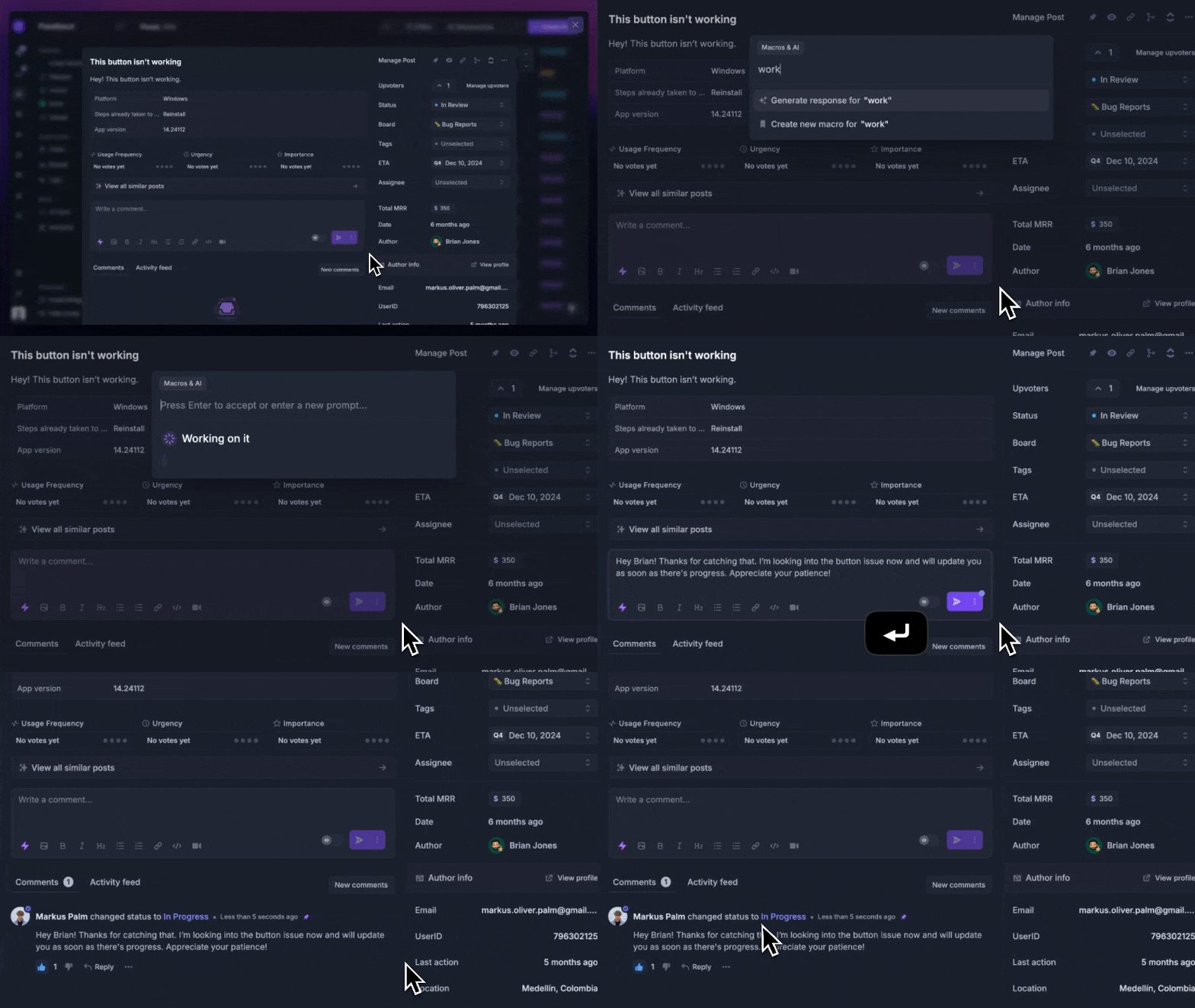
Instead of having 4+ different tools, Featurebase enables you to replace all your customer-facing tools by bringing your feedback collection, product updates, support, and help center together in one place, helping you build products your users love.
Conclusion
So, is Zoho worth it? For the right team, yes. If you want one affordable vendor for sales, finance, email, support, HR, and more, Zoho gives you a lot for the price. The trade-off is that the suite can feel heavy, the setup takes work, and the experience is not always as polished as more focused tools.
If the part you care about most is collecting feedback, planning what to build next, keeping users updated, and closing the loop with customers, Featurebase is the better fit. It brings feedback forums, in-app widgets, surveys, roadmaps, changelogs, help center, and AI-powered support into one modern platform, so you can manage your customer-facing workflows without stitching together several apps.
It comes with affordable pricing and a Free plan with unlimited feedback collection. Onboarding only takes a few minutes and does not require a credit card, so there’s no downside to trying it. 👇
Looking for a modern & affordable alternative to Zoho? Check out Featurebase →
FAQs
Is Zoho worth it?
For most small and mid-sized businesses, yes, provided you value breadth and price over polish. Zoho gives you a huge range of integrated apps for far less than a comparable best-of-breed stack, and the Zoho One bundle makes that value especially strong. The catch is that you trade away some interface polish, support reliability, and out-of-the-box simplicity to get there.
Is Zoho good for small businesses?
It's one of the better-value options for small businesses, which is exactly who it's built for. The pricing is friendly, the app range covers almost everything an SMB needs, and getting started is quick. Just budget time for the learning curve, since the platform rewards teams that invest in setting it up properly.
How much does Zoho cost?
It depends whether you buy apps individually or as a bundle. Individual apps like Zoho CRM start around $14 per user per month (billed annually) and climb to $52 for top tiers, while the Zoho One bundle packages 45+ apps for roughly $37 per employee per month on the all-employee plan. Watch for add-ons and higher-tier features, which can push the real cost above the headline price.
Is Zoho One worth it?
If your team actually uses many of the included apps, Zoho One is one of the best values in business software. The math works because you're paying one per-employee price instead of separate subscriptions for a CRM, accounting, email, support, and more. It's less compelling if you only need two or three apps, in which case licensing those individually is often cheaper.
Is Zoho's customer support reliable?
This is Zoho's most common weak spot. Users frequently report slow and inconsistent response times, particularly on lower-priced plans, and Zoho's support ratings trail specialist competitors. Faster, dedicated help is available as a paid premium add-on, so factor that into your budget if responsive support matters to you.
What's a good alternative to Zoho for managing customer feedback?
If feedback and product management are your real focus rather than a full business suite, a specialized tool fits better. Featurebase is a focused alternative that lets you run a public feedback forum, build internal and public roadmaps, publish a changelog, and collect feedback through in-app widgets, all from one purpose-built platform with a free plan to start on.