What is Pendo and Who is it for? The 2026 Review
Is Pendo a game-changer for your SaaS or just an overpriced option with a steep learning curve?


On this page
✨ Looking for a more powerful & affordable alternative to Pendo? Check out Featurebase →
Countless SaaS companies are launched monthly, hoping to become the next Slack. But on the way to the IPO (or acquisition by Salesforce), there are many pitfalls. Battling churn, navigating pricing, and, most importantly, collecting customer feedback.
The Pendo platform promises to help you understand user behavior, improve product adoption, and investigate how users interact with your product. Today, we look at Pendo to determine if it's the best choice for your team. 👇
Key takeaways
- Pendo is a product analytics and digital adoption platform for SaaS teams, combining analytics, in-app guides, session replays, feedback, and roadmaps in one tool.
- It fits product, customer success, and sales teams that need to analyze product data and act on usage insights.
- Paid pricing is quote-based: a free plan covers up to 500 monthly active users. Paid costs depend on usage and selected features, with no official starting price published.
- Its main trade-offs are setup effort, costs that increase with monthly active users, and advanced guide customization that may require code.
- If you mainly need feedback collection, a lighter tool like Featurebase✨ covers feedback, roadmaps, and updates with published pricing and a free plan.
What is Pendo?
Pendo.io is a product analytics platform built for SaaS businesses. This tool allows software companies to understand how users interact with their platforms. Pendo gives insights into user behavior, onboarding, product adoption, customer satisfaction, and more.
Pendo.io helps software companies collect quantitative and qualitative feedback on how people interact with their software. It has a market reputation as an all-in-one platform for product management, product analytics, and generally achieving business outcomes.
Also see: Top 12 Pendo Alternatives in 2026 →
Top features and use cases in Pendo
Pendo combines several tools for understanding and improving software usage. Here are the most important use cases for this tool.
1. Product analytics
Understand what your customers are doing within your app to help you guide future development. Pendo Product Analytics lets you know which pages your customers visit, what they do on them, how much time they spend on each one, and more.
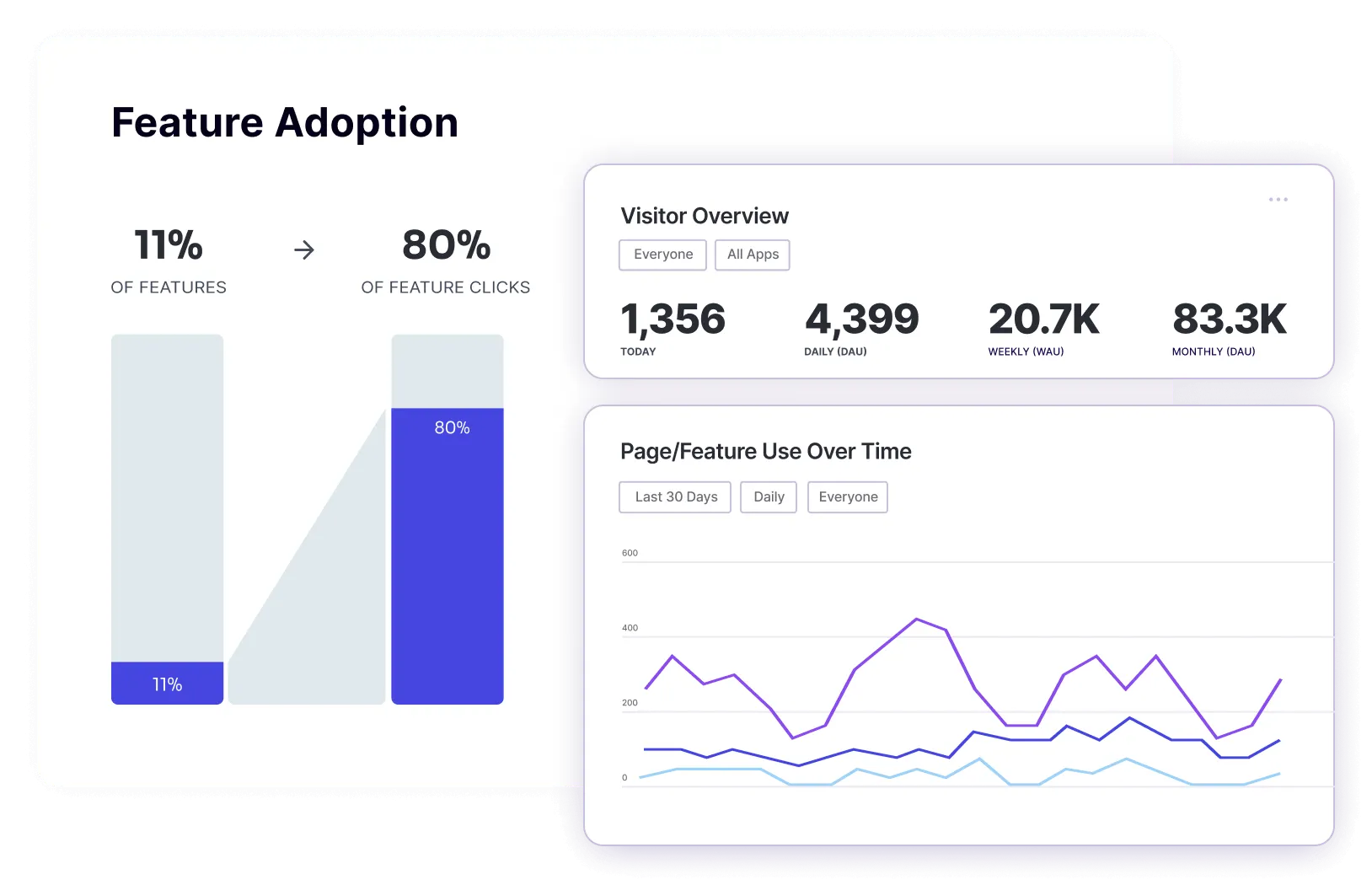
Besides the raw metrics, you can visualize user paths to discover on which pages users drop off. On top of that, you can gather user feedback through in-app messaging and NPS surveys.
Having all of this information in one place is immensely helpful. You can get a more accurate overview of the customer journey, discover who your power users are, and use the feedback to increase customer loyalty and user satisfaction.
2. In-app guides
Sometimes, you have the best idea for a feature, but your customers won't know what to do with it. You can use Pendo's in-app guides to create personalized onboarding pathways for each customer. Instead of wandering aimlessly, they'll get messages and subtle nudges about what to do next.
Product managers can use Leo, Pendo's AI assistant, to draft in-app guides, then review and refine them before publishing. Alternatively, you can split up your customers into segments so that each of them gets the right message at the right time.
Pendo offers an easy in-app message builder so that everyone in your team can find ways to meet user needs and guide new users through dedicated onboarding flows.
3. Session replays
Use Pendo to watch replays of what customers do in your app, click by click. This is a fairly common feature offered by tools such as Hotjar or Fullstory, but in Pendo, product teams can easily tie it to other data they collect.
You can segment session replays by specific pages, user groups, accounts and even individual users. This can help you identify friction from user actions and decide when to ask for feedback to understand the reasons behind it.
4. Customer feedback collection
Product managers and owners can collect customer feedback where it counts: directly in the app. Collect feedback from specific pages, user groups and accounts, in both qualitative and quantitative ways.
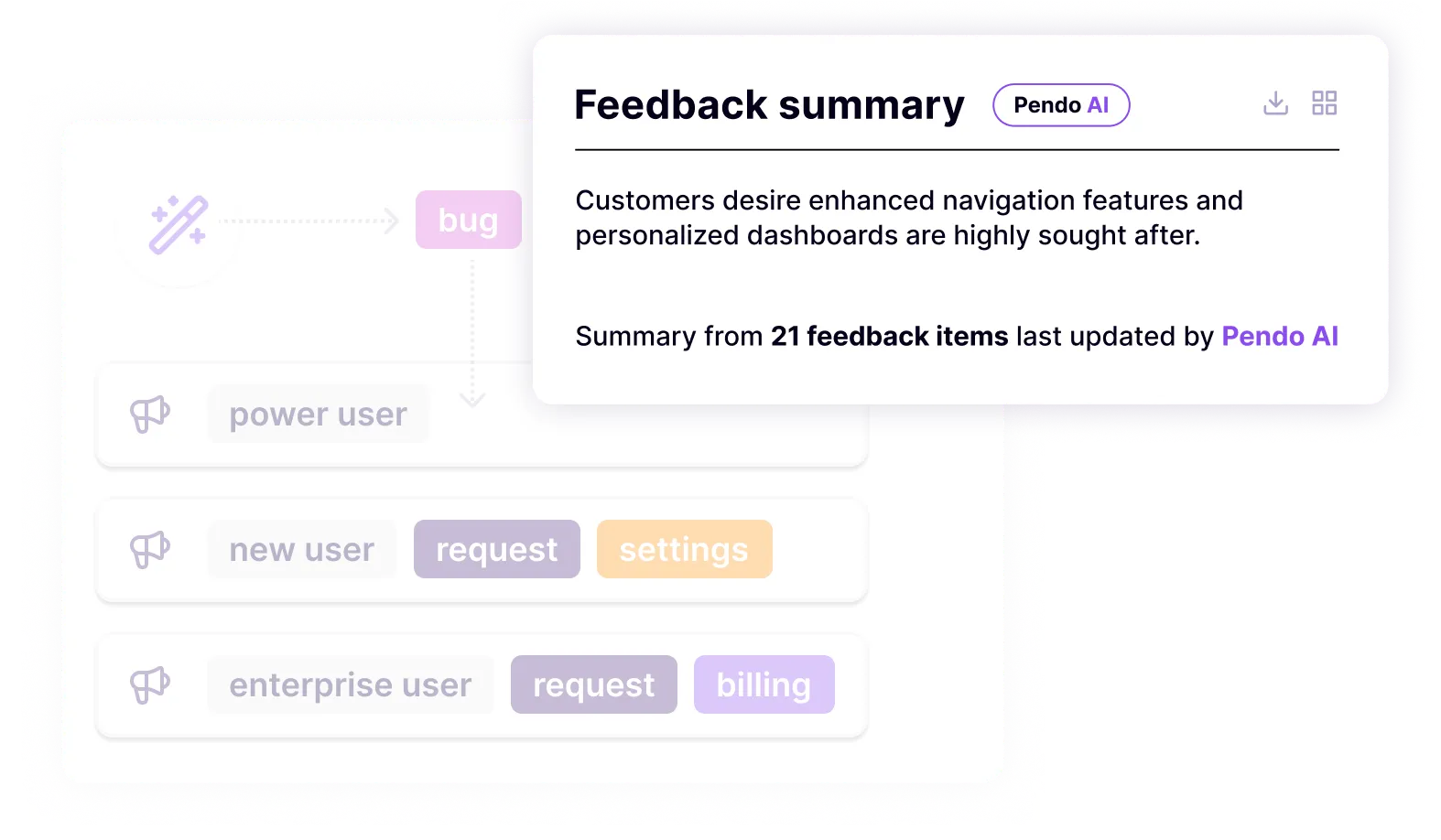
Pendo Listen brings feedback and product usage data together. Its AI features summarize feedback and identify themes, helping teams connect customer requests with how people use the product.
5. Product validation
Pendo helps product teams even with features that have not yet been built. If you want to test the waters and see if customers would want certain features, simply validate with Pendo.
The platform allows you to ask specific user segments what they think about certain product ideas. You get quantitative and qualitative feedback about new features before you launch them.
Validating demand before development can help you avoid spending time and money on features customers do not need.
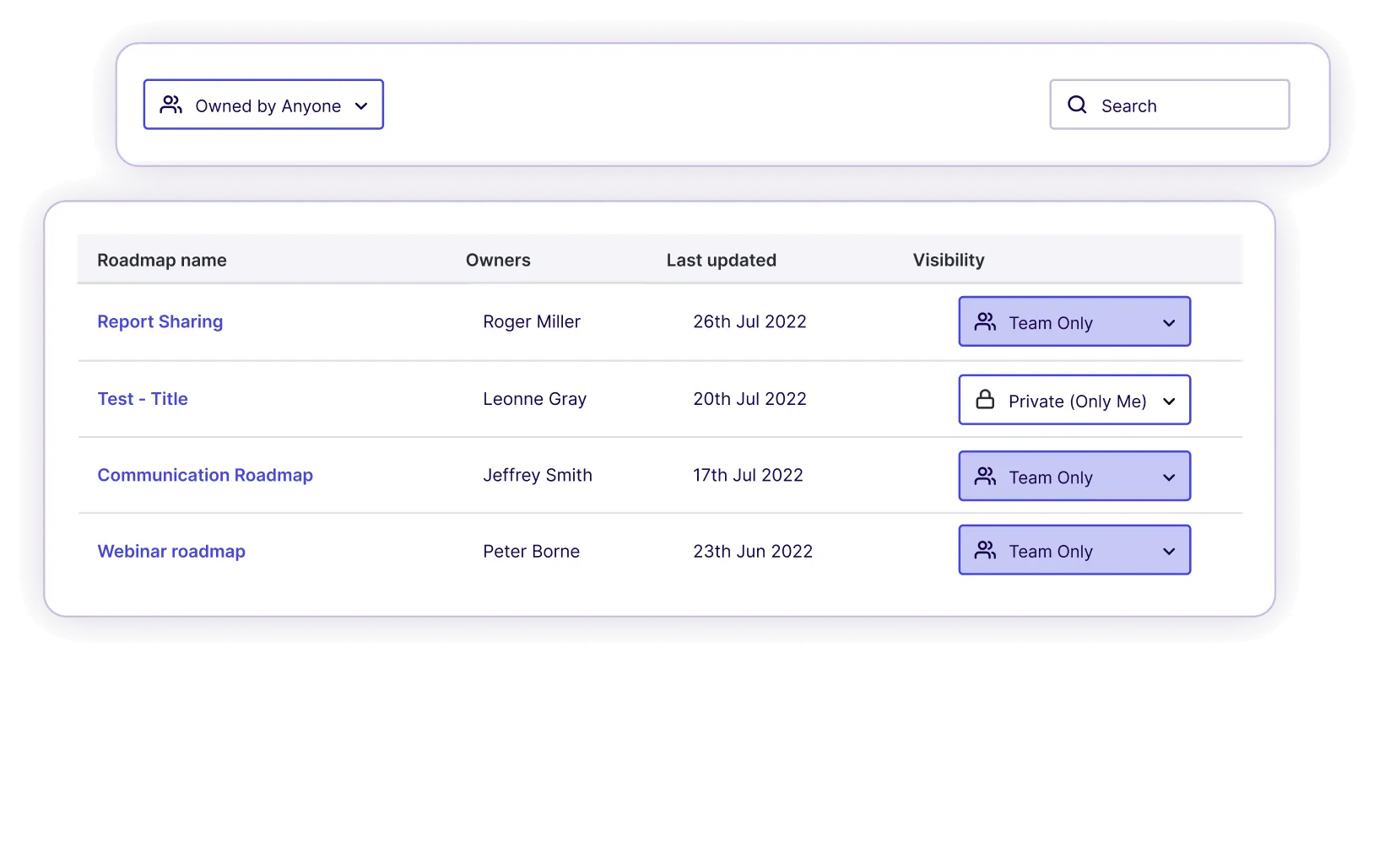
6. Pendo roadmaps
Companies can become more transparent by communicating what they're going to build through product roadmaps. With Pendo, you can control your backlog and create a roadmap based on cold, hard data.
You can share the roadmaps either internally or with your customer communities.
7. Pendo AI and Leo
Leo is Pendo's AI assistant for exploring product data. Teams can ask questions about usage and account health, investigate changes, and create segments or draft in-app guides through conversation.
Pendo also uses AI to analyze and group customer feedback and help write guide content.
Pendo markets Leo across all plans, but its Free documentation excludes it. Confirm access for your subscription before relying on it.
8. Pendo Mobile
If you have a mobile app, Pendo can connect the experiences between platforms to give you insights on how customers interact with them. Just like the web app, you can create tailored in-app messaging for mobile users.
On top of that, you'll get mobile-specific insights, e.g. which operating systems and devices are used the most to access your app(s).
Who is Pendo for?
Wondering if Pendo is right for you? These user groups will benefit the most from purchasing Pendo:
- Product teams - to better communicate customers' needs to the development teams and build the kind of product that solves users' actual pain points.
- Customer success teams - to gain insights from self-service support and find out where customers need help to get the most out of a product.
- IT and business operations teams - to get product intelligence and find the exact path to building breakthrough digital experiences for end-users.
- Sales teams - to determine the most valuable features in the app and know what to sell to which user group. To find champion users and pitch to the right person in an organization.
- Marketing teams - to find the most impactful features to promote to a group of customers. Also helps with product marketing efforts by having a transparent public roadmap, etc.
- Finance teams - to learn which features drive product success and increased revenue.
Who is Pendo not for?
Even though Pendo is a powerful platform, it is not the right fit for every company or team. Teams can end up paying for features they rarely use if they only need a narrow part of the platform.
Here are the types of teams that may struggle with Pendo.
Early-stage startups and small SaaS teams
Pendo Free supports up to 500 monthly active users. Beyond that, paid pricing depends on your usage and selected features, so teams with limited budgets should compare a quote with the capabilities they actually need.
If your goal is just to understand basic user behavior, gather feature requests, and improve user engagement, a full product analytics suite like Pendo can feel excessive.
Many early-stage teams prefer simpler feedback tools that allow them to collect ideas, prioritize requests, and communicate updates without needing a large budget.
Teams that mainly need feedback collection
Pendo includes feedback features, but feedback is only one piece of a much larger platform.
If your main priority is collecting feature requests, prioritizing ideas, and improving the user journey, dedicated feedback tools may provide a cleaner experience. These tools often focus on idea boards, voting systems, and roadmap sharing instead of heavy analytics.
For product managers who mainly want structured feedback from customers, Pendo may feel overly complex.
Companies without a dedicated product analytics team
Pendo shines when teams actively analyze product data. If nobody in the company regularly reviews usage insights, builds segments, or studies user behavior, the platform quickly becomes underused.
Many smaller companies simply do not have enough people working on product analytics to justify such a feature-rich platform.
In those cases, tools focused on user engagement, onboarding guidance, and feedback collection often provide more immediate value.
Teams that want deep UI customization from a product analytics tool
Pendo offers a visual builder for in-app guides and messaging. More advanced designs or behaviors may require custom HTML, CSS, or JavaScript.
For teams that want full control over design elements across the user journey, or want onboarding experiences that perfectly match their product UI, this limitation can be frustrating.
Companies looking for simple onboarding tools
If your main goal is to build onboarding tours and improve user engagement, Pendo may be more complex than necessary.
Platforms focused specifically on onboarding, product tours, or lightweight feedback collection often allow teams to launch faster without learning a large analytics system first.
Pendo pricing details: how much does Pendo cost?
Pendo has four pricing plans:
- Free
- Base
- Core
- Ultimate
The Free plan has no subscription charge. Base, Core, and Ultimate require a custom quote based on monthly active users and the functionality you choose.
Pendo does not publish a paid starting price. Third-party contract estimates are not official prices and may reflect different usage volumes, features, and negotiated terms.
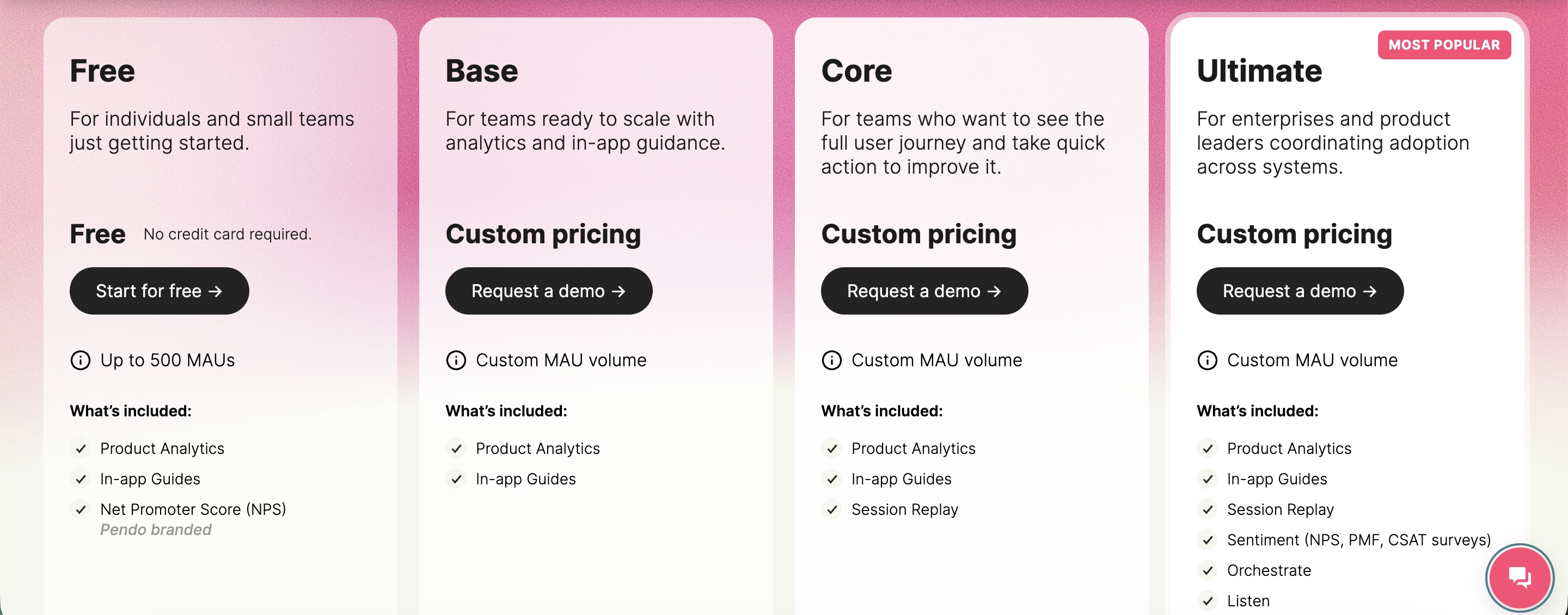
The Free plan supports up to 500 monthly active users and includes product analytics, in-app guides, and Pendo-branded NPS surveys and roadmaps. A monthly active user is a unique visitor active within the last 30 days. Exceeding the limit restricts new guides, NPS surveys, and segments, and analytics become sampled.
The Base plan includes product analytics and in-app guides. The Core plan adds session replay. Integration access depends on the specific connector and subscription requirements.
Ultimate bundles analytics, guides, session replay, Sentiment surveys, Listen, Orchestrate, and Data Sync. Some capabilities are available as add-ons to lower paid plans.
Pendo Free is separate from its trial of paid features. Novus, a separate Pendo product, is also free during its open beta.
Check out our full review of Pendo's pricing →
Pendo pros and cons
Here are the main benefits and trade-offs to consider when evaluating Pendo.
Pendo pros
- Visual tools after setup: Once Pendo is installed, teams can build reports, tag pages and features, and create guides through visual interfaces. Leo also helps users explore data through natural-language questions.
- Helps make data-driven decisions: You can use Pendo to gather user feedback quickly, learn usage patterns, find where feature adoption is stuck, and much more. Thanks to Pendo analytics, you can inform your decisions with data, making it ideal for customer success, sales, or product teams that need to pitch ideas to management and research users or compare engagement across features and user segments.
- A centralized way to collect user feedback: Besides usage data, you can also gauge how customers feel through a range of surveys and in-app messaging features in the Pendo app. You can use that feedback to prioritize improvements and follow up with relevant user segments.
Pendo cons
- Costs increase with usage: Pendo prices paid plans by monthly active users and selected functionality. Teams pursuing product-led growth should model costs at different usage levels and confirm contract terms. Pendo says the cost per MAU decreases as volume grows.
- Setup and learning effort: Installing Pendo, defining tracking, and deciding which reports and guides to build takes time. Teams still need someone to maintain the setup and act on the findings.
- Advanced customization may require code: The visual builder supports standard guide design, while more complex behavior can require HTML, CSS, or JavaScript. Custom code falls outside Pendo's standard technical-support scope.
- Analytics processing delay: Usage reports refresh in hourly batches, usually within 15 minutes after the hour. Guide eligibility uses a separate processing path, so guides do not share the same reporting delay. Allow for processing time when checking recent activity.
Featurebase: The better Pendo alternative
Pendo is an incredible tool for sales, customer success, and product teams. But at the same time, it may be a bit much, especially if you mainly want to collect customer feedback.
If you only need feedback and roadmaps, compare Pendo's broader analytics capabilities and quoted cost with what your team will actually use.
Instead, why not try Featurebase?
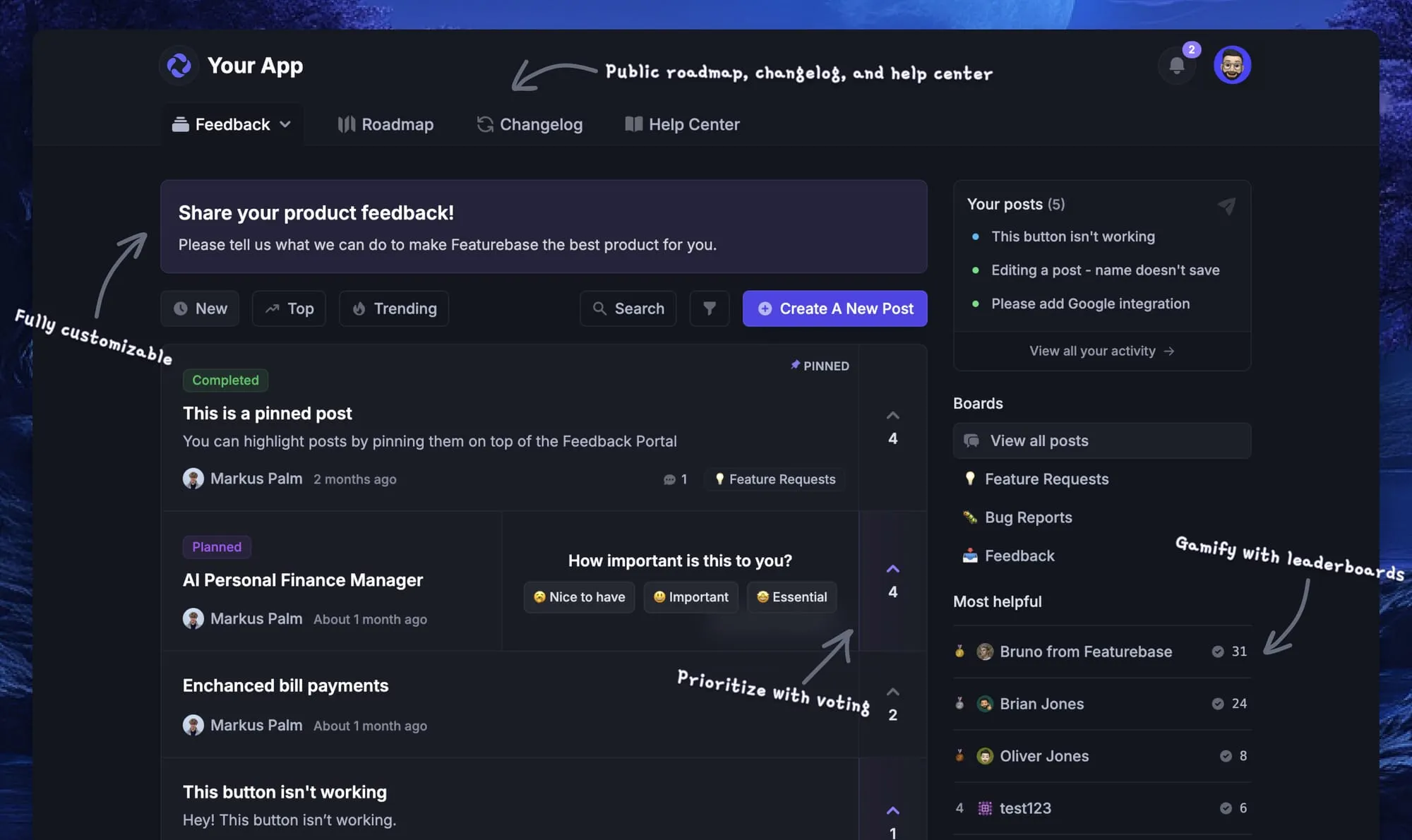
Featurebase covers the feedback, roadmap, and product-update side of Pendo without the analytics-suite price tag. It's a modern feedback platform built for product teams that want to actually hear from their users and close the loop, and it's trusted by teams at Lovable, Raycast, and n8n. 💫
Top features (availability varies by plan):
- Feedback forum – Public feedback forum where users can submit ideas and vote on features helping you know what customers want
- In-app widgets – Embed feedback, changelog, and help center widgets directly in your product
- Prioritize by revenue – Link feedback with customer revenue, company size, and much more to better understand the impact of ideas
- AI feedback categorization - Automatically group large volumes of feedback into product areas, projects, or themes with AI.
- Automated email updates – Automatically notify users when their requested features are implemented
- Roadmaps – Create internal & public product roadmaps to keep users informed and build engagement
- Product updates – Publish release notes with a changelog page, in-app widget, and emails
- Surveys (NPS, CSAT, etc) – Create targeted surveys to ask users anything and measure customer satisfaction.
- Automatic AI translations – Automatically translate all feedback and comments to your customers / teammates native languages
- Integrations – Connects with Slack, Linear, Jira, HubSpot, and more
Featurebase publishes its pricing, with a free plan and trial. Free includes unlimited posts and comments, 1 feedback board, and 1 roadmap. Paid plans start at $29/seat/month billed annually, or $37/seat/month billed monthly.
Featurebase lets you start with feedback and roadmaps, then add updates, surveys, and support as your needs grow. Pendo is the broader option when product analytics and in-app guidance are also central to your workflow.
✨ Start collecting & managing feedback with Featurebase for free →
FAQs
Pendo is used to understand and improve how people use a software product. Teams rely on it for product analytics (tracking clicks, paths, and feature adoption), in-app guides and onboarding, session replays, NPS surveys, feedback collection, and product roadmaps. Product, customer success, sales, and IT teams use it to improve software adoption.
Pendo has a Free plan for up to 500 monthly active users. Paid plans require a custom quote based on usage and selected features, with no official starting price published.
Yes. Pendo Free supports up to 500 monthly active users and includes analytics, in-app guides, and Pendo-branded NPS surveys and roadmaps. It is a free-forever plan, separate from the trial of paid features.
You install Pendo's web SDK or mobile SDK to collect usage data and deliver guides. Retroactive analysis covers data collected after installation. Custom Track Events require additional instrumentation.
Pendo integrates with tools such as Salesforce, HubSpot, Slack, and Jira. Requirements vary by connector and subscription. Data Sync exports data on a schedule, rather than providing a real-time, two-way sync.
If Pendo feels like too much tool for the job, lighter options focus on the pieces most teams actually need. For teams whose main goal is collecting and prioritizing feedback, Featurebase offers a feedback forum, roadmaps, changelogs, and surveys with transparent pricing and a free plan. Simpler onboarding and analytics tools can also cover narrower needs at a lower cost.