Blog ComparisonsBloomfire Pricing 2026: Is It Worth It?
Bloomfire Pricing 2026: Is It Worth It?
A breakdown of Bloomfire pricing: find out how much this tool costs and what you get for the money.



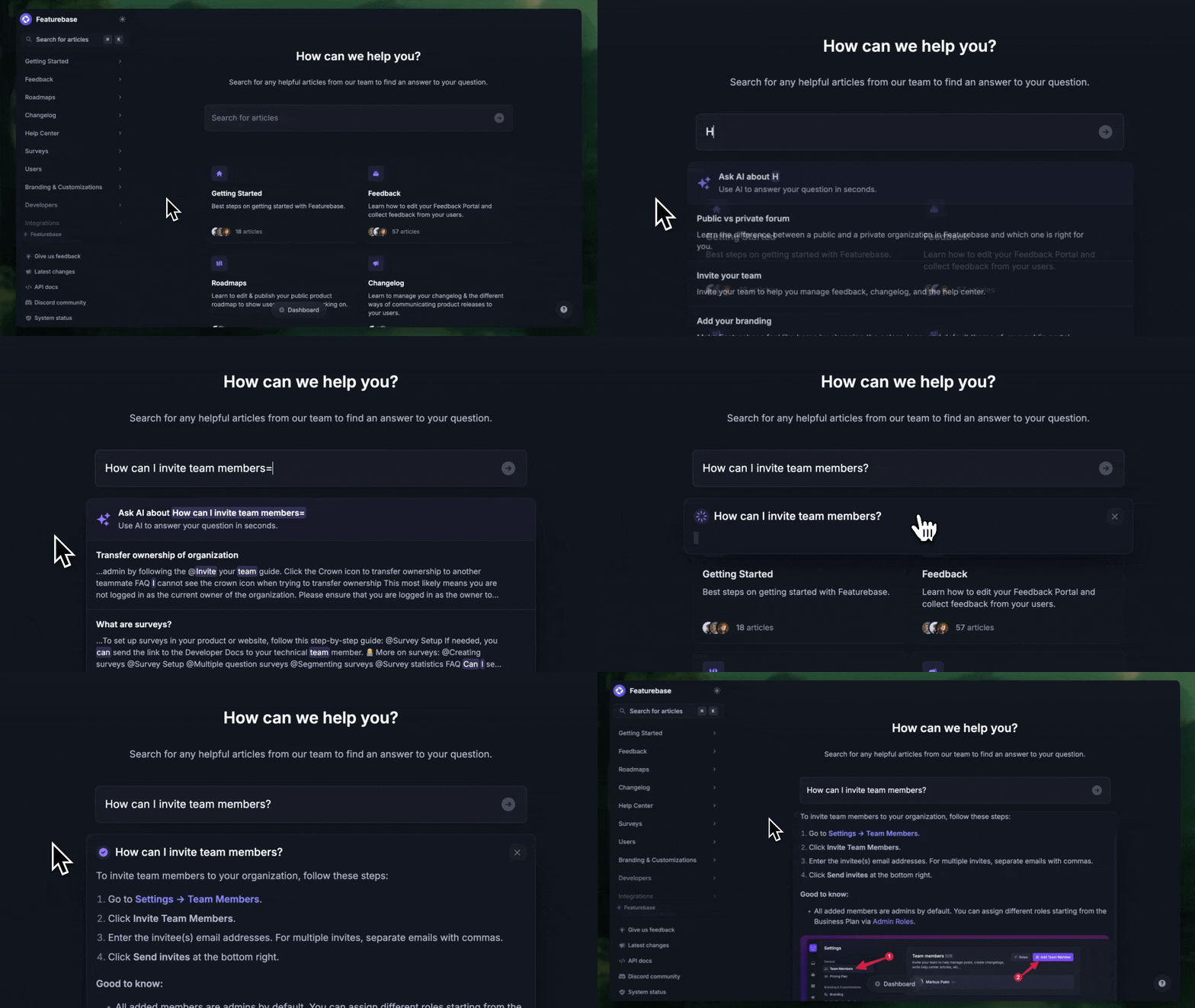
✨ Looking for an affordable & modern alternative to Bloomfire? Check out Featurebase →
How much does Bloomfire cost?
That’s what we wanted to find out. While Bloomfire now explains its plan structure on the website, it still doesn’t publish exact pricing anywhere publicly. Instead, buyers have to request a quote to get real pricing information.
For companies comparing knowledge management software, that adds friction. It’s harder to understand Bloomfire pricing, estimate total costs, and see whether the platform offers enough value for your teams.
In this article, we’ll break down Bloomfire’s plans, features, billing model, and whether there’s a better alternative. 👇
Key takeaways
- Bloomfire looks like a strong enterprise knowledge management platform, but its biggest drawback is still pricing transparency.
- The company now explains its Team, Department, and Enterprise plans more clearly, but it still doesn’t publish exact pricing publicly.
- That means you have to talk to sales to understand real Bloomfire pricing and estimate total Bloomfire cost.
- Team and Department plans also come with extra fees for implementation and data migration, which can push the total cost up quickly.
- Bloomfire makes the most sense for larger organizations with complex workflows, broader rollout needs, and dedicated knowledge management experts.
- For smaller or mid-sized teams, Bloomfire may feel too expensive, too sales-led, and too enterprise-heavy compared to more transparent alternatives.
- If you want a more affordable and transparent option, Featurebase is a strong alternative with public pricing, a free plan, and a faster path to getting started.
What is Bloomfire?
Bloomfire is a knowledge management platform built for teams that need a better way to organize internal information and make it easier to find.
It’s mostly aimed at larger businesses that want to centralize company knowledge, improve collaboration, and give employees faster access to answers. One of Bloomfire’s main selling points is its AI-powered search, which helps users find relevant content across your knowledge base and connected tools.
The platform also comes with features like content management, analytics, enterprise search integrations, and advanced permissions for bigger teams.
In short, Bloomfire is designed for companies that need a more advanced, enterprise-focused knowledge management solution, not just a basic internal wiki.
Bloomfire pricing plans
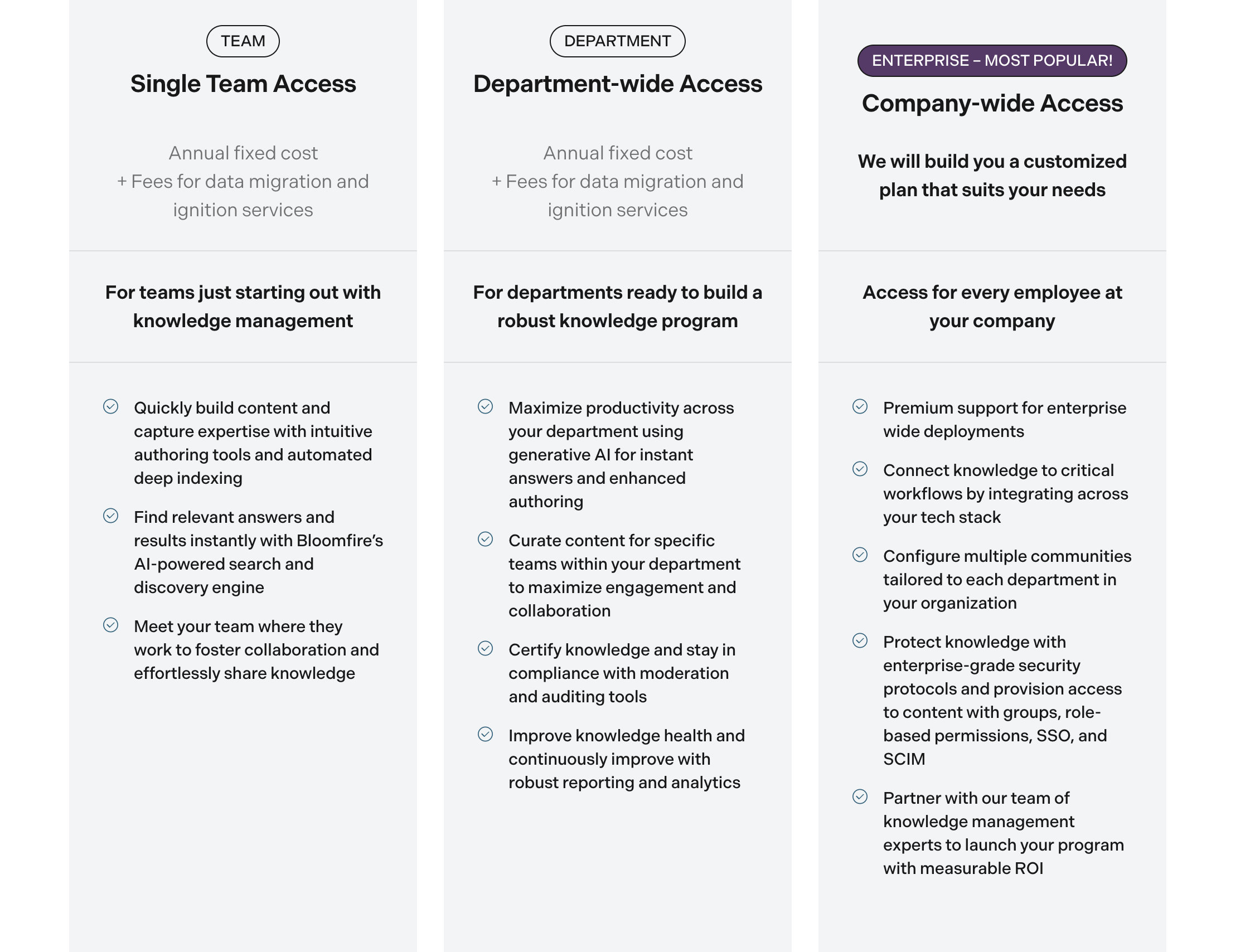
There are three pricing plans available in 2025. The problem is, there is no official pricing on the website and searching online gives little to no information as well.
Here's how one user put it:
- "One possible drawback, and perhaps the only drawback Bloomfire has, is its cost; although it offers an array of features, its cost can be on the higher side compared to other options on the market. However, I think all the platform's benefits more than justify its price; it provides excellent value for the money invested."
And another user has a similar sentiment:
- "Bloomfire has quite an expensive pricing option, especially for companies with large staff sizes. It is not as easy to use for corporate learning and training purposes."
To find out how much this tool costs, you have to book a demo and get all the pricing details. Unless you have a team of knowledge management experts that require a specialized tool for the job, there are better, more transparent options.
But before we discuss that, let's walk through Bloomfire's plans.
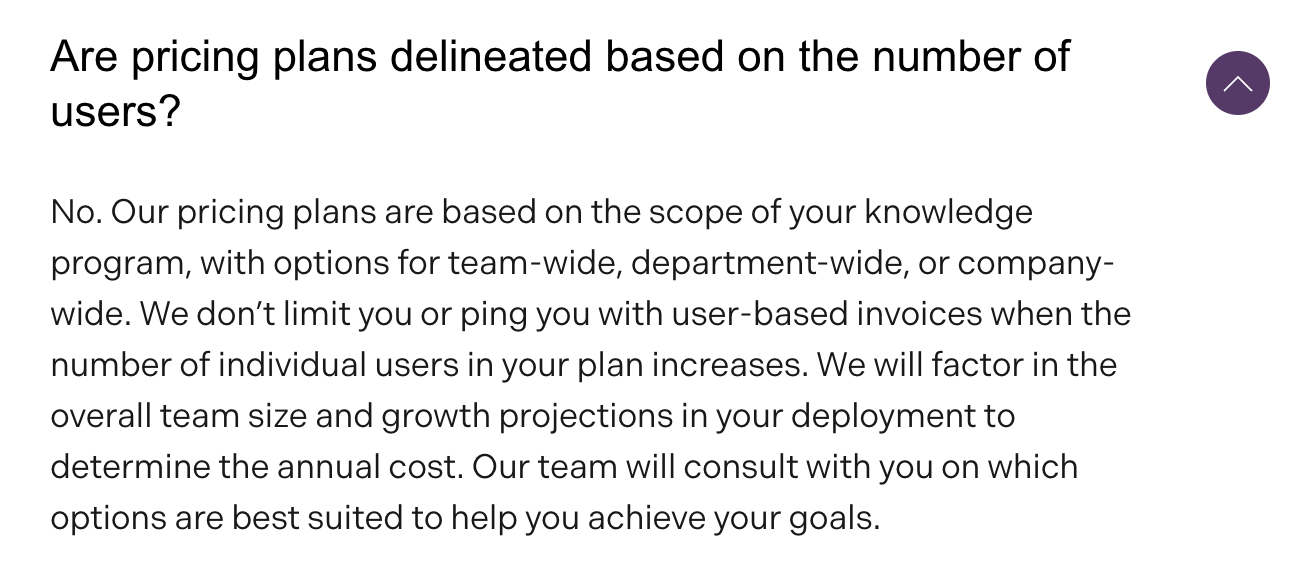
1. Team (Single-team access)
This plan is meant for teams just getting started with knowledge management. Bloomfire describes it as an annual fixed cost, plus additional fees for data migration and implementation services.
According to Bloomfire, this tier includes:
- Intuitive authoring tools
- Automated deep indexing
- AI-powered search and discovery
2. Department (Department-wide access)
This plan is designed for departments building a more robust knowledge management program. Like the Team plan, it includes an annual fixed cost, plus additional fees for data migration and implementation services.
Bloomfire says this tier includes:
- Generative AI for instant answers and enhanced authoring
- Content curation for specific teams
- Moderation and auditing tools for compliance
- Reporting and analytics for ongoing improvement
3. Enterprise (Company-wide access)
This is Bloomfire’s most popular plan and is built for enterprise-wide rollouts. Unlike the first two tiers, Bloomfire says it will create a customized plan based on your needs.
Bloomfire highlights features such as:
- access for every employee
- premium support for enterprise-wide deployments
- integrations across your tech stack
- multiple communities for different departments
- enterprise-grade security with groups, role-based permissions, SSO, and SCIM
- support from knowledge management experts to help launch your program with measurable ROI
Key features included in all plans
- Unlimited data storage – No restrictions on storage, allowing you to scale content as your organization grows.
- AI-powered search and discovery – Advanced search capabilities help users quickly find the most relevant information. Bloomfire's AI powered search is one of the key differentiators in the knowledge management software niche.
- Generative AI-enhanced authoring and content management – AI-powered tools simplify content creation and organization and help teams find relevant answers more quickly.
- Enterprise search integrations – Connect Bloomfire with SharePoint, Google Drive, and other platforms for a unified search experience.
- Customizable homepage and layouts – Adapt Bloomfire's interface to match your branding and team preferences.
- Advanced security protocols – Includes enterprise-grade security features like auditing tools, SSO and SCIM to help your organization protect knowledge internally.
- Robust reporting and analytics – Gain insights into platform usage, content engagement, and knowledge-sharing trends.
- Integrations with popular tools – Supports integrations with MS Teams, Slack, Salesforce, Zendesk, MS Dynamics, and more.
- Award-winning support – Assistance is available throughout implementation, content migration, and launch.
Bloomfire billing model
Bloomfire uses a multi-year billing model, which makes it very different from modern self-serve knowledge management software tools.
There’s no public monthly pricing, no simple calculator, and no easy way to estimate total Bloomfire cost without speaking to sales. Instead, buyers are pushed into a longer-term commitment before they can fully understand the price.
That approach fits Bloomfire’s broader positioning. This is a platform built for larger organizations, more complex internal rollouts, and more formal knowledge management programs. But it also means that smaller teams may find Bloomfire harder to evaluate and justify.
If you’re looking for a tool you can adopt quickly, budget easily, and scale without a lengthy sales process, Bloomfire’s billing model is a meaningful drawback.
Hidden costs to ask sales about
This is where Bloomfire pricing gets harder to evaluate.
Bloomfire makes it clear that Team and Department plans come with extra fees for implementation and data migration. So even if the base plan sounds straightforward, the total Bloomfire cost may be much higher than the subscription alone.
A few areas are worth paying close attention to.
Implementation fees
Bloomfire charges separately for implementation on some plans. That can include onboarding, setup, and rollout support, which may add a meaningful cost on top of the annual fee.
Data migration fees
If you’re moving content from an existing knowledge base or shared drives, migration can quickly become another major cost.
Custom setup
Features like multiple communities, permissions, and more advanced configuration can make setup more involved than it first appears.
Integrations and admin setup
Bloomfire supports integrations across your tech stack and includes features like role based permissions, SSO, and SCIM. Those are useful, but they can also increase setup complexity and total cost.
So, how much does Bloomfire really cost?
This is still the biggest issue with Bloomfire pricing.
Even though Bloomfire now shows how its pricing plans are structured, it still doesn’t provide actual numbers. There’s no visible starting price, no monthly pricing, and no public breakdown by company size or number of users.
So if you want to understand Bloomfire cost, you still need to: Request a price estimate, Schedule a meeting, or book a demo,
That makes it harder to compare Bloomfire with other knowledge management software. For buyers who want fast answers, public pricing information, and the ability to compare vendors side by side, Bloomfire adds a lot of friction.
Unless you have a larger company with dedicated knowledge management experts and highly specific internal needs, there are often easier and more transparent options available.
Questions to ask sales before buying
Because Bloomfire doesn’t publish detailed pricing information, it’s worth asking:
- What is included in the quoted price?
- How much do implementation and migration cost?
- Are integrations included?
- Are SSO, SCIM, and advanced admin features included?
- What is the total first-year cost?
- How long is the contract term?
That’s the key downside of Bloomfire’s pricing model: the real cost may be much higher than the base quote first suggests.
The better (and more transparent) alternative to Bloomfire ✨
Are you looking for a knowledge management tool that A) doesn't cost an arm and a leg and B) clearly shows you how much it costs?
Featurebase is a modern & powerful Bloomfire alternative that comes with a free plan, and paid tiers start at just $29 per user per month:
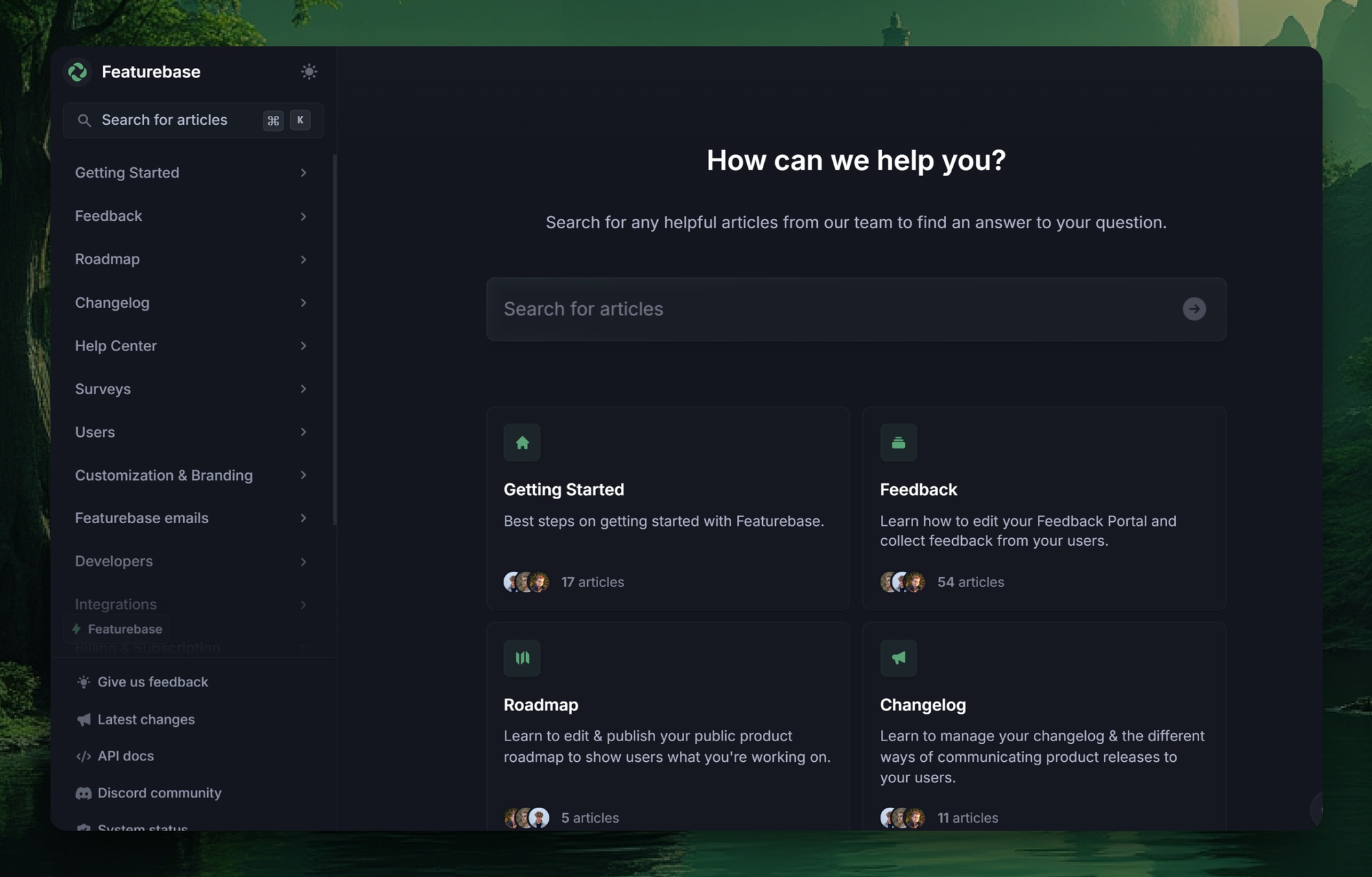
It has all of the matching features and even more:
- Public & internal knowledge base
- Beautiful design with light & dark modes
- Embeddable in-app widget to provide self-serve support from your product
- Fast AI-powered search and summaries
- Custom branding and domain
- Intuitive Notion-style editor
- Localization for 40+ languages
- Article reactions & feedback
- Real-time analytics
- SEO optimized out of the box
- Plus, feedback voting community, product roadmaps, changelogs, and satisfaction surveys—all in one place
Featurebase is one of the best modern, powerful alternatives to Bloomfire that lets you create beautiful product documentation in minutes—without code. On top of documentation, Featurebase offers feedback collection, survey, and changelog features to help you build the best product on the market.
It comes with affordable pricing and a free plan. We can help you seamlessly migrate from any existing knowledge base tools. 👇
✨ Create a beautiful Help Center with Featurebase for free →