Decagon vs Sierra: AI Support Features and Pricing (2026)
Compare Decagon vs Sierra on AI workflows, voice, integrations, deployment, and pricing to find the right customer support platform for your team.


On this page
- Quick comparison table of Decagon vs Sierra
- What are Decagon and Sierra?
- Workflow control and day-to-day changes
- What the AI agents can do
- Voice, chat, and email
- Connecting your existing tools
- Testing and keeping the AI on track
- Working alongside your support team
- Setup and ongoing maintenance
- Pricing: what you're paying for
- Decagon vs Sierra: which should you choose?
- Why Featurebase is the better choice for SaaS support
- Conclusion
Need AI support and customer feedback in one place? Explore Featurebase
Decagon and Sierra look similar on paper. Both automate support conversations, but choosing between these AI customer support platforms gets trickier when you reach setup and pricing.
Here's my take on Decagon vs Sierra, including where I'd choose Featurebase instead. 👇
Quick comparison table of Decagon vs Sierra
Decagon builds its workflow tools around Agent Operating Procedures. Sierra brings agent creation, testing, and improvement together in Agent Studio. Here's how their main capabilities line up:
| Category | Decagon | Sierra |
|---|---|---|
| Building workflows | Natural-language Agent Operating Procedures, with help from Duet | Agent Studio journeys, with help from Ghostwriter |
| Core channels | Chat, email, and voice | Voice, chat, email, and messaging channels |
| Connecting your tools | Prebuilt integrations and custom connections | Prebuilt integrations and custom tools in Agent Studio |
| Testing and monitoring | Simulations, regression testing, versioning, and conversation analysis | Simulations, regression testing, experiments, and monitoring |
| Working with people | Escalation and context transfer to human teams | Escalation plus Live Assist for human agents |
| Pricing | Per-conversation or per-resolution options, with custom quotes | Outcome-based pricing, with some conversation-based use cases |
Both need a closer look at your workflows and integrations before you can judge setup effort or total cost.
Explore Featurebase for AI support with published pricing
What are Decagon and Sierra?
Decagon and Sierra build AI agents that can answer customer questions and carry out tasks through connected tools. They're aimed at businesses that want to automate more of the work behind a support conversation.
What is Decagon?

Decagon is an AI customer service platform for chat, email, and voice. Its agents use your company's knowledge and procedures to handle requests.
Agent Operating Procedures, or AOPs, are central to how it works. Your team writes instructions for handling a situation, while integrations give the agent access to the information and actions it needs.
What is Sierra?
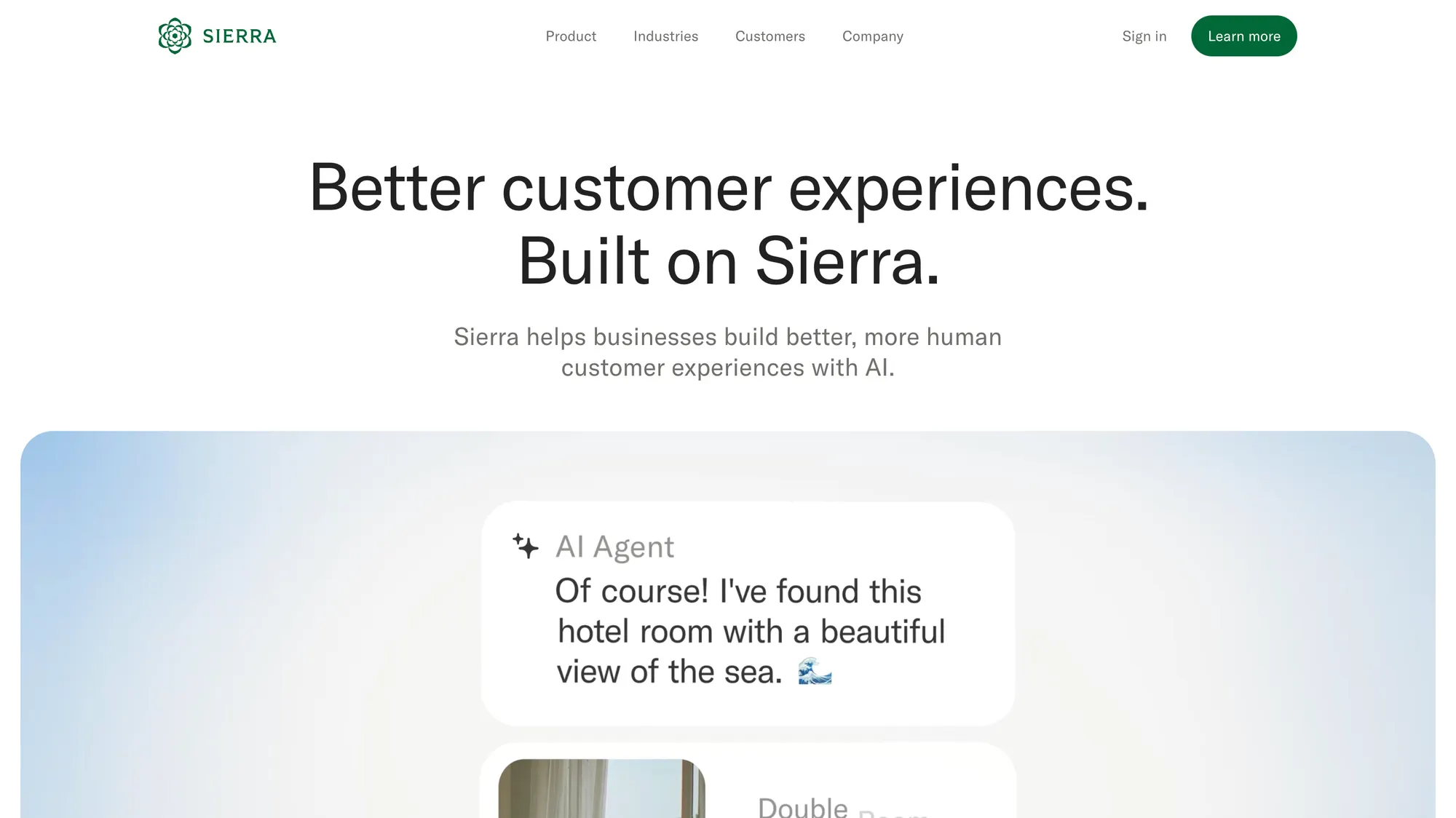
Sierra is an AI agent platform for voice and digital customer service. Agent Studio is where teams build customer journeys, connect tools, and improve the agent's behavior.
It also offers Live Assist, which helps human representatives with responses and actions during customer conversations.
Workflow control and day-to-day changes
A support workflow rarely stays finished. Refund rules change, a new plan launches, or customers start asking a question your documentation doesn't cover yet. Someone on your team has to keep the agent up to date.
Decagon: writing the procedure
Decagon's AOPs let you describe a workflow in natural language. A refund procedure, for example, could spell out:
- How to confirm the customer's identity
- Which purchases qualify
- When a person needs to approve an exception
- What confirmation to send afterward
Duet can help draft and refine these procedures using conversation data. You'll still need technical help when a change involves a new system connection or additional controls.
Sierra: building the journey
Sierra's Agent Studio combines instructions, knowledge, and tools in customer journeys. You can define required steps and leave room for the conversation to follow the customer's situation.
Ghostwriter helps create and modify agents from material such as operating procedures and transcripts. Sierra therefore gives teams a way to shape the workflow too.
A routine policy edit is a good first task for whoever will maintain the agent. They'll soon see which changes they can handle themselves and where they need help.
What the AI agents can do
The useful part of automation is getting the customer's task finished. If someone wants to change a subscription, they expect the account to reflect that change when the conversation ends.
Decagon's approach
Decagon connects its procedures to customer data and actions in other systems. The AOP can describe the required checks, while the connected tools carry out the permitted action.
This makes the procedure important. For a subscription change, it might cover eligibility, the effective date, and when a human needs to step in.
Sierra's approach
Sierra uses journeys and connected tools to handle requests involving several steps. Its agents can gather information from the customer and use it to act in a business system.
The same subscription example could involve looking up the account, confirming the requested change, and updating it through an integration.
Both can support this kind of work. A pilot should show the actual account changes alongside the conversation, so you can see whether the request was completed correctly.
Voice, chat, and email
Customers don't always stick to one channel. Someone might send an email, get impatient, then call about the same issue. A useful omnichannel customer support platform should help your team pick up that conversation without starting over.
Decagon channels
Decagon supports chat, email, and voice, with memory designed to carry customer context across interactions.
Sierra channels
Sierra supports inbound and outbound voice, web and app messaging, email, SMS, and channels such as WhatsApp. It also offers controls for how its voice agents sound and handle spoken conversations.
For a phone-heavy workflow, details such as interruptions and corrected account numbers matter. A caller who changes an answer halfway through a sentence is a useful test for either vendor.
Channel availability is only the starting point. The more revealing moment is the transfer, when the next agent needs to understand what has already happened.
Connecting your existing tools
An agent needs access to your systems to answer account-specific questions or make changes. The work involved depends on which tools you use and what you want the agent to do inside them.
Decagon integrations
Decagon offers prebuilt integrations and custom connections to helpdesks, customer databases, and knowledge sources.
A prebuilt connection can cover part of the job, but the exact actions still matter. Reading a customer's plan and changing that plan are separate requirements.
Sierra integrations
Sierra offers prebuilt integrations and custom tools in Agent Studio. These connect its journeys to the data and actions behind a customer request.
The same distinction applies here: seeing your software's logo on an integrations page doesn't tell you which parts of your workflow are covered.
Before choosing, get a clear account of who will build and maintain any custom connections. This is work your team will need to budget for after launch too.
Testing and keeping the AI on track
A small policy change can affect conversations you weren't thinking about when you made it. Testing helps you catch those problems before customers do.
Decagon testing
Decagon offers simulations, versioning, and regression testing, which means rerunning earlier cases to check that a change hasn't broken something. Its conversation-analysis tools also help teams investigate what went wrong.
Sierra testing
Sierra's Agent Studio includes simulations and regression testing, alongside analysis and monitoring tools for reviewing agent behavior.
Both cover the basics here. The real question is how easily your team can find a problem, understand it, and confirm that the fix works.
These 4 questions make a useful starting point for reviewing AI in your customer support operations:
- Following the policy: Did the agent apply the right eligibility rules and handle exceptions correctly?
- Completing the action: Did the intended change actually happen in the customer's account?
- Passing work to a person: Did the human agent receive enough context to continue?
- Solving the issue: Did the customer get help, or come back with the same problem?
A high automation rate is much less useful if your team has to clean up the results.
Working alongside your support team
Some requests will still need a person. A billing dispute or an unusual account problem can require judgment that you don't want to hand over completely.
Decagon and human handoffs
Decagon can escalate conversations to human teams. The handoff needs to make it clear what the customer wants and what the AI has already tried, so the representative can get straight to helping.
Sierra and Live Assist
Sierra also supports escalation. Its Live Assist offering adds help for human representatives with responses and actions during a conversation.
If your team wants AI assistance while handling tickets themselves, that's a specific part of Sierra's offering to include in the comparison.
Customers care about having that human option. In a 2026 Gartner survey of 3,566 customers, 87% considered access to a person essential when companies use generative AI for service.
A customer who asks for a person should have a straightforward way to reach one. The pilot is a good time to see how that works.
Setup and ongoing maintenance
The work your agent needs to do will have a big effect on setup time. A workflow that reads help articles is a different project from one that changes subscriptions across several systems.
Setting up Decagon
Decagon helps customers with implementation, including connecting systems and configuring agents. Once those connections are in place, AOPs give the CX team a way to manage the procedures.
G2 feedback includes praise for implementation support and usability, as well as reports of ongoing tuning and occasional misunderstandings. You'll still want someone responsible for the agent after launch.
Setting up Sierra
Sierra combines implementation support with Agent Studio and Ghostwriter. The amount your team can change independently depends on the workflows and integrations involved.
G2 feedback includes praise for conversational automation, alongside concerns about complex configuration and integrations. A simple editing interface won't remove every technical dependency.
A promise to launch quickly only helps if it covers the work you need. Compare rollout plans for the same tasks, including the time your own team needs to contribute.
Pricing: what you're paying for
As of October 2026, neither vendor publishes standard rates that let you calculate a full deployment cost. You'll need a quote, and the definition of a billable result deserves as much attention as the price.
Decagon pricing
Decagon pricing includes per-conversation and per-resolution options.
With conversation-based pricing, an interaction can be billable even if the issue isn't resolved. With resolution-based pricing, the important detail is what the vendor counts as success, especially when a customer comes back about the same problem.
Sierra pricing
Sierra AI pricing centers on outcomes. That might mean resolving a request or completing another agreed business objective.
Sierra also describes conversation-based pricing for some use cases. Your quote should explain how escalations, reopened issues, and different types of work are handled.
Comparing the total
The headline rate won't tell you everything. A useful comparison includes:
- Usage: What gets charged, the rate, and any minimum commitment.
- Setup: Integration work, workflow development, and launch services.
- Channels: Any voice or messaging charges that apply.
- Maintenance: Vendor support, further changes, and your team's time.
Then compare the total against successfully resolved issues. If humans have to finish a lot of the work, include that cost too.
I'd price the same expected workload with both vendors before calling either one better value.
Decagon vs Sierra: which should you choose?
I'd start with how your team wants to build and maintain the agent. Decagon's AOP approach will appeal to teams that want to work directly with written procedures. Sierra's Agent Studio brings journeys, creation tools, and monitoring together, with Live Assist available for human representatives.
Those are useful reasons to shortlist a product. They don't establish which will handle your customers better.
| Your priority | What to look at |
|---|---|
| Maintaining written support procedures | Try creating and changing an AOP in Decagon |
| Building customer journeys in one workspace | Try Agent Studio and Ghostwriter in Sierra |
| Helping human representatives during conversations | Look at Sierra's Live Assist |
| Carrying context between voice and digital channels | Run the same customer journey through both |
| Keeping costs understandable | Compare quotes using the same workload and definition of success |
A small pilot should include the awkward requests as well as the routine ones. Give both agents the same policy exception and a request for a person, then compare the outcome and the work left for your team.
You can also widen the shortlist with other Decagon alternatives. For software teams looking for a Sierra alternative, I'd put Featurebase on that list for the reasons below. 👇
Why Featurebase is the better choice for SaaS support
For a software team that wants to automate support and keep customer feedback connected to product development, I'd pick Featurebase over Decagon or Sierra.
Think about a customer who gets help with an account issue, then asks for a feature your product doesn't have. Your team needs to handle the conversation, record the request, and let them know if it ships. That whole process matters when you're choosing your support software.
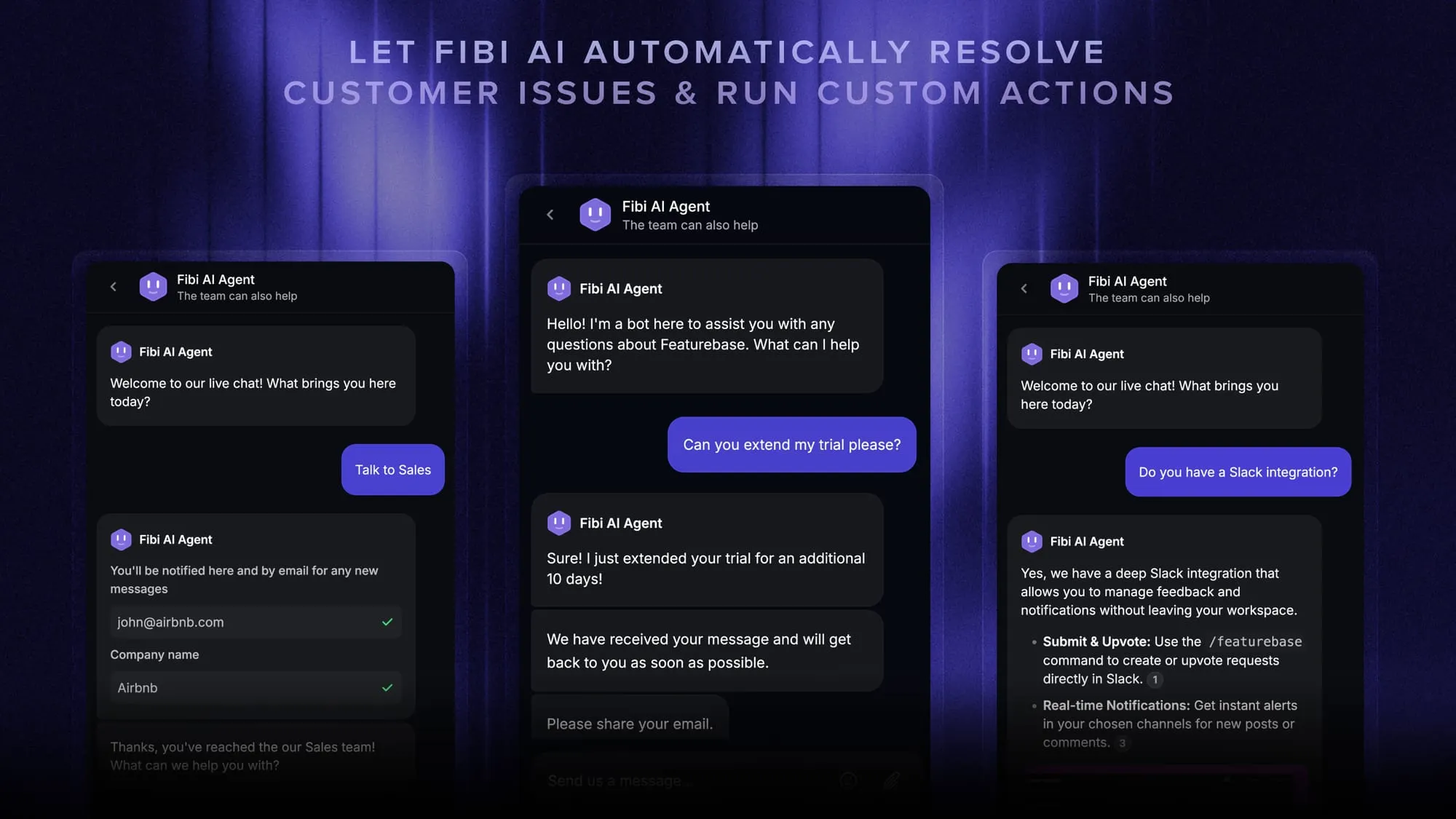
Featurebase brings those jobs together:
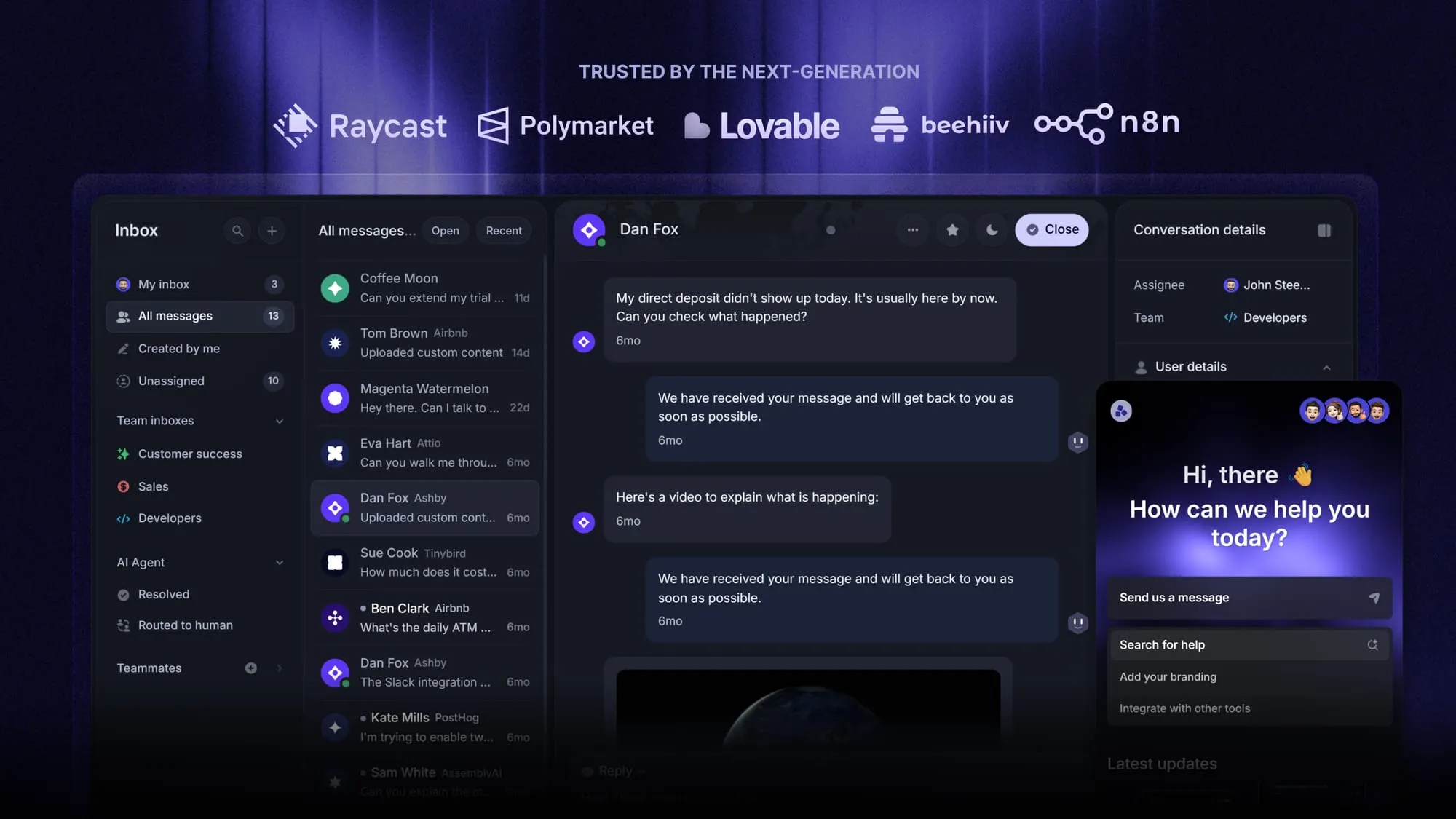
- AI and human support share a workspace: Fibi answers customer questions and can run configured actions such as trial extensions or refunds. Your team handles conversations in the same platform's inbox, alongside the help center customers use for self-service.
- Feature requests stay connected to support: You can link a conversation to a feature request, track demand, and follow up when it ships. Feedback, roadmaps, and product updates are already part of the platform.
- You can work out a starting budget: Paid plans start at $29 per seat/month, billed annually, plus $0.49 per Fibi resolution. Decagon and Sierra require custom quotes. Fibi requires a paid plan, and some capabilities depend on your plan or add-ons.
For example, 5 seats and 1,000 Fibi resolutions come to $635 per month on an equivalent monthly basis, before optional add-ons. The seat subscription is billed annually.
For this kind of SaaS support team, that connection is the reason to choose Featurebase. You get a place to handle the question, capture the product need behind it, and close the loop with the customer.
Conclusion
Decagon and Sierra both deserve a look if you're buying an AI agent for an existing support operation. The better fit will depend on your workflows, the maintenance your team can take on, and the quote you receive.
Featurebase would be my choice for a software team that wants AI support, help content, and product feedback together. That combination covers more of the day-to-day work we've discussed here.
You can explore the platform on its Free plan, with Fibi available on paid plans. 👇
Bring AI support and customer feedback together with Featurebase
FAQs
They can work alongside your current helpdesk through integrations. Adding either agent doesn't automatically replace ticket management, workforce planning, or the rest of your support tools. Work out which systems you'll keep before planning a migration.
Bring up-to-date help articles, written policies, and a sample of real customer conversations. You'll also need a clear list of actions the agent is allowed to take. Involve someone from support and someone who understands your systems so questions don't stall the pilot.
It depends on the fallback built into that workflow. The agent should explain that it can't complete the action and offer a next step, such as a human handoff, without claiming the job is done. Include a disconnected-system scenario in your pilot to see what actually happens.
Usually, you'll update the agent's knowledge or workflow instructions rather than retrain the underlying language model. Run the affected cases again before releasing the change. The exact process depends on how your agent was built.
Have native speakers try realistic requests when testing multilingual customer support. Include local terminology, typos, and customers switching languages. For voice, check accents and whether important details survive a transfer.