Blog Customer ServiceDecagon Pricing Explained (2026): Per Conversation vs. Per Resolution
Decagon Pricing Explained (2026): Per Conversation vs. Per Resolution
“Fast to spin up… limited transparency.” Wondering what Decagon really costs? Here’s how pricing works and how to estimate your budget.


✨ Not a fan of “contact us for pricing”? Try Featurebase →
If you’re looking up Decagon pricing, you’ve probably hit the same wall I did.
There isn’t a public pricing page with tiers.
So you can’t quickly answer basic budget questions like “Is this a $2k/month tool or a $200k/year program?” You have to talk to a sales team, share your ticket volume, and get custom quotes.
The good news: Decagon is pretty clear about how it prices. If you understand Decagon’s pricing model, you can estimate where you’ll land and avoid surprises later.
Key takeaways
- Decagon pricing isn’t listed publicly. You’ll need to talk to their sales team to get custom quotes.
- Decagon’s pricing model is usage-based, not per-seat. You pay for what Decagon AI agents handle, not how many support agents you have.
- You’ll usually choose between two options: per conversation pricing (pay for every customer interaction the AI touches) or per resolution pricing (higher rate, but you only pay for a resolved conversation).
- Per-conversation is easier to budget for, but costs scale directly with ticket volume, including quick escalations and short chats.
- Per-resolution is outcome-based pricing, but only if “resolved” is defined clearly to prevent billing disagreements.
- If you want more predictable costs without enterprise contracts, alternatives like Featurebase offer AI support with transparent pricing and a Free plan.
What is Decagon?
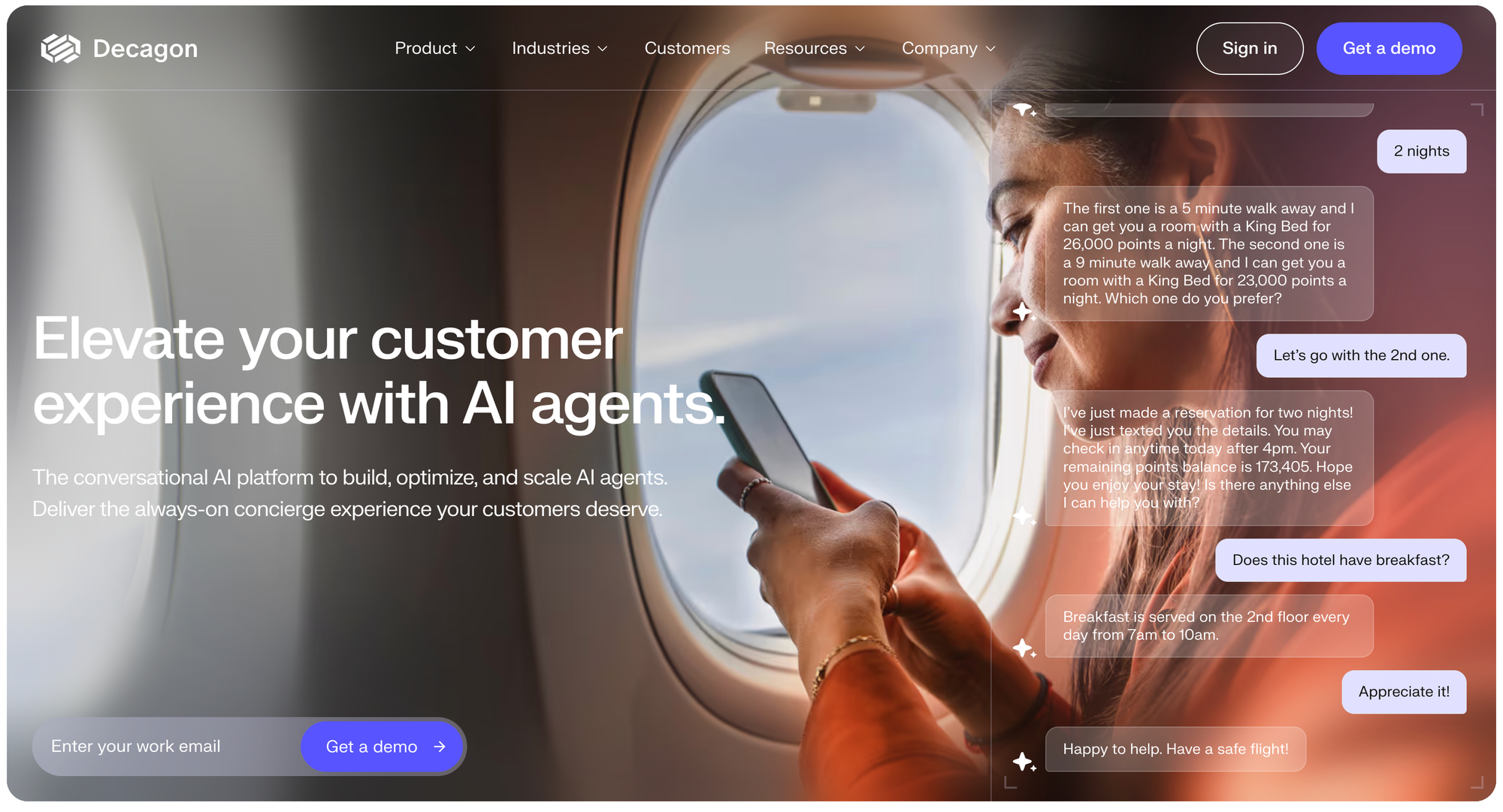
Decagon is an enterprise AI customer support platform that uses AI agents to automate customer interactions across chat, email, and voice.
Instead of charging per seat like a traditional helpdesk, Decagon AI deploys autonomous agents that handle support conversations, resolve issues, and escalate to a human agent when needed.
Most companies use Decagon alongside tools like Zendesk or Salesforce. It acts as an AI layer that reduces repetitive support tickets and improves resolution speed without replacing your existing support stack.
What Decagon says about its pricing model
Decagon frames its product as an AI agent (or set of Decagon AI agents) that does work on behalf of the business, not a tool that a human agent clicks around inside.
That’s why the pricing model isn’t “per seat.”
Instead, Decagon offers two meters:
- Per conversation pricing
- Per resolution pricing (their version of outcome-based pricing)
They also explicitly state that most buyers choose the per-conversation option because it’s simpler to forecast and avoids disputes over what counts as success.
Why you won’t find list prices on the website
Decagon doesn’t publish list pricing. The site pushes you toward a demo, and pricing happens through a sales process.
In practice, that usually means:
- Annual contracts (sometimes multi-year)
- A negotiated pricing structure based on volume + complexity
- Packaging that changes depending on your channels, integrations, and business needs
This isn’t unique to Decagon AI. It’s common for enterprise support platforms. But it does mean you should walk into the first call with your own model.
This shows up in public user feedback, too. For example, one Reddit commenter said:
"Super impressive autonomous agent. Fast to spin up and great demos. The tradeoff is limited transparency — you can’t always see why it decided something or tune behavior as granularly as you might want." - Reddit user feedback
Per-conversation pricing: what it is and when it’s risky
How per-conversation pricing works
With per-conversation pricing, you pay a flat rate for each customer conversation the system handles. Decagon also mentions volume discounts as usage grows.
This is classic usage-based billing.
It’s also the easiest to predict because most teams already track conversation count or support tickets per month.
Why teams pick it
- Forecasting is straightforward.
- You avoid “did that count as a success?” debates.
- Billing is easier to explain internally.
Decagon says this is the option the vast majority of customers prefer.
The trade-offs
Here’s where costs scale directly with reality (including the messy parts):
- One-message “drive-by” customer inquiries
- Conversations that immediately escalate to a human agent
- Misrouted chats (wrong category, wrong queue)
- Spam, bot traffic, or accidental triggers (unless your contract excludes it)
If your volume spikes (launch week, outage, holiday season), so does your bill.
What I’d do before a pricing call: pull the last 3–6 months of ticket volume by channel, then mark peak months. That’s the number that matters.
What actually moves Decagon's quote up or down
Even without list pricing, enterprise quotes tend to follow a handful of levers. A Decagon market brief also describes revenue as driven by per-conversation vs. per-resolution, as well as volume discounts and commitments.
Here are the levers I’d expect to matter most.
Ticket volume and conversation volume
This is the foundation.
Higher ticket volume usually improves unit economics, but your total costs still rise as you grow.
Resolution rate targets
If you’re considering per-resolution pricing, your model should include:
- Current baseline deflection (if any)
- Target resolution rate
- What happens during the ramp period
Outcome pricing is only “cheap” if the AI actually resolves a meaningful share of cases.
Channels, especially voice
Decagon markets support across channels (chat/email/voice). Voice often changes the cost profile in many stacks due to real-time processing and telecom layers.
If you’re planning voice, ask how it’s metered. Some vendors treat “a call” like a conversation; others charge by the minute.
Integrations and “real work” automation
There’s a big difference between:
- Answering questions from knowledge bases
- Taking actions across other systems (refunds, plan changes, order updates)
The second requires more integration work and more testing.
This is also where “agent-like” systems shine: they can follow natural language requests and execute tasks. But the deeper the workflow, the higher the implementation cost.
Agent operating procedures (AOPs)
In practice, teams end up defining agent operating procedures (sometimes written as “agent operating procedures AOPs”) so conversational AI agents behave consistently.
That can include things like:
- When to escalate to a human
- How to verify identity
- What to do with refunds above a threshold
- What tone and policy language to use
The more AOPs you need, the more “services + iteration” you should budget for.
Setup, onboarding, and “hidden fees”
Decagon talks about fast time-to-value, but you should still ask what’s included vs billable.
Common places hidden fees show up (even if they aren’t literally line items) include:
- implementation services
- Ongoing coaching/ops support
- Custom integration work
- Security reviews and SLAs
Even if Decagon bundles services, your internal time is still a real cost.
A simple way to model ROI before you get a quote
I wouldn’t start with “what’s the price per X?”
I’d start with: “What’s the cost per ticket today?”
Step 1: Calculate your current cost per ticket
A simple model:
(support payroll + tooling + overhead) / monthly tickets
Even rough math helps.
Step 2: model two scenarios
Scenario A: per-conversation
- Use peak-month ticket volume.
- Multiply by assumed per-conversation rate (you’ll get this during sales).
- Add a buffer for noise (misroutes, spam).
Scenario B: per-resolution
- Take the same volume.
- Multiply by expected AI resolution rate.
- Multiply by per-resolution rate.
- Add a ramp period (resolution rates are rarely “perfect” in month one).
Step 3: sanity-check customer experience
Cost savings don’t matter if quality drops.
Track:
- Escalation quality (does the AI handoff help the human?)
- Response time
- Customer satisfaction/CSAT changes
Decagon positions transparency and performance improvements as part of its value, so ask how they measure and report on them (often via AI-driven analytics).
Where Decagon fits (and where it might be too much)
Decagon AI is clearly positioned for higher-volume, more complex support environments, especially when you want agents that can do more than answer FAQs.
I’d take it seriously if:
- You have large, repeatable workflows
- Your systems are ready for integration
- You can invest in defining operating procedures and improving knowledge
I’d be cautious if:
- You need something self-serve this week
- Your knowledge base is messy and unloved
- Your volume is modest, and you wanta predictable monthly spend
You’ll still get value from automation, but enterprise pricing + rollout overhead may not pencil out.
Looking beyond Decagon AI?
If you’re exploring options beyond Decagon, whether for different pricing models, easier setup, better integrations, or faster time to value, here are solid alternatives teams are evaluating in 2026.
- ✨ Featurebase – Modern alternative with transparent pricing. Includes an AI-powered support inbox, chat widget, help center, automations, plus product feedback and roadmaps in one platform.
- Fin by Intercom – All-in-one messaging and support platform with built-in AI for automated replies, triage, and routing. Strong for product-led teams already using Intercom.
- Ada – Enterprise AI support platform focused on automated resolutions across channels. Often compared to Decagon for large teams with high ticket volume.
- Gorgias – Popular with e-commerce companies, especially Shopify brands. Combines help desk functionality with AI automation and tight integration with e-commerce.
- Zendesk AI – Native AI features inside the Zendesk ecosystem. Good for teams that want automation without adding a separate AI platform.
- eesel AI – AI support automation that plugs into your existing help desk, such as Zendesk, Freshdesk, or Intercom. Learns from past tickets to automate replies and routing.
- Kore.ai – Enterprise conversational AI platform with strong voice and omnichannel capabilities. Better suited for large organizations with complex workflows.
- Tidio – Affordable chat and AI chatbot platform designed for SMBs. Easy to set up and focused on website chat automation.

Drop those demo calls
Find out why teams choose Featurebase as the best Decagon alternative for AI support with predictable pricing.
If you want predictable pricing without enterprise lock-in
Decagon can absolutely deliver value - but only if your volume, workflows, and contract terms line up with its usage-based pricing. For many teams, the biggest challenge isn’t the technology - it’s forecasting costs and getting started without a long enterprise sales cycle.
Featurebase is a modern AI support platform built for teams that want automation and predictable pricing. You get an AI Agent, AI inbox, live chat widget, help center, and workflow automations in one tool - plus feedback collection and product updates so support insights actually drive product decisions. It’s trusted by teams at Lovable, Raycast, and n8n. 💫
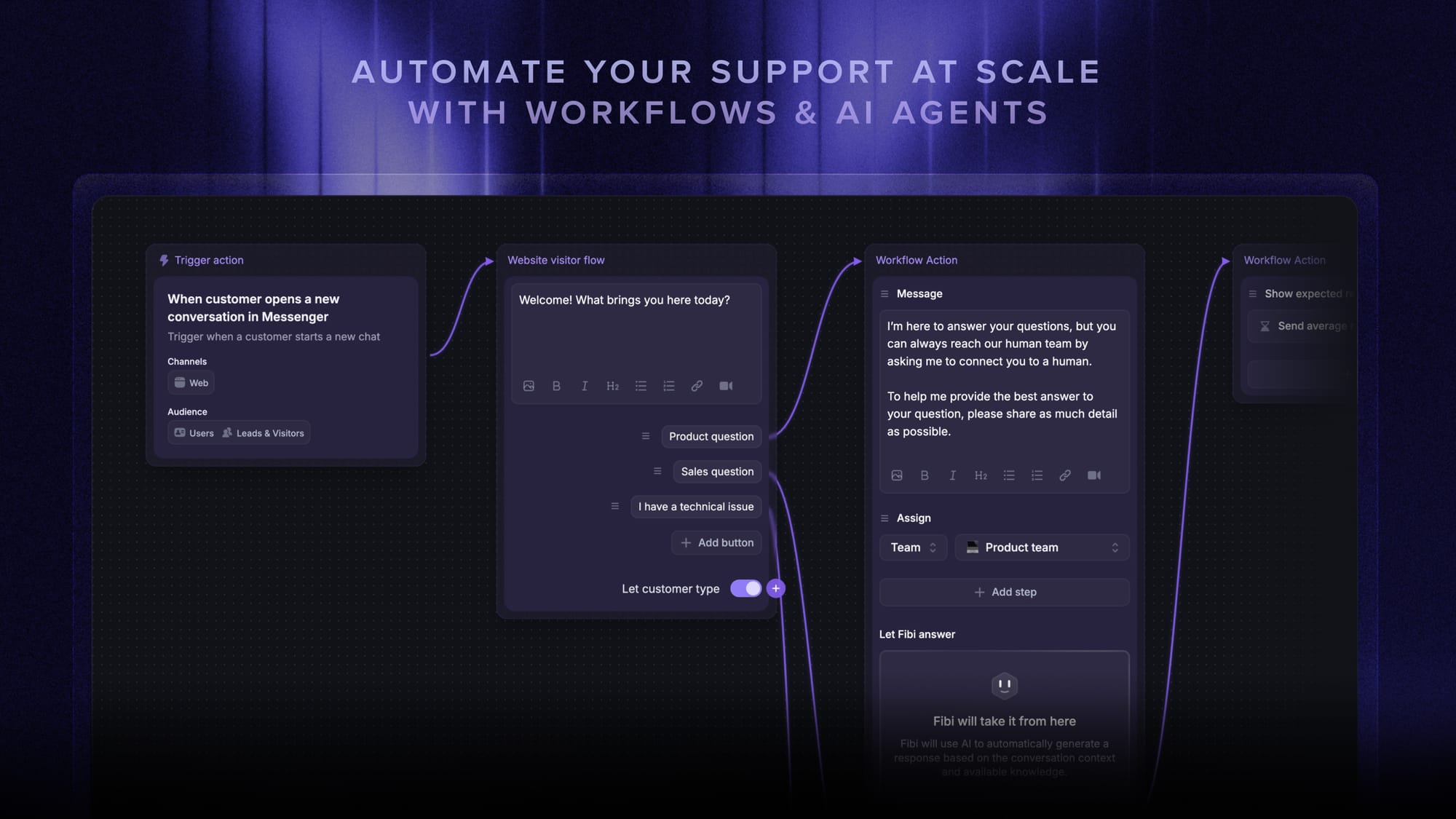
Key features:
- Unified inbox – manage live chat & email in one AI-enhanced workspace with your team
- AI agent & automations – automate support workflows like trial extensions, refunds, routing, and more
- AI-powered Help Center – multilingual knowledge base with instant AI answers
- Messenger widget – customizable in-app widget for AI + human support anywhere
- Feedback portal & product updates – connect customer requests directly to your roadmap and releases
It comes with affordable pricing, a Free plan, and just $0.29 per AI-resolved conversation. Onboarding is quick (minutes, not months), so there’s no risk in trying it out to see if it fits your workflow.
✨ Automate your support with the fastest AI-enhanced Inbox today →