Blog Customer ServiceHubSpot Review: Pricing, Pros, Cons, and Our Verdict
HubSpot Review: Pricing, Pros, Cons, and Our Verdict
An honest HubSpot review covering CRM features, Breeze AI, pricing, pros, cons, and who should choose a focused alternative.



HubSpot is easy to start, but the real buying decision begins when your team outgrows the free CRM. This review covers its features, pricing, automation, AI, and customer service tools so you can decide whether the broader platform is worth paying for. 👇
Key takeaways
- HubSpot is worth it when marketing, sales, and service genuinely need one shared customer record. If only one team will use it, the platform is usually overkill.
- The free CRM is excellent, but it doesn't show the full picture of long-term value. Most features that make HubSpot operationally powerful sit on expensive higher tiers.
- HubSpot is easy to start and difficult to govern. Complexity climbs quickly once you add Hubs, workflows, permissions, and AI usage.
- The advertised price understates the real cost. Seats, marketing contacts, onboarding, add-ons, and HubSpot Credits can make the final bill much higher.
- Featurebase✨ is the better fit for product-led SaaS teams that mainly need AI-powered support, feedback, and a help center, not a full CRM suite.
What is HubSpot?
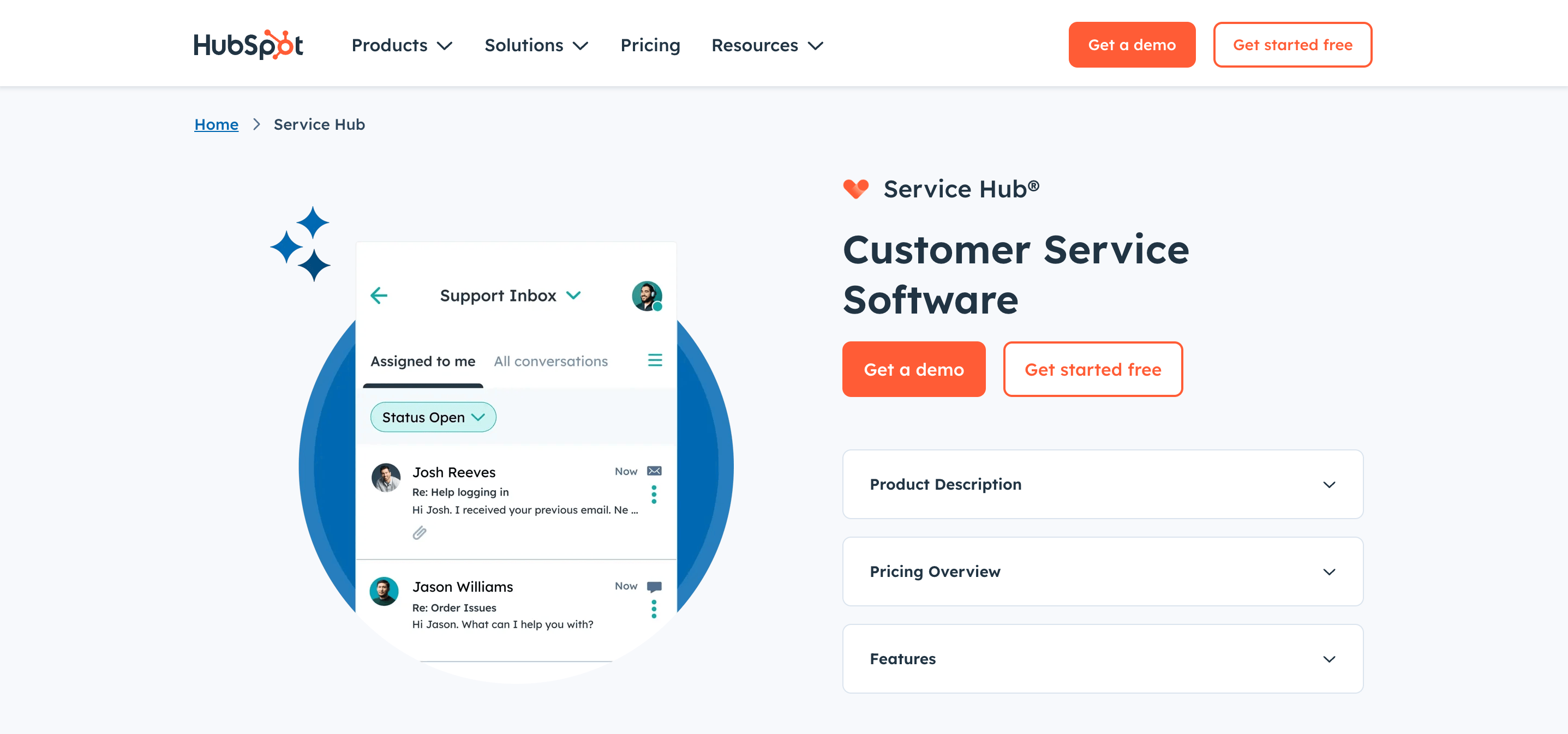
HubSpot is a customer relationship management (CRM) platform that helps businesses manage marketing, sales, customer service, content, and customer data in one place. Its tools share the same customer records, so teams can track each relationship from the first interaction through sales and ongoing support.
HubSpot review at a glance
| Evaluation area | Rating | Short verdict |
|---|---|---|
| Smart CRM | 4.5/5 | Excellent shared customer record with a broad surrounding ecosystem |
| Sales automation | 4/5 | Strong pipelines, sequences, forecasting, and rep workflows on paid plans |
| Marketing automation | 4/5 | Capable and tightly connected to CRM data, but costly at scale |
| Breeze AI | 4/5 | Useful across the platform, with value shaped by plan and credit limits |
| Customer service | 3.5/5 | Broad Service Hub toolkit, though advanced support features require Professional |
| Reporting | 4/5 | Good cross-team visibility once the account and data model are configured well |
| Integrations | 4.5/5 | Large marketplace and practical data-sync options |
| Ease of use | 3.5/5 | Friendly for basic CRM work, more demanding as the implementation expands |
Overall verdict: I give HubSpot 4/5 for growing companies that want an integrated platform. It offers weaker value to lean teams that need one specialized tool and will not use the wider ecosystem.
HubSpot features reviewed
HubSpot works best as a connected system. These 8 areas show whether that breadth will create value or overhead for your team.
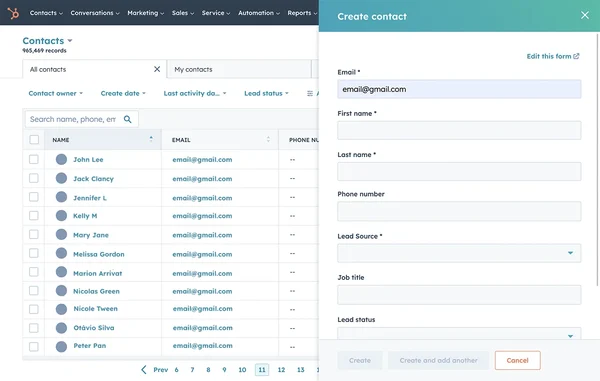
Smart CRM and contact management
Smart CRM keeps contacts, companies, deals, tickets, and communication history in one database, giving every team the same customer context. Core tools are free, but advanced permissions, reporting, scoring, and custom objects require higher tiers.
Sales automation
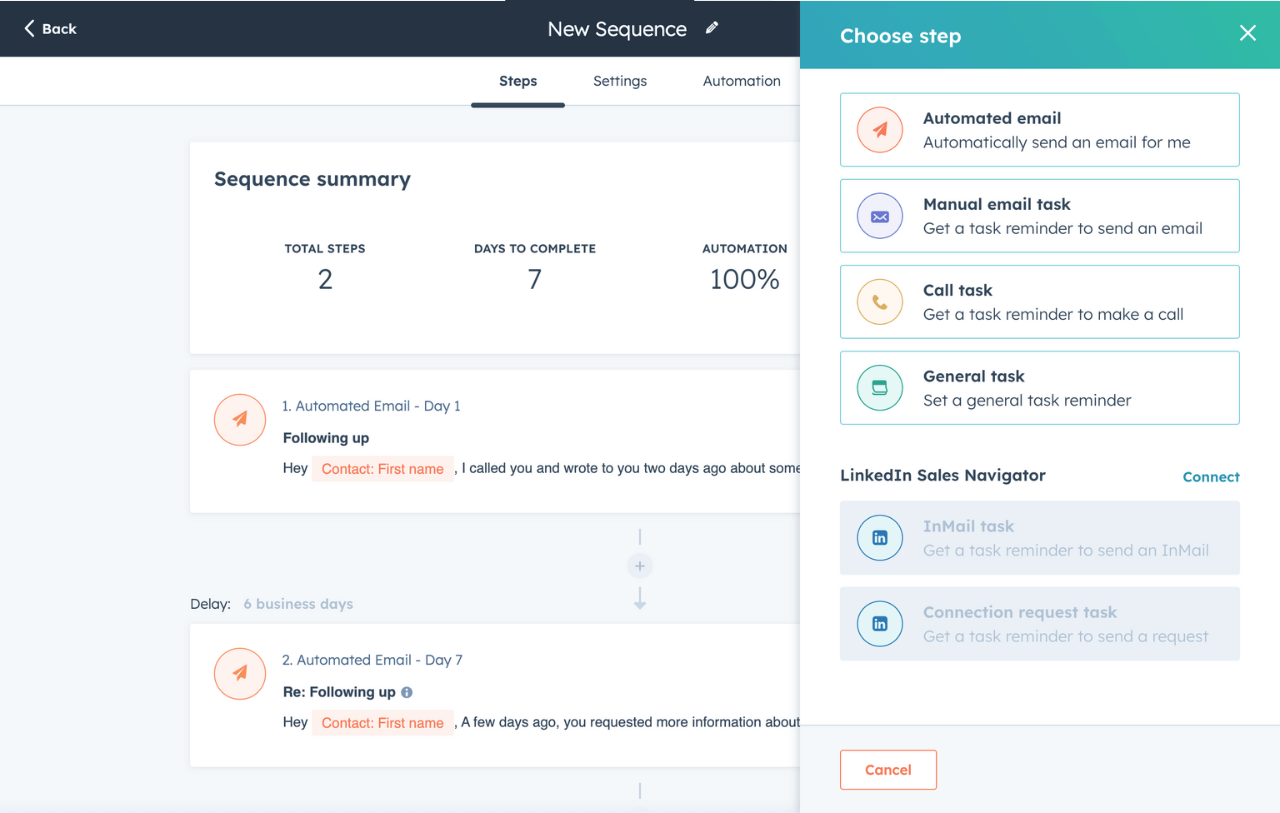
Sales Hub provides pipelines, email tracking, scheduling, sequences, forecasting, and automated follow-up. Reps can use the full customer history to personalize outreach, but forecasting, scoring, and playbooks usually require Professional or Enterprise.
Marketing automation
Marketing Hub combines forms, landing pages, email, segmentation, workflows, ads, and campaign reporting. Shared CRM data makes it easy to connect campaigns to pipeline results, but contact-based pricing can become expensive as your audience grows.
Breeze AI
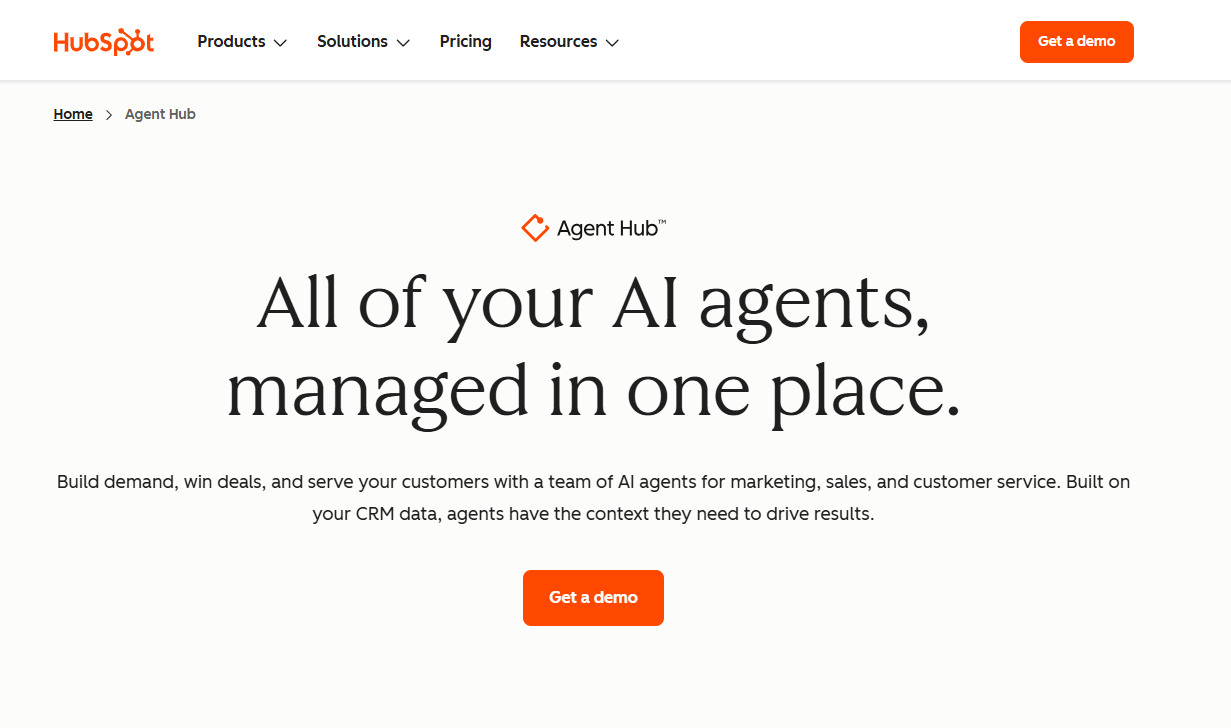
Breeze is HubSpot's AI layer for summarizing records, preparing for calls, researching companies, creating content, and automating repeatable work. Its CRM context makes these tools useful, but some features require higher tiers and consume HubSpot Credits.
Customer service and Service Hub
Service Hub adds tickets, email, live chat, routing, a helpdesk, knowledge base, customer portal, surveys, and AI support. Agents get useful CRM context, but the full helpdesk, knowledge base, success workspace, and AI agent start at Professional. Smaller teams should compare focused Service Hub alternatives.
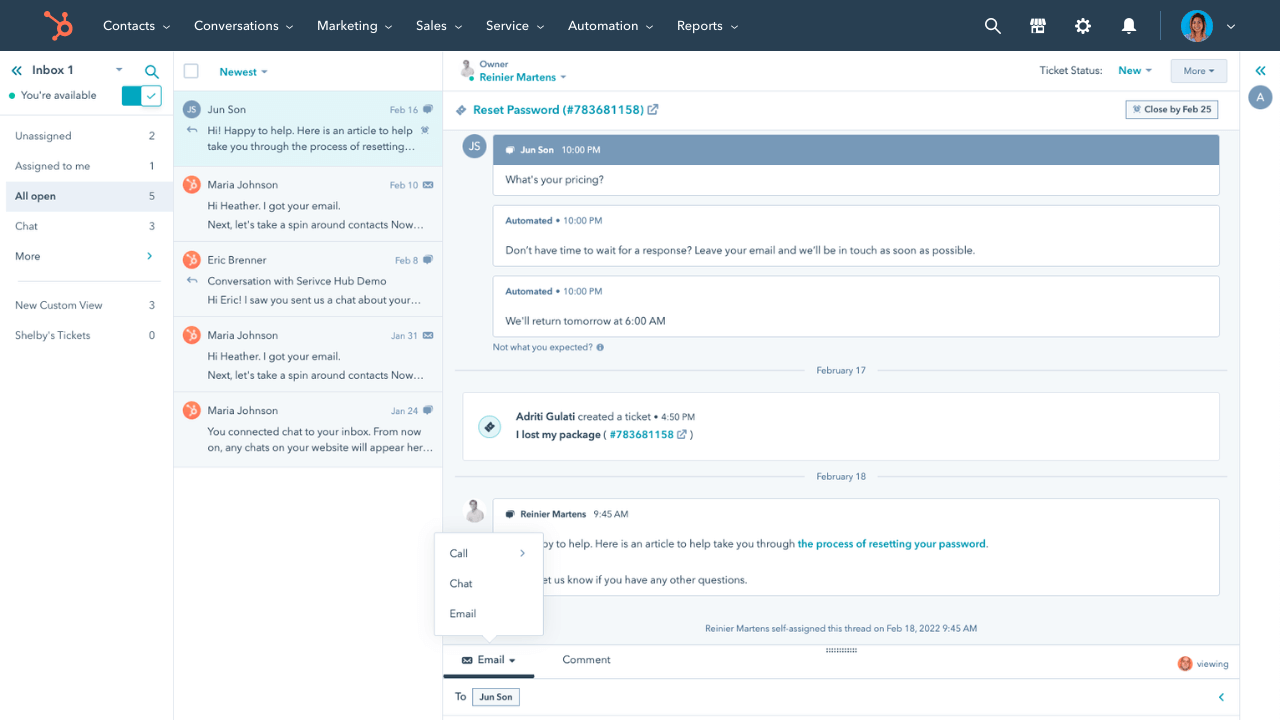
Reporting and analytics
HubSpot combines marketing, sales, and service metrics in shared dashboards. Higher tiers add custom reports, funnels, attribution, and forecasting, but the results still depend on clean lifecycle stages and deal data.
Integrations and data sync
HubSpot's app marketplace covers common communication, advertising, ecommerce, accounting, data, and project tools. Check which objects sync, how duplicates are handled, and whether the connection requires a higher edition or paid connector.

Featurebase's HubSpot Integration connects tickets and deals to Featurebase feedback posts, giving product teams the commercial context behind each request.
Ease of use and onboarding
HubSpot is easy to learn for common CRM tasks, with free tools and extensive training. A multi-Hub implementation is harder because teams must define lifecycle stages, properties, permissions, integrations, and ownership before automating workflows.
HubSpot pricing and total cost
HubSpot pricing looks simple one product at a time. The full bill depends on your Hubs, editions, paid seats, marketing contacts, onboarding, add-ons, and HubSpot Credits.
These figures were checked against HubSpot's US pricing pages on September 2, 2026. Promotional annual prices appear in some places, so confirm the quote, renewal terms, and usage limits.
| Edition | Sales and Service Hub starting price | Marketing Hub starting price | Important cost trigger |
|---|---|---|---|
| Free | $0 for up to 2 users | $0 for up to 2 users | Low limits and HubSpot branding on selected tools |
| Starter | $7 per seat/month with annual commitment | $7 per seat/month with annual commitment | Seats, marketing-contact tiers, and feature limits |
| Professional | $90 per seat/month with annual commitment | $800/month with 3 Core Seats | Required onboarding and higher operating complexity |
| Enterprise | $150 per seat/month | $3,600/month with 5 Core Seats | Required onboarding, governance needs, and add-ons |
The Customer Platform bundle packages several products. At review, Professional started at $1,300 per month and Enterprise at $4,700 per month. It saves money only if teams use the included capabilities.
Free and Starter plans
The free plan gives up to 2 users enough CRM, sales, and support tools for a meaningful test. Starter removes some limits and includes 500 HubSpot Credits, but growing teams may still need Professional for stronger automation, reporting, and permissions.
Professional and Enterprise plans
Professional adds the automation, reporting, workspaces, and AI that growing teams typically expect. Enterprise adds custom objects, advanced permissions, single sign-on, and deeper control for complex organizations.
Contacts, seats, onboarding, and HubSpot Credits
Watch these 4 costs beyond the advertised subscription:
- Marketing contacts: The price rises when you exceed the included contact allowance.
- Seats: Professional and Enterprise charge for Sales and Service seats, with capabilities varying by seat type.
- Onboarding: Required fees range from $1,500 for Sales or Service Professional to $7,000 for Marketing Enterprise.
- HubSpot Credits: Plans include 500 to 5,000 monthly credits, with extra usage costing more.
Estimate the 12-month cost using realistic seat, contact, onboarding, and credit needs before committing.
HubSpot pros and cons
HubSpot's advantages come from connection and breadth. Its drawbacks appear when the packaging and administration outgrow the problem.
HubSpot pros
- Shared customer context: Marketing, sales, service, and operations can work from the same contact and company records.
- Useful free CRM: Small teams can test real pipelines, tickets, forms, and communication tools without a credit card or expiration date.
- Broad feature set: The platform can support a company from early lead generation through sales, onboarding, service, and retention.
- Strong automation: Workflows, sequences, routing, scoring, and AI agents can remove repetitive work when the underlying process is sound.
- Large integration ecosystem: The marketplace and Data Sync make HubSpot easier to connect to an existing stack.
- Accessible learning resources: The interface is approachable, and training material is plentiful.
HubSpot cons
- Costs rise with maturity: The features that growing teams want often require Professional, more seats, larger contact tiers, onboarding, or extra credits.
- Packaging is complicated: Comparing editions across multiple Hubs takes more work than reading one headline price.
- Platform breadth creates administration: Properties, workflows, reports, permissions, and integrations need ownership and governance.
- Starter can be a short bridge: Some teams move from free tools to Professional sooner than expected because key automation or support features skip the middle tier.
- Migration becomes harder over time: The more teams, processes, content, and reporting you build around one CRM, the more expensive a future change becomes.
- Specialized teams may overbuy: A product-led SaaS support team may not need a full marketing, sales, content, and revenue platform.
Who should use HubSpot?
HubSpot fits best when several customer-facing teams will share the CRM. A narrow need usually favors a specialized platform.
Teams HubSpot fits best
Growing companies get the most value when someone owns operations and customer data. The return increases as more teams use the shared CRM.
It is especially compelling when your business needs several of these outcomes at once:
- Generate and nurture leads with forms, email, campaigns, and automation
- Give sales teams pipelines, sequences, forecasting, and account context
- Connect customer service activity to commercial and lifecycle data
- Report on the journey from first touch to revenue and retention
- Standardize processes without building a custom internal platform
Assign an owner for the data model, workflow standards, adoption, and cleanup.
Teams that should consider an alternative
HubSpot is less convincing for a narrow need. A small support team may want an AI agent, help center, live chat, Slack support, and feedback workflows without adopting a larger customer platform. A product team may need a feedback portal and roadmap, not another marketing system.
Consider a more focused tool when:
- You already have a CRM that works and do not plan to replace it
- Your immediate priority is customer support, product feedback, or a knowledge base
- Professional-tier pricing would consume budget without replacing enough existing tools
- Your team needs fast setup and has limited operations capacity
- You want customer requests tied directly to product decisions and release communication
A specialized tool is not always cheaper, but it should fit the job your team actually needs to complete.

Get the best alternative to Hubspot
Automatically resolve 70% of customer requests & cut down manual support loads
Use Featurebase with or instead of HubSpot
Featurebase can complement HubSpot or serve as a focused alternative, depending on how much of HubSpot your team needs. It is built for product-led SaaS teams that want customer support and product feedback connected in one platform. 💫
Add Featurebase to HubSpot

Keep HubSpot as your CRM and use Featurebase as the product-feedback layer. The integration can sync customer data, link HubSpot tickets to feedback posts, subscribe requesters to updates, and show Featurebase activity inside HubSpot.
Enterprise teams can also connect deals to feedback and prioritize requests by Opportunity Value. Most other integration features are available with Featurebase Professional.
Use Featurebase as a focused alternative

Featurebase can also replace HubSpot's support tools when your team does not need a full marketing and sales platform. It combines an omnichannel inbox, Fibi AI Agent, help center, feedback boards, roadmaps, and product updates in one workspace.
This option suits lean SaaS teams that want faster setup and fewer tools to manage. A free plan is available with unlimited conversations, while paid plans start at $29 per seat/month with $0.49 per AI resolution.
Conclusion: Is HubSpot worth it?
HubSpot is worth it when marketing, sales, and service will use the shared CRM together. Teams with narrower support and feedback needs may get more value from a focused platform.
Featurebase works both ways. Add it to HubSpot to connect CRM data, tickets, and deals with product feedback, or use it independently for AI support, a help center, feedback, roadmaps, and product updates.
Either path gives product teams a clearer view of customer demand while helping support and sales close the feedback loop. 👇
✨ Connect support conversations to product feedback with Featurebase →

FAQs
Is HubSpot a reputable company?
Yes. HubSpot is an established public software company with a mature ecosystem, large customer base, and extensive partner network. Its reputation does not guarantee that the packaging, cost, or breadth fits your team.
Why is HubSpot falling?
This question can refer to HubSpot's share price, search interest, traffic, or a review score. None proves the product is declining on its own. Judge the current features, renewal pricing, support, and fit instead.
Is HubSpot CRM good for non-sales teams?
Yes, if they benefit from shared customer context. Marketing, service, success, and operations can use CRM records, activities, segments, tickets, and reports. Access depends on the Hubs and seats purchased.
Can HubSpot work alongside another CRM?
Yes, but one system must remain the source of truth. Define ownership for contacts, companies, deals, and lifecycle fields before syncing data to avoid duplicates and conflicting updates.
Can HubSpot replace a dedicated customer support platform?
Yes, if your team wants tickets, service operations, and CRM context in one platform. Product-led SaaS teams focused on AI support, Slack conversations, feedback, and release communication may find Featurebase easier to operate.