Best Free CRM Software in 2026: 8 Top Picks Tested
Compared the 8 best free CRM software tools for 2026 - real free-plan limits, pricing, and the catch behind each one, so you pick the right tool the first time.


On this page
Every free CRM promises to organize your contacts, track your deals, and cost you nothing. Then you hit the wall: 2 users here, 250 contacts there, automation locked behind a paywall.
The trick is knowing which cap you'll actually run into before you migrate your whole team onto the wrong tool.
I dug through the free plans that matter and pulled together the 8 best free CRM software options for 2026, with the real limits and the catch behind each one. 👇
Key takeaways:
| Tool | Best for | Free plan limit | Starting price |
|---|---|---|---|
| HubSpot CRM | An easy all-in-one starter CRM | 2 users, 1,000 contacts, 1 pipeline | ~$20/seat/mo |
| Zoho CRM | Teams that want the most free records | 3 users, 5,000 records | ~$14/user/mo |
| Bitrix24 | Unlimited free users | Unlimited users, 1 pipeline | ~$61/org/mo |
| Freshsales | Sales teams that live on the phone | 3 users, built-in phone + email | ~$11/user/mo |
| Capsule CRM | A simple, no-clutter CRM | 2 users, 250 contacts | ~$18/user/mo |
| EngageBay | Marketing-driven small teams | 15 users, 250 contacts | ~$13/user/mo |
| Attio | Startups that want modern UX | 3 users, 50,000 records | ~$36/user/mo |
| Agile CRM | The most free user seats | 10 users, 1,000 contacts | ~$9/user/mo |
What is free CRM software?
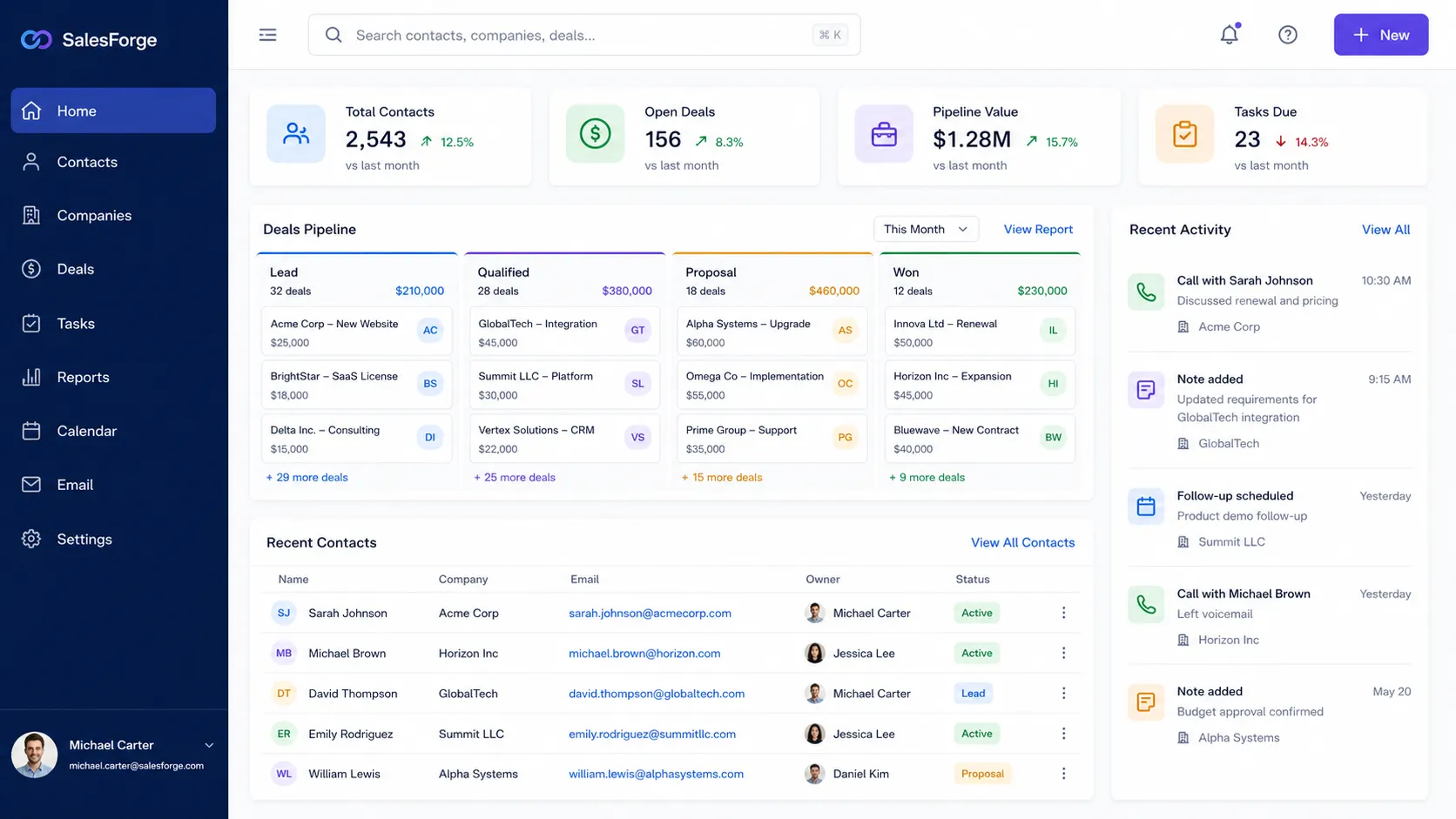
A CRM (customer relationship management) tool is where you store contacts, track deals through a pipeline, and log every interaction with a lead or customer. Free CRM software is simply a version of that with a permanent no-cost tier, usually capped on users, contacts, or advanced features.
It's not a niche choice, either. In a Freshworks survey of 600 US business owners in April 2024, 71% of small businesses said they use a CRM. A free plan is how most of them get started before committing budget.
The catch is that "free" almost always means "free until you grow." The best free CRM for you is the one whose ceiling you won't hit for a while, and whose paid upgrade you'd actually be happy to pay for later.
Free CRM vs free trial
These two get used interchangeably, but they're not the same thing:
- Free plan: free forever, with hard limits on users, contacts, or features. You can stay on it indefinitely as long as you fit inside the caps.
- Free trial: full access to a paid plan for a fixed window, usually 14 to 30 days, after which you either pay or lose access.
If a tool only offers a trial, it's not really a free CRM. A few tools on this list, like Attio, pair a free-forever plan with a separate trial of their paid tiers.
What to look for in a free CRM
Free plans vary wildly, so it helps to know which features actually matter before you sign up. At a minimum, look for:
- Contact and deal management: storing contacts and moving deals through a pipeline is the core job. Every tool here does it, but limits on how many contacts or pipelines you get vary a lot.
- A user cap that fits your team: a 2-user free plan is useless for a team of 5. Match the seat limit to your actual headcount, not just today's.
- Email and calendar sync: syncing your inbox keeps communication logged automatically instead of by hand.
- An honest upgrade path: check the first paid tier's price now, because you'll probably need it eventually and migrating later is painful.
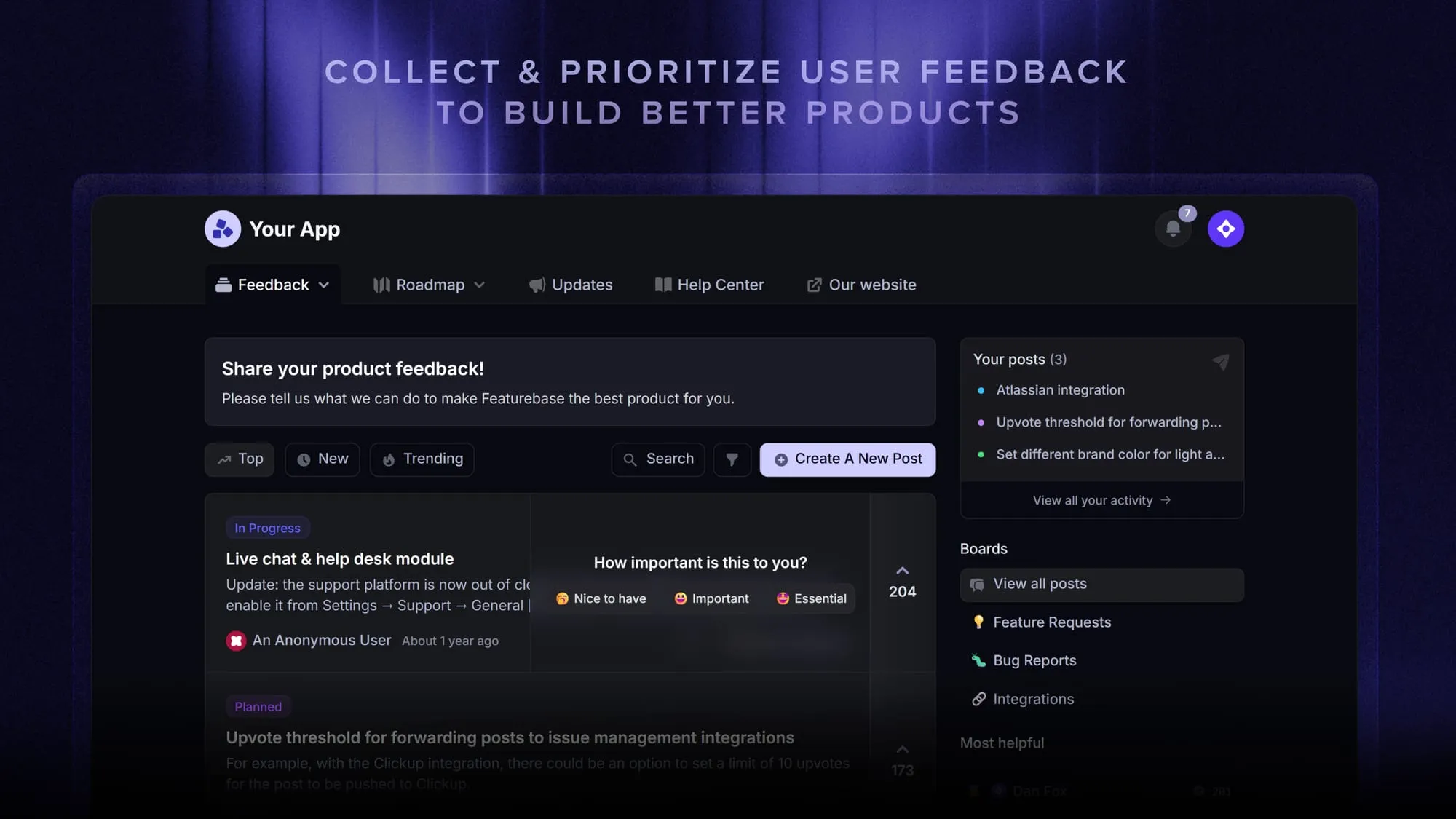
One thing worth flagging early: a CRM is built to manage your sales pipeline, not to tell you what customers actually want built next. Those feature requests, bug reports, and product ideas live somewhere else. A dedicated feedback tool like Featurebase captures and prioritizes that input so it doesn't get lost in scattered CRM notes. More on where that fits below.
The 8 best free CRM software tools
Here are the 8 free CRMs worth your time in 2026, what each one does well, and the limit you'll bump into.
1. HubSpot CRM
Best for an easy all-in-one starter CRM.
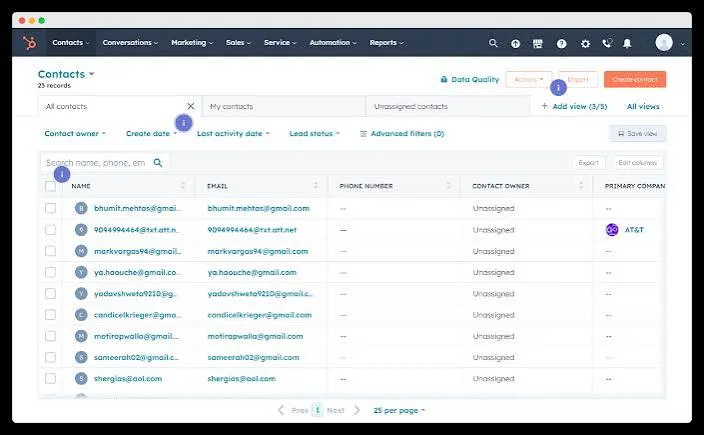
HubSpot's free plan is the most popular on-ramp into CRM software, and for good reason. You can track contacts and deals, send marketing emails, and add a live chat widget to your site right out of the box, with one of the most intuitive interfaces around. G2 reviewers consistently praise how naturally it ties sales, marketing, and service together in one place.
Key features
- Contact and deal management for up to 1,000 contacts and 1 pipeline
- Built-in email templates, tracking, and basic automation
- Live chat, chatbots, and landing pages for lead capture
- 2,000+ integrations through the app marketplace
Pricing: free plan with 2 users, 1,000 contacts, and 1 deal pipeline. Paid plans start around $20/seat/month.
The catch: the sidebar shows a lot of features that are locked behind paid tiers, and the free plan caps you at 2 users and 1,000 contacts. Reviewers note the cost curve climbs quickly the moment you need real automation or reporting, and free emails, forms, and chat widgets all carry HubSpot branding.
2. Zoho CRM
Best for teams that want the most free records.
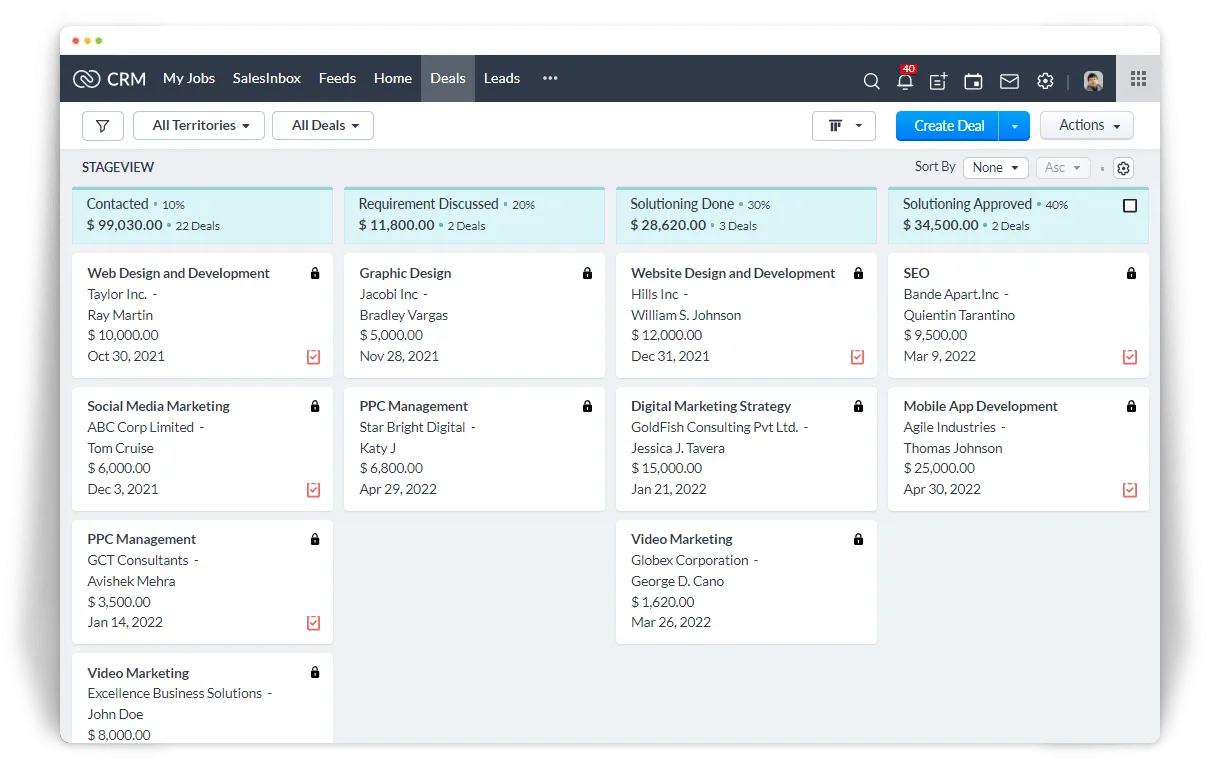
Zoho CRM's free edition is genuinely feature-rich for a no-cost tool. You get lead and deal management, workflow automation, and multichannel marketing for up to 3 users, plus 5,000 records, which is 5x what HubSpot's free plan allows. If you already use other Zoho apps, they connect natively into what starts to feel like a full workspace.
Key features
- 5,000 records across contacts, leads, deals, and accounts
- Workflow automation on the free plan (up to 5 tasks per rule)
- Multichannel marketing with email, web forms, and social
- Native integration with the wider Zoho ecosystem
Pricing: free forever for up to 3 users. Paid plans start around $14/user/month.
The catch: G2 reviewers repeatedly flag the interface as cluttered and dated, with a steeper learning curve than rivals and support that can be slow to respond. The free plan also tops out at 3 users, so it's a tight fit for anything but a small team.
3. Bitrix24
Best for unlimited free users.
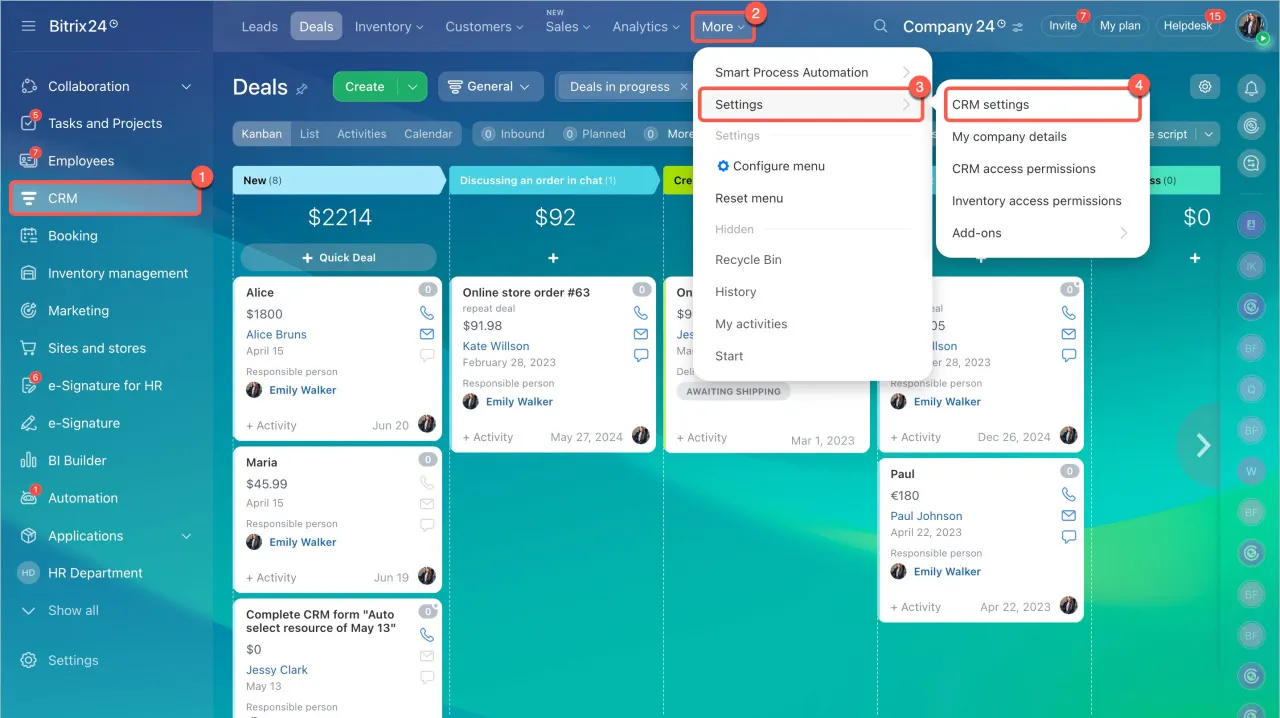
Bitrix24 is the rare free CRM with no user cap at all, which makes it a favorite for startups and distributed teams counting every dollar. It bundles CRM, project management, video calls, and even a website builder into one platform, so it can replace several separate subscriptions.
Key features
- Unlimited users, contacts, and deals on the free plan
- Project management with Kanban boards, Gantt charts, and tasks
- Built-in communication tools and calendar sync
- Mobile apps for iOS and Android with full CRM access
Pricing: free forever for unlimited users. Paid plans start around $61/organization/month for up to 5 users.
The catch: the sheer number of features is also the problem. A cluttered interface and steep learning curve are the single most common complaint across review sites, and users report patchy support plus occasional bugs and slowdowns. The free plan also limits you to 1 sales pipeline with no workflow automation.
4. Freshsales
Best for sales teams that live on the phone.
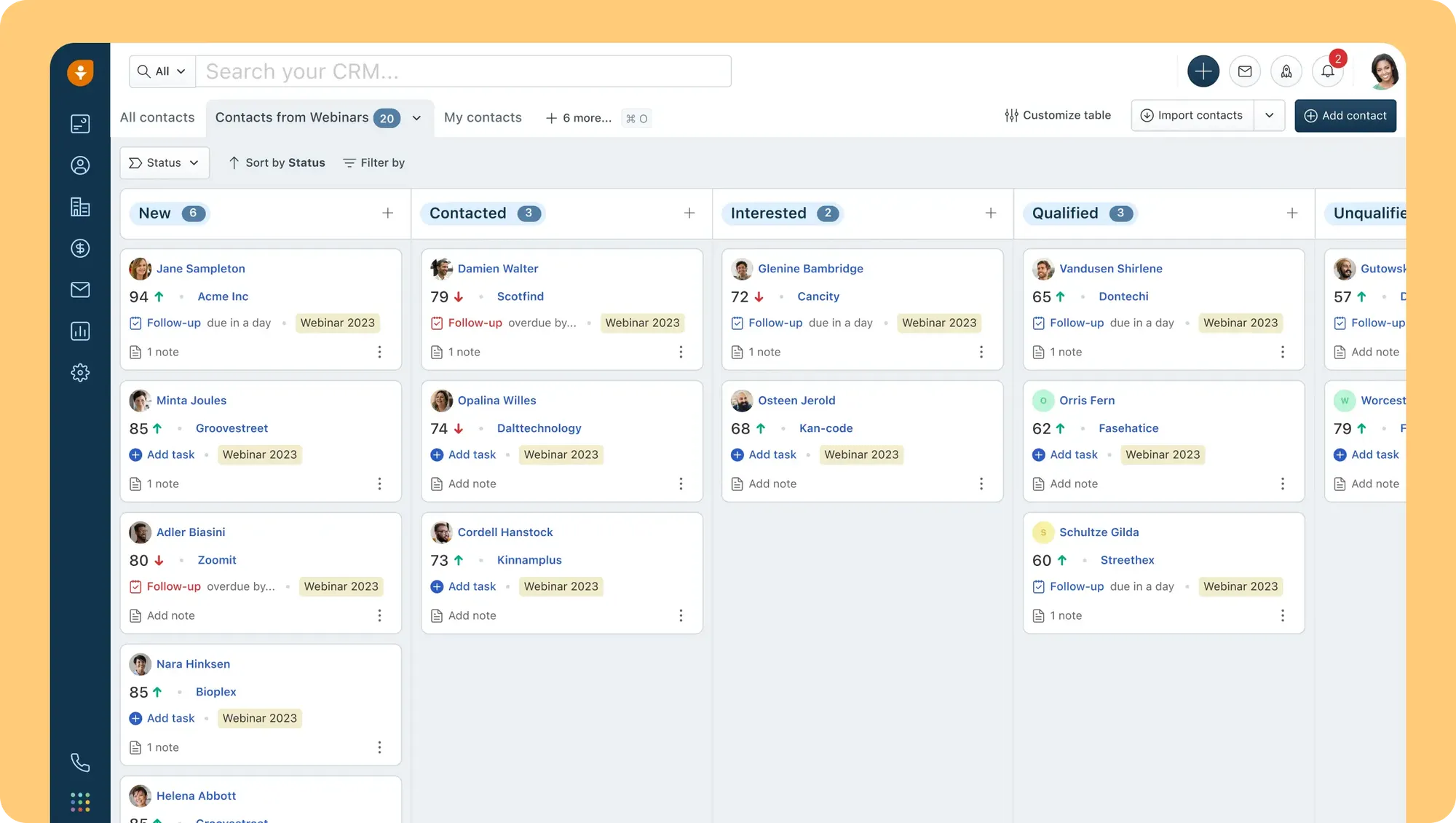
Freshsales stands out because its free plan includes a built-in phone dialer and two-way email sync, so reps can call, email, and log notes without leaving the CRM. Part of the Freshworks ecosystem, it's fast to set up and pairs a clean Kanban pipeline with contact lifecycle stages.
Key features
- Built-in phone dialer and 2-way email sync on the free plan
- Kanban view for contacts, accounts, and deals
- Website chat widget for engaging visitors
- Mobile app across all plans, plus 24x5 support even on free
Pricing: free forever for up to 3 users. Paid plans start around $11/user/month.
The catch: the free plan caps you at 3 users and skips workflow automation entirely, so you can't auto-create tasks or send reminders without upgrading. Reviewers also point to inconsistent support and reporting that's thinner than HubSpot's.
5. Capsule CRM
Best for a simple, no-clutter CRM.
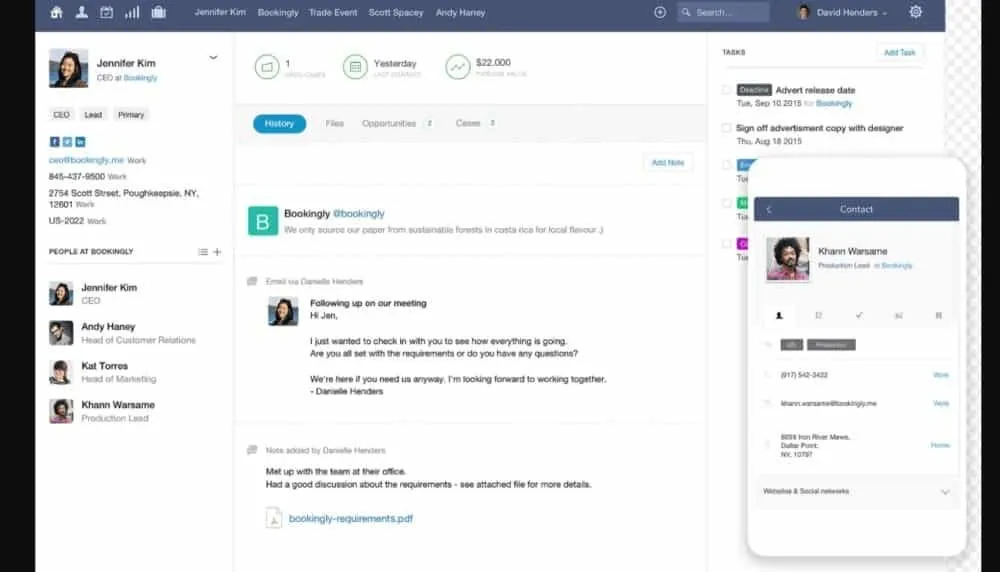
Capsule keeps the focus on people rather than process, with a clean interface that's easy to pick up and stick with. It's aimed squarely at small businesses that want to track relationships and a sales pipeline without wading through features they'll never use.
Key features
- Contact management with a clear, uncluttered interface
- Sales pipeline to track stages and performance
- Email integration with Outlook and Gmail
- AI content assistant for drafting emails quickly
Pricing: free forever for up to 2 users and 250 contacts. Paid plans start around $18/user/month.
The catch: the free plan is tight, with just 2 users and a 250-contact limit, so you'll outgrow it fast if you're doing any real outbound. It's also deliberately lightweight, which means fewer marketing and automation tools than the all-in-one options.
6. EngageBay
Best for marketing-driven small teams.
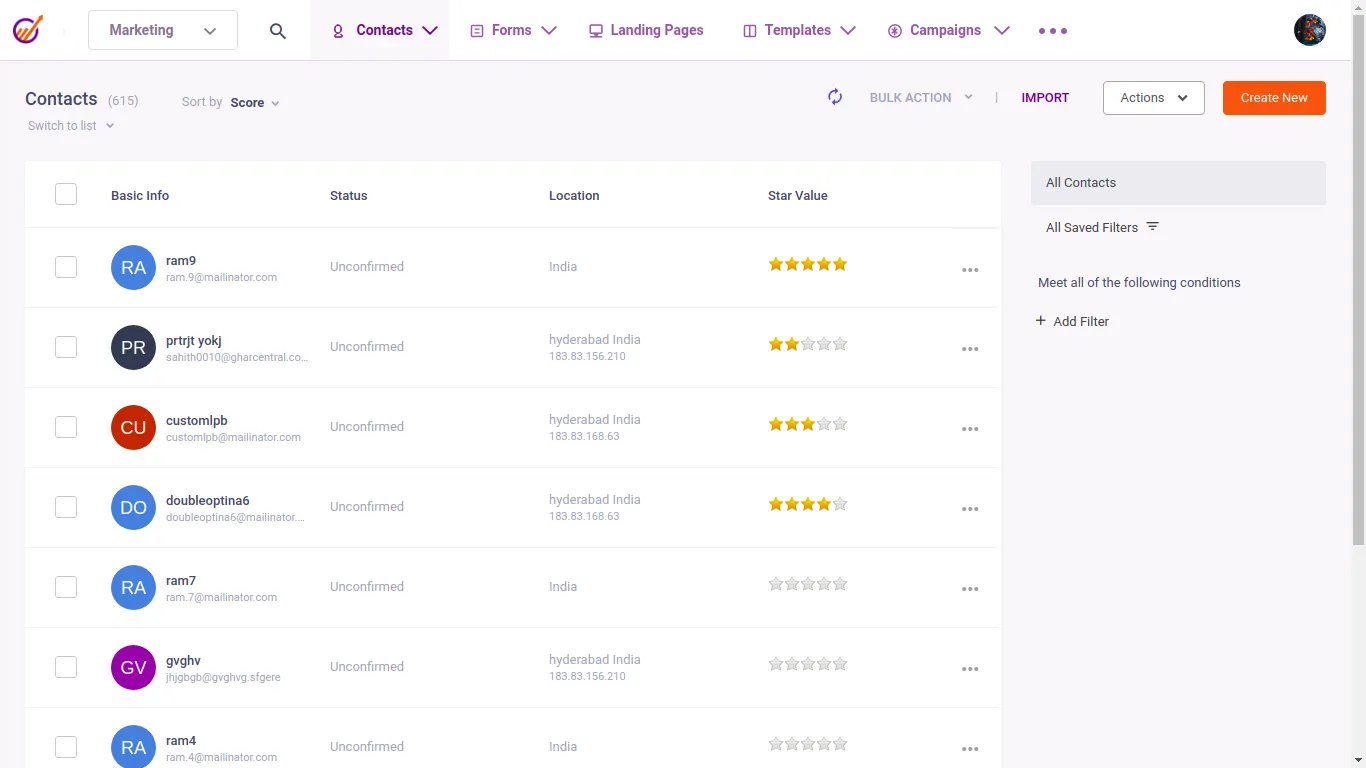
Often described as a budget HubSpot, EngageBay folds CRM, email marketing, and customer support into one free platform for up to 15 users. You can run email campaigns, segment contacts, and track engagement from a single dashboard, which is a lot of ground covered for a free tool.
Key features
- CRM, marketing, and support in one free dashboard
- Email marketing with sequences, templates, and basic automation
- Live chat and helpdesk tools included
- Landing page and form builder for lead capture
Pricing: free plan for up to 15 users and 250 contacts. Paid plans start around $13/user/month.
The catch: the 250-contact limit is the tightest on this list. You can add 15 people, but any real lead-gen will burn through 250 contacts in weeks, and the free plan caps you at 5 forms with no advanced workflow automation.
7. Attio
Best for startups that want modern UX.
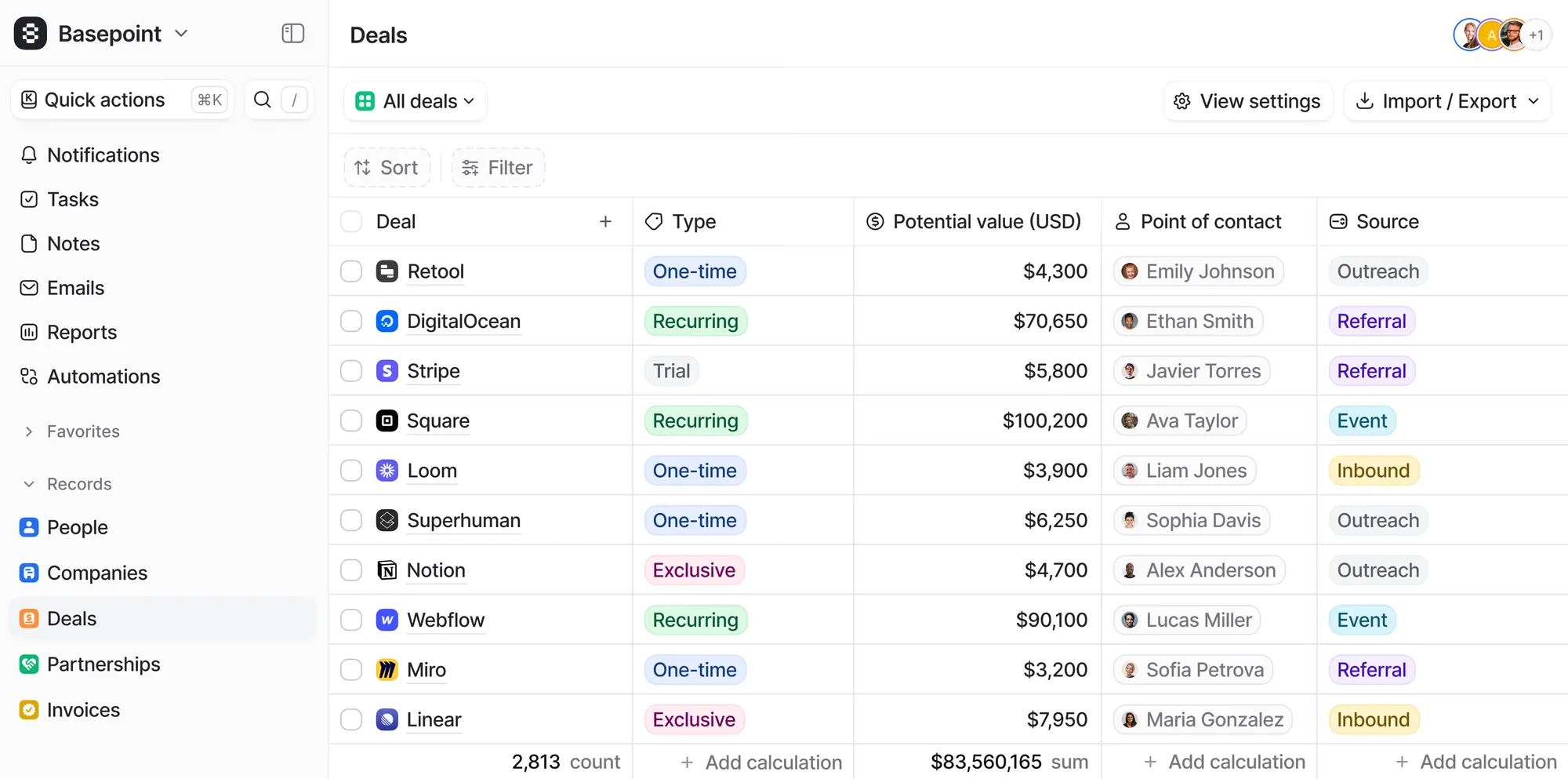
Attio is the best-looking CRM here, with a fast, minimal, Notion-like interface and a flexible data model you shape around how your team actually works. Contact records auto-enrich from your email and calendar, pulling in company, role, and social details the moment you add someone, which saves a lot of manual entry.
Key features
- Automatic data enrichment for new contacts
- Email and calendar sync that logs activity to the right record
- Customizable objects and views instead of a rigid schema
- API and webhook access on the free plan
Pricing: free forever for up to 3 users and 50,000 records. Paid plans start around $36/user/month.
The catch: the flexibility comes with setup time, since you're building your CRM from a near-blank canvas rather than logging straight in. The free plan also caps you at 3 seats and 3 object types, and the jump to a paid tier is one of the pricier ones here.
8. Agile CRM
Best for the most free user seats.
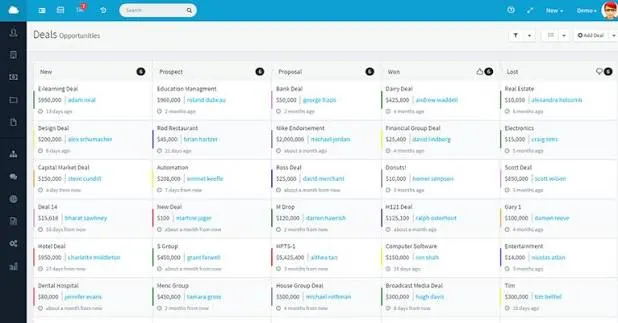
Agile CRM packs sales, marketing, and service automation into a single platform, and its free plan supports up to 10 users, more than almost anything else on this list. It's a solid pick for a startup that wants broad functionality across a slightly larger team without paying yet.
Key features
- Up to 10 users and 1,000 contacts on the free plan
- Appointment scheduling so leads can book meetings
- Two-way telephony to make and record calls from the CRM
- Lead scoring to prioritize high-value prospects
Pricing: free plan for up to 10 users. Paid plans start around $9/user/month.
The catch: the free tier covers the basics well but limits deeper marketing automation and integrations, and the interface feels dated next to newer tools like Attio. It's best treated as a capable starting point rather than a long-term home.
Beyond the CRM: capture what customers actually want with Featurebase
A free CRM tells you who your customers are and where each deal sits. What it can't tell you is which features they want you to build next, what's frustrating them, or whether your last release actually landed. That feedback usually ends up scattered across CRM notes, support chats, and someone's inbox, and then it's gone.
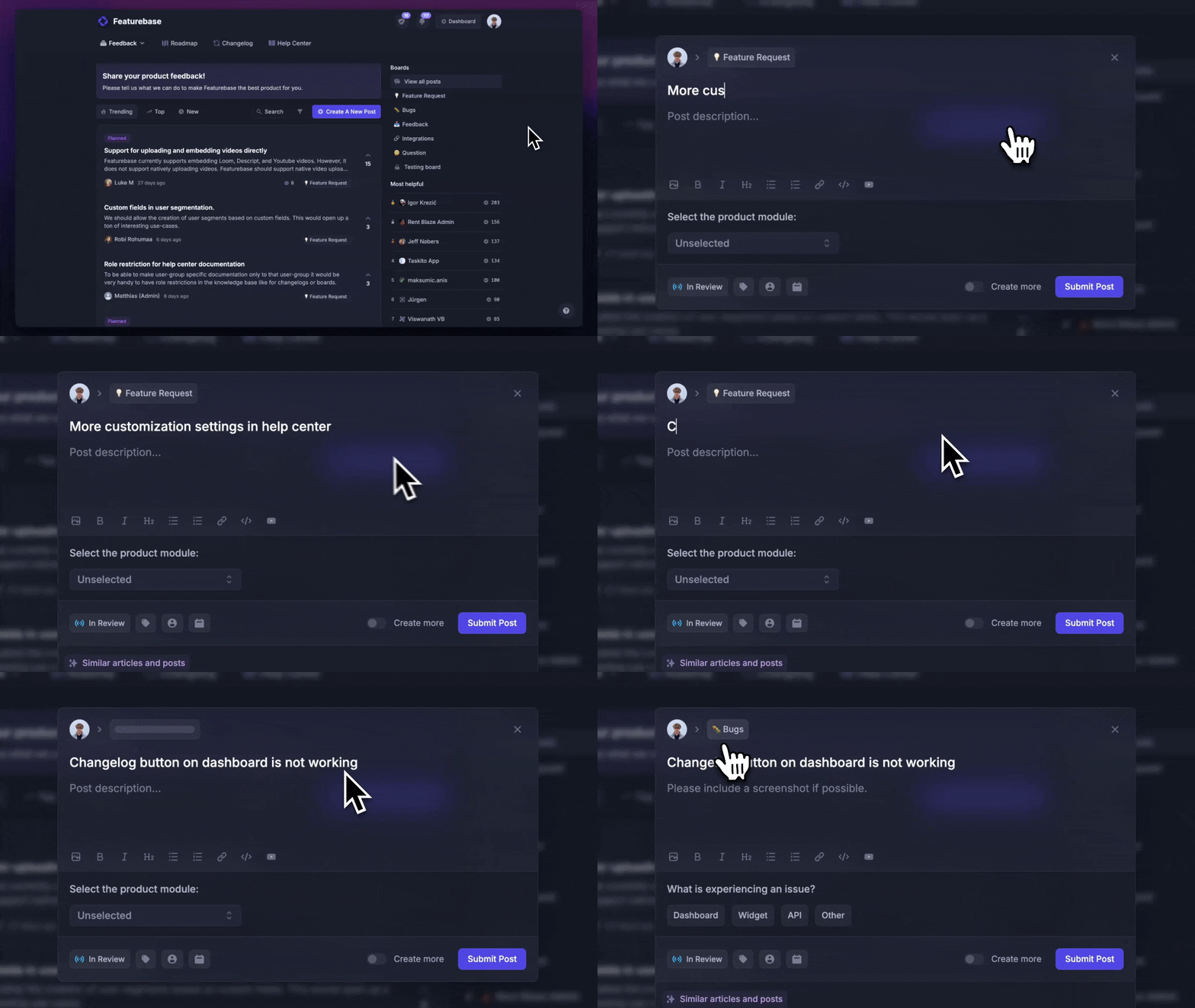
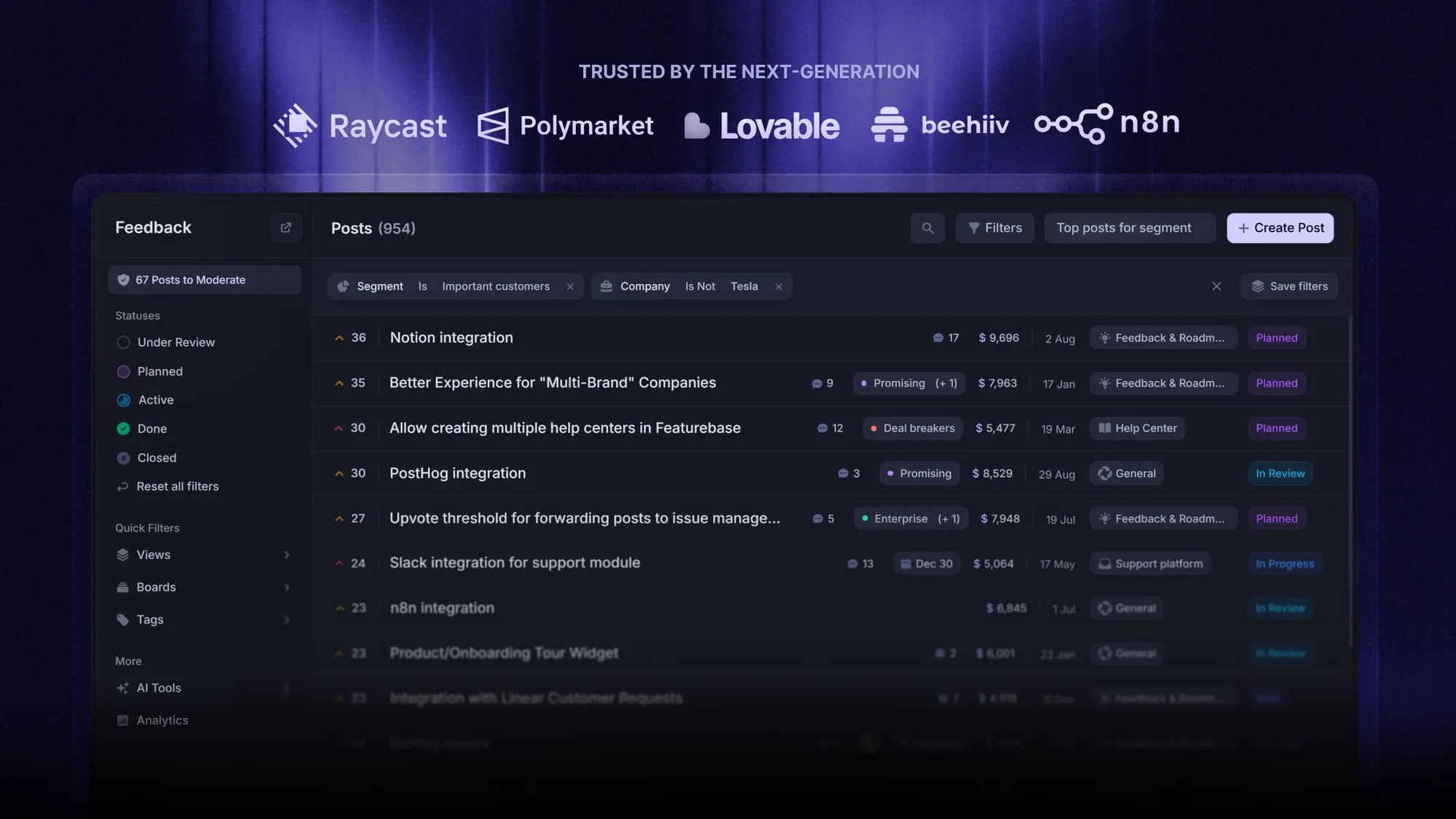
That's the gap Featurebase fills. It's a modern feedback and support platform that helps product teams collect feedback, prioritize features, build roadmaps, and announce product updates, all in one place. It's loved by thousands of product teams from companies like Lovable, Raycast, and n8n. 💫
Top features:
- Feedback forum – Public feedback forum where users can submit ideas and vote on features helping you know what customers want
- In-app widgets – Embed feedback, changelog, and help center widgets directly in your product
- Prioritize by revenue – Link feedback with customer revenue, company size, and much more to better understand the impact of ideas
- AI feedback categorization - Automatically group large volumes of feedback into product areas, projects, or themes with AI
- Automated email updates – Automatically notify users when their requested features are implemented
- Roadmaps – Create internal & public product roadmaps to keep users informed and build engagement
- Product updates – Publish release notes with a changelog page, in-app widget, and emails
- Surveys (NPS, CSAT, etc) – Create targeted surveys to ask users anything and measure customer satisfaction
- Automatic AI translations – Automatically translate all feedback and comments to your customers/teammates native languages
- Integrations – Connects with Slack, Linear, Jira, HubSpot, and more
Pricing: Free plan available with unlimited feedback collection. Paid plans start at $29/seat/mo.
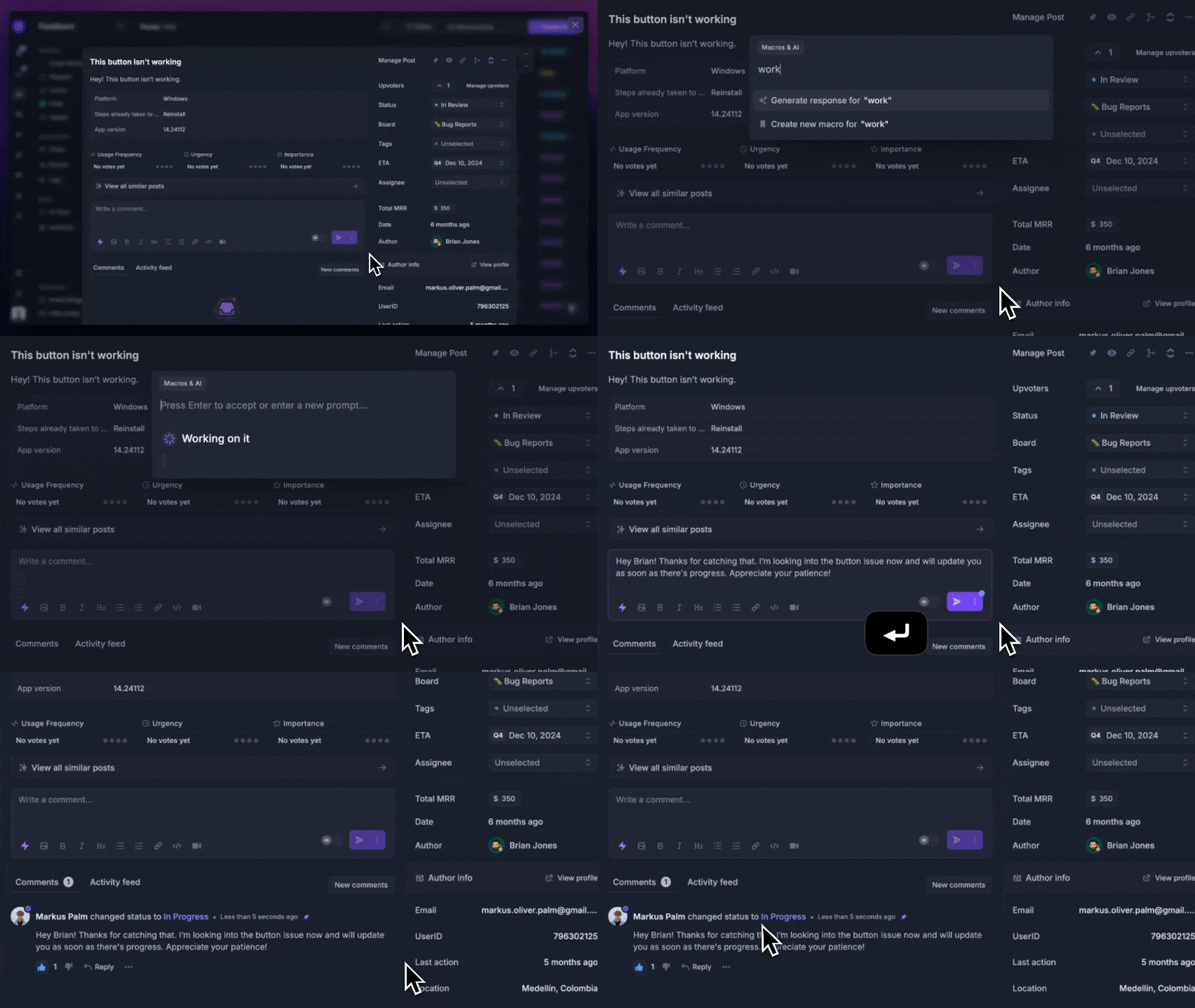
Featurebase isn't a CRM and won't replace one. Think of it as the layer that sits next to your CRM: your sales tool tracks the pipeline, and Featurebase captures and organizes what those customers are actually asking for so it shapes what you build.
Start collecting & managing feedback with Featurebase for free
How to choose the right free CRM (+ when to upgrade)
With this many free plans, the right pick comes down to matching your team and workflow rather than chasing the longest feature list. A few practical questions to ask:
- Does the free plan fit your team size?: HubSpot and Capsule cap you at 2 users, Zoho and Freshsales at 3, while Bitrix24 and Agile CRM give you far more room.
- How many contacts will you have?: EngageBay and Capsule cap contacts at 250, whereas Zoho gives 5,000 records and Attio 50,000.
- What do you need beyond contacts?: pick Freshsales for built-in calling, EngageBay for marketing, Attio for modern UX, or Bitrix24 for project management too.
- Is the paid tier one you'd happily pay for?: you'll likely upgrade eventually, so start on a platform whose next tier fits your budget and needs.
As for when to move off free, the signs are consistent across every tool: you're hitting contact or user caps, maxing out automations, needing deeper reporting, or spending real time on manual workarounds. When that starts happening regularly, the free plan is costing you more in lost time than a paid one would in fees.
Conclusion
There's no single best free CRM, only the best one for your team size, contact volume, and workflow. HubSpot is the easiest way to get started, Zoho gives you the most records, Bitrix24 removes the user cap, and Freshsales wins for phone-heavy sales teams. Whichever you choose, pick a platform whose paid tier you'd be happy growing into, because migrating later is the real cost.
And once your CRM is tracking the pipeline, remember it's only half the picture. Featurebase captures what your customers actually want built, turns that into a prioritized roadmap, and closes the loop with product updates, so your growing customer base shapes your product instead of getting lost in scattered notes.
It comes with a free plan and setup takes minutes, so there's no downside to trying it. 👇
Start collecting & managing feedback with Featurebase for free
FAQs
There's no universal winner, since it depends on your team size and needs. HubSpot is the easiest all-in-one to start with, Zoho gives you the most free records at 5,000, and Bitrix24 is the only one with no user cap. Match the free plan's limits to your actual headcount and contact volume, and check that its first paid tier is one you'd be happy upgrading to.
Yes, several CRMs offer free-forever plans, including HubSpot, Zoho, Bitrix24, Freshsales, and Agile CRM. The important caveat is that every one of them caps something: users, contacts, pipelines, or advanced features like automation and reporting. They're genuinely free to use indefinitely as long as you stay inside those limits.
Google doesn't make a dedicated CRM. Many small businesses improvise one with Google Sheets and Google Contacts, but that lacks pipeline tracking, automation, and reporting. A better route is a free CRM that syncs with Google Workspace, so your Gmail and Calendar data flows in automatically while you still get real CRM features.
A free CRM plan is free forever but comes with hard limits on users, contacts, or features. A free trial gives you full access to a paid plan for a set window, usually 14 to 30 days, after which you have to pay or lose access. If a tool only offers a trial, it isn't truly a free CRM.
For a small business getting started, yes. Free CRMs handle contact management, pipeline tracking, and basic communication perfectly well in the early stages. The realistic expectation is that you'll upgrade as you grow, since every free plan caps contacts, users, automation, or reporting at some point.
A CRM tracks deals and contacts, but it isn't built to capture feature requests, product ideas, and bug reports. Featurebase offers a free plan for exactly that, with a public feedback forum, in-app widgets, and a roadmap that turns customer input into your product plan. It runs alongside your CRM rather than replacing it.


