Blog Customer ServiceQuickchat AI Review: Features, Pricing, Pros and Cons
Quickchat AI Review: Features, Pricing, Pros and Cons
Quickchat AI review covering features, pricing, integrations, pros and cons, and credit limits to help you decide whether it fits your customer support.



✨ Automate your support with the fastest AI-enhanced Inbox today →
Quickchat AI lets you build an AI agent around your own content, connect it to business tools, and hand conversations over to a human when needed.
In this Quickchat AI review, I'll break down its features, current pricing, and practical limitations so you can decide whether it fits your support workflow and what you would actually pay. 👇
Key takeaways
- Best fit: Businesses that want a configurable AI agent for support or sales, with knowledge sources and connections to existing tools.
- Main strengths: Multilingual conversations, AI Actions, human handoff, and an inbox for reviewing what happened.
- Starting cost: Commercial use starts at $9/month. The free plan is restricted to personal, non-commercial use.
- Main trade-offs: Credits measure AI replies, and several useful team features require higher plans.
- Worth comparing: ✨ Featurebase brings AI customer support, feedback, roadmaps, and product updates together.
What is Quickchat AI?
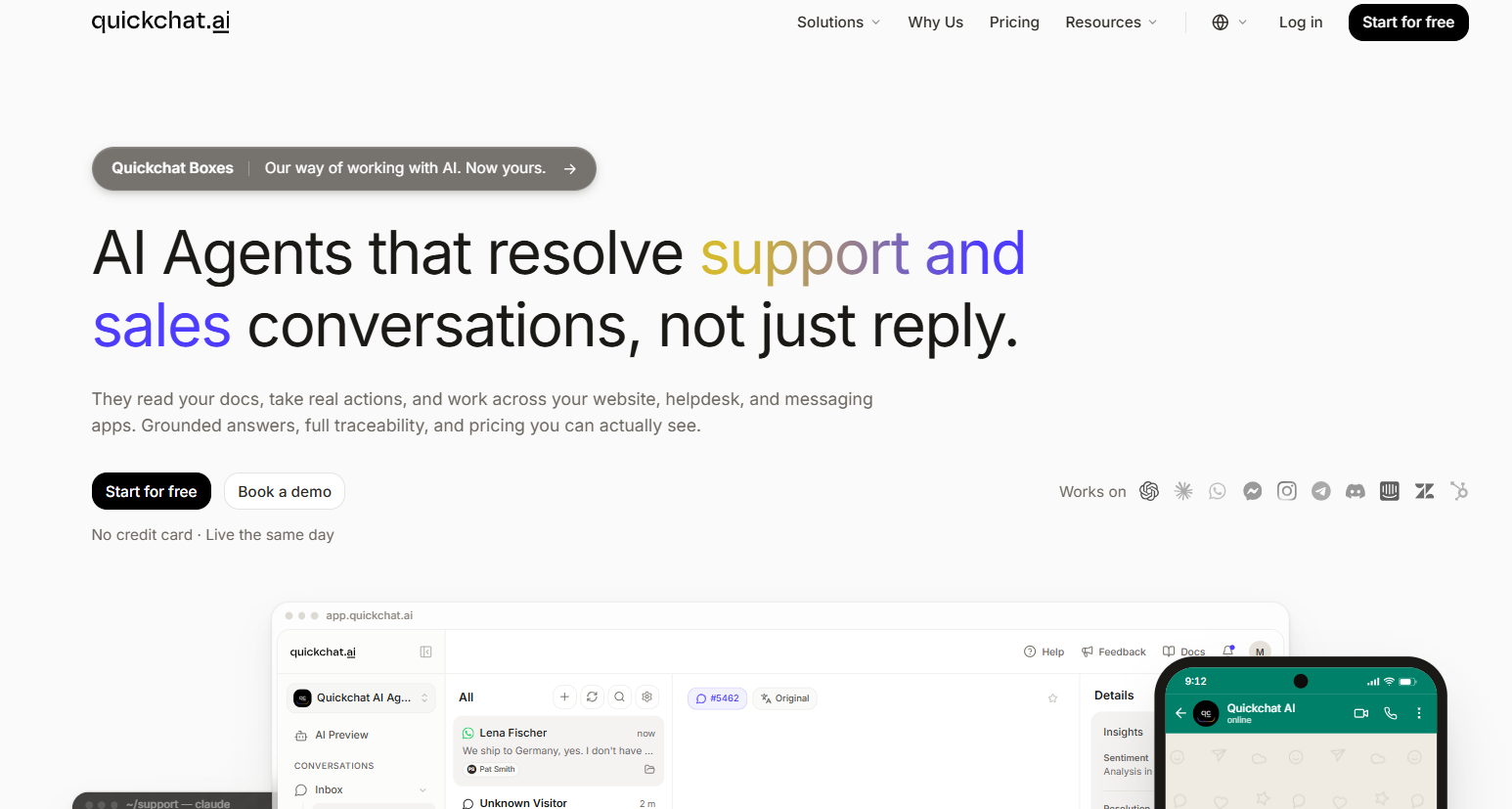
Quickchat AI is a conversational AI platform for building custom agents that answer questions using your company's information. Its no-code chatbot builder lets you configure an agent's behavior, add knowledge, and connect it to customer-facing channels.
The platform covers customer support automation, sales, ecommerce, and internal helpdesk use cases. A support agent could explain your cancellation policy, while a sales agent could collect lead details or help someone find a relevant product.
It also includes human handoff, an inbox, and conversation analytics. That gives your team a way to take over requests and review answers after deployment.
This review draws on Quickchat AI's published product information, pricing, and documentation. I haven't tested a live deployment, so the assessment focuses on documented capabilities and buying considerations.
Quickchat AI key features
The most useful Quickchat AI features connect your content to the work customers need done. Here's what I'd evaluate before choosing a plan.
Knowledge and agent customization
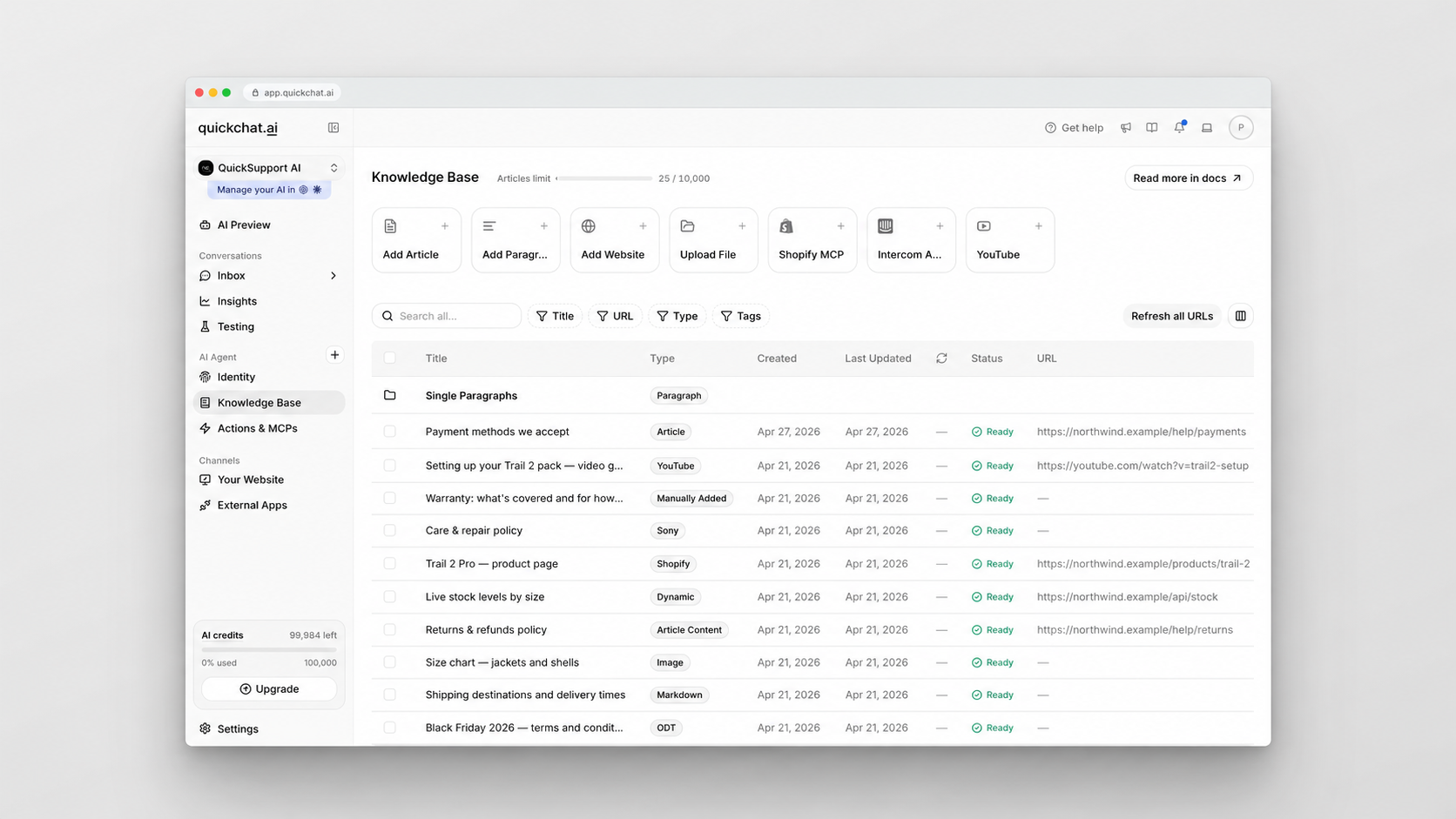
Quickchat AI can build its knowledge base from website content, uploaded documents, manually written information, and other supported sources. You can also adjust the agent's tone, response length, and instructions to match its role.
For example, a billing assistant needs clear rules about payment questions and escalation. A product assistant needs enough detail to explain which features are included in each subscription. Those are different jobs, even if both agents live in a chat widget.
Paid plans include automatic URL refresh, which checks linked articles daily. That helps when your documentation changes, although someone still needs to own its accuracy.
There's also a practical publishing detail: knowledge changes become available once processing finishes. If you change an important policy, check the resulting answers before assuming the update says exactly what you intended.
Quickchat AI supports multilingual conversations, so customers can ask questions in different languages. During evaluation, use the terminology customers actually use in each market, including product names and local billing questions.
Actions and integrations
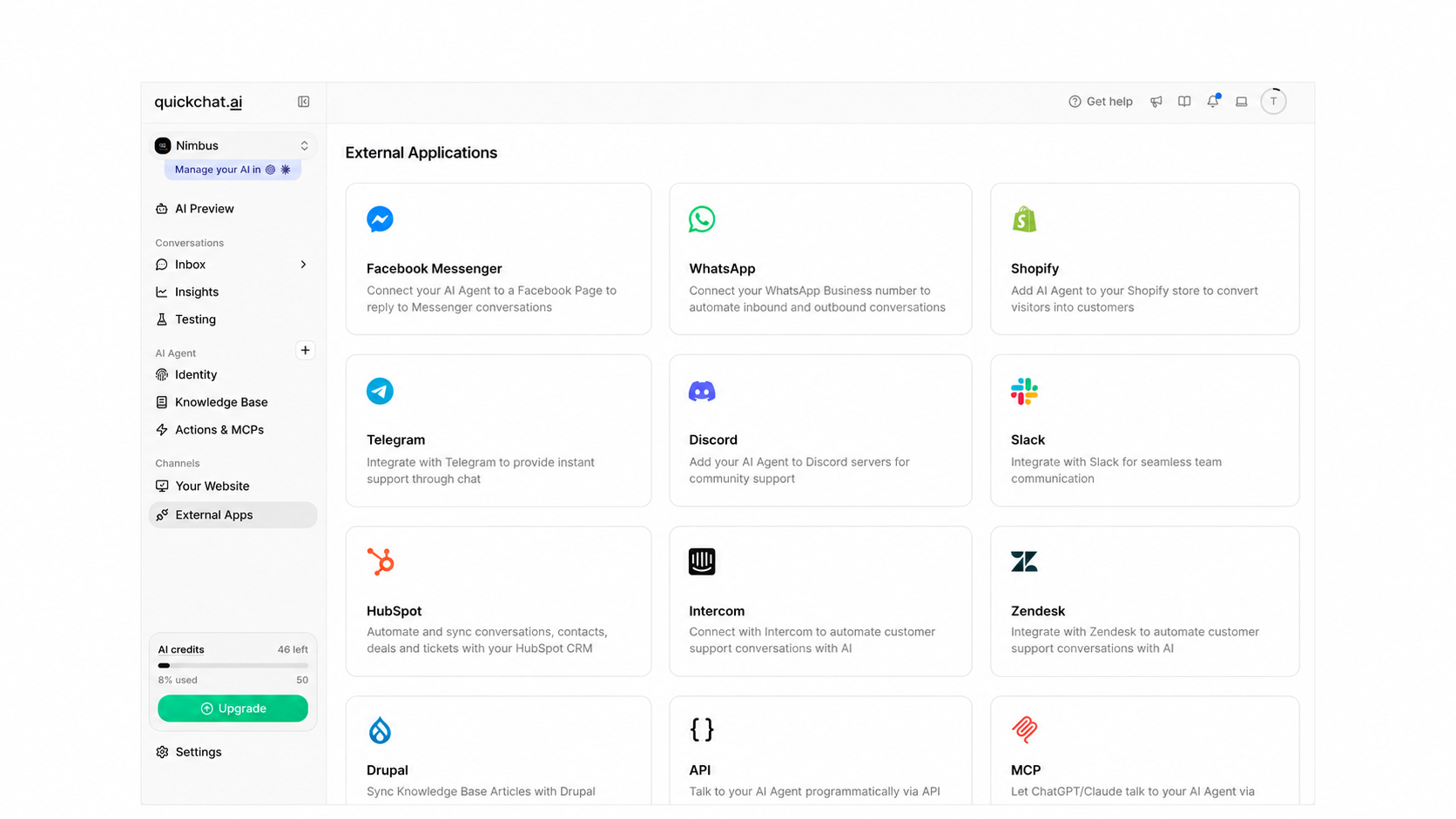
Quickchat AI integrations connect agents with tools such as Intercom, Zendesk, HubSpot, and Shopify. Supported channels include website chat, WhatsApp, Slack, Telegram, Discord, Messenger, and Instagram.
That makes it worth considering if you already have a helpdesk and want to add an AI agent to the workflow. Check the behavior of your specific integration, including which conversation details reach the person taking over.
AI Actions let the agent interact with external systems through APIs and connected tools. Depending on what you configure, an agent could retrieve information, collect lead data, or trigger a booking workflow.
For ecommerce, connecting a Shopify catalog gives the agent product information. Looking up a customer's order requires a separate action, so importing the catalog doesn't complete that workflow by itself.
The setup effort depends on the task. Importing documentation is a different project from connecting a private business system. Budget time to define when an action should run, what information it needs, and what happens if it fails.
Human handoff and inbox
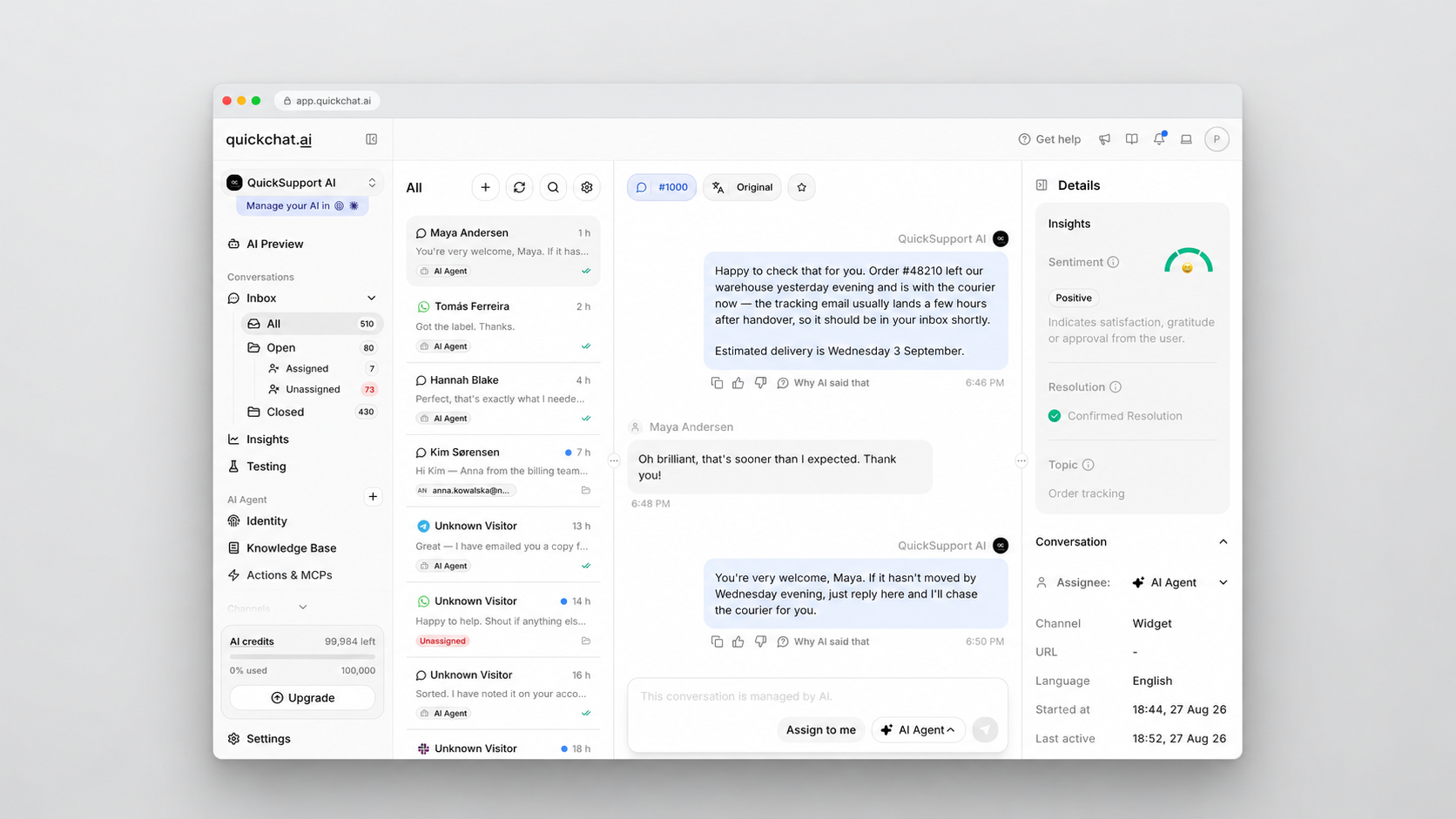
Quickchat AI can pause its replies and transfer a conversation to a human agent. Handoff rules and working hours help determine when that should happen and what customers see outside your team's availability.
The inbox lets teammates take ownership of conversations, reply, and close them. Summaries help the receiving agent catch up, while answer-source information helps explain which content supported an AI reply.
I'd test the handoff with a request that your AI should escalate, such as an exception to your published policy. Check whether the teammate receives enough context to continue without asking the customer to start over.
Handoff is available across the published plans, but user-license limits still matter. A plan that includes the feature may only give 1 teammate access.
Conversation insights
Quickchat AI's conversation analytics cover topics, sentiment, outcomes, and AI-generated insights. These can help you identify recurring questions and investigate where conversations need more attention.
Its Content Gap Analyzer is designed to surface missing knowledge. That's useful when customers repeatedly ask about something your documentation hasn't covered yet.
Treat those findings as a review queue. Read the underlying conversations before changing an article or deciding a process is broken, especially when similar questions have different causes.
Quickchat AI pricing
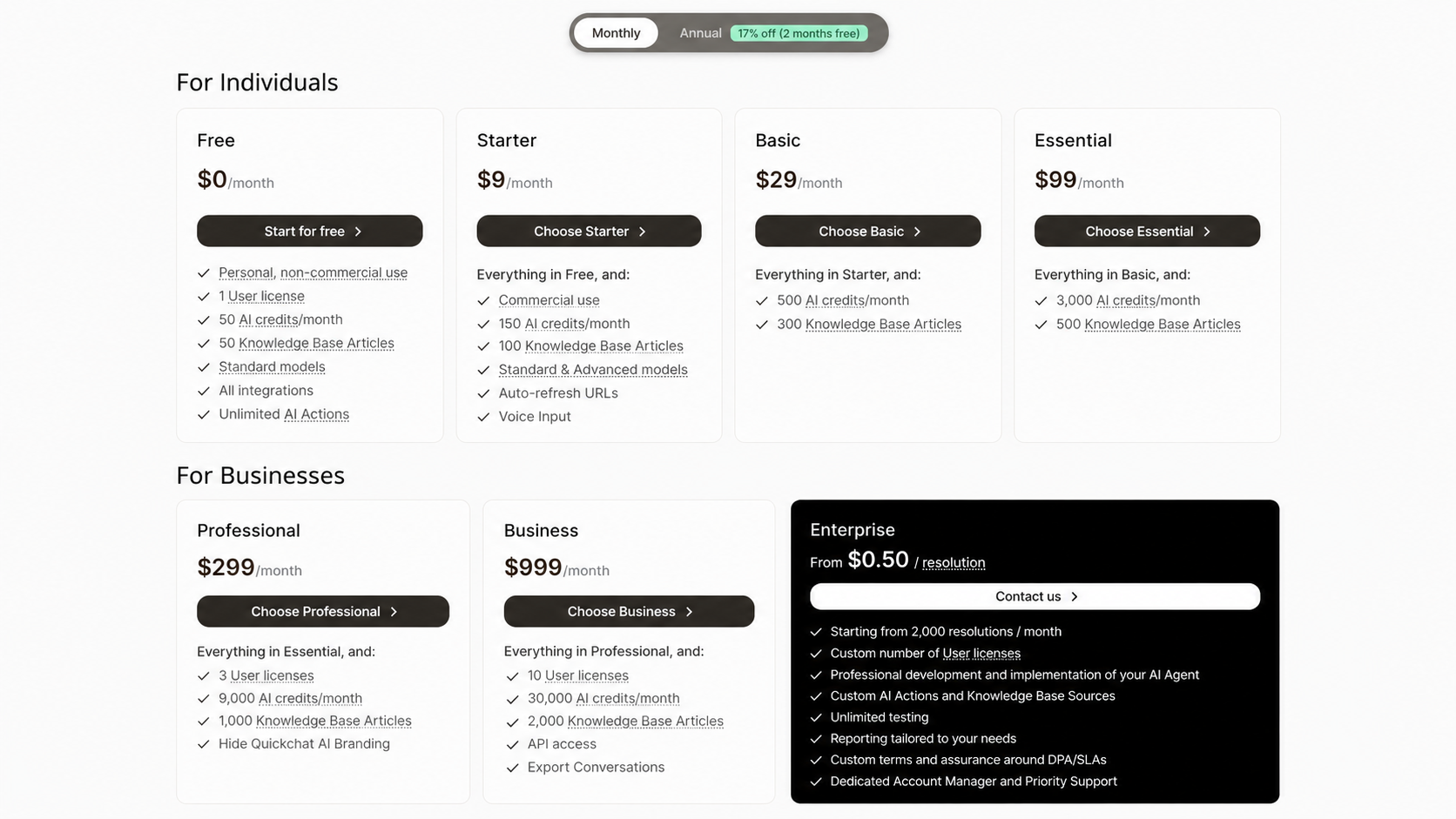
Quickchat AI pricing starts at $9/month for commercial use. Its self-serve subscriptions bundle AI credits, user licenses, and knowledge base capacity.
Plans and included usage
These are the published USD prices before applicable taxes:
| Plan | Monthly billing | Annual total, paid upfront | AI credits/month | User licenses | Knowledge base articles |
|---|---|---|---|---|---|
| Free | $0 | $0 | 50 | 1 | 50 |
| Starter | $9 | $90 | 150 | 1 | 100 |
| Basic | $29 | $290 | 500 | 1 | 300 |
| Essential | $99 | $990 | 3,000 | 1 | 500 |
| Professional | $299 | $2,990 | 9,000 | 3 | 1,000 |
| Business | $999 | $9,990 | 30,000 | 10 | 2,000 |
Annual subscriptions cost the equivalent of 10 monthly payments. The annual figures above are the full yearly charge, while the credit allowances still reset monthly.
Enterprise uses a different model, starting at $0.50 per resolution with a minimum of 2,000 resolutions/month. It includes a tailored agreement and implementation support, so compare the proposed contract with the self-serve plans.
The Quickchat AI free plan is for personal, non-commercial use. Running an agent for a business requires a paid subscription, including when it supports a client.
Feature requirements can also determine the plan you need:
- Branding removal starts on Professional.
- Quickchat's REST API and full conversation exports require Business.
- Starter through Essential include 1 user license.
- Connected services may carry their own subscription charges.
AI Actions that call external tools are separate from access to Quickchat's own REST API. You can configure actions on lower plans without receiving Business-level API access.
How AI credits affect your costs
An AI credit isn't a conversation. Each AI reply consumes 1, 2, or 4 credits depending on the model. A customer who asks several follow-up questions can use multiple replies in a single conversation.
For a simple budgeting example, assume each conversation needs 5 AI replies at 2 credits per reply:
Illustrative capacity: 3,000 credits ÷ (5 replies × 2 credits) = 300 conversations.
That's an estimate under those assumptions, not a promised resolution allowance. Testing and preview conversations also consume credits, so leave room for evaluation and maintenance.
If your allowance runs out, AI replies stop. You can wait for the reset or upgrade, while Discord-connected agents also have a paid-credit top-up option.
Human agents can still respond through the inbox. Unused monthly credits don't roll over.
This makes conversation length and model choice important buying criteria. Track usage across representative requests before committing to annual billing.
Quickchat AI pros and cons
Quickchat AI's strengths are customization and connectivity. Its main buying constraints come from usage allowances and plan packaging.
Pros
- You can combine company knowledge with instructions for a specific support or sales role.
- Multilingual support and several deployment channels make it relevant to customers who contact you in different places.
- AI Actions extend the agent beyond answering questions, provided you configure the required connections.
- Human handoff and conversation insights give your team ways to supervise the automation.
Cons
- The free plan doesn't cover commercial use, so it can't serve as a permanent free business chatbot.
- Credit allowances take some work to translate into expected conversation volume.
- Collaboration gets more expensive when you need more than the 1 user license included through Essential.
- Branding removal, REST API access, and full transcript exports can require a larger subscription than your message volume alone would justify.
I'd weigh those limits against the job you're buying the tool for. A solo operator connecting an agent to an existing helpdesk has different requirements from a team that needs several people reviewing conversations and exporting transcripts.
Who should choose Quickchat AI?
I'd shortlist Quickchat AI when you have useful documentation, a defined set of requests to automate, and business tools you want the agent to connect with. Its combination of knowledge-based answers and configured actions fits that kind of project.
Before buying, evaluate a small set of real requests:
- A documented question: Check whether the answer uses the correct policy and includes the detail the customer needs.
- A request requiring an action: Follow the result in the connected system and check how failures are handled.
- A question outside its knowledge: Confirm that the conversation reaches a human with useful context.
- A multilingual exchange: Have someone fluent in the language review the answer and any follow-up questions.
Record the credits consumed alongside the results. An agent that answers correctly but regularly needs long conversations may require a different plan than your initial estimate suggests.
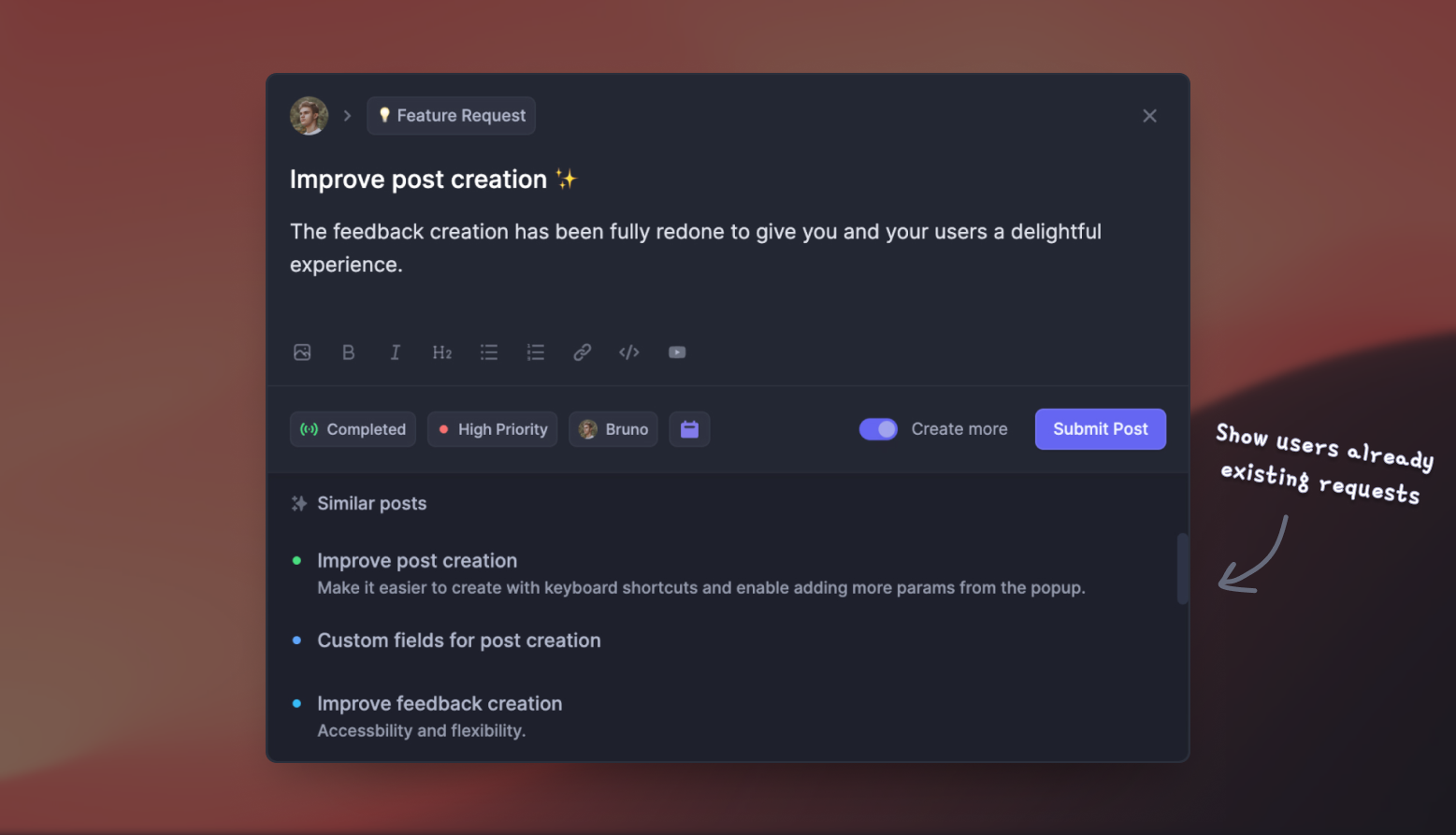
If support requests also generate feature ideas and product questions, Featurebase connects those conversations with feedback and product updates. That broader workflow is worth comparing when support demand is growing faster than your team.
Featurebase: an alternative for support and product feedback
If you're comparing Quickchat AI alternatives, consider how much of your customer workflow you want in the same platform.

Featurebase is a modern AI customer support platform for product-led SaaS. It combines AI-powered support, help center, and feedback management into a single platform for startups that want all their customer-facing tools in one place. Featurebase is loved by thousands of support teams from companies like Lovable, Raycast, and n8n. 💫
Top features:
- Omnichannel inbox – Manage live chat, email, and Slack conversations from one AI-powered view
- Fibi AI Agent - Resolve customer issues on autopilot & run custom actions like trial extensions and refunds
- Help center with AI search – Provide instant, multilingual self-serve answers
- Workflows & automations – Auto-assign tickets, route conversations, collect customer data, and more
- AI Copilot – Help your agents answer customers faster with AI Copilot that uses your internal knowledge
- Multi-brand support – Manage multiple Help Centers and Live chats from a single workspace
- Automatic AI translations – Automatically translate all messages and help articles to your customers native language
- Service Level Agreements – Track SLAs to make sure your team responds to customers on time, every time
- Mobile app – Respond to customers, receive notifications, and unblock users on the go
- Feedback & roadmap tools – Collect feature requests and close the loop with updates
- Product updates – Publish release notes with a changelog page, in-app widget, and emails
- Integrations – Connects with Slack, Linear, Jira, HubSpot, and more
Pricing: The Free plan includes 1 seat and unlimited conversations, without Fibi AI Agent. Paid plans start at $29/seat/month billed annually, or $37/seat/month billed monthly, plus $0.49 per AI resolution.
Feature availability varies by plan. Slack support, Workflows, and SLAs start on Professional, while multi-brand support requires Enterprise. Unlimited AI Copilot is a separate paid add-on.
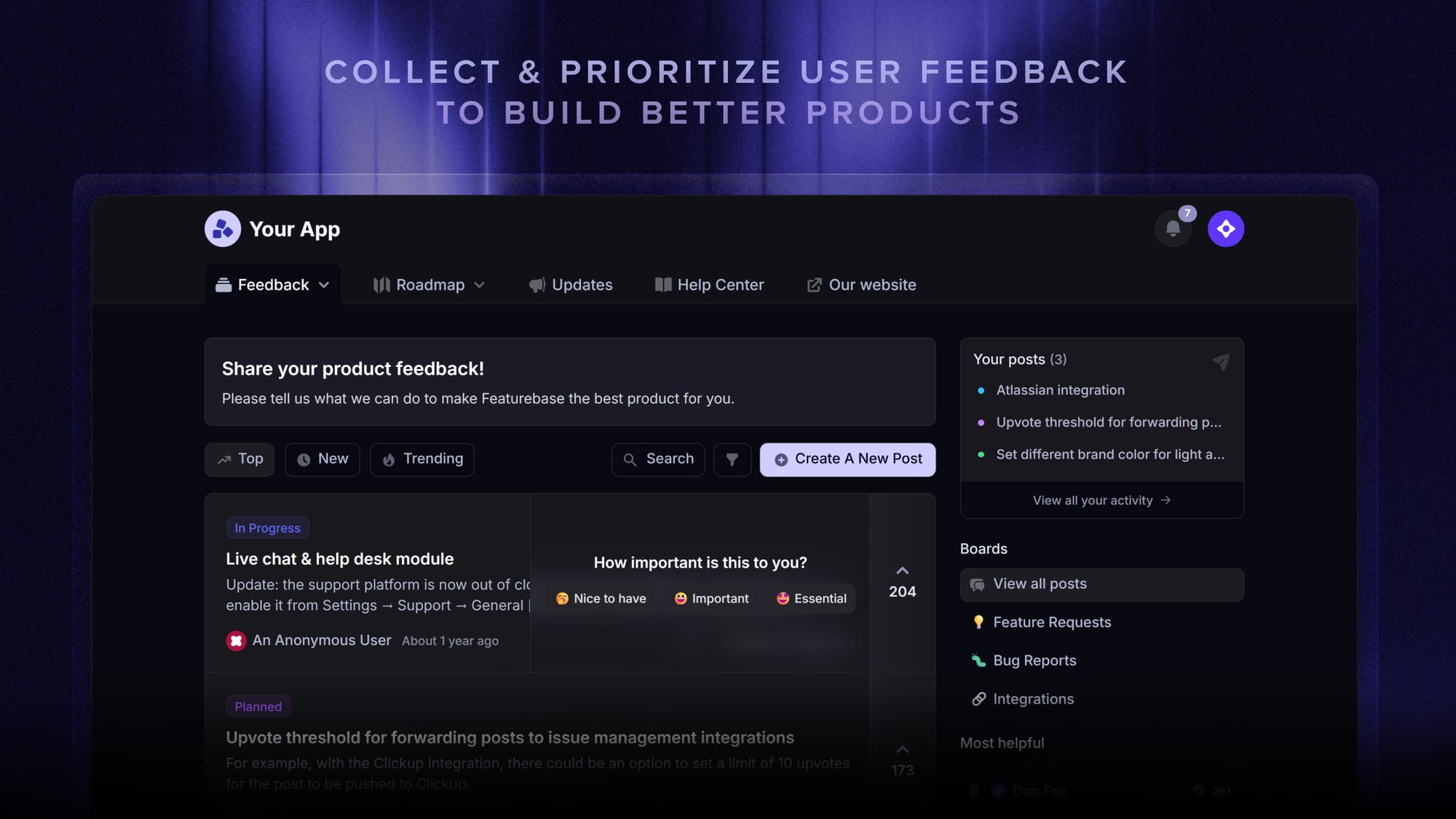
For a software business, the useful connection is between support and product work. Your team can capture a feature request from a conversation, subscribe the customer to updates, and follow through when the request progresses.
Compare the total subscription and expected AI usage for your workflow. Quickchat AI's credit-based plans and Featurebase's seat-plus-resolution pricing measure different things.

Resolve 70% of customer requests with AI
Automatically resolve customer issues & cut down support loads for your team
Conclusion
Quickchat AI is worth evaluating if you want an AI agent built around your knowledge and connected tools. Its actions, multilingual support, and human handoff are useful capabilities, but your required seats, credit consumption, and export needs will shape the actual cost.
Featurebase combines AI-powered customer support with a help center, feedback, roadmaps, and product updates. It's a useful alternative when a growing software business wants those customer-facing workflows together.
You can explore the core platform with a Free plan, then choose a paid plan for Fibi and the additional features you need. 👇
✨ Explore Featurebase's AI customer support platform →

FAQs
What counts as a knowledge base article in Quickchat AI?
An article is an individual knowledge entry, such as an imported webpage, uploaded file, or article brought in from Intercom. A website with several imported pages uses several articles, rather than counting as a single source for the whole site.
Which file formats can Quickchat AI use?
Quickchat AI supports documents including PDF, Word, PowerPoint, and Excel, as well as text-based formats such as CSV, TXT, Markdown, and JSON. Its documentation lists a 32 MB maximum file size, with a lower 1 MB limit for text files such as TXT, Markdown, CSV, and JSON.
Does Quickchat AI use customer data to train AI models?
Quickchat AI states that customer knowledge bases, conversations, and proprietary content aren't used to train large language models. That is separate from processing data to generate an answer, which can involve third-party model providers.
Does Quickchat AI support voice input?
Paid plans include voice input in the website chat widget. Visitors can dictate a message, review the transcription, and send it as chat text. Evaluate telephone support separately if you need an agent that answers calls.
What counts as a resolution on Quickchat AI's Enterprise plan?
Quickchat AI counts both confirmed resolutions and assumed resolutions. A confirmed resolution includes customer acknowledgment that the answer helped, while an assumed resolution occurs when the conversation ends without a request for human assistance. A greeting-only exchange doesn't count.