Intercom (Fin) vs Olark: 2026 Detailed Comparison
Find out how Intercom vs Olark compare in key features, ease of use, integrations and pricing and choose the best tool for your unique use case.


On this page
Looking for a modern & affordable alternative to Intercom and Olark? Check out Featurebase
If you're considering your next live chat software, it's hard to ignore Intercom and Olark. They've been around for a while (2011 and 2009, respectively), and they each built up a reputation for themselves. Intercom has made a name for its user-friendly interface and AI features, while Olark has stuck to the basics of being a one-stop communication platform without dabbling much in AI.
Which one is better? Cheaper and easier to use?
Let's take a look at Olark and Intercom side by side to help you choose the best tool for your business. 👇
Quick overview
- Target customers: Intercom is built for SaaS companies and larger teams that need messaging across the full customer lifecycle, while Olark is better for small to mid-sized businesses that just need simple live chat.
- Features: Intercom offers a full communication platform with AI agents, automation, shared inboxes, and in-app messaging. Olark focuses on core live chat with basic lead capture and CRM sync.
- Ease of use: Olark is known for its fast setup and minimal learning curve - most teams are up and running the same day. Intercom has a steeper onboarding process due to its broader feature set.
- Pricing: Intercom's platform starts at $19/seat/month (annual, or $29 monthly), but its Fin AI agent bills separately from $0.99 per outcome, so costs can climb fast. Olark starts at $29/agent/month, with AI and automation locked behind an opaque Pro plan.
- Big 2026 change: Intercom the company has rebranded to Fin, and Salesforce signed an agreement to acquire it for roughly $3.6 billion (more on this below).
Here's how the two stack up at a glance:
| Intercom (company now Fin) | Olark | |
|---|---|---|
| Best for | Growing SaaS teams needing AI + automation across the lifecycle | Small teams wanting simple live chat |
| Core focus | Full customer communication platform | Live website chat |
| AI | Fin AI Agent, outcome-based from $0.99/outcome | Locked behind an opaque Pro plan |
| Starting price | $19/seat/mo (annual) + Fin outcomes | $29/agent/mo ($19 on a 2-year plan) |
| Free plan | No (14-day trial) | Free tier: 1 agent, 20 chats/mo |
| Setup | Steeper, more configuration | Same-day, minimal setup |
TL;DR: Olark is better for small teams that want simple, no-frills live chat at a predictable cost. Intercom is better for growing SaaS teams that need automation, shared inboxes, and deeper customer data across channels.
If you're after a more powerful alternative, check out Featurebase (👋 that's us). We're a modern & affordable alternative to Intercom and Olark - but we'll stay unbiased in this comparison, promise.
Olark and Intercom: live chat software at a glance
Olark and Intercom are both customer messaging tools, but they are built for very different types of teams and use cases.
Olark
Olark is a live chat tool that helps businesses talk to website visitors in real time.
It is mainly used by small to mid-sized companies that want a simple way to answer questions, capture leads, and provide basic customer support through chat. Olark was founded in 2009 and has stayed focused on keeping live chat straightforward, quick to set up, and easy to manage without a lot of configuration.
Intercom
Intercom, founded in 2011, positions itself as a broader customer communication platform. While live chat is part of the product, Intercom is commonly used for onboarding, customer support, sales conversations, and in-app messaging across the full customer lifecycle.
It is popular with SaaS companies and larger teams that want to connect conversations with customer data, product usage, and support workflows. Intercom includes automation, targeted messaging, and deeper reporting, which makes it better suited for teams with more complex needs.
One big thing to know as of July 2026: the company behind Intercom has rebranded to Fin, taking the name of its AI agent. The support platform itself still ships under the Intercom name (recently rebuilt and relaunched as "Intercom 2"), so when you sign up you're still buying Intercom - it's the parent company that changed identity. On top of that, Salesforce signed a definitive agreement in June 2026 to acquire Fin for roughly $3.6 billion, a deal expected to close during Salesforce's fiscal 2027. For buyers, the takeaway is that Intercom is now firmly an AI-first platform, and its long-term home will be inside Salesforce.
The most notable difference between the two tools is scope.
Olark focuses almost entirely on live website chat and basic integrations, keeping things simple and lightweight. Intercom goes far beyond chat, acting as a central hub for customer communication across multiple channels and stages. In short, Olark is built for teams that want live chat without extra layers, while Intercom is built for teams that see messaging as a core part of their customer experience strategy.
Key features
Do you need a simple chat widget or a full-blown communication platform? Depending on how many customer queries you get (and where), you'll choose a different tool for the job.
Olark sticks to the basics and does them well
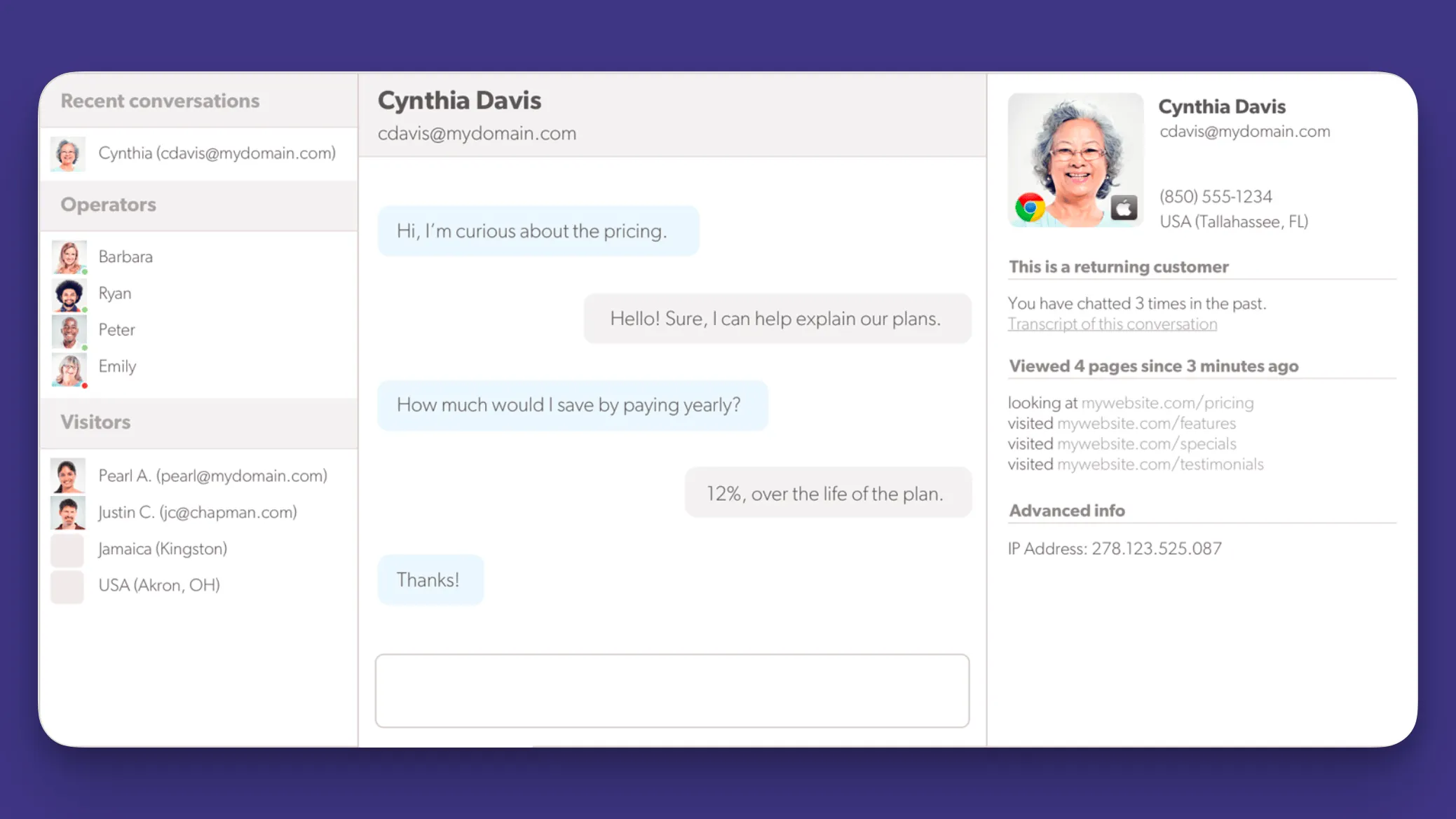
Olark keeps its feature set intentionally focused, and the main goal is to get your live chat software off the ground as soon as possible so you can get immediate ROI.
- Real time website chat: Olark allows teams to respond to visitors as they browse the site. Agents can see when someone is active and which pages they are viewing, helping conversations feel timely and relevant.
- Quick setup and simple controls: Most teams can get Olark running in minutes. The dashboard avoids clutter and focuses on active chats, agent availability, and basic settings.
- Chat history and transcripts: All conversations are stored automatically, giving teams a record they can review later or share with sales and support.
- Lead capture and CRM sync: Contact details collected during chats can be sent directly to CRM systems, helping sales teams follow up without copying data by hand.
- Customizable chat widget: The chat box can be styled to match a website's look and tone, keeping the experience consistent for visitors.
Intercom is built for omnichannel communication
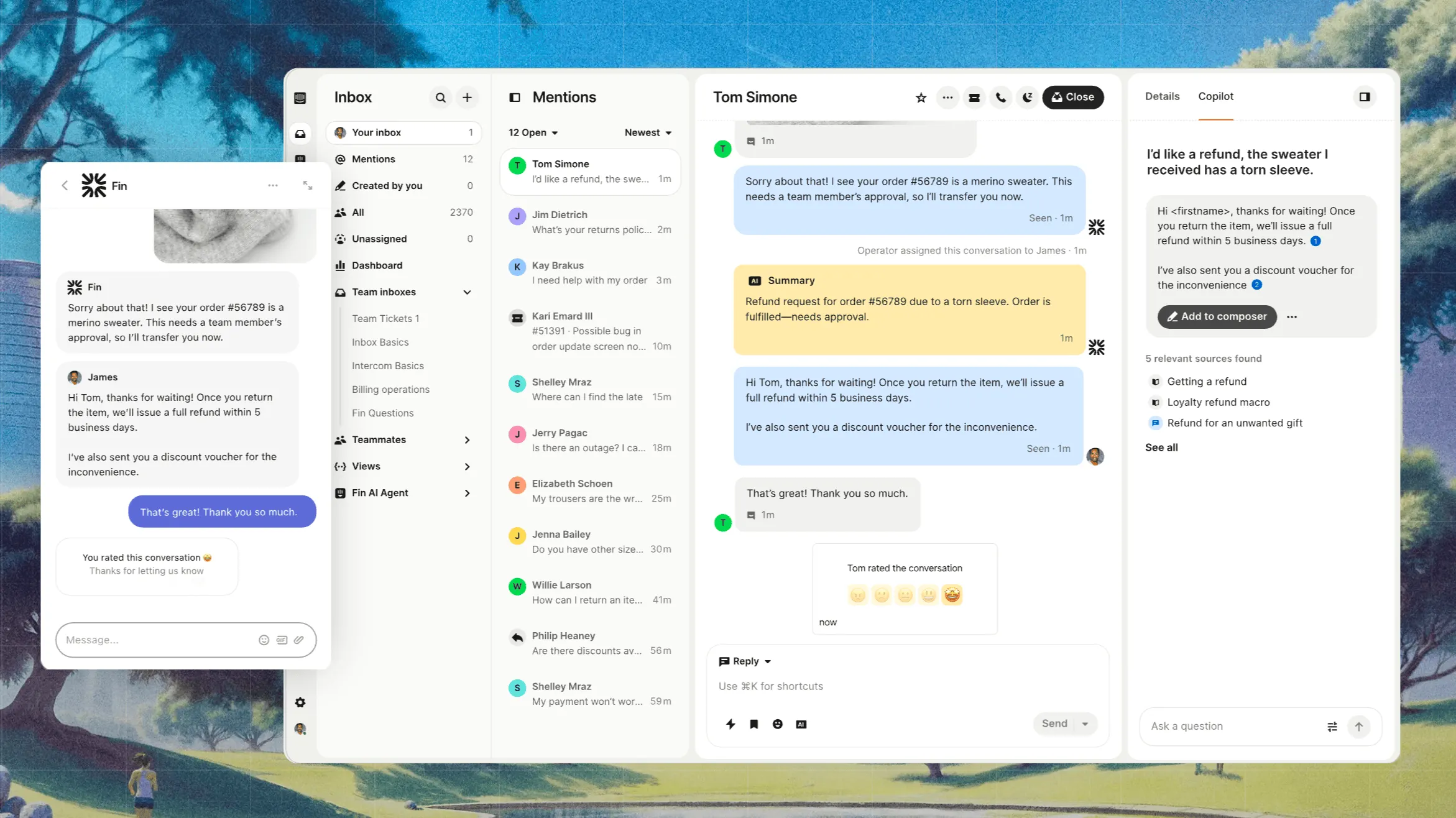
Intercom is built around the idea that conversations should adapt as customers move from first visit to long-term use. Its feature set reflects that broader view of customer communication.'
- Live chat, in app, and email messaging: Intercom lets teams talk to users on websites, inside products, and through email, all tied to the same conversation thread. This gives teams continuity instead of fragmented messages across channels.
- Automation based on user behavior: Messages and actions can be triggered by what users do, such as signing up, returning after inactivity, or reaching a usage milestone. This makes Intercom useful for onboarding, retention, and sales follow-ups without manual effort.
- Shared inbox with advanced routing: Conversations can be assigned automatically based on rules like customer segment, message topic, or account value. This helps larger teams respond faster while keeping ownership clear.
- Rich customer profiles: Every user has a profile that includes past conversations, events, and attributes pulled in from other tools. Agents rarely need to ask basic questions twice.
- Platform integrations and APIs: Intercom connects with CRMs, analytics tools, and support systems, and also offers developer access for custom workflows. This makes it easier to use Intercom as part of a broader stack rather than a standalone chat tool.
Fin is good, but not great, and many of the customer reviews reflect this sentiment:
- Fin is a helpful tool, but there's still room to grow. Sometimes the answers feel too generic or lack the right context for specific client questions. Better control over tone and more training options to align it with our brand voice would make a big difference." - G2 review
Ease of use
This is one of the biggest areas where Intercom and Olark feel very different in day-to-day work.
Olark
Olark is built with simplicity in mind. The setup process is quick, usually requiring only a short code snippet added to a website and a few basic settings. Once you install and set it up, the interface is easy to understand, even for non-technical users.
In Olark, agents can jump into conversations right away, see who is online, and respond to messages without much training. Most teams can start using Olark effectively on the same day, which makes it a great choice for small teams or businesses that do not want to spend time configuring rules, automation, or advanced settings.
Intercom
Intercom has a steeper learning curve, mainly because it does a lot more.
Getting started takes longer, especially if you want to use features like automated messages, inbox routing, user segmentation, or integrations with other tools. The interface is well designed, but it comes with many options, menus, and settings that can feel overwhelming at first.
Many teams need time to decide how conversations should be handled, which messages should be automated, and how data should sync with other systems. For larger teams, this upfront effort usually pays off, but it does require onboarding and ongoing management.
- "The only downside I've noticed (with Intercom) is that some advanced automations and configurations take time to fine-tune. Creating the perfect flow or custom routing sometimes requires trial and error." - G2 review
In practice, Olark is easier to use for basic live chat scenarios and requires very little maintenance once it is set up.
Intercom is easier to use over time for teams that need structured workflows, shared inboxes, and richer context around each conversation. The choice depends on how much complexity you really need and want to handle.
If your goal is fast setup and minimal training with a good learning curve, Olark is lighter. If your goal is control, automation, and scale, Intercom is more powerful, but it also demands more effort to use well.
Integrations
Intercom and Olark both offer integrations that support sales and support teams, but that's where the similarities end.
Olark
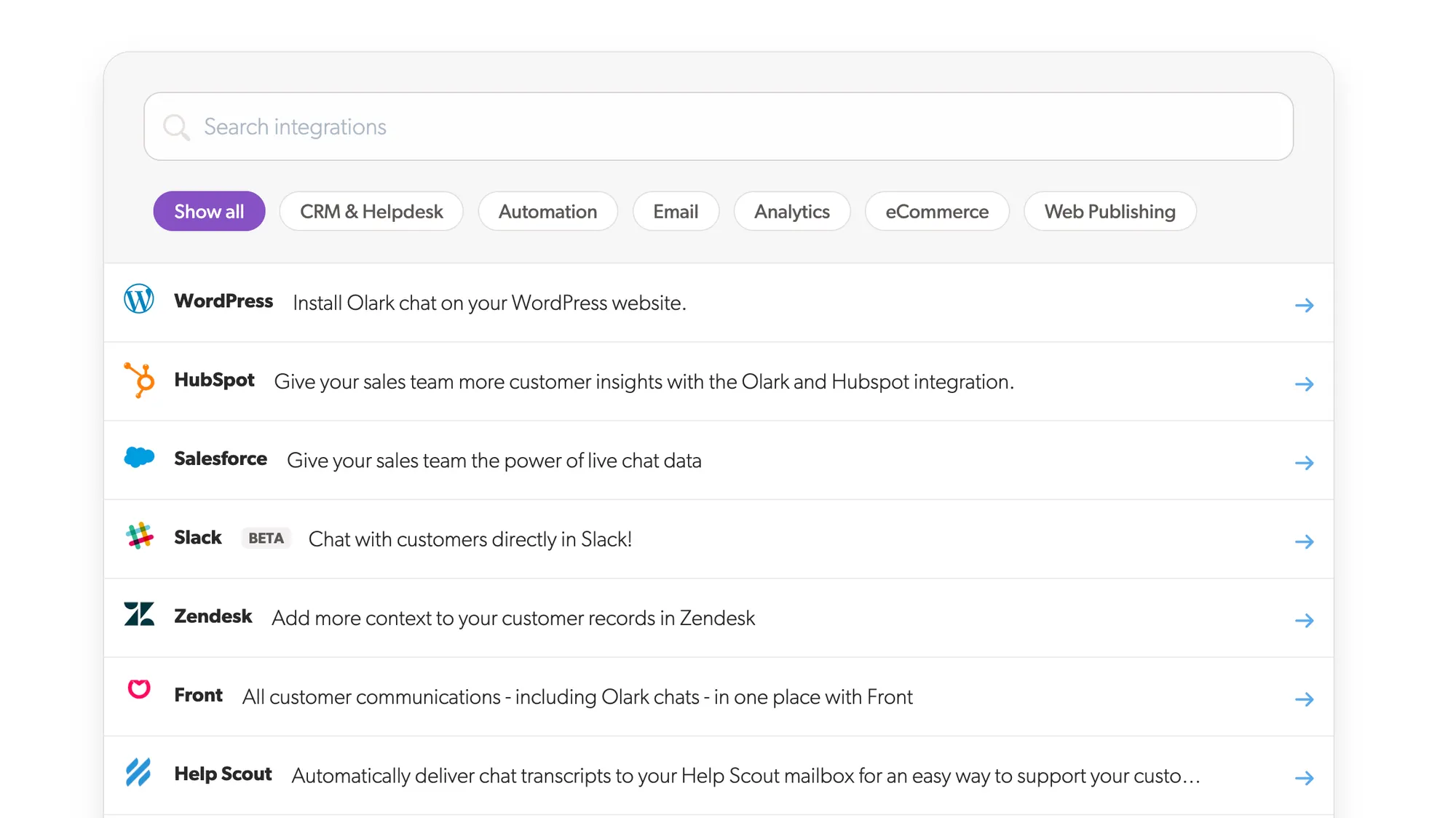
Olark takes a simpler approach. It integrates primarily with live-chat-related tools, with direct connections to popular CRMs including Salesforce, HubSpot, Zoho, and Pipedrive. These integrations are typically used to capture lead details from chat conversations and pass them into a CRM so sales teams can follow up.
Olark also connects with support tools like Zendesk and Help Scout, allowing chats to be converted into tickets or shared with support teams. While Olark does offer an API and webhooks, they are generally used for basic data sharing or notifications rather than complex workflows tied to product usage or customer lifecycle stages.
If you take a look at Olark reviews, the lack of integrations is a common complaint:
- "It could do with more integration with other products" - G2 review
Intercom
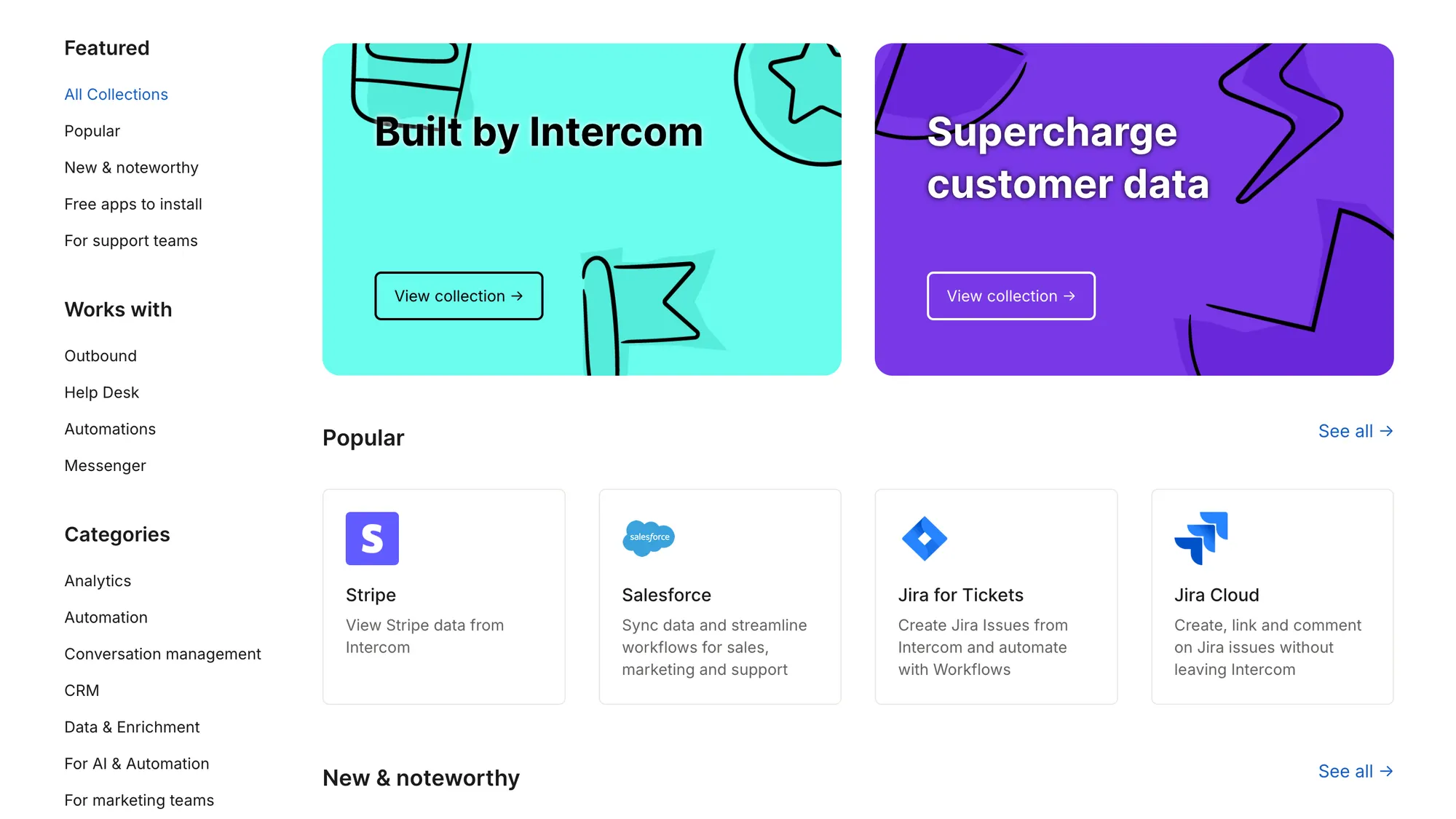
Intercom is built as a customer messaging platform that connects conversations with product data, CRM records, and support workflows. Its integrations cover a wide range of categories, including CRMs like Salesforce and HubSpot, help desks such as Zendesk and Jira Service Management, and analytics tools like Segment and Mixpanel.
These integrations let teams sync user profiles, conversation history, and behavioral events across tools. As a result, you can personalize outreach, route conversations, and track context over time. Intercom also provides APIs and webhooks that let teams build custom connections or trigger actions based on user behavior. For example, you can start a conversation after a product event or update internal systems when a chat is closed.
The main difference comes down to how integrations are used. Intercom is designed to act as a central layer that ties messaging, support, sales, and product data together across many systems. Olark focuses on straightforward chat connections that support core sales and support needs without much configuration.
Pricing plans
This is one of the biggest differences between the two live chat software providers. Intercom has more plans, and it's seemingly cheaper, while Olark has fewer, more secretive plans. Both seem affordable until you dig beneath the surface.
Olark pricing starts at $29 per user per month
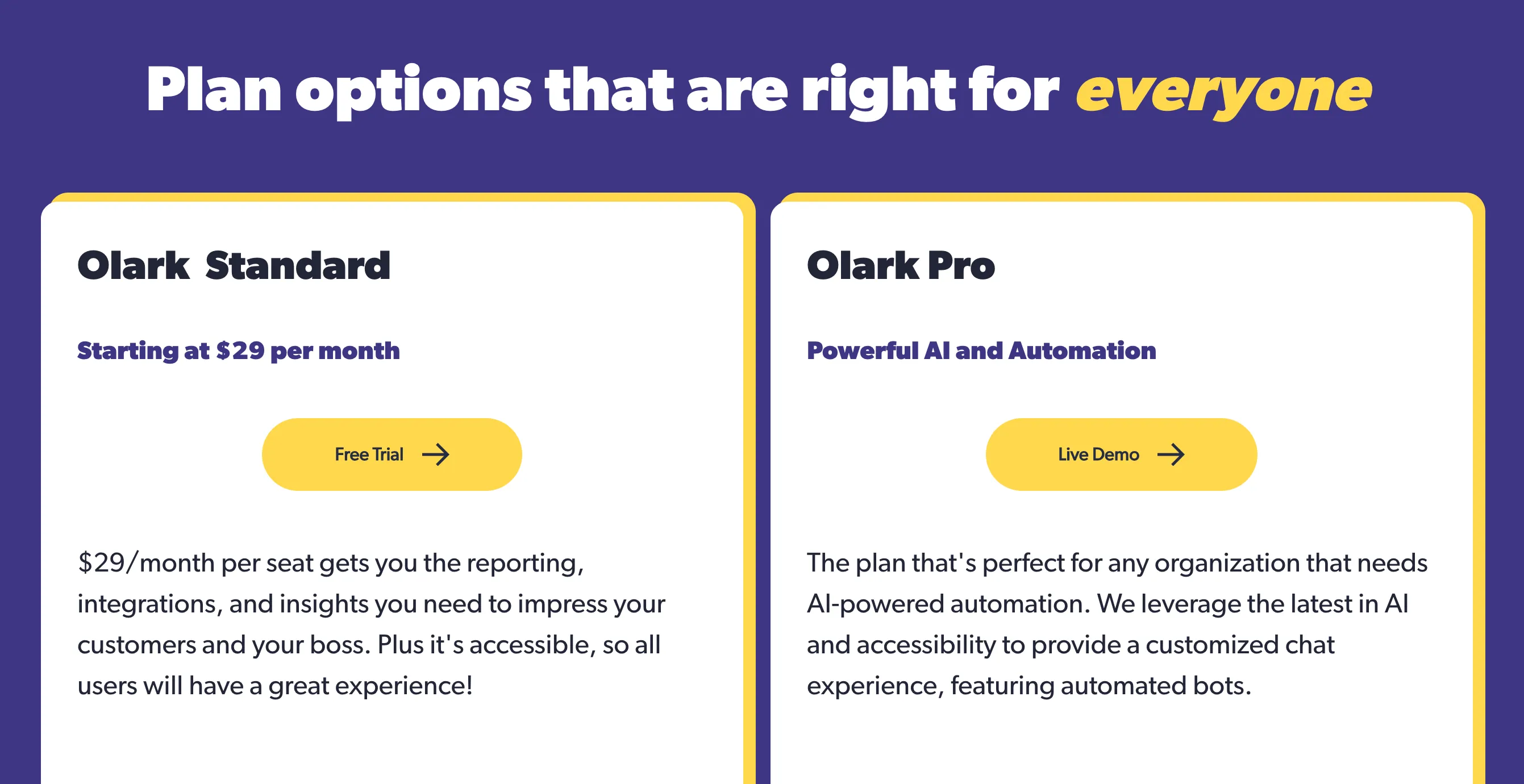
Olark has just two pricing plans: Olark Standard, which starts at $29 per user per month, and Olark Pro, which doesn't have publicly available pricing. There is a free 14-day trial period, but there is no free plan.
The Standard plan gives you the basics for customer communication: chatboxes, agent groups, advanced reporting capabilities, and the essential integrations. But if you're comparing Olark and Intercom, you want the must have features, and they're missing here.
AI and automation are available in the Pro plan, along with the Powerups that cost extra in Standard ($29-99 each). The plan also comes with a dedicated account manager and priority customer support. How much does it cost? We couldn't find anything in our research, but one thing is clear.
Olark doesn't offer AI for customer interactions in its basic plan, basically forcing you to upgrade and hop on a sales call to get upsold with Pro.
Intercom pricing starts at $19 per seat per month billed annually
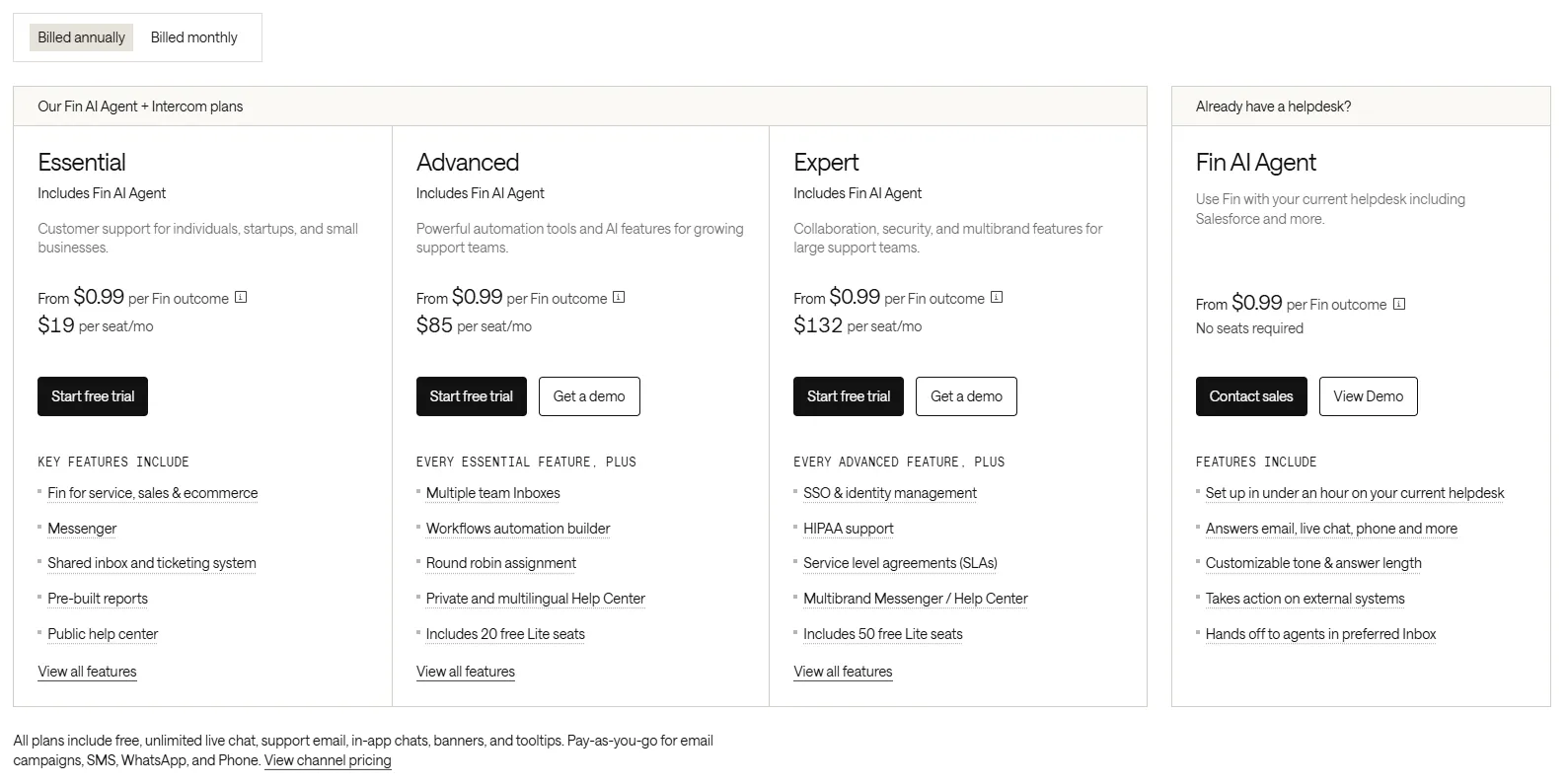
Intercom's platform is seat-based across three tiers. All plans come with a free 14-day trial, and on annual billing they break down like this:
- Essential: from $19/seat/month billed annually ($29 monthly)
- Advanced: from $85/seat/month billed annually ($99 monthly)
- Expert: from $132/seat/month billed annually ($139 monthly)
Even in Essential, you get the most valuable features such as the Intercom Messenger, shared inbox, and pre-built reports. More expensive plans add support for multiple inboxes, workflows, knowledge bases, and more.
The elephant in the room is Fin, Intercom's AI agent, which is priced separately using an outcome-based model from $0.99 per outcome. This is a different approach from paying per seat: instead of a flat monthly fee per agent, you're billed only when Fin actually delivers a result. An outcome is a resolution (Fin solves the customer's issue end-to-end), a configured procedure handoff, a disqualification, or self-serve routing, each charged at $0.99, while a qualified lead is $9.99. Fin also runs standalone on other helpdesks like Salesforce, HubSpot, and Freshworks from $0.99 per outcome, with a 50-outcome monthly minimum and no seat cost.
Outcome-based pricing sounds fair on paper because it ties cost to value, but it makes budgets hard to predict at scale. Intercom's own case studies put real-world Fin resolution rates between 42% and 50%, so at higher conversation volumes the per-outcome charges can quickly dominate your bill and run into hundreds or thousands of dollars a month. A recurring theme in G2 feedback is exactly this: success with automation drives costs up rather than down, which creates friction when scaling AI-first support. For a full line-by-line breakdown, see our Fin AI pricing guide.
Which one should you get?
In most software comparisons, there's usually some middle ground and overlap between tools. However, Intercom and Olark are built for completely different audiences.
Get Intercom if you need:
- A messaging tool that supports sales, support, and onboarding in one place
- Conversations tied to user data and product activity
- Automated messages based on how users behave
- Shared inboxes and routing for growing teams
- A platform that fits into a larger SaaS tech stack
Get Olark if you want:
- Simple live chat for your website
- Fast setup with very little configuration
- An easy interface that requires no training
- Basic lead capture sent straight to your CRM
- A lightweight tool focused only on real time chat
However, both have drawbacks. Intercom's AI pricing can spiral out of control, and Olark locks essential features like AI and automation behind an opaque Pro plan. If neither feels quite right, we've got just what you need! 👇
Try Featurebase, the better alternative to Intercom and Olark! ✨
If Olark is too basic and Intercom gets too expensive, check out Featurebase, a modern support platform that blends the best of both worlds. It's loved by thousands of fast-growing teams from companies like Lovable, Raycast, and n8n.
With pricing starting from just $29 per user per month (+$0.49 per AI resolution), it costs a fraction of Intercom and most other support platforms.
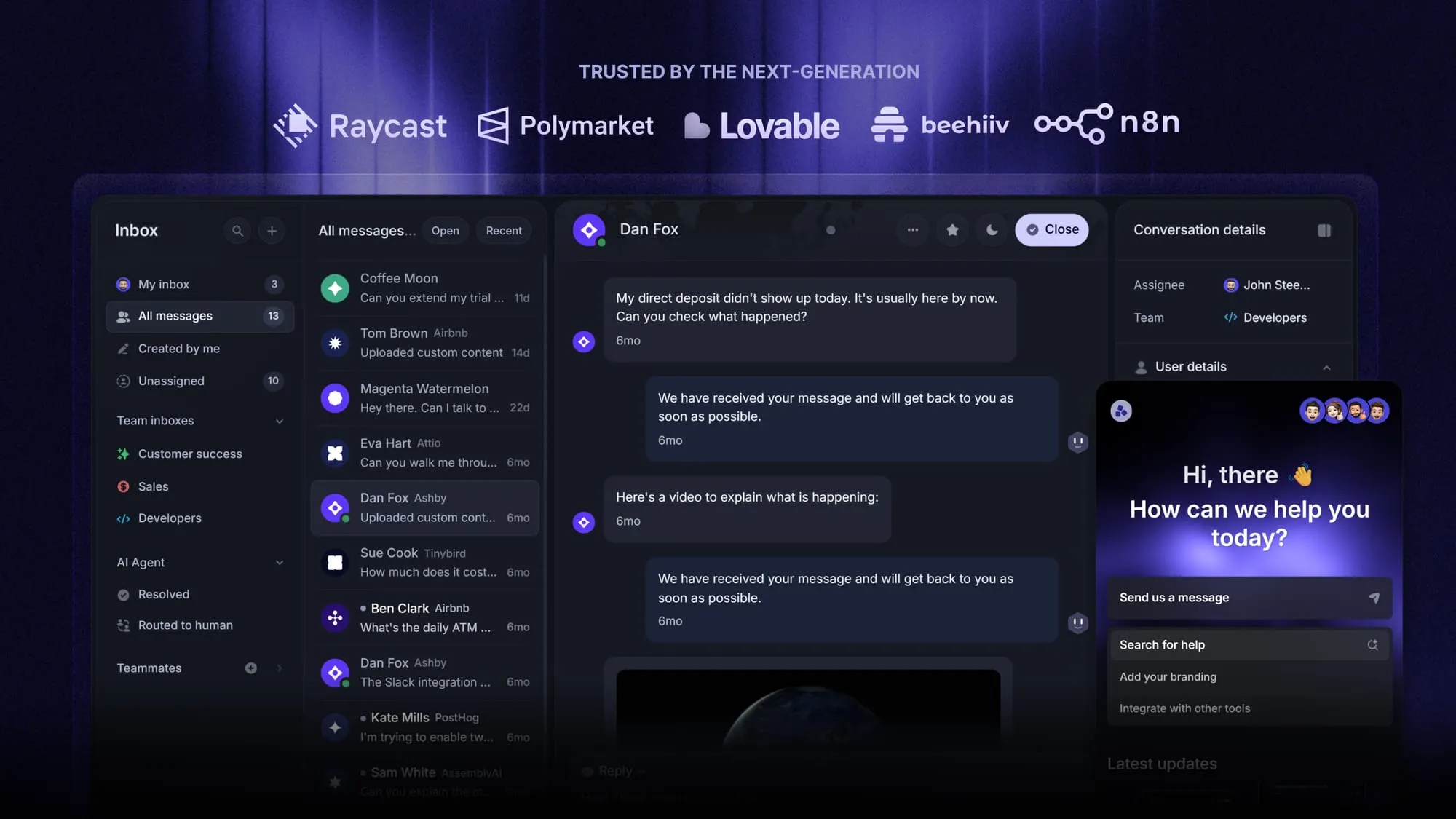
Some of the many Featurebase features include:
- Omnichannel inbox – Manage live chat, email, and Slack conversations from one AI-powered view
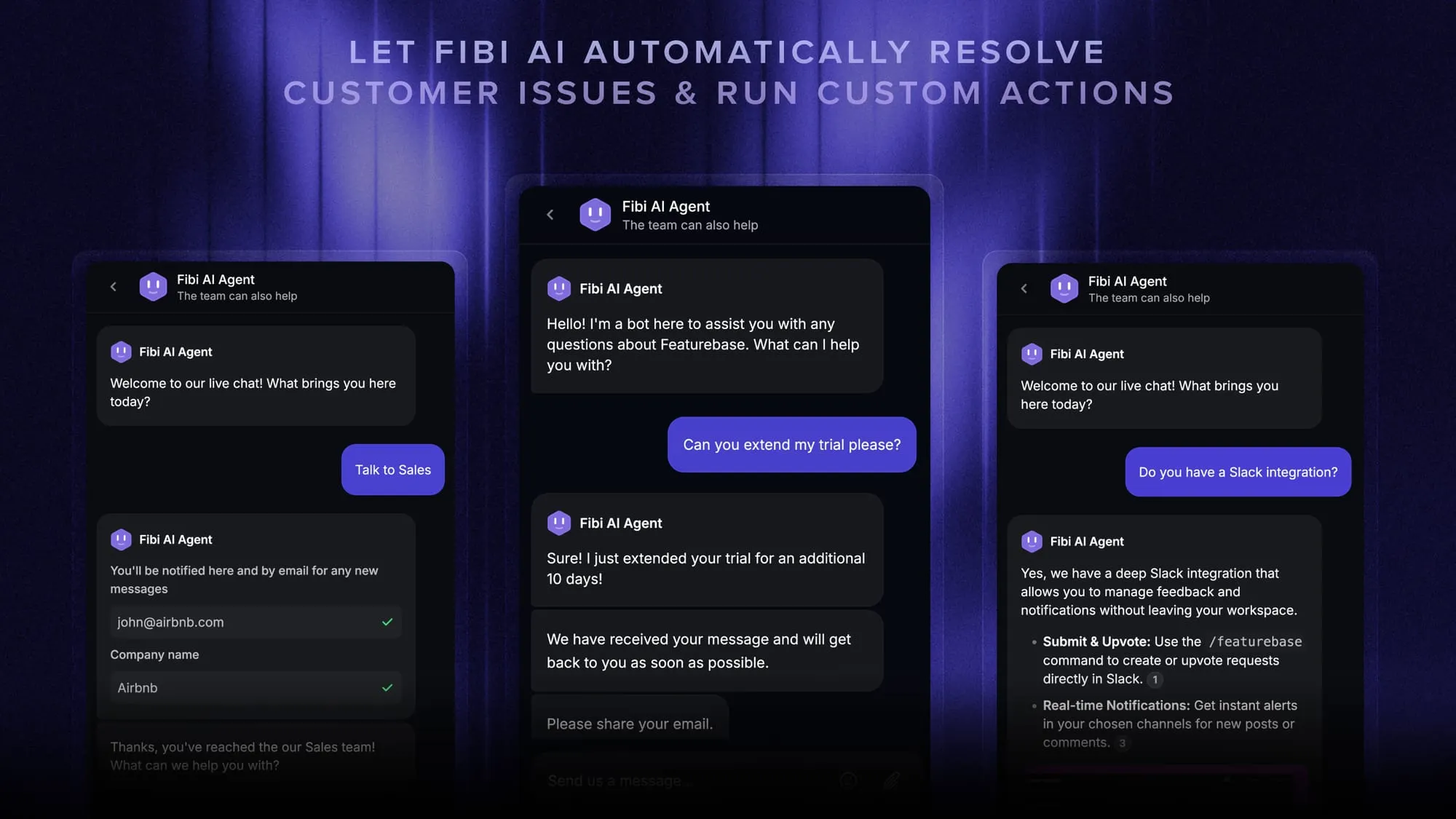
- Fibi AI Agent – Resolve customer issues on autopilot & run custom actions like trial extensions and refunds
- Messenger widget – Provide AI and human support from anywhere with a customizable in-app widget
- Help center with AI search – Provide instant, multilingual self-serve answers
- Workflows & automations – Auto-assign tickets, route conversations, collect customer data, and more
- Multi-language & custom domain support – Serve content in 40+ languages with your domain and branding
- Mobile app – Respond to customers, receive notifications, and unblock users on the go
- Integrations – Slack, Linear, Jira, Discord, HubSpot, and many more
- Plus, feedback collection, product roadmaps, release notes, and customer surveys – all in one place
Long story short, Featurebase gives you Olark's simplicity and Intercom's powerful features, but without the unpredictable pricing. Don't just take our word for it. You can try Featurebase completely free and see for yourself.
The onboarding is quick and doesn't require a credit card. Plus, you can automatically import your existing knowledge base with one click – so there's zero risk involved. 👇
Automate your support with the fastest AI-enhanced Inbox today