Blog Customer FeedbackPublic Product Roadmap: Benefits, Examples, and How to Build One
Public Product Roadmap: Benefits, Examples, and How to Build One
Most product teams get roadmap questions on repeat. Learn what a public product roadmap is, see examples, and build one users trust.


✨ Create internal & public roadmaps with Featurebase for free →
Most product teams either publish nothing and get the same "what are you building next?" emails every week, or publish too much and spend the next 3 months explaining why half of it slipped.
A public product roadmap, done well, is a way through. It shows users what's coming, gathers customer feedback before code ships, and aligns your team without locking you into dates you can't hit.
I'll walk through what a public roadmap actually is, why teams publish them, what to leave off, 6 real examples worth modeling, and how to build one. 👇
Key takeaways:
- A public product roadmap is a customer-facing view of what your product team is working on, organised by status or by time.
- The biggest wins are trust, faster feedback loops, fewer "what's next?" support questions, and tighter internal alignment - not "more leads".
- Stick to high-level themes and status, not specific dates. Roadmaps backfire when teams overcommit and underdeliver.
- Public ≠ everything. Most companies run a public roadmap and an internal one. Users only ever see the public one.
- The strongest examples (Buffer, GitHub, Linear) treat the roadmap as a living artifact tied to a feedback forum and a changelog.
- ✨ Featurebase lets you build internal and public roadmaps, feedback boards, and a changelog in one place - with a free plan to start.
What is a public product roadmap?
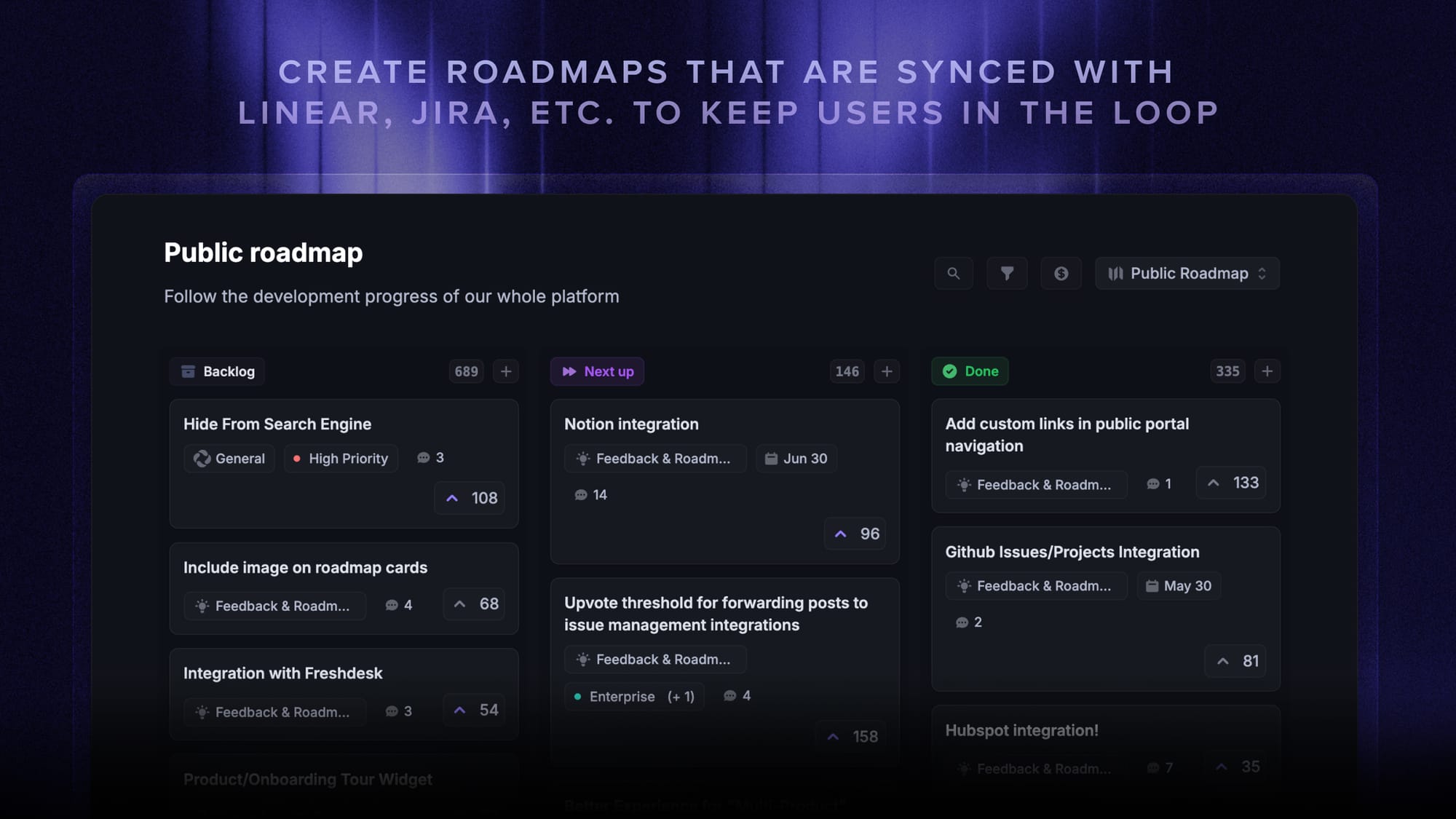
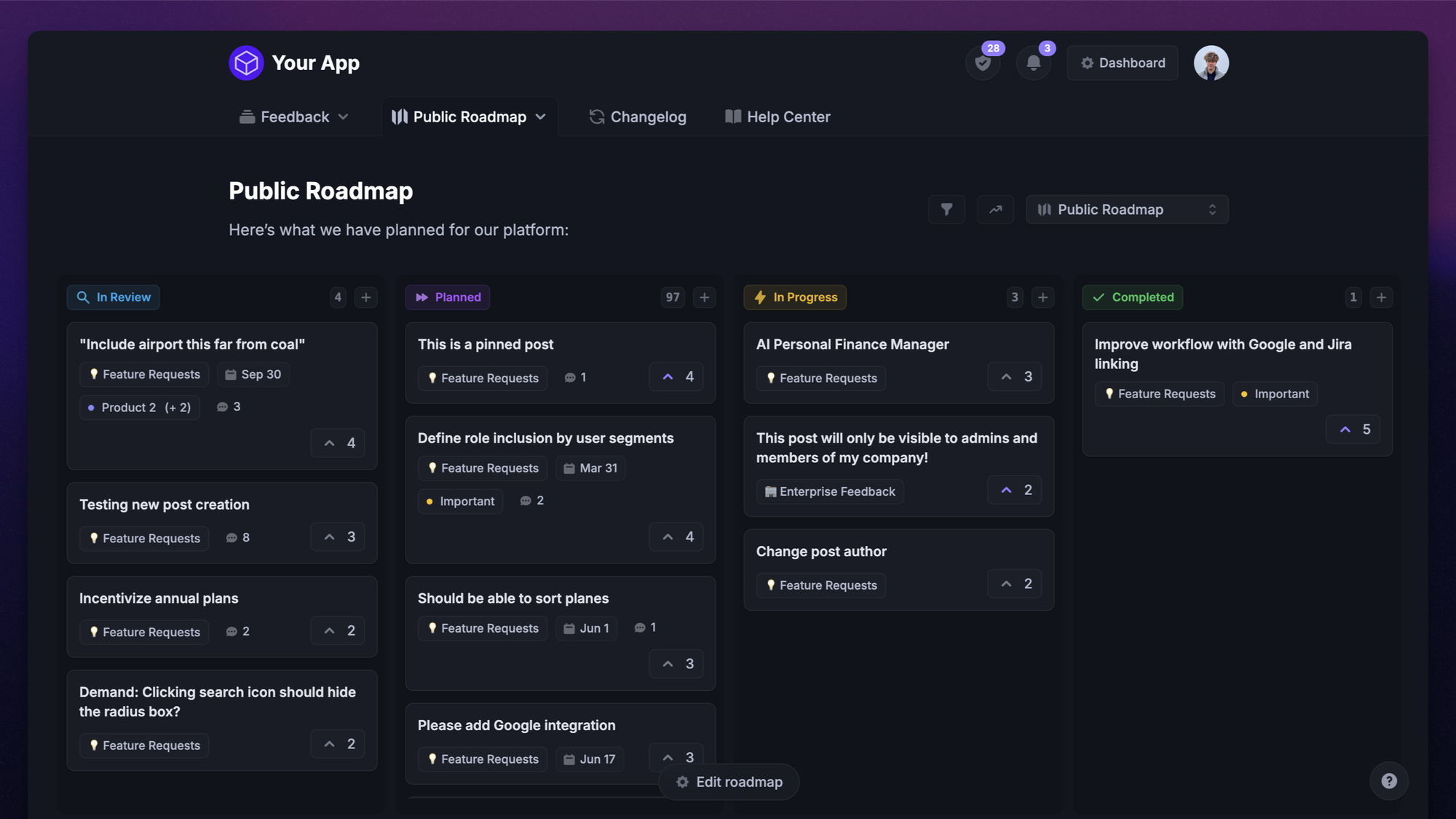
A public product roadmap is a customer-facing summary of what your product team is currently building, what's planned next, and what's already shipped. It lives on a URL anyone can visit. Users can usually upvote items, comment, and follow updates by email.
Note this is a different artifact from the spreadsheet your engineering team works off. The public version is for outsiders, and it's curated.
Public vs internal vs private roadmaps
These three terms get used interchangeably in product circles, but they're three separate documents:
- A public roadmap is shared with anyone - customers, prospects, competitors. It lives on a URL and shows high-level themes and status, not internal detail.
- An internal roadmap is what your team actually plans against. It has every dependency, owner, estimate, and the messy parts you wouldn't want a prospect to see.
- A private (or stakeholder-only) roadmap sits in between - shared with a defined group like investors, board members, or enterprise customers under NDA.
You can run all 3. Most mature teams do. The internal one is the source of truth, the public one is a curated extract, and the private one is a slightly less curated extract for specific people.
Why publish your product roadmap?
The 4 reasons that actually matter.
It builds trust before a sale
People buy from companies they trust, and brand trust is one of the few institutional levers still working. The 2025 Edelman Trust Barometer found that 80% of consumers trust the brands they use, more than they trust business overall, media, government, NGOs, or even their own employer.
A public roadmap is a small, concrete way to earn that trust before a prospect ever opens a sales call. It shows you have a plan, you're working on real problems, and you're confident enough to say so in public. For a buyer comparing tools, that signal often does more than another feature page.
It turns your roadmap into a feedback loop
When users can see what's planned, they tell you what's missing. The voting feature on every public roadmap tool exists for one reason: it surfaces the relative weight behind every request.
A request that comes in over email is one customer's voice. The same request as an upvoted post with 47 voters - including 3 enterprise accounts - is a prioritisation argument. Without the public roadmap, that customer feedback signal lives in your support inbox and never reaches the people deciding what to build next.
It aligns your team around what users actually want
Public commitment forces internal clarity. The moment you have to write a roadmap entry that customers will read, vague initiatives like "improve onboarding" become specific things you can actually ship, and the team stops thrashing about what's next.
This is the under-discussed benefit. A roadmap that's only visible internally tends to drift into a list of half-committed ideas. A roadmap that's published to the world tends to get edited down to things the team is genuinely going to do.
It cuts down on "what are you working on?" support questions
Your sales and customer success teams answer the same handful of questions every week: "Is X on the roadmap? When does Y ship? Are you doing Z?" A public roadmap is a linkable answer that updates itself.
The savings are not theoretical. A team I worked with put their roadmap online and watched roadmap-related tickets drop by roughly a third in the following quarter, with the slack going to higher-value conversations.

Create a roadmap your users can follow
Keep customers aligned on what’s planned, in progress, and shipped with Featurebase.
What to put on a public roadmap (and what to leave out)
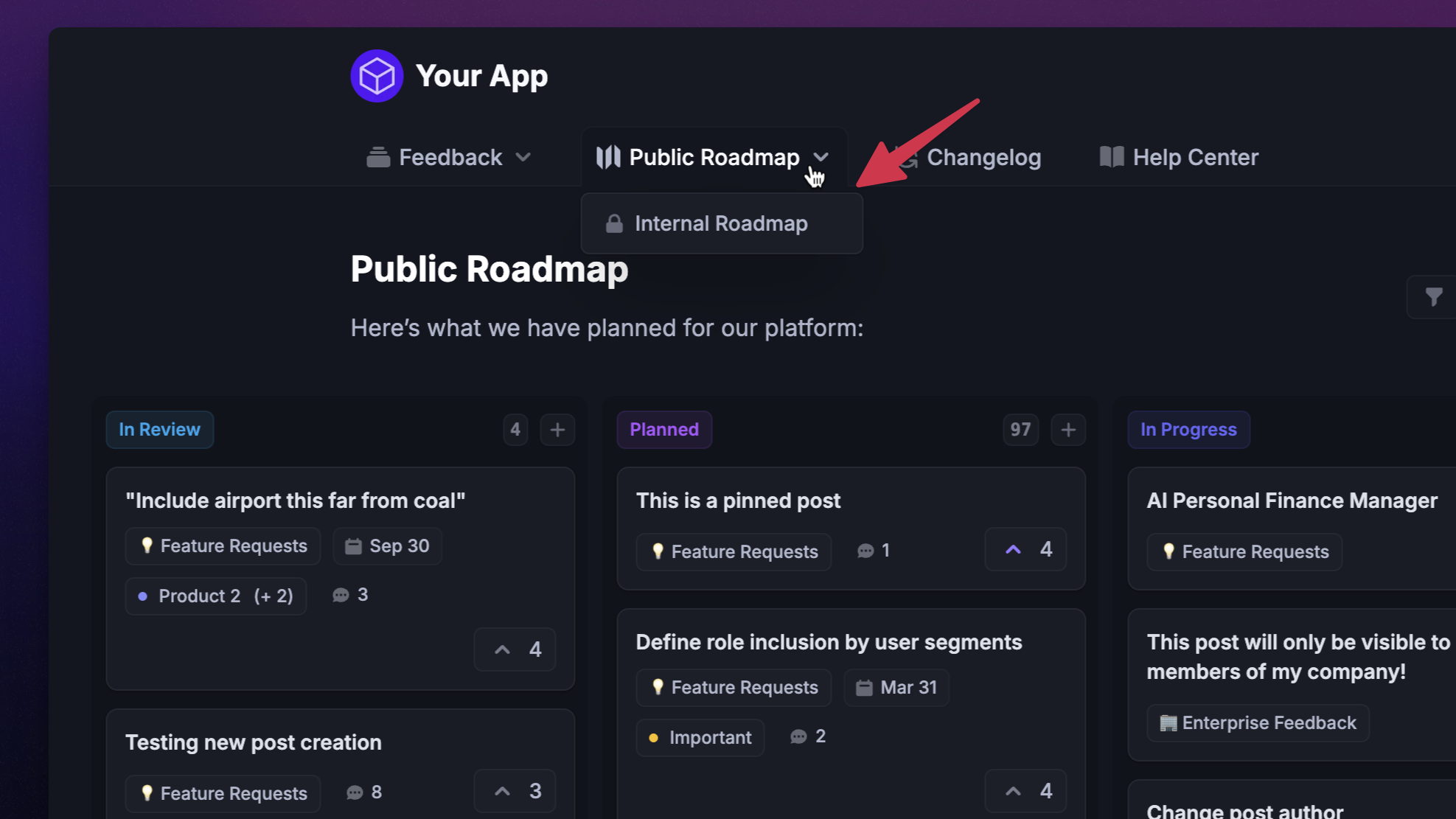
The hard part of running a public roadmap isn't the tool. It's the editorial decision about what to share.
Put on it:
- High-level themes or feature names - clear enough that a customer understands the value, vague enough that you're not committing to UI details that may change.
- A status signal - "Planned", "In progress", "Shipped". Most teams use 3 to 5 statuses.
- Voting and comments - lets users tell you which items they care about and ask clarifying questions.
- A linked changelog entry once something ships - closes the loop and turns the roadmap into a record of progress, not just plans.
Leave off:
- Specific dates - unless you genuinely commit to them. A missed quarter is a bigger hit to trust than no quarter at all.
- Internal implementation details - resourcing, dependencies, technical risks, vendor decisions. None of it helps the reader and all of it can backfire.
- Bug fixes - those belong in the changelog. A roadmap of bug fixes reads like a product in crisis.
- Anything you can't commit to even at the theme level - if leadership is still debating whether the feature is happening, it's too early to publish.
The shortest version of the rule: only post things you'd be comfortable defending if a competitor screenshots them next week.
6 public product roadmap examples worth modelling
A handful of public roadmaps that are good for different reasons. (If you want a wider catalogue, we've put together more public roadmap examples here.)
1. Featurebase✨
Featurebase runs its own public roadmap at feedback.featurebase.app/roadmap. It's split into separate views per product module - support, feedback, help center, surveys - plus a combined universal view. Each module roadmap shows posts from "Planned" through "Completed", so users see what we've shipped without the noise of every reviewed-but-not-started idea.
It's a good example for any multi-product company: customers tend to care about the part of your product they use, not the whole org's plan.
2. Buffer
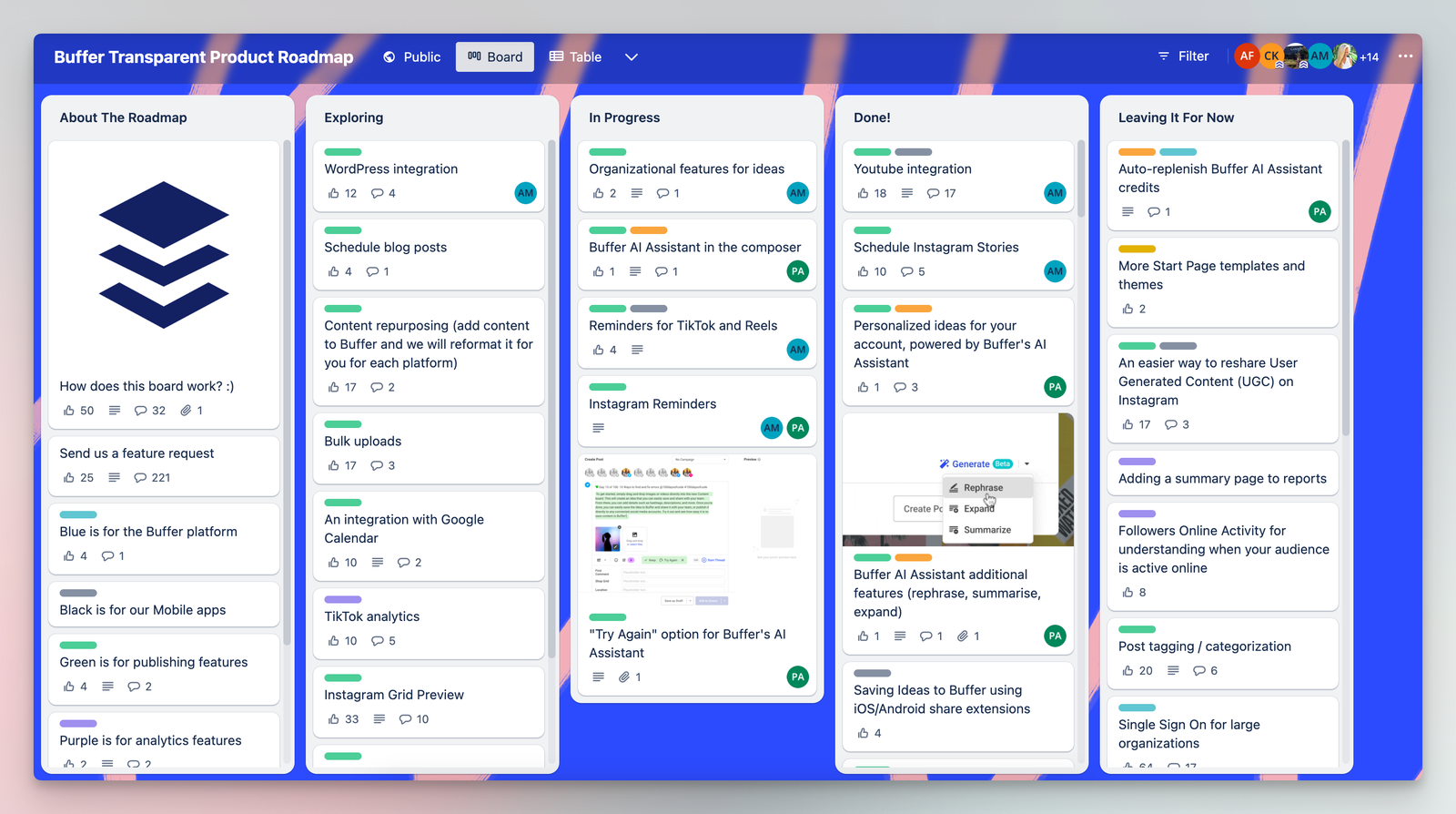
Buffer's roadmap has been public for the better part of a decade and is famous for it. They use a kanban-style board with cards for ideas, "Up next", "In progress", and "Launched", and each card has a short description in plain language.
What makes it work is the writing voice. Cards read like customer-facing release notes, not internal Jira tickets. The other thing worth copying: they intentionally keep the "Up next" column small, so users can see that everything in it is genuinely up next, not just "considered".
3. GitHub
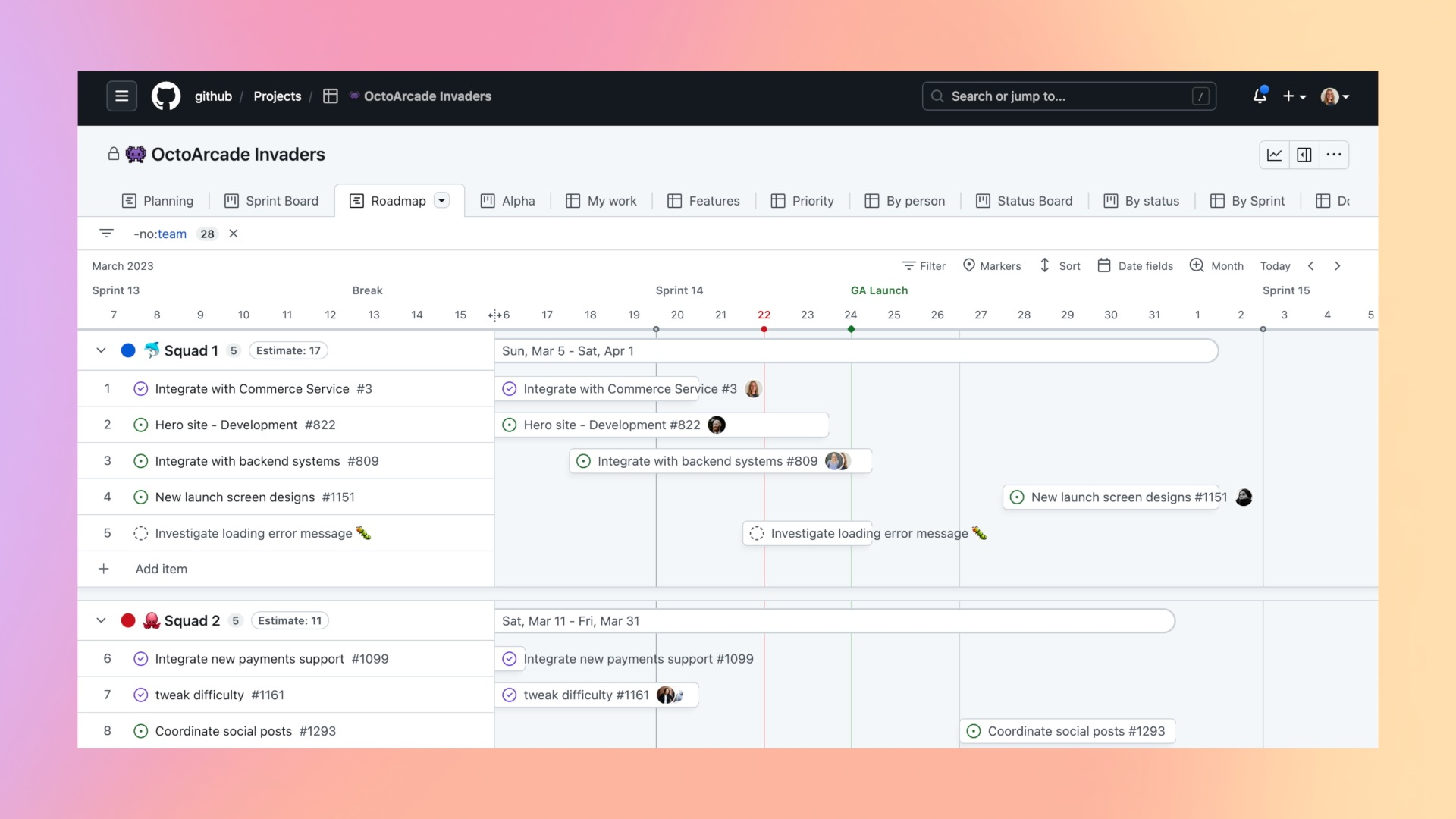
GitHub's public roadmap (github.com/github/roadmap) lives, appropriately, as a GitHub project on GitHub. Items are real issues, organised by quarter and area, with labels for type and team.
The strength here is the discipline. Quarterly buckets keep items from sitting in "Soon" forever. The weakness is that it's GitHub-flavored. If you're not a developer audience, this format will feel cold. For developer-tool companies, it's the gold standard.
4. Linear
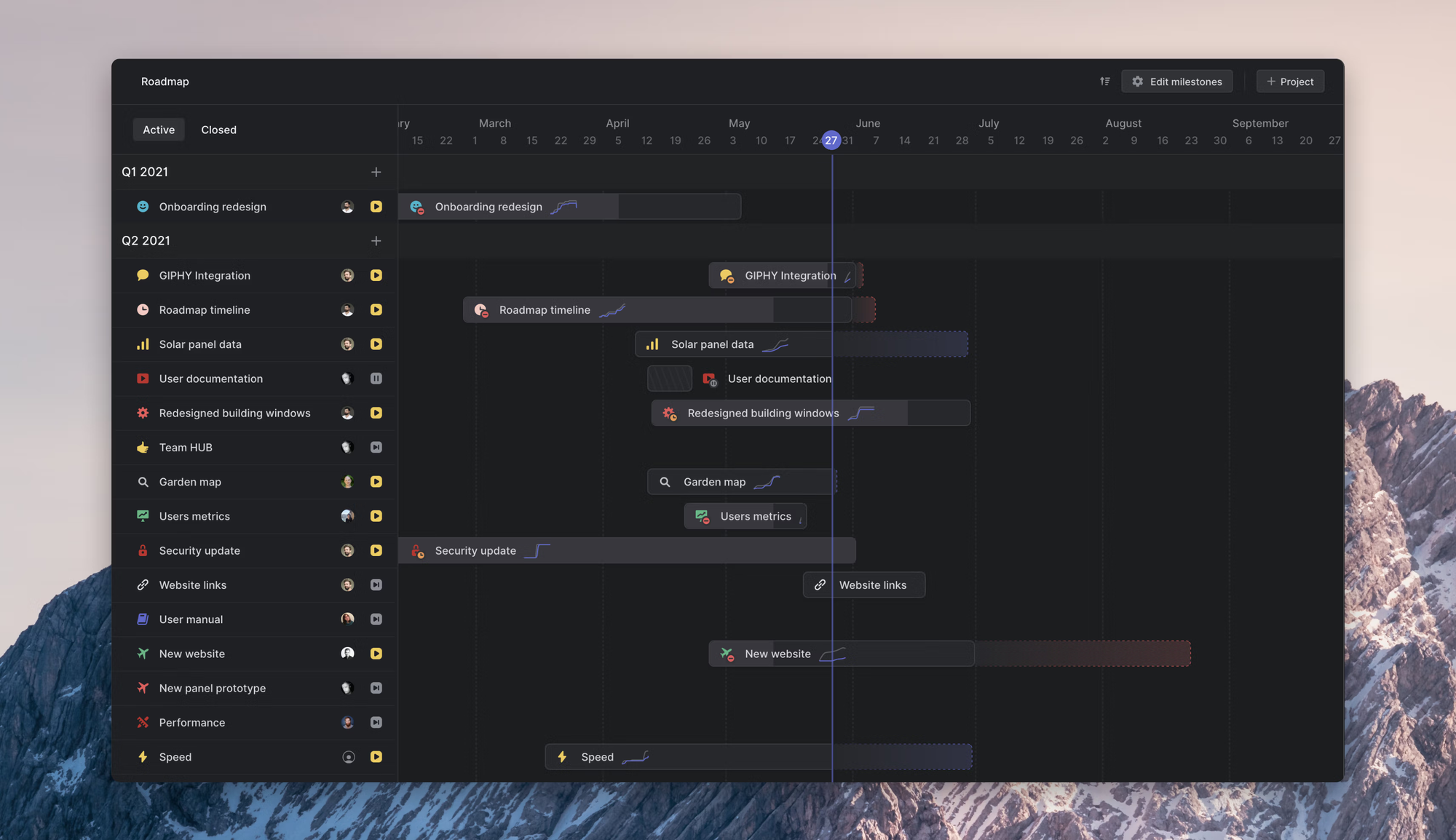
Linear publishes its changelog and roadmap on the same surface. New entries arrive as polished posts with screenshots and a short context paragraph. Planned items appear at the top with a clear "coming soon" marker.
The lesson: a roadmap and a changelog are two sides of the same artifact. Pairing them makes both more useful, because every shipped item is proof that the planned items move.
5. Loom
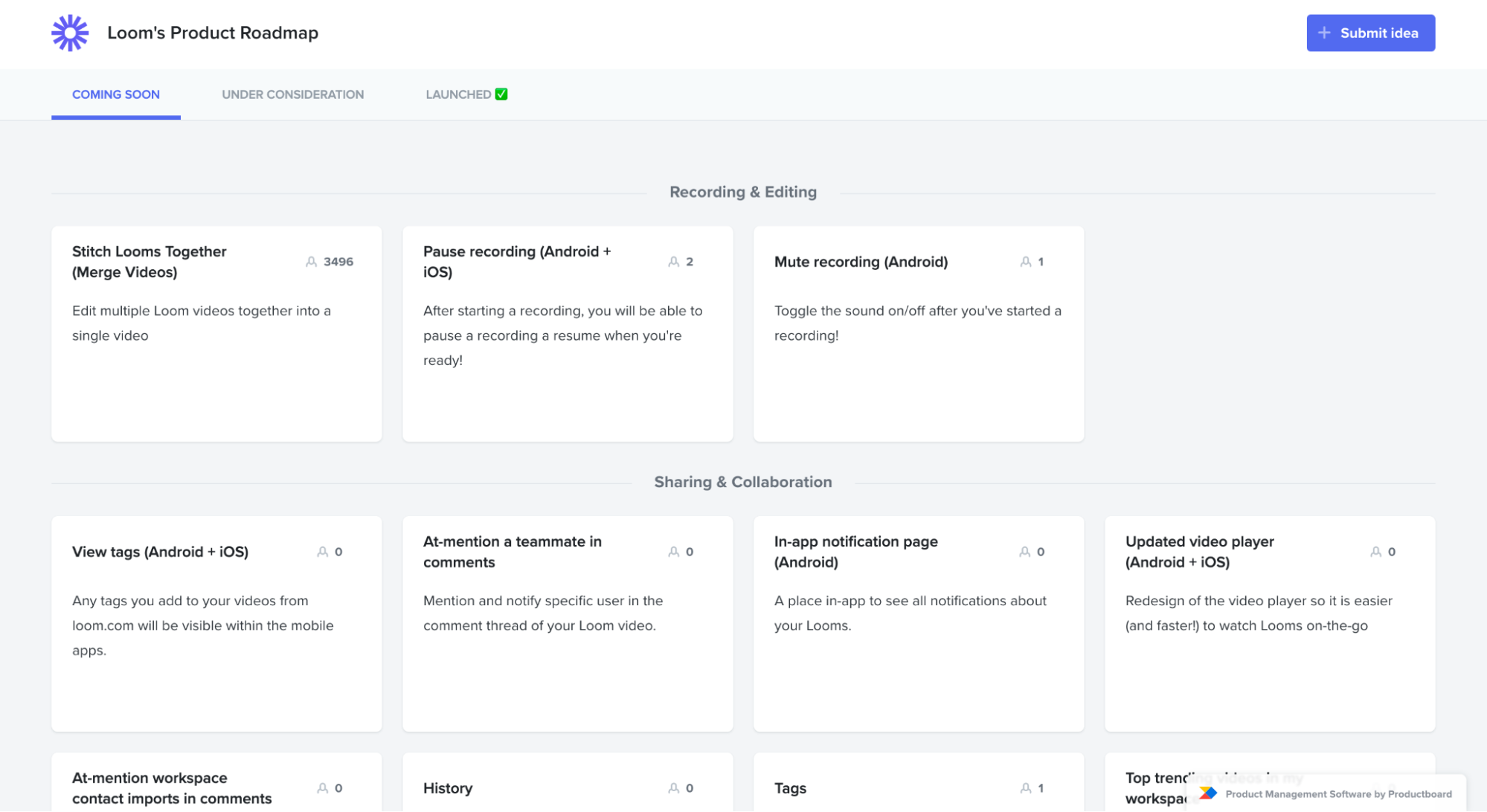
Loom keeps things minimal. A single page with 3 columns ("In progress", "Coming soon", "Recently launched"). Each card has a feature name, a one-sentence description, and that's it.
This is the model for teams who don't want to build a community around their roadmap. Show what's happening, don't invite a debate.
6. Monzo
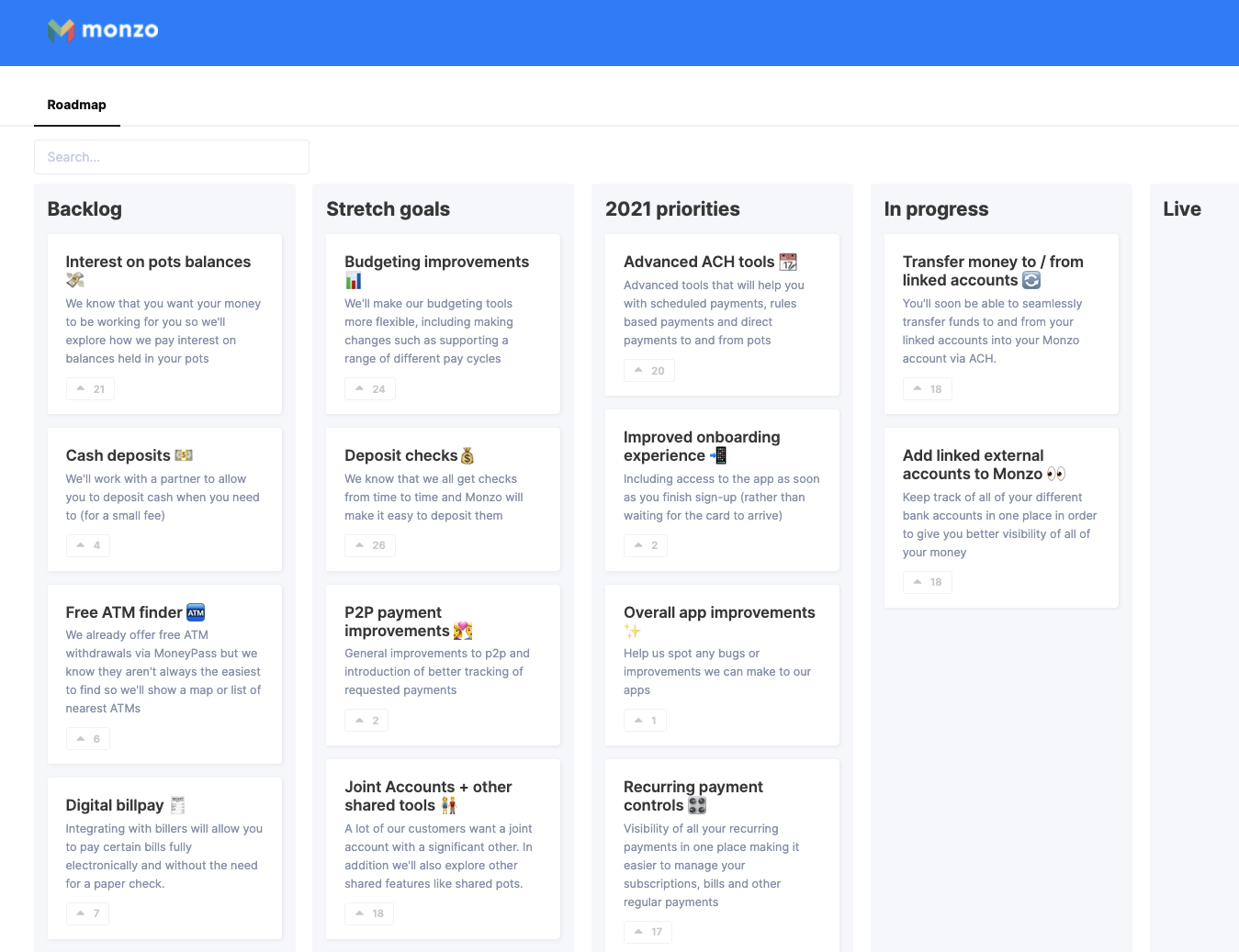
Monzo's "What we're building" posts on their blog are technically not a roadmap tool, they're long-form posts. But the pattern is worth studying: each post groups multiple in-flight items by theme, explains the reasoning, and gets a comment section.
For B2C products with a strong brand voice, this often outperforms a kanban board because it actually gets read.
How to build a public product roadmap, step by step
The mechanics, in order.
1. Decide what the roadmap is for
Before you pick a tool, decide which job the roadmap is doing. 3 common ones:
- Reassurance - "we are working on the thing you asked for". Aimed at existing customers, optimised for visibility of status.
- Sales signal - "we are building toward your use case". Aimed at prospects, optimised for showing the direction of the product.
- Co-design - "tell us which of these matters most". Aimed at power users, optimised for voting and comments.
You can serve more than one job, but the structure of the roadmap changes depending on which job is primary. Don't skip this step. Most underwhelming public roadmaps fail because the team never decided who it was for.
2. Pick your columns (or your timeline)
Two formats dominate, and most teams pick one or the other. Column-based roadmaps ("Now/Next/Later" or "Planned/In progress/Shipped") work for teams that don't want to commit to dates. Items move from one column to the next as their status changes. Time-based roadmaps (monthly or quarterly) work for teams that genuinely have a quarterly planning cadence and can hit it. Items get parked under a month or quarter.
If you don't already work in quarters internally, don't try to publish a quarterly roadmap. Pick column-based.
A column-based roadmap pairs naturally with the way most feedback tools store post status. With Featurebase, each column maps to a status (Planned, In progress, Completed) and items move automatically when you change a post's status, so the public view stays in sync with what the team is actually doing.
3. Source the items from real feedback
The contents of the roadmap should come from your feedback intake, not from a brainstorm.
Pull from feature requests, support tickets, sales-call notes, and quantitative signals like NPS comments. The items with the most demand (and the most strategic relevance) become candidates. Most teams find that 70 to 80% of the public roadmap should be items their users have actually asked for. The rest is strategic bets the team picked.
If you're not centralising feedback yet, that's a prerequisite to running a public roadmap well. The roadmap is the visible output. The feedback pipeline is the input that makes it credible.
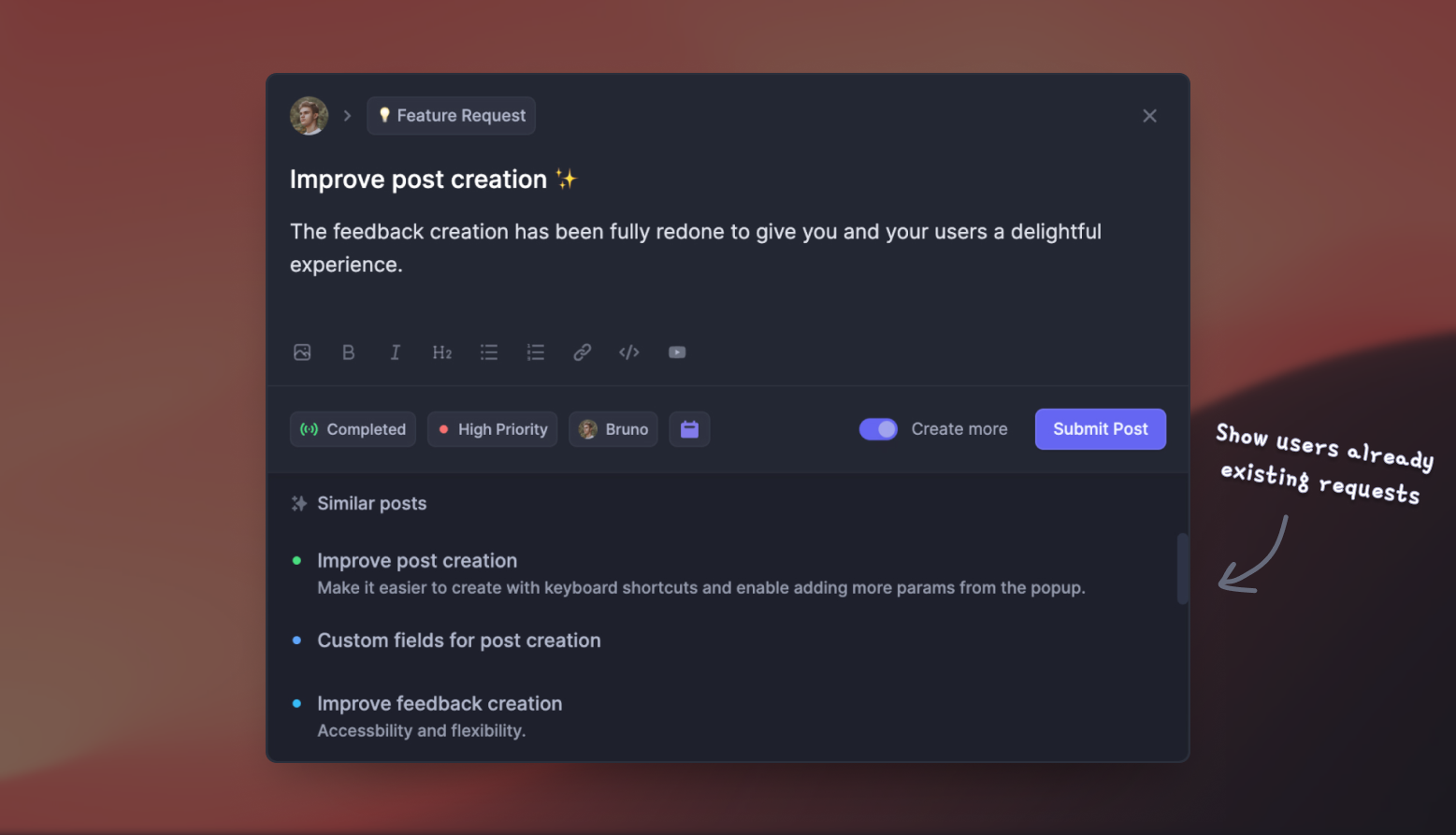
4. Write each item from the customer's perspective
The single biggest difference between a public roadmap and an internal one is the writing.
A good public roadmap entry has a feature name a customer would recognise, a one-line description of what it does for them, and (optionally) a short "why we're building this" note. A bad entry has a Jira ticket title and an estimate.
Compare:
- ❌ "Refactor billing service Q3 (8 sp)"
- ✅ "Annual billing for teams - pay once a year and save"
The second tells a reader why they should care. The first tells them you forgot to switch tools.
5. Connect it to your changelog
A roadmap without a changelog is a promise without a record.
Every time an item moves to "Shipped" or "Completed", it should generate a changelog entry users can read, and ideally an email to the people who upvoted it. This is the part most teams skip, and it's the part that compounds trust.
Featurebase automatically emails users who upvoted a roadmap item when its status changes, so the people who cared enough to vote are the people who find out first.
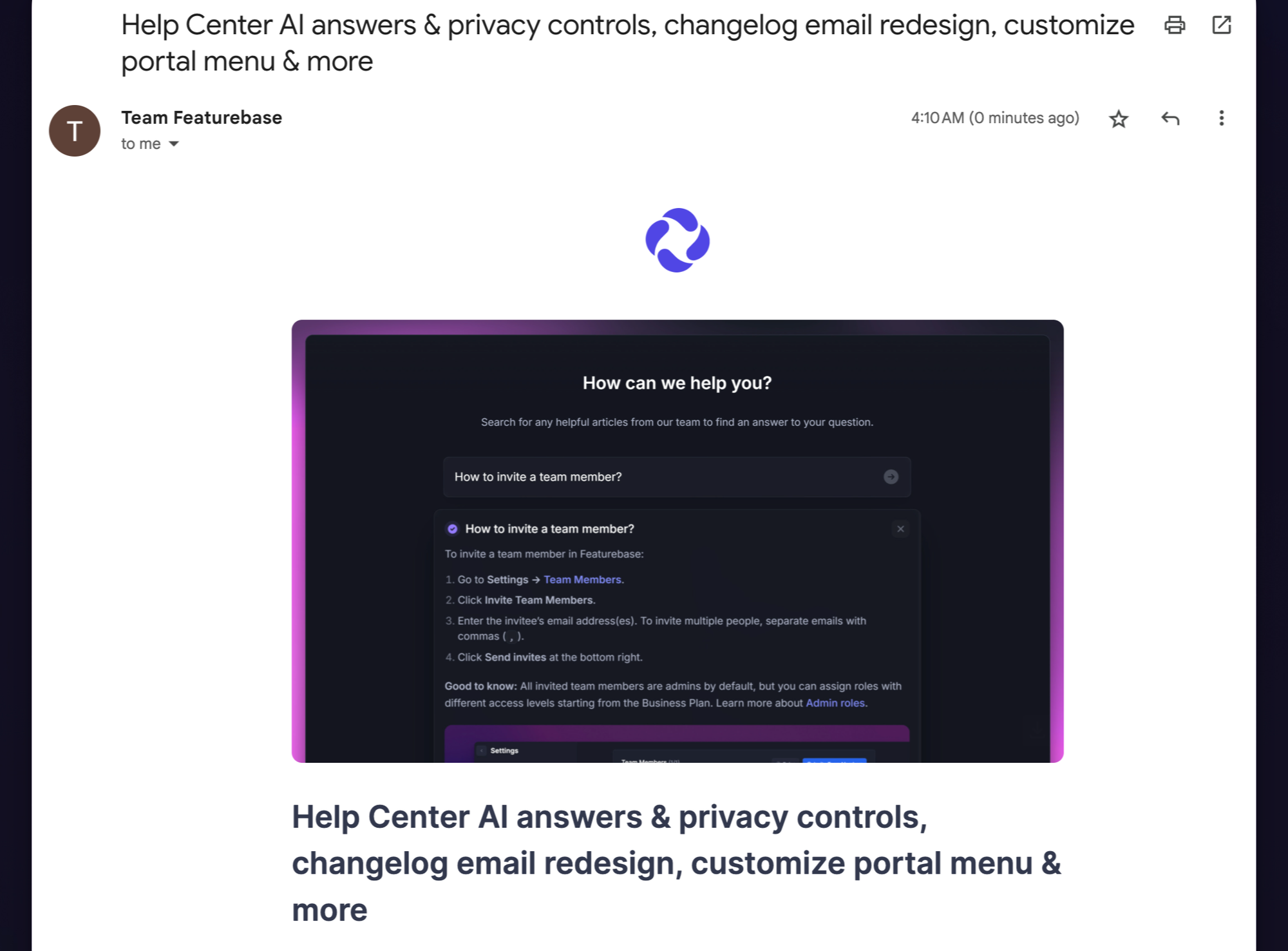
6. Set a cadence for updates
A stale public roadmap is worse than no roadmap. If items don't move for 2 months, readers assume the team is asleep.
The simplest cadence: a 30-minute weekly review where someone updates statuses, posts a comment on items with progress, and writes one short changelog entry for anything shipped. The whole thing fits inside a calendar block.
When you should NOT publish a public roadmap
Public roadmaps are not free, and they're not for everyone.
Skip the public roadmap if:
- You're pre-product-market-fit and pivoting - publishing a roadmap before you know what the product is just commits you to plans you'll need to walk back.
- You compete on a small number of differentiators - if your edge is one specific feature, telegraphing the next one gives competitors a free heads-up.
- You can't commit to updating it - a roadmap with 3-month-old statuses is worse for trust than no roadmap. If nobody owns it, don't ship it.
- You're in a heavily regulated space - in some industries, publishing forward-looking statements about features can trigger compliance or legal review. Talk to your team before publishing.
For most B2B SaaS companies past PMF, none of these apply, and the upside is real. But it's worth checking before you publish.
Build your public roadmap with Featurebase
Featurebase is a modern feedback & roadmapping platform that helps product teams collect feedback, prioritize features, build roadmaps, and announce product updates – all in one place. It's loved by thousands of product teams from companies like Lovable, Raycast, and n8n. 💫
Top features:
- Roadmaps – Create internal & public product roadmaps to keep users informed and build engagement
- Feedback forum – Public feedback forum where users can submit ideas and vote on features helping you know what customers want
- Prioritize by revenue – Link feedback with customer revenue, company size, and much more to better understand the impact of ideas
- AI feedback categorization - Automatically group large volumes of feedback into product areas, projects, or themes with AI
- Automated email updates – Automatically notify users when their requested features are implemented
- In-app widgets – Embed feedback, changelog, and help center widgets directly in your product
- Product updates – Publish release notes with a changelog page, in-app widget, and emails
- Surveys (NPS, CSAT, etc) – Create targeted surveys to ask users anything and measure customer satisfaction
- Automatic AI translations – Automatically translate all feedback and comments to your customers / teammates native languages
- Integrations – Connects with Slack, Linear, Jira, HubSpot, and more
Pricing: Free plan available with unlimited feedback collection. Paid plans start at $29/seat/mo.
Instead of having 4+ different tools, Featurebase enables you to replace all your customer-facing tools by bringing your roadmaps, feedback collection, product updates, and customer support together in one place, helping you build products your users love.
Conclusion
A public product roadmap is one of the highest-leverage public artifacts a product team owns. It builds trust before a sale, surfaces real demand through votes, and saves your sales and customer success teams from repeating themselves. The teams that get the most out of it write items for customers (not engineers), pair the roadmap with a changelog, and update it on a predictable cadence.
Featurebase lets you build internal and public roadmaps, run a feedback board, publish a changelog, and ship in-app widgets, all from one place. Users vote on what to build next, get auto-emailed when their request ships, and never have to ask "what are you working on?" again.
It has affordable pricing and a Free plan, and the onboarding doesn't require a credit card, so there's no downside to trying it. 👇
✨ Create internal & public roadmaps with Featurebase for free →