Qualtrics review 2026: Too much cash for a survey software?
Qualtrics review covering pricing, ease of use, data analysis capabilities and more to help you decide if this survey software is for you or not.

On this page
- Key takeaways
- You'll only find good Qualtrics reviews on G2
- There is a lot of complexity in survey design
- Qualtrics is expensive if you only need survey creation
- There are performance issues
- There are plenty of advanced features
- Qualtrics survey data analysis is not great
- Qualtrics pros and cons
- Is Qualtrics worth it?
- Why Featurebase is the better alternative to Qualtrics
Psst... Looking for a simpler Qualtrics alternative for customer feedback? Check out Featurebase
If you're serious about collecting customer feedback and doing market research, you may have heard about Qualtrics here and there.
It's a highly sophisticated, enterprise-grade tool for survey creation and data collection, with different modules for collecting data from your own customers and team members.
Once you look past the lack of pricing and the enterprise label, Qualtrics has quite a few features worth your attention.
But you could just go to their website and read about the advanced functionalities they offer. Instead, we're giving you reviews we found from actual Qualtrics users.
Let's start from where it matters. 👇
Key takeaways
- Qualtrics is powerful, especially for complex survey design, enterprise research, and advanced customer experience programs.
- The learning curve is steep, and even basic survey creation can feel slow for new users.
- Pricing is expensive and not fully public, making it hard to know what you’ll actually pay.
- Performance issues show up in reviews, especially with large datasets or complex dashboards.
- Data analysis can be frustrating, with some users struggling to extract, clean, and report on survey data.
- Featurebase is a better fit for SaaS product teams that want simple feedback collection, surveys, roadmaps, and product updates in one place.
You'll only find good Qualtrics reviews on G2
When reviewing any software, I like to look at a number of sources to get a more objective overview.
For Qualtrics, G2 is the only platform that matters, with 747 reviews at the time of writing and an average score of 4.3, which isn't that stellar in SaaS.
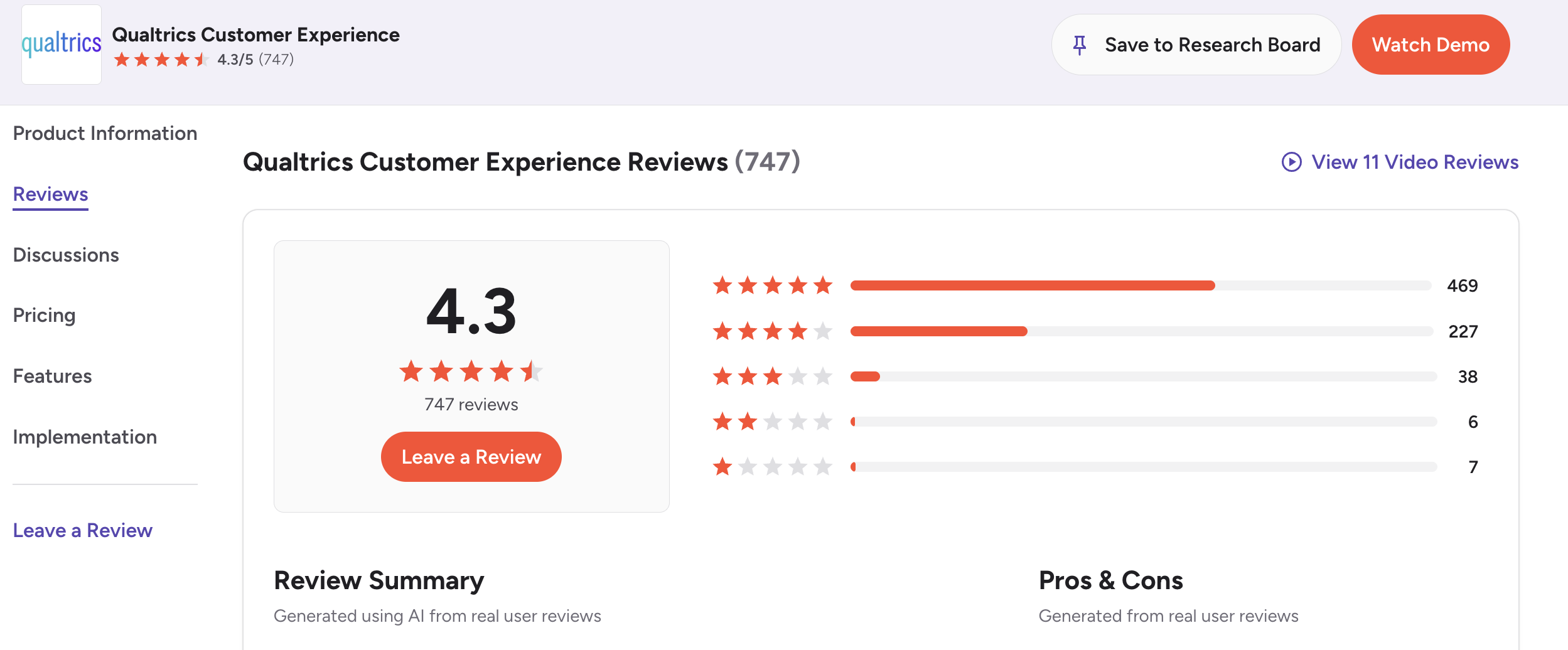
Capterra has only one Qualtrics review.
If you look at TrustPilot, you're going to see a 1.1 star rating with 166 reviews at the moment of writing.
Apparently, many companies use the Qualtrics platform for survey design and then pay random people for taking those surveys, only not to pay them ever.
This is why you'll see many people really mad at Qualtrics, without a good reason.
Let's see what real users think about Qualtrics.
There is a lot of complexity in survey design
If you're looking to create complex surveys with advanced branch logic, conditioning and more, Qualtrics will be right up your alley.
But if you just want to create a simple 5-question survey and get actionable insights, it's going to be too much.
One of the most common complaints about Qualtrics is the learning curve and how long it can take to create even the most basic Qualtrics survey.
"The platform can feel complex for new users, particularly those who only need basic survey functionality. There is a learning curve due to the breadth of features and configuration options. Additionally, the pricing can be higher compared to lighter-weight survey tools, which may be challenging for smaller teams or organizations with limited budgets." - G2 review
"The main challenge with Qualtrics Customer Experience is the learning curve. While the platform is very powerful, it takes time and experience to use advanced features like Text iQ, Stats iQ, and complex dashboards effectively. Without clear governance or best practices, it is easy to create noisy or inconsistent results.
The interface can also feel overwhelming for new users, with multiple tools and configuration options that are not always intuitive. In addition, performance can slow down when working with very large datasets or highly customized dashboards." - G2 review
The pattern is pretty clear.
Qualtrics is powerful, but power comes with setup, configuration, and a learning curve that many smaller teams simply don’t need.
Qualtrics is expensive if you only need survey creation
The reason why mostly large enterprises love Qualtrics while smaller companies explore alternatives to Qualtrics boils down to pricing.
There is no publicly available pricing anywhere on the Qualtrics website, but research shows that you can expect to pay around $2,000 per year just to get started with the complete package.
If you want a plan with no frills and transparent pricing, there is Qualtrics Online, which costs $420/month or $5,040 per year for 1,000 survey responses.
That boils down to about 80 responses per month for over $5,000 up front.
Needless to say, most businesses don't consider this a good value.
Switch from Qualtrics to get transparent pricing & more powerful feedback collection
There are performance issues
Enterprise businesses often run many survey sessions at once to analyze trends with different customers and user groups.
Given their background, you should expect Qualtrics to be able to handle volume with ease.
But the truth is that slow performance is one of the most common complaints about this tool.
"The application was a bit slower than what I expected it to be." - G2 review
"In addition, performance can slow down when working with very large datasets or highly customized dashboards." - G2 review
This is not ideal when the whole point of the platform is to help enterprise teams analyze large amounts of feedback and customer data.
If your team is already paying enterprise-level prices, slow dashboards and large dataset issues can quickly become frustrating.
There are plenty of advanced features
You can use plenty of other tools to create simple surveys with a handful of answer choices.
You could even create a user-friendly survey in Google Forms.
But where Qualtrics shines, and justifies its high price tag, is the advanced feature set.
Some of the most notable features include:
- AI-powered predictive analysis
- Sentiment analysis
- Omnichannel embedded data collection
- Real-time experience monitoring and alerts
- Intelligent workflow automation
- Conversational feedback and adaptive surveys
And users are mostly excited about these and all the new features that Qualtrics adds to the mix.
The problem is that these features make sense for a limited set of users and survey samples.
If you don't use them all, you're not making full use of the very expensive Qualtrics pricing, and you're better off with a simpler and more affordable platform.
"What I like most is the platform’s flexibility and depth. It allows us to design highly customized surveys with advanced logic, segmentation, and targeting. For example, using its advanced survey logic such as display logic and branch logic, I can design a CSAT survey where customers only see relevant questions, which strongly improves response quality and reduces survey fatigue. It also enables highly targeted insights without needing a separate survey for each target audience segment." - G2 review
And sometimes, you want to use all the advanced tools, but you'll get stuck anyway.
Qualtrics survey data analysis is not great
There are multiple accounts of users who are unhappy with the final step, when they need to take a look at the bigger picture, create a report, and send it off.
Here's one particularly unhappy veterinarian:
"Once I got the survey to work and collected data, I was completely unable to use your system to analyze it. Instead of helping to find a solution I was told not to use so many questions next time. In order to even extract the data I had to hire a graduate student at the University of Minnesota, and using the supercomputer she extracted the data. From there, she cleaned it and was able to easily analyze it. It's ridiculous that a multi billion dollar company could not do this. Unfortunately, this cost us an additional $5,000. That means we paid $5,000 for your relatively useless service and an additional $5,000 for a student to fix it. I firmly believe aualtrics should provide a refund of at least $3500. I have tried contacting the company but I continue to be ghosted." - G2 review
Sometimes, you'll get the right data but not in the right format:
"The only thing I find frustrating with Qualtrics is that sometimes the downloaded raw data excel files is not in the right structure to find what i am looking for. It takes alot of data scrubbing to get what I need." - G2 review
Ultimately, purchasing Qualtrics for running surveys can feel like a teenager fresh out of driving school trying to drive a Porsche.
Sure, they'll get the job done, but will they use the tool to its full potential?
Why not get the tool that has everything you need, but none of what you don't need?
Qualtrics pros and cons
Qualtrics is not a bad tool. It’s just not the right tool for everyone.
Here’s the simplest way to think about it.
Pros
- Advanced survey logic and branching
- Strong fit for enterprise research teams
- Customer, employee, and market research modules
- Powerful analytics features for complex use cases
- Useful for large-scale experience management programs
Cons
- No transparent pricing for most use cases
- Expensive if you only need surveys
- Steep learning curve for new users
- Can feel overwhelming for smaller teams
- Performance issues with large datasets and dashboards
- Survey data can be hard to clean, export, and analyze
Is Qualtrics worth it?
Qualtrics is worth it if you’re running enterprise-level research programs and have the team, budget, and patience to manage it properly.
It makes sense for large organizations that need advanced survey logic, complex reporting, employee experience programs, customer experience tracking, and market research workflows.
But for most SaaS product teams, it’s probably too much.
If you just want to run surveys, collect feedback, understand what users want, prioritize ideas, and close the loop, Qualtrics is likely overkill.
You’ll pay for a lot of features you won’t use, while still dealing with setup complexity, hidden pricing, and a learning curve.
Why Featurebase is the better alternative to Qualtrics
Qualtrics is one of those tools that sounds great on paper. Tons of features, advanced survey logic, deep analytics. But once you actually start using it, things get complicated fast.
Most teams don’t need that level of depth. And that’s exactly where Qualtrics starts to fall apart. If you just want to run simple surveys, collect feedback, and act on it, Qualtrics feels like overkill. Then there’s pricing: you’re often looking at thousands per year just to get started, and even then, you’re paying for features you probably won’t touch.
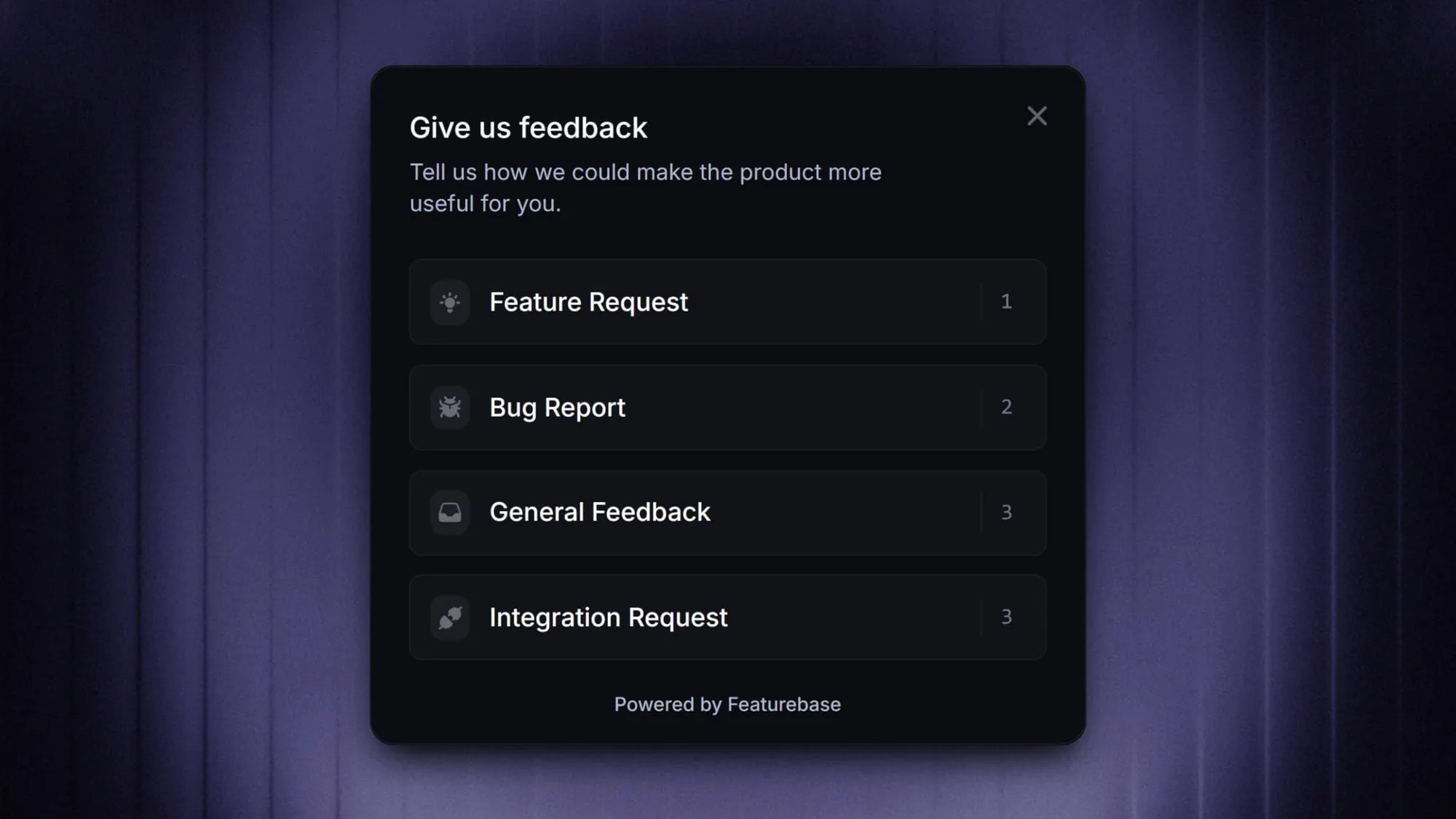
Featurebase is a modern feedback & support platform that helps product teams collect feedback through multi-step surveys, integrations, and a feedback portal, all in one place, to make better product decisions. It’s loved by thousands of product teams from companies like Lovable, Raycast, and n8n. 💫
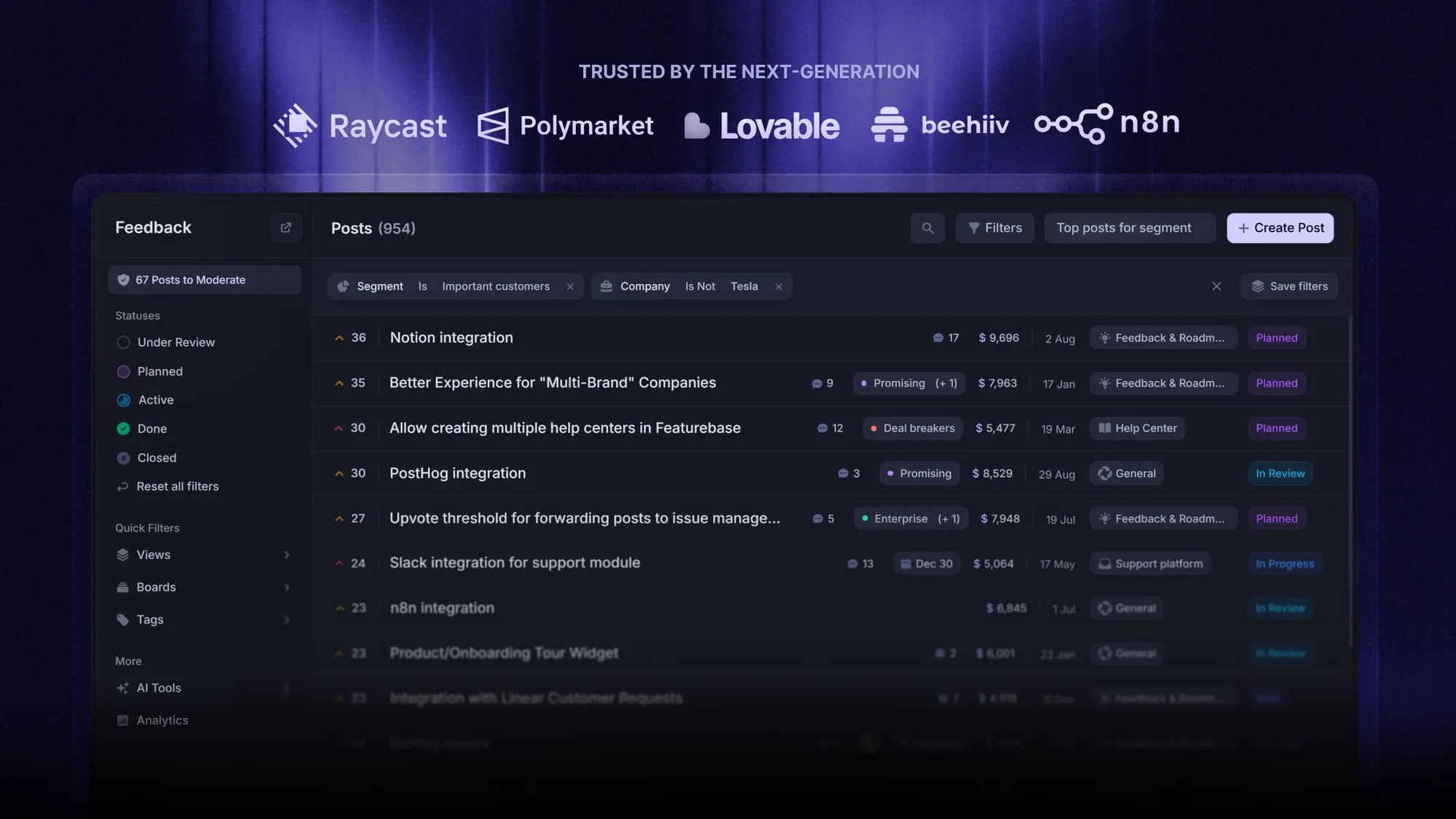
Top features:
- Surveys (NPS, CSAT, etc.) - Create targeted no-code surveys to ask users anything and measure customer satisfaction
- User targeting - Target specific user segments based on properties like plan, role, location, etc.
- Conditional multi-step surveys - Ask follow-up questions based on conditional logic and users' answers
- In-app widgets - Collect ideas, bug reports, and suggestions directly from your website or web app with interactive widgets
- Feedback forum - Public feedback forum where users can submit ideas and vote on features helping you know what customers want
- Prioritize by revenue - Link feedback with customer revenue, company size, and much more to better understand the impact of ideas
- AI feedback categorization - Automatically group large volumes of feedback into product areas, projects, or themes with AI
- Automated email updates - Automatically notify users when their requested features are implemented
- Roadmaps - Create internal & public product roadmaps to keep users informed and build engagement
- Product updates - Publish release notes with a changelog page, in-app widget, and emails
- Integrations - Connects with Slack, Linear, Jira, HubSpot, and more
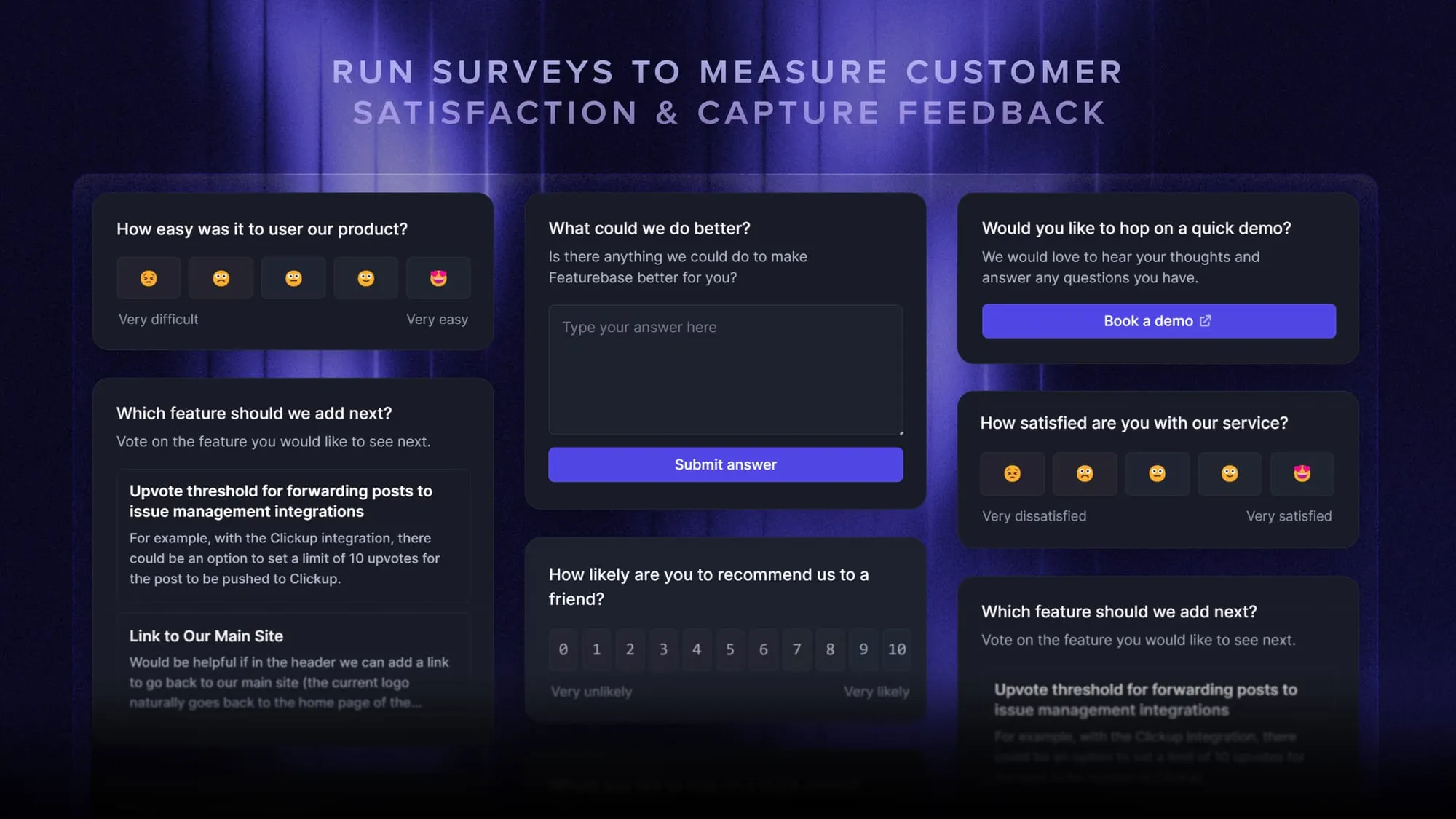
Instead of focusing only on surveys, Featurebase covers the full feedback loop in one place. You collect feedback through a public board or in-app widgets, tie it directly to customer value, prioritize what matters, and then share updates through roadmaps and changelogs. Everything connects, so feedback doesn’t just sit there. It actually turns into shipped features.
It comes with a Free plan, with paid plans starting at $29/seat/month. The onboarding is super fast, so there's no downside to trying it. 👇
Start running surveys & collecting feedback with Featurebase for free