Slite Pricing in 2026: Plans, Features, and Alternatives
Confused about Slite pricing? Discover per-user costs, AI limits, plan features, common pitfalls, and smarter alternatives for your team’s knowledge base.


On this page
Understanding Slite pricing can feel tricky at first. Each plan comes with per-user costs, AI features, and team size considerations that directly affect the monthly bill. Many teams pick a plan too early or miscalculate seats, ending up paying for users who barely interact with the internal knowledge base.
I’ve worked with teams that rely on company knowledge every day, so in this guide, I’ll break down Slite pricing in detail. You’ll see what each plan offers, how per-seat billing scales, the key benefits of each tier, pitfalls to avoid, and how to combine Slite with other tools including Featurebase to streamline processes and maximize productivity.
Key takeaways
Slite’s pricing is per user per month, with monthly or annual billing options. Costs rise linearly with team size.
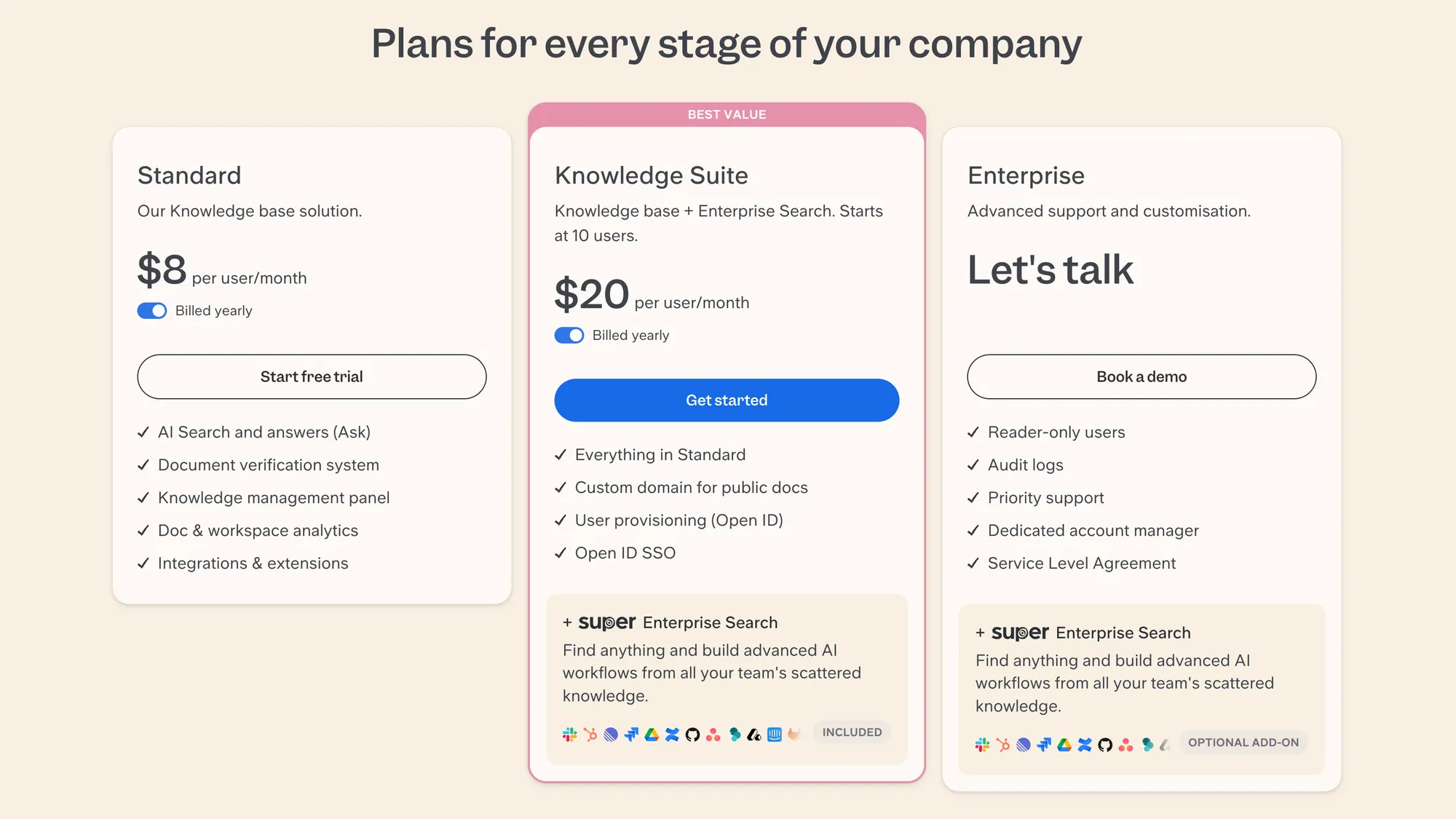
| Plan | Price (per user/mo) | Key Features | Ideal Team Size |
|---|---|---|---|
| Standard | $10 | AI Search & Ask, Document verification, Knowledge management panel, Doc & workspace analytics, Integrations | Small teams or early pilots |
| Knowledge Suite | $25 | Everything in Standard + Custom domain, User provisioning (OpenID), SSO, Enterprise Search | Growing teams, multiple departments |
| Enterprise | Custom pricing | Reader-only users, Audit logs, Priority support, Dedicated account manager, SLA, Enterprise Search | Large organizations, advanced security/customization |
Psst... Looking for a more powerful & affordable alternative to Slite? Check out Featurebase
What Slite is as a knowledge management tool
Slite is a knowledge management platform built for internal documentation and shared team collaboration. Its strengths lie in creating a single source of truth, replacing scattered Google Docs, Slack threads, or other tools like Notion.
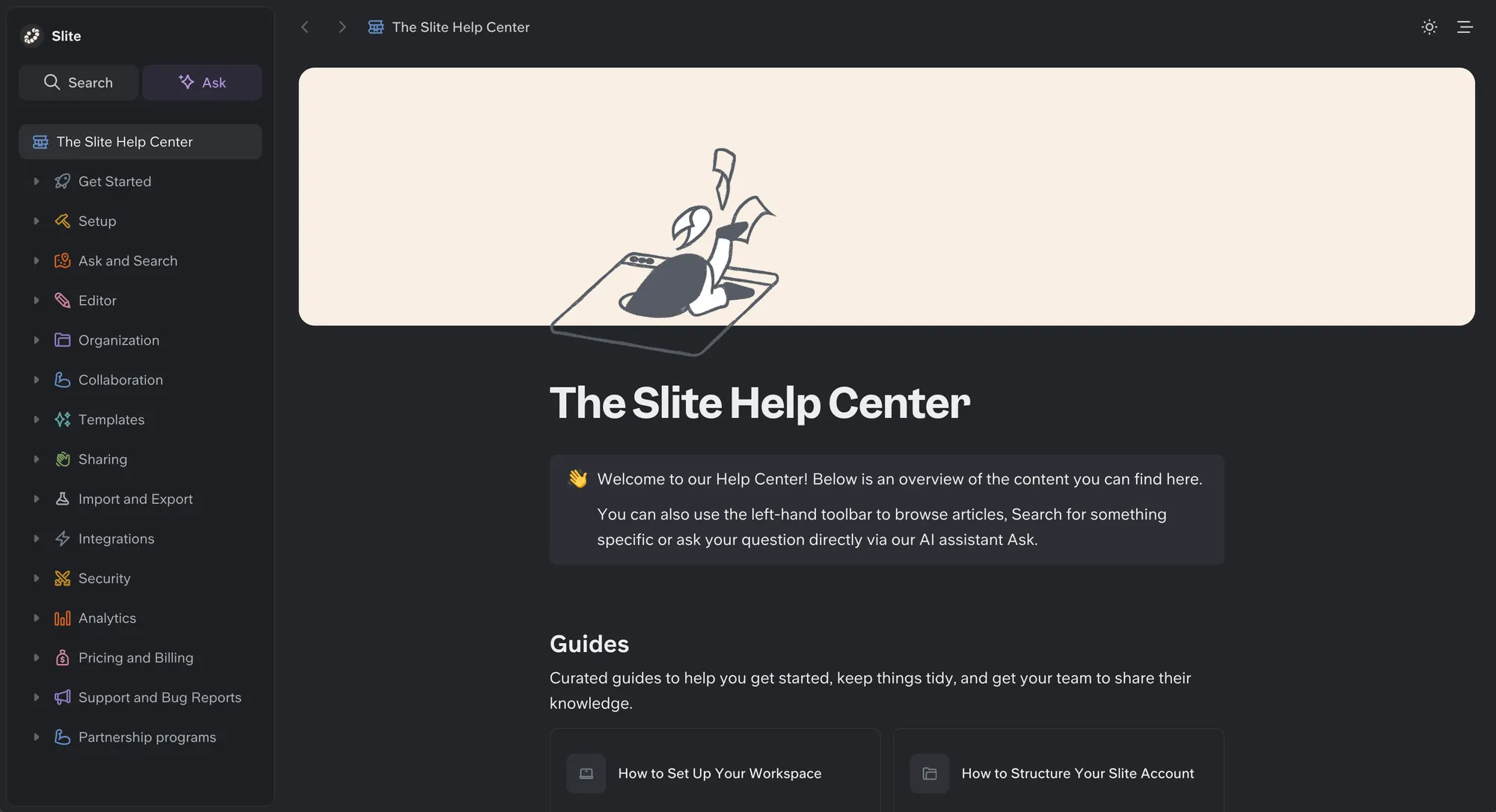
Teams use Slite to:
- Build an internal knowledge base
- Create onboarding guides and SOPs
- Manage tasks and note-taking
- Capture valuable insights from meetings
- Organize documents for small teams and growing departments
Slite integrates with Google Drive, Slack, and other productivity tools, helping teams combine multiple existing tools into all-in-one workspaces. With AI-powered search and instant answers, teams can quickly find the actual problem and solutions without digging through scattered notes.
Slite pricing plans breakdown
Slite pricing is calculated per user per month, with options for monthly or annual billing. Each active user requires a seat, and costs scale linearly with team size.
Key details:
- Seats include both editors and some readers
- Monthly billing is higher than annual billing (billed annually reduces cost)
- Paid tiers remove document limits and unlock AI features and powerful search capabilities
- Scaling a large support team or shared team workspace increases costs proportionally
- Integrates with Google Docs, Google Drive, Notion, and other productivity tools to streamline processes
Example (Standard Plan, $10/user/month):
- 10 users = $100/month
- 25 users = $250/month
Even with unlimited documents, costs rise if many users only occasionally access the internal knowledge base.
Standard plan overview ($10/user/month)
The Standard Plan costs $10 per user/month and is designed for small teams or early pilots.
Includes:
- Unlimited documents
- AI-powered Ask search (30 questions/month/user) for actual answers
- Channels and structured spaces for shared team use
- Permissions and version history
- Integrations with Slack, Google Drive, and other tools
Ideal for:
- 5–30 users
- Support teams documenting processes
- Teams needing task management and streamlined internal documentation
Benefits: Easy access to all knowledge, valuable insights, and structured content improves productivity. Teams can focus on tasks rather than hunting for actual problems.
Knowledge Suite plan ($25/user/month)
The Knowledge Suite Plan is the premium plan that costs $25 per user/month and unlocks advanced features for growing teams and multiple departments.
Includes:
- Everything in Standard Plan
- AI-powered Ask search (100 questions/month/user)
- Enterprise Search across various sources
- Custom domain for public docs
- User provisioning (OpenID) and SSO
- Doc verification, workspace analytics, and governance tools
- Priority support and advanced security
Upgrade to Knowledge Suite when:
- Teams struggle to find actual answers efficiently
- Internal documentation is critical for company knowledge
- Security, compliance, and governance are priorities
Benefits: AI Ask allows users to type questions and receive instant answers from all internal knowledge, making it ideal for teams that need streamlined processes and accurate information quickly.
Enterprise plan (Custom pricing)
The Enterprise Plan is tailored for large organizations with advanced needs, including compliance, security, and governance. Pricing is custom, depending on team size and required features.
Includes:
- Everything in Knowledge Suite
- Reader-only users for teams with occasional access
- Audit logs for regulatory compliance
- Dedicated account manager for onboarding and support
- Priority support and Service Level Agreements (SLA)
- Enterprise Search with advanced AI workflows
Ideal for:
- Large organizations
- Teams with strict security, HIPAA, or audit requirements
- Companies needing enterprise-level governance and reporting
Benefits: Ensures maximum control, compliance, and efficiency for complex teams with multiple departments or global operations. Supports internal knowledge base, AI features, and task management for every user.
Looking for a more powerful and simpler Slite alternative? Check out Featurebase
Slite features that affect cost and ROI
Not all features impact Slite pricing directly, but they significantly affect return on investment (ROI), team productivity, and the overall value of your internal knowledge base.
AI-powered instant answers
Slite’s AI-powered Ask feature lets teams retrieve actual answers quickly from their internal documentation. ROI is highest when:
- Documents are well-structured, up-to-date, and centralized in the knowledge base
- Company knowledge is organized for easy retrieval
- Support teams and other small teams rely on AI to generate content or streamline tasks
Keep in mind that Standard Plan users get 30 AI questions/month/user, while Knowledge Suite offers 100. Teams needing more AI usage may require Knowledge Suite or a custom Enterprise plan to meet productivity goals.
Document verification and analytics
Features like doc verification, workspace analytics, and AI insights help maintain accuracy and track Paid plans include doc verification, workspace analytics, and AI insights, ensuring internal documentation is accurate and useful:
- Standard Plan: Core verification, basic usage tracking, AI Ask insights, and monitoring of valuable insights from documents
- Knowledge Suite: Advanced verification, full analytics, governance, audit logs, and reporting to track company knowledge and team adoption
These features improve the effectiveness of your knowledge management efforts, helping teams focus on actual tasks rather than hunting for actual problems.
Learning curve
While editors can start quickly, casual users or readers may need guidance to:
- Use powerful search capabilities and AI-powered instant answers effectively
- Navigate the internal knowledge base without confusion
- Streamline processes across all-in-one workspaces, reducing reliance on other tools like Google Docs, Notion, or Slack
Proper onboarding reduces the learning curve and accelerates team adoption, ensuring small teams, support teams, and growing departments fully leverage Slite’s strengths.
Integrations and multi-source use
Many teams store content across Google Docs, Slack, Notion, and other productivity tools. While Slite integrates seamlessly, AI Ask works best on content stored directly in Slite:
- Using various sources may require team training
- Knowledge Suite enables Enterprise Search, allowing AI Ask to query documents from existing tools for faster and more accurate actual answers
Integrations ensure teams can focus on valuable insights, task management, and internal documentation without wasting time switching between tools or platforms.
Slite pricing pitfalls and limitations
Even though Slite pricing is predictable and per-user, there are common pitfalls that can increase costs and reduce ROI if teams aren’t careful. Understanding these is essential for support teams, small teams, or growing organizations managing a knowledge base.
Paying for users who rarely log in
Many teams purchase Standard or Knowledge Suite plans without considering actual usage. Paying for users who rarely access the internal knowledge base can double the cost per active user.
Example (Standard Plan, $10/user/month):
- 25 paid users but only 12 active users
- Monthly cost: 25 × $10 = $250
- Cost per active user: $250 ÷ 12 ≈ $20/user/month
This shows that per-user pricing can become expensive if teams overestimate how many people need AI features, instant answers, or access to internal documentation.
Over-inviting before adoption
Inviting your team too early can inflate costs unnecessarily. Even if a team member doesn’t interact with documents or tasks, they still require a seat on Slite, adding to the monthly bill.
Perhaps start with active users or support teams who will immediately use the knowledge base and AI, then expand seats gradually.
Ignoring team size scaling
As teams grow, per-user pricing scales linearly, which can make the Standard Plan or Knowledge Suite Plan expensive without proper planning:
Example (Knowledge Suite, $25/user/month):
- 10 users = 10 × $25 = $250/month
- 50 users = 50 × $25 = $1,250/month
- 100 users = 100 × $25 = $2,500/month
If your internal knowledge base is accessed by many casual users, consider Enterprise or custom plans, where features like reader-only users and audit logs reduce unnecessary seat costs.
Misunderstanding AI limits
AI-powered Ask limits differ by plan:
- Standard Plan: 30 AI questions/month/user
- Knowledge Suite: 100 AI questions/month/user
- Enterprise Plan: Custom limits
Teams exceeding these limits may require a plan upgrade, which can significantly increase Slite pricing if not anticipated.
Feature misalignment
Buying a plan without aligning features to team needs can waste money:
- If most users are read-only, paying for full AI features is unnecessary
- Teams using multiple tools (Google Docs, Notion, Slack) may need Knowledge Suite for Enterprise Search
- Documentation-heavy teams benefit from doc verification and workspace analytics, which are included in paid plans
Looking for a Slite alternative instead?
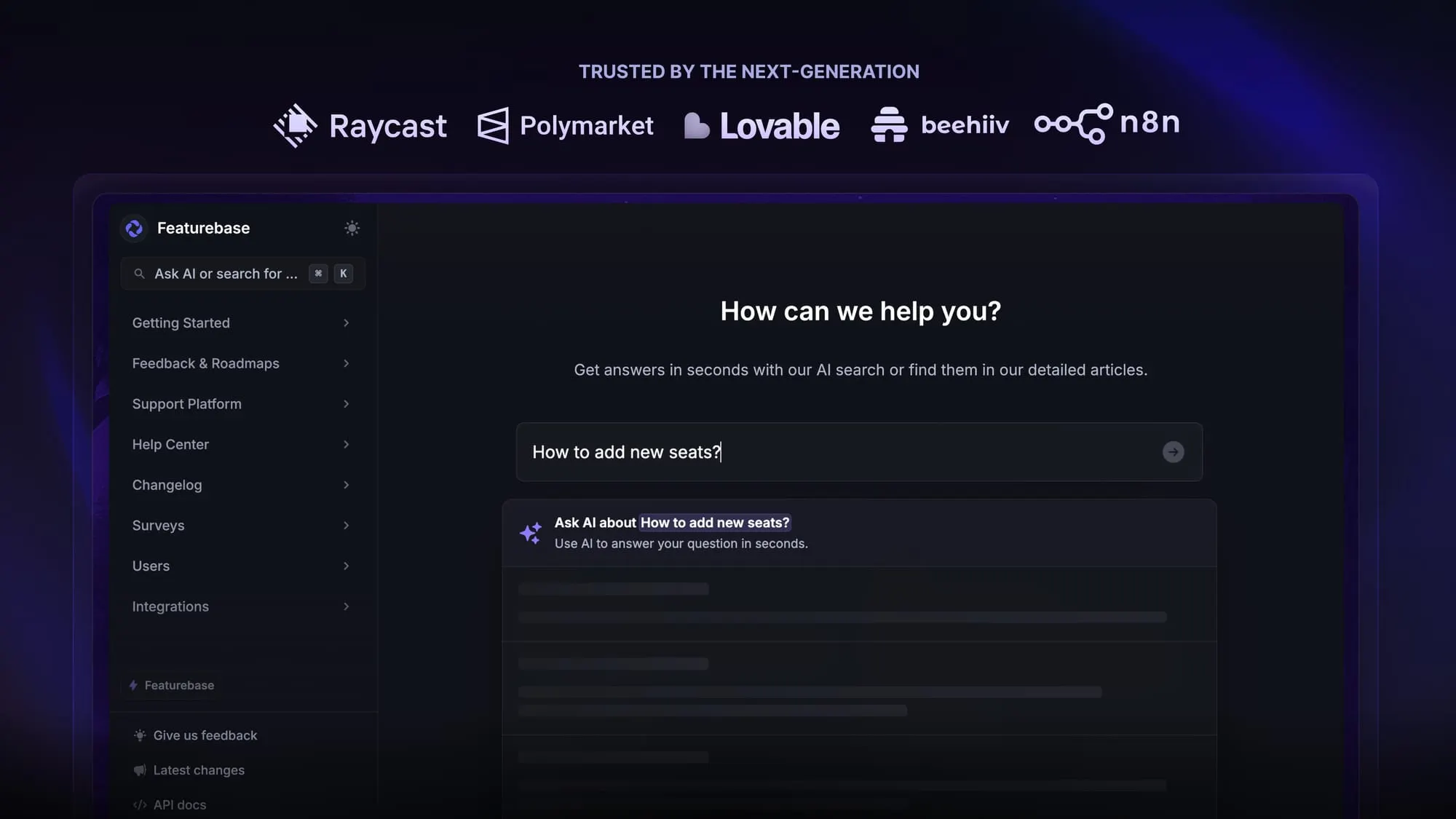
Teams looking for alternatives to Slite often want better AI-powered knowledge management, centralized internal documentation, or more flexible pricing for casual users. Featurebase is a modern platform that meets these needs while streamlining workflows across all internal knowledge sources.
- ✨Featurebase - Best modern Slite alternative with AI search, help center, feedback, and product updates in one system
- Notion - Strong choice for teams that want docs, wikis, and task management in one workspace
- Document360 - Best for structured knowledge base portals with deep analytics and governance controls
- GitBook - Ideal for product and engineering teams managing technical documentation
- Guru - Great for delivering verified answers directly inside Slack and daily workflows
- Tettra - Good fit for Slack-centric teams capturing and organizing internal knowledge
You can dive deeper into all the top Slite alternatives from our dedicated article.
So, is Slite worth its price?
Slite is a solid knowledge management platform for teams that want structured internal documentation and AI-powered search. Its clear interface, integrations, and workspace organization make it useful for small teams and pilots. However, per-user pricing, AI question limits, and scaling costs can make it expensive and restrictive for growing teams or organizations with many casual readers.
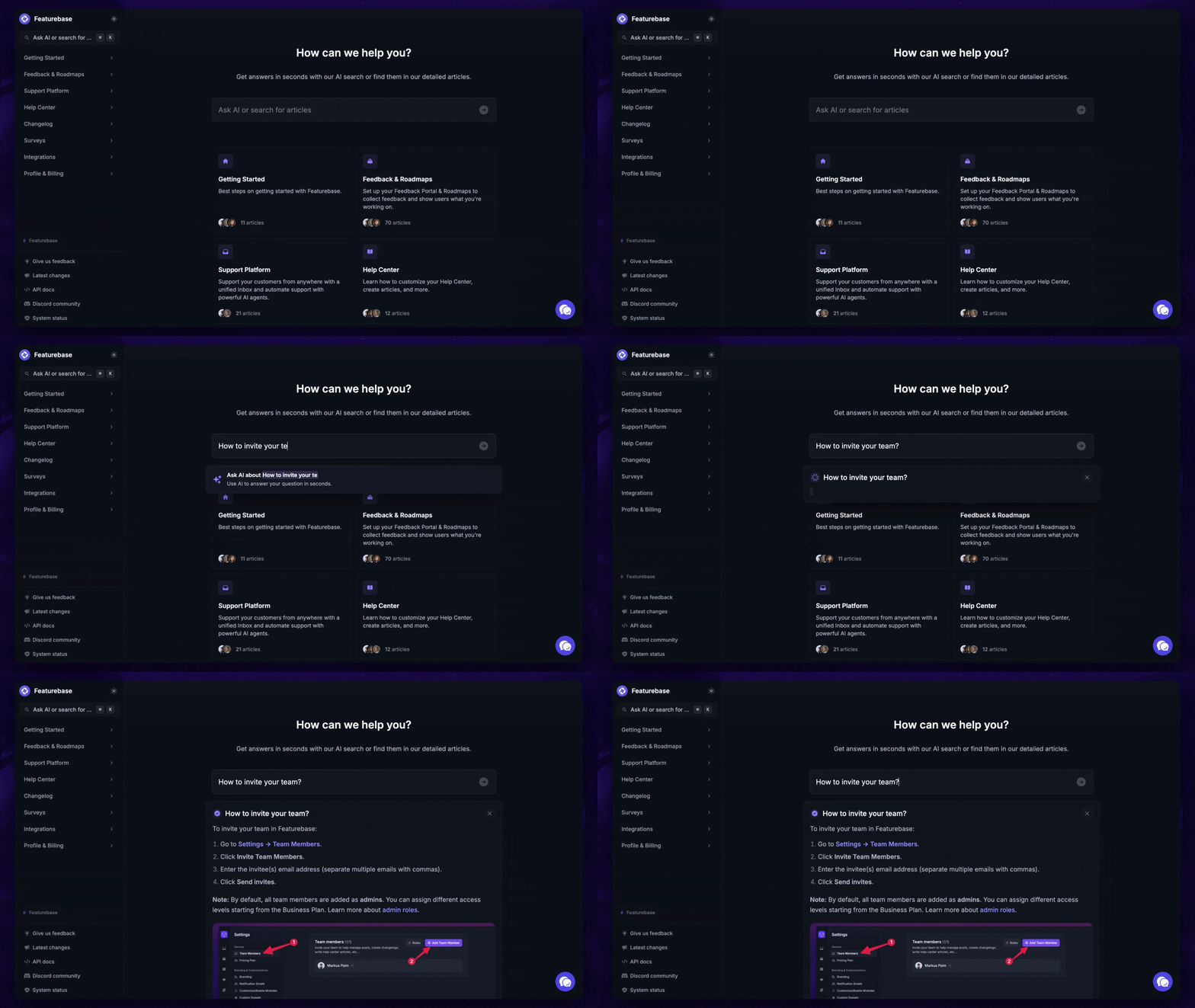
Featurebase (👋 that’s us) is a modern and affordable Slite alternative that combines internal documentation, AI-powered search, help centers, feedback collection, and product updates in one platform. You get all the knowledge management features you need, plus AI-powered answers, automatic translations, and flexible pricing that scales with active admins rather than every reader.
It comes with a free plan and paid plans starting at $29/seat/month, and we can help you seamlessly migrate from any existing knowledge base tools. 👇
Get the fastest AI-powered docs & support inbox for free today


