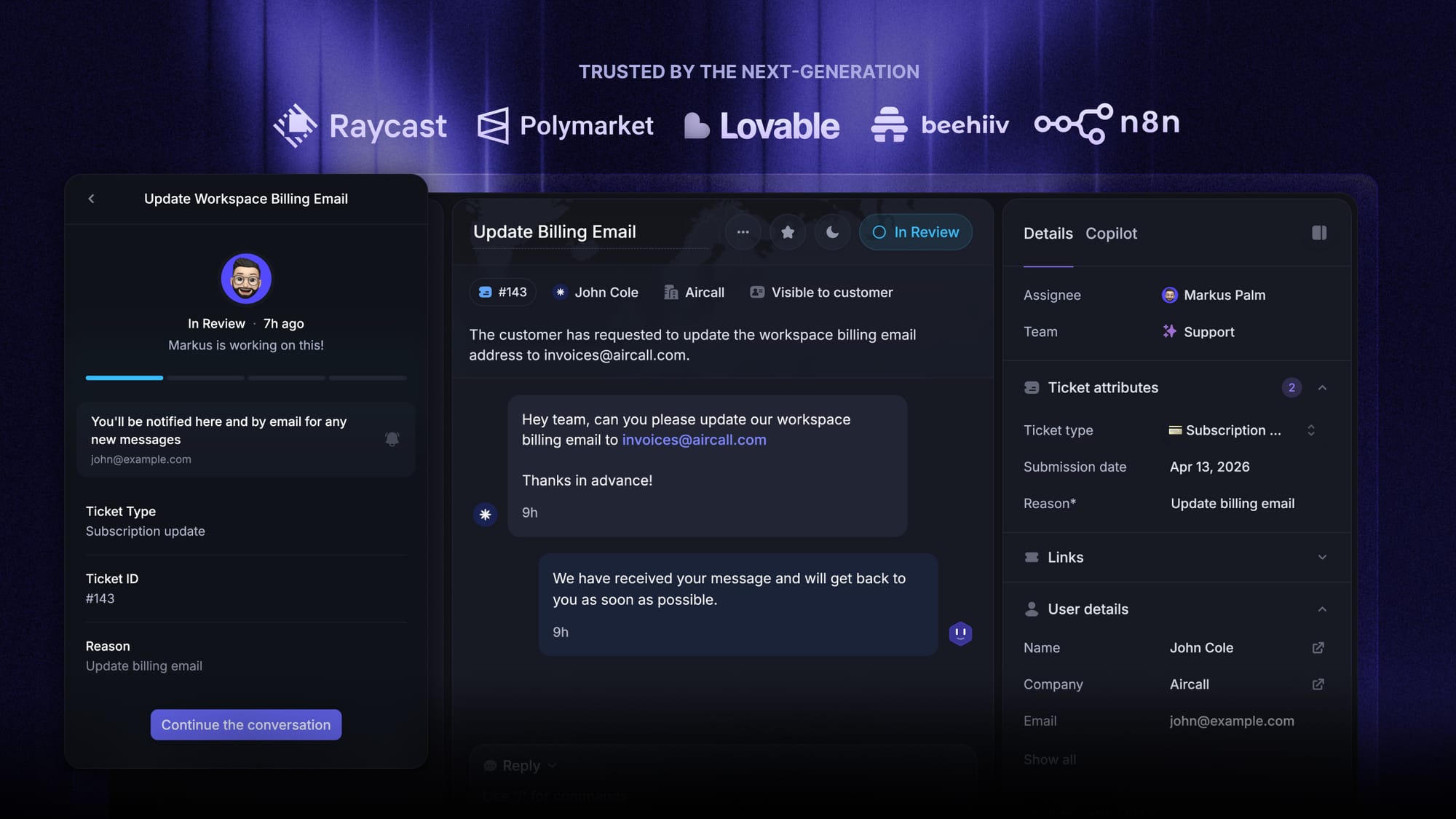
Blog Customer Service10 Ticket Handling Best Practices for Support Teams
10 Ticket Handling Best Practices for Support Teams
82% of customers want answers now. Here’s how to keep your support queue from becoming a ticket graveyard.



✨ Get the modern Ticketing Inbox designed for efficiency →
Ticket handling sounds simple. A customer asks a question, your team answers it.
But anyone who's run a support inbox knows it falls apart fast. Tickets get missed, SLAs slip, frustrated customers stack up, and the queue grows faster than your team can clear it.
These practices are the day-to-day foundation of good SaaS customer support, where clean ticket handling directly affects retention.
The fix isn't more agents - it's a sharper process. In this guide, I'll walk you through 10 ticket handling best practices the best support teams use to ship faster replies, hit SLAs without scrambling, and keep customers genuinely happy. 👇
Key takeaways:
- A support ticket is the individual record of a customer issue that moves through your queue from open to close.
- Centralize every channel (email, chat, in-app, social) into one inbox so no ticket goes missing.
- Use a consistent taxonomy and a clear priority matrix to make sure urgent issues never wait behind low-stakes ones.
- Automate routing, tagging, and L1 resolutions with AI so your team focuses on the tickets that actually need a human.
- Deflect routine questions with a smart self-service help center, and track resolution metrics weekly to spot what's slipping.
- Close the loop: turn recurring tickets into product feedback so the same problems stop coming back.
- Tools like Featurebase✨ combines an omnichannel inbox, AI agent, help center, SLAs, and a built-in feedback-to-roadmap loop in one platform.
10 best practices for ticket handling
These ten practices work whether you're a five-person startup or a fifty-person support org. Take them in order - the early practices (centralization, tagging, prioritization) are the foundation everything else builds on.
1. Centralize every ticket in one omnichannel inbox
A customer might email you Monday, ping you on live chat Tuesday, and DM your support account Wednesday - all about the same problem. If those three messages live in three different tools, you'll either reply twice or miss one entirely.
A modern ticketing setup pulls every channel into a single inbox: email, live chat, in-app messenger, Slack Connect, social DMs, even WhatsApp. One queue, one history per customer, one source of truth.
The biggest unlock here isn't tidiness - it's context. When agents can see a customer's full conversation history across channels, they stop asking "can you tell me what happened?" and start solving. That single change cuts handle time on repeat issues by 20-40% in most teams I've worked with.
2. Categorize and tag tickets
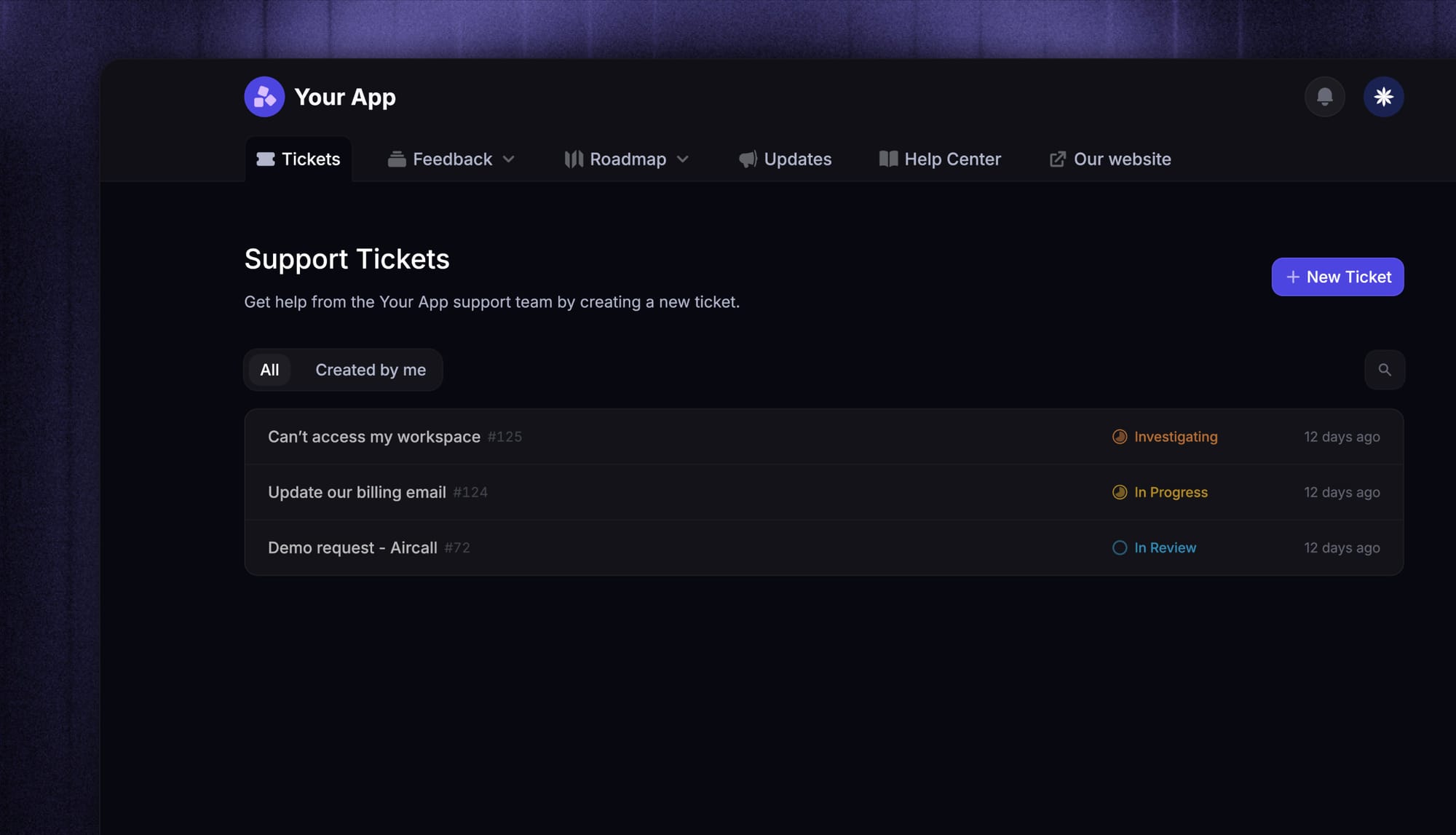
Tags are the foundation every other practice on this list depends on. Prioritization, routing, metrics, product feedback - they all assume tickets are labeled with what they actually are.
A clean taxonomy has three layers:
- Issue type - what's wrong (bug, billing, account, feature request, how-to)
- Severity - how urgent (P0 outage, P1 blocker, P2 normal, P3 nice-to-have)
- Product area - what part of your product the ticket touches (auth, billing, integrations, mobile app, etc.)
Resist the urge to start with 50 tags. Pick 10 that cover 80% of your tickets, and add new tags only when a pattern is actually worth tracking. Tag sprawl is worse than no tags - agents stop using them and the data goes stale within a quarter.
One more thing: get the tagging into the workflow itself. If tagging is "something agents do at the end if they have time", it won't happen. Make it a required field on close, or have AI suggest the tags so the agent just confirms.
3. Prioritize by urgency, impact, and customer value
Not every ticket deserves the same response speed. A P0 outage blocking a 50-seat customer is not a "Hey, how do I export this?" question. Treating them the same wastes both your team's time and your top customers' patience.
A simple, defensible priority matrix:
- P0 - Outage, data loss, or security issue Drop everything. Respond in minutes, page someone if it's outside business hours. These tickets need a real-time war room, not a queue.
- P1 - Blocking issue for a paying customer Respond within an hour during business hours. Anything that stops the customer from getting work done in your product lives here.
- P2 - Standard support question Respond within your normal SLA window (typically 4-8 business hours). Most of your queue lives here.
- P3 - Feature request or nice-to-have Acknowledge same-day, then route to the product team or feedback board. These shouldn't compete with active blockers for queue attention.
Factor in customer value too. A blocked free-trial user and a blocked $50k/year customer are technically the same severity, but the second one needs faster eyes - your retention number depends on it. According to HubSpot's 2024 State of Service report, 82% of customers now expect their issues to be solved immediately, which means anything sitting in the queue without a clear priority is silently eroding loyalty.
4. Set SLAs for response and resolution - then actually track them
SLAs aren't legalese for enterprise contracts. They're the internal promise you make to your customers about how fast you'll show up, and the public promise you make about how long they'll wait.
A workable SLA structure has two parts:
- First-response SLA - how quickly an agent acknowledges the ticket Aim for under one hour during business hours on paid plans, and under 10 minutes for P0/P1. The acknowledgement doesn't need to be a fix - a "got it, looking into this now" beats radio silence every time.
- Resolution SLA - how quickly the ticket actually closes Target depends on issue type. A billing change is minutes, a complex bug is days. Be honest with what's achievable, then beat it.
The key word is tracked. SLAs you don't measure are wishes. Every ticket should carry a visible countdown and escalate automatically when it's at risk of breaching.
5. Automate ticket routing and assignment from day one
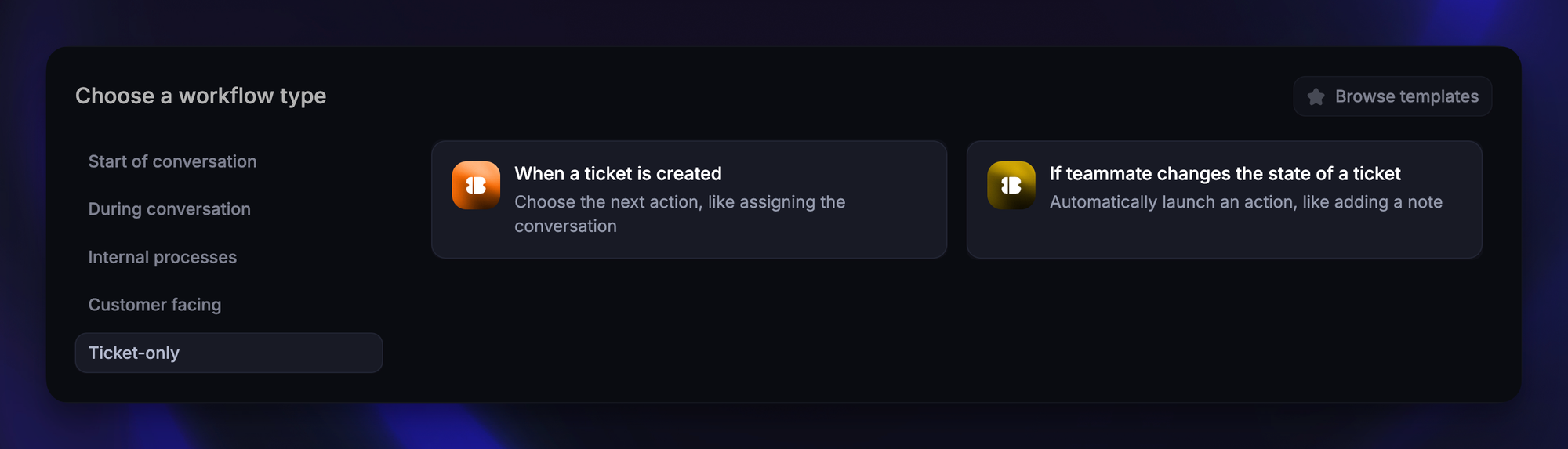
Manual triage is the single biggest hidden cost in a support queue. An agent opening every new ticket just to decide who should own it is 30-60 seconds of pure overhead, repeated hundreds of times a week.
Routing rules automate this work in milliseconds. The patterns that work for most teams:
- By channel - chat to the live-chat squad, email to the async squad
- By tag - billing tickets to the finance-trained agent, integrations tickets to the technical lead
- By customer attribute - enterprise customers to the senior pod, self-serve users to the general queue
- By language - non-English tickets to a bilingual agent or an auto-translator
- By hours - overnight tickets to whichever region is online when they arrive
The good news is you don't have to design this from scratch. Featurebase's workflow engine handles all of these automatically, so the right person picks up the right ticket without any manual triage.
6. Speed up replies with templates and an AI Copilot
The fastest way to halve your response time is to stop writing the same reply from scratch ten times a day.
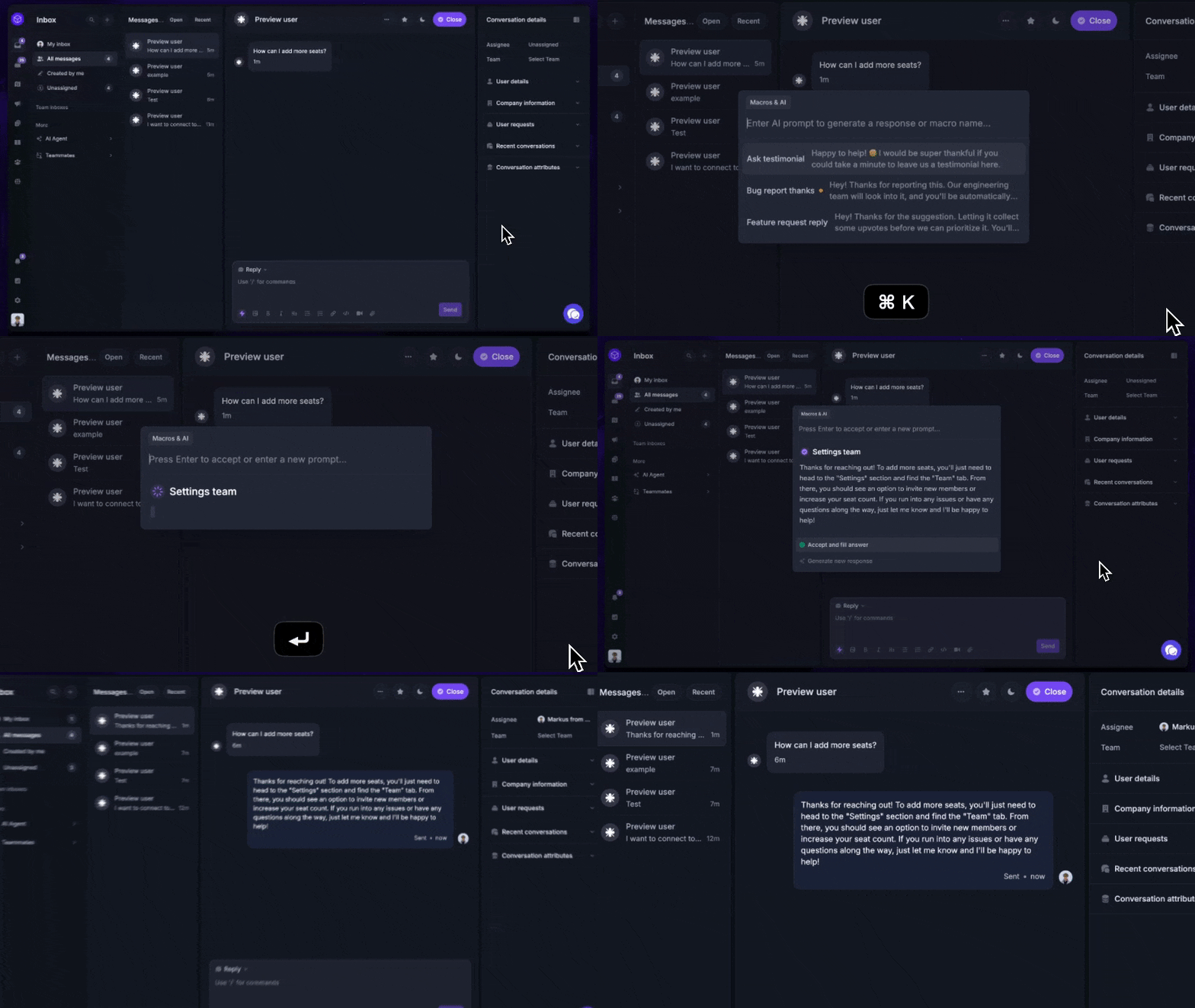
Canned responses (a.k.a. macros, saved replies, or templates) handle the high-volume, low-variance stuff: password resets, refund confirmations, "we don't support that on Android yet", common how-to walkthroughs. Keep them short, written in your team's voice, and updated whenever a product change makes the old wording wrong.
Where canned responses end, AI starts. Modern AI help desk software now ships an AI Copilot that drafts a full reply in the agent's voice using your help center and past tickets as context. The agent edits and sends, instead of writing from a blank box. That alone is usually a 2-3x speedup on standard tickets.
Zendesk's 2025 CX Trends Report finds that 75% of CX leaders expect 80% of customer interactions to be resolved without human intervention in the next few years. That shift starts with Copilot. Once your team trusts the draft, the same AI engine can resolve simpler tickets end-to-end on its own - returning agent time to the complex cases where a human actually adds value.
7. Keep customers in the loop with proactive status updates
A customer who hasn't heard back in 48 hours assumes you've dropped their ticket - even if your team is actively working on it. The perception is the experience.
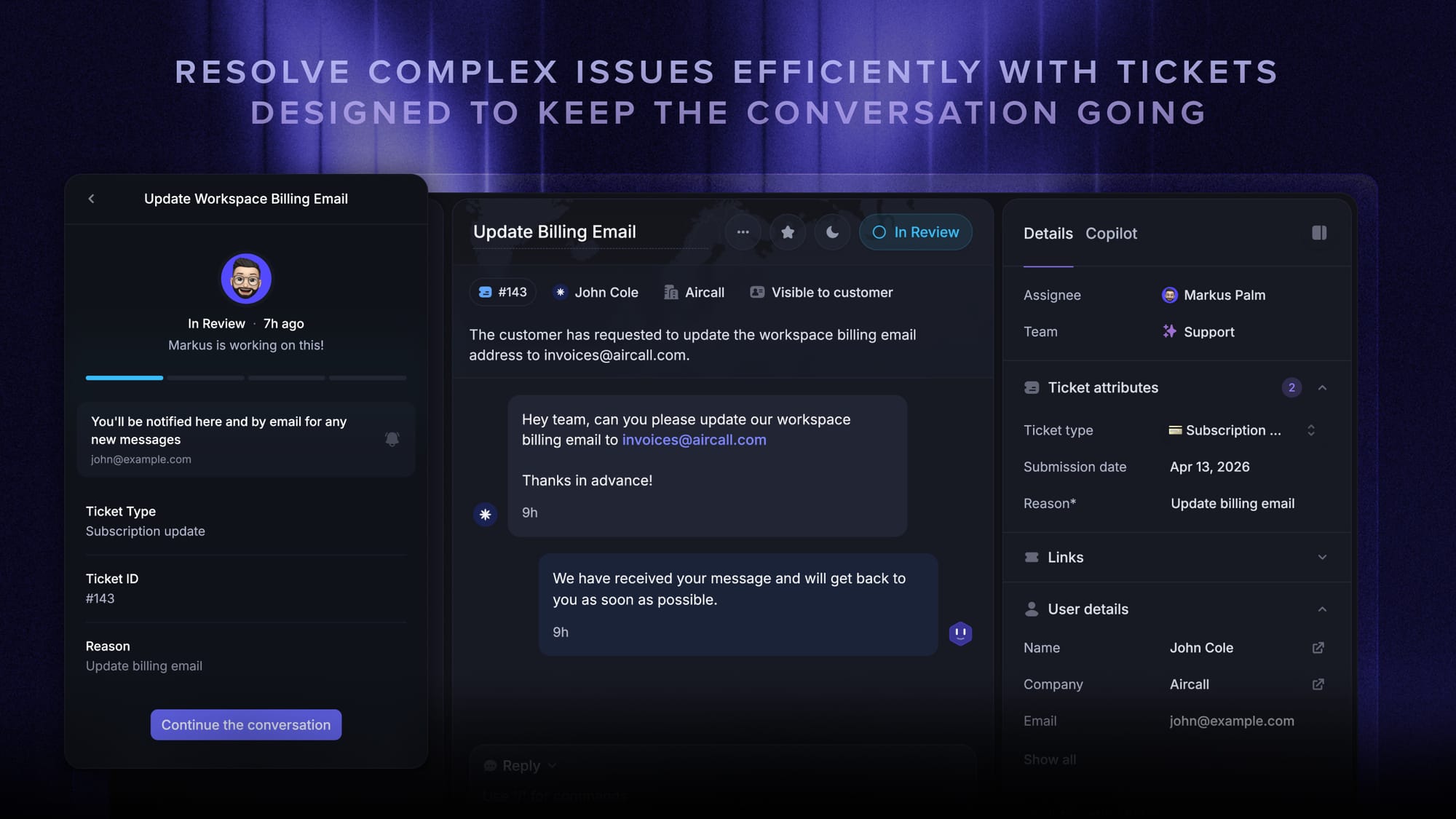
The fix is proactive updates - short, low-effort messages that confirm progress is happening at four moments:
- At triage - "Got your ticket, here's your reference number, an engineer will be on it within X hours."
- At investigation - "We've reproduced the bug, we're looking at a fix now."
- At fix - "Fix is shipping in our next release on Thursday. I'll ping you the moment it goes live."
- At close - "Marking this resolved - reply here if it pops up again."
Automating the first one (the acknowledgement) and the last one (the resolution confirmation) covers most of the perceived-responsiveness gap. The middle two need a human touch, but a one-line update takes 30 seconds and saves a follow-up ticket asking for one.
A Salesforce survey of over 13,000 consumers found that 88% of customers say the experience a company provides matters as much as its products - and "did you forget about me?" is a uniquely bad experience to provide.
8. Deflect routine tickets with a self-service help center
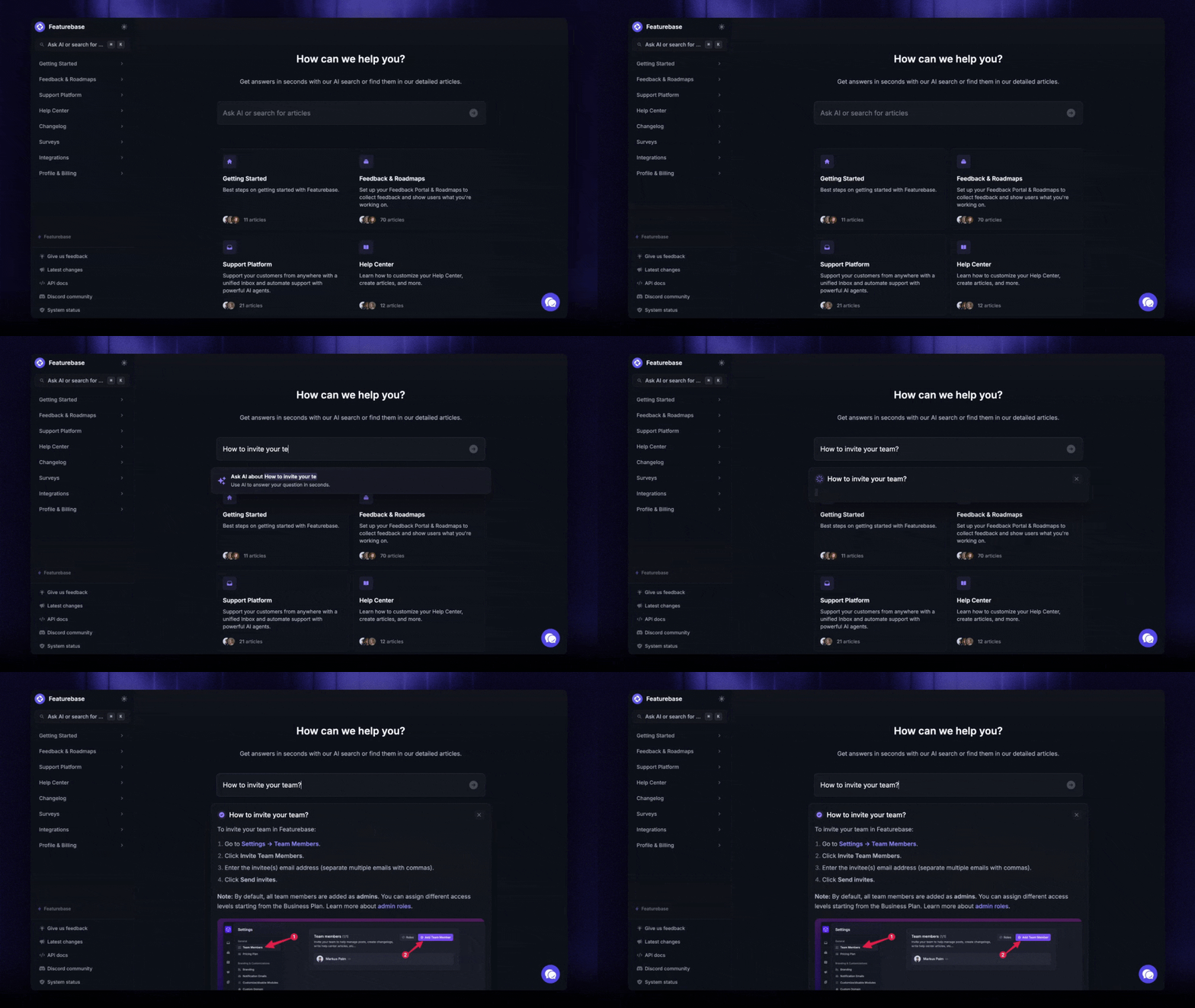
The cheapest ticket is the one your customer answers themselves before reaching you.
A good self-service help center isn't a dumping ground for old how-to docs. It's a curated, living set of articles that match the questions you actually get:
- Top 20 categories first Look at your tag data from practice #2 and write articles for whatever bubbles to the top. Don't waste cycles documenting things nobody asks about.
- Embedded in-app Surface help center search from inside your product so customers don't have to break flow, open a new tab, or hunt around to find an answer.
- AI search, not keyword search Users ask "how do I cancel my plan?" - they don't type "cancellation". An AI-powered search answers the intent, not the literal phrase.
- Keep it fresh Retire articles when the UI changes. A stale help center is a trust-killer. Customers learn to skip it and just write to support instead.
A help center pays for itself the moment it shaves the top 10 most-repeated tickets off your queue. That's an entire FTE of headroom for most growing teams - and free agent time you can redirect to the cases that genuinely need a person.
9. Track resolution metrics and review closed tickets weekly
You can't fix what you don't measure. The metrics that matter for ticket handling are:
- First-response time - how fast the first reply went out
- Time to resolution - total clock from open to close
- CSAT / satisfaction score - how the customer felt about the experience
- Backlog size and age - how many tickets are open, and for how long
- First-contact resolution rate - the percentage of tickets closed on the first reply (higher is better - this is the gold-standard metric)
A weekly 30-minute review of closed tickets covers most of the value. Two questions to answer every Monday:
- Which 5 tickets took the longest to close, and why?
- Which category had the most volume, and what's the fix?
The fix might be a new help center article, a routing rule, a product change, or agent training. The point is to act on the data, not just nod at it on a dashboard.
10. Close the loop
This is the practice that actually breaks the treadmill, and the reason every ticket carries more value than just the answer.
Every recurring ticket is a signal. "I can't find the export button" three times in a week is a UX problem, not a help-center problem. "How do I integrate with X?" twenty times in a quarter is a roadmap signal, not a documentation gap. If you only solve these one ticket at a time, the same questions keep arriving forever.
A working feedback loop has four parts:
- Tag tickets by product area in your taxonomy (from practice #2)
- Surface a weekly top-10 of feature requests and bug reports pulled directly from the inbox
- Pipe high-impact requests into a public roadmap so customers can see what's being worked on (and stop asking)
- Close the loop - when the fix ships, auto-notify every customer who originally reported the issue
This is where ticket handling stops being a cost center and becomes a product input. Featurebase's feedback and roadmap tools pull this together natively - feature requests captured in the inbox flow into a public feedback portal, customers vote on priorities, the team builds the roadmap from the highest-signal requests, and users get auto-emailed the day their request ships.

Modern Ticketing Inbox, Designed for Efficiency
Support your customers from anywhere with an AI-powered omnichannel inbox
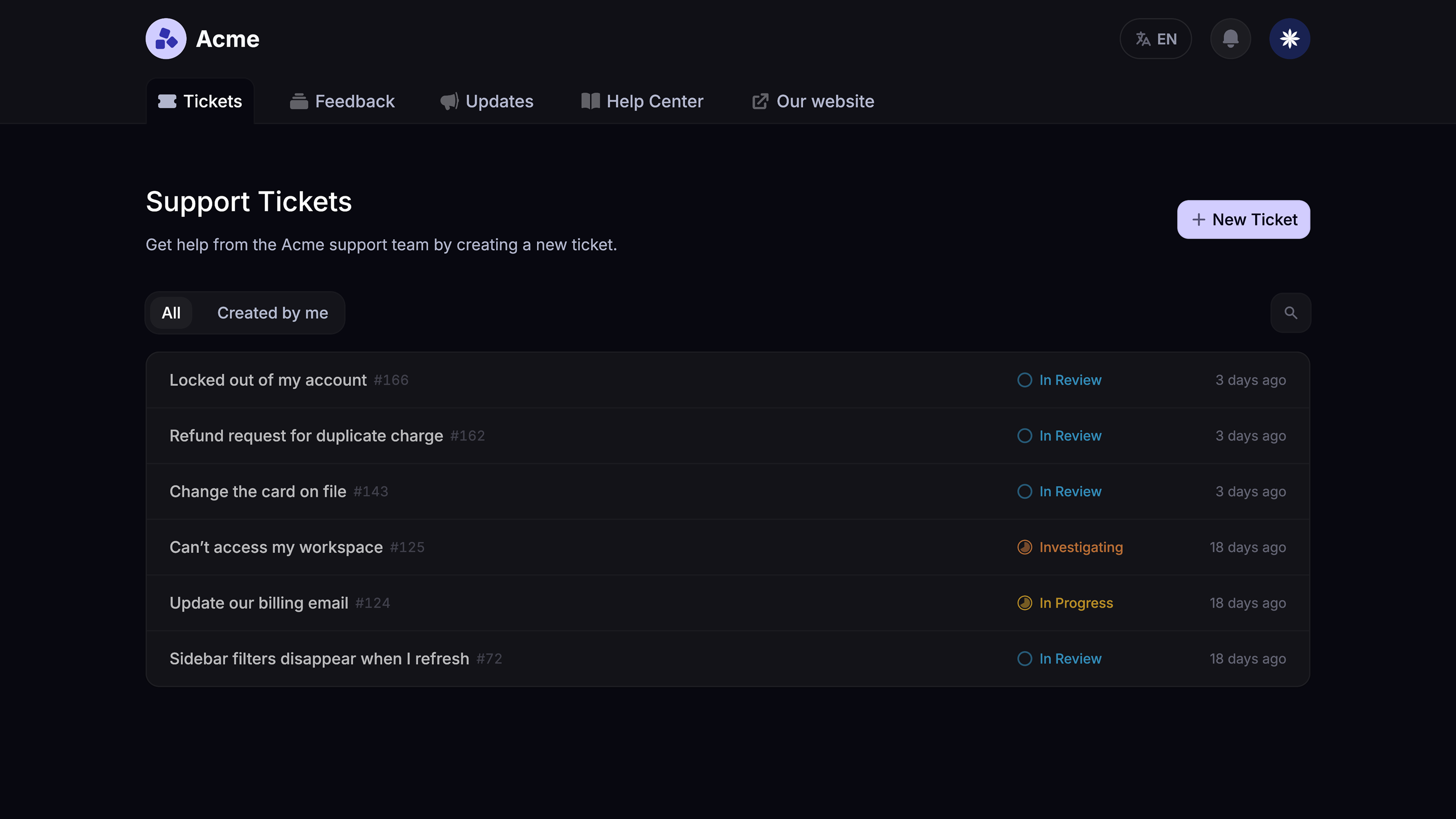
Make ticket handling easier to manage
If you're putting these ten practices into action, you'll need a platform that can keep up. Featurebase brings every piece of this guide into one place - inbox, AI, SLAs, help center, and the feedback loop - so your team can spend less time wrangling tickets and more time fixing the problems behind them.
Featurebase brings together the core parts of a modern support setup: a shared inbox, AI support, SLAs, a help center, and feedback management. That makes it easier to keep tickets organized, automate repetitive work, and spot recurring issues that should be fixed at the product level.
A few examples:
- Omnichannel inbox – Manage customer conversations from email, live chat, and Slack in one place
- Workflows and automations – Route tickets, assign conversations, collect customer details, and reduce manual triage
- AI Copilot – Help agents draft faster replies using your help center and internal knowledge
- Help center with AI search – Let customers find answers on their own before opening a ticket
- SLAs – Track response times and make sure urgent tickets don’t slip through the cracks
- Feedback and roadmap tools – Turn recurring tickets into feature requests, bug reports, and customer updates
The goal isn’t just to answer tickets faster. It’s to build a support process where fewer issues fall through the cracks, customers get clearer answers, and your team has more time for the problems that need a human touch.
Final thoughts
Most ticket handling problems aren't really ticket problems - they're process problems. Missing categorization, soft SLAs, manual triage, no feedback loop back to the product. Fix the process and the queue stops feeling like a treadmill.
Featurebase is a modern AI customer support platform that brings every practice in this guide into one place - omnichannel inbox, AI agent, help center, SLAs, and a built-in feedback loop back to your product roadmap. It's loved by thousands of support teams from companies like Lovable, Raycast, and n8n. 💫
It comes with a Free plan and quick onboarding, so there's no downside to trying it. 👇
✨ Get the modern Ticketing Inbox designed for efficiency →