Blog Customer ServiceCustomer Support Operations: A Guide for Support Teams in 2026
Customer Support Operations: A Guide for Support Teams in 2026
Everyone answers tickets until volume climbs and the cracks show. Here’s how support ops turns that chaos into a system that scales.



✨ Automate your support with the fastest AI-enhanced Inbox today →
Every support team starts the same way. Everyone answers tickets, everyone makes it up as they go, and the founder still jumps in on weekends. That works until volume climbs and the cracks show: SLA misses, agent burnout, no one tracking anything, the same bugs answered 10 times a day.
Customer support operations is what comes next. It's the function that turns chaotic ticket-handling into a measurable, repeatable system.
Here's what support operations covers, who runs it, what to track, and how to set it up. 👇
Key takeaways:
- Customer support operations is the function that turns reactive ticket-handling into a scalable, measurable system. It covers people, processes, tools, and metrics.
- The function has 6 core responsibilities: owning the support tech stack, defining workflows and SLAs, tracking KPIs, running QA and training, closing the loop with product, and planning capacity.
- A full support ops team typically has 4-6 roles, including a support operations manager, systems analyst, trainer, QA manager, and knowledge manager. Smaller teams compress these into 1-2 hybrid roles.
- The 6 KPIs that matter most are FRT, ART, CSAT, FCR, ticket deflection rate, and SLA compliance.
- Featurebase✨ is a modern AI-powered support platform that combines an omnichannel inbox, AI agents, help center, and feedback collection in one place - one stack for the whole support operations function.
- You're ready to invest in support operations when ticket volume outpaces hiring, when no one owns SLAs, or when product feedback from support never reaches the roadmap.
What are customer support operations?
Customer support operations is what turns a flood of individual support tickets into a measurable, repeatable system with clear ownership and SLAs. It's responsible for the tools, processes, training, measurement, and feedback loops that make support consistent and scalable.
Think of it this way. Customer support agents handle customer conversations. Customer support operations makes sure those conversations happen on the right channels, follow the right SLAs, get tracked by the right KPIs, and feed insights back to the rest of the company. One does the work, the other designs the system that makes the work possible.
In smaller companies, support ops is one person, or even part of one person's job - usually the support manager wearing a second hat. In larger companies, it's a dedicated support operations team of analysts, trainers, and knowledge managers.
The function shows up under different names: support ops, customer service operations, CS Ops, customer experience operations. Same thing. It's the operational backbone behind every consistent customer service team.
Why customer support operations matter
When ticket volume is small and the team is small, you don't need a dedicated function. The support manager owns everything. But as a customer support team scales past a handful of agents and a few hundred customer inquiries a day, the operational work doesn't vanish. It just gets split badly across people who already have full-time jobs.
That's where support operations earns its keep. It centralizes the work nobody else has time for: keeping the helpdesk configured, the knowledge base updated, the SLAs alive, the QA scores honest, and the performance metrics reported.
The pressure on support teams is climbing, not dropping. 82% of customer service professionals say customers now expect their requests to be resolved immediately, with a target of under three hours. Add rising ticket volume, AI-shifting workflows, and an ever-growing list of support channels, and you've got a job that doesn't fit inside a regular support manager's week.
Companies that invest in support operations get four things in return:
- Consistency: Every ticket goes through the same workflow, every agent is trained the same way, every SLA is tracked.
- Speed: Workflows and automations handle the routine tasks, freeing customer service agents to spend time on the conversations that actually need a human.
- Visibility: Leadership sees team performance in real-time instead of finding out about SLA breaches after the fact.
- Compound improvement: Every learning from a ticket, a QA review, or a customer complaint feeds back into training, the knowledge base, and the product roadmap.
Done right, support operations is the thing that lets a customer service strategy scale headcount linearly with workload. Without it, you hire one new agent and lose half their capacity to onboarding overhead.

Get the best customer support tool
Automatically resolve 70% of customer requests & cut down manual support loads
What a support operations team does (6 core responsibilities)
Support operations covers a wide surface, but the work consolidates into 6 core responsibilities. Most support ops jobs are some weighted mix of these six.
Own the support tech stack
The support operations team owns every tool the support team uses: the helpdesk, the inbox, the knowledge base, the AI agent, the analytics platform, the survey tool, the workflow automation engine. The job is to make sure those tools are configured correctly, integrated with the rest of the business (CRM, product analytics, billing), and not duplicating each other.
This isn't admin work. It's strategy. The shape of the tool stack determines the shape of the team's day. A helpdesk without automation forces every routing decision to be manual. A knowledge base disconnected from the inbox kills deflection. A feedback tool nobody uses means real customer pain never reaches product.
Service teams with data integrated across their tools are 119% more likely to call their customer service strategy effective. The whole job of the tech stack is to make data move freely between the places where work happens.
Define processes, workflows, and SLAs
The second pillar is the operating manual. Standard operating procedures, escalation paths, routing rules, SLA targets, response templates, macros. Anything written down so that the answer to "how do we handle this?" isn't "ask whoever's been here longest." And documenting your ticket handling best practices is part of this.
This includes:
- Service level agreements - what response time and resolution time customers can expect, by channel and customer tier.
- Routing rules - which agent or team gets which kind of ticket, by topic, language, customer plan, or region.
- Escalation paths - when a ticket gets handed off to senior support, engineering, or account management. (Wrap "Escalation paths" → the target.)
- Templates and macros - canned responses agents can pull for common issues without rewriting from scratch.
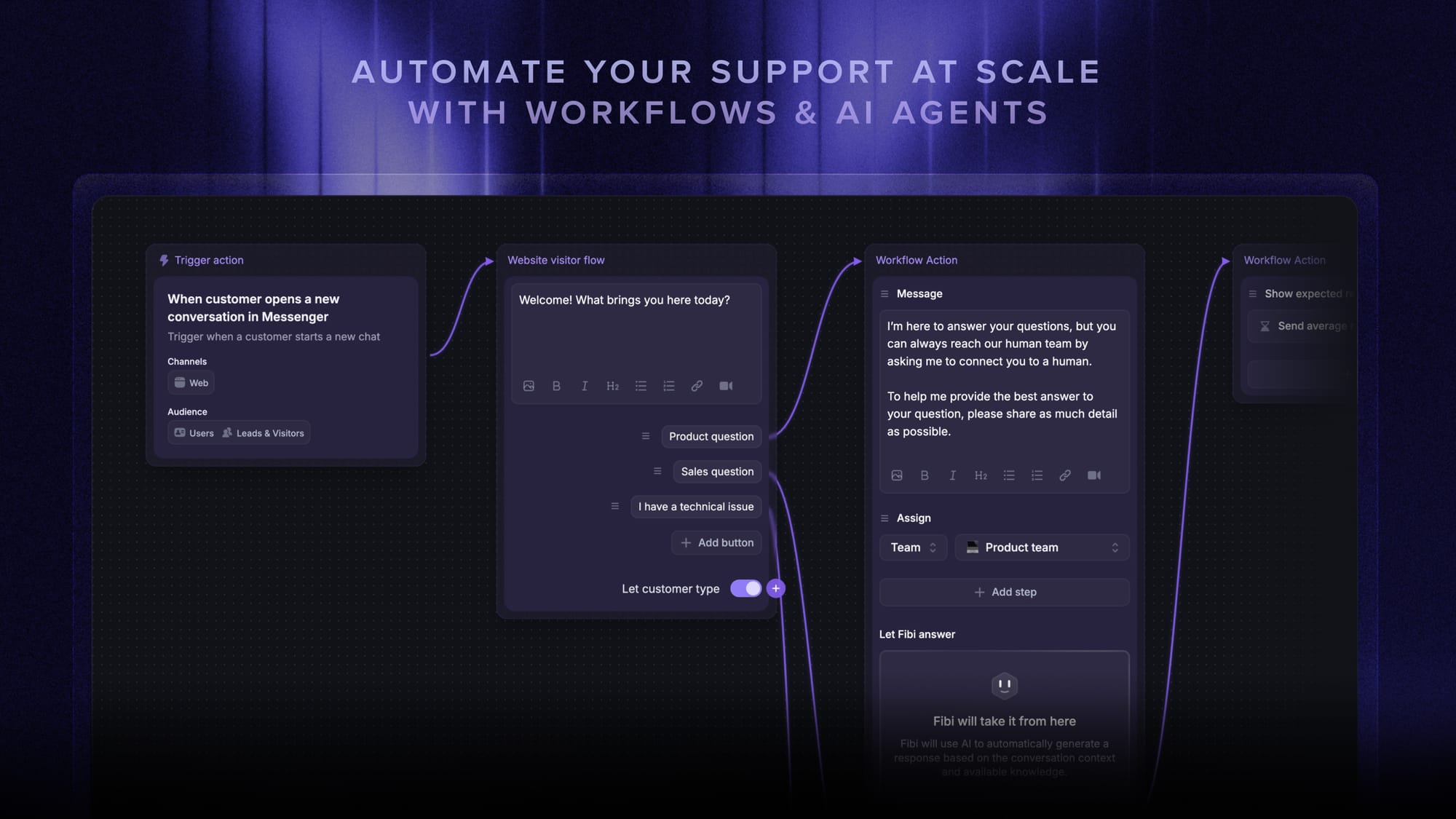
Done right, these customer support processes mean every agent handles a given ticket the same way. Done wrong, you get the consistency problem most growing support teams hit: each agent develops their own private playbook, and the customer experience varies by who they happen to reach.
Track performance with KPIs and reporting
Support operations owns the metrics. Not just collecting them, but building the dashboards, setting targets, running the weekly review, and surfacing the trends leadership needs to see. The full KPI list is in its own section below, but the responsibility lives here.
The deeper job is correlating. When customer satisfaction drops in a specific region, what changed? When FCR drops by ticket type, which agent or process is the culprit? Raw numbers are easy. Telling the story behind them is the value.
Train agents and run quality assurance
New hires don't ramp themselves. Existing customer service representatives don't stay calibrated automatically. Support operations owns onboarding curriculum, ongoing enablement, and the QA program that audits a sample of tickets each week against a written rubric.
QA isn't about catching agents out. It's about catching the gaps in training and process before they show up in CSAT. If three agents make the same mistake in the same week, the failure is the system, not the agents.
Feed product insights back to the rest of the company
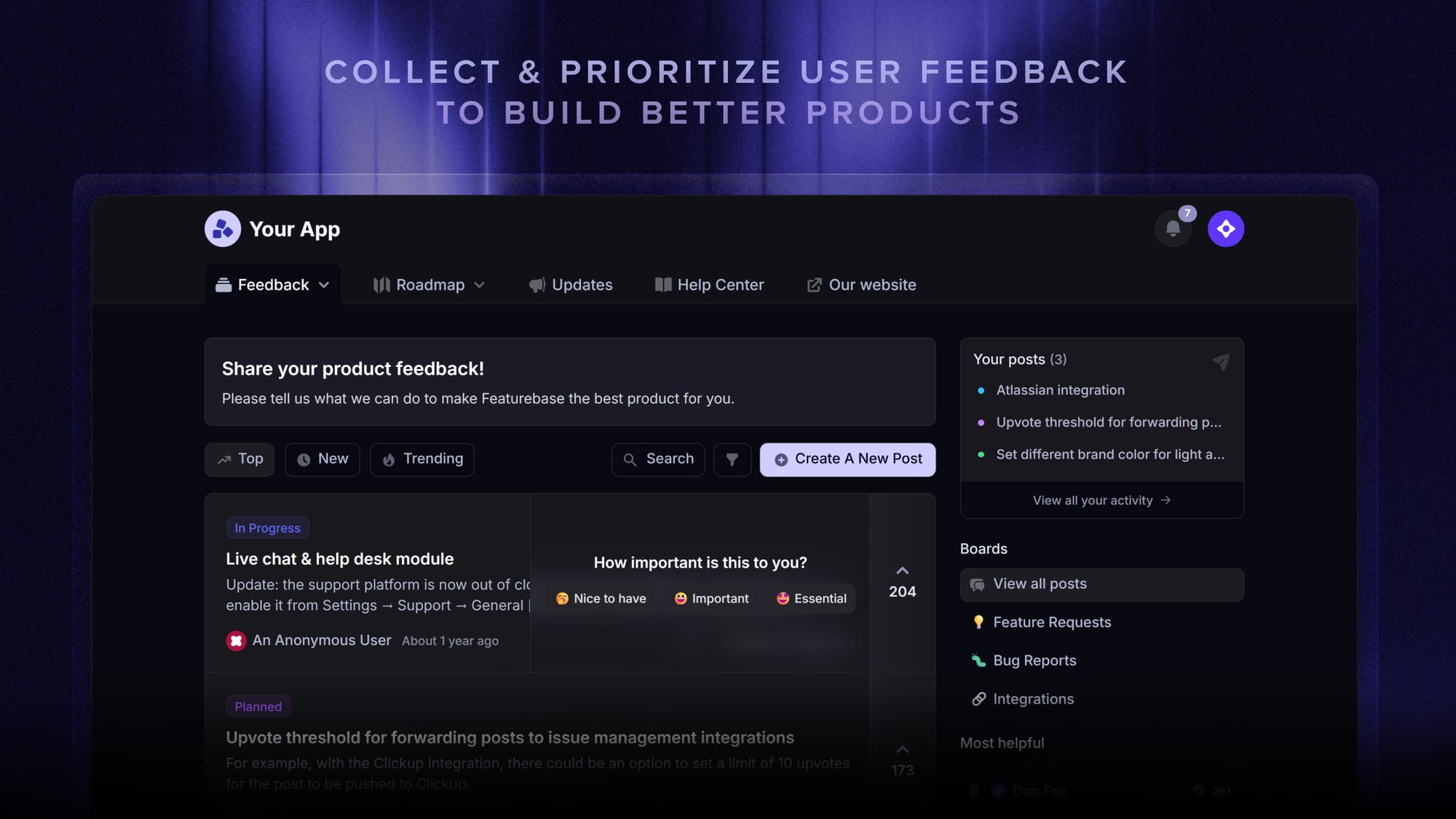
This is where support stops being a cost center and becomes a product input. Every ticket carries a signal about where the product is broken, confusing, or missing a feature, and someone has to capture those signals systematically and route them to the team that can fix them.
That means tagging tickets by product area, tracking which themes are growing, and turning the top issues into feedback items the product team can prioritise. Without a structured customer feedback loop, the same bug gets reported a hundred times and engineering hears about it from one Slack message six months later.
This is the responsibility most growing companies need most. The helpdesk and the feedback tool can't be separate islands.
Plan capacity and headcount
How many agents do you need next quarter? How does that change if AI deflection hits 30% versus 50%? Which shifts are understaffed? When does the next hire ramp into productivity? The support ops team owns the model.
Headcount planning is the unglamorous responsibility that prevents burnout. Without it, the support team is always staffed for the ticket volume of three months ago.
Support ops is what turns reactive ticket-handling into a repeatable system, and it's the backbone of strong SaaS customer support as a team scales.
The roles inside a support operations team
A mature support operations team has 4-6 named roles. Smaller teams compress these into 1-2 hybrid jobs, often sitting under the support manager. Here's what each role actually does and how the work usually divides.
Support Operations Manager
The function lead. The customer support operations manager owns the strategy, the budget, the tool stack, the metrics, and the team. Reports to the head of support or the head of customer experience. In a 10-person support org, this might be a hat the support manager wears. In a 100-person org, it's a dedicated director-level hire with a team of analysts and trainers under them.
Systems Analyst
The technical owner of the helpdesk and the surrounding tools. Configures routing rules, builds workflows, integrates the inbox with the CRM, sets up automations, owns the data layer. This is the person who knows why every ticket field exists and what every macro does.
Support Trainer
Owns onboarding and ongoing enablement. Writes the playbooks, runs the new-hire bootcamp, holds office hours when product ships a confusing feature. The trainer's job is to make every agent independent, and to catch the moment a process is too complex to teach.
Quality Assurance Manager
Runs the QA program. Samples tickets each week, scores them against a rubric, surfaces patterns, and works with the trainer to close the gaps QA exposes. A good QA manager treats their own role as a measurement instrument, not a referee.
Knowledge Manager
Owns the help center and the internal knowledge base. Decides what gets documented, when articles get rewritten, and how to keep the knowledge base accurate as the product ships changes. In modern stacks, the knowledge manager also tunes what the AI agent learns from, because the AI is only as good as the articles behind it.
Workflow Coordinator
The day-to-day operator. Monitors the queue, escalates when SLAs are about to slip, reassigns tickets when an agent is overloaded, and runs the daily and weekly cadence. In smaller teams this rolls into the team lead role. In larger ones, it's a dedicated job that runs in shifts.
The KPIs that matter for support operations
The full KPI list any support operations team can track runs to dozens of metrics. Most teams over-instrument and under-act. Here are the 6 that earn their place on every dashboard.
First response time (FRT)
How long a customer waits for the first human (or AI) reply after they open a ticket. Track FRT by channel, because live chat expectations are seconds and email expectations are hours. The most-tracked support KPI for a reason: if FRT is bad, almost every downstream metric suffers.
Average resolution time (ART)
How long it takes from ticket open to ticket closed. Long ART usually means missing knowledge base content, gaps in agent training, or a routing rule that sends tickets to people who can't actually solve them. Watch ART by ticket type. One bad type can wreck the team average.
Customer satisfaction score (CSAT)
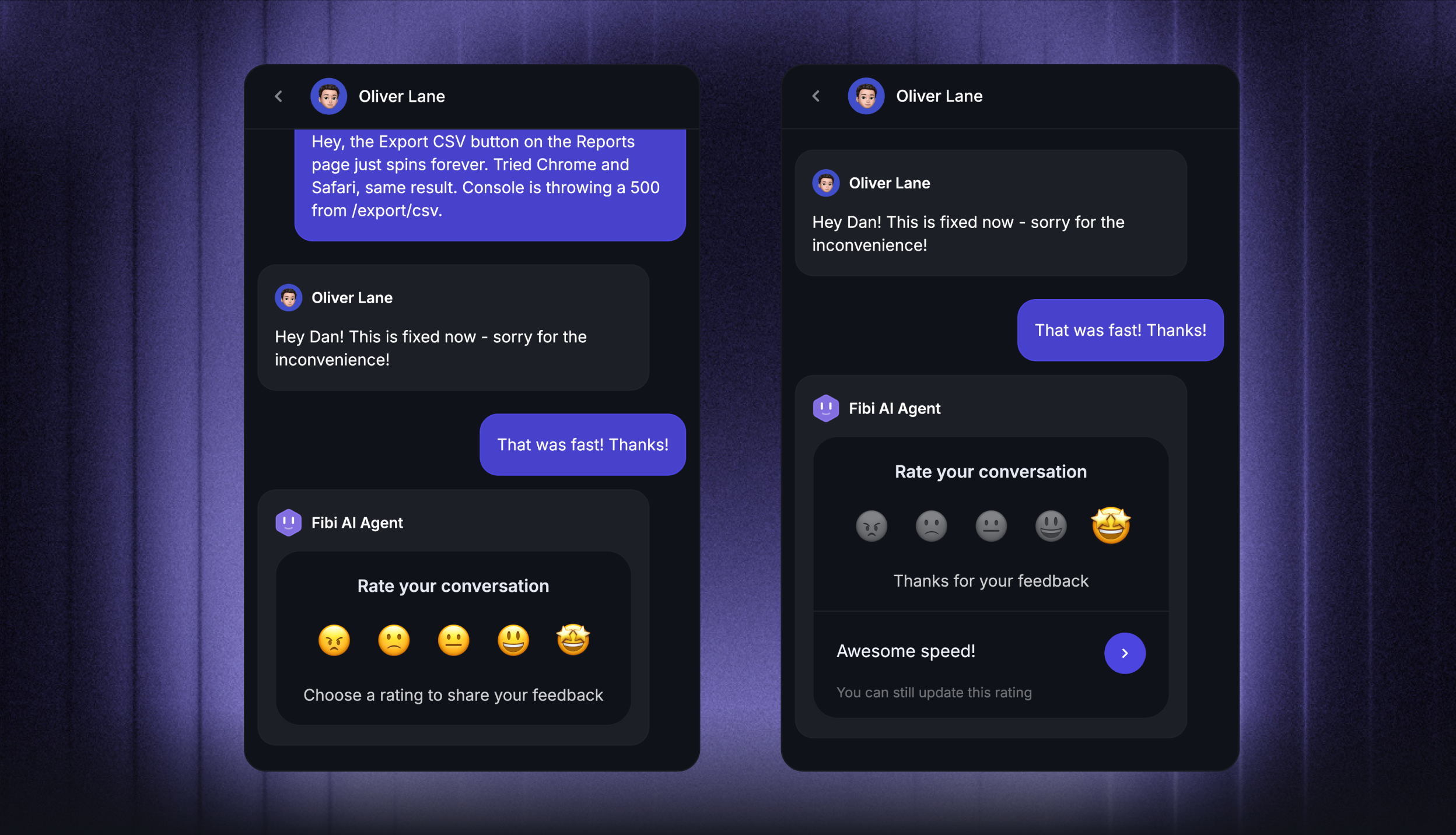
The post-resolution survey response, usually on a 1-5 or thumbs up/down scale. The least precise of the headline KPIs but the truest measure of whether the customer felt taken care of. CSAT is also a leading indicator of churn, and the boundary between CSAT and NPS matters more than most teams realise. Drop CSAT from your dashboard and you'll find out about retention problems six months late.
First contact resolution (FCR)
What share of tickets get solved on the first interaction, without follow-up. High FCR means agents have the information and authority to actually fix things. Low FCR means the team is shuffling tickets around instead of resolving them.
Ticket deflection rate
What percent of customer queries get answered by self-service tools (the knowledge base, the in-app help widget, the chatbot or self-service AI agent) before becoming a ticket. The deflection rate is the single biggest lever a support operations team has. Every percentage point you push up here is roughly one percentage point off your hiring plan.
SLA compliance and backlog age
What percent of tickets met their SLA targets, and how old the oldest open ticket in the queue is. Backlog age is the metric most teams underweight. A growing tail of three-week-old tickets is the canary in the support coal mine. It usually means routing is broken, or one customer segment is silently being underserved.
The tools that power customer support operations
The right tool stack collapses the work of customer support operations into as few platforms as possible. Every extra tool is one more integration that can break, one more data silo, one more login your team has to manage.
The categories that matter:
- Helpdesk and omnichannel inbox: The system of record for every customer conversation, across live chat, email, Slack, and social. The hub everything else integrates with. See our guide on what an omnichannel customer support platform actually is and what to look for.

- AI agent and chatbot: Handles repetitive tasks and FAQ-style customer queries on autopilot, escalating to humans when needed. 85% of customer service leaders will explore or pilot a customer-facing conversational GenAI solution in 2025, so if you don't have one yet, you will soon. Modern AI helpdesk software builds the AI agent into the inbox instead of bolting it on.
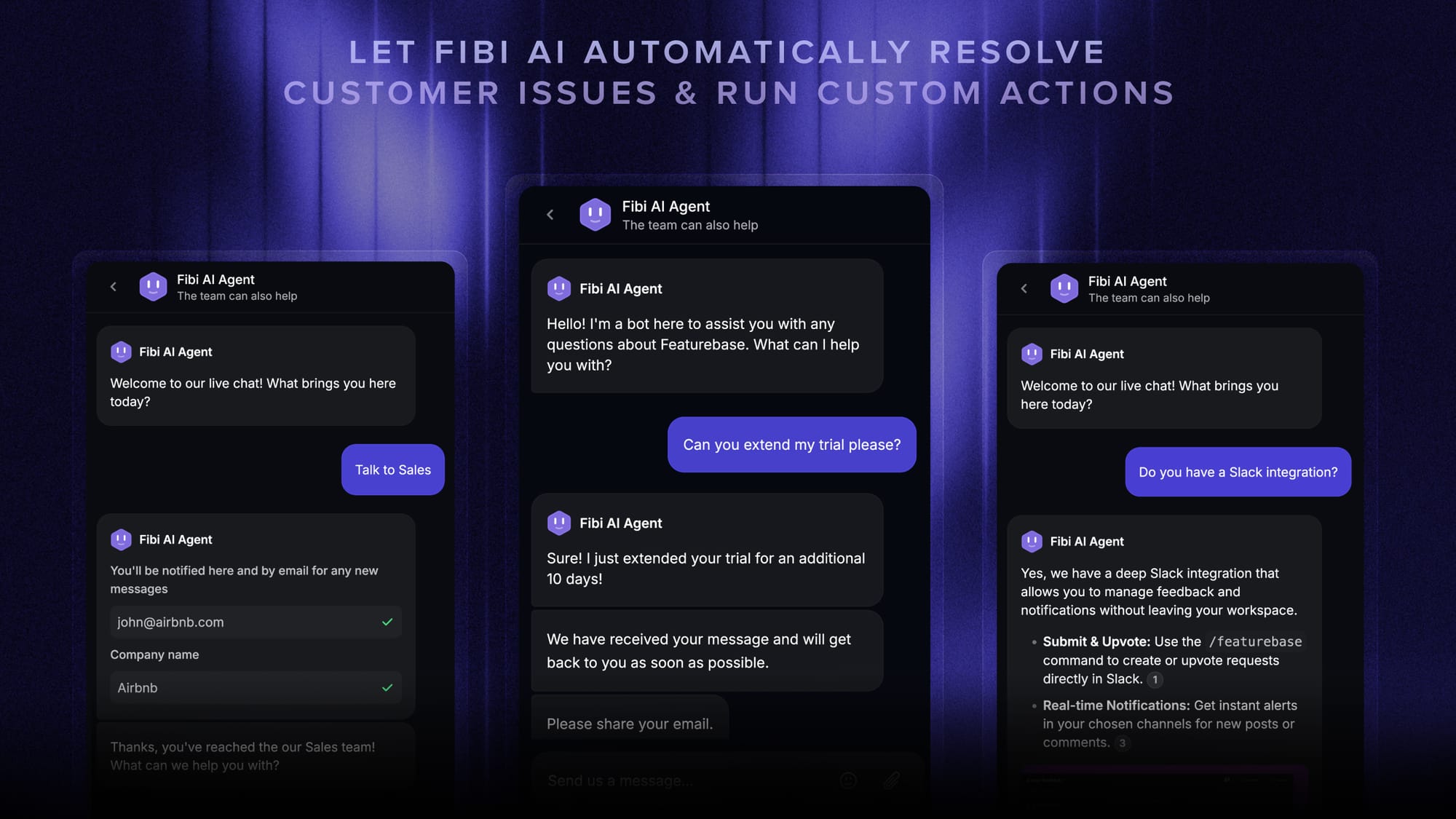
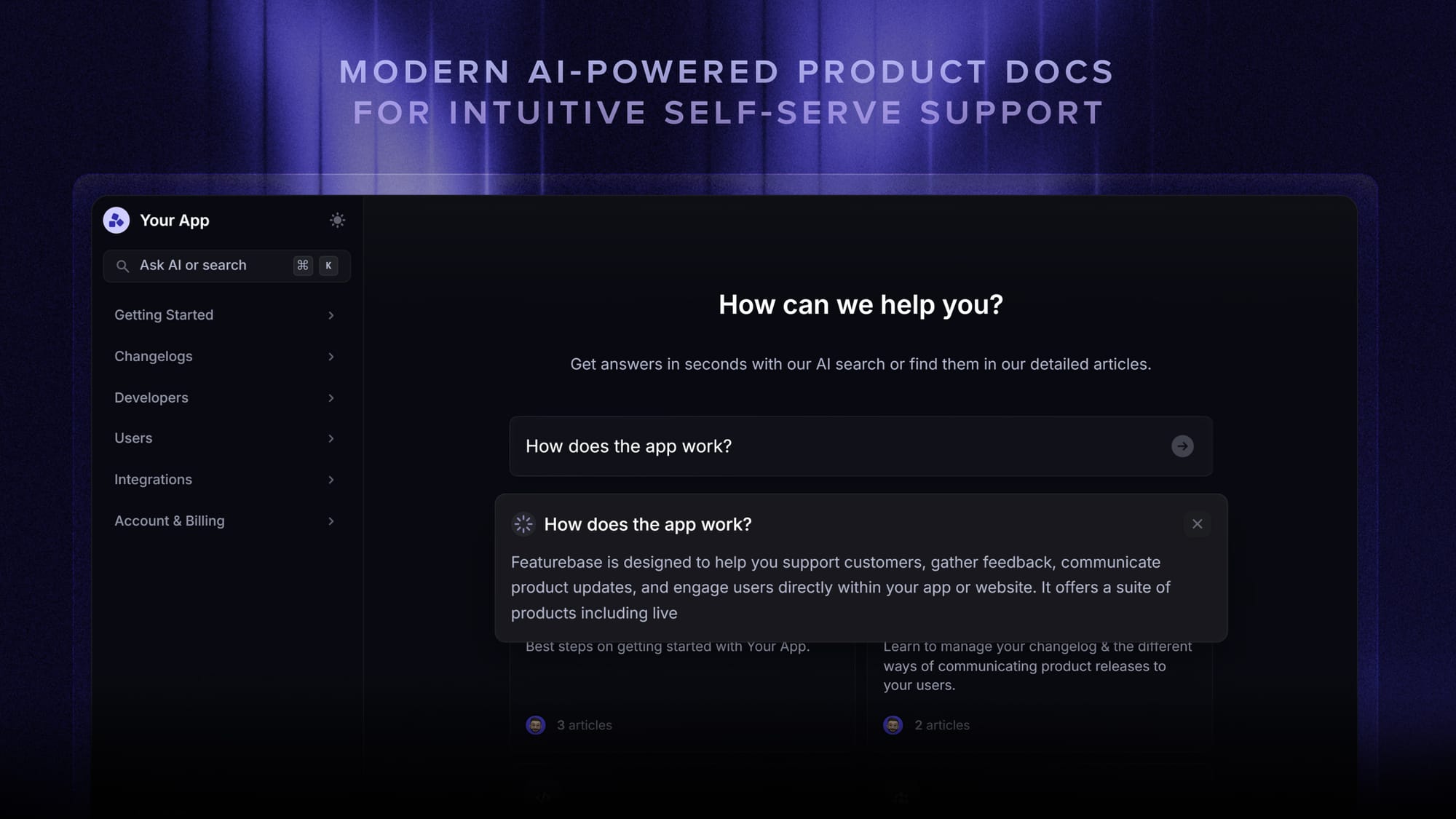
- Help center and knowledge base: The self-serve layer customers hit before they ever open a ticket, and the source the AI agent reads from. Featurebase's AI-powered help center is one example.
- Workflow and automation engine: Routes tickets, auto-assigns, triggers escalations, collects customer data, and runs side-effects (extending trials, applying credits, and so on) without an agent in the loop.
- Feedback and product input: The system that captures product signals from support tickets and gets them in front of product and engineering as structured feedback. A real feedback collection platform is the missing piece in most support stacks.
- Analytics and reporting: The dashboards and exports that turn raw ticket data into the KPIs above.
Historically, all of this lived in 5-6 separate products: one vendor for tickets, another for chat, a separate knowledge base, a separate feedback tool, a separate analytics layer. That's how most legacy support stacks still look.
The modern pattern is to consolidate. Featurebase, for example, runs the omnichannel inbox, the AI agent (Fibi), the help center with AI search, workflows and automations, and the feedback boards and roadmap from one platform, so the conversation, the article, the AI deflection, the workflow trigger, and the product feedback all live in one data model. Fewer integrations, less context lost in handoffs, and a single source of truth for the support ops dashboard.
The cost of fragmentation isn't theoretical. The same HubSpot survey above showed that integrated stacks correlate with 119% higher self-reported strategy effectiveness, which lines up with what every support leader running a five-tool stack already feels.
Signs you need to invest in support operations
You don't need a dedicated customer support operations function on day one. Most teams reach for it too late, not too early. Here are the unambiguous signals.
- Ticket volume is growing faster than the team can hire. Every new agent buys back less capacity than the last because onboarding is informal and the knowledge base is stale.
- Nobody owns SLAs. SLA breaches happen, get noticed during quarterly reviews, and never have a clear root cause.
- Product feedback from support never reaches the roadmap. Agents are answering the same 5 product questions every day, but the engineering team has no idea those issues are happening at volume. If you don't have a clear path from a ticket into your public roadmap, product feedback dies in Slack.
- The team has its own private playbooks. Each agent handles the same kind of ticket differently. Customer experience varies by who picks up the conversation.
- Reporting is a monthly fire drill. Someone exports CSVs from three tools, pivots them in a spreadsheet, and hopes the numbers match what leadership remembers from last month.
- Agents are burned out. The routine tasks they could automate away are eating their day, leaving the actually-hard conversations for evenings.
Three or more of those signals firing means support operations isn't optional. It's overdue.
Seeing these signs in your support queue?
Featurebase helps you manage tickets, automate repetitive work, and close the loop with product before support gets messy.
How to set up customer support operations in 5 steps
If you're starting from zero, the work compresses into 5 steps. Do them in order.
- Pick the owner: Even if it's a hat the support manager wears, name one person who's accountable for the function. Without an owner, nothing else on this list happens.
- Map your current workflows: Document how tickets actually move today, channel by channel, not how they should move. The "should" comes next, but you need an honest baseline first.
- Pick the stack: Choose the helpdesk, knowledge base, AI agent, and feedback tool. The fewer separate platforms, the better. If you can get the omnichannel inbox, AI agent, knowledge base, and feedback management from one platform, the integration and reporting work compresses dramatically.
- Set SLAs and KPIs: Decide what response time and resolution time you're committing to, by channel and customer tier. Pick the 6 KPIs above. Build the dashboard. Set the weekly review cadence.
- Close the product loop: Stand up a process for tagging tickets by product area, weekly-summarizing the top themes, and pushing structured feedback to the product team. This is the step most teams skip, and the one that pays the highest compound interest.
After that, the work becomes ongoing: refining workflows, expanding QA, retraining on new product launches, and hiring against the capacity model.
Run support operations on Featurebase
Most support ops teams end up running 5-6 separate tools. A helpdesk for tickets, a chat product for live conversations, a separate knowledge base, a separate AI agent, a separate feedback tool, and a separate reporting layer. Each one has its own data model, its own logins, and its own integration to maintain. The whole stack fights against the work the support operations function is supposed to do.
Featurebase pulls the support operations stack into one platform.
Featurebase is a modern AI customer support platform for product-led SaaS. It combines AI-powered support, help center, and feedback management into a single platform for startups that want all their customer-facing tools in one place. Featurebase is loved by thousands of support teams from companies like Lovable, Raycast, and n8n. 💫
Top features:
- Omnichannel inbox – Manage live chat, email, and Slack conversations from one AI-powered view
- Fibi AI Agent - Resolve customer issues on autopilot & run custom actions like trial extensions and refunds
- Help center with AI search – Provide instant, multilingual self-serve answers
- Workflows & automations – Auto-assign tickets, route conversations, collect customer data, and more
- AI Copilot – Help your agents answer customers faster with AI Copilot that uses your internal knowledge
- Multi-brand support – Manage multiple Help Centers and Live chats from a single workspace
- Automatic AI translations – Automatically translate all messages and help articles to your customers native language
- Service Level Agreements – Track SLAs to make sure your team responds to customers on time, every time
- Mobile app – Respond to customers, receive notifications, and unblock users on the go
- Feedback & roadmap tools – Collect feature requests and close the loop with updates
- Product updates – Publish release notes with a changelog page, in-app widget, and emails
- Integrations – Connects with Slack, Linear, Jira, HubSpot, and more
Pricing: Free plan available with unlimited conversations. Paid plans start at $29/seat/month with $0.29 per AI resolution.
Featurebase covers all the basic support features that legacy platforms do, but with a much more modern approach. It comes with AI automations, a mobile app, and multiple channels (email, live chat, Slack, etc.).
Final thoughts
Customer support operations is the difference between a support team that scales and one that just hires. It's the function that takes reactive ticket-handling and turns it into a measurable, repeatable, compounding system. Tools, processes, KPIs, training, and a real loop back to product.
Featurebase is a modern AI-powered support platform that combines an omnichannel inbox, AI agents, an AI-powered help center, workflows, and feedback management. Everything a support ops team needs to run the function from one place. It's loved by thousands of support teams from companies like Lovable, Raycast, and n8n.💫
It comes with a Free plan that includes unlimited conversations, and the onboarding takes minutes, so there's no downside to trying it. 👇
✨ Automate your support with the fastest AI-enhanced Inbox today →

FAQs
What is the difference between customer support and customer support operations?
Customer support is the front-line work: agents handling customer inquiries through tickets, chat, email, and other support channels. Customer support operations is the function behind that work, owning the tools, processes, KPIs, training, and feedback loops that make support consistent and scalable.
If you're also unclear on the broader terms, we cover customer service vs customer support separately.
When does a company need a support operations team?
The earliest signal is when ticket volume is growing faster than your support manager can keep up with operational work alongside their own ticket queue. For most SaaS companies that's somewhere between 8 and 15 agents, but it depends on ticket complexity and how mature your existing tooling is.
What metrics does a support operations team track?
The core set is first response time (FRT), average resolution time (ART), CSAT, first contact resolution (FCR), ticket deflection rate, and SLA compliance. Beyond those, support operations teams often track agent productivity, backlog age, channel mix, and topic distribution from ticket tags.
How does customer support operations relate to customer success?
They overlap, but the focus is different. Customer success is proactive: driving adoption, retention, and expansion across the customer lifecycle. Customer support operations is the operational layer behind reactive support work. Many companies share KPIs (CSAT, retention) across both functions and have them report into the same VP of CX.
Can a small team run customer support operations without dedicated headcount?
Yes, and most do. In the early stage, support ops is a hat the support manager wears alongside their main role. The work doesn't change. Someone still needs to own the helpdesk configuration, the KPIs, and the feedback loop. It just doesn't need a separate job description until volume justifies it.