Blog Customer Service9 Best Free Live Chat Software for Websites in 2026
9 Best Free Live Chat Software for Websites in 2026
Compare the 9 best free live chat software tools for websites - real free plans, honest catches, and the best pick for support, sales, and small teams.



✨Automate your support with the an AI-powered chatbot today →
Adding live chat to your site feels like a no-brainer, until you start pricing it. Most "best live chat" lists are stuffed with tools that only offer a 14-day trial, then ask for a card.
The good news: plenty of tools have a genuinely free plan. The catch is that "free" usually comes with strings - agent caps, conversation limits, or a vendor logo on your widget.
In this guide, I'll walk through the 9 best free live chat software tools, what you actually get for $0, and where each one fits. 👇
Key takeaways:
| Tool | Free plan | Paid starts at | Best for | Main trade-off |
|---|---|---|---|---|
| Featurebase✨ | Free plan, unlimited conversations | $29/seat/mo | Modern SaaS wanting AI support + feedback in one place | Newer and support-focused, not a legacy call-center suite |
| Kayako | 14-day free trial with full access | $79/mo + $1 per AI-resolved ticket | Support teams that want live chat, ticketing, and AI automation in one platform | No forever-free plan; built for teams that need more than a basic chat widget |
| Tawk.to | 100% free forever, unlimited agents | $19/mo (add-ons) | Zero-budget teams that just need a working chat widget | Branding, basic reporting, AI costs extra |
| Tidio | Free, 50 conversations/mo | $29/mo | Ecommerce and small stores wanting chat + a bot | 50-conversation cap, add-ons stack up fast |
| Crisp | Free, 2 seats, unlimited chats | $45/mo | Startups wanting a clean shared inbox for free | No AI or automation on the free plan |
| HubSpot Live Chat | Free forever live chat | $20/seat/mo | Teams already living inside HubSpot CRM | Free bot has no real AI, HubSpot branding |
| Zoho SalesIQ | Free, 3 operators | $10/operator/mo | Sales-led chat with visitor tracking | Chatbot setup is technical, UI feels clunky |
| Chatra | Free, 1 agent forever | ~$21/agent/mo | Solo founders and tiny teams | No ticketing, basic reporting, 1 free agent |
| LiveAgent | Free forever, limited | $15/agent/mo | Teams wanting omnichannel helpdesk + chat | Dated interface, weak AI, buggy mobile app |
What to look for in free live chat software
"Free" means very different things from one vendor to the next. Before you install anything, it helps to know where the limits usually hide.
A few things separate a genuinely useful free plan from a glorified demo:
- Agent and conversation limits: Some tools give you unlimited agents and chats (Tawk.to), others cap you at one agent (Chatra) or a set number of conversations per month (Tidio). Match the cap to your actual volume.
- Branding on the widget: Most free tiers stamp a "Powered by [vendor]" badge on your chat box and charge to remove it. If a clean, branded experience matters, check the removal cost before you commit.
- AI and automation: A free live chat widget and an AI agent that resolves tickets on its own are very different things. On many tools, anything AI-powered sits behind a paid plan or a per-resolution fee. Platforms like Featurebase, Kayako, and Tidio go beyond basic live chat by combining AI-powered conversations with ticketing, knowledge base, automation, and a shared inbox.
- Channels and growth path: Live chat is one channel. If you'll eventually want email, a help center, or a shared team inbox, pick a tool whose paid tiers grow with you instead of forcing a migration later.
This is also where the gap between old and new tools shows. A modern platform like Featurebase puts unlimited conversations and an AI-powered inbox on its free plan, so "free" gets you a real support setup rather than a stripped-down widget. If you want a wider view of the category first, our guide to live chat software covers the paid options too.
The 9 best free live chat software tools
Every tool below has a real free plan (not just a trial). I've ordered them starting with the most complete free option, then grouped the rest by who they suit best.
1. Featurebase ✨
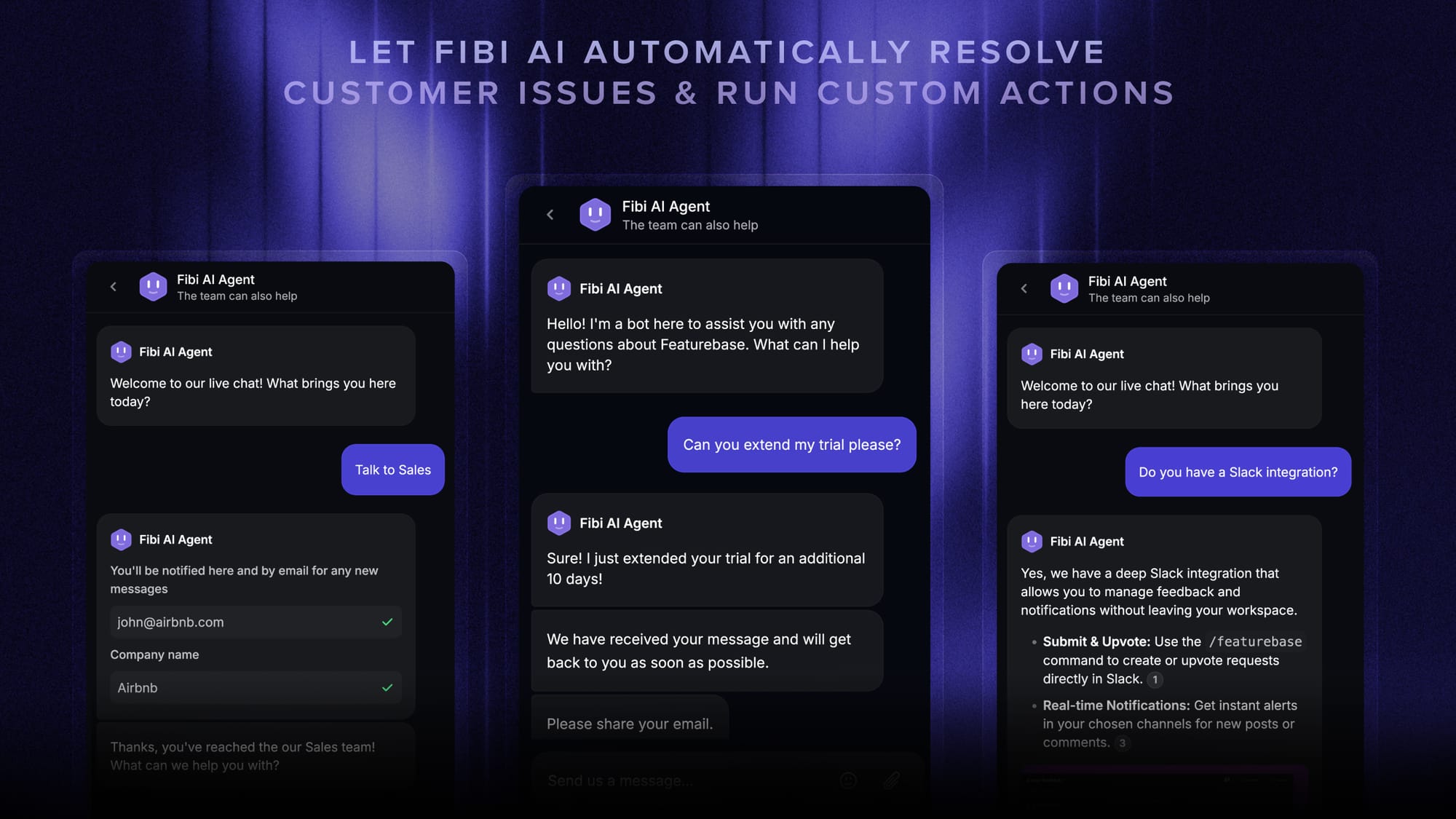
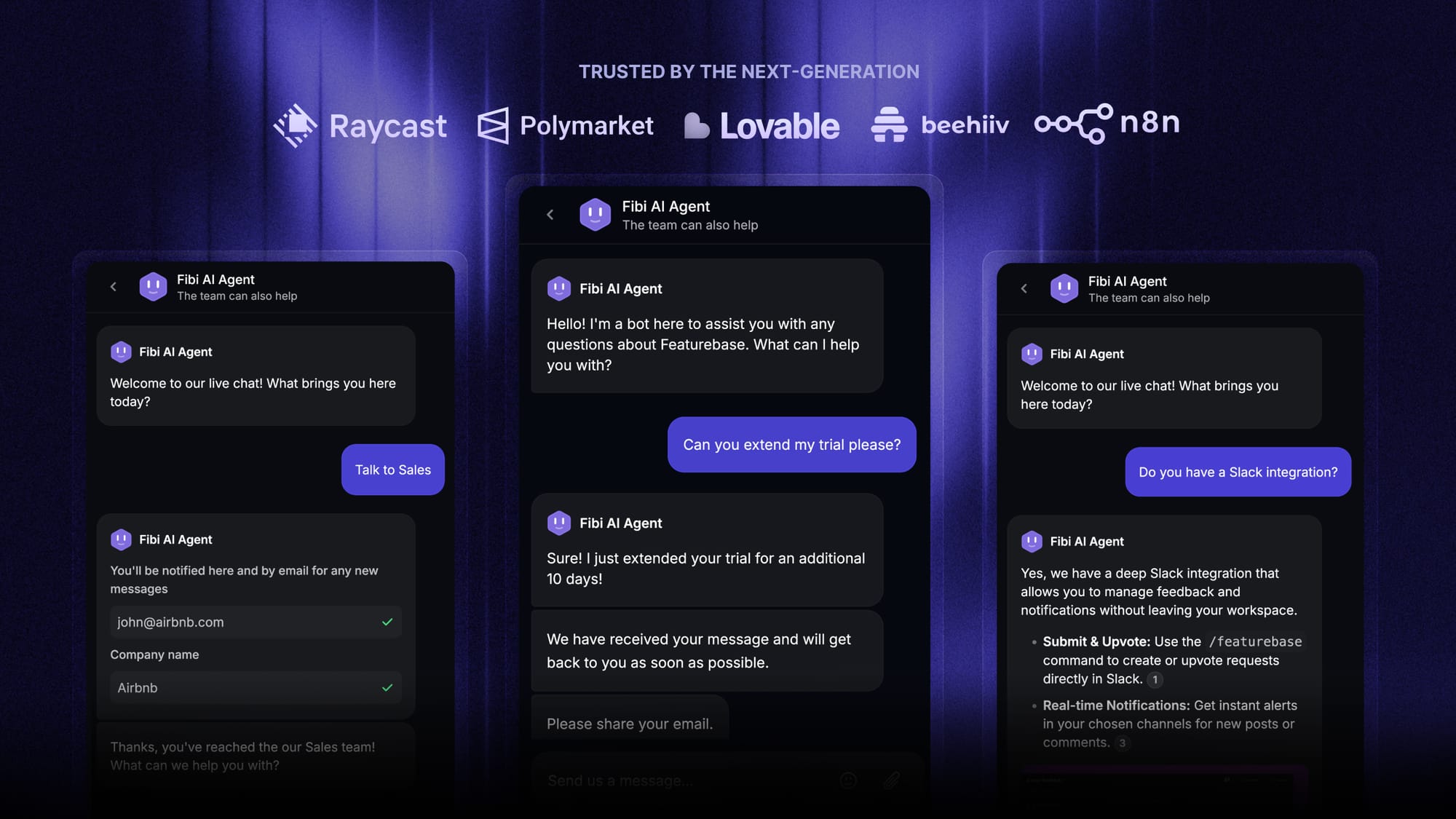
Featurebase is a modern AI customer support platform for product-led SaaS. It combines AI-powered support, help center, and feedback management into a single platform for startups that want all their customer-facing tools in one place. Featurebase is loved by thousands of support teams from companies like Lovable, Raycast, and n8n. 💫
Top features:
- Omnichannel inbox – Manage live chat, email, and Slack conversations from one AI-powered view
- Fibi AI Agent - Resolve customer issues on autopilot & run custom actions like trial extensions and refunds
- Help center with AI search – Provide instant, multilingual self-serve answers
- Workflows & automations – Auto-assign tickets, route conversations, collect customer data, and more
- AI Copilot – Help your agents answer customers faster with AI Copilot that uses your internal knowledge
- Multi-brand support – Manage multiple Help Centers and Live chats from a single workspace
- Automatic AI translations – Automatically translate all messages and help articles to your customers native language
- Service Level Agreements – Track SLAs to make sure your team responds to customers on time, every time
- Mobile app – Respond to customers, receive notifications, and unblock users on the go
- Feedback & roadmap tools – Collect feature requests and close the loop with updates
- Product updates – Publish release notes with a changelog page, in-app widget, and emails
- Integrations – Connects with Slack, Linear, Jira, HubSpot, and more
Pricing: Free plan available with unlimited conversations. Paid plans start at $29/seat/month with $0.29 per AI resolution.

Featurebase covers all the basic support features that legacy platforms do, but with a much more modern approach. It comes with AI automations, a mobile app, and multiple channels (email, live chat, Slack, etc.). For a free live chat tool, the standout is that the free plan gives you unlimited conversations rather than a hard monthly cap.

Looking for a free live chat software?
Automatically resolve 70% of customer requests & cut down manual support loads
2. Kayako
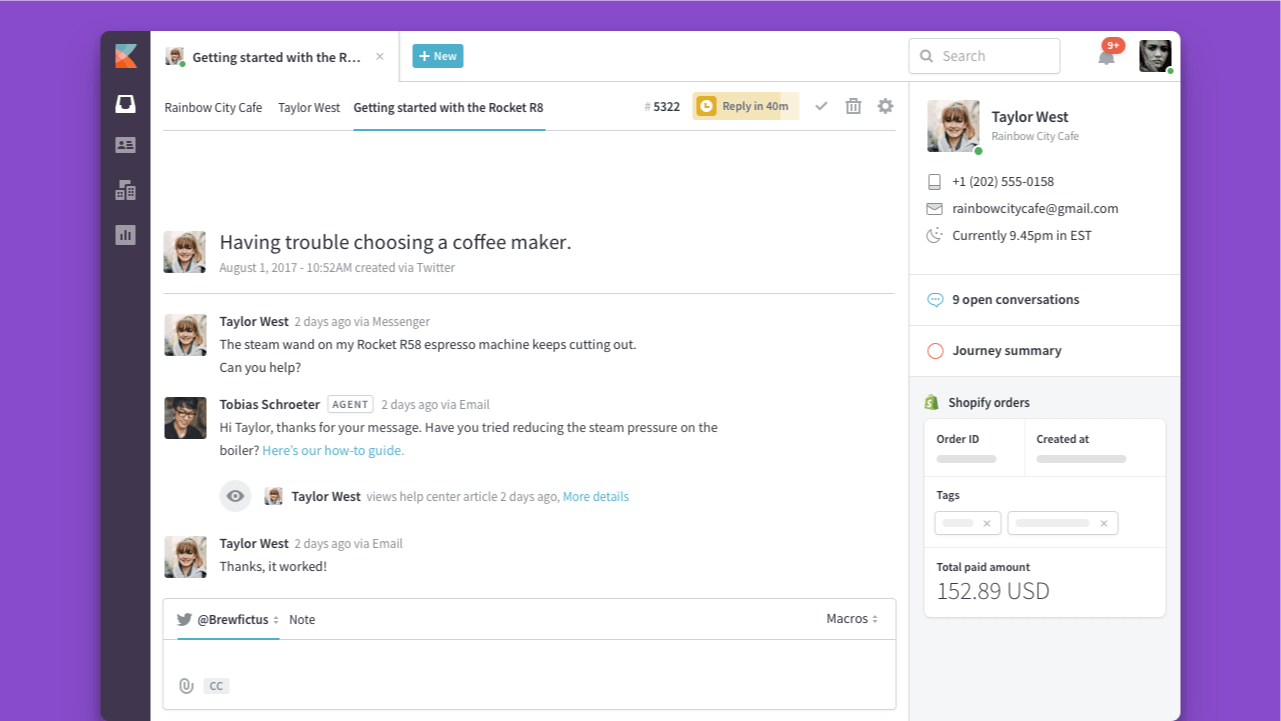
Kayako is an AI-powered customer support platform that combines live chat, ticketing, a shared inbox, knowledge base, and AI support in one place. Instead of simply connecting customers with an agent, Kayako can triage conversations, answer questions, take actions, and resolve support issues with AI. It also offers a 14-day free trial with full access to its features.
Top features:
- AI-powered live chat – Automate customer conversations and provide instant answers across chat and other support channels.
- AI ticket resolution – Kay can resolve repetitive support requests and take actions such as refunds, account updates, order changes, and password resets.
- Unified inbox – Manage live chat, email, and other customer conversations from one shared workspace.
- AI triage and routing – Automatically classify, prioritize, and route incoming conversations to the right team.
- Knowledge base – Give customers self-service answers while providing AI with the information it needs to resolve support requests.
- SingleView™ customer context – Give agents a complete view of customer history, tickets, orders, and other relevant information.
- No-code automation – Build workflows to route, assign, escalate, and automate repetitive support tasks without engineering work.
- Analytics and reporting – Track metrics including resolution time, first-contact resolution, CSAT, backlog, and AI resolution rates.
What users like: Kayako goes beyond the traditional live chat widget by combining conversations with the rest of the support operation. Teams can manage chat, ticketing, knowledge base content, automation, and AI support from the same platform, while AI can progressively move from triage and assistance to autonomous resolution.
Where it falls short: Kayako isn't the best fit if you're looking for a completely free live chat widget. Its free access is a 14-day trial rather than a forever-free plan, and the platform is designed for teams that need a broader customer support system rather than just a basic chat box.
Pricing: Kayako offers a 14-day free trial with full access to its features. Kayako One starts at $79/month, with AI resolution charged at $1 per successfully resolved ticket. There are no additional charges for tickets that are escalated to a human or only partially resolved.
Best for: Support teams that want to move beyond basic live chat and combine AI automation, ticketing, live chat, knowledge base, and customer context in one platform.
3. Tawk.to
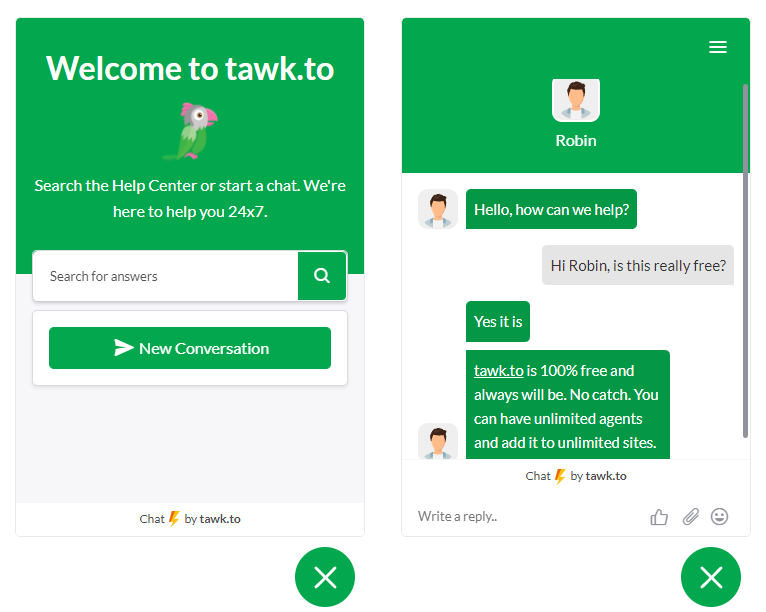
Tawk.to is the most well-known name in free live chat, and for good reason: the core product is 100% free forever, with no limits on agents, chats, or websites. More than a third of all sites that use live chat run on Tawk.to.
Top features:
- Unlimited agents, chats, and chat widgets
- Email ticketing system and a hosted knowledge base
- Canned shortcuts, triggers, and visitor monitoring
- Desktop and mobile apps with 45+ languages
What users like: Reviewers consistently call out the price (free) and the fact that there are no artificial caps. Setup is quick and you get a full chat suite without a card on file.
Where it falls short: G2 reviewers commonly note that the chat widget carries a "Powered by tawk.to" badge unless you pay to remove it, notifications can be slow or unreliable on mobile, and reporting stays fairly basic. AI and advanced features come as paid add-ons rather than being built in.
Pricing: The software is free forever. Optional add-ons include removing branding (from $19/mo), AI Assist, and hired chat agents (from $1/hr).
Best for: Zero-budget teams and side projects that just need a reliable, no-limits chat widget on their website.
4. Tidio
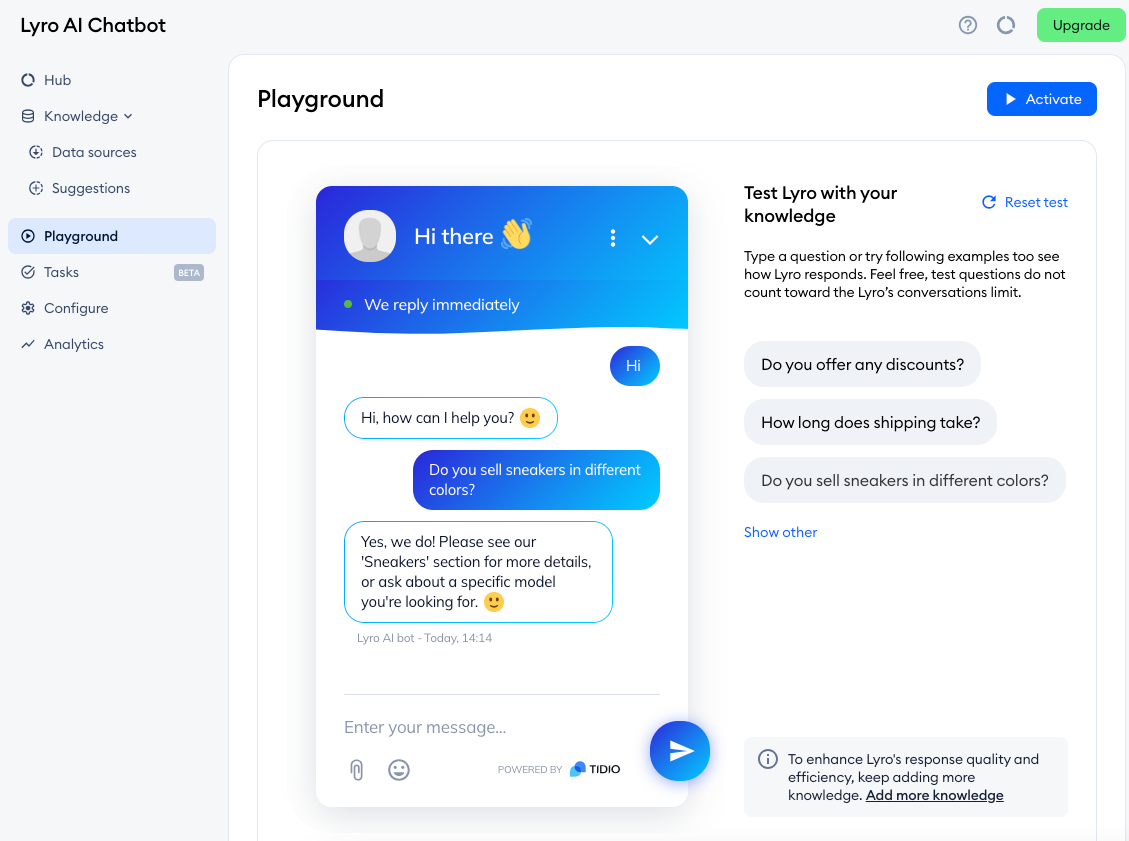
Tidio is a live chat and chatbot tool aimed squarely at small businesses and online stores. Its free plan pairs a live chat widget with a taste of its Lyro AI bot, which makes it popular with ecommerce teams.
Top features:
- Live chat with visitor lists and typing previews
- Lyro AI chatbot and automation flows (limited on free)
- Pre-built triggers for proactive messaging
- Shopify, WordPress, and other ecommerce integrations
What users like: Reviewers praise how fast it is to set up (often under 30 minutes) and the strength of its automation for capturing leads around the clock.
Where it falls short: A recurring theme in G2 feedback is that the free plan's 50-conversation monthly cap is easy to hit, costs climb once add-ons kick in, and you often have to choose between Lyro AI or custom flows rather than running both. Flow analytics are thin. For a direct head-to-head with the top free rival above, see our Tidio vs tawk.to comparison.
Pricing: Free plan with 50 conversations/month. Paid plans start at $29/mo (Starter), with Growth at $59/mo and the Lyro AI add-on from $39/mo.
Best for: Ecommerce and small-store owners who want live chat plus a starter chatbot in one tool.
5. Crisp
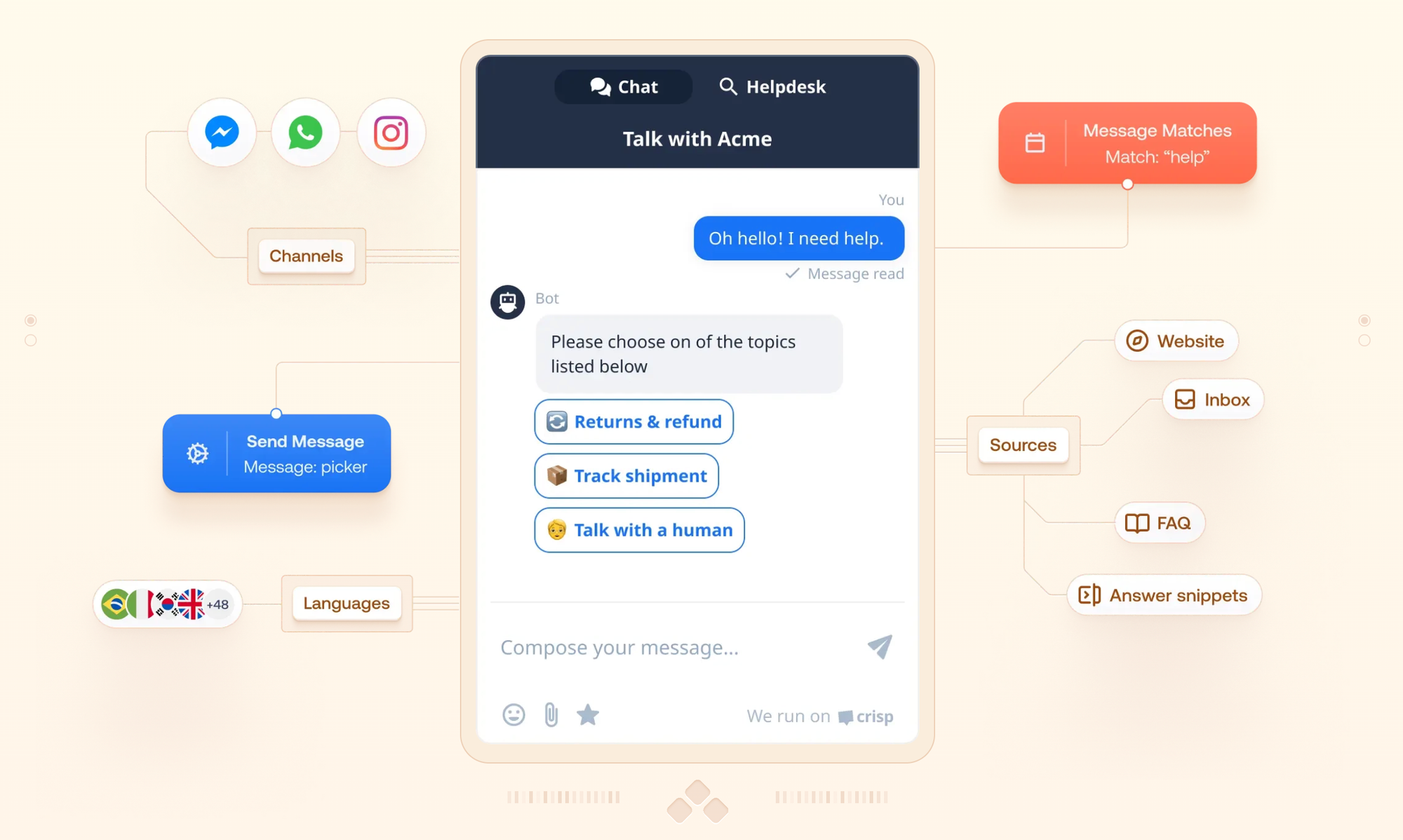
Crisp is a clean, multichannel messaging tool that's often described as a more affordable Intercom. Its free plan is generous for a small team and includes a genuinely useful shared inbox.
Top features:
- Shared inbox with 2 seats on the free plan
- Unlimited live chat conversations
- Contact forms and a mobile app
- Basic integrations to drop chat onto any site
What users like: Reviewers love how quickly it sets up and rate its own support highly. For solo founders and micro-teams, running real support at zero cost is a real draw.
Where it falls short: Users on G2 report that notifications can be unreliable, that extra fees appear for triggers, more agents, or integrations, and that there's a learning curve. The free plan has no AI or workflow automation at all - those start on the Mini plan.
Pricing: Free plan with 2 seats. Paid plans are billed per workspace: Mini at $45/mo, Essentials at $95/mo, and Plus at $295/mo.
Best for: Startups and micro-teams that want a tidy multichannel inbox without paying upfront.
6. HubSpot Live Chat
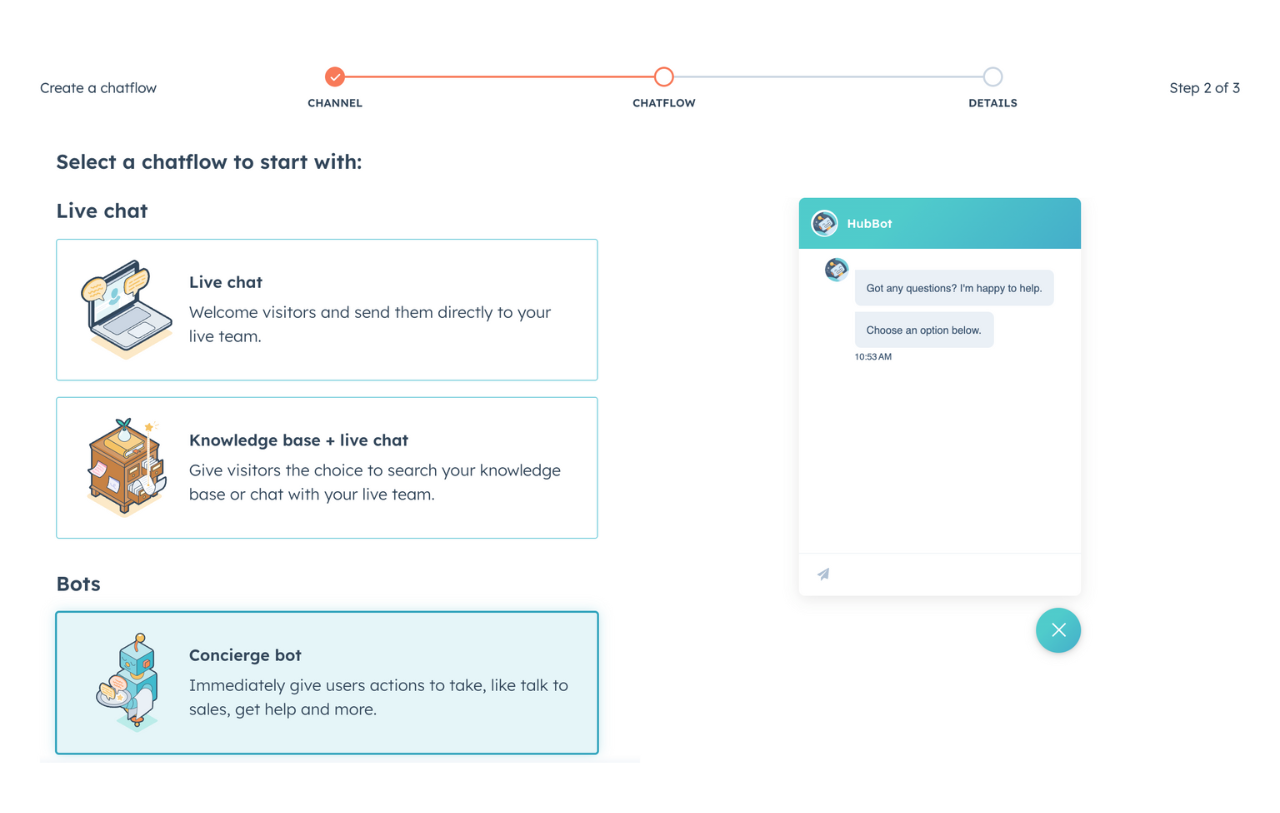
HubSpot offers free live chat as part of its free CRM tools, which makes it an obvious pick if your team already runs sales or marketing in HubSpot. Every chat automatically syncs to a contact record.
Top features:
- Free live chat widget tied to the HubSpot CRM
- Drag-and-drop chatbot builder for routing and booking
- Shared inbox for chat, email, and form submissions
- Templates and canned responses
What users like: Reviewers highlight that it takes about 10 minutes to add chat, costs nothing to start, and removes manual data entry because every conversation lands on the contact record.
Where it falls short: A common complaint is that the free chatbot has no real AI or natural-language understanding, there's no ticketing in the free chat, HubSpot branding stays on the free tier, and the price jumps sharply once you move to Service Hub's paid plans.
Pricing: Live chat is free forever. Paid support features start with Service Hub Starter at $20/seat/mo (2-seat minimum).
Best for: Sales and marketing teams already invested in the HubSpot ecosystem.
7. Zoho SalesIQ
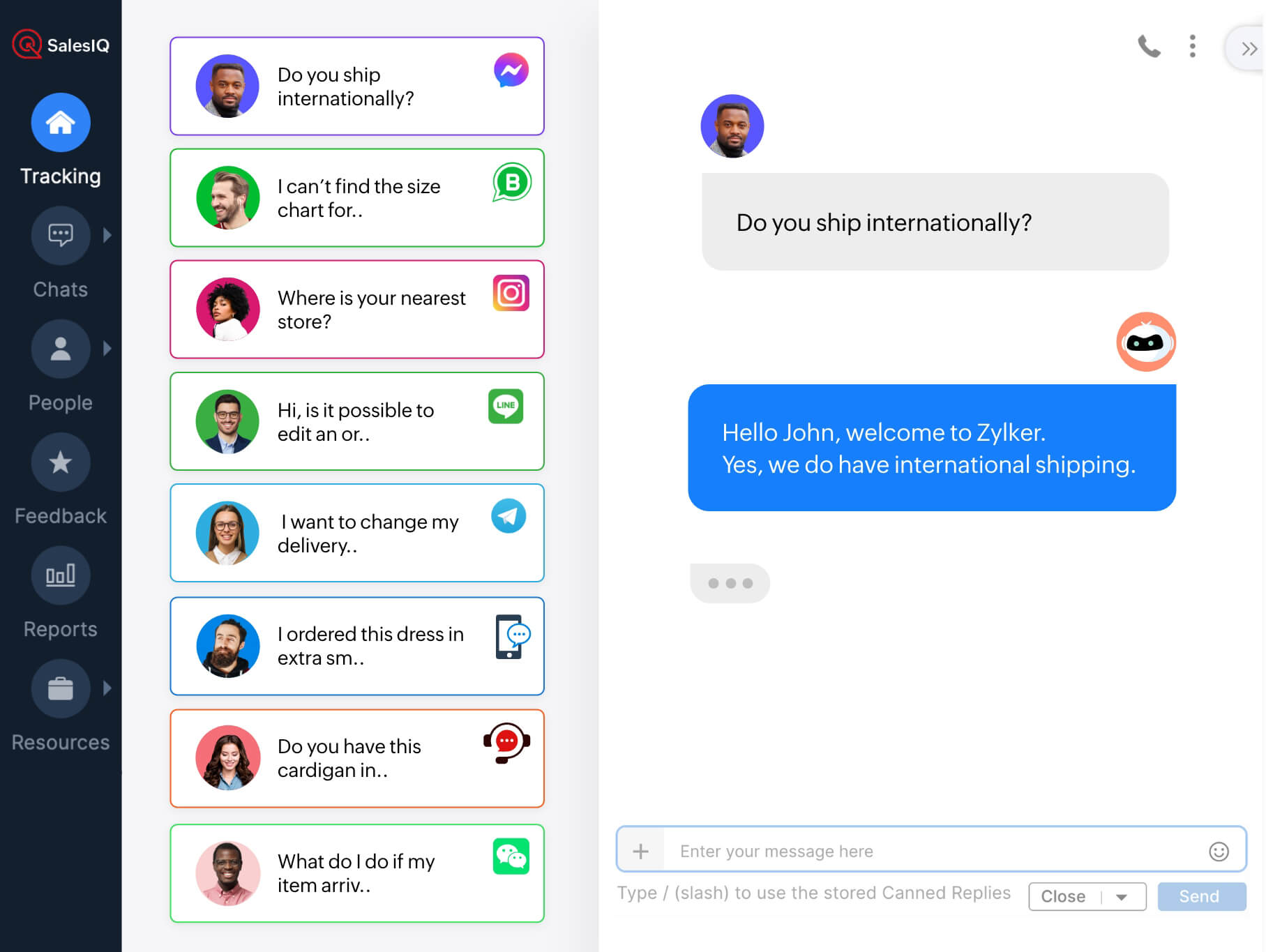
Zoho SalesIQ is a live chat and visitor-tracking tool with a sales-led angle. Its free plan supports up to 3 operators, which is unusually generous, and it leans into seeing who's on your site in real time.
Top features:
- Live chat with real-time visitor tracking
- Up to 3 operators on the free plan
- Proactive chat triggers and lead scoring
- Mobile SDK and a codeless bot builder (paid tiers)
What users like: Reviewers value the visitor insights and triggers for starting conversations at the right moment, plus tight integration with the rest of the Zoho suite.
Where it falls short: Users on G2 report that the Zobot chatbot is powerful but complex to set up for non-technical users, the interface can feel clunky when juggling multiple chats, and notifications are occasionally unreliable.
Pricing: Free plan with 3 operators and 100 chat sessions/month. Paid plans run $10 (Basic), $17 (Professional), and $25 (Enterprise) per operator/month, billed annually.
Best for: Sales-focused teams that want visitor tracking with their chat, especially existing Zoho users.
8. Chatra
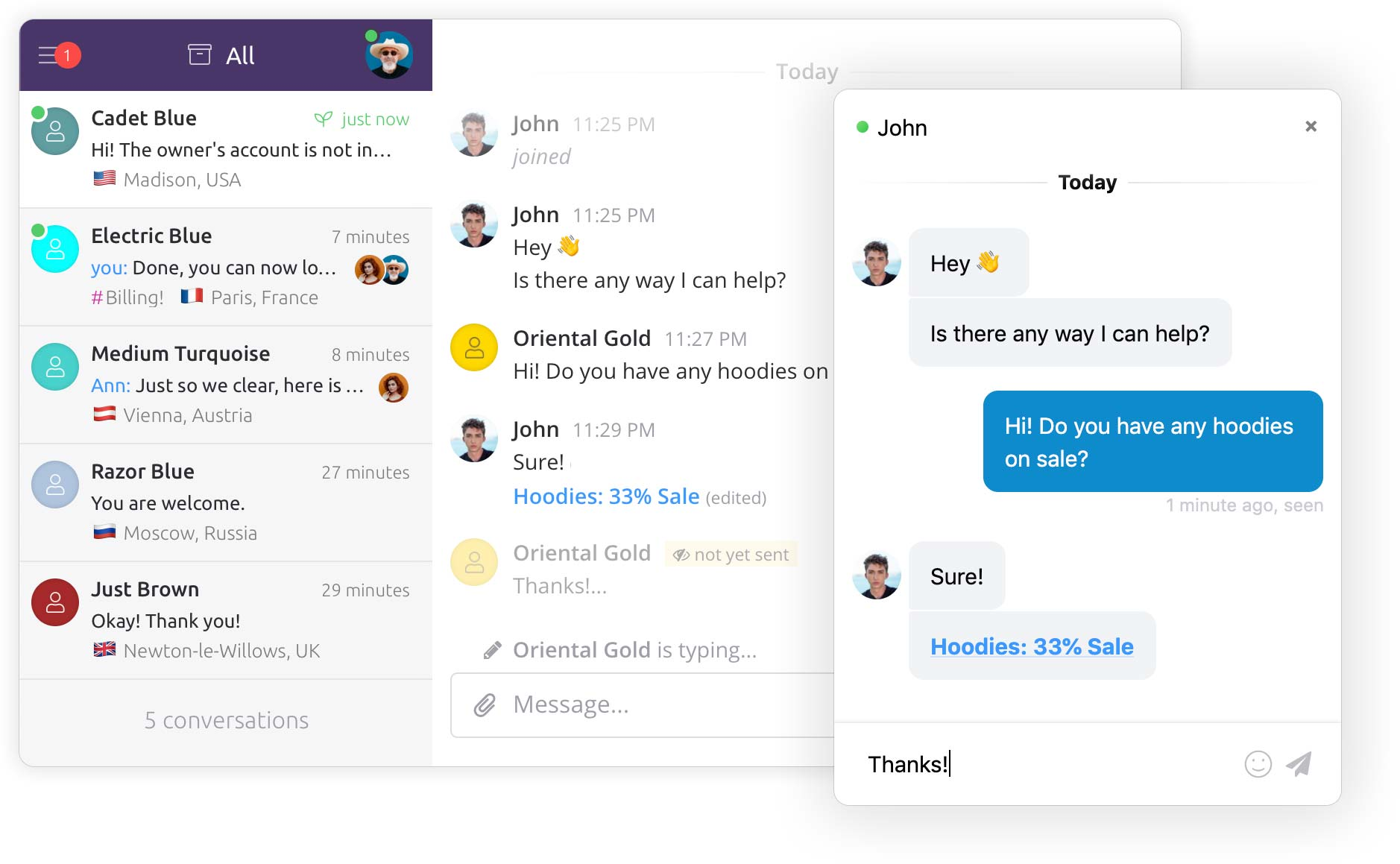
Chatra is a simple, friendly live chat tool built for small teams that value a clean experience over a deep feature set. Its free plan covers one agent forever, which fits solo founders well.
Top features:
- Live chat with a real-time typing preview
- Offline messaging and saved replies
- Desktop and mobile apps
- Targeted chats and visitor list
What users like: Reviewers describe it as clean and intuitive, with the real-time typing preview (seeing what a visitor types before they send) called out as a favorite. The free plan is a good way to get started.
Where it falls short: Reviewers note that Chatra lacks a ticketing system, offers only basic reporting, and doesn't auto-assign conversations. Some report occasional mobile and notification bugs.
Pricing: Free plan for 1 agent. Paid plans start at around $21/agent/month (Essential), billed annually.
Best for: Solo founders and very small teams that want straightforward chat without extra complexity.
9. LiveAgent
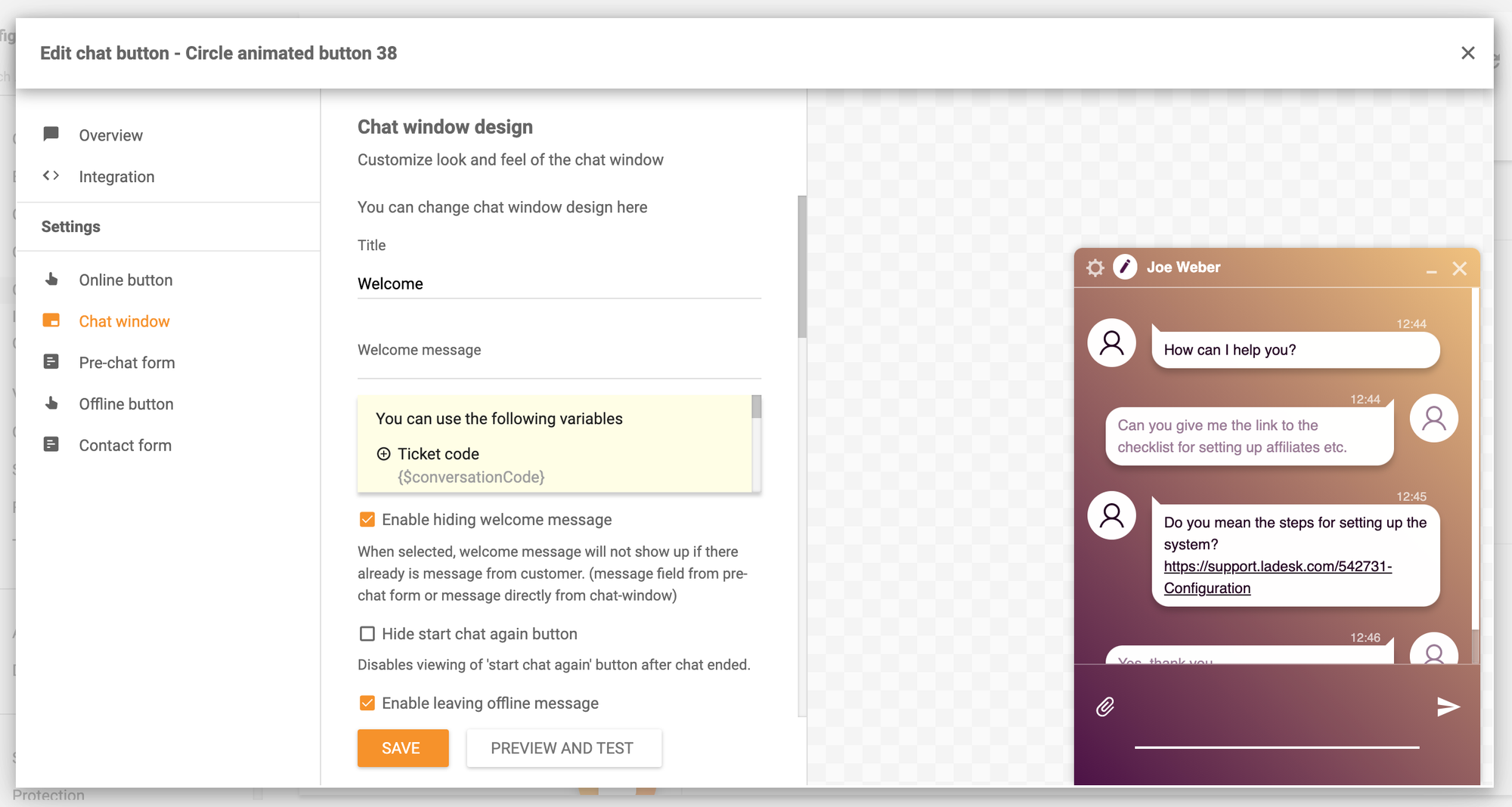
LiveAgent is a full helpdesk that bundles live chat with ticketing, email, and call-center features. It keeps a free forever plan, so it's worth a look if you want more than just a chat widget.
Top features:
- Live chat plus ticketing and email in one dashboard
- Knowledge base for self-service
- Omnichannel inbox across many channels
- Real-time desktop notifications for chats
What users like: Reviewers like having every channel in one place and rate the desktop notifications well, which cuts down on context switching.
Where it falls short: A recurring theme in G2 feedback is that the interface feels dated, the mobile app is buggy and feature-thin, and AI and automation lag behind newer tools. Extra charges can stack up for social channels, AI, and branding removal.
Pricing: Free forever plan with limits (7-day ticket history, 1 chat button). Paid plans start at $15/agent/mo (Small), rising to $29, $49, and $69 per agent/month.
Best for: Small teams that want an all-in-one helpdesk with chat, not just a standalone widget.
How to choose the right free live chat tool
The best free tool depends on what you're optimizing for. A few quick steers:
- You just want a free widget, no limits: Tawk.to is hard to beat, as long as you can live with its branding and basic reporting.
- You run an online store: Tidio's chat-plus-bot combo fits ecommerce, just watch the conversation cap.
- You already use a CRM or the Zoho suite: HubSpot Live Chat or Zoho SalesIQ keep everything in one ecosystem.
- You want room to grow into real support: Featurebase, Crisp, or LiveAgent give you a shared inbox and a clear upgrade path beyond a single channel.
Free customer service software is a great place to start, but it's worth picking a tool whose paid tiers you'd actually be happy to grow into. Migrating chat tools after you've trained a team and embedded a widget is a headache nobody enjoys.
Conclusion
Free live chat software has come a long way. You can put a real chat widget on your site today without paying anything, whether that's the no-limits simplicity of Tawk.to or a fuller support setup from a modern platform.
If you want a free plan that does more than drop a widget on your page, Featurebase brings live chat, an AI-powered inbox, a help center, and feedback collection together in one place - so your support setup can grow with you instead of forcing a migration down the line. 💫
The free plan includes unlimited conversations and onboarding is fast, so there's no downside to trying it. 👇
✨Automate your support with the an AI-powered chatbot today →
FAQs
Is there a completely free live chat software?
Yes. Tawk.to is genuinely free forever with no limits on agents or chats, and several other tools offer real free plans rather than just trials. Featurebase, for example, includes a free plan with unlimited conversations and an AI-powered inbox. The thing to check is what each free tier limits, whether that's agents, monthly conversations, or branding.
What is the best free live chat software for small businesses?
It depends on your setup. Solo founders and tiny teams do well with Chatra or Tawk.to, online stores tend to prefer Tidio, and teams already using a CRM often start with HubSpot Live Chat. If you expect to grow into full support, a tool with a shared inbox and a clear upgrade path is the safer pick.
What's the difference between live chat and a chatbot?
Live chat connects a visitor with a real person in real time, while a chatbot answers automatically using rules or AI. Most modern tools combine both: a bot handles common questions instantly and hands off to a human when things get complex. Free plans usually include live chat, but advanced AI bots often sit behind a paid tier.
Do free live chat tools put their own branding on the widget?
Usually, yes. Most free plans display a small "Powered by [vendor]" badge on the chat box, and removing it typically requires a paid plan or an add-on. If a clean, fully branded widget matters to you, check the cost of removing branding before you commit to a tool.
Can I add live chat to my website for free?
Yes. Most free live chat tools give you a small snippet of code or a plugin that you paste into your site, with no coding skills needed. Platforms like WordPress, Shopify, and Webflow usually have one-click integrations, and the widget goes live in minutes.
What's the difference between live chat and help desk software?
Live chat is a single channel for real-time conversations, while help desk software is the broader system that organizes requests from chat, email, and other channels into trackable tickets. Some free tools are chat-only, while others (like LiveAgent or Featurebase) bundle chat into a full help desk so you can manage everything in one inbox.