Blog Product Management8 Best Agile Methodology Tools for Teams in 2026
8 Best Agile Methodology Tools for Teams in 2026
The best agile methodology tools for 2026, from sprint boards to the roadmap layer that decides what your team builds next. Compare features, pricing, and fit.

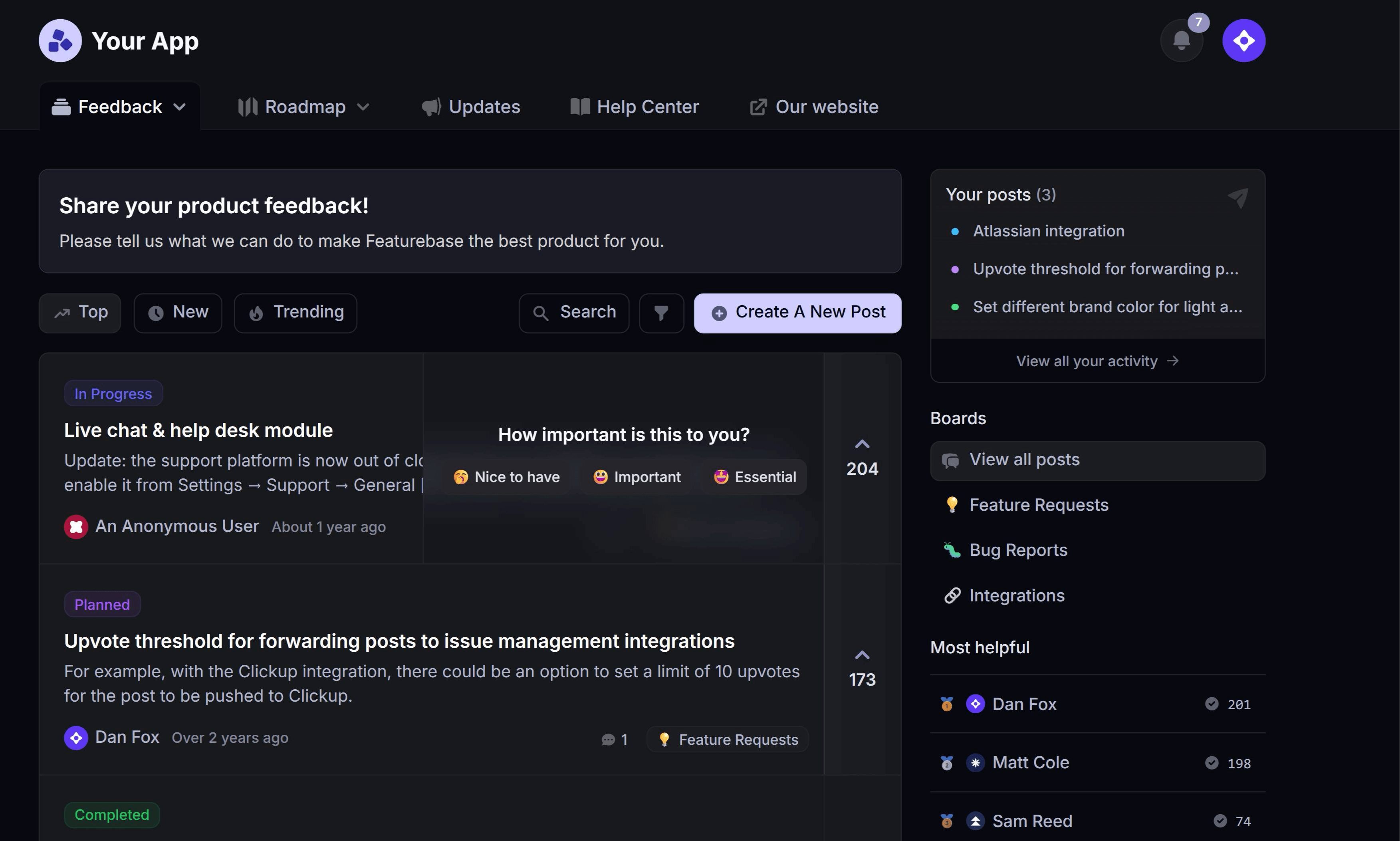

Agile lives or dies on the tools your team actually opens every day. Pick the wrong stack, and you drown in ceremonies, status updates, and half-synced backlogs instead of shipping.
The right agile methodology tools do the opposite. They keep sprints moving, make priorities obvious, and connect customer feedback to what you build next.
Below are the 8 best agile tools for 2026, from sprint boards to the backlog and roadmap layer that decides what makes it into a sprint at all. 👇
Key takeaways
| Tool | Best for | Starting price | Free plan | Main trade-off |
|---|---|---|---|---|
| ✨Featurebase | Turning customer feedback into a prioritized product backlog and roadmap | $29/seat/mo | Yes | Not a standalone sprint or issue tracker |
| Jira | Scrum and sprint-heavy software teams | $7.91/user/mo | Yes (10 users) | Steep learning curve and complex setup |
| ClickUp | An all-in-one agile workspace | $7/user/mo | Yes | Feature overload can overwhelm new teams |
| monday dev | Visual, customizable agile boards | $9/seat/mo | Yes (2 seats) | Costs climb as you add seats |
| Asana | Cross-functional teams running agile-lite | $10.99/user/mo | Yes | No true native sprint boards |
| Trello | Simple kanban for small teams | $5/user/mo | Yes (10 users) | Too light for complex agile |
| Azure DevOps | Dev teams in the Microsoft and Git ecosystem | $6/user/mo | Yes (5 users) | Dated, developer-centric interface |
| Linear | Fast-moving product and engineering teams | $10/user/mo | Yes | Opinionated, engineering-only focus |
What are agile methodology tools?
Agile methodology tools are the software that helps teams plan, track, and ship work in short, iterative cycles instead of one long waterfall push. They replace the whiteboard and spreadsheet with shared boards, backlogs, and reports that keep everyone working from the same plan.
Agile is no longer a niche practice. Around 86% of software development teams now use it, according to the State of Agile Report.
Most tools fall into one of 4 categories:
- Backlog and sprint tools: where you plan sprints, track issues, and groom the backlog. Jira, Azure DevOps, and Linear live here.
- Kanban and task boards: visual boards for limiting work-in-progress and watching flow. Trello and Monday. dev are the usual picks.
- Backlog, roadmap, and feedback tools: where customer input becomes a prioritized product backlog and roadmap of what to build next. This is where a tool like Featurebase fits.
- Collaboration and ceremony tools: the extras for retros, standups, and planning poker, like Miro and Confluence.
Most teams run 2 or 3 of these together. A backlog tool handles the sprint, and a roadmap-and-feedback layer decides what goes into the sprint in the first place.
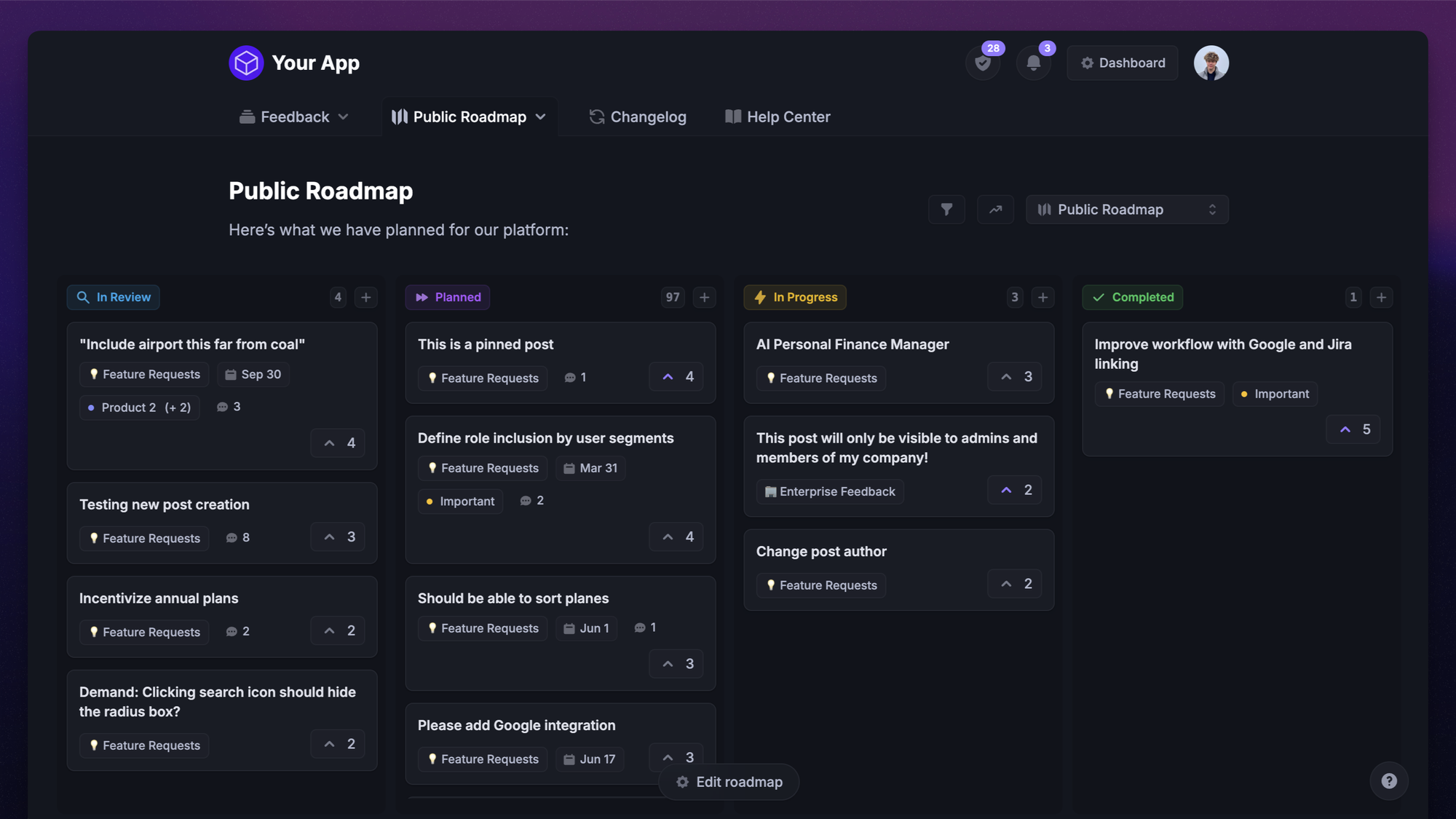
The best agile methodology tools in 2026
Here are the 8 tools worth shortlisting, starting with the layer most agile stacks are missing: a clean line from customer feedback to a prioritized backlog.
1. Featurebase ✨
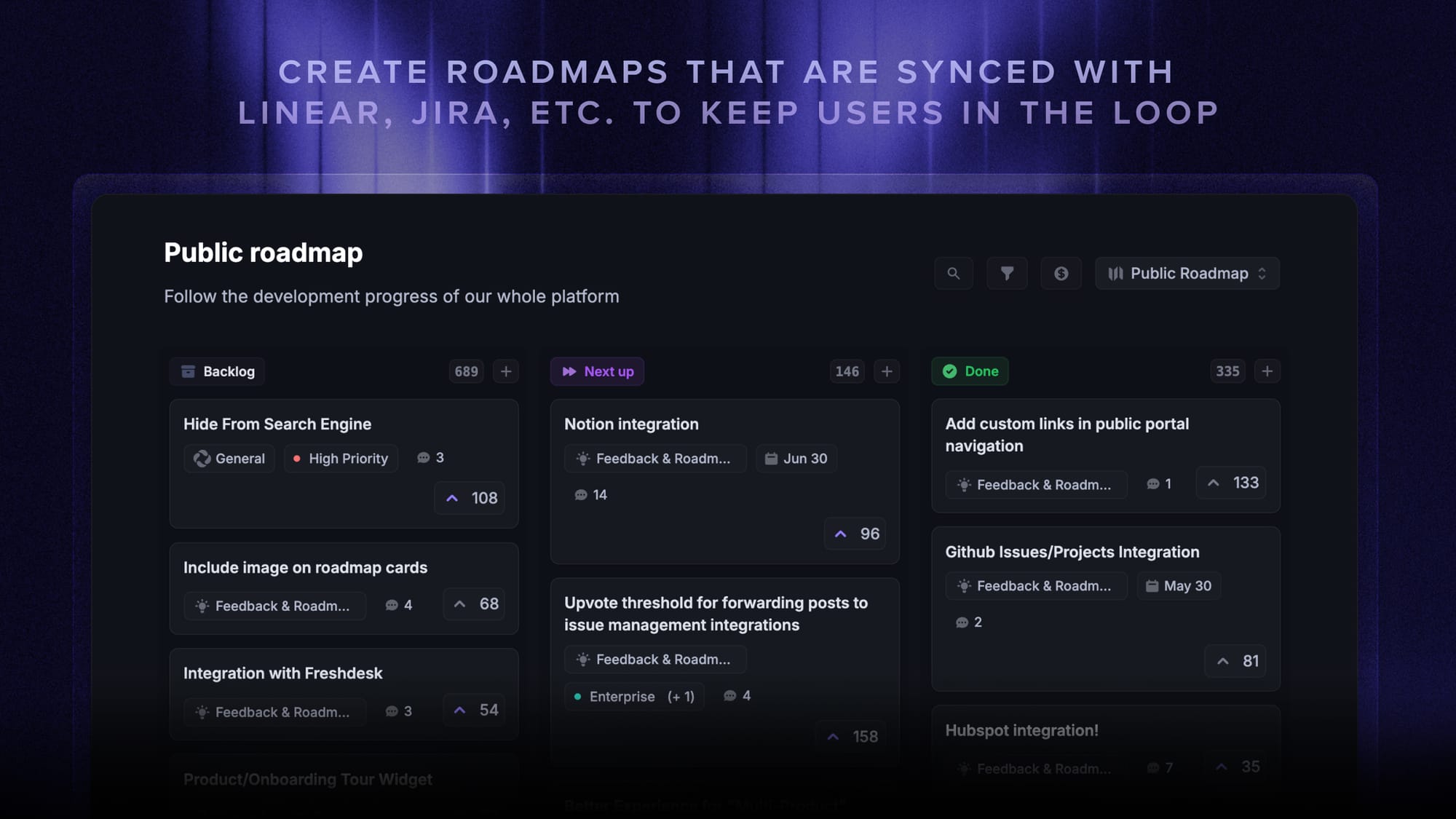
Every agile team needs a single source of truth for the product backlog, what to build next and why, and that is exactly what Featurebase gives you.
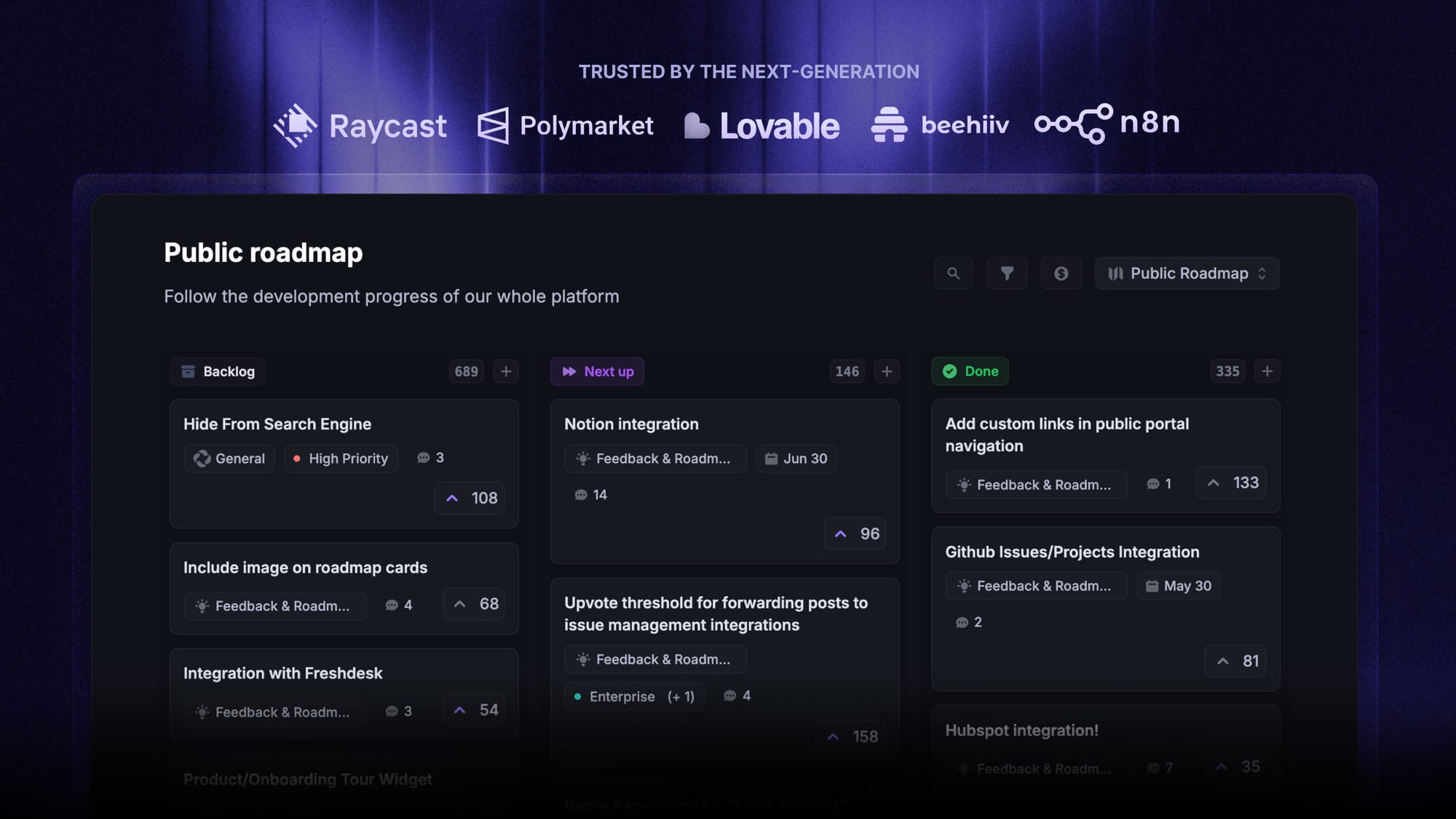
Featurebase is a modern feedback & roadmapping platform that helps product teams collect feedback, prioritize features, build roadmaps, and announce product updates – all in one place. It's loved by thousands of product teams from companies like Lovable, Raycast, and n8n. 💫
Top features:
- Roadmaps – Create internal & public product roadmaps to keep users informed and build engagement
- Feedback forum – Public feedback forum where users can submit ideas and vote on features helping you know what customers want
- Prioritize by revenue – Link feedback with customer revenue, company size, and much more to better understand the impact of ideas
- AI feedback categorization - Automatically group large volumes of feedback into product areas, projects, or themes with AI.
- Automated email updates – Automatically notify users when their requested features are implemented
- In-app widgets – Embed feedback, changelog, and help center widgets directly in your product
- Product updates – Publish release notes with a changelog page, in-app widget, and emails
- Surveys (NPS, CSAT, etc) – Create targeted surveys to ask users anything and measure customer satisfaction.
- Automatic AI translations – Automatically translate all feedback and comments to your customers / teammates native languages
- Integrations – Connects with Slack, Linear, Jira, HubSpot, and more
Pricing: Free plan available with unlimited feedback collection. Paid plans start at $29/seat/mo.
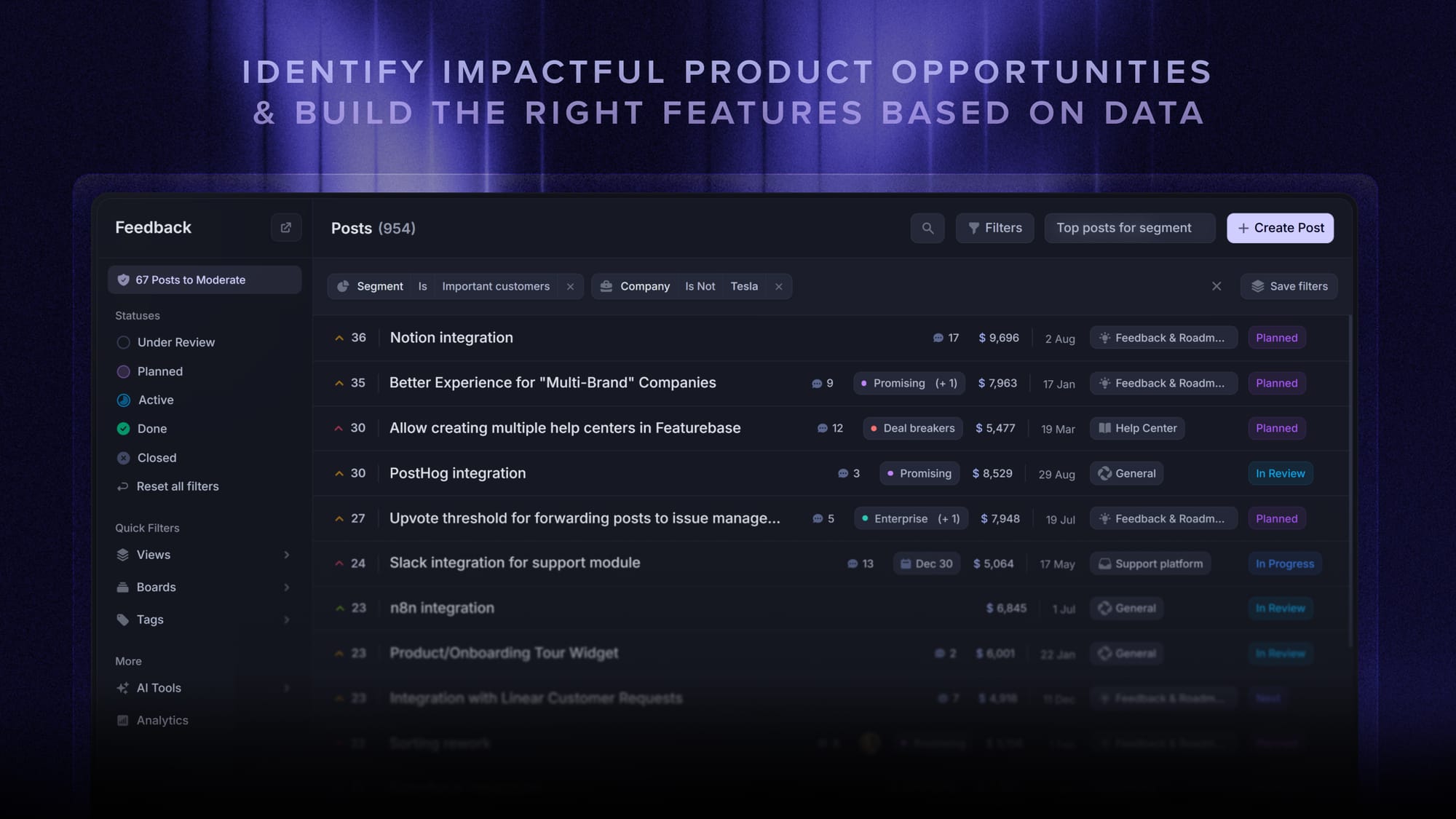
For agile teams, the real win is the integration. You can prioritize feedback by revenue and votes to build a ranked backlog, then sync those items straight into Jira or Linear, so your backlog, roadmap, and sprint board never drift apart.
Instead of having 4+ different tools, Featurebase enables you to replace all your customer-facing tools by bringing your roadmaps, feedback collection, product updates, and customer support together in one place, helping you build products your users love.

Start creating product roadmaps for free
Share what you’re building & keep teams and users aligned with modern roadmaps
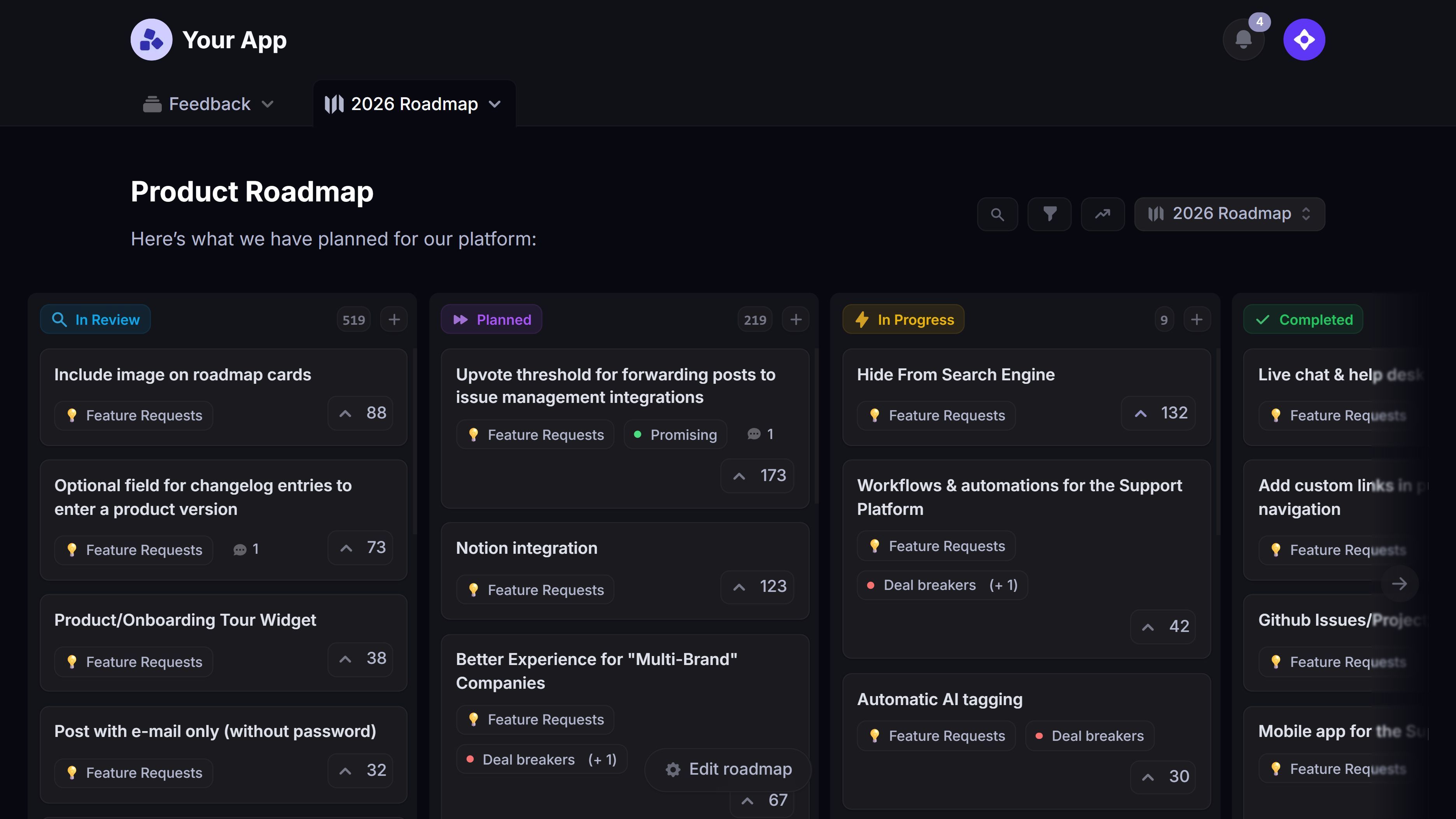
2. Jira
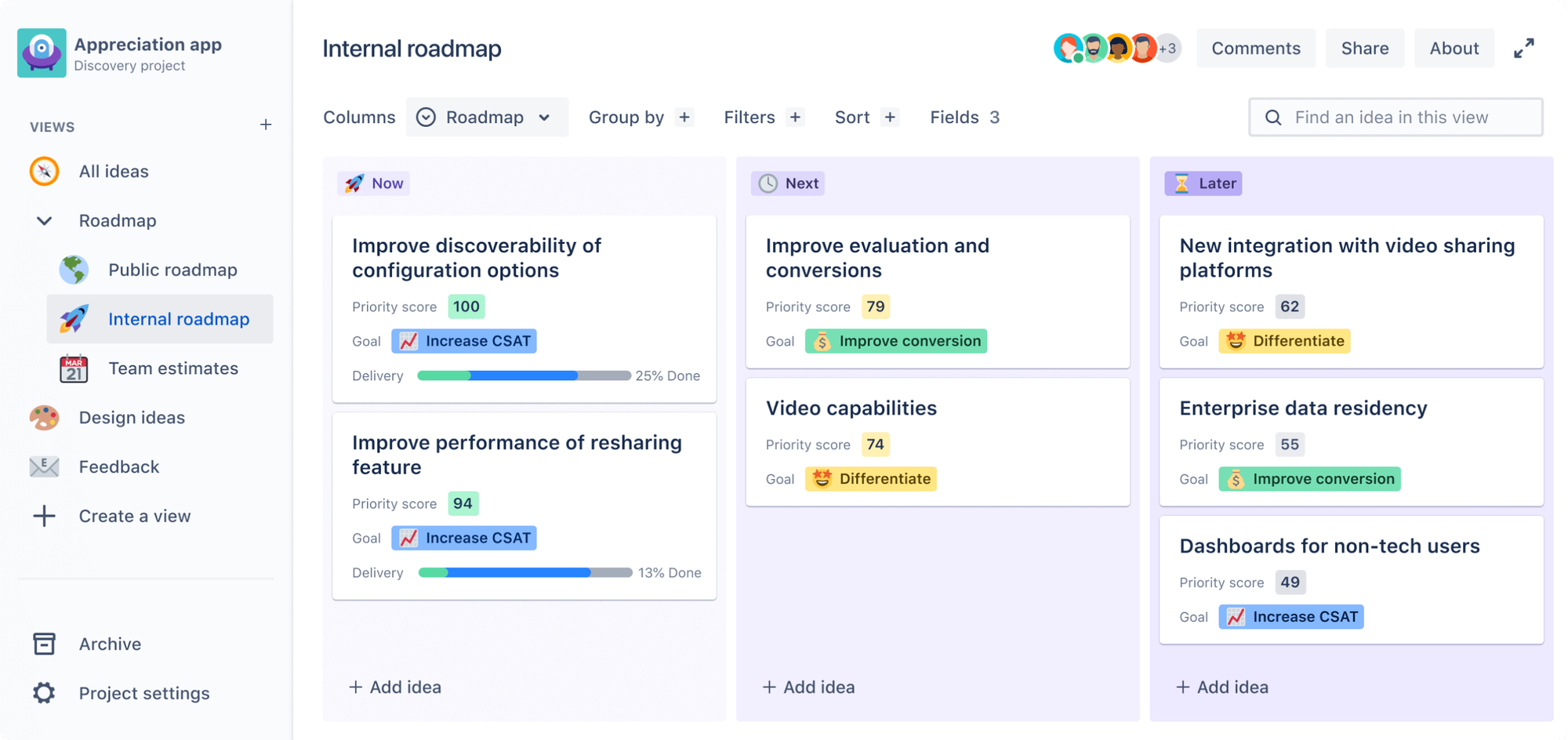
Jira is the default choice for scrum and sprint-heavy software teams, and it has been for years. It handles the full agile delivery cycle, from backlog grooming to burndown charts, with more depth than almost anything else on this list.
Many teams extend it further with Marketplace add-ons; a Jira checklist app, for example, adds structured to-do lists and a clear definition of done inside each issue.
Key features:
- Scrum and kanban boards with configurable workflows
- Backlog management, sprints, and story points
- Burndown, velocity, and sprint reports
- Basic roadmaps and dependency mapping
- A large marketplace of apps and integrations
Where Jira struggles is the on-ramp. G2 reviewers commonly note a steep learning curve, an interface that feels complex for non-technical teammates, and admin-heavy configuration that often needs a dedicated owner. Because its native feature-request handling is thin, many teams bolt on a dedicated tool to manage feature requests in Jira and keep the backlog focused.
Pricing: Free for up to 10 users. Paid plans start around $7.91/user/mo for Standard, with Premium at roughly $14.54/user/mo.
3. ClickUp
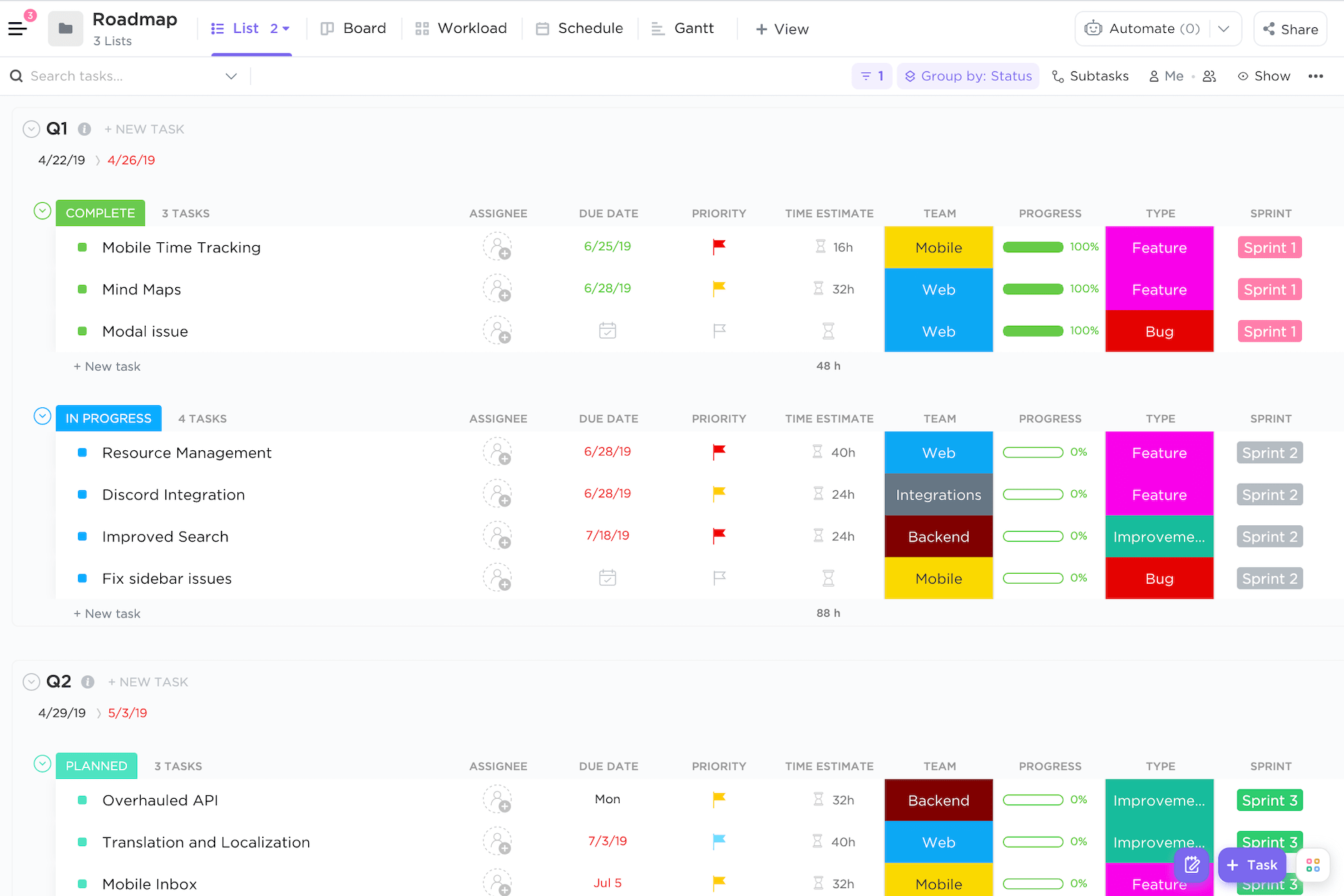
ClickUp bundles tasks, docs, dashboards, and sprints into one workspace, which makes it a strong pick for teams that want their agile process and their documentation in the same place. It is highly customizable, so you can shape it around Scrum, Kanban, or a hybrid.
Key features:
- Sprint management with points, priorities, and statuses
- Custom views (board, list, Gantt, calendar)
- Dashboards for velocity and workload
- Automations and templates
- Docs, whiteboards, and goals built in
The flip side of that flexibility is complexity. A recurring theme in G2 feedback is feature overload, a learning curve for new users, and occasional performance lag when workspaces get large.
Pricing: Free Forever plan available. Paid plans start at $7/user/mo (Unlimited) billed annually, with Business at $12/user/mo.
4. monday dev
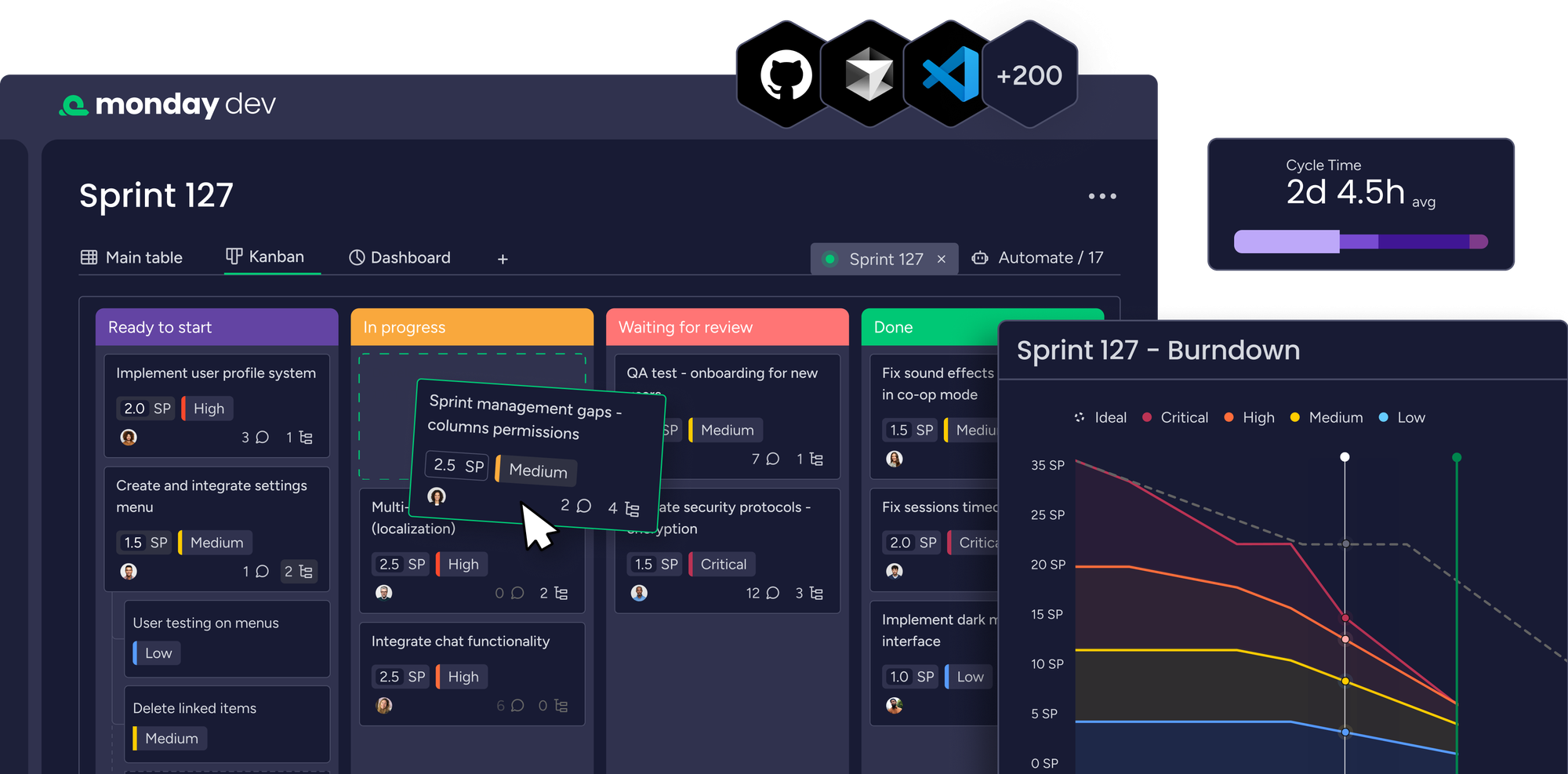
monday dev is the developer-focused product built on monday.com, aimed at teams that want colorful, visual boards without Jira's setup overhead. It covers sprints, roadmaps, and bug tracking, and it connects to GitHub and GitLab.
Key features:
- Sprint planning and sprint management boards
- Roadmap and release planning views
- Bug and issue tracking
- GitHub and GitLab integrations
- Dashboards and no-code automations
Users on G2 praise how easy and visual it is to get started, but they also report that costs climb as you add seats and that some of the more useful agile features sit on higher tiers.
Pricing: Free plan for up to 2 seats. Paid plans start at $9/seat/mo (Basic) billed annually, with a 3-seat minimum.
5. Asana
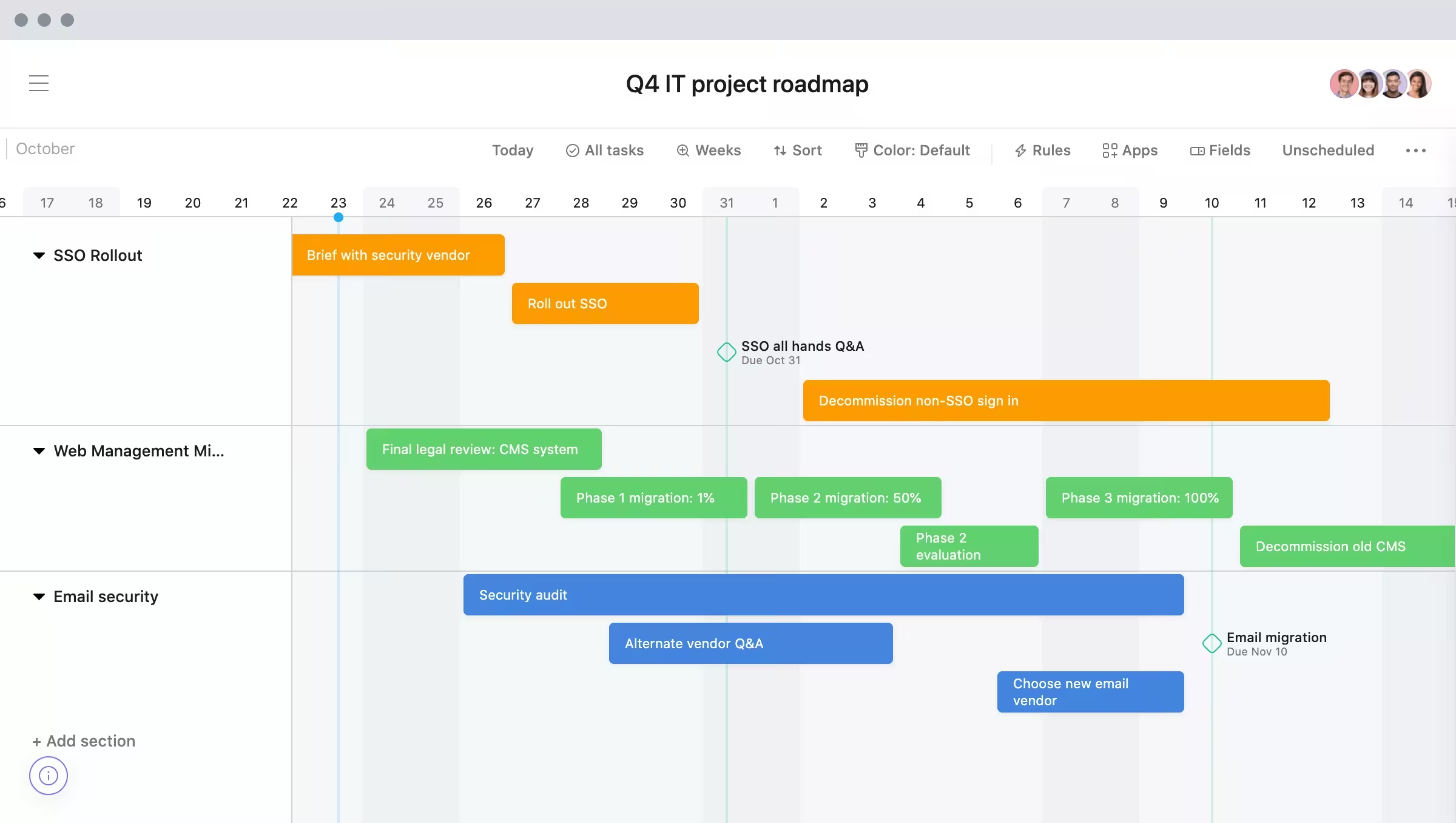
Asana is built for cross-functional teams running a lighter version of agile, where marketing, ops, and product all share the same workspace. It is excellent at task and workflow management, with clean timelines and rules-based automation.
Key features:
- Boards, lists, and timeline (Gantt) views
- Workflow automation with rules
- Reporting dashboards and goals
- Forms for intake and requests
- Portfolios for tracking multiple projects
The catch for pure agile teams is that Asana has no true native sprint board. G2 reviewers regularly point out that story points, velocity, and sprint reporting need workarounds or add-ons, and that the more advanced tiers get pricey.
Pricing: Free Personal plan available. Paid plans start at $10.99/user/mo (Starter) billed annually, with Advanced at $24.99/user/mo.
6. Trello
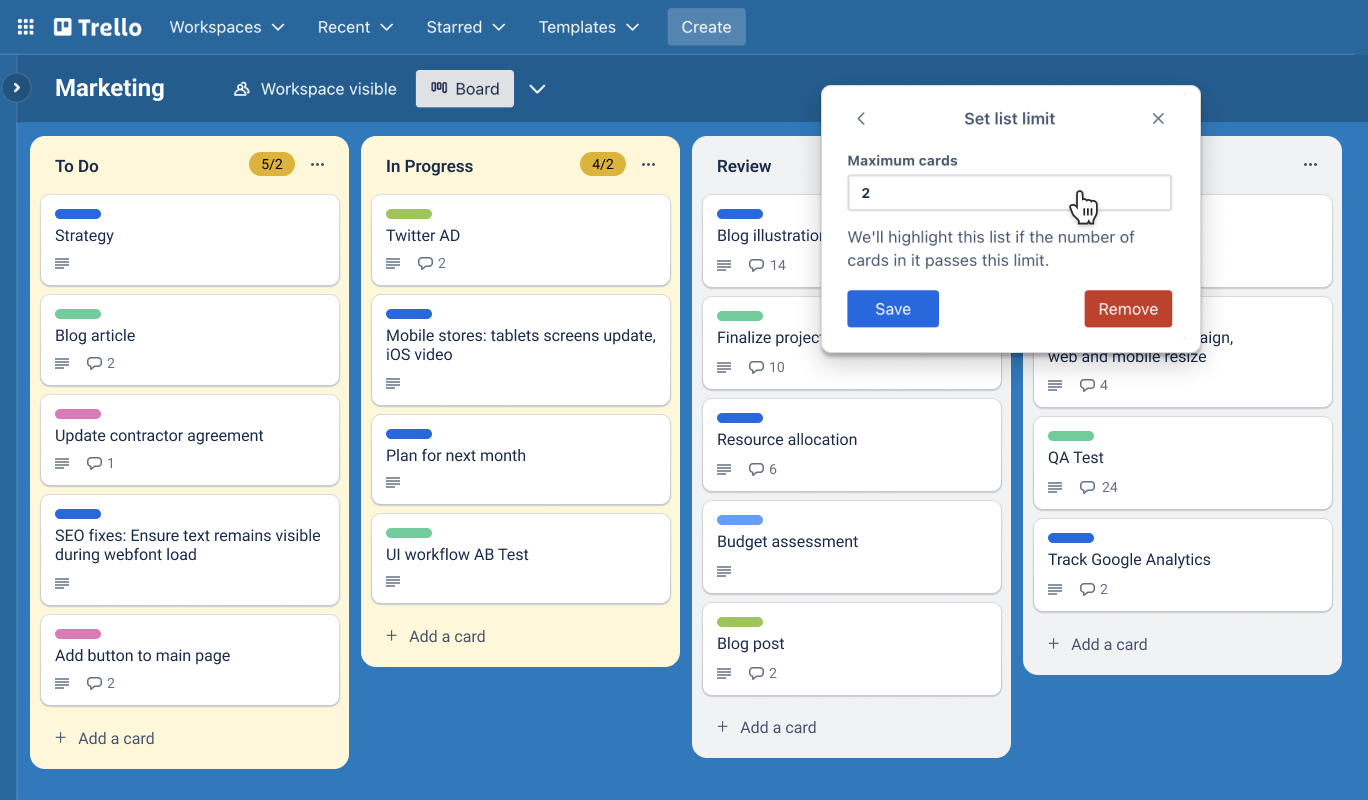
Trello is the simplest way to run a kanban board, which is exactly why small teams love it. Cards, lists, and drag-and-drop are easy enough that anyone can pick it up in minutes, and the free tier is generous.
Key features:
- Kanban boards with cards and lists
- Butler no-code automation
- Power-Ups to extend functionality
- Templates for common workflows
- Simple checklists, due dates, and labels
Trello's simplicity is also its ceiling. A recurring complaint on G2 is that it gets too light for complex agile work, with no native sprints or reporting, so scaling teams end up stacking Power-Ups or migrating to something heavier.
Pricing: Free for up to 10 collaborators per workspace. Paid plans start at $5/user/mo (Standard) billed annually, with Premium at $10/user/mo.
7. Azure DevOps
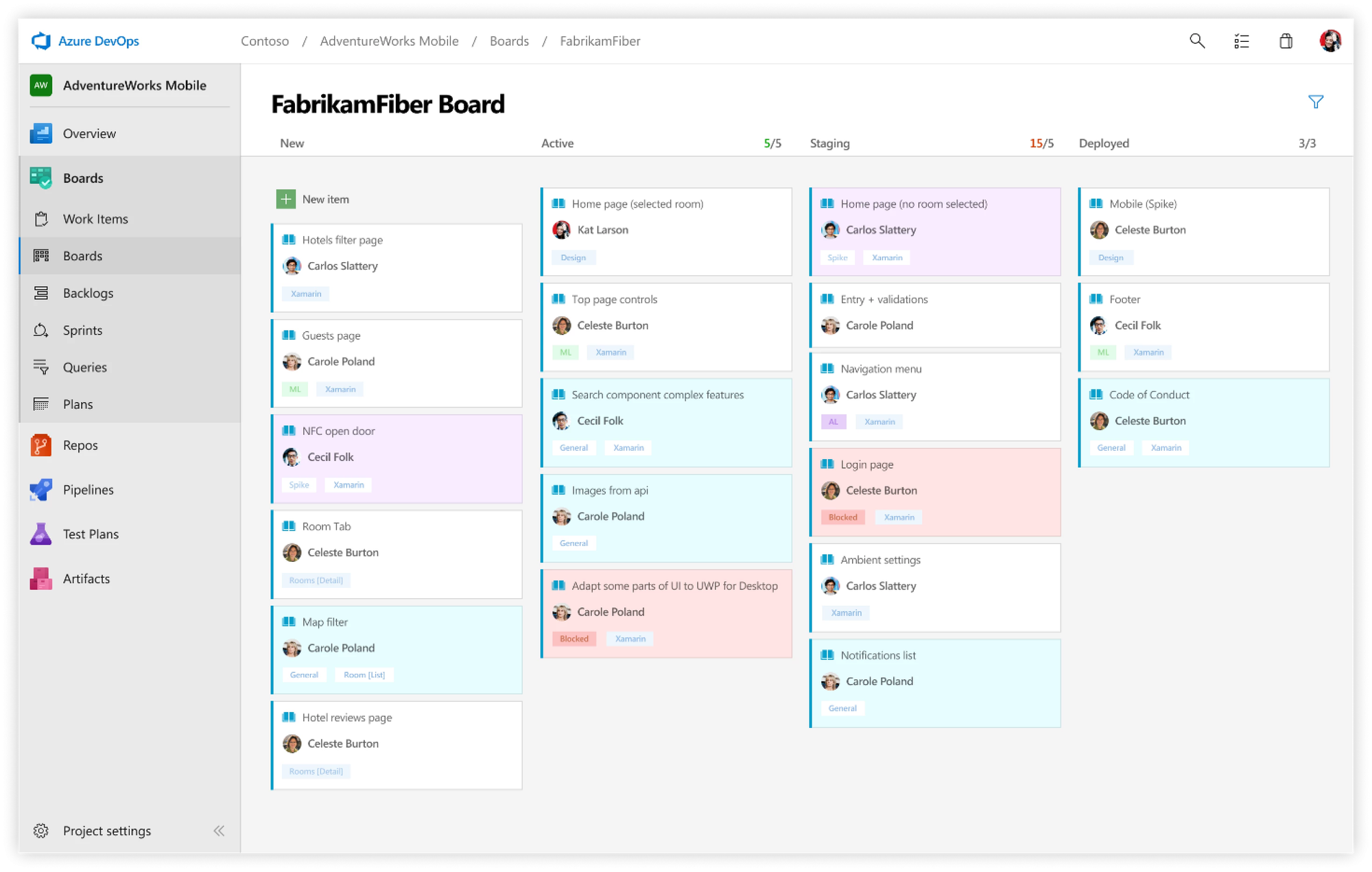
Azure DevOps is the natural home for development teams already living in the Microsoft and Git ecosystem. Azure Boards handles the agile side, and it sits right next to Repos and Pipelines, so planning, code, and CI/CD share one platform.
Key features:
- Azure Boards with Scrum and Kanban support
- Backlogs, sprints, and work-item tracking
- Tight integration with Repos and Pipelines
- Dashboards and analytics
- Built-in CI/CD for end-to-end delivery
The trade-off shows up in the experience. G2 reviewers commonly note a dated, clunky interface and a steep learning curve, and the platform leans heavily toward teams already committed to the Microsoft stack.
Pricing: Free for the first 5 users. The Basic plan is $6/user/mo after that.
8. Linear
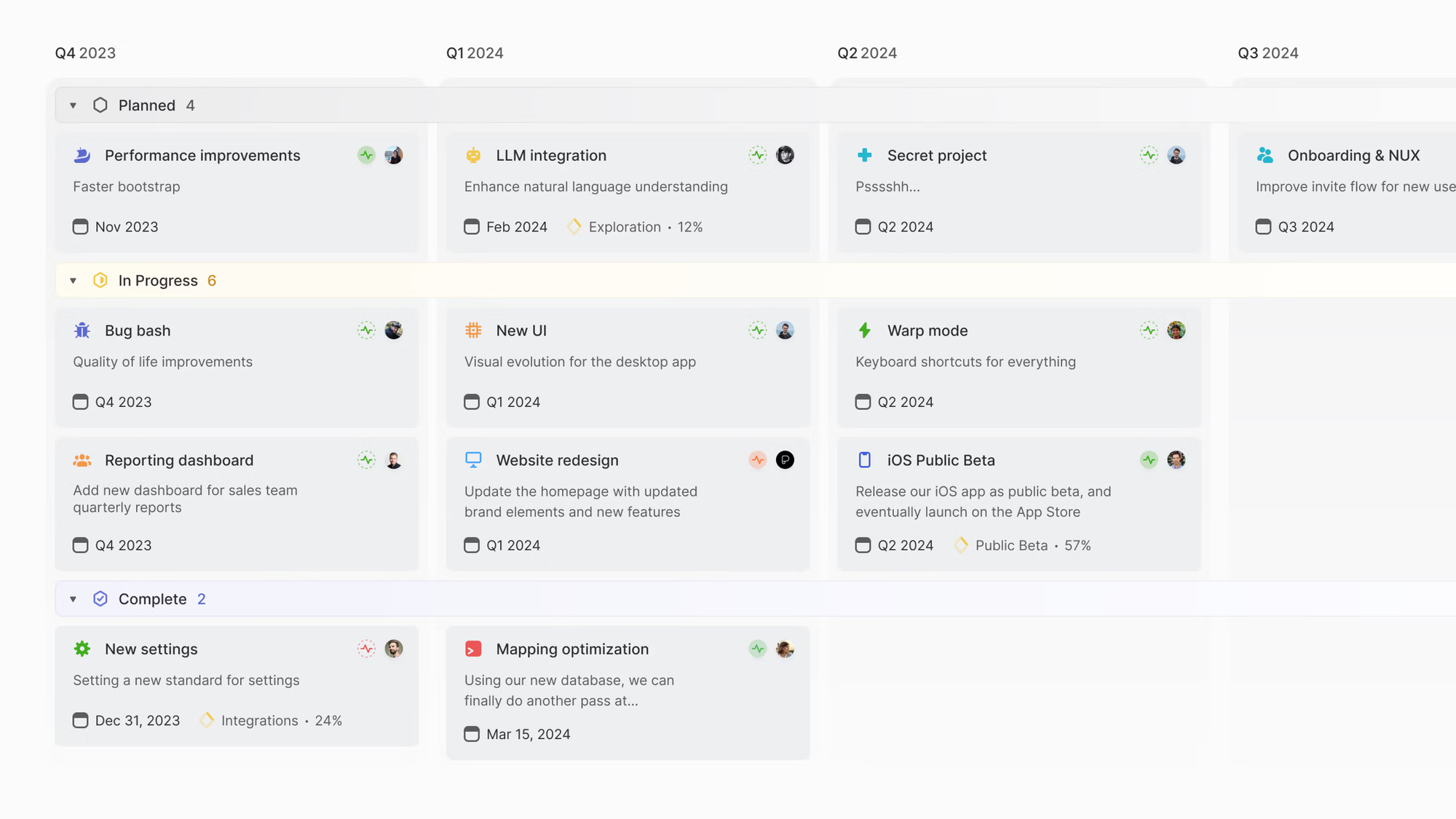
Linear is the modern, fast alternative built for product and engineering teams who value speed. It is keyboard-driven, opinionated, and noticeably quicker than legacy trackers, which is why so many startups have adopted it.
Key features:
- Cycles (sprints) with automated planning
- Keyboard-first, fast interface
- Roadmaps and project tracking
- Triage for incoming issues
- Deep GitHub and GitLab integration
Linear's opinionated design is the point, but it can also feel limiting. Users on G2 report that it offers less flexibility and lighter reporting than Jira, and that it is built primarily for engineering rather than non-technical teams.
Pricing: Free plan with up to 250 issues. Paid plans start at $10/user/mo (Basic) billed annually, with Business at $16/user/mo.
What to look for in an agile methodology tool
The best tool is the one that fits how your team actually works, not the one with the longest feature list. A few things separate a tool you will still use in a year from one you abandon after a month:
- Fit with your methodology: Most agile teams run Scrum, still the most common framework at roughly 66% of agile teams per the State of Agile Report, so sprint support, story points, and burndown are table stakes. Kanban teams need WIP limits and flow instead.
- Backlog and prioritization: A good tool makes it obvious what to work on next, not just a list of everything. Look at how it handles roadmap prioritization, not only task tracking.
- Integrations: It has to plug into the rest of your stack, from Git and CI/CD to Slack and your product management tools.
- A feedback loop: The best agile stacks close the loop with customers. Pairing your delivery tool with a feedback-and-roadmap layer like Featurebase means feature requests, votes, and revenue data flow into the backlog, and users get an automatic update when their request ships.
- Room to scale: A free kanban board is fine at 5 people. At 50 you need reporting, permissions, and dependency tracking.
An agile methodology tool that starts @$29/seat/month
Share what you’re building & keep teams and users aligned with modern roadmaps
Conclusion
There is no single best agile methodology tool, only the best fit for your team. Sprint-heavy engineering teams will reach for Jira, Azure DevOps, or Linear. Cross-functional teams often prefer ClickUp, monday dev, Asana, or Trello for the gentler learning curve.
Whichever delivery tool you choose, the layer most stacks are missing is the one that decides what to build in the first place. Featurebase turns scattered requests into a ranked product backlog and roadmap, then syncs those priorities straight into Jira or Linear so your sprints are always spent on the work customers actually asked for.
It comes with a free plan and onboarding takes minutes, so there is no downside to trying it. 👇
✨ Create internal & public roadmaps with Featurebase for free →
FAQs
What are the tools used in agile methodology?
Agile teams usually combine a few types of tool: a backlog or sprint tracker (like Jira, Azure DevOps, or Linear), a kanban or task board (like Trello or monday dev), a roadmap and feedback tool that decides what to build (like Featurebase), and collaboration tools for ceremonies like retros and standups. Most teams run 2 or 3 of these together rather than relying on one.
What is the difference between an agile framework and an agile tool?
An agile framework is the method your team follows, such as Scrum, Kanban, or Extreme Programming. An agile tool is the software that helps you run that method, like a board for tracking sprints or a roadmap for prioritizing work. You pick the framework first, then choose tools that support how it works.
Do you need special software to do agile?
No. You can run agile with sticky notes on a wall, and plenty of small teams start exactly that way. Software becomes worth it once you need shared visibility, reporting, and a backlog that more than a handful of people can work from without stepping on each other.
Is agile only for software development teams?
No. Agile started in software, but marketing, operations, design, and product teams now use the same iterative approach. The tools flex to match: engineering teams lean on sprint trackers, while non-technical teams often prefer simpler kanban boards.
Which agile tool is best for small teams or beginners?
Trello and monday dev are the easiest to pick up, and both have free or low-cost entry plans that suit small teams. Linear is a strong choice for small engineering teams that want speed without much setup. Start with a free tier, then move up only when reporting and permissions become a real need.
How do you connect customer feedback to your agile backlog?
Use a feedback and roadmap tool that sits upstream of your sprint board. Featurebase collects feature requests, lets customers vote, and scores ideas by revenue and votes, then syncs the winners into Jira or Linear as backlog items. That way your sprints are filled with work customers actually asked for, and users get an automatic update the moment their request ships.