Blog Customer Service8 Best Missive Alternatives for Teams in 2026
8 Best Missive Alternatives for Teams in 2026
Looking for a Missive alternative? Compare 8 shared inbox, help desk, and team email tools by pricing, features, and the job each one does best.



✨ Automate your support with the fastest AI-enhanced Inbox today →
Missive is a clever team inbox. It blends email, internal chat, and multi-channel messaging into one place, so your team can talk about a customer thread right inside it.
But plenty of teams hit the same walls: a dense setup, a mobile app that lags, per-seat pricing that climbs, and missing support tooling like a knowledge base or SLAs.
Short answer:
- If you want the best overall Missive alternative for modern SaaS support, Featurebase✨ is our top recommendation.
- If you want the closest direct replacement for Missive’s collaborative inbox, Front is the strongest choice.
- If you want a simple help desk for email-first support teams, Help Scout is a great fit.
- If your team wants to stay inside Gmail, Hiver is best for support workflows, while Drag is better for lightweight Kanban-style inbox management.
- If you want a budget-friendly shared inbox for a small team, Zoho TeamInbox is worth considering.
- If you mostly need a faster team email client rather than a full help desk, Spark Mail is a good pick.
- If you need enterprise-grade customer support with advanced routing, reporting, and admin controls, Zendesk is the safest choice.
Below, you’ll find the best Missive alternatives to consider in 2026, from simple shared inbox tools to full customer support platforms that combine inbox, help center, AI, SLAs, and feedback workflows in one place. 👇
Key takeaways:
| Tool | Best for | Starting price | Free plan | Main trade-off |
|---|---|---|---|---|
| Featurebase✨ | Modern SaaS teams wanting support + feedback in one | Free, then $29/seat/mo | Yes | Newer suite, lighter legacy enterprise tooling |
| Front | Teams treating the inbox as a full workspace | $25/seat/mo | No | Add-ons and seats get pricey at scale |
| Help Scout | Email-first support teams that need a help desk | Free, then $25/user/mo | Yes | Lighter reporting, web-only |
| Hiver | Teams that want to stay inside Gmail | Free, then $25/user/mo | Yes | Gmail-only, lags at high volume |
| Drag | Small teams wanting Gmail Kanban boards | $12/user/mo | No | Gmail-only, limited deeper features |
| Zoho TeamInbox | Budget shared inbox for small teams | $6/user/mo | No | Basic UI, best inside Zoho |
| Spark Mail | Cross-platform team email client | Free, then $8.25/user/mo | Yes | Light on help-desk features |
| Zendesk | Large support orgs needing enterprise scale | $19/agent/mo | No | Heavy setup, costly at scale |
What is Missive?
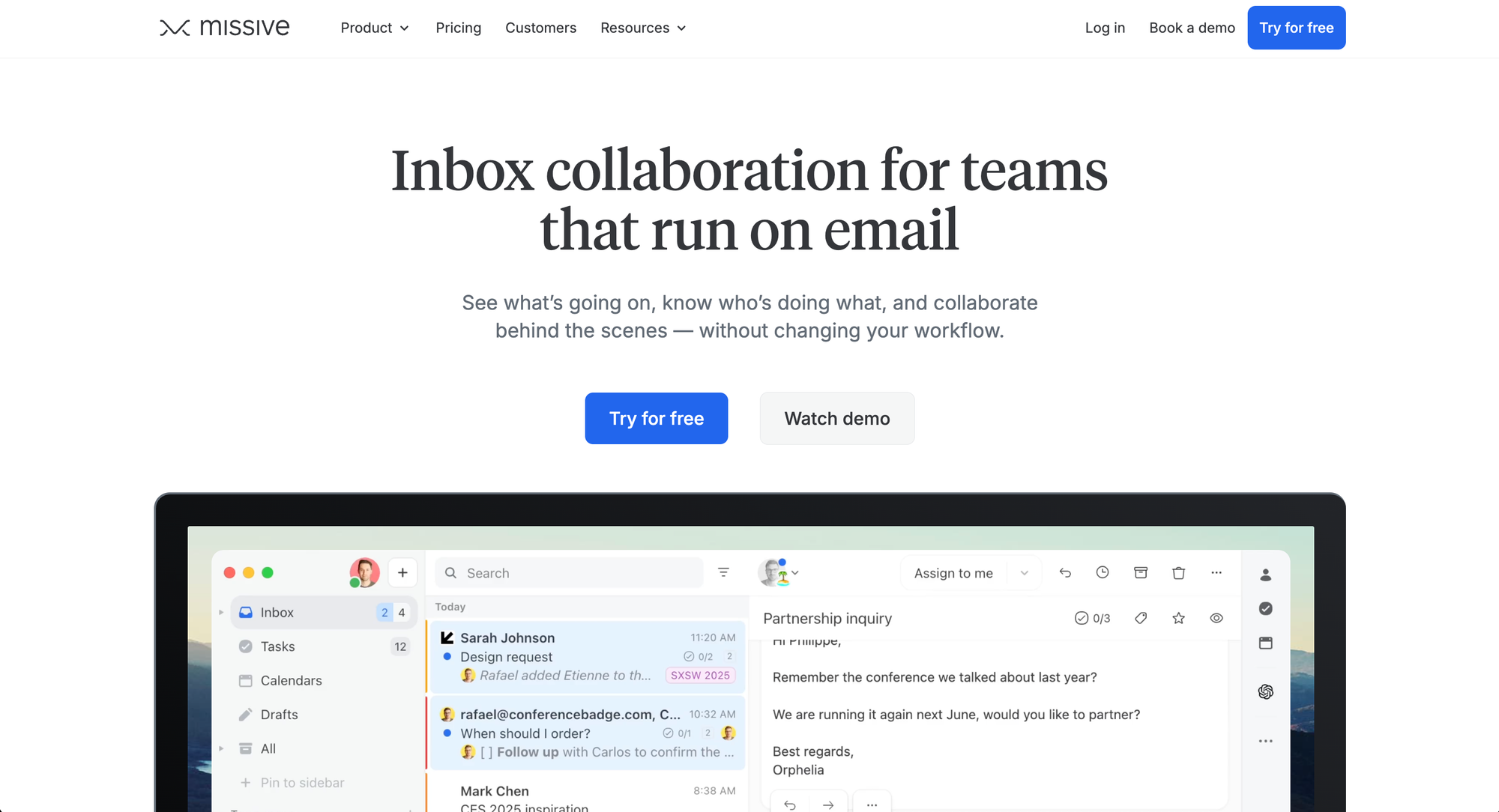
Missive is a shared inbox tool that lets a team manage email, SMS, and social messages together. Its signature move is internal chat: instead of switching to Slack to discuss a customer email, your team comments on the thread right where it lives.
That matters because email is still where most work piles up. The average business email user sends and receives around 126 emails a day, according to the Radicati Group. A shared inbox keeps that flood from turning into duplicate replies and dropped threads.
Missive does this well for general team collaboration. Where it gets shaky is when a team needs real support operations, deep reporting, or a tool that scales cleanly across dozens of seats.
Why teams look for a Missive alternative
Missive is not a bad tool. Most teams leave because they outgrow it. Here are the 4 reasons that come up again and again.
A dense interface and steep learning curve
Missive packs a lot into one screen: personal vs shared inboxes, team spaces, rules, labels, and chat all at once. Reviewers on G2 and Capterra repeatedly flag the setup as the biggest onboarding hurdle. For a small team that just wants to share a support@ inbox, it can feel overbuilt.
A mobile app that lags
Desktop Missive is powerful. The mobile app is weaker, with several features limited or missing, and performance that reportedly slows on large inboxes. If your team triages from phones, test the app before you commit.
Per-seat pricing that adds up
Missive charges per user, and the price climbs as you add seats and move up tiers. A growing team can find the bill rising faster than expected, especially compared to lighter Gmail-native tools.
No built-in knowledge base, SLAs, or deep reporting
This is the big one for support teams. Missive has no built-in help center, no formal SLA tracking, and thin reporting. Search is also a recurring complaint. This is where a tool like Featurebase pulls ahead: it pairs a shared inbox with a built-in AI help center, SLAs, and reporting, the support infrastructure Missive never added.

Get the best Missive alternative
Automatically resolve 70% of customer requests & cut down manual support loads
How to choose a Missive alternative
Before you shortlist tools, answer one question: where does the truth live, in Gmail/Outlook or in the new tool? Pick that first, or you will migrate twice.
From there, most alternatives fall into 4 categories:
- A collaborative inbox workspace: if multiple people work the same threads and you need assignments, internal notes, and a clear record of who replied, a dedicated workspace like Front fits.
- A help desk: if you need ticket statuses, SLAs, and reporting that holds up in a leadership review, a support platform like Featurebase, Help Scout, or Zendesk is the move.
- A Gmail-native overlay: if your team refuses to leave Gmail, tools like Hiver and Drag add shared-inbox features without a migration.
- A fast email client: if your team does not really need shared inboxes and each person just wants to move faster, a client like Spark is enough.
Match the tool to the job, run it in parallel with Missive for a couple of weeks, and check how sync, mobile, and assignments behave under real load.
The 8 best Missive alternatives in 2026
1. Featurebase✨

Featurebase is a modern AI customer support platform for product-led SaaS. It combines AI-powered support, help center, and feedback management into a single platform for startups that want all their customer-facing tools in one place. Featurebase is loved by thousands of support teams from companies like Lovable, Raycast, and n8n. 💫
Where Missive stops at the shared inbox, Featurebase adds the support layer around it: a help center, SLAs, AI agents, and feedback tools, without the legacy bloat of older help desks.
Top features:
- Omnichannel inbox – Manage live chat, email, and Slack conversations from one AI-powered view
- Fibi AI Agent - Resolve customer issues on autopilot & run custom actions like trial extensions and refunds
- Help center with AI search – Provide instant, multilingual self-serve answers
- Workflows & automations – Auto-assign tickets, route conversations, collect customer data, and more
- AI Copilot – Help your agents answer customers faster with AI Copilot that uses your internal knowledge
- Multi-brand support – Manage multiple Help Centers and Live chats from a single workspace
- Automatic AI translations – Automatically translate all messages and help articles to your customers native language
- Service Level Agreements – Track SLAs to make sure your team responds to customers on time, every time
- Mobile app – Respond to customers, receive notifications, and unblock users on the go
- Feedback & roadmap tools – Collect feature requests and close the loop with updates
- Product updates – Publish release notes with a changelog page, in-app widget, and emails
- Integrations – Connects with Slack, Linear, Jira, HubSpot, and more
Pricing: Free plan available with unlimited conversations. Paid plans start at $29/seat/month with $0.29 per AI resolution.
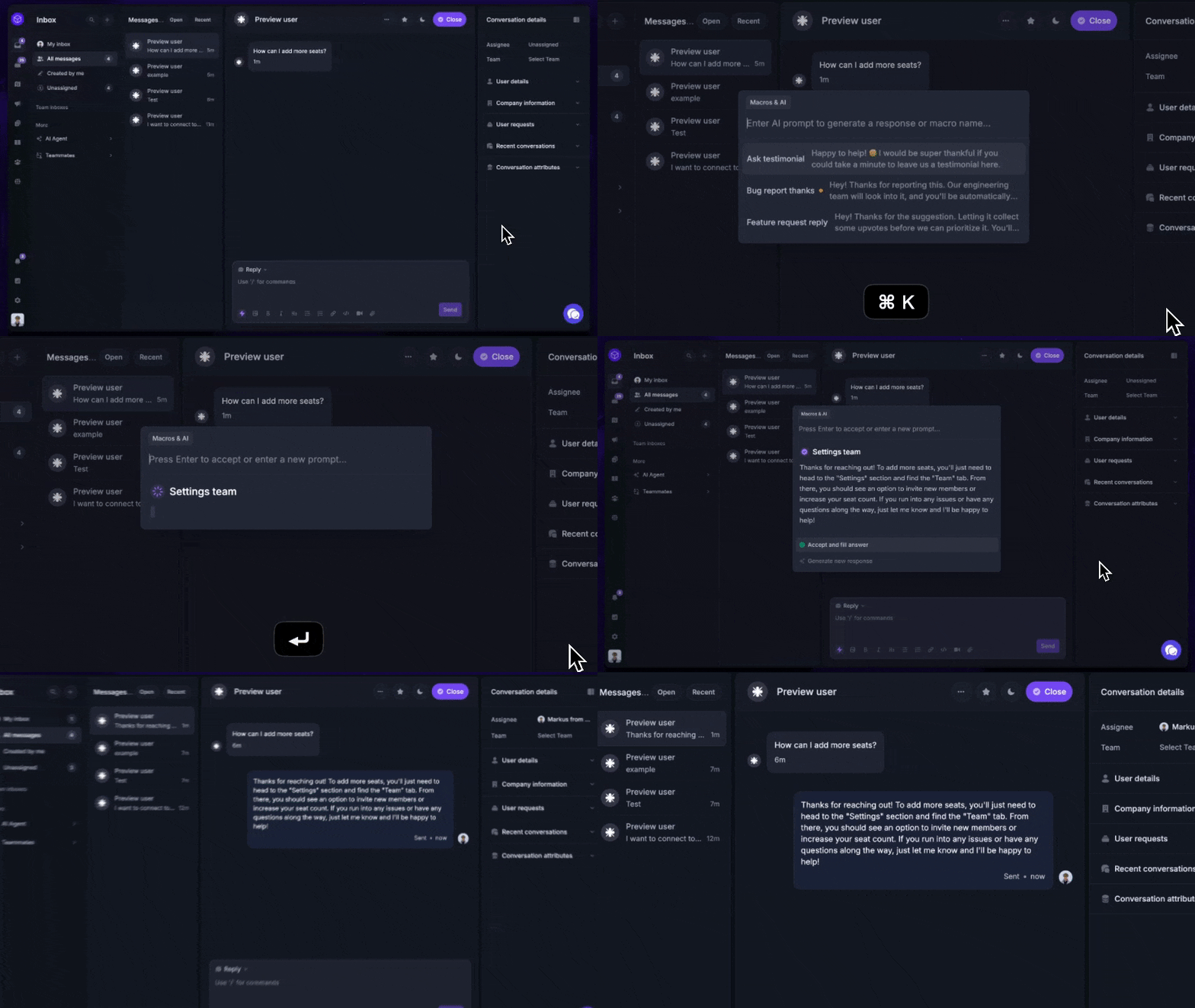
Featurebase covers all the basic support features that legacy platforms do, but with a much more modern approach. It comes with AI automations, a mobile app, and multiple channels (email, live chat, Slack, etc.).
✨ Automate your support with the fastest AI-enhanced Inbox today →
2. Front
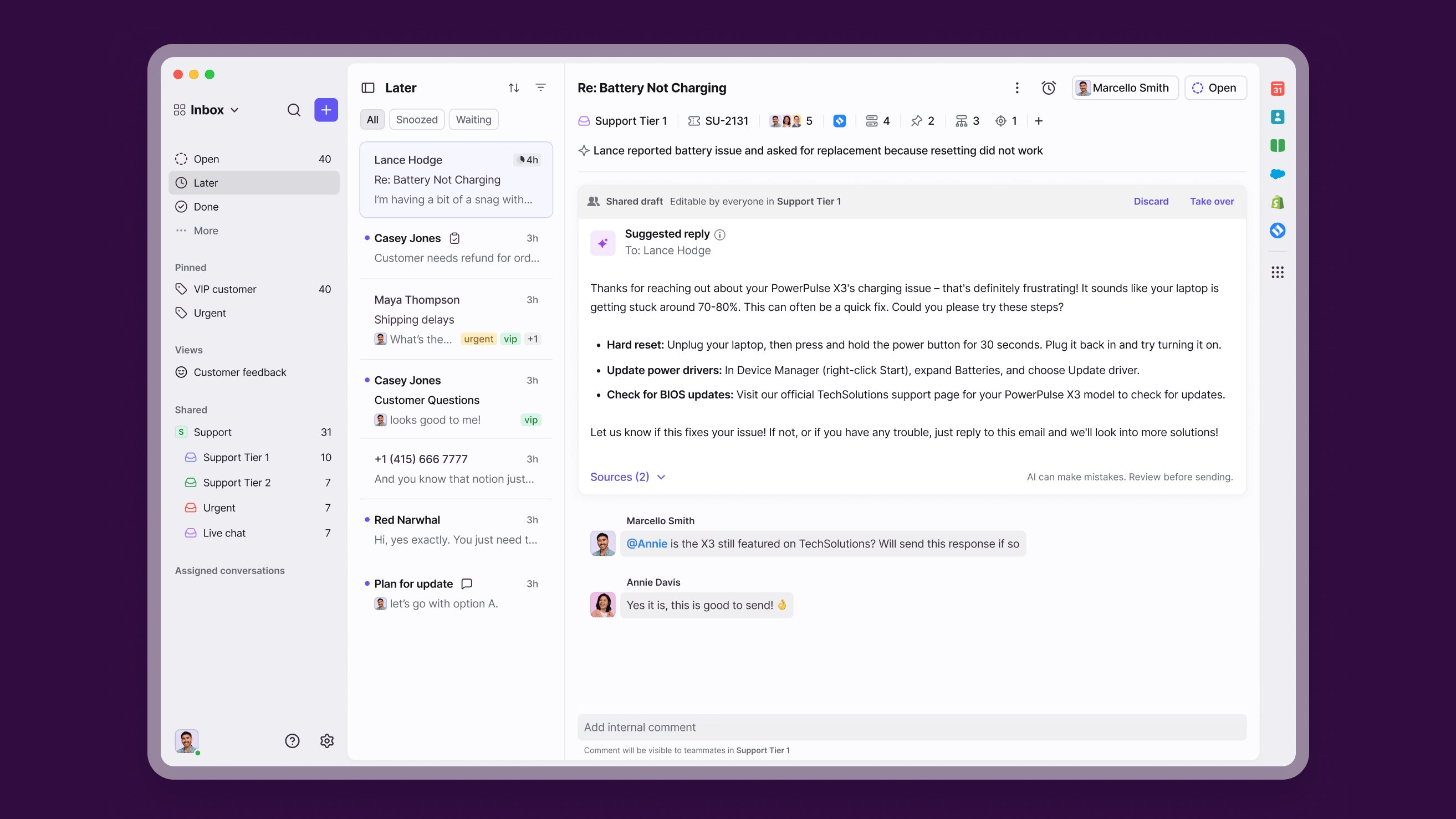
Front is the closest direct peer to Missive. It is a collaborative inbox workspace where teams comment on emails, assign conversations, and manage high volumes across email, SMS, social, and live chat.
The difference is scale and intent. Front leans toward enterprise customer operations, with routing, analytics, a built-in knowledge base, and deep CRM integrations. It is the natural pick if you are ready to treat the inbox tool as your primary workspace rather than a Gmail add-on.
Best for: teams that want the inbox itself to become the workspace, with serious routing and reporting.
Watch out for: cost. G2 reviewers consistently flag that Front gets expensive at scale, and the AI add-ons (Copilot, Smart QA, Smart CSAT) stack on top of seat pricing. Gmail metadata sync is also limited after the initial import.
Pricing: Front's pricing starts at $25/seat/mo for Starter (up to 10 seats), then $65 for Professional and $105 for Enterprise (billed annually). There is no free plan, only a 14-day trial.
See our full Missive vs Front comparison.
3. Help Scout
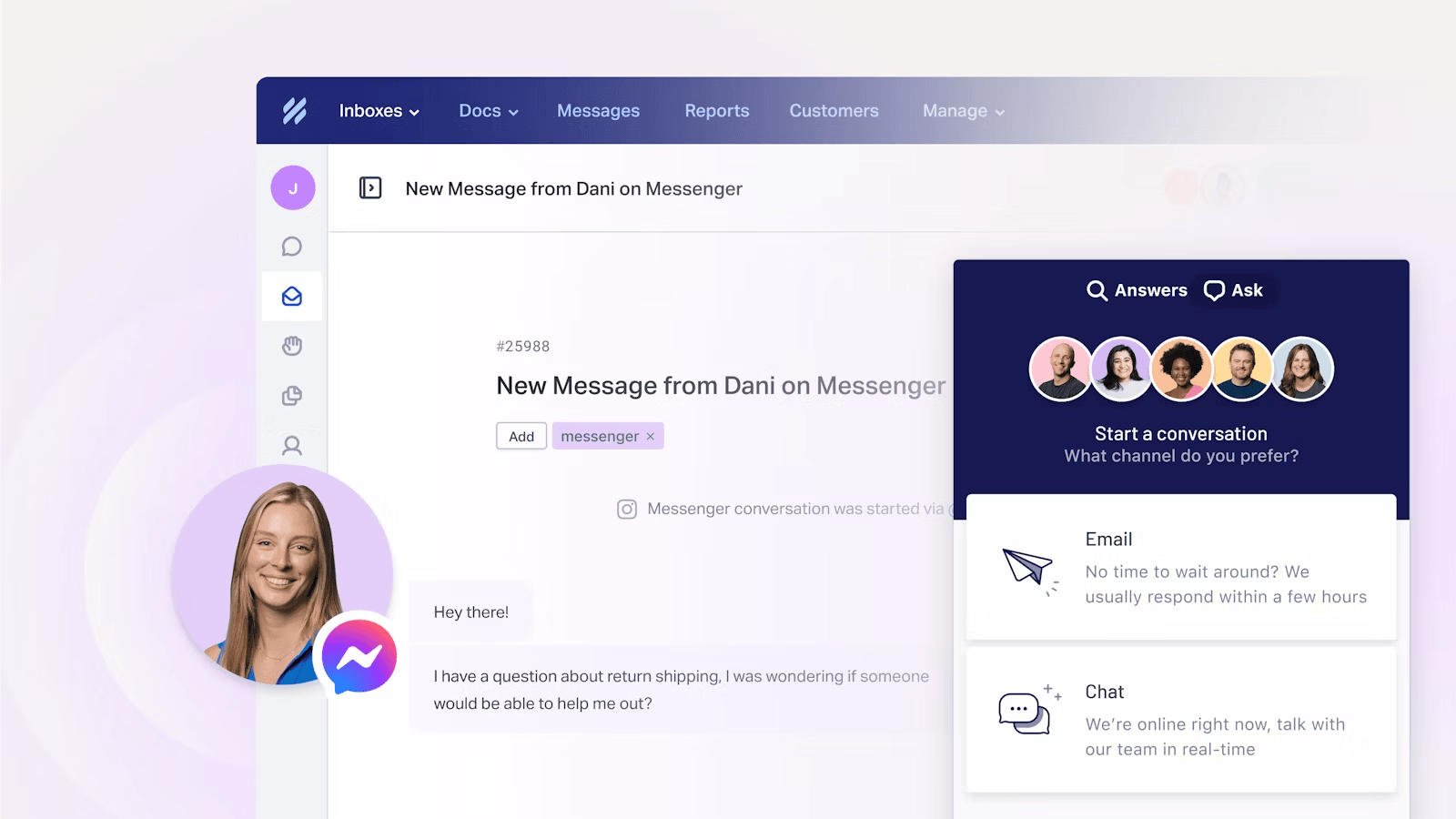
Help Scout is what you graduate to when "shared inbox" becomes "support operation." It is a clean, focused help desk built for email-first support teams that need shared mailboxes, a knowledge base, and reporting.
The knowledge base (Docs) and the Beacon widget are the real differentiators. Customers can find answers themselves before they email, and agents get AI-suggested articles mid-conversation. It is easier to run than Zendesk while still giving you structured support workflows.
Best for: email-first support teams that have outgrown a basic shared inbox but do not want enterprise complexity.
Watch out for: Help Scout is web-only, with no desktop or mobile app. G2 reviewers note that reporting is fairly basic and workflow customization is limited, and the AI Answers chatbot is billed per resolution, which can spike with volume.
Pricing: Help Scout has a free plan for up to 5 users. Paid plans run $25 (Standard), $45 (Plus), and $75 (Pro) per user/mo, with AI Answers at $0.75 per resolution.
4. Hiver
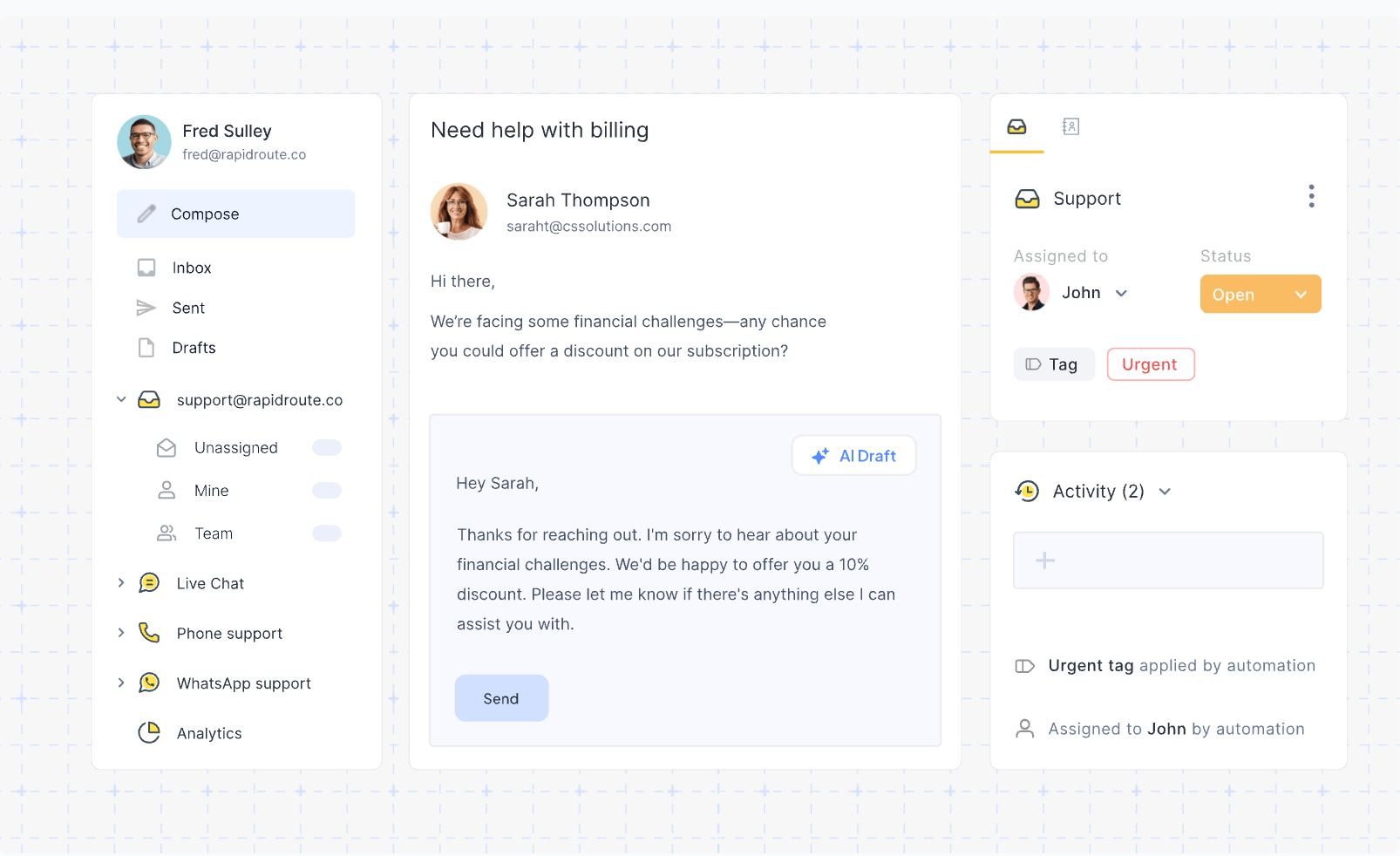
Hiver takes the opposite approach to Missive's complexity: it lives entirely inside Gmail. Your team gets shared inboxes, email assignment, collision detection, SLA tracking, and CSAT, all without leaving the Gmail interface they already know.
That makes adoption fast. There is no new app to learn and no retraining. The catch is that Hiver only works with Google Workspace, so Outlook and IMAP teams are out.
Best for: Google Workspace teams that want support-ops features without migrating to a new platform.
Watch out for: G2 reviewers report slow loading and lag when handling high email volume, plus occasional glitches with email assignment. The features most teams want, like SLAs and CSAT, sit on the higher Pro tier.
Pricing: Hiver has a free plan. Paid tiers are Growth at $25, Pro at $55, and Elite at $85 per user/mo (billed annually).
5. Drag
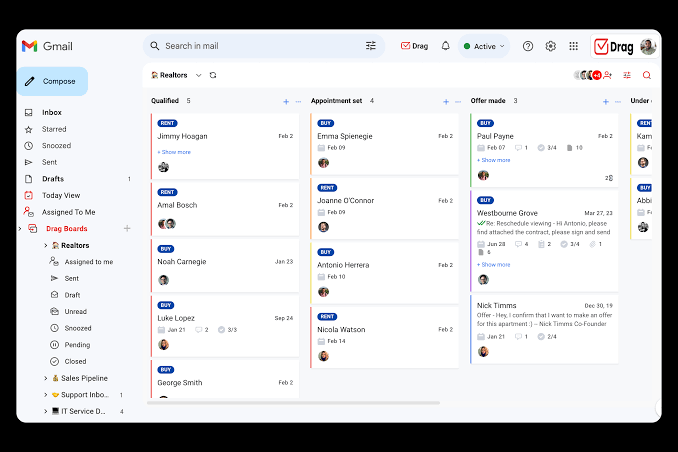
Drag is the lightweight Gmail-native option. It turns Gmail into Kanban boards, so emails become cards you move through stages like New, In Progress, and Done. You also get shared inboxes, assignments, internal notes, and basic automation, all inside Gmail.
Think of it as Trello for your inbox. It is simpler than the full help desks here, which is the point. For small teams that think in boards and columns, the visual approach makes status tracking intuitive.
Best for: small teams that want Gmail-native collaboration and a visual workflow without the cost or complexity of bigger tools.
Watch out for: Drag is Gmail-only, with a narrower feature set than full help desks, and reporting history is capped by tier (3, 6, or 12 months). It will not scale to complex, multi-channel support.
Pricing: Drag starts at $12 per user/mo (Starter), then $18 (Plus) and $24 (Pro), billed annually, after a 7-day free trial.
6. Zoho TeamInbox
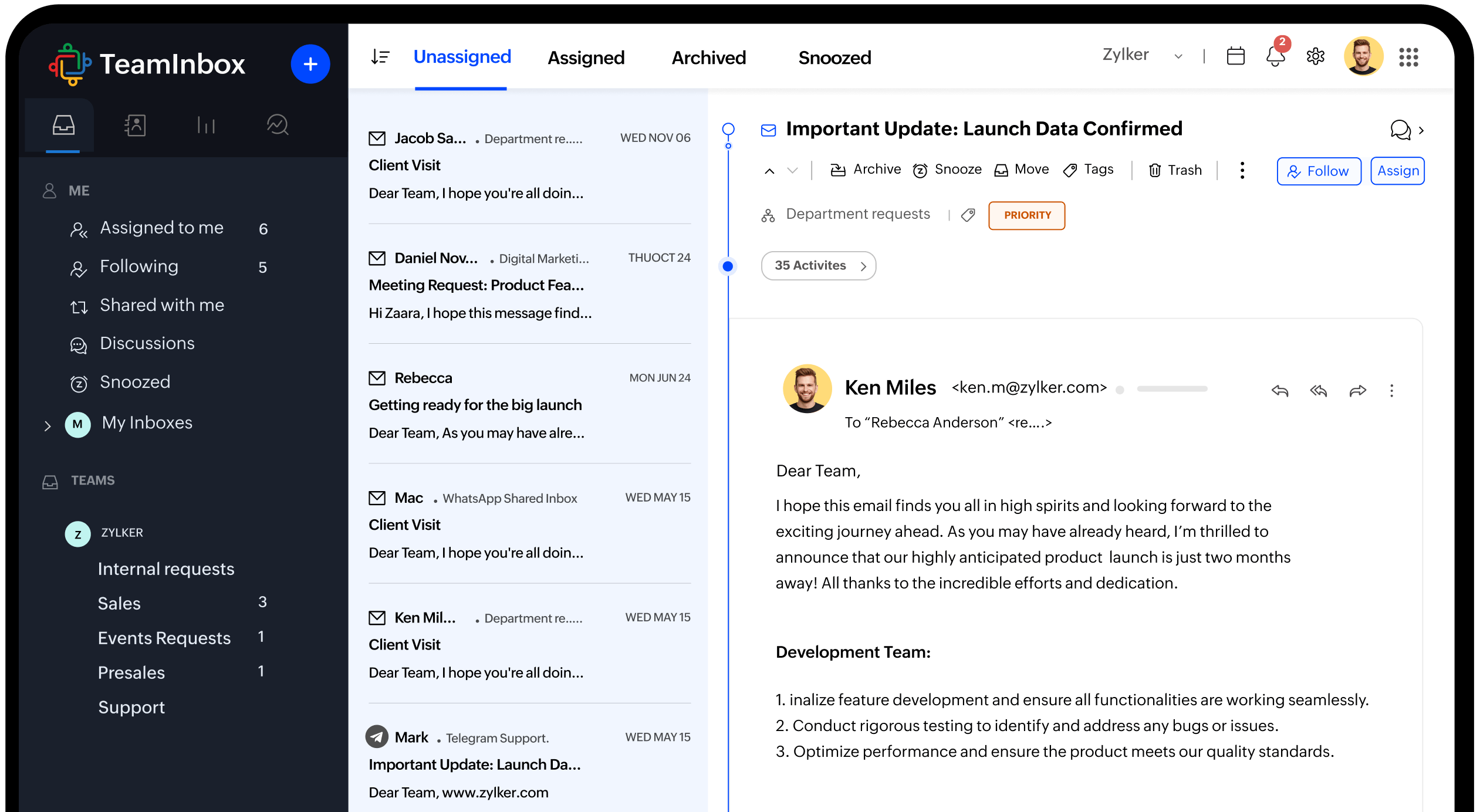
Zoho TeamInbox is the budget pick that covers the shared-inbox basics without feeling bare. You get assignments, internal discussions, draft sharing, response templates, rules, and analytics in one transparent workspace.
It is the obvious fit if you already live in the Zoho ecosystem, since it ties into the broader Zoho suite. Even on its own, it is one of the cheapest ways to give a small team a real shared inbox.
Best for: cost-conscious small teams that need shared inbox basics without enterprise pricing.
Watch out for: the interface is less polished than dedicated competitors, and channel and rule limits are gated by tier. You will get the most value if you are already using other Zoho tools.
Pricing: Zoho TeamInbox starts at $6 per user/mo (Starter) and $9 (Professional), with a 14-day trial rather than a permanent free plan.
7. Spark Mail
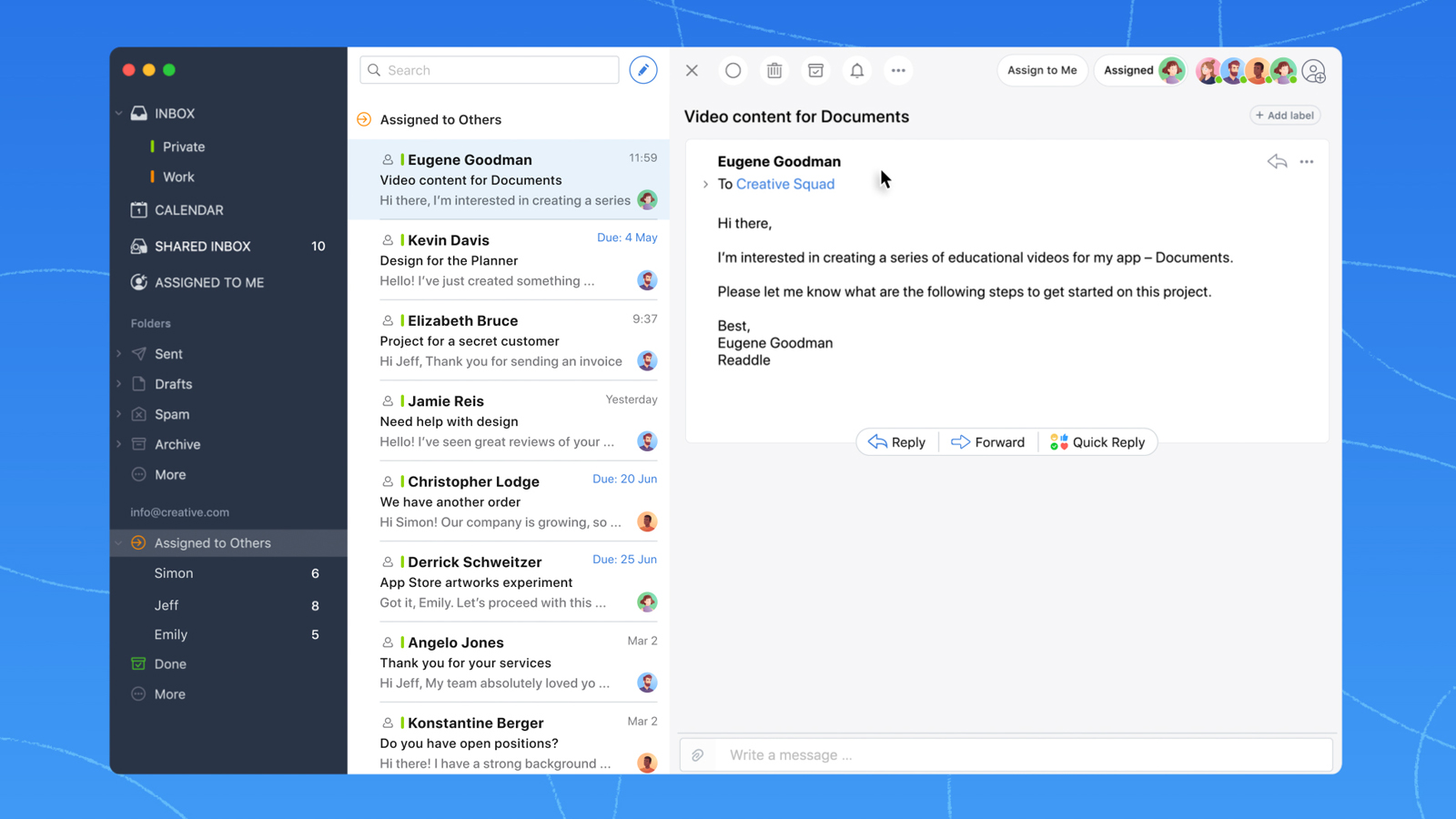
Spark, from Readdle, is a cross-platform email client with team collaboration bolted on. It runs on Mac, Windows, iOS, Android, and web, and supports Gmail, Outlook, iCloud, and IMAP, so it fits almost any setup.
Its smart inbox sorts mail by priority, and Spark +AI can draft, summarize, and adjust tone. The team features include shared inboxes, real-time collaborative drafting (one of Missive's standout strengths), and internal comments, usually at a lower price than Missive.
Best for: teams that want a modern, cross-platform email client with light collaboration rather than a full support platform.
Watch out for: shared inboxes require a paid team plan, there is no help-desk-grade SLA or queue governance, and AI features run on monthly quotas. It is an email client with team features, not a purpose-built operations tool.
Pricing: Spark has a free plan. Paid plans start at $8.25 per user/mo (Plus) and $16.58 (Pro), billed annually, with custom Enterprise pricing.
8. Zendesk

Zendesk is the enterprise standard for customer support. It offers comprehensive ticketing, a knowledge base, messaging, voice, and omnichannel routing, with a huge ecosystem of integrations and AI agents on top.
It scales to any size, which is exactly why it is overkill for most teams leaving Missive. The power comes with heavy setup and ongoing administration, so you pay in time before you pay in dollars.
Best for: large support organizations with complex workflows and dedicated admin resources.
Watch out for: G2 reviewers consistently call out the cost, the complexity, and how overwhelming it feels for smaller teams. Customization of ticket forms, workflows, and roles can also feel constrained.
Pricing: Zendesk's pricing starts at $19/agent/mo for the Support Team plan, then $55 (Suite Team) and $115 (Suite Professional), billed annually, with custom Enterprise pricing.
Conclusion
There is no single best Missive alternative, only the one that fits where your team works and what you actually need. Front is the closest collaborative-inbox peer, Hiver and Drag keep you inside Gmail, Zoho and Spark keep costs low, and Zendesk handles enterprise scale.
But if you are switching because Missive never gave you real support tooling, Featurebase is the most complete modern option. It pairs an AI-powered omnichannel inbox with a help center, SLAs, feedback, and roadmaps, so your team gets the support infrastructure Missive lacks without stitching together 5 tools. 💫
There is a free plan with unlimited conversations, and onboarding is fast, so there is no downside to trying it. 👇
✨ Automate your support with the fastest AI-enhanced Inbox today → Get started with Featurebase

FAQs
What is the closest alternative to Missive?
Front is the closest peer if you want a dedicated collaborative inbox workspace with similar commenting and assignment features. If your real need is support, Featurebase is the closest match that adds a help center, SLAs, and feedback tools on top of the shared inbox.
What's the best Missive alternative for Gmail users?
Hiver and Drag both work entirely inside Gmail, so your team never leaves the interface it already knows. Hiver leans toward support operations with SLAs and CSAT, while Drag is simpler and built around Kanban boards.
Is there a free alternative to Missive?
Yes. Featurebase has a free plan with unlimited conversations, and Help Scout, Hiver, and Spark all offer free tiers too. Featurebase is the strongest free option if you want support and feedback tools together rather than just a shared inbox.
Which Missive alternative is best for customer support teams?
Featurebase, Help Scout, and Zendesk are the strongest picks for dedicated support. Featurebase and Help Scout suit modern teams that want a clean help desk with a knowledge base, while Zendesk fits large operations that need enterprise scale and can staff the setup.
How much does Missive cost?
Missive has a free plan, with paid tiers at $14 (Starter), $24 (Productive), and $36 (Business) per user/month billed yearly. You can see how that compares in our Missive pricing breakdown.
Does Missive have a built-in knowledge base or SLAs?
No. Missive focuses on the shared inbox and does not include a built-in knowledge base or formal SLA tracking. That gap is the main reason support teams move to tools like Featurebase, Help Scout, or Zendesk, which build those features in.