Blog ComparisonsBeamer Pricing: Everything You Need to Know (2026)
Beamer Pricing: Everything You Need to Know (2026)
Beamer pricing explained: compare plans, MAU limits, add-ons, and true costs so you can manage product updates and in-app notifications without overspending.

Thinking about using Beamer to manage product updates, user onboarding, and in-app notifications, but unsure about the actual cost? You’re not alone.
On the surface, Beamer looks modern, intuitive, and app-focused, perfect for SaaS teams who want to maximize engagement and deliver new features efficiently. But when you dive into Beamer pricing, the details can get complex — monthly limits, advanced features, reaction capabilities, targeted messages, multiple accounts, additional API requests, and multiple websites can all impact the final cost.
In this guide, we’ll break down Beamer’s 2026 pricing, covering user segmentation, user groups, hidden costs, and whether it’s worth it for your SaaS product or Beamer account.
✨ Start announcing product updates & increase feature adoption with Featurebase for free →
Key takeaways
Here’s what you need to know before choosing a Beamer plan in 2026:
- MAU-based pricing: Beamer’s plans are based on monthly active users, not seats or usage. Cost will definitely skyrocket compared to the alternatives.
- Free & Starter tiers: Ideal for testing your Beamer account, starting user onboarding, and collecting actionable feedback from your users.
- Pro & Scale tiers: Unlock targeted notifications, boosted announcements, two-way communication, advanced analytics, and user segmentation.
- Hidden costs to watch: Extra MAU blocks, additional API requests, managing multiple accounts, and multiple websites can add to your monthly spend.
- Engagement & ROI: Beamer allows you to collect regular feedback, track NPS surveys, and maximize engagement, helping you optimize user onboarding and measure customer satisfaction.
- There are many more modern & powerful alternatives, like Featurebase, which provides affordable release notes with neat in-app widgets.
What is Beamer?
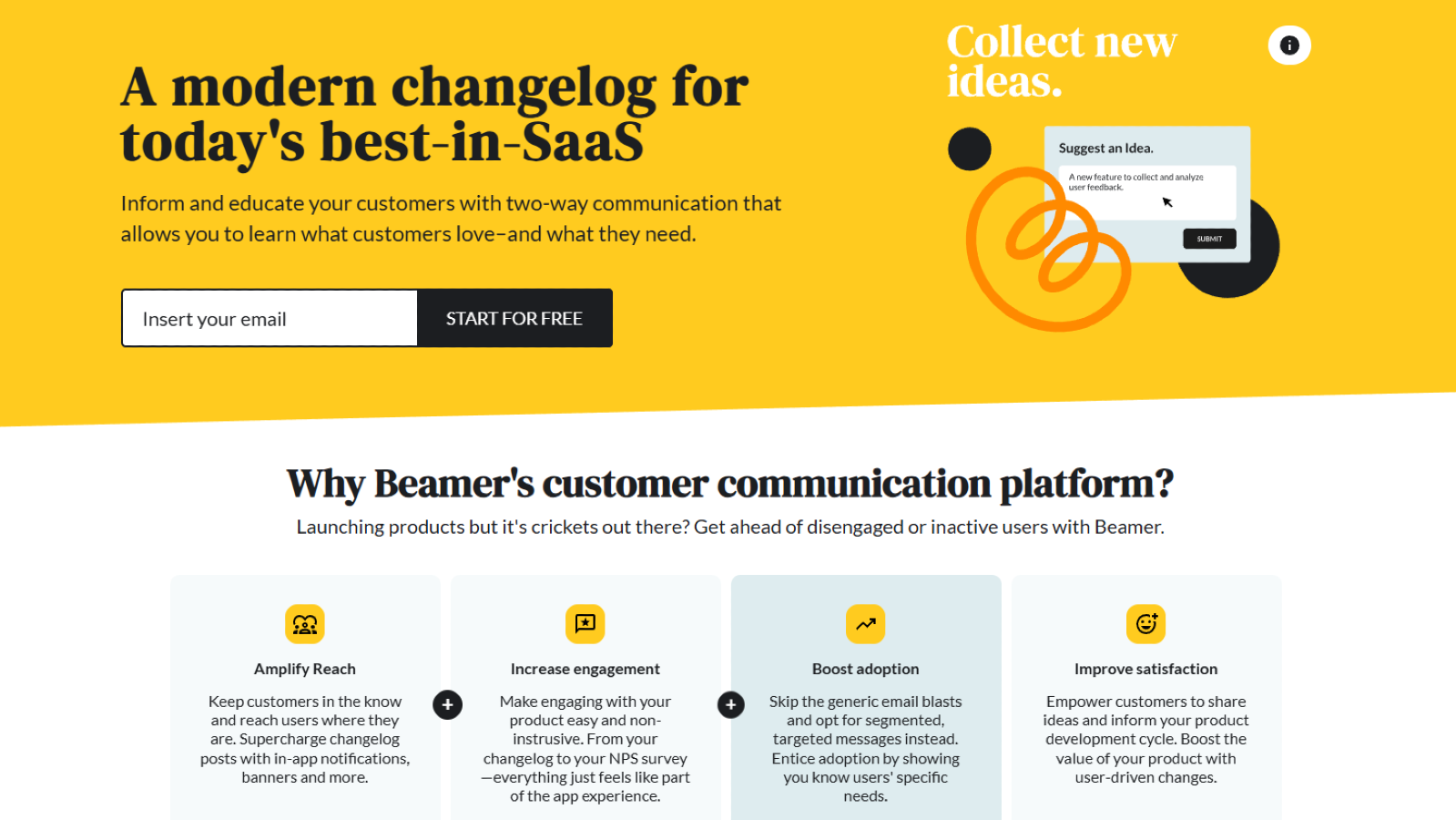
Beamer is a product engagement platform for SaaS teams that want to announce updates, send in-app notifications, and collect user feedback from a single dashboard. It’s typically used for changelogs, onboarding messages, and product announcements embedded directly into apps or websites. Most teams adopt it as part of their product communication stack rather than a standalone tool.
From a pricing standpoint, Beamer uses MAU-based tiers, where costs scale with your monthly active users and feature access. Core capabilities are available on lower plans, but advanced targeting, analytics, segmentation, and survey tools are tied to higher tiers and add-ons. This makes usage volume and engagement strategy key factors in your total cost.
In practice, the more users, devices, and touchpoints you manage, the more your Beamer subscription can grow. Extra API requests, add-ons like NPS or feedback, and multi-site setups can also affect your final monthly spend. That’s why understanding Beamer pricing structure matters as much as understanding its features.
Beamer Pricing 2026
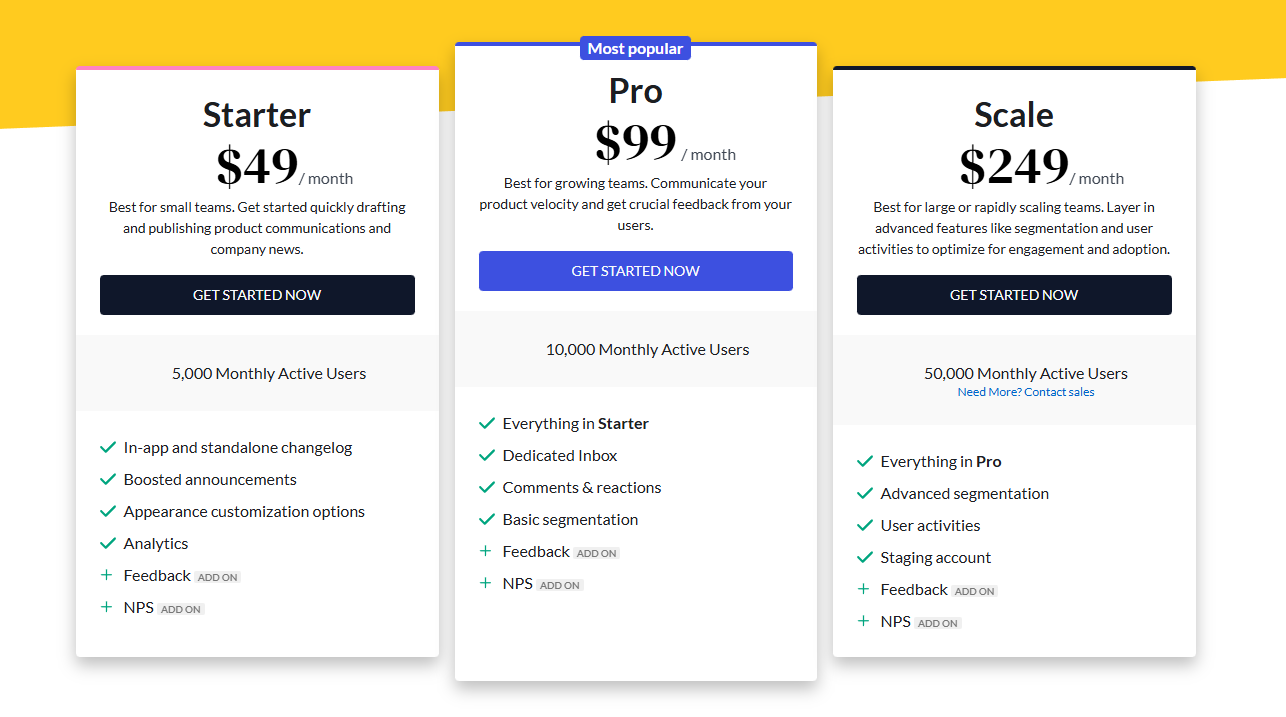
Beamer's pricing is tiered by MAU (monthly active users) and feature access, not by seat count. Here’s a breakdown of the Starter, Pro, and Scale plans, including hidden costs:
Starter plan ($49/month)
The Starter plan is aimed at small SaaS teams who want more value and need targeted messages.
Included features:
- Everything in Free tier
- Higher MAU limits for same user across multiple devices
- User segmentation for user groups or individual users
- Feedback and NPS survey add-ons
- Support for multiple languages, multiple accounts, and multiple websites
- In-app notifications, pop ups, boosted announcements, and unobtrusive tooltips
Limitations:
- Advanced features like advanced analytics, two-way communication, and user onboarding require Pro plan
- Additional API requests incur extra cost (first extra block and beyond)
Best for: Teams looking to collect regular feedback, track user onboarding cost, and quickly act on customer satisfaction insights.
Pro plan ($99/month)
The Pro plan is where Beamer becomes a full engagement platform.
Included features:
- Everything in Starter plan
- Dedicated inbox for comments & reactions
- Basic user segmentation for same user across multiple devices
- Push notifications and email notifications
- Advanced analytics to identify trends and track overall velocity
- Collect actionable feedback and run NPS surveys
- Can manage multiple changelogs and track user onboarding
Limitations:
- High-volume API requests may require additional API requests add-on
- Scale plan is needed for advanced segmentation and multi-account management
Best for: Teams who want to maximize engagement, send targeted notifications, and easily collect feedback to improve customer satisfaction.
Scale plan ($249+/month)
The Scale plan is designed for large or rapidly scaling teams who need advanced features.
Included features:
- Everything in Pro plan
- Advanced segmentation, user activities, and staging account
- User onboarding powered by Userflow
- Dedicated Beamer support, push notifications, and boosted announcements
- Ability to manage multiple changelogs, multiple accounts, and multiple websites
- Two-way communication for user groups and individual users
Limitations:
- High-volume additional API requests billed per extra block
- Overages on MAU billed at $50/month per 5,000 additional users
Best for: Teams looking to reach users at scale, maximize engagement, and maintain customer satisfaction across same user and multiple devices.

Get the best modern Beamer alternative
Beautiful release notes that drive adoption, with an affordable pricing
Add-ons
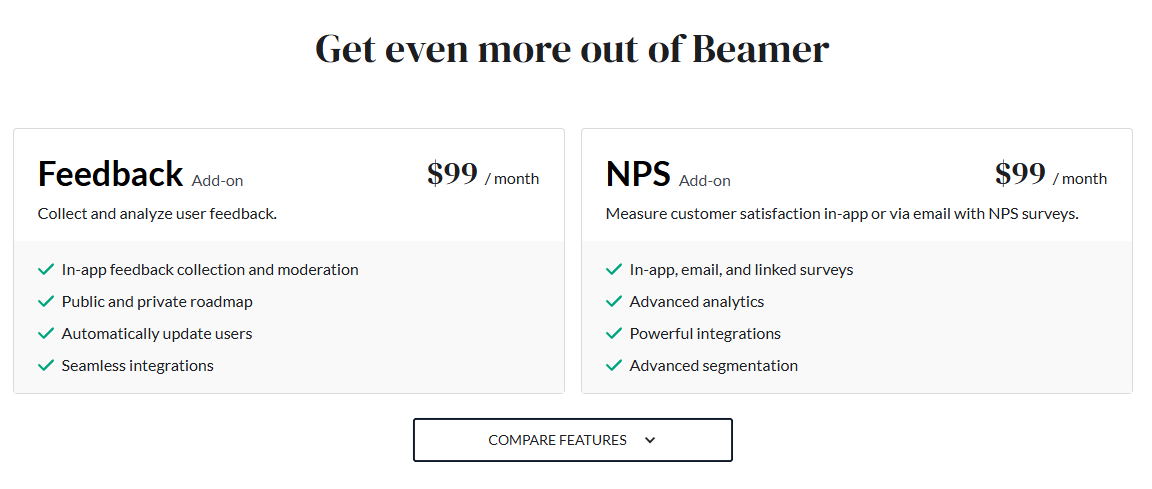
Beamer offers optional add-ons to enhance your plan:
- Feedback Add-on ($99/month): Collect actionable feedback via in-app notifications, public or private roadmap, and seamless integrations
- NPS Add-on ($99/month): Measure customer satisfaction via email notifications or in-app NPS surveys, with advanced analytics and advanced segmentation
How Beamer pricing scales as your user base grows
Because Beamer pricing is based on monthly active users (MAUs), your subscription cost rises as your product adoption grows. Pricing is tied to how many users interact with your app, changelog, or in-app notifications each month — not how many team members manage the Beamer account.
For early-stage SaaS teams with low MAU, this can be cost-effective. But as you reach more users across multiple devices and websites, extra MAU blocks, additional API requests, and higher-tier plans with advanced analytics may be required.
This model works best when your product engagement strategy is carefully managed. Frequent updates, targeted notifications, and boosted announcements to large user groups can quickly use up your monthly limits.
Calculating the costs of using Beamer
One of the most important questions teams ask is: “How much will Beamer actually cost, and is it worth it?”
Beamer's pricing is primarily based on monthly active users (MAUs) and the plan tier you choose, with optional add-ons for NPS surveys, feedback, or advanced analytics. Here’s a quick breakdown of how costs add up:
- Starter Plan: $49/month (annual billing) for 5,000 MAUs. Each additional 5,000 users adds $50/month.
- Pro Plan: $99/month for 10,000 MAUs, with incremental MAU pricing.
- Scale Plan: $249/month for 50,000 MAUs; best for advanced segmentation, multiple user groups, and onboarding.
- Add-ons: $99/month each for Feedback or NPS surveys to collect actionable insights.
- Additional API requests: Starter — 2,000; Pro — 20,000; Scale — 100,000; extra blocks billed at $49 first block, $19 thereafter.
Calculating ROI:
- Measure engagement uplift: Use advanced analytics, reaction capabilities, and push notifications to track user interaction with product updates.
- Track retention & satisfaction: NPS surveys and feedback add-ons help quantify customer satisfaction and identify trends for future product releases.
- Compare cost savings: By using Beamer for user onboarding, targeted notifications, and in-app announcements, you can reduce email campaigns, dev hours, and multiple website maintenance.
Example ROI scenario:
- Your Pro plan costs $99/month with 10,000 MAUs
- You enable feedback and NPS add-ons for $198/month
- You reach 80% of MAUs with targeted messages and push notifications, reducing support tickets by 30%
- Result: faster adoption of new features, increased customer satisfaction, and cost savings on alternative outreach channels
Get the best affordable Beamer alternative
Beautiful release notes that drive adoption, with an affordable pricing
What affects your final Beamer monthly bill?
Your Beamer subscription cost is not just about the base plan price. Several usage and feature variables can change your total monthly spend.
Key cost drivers include:
- Monthly active users and extra MAU blocks
- Add-ons like NPS survey and feedback collection
- Additional API requests beyond the included monthly limit
- Managing multiple changelogs or multiple websites
- Advanced features like segmentation, two way communication, and advanced analytics
- Higher engagement volume from push notifications and email notifications
- Boosted announcements and targeted messages to large user groups
Teams that actively use Beamer for user onboarding, product releases, and frequent announcements should forecast usage, not just pick a plan based on current MAU.
Best Beamer alternatives for 2026
If Beamer’s pricing or add-on costs aren’t the best fit, here are some modern tools that offer more flexibility, user segmentation, and with better payment options which gives more value for money:
- ✨ Featurebase – Best overall modern & affordable Beamer alternative. Supports unlimited end-users, changelog emails included, and usage-based pricing after 5,000 emails. Great for multiple changelogs, targeted messages, and actionable feedback.
- Canny – Ideal for user feedback, targeted notifications, and roadmap transparency. Helps you collect regular feedback and reach users across multiple devices.
- AnnounceKit – Perfect for in-app notifications, boosted announcements, and email notifications. Offers reaction capabilities, simple embed code, and unobtrusive tooltips.
- Productboard – Best for advanced product analytics, feature prioritization, and enterprise segmentation. Helps identify trends and maximize engagement with advanced features.
- GitBook – Great for technical teams needing documentation + feedback, supporting user groups and multiple accounts.
- HelpJuice – Offers advanced features upfront with a predictable flat fee, including reaction capabilities and push notifications.
- Document360 – Enterprise-ready knowledge base, though in-app widgets and advanced analytics can be costly.
You can explore all of these alternatives to see which best fits your team’s needs, whether that’s push notifications, reaction capabilities, boosted announcements, or maximizing engagement across your user groups.
Do you think Beamer is worth it?
Beamer is a strong in-app notifications and changelog platform for SaaS teams that want polished product updates, targeted messages, and engagement features out of the box. But its MAU-based pricing, add-ons for feedback and NPS, and extra API or usage blocks can make total costs climb quickly as your user base grows.
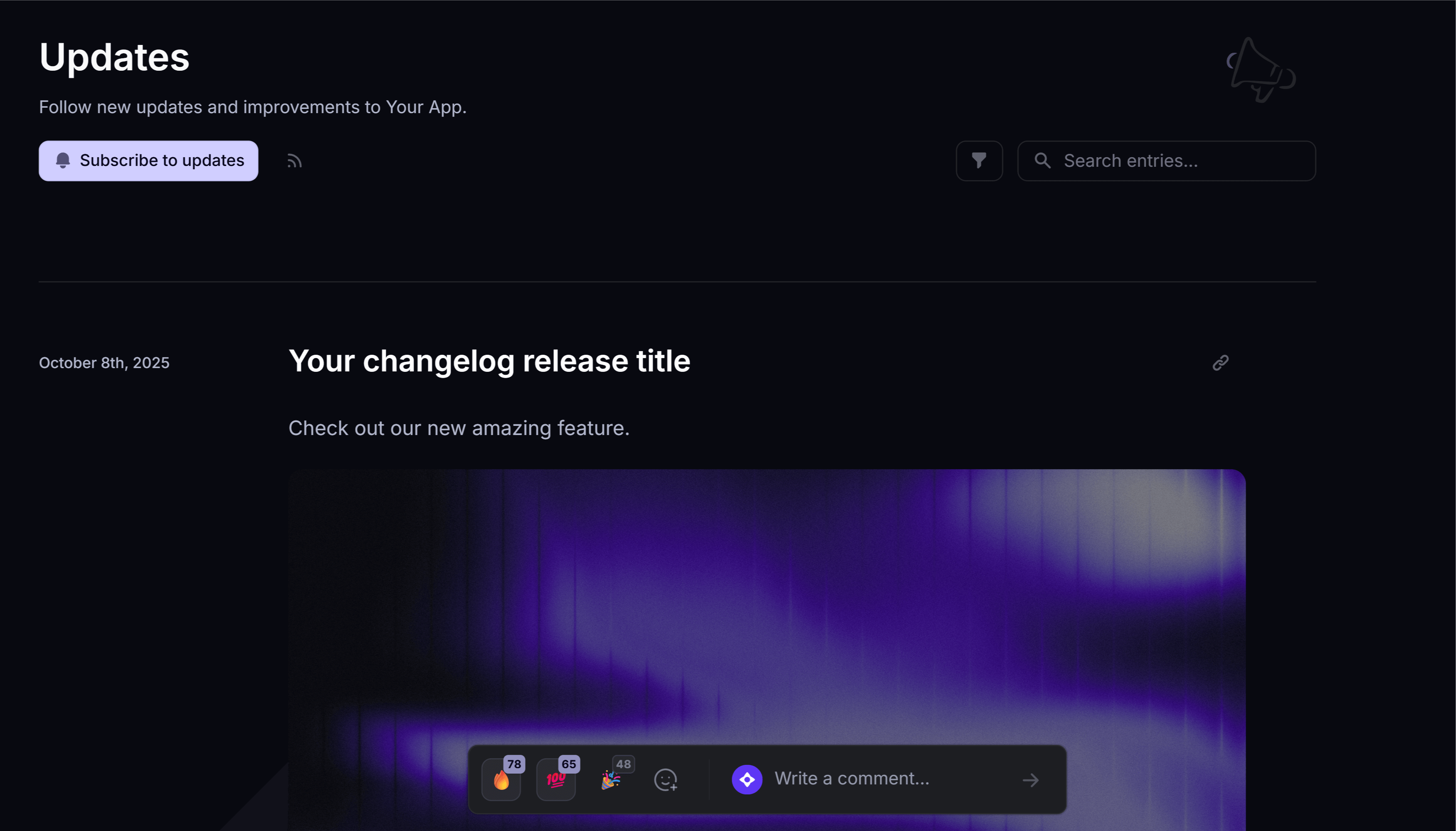
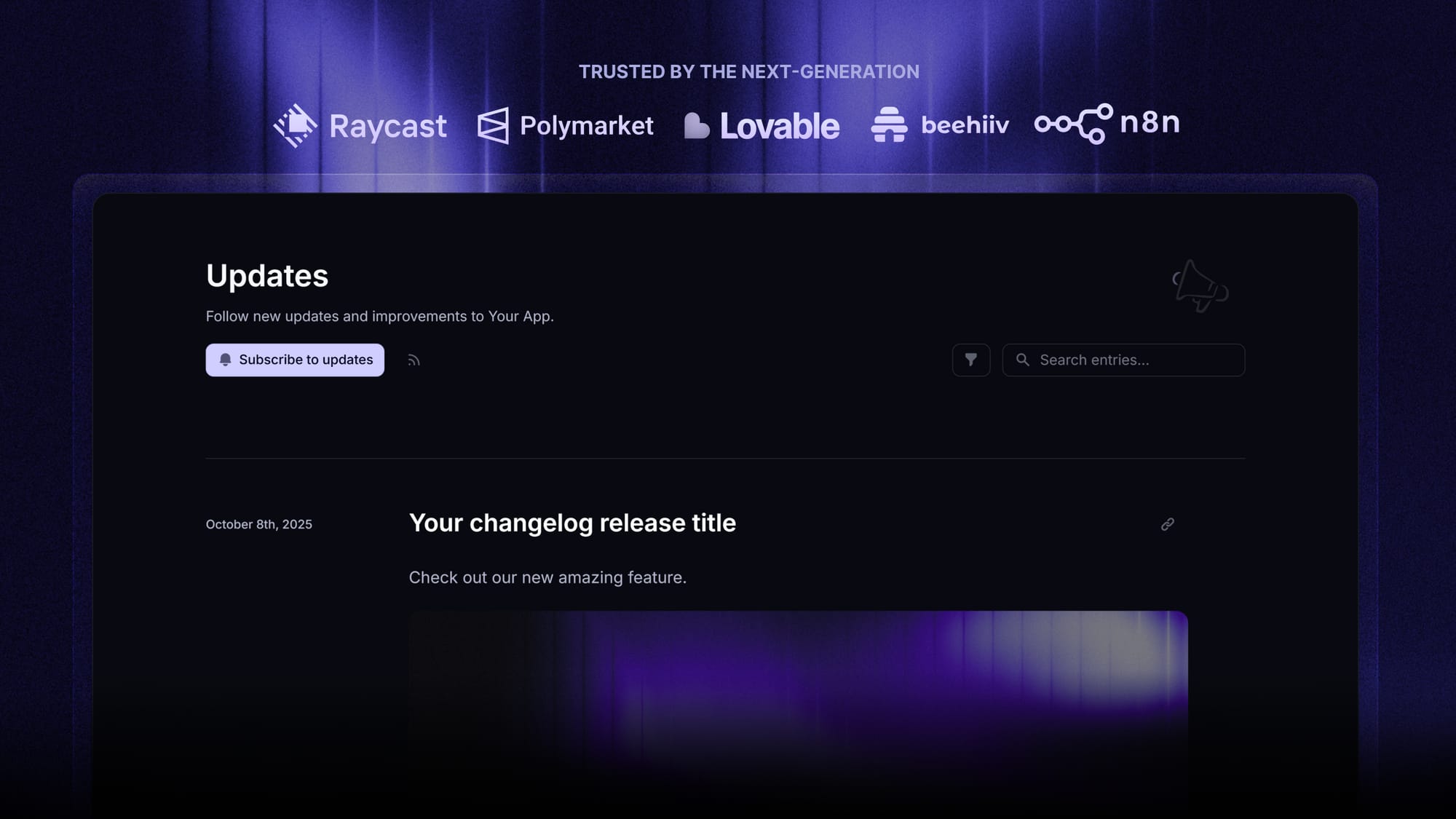
Featurebase (👋 that’s us) is a modern & powerful changelog tool that helps you keep your users updated with release notes, in-app popups, and automatic emails. It comes with an AI changelog writer, release segmentation, and supports over 40+ languages. It’s loved by thousands of companies like Lovable, Polymarket, and Raycast.
It comes with affordable pricing and a Free plan, and you can get started in minutes without a credit card. We can also help you migrate your changelog and announcements from other tools. 👇
✨ Start announcing updates & drive engagement with Featurebase for free →
FAQ
Does Beamer charge per user or per seat?
Beamer uses MAU-based pricing, meaning costs are calculated based on monthly active users who interact with your product updates, in-app notifications, and targeted messages. Team seats or internal users don’t affect pricing, but engagement volume and multi-device activity directly impact your monthly bill.
Is there a Beamer free tier?
Yes, Beamer offers a free plan with limited features, perfect for SaaS teams testing their first product updates or onboarding campaigns. It includes basic in-app notifications, reaction capabilities, and changelog publishing, but advanced features like NPS surveys, targeted push notifications, and multi-account management require paid plans.
Do I pay extra for feedback and NPS surveys in Beamer?
Yes. Feedback collection and NPS surveys are sold as add-ons, allowing you to capture actionable insights, measure customer satisfaction, and identify trends for reducing churn. These features are key for teams looking to track engagement metrics, segment users, and improve overall product adoption.
Are email notifications included in Beamer plans?
Email notifications are included starting from the Pro plan, letting you reach users directly with product updates, release notes, and targeted messages. Volume, segmentation, and multi-device delivery may depend on your tier, helping SaaS teams coordinate announcements across web, app, and mobile channels.
What happens if I exceed my MAU limit?
Exceeding your MAU limit triggers extra blocks that increase your monthly spend. This typically happens when your user base grows, more users interact with in-app notifications, or you send high-volume push notifications, so planning for scaling engagement is important for ROI and predictable costs.
Does Beamer support multiple websites and multiple changelogs?
Yes, Beamer allows multi-site support and managing multiple changelogs from a single dashboard, but these capabilities are generally tied to higher-tier plans. This is ideal for SaaS teams managing multiple products, running segmented campaigns, or sending targeted updates across several apps and domains.