Blog Customer ServiceChatbot scripts: Complete guide & How to write them in 2026 (With examples)
Chatbot scripts: Complete guide & How to write them in 2026 (With examples)
How to write chatbot scripts that don't sound like chatbots. 8 writing rules, 9 ready-to-steal script examples, and how AI agents change the job in 2026.



✨ Automate your support with the fastest AI-enhanced Inbox today →
Your website chatbot is only as good as its script. Get it right and people answer the bot like they would a teammate. Get it wrong and they bounce within two messages.
This guide walks through the rules, the modern AI-agent twist, and 9 ready-to-steal script examples for the use cases that show up in every support inbox. 👇
Key takeaways
- A chatbot script is the predefined sequence of conversational messages between a user and a bot, including questions, options, and bot responses.
- A good chatbot script has a clear goal, a consistent brand voice, one idea per chat bubble, real personalization, and a clean escape route to a human agent.
- The script writing process mainly splits into 2:
- Deterministic scripts for narrow flows (welcome, qualifier, handoff)
- Training content for AI bots that handle open-ended user questions
- ✨ Featurebase combines an AI-powered chatbot (Fibi), a help center, and a unified inbox so you can write fewer scripts and resolve more conversations on autopilot.
What is a chatbot script?
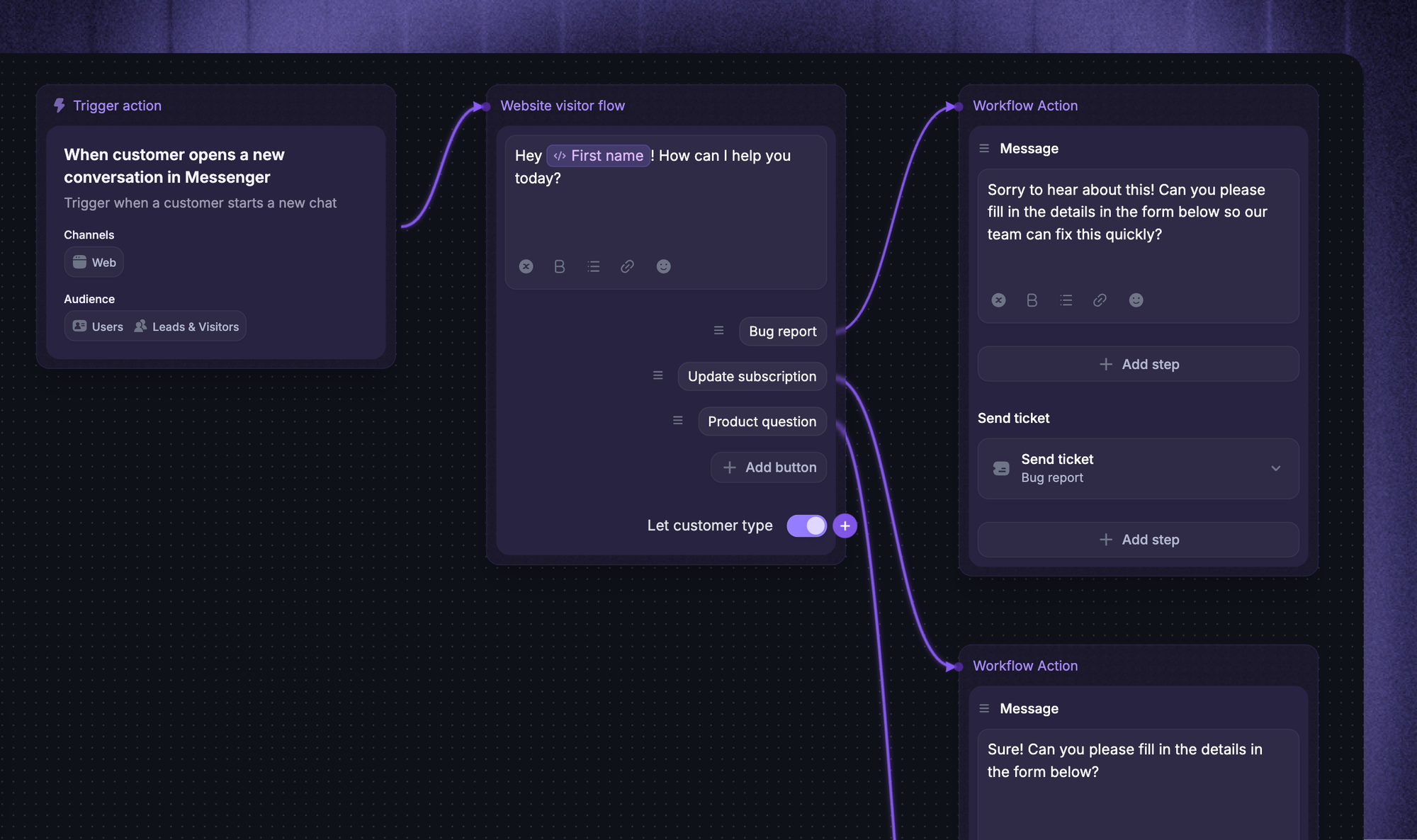
A chatbot script is the predefined set of conversational messages a bot uses to talk to a user. It covers the welcome line, the questions the bot asks, the buttons and quick replies it shows, the answers it gives back, and the rules for when to pass the chat to a human operator.
You can think of a chatbot script as a flowchart with words attached. Each user reply is a fork in the road, and your script is the map.
The first chatbot script you write will probably be short. The 5th will be a sprawling, branching logic tree across multiple use cases like support, sales, and onboarding.
It also doubles as a brand-voice document. The script is what makes your bot sound like your company instead of a generic helpdesk widget.
Chatbot scripts vs AI agent training content
For most of chatbot history, "script" meant a hand-built, individual chat tree in which every possible user message had to be mapped to a button or keyword. That world still exists for narrow, deterministic flows.
But the script-writing process for modern AI bots looks different. RAG-powered AI agents read your knowledge base and answer open-ended user questions without you scripting each one. You don't write the conversation; you write the training material: help center articles, custom-typed answers, a system prompt, and the set of actions the AI agent is allowed to take.
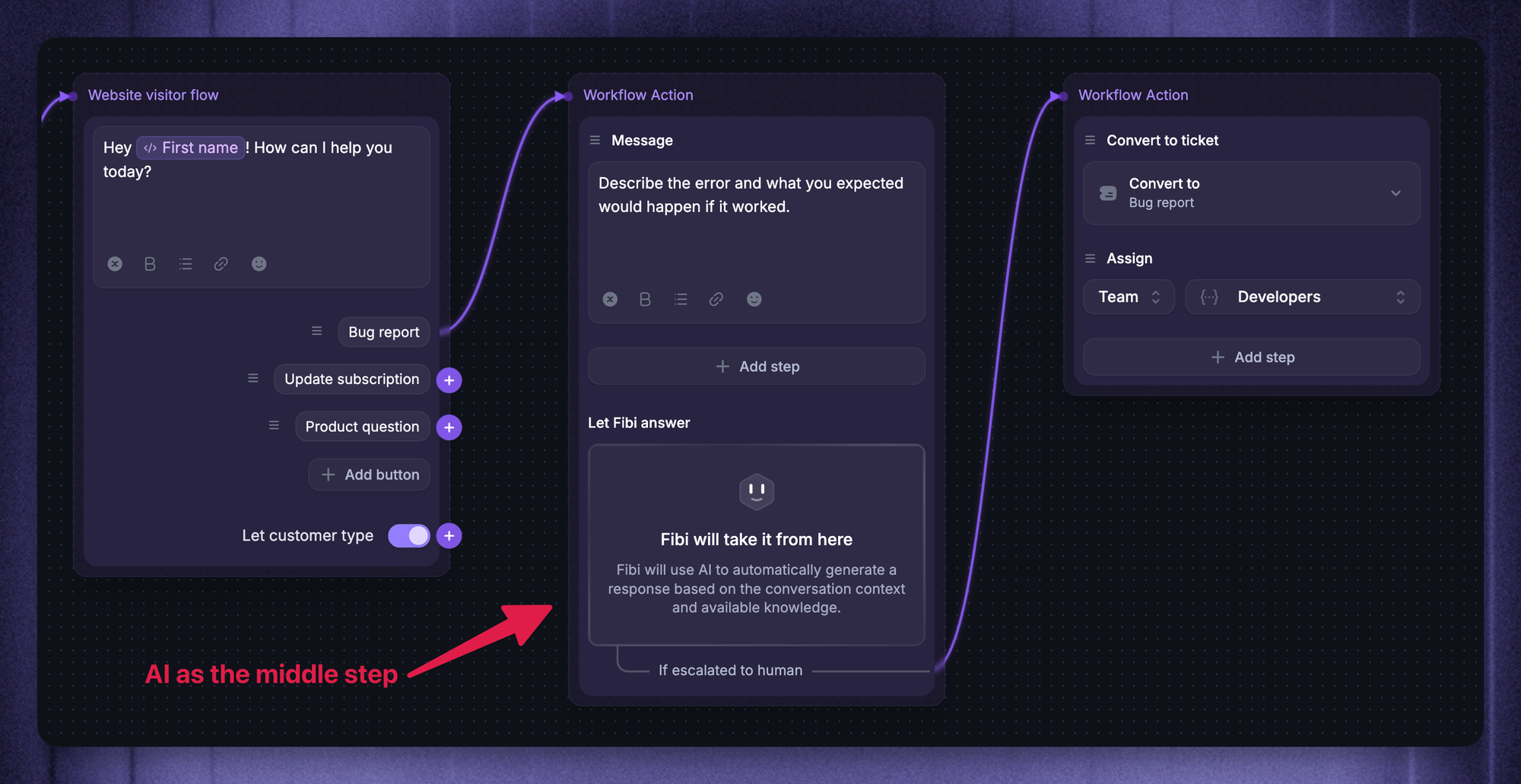
In practice, a 2026 chatbot uses both. Buttons and scripted flows for the predictable moments (welcome, qualifier, escalation), AI for the everything-else. The rest of this guide covers both jobs. 👇
What separates a good chatbot script from a bad one
Most bad chatbots fail for the same reasons. Before we get into rules and examples, here's what every effective chatbot script has in common:
- A specific goal you can measure.
A good chatbot script is built for one job, not five. Pick a single outcome (deflect FAQs, book demos, qualify leads, collect NPS) and write the conversation flows backward from that goal. If you can't name the metric you're moving, the script will drift. - A consistent personality and tone of voice.
Your bot is a brand asset, not a faceless utility. Decide whether it's warm or terse, formal or playful, then keep the speaking style consistent across every message. Inconsistent tone is one of the fastest paths to a poor user experience. Good conversational AI design keeps the agent's voice consistent. - One idea per chat bubble.
Walls of text don't work on mobile devices and they don't work in chat. Break every message into short, scannable lines. Ask one question at a time. The point is to make the bot feel like a real conversation, not a paragraph being read aloud. - Real personalization, not just {First Name}.
Pulling in a first name is the bare minimum. Strong scripts use previous interactions, plan tier, the website page the user came from, and other conversation data to tailor the reply. Featurebase's Conversation Data Attributes let your script reference any custom property attached to a user, so the bot can say "still seeing that import error on the Pro plan?" instead of "Hi {First Name}, how can I help?". - A clean escape route to a human.
Every script needs a visible way out. If the bot can't help, the user should reach a real person in one tap, with the full conversation history attached. Featurebase Workflows let you set that escape as a branch in the bot's logic: failed intent twice, or "talk to a human" typed once, and the chat routes to the right team with all the context already loaded.
Nail those 5 and you've already cleared the bar most chatbot scripts never reach.
9 chatbot script examples you can steal
Below are the chatbot script examples that cover the use cases every business runs into. Each one is short enough to copy, paste, and adapt to your brand voice in a few minutes.
A note on format: lines starting with Bot: are the messages your bot sends. Lines starting with User: are typical user replies, with the options shown in brackets where you'd use buttons.
1. Welcome message
Your chatbot's welcome message has one job: get the user to take the next step. Don't ask "Can I help you today?" The answer is always "I'll figure it out myself". Lead with context instead:
Bot: Hey 👋 You're on the pricing page. Want me to help you find the right plan?
User: [Yes, help me pick] [I have a question] [Talk to sales]
If you can pull the user's website page or previous interactions into the opener, do it. A welcome line that references where the user actually came from gets noticeably higher response rates than a generic greeting.
2. Lead qualifier
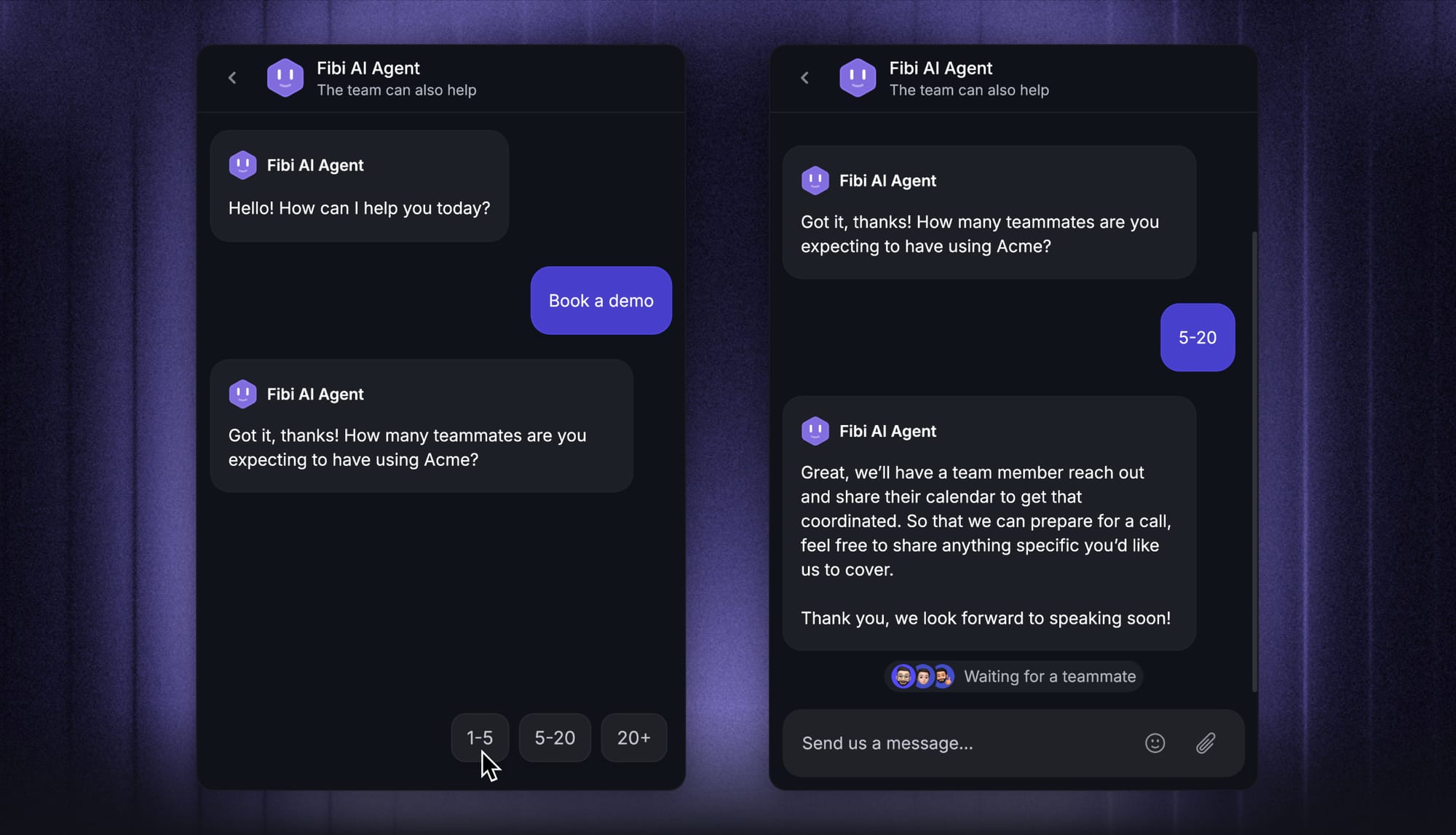
Lead qualifier scripts work best when they ask three short questions, not seven. Three is enough to route the lead, qualify intent, and pass to sales without losing the user halfway through.
Bot: Quick question, how big is your team?
User: [Just me] [2-10] [11-50] [50+]
Bot: Got it. And what's the main thing you're hoping {Product} would help with?
User: [Cut support volume] [Collect feedback] [Replace another tool] [Just looking]
Bot: Last one, are you the person who'd make the buying call, or evaluating for someone else?
User: [I'm deciding] [Evaluating] [Just curious]
Bot: Perfect. Based on your answers, here's the plan that fits best: [Plan name + link]. Want me to book a 15-min call with someone from our team, or send the link by email?
The trick is making each question feel like a step toward the user's goal, not yours. End with two real options so the user always has a next move.
3. Support FAQ deflection
The FAQ deflection script is where AI chatbot software earns its keep. A scripted FAQ bot can handle customer questions like password resets, billing dates, and shipping windows without ever touching a human agent.
Bot: I can answer questions about your account, billing, or how the product works? Just let me know how I can help.
User: how do I cancel my subscription
Bot: You can cancel anytime from Settings → Billing → Cancel. Anything else, or want me to grab a teammate?
User: [I'm good] [Talk to a human]
For anything beyond a fixed FAQ list, the script should hand off to an AI agent that pulls answers from your knowledge base in real time. That's where artificial intelligence answers shine: open-ended user questions a hand-built script could never anticipate.
4. Refund or cancellation request
Refund scripts are where bots either save the day or make the customer twice as angry. The script needs to acknowledge fast, verify the user, and either run the action or escalate cleanly.
Bot: Sorry to hear that, let me help. Can you confirm the email on the account?
User: jane@acme.co
Bot: Got it. I can see order #4821 placed on March 4. Refund the full amount, or partial?
User: [Full refund] [Partial] [Talk to a human]
Bot: Done, the full refund of $89 is on the way and should land in 3-5 business days. You'll get an email confirmation in a minute. Anything else?
A traditional script bot can only ask for a refund and route it to a human. AI bots with custom actions (Featurebase's Fibi, for example) run the refund end-to-end through APIs without a human in the loop, which is what makes them genuinely useful for high-volume support.
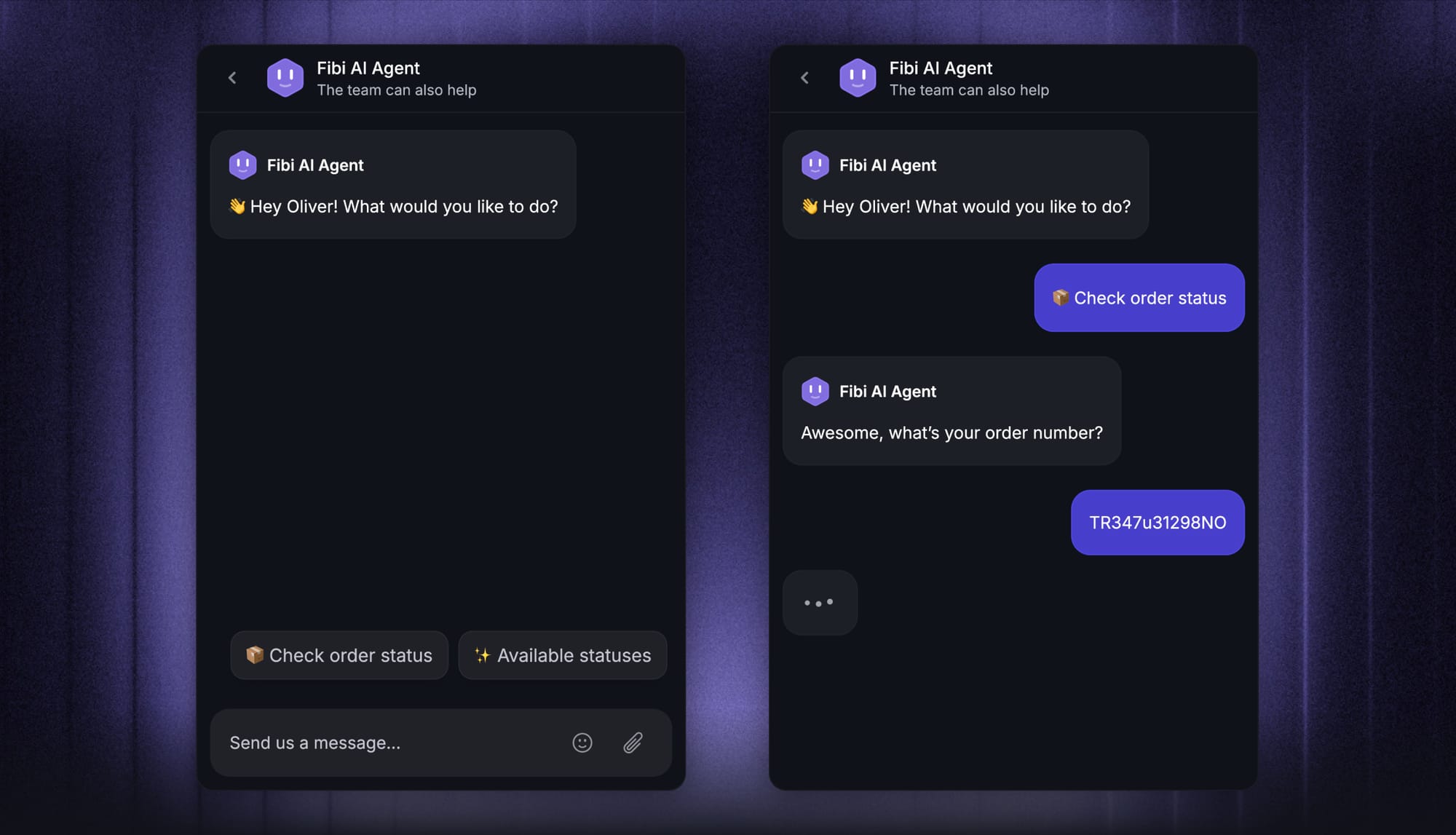
5. Order status
Order status is the highest-volume, lowest-value support ticket in e-commerce. A 30-second script kills 90% of these tickets before they reach a human.
Bot: Tracking an order? Pop in your order number and I'll check.
User: 4821
Bot: Order #4821 is out for delivery and should arrive by 6pm today via FedEx. Here's the live tracking link: [link]. Anything else?
User: [I'm good] [Talk to a human]
If you sell across multiple regions, this script is also where multiple languages start to matter. AI-powered bots can read the user's locale and reply in their native language without you maintaining ten parallel scripts.
6. Demo booker
The demo booker chatbot script collapses what used to be a four-email scheduling thread into 60 seconds.
Bot: Great, let's get you on the calendar. Quick check, are you exploring for yourself or your team?
User: [Myself] [My team] [A client]
Bot: Got it. Here's what's open in the next two weeks. Pick a slot that works: [Calendar embed]
Bot: Perfect, you're booked for Thursday at 2pm. I'll send a calendar invite and a short intake form so we can make the call useful from minute one.
Make sure the script confirms the booking inside the chat, sends a calendar invite, and sets expectations for the call. Three small touches that bump show-up rates noticeably.
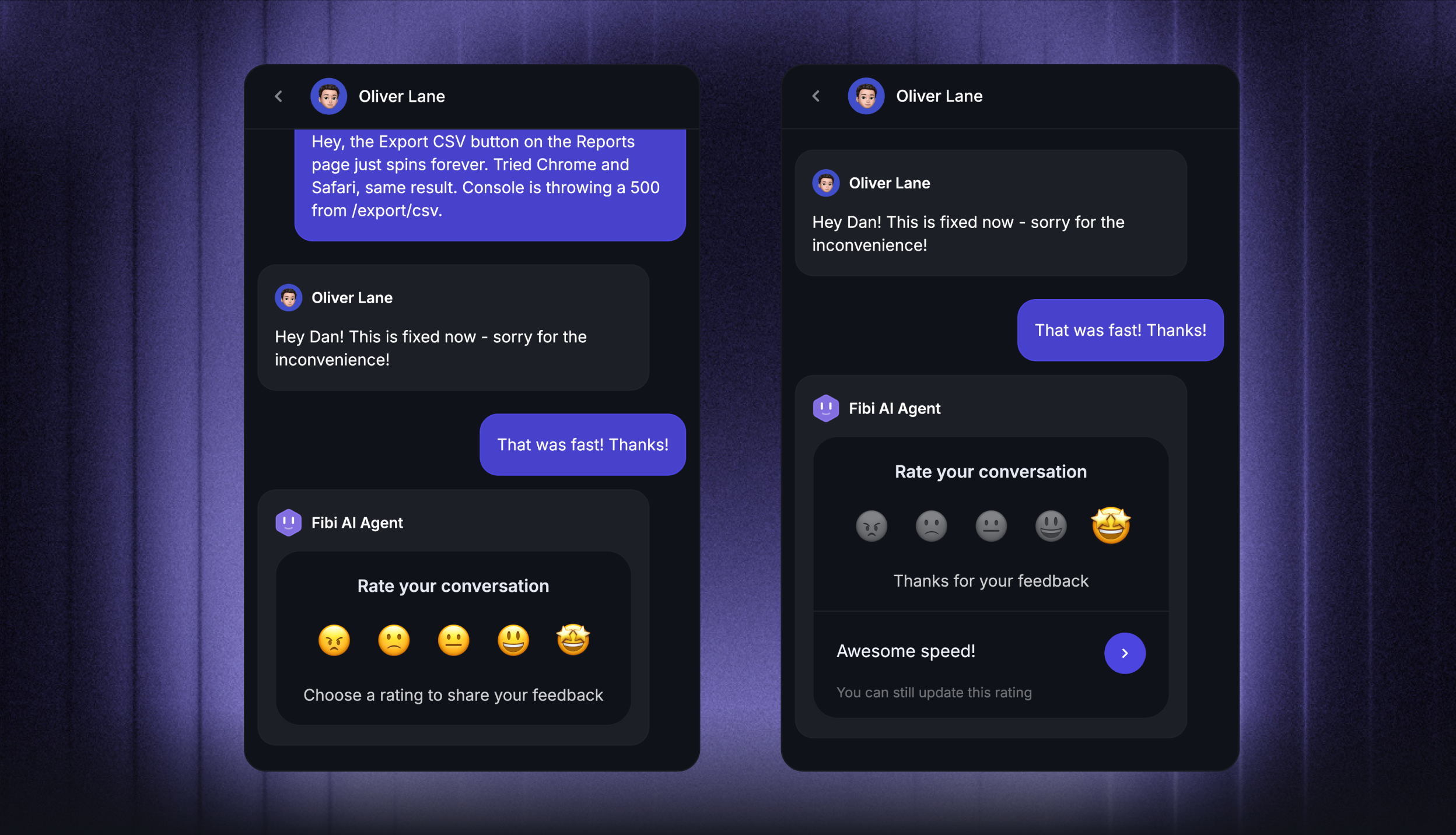
7. NPS / CSAT micro-survey
End-of-conversation surveys are the easiest customer satisfaction signal you'll ever collect. Keep the script to one rating question and one open follow-up.
Bot: Before you go, how would you rate this chat?
User: [😡] [😐] [🙂] [😍]
Bot: Thanks! Anything we could've done better?
User: faster reply on the refund question
Bot: Got it, passing this on to the team. Have a great rest of your day 👋
The two-step format (rating, then free text) gets dramatically better completion than a full survey form. The free-text answers are where the real product insight lives. (If you're picking between metrics, our NPS vs CSAT breakdown helps you choose.)
8. Out-of-hours / away message
Out-of-hours scripts protect customer experience when the support team is offline. They also catch leads that would otherwise vanish.
Bot: Thanks for reaching out 🌙 The team's offline right now and will be back in 5 hours. Want me to take a message and have someone get back to you first thing, or check our help center for an instant answer?
User: [Take a message] [Online resources]
Bot: Cool, pop in your email and I'll loop a teammate in.
User: jane@acme.co
Bot: And what's the question?
If the message route is chosen, the script should ask for the email and the question in two separate bubbles, never one. One idea per chat bubble is non-negotiable when the user is already a little frustrated about not reaching a live person.
9. Human handoff
A clean handoff is the difference between "this bot is great" and "this bot trapped me for 10 minutes". The script needs to detect the escape signal fast and route with full context.
Bot: Got it, connecting you with a teammate now. Quick recap so they're up to speed: you're on the Pro plan, looking at the Slack integration setup, and the OAuth flow is failing on step 3. Hang tight, someone's joining in under 2 minutes.
Featurebase Fibi AI runs this exact way: if it can't resolve, or the user types "human" or "talk to a person", the chat routes to the right team with the full conversation summary already attached. The user doesn't repeat themselves, and the agent doesn't start cold.

Resolve 70% of customer requests with AI
Automatically resolve customer issues & cut down support loads for your team
How AI agents change the chatbot scripting job in 2026
Rule-based scripts are still useful for the deterministic moments: welcome, qualifier, and handoff. But for open-ended user questions, modern AI help desk software has rewritten the script-writing process completely.
You don't write the conversation flows. You write the training material. A modern AI agent reads your help center, custom-typed answers, and external knowledge sources, then generates on-the-fly responses grounded in that content.
That shift means 3 concrete changes to your job:
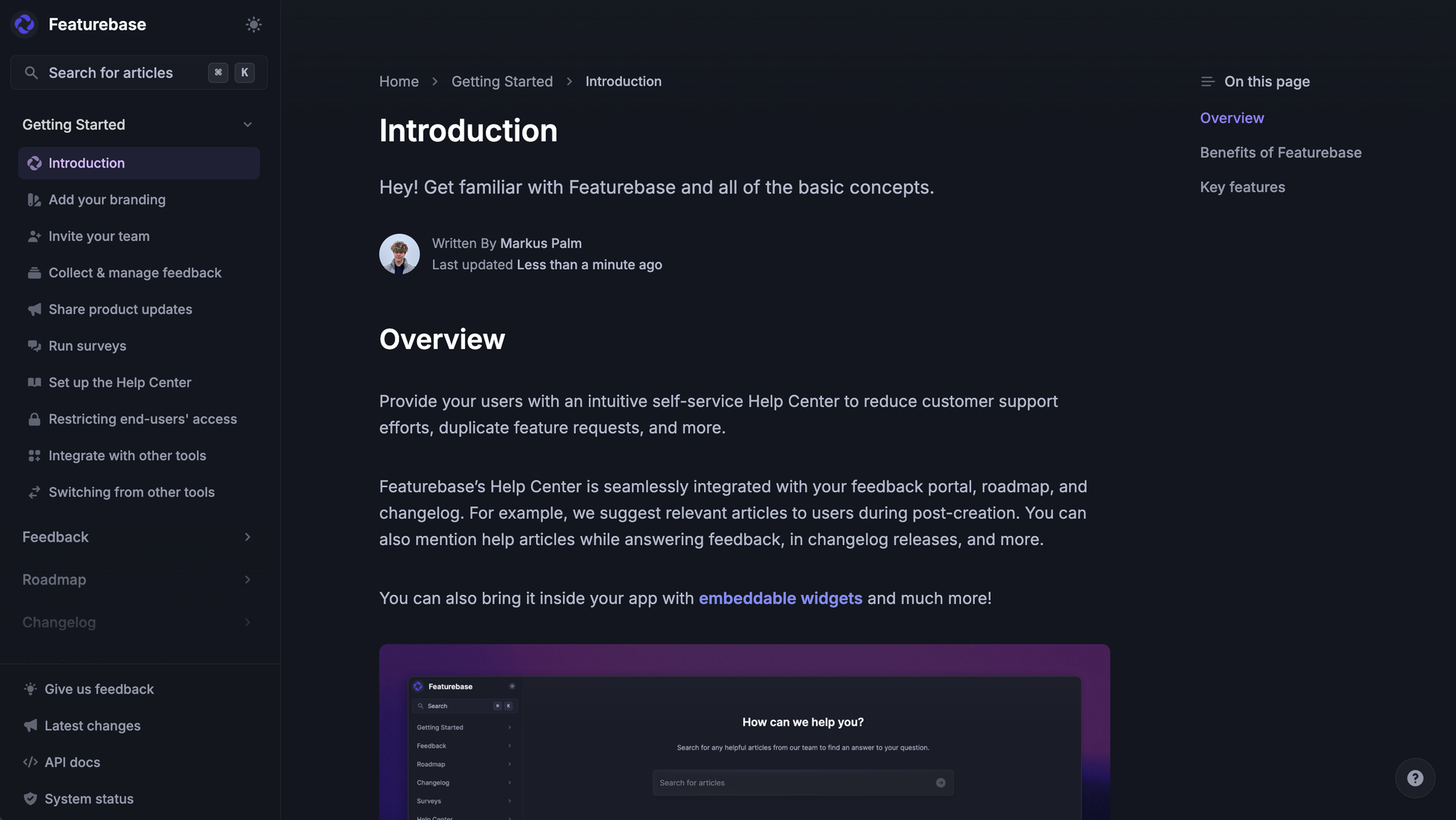
1. Your knowledge base is your script
Whatever's in your help center (your AI knowledge base, really) is what the bot will use to answer. Sparse docs make a bad bot, no matter how clever the AI is. Tighten the source material before you blame the AI.
2. Custom actions replace human handoffs
A modern AI agent doesn't just answer questions; it does things: extends trials, runs refunds, updates account settings, and books demos.
The "ask the user, then queue a ticket for a human" pattern is being replaced with "ask the user, then run the action".
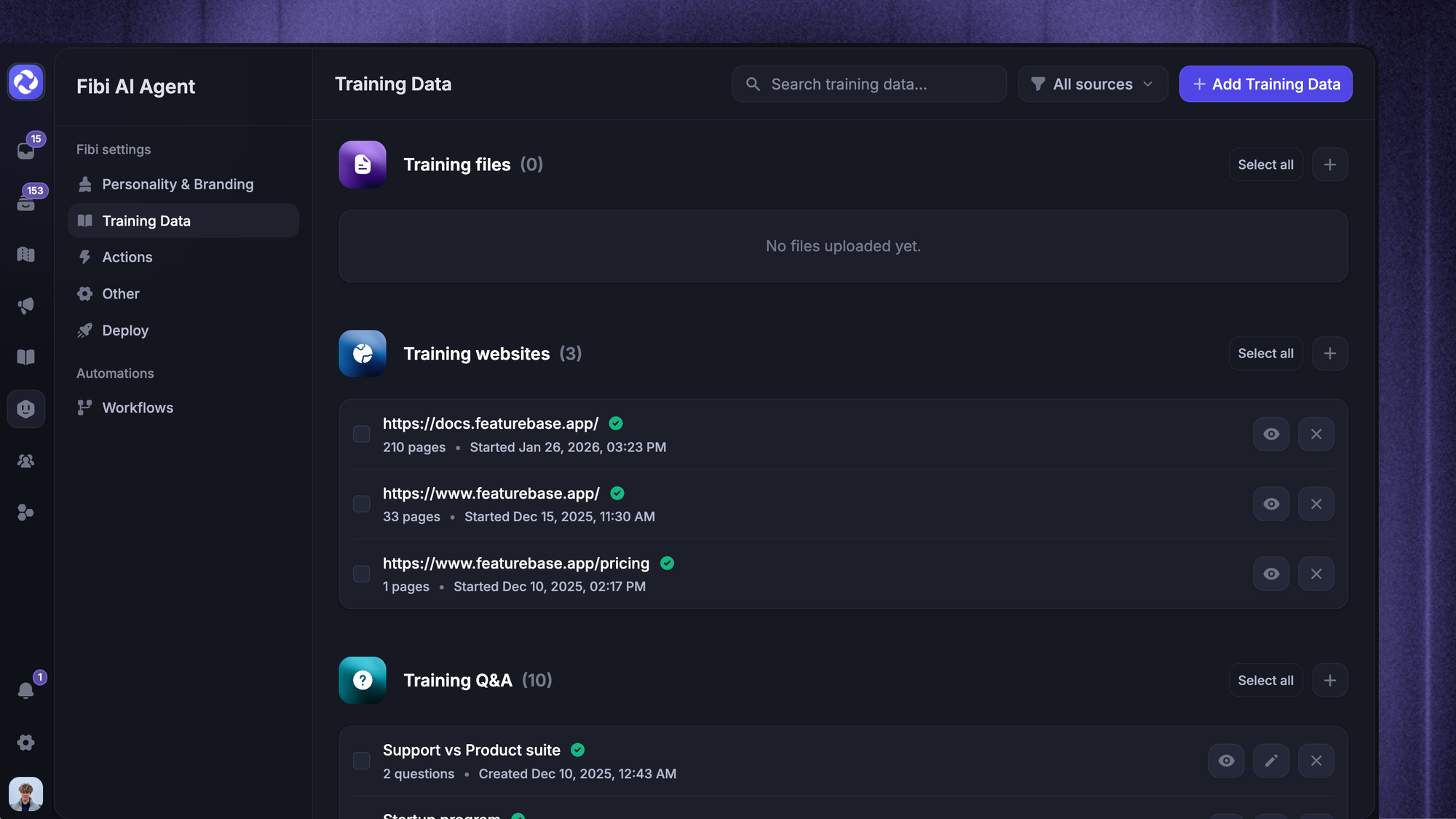
Featurebase's Fibi can be trained on your help center, external websites, and typed custom answers, and it runs custom actions inline so the chat resolves in one round-trip.
3. The script becomes a system prompt
Tone of voice, what topics to avoid, when to escalate, when to apologize, what counts as a refund-eligible scenario. All of that lives in the system prompt now. The system prompt is the conversation script you write once, and the AI applies it to every chat, no chat tree required.
Worth saying out loud: this doesn't mean rule-based scripts are dead. The two approaches complement each other. AI for open-ended, scripts for the predictable. Either way, the underlying customer service software you pick decides how much script writing you'll actually need to do.
A modern AI agent doesn't just answer questions; it does things: extends trials, runs refunds, updates account settings, and books demos.
4 mistakes that ruin chatbot scripts
A few patterns kill chatbot scripts every time. Watch for these.
- Writing for a vague target audience.
Pretending the bot is "for everyone" leads to bland, generic copy nobody connects with. Pick one specific person (the support manager at a 20-person SaaS, the first-time visitor on the pricing page) and write the script as if you're talking to them. - No escape route.
A bot that traps users in a chat tree with no way to reach a human earns one-star reviews fast. Always include a visible "talk to a real person" button in the early steps. Even users who never tap it feel better knowing it's there. - Asking for too much information up front.
Asking for email, name, phone number, and company name in the first three messages is a drop-off cliff. Spread the questions across the conversation, and only ask for what you actually need to obtain contact information for the next step. - Treating Facebook Messenger and your website widget the same.
Different surfaces, different user behavior. A user on Facebook Messenger is on their phone, distracted, and probably expects a more casual conversational language. A user on your website page is mid-evaluation. The script writing process should adapt the copy to where the chat is happening, not reuse the same lines everywhere.
Final thoughts: ship the simplest version, then iterate
A perfect chatbot script doesn't exist. The good ones get good because the team ships a simple version on day one and then watches real chatbot messaging for the next 30 days. Every dead end the bot hits, every "talk to a human" tap, every drop-off is a free script-improvement note from a real user.
If you want to skip the heavy script-writing process altogether, give an AI-powered chatbot platform a try.
Featurebase is a modern AI customer support platform for product-led SaaS. It combines AI-powered support, help center, and feedback management into a single platform for startups that want all their customer-facing tools in one place. Featurebase is loved by thousands of support teams from companies like Lovable, Raycast, and n8n. 💫
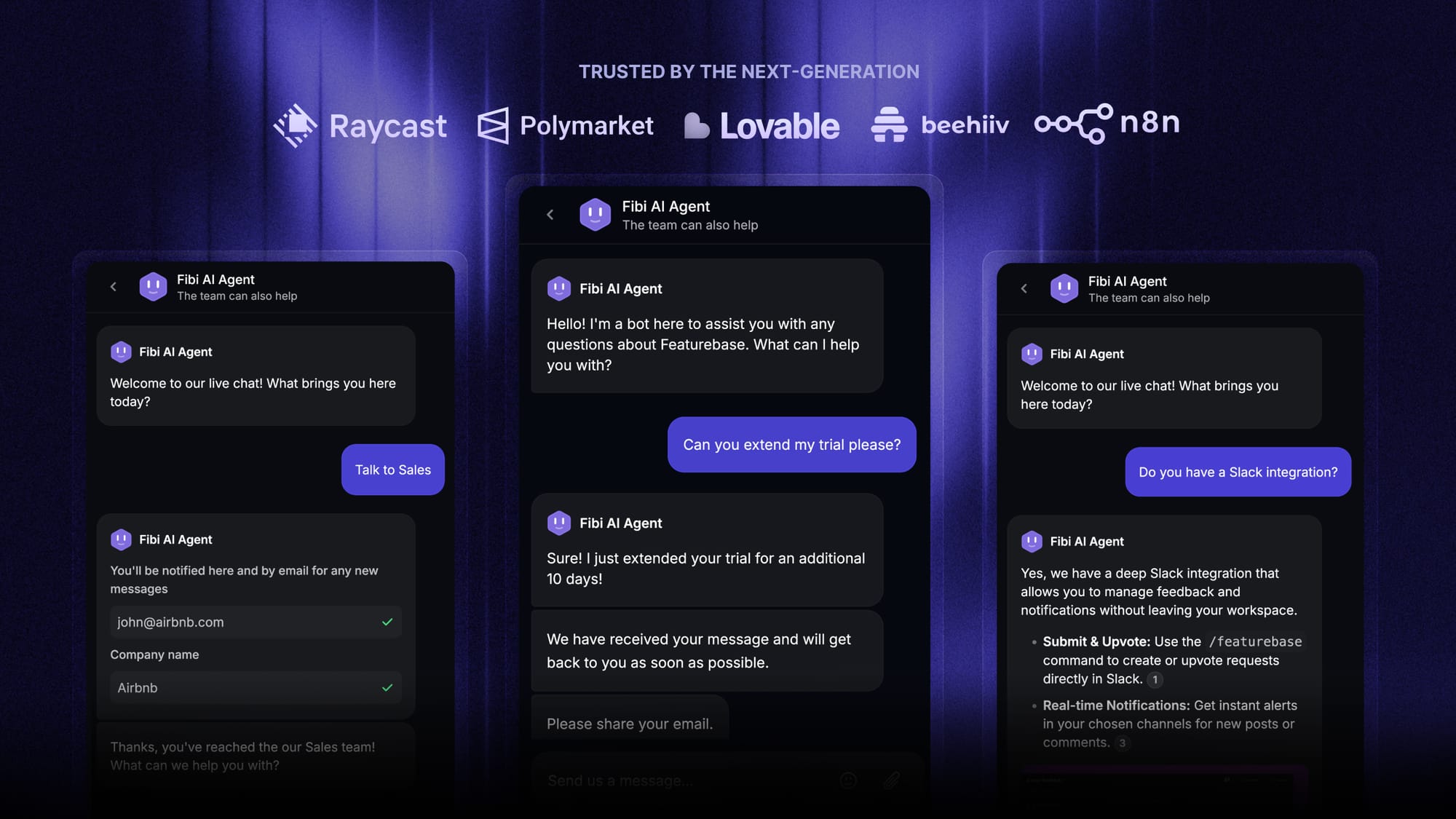
Top features:
- Omnichannel inbox – Manage live chat, email, and Slack conversations from one AI-powered view
- Fibi AI Agent - Resolve customer issues on autopilot & run custom actions like trial extensions and refunds
- Workflows & automations – Auto-assign tickets, route conversations, collect customer data, and more
- Help center with AI search – Provide instant, multilingual self-serve answers
- AI Copilot – Help your agents answer customers faster with AI Copilot that uses your internal knowledge
- Multi-brand support – Manage multiple Help Centers and Live chats from a single workspace
- Automatic AI translations – Automatically translate all messages and help articles to your customers native language
- Service Level Agreements – Track SLAs to make sure your team responds to customers on time, every time
- Mobile app – Respond to customers, receive notifications, and unblock users on the go
- Integrations – Connects with Slack, Linear, Jira, HubSpot, and more
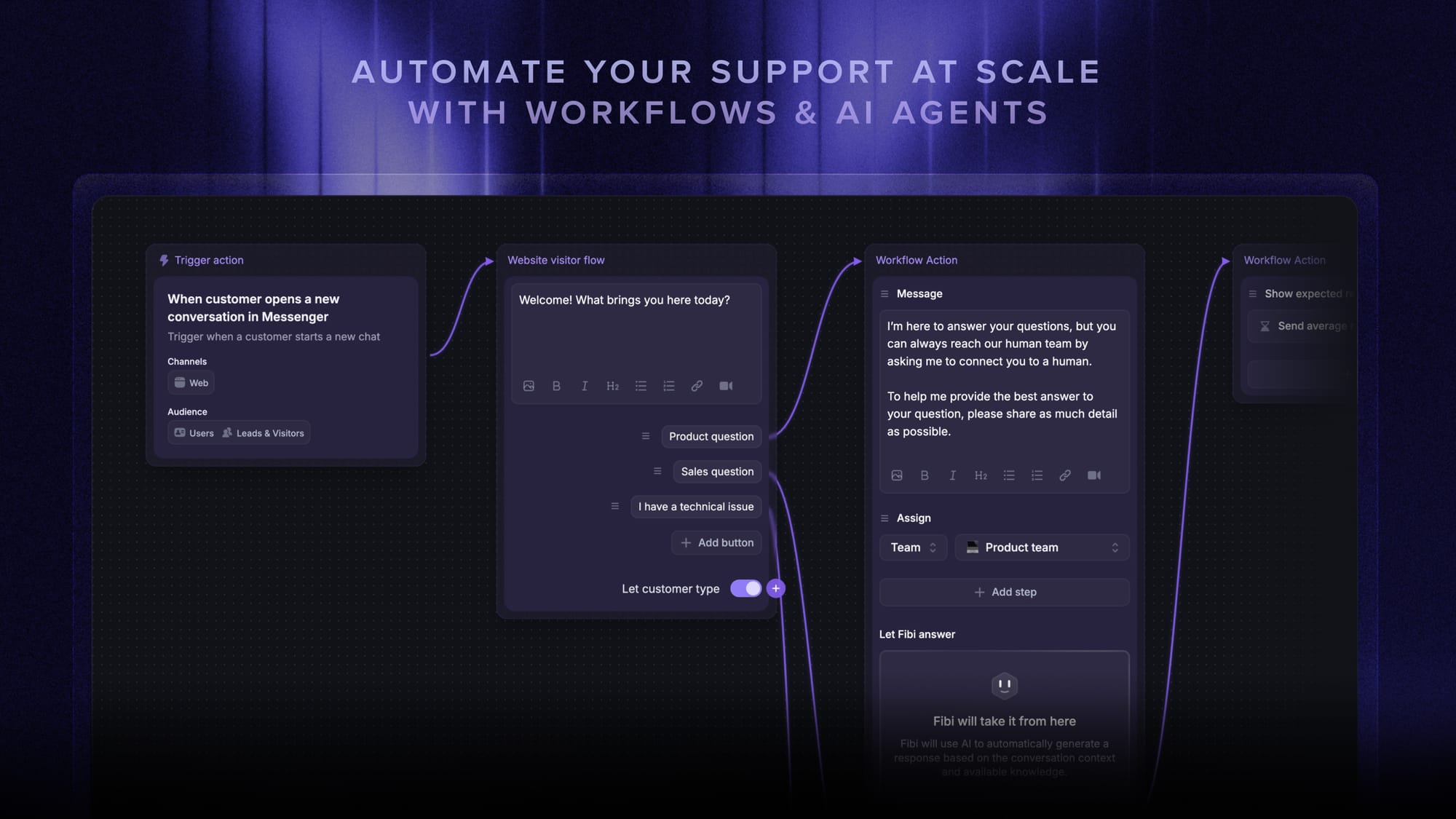
Pricing: Free plan available with unlimited conversations. Paid plans start at $29/seat/month with $0.29 per AI resolution.
Featurebase covers all the basic support features that legacy platforms do, but with a much more modern approach. It comes with AI automations, a mobile app, and multiple channels (email, live chat, Slack, etc.). Onboarding is fast and the free plan doesn't ask for a credit card, so there's no downside to giving it a spin. 👇
✨ Automate your support with the fastest AI-enhanced Inbox today →