Blog Customer Service10 Best Customer Experience Software in 2026
10 Best Customer Experience Software in 2026
Compare the 10 best customer experience software tools of 2026 - features, pricing, and honest pros and cons - to find the right CX platform for your team.



✨ Automate your support with the fastest AI-enhanced Inbox today →
Bad experiences quietly drain your customer base. In PwC's 2025 Customer Experience Survey, 52% of consumers said they stopped buying from a brand after a bad experience with its products or service.
The tricky part is that "customer experience software" gets slapped on wildly different tools - enterprise survey suites, support helpdesks, review managers, and all-in-one platforms. Pick the wrong category and you either overpay for features you never touch or stitch together 5 tools that don't talk to each other.
This guide ranks the 10 best customer experience software tools of 2026 by who each one is best for, with honest pricing and trade-offs. 👇
Key takeaways:
| Tool | Best for | Starting price | Free plan | Main trade-off |
|---|---|---|---|---|
| ✨Featurebase | Fast-growing SaaS wanting support, feedback, and updates in one | $0 free, then $29/seat/mo | Yes | Newer than legacy suites, so fewer enterprise-only extras |
| Zendesk | Larger support teams needing a mature omnichannel suite | $19/agent/mo | No (14-day trial) | Costs climb fast with seats and add-ons |
| Intercom | AI-first messaging and support | $19/seat/mo billed annually ($29 monthly) + $0.99 per Fin outcome | No (14-day trial) | Usage-based pricing is hard to forecast |
| Freshdesk | Teams wanting a quick, affordable helpdesk | $0 free, then $19/agent/mo | Yes | Advanced features gated to higher tiers |
| HubSpot Service Hub | Teams already living in HubSpot CRM | Free tools, paid from ~$20/seat/mo | Yes (limited) | Steep jump to Professional pricing |
| Qualtrics | Enterprises running formal VoC programs | Custom quote | No | Expensive and complex for small teams |
| Medallia | Large enterprises needing deep experience analytics | Custom quote | No | Heavy lift to set up and extract insights |
| Birdeye | Multi-location and local businesses managing reviews | Custom quote | No | Premium price, annual contracts |
| SurveySparrow | Teams focused on conversational surveys | Free plan, paid billed yearly | Yes | Limited native integrations |
| Help Scout | Small teams wanting simple, human support | $0 free, then $25/user/mo | Yes | Shallow reporting, no chatbot builder |
What is customer experience software?
Customer experience (CX) software is any tool that helps you understand, manage, and improve how customers feel across their entire journey with your brand. That covers collecting feedback, running support conversations, tracking satisfaction metrics, and acting on what you learn before customers churn.
It's broader than a single helpdesk or a CRM. A helpdesk handles support tickets, and a CRM stores contact and sales data, but CX software spans every touchpoint - from the first survey to the support chat to the product update that closes the loop. In practice, most "CX platforms" specialize in one slice of that journey, which is exactly why the category feels so crowded.
The stakes are real. In PwC's 2025 survey, 70% of executives said customer expectations are outpacing their organization's ability to adapt. The right software closes that gap. The wrong one just adds another dashboard nobody checks.
The 10 best customer experience software tools
Here are the 10 tools worth shortlisting in 2026, starting with the most versatile all-in-one option and moving through support suites, enterprise VoC platforms, and specialist tools.
1. Featurebase ✨

Featurebase is a modern AI-powered customer experience platform for product-led SaaS. It combines an omnichannel inbox, feedback management, product changelogs, and AI agents into a single platform for teams that want all their customer-facing tools in one place. It's loved by thousands of support, product, and marketing teams from companies like Lovable, Raycast, and n8n. 💫
Instead of having 5+ different tools, Featurebase offers everything in one place to help you build products your users love:
- Support platform – Support your customers via live chat, email, and Slack with an omnichannel inbox and automate support with powerful AI agents.
- Help center – Provide self-serve support with an AI-powered knowledge base for instant, multilingual answers.
- Feedback collection – Centralize feedback with integrations, feedback widgets, AI, and a public feedback forum. Let users vote on ideas and focus on the most impactful features.
- Surveys (NPS, CSAT, etc.) – Create targeted surveys to ask users anything and measure customer satisfaction.
- Product updates – Announce updates and increase feature adoption with in-app popups, notification emails, and a dedicated updates page.
- Workflows & automations – Automate repetitive tasks like routing conversations, extending trials, and collecting customer data.
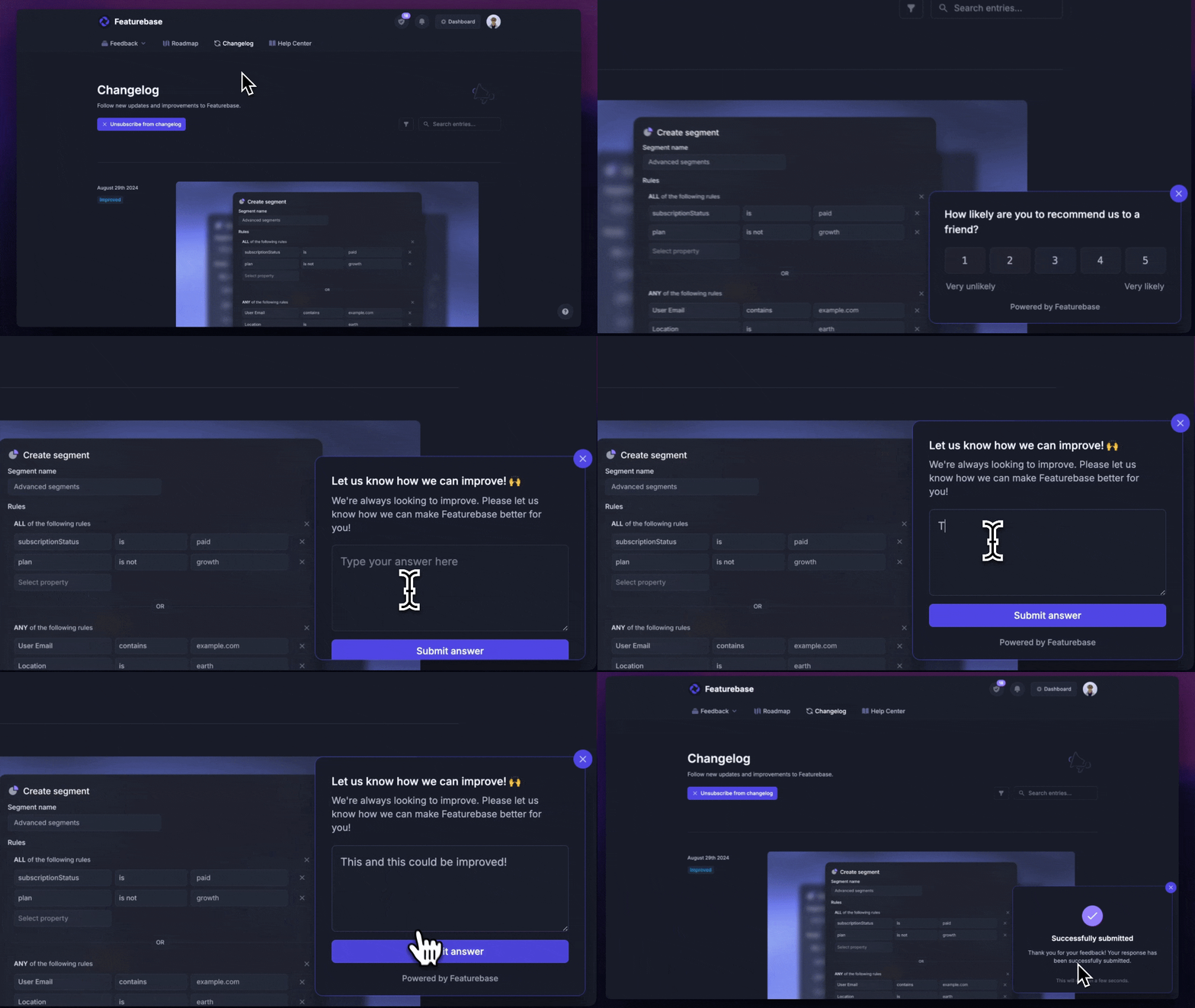
Plus, it integrates with many popular tools you likely already use, such as Linear, Jira, Slack, and more.
Pricing: Featurebase comes with a free plan, with paid plans starting at $29/seat/month plus $0.49 per AI resolution. The onboarding is fast, so there's no downside to trying it. 👇
✨Try Featurebase today →
2. Zendesk
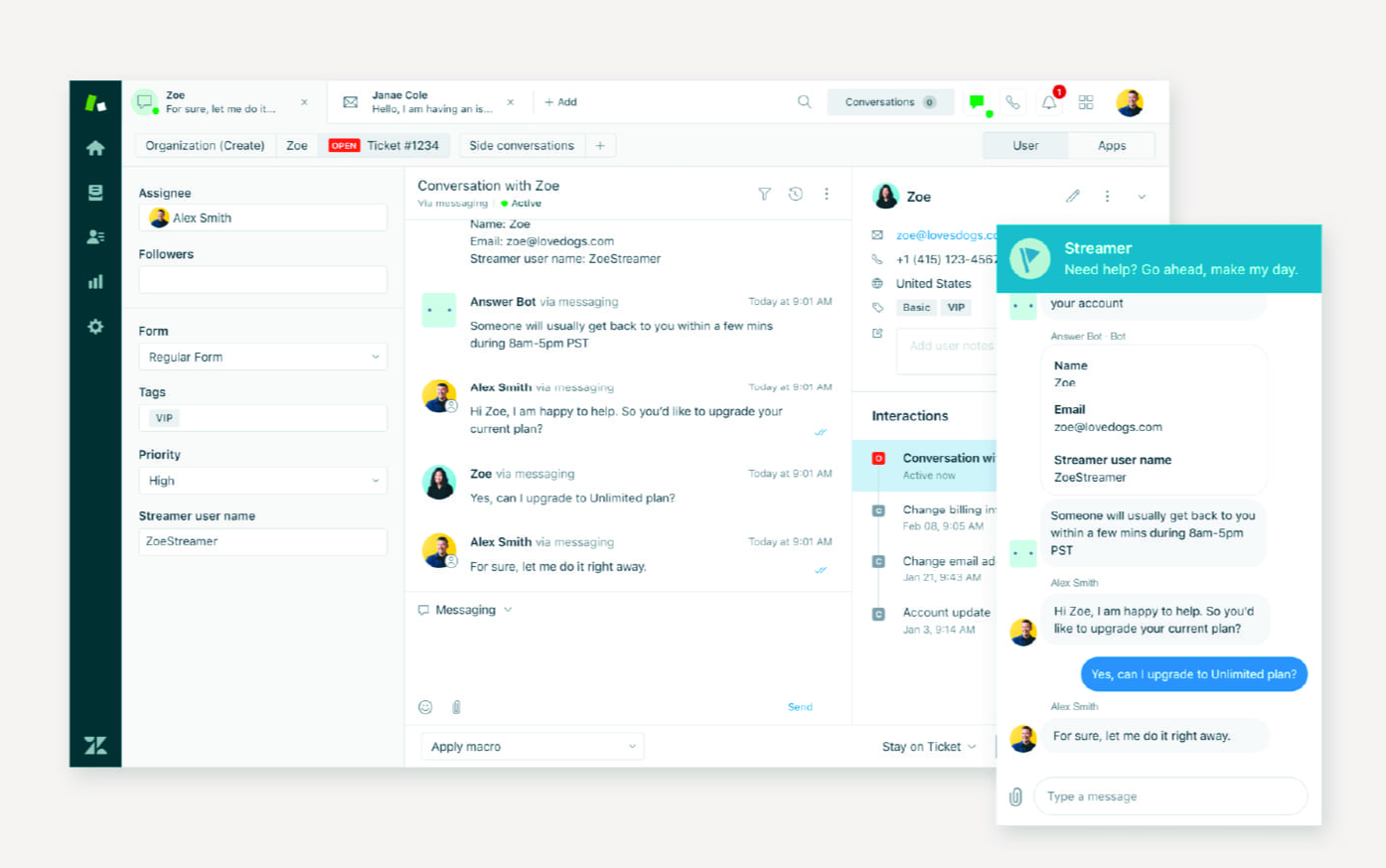
Zendesk is one of the best-known customer experience platforms, best for larger support teams that need a mature, omnichannel suite with deep configurability. It handles ticketing, messaging, live chat, voice, and a knowledge base under one roof.
Key features:
- Omnichannel ticketing across email, chat, voice, and social
- AI agents and Copilot for automated and assisted resolutions
- Knowledge base and help center
- Prebuilt analytics dashboards and 1,800+ marketplace integrations
Reviewers on G2 consistently praise Zendesk for its ease of use, centralized communication, and strong automation. The recurring complaint is cost: the real price climbs quickly as you add per-agent seats, paid add-ons, and higher tiers to unlock deeper reporting and AI. Users on G2 also report a steep learning curve, and its AI pricing is often described as hard to predict.
Pricing: Zendesk pricing starts at $19/agent/month billed annually for the Support Team plan, with the full Suite starting at $55 and Suite Professional at $115/agent/month. There's no free plan, only a 14-day trial, and AI is billed per automated resolution.
3. Intercom
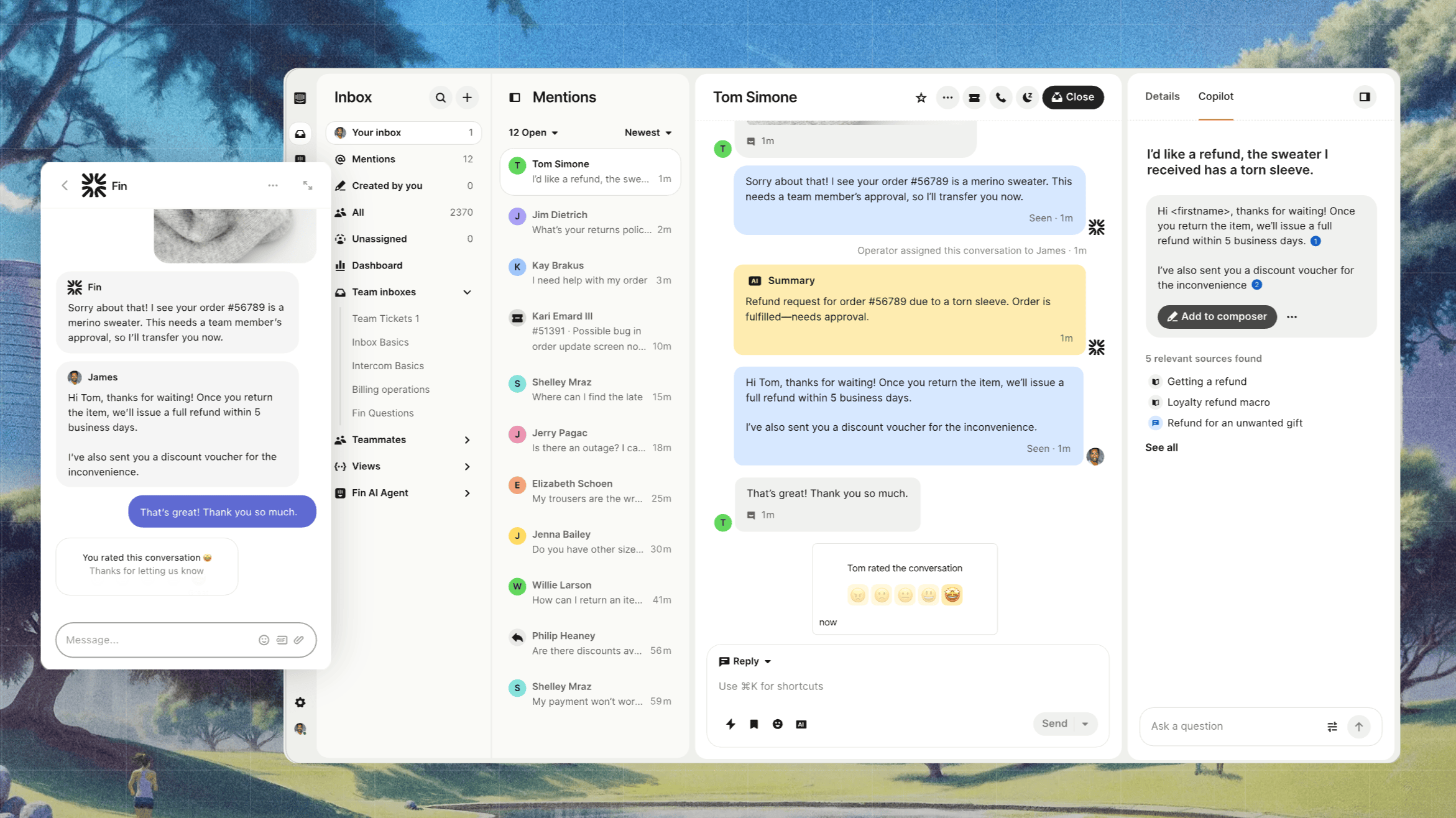
Intercom is an AI-first customer service platform, best for teams that want automation and messaging at the center of their support experience. Its Fin AI Agent is one of the most capable autonomous agents on the market.
Key features:
- Fin AI Agent for automated resolutions across channels
- Messenger, shared inbox, and ticketing
- Workflow automation builder
- Public and private help centers
A recurring theme in G2 feedback is that Fin meaningfully reduces ticket volume and that the interface is clean and easy to set up. The most-cited frustration is pricing: the per-seat-plus-per-outcome model is powerful but hard to forecast, and smaller teams frequently feel priced out of the advanced features that make Intercom worth it.
Pricing: Intercom pricing starts at $19/seat/month for Essential billed annually ($29 billed monthly), plus $0.99 per Fin outcome. Advanced costs $85/seat/month and Expert costs $132/seat/month, billed annually. There's no free plan, only a 14-day trial.
4. Freshdesk
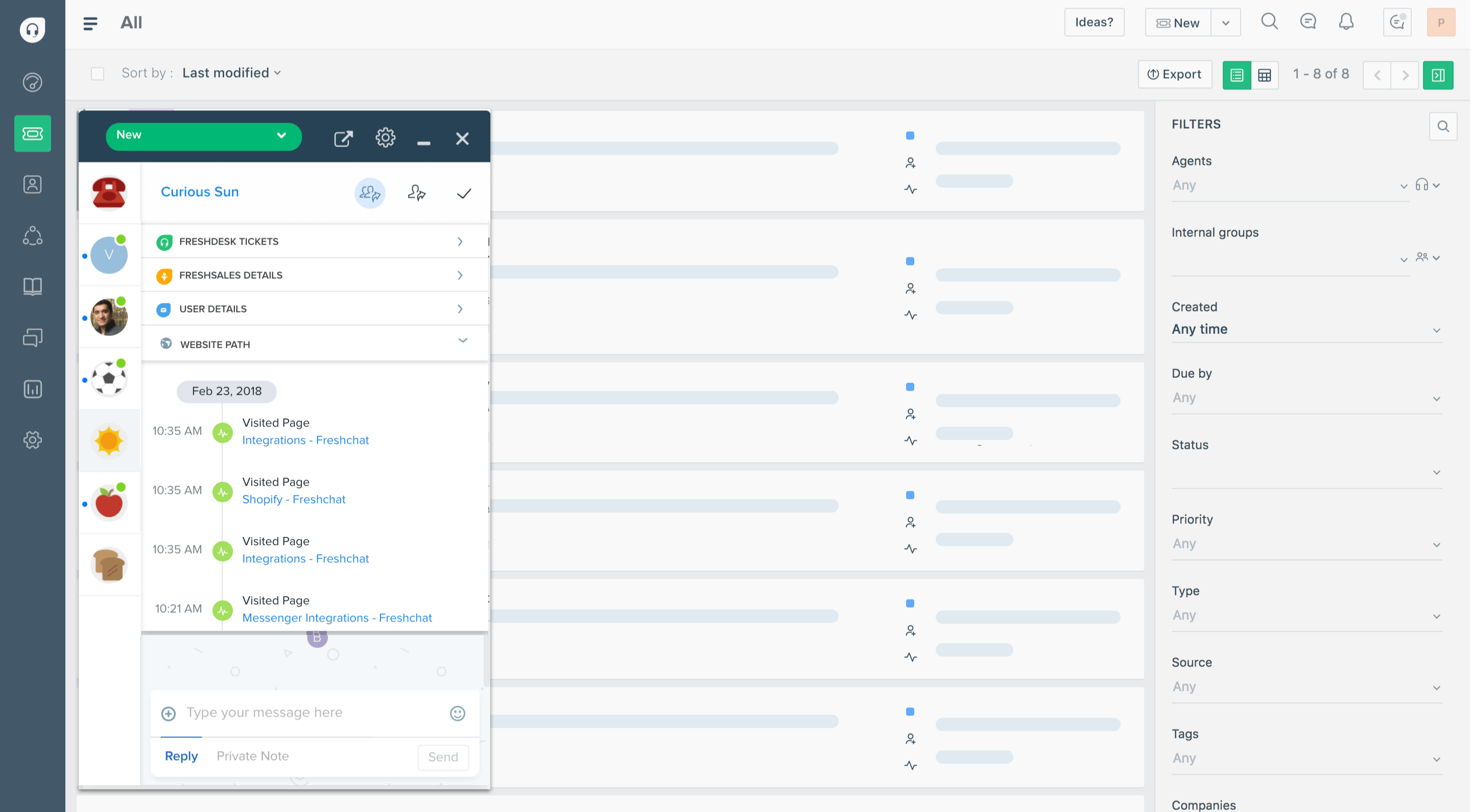
Freshdesk, part of Freshworks, is a customer support platform best for teams that want a helpdesk they can launch quickly without a big budget. It's one of the fastest tools on this list to get running.
Key features:
- Ticketing with a shared inbox and customer portal
- Freddy AI Agent and Copilot for automation
- Self-service knowledge base
- Routing, SLAs, and analytics
G2 reviewers commonly note that Freshdesk is intuitive and quick to deploy, with automation that saves real manual effort. The common complaint is that key capabilities - advanced AI, deeper reporting, and workflow customization - are gated behind higher tiers, so native reporting hits a ceiling fast and complex routing scenarios strain the lower plans.
Pricing: Freshdesk has a free program for up to 2 agents, with paid plans starting at $19/agent/month (Pro at $55, Enterprise at $89), billed annually. Freddy AI includes 500 sessions, then $49 per 100 additional sessions.
5. HubSpot Service Hub
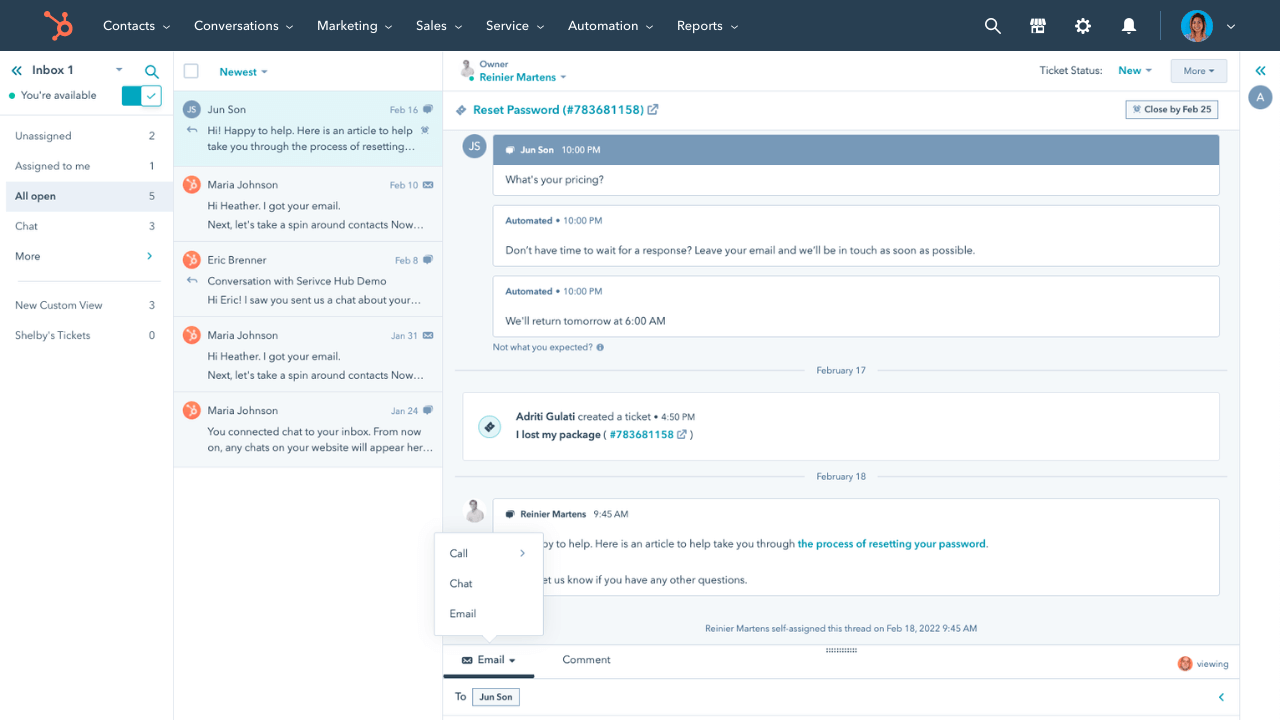
HubSpot Service Hub is a customer service tool best for teams already using HubSpot's CRM. Its biggest advantage is that support data lives alongside sales and marketing data, giving agents full customer context without asking other departments.
Key features:
- Shared inbox, ticketing, and live chat
- Customer health scoring and efficiency reporting
- Knowledge base and customer portal
- Native connection to HubSpot CRM, Sales, and Marketing
Users on G2 value the unified customer view and health scoring that help teams spot at-risk accounts. The recurring drawbacks are limited customization, AI credits that run out quickly, and pricing: costs become prohibitive for small teams as they scale, and the jump from Starter to Professional is steep.
Pricing: HubSpot offers free service tools, with paid Service Hub plans starting around $20/seat/month and a significant jump to the Professional tier.
6. Qualtrics
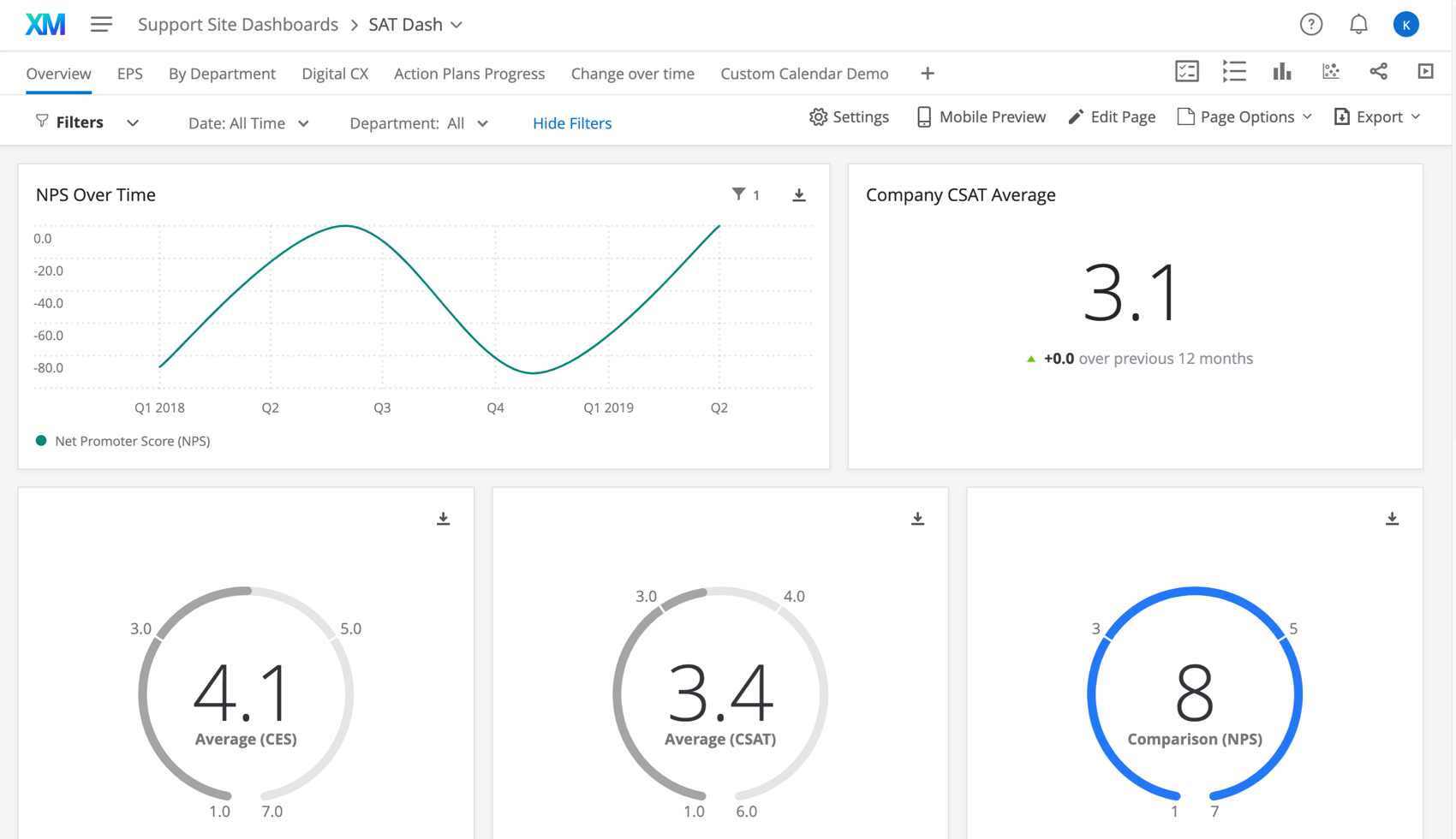
Qualtrics is an enterprise experience management platform, best for large organizations running formal voice-of-customer and research programs. It's less a support tool and more a system for capturing and analyzing feedback at scale.
Key features:
- Advanced survey design and distribution
- Predictive analytics combining structured and unstructured data
- Text and sentiment analysis
- Journey and experience dashboards
G2 reviewers praise the depth of Qualtrics' analytics and its ability to turn feedback into actionable insight. The consistent cons are cost and complexity: pricing is opaque and sales-led, the learning curve is steep, and many smaller teams find it far more platform than they need.
Pricing: Qualtrics doesn't publish pricing. It's quote-based and sales-led, typically landing in the thousands to tens of thousands of dollars per year depending on scope.
7. Medallia
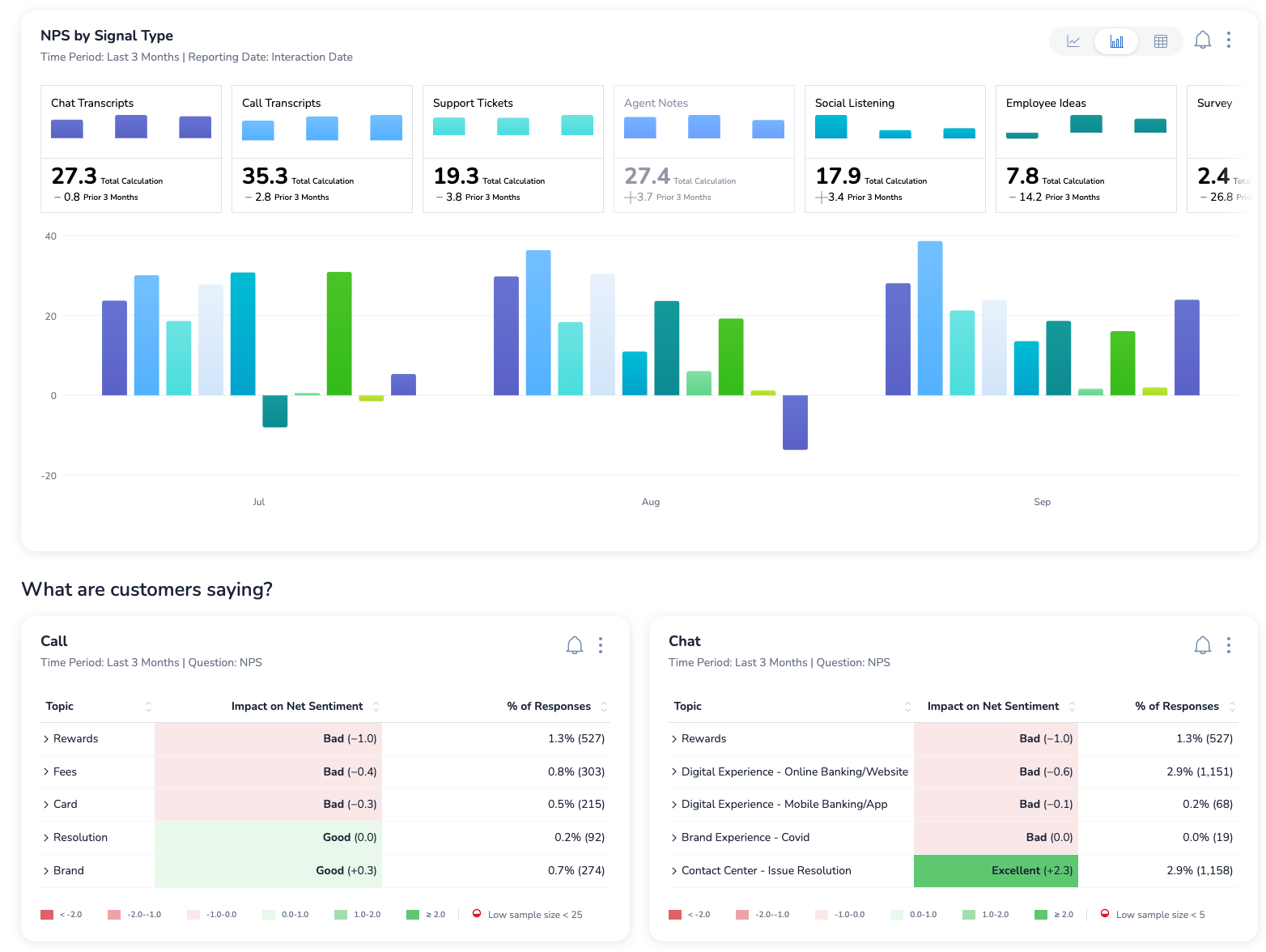
Medallia is an enterprise CX and experience analytics platform, best for large companies that need to capture signals across many channels and dig into behavioral data like session replays and heatmaps.
Key features:
- Omnichannel feedback capture
- Text analytics and predictive CX insights
- Session replay and journey analytics
- Role-based dashboards
A recurring theme in G2 feedback is that Medallia delivers powerful, real-time insight into customer behavior. The trade-offs are a steep learning curve, reporting that can feel clunky, and significant manual effort to extract insights - which, combined with enterprise pricing, makes it overkill for smaller teams.
Pricing: Medallia uses quote-based enterprise pricing with no public plans.
8. Birdeye
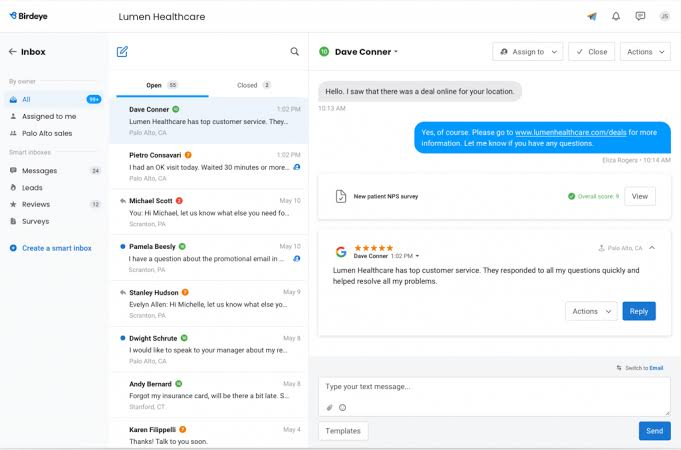
Birdeye is a reputation and customer experience platform, best for multi-location and local businesses that live or die by online reviews. It consolidates reviews, surveys, and messaging across many sites into one dashboard.
Key features:
- Review generation and management across platforms
- Surveys and customer messaging
- Social media management
- AI-powered review responses and insights
Users on G2 report that Birdeye makes managing reviews across locations genuinely easy and that its support and onboarding are strong. The common complaints are a premium price aimed at multi-location and enterprise buyers, annual-commitment contracts, and a dashboard that some multi-location admins find confusing to navigate.
Pricing: Birdeye uses custom, quote-based pricing and generally requires annual contracts.
9. SurveySparrow
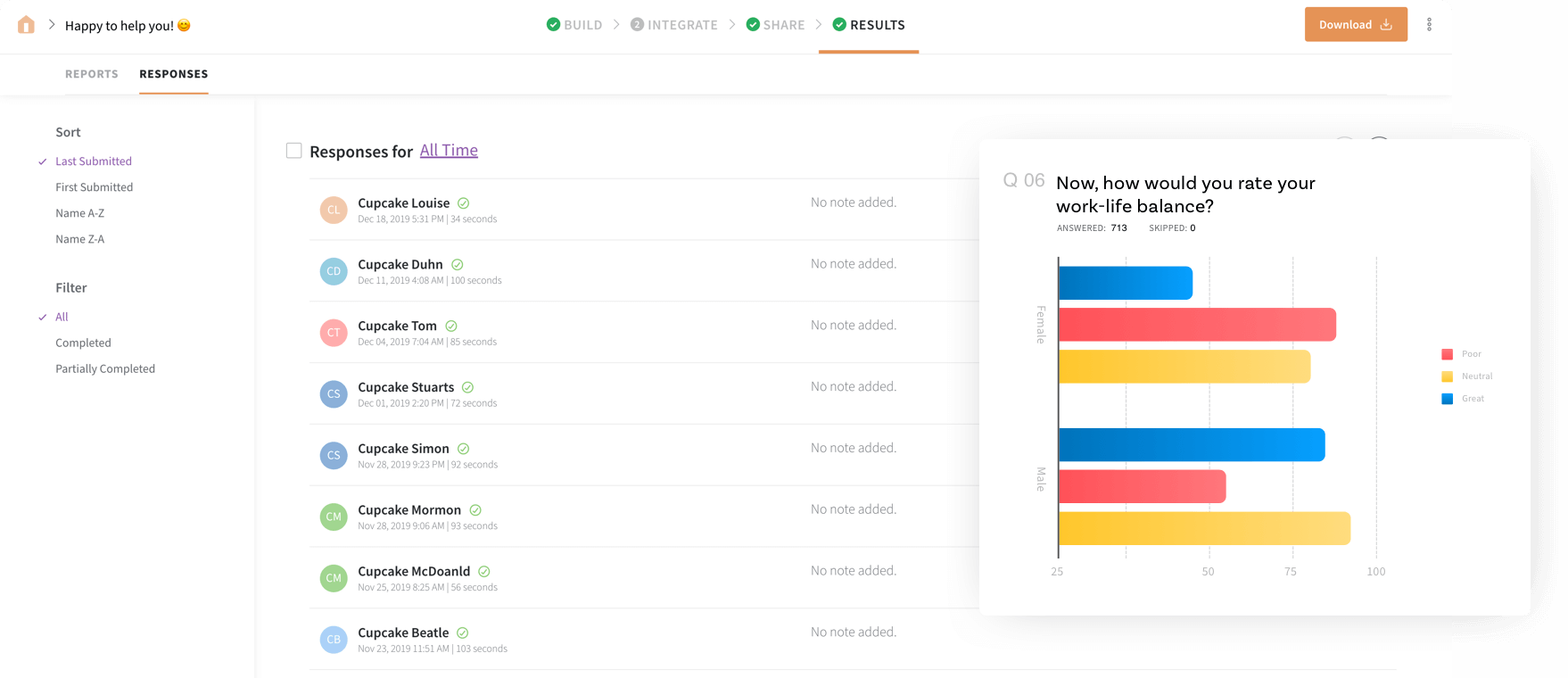
SurveySparrow is a survey and feedback platform, best for teams that want conversational, chat-style surveys to lift response rates. It's a focused feedback tool rather than a full support suite.
Key features:
- Conversational, chat-like surveys
- NPS, CSAT, and CES tracking in a CX suite
- Reputation and review management modules
- Workflows and dashboards
G2 reviewers commonly praise how easy SurveySparrow is to use and how its conversational format increases completion rates, alongside good value for the price. The recurring cons are limited native integrations (complex setups often need Zapier), reporting that lacks depth, and pricing that climbs on higher tiers.
Pricing: SurveySparrow has a forever-free plan, with paid Survey and CX Suite tiers billed yearly.
10. Help Scout
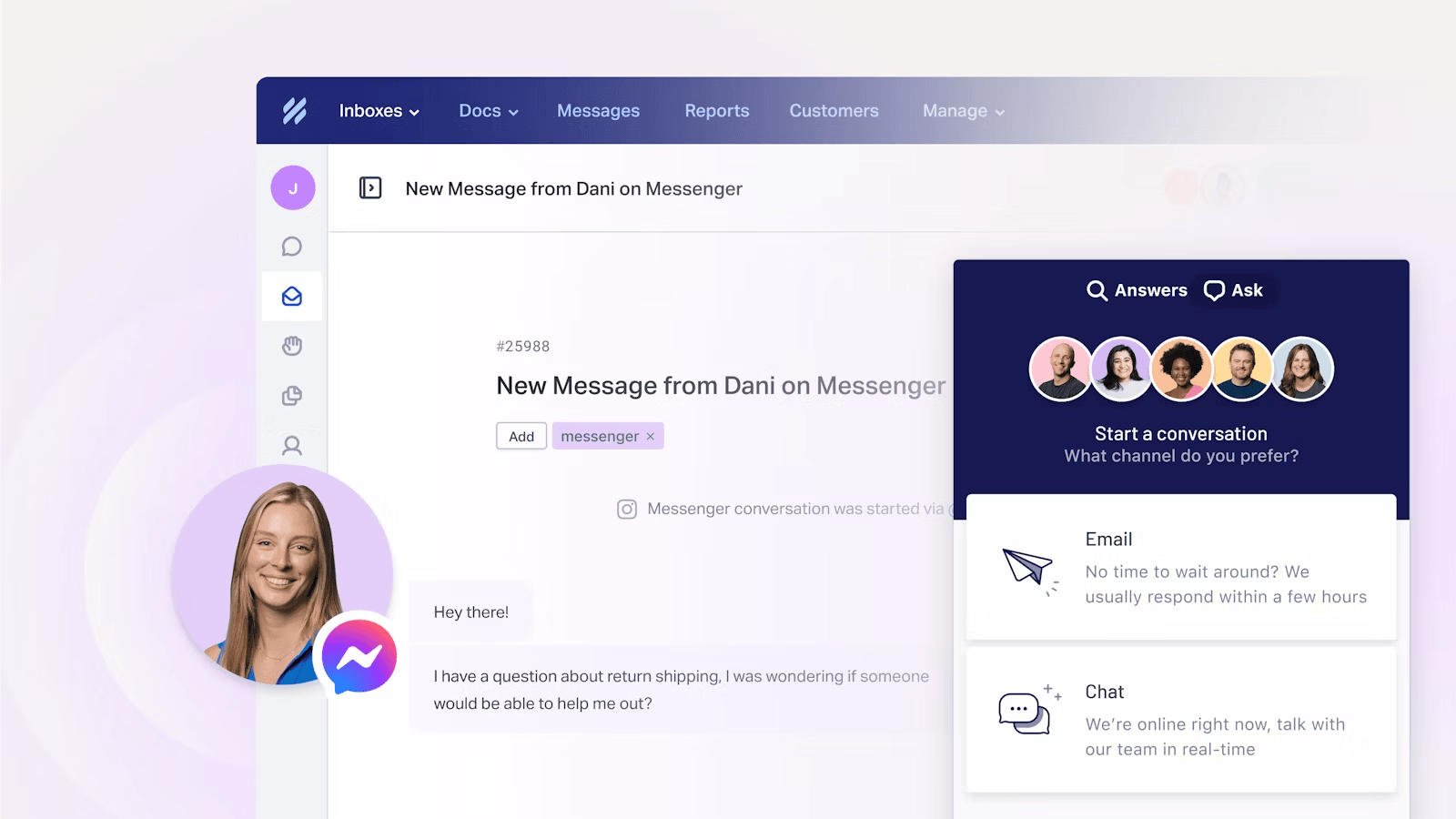
Help Scout is a customer support platform, best for small teams that want simple, human-feeling support without the complexity of a legacy suite. Its shared inbox and built-in knowledge base cover the essentials cleanly.
Key features:
- Shared inbox across email, live chat, and social
- Docs knowledge base and Beacon help widget
- AI Answers, AI Assist, and AI Drafts
- Workflows, SLAs, and reporting
A recurring theme in G2 feedback is that Help Scout is genuinely user-friendly and that its shared inbox keeps teams organized. The main limitations are shallow reporting, the lack of a no-code chatbot builder, and add-on costs for HIPAA and SSO on lower plans. Its usage-based pricing, charged per contact helped, can also surprise growing teams.
Pricing: Help Scout has a free plan for up to 5 users, with paid plans at $25 (Standard), $45 (Plus), and $75 (Pro) per user/month. Its AI Answers add-on is $0.75 per resolution.
Key features to look for in customer experience software
The right tool depends on your journey, but a few capabilities separate a real CX platform from a single-purpose app:
- Omnichannel support: Customers reach you by email, chat, social, and in-app, and expect continuity across all of them. Look for a shared, unified inbox rather than a tool that treats each channel separately.
- Feedback and voice of customer: Surveys, feedback widgets, and a way to collect feature requests turn silent churn into signals you can act on. This is where many support-only tools fall short.
- AI and automation: AI agents that resolve routine questions, plus workflows that route and triage conversations, are now table stakes rather than a bonus.
- Analytics you'll actually use: Satisfaction metrics, response times, and trend reporting matter only if they surface without a services team. Watch for tools that gate real reporting behind their top tiers.
- Integrations: Your CX software should connect to the CRM, ERP, project tools, and Slack you already use, so context follows the customer.
All-in-one platforms like Featurebase are worth a look here because they combine the support inbox, a feedback forum, and a product changelog in one place, so the customer's journey stays connected instead of scattered across separate subscriptions.

Get an all-in-one platform for just $29/seat/month
Automatically resolve 70% of customer requests & cut down manual support loads
How to choose the right customer experience software
Start with the part of the journey that hurts most. If you're drowning in support volume, prioritize an AI-enabled inbox. If you keep guessing at what to build, prioritize feedback and surveys. If reviews drive your business, a reputation tool earns its place.
Then weigh three things: total cost as you scale (not the headline price), how quickly your team can actually adopt it, and whether it consolidates tools or adds another silo. With 70% of executives admitting customer expectations are outpacing them, the tool that ships value in weeks beats the one that needs a six-month rollout.
For most small and mid-size SaaS teams, an all-in-one platform with a free plan is the pragmatic starting point. It lets you cover support, feedback, and updates without buying four separate subscriptions before you know what you need.
Conclusion
"Customer experience software" spans everything from enterprise VoC suites to simple shared inboxes, so the best tool is the one that fits the journey you're trying to fix and the budget you're working with. Enterprises running formal research programs will lean toward Qualtrics or Medallia, review-driven local businesses toward Birdeye, and lean support teams toward Freshdesk or Help Scout.
For fast-growing SaaS teams who don't want to stitch 5 tools together, Featurebase is the modern all-in-one. It brings your support inbox, help center, feedback forum, surveys, and product updates into a single platform, with AI agents to handle routine work, so your whole customer experience stays connected. 💫
There's a free plan and onboarding takes minutes, so there's no downside to trying it. 👇
✨ Automate your support with the fastest AI-enhanced Inbox today →

FAQs
How much does customer experience software cost?
Pricing ranges widely by category. Support-focused tools typically start around $15 to $29 per agent/month, and climb with add-ons and AI usage. Enterprise VoC platforms like Qualtrics and Medallia are quote-based and often run into the thousands or tens of thousands per year. Several tools, including Featurebase, Freshdesk, and Help Scout, offer free plans to start.
What's the difference between customer experience software and customer service software?
Customer service software manages support interactions, like tickets, live chat, and help articles. Customer experience software is broader: it covers the entire journey, including feedback collection, satisfaction tracking, and acting on insights across every touchpoint. Customer service is one important slice of customer experience, not the whole thing.
Is a CRM the same as customer experience software?
No. A CRM stores customer and sales data, such as contacts, deals, and interaction history. Customer experience software focuses on understanding and improving how customers feel across their journey, through feedback, support, and analytics. The two often integrate, and some platforms blur the line, but their core jobs are different.
How is AI changing customer experience software?
AI now handles a large share of routine support through autonomous agents that resolve common questions without a human. It also powers sentiment analysis, feedback categorization, and predictive insights that flag at-risk customers earlier. The shift means teams spend less time on repetitive tickets and more on complex, high-value conversations.
How does customer experience software help reduce churn?
It surfaces problems before customers leave, by catching negative feedback, low satisfaction scores, or unresolved support issues in real time. Closing the loop, replying to feedback and shipping requested fixes, shows customers they're heard, which builds loyalty. Given that 52% of consumers walk away after a bad experience, acting early is the whole point.
What's the best customer experience software for small businesses?
Small businesses usually get the most from an affordable, all-in-one tool with a free plan rather than several point solutions. Featurebase fits this well, combining support, feedback, surveys, and product updates in one platform so a small team can manage the full experience without juggling multiple subscriptions.