Blog Comparisons10 Best Customer Service Email Software Tools in 2026
10 Best Customer Service Email Software Tools in 2026
Compare the 10 best customer service email software tools for 2026, with features, pricing, and guidance on whether you need a shared inbox or a help desk.



✨ Automate your support with the fastest AI-enhanced Inbox today →
Email is still where most customers expect a real answer, not a canned one. But running support from a normal inbox means duplicate replies, dropped threads, and zero visibility into who is handling what.
Customer service email software fixes that by turning a shared address into a managed workspace with assignment, automation, and reporting. This guide breaks down the 10 best tools for 2026, who each one is for, and what they actually cost. 👇
Key takeaways:
| Tool | Best for | Starting price | Free plan | AI features |
|---|---|---|---|---|
| Featurebase✨ | Modern SaaS teams wanting AI support, help center, and feedback in one | $29/seat/mo | Yes | AI agent, AI Copilot, AI translations |
| Zendesk | Large support orgs needing deep ticketing and reporting | $55/agent/mo (Suite) | No | Add-on AI, Copilot |
| Help Scout | Small teams that want an email-first, human feel | $25/user/mo | Yes (5 users) | AI drafts, AI Answers |
| Front | Collaborative inboxes across email, SMS, and social | $25/seat/mo | No | AI add-ons |
| Freshdesk | Budget multichannel ticketing | $15/agent/mo | Yes (2 agents) | Freddy AI (add-on) |
| Zoho Desk | Teams already in the Zoho ecosystem | $7/user/mo (annual) | Yes (3 agents) | Zia AI (higher tiers) |
| Hiver | Support run entirely inside Gmail | $25/user/mo | Yes | AI agents, AI Copilot |
| Intercom | Mid-market teams wanting premium AI resolution | $19/seat/mo billed annually ($29 monthly) + $0.99 per Fin outcome | No | Fin AI agent |
| HubSpot Service Hub | Teams standardized on HubSpot CRM | $15/seat/mo | Yes | AI reply recommendations |
| HappyFox | Structured ticketing with strong SLAs | $24/agent/mo | No | HappyFox AI (add-on) |
What is customer service email software?
Customer service email software is a tool that lets a team receive, organize, assign, and reply to customer emails from one shared workspace instead of a personal inbox. It adds the things a normal email client lacks: conversation assignment, collision detection, canned replies, automation rules, and reporting on response times.
Email still matters more than the AI-chatbot headlines suggest. YouGov data from 2025 found email is used by 63% of US consumers for customer service and preferred by 23%, second only to phone, while only 1% prefer chatbots. If a meaningful share of your customers reach out by email, you need a real system to manage it.
These tools generally fall into two camps, which is the first thing to get straight before you compare features.
Shared inbox vs help desk: Which type do you need?
Most tools on this list lean toward one of two models. Picking the right camp narrows your shortlist faster than any feature checklist.
- Shared inbox/email-first tools: These keep the experience feeling like email. Your team works from an interface close to a normal client, and customers get replies from a regular address with no ticket numbers. Best for teams that want support to feel personal and want to be productive on day one.
- Help desks/ticketing systems: These convert every email into a ticket with an ID, status, and queue. They add SLAs, routing, and deep reporting at the cost of a heavier setup. Best for higher volume and structured workflows.
The line is blurring. A few modern platforms now give you the shared-inbox feel with help-desk structure underneath, so you do not have to trade warmth for control. Featurebase is built this way: an omnichannel inbox that reads like email, with tickets, SLAs, and AI resolution layered in when you need them.
If you want a deeper primer on the model, our guide to shared inbox software covers how to run one well.
The 10 best customer service email software tools
Here are the 10 tools worth shortlisting in 2026, starting with the most modern all-in-one option and moving through the established help desks and email-first players.
1. Featurebase✨

Featurebase is a modern AI customer support platform for product-led SaaS. It combines AI-powered support, help center, and feedback management into a single platform for startups that want all their customer-facing tools in one place. Featurebase is loved by thousands of support teams from companies like Lovable, Raycast, and n8n. 💫
Top features:
- Omnichannel inbox – Manage live chat, email, and Slack conversations from one AI-powered view
- Fibi AI Agent - Resolve customer issues on autopilot & run custom actions like trial extensions and refunds
- Help center with AI search – Provide instant, multilingual self-serve answers
- Workflows & automations – Auto-assign tickets, route conversations, collect customer data, and more
- AI Copilot – Help your agents answer customers faster with AI Copilot that uses your internal knowledge
- Multi-brand support – Manage multiple Help Centers and Live chats from a single workspace
- Automatic AI translations – Automatically translate all messages and help articles to your customers native language
- Service Level Agreements – Track SLAs to make sure your team responds to customers on time, every time
- Mobile app – Respond to customers, receive notifications, and unblock users on the go
- Feedback & roadmap tools – Collect feature requests and close the loop with updates
- Product updates – Publish release notes with a changelog page, in-app widget, and emails
- Integrations – Connects with Slack, Linear, Jira, HubSpot, and more
Pricing: Free plan available with unlimited conversations. Paid plans start at $29/seat/month with $0.29 per AI resolution.
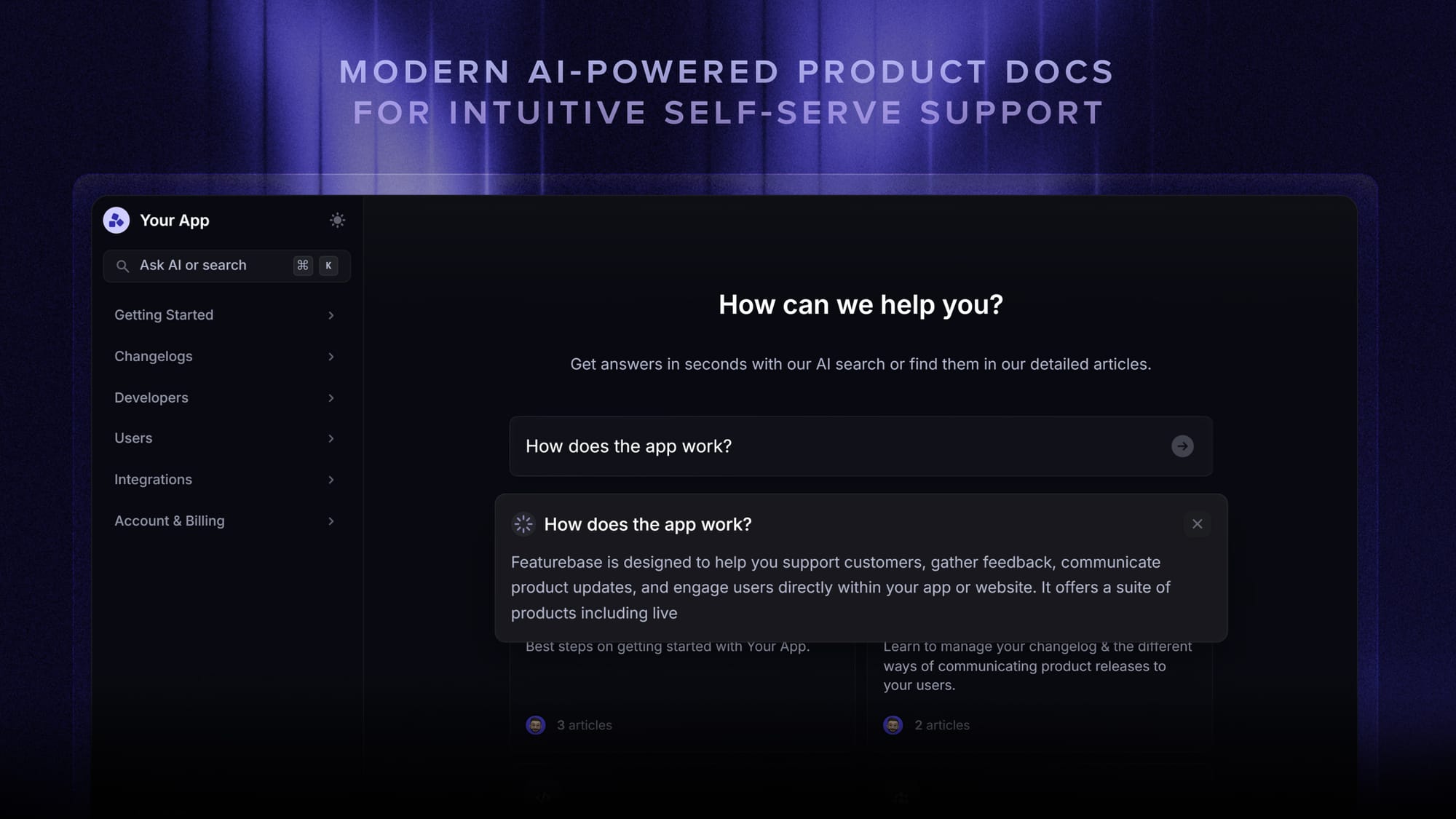
Featurebase covers all the basic support features that legacy platforms do, but with a much more modern approach. It comes with AI automations, a mobile app, and multiple channels (email, live chat, Slack, etc.).
✨ Automate your support with the fastest AI-enhanced Inbox today →
2. Zendesk

Zendesk is the best-known customer service platform and the default choice for large support organizations. It turns email into structured tickets and layers on automation, routing, and some of the deepest reporting in the category.
Key features
- Email, chat, voice, and social ticketing in one Agent Workspace
- Triggers, automations, and macros for routing and replies
- Robust analytics and dashboards
- Large marketplace of integrations and apps
Zendesk is powerful, but reviewers consistently flag two things: it gets expensive for smaller teams once you need advanced features, and the interface can feel heavy and slow at high ticket volume. Customization of ticket forms, roles, and workflows is also more limited than the price suggests, and several users report slow first-party support.
Pricing: Zendesk pricing for the Support-only plan starts at $19/agent/month, but the Suite plans most teams actually use run $55/agent/month (Team), $89 (Growth), and $115 (Professional), billed annually. AI features are a paid add-on on top.
3. Help Scout
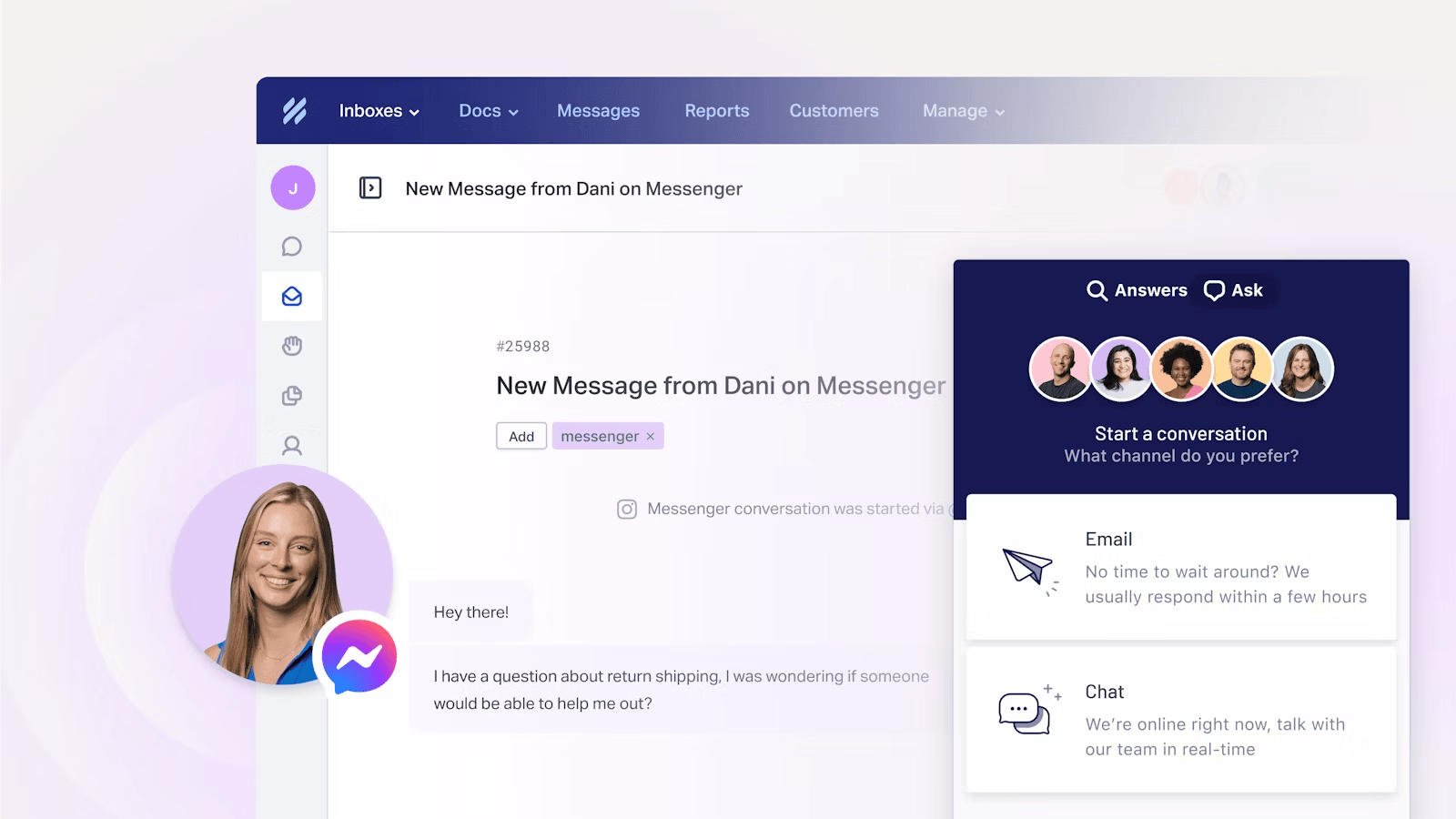
Help Scout is the go-to for teams that want email-first support with a human feel. Customers get replies from a normal address, while your team works from a clean shared inbox with a knowledge base and live chat attached.
Key features
- Shared inbox with assignment, saved replies, and collision detection
- Docs knowledge base and the Beacon embeddable help widget
- Live chat and basic proactive messaging
- AI drafts, summaries, and the AI Answers chatbot
Reviewers love how quickly new agents get comfortable with it, and the interface stays out of the way. The trade-off is depth: advanced reporting and automation are thinner than enterprise help desks, multichannel coverage is lighter, and per-seat costs climb as the team grows.
Pricing: Help Scout has a free plan for up to 5 users, then Standard at $25/user/month, Plus at $45, and Pro at $75. The AI Answers chatbot is billed separately at $0.75 per resolution.
4. Front
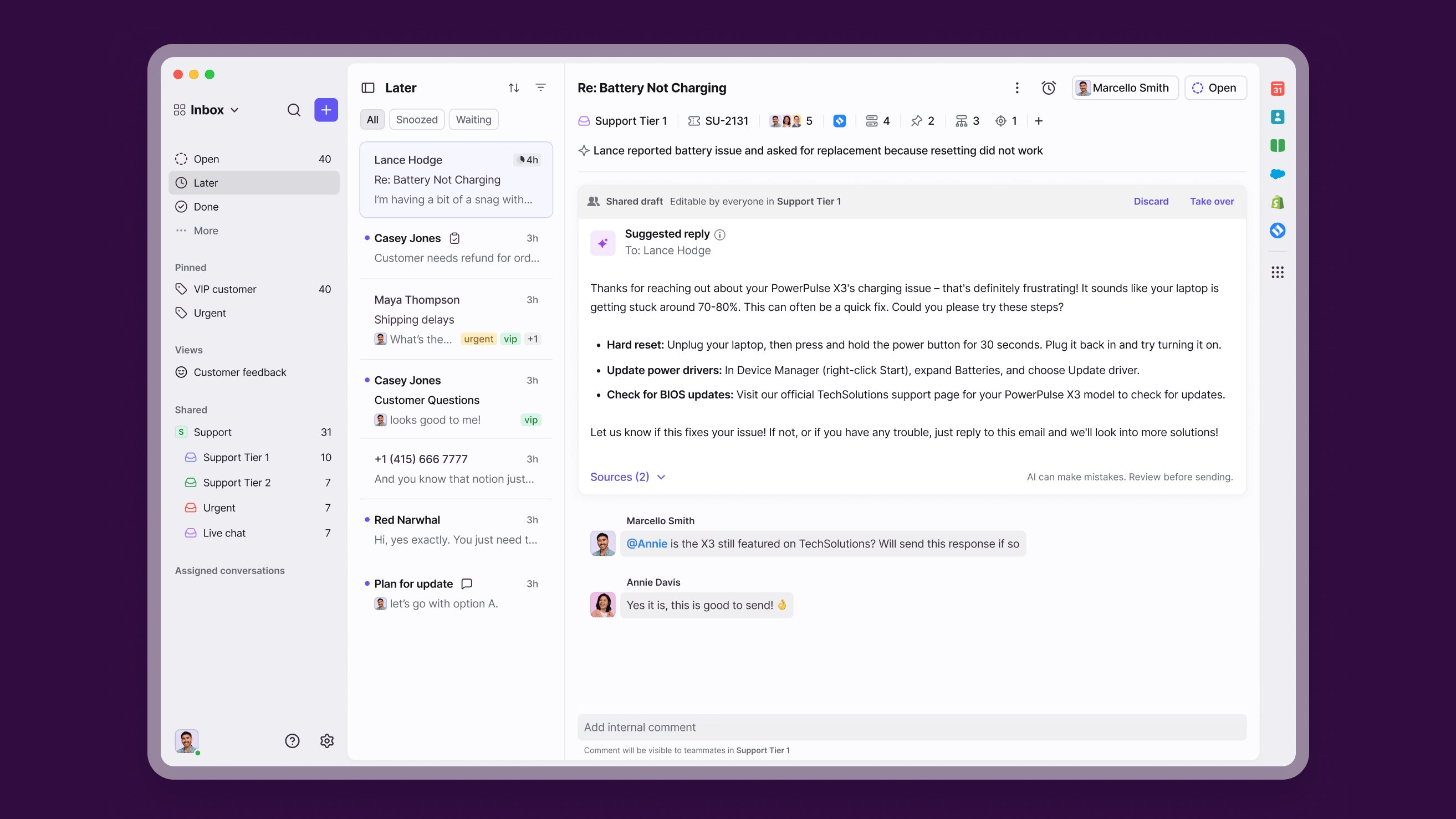
Front blends a shared inbox with light CRM and strong collaboration. It is built for teams that handle customer conversations across email, SMS, and social and want to work them together with internal comments and shared drafts.
Key features
- Shared inboxes across email, SMS, chat, and social
- Internal comments, shared drafts, and assignment workflows
- Rules, macros, and analytics
- AI add-ons (Autopilot, Copilot, Smart QA, Smart CSAT)
Front earns praise for collaboration and a polished inbox, but the cost is a recurring complaint, especially since combining multiple channel types now requires higher tiers. Reviewers also note the native AI is lightweight compared with dedicated platforms, Outlook two-way sync has gaps, and performance can dip on long threads.
Pricing: Front starts at $25/seat/month (Starter, up to 10 seats), then $65 (Professional) and $105 (Enterprise), billed annually. There is no permanent free plan, and AI features like Autopilot are priced separately from $0.05 per conversation.
5. Freshdesk
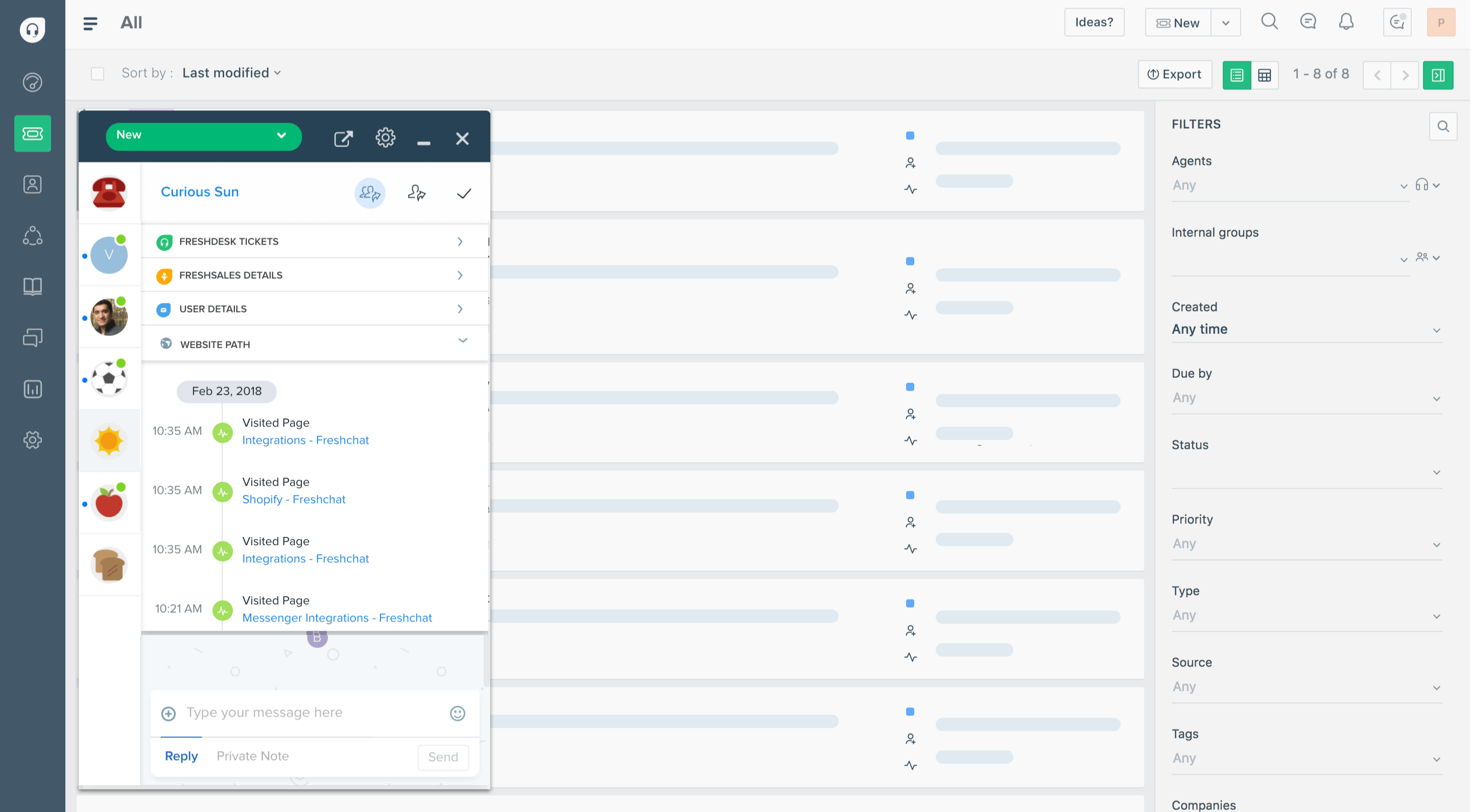
Freshdesk is a budget-friendly multichannel help desk from Freshworks. It handles email, phone, chat, and social tickets from one dashboard and is popular with teams that want solid ticketing without Zendesk-level pricing.
Key features
- Multichannel ticketing across email, phone, chat, and social
- Automations and ticket routing
- Knowledge base and team collaboration tools
- Freddy AI as an add-on
Freshdesk is intuitive and the automation saves real time, but advanced features and reporting are gated to higher tiers. Reviewers also call out that it only supports one set of business hours, reporting setup can be fiddly, and very high volumes strain the workflow engine.
Pricing: Freshdesk pricing includes a free plan for up to 2 agents, then Growth at $15/agent/month, Pro at $49, and Enterprise at $79, billed annually.
6. Zoho Desk
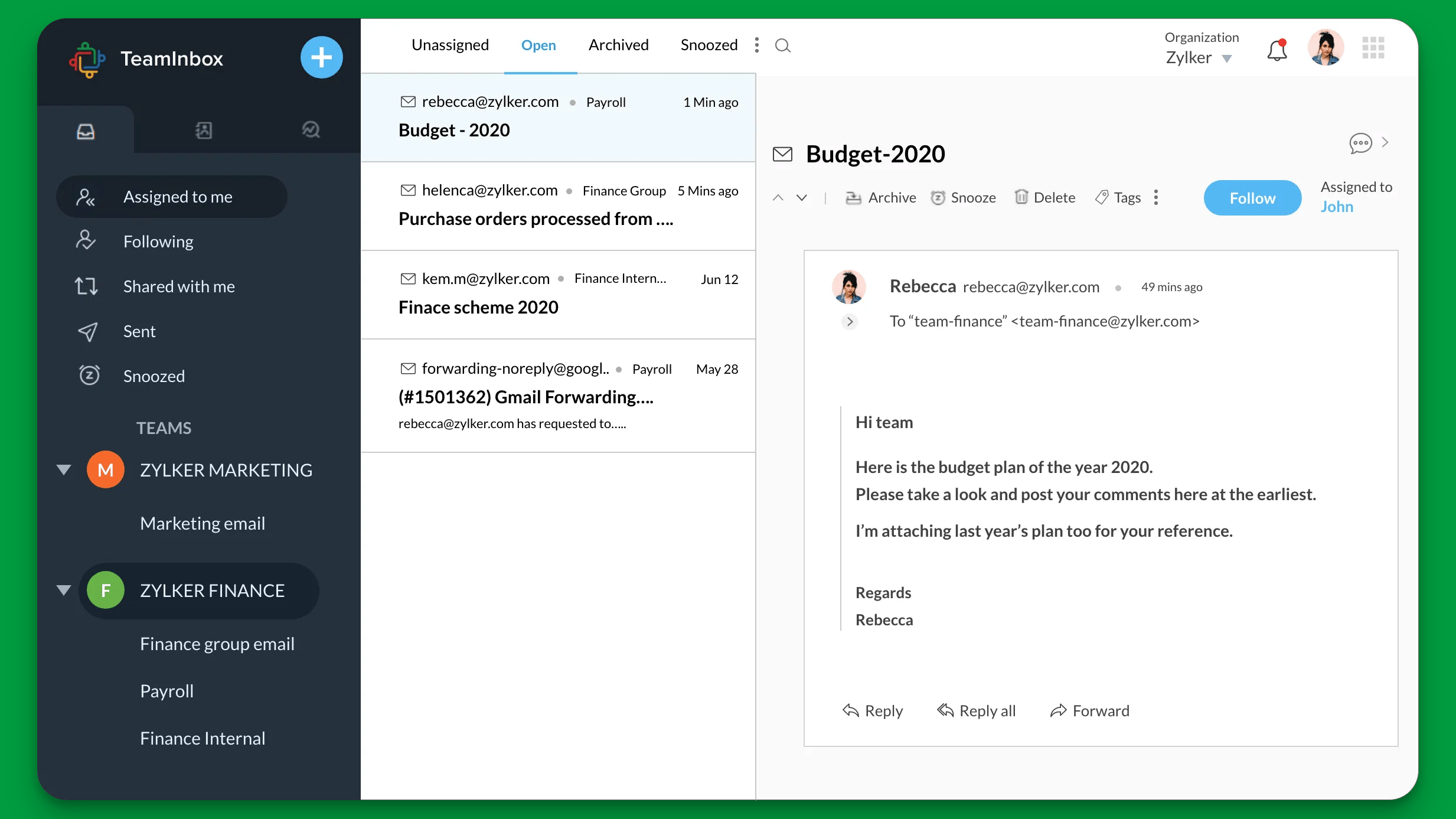
Zoho Desk is a cloud help desk that delivers a lot of feature for the price, especially if you already use other Zoho products. It covers email, social, web forms, and a knowledge base with strong automation.
Key features
- Email, social, and web-form ticketing
- Workflows, blueprints, and SLA management
- Multilingual knowledge base and self-service widget
- Deep integration with the Zoho ecosystem
The value is real, but reviewers note the interface can feel cluttered and the learning curve steep, with functionality scattered across modules. The native AI is still basic compared with newer agents, and the free plan and mobile app are restrictive.
Pricing: Zoho Desk has a free plan for up to 3 agents, then Express at $7/user/month, Standard at $14, Professional at $23, and Enterprise at $40, billed annually.
7. Hiver
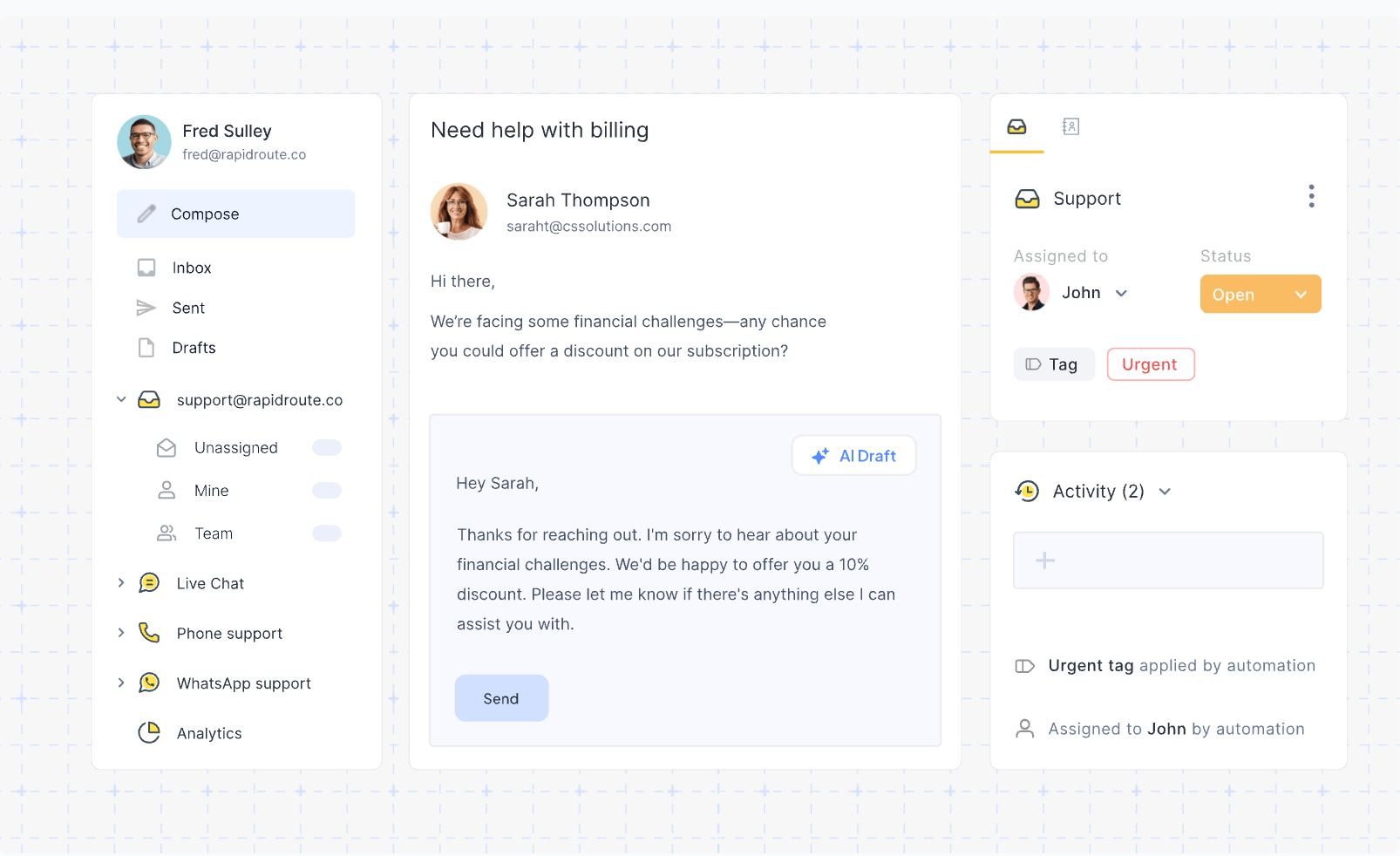
Hiver runs customer support right inside Gmail. If your team lives in Google Workspace, Hiver turns shared addresses like support@ into assignable, trackable inboxes without anyone learning a new tool.
Key features
- Gmail-native shared inboxes with assignment and notes
- Collision alerts and SLA tracking
- Workflow automation and analytics
- AI agents, AI Copilot, and a knowledge base
Onboarding is the standout strength because it lives where your team already works. The downsides come from that same dependency: performance can lag at high volume, sync occasionally gets buggy, AI and analytics are lighter than standalone platforms, and you are tied to Gmail.
Pricing: Hiver has a free plan, then Growth at $25/user/month, Pro at $55, and Elite at $85, billed annually. Paid plans start at a 2-seat minimum.
8. Intercom
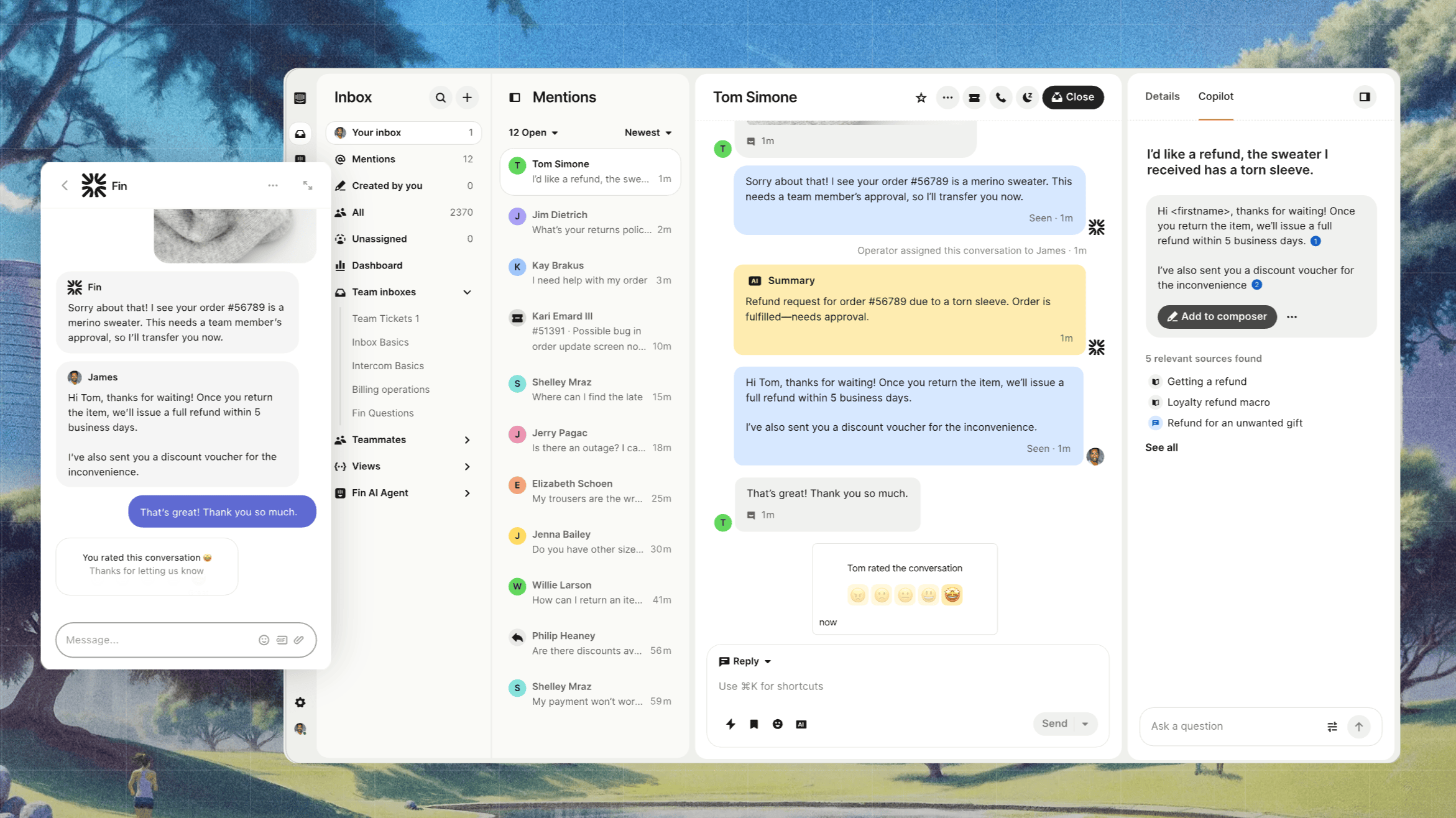
Intercom is a premium customer communication platform best known for its Fin AI agent. It consolidates live chat, email, and social into one inbox and leans hard into AI-driven resolution.
Key features
- Omnichannel inbox with email, chat, and social
- Fin AI agent for autonomous resolution
- Custom bots, workflows, and proactive messaging
- Help center and product tours
Reviewers like the modern interface and how naturally Fin handles conversations. The friction is cost and predictability: per-seat pricing is high, add-ons and AI resolution fees stack up fast, and the platform can feel like overkill for small teams.
Pricing: Intercom pricing starts at $19/seat/month for Essential billed annually ($29 billed monthly), plus $0.99 per Fin outcome. Advanced costs $85/seat/month and Expert costs $132/seat/month, billed annually.
9. HubSpot Service Hub
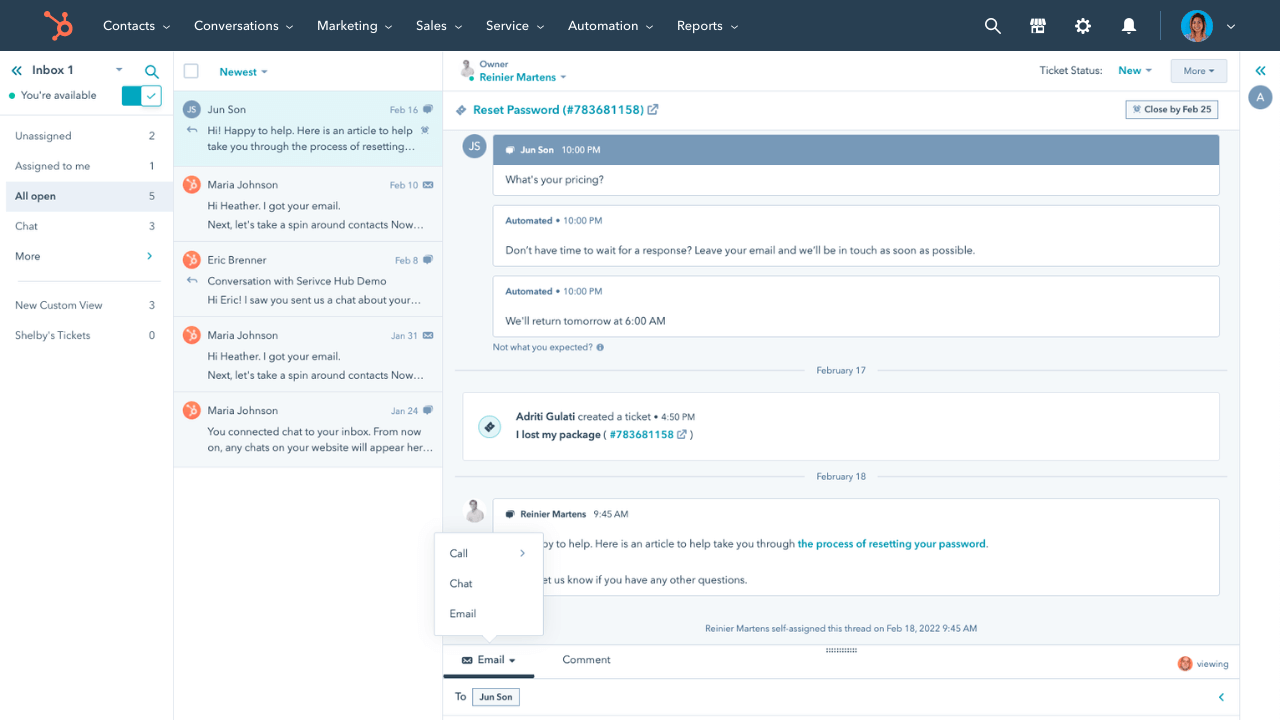
HubSpot Service Hub is the natural pick if you already run on HubSpot CRM. Tickets, conversations, and customer records all live together, so support context stays connected to sales and marketing.
Key features
- Shared inbox and ticketing tied to HubSpot CRM
- Help desk workspace, knowledge base, and live chat
- Automation, SLAs, and customer surveys
- AI reply recommendations
The CRM integration is the whole point and it works smoothly. Reviewers flag that knowledge base and branding customization are limited, AI credits run out quickly, and the jump from Starter to Professional is steep for service-only teams.
Pricing: HubSpot pricing for Service Hub includes a free plan, then Starter at $15/seat/month, Professional at $90, and Enterprise at $150. Professional and above carry one-time onboarding fees.
10. HappyFox
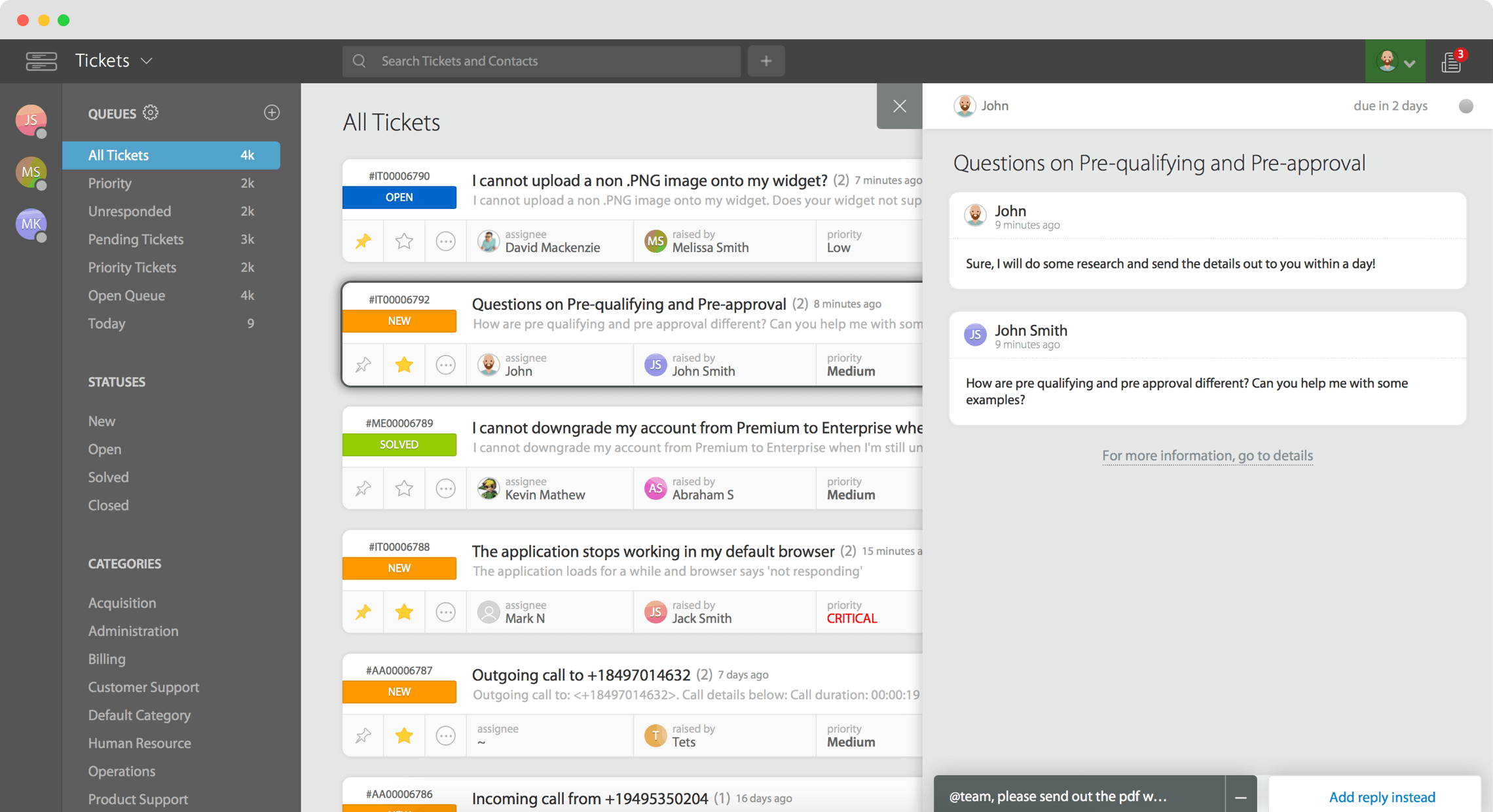
HappyFox is a structured help desk known for clean ticketing, SLA management, and an easy setup. It suits teams that want organized, rule-driven support across email and other channels.
Key features
- Ticketing across email, chat, and social
- Built-in rules, workflows, and SLA management
- Knowledge base and community forums
- HappyFox AI as an add-on
Setup and configuration are genuinely easy, and the SLA and automation tooling is solid. Reviewers do call out the cost relative to peers, limited customization and reporting on lower tiers, an awkward knowledge-base preview flow, and occasional mobile lag.
Pricing: HappyFox starts at $24/agent/month on the Basic plan (capped at 5 agents), while unlimited-agent plans begin at $1,499/month.
How to choose the right customer service email software
The best tool depends on your volume, your channel mix, and how much structure you want. A few criteria matter more than the rest:
- Collaboration: Look for assignment, internal notes, collision detection, and shared drafts. These are what stop duplicate replies and CC chaos, and they matter more day to day than flashy automation.
- Channels: Decide whether email is enough or you need live chat, Slack, and social in the same inbox. Paying for omnichannel you will not use is a common overspend.
- Automation and AI: Check what is included versus charged extra. Many platforms advertise a low seat price, then meter AI per resolution or lock it behind premium tiers. Featurebase, for example, prices AI resolution per outcome at $0.29 rather than as a per-seat add-on.
- Integrations: Make sure it connects to your CRM, issue tracker, and the rest of your stack so context follows the customer.
- Total cost: Read past the headline price. Minimum seats, add-ons, and onboarding fees change the real number quickly.
If you want to widen the search beyond email-specific tools, our roundup of the best customer service software covers the broader category.

Get the best CX software
Automatically resolve 70% of customer requests & cut down manual support loads
Conclusion
Email is still one of the most-used and most-expected support channels, so the tool you pick to manage it shapes how your whole team works. Shared-inbox tools keep things human and fast to adopt, help desks add structure and scale, and a few modern platforms now give you both.
Featurebase is the most complete option for product-led teams, pairing an email, chat, and Slack inbox with an AI agent, a help center, and feedback tools in one place, so you replace several legacy tools instead of stacking them. There is a free plan with unlimited conversations and onboarding is fast, so there is no downside to trying it. 👇
✨ Automate your support with the fastest AI-enhanced Inbox today → Get started with Featurebase
FAQs
What's the difference between customer service email software and a shared inbox?
A shared inbox is one feature: a single address like support@ that several teammates can see and reply to. Customer service email software is the broader system around it, adding assignment, automation, SLAs, reporting, and often other channels. Most email-first tools on this list are built around a shared inbox, while help desks wrap it in ticketing.
Do I need customer service email software if I already use Gmail or Outlook?
If more than one person handles a shared address, yes. Plain Gmail or Outlook does not show who is replying to what, cannot assign conversations, and makes it easy to send duplicate replies or miss messages entirely. Customer service email software solves those problems while still working with your existing email provider.
Is customer service email software the same as a CRM?
No. A CRM stores the customer relationship and sales pipeline, while customer service email software manages the support conversations themselves. They overlap and most support tools integrate with a CRM, but a CRM alone is not built to triage, assign, and reply to incoming support email at speed.
How much does customer service email software cost?
Pricing ranges from free plans to roughly $25-$115 per seat each month depending on features. Budget help desks like Freshdesk and Zoho Desk start around $7-$15 per agent, mid-range tools like Help Scout and Front sit at $25, and AI resolution is often metered separately on top of the seat price.
What should you look for in customer service email software?
Prioritize team collaboration features, the channels you actually need, automation that is included rather than an upsell, integrations with your existing stack, and transparent pricing with no surprise minimums. Make a short list of must-have features first, then compare tools against it rather than the other way around.
What's the best free customer service email software?
Several tools offer real free tiers, including Zoho Desk (3 agents), Freshdesk (2 agents), HubSpot Service Hub, and Help Scout (5 users). Featurebase also has a free plan with unlimited conversations plus a help center and feedback tools, which makes it a strong starting point for small SaaS teams that want room to grow without switching tools later.