Delight AI Reviews: Features, Pricing, Pros and Cons
Looking for Delight AI reviews? Here's my take on its features, pricing, customer feedback, and whether it fits your customer support team.


On this page
Automate your support with the fastest AI-enhanced Inbox today
Delight.ai looks promising if you want AI agents that remember customers and handle support across channels. But the reviews are still limited, and you'll need a quote to find out what the AI costs.
I've looked through its product pages and available customer feedback to break down what it does, what users like, and where I'd look more closely before signing up. 👇
Key takeaways
- Delight.ai is Sendbird's AI agent platform: It handles support questions, takes actions, and helps with sales workflows.
- Delight Desk costs $0 per seat: You pay for successful AI resolutions, but the rate isn't publicly listed.
- Early feedback is mixed: The small review sample praises upselling and personalization, while flagging setup time and workflow maintenance.
- Featurebase ✨: An alternative for software teams that want AI support, a help center, feedback, and product updates together.
What is Delight.ai?
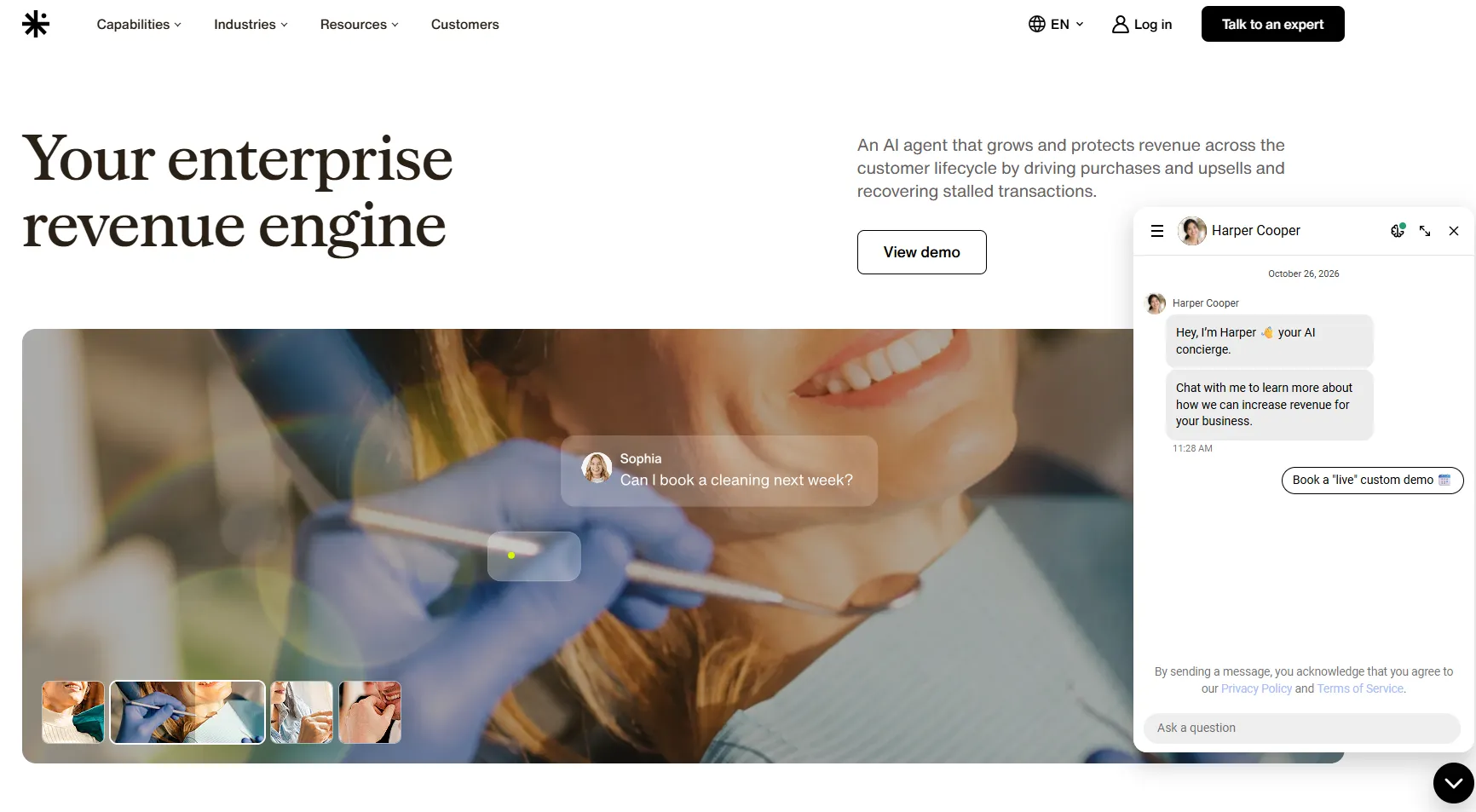
Delight.ai is an AI customer engagement platform from Sendbird. Its agents use customer information to answer questions and carry out tasks through connected tools.
You might know it as Sendbird AI Agent. Just keep in mind that older reviews of Sendbird's chat infrastructure cover a different product.
Delight combines customer memory, support across multiple channels, and a built-in helpdesk. It also focuses on revenue, with agents that recommend upgrades and help customers finish purchases.
What do Delight.ai reviews say?
There's some useful customer feedback, but not enough to confidently call it a broad consensus. Here's what stood out in the Delight-specific G2 reviews I checked in October 2026.
What users like
The positive feedback focuses on upselling and personalized recommendations. Reviewers describe agents suggesting services that better match a customer's needs and helping generate more revenue from existing customers.
That's encouraging if your team handles account upgrades. If you mainly troubleshoot software bugs, I'd ask for references from customers doing similar work.
What to watch out for
The same sample mentions long setup times, work involved in designing sales workflows, and manual Actionbook updates. Actionbooks are the instructions that guide the agent's behavior.
The reviews I could verify were seller-invited and incentivized. I'd treat them as early signals and use a demo to understand how much setup and upkeep your team would own.
Delight.ai's main features
These are the 4 features I'd pay the most attention to.
Customer memory across channels
The Agent Memory Platform, or AMP, keeps track of customer history, preferences, and intent. Delight uses this context across voice, chat, email, SMS, WhatsApp, and in-app conversations.
Say a customer asks about a billing issue in chat, then follows up by email. The idea is that the agent remembers the issue so the customer doesn't have to explain it all again. Nobody enjoys typing the same story twice.
I'd test that exact scenario, including a case where the customer's account details have changed.
Actions and follow-ups
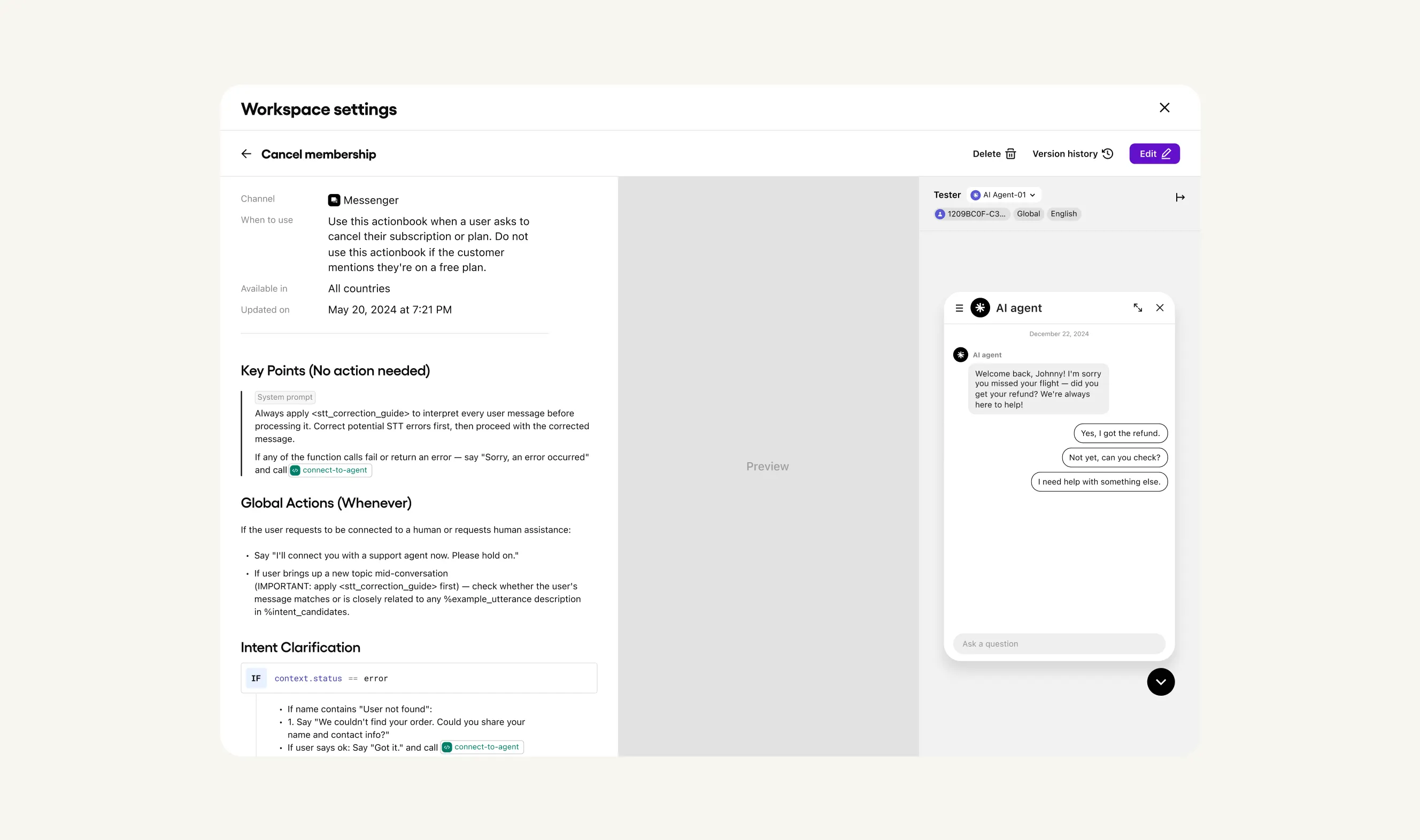
Delight's agents can take actions through integrations and APIs, and involve a person when a decision needs human judgment. The platform also supports outreach triggered by business events.
For example, an agent could help someone complete an unfinished purchase or suggest a relevant upgrade. You'll need to connect the right systems and define what the agent is allowed to do.
This is where the setup feedback matters. Someone still needs to keep those instructions current when your offers or policies change.
Delight Desk and human handoff
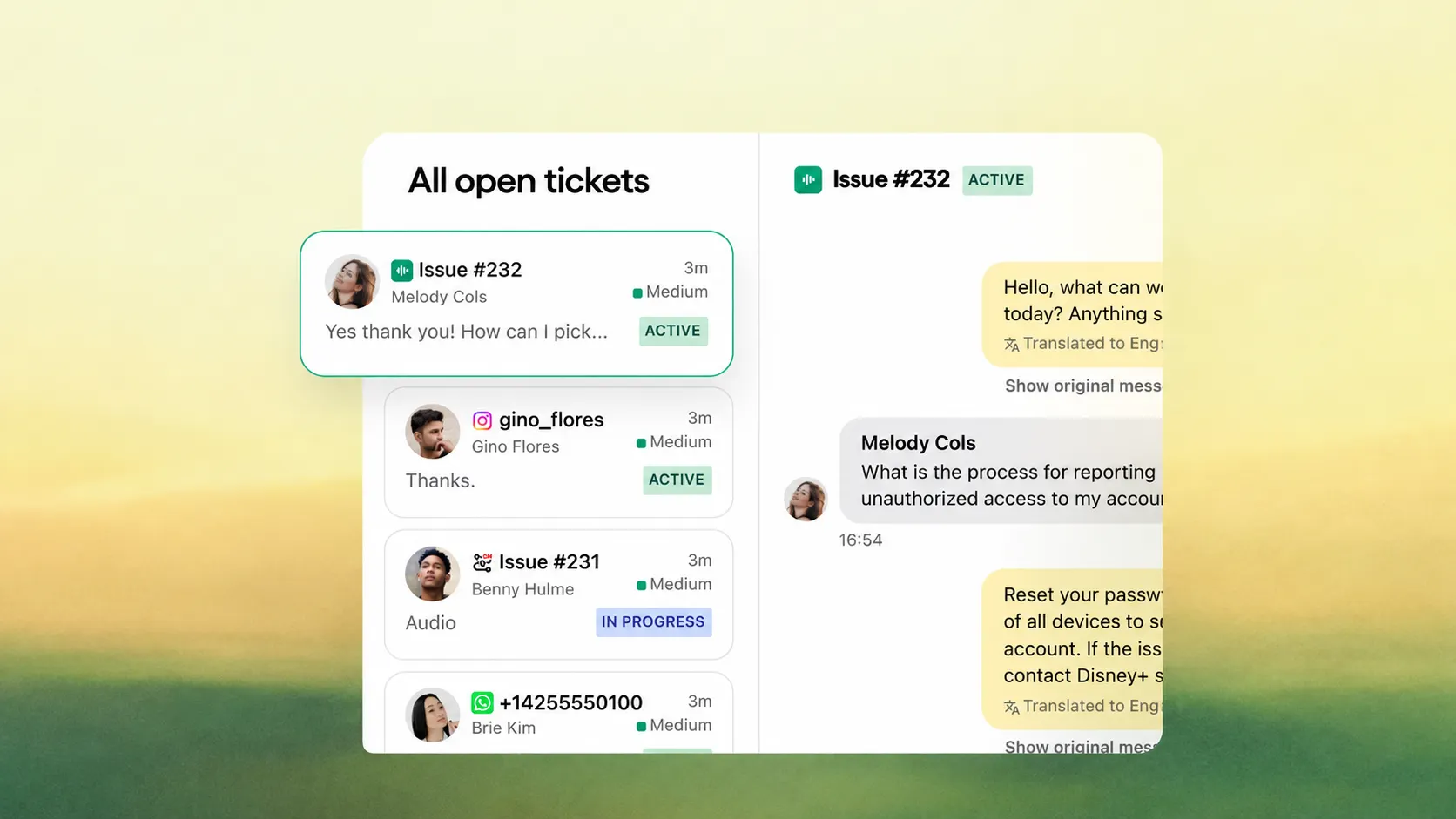
Delight Desk is the built-in helpdesk for managing tickets, routing work, and helping human agents. It includes AI assistance, a record of the agent's reasoning, and an inbox for cases that need attention.
The useful part is the context available when a person takes over. I'd check whether a teammate can quickly see what the customer needs and what the AI already tried.
Trust OS and quality controls
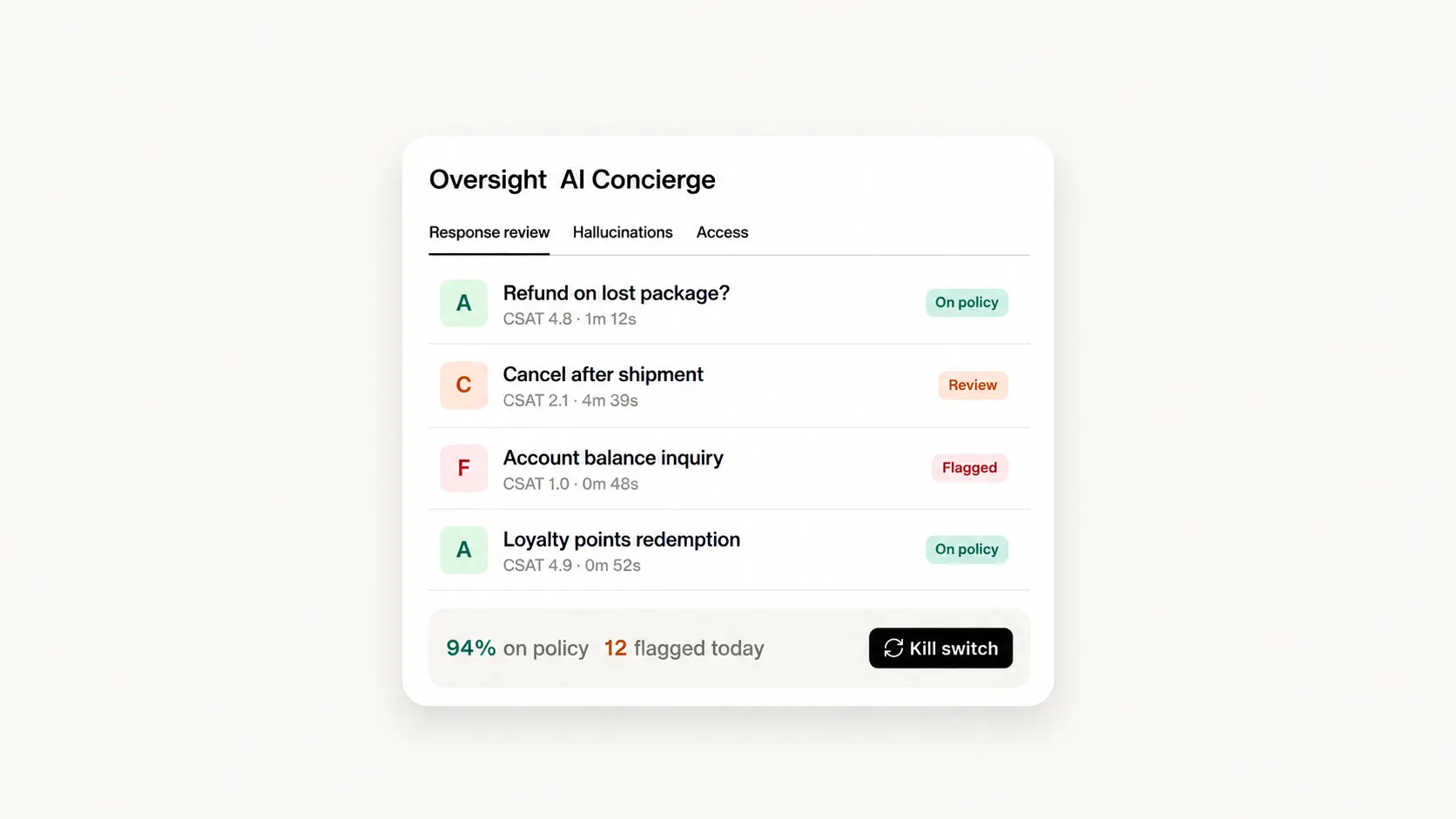
Trust OS helps you supervise the AI agent. It includes logs of decisions and actions, response grading, error detection, access controls, and options to pause or escalate work.
If an agent gives the wrong answer, these tools should help you investigate what happened. Ask to see how your team would find the cause and correct it.
How much does Delight.ai cost?
Delight.ai pricing separates free Desk seats from paid AI resolutions. The Desk page says you pay when the AI successfully resolves a case, with no charge for that interaction if it hands the case to a human.
The missing piece is the dollar amount. There's no public per-resolution rate on the official pages I checked, so you'll need a quote.
Before signing, I'd ask about:
- Resolution rules: What counts as resolved, and what happens if the customer reopens the case?
- Rates: Does the price change with volume or channel?
- Commitments: Is there a minimum spend or contract term for AI?
- Other fees: Are setup, migration, or channel costs charged separately?
Those are questions to clarify, not confirmed extra charges. Desk advertises no annual commitment, but check the terms of your AI agreement separately.
Also, don't use Sendbird Chat API prices to estimate your bill. That's a different product.
Delight.ai pros and cons
Pros
✅ Customer memory across conversations and channels
✅ Agents that handle support and sales workflows
✅ Built-in helpdesk with $0 seat fees
✅ Tools for reviewing and controlling AI behavior
Cons
❌ No public AI resolution rate
❌ Limited Delight-specific customer reviews
❌ Setup and workflow maintenance concerns in the available feedback
Who should use Delight.ai?
I'd shortlist Delight.ai if customers regularly switch channels and your agents need account context to get things done. It's also worth a look if support conversations often lead to renewals, recommendations, or upgrades.
If you mainly need a shared inbox and answers from your help articles, compare simpler options too. You may not need the wider platform.
Before committing, try a small set of your actual support cases. Check whether the AI solves them correctly, passes useful context to teammates, and saves enough work to justify the total cost.
A good experience matters: Gartner found that only 27% of customers would try a chatbot again after a negative experience. For any AI support tool, I'd pay close attention to how easily customers can get help when the bot gets stuck.
Featurebase: an alternative for software support
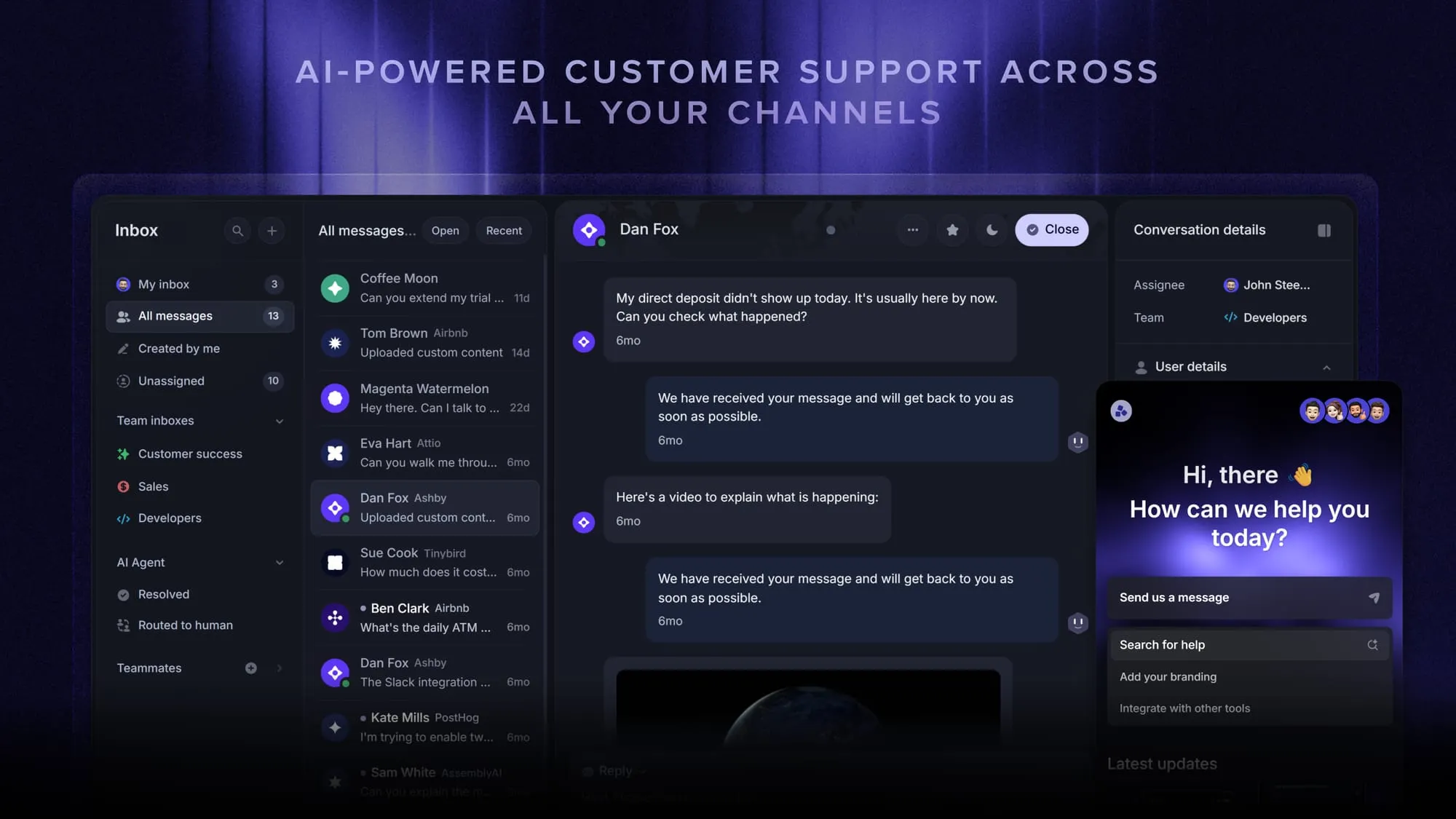
Featurebase brings AI support, a help center, and feedback management into one platform. It's a good fit when your customer base is growing faster than your support capacity and you want to manage support and product communication together.
For example, you can turn a support conversation into a feature request for your product team. Fibi AI Agent can use your help articles, past conversations, roadmap, and changelog to answer customers with product context.
Top features:
- Omnichannel inbox – Manage live chat, email, and Slack conversations together
- Fibi AI Agent – Answer questions and run configured actions like trial extensions and refunds
- Help center with AI search – Give customers multilingual, self-serve answers
- Workflows & automations – Route conversations, assign tickets, and automate repetitive tasks
- AI Copilot – Draft replies using your support knowledge
- Multi-brand support – Manage multiple help centers and live chat experiences
- Automatic AI translations – Translate messages, replies, and help content
- Service Level Agreements – Track response targets and prioritize urgent work
- Mobile app – Help customers while you're away from your desk
- Feedback & roadmap tools – Collect feature requests and connect them to planned work
- Product updates – Share release notes through a changelog, widgets, and emails
- Integrations – Connect Slack, Linear, Jira, HubSpot, and more
Pricing: Paid plans start at $29 per seat/month billed annually, or $37 billed monthly, plus $0.49 per Fibi AI resolution. The Free plan includes 1 seat and unlimited conversations, without Fibi AI.
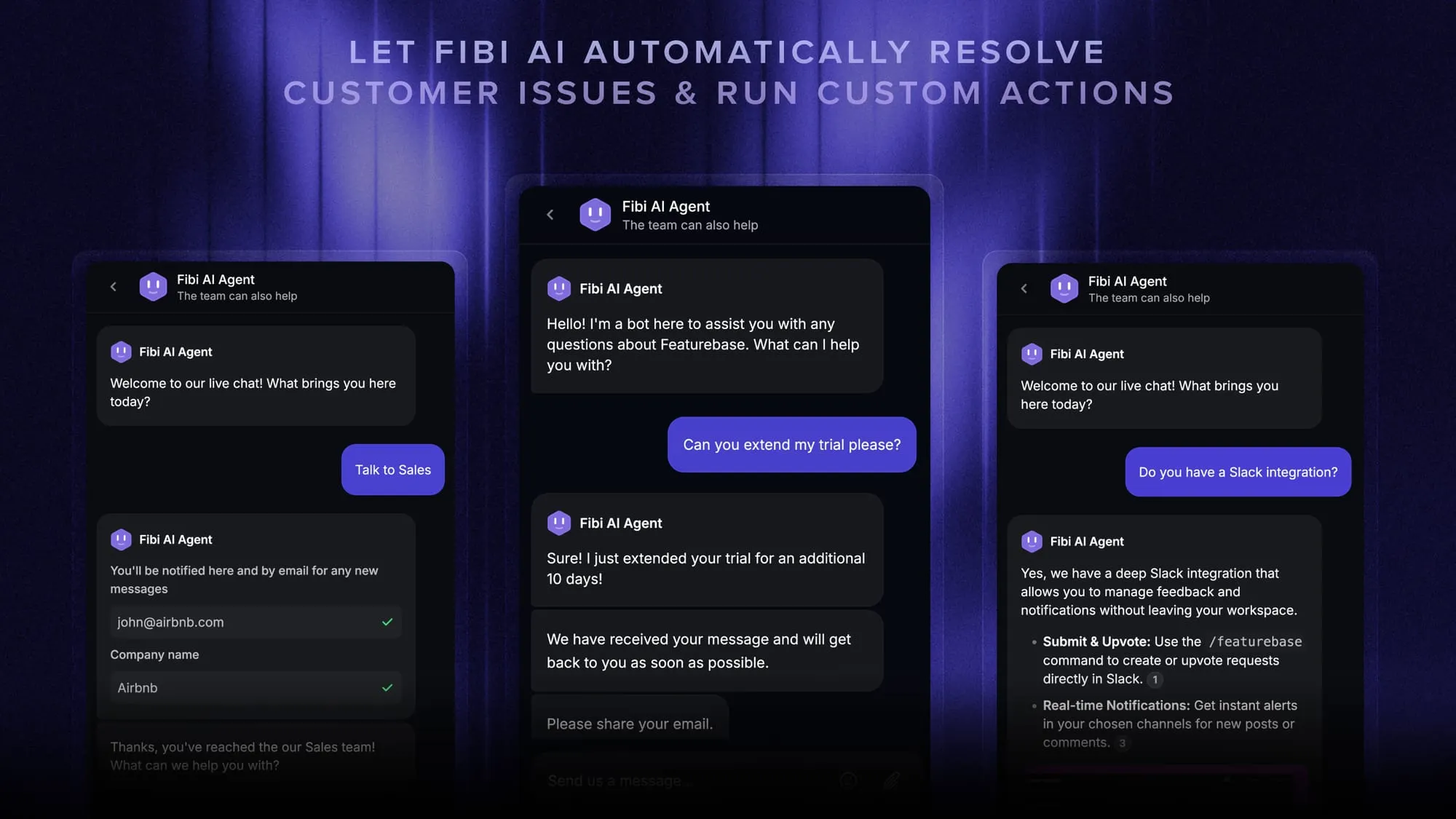
Features vary by plan. Slack and Workflows require Professional, multi-brand support requires Enterprise, and unlimited Copilot usage is an add-on.
I'd consider Featurebase when you want to manage software support and product feedback yourself in one place. For phone-led support or ecommerce returns workflows, look at tools built around those needs.
Conclusion
Delight.ai is worth a look if you need customer memory, support across multiple channels, and agents that take action. Get a written AI quote and try your own support cases before committing.
For software teams that want support, knowledge, feedback, and product updates together, Featurebase is another option worth exploring.
Start with the Free plan for the core tools, then consider a paid plan for AI support. 👇
Explore Featurebase's AI customer support platform
FAQs
Yes, Delight says Desk works as a human-operated helpdesk without enabling AI. You can add the AI agent later.
Yes, Delight names Salesforce and Freshworks for live-agent handoff. Check that the integration supports the specific data and workflow you need.
Delight advertises migration of Zendesk tickets, help center content, and conversation history. Confirm how it handles your custom fields, attachments, and open cases before switching.
Yes, Trust OS describes test suites using real conversations, along with staging and gradual rollout options. Ask to use examples from your own support history.
Yes, Delight says you can trace memories to their sources and review, correct, or delete them. Check how those controls work with your connected data sources.